



Introduction
So here's something interesting - math apps have blown up since 2020. National Numeracy even started curating lists of apps people actually use (not just download and forget about) (National Numeracy). Look, I thought math apps would suck. Like, really suck. Boring drills, patronizing "good job!" messages, that whole thing. What I found instead was a whole ecosystem of tools that treat you like an adult while making math genuinely engaging.
You're probably here because you've realized that mental math matters more than you thought. Maybe you're that person who pulls out their phone calculator to figure out a 15% tip on $47.83 while everyone waits. Or perhaps you need to brush up on statistics for work. Whatever brought you here, you're making a smart move. The right math for adults app can transform those awkward calculation moments into confident, quick thinking.

We've tested dozens of math apps for adults to find the ones that deliver results for adult learners. Some focus on mental arithmetic speed, others tackle complex problem-solving, and a few make geometry puzzles genuinely addictive. This guide breaks down 19 apps across five categories, evaluating each one against the criteria that matter most to adults with busy lives and specific goals.
Table of Contents
-
What to Consider When Choosing the Best Math Game Apps for Adults
Skill Level and Progression
Real-World Application
Engagement and Game Mechanics
Time Commitment Flexibility
Learning Style Compatibility
Cost Structure and Value
Progress Tracking and Analytics
Offline Accessibility
-
The 19 Best Math Game Apps for Adults in 2026
Comprehensive Math Skill Builders
Mental Math and Quick Calculation Apps
Logic, Puzzles, and Problem-Solving Apps
Specialized Math Applications
Financial Math and Practical Applications
Protecting Your Learning Investment with Rokform
Final Thoughts
TL;DR
Skill level matching is crucial - the best apps assess your current abilities and adapt difficulty accordingly
Real-world application separates effective learning tools from time-wasters; look for apps that connect math to daily scenarios
Time flexibility matters for busy adults - prioritize apps offering meaningful 5-10 minute sessions with seamless progress saving
Comprehensive builders (Brilliant, Khan Academy) work best for systematic learning across multiple math domains
Mental math apps (Elevate, Math Workout) excel at building everyday calculation fluency and speed
Logic puzzle apps (Euclidea, 2048) develop mathematical thinking without feeling like traditional math practice
Specialized tools (Wolfram Alpha, GeoGebra) provide powerful problem-solving capabilities for specific needs
Financial math apps address the practical calculations you'll use most frequently in daily life
Free options (Khan Academy, Desmos) offer exceptional value, while premium subscriptions provide deeper analytics and content
Offline functionality ensures uninterrupted learning during commutes and in areas with poor connectivity
What to Consider When Choosing the Best Math Game Apps for Adults
Let's skip the corporate speak. You need to know what matters before downloading random apps that'll sit unused on your phone.
I tested a bunch of these (way too many, honestly), and talked to people who stuck with them versus those who quit after a week. Here's what separates the good from the garbage.
Skill Level and Progression
Here's the thing - you're not starting from zero, and you're not a math genius either. You're somewhere in the middle with weird gaps in your knowledge.
Maybe you can handle percentages in your sleep but fractions make you sweat. Or you crushed algebra in high school but statistics? No clue.
Good apps figure out where you are. They test you first (not in an annoying way), then start you at the right level. Bad apps make you either slog through stuff you already know or throw you into the deep end and watch you drown.
And progression matters. Adults learn fast when things make sense. You don't need someone holding your hand through every step, but you also can't jump from basic addition to calculus. The sweet spot is somewhere in between - challenging enough to be interesting, not so hard you want to quit.
Watch out for apps that treat all users the same regardless of demonstrated ability. If an app makes you work through material you've already mastered, you'll lose motivation quickly. On the flip side, if it throws you into advanced content without checking your foundation, you'll feel frustrated and quit.
Real-World Application
Nobody wants to learn math just to learn math. That's kid stuff.
You need apps that show you why this matters. How to calculate tips without looking stupid. Understanding interest rates so you don't get screwed on loans. Making sense of statistics in news articles so you know when someone's lying with numbers.
Think about the math you use. Calculating tips and splitting bills. Understanding interest rates and investment returns. Interpreting statistics in news articles. Making sense of data at work. Estimating measurements for home projects. These real-world applications should form the backbone of any adult math app.
Real-World Math in Action: Consider Sarah, a marketing manager who downloaded Elevate to improve her mental math. Within two weeks, she noticed she could quickly calculate percentage changes in campaign metrics during meetings without reaching for her calculator. When her team discussed a 23% increase in engagement, she instantly knew that meant moving from roughly 13,000 to 16,000 interactions - impressing her boss and making data discussions flow more naturally. The app's focus on percentage calculations translated directly to her daily work scenarios.
If an app can't connect math to your life, you'll lose interest fast. Trust me on this.
Engagement and Game Mechanics
Okay, so gamification gets a bad rap. Sometimes for good reason.
Slapping badges and points on boring content doesn't make it fun. That's like putting a hat on garbage and calling it a party.
But real gamification? That works. Competition that makes you want to beat your own time. Achievement systems that recognize when you've mastered something. Puzzles that are interesting enough you forget you're doing math.
The difference is obvious once you try a few apps. If you're more focused on collecting virtual coins than understanding the math, the app failed. If you're engaged because the challenge itself is interesting, that's when learning happens.
Adult learners can spot the difference immediately. You want engagement that serves the learning, not flashy animations that substitute for substance.
Time Commitment Flexibility
Your schedule is packed. I get it.
The best apps work in 5-10 minute chunks. Coffee break. Waiting for a meeting. On the train (if you're not driving, obviously). But here's what most people miss - flexibility also means being able to go deeper when you have time.
Some days you've got 5 minutes. Some days you've got an hour. Good apps handle both.
And this is crucial - progress saving. If you have to restart every time you open the app, you'll quit. You need apps that remember exactly where you were, what you've learned, and what's next. Close it mid-lesson, pick it up tomorrow, no problem.
Learning Style Compatibility
Everyone learns differently. Not in a woo-woo way, but in a real "some people need to see pictures and some people need to read words" way.
Some of you need visual stuff - graphs, diagrams, shapes. Others need step-by-step written explanations. A lot of people learn best by just messing around with things and seeing what happens.
The best apps don't force you into one method. They give you options. Because here's what happens otherwise - you hit a concept that doesn't click, the app only explains it one way, and you're stuck. Game over.
Apps with multiple explanation styles, different visualization methods, and varied practice formats give you a way out when you're confused.
This flexibility becomes important when you hit a concept that doesn't make sense. If an app only explains things one way and that way doesn't work for you, you're stuck. Apps that provide alternative explanations, different visualization methods, and varied practice formats give you options when you need them.
Cost Structure and Value
Math apps come in four flavors, money-wise:
Pricing Model |
Typical Cost Range |
Best For |
Potential Drawbacks |
|---|---|---|---|
Free (Ad-Supported) |
$0 |
Budget-conscious learners testing different apps |
Limited features, ads interrupt learning flow, may lack advanced content |
One-Time Purchase |
$3-$20 |
Users who prefer owning software outright |
May become outdated, limited ongoing support, no new content additions |
Freemium |
$0 basic / $5-$15/month premium |
Trying before committing, casual learners |
Can feel restrictive, pressure to upgrade, unclear value until you pay |
Subscription |
$10-$30/month or $60-$200/year |
Serious learners needing regular updates and comprehensive content |
Ongoing cost, commitment required, cancellation complexity |
Here's the real question though - value, not price. A $10/month app you use every day costs way less per use than a $5 app you open twice and forget about.
And watch out for apps that aren't upfront about pricing. If they're hiding what costs money until you're hooked, that's sketchy. The best apps clearly communicate what you get for free versus what requires payment. They offer substantial value before asking for money, letting you evaluate whether the app works for you.
Progress Tracking and Analytics
Adults like data. We want to know if this is working.
Good tracking shows you more than "you completed 10 lessons." It shows you accuracy rates by topic, which concepts you're struggling with, how your speed is improving, patterns in your mistakes.
This matters because it tells you where to focus. If you're crushing multiplication but failing at percentages, you know what to practice.
Some apps go even deeper - showing you when you learn best, how your performance changes during a session, which problem types you rush through. That kind of insight helps you optimize how you learn, not just what you learn.
Offline Accessibility
Internet isn't always there. Your commute might have dead zones. Flights exist. Coffee shop WiFi is terrible.
Some apps download everything for full offline access. Some cache recent stuff. Some are completely useless without internet.
Test this before you commit - put your phone in airplane mode and see what happens. You'll find out real quick if the app will work for your needs.
The worst is starting a lesson with WiFi, losing connection halfway through, and discovering the app just... stops. Good apps handle that gracefully.
The 19 Best Math Game Apps for Adults in 2026
We've organized these 19 best math apps into five categories based on their primary focus and ideal use cases. Each review evaluates the app against all eight criteria we just covered, giving you a complete picture of what to expect. You'll find comprehensive learning platforms, mental math trainers, logic puzzles, specialized tools, and practical financial math apps.
Comprehensive Math Skill Builders
These platforms tackle multiple mathematical domains in a structured way. If you're looking to rebuild your mathematical foundation or work through topics from arithmetic to calculus, these apps provide the most comprehensive approach.
1. Brilliant
This one treats you like an adult. No patronizing "great job!" messages. Just smart, interactive lessons that make you think.
What makes it different - you're not watching someone solve problems. You're solving them yourself with help that appears exactly when you need it. Manipulate variables, see what happens, build intuition.
The course library spans arithmetic through advanced calculus, statistics, and applied mathematics. But what makes Brilliant special isn't the breadth - it's the depth of interactivity. You're not watching someone else solve problems; you're working through them with scaffolding that appears exactly when you need it.
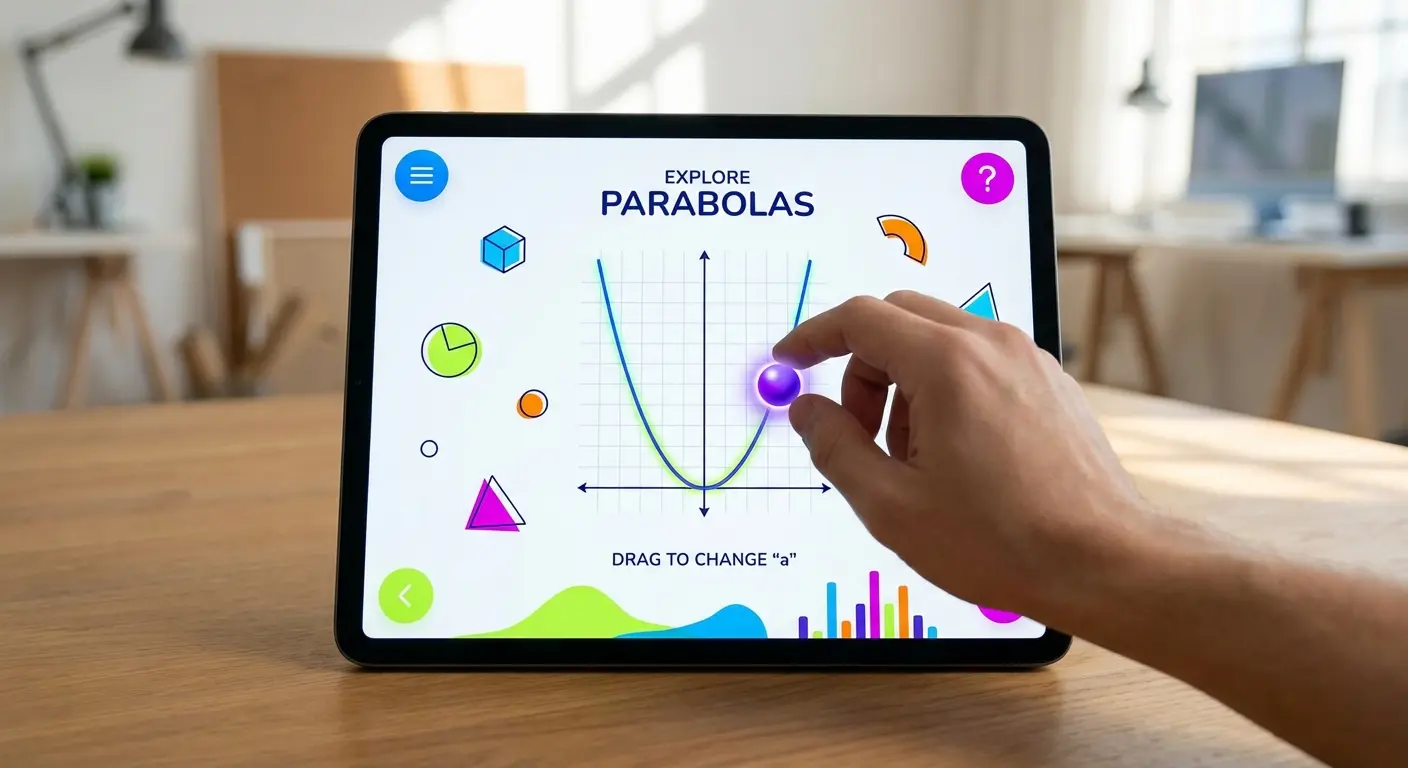
Daily challenges take 5-15 minutes and provide focused practice on specific concepts. These bite-sized sessions work perfectly for busy schedules while maintaining learning momentum. The community discussion feature adds another dimension - reading how other learners explain concepts often provides the "aha moment" when the official explanation doesn't quite click. I did the same for word game apps for adults.
Skill Level & Progression: Diagnostic placement ensures you start at the right level, and the learning paths clearly show progression from foundational to advanced topics. The adaptive system adjusts based on your performance without making you feel like you're being tested.
Real-World Application: Brilliant excels at connecting concepts to practical scenarios. Data analysis courses use real datasets. Probability lessons frame problems within decision-making contexts. Algorithmic thinking applies to everyday optimization problems.
Engagement: The storytelling approach frames mathematical concepts within mysteries and real-world scenarios that create genuine curiosity. You're solving problems because you want to know the answer, not just to complete a lesson.
Time Commitment: Lessons range from quick 5-minute challenges to 30-minute deep dives. Progress saves automatically, so you can close the app mid-lesson and resume exactly where you left off.
Learning Style: Heavy emphasis on visual and interactive learning makes this ideal for visual-spatial learners. Written explanations accompany all visualizations, providing multiple entry points to each concept.
Cost: Premium subscription required for full access (monthly and annual options available). Free tier provides limited content - enough to evaluate whether the approach works for you.
Progress Tracking: Detailed statistics show completion rates, problem accuracy, and time spent across all topics. You can see exactly which areas need more attention.
Offline Access: Limited offline functionality. You'll need connectivity for most features, which might be a dealbreaker if you're counting on commute practice time.
2. Khan Academy
The OG of free online learning. And it's still one of the best.
This has evolved way beyond the YouTube videos. Now it's a full platform with everything from basic arithmetic to multivariable calculus. All free. No ads. No subscriptions. Just math.
The teaching style is clear without being condescending. That balance matters when you're an adult who doesn't want to feel like you're back in elementary school
Practice exercises give you instant feedback, and the mastery system won't let you advance until you understand things. Which sounds annoying but prevents those gaps in knowledge that screw you up later.
Skill Level & Progression: Self-paced learning with mastery challenges that adapt to your performance. You control the speed, but the system ensures you've learned material before moving on.
Real-World Application: Finance and statistics sections excel at connecting concepts to practical uses. Other areas focus more on building conceptual understanding, which pays off in real-world application even if the connection isn't always explicit.
Engagement: Points, badges, and energy systems gamify the experience without feeling juvenile. The gamification serves the learning rather than distracting from it.
Time Commitment: Videos range from 3 minutes to 15 minutes, with practice sessions taking as long as you need. You can learn one concept in a short session or work through an entire unit in an afternoon.
Learning Style: Combines video instruction, written explanations, and practice problems - a multi-modal approach that works for most learning styles. Visual learners benefit from diagrams and animations, while those who prefer reading can work through transcripts.
Cost: Completely free with no ads or subscriptions. This is the best value proposition in math education, period.
Progress Tracking: Comprehensive dashboard shows mastery levels across all topics, time spent learning, and areas needing review. The data helps you understand your progress patterns and identify weak spots.
Offline Access: Videos can be downloaded for offline viewing, though practice exercises require connectivity. This partial offline functionality works well enough for most situations.
3. Photomath
This started as a homework cheating tool but it's legit for learning.
Point your camera at an equation, it solves it instantly. But the value is in the step-by-step explanations, not just the answer.
What's cool - it shows multiple solution methods for the same problem. Turns out there's not always "one right way" to solve things. Seeing different approaches helps you understand which methods work best for which problems.
Coverage spans arithmetic through calculus, making it useful across a wide skill range. The graphing calculator functionality adds another dimension, letting you visualize functions and relationships between variables.
Skill Level & Progression: Adapts to whatever problems you scan, making it most useful for intermediate learners who encounter specific problems they need to understand. Less structured than curriculum-based apps.
Real-World Application: Excellent for solving practical problems you encounter in daily life. Need to understand a formula at work? Scan it. Confused by a calculation in a recipe? Get step-by-step help.
Engagement: The instant gratification of seeing solutions keeps you engaged. The learning happens when you study the steps rather than just copying the answer.
Time Commitment: Use it as needed for specific problems. Sessions can be as short as 30 seconds or extend to 10 minutes if you're working through multiple related problems.
Learning Style: Visual learners benefit from seeing each solution step illustrated. The multiple solution methods accommodate different problem-solving preferences.
Cost: Free basic version provides solutions. Photomath Plus subscription adds detailed explanations and additional solution methods - worth it if you use the app regularly.
Progress Tracking: Saves problem history but offers limited analytics. This isn't a structured learning platform, so progress tracking isn't the focus.
Offline Access: Requires internet for full functionality. The camera recognition and solution generation need connectivity to work.
Mental Math and Quick Calculation Apps
These math game apps focus on building mental calculation speed and accuracy - the skills you use when splitting bills, calculating discounts, or making quick estimates. They're less about understanding complex concepts and more about developing fluency with numbers.
4. Elevate
Not exclusively a math app, but the quantitative reasoning games are some of the best mental math training available.
40+ brain training games total, with 10+ focused on math and logic. Personalized daily workouts adapt based on your goals and performance.
If you're struggling with percentages, it gives you more percentage practice. If you're crushing mental arithmetic, it throws harder variations at you.
The professional design matters more than you'd think. Polished interfaces and smooth interactions make practice feel good. You're more likely to stick with daily practice when the app doesn't feel clunky.
Skill Level & Progression: Adaptive difficulty ensures you're always challenged appropriately. The system adjusts in real-time based on your performance, keeping you in the optimal learning zone.
Real-World Application: Focuses heavily on practical skills - tip calculation, discount estimation, data interpretation, and quick mental math. Every game connects directly to situations you encounter regularly.
Engagement: Sleek design and competitive elements create genuine engagement without feeling gimmicky. You're motivated to improve because you can see your scores increasing and your real-world calculation speed improving.
Time Commitment: Daily workouts take 5-10 minutes. You can complete a full session during a coffee break, making it easy to maintain consistency.
Learning Style: Fast-paced, interactive games suit kinesthetic learners who prefer doing over watching. The variety of game types accommodates different preferences within that framework.
Cost: Free version provides limited games. Premium subscription unlocks full access and detailed analytics - worth considering if you commit to daily practice.
Progress Tracking: Exceptional analytics show improvement across all skill areas with graphs, percentile rankings, and detailed performance metrics. You'll know exactly how you're progressing.
Offline Access: Full offline functionality means you can practice anywhere without worrying about connectivity.
5. Math Workout
This strips away everything except what matters - building mental calculation speed across all basic operations. The straightforward approach appeals to adults who want focused practice without narrative frameworks or elaborate gamification.
Customizable problem sets let you target specific operations and difficulty levels. Struggling with division? Create a workout focused exclusively on that. Want to practice mixed operations? Set up problems that require you to switch between different calculation types.

Timed challenges build speed without creating anxiety. You're competing against your own previous times rather than arbitrary standards, making improvement feel achievable and motivating.
Skill Level & Progression: Highly customizable difficulty allows precise targeting of weak areas. You control the challenge level rather than relying on adaptive algorithms.
Real-World Application: Builds the mental math skills you use in shopping, budgeting, and quick estimates. The direct practice translates immediately to daily situations.
Engagement: Simple but satisfying. Progress itself provides the reward - watching your speed increase and accuracy improve creates intrinsic motivation.
Time Commitment: Sessions can be as short as 2 minutes. Perfect for filling small gaps in your schedule or warming up your brain before tackling more complex math.
Learning Style: Best for those who learn through repetition and practice. If you need conceptual explanations, look elsewhere. If you want to drill until skills become automatic, this works perfectly.
Cost: One-time purchase at a very affordable price point. No subscriptions, no in-app purchases, no ads - just straightforward value.
Progress Tracking: Basic statistics on speed and accuracy. Not as detailed as some apps, but sufficient to see improvement over time.
Offline Access: Fully functional offline. No internet required at any point.
6. Peak
Cognitive science meets game design. 45+ games designed in collaboration with neuroscientists to target specific cognitive skills.
Math-focused games cover mental arithmetic, problem-solving, and pattern recognition. Each game feels distinct while building related skills, preventing the monotony that kills motivation in other practice apps.
Personalized training programs adapt based on your performance and goals. The Coach feature provides insights into your cognitive strengths and weaknesses, helping you understand not just what you're practicing but why.
Skill Level & Progression: Sophisticated algorithms adjust difficulty in real-time, keeping you challenged without overwhelming you. The system is remarkably good at finding your optimal difficulty level.
Real-World Application: Games simulate real-world scenarios requiring quick calculation - making change, comparing prices, interpreting data visualizations. The practical focus ensures skills transfer beyond the app.
Engagement: Highly polished games with excellent user experience design. The production quality rivals premium mobile games, making practice sessions genuinely enjoyable.
Time Commitment: Recommended daily workout takes 10-15 minutes. You can play individual games in 2-3 minutes if you're short on time.
Learning Style: Variety of game types appeals to different learning preferences. Visual, kinesthetic, and logical learners all find games that suit their style.
Cost: Free version allows limited plays per day. Pro subscription provides unlimited access and detailed analytics - the limitation on free plays might frustrate you enough to upgrade.
Progress Tracking: Detailed performance metrics and brain mapping show how you compare to other users and how you're improving over time. The visualizations make data accessible and motivating.
Offline Access: Most games work offline, though some features require connectivity. Generally reliable for commute practice.
7. Quick Brain
Minimalism at its finest. Four basic operations, multiple difficulty levels, two modes - practice or time trial. That's it.
No accounts, no social features, no elaborate progression systems. This stripped-down approach appeals to adults who find gamification distracting.
Open the app, select your operation and difficulty, start calculating. The simplicity removes friction between intention and practice.
Speed-focused challenges build calculation fluency through repetition. You're not learning new concepts - you're making existing skills faster and more automatic.
Minimalism That Works: James, a construction foreman, needed to improve his on-site calculation speed for material estimates. He tried several elaborate math apps but found the bells and whistles distracting. Quick Brain's straightforward approach - open, select multiplication, start calculating - fit perfectly into his 5-minute breaks between job tasks. Within a month, he could mentally calculate board footage and material costs faster than his crew could pull out their phones, saving valuable time on every project.
Skill Level & Progression: Manual difficulty selection gives you complete control. No adaptive algorithms making decisions for you - just straightforward practice at whatever level you choose.
Real-World Application: Pure calculation practice translates directly to everyday math. The skills you build here show up immediately when you're calculating tips or comparing unit prices.
Engagement: Minimalist approach appeals to those who dislike gamification. If points and badges feel manipulative to you, this app respects your preference for straightforward practice.
Time Commitment: Use for as little as 1 minute at a time. Perfect for micro-practice sessions when you have a few seconds to spare.
Learning Style: Repetition-based learning for procedural memory. If you learn by doing the same thing until it becomes automatic, this approach works.
Cost: Free with minimal ads that don't interrupt practice. One of the best free options available.
Progress Tracking: Basic score tracking. You'll see your times improving, but don't expect detailed analytics.
Offline Access: Fully offline. Works anywhere, anytime.
Logic, Puzzles, and Problem-Solving Apps
These apps develop mathematical thinking without looking like traditional math practice. Through puzzles and logical reasoning challenges, they strengthen the cognitive skills that make you better at mathematics generally.
8. Lumosity
Research-backed brain training with substantial mathematical and logical reasoning components. 40+ cognitive games targeting specific mental abilities, many of which directly support mathematical thinking.
Personalized training programs begin with cognitive assessment that identifies your strengths and weaknesses. The system then creates workout routines targeting areas needing improvement while maintaining strengths.
The large user community provides comparison data, showing how your performance stacks up against others in your age group. This context helps you understand whether your abilities are typical, above average, or need work.
Skill Level & Progression: Initial assessment places you appropriately, and games adapt continuously based on performance. The progression feels natural rather than forced.
Real-World Application: Focuses on underlying cognitive skills that support mathematical thinking - working memory, processing speed, problem-solving flexibility. These foundational abilities improve your capacity for math generally.
Engagement: Variety prevents monotony. Games are genuinely fun, making practice sessions something you look forward to rather than dread.
Time Commitment: Recommended daily training takes 10-15 minutes. You can play individual games in 2-3 minutes for quick practice sessions.
Learning Style: Multiple game types accommodate different learning preferences. Visual, auditory, and kinesthetic learners all find games that work for them.
Cost: Free limited version provides a taste. Subscription unlocks full access and detailed analytics - the Lumosity Performance Index tracking is worth considering if you're data-driven.
Progress Tracking: Comprehensive tracking shows improvement across all cognitive domains. The visualizations make complex data accessible and motivating.
Offline Access: Requires internet connection. This limitation might be problematic if you're counting on offline practice.
9. Euclidea
This makes geometry puzzles addictive. 120+ construction challenges require you to create specific geometric figures using only compass and straightedge - the classical tools of geometric construction.

Multiple solution paths for each puzzle reveal that geometric problems rarely have just one approach. You might solve a puzzle in 10 moves, then discover someone else did it in 5. This realization that elegant solutions exist motivates you to keep refining your thinking.
Achievements reward not just completion but elegant solutions - using fewer moves, fewer tools, or discovering hidden solution methods. This achievement system encourages you to think deeply rather than just stumbling through.
Skill Level & Progression: Starts simple and builds to genuinely challenging problems. The progression feels natural, with each puzzle introducing concepts that prepare you for later challenges.
Real-World Application: Develops spatial reasoning used in design, architecture, engineering, and any field requiring visualization of geometric relationships.
Engagement: Puzzle format is inherently engaging. The "aha" moments when you discover an elegant solution provide genuine satisfaction.
Time Commitment: Solve one puzzle in 5 minutes or spend an hour perfecting your solution. The flexibility accommodates whatever time you have available.
Learning Style: Perfect for visual-spatial learners who think in shapes and relationships. If you learn by seeing and manipulating, this app will click immediately.
Cost: Free version includes substantial content. One-time purchase unlocks everything - excellent value for the amount of content provided.
Progress Tracking: Stars and achievements track different solution approaches. You can see which puzzles you've completed and which elegant solutions you've discovered.
Offline Access: Fully functional offline. Perfect for commute practice or travel.
10. The Room Series
The Room series incorporates mathematical and logical reasoning into immersive 3D puzzle environments. While not explicitly math apps, they develop problem-solving skills that transfer directly to mathematical thinking.
Intricate puzzle boxes require spatial reasoning, pattern recognition, and logical deduction. You're manipulating objects in three dimensions, discovering hidden mechanisms, and connecting clues across multiple puzzles.
Stunning graphics and atmospheric design create an immersive experience that makes problem-solving feel like exploration rather than work. The production quality rivals console games, making these premium mobile experiences.
Skill Level & Progression: Difficulty increases naturally as puzzles build on previous solutions. The learning curve feels perfect - challenging without frustrating.
Real-World Application: Develops problem-solving approaches applicable to complex real-world challenges. The systematic thinking required transfers to mathematical problem-solving.
Engagement: Exceptional production values create genuine immersion. You're solving puzzles because you're invested in the experience, not because you're trying to learn.
Time Commitment: Can be played in 15-30 minute sessions. Some puzzles require extended focus, but you can save and return anytime.
Learning Style: Ideal for those who learn by exploration and experimentation. If you prefer discovering solutions rather than following instructions, this approach works beautifully.
Cost: Premium games with one-time purchase per title. Higher price point than most apps, but the quality justifies the cost.
Progress Tracking: Progress saves automatically but no analytics. These are games first, learning tools second.
Offline Access: Fully offline after download. Perfect for flights or areas without connectivity.
11. 2048
Deceptively simple mechanics hide genuinely complex strategy. Combine numbered tiles to reach 2048 (and beyond), but success requires planning several moves ahead and recognizing patterns.
The game teaches you to think about consequences. Each move affects the entire board, and short-term thinking leads to dead ends. You develop the ability to visualize future board states and plan sequences of moves - skills that transfer directly to mathematical problem-solving.
Endless variations and spin-offs keep the core concept fresh. Once you've mastered the original, you can try different grid sizes, new mechanics, or themed versions that maintain the strategic depth while providing novelty.
Skill Level & Progression: Easy to learn, lifetime to master. The rules take 30 seconds to understand, but developing optimal strategies takes hundreds of games.
Real-World Application: Develops strategic thinking and consequence prediction - skills you use when planning projects, making decisions, or solving complex problems with multiple variables.
Engagement: "One more game" addictiveness keeps you practicing. The quick restart after failure means you're immediately trying again with new strategies.
Time Commitment: Games last 5-15 minutes. Perfect for filling short breaks or unwinding after work.
Learning Style: Pattern recognition and strategic thinking. If you learn by identifying patterns and testing strategies, this game will hook you.
Cost: Free with ads. Ad-free versions available for minimal cost - worth it to eliminate interruptions.
Progress Tracking: High score tracking. Simple but effective for measuring improvement.
Offline Access: Fully offline. Works anywhere without connectivity requirements.
App Category |
Best For |
Time Per Session |
Offline Capability |
Cost Range |
|---|---|---|---|---|
Comprehensive Builders |
Systematic learning across multiple math domains |
10-30 minutes |
Limited to partial |
Free to $15/month |
Mental Math Trainers |
Building calculation speed and everyday math fluency |
2-15 minutes |
Mostly full |
Free to $10/month |
Logic & Puzzle Apps |
Developing mathematical thinking through problem-solving |
5-30 minutes |
Usually full |
Free to $10 one-time |
Specialized Tools |
Solving specific problems or exploring particular domains |
As needed |
Varies widely |
Free to $10/month |
Financial Math Apps |
Practical calculations for budgeting and money management |
5-20 minutes |
Mostly full |
Free to $8/month |
Specialized Math Applications
These best math apps target specific mathematical domains rather than providing broad coverage. They're ideal when you need powerful tools for particular types of problems or want to dive deep into specific areas.
12. Wolfram Alpha
This transcends simple calculation - it's a computational knowledge engine that solves virtually any mathematical problem you can formulate. From basic arithmetic to advanced calculus, from statistics to differential equations, it handles everything.
Step-by-step solutions (with Pro subscription) show you not just the answer but the complete solution process. This transforms Wolfram Alpha from an answer machine into a learning tool that helps you understand methodology.
Natural language input means you don't need to know precise mathematical notation. Type "integrate x squared from 0 to 5" and it understands what you want. This accessibility makes advanced mathematics approachable even when you're rusty on formal notation.
Skill Level & Progression: Useful at any level and grows with you. Beginners can solve basic problems while advanced users tackle complex mathematical challenges.
Real-World Application: Handles real-world calculations from finance to physics. Need to calculate compound interest? Model population growth? Analyze statistical data? It does all of that.
Engagement: The power to solve any problem is inherently engaging. You're limited only by your ability to formulate questions.
Time Commitment: Use as needed for specific problems. Some queries return instant answers, others require studying detailed solutions.
Learning Style: Best for those who learn by seeing worked solutions. The step-by-step breakdowns show you exactly how to approach similar problems.
Cost: Free basic version provides answers. Pro subscription adds step-by-step solutions, extended computation time, and additional features - essential if you're using it for learning rather than just getting answers.
Progress Tracking: No built-in tracking. This is a problem-solving tool rather than a structured learning platform.
Offline Access: Requires internet connection. All computation happens on Wolfram's servers.
13. GeoGebra
Combines geometry, algebra, calculus, and statistics into one versatile platform. The dynamic mathematics software lets you visualize concepts, manipulate variables, and explore relationships between mathematical objects.
Interactive graphing calculator functionality makes function visualization intuitive. Plot a function, then drag points to see how the graph changes. Add sliders to parameters and watch the function transform in real-time.
The massive library of user-created activities provides ready-made explorations across all mathematical domains. Other educators and learners have created interactive lessons, demonstrations, and challenges you can use immediately.
Skill Level & Progression: Useful from high school through university-level mathematics. The interface accommodates beginners while providing power tools for advanced users.
Real-World Application: Visualizing mathematical concepts builds deeper understanding that transfers to practical applications. Seeing how functions behave helps you understand the mathematics underlying real-world phenomena.
Engagement: Exploration and manipulation make abstract concepts concrete. The interactivity transforms passive learning into active discovery.
Time Commitment: Can be used for quick visualizations or extended exploration. Spend 2 minutes graphing a function or an hour exploring geometric relationships.
Learning Style: Exceptional for visual and kinesthetic learners. If you need to see and manipulate concepts to understand them, GeoGebra is invaluable.
Cost: Completely free and open-source. No ads, no subscriptions, no limitations - just powerful mathematical software available to everyone.
Progress Tracking: Can save work but no built-in analytics. This is an exploration tool rather than a structured learning platform.
Offline Access: Full offline functionality after download. All computation happens locally on your device.
14. Mathway
Covers basic math through advanced calculus, making it one of the most comprehensive problem-solving apps available. The breadth of coverage means you can use one app for everything from simple arithmetic to complex differential equations.
Step-by-step solutions show the complete solution process, not just final answers. This feature transforms Mathway from a homework cheating tool into a legitimate learning resource that teaches methodology.
Camera input lets you scan problems from textbooks, worksheets, or handwritten notes. The recognition works remarkably well, saving you from typing complex equations.
Skill Level & Progression: Appropriate for any level - you control the complexity by choosing what problems to solve. The app doesn't guide progression but responds to whatever you need.
Real-World Application: Solves practical problems you encounter in work, school, or daily life. Need to calculate mortgage payments? Solve a work-related equation? Mathway handles it.
Engagement: Instant solutions provide gratification. Learning comes from studying the solution steps rather than the solving process itself.
Time Commitment: Get answers in seconds. Study solutions as long as needed to understand the methodology.
Learning Style: Visual step-by-step breakdowns suit most learning styles. Seeing each solution stage helps you understand the logical flow.
Cost: Free basic solutions show final answers. Subscription unlocks detailed step-by-step explanations - essential if you're using it for learning.
Progress Tracking: Problem history saved but limited analytics. This is a problem-solving tool rather than a progress-tracking platform.
Offline Access: Requires internet for problem solving. All computation happens on remote servers.
15. Desmos Graphing Calculator
The gold standard for graphing calculators, and it's completely free. The intuitive interface makes function graphing accessible to beginners while providing power features that advanced users appreciate.
Slider functionality lets you add parameters to functions and watch how graphs change as you adjust values. This dynamic visualization helps you understand how different components of equations affect their behavior.
The Activity Builder lets you create interactive lessons and explorations. Teachers use this extensively, but adult learners can benefit from the thousands of pre-made activities available in the community library.
Skill Level & Progression: Accessible to beginners but powerful enough for advanced users. The learning curve is gentle, with advanced features revealing themselves as you need them.
Real-World Application: Visualizing relationships between variables aids understanding in science, economics, engineering, and any field involving mathematical modeling.
Engagement: Manipulating graphs and seeing immediate results is satisfying. The visual feedback makes abstract algebra concepts concrete and understandable.
Time Commitment: Use for quick graphing or extended exploration. Graph a function in 30 seconds or spend an hour exploring mathematical relationships.
Learning Style: Perfect for visual learners who need to see relationships. If equations make sense once you see their graphs, Desmos is essential.
Cost: Completely free with no ads. Desmos operates as a public benefit corporation, prioritizing accessibility over profit.
Progress Tracking: Can save graphs but no analytics. This is a visualization tool rather than a learning platform with progress tracking.
Offline Access: Limited offline functionality. Basic graphing works offline, but many features require connectivity.
16. Statistics Calculator++
For adults needing to understand data and statistics in their professional lives, this specialized app makes statistical analysis accessible. The comprehensive calculators cover everything from basic descriptive statistics to advanced hypothesis testing.
Probability distributions with visualization help you understand concepts that confuse many people. Seeing the normal distribution curve while calculating probabilities makes abstract concepts concrete.
Clear explanations of statistical concepts accompany the calculators. You're not just getting numbers - you're learning what those numbers mean and how to interpret them.
Skill Level & Progression: Requires basic statistical knowledge to use effectively. Includes learning resources, but this isn't a statistics course - it's a tool for those who already understand fundamentals.
Real-World Application: Directly applicable to data analysis in business, research, and decision-making. If your job involves interpreting data, this app provides the tools you need.
Engagement: Practical utility drives engagement for those needing these skills. You're motivated by solving real problems rather than gamification.
Time Commitment: Use as needed for specific calculations. Some analyses take seconds, others require more time to input data and interpret results.
Learning Style: Combines calculation with conceptual explanations. Works well for those who learn by doing and seeing results.
Cost: Free with ads. Premium version removes ads and adds features - reasonable pricing for professional tool.
Progress Tracking: Calculation history but no learning analytics. This is a professional tool rather than a learning platform.
Offline Access: Full offline functionality. All calculations happen locally on your device.
Financial Math and Practical Applications
These apps focus on the mathematical skills most relevant to daily life - particularly personal finance, budgeting, and practical numerical decisions. They emphasize the calculations you'll use rather than abstract mathematical concepts, making them ideal as a math for adults app solution.
17. Calculator: The Game
Calculator: The Game teaches mathematical thinking through increasingly complex calculator-based challenges. The 200+ levels start absurdly simple - press 1 three times to reach 3 - and build to mind-bending puzzles requiring creative thinking.
The game gradually introduces new operations and rules. You might start with just addition, then gain subtraction, then special buttons that transform numbers in unexpected ways. Each new mechanic expands your problem-solving toolkit.
Clever, minimalist design keeps focus on the puzzles themselves. No elaborate graphics or distracting animations - just you, a calculator, and increasingly complex challenges.
Skill Level & Progression: Starts extremely simple and builds to genuinely difficult challenges. The progression feels perfect, with each level preparing you for the next.
Real-World Application: Develops flexible thinking about numbers and operations. You learn to see multiple paths to the same result - a skill that transfers to everyday calculation.
Engagement: Genuinely addictive puzzle design with satisfying "aha" moments. You'll find yourself thinking about puzzles even when you're not playing.
Time Commitment: Solve one level in 2 minutes or puzzle over difficult ones longer. Perfect for filling small gaps in your schedule.
Learning Style: Trial-and-error learning through experimentation. If you learn by trying things and seeing what happens, this approach works beautifully.
Cost: Free with optional in-app purchases for hints. You can complete everything without spending money if you're patient.
Progress Tracking: Level completion tracking. Simple but sufficient for this type of puzzle game.
Offline Access: Fully offline. Works anywhere without connectivity requirements.
18. Prodigy Finance Game
While designed with a younger audience in mind, Prodigy's practical financial math challenges make it valuable for adults brushing up on percentage calculations, interest, and money management. The RPG-style adventure provides context that makes practice more engaging than isolated drills.
Math battles require solving problems to progress through the game. The focus on percentages, decimals, and practical calculations means you're practicing exactly the skills you use when managing money.
Adaptive difficulty ensures appropriate challenge regardless of your starting level. The system adjusts based on your performance, keeping you in the optimal learning zone.
Skill Level & Progression: Adaptive system ensures appropriate challenge level. You might feel silly playing a kids' game initially, but the math practice is legitimate.
Real-World Application: Heavy emphasis on financial calculations used daily. Percentage discounts, interest calculations, and money management scenarios provide practical context.
Engagement: RPG elements create motivation to practice. The narrative framework makes solving math problems feel like progressing through an adventure.
Time Commitment: Play in 10-15 minute sessions. The game saves progress seamlessly, letting you stop and resume anytime.
Learning Style: Narrative context helps those who need practical frameworks. If abstract practice feels pointless, the game structure provides purpose.
Cost: Free with optional premium membership. The free version provides substantial content - enough to determine whether the approach works for you.
Progress Tracking: Detailed progress reports show which skills you're mastering and where you need more practice.
Offline Access: Requires internet connection. The multiplayer and progression systems need connectivity to function.
19. Math Tricks Workout
Math Tricks Workout teaches mental math shortcuts that make everyday calculations faster and easier. The dozens of tricks cover multiplication, division, percentages, and more - all the operations you use regularly.
Each trick includes clear explanations of why it works, not just how to use it. Understanding the underlying principle helps you remember the technique and adapt it to different situations.
Practice mode for each technique lets you drill until the shortcut becomes automatic. Timed challenges then test whether you can apply tricks under pressure - simulating real-world situations where you need quick answers.
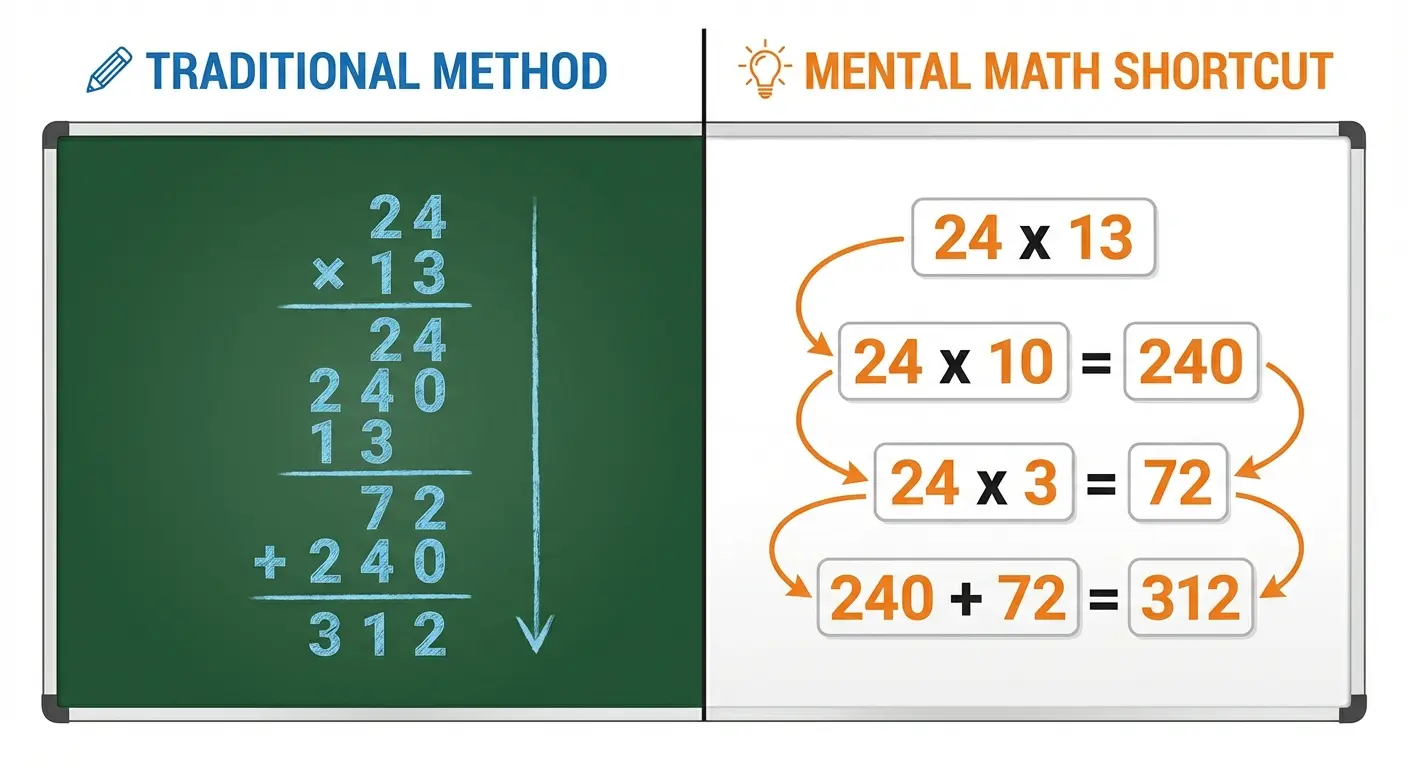
Mental Math Shortcuts in Practice: Rachel, a real estate agent, learned the "multiply by 11" trick from Math Tricks Workout: multiply the first digit by 10, add the sum of both digits, then add the last digit. When a client asked about 11% down payment on a $340,000 house, she instantly calculated $37,400 (34 x 10 = 340, 3+4 = 7, add the 0 back = 37,400) without reaching for her calculator. Her clients consistently commented on her mental math abilities, which built trust in her numerical competence during negotiations.
Skill Level & Progression: Techniques range from basic to advanced. Start with simple shortcuts and progress to more complex methods as your confidence builds.
Real-World Application: Every trick has immediate practical application in daily life. You'll use these shortcuts when shopping, calculating tips, estimating costs, and making quick decisions.
Engagement: Learning shortcuts feels like discovering secrets. The satisfaction of calculating faster than people using calculators provides genuine motivation.
Time Commitment: Learn one trick in 5 minutes. Practice as desired - some people drill for hours, others just learn the tricks and practice naturally through daily use.
Learning Style: Step-by-step instruction with practice reinforcement. Works well for those who learn procedures through repetition.
Cost: Free with ads. Premium removes ads - minimal cost for uninterrupted learning.
Progress Tracking: Tracks which tricks you've mastered and your speed with each technique. Simple but effective for measuring improvement.
Offline Access: Fully functional offline. Learn and practice anywhere without connectivity requirements.
Math Skill Area |
Recommended Apps |
Primary Benefit |
Best Practice Schedule |
|---|---|---|---|
Mental Arithmetic Speed |
Elevate, Math Workout, Quick Brain |
Instant calculation fluency for daily tasks |
5-10 minutes daily |
Conceptual Understanding |
Brilliant, Khan Academy, Photomath |
Deep comprehension of mathematical principles |
20-30 minutes, 3-4x weekly |
Spatial & Geometric Reasoning |
Euclidea, GeoGebra, The Room |
Visual-spatial problem-solving abilities |
15-20 minutes, 2-3x weekly |
Financial Calculations |
Math Tricks Workout, Prodigy, Calculator: The Game |
Practical money management and percentage skills |
10-15 minutes, 4-5x weekly |
Problem-Solving & Logic |
2048, Lumosity, Peak |
Strategic thinking and pattern recognition |
10-15 minutes daily |
Advanced/Specialized Math |
Wolfram Alpha, Desmos, Statistics Calculator++ |
Specific domain expertise and complex calculations |
As needed for projects |
Protecting Your Learning Investment with Rokform
As you develop your mathematical skills through these apps, you'll find yourself using your smartphone more frequently throughout the day. Practicing during commutes, solving problems during breaks, calculating on the go - all this increased usage demands protection that matches your active lifestyle.
Think about the math: If your smartphone costs $1,000+ and the average person drops their phone 2-3 times per year, what's the expected value of proper protection? The calculation is straightforward - investing in military-grade protection pays for itself the first time it prevents a cracked screen or damaged device.

Military-Grade Protection That Works
Rokform cases are tested to absorb drops 4x better than competing cases, with 6-foot drop protection that shields your expensive device. Whether you're practicing mental math during your bike commute or using graphing calculators at work sites, your phone stays protected.
The protection matters because your learning shouldn't be interrupted by phone damage. When you're building a daily practice habit with apps like Elevate or Brilliant, a cracked screen or damaged phone derails your momentum. Rokform's rugged design ensures your device survives the demands of an active lifestyle.
Magnetic Mounting for Hands-Free Learning
The MAGMAX™ magnetic system allows you to mount your phone hands-free anywhere. Mount it on your car dashboard while using navigation and math apps simultaneously. Attach it to gym equipment while following workout calculations. Secure it to metal surfaces at work when using measurement and calculation tools.
This hands-free functionality transforms how you use math apps. Instead of propping your phone awkwardly while working through Euclidea geometry puzzles or holding it while following Khan Academy lessons, you can position it at the perfect angle and focus entirely on learning.
RokLock™ Twist System for Secure Mounting
The patented twist-lock technology secures your device when you're mountain biking with GPS tracking apps, motorcycling with navigation, or working in environments where your phone needs to stay absolutely secure while you access critical calculations.
For first responders and military personnel who trust Rokform for their demanding environments, the same rugged protection serves adults committed to continuous learning. Your math education shouldn't be interrupted by phone damage, connectivity issues, or awkward handling.
Functionality Meets Protection
Rokform's slim design maintains full touchscreen sensitivity and wireless charging compatibility - essential when you're moving between math apps throughout the day. You won't sacrifice functionality for protection. The cases work seamlessly with screen protectors, and the precise cutouts ensure you can access all buttons and ports without removing the case.
Whether you're using Brilliant during your morning coffee, practicing mental math with Elevate during lunch breaks, or solving work problems with Wolfram Alpha on job sites, your phone needs protection that doesn't interfere with functionality.

The Bottom Line
The best math game apps for adults require a smartphone that's always ready, always protected, and always accessible. Rokform's combination of military-grade protection, innovative mounting solutions, and thoughtful design means your device is secure whether you're calculating tips at restaurants, graphing functions at your desk, or practicing mental math during outdoor activities.
Visit Rokform.com to explore cases and mounting solutions designed for adults who demand both protection and functionality from their phone accessories. Your commitment to learning mathematics deserves technology protection that works as hard as you do.
Final Thoughts
Choosing the right math game apps depends entirely on your goals and learning style.
Rebuilding mathematical foundations systematically? Comprehensive platforms like Brilliant or Khan Academy provide structured pathways.
Need quick mental math improvements for daily life? Focused trainers like Elevate or Math Workout deliver targeted practice.
Prefer learning through puzzles and problem-solving? Apps like Euclidea or 2048 develop mathematical thinking without feeling like traditional study.
The most effective approach often involves combining multiple apps. Use Khan Academy for structured learning, Elevate for daily mental math practice, and Desmos when you need to visualize functions. Different apps serve different purposes. You're not limited to choosing just one.
Here's the thing though - consistency matters more than which specific app you choose. Practicing 10 minutes daily with a decent app produces better results than sporadic hour-long sessions with the "perfect" app. The best math game apps for adults are the ones you'll use regularly.
Don't underestimate the value of free options. Khan Academy, Desmos, and GeoGebra provide exceptional functionality without costing anything. You can build substantial mathematical skills without spending a dollar if you're willing to invest time and effort.
For specialized needs, don't hesitate to invest in premium tools. If you're using Wolfram Alpha professionally or need Brilliant's interactive approach for complex topics, the subscription cost is negligible compared to the value you receive. Treat these tools as professional development investments rather than entertainment expenses.
Remember that mathematical ability isn't fixed. Adults often believe they're "just not math people" based on school experiences from decades ago. These apps prove that mathematical skills can be developed at any age with appropriate tools and consistent practice. The neuroplasticity of your adult brain means you can improve your mathematical thinking - you just need the right approach.
Start with one app that addresses your most pressing need. Need to calculate tips confidently? Try Elevate. Want to understand statistics for work? Explore Khan Academy's statistics courses. Curious about geometry? Download Euclidea. Take action on one specific goal rather than trying to improve everything simultaneously.
Your mathematical journey doesn't end with these 19 apps. They're tools that facilitate learning, but the real work happens in your brain as you practice, struggle, and eventually master concepts that once seemed impossible. The satisfaction of solving a problem that would have stumped you months ago makes every practice session worthwhile.

