


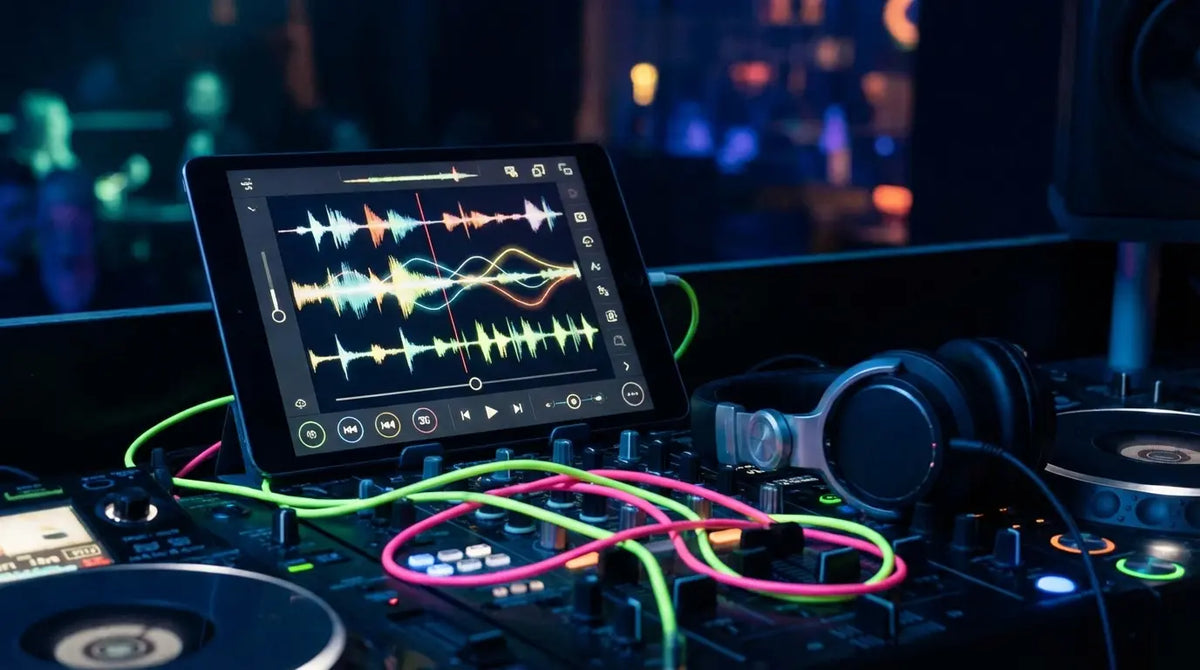
Open the App Store or Google Play, and it’s honestly a little stressful. You’re bombarded with thousands of options promising to make you the next Skrillex overnight. It’s a lot of noise. The Needle Drop talks about having "meat-and-potatoes expectations" for music gear, and that logic is spot on here. Sure, pretty much any app can make a noise when you tap the screen. But we aren't looking for toys; we're looking for tools that actually fit into a professional workflow.
I’ve been there—deep in a flow state, layering a complex bassline on a tablet, only to tap the wrong pixel and have the whole app crash. Patch lost. Sequence gone. Vibe killed. That’s the nightmare we’re trying to avoid. We’ve filtered out the junk to find the tools that actually deliver in 2026—the best electro music apps that deserve a spot in your studio.
Table of Contents
Toys vs. Tools: What to Look For
Pocket Studios: Full Production Suites
Booth Ready: DJ and Live Performance
Sound Design and Synths
Instant Inspiration: Beat Making and Grooveboxes
Digging Deeper: Streaming and Discovery
The Glue: Utilities You Actually Need
Don't Let Gravity or Battery Life Kill Your Set
The Future of Mobile Sound
TL;DR
Workflow is Everything: Pick apps that think the way you do—whether that's a timeline view or a looper.
Plays Well With Others: Look for AUv3 support and Ableton Link. If it can't talk to your other gear, it's a dead end.
Ecosystems: The best apps let you start a beat on the bus and finish it on your desktop.
Sound Quality: If it can't export high-res WAV or FLAC, it's not for release.
Protect Your Gear: Mobile production means moving around. Get a solid mount and a power plan.
What Separates a Toy from a Tool?
Let's set some ground rules before you start downloading. The biggest deal-breaker is Workflow & Interface. A groovebox designed for jamming serves a different purpose than a precision DAW, but neither should hide the volume knob behind five sub-menus. Audio Quality is also non-negotiable. In 2026, high-res export and decent internal mastering should be standard, not a "Pro" unlock.
Then there’s Connectivity. This separates the isolated video games from actual studio utilities. We want AUv3 support (so you can load plugins inside other apps), MIDI over Bluetooth, and cloud sync. Finally, think about the Cost. One-time purchases are usually better, but some subscriptions are worth it if they keep the content fresh. The goal is to avoid buying novelty apps that you'll open once and never touch again.
Feature Category |
"Toy" App Vibes |
Pro Tool Specs |
|---|---|---|
Audio Export |
MP3 only, sounds crunchy |
WAV, FLAC, Stems, Ableton Live Set export |
Connectivity |
Stuck in the app |
AUv3 hosting, Ableton Link, MIDI Learn, Bluetooth MIDI |
User Interface |
Cluttered, ads everywhere |
Customizable, uses gestures, scales for tablets |
Storage |
Stuck on the phone |
Cloud sync (iCloud, Dropbox), File app integration |
Pocket Studios: Full Mobile Production Suites
These are the heavy hitters. If you need to produce a track from start to finish without touching a computer, this is where you start.
1. Cubasis 3
If you use Steinberg’s Cubase on desktop, you’ll feel right at home here. Cubasis 3 is basically a mirror of the desktop version. You get unlimited tracks, serious routing options, and effects that sound professional. In terms of raw Audio Engine quality, this is arguably the best on the list. Because this app turns your iPad into your main rig, you should probably look into the best iPad case you can find. You don't want a cracked screen stopping a session.
2. FL Studio Mobile
The mobile sibling to the legendary "Fruity Loops." It keeps the famous step sequencer and piano roll that pretty much defined the sound of modern trap and EDM. For Workflow, specifically drum programming, it’s hard to beat. Plus, moving projects from your phone to your PC is super smooth, so you can sketch a beat on the train and mix it properly at home.
3. Ableton Note
Ableton didn't try to cram their whole DAW into a phone. Instead, they made Note specifically for sketching ideas quickly. Its superpower is the Ecosystem integration. You capture the vibe, and it shoots straight to the cloud.
The "Commute-to-Club" Workflow: You're on the subway and a melody hits you. You open Ableton Note, tap out the drums and bass. By the time you walk in your front door, the project is already synced to your desktop. Open Ableton Live, and the MIDI is there, ready for you to swap in your heavy VSTs.
4. GarageBand (iOS)
People sleep on GarageBand because it’s free, but that's a mistake. The "Smart Instruments" are great for getting ideas down, and under the hood, it’s running the Alchemy synth engine—which is a legitimate powerhouse. It’s the best bang for your buck (since it costs zero bucks).
5. BandLab
BandLab is part DAW, part social network. It’s cloud-based and has built-in mastering, but the real draw is Collaboration. It is hands-down the easiest way to work with a vocalist or another producer remotely without sending huge zip files back and forth.
6. Roland Zenbeats
If you love those classic Roland sounds (and who doesn't?), Zenbeats is solid. It works across Android, iOS, and Desktop, and the Interoperability is great. You can switch devices constantly without your project falling apart.
Booth Ready: DJ and Live Performance Tools
These apps aren't for making beats; they're for playing them. If you're livestreaming sets or playing parties, stability is key. Also, quick tip for streamers: get yourself a solid tripod phone mount so your camera angle doesn't wobble every time you drop the bass.
7. djay Pro AI
djay Pro AI is doing things that used to be impossible. The Neural Mix™ feature lets you isolate stems in real-time. You can kill the drums or solo the vocals of a track instantly. It opens up mashup possibilities on the fly that used to take hours of studio prep. Pop artists get their own set in my pop music apps for artists roundup.
8. Traktor DJ 2
Native Instruments keeps it pro with a clean waveform interface and deep SoundCloud Go+ integration. It’s known for Reliability. It just works, and it syncs perfectly with their hardware controllers if you want physical knobs.
App Name |
Best For |
Streaming Integration |
Hardware Support |
|---|---|---|---|
djay Pro AI |
Creative Mashups (Stems) |
Tidal, SoundCloud, Beatport, Beatsource |
Extensive (Reloop, Pioneer DJ) |
Traktor DJ 2 |
Classic Mixing |
SoundCloud Go+ |
Native Instruments Controllers (S2/S3) |
Rekordbox |
Library Prep |
Cloud Library Sync |
Pioneer DJ CDJs & Controllers |
edjing Mix |
House Parties |
TIDAL, SoundCloud |
Portable Bluetooth Crossfaders |
9. edjing Mix
Great for beginners or casual house parties. The UI/UX is gamified enough to be fun to learn, but it still packs enough punch to mix a solid set.
10. Rekordbox (Mobile)
This is less about performance and more about prep. If you play on CDJs, this is essential Professional Utility. You can prep your cues and loops on the plane and have your USB ready when you land.
Sound Design and Synthesis Powerhouses
This is where things get nerdy. These apps emulate hardware synths and are all about creating unique textures.
11. Moog Model D
It’s the MiniMoog, but on your phone. It sounds incredibly thick and captures that analog magic perfectly. Warning: It’s a CPU hog, but the Audio Quality is worth the battery drain if you need that classic bass.
12. AudioKit Synth One
It’s free, it’s open-source, and it sounds better than a lot of paid apps. Synth One is proof that you don't need to spend a fortune to get professional sound design tools.
13. Korg Gadget 3
Korg takes a different approach with a collection of "gadgets"—little specialized synths and drum machines. It’s a bit of a walled garden, but the limitations actually help the Workflow. It forces you to be creative. Plus, you can get it on Nintendo Switch, which is just cool.
14. DRC - Polyphonic Synthesizer
A great virtual analog synth that feels like a Juno. It’s the king of being Cross-Platform. Start the patch on your phone, finish it on your desktop VST. It sounds identical on both.
15. Animoog Z
Animoog Z uses an anisotropic synth engine (fancy word for 3D sound layering). The Interface is the star here—the X/Y pad lets you drag your finger through the sound layers, making it way more expressive than just turning a virtual knob.
Instant Inspiration: Beat Making and Grooveboxes
Sometimes you just want to make noise without reading a manual. These apps are built for speed and fun.
16. Koala Sampler
Koala is the absolute GOAT of mobile sampling. It turns your phone into a creative weapon. It’s perfect for lo-fi and hip-hop because there is zero friction—you just record and play.
Real-World Sampling: You're at a coffee shop and the grinder makes a cool noise. With Koala Sampler, you record it, trim it, pitch it down, and tap it into a beat before your latte is even ready.
17. Figure
Made by Reason Studios, this app is impossible to mess up. The sliding interface keeps you in key, so it’s the best app for non-musicians to feel like pros. You literally cannot play a wrong note.
18. Patterning 2
Patterning 2 ditches the grid for a circular interface. It looks beautiful, but more importantly, it encourages you to make complex, polyrhythmic beats that you probably wouldn't write on a standard timeline.
19. Groovebox by Ampify
A solid loop-based studio packed with pro synths. The nice thing is the Expandability—you can start for free and just buy the specific sounds you need as you get better.
20. Remixlive
Think of this as a simplified Ableton Live session view. It’s grid-based looping that focuses on Performance. It bridges the gap between producing a track and DJing it.
Digging Deeper: Streaming and Discovery
You can't mix what you don't have. These are the essential crates for the digital age.
21. Beatport
The industry standard. If you are playing clubs, you need high-quality files, and Beatport is where you get them. It’s essential for managing your library.
22. DI.FM (Digitally Imported)
Forget algorithms; this is human curation. If you want to understand a specific sub-genre of electronic music, tune in here. It's great for finding tracks that fit a specific vibe.
23. SoundCloud
The wild west of music. This is still the best place for Discovery because it’s where you find the bootlegs, unofficial remixes, and underground sets that aren't on Spotify.
The Glue: Essential Utilities and Mixing
These apps aren't sexy, but they make everything else work together.
24. AUM
AUM is the brain of your mobile studio. It’s a mixer and plugin host that handles Interoperability, connecting all your synths and effects.
The "Frankenstein" Setup: Want the bass from Moog Model D, the reverb from FabFilter, and the sequencer from Rozeta all running at once? AUM is the hub that wires them all together on one screen.
25. AudioShare
The boring but necessary audio file manager. It’s a Workflow lifesaver for moving samples between apps, trimming files, and converting formats without a headache.
Don't Let Gravity or Battery Life Kill Your Set
Here’s the reality: when you’re running heavy apps like AUM or Cubasis, your phone isn't just a phone anymore—it's an instrument. And instruments need protection. That's why we designed Rokform gear to handle the actual stress of a studio or stage environment. Our MAGMAX™ and RokLock™ systems let you stick your phone right onto a rack or mic stand so you can see what you're doing hands-free.
Also, these synth apps eat battery for breakfast. If you're jamming for hours, the G-ROK PRO is a lifesaver—it's a wireless speaker and a power bank in one. Check out this comparison of the G-ROK vs G-ROK Pro to see which one fits your setup. And seriously, always have backup power. A good phone power bank is as important as your headphones.
Finally, gravity happens. If you're a touring DJ, dropping your phone during load-out is a disaster you can't afford. Investing in the most protective phone cases is a small price to pay to keep your digital record collection safe.
Essential Mobile Gear |
The Problem |
The Solution |
|---|---|---|
Heavy Duty Case |
Cracked screens during load-in |
Rokform Rugged Case |
Secure Mount |
Keeping the screen at eye-level |
Rokform Universal Adapter & Sport Ring |
Magnetic Mounting |
Sticking phone to metal racks |
MAGMAX™ Technology |
Power Backup |
Synths draining your battery |
G-ROK PRO (Speaker + Power Bank) |
The Future of Mobile Sound
The gap between "mobile toys" and "desktop tools" is pretty much gone. Don't be afraid to experiment with these apps to find your own sound. The software is powerful enough; now it's just up to your creativity (and keeping your gear charged) to make the music happen. Whether you're sketching on the subway or performing live, these electro music apps are ready to work.

