


Table of Contents
The Blue Light Panic Industry Wants You Scared
What Blue Light Actually Does to Your Eyes (and What It Doesn't)
Screen Protectors Can't Fix a Behavior Problem
The Sleep Thing Everyone Gets Wrong
Why Your Eyes Actually Feel Tired
What Makes a Screen Protector Worth Using
The Hidden Cost of Yellow-Tinted Vision
When Blue Light Filtering Actually Matters
Better Alternatives Nobody Talks About
How to Choose Protection That Actually Protects
TL;DR
Most blue light concerns? Marketing hype, not science. Your eyes hurt because you don't blink enough and you sit like a goblin, not because of blue light wavelengths. Blue light does mess with sleep, but only at specific times, and most blue light screen protectors can't do much about it anyway. Those yellow-tinted filters distort colors and might cause more problems than they solve. Physical screen protection from drops and scratches actually matters. Software solutions and habit changes beat blue light screen protectors every time. If you're buying a screen protector, buy it for clarity, touch sensitivity, and durability. Not dubious blue light claims.
The Blue Light Panic Industry Wants You Scared
Last year, Americans spent $340 million on blue light screen protectors. Almost none of them needed one.
You've been told your phone is destroying your eyes. That the blue light from your screen is causing irreversible damage, leading to blindness, ruining your sleep, and harming your children's developing vision. The warnings are everywhere... from social media ads to optometrist offices to that concerned relative who forwards you articles about screen time dangers.
The screen protector industry exploded alongside growing screen time. Kids now spend three hours or more on screens every day according to research on modern family screen habits. Some studies say closer to five. That's a dramatic shift from when 30 minutes of weekly screen time was considered a special treat. That transformation created fertile ground... okay, let's just say it: a perfect opportunity for fear-based marketing about blue light damage and anti blue light screen protector solutions.
Here's what I'm not going to do: sell you fear.
Most content about blue light screen protectors relies on anxiety to move products. The blue light protection market exploded without proportional scientific backing. Many consumers purchase blue light screen protectors based on manufactured... actually, let's call them what they are: made-up fears. The reality is messier than marketing claims suggest. By the end of this guide, you'll understand what your eyes need versus what companies want to sell you. Whether you're considering an anti blue light screen protector or a blue light filter screen protector, the evidence matters more than the advertising.
What Blue Light Actually Does to Your Eyes (and What It Doesn't)
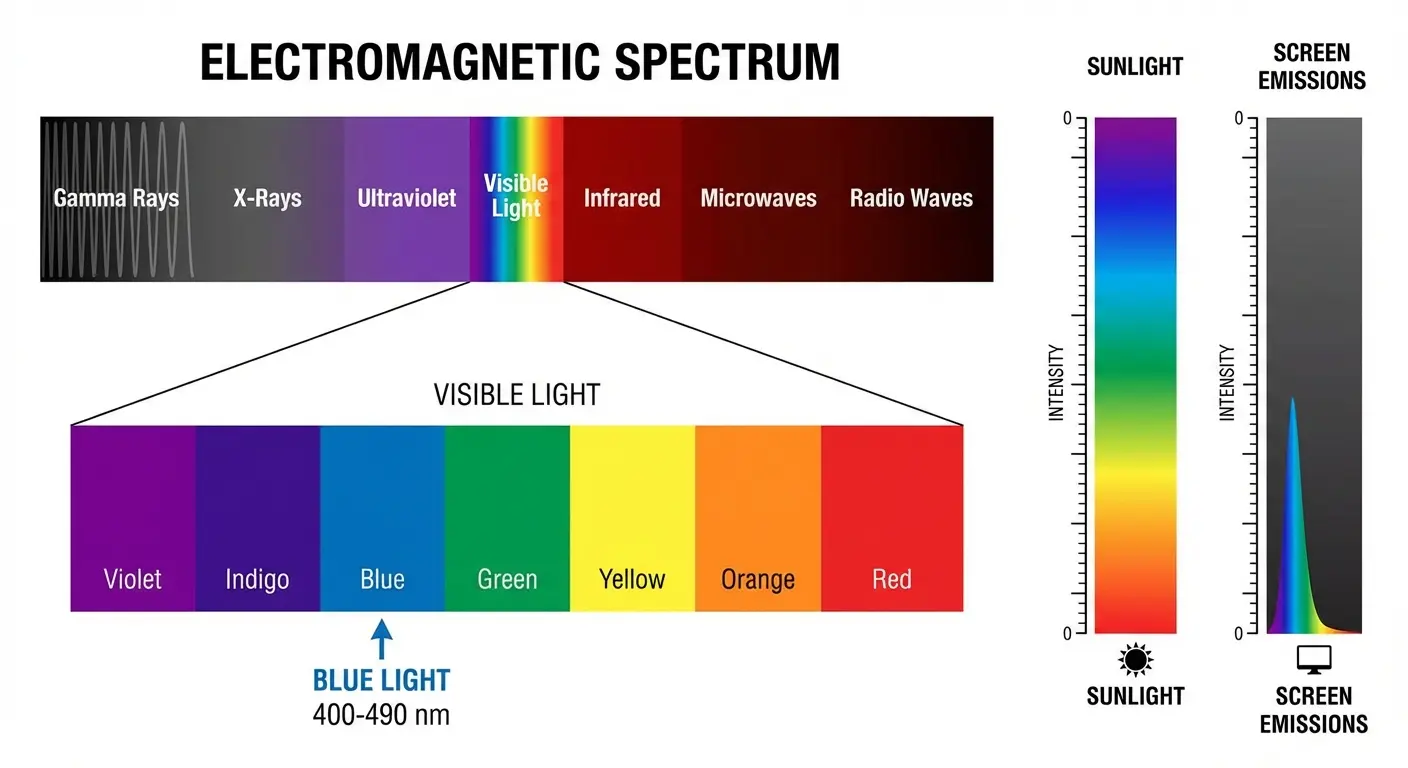
Ten minutes outside exposes you to 100 times more blue light than eight hours on your phone.
That's the first thing you need to understand. Blue light is a high-energy visible light with shorter wavelengths, present in sunlight at much higher levels than any screen emits. If blue light from screens was dangerous, sunlight would be lethal.
There's no consistent research proving that screen-level blue light causes retinal damage or permanent eye harm in humans. The American Academy of Ophthalmology has stated clearly that blue light from devices isn't what's harming your eyes.
You've probably heard about studies showing blue light damage. Those studies typically used rats exposed to light intensities far beyond what screens emit. We're talking about levels you'd never encounter in normal device usage. Like, not even close. The findings don't translate to your phone habits. Fear-based marketing often cites these studies without mentioning the massive difference in exposure levels.
Eye strain is real. Sleep disruption is real. But you're solving for the wrong variable if you think an anti blue light screen protector will eliminate your discomfort.
The Wavelength Reality Check
Blue light from screens typically ranges from 400-490 nanometers. During a 10-minute outdoor walk, the sun exposes you to 10-100 times more blue light than you'll get from hours of screen time.
Understanding relative exposure levels helps put this in perspective:
Blue Light Source |
Wavelength Range |
Relative Exposure Level |
Primary Health Concern |
|---|---|---|---|
Direct Sunlight |
400-500 nm |
High (10-100x screens) |
UV damage, circadian regulation |
Smartphone Screen |
400-490 nm |
Low-Moderate |
Minimal at typical usage |
Computer Monitor |
400-490 nm |
Low-Moderate |
Duration of exposure, not intensity |
LED Indoor Lighting |
400-500 nm |
Moderate |
Cumulative daily exposure |
Tablet Display |
400-490 nm |
Low-Moderate |
Viewing distance matters more |
The blue light component specifically isn't the villain it's been made out to be. If you think an anti blue light screen protector will eliminate your discomfort, you're targeting the wrong problem.
Why Optometrists Keep Saying Something Different
So why do eye care professionals recommend blue light filtering? Good question.
Eye strain is real. Sleep disruption is real. Recommending blue light solutions is easier than explaining complex behavioral changes to patients in a 15-minute appointment. Some practitioners believe in blue light filtering benefits based on patient reports, which may reflect placebo effects or other changes patients made simultaneously.
Look, I'm not attacking professionals. There's a gap between research consensus and clinical practice. Your confusion is valid when you hear different messages from different sources.
The disconnect exists because changing behavior is hard. Telling someone to take breaks every 20 minutes, adjust their posture, and put their phone away an hour before bed requires sustained effort. Recommending an anti blue light screen protector offers a simple, one-time solution that patients are more likely to follow through on... even if it doesn't address the root causes of their symptoms.
Screen Protectors Can't Fix a Behavior Problem
The real issue is how we use screens, not what wavelengths they emit.
Digital eye strain (also called computer vision syndrome) has actual causes that have nothing to do with blue light. Reduced blink rate when focusing on screens. Fixed viewing distances. Poor posture. Inadequate lighting. Extended periods without breaks. An anti blue light screen protector does nothing to address these factors.
Your eye discomfort is valid. But even the best blue light screen protector cannot compensate for poor screen habits and ergonomic mistakes that cause the majority of eye strain symptoms. Whether you choose a blue screen protector or a screen protector for blue light filtering, these products won't fix behavioral issues.
Ask yourself: Do your eyes hurt after two hours of screen time? Is your screen an arm's length away? Are you taking breaks? Is your workspace lighting balanced? Do you consciously blink more during screen use? Are you experiencing headaches by end of day?
If you answered yes to three or more, your eye strain is behavioral, not blue-light related.
The 20-20-20 Rule Works (But You Won't Do It)
Every 20 minutes, look at something 20 feet away for 20 seconds. This gives eye muscles a break from sustained near focus. The evidence backs this up.
Most people won't consistently follow this rule. Behavior change is hard. That's precisely why blue light screen protectors sell well. They promise a set-it-and-forget-it fix.
You need to understand what you're getting versus what you're hoping for.
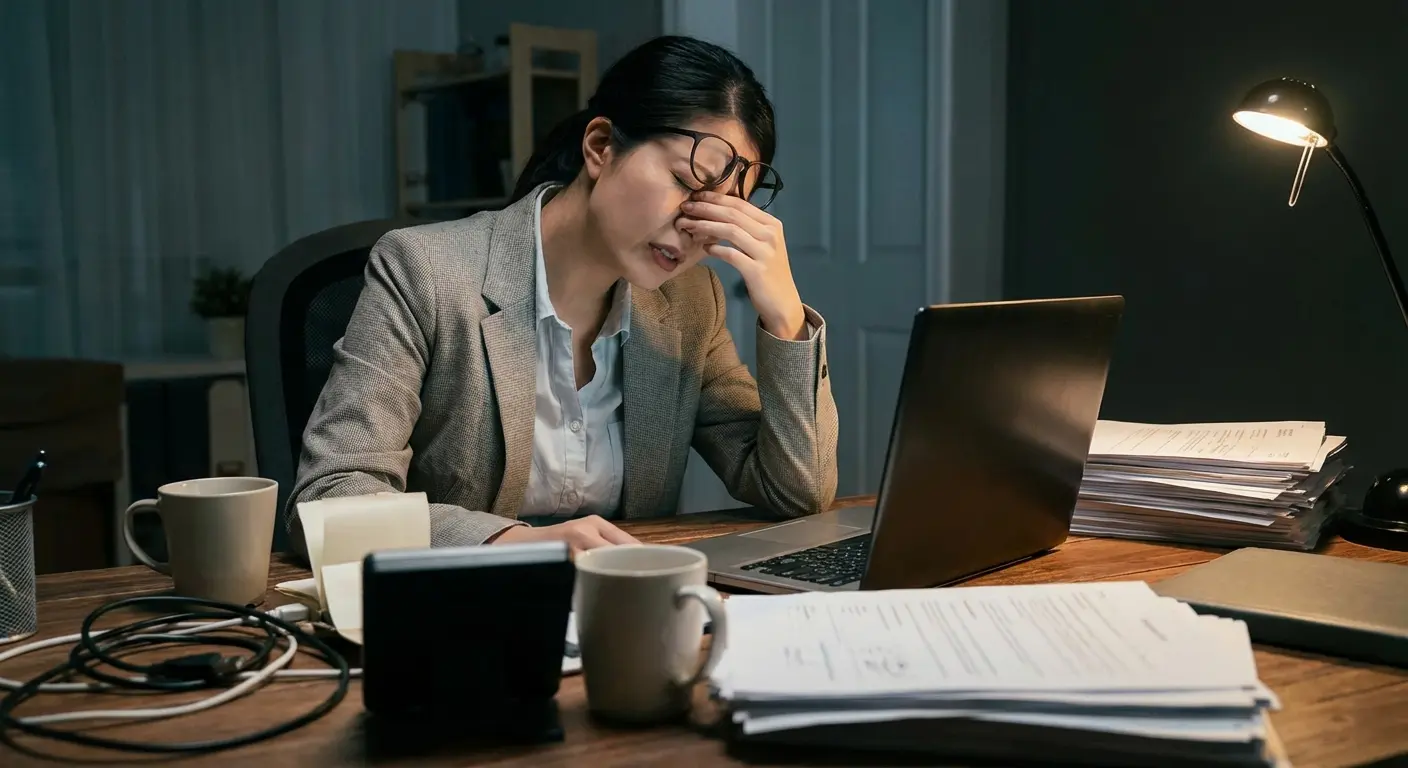
Consider a graphic designer working on a tight deadline who spends eight hours straight refining client mockups. By hour six, her eyes burn and her head throbs. She attributes this to blue light and orders an anti blue light screen protector. Two weeks later, nothing has changed because she's still staring at fixed distances for hours without breaks, still hunched over her desk, and still blinking half as often as normal. The screen protector filtered some blue wavelengths, but it didn't address a single cause of her discomfort.
Your Blink Rate Drops By Half
When you're engaged with a screen, you blink roughly 50-66% less than normal. Sometimes more.
Blinking spreads tear film across your eye surface. Less blinking means drier, more irritated eyes. This contributes significantly to the burning, tired sensation people attribute to blue light.
No screen protector addresses blink rate.
Artificial tears and conscious blink reminders do. You're solving for the wrong variable if you think a blue light filter will eliminate your eye discomfort.
The Sleep Thing Everyone Gets Wrong
Blue light does affect sleep, but not in the way most marketing suggests.
Blue light suppresses melatonin production, which can delay sleep onset. However, the intensity, duration, and timing matter enormously. The blue light from your phone two hours before bed has a different impact than the same exposure at noon.
Most blue light screen protectors only filter 30-40% of blue light. Maybe. The testing isn't exactly rigorous. That may not be enough to meaningfully affect melatonin suppression. Research on whether these partial filters improve sleep outcomes is mixed at best.
Understanding how blue light screen protectors function requires recognizing that managing your phone's settings often provides more effective solutions than physical filters.
The sleep disruption concern isn't unfounded: 36% of teens wake up to check their mobile devices at least once during the night, and research shows this kind of disrupted sleep has a negative impact on kids' well-being and even academic performance. However, the issue is behavioral timing and compulsive checking, not the wavelength of light itself.
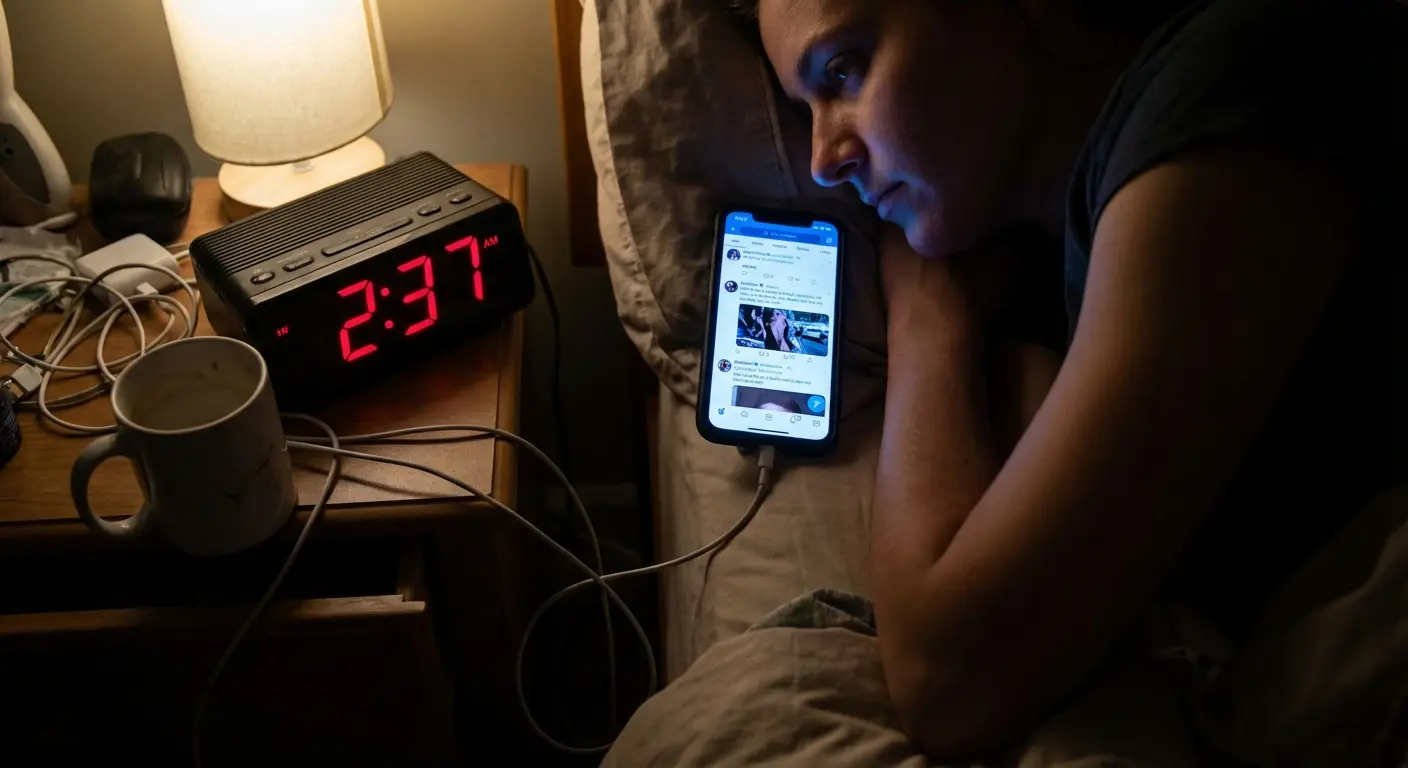
A marketing manager scrolls Instagram until 11:45 PM every night, then wonders why she can't fall asleep until after 1 AM. She buys a blue light filter screen protector that blocks 35% of blue wavelengths. She continues her same bedtime scrolling habit and sees zero improvement in sleep onset.
Meanwhile, her colleague who puts his phone in another room at 10 PM (no screen protector, no filtering) falls asleep within 20 minutes consistently.
The difference isn't the filter percentage. It's the behavior.
Timing Beats Filtering
The most effective intervention for screen-related sleep problems is reducing screen exposure in the 1-2 hours before bed. Most devices now have built-in night mode settings that shift the entire display toward warmer tones. For free.
These software solutions often filter more blue light than physical screen protectors and cost nothing.
If you're using your phone right up until you close your eyes, an anti blue light screen protector that blocks 40% of blue light probably isn't going to save your sleep quality. When you use screens matters more than the filtering percentage.
Why Your Eyes Actually Feel Tired
Your eye's focusing system works overtime at fixed near distances (that's accommodation stress). Both eyes turn inward to maintain single vision (that's convergence demand). Add reduced contrast in poor lighting conditions, screen glare, and the previously mentioned reduced blink rate, and you have the complete picture of what's happening physiologically.
Blue light is at most a minor contributor to this fatigue.
Glare Causes More Problems Than Blue Light
Reflective glare from overhead lights or windows bouncing off your screen forces your eyes to work harder to distinguish content. This causes significant strain and fatigue.
Anti-glare screen protectors (which focus on reducing reflections rather than filtering blue light) often provide more noticeable comfort improvements.
If you're going to invest in screen protection, glare reduction might give you more bang for your buck than blue light filtering. Many consumers invest in an anti blue light screen protector when an anti-glare coating would better address their symptoms.
Eye Strain Factor |
Contribution to Fatigue |
Screen Protector Solution |
Better Alternative |
|---|---|---|---|
Reduced Blink Rate |
High (50-66% reduction) |
None |
Conscious blinking, artificial tears |
Fixed Focus Distance |
High |
None |
20-20-20 rule, workspace ergonomics |
Screen Glare |
Moderate-High |
Anti-glare coating ✓ |
Adjust lighting, reposition screen |
Blue Light Exposure |
Low-Moderate |
Blue light filter (partial) |
Night mode software, timing changes |
Poor Posture |
Moderate |
None |
Monitor height adjustment, ergonomic setup |
Dry Environment |
Moderate |
None |
Humidifier, breaks, hydration |
This table shows where screen protectors can help and where they can't. Most of what's causing your discomfort falls into the "None" column under screen protector solutions.
What Makes a Screen Protector Worth Using
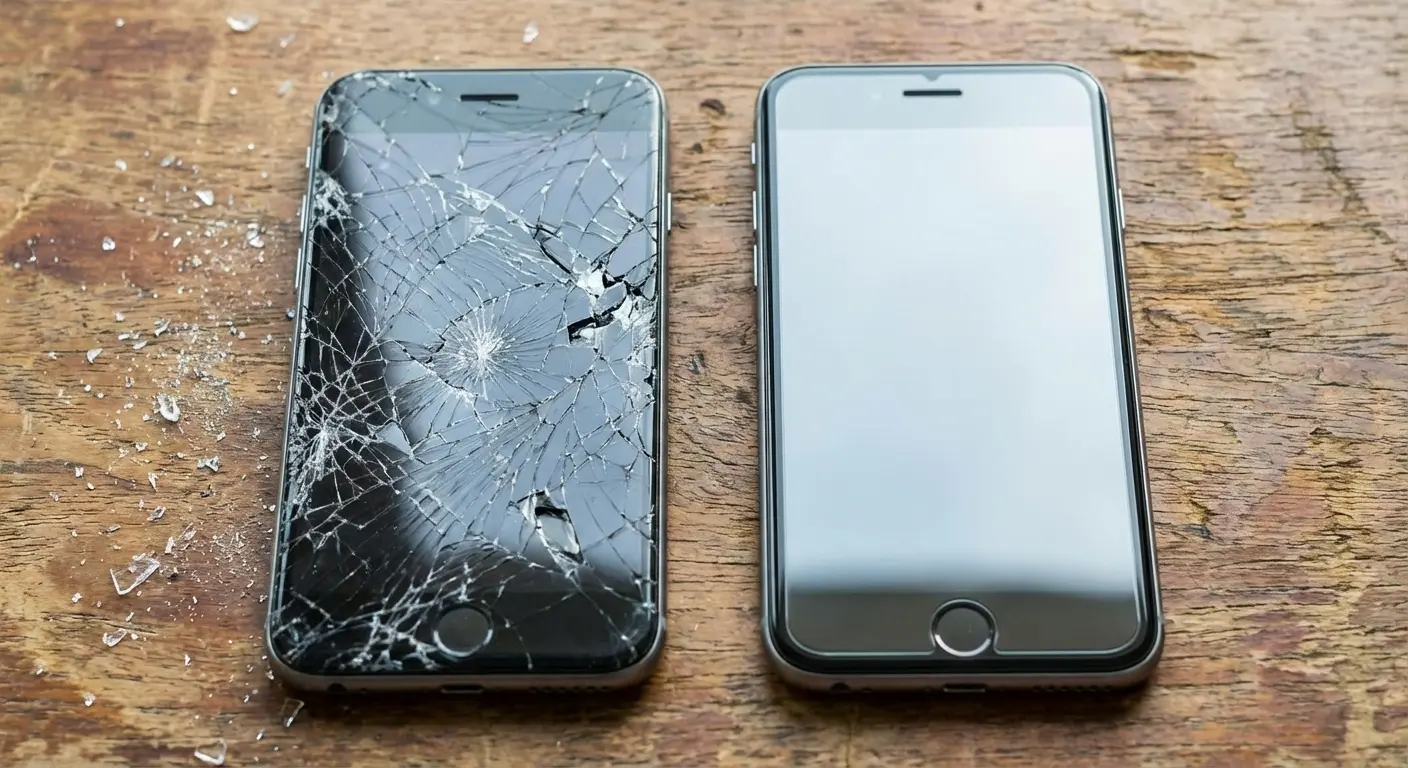
Physical protection from scratches, impacts, and shatters. These are the legitimate reasons to use a screen protector.
Tempered glass versus film protectors, oleophobic coatings that resist fingerprints, and edge-to-edge coverage provide tangible benefits. Your screen either has a scratch or it doesn't. The glass either cracked from a drop or it didn't.
This is where screen protectors add real value.
When considering whether to add a blue light filter screen protector to your device, remember that physical protection fundamentals matter more than filtering features.
Many blue light screen protectors also offer these physical protection features, which is fine. Buyers should prioritize the protection aspects and treat blue light filtering as a bonus feature (if it's even noticeable), not the primary selling point.
Clarity and Touch Sensitivity Matter More
A screen protector that distorts your display or makes touch response sluggish will annoy you every single day.
Quality protectors maintain the original screen's clarity and responsiveness. This is especially important for anyone who does color-sensitive work on their device or plays games that require precise touch input.
Blue light filtering often comes at the cost of color accuracy. Let's address that directly.
The Hidden Cost of Yellow-Tinted Vision
Blue light screen protectors work by filtering out blue wavelengths, which shifts your display toward yellow/amber tones.
For casual scrolling, you might not care. But if you're editing photos, designing graphics, watching movies, or doing any color-critical work, you're now seeing inaccurate colors.
That sunset photo looks different than it is. Your design work appears warmer on your screen than it will on anyone else's device.
This isn't a defect. It's how blue light filtering works. You can't remove blue light without changing color balance.
Installing a blue screen protector fundamentally alters your display's color output in ways that affect daily usage beyond just blue light reduction. Marketing rarely mentions this tradeoff.
Your Photos Don't Look That Warm
You edit a photo on your phone with a blue light filter active, compensate for what you perceive as a cool tone by adding warmth, then share it and discover it looks oversaturated and orange on everyone else's screens.
Frustration? Avoidable.
I know a wedding photographer who edited 300 photos through a blue-light filter. Every single image came back from the client with "why is my dress yellow?" The photographer had to re-edit everything, unpaid, because her screen protector cost her color accuracy. The filter cost $30. The re-edit cost her 40 hours.
Eye Adaptation Makes It Worse
Your visual system adapts to consistent color casts (this is called chromatic adaptation). After wearing blue light blocking glasses or using a filtered screen for a while, you stop noticing the yellow tint.
Seems beneficial until you look at an unfiltered screen and everything appears unnaturally blue. You've shifted your baseline.
Switching back and forth between filtered and unfiltered screens can cause more visual discomfort than just leaving things unfiltered. Your visual system's adaptation doesn't mean the filter is working better. It just means you've adjusted to distorted color.
When Blue Light Filtering Actually Matters
Look, there are scenarios where blue light filtering may provide some benefit.
Late-night screen use when you can't avoid it (on-call workers, night shift workers, parents dealing with middle-of-the-night situations) might benefit from reduced blue light exposure. People with certain photosensitivity conditions or recovering from specific eye surgeries might find blue light reduction helpful. Some retinal conditions (such as age-related macular degeneration) have theoretical risk factors related to cumulative light exposure, though again, research isn't conclusive on screen-level blue light specifically. According to experts at Eyesafe, the most disruptive blue light wavelengths are 435–440 nm (linked to oxidative stress and potential long-term visual effects) and 480–500 nm (linked to melatonin suppression and delayed sleep onset). Screen protectors that target these specific ranges can offer over 60% blue light filtration while maintaining accurate color, though most consumer products don't specify which wavelengths they filter.
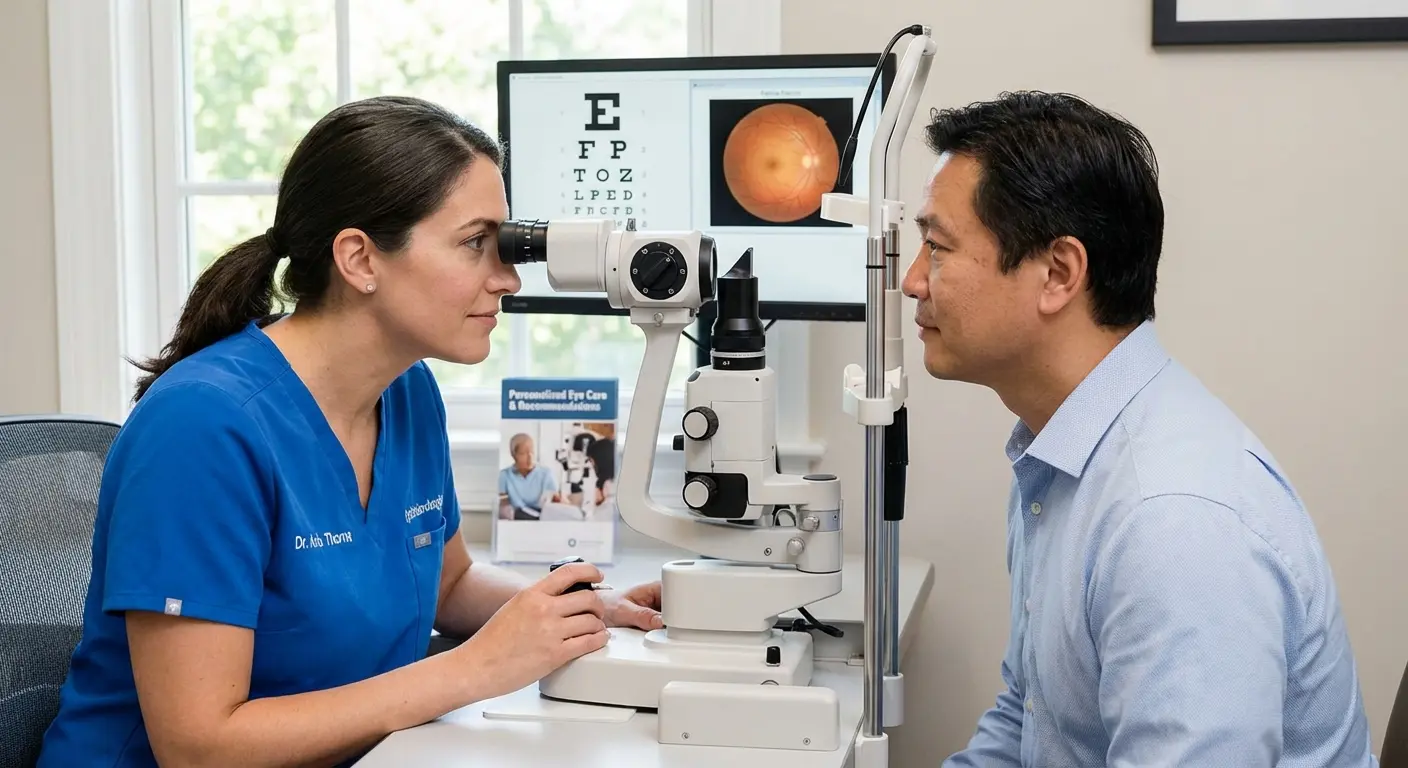
If your ophthalmologist recommends blue light filtering for a specific medical reason, that's between you and your doctor. The general population shouldn't buy blue light screen protectors based on fear of eye damage that isn't supported by current evidence.
Better Alternatives Nobody Talks About
Want to know what actually works? Here's what.
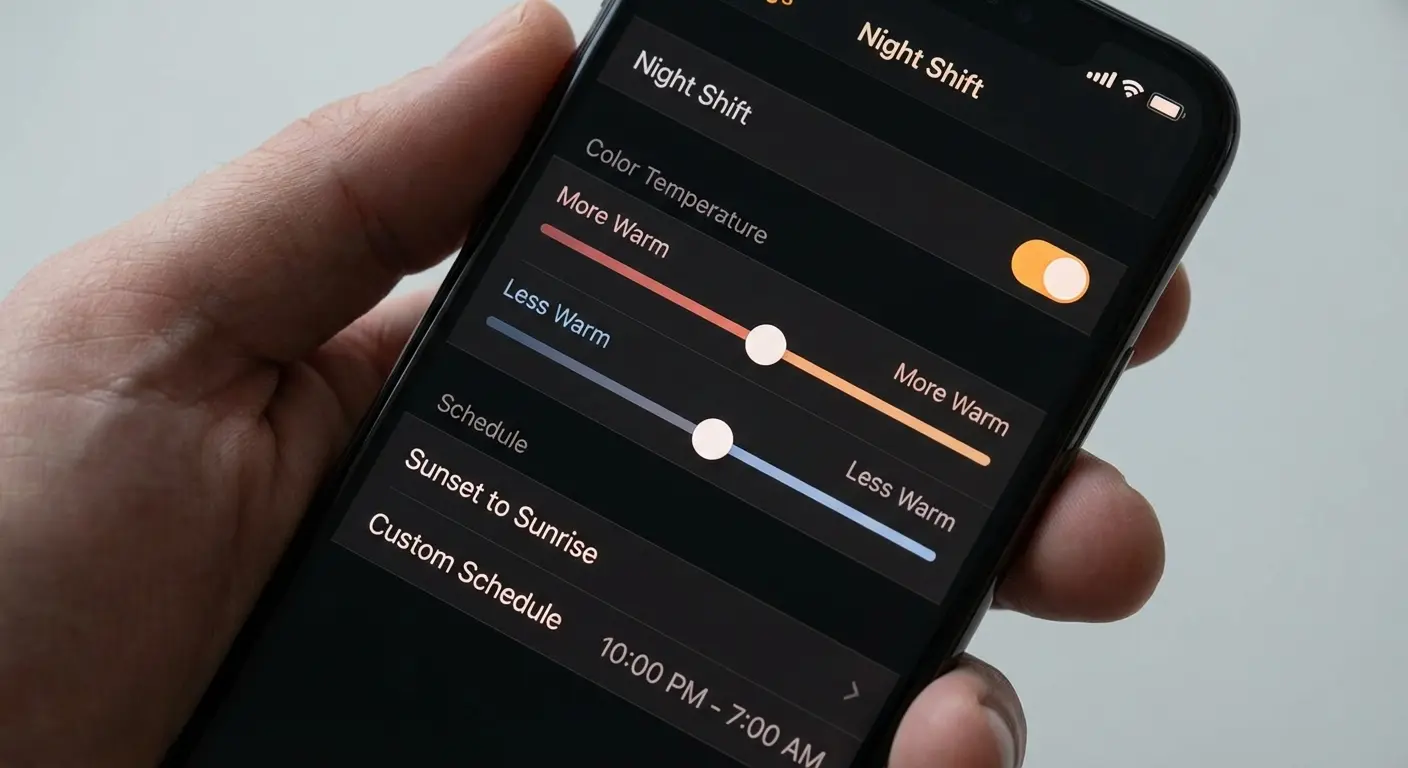
Built-in night mode/night shift features on iOS and Android are free, adjustable, and can be scheduled. F.lux and similar software work for computers. Proper ambient lighting reduces contrast between screen and environment. Monitor positioning and ergonomic setup matter. The 20-20-20 rule actually works.
Rather than relying solely on a blue light filter screen, consider how optimizing your device settings can reduce eye strain while preserving battery life and display quality.
Blue light blocking glasses offer an alternative to blue light screen protectors. They don't affect your device's color accuracy (your screen still displays correctly for color work) and can be removed easily.
Immediate Changes (0-5 minutes):
Enable Night Shift/Night Mode on your device. Adjust screen brightness to match ambient lighting. Position screen 20-26 inches from eyes. Tilt screen to eliminate glare from overhead lights.
Workspace Setup (15-30 minutes):
Raise or lower monitor so top of screen is at eye level. Add desk lamp for balanced lighting (avoid harsh overhead-only lighting). Position desk perpendicular to windows (not facing or backing them). Set up break reminder app like Stretchly, Time Out, or built-in Screen Time.
Habit Formation (ongoing):
Set device to enable warm tones automatically at 8 PM. Practice conscious blinking during focused work. Keep artificial tears at desk for dry eye relief. Establish "screens off" time 1 hour before target sleep time.
Night Shift Mode Is Already On Your Phone
Most people don't realize their phone already has blue light filtering built in. Or they've never turned it on.
iOS: Settings > Display & Brightness > Night Shift. Android varies by manufacturer but usually lives in Display settings.
These software filters are adjustable, schedulable, and free. They often filter more blue light than physical blue light screen protectors.
If your primary concern is sleep disruption from evening screen use, start here before buying anything.
Major manufacturers are increasingly incorporating blue light solutions directly into their products. ZAGG's Glass XTR5 Blue Light Screen Protector for the Galaxy S26 (Android Central, 2026) offers blue light filtering with a lifetime warranty, though the product still requires a front camera cutout that can collect debris. Meanwhile, Belkin's ScreenForce TemperedGlass Blue Light Filter for Nintendo Switch 2 (Digital Reviews, March 2026) markets blue light filtering for "more enjoyable screen time," demonstrating how the feature has become a standard marketing checkbox even for gaming devices where color accuracy matters significantly.
You Can Schedule It and Forget It
The scheduling feature means you get warmer tones in the evening (when blue light might affect sleep) and normal color accuracy during the day when it doesn't matter and you might be doing color-critical work.
This is smarter than an anti blue light screen protector that filters blue light 24/7 regardless of context.
How to Choose Protection That Actually Protects
Let's bring the focus back to what screen protectors do well: physical protection.
What to look for: tempered glass rated 9H hardness, edge-to-edge or case-compatible coverage, oleophobic coating, easy installation with alignment tools or kits, and warranty or replacement policies.
If a blue light filter is included and doesn't compromise clarity or touch response, fine. But these other factors should drive your decision.
When evaluating whether the best blue light screen protector meets your needs, consider how it integrates with comprehensive device protection that prioritizes physical durability first.
A blue screen protector should be judged first on its protective qualities, with filtering capabilities as a secondary consideration.
Case Compatibility Isn't Optional
A screen protector that doesn't work with your case is going to cause edge lifting, trapped dust, or force you to choose between protection types.
Check compatibility before buying, especially if you're using a rugged or thick case.
Full disclosure: we make Rokform cases and screen protectors. Our protectors work with raised edges and magnetic mounts. But honestly, whether you buy ours or someone else's, just make sure it fits your case. Nothing worse than edge lifting. Rokform screen protectors are specifically engineered for this compatibility, so you're not compromising one type of protection to get another. They prioritize clarity, impact resistance, and touch sensitivity over dubious blue light claims. You can shop Rokform Screen Protectors, but regardless of which brand you choose, make sure case compatibility is confirmed before you buy.
Installation Quality Affects Everything
The best blue light screen protector in the world is useless if it's installed with bubbles, dust, or misalignment.
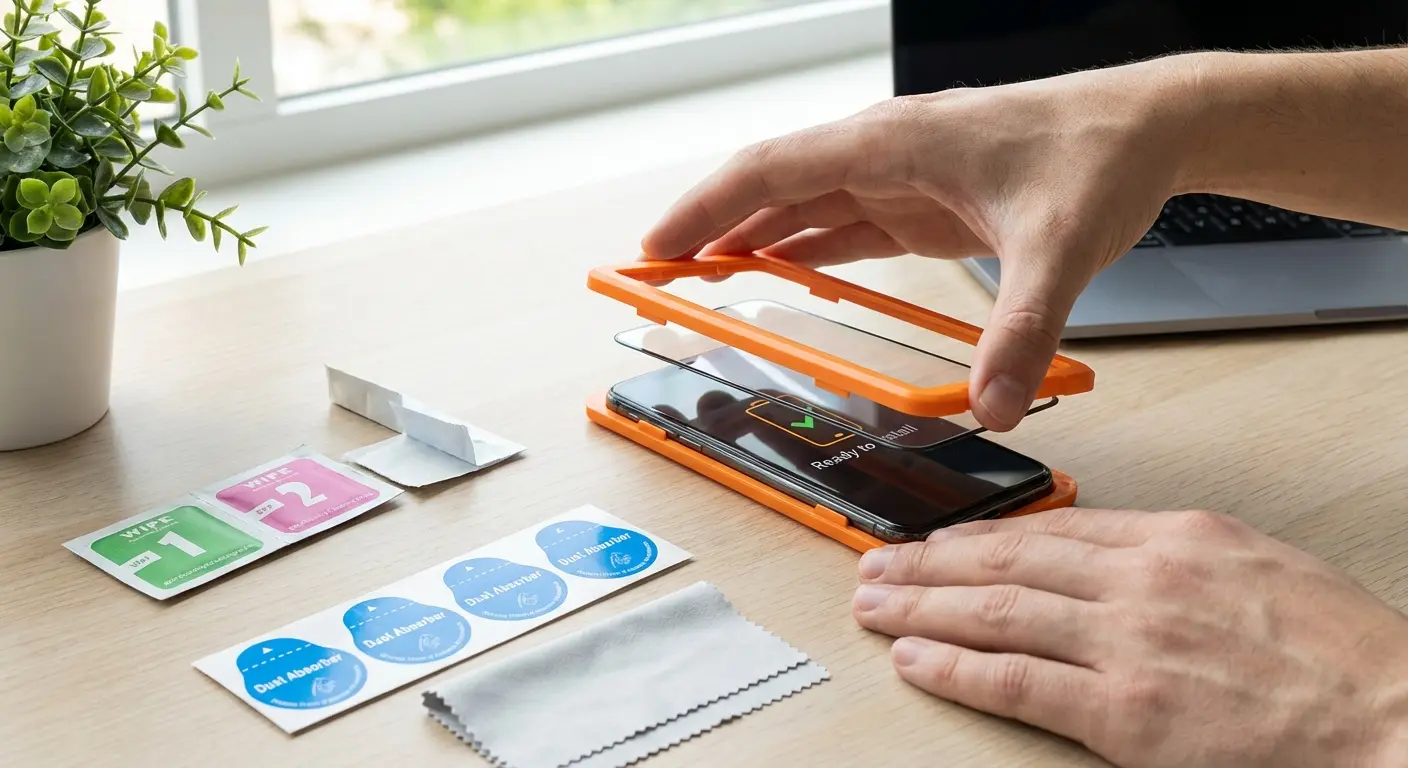
Installation kits that include alignment frames, dust removal stickers, and cleaning wipes make a difference. Some brands offer installation services or guarantees.
A poorly installed protector will annoy you daily and may need to be replaced, which doubles your cost.
Warranty and Replacement Programs Separate Good from Great
Screen protectors are semi-disposable by nature. They're designed to take damage so your screen doesn't.
A crack in your protector means it did its job.
Warranty and replacement programs matter because brands confident in their product quality offer free or discounted replacements if the protector fails under normal use or if installation goes wrong. This shifts the risk from you to the manufacturer.
Specific things to look for: lifetime warranty, one-time replacement, installation guarantee.
Final Thoughts
Blue light screen protectors are solving for the wrong problem in most cases.
The real culprits behind eye strain are behavioral (how long you stare, how often you blink, your posture) and environmental: glare, lighting, screen distance. Blue light does affect sleep, but software solutions and timing changes work better than most blue light screen protectors.
If you're buying a screen protector, buy it for physical protection, clarity, and durability. Treat blue light filtering as a minor bonus feature, not the reason you're spending money.
As you weigh your options for an anti blue light screen protector, remember that comprehensive phone protection strategies extend beyond just screen filtering to include proper handling and storage.
Your eyes aren't being damaged by blue light from screens according to current research. Your sleep might be affected if you're scrolling before bed, but a $30 blue light filter screen protector isn't a better solution than free software settings and putting your phone down an hour earlier.
So yeah. Blue light screen protectors are mostly marketing. Your eyes hurt because you don't blink and you sit like a goblin. Your phone already has a free blue light filter you're not using. And if you're still going to buy a screen protector, buy it because you drop your phone a lot, not because you're scared of wavelengths.
Now you know what matters. Screen protection is valuable. Blue light panic is optional.

