


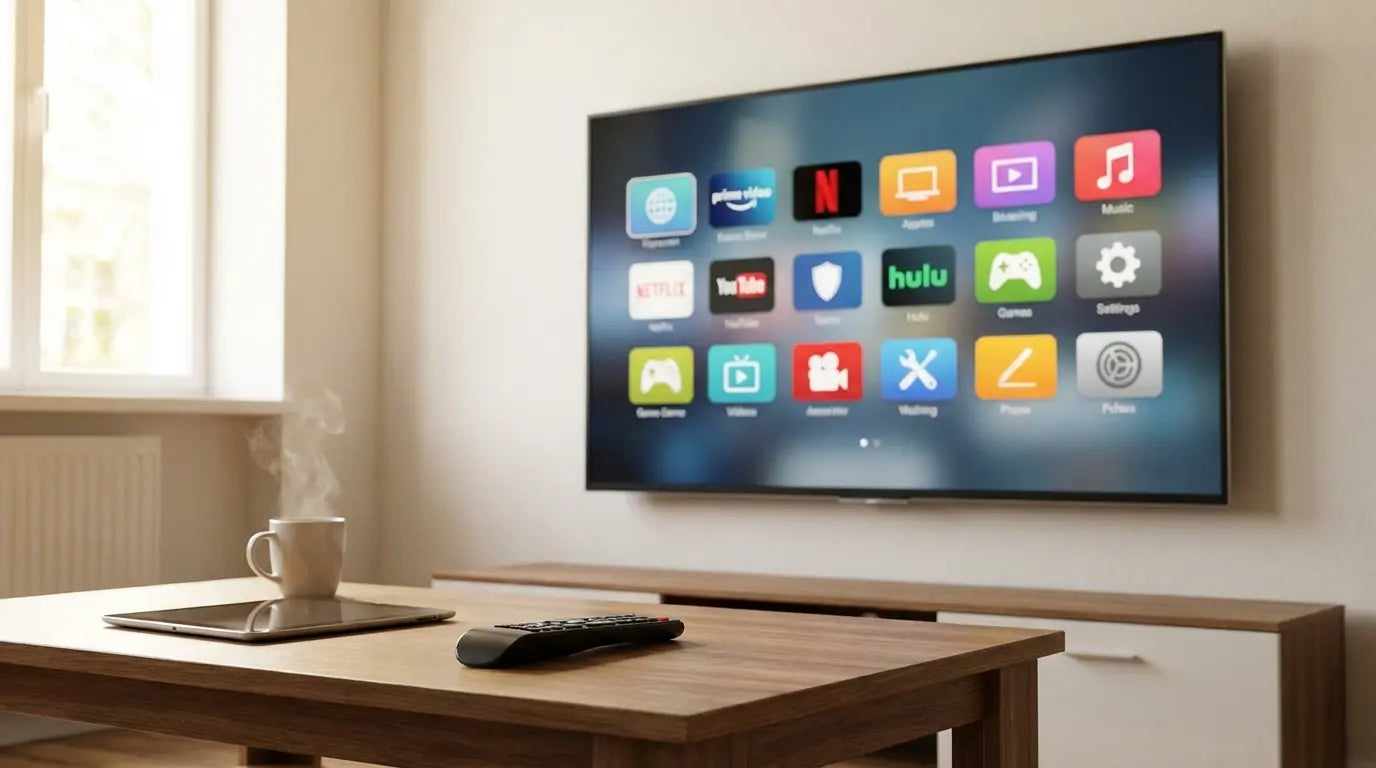
Let’s be honest: there is simply too much to watch right now. I recently found myself staring at a blank menu for twenty minutes, completely forgetting which season of a show I was on until I finally checked a tracker. (Side note: check out Serializd; it’s basically the only way to keep your sanity when juggling watch lists).
The point is, you don't need more content; you need better tools to manage it. This list cuts through the clutter to give you the tv apps that actually deserve the storage space on your streaming stick.
Table of Contents
Here is the game plan. We’re going to break down the criteria for a "good" app, list the top 25 ranging from the big expensive ones to the free system tools, and finally, look at how to blend your mobile viewing with your big screen setup.
The Criteria: What Matters in 2026
The Heavy Hitters: Premium SVOD
Live TV & FAST: Cutting the Cord
Sports & Gaming: Interactive Entertainment
Social & Short Form: Mobile on the Big Screen
Utilities & System Tools: Power User Features
Taking Entertainment Beyond the Living Room
Wrapping Up Your Digital Setup
TL;DR
In a rush? Here is the gist of what you need to know before you start downloading.
Quality Counts: If an app doesn't support 4K, HDR10+, or Dolby Atmos, you are wasting your fancy TV's potential.
Know Your Rights: Streaming rights move constantly. Know who owns the studio (e.g., NBC owns The Office) so you don't buy the wrong subscription.
Free is Actually Good: "FAST" apps (Free Ad-Supported TV) like Tubi are legitimate competitors to paid cable now.
Ecosystems Matter: The best experience happens when you can pause your TV and pick up right where you left off on your phone.
Get the Tools: Don't sleep on utility apps like Plex or JustWatch; they organize the chaos.
The Criteria: What Matters in 2026
Before you fill your hard drive with icons, you need a strategy. We judged these apps on five things: Library, Interface, Video Quality, Price, and how well they play with others. This keeps the bloatware off your device.
Content Library & Exclusivity
It’s all about who owns the rights. Because streaming is so fragmented, you need to follow the IP.
The "Franchise" Decision: If you love The Office, you might assume it's on Netflix. It's not (it's on Peacock). If you want Star Wars, you need Disney+, but if you want Harry Potter, you need Max. Knowing the parent company saves you from paying for a monthly sub that doesn't actually have the movies you want.
User Interface (UI) & Discovery
Nobody wants to doom-scroll for forty minutes. We prioritized apps that actually help you find something to watch quickly, rather than burying you in clunky menus.
Video & Audio Fidelity
If you paid for a 4K or 8K display, your software needs to keep up. We looked for high bitrate support, Dolby Vision, and Atmos capabilities. 720p just doesn't cut it anymore.
Cost vs. Ad-Load
"Streamflation" is hitting everyone's wallet. We weighed the price against how annoying the ads are. Sometimes the free tier is worth the commercial breaks; sometimes it's definitely not.
Ecosystem Compatibility
Seamless handoff is a must-have. You should be able to pause in the living room and resume in the kitchen on your phone without missing a beat.
The Heavy Hitters: Premium SVOD
These are the cornerstones. You likely have at least two or three of these. Here is how the big eight stack up regarding technical performance and library value.
Service |
Best For |
Max Resolution |
Audio Support |
|---|---|---|---|
Netflix |
Global Originals & Volume |
4K UHD |
Dolby Atmos |
Disney+ |
Families & Marvel/Star Wars |
4K UHD (IMAX Enhanced) |
Dolby Atmos |
Max |
Prestige Drama (HBO) |
4K UHD |
Dolby Atmos |
Apple TV+ |
High Bitrate Quality |
4K UHD |
Spatial Audio |
Prime Video |
Retail Integration & Rentals |
4K UHD |
Dolby 5.1/Atmos |
1. Netflix
It’s still the standard. Between Stranger Things and Squid Game, the volume is unmatched. It’s pricey, but the app is smoother than almost anything else, and the 4K/Dolby Vision support is rock solid.
2. Disney+
The hub for Marvel, Star Wars, Pixar, and Nat Geo. Since integrating Hulu content for bundle subscribers, it’s become a massive library. The "IMAX Enhanced" aspect ratio is a really cool feature you won't find on other apps.
3. Max
Max is where you go for "Prestige" TV—think The Last of Us or Succession—mixed with Discovery reality shows. The 4K tier is expensive, but the app is much more stable than it used to be.
4. Apple TV+
Apple focuses on quality over quantity. They have the highest streaming bitrate in the industry, meaning the picture looks crisper here than anywhere else. It’s obviously great if you have an iPhone, but it’s available on most smart TVs now too. If you're mixing Android and Apple, check our Apple TV Android guide to see how to make them play nice.
5. Amazon Prime Video
If you have Prime, you have this. The "X-Ray" feature (which tells you the actor's name and the song playing) is the best feature in streaming, period. Just be warned: they've started slipping ads into the default tier.
6. Peacock
Essential for The Office fans, Bravo addicts, and Premier League watchers. It’s actually one of the more affordable options, and the ad-supported tier isn't too painful.
7. Paramount+
The home of Star Trek, Yellowstone, and the NFL. The app used to be incredibly laggy, but they’ve fixed most of the bugs. It’s a solid mix of sports and sci-fi.
8. Hulu
If you cut the cord but still want to watch network TV shows the next day, you need Hulu. It’s also the home of FX (The Bear, anyone?). It’s almost always better to grab this as part of the Disney bundle.
Live TV & FAST: Cutting the Cord
Want to ditch the cable box or just save some cash? These five apps range from full cable replacements to totally free options.
9. YouTube TV
The best direct cable replacement. You get 100+ channels and unlimited cloud DVR. It’s expensive, but the interface blows traditional cable boxes out of the water.
10. Tubi
Tubi is completely free and surprisingly great. It’s perfect for finding weird cult classics or niche genres. No subscription required—just hit play.
11. Pluto TV
Pluto mimics an old-school cable guide but fills it with free internet channels. It’s great for that nostalgic feeling of "just putting something on" without having to pick a specific movie.
App Type |
Service Name |
Cost Model |
Best Feature |
|---|---|---|---|
Cable Replacement |
YouTube TV |
High Monthly Fee |
Unlimited Cloud DVR |
Budget Bundle |
Sling TV |
Medium Monthly Fee |
A La Carte Flexibility |
FAST (Free) |
Tubi |
Free (Ad-Supported) |
Niche Movie Discovery |
FAST (Free) |
Pluto TV |
Free (Ad-Supported) |
Linear "Live" Channels |
12. Sling TV
The "a la carte" option. If you only want ESPN and CNN and nothing else, Sling is usually cheaper than YouTube TV. It’s flexible, which is nice for budget-conscious viewers.
13. Freevee
Amazon’s free tier. They have some high-quality originals (like Jury Duty) mixed with older movies. It’s usually built right into the Fire TV interface.
Sports & Gaming: Interactive Entertainment
Your TV can do more than play movies. These apps turn your screen into an arcade or a stadium.
14. ESPN+
Required reading for UFC, college sports, and soccer fans. Just remember: this is an add-on. It usually doesn't include the main ESPN channel feed you get with cable.
15. Twitch
Watch live gaming, esports, and creators on the big screen. The chat overlay makes it feel like a community event rather than just a video.
16. GeForce Now
Cloud gaming is wild—it lets you play PC games you own on your TV without a console. You just need a really, really good internet connection.
17. Spotify
The TV interface for Spotify is actually great. It gives you big album art and scrolling lyrics, making it the best option for background music at a party.
Social & Short Form: Mobile on the Big Screen
Mobile content has officially taken over the living room.
18. YouTube
The most used app on any TV. From 4K travel vlogs to podcasts and tutorials, it’s the utility knife of streaming.
19. TikTok
TikTok actually works surprisingly well on a TV. It auto-scrolls for you, so you can lean back and watch a continuous feed of curated videos without swiping.
Utilities & System Tools: Power User Features
These are the "nerd" apps that make everything else work better. They solve file issues and organize your digital life.
20. Plex
Plex organizes your personal video files and streams them to your TV. It takes a folder of messy file names and turns it into a beautiful, Netflix-style interface.
The "Digital Hoarder" Solution: If you have a hard drive full of old ripped DVDs labeled "Movie.Title.2010.mkv", Plex will automatically fix the titles, download the poster art, and add the cast list. It makes your personal collection look professional.
21. VLC for TV
The "play anything" player. If a video file won't open, try VLC. It’s not pretty, but it works with basically every file format in existence.
22. Kodi
For the tinkerers. Kodi is open-source media center software. It’s incredibly powerful, but it requires some patience and technical know-how to set up correctly.
23. NordVPN
A VPN on your TV helps protect your privacy and can mask your IP address. It’s useful, but keep in mind it might slow down your streaming speed a little bit.
24. AirScreen
This bridges the gap between devices. It lets you cast AirPlay or Miracast to TVs that might not natively support your specific phone. If you're struggling to connect, check out our cast to TV Android phone guide or our screen mirroring iPhone guide to get connected fast.
25. JustWatch
This is a search engine for streaming. You tell it what you want to watch, and it tells you which of your 15 apps actually has it. It is absolutely essential for solving the "where is that movie streaming?" headache.
Taking Entertainment Beyond the Living Room
We don't just watch TV on the couch anymore. We watch in the kitchen, the garage, and even on the golf course. Here is how to keep your mobile entertainment setup safe and functional with Rokform gear.
Protecting Your "Second Screen"
When you're using apps like JustWatch or Spotify on your phone to control the TV, your phone is at risk. Our Rugged and Crystal cases use high-impact polycarbonate to handle drops up to 6 feet.
The "Coffee Table" Incident: Picture this: You're casting YouTube to the TV and leave your phone on the arm of the couch. The dog jumps up, phone goes flying onto the hardwood. With a standard case, you might be looking at a shattered screen. With a Rokform Rugged case, you just pick it up and keep streaming.
Mounting Your Entertainment Anywhere
Apps like YouTube TV and Peacock get a ton of use on mobile. We designed our ecosystem to support that versatility.
In the Kitchen: Stick your phone to the fridge using our industrial-grade MAGMAX™ magnets to watch Netflix while you chop veggies.

On the Golf Course: Tracking your game on Golfshot or streaming the Masters on Paramount+? Our G-ROK PRO speaker and magnetic cart mounts keep your phone secure. Debating on audio gear? Check our comparison of the G-ROK Golf Speaker vs Blue Tees Golf Player.

In the Garage: Mount your phone directly to a toolbox or car lift using the RokLock™ twist lock system so you can follow YouTube repair tutorials hands-free.

Activity |
Recommended Mount |
Best Use Case |
|---|---|---|
Cooking |
MAGMAX™ (Built-in Case Magnet) |
Watching Netflix/Hulu on the fridge |
Golfing |
Magnetic Golf Cart Mount |
Streaming sports or using GPS apps |
DIY/Mechanic |
RokLock™ Twist Lock |
Following YouTube repair tutorials |
Cycling |
Pro Series Bike Mount |
Listening to Spotify/Podcasts on the go |
Wrapping Up Your Digital Setup
So there you have it. From the massive libraries of Netflix to the life-saving utility of JustWatch, these are the tools that help you get the most out of your hardware. Now, go curate your interface. Download the tv apps you actually need, delete the bloatware, and make sure your mobile gear is tough enough to handle the lifestyle

