


You're standing in Target staring at screen protectors, or scrolling Amazon at 11 PM, wondering: how long will this thing actually last? Should I buy the $12 one or spring for the $30 one?
Here's the thing: you're asking the wrong question. Your screen protector doesn't come with an expiration date. It's more like a shield that breaks down in different ways depending on how you actually use your phone - where you take it, how often you drop it, what kind of case you're using.
Understanding how these things break down means you'll know exactly when to swap them out. It helps you avoid both throwing away perfectly good protectors and keeping dead ones that aren't protecting anything.
Table of Contents
Why "How Long?" Is the Wrong Question
The Four Degradation Timelines Nobody Talks About
Screen Protector Materials and Their Decay Patterns
What's Really Killing Your Protector
Reading the Warning Signs (And Why You're Probably Ignoring Them)
The Cost Math That Changes Everything
Installation Quality's Hidden Role in Longevity
When Replacement Is Smart vs. When You're Just Being Paranoid
Finding the Right Screen Protector for Your Usage Pattern
TL;DR
Screen protectors don't fail on a fixed timeline. They degrade across four distinct vectors: impact absorption capacity, optical clarity, adhesive integrity, and surface coating breakdown.
Material choice matters less than you think. Tempered glass and film protectors fail differently, not necessarily faster or slower.
Most people replace too late (after visible damage) or too early (based on arbitrary timelines). Both approaches waste money and leave your screen vulnerable.
Installation quality determines 60% of functional lifespan. A poorly applied protector starts degrading immediately.
Your usage pattern (not the manufacturer's claims) should dictate replacement timing. Construction workers and office professionals need completely different strategies.
The real question isn't "how long" but "how effectively is it still protecting." A six-month-old protector might be functionally dead while a two-year-old one could still perform.
Why "How Long?" Is the Wrong Question
Most articles will tell you "6-12 months" or "replace it once a year." Which is useless advice. It's like asking "how long do tires last?" Well, are you driving a Prius in Florida or a pickup truck in Montana?
The problem? That question assumes screen protectors operate on some universal timeline, ticking down from installation day until they magically expire. They don't.
Here's the Thing: Screen Protectors Are Meant to Die So Your Screen Doesn't
Screen protectors succeed by failing. That's not a design flaw. It's the entire point.
Every scratch that mars your protector's surface is a scratch your actual screen didn't receive. Every crack that spiderwebs across the glass is structural damage your phone's display avoided. We expect our phone cases and chargers to last forever, right? But screen protectors? They're supposed to get beat up. That's literally their job.
This messes with your head. You see scratches and think "crap, it's ruined." But those scratches? They mean it's working. Every scratch is damage your actual screen didn't take.
Let's say Mike and Sarah both buy iPhone 15s on the same day, same protector from the same Amazon listing. Mike's a carpenter - his phone lives in his tool belt with screws, nails, random metal crap. He drops it on concrete at least once a week. Sarah works from home doing data analysis. Her phone sits in a desk drawer when she's not using it. She's never dropped it. Not once.
Three months later? Mike's protector looks like it went through a war. Scratches everywhere, couple of small cracks. It did its job - time for a new one. Sarah's? Still looks brand new. Might last another year, maybe two.
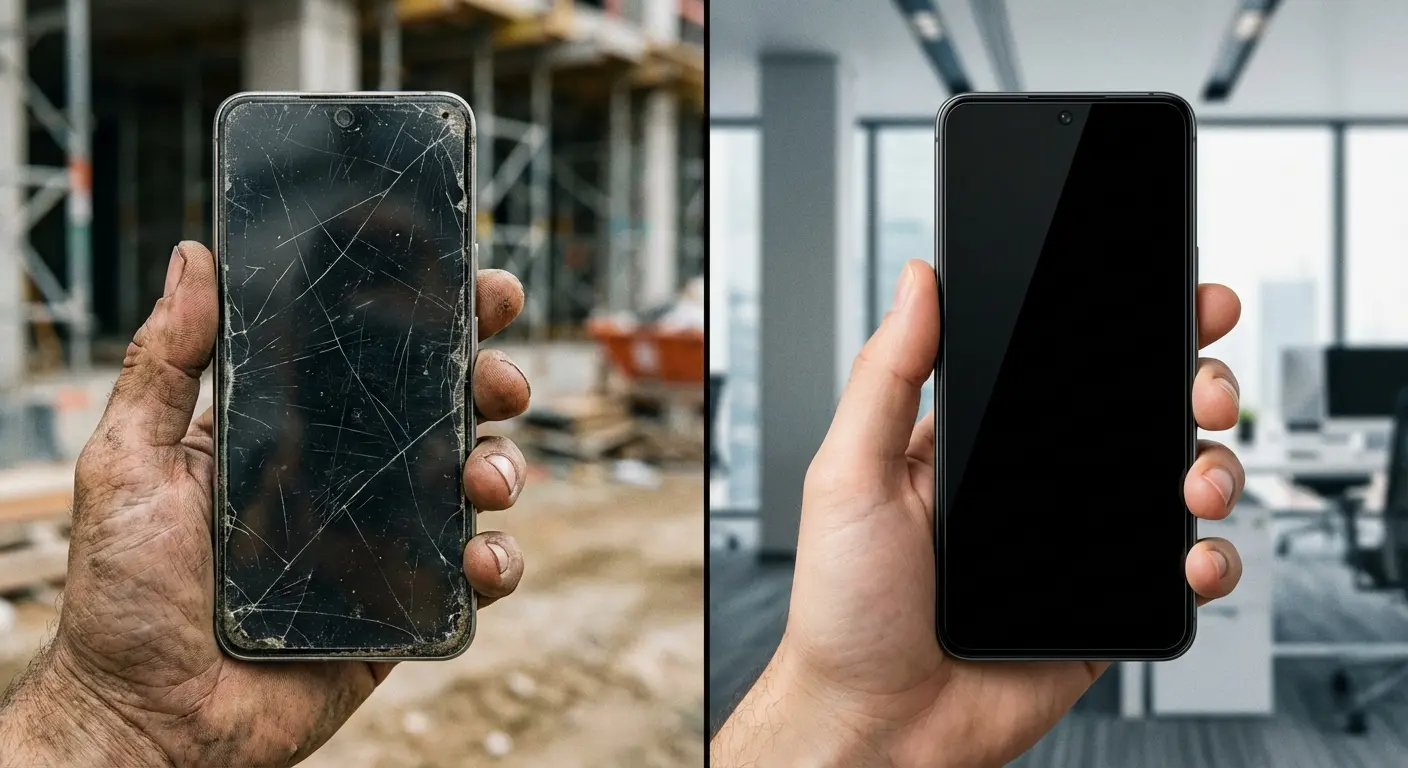
Same product, same age, completely different remaining protective capacity.
The question shouldn't be "how long does a screen protector last" in terms of calendar time. The question should be "how much protective capacity remains."
What "Expired" Actually Means for Protection
A functionally expired protector doesn't announce itself with an alarm or a notification. Sometimes it looks perfect while offering minimal protection. Other times it looks terrible but still shields your screen effectively.
Here's the scary part: you can't see when it's dying. Your protector might've taken five minor drops without showing a single crack. Each impact created micro-fractures in the glass structure or compressed the film material slightly. The protector looks fine, so you assume it's fine. Then drop number six - same height, same floor - and BAM. Your actual screen shatters. Why? Because the protector was already dead inside after drop three. You just didn't know it.
Or the opposite: your protector looks like hell. Scratched to death from months of living in your pocket with your keys (yeah, I know you do this). It looks rough, and you're embarrassed to use your phone in meetings. But those scratches? Purely cosmetic. The protector's structure is fine. It'll still save your screen if you drop it. You replace it based on appearance, which is your choice, but not because protection capacity is compromised.
This is why time-based replacement schedules fail. They can't account for the actual stress your specific protector has endured. A six-month-old protector on a careful user's phone might have 90% of its protective capacity remaining. A six-week-old protector on a contractor's phone might be functionally dead.
A dead protector is worse than no protector. At least without one, you'd be more careful. But with a compromised protector? You're handling your phone like it's protected when it's not. That's how screens shatter.
The Four Degradation Timelines Nobody Talks About
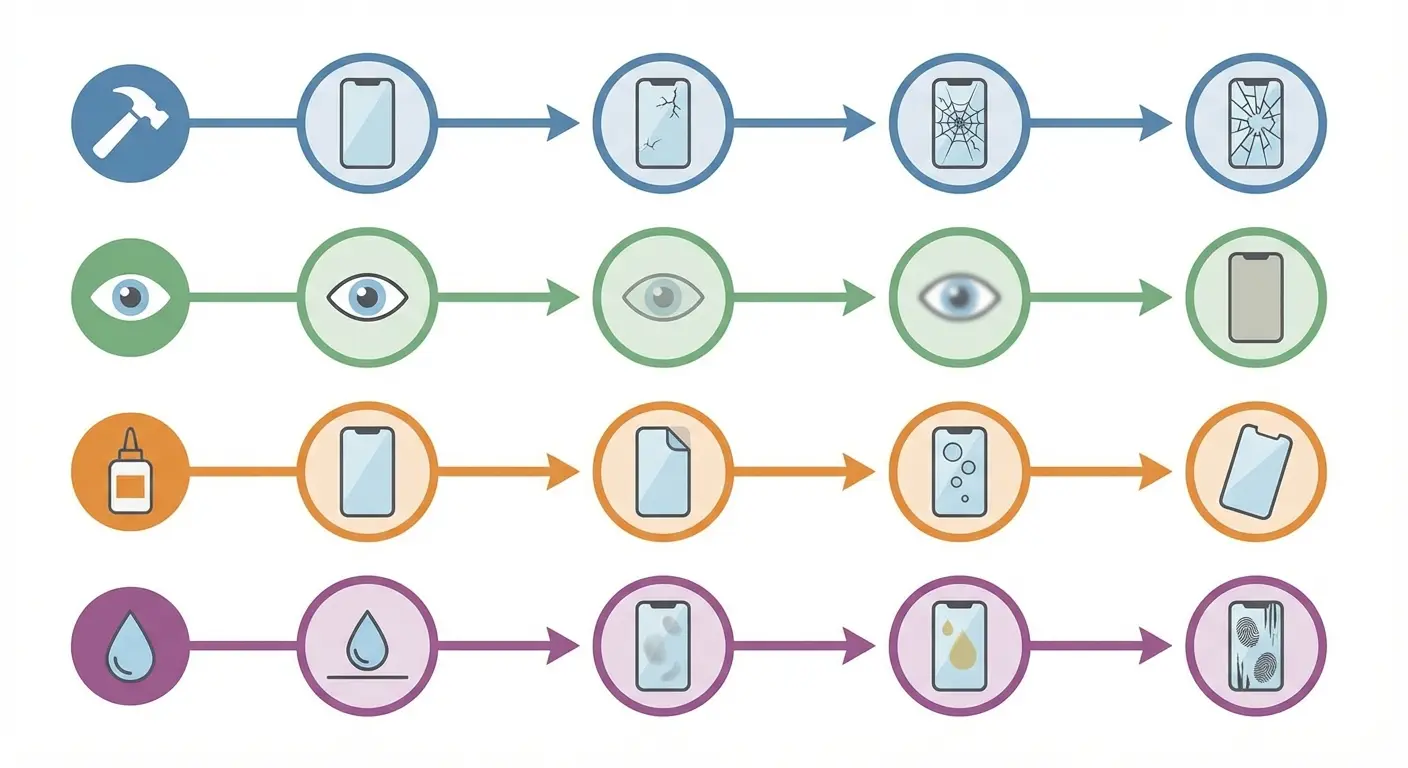
Here's where it gets interesting. Your screen protector isn't just wearing out - it's breaking down in four completely different ways at the same time. Each one has its own timeline, and they don't give a damn about each other.
Understanding these separate degradation paths explains why your buddy's protector lasted two years while yours crapped out in three months. It's not that you got a defective one - you're just using your phone differently.
What's Breaking Down |
How Long |
Can You See It? |
Does It Matter? |
What Causes It |
|---|---|---|---|---|
Impact Protection (the important one) |
2-24 months |
Nope, totally invisible |
CRITICAL |
Drops, flexing, getting knocked around |
How Clear It Looks |
3-18 months |
Yeah, super obvious |
Not really |
Scratches, coating wearing off, yellowing |
Adhesive Staying Stuck |
6-24 months |
You'll see edges lifting first |
Really matters once it starts |
Heat, humidity, crappy installation, case pressure |
Smooth Surface Coating |
2-6 months |
You'll feel it getting sticky |
Zero (just annoying) |
Cleaning, finger oils, friction |
Impact Absorption Capacity (The Invisible Clock)
This is the big one, and it's completely invisible. Every time your phone hits a surface - whether it cracks the protector or not - you're using up some of the protector's remaining life. You just can't see it happening.
The science isn't that complicated, but most people get it wrong. When they make tempered glass protectors, they create stress patterns inside the glass. When impact force exceeds a threshold, these stress patterns cause the glass to shatter in a controlled way, dissipating energy that would otherwise transfer to your screen. But impacts below that threshold still affect the glass structure. They create micro-fractures too small to see but large enough to weaken the overall integrity.
Film protectors operate differently but degrade similarly. The material compresses slightly with each impact, and while it may spring back visually, the molecular structure has changed. Basically, it's permanently squished, even if you can't see it. The film becomes progressively less effective at distributing impact force across its surface.
The science here explains why this invisible damage is such a big deal. Every time you drop your phone - even if nothing cracks - you're using up some of the protector's remaining life. You just can't see it happening. The tempering process creates internal stresses that strengthen the glass, but once compromised through micro-fractures, the entire structure weakens. A protector that has absorbed five minor drops might shatter completely on the sixth, while your screen would have survived all six impacts had you replaced the protector after the third drop.
Here's what makes this timeline so variable: your usage pattern determines everything. Someone who drops their phone weekly might exhaust impact capacity in two months. Someone who's never dropped their phone might maintain full capacity for years. Environmental factors matter too - temperature fluctuations cause expansion and contraction that can accelerate micro-fracture formation even without impacts.
You can't inspect for this degradation. You can't test for it without destroying the protector. You can only estimate based on your drop history and handling patterns. For users who need integrated protection systems, motorcycle phone mounts paired with compatible cases ensure your screen protector doesn't experience premature edge stress from incompatible mounting systems.
So yeah, you should actually keep track of real drops. I'm not talking about setting your phone down too hard - I mean actual drops from pocket height or higher. After three or four of those? Replace the protector even if it looks fine. You're on borrowed time.
Optical Clarity Degradation (What You Can See)
Optical clarity is the opposite of impact protection. You can totally see it degrading, but it barely matters for actual protection. Still, it's why most people replace their protectors. Because we're visual creatures, and looking at a scratched-up screen all day drives us crazy.
Micro-scratches accumulate from normal use. Your pocket lint contains tiny abrasive particles. Your cleaning cloth picks up dust. Every swipe across the screen creates microscopic wear. Individually, these scratches are invisible. Collectively, they create haziness that becomes noticeable in bright light or when viewing white backgrounds.
Film protectors show this degradation faster than glass. The softer material scratches more easily, and within months of normal use, you'll see visible wear patterns where your thumb swipes most frequently. Some users find this intolerable. Others barely notice until someone points it out.
Glass protectors maintain optical clarity much longer, but they're not immune. The oleophobic coating wears off first (we'll cover that separately), and then the glass surface itself begins accumulating fine scratches. These take longer to become noticeable than film scratches, but the timeline is still measured in months, not years.
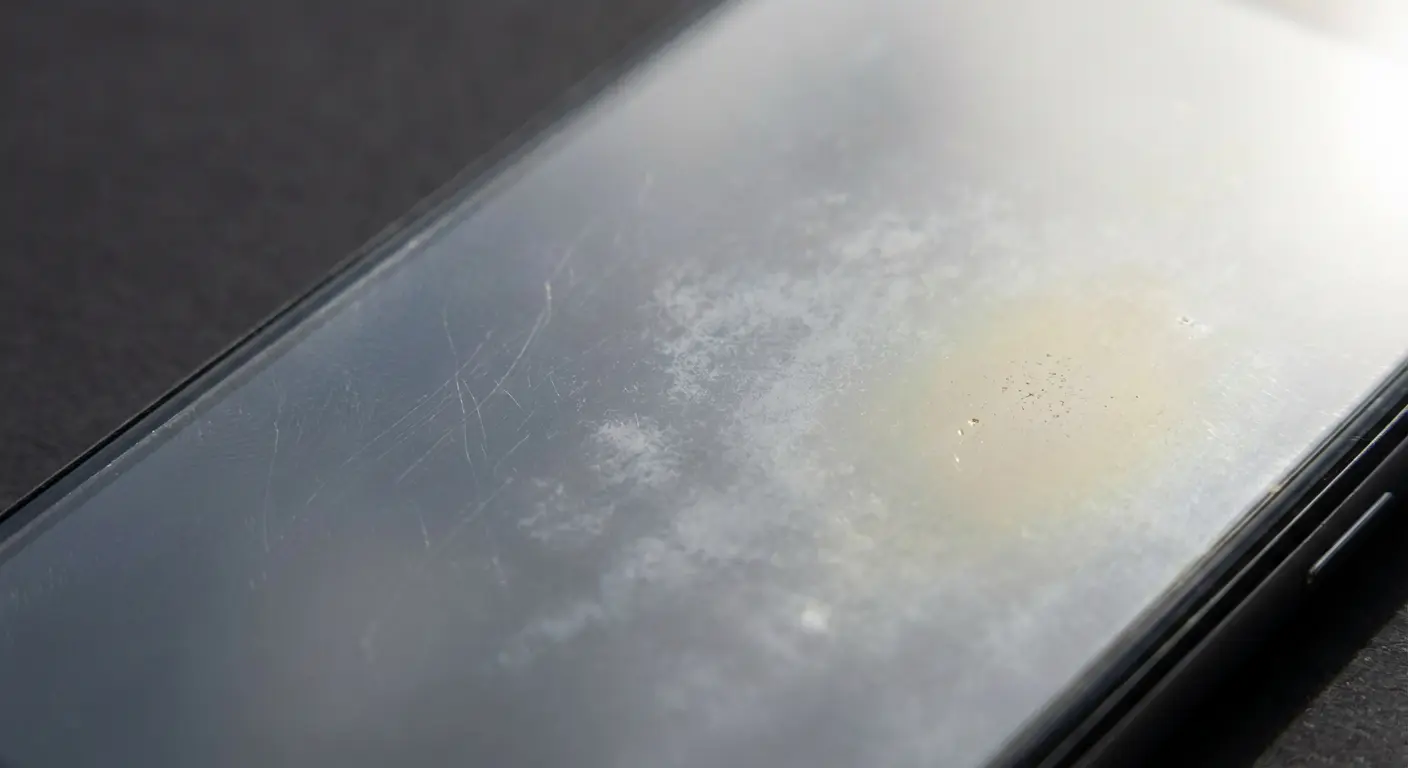
Film protectors yellow when they get too much sun. If you're outside a lot or you're one of those people who leaves their phone on the windowsill, the plastic breaks down and turns yellow. It's gross. This process accelerates in hot environments. A film protector on a rideshare driver's dashboard-mounted phone might yellow noticeably within three months, while an indoor-only phone's protector stays clear for a year or more.
The psychological factor here is significant. A scratched protector bothers you every time you unlock your phone. It feels like using a damaged device even though the damage is to a replaceable component. This emotional response drives replacement decisions that have nothing to do with remaining protective capacity - and that's okay. User experience matters. Just understand you're replacing for comfort, not safety.
Adhesive Failure (The Creeping Edge)
Adhesive failure starts at the edges. You'll see a corner lifting a bit, or a bubble near the edge. Looks minor, right? It's not. This is your warning sign - pay attention to it.
When adhesive fails, it creates gaps between the protector and screen. These gaps are failure points. An impact on a lifted edge transfers force directly to your screen instead of distributing it across the protector's surface. The protector might as well not exist at that point.
The timeline for adhesive degradation depends heavily on installation quality (we'll cover this in depth later) and environmental exposure. Heat softens adhesive, causing it to flow and potentially separate. Cold makes it brittle and prone to cracking. Humidity can work its way under edges and spread the delamination.
Case pressure accelerates edge lifting dramatically. If your case fits too tightly or has a bezel that presses on the protector edges, you're creating constant stress on the adhesive bond. Over weeks and months, this pressure wins, and the edges start lifting.
If you've got a foldable phone? Adhesive failure is an even bigger problem. Android Authority did a whole thing about this, noting that "over time, these screen protectors start to lift at the edges of the crease, presumably because of the repeated flexing as you open and close your phone." This edge lifting creates the exact vulnerability we've discussed - gaps where impacts can transfer directly to the delicate folding display. The article's author attempted DIY replacement but found that "the adhesive used is stronger than what you'd use on a normal phone" and that "pushing too hard with the squeegee could break your screen," highlighting how adhesive integrity issues become exponentially more critical on premium devices.
Once edges start lifting, they don't magically fix themselves. Dust and lint get in there, and now it can't re-stick even if you wanted it to. What starts as a millimeter of lifting at one corner can progress to complete delamination within weeks.
This is one of the few degradation vectors where immediate replacement is non-negotiable. A lifted edge isn't cosmetic - it's a structural failure that compromises the entire protective function. If you notice edge lifting on more than one side, or if a single lifted edge extends more than a few millimeters, replace the protector immediately. How long does screen protector last once edge lifting begins? Days to weeks before it becomes completely ineffective.
Surface Coating Deterioration (The Touch Response Factor)
That oleophobic coating? (The thing that makes it slippery and fingerprint-resistant?) It's the first to die and the least important for actual protection. This coating makes the surface slippery and fingerprint-resistant. When it wears off, your screen feels sticky, fingerprints smear everywhere, and touch response can feel slightly less responsive.
The oleophobic coating degradation follows a predictable pattern that users often mistake for more serious problems. When your screen protector has accumulated fingerprints that are difficult to wipe off, it may indicate that the oleophobic coating has worn off, signaling it's time for replacement. This coating breakdown doesn't compromise structural protection, but the resulting sticky, fingerprint-prone surface often drives users to replace otherwise functional protectors. Understanding this distinction helps you decide whether coating wear justifies immediate replacement or if you can tolerate reduced screen feel until other degradation vectors necessitate a swap.
Your finger oils are what kills it. Every time you touch your screen, you're depositing oils that slowly destroy the coating. Cleaning methods accelerate this - alcohol wipes strip coating faster than anything else. Even microfiber cloths create friction that wears the coating over time.
The timeline here is short: 2-6 months with heavy use, maybe 6-12 months with light use. Premium protectors have more durable coatings that last longer, but no coating is permanent. Some manufacturers advertise "permanent" oleophobic coatings, but this is marketing speak. All coatings wear off eventually.
Here's the thing: coating deterioration doesn't affect protection at all. A protector with zero oleophobic coating remaining still absorbs impacts, prevents scratches, and maintains adhesive integrity. The coating is purely about user experience - how the screen feels to touch and how easily you can wipe away fingerprints.
Some users replace protectors as soon as coating wears off because they can't stand the sticky feel. Others tolerate it indefinitely because they prioritize protection over feel. Neither approach is wrong. Just understand what you're replacing for.
Can you reapply the coating yourself? Sure, you can buy products that claim to do this. But the results are hit-or-miss, and they don't last long anyway. Most people find it easier to just replace the protector if coating loss bothers them enough. For users who don't care about fingerprint resistance, a protector with worn coating can continue protecting effectively for many more months.
Screen Protector Materials and Their Decay Patterns
Now that we've established the four degradation vectors, we need to examine how different materials fail along each timeline. The common assumption that one material is universally better or longer-lasting is wrong. Tempered glass and film protectors have completely different degradation profiles, making them better suited for different users and usage patterns.
Tempered Glass: Catastrophic Failure vs. Gradual Decline
Glass protectors look great and feel great...right up until they shatter. Then it's over. This binary nature defines their entire degradation profile. You're either getting full protection or none at all, with very little middle ground.
See that "9H hardness" on the package? That's pencil hardness testing. It measures scratch resistance, not impact protection. Marketing people love slapping this number on there because it sounds impressive, but it doesn't mean what you think it means. Your keys in your pocket? They'll still leave marks eventually.
What glass does exceptionally well is maintain structural integrity until a critical threshold is exceeded. The tempering process creates internal compression that makes the glass much stronger than untreated glass of the same thickness. When an impact finally exceeds what the structure can handle, the entire piece shatters in a controlled pattern - dissipating energy and protecting your screen.
The upside? You know exactly when it's done. Shattered protector = replace. Pretty clear. The downside? Those five drops before the big shatter already weakened it. You just had no idea.
Protector Type |
Optical Clarity Retention |
Impact Absorption Pattern |
Adhesive Longevity |
Best For |
Typical Lifespan Range |
|---|---|---|---|---|---|
Tempered Glass |
Excellent (maintains clarity until catastrophic failure) |
Binary (full protection until sudden failure) |
Good (12-24 months typical) |
High-impact users who need clear replacement signals |
6-24 months |
TPU/PET Film |
Poor (gradual scratching and hazing) |
Gradual (compression reduces effectiveness over time) |
Fair (edge lifting common at 6-12 months) |
Light users who prefer gradual wear indicators |
6-18 months |
Self-Healing Film |
Moderate (surface scratches heal, deep scratches remain) |
Gradual (compression despite surface recovery) |
Fair (similar to standard film) |
Users prioritizing cosmetic appearance |
8-20 months |
Hybrid (Glass + Film) |
Good (combines glass clarity with film flexibility) |
Moderate (better than film, less binary than glass) |
Good (benefits from film backing) |
Users wanting balanced characteristics |
8-20 months |
Liquid/Nano |
Unknown (impossible to assess visually) |
Questionable (minimal impact protection) |
N/A (bonds permanently to screen) |
Not recommended for primary protection |
Claims of 2+ years (unverifiable) |
Edge chips in glass protectors are particularly insidious. A tiny chip at the corner might seem insignificant, but it's a stress concentration point. The next impact near that chip will likely cause the entire protector to shatter, even if the impact would have been survivable on an undamaged protector. This is why edge inspection is critical for glass protectors - any chip or crack extending to the edge demands immediate replacement. How long does screen protector last after edge damage appears? Not long enough to risk it.
Glass protectors also handle temperature extremes better than film. They don't yellow from UV exposure, and they maintain their shape in heat. For users in extreme climates or those who leave phones in cars, glass offers more consistent performance across environmental conditions.
Film Protectors: Slow Degradation Across All Vectors
TPU and PET film protectors degrade gradually across every timeline we've discussed. They scratch easily, showing visible wear within weeks of normal use. They compress with impacts, losing protective capacity incrementally rather than catastrophically. Their adhesive tends toward edge lifting earlier than glass. Surface coatings wear off quickly.
Sounds bad, right? It's actually not. Because you can see it degrading, you get constant feedback about its condition. You can see the scratches accumulating. You can feel when the coating has worn off. You notice edge lifting as soon as it starts. This visibility lets you make informed replacement decisions before complete failure.
Film protectors excel in flexibility, which matters for curved screens and foldable devices. They conform to complex shapes that rigid glass can't accommodate. This flexibility also means they're less prone to shattering from impacts - instead, they absorb energy through deformation and compression.
The compression issue is real, though. Each impact compresses the film material slightly, and while it may spring back visually, the molecular structure has changed permanently. After months of minor impacts and daily flexing from pocket carry, a film protector might be half as effective at impact absorption as when new, even if it looks relatively intact.
Self-healing films are interesting. The surface has polymers that flow back together after tiny scratches. So the protector looks better than it should for how old it is and how much you've beat it up. Great for looks, potentially dangerous for actually knowing if it's still protecting you. The surface can look perfect while the structure underneath is trashed from compression and impacts.
Self-healing only works for very shallow scratches - the kind that would be purely cosmetic anyway. Deep scratches that affect structural integrity don't heal. Neither does compression from impacts. The self-healing feature is essentially a cosmetic enhancement that can mask the true condition of the protector.
Film protectors typically need replacement more frequently than glass, but they're also cheaper. The economics work out similarly: you might replace a $15 film protector every six months or a $30 glass protector every twelve months. The total cost is comparable, but the replacement frequency differs.
Hybrid and Liquid Protectors: The Wild Cards
Hybrid protectors try to give you the best of both worlds - glass clarity plus film flexibility. They bond a thin glass layer to a film backing. In theory, you get glass's clarity and scratch resistance with film's impact absorption and bendability.
In reality? They're somewhere in the middle on pretty much everything. They maintain clarity better than pure film but not as well as pure glass. They absorb impacts better than glass but not as gradually as film. They're a compromise option for users who want balanced characteristics rather than excelling in one area.
The degradation pattern for hybrids is harder to predict because it depends on which layer fails first. If the glass layer develops micro-fractures, you lose the optical clarity advantage. If the film backing compresses, you lose impact absorption capacity. If the bond between layers fails, you get delamination that ruins both protection and appearance.
Liquid protectors need their own section because they're weird. These products claim they bond with your screen at a "molecular level" (whatever that means in marketing speak) and create an invisible protective layer. The marketing promises are impressive: multi-year lifespan, perfect clarity, no installation hassles.
Reality check: they're not impressive. Independent tests show they barely protect against impacts compared to actual physical protectors. They might offer some scratch resistance, but nothing approaching what tempered glass provides. The bigger problem is assessment: you can't see or measure the protective layer, so you have no way to know if it's still working or if it ever worked at all.
Bottom line: don't trust these as your main protection. Just don't. If you want to use one for minor scratch resistance, fine, but don't trust it to protect your screen from drops or impacts. The unverifiable nature of their protection makes them unsuitable for anyone serious about device protection.
What's Really Killing Your Protector
Drops and impacts are the obvious culprits, but they're not what shortens most protectors' functional lives. The real killers are subtle environmental and behavioral factors that users don't recognize as threats. Understanding these factors helps you maximize lifespan and identify when your usage pattern demands more frequent replacement.
Environmental Factors You're Not Considering
Temperature extremes destroy screen protectors, and most people have no idea. Your phone on the dashboard in summer? Surface temps can hit 150°F or higher. This heat softens adhesive, causing it to flow and potentially separate from the screen. The glass or film material itself expands, creating stress at the edges where it's constrained by the phone's dimensions.
Winter cold creates the opposite problem. Materials contract and become brittle. A protector that would survive a drop at room temperature might shatter at 20°F because the cold has reduced its flexibility and impact absorption capacity. The adhesive becomes less tacky in cold, increasing the likelihood of edge lifting.
Humidity accelerates adhesive failure, particularly at edges. Moisture works its way under lifted corners and spreads the delamination. Bathrooms are the worst. Heat plus humidity from showers = perfect conditions for adhesive to fail. And yeah, we all use our phones in the bathroom. Don't pretend you don't. Just know it's killing your protector's adhesive.
UV exposure yellows film protectors and degrades oleophobic coatings on glass. Direct sunlight contains enough UV radiation to cause noticeable discoloration in film materials within months. Outdoor workers, beachgoers, and anyone who uses their phone in direct sunlight regularly will see this degradation much faster than indoor users.
Rideshare drivers? You guys are dealing with the worst possible conditions. Summer dashboard temperatures regularly exceed 150°F, causing adhesive to soften and potentially delaminate. Winter cold makes materials brittle and more prone to cracking. UV exposure through the windshield yellows film protectors and degrades oleophobic coatings. Meanwhile, an office worker whose phone lives in climate-controlled environments experiences none of these accelerated aging factors. The rideshare driver might need to replace their protector every 3-4 months, while the office worker's protector could last 18 months - same product, vastly different environmental stress.
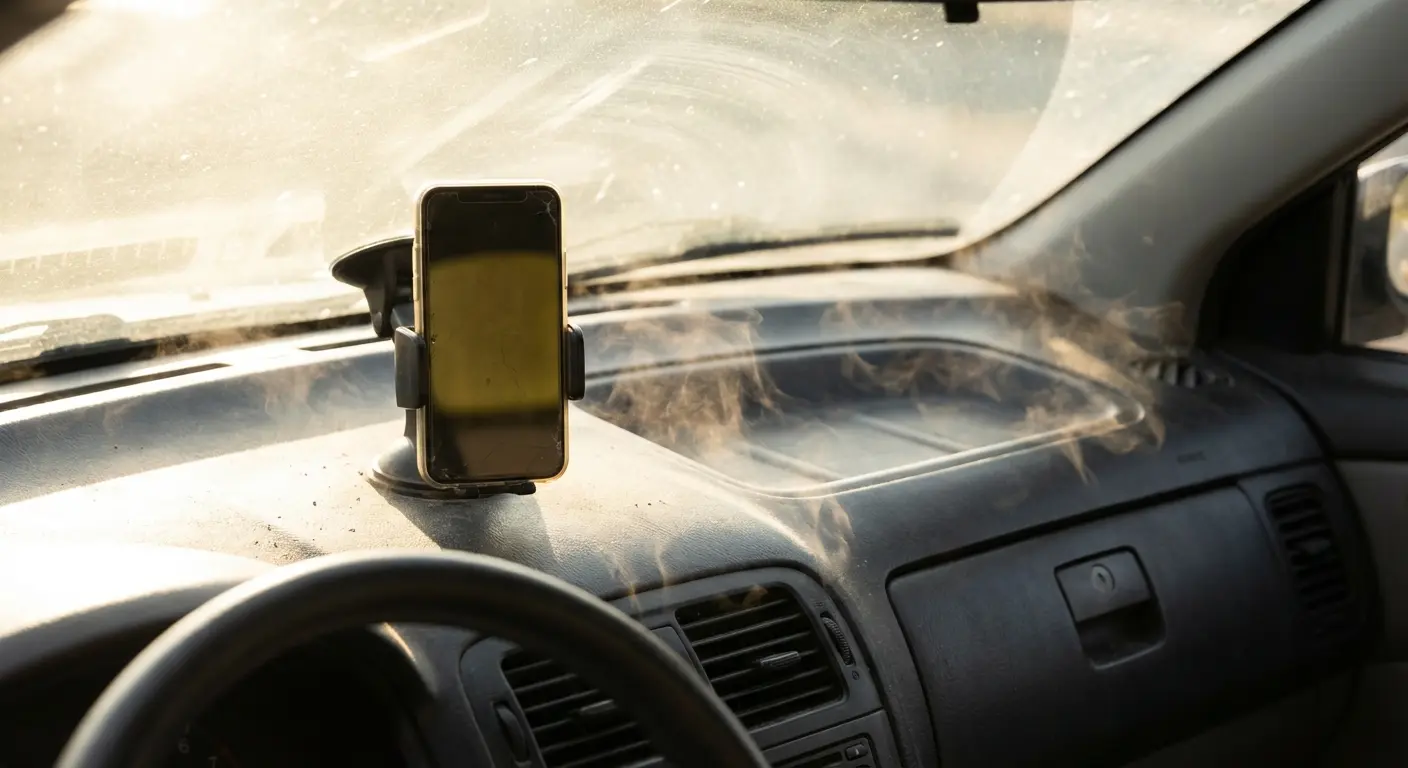
Cases can mitigate some environmental damage by shielding edges and reducing direct exposure to temperature extremes. A phone in a case experiences less dramatic temperature swings than a naked phone because the case provides insulation. The case also protects protector edges from direct UV exposure and physical stress.
Pocket and Bag Damage (The Constant Micro-Abrasion)
Your pocket is basically attacking your screen protector. Pocket lint? It's microscopic sandpaper. Keys and coins are obvious threats, but even the fabric of your pocket creates friction that gradually wears down surface coatings and creates micro-scratches.
Front pocket is better than back pocket, by the way. Back pockets experience more pressure when you sit, which can flex the phone and stress the protector's adhesive bond. The constant pressure also accelerates coating wear and can create permanent deformation in film protectors.
Bags present different challenges. Phones tossed into purses or backpacks alongside other items experience constant jostling and contact with various surfaces. Zippers are the enemy. Those metal teeth can scratch the hell out of your protector in one go. Sand or dirt in bag corners acts as an abrasive compound, grinding away at your protector every time the bag moves.
Dedicated phone pockets or pouches dramatically extend protector lifespan by eliminating contact with other items. A phone that lives in its own compartment experiences minimal abrasion and no contact with hard objects. This simple habit can double or triple the time before optical clarity degradation becomes noticeable.
The cumulative nature of micro-abrasion means the damage is invisible day-to-day but obvious over weeks and months. You don't notice the individual scratches forming, but suddenly you realize your screen looks hazy in sunlight or fingerprints are harder to wipe away. This gradual degradation is entirely preventable with minor changes to carrying habits.
Cleaning Methods That Accelerate Decline
Look, we all want clean phones. COVID made us even more paranoid about it. But if you're cleaning too aggressively, you're killing your protector faster.
Alcohol wipes? Everyone's favorite for sanitizing? They strip that oleophobic coating right off. Fast. A few weeks of daily alcohol wipe cleaning can remove coating that would otherwise last months.
Paper towels and tissues have wood fibers in them. Basically mild abrasives. Every time you wipe your screen with one, you're creating tiny scratches. Do it enough, and your screen looks hazy. The same applies to clothing - wiping your screen on your shirt might seem convenient, but fabric fibers are surprisingly rough at microscopic scales.
Harsh chemicals beyond alcohol can fog or discolor protectors. Ammonia-based cleaners (common in glass cleaners) can damage both film and glass protectors. Abrasive cleaners or powders are obviously destructive, but some people don't realize their "gentle" cleaning products contain mild abrasives.
How to Actually Clean Your Screen Protector Without Destroying It:
Use only microfiber cloths specifically designed for screens (never paper towels, tissues, or rough fabrics)
Dampen cloth with water or screen-specific cleaner only (avoid alcohol concentrations above 70%, ammonia-based products, or abrasive powders)
Wipe gently in circular motions rather than aggressive scrubbing
Check for dust or grit on the cloth before wiping to prevent scratching
Clean weekly for normal use, daily only if hygiene demands require it
Allow protector to air dry completely before using device
Store cleaning cloth in a clean, lint-free container between uses
The frequency of cleaning matters as much as the method. Daily aggressive cleaning wears down protectors much faster than weekly gentle cleaning. Balance your hygiene needs with protector longevity - you can maintain a clean phone without destroying the protective coating in the process.
Case Compatibility Issues Creating Stress Points
Crappy case fit kills protectors early. Most people never connect the dots. A case that's too tight creates constant pressure on protector edges, pushing them up and breaking the adhesive bond. This pressure is continuous - 24 hours a day, seven days a week - and adhesive eventually loses that battle.
Cases with raised bezels can catch on protector edges during installation and removal. Each time you take your case off, you risk lifting a corner of the protector slightly. Over dozens of case removals, this repeated stress accumulates into permanent edge lifting.
The case-protector compatibility problem has driven accessory manufacturers to rethink their design approach. ESR's latest iPad accessories demonstrate this systems-thinking approach (9to5Mac), with their Shift Magnetic Case designed specifically to work with their screen protectors. The reviewer noted that proper integration matters: "the case is made out of a rubbery material, which I prefer to the silicone of Apple's offerings. It also feels more durable." When manufacturers design cases and protectors as integrated systems rather than separate products, they eliminate the edge pressure points that cause premature adhesive failure - extending protector lifespan by months or even years.
Full-coverage protectors give max protection but they're picky about cases. They extend almost to the phone's edge - barely any room for error. Even a tiny bit of case misalignment creates edge pressure.
Frequent case swapping accelerates edge damage exponentially. If you change cases regularly for aesthetic reasons or different activities, each swap stresses the protector edges. Users who stick with one case see much longer protector lifespans than users who swap cases weekly.
The solution is treating case and protector as a system. Buy them together from manufacturers who design for compatibility, or at minimum, verify compatibility before purchasing. Read reviews specifically mentioning whether cases work well with protectors. This small amount of research prevents months of frustration with chronic edge lifting.
Reading the Warning Signs (And Why You're Probably Ignoring Them)
Most people screw this up. They either wait way too long (until it's shattered) or replace way too early (because of one tiny scratch). Both are wrong. What you need is the ability to assess your protector's actual condition and make informed replacement decisions based on functional capacity rather than guesswork.
Visual Inspection Beyond Obvious Cracks
Okay, grab your phone right now. Go find bright light - and I mean actual bright light, not whatever dim lighting you're sitting in. Sunlight works best, or a strong LED. What you're looking for goes far beyond obvious cracks.
Edge chips are critical, and everyone ignores them. That tiny chip in the corner? Looks like nothing, right? Wrong. That chip is a stress concentration point where the next impact will likely initiate complete failure. Glass protectors with edge chips should be replaced immediately, regardless of how small the chip appears.
See rainbow patterns or weird rings? That's adhesive failure. Those colors show up when there's a gap between the protector and screen - light's bouncing around in there. The gap might be microscopic and invisible to direct inspection, but the rainbow effect reveals it. This gap compromises impact protection by creating a failure point where force transfers directly to your screen instead of distributing across the protector.
Subtle haziness in film protectors indicates accumulated micro-scratches. Hold your phone at an angle under bright light and look for a foggy or cloudy appearance, particularly in high-traffic areas where your thumb swipes most frequently. This haziness is purely cosmetic for protection purposes, but it tells you the surface has taken significant wear.
Discoloration in film protectors signals UV damage or material breakdown. Yellowing typically starts subtly around the edges and works inward. Once you notice it, the process accelerates. This doesn't compromise structural protection immediately, but it indicates the material is degrading and other failure modes may follow.
How to Actually Inspect Your Screen Protector (Do This Right Now):
Edge Assessment (check all four edges):
No chips or missing glass pieces at corners
No cracks radiating from edges toward center
Edges sit flush against screen with no lifting
No discoloration or yellowing at edge boundaries
Surface Evaluation (under bright, direct light):
No rainbow patterns or Newton's rings visible
No haziness or clouding across surface
Scratches are superficial only (don't catch fingernail)
No spider-web crack patterns anywhere on surface
Adhesive Integrity (view from multiple angles):
No air bubbles that weren't present at installation
No dust or lint visible under protector
No separation gaps between protector and screen
Surface appears uniformly clear with no waviness
Coating Condition:
Oleophobic coating still repels fingerprints effectively
Surface feels smooth when swiping, not sticky or draggy
No areas of uneven texture or rough patches
Action Required: If you checked "no" for any edge assessment or adhesive integrity items, replace immediately. If surface or coating issues are your only concerns, replacement is optional based on your tolerance for cosmetic degradation.
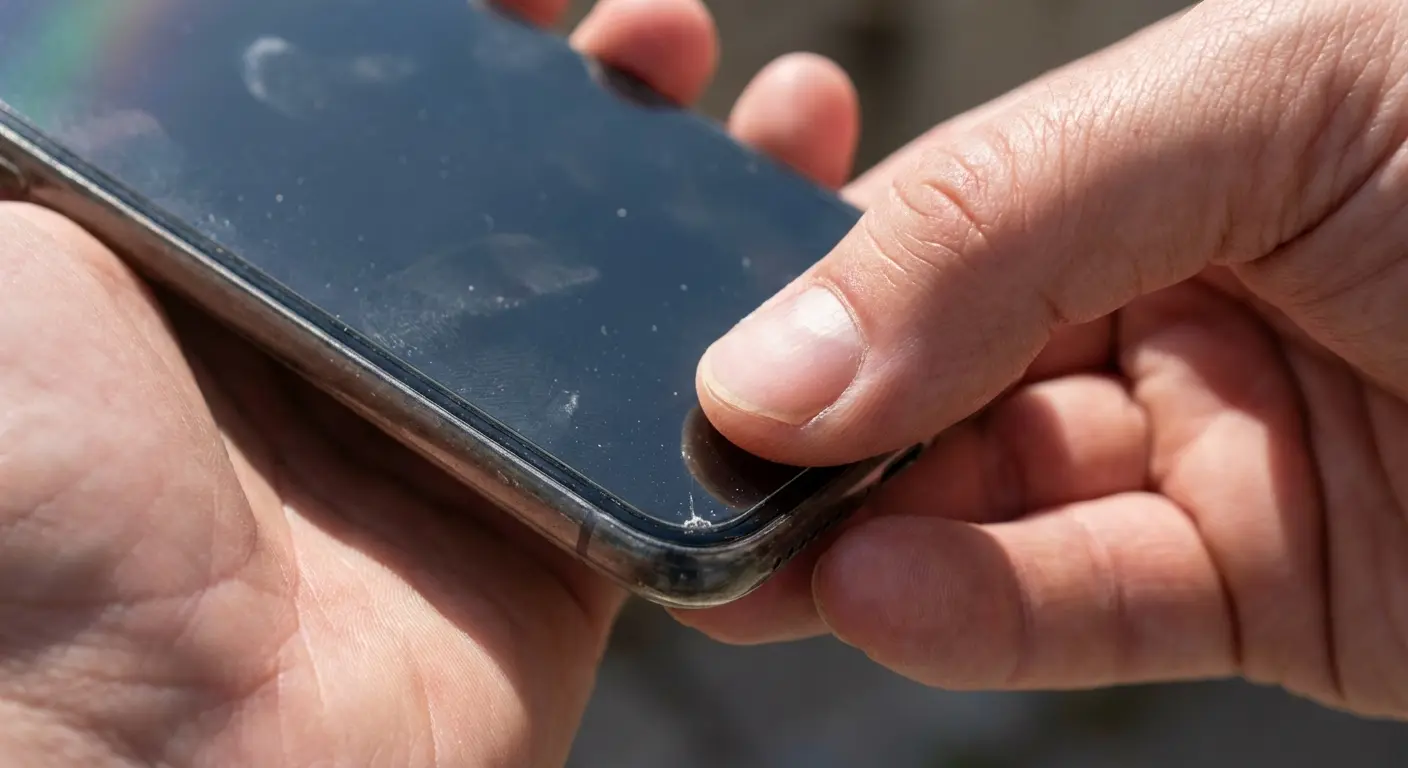
Spider-web cracks look scary. People always ask "does it still work?" Maybe a little. But it's mostly dead. Replace it within days. Don't wait weeks. These radiating cracks from a central impact point indicate the protector absorbed a significant impact and did its job. But here's the critical question: did it absorb all the impact, or did some force transfer to your actual screen? Remove the protector and carefully inspect your screen for any damage. If your screen is intact, the protector succeeded - replace it immediately. If your screen cracked too, the protector had already exhausted its capacity before that impact.
Touch and Feel Tests That Reveal Hidden Problems
Looking at it isn't enough. You gotta feel for problems too.
Run your fingertip along all four edges of the protector, applying gentle pressure. You're feeling for any lifting, no matter how slight. Even a barely perceptible edge lift indicates adhesive failure that will spread. If you can catch your fingernail under any edge, replacement is overdue.
Test touch response consistency across the entire screen surface. Open a drawing app or use your keyboard, paying attention to whether some areas require more pressure than others. Inconsistent touch response often indicates partial adhesive failure creating microscopic gaps in specific areas. Your screen works fine, so you might not notice during normal use, but the protection is compromised in those zones.
Check for soft spots by pressing gently across the protector surface. A properly adhered protector feels uniformly firm. Soft or spongy areas indicate delamination - the protector has separated from the screen, creating an air gap. These areas offer minimal impact protection.
Try the tap test on glass protectors. Tap your fingernail gently on different spots. If it's stuck down properly, you'll hear a solid, consistent sound. A hollow or different-sounding area indicates separation from the screen. This separation is a critical failure point that demands immediate replacement, even if the protector looks perfect.
Surface texture changes signal coating loss. A fresh protector feels slick and smooth. As the oleophobic coating wears off, the surface becomes tackier and more resistant to finger movement. This doesn't affect protection, but it's a useful indicator of overall wear. If the coating is gone, other degradation has likely occurred too.
The Performance Degradation You've Adapted To
Here's the sneaky problem: you get used to it without noticing. Your brain adapts to gradual changes. You don't even realize it's happening.
Your touch sensitivity has decreased, but you've unconsciously started pressing harder. You don't remember that your phone used to respond to the lightest touch because the change happened over months. You've normalized the current state as "how it is."
Your screen is harder to see in sunlight, but you've developed habits to compensate - tilting the phone at specific angles, cupping your hand around it, or just accepting that outdoor visibility is poor. You don't realize your protector's optical clarity has degraded significantly because you never compare it to a fresh protector.
I know a graphic designer who started pressing harder on her iPad when drawing. She figured it was just hand fatigue from working long hours. After six months of this pattern, she borrowed a colleague's identical iPad model for a project and immediately noticed the difference - her colleague's screen responded to the lightest touch, while hers required significant pressure. When she removed her screen protector, she discovered the adhesive had partially failed across the center of the screen, creating a microscopic gap that dampened touch sensitivity. She'd gotten so used to it that she didn't realize her protector was basically dead. One hard drop and her actual screen would've been toast.
Try the fresh-eyes test. Hand your phone to your spouse, a coworker, someone with the same phone. Ask them how the screen feels. They'll notice stuff you've stopped seeing. Even better: compare yours to the same phone with a new protector. You'll be shocked at the difference.
This adaptation is dangerous because you're living with compromised protection without knowing it. The protector might look acceptable and feel usable, but its functional capacity has degraded significantly. You're taking risks you don't realize you're taking.
The Cost Math That Changes Everything
People make stupid decisions about protectors because they're worried about the cost. They either replace them constantly (waste of money) or wait way too long (gambling with an expensive repair). Let's look at the actual math so you can stop overthinking this.
Screen Repair Costs vs. Protector Replacement Frequency
The math is brutal and simple. Screen repairs: $100-$400 depending on what phone you have. iPhone 15 Pro? $329 if you don't have AppleCare+. Samsung Galaxy S24 Ultra costs $279. Even mid-range phones like the Pixel 8 cost $179 to repair.
Screen protectors? $10-$50. Most decent ones are $20-30. Let's say you go crazy and replace yours every three months (which is overkill for most people). That's still only $80-120 a year.
Do the math and it's obvious: Under typical everyday use, most users find that a tempered glass screen protector lasts 6 to 12 months before noticeable wear, scratches, or chips appear. At $20-30 per protector, replacing twice annually costs $40-60. Compare that to screen repair costs: iPhone 15 Pro screen replacement runs $329 without AppleCare+, Samsung Galaxy S24 Ultra costs $279, and even mid-range phones like the Pixel 8 cost $179 to repair. A single avoided screen repair pays for 5-10 years of regular protector replacement. The math isn't even close - proactive replacement is always cheaper than reactive repair.
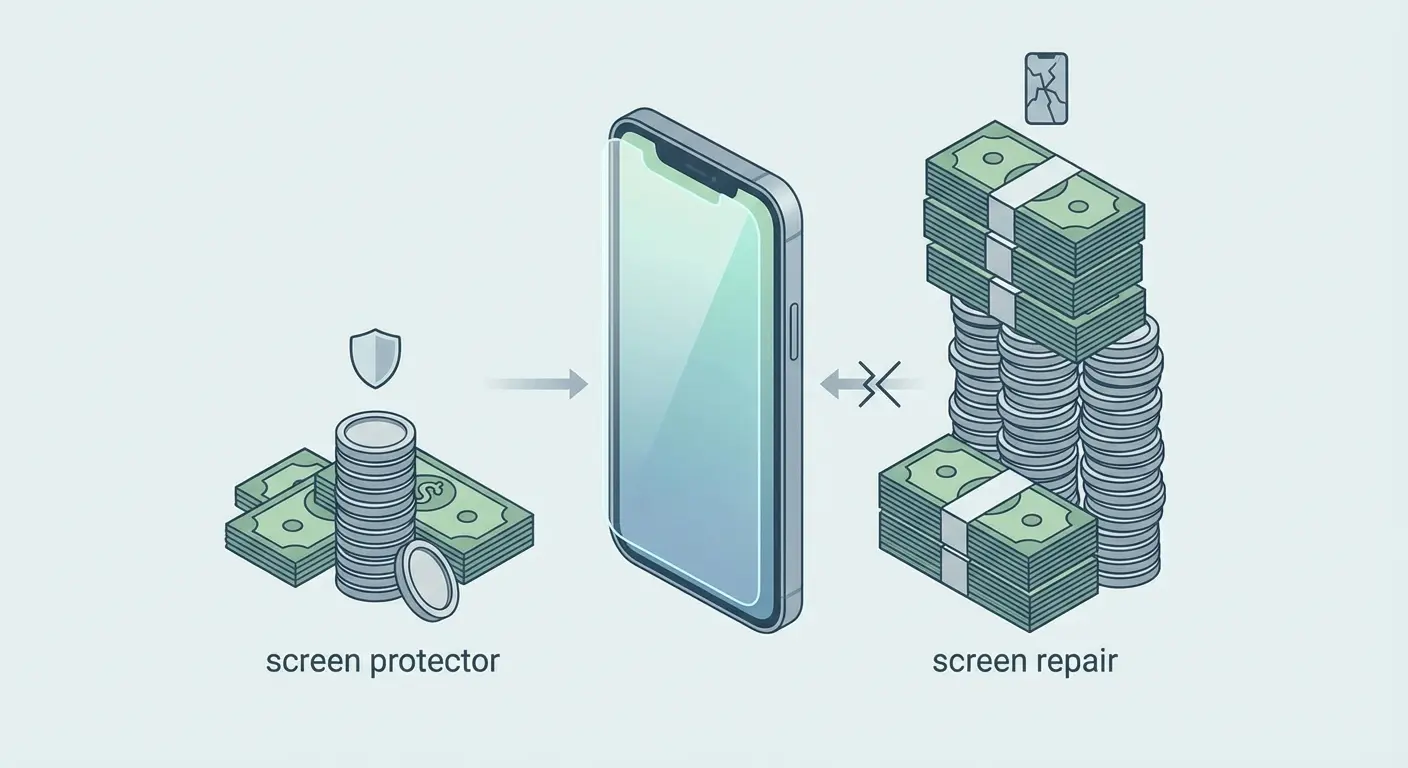
But here's where anxiety leads people astray: they see a tiny scratch and immediately buy a new protector, even though the existing one still offers full protection. Or they replace monthly "just to be safe," which is wasteful overkill for most usage patterns.
The smart move? Replace it when protection is actually compromised. Not because it looks scratched. Not because it's been six months. A protector with surface scratches but intact edges and adhesive still protects effectively. Replacing it is optional based on your tolerance for cosmetic imperfection, not a protection necessity.
On the flip side, waiting until it shatters? You're gambling. That cracked protector might still work a little, but it's mostly done. The few dollars you save by delaying replacement aren't worth the risk of a $300 screen repair.
Quality Tiers and Their Longevity Trade-offs
Premium protectors cost 2-3 times more than budget options. Do they last 2-3 times longer? Usually not.
What you're paying for: better adhesive (edges don't lift as fast), better coating (stays smooth longer), more consistent manufacturing (fewer duds). These are valuable features, but they don't dramatically extend the fundamental lifespan.
A $10 protector might last 6-9 months with careful use. A $30 protector might last 9-15 months. You're paying more for better user experience during that lifespan rather than dramatically longer protection. For some users, that's worth it. For others, buying mid-tier protectors and replacing them appropriately offers better value than buying premium protectors and stretching their use beyond functional life.
Multi-packs are tricky. Three for $25 looks like a steal compared to one for $15. But real talk: will you actually use all three? If you're a careful user who needs replacement every 12-18 months, that three-pack represents 3-4 years of protection. You gonna have the same phone in four years? Probably not.
For high-impact users who replace every few months, multi-packs make perfect sense. You'll use all three within a year, and the per-unit cost savings are significant. For light users, single protectors avoid waste and ensure you're always installing a fresh product rather than one that's been sitting in a drawer for years.
The Insurance Policy Perspective
Stop thinking of this as buying an accessory. You're buying insurance. The protector cost? That's your premium. The screen repair you're avoiding? That's the claim.
Once you think of it this way, the question changes. It's not "how long does it last?" It's "is it still covering me?" Expired insurance is worse than no insurance - it makes you think you're protected when you're not.
This mindset shift encourages proactive replacement before failure rather than reactive replacement after damage. You wouldn't let your car insurance lapse and hope nothing happens. Why would you keep using a compromised screen protector and hope you don't drop your phone?
Phone insurance policies through carriers often have screen damage deductibles of $29-99. If you're paying for device insurance, maintaining a functional screen protector reduces the likelihood you'll ever need to file a claim. The protector is your first line of defense; the insurance policy is your backup. Both working together provide comprehensive protection.
Also, think about resale value. Pristine screen? You'll get way more money when you sell it. Scratched screen? Good luck. Even minor scratches reduce value. The $60 you spend on protectors over two years of ownership might translate to $100-200 higher resale value when you upgrade. The protector pays for itself through preserved device value.
Installation Quality's Hidden Role in Longevity
Okay, we've covered a lot - degradation, materials, environmental stuff, cost. But here's the thing: you can buy the best protector in the world and completely screw it up by installing it wrong. Installation quality is like 60% of how long it'll last. And what do most people do? Rip open the box and slap it on in 30 seconds while standing in a parking lot.
Why Most DIY Installations Fail Within Weeks
Biggest mistake? Not cleaning your screen properly. Your screen's covered in finger oils, pocket dust, and microscopic crap you can't even see. Any contamination between the protector and screen prevents proper adhesion.
Most people wipe it with their shirt or give it one quick swipe with the cloth that came in the box. Then they're like "good enough." Nope. Actual proper cleaning: Multiple passes with a microfiber cloth. Then an alcohol wipe if the instructions say it's okay. Then another microfiber pass to get rid of residue. Your screen needs to be completely clean - no oils, no dust, no lint - before that protector touches it.
Dust kills adhesion. One tiny speck creates a bubble. That bubble becomes a weak spot where edges start lifting. Worse, dust particles can create pressure points that crack glass protectors from the inside out over time.
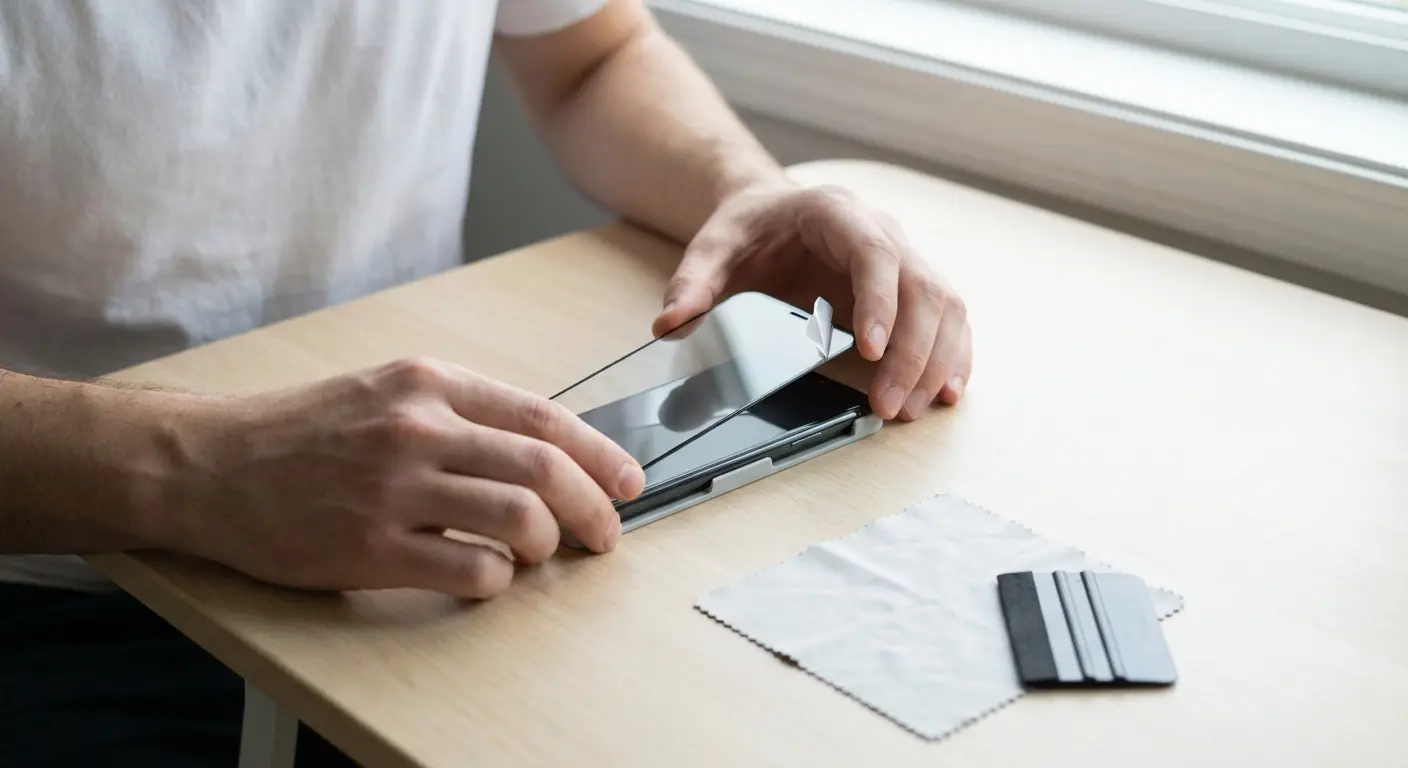
Get the alignment wrong and you've got edge gaps. Even slightly off-center means one edge is too close to the phone's edge, the other has a gap. That gap collects dust and provides an entry point for impacts to reach your screen. Alignment guides help, but they're only useful if you take your time and position carefully before committing.
How hard you press matters. A lot. Too soft? Air pockets and weak adhesion. Too hard? You'll crack glass protectors or stress film ones. The correct technique is firm, even pressure from the center outward, using a squeegee or credit card wrapped in microfiber cloth.
Most people rush it. Few quick swipes, done. Wrong. This step should take 2-3 minutes. You need to firmly press every area and get all the air out.
Last mistake: not letting it cure. People install it and immediately start using their phone. Or snap the case on right away. The adhesive needs time to fully bond with the screen surface. Using the phone during this period applies pressure and creates movement that can disrupt the bonding process.
Environmental Conditions for Optimal Installation
Installation environment matters more than most people realize. Dust in the air settles on your screen during the installation process. A dusty room guarantees contamination between protector and screen.
Lots of people install in the bathroom after a hot shower. The steam knocks dust out of the air. Smart. But timing matters. Do it while it's still a little steamy. Not after everything's dried and the dust has settled again. The moisture in the air traps dust particles, giving you a cleaner working environment.
Humidity extremes cause problems. Too dry, and static electricity attracts dust to your screen faster than you can install the protector. Too humid, and moisture can get trapped under the protector, causing adhesive failure. Moderate humidity (40-60%) is ideal, which is typical indoor conditions in climate-controlled environments.
Temperature affects adhesive performance. Cold adhesive doesn't bond as well as room-temperature adhesive. If your protector has been sitting in a cold car or was just delivered in winter weather, let it come to room temperature before installation. Similarly, don't install in a hot environment where the adhesive might be too soft and flow excessively.
Why do professional installers get better results? They control all this stuff. Clean room, good lighting, right temperature, proper tools. They're not trying to install a protector while standing in a parking lot or sitting on their couch with the TV on.
You can do this at home. It's not hard. Pick a clean, well-lit room. Wipe down where you're working. Wash your hands to get rid of oils. And for the love of god, take your time. These simple steps dramatically improve installation success.
The 24-Hour Cure Period Nobody Respects
Adhesive needs time to bond. The chemical reaction doesn't happen instantly. It takes hours. Most adhesives reach 80% of final bond strength within 2-3 hours and full strength within 24 hours.
Using your phone immediately after installation applies pressure to the adhesive before it's fully set. Every touch, every swipe, every press creates micro-movements that can disrupt the bonding process. The adhesive might still bond, but not as strongly as it would with proper cure time.
Case installation during the cure period is particularly problematic. Snapping a case on applies significant pressure to the protector edges - exactly where adhesive bond is most critical. This pressure can initiate edge lifting that will plague the protector for its entire lifespan.
Look, 24 hours is ideal. But let's be realistic - most people can't go 24 hours without their phone. Bare minimum: 2-3 hours. That lets the adhesive start bonding. If you can make it 12 hours (install before bed, use it the next morning), you'll get most of the benefits.
Be strategic about when you install. Friday night? You've got all weekend. Before bed? You've got overnight. Before a long meeting or movie? A few hours where you won't touch it.
There's a big difference between "usable" and "fully cured." After 30 minutes, sure, it won't fall off if you touch it. But it's not fully bonded yet. Use it too soon and you're cutting its lifespan short. Every hour you can wait during the first 24 hours extends the functional lifespan of your protector.
When Replacement Is Smart vs. When You're Just Being Paranoid
Okay, you get how protectors degrade, what warning signs to look for, and why the cost math makes sense. But when do you actually replace the damn thing? Let's get specific.
Immediate Replacement Scenarios (Don't Wait)
Some things mean replace it immediately. No waiting, no "just a few more days," no "I'll deal with it later." These conditions mean your screen is at risk right now.
Crack reaches the edge? Structural integrity is gone. Edges are where all the stress concentrates when you drop it. A crack reaching the edge means the protector's ability to distribute impact force across its surface is gone. The next drop will likely shatter the protector and potentially damage your screen.
Significant edge lifting on more than one side indicates systemic adhesive failure. One corner lifting slightly might be localized, but multiple edges lifting means the adhesive has failed across the entire protector. This will only worsen, and the gaps create direct pathways for impact force to reach your screen.
Visible separation between protector and screen - even in the center - creates impact transfer points. You might see this as a cloudy area or notice it when pressing on the screen. That gap means impacts won't distribute across the protector; they'll transfer directly through the gap to your screen.
Deep gouges exposing the screen surface are obvious replacement triggers. If you can feel the gouge with your fingernail and see your actual screen through it, the protector has been breached. It's no longer protecting that area at all.
Spider-web cracks look scary. People always ask "does it still work?" Maybe a little. But it's mostly dead. Replace it within days. Don't wait weeks. Don't wait for your next paycheck or for a sale - the cost of delay isn't worth the risk.
Scheduled Replacement Based on Usage Pattern
Time-based replacement only makes sense if it's based on how you actually use your phone. Not some random timeline. Your lifestyle determines when you replace it.
Heavy users (construction workers, outdoor workers, parents with toddlers, chronic phone-droppers): inspect monthly, replace every 2-4 months. Your protector's taking constant abuse. Looks fine? Doesn't matter. Impact capacity drains fast when you're dropping it constantly and exposing it to harsh conditions.
Moderate users (daily commute, occasional drops, phone in your pocket with keys and stuff): inspect every few months, replace every 6-9 months. You're not subjecting your protector to extreme conditions, but normal daily use still causes gradual degradation across all vectors.
Light users (desk job, careful with your phone, dedicated pocket or drawer): check it every six months or so, replace every 12-18 months or when needed. Your protector's not getting beat up much, so it'll last way longer.
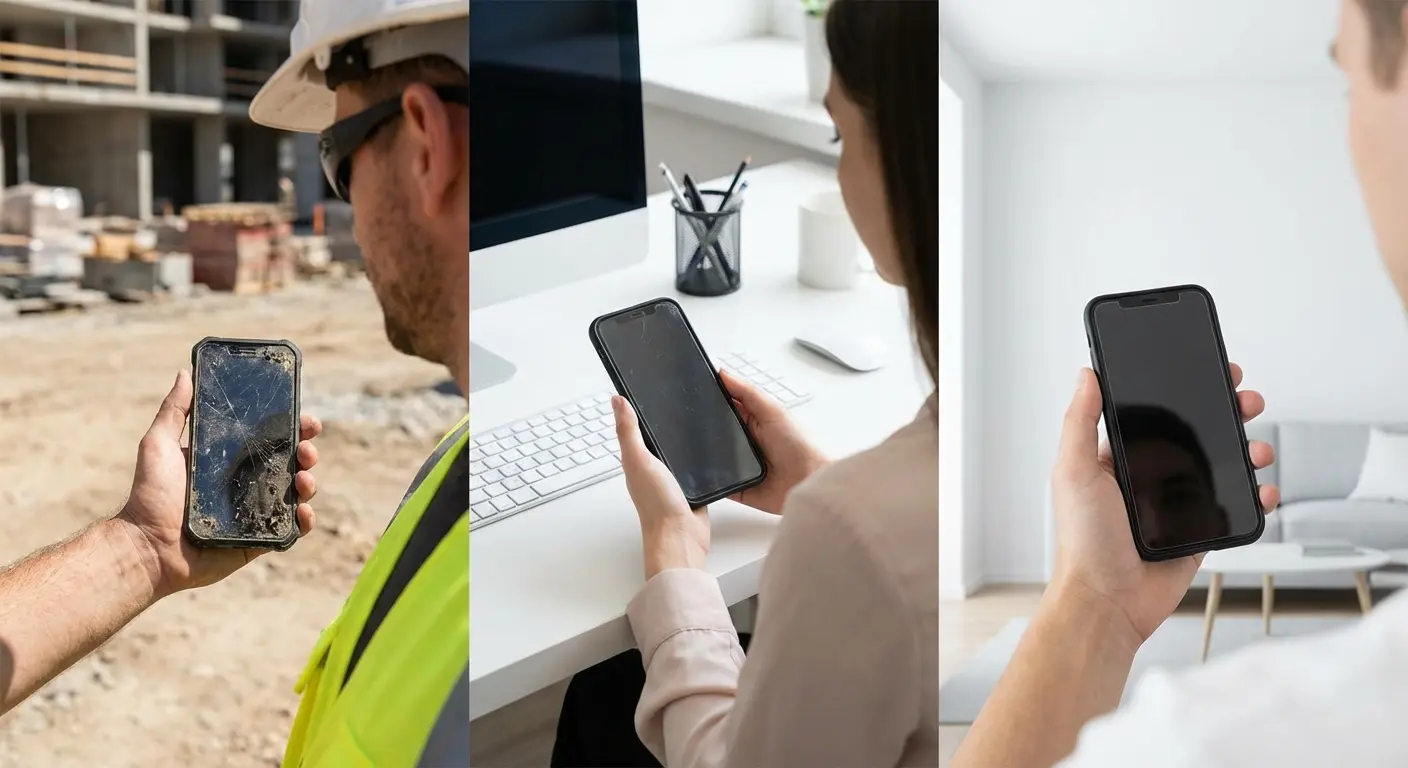
These are guidelines, not rules. Adjust based on what you actually see when you inspect it. A heavy user might get six months from a protector if they're lucky with drops. A light user might need replacement at ten months if their case creates edge pressure.
Case quality significantly affects these timelines. A well-fitted case from a manufacturer that designs for protector compatibility can extend lifespan by 50% or more by protecting edges and reducing environmental exposure. A poorly fitted case can cut lifespan in half by creating constant edge stress.
When That Tiny Scratch Doesn't Matter
Let's talk about scratches, because people freak out over nothing. One hairline scratch? Doesn't affect protection at all. Zero.
If your fingernail doesn't catch on it, it's purely cosmetic. It's just in the surface coating or the top layer. The structural protection underneath remains intact. The protector will still absorb impacts and prevent screen damage just as effectively as when new.
Edge wear that hasn't progressed to actual lifting is normal and expected. The edges experience more stress than the center, so some discoloration or minor roughness at edges doesn't indicate failure. Monitor it to ensure it doesn't progress to lifting, but edge wear alone isn't a replacement trigger.
Those scratches? They prove it's working. Each one is damage your actual screen didn't take. You should feel good about them, not stressed.
Look, some people can't stand seeing any imperfection. If scratches drive you crazy every time you look at your phone, replace it. That's totally valid. Just know you're replacing it for peace of mind, not because it's not protecting anymore. And that's fine - user experience matters. But don't tell yourself it's "not working" when it actually is.
Know the difference between functional damage and cosmetic damage. Functional (cracks, edge lifting, adhesive failure): replace it. Cosmetic (scratches, worn coating, slight discoloration): your call.
Finding the Right Screen Protector for Your Usage Pattern
Okay, everything we've talked about - how protectors degrade, materials, installation, when to replace - all comes down to this: picking the right protector for how you actually use your phone. Generic "best screen protector" lists are useless. Different people need different things. Understanding which protector type suits your lifestyle becomes easier when you explore comprehensive screen protector options designed for different usage scenarios and device models.
High-Impact Users Need Sacrificial Protection
High-impact users: construction workers, outdoor types, parents with little kids, anyone who drops their phone weekly. Your protector's gonna take a beating. Accept that you'll replace it often.
Tempered glass is perfect for you because it tells you exactly when it's done. Cracks = replace. No guessing, no wondering if it still works. The binary nature is your friend - you get full protection until the moment it shatters, then you know immediately it's time for a new one.
Multi-packs provide cost-effective frequent replacement. Three protectors for $25 means you're paying about $8 per protector. When you're replacing every 2-4 months, this math matters. You'll use all three within a year, making the multi-pack genuine value rather than waste.
Premium features? Don't waste your money. That fancy coating will be gone in weeks with how you use your phone. Anti-glare? Won't make it a month on a job site. Focus on structural protection and impact absorption rather than user experience features you won't benefit from long enough to justify their cost.
Case selection is equally critical for your usage pattern. Your protector and case need to work as an integrated system. A rugged case with raised bezels protects protector edges from impacts and reduces the likelihood of edge chips that compromise structural integrity. How long does screen protector last for high-impact users? Only as long as your case allows them to.
Why Multi-Packs Make Sense for Your Lifestyle
Keep spares on hand. Drop your phone, protector cracks, swap it out immediately. No ordering online, no waiting for shipping, no vulnerable screen for three days.
The math's simple. Replacing every three months? Three-pack lasts nine months. $25 for the pack vs. $15 each = you save $20. For someone replacing frequently, these savings accumulate quickly.
Quality considerations with multi-packs require attention. Some manufacturers sacrifice quality for quantity, offering three mediocre protectors rather than one excellent one. Read reviews specifically mentioning whether all protectors in the pack perform consistently. A multi-pack where the second and third protectors are noticeably lower quality than the first isn't a good value.
Environmental concerns about buying multiple protectors are valid but need context. Yeah, you're consuming more protectors than a light user. But you're preventing screen damage that would require device repair or replacement - both of which have far greater environmental impact than a few extra screen protectors. The protectors are doing their job by being sacrificial components.
Office and Light Users Should Prioritize Longevity Features
You're the opposite of high-impact users. Mostly indoors, rarely drop it, pretty careful. So you can actually benefit from features that last longer and feel better.
Better coatings stay smooth way longer. And since you're not replacing this thing every few months, that extended life actually matters for your daily experience. That premium coating might last 8-10 months on your phone versus 2-3 months on a construction worker's phone.
Better adhesive resists edge lifting even in less-than-ideal conditions. You might not have perfect case fit, or you might occasionally use your phone in humid environments. Premium adhesive tolerates these stressors better and maintains bond integrity longer.
Film protectors might actually be better for you, even though everyone thinks glass is always superior. Film degrades gradually, which matches how you use your phone. You'll see scratches accumulating slowly, giving you plenty of warning before replacement is necessary. You're never gonna drop it hard enough to test max impact capacity anyway. So glass's superior impact absorption? You're paying for a feature you won't use.
Premium protectors make sense for you because you replace them less often. $35 for 15-18 months? That's cheaper per month than $15 every six months. Do the math - quality wins for light users.
The Case Integration Factor
Your case and protector need to work together, not fight each other. Incompatible case + protector = the #1 cause of edge lifting and adhesive failure.
Raised bezels protect your protector's edges. Set your phone face-down? The bezel hits the table, not the protector edges. Seems minor, but it actually extends lifespan a lot by preventing edge chips and stress.
Case fit matters. Even slightly too tight = constant pressure on the protector edges. It's pushing them up 24/7. Eventually, the adhesive gives up. This pressure operates continuously, and adhesive eventually fails under sustained stress.
Full-coverage protectors give max protection but they're picky about cases. They extend almost to the phone's edge - barely any room for error. Even a tiny bit of case misalignment creates edge pressure. If you want full-coverage protection, you need a case specifically designed for compatibility.
Whether you need bike phone mounts for cycling adventures or car phone mounts for daily commutes, Rokform's ecosystem approach ensures every component works together to maximize your screen protector's functional lifespan.
Why Rokform's Approach Solves the Compatibility Problem
Full disclosure: Rokform (that's us - #1 universal phone case and mount brand) designs cases with screen protector compatibility built in from the start. Not added later. From day one of engineering.
The engineering's precise - no pressure points on protector edges. Which, as we've covered like a thousand times in this guide, is the main thing that kills adhesive early.
Replacing protectors every few weeks because edges keep lifting? It's probably not the protector's fault. It's your case. Your case and protector are fighting, and the protector always loses.
Our screen protectors and cases are designed together. Same tolerances, same engineering. The case protects without destroying the protector's edges. It's a system that actually works instead of parts fighting each other.
Riders: our motorcycle phone mounts work with our cases to make sure mounting doesn't stress your protector's edges. Everything's designed to work together.
For those ready to upgrade their phone protection strategy with cases designed for real-world durability, explore rugged phone cases that work in harmony with screen protectors to create comprehensive device protection.
Final Thoughts
So here's the bottom line: screen protector lifespan isn't some number you can look up or calculate. It depends on how it's degrading (in multiple ways), how you use your phone, where you take it, and how you handle it.
You've got the framework now. You can make smart replacement decisions based on actual condition, not anxiety or random timelines. You get that protectors are supposed to take damage so your screen doesn't. Wear = success, not failure.
The warning signs and inspection stuff we covered? Those are your tools for actually checking if your protector's still good. You can tell the difference now between cosmetic damage (annoying but fine) and functional damage (replace it now). You know the invisible stuff - impact capacity and adhesive - is way more dangerous than surface scratches you can see.
The math's clear: replacing protectors proactively is always cheaper than fixing a broken screen. Always. Even if you replace them constantly, it's still a fraction of one screen repair. The small investment in timely protector replacement protects the much larger investment in your device.
Installation quality is more than half the battle. Take the time to do it right - clean room, clean screen, good alignment, let it cure. That 30 minutes can add months to how long it lasts.
Your usage pattern determines your strategy. Construction worker? Office worker? Completely different approaches. High-impact users: cheap, replaceable protection. Light users: quality features that last longer. Neither's wrong - just different needs.
The real question isn't "how long does it last?" It's "is it still protecting me right now?" Six-month-old protector could be dead if it's taken multiple hits and the edges are lifting. Two-year-old protector could be perfect if it hasn't been through much and the adhesive's still good.
You know more about your screen protector now than most people know about their entire phone. Use that knowledge. Protect your screen better. Save money. You've got this.

