


So my phone died at 47% yesterday. Just shut off. I plugged it in, nothing. Tried a different cable, nothing. Started googling "iPhone won't charge" and mentally calculating whether I could afford a new phone this month.
Then I remembered: when's the last time I cleaned my charging port?
Never. The answer was never. I'd never cleaned it. Not once in three years of shoving this thing into the same pocket as my keys, loose change, and apparently enough lint to stuff a small pillow. That little rectangular slot at the bottom of your iPhone? It collects more debris than you'd think, and most of the time, we don't notice until the phone stops charging properly.
Here's what sucks: a dirty port doesn't announce itself with a clear warning. Your cable just starts sitting loose, charging becomes inconsistent, and you're left wondering if you need a new cable, a new battery, or if your phone is finally giving up on you.
Table of Contents
Why Your Charging Port Gets Dirty Faster Than You Think
The Real Cost of Ignoring Port Maintenance
What You're Actually Looking At Inside That Port
The Tools You Already Own (And The Ones You Don't Need)
The Step-by-Step Cleaning Method That Won't Damage Your Device
When Compressed Air Makes Things Worse
How Your Phone Case Affects Port Cleanliness
Charging Cable Quality and Port Longevity
Warning Signs You've Got a Hardware Problem, Not a Debris Problem
Prevention Strategies That Actually Work
Final Thoughts
TL;DR
Pocket lint, dust, and fabric fibers compact inside your charging port over months, creating a dense layer that prevents proper cable connection
Most charging issues stem from debris buildup, not cable or battery failure
Wooden toothpicks work better than metal tools because they won't short circuit internal components or scratch contacts
Compressed air often pushes debris deeper instead of removing it
Your phone case design directly impacts how much debris enters the port
Proper cleaning takes under five minutes and can restore full charging functionality
Prevention involves case selection, charging habits, and regular visual checks
Why Your Charging Port Gets Dirty Faster Than You Think
Your pocket is basically a lint factory. Every time you shove your phone in there, that charging port scoops up fibers like a tiny Shop-Vac. Jeans are the worst, those things shed like a husky in summer.
The port sits at the bottom of your device, perfectly positioned to collect everything your pockets, bags, and surfaces have to offer. Inside, there's a thin tongue with contact pins that creates a narrow gap on either side. Every time you slide your phone into a pocket, that port acts like a tiny scoop.
And here's the kicker: the debris doesn't sit there loosely. Each time you plug in a charging cable, you're basically compressing that material, packing it tighter into the back of the port. Over weeks and months, this creates a dense, felted layer that prevents your cable from seating fully.
The Lightning port (and newer USB-C ports on recent models) needs complete contact between cable and pins to function properly. Even a millimeter of space caused by compressed debris can interrupt charging or cause intermittent connections. Your environment accelerates this process too. If you work in construction, woodworking, or any dusty environment, the buildup happens faster. If you carry your phone in the same pocket as your keys or change, metal particles can mix with the lint. If you live in a humid climate, that debris can absorb moisture and become even more compacted.
The iphone charging port cleaning process becomes more critical depending on your daily routine. The charging port doesn't have any protective cover or seal. Apple designed it for easy access, which means it's also easily accessible to everything else.
Environment Type |
Debris Accumulation Rate |
Primary Contaminants |
Recommended Cleaning Frequency |
|---|---|---|---|
Office/Indoor |
Low to Moderate |
Pocket lint, dust |
Every 2-3 months |
Construction/Workshop |
High |
Sawdust, metal shavings, concrete dust |
Every 2-4 weeks |
Outdoor/Active |
Moderate to High |
Dirt, sand, plant material |
Every 4-6 weeks |
Humid Climate |
Moderate |
Lint with moisture absorption |
Every 6-8 weeks |
Clean Room/Minimal Exposure |
Low |
Fine dust particles |
Every 4-6 months |
The Pocket Lint Problem Everyone Ignores
Fabric fibers are the main culprit. Your jeans, jacket pockets, and bag linings shed microscopic threads constantly. These threads are sticky enough to cling to each other and to the port's interior surfaces.
The charging port's depth (about 7-8mm on most iPhones) gives these fibers plenty of space to accumulate before you notice any functional impact. You might think you'd see visible debris, but the compacted material often sits deep enough that casual inspection misses it entirely. When you need to clean charging port iphone components, the port looks clean from the outside while harboring a surprising amount of buildup inside.
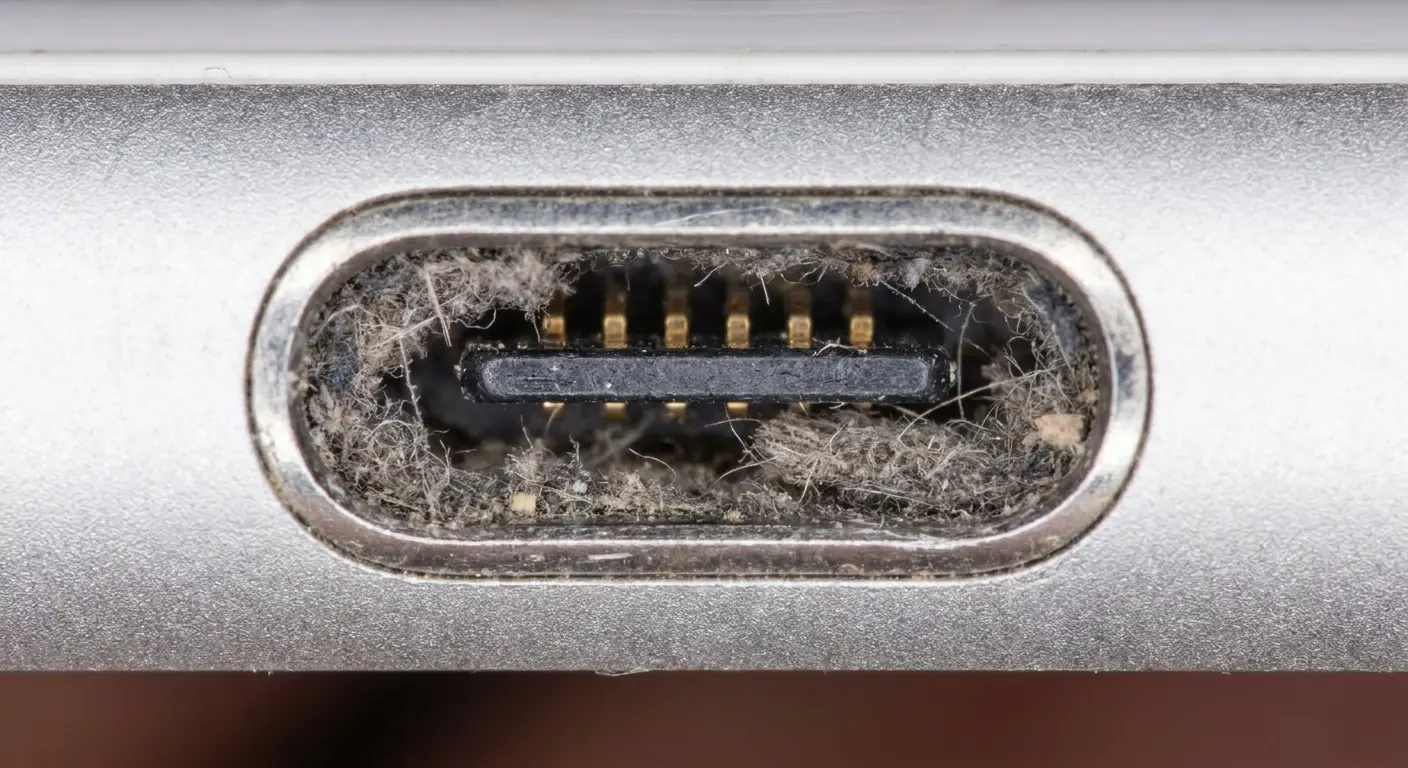
I once cleaned a port for someone who swore their phone was broken and needed replacement. They'd been carrying their iPhone in their work jeans for two years without a single cleaning. When I scraped out the port with a toothpick, we pulled out a compressed lint ball that was nearly the size of the port opening itself. The phone charged perfectly afterward. They'd been ready to spend $800 on a new device when the solution cost nothing and took three minutes.
How Charging Habits Contribute to Buildup
Every cable insertion pushes material further back. If you charge your phone daily (and most of us do), you're performing this compacting action 365 times a year. The cable's connector has a beveled edge that acts like a plow, moving debris toward the back wall of the port rather than clearing it out.
Wireless charging has gained popularity partly because it sidesteps this issue entirely. But if you rely on wired charging for speed or convenience, you're contributing to the cycle whether you realize it or not. Understanding how to clean iphone charging port mechanisms properly becomes essential for anyone who charges their device regularly.
The Real Cost of Ignoring Port Maintenance
Here's how this plays out: Your phone charges weird one day. Loose connection. You wiggle the cable. It works. Cool.
Week later, it's worse. Cable falls out if you breathe on it. You buy a new cable. Twenty bucks. Works great! For like, two weeks.
Then it starts again. Another cable. Another twenty bucks. Maybe you try a different brand this time. Same result.
You've now spent $60 on cables when the actual problem is a 2mm ball of lint that would take 45 seconds to remove. Ask me how I know.
The consequences of a dirty charging port extend beyond minor inconvenience. When your cable doesn't seat properly, you might experience slow charging, intermittent power delivery, or complete charging failure. This leads most people to replace their cables repeatedly, spending money on a solution that doesn't address the actual problem. Some users upgrade their phones prematurely, convinced their battery or charging system has failed when the issue was entirely preventable.
There's also a safety angle. A partially connected cable can create resistance, generating heat. While modern iPhones have thermal protections, unnecessary heat cycling degrades battery health over time.
You might also damage the port itself by forcing cables in when debris is blocking proper insertion. The port's contact pins are delicate. Excessive force can bend them, creating permanent damage that requires professional repair or device replacement.
From a practical standpoint, an unreliable charging connection means you can't trust your phone to charge overnight. You wake up to a dead battery because the cable shifted or lost contact. During the day, you might miss important calls or messages because your phone died unexpectedly. These aren't catastrophic failures, but they're persistent frustrations that accumulate over time.
We've All Bought "One More Cable"
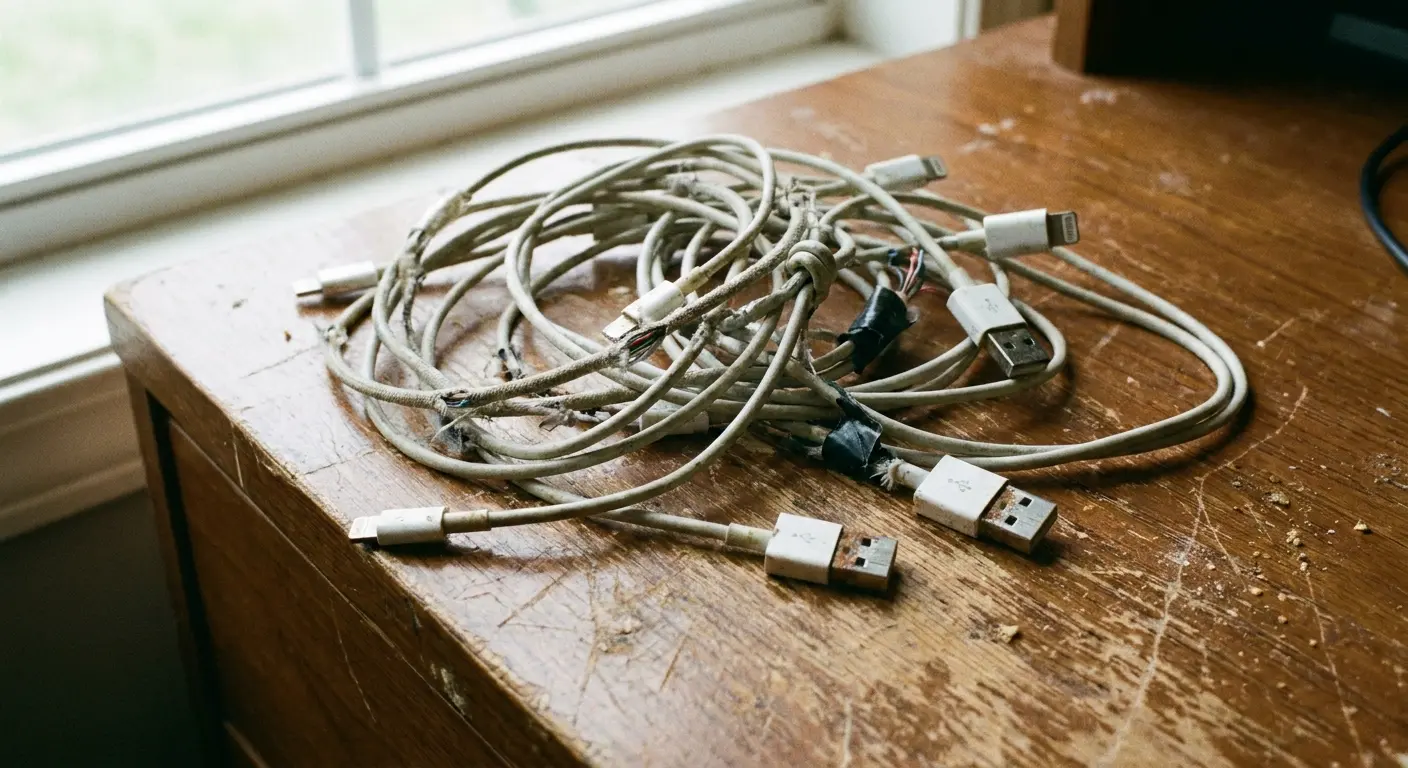
We've all done this. You go through three or four cables before realizing they're not the problem. At $19-$29 per Apple cable (or $10-$15 for third-party options), this adds up quickly.
The cable might even work perfectly for a few days, reinforcing the belief that you fixed the issue. Then the problem returns because the debris buildup continues. Knowing when to clean iphone charging port components saves you from this expensive cycle.
My sister texted me last month: "My phone's broken, I need a new one." I asked what was wrong. "It won't charge. I've bought like six cables." I drove over, pulled out a toothpick, and extracted what looked like a miniature felt mouse. She hasn't spoken to me since. Too embarrassed.
She'd spent over $70 solving the wrong problem.
When Debris Causes Actual Damage
Forcing a cable into a blocked port can bend the internal tongue that holds the contact pins. This component is thin and flexible by design, but it's not designed to withstand repeated pressure against compacted debris.
Once bent, the tongue won't make proper contact even after cleaning. You're looking at a repair that costs significantly more than five minutes of preventive maintenance would have required. Understanding how to clean charging port components properly prevents this type of damage entirely. The iphone charger port structure is more delicate than most people realize, which makes gentle cleaning techniques essential.
What You're Actually Looking At Inside That Port
If you know what's actually in there, you won't accidentally break it.
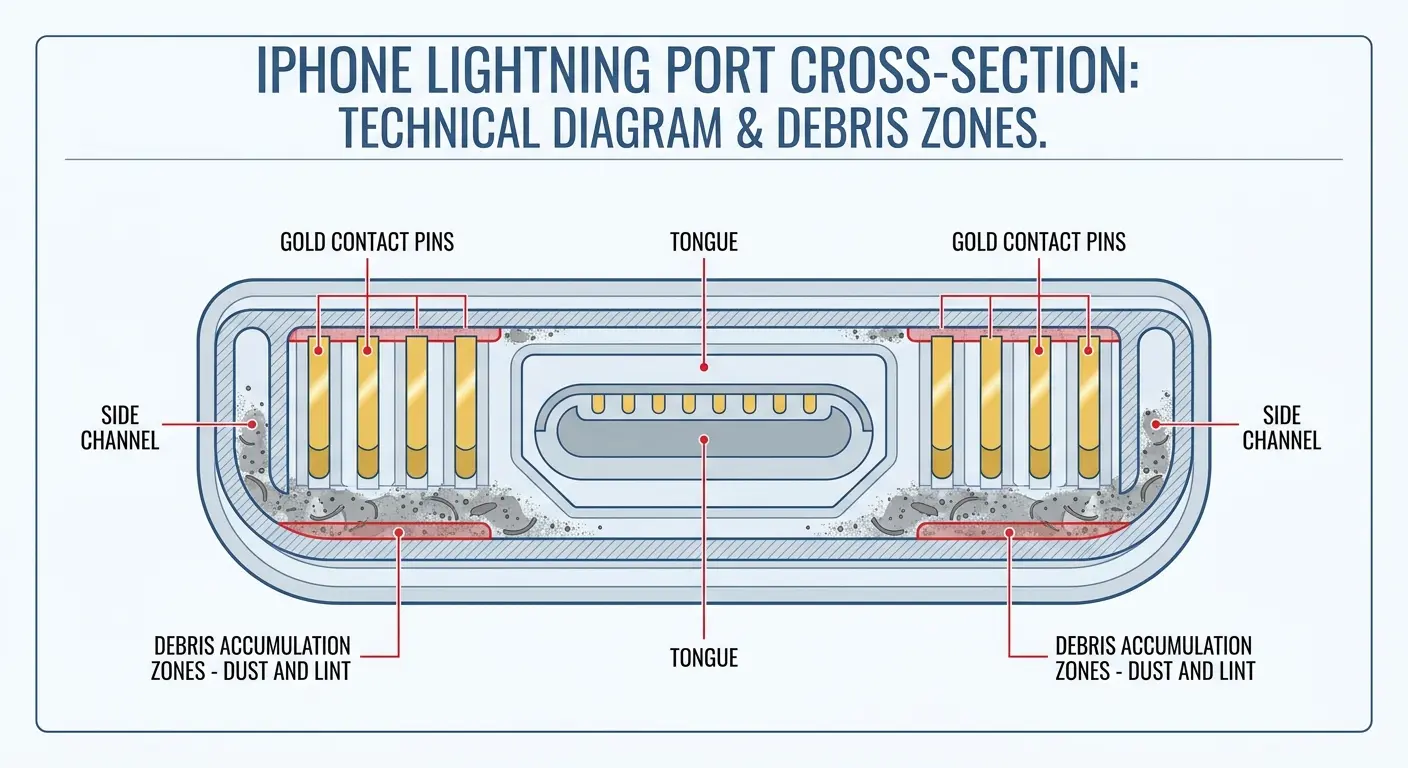
The Lightning port contains a thin metal tongue (called a flex cable assembly) that runs down the center. This tongue has eight contact pins on its top surface. The cable's connector has corresponding contacts that align with these pins when properly inserted.
On either side of this central tongue, there are narrow channels. These channels are where debris accumulates. The back wall of the port is solid, which means anything pushed to the rear stays there unless deliberately removed.
The port's opening measures about 7.8mm wide by 2.3mm tall, but the actual clearance around the tongue is much tighter. There's minimal room for error. The contact pins themselves are gold-plated to prevent corrosion, but they're still vulnerable to scratching if you use metal tools. The port also contains small retention clips that help hold the cable in place once inserted. These clips can trap debris as well.
When you look into a dirty port with a flashlight, you might see what looks like a dark line or shadow at the back. That's usually compacted lint. Sometimes it's so tightly packed it resembles felt or fabric. Other times you'll see individual fibers, dust particles, or even small grains of sand if you've been to the beach recently.
Port Components Breakdown:
Central Tongue: Houses 8 contact pins, can bend if excessive force applied, never press directly on top surface
Contact Pins (8 total): Transmit power and data, scratch-sensitive and corrosion-prone, use only non-metal tools
Side Channels: Allow cable connector insertion, primary debris accumulation zones, focus cleaning efforts here
Retention Clips: Hold cable securely in place, can trap fibers and particles, gentle scraping along walls
Back Wall: Solid termination point, traps pushed debris, scrape toward opening not deeper
Gold Plating: Prevents oxidation on pins, permanent if scratched off, avoid metal tools entirely
The Tongue and Pin Configuration
That central tongue is fragile. It needs to flex slightly to allow cable insertion, but it's not meant to bend or deform. The pins sit flush with the tongue's surface, which means they're protected from direct impact but exposed to anything that slides along the tongue's length.
You'll notice the tongue doesn't extend all the way to the port's opening. There's a small gap, and this is where debris often collects first before getting pushed deeper. The iphone charger port design prioritizes accessibility over protection, which makes regular maintenance more important.
Why Visual Inspection Isn't Enough
Even with good lighting, you can't see the full depth of the port without magnification. The debris that causes problems often sits below the visible surface, packed against the back wall where shadows hide it.
Your eyes might register the port as "mostly clean" while missing the compressed layer that's preventing proper cable contact. This is why knowing how to clean iphone charging port interiors thoroughly matters more than surface-level inspection.
The Tools You Already Own (And The Ones You Don't Need)
You don't need specialized equipment or expensive tools. The best tool is probably sitting in your bathroom right now: a wooden toothpick.
Wood is non-conductive, so there's no risk of shorting out the port's electronics. It's also soft enough that it won't scratch the gold-plated contact pins, yet firm enough to scrape out compacted debris. The tapered shape of a toothpick fits perfectly into the port's narrow channels.
You can also use a clean, dry, soft-bristled toothbrush for gentle loosening of surface debris, though it won't reach the compacted material at the back. A bright flashlight or your phone's own flashlight (you'll need a second light source since you're cleaning your phone) helps you see what you're doing.
Some people recommend using a SIM card ejector tool, and while it can work, the metal tip carries more risk. Plastic dental flossers with pointed ends can work in a pinch, but they're often too thick for the port's narrow clearances.
What you absolutely should avoid: metal paperclips, safety pins, needles, or anything conductive. Also avoid cotton swabs, which shed fibers and can leave behind more debris than they remove. The cotton tip is also too large to fit properly into the port's channels.
Compressed air deserves its own discussion (spoiler: it's not as helpful as you'd think). Liquids of any kind, including isopropyl alcohol, should be avoided unless you're dealing with sticky residue, and even then, use extreme caution. A proper charging port cleaner doesn't need to be complicated or expensive.
Tool Safety Checklist Before You Start:
Tool is non-conductive (wood or soft plastic only)
Tool tip is smaller than the port opening (under 2mm wide)
Tool has no sharp edges or burrs that could scratch
Phone is completely powered off
You have adequate lighting to see inside the port
Work surface is clean and stable
No liquids or cleaning solutions nearby
You've removed any case or accessories from the phone
Why Wooden Toothpicks Win
Wood compresses slightly when it encounters resistance, which means it conforms to the port's shape without applying excessive pressure to delicate components. If the toothpick breaks (which rarely happens), the splinters are visible and easy to remove.
The natural taper gives you both a fine point for detailed work and a slightly wider section for scraping larger areas. You can control the depth of insertion easily. When you need to clean charging port iphone components safely, wood outperforms every other material.
The Compressed Air Debate
Compressed air seems logical. Blow the debris out, problem solved, right?
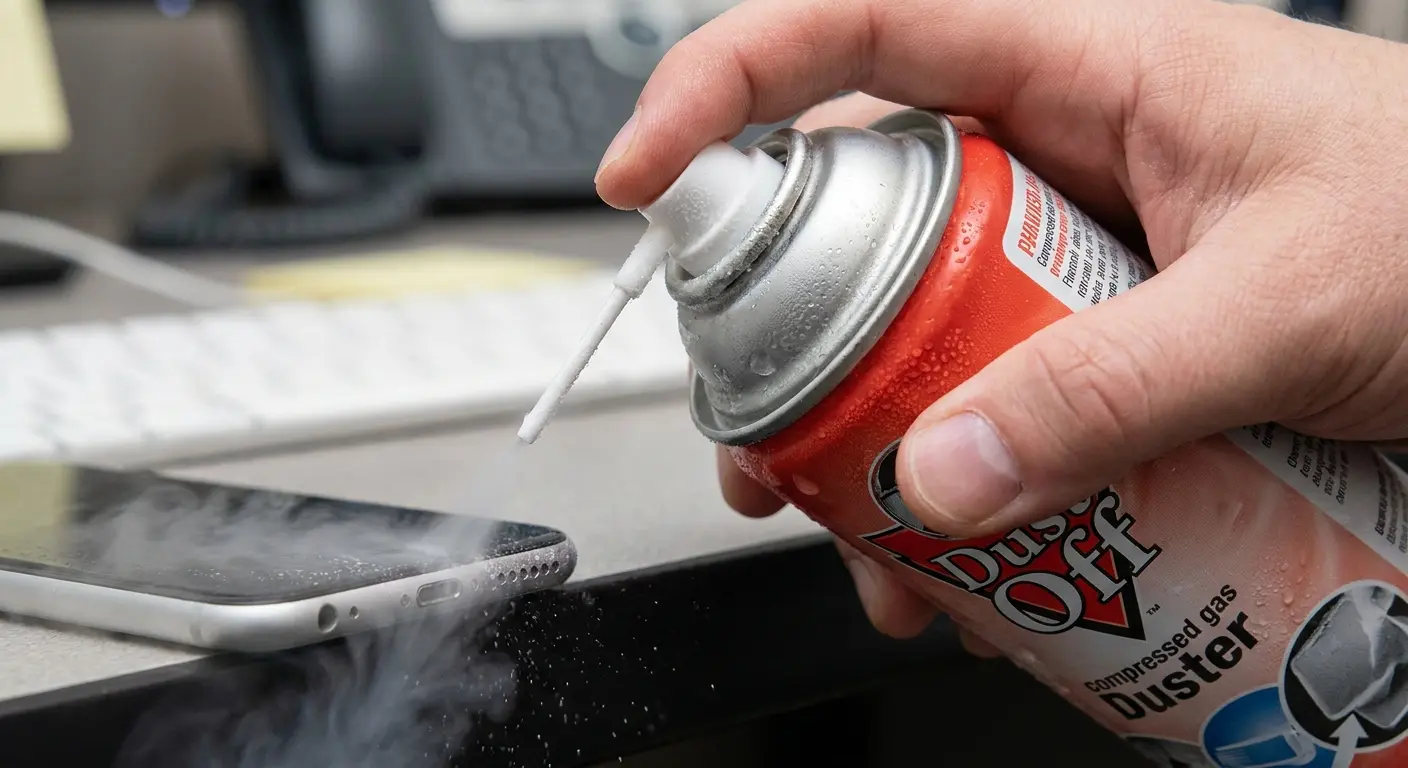
Wrong. The port's design works against this approach. The narrow channels and back wall create areas where air pressure can push debris deeper or wedge it more tightly into corners. If you do use compressed air, short bursts from a distance are essential. Holding the can too close can introduce moisture (from the propellant) into the port. You also risk blowing debris further into the phone's internal components through the port's back opening.
The Step-by-Step Cleaning Method That Won't Damage Your Device
Okay, here's how you actually do this.
Turn your phone off. All the way off, not just locked.
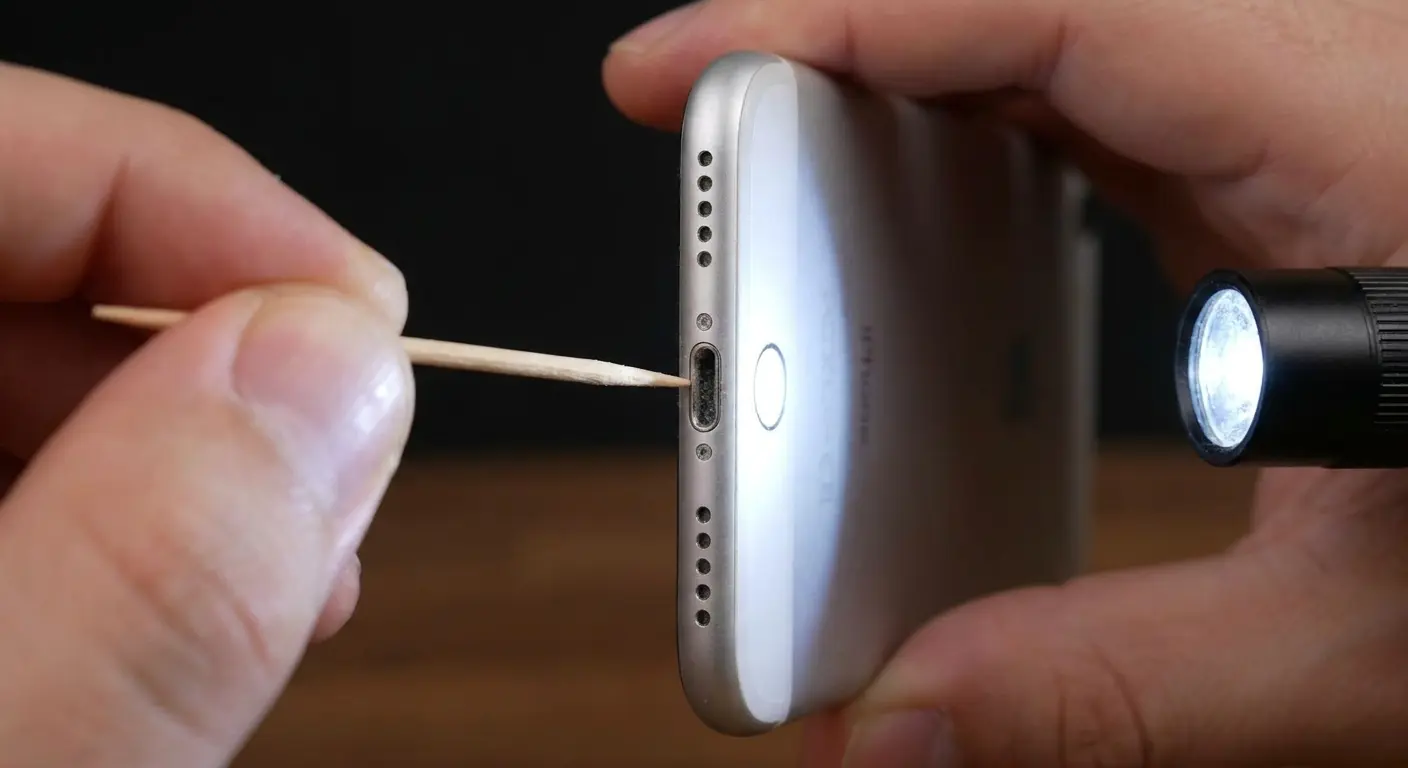
Grab a wooden toothpick (the cheap kind from the grocery store, not the fancy ones) and a flashlight.
Hold your phone so the charging port faces up. This matters because you want gravity helping you, not fighting you.
Shine the light in there. See that dark line at the back? That's your enemy. That's the compressed lint fortress you're about to destroy.
Stick the toothpick into one of the channels on either side of the metal tongue in the middle. Don't stab the tongue itself, that's fragile and expensive to replace.
Now just scrape. Gently. Toward you. You're not digging for oil, you're s weeping out dust. Feel some resistance? That's the lint. Keep scraping.
Stuff will start coming out. Sometimes it's satisfying little clumps. Sometimes it's just fibers. Either way, keep going until you can't scrape anything else loose.
Do the other side. Check with your light. If it looks clear, try your cable. It should click in and sit flush.
That's it. Took longer to read this than to actually do it.
Complete Port Cleaning Process:
Preparation (30 seconds) - Power off iPhone completely, gather wooden toothpick and flashlight, find well-lit workspace, remove phone case if present
Initial Inspection (15 seconds) - Hold port facing upward, shine light at 45-degree angle into port, identify visible debris or dark compacted areas, note which side appears more blocked
First Channel Cleaning (60-90 seconds) - Insert toothpick into left channel beside tongue, angle slightly toward back wall, scrape gently toward opening, make 8-10 passes along channel floor, remove visible debris that emerges
Second Channel Cleaning (60-90 seconds) - Repeat process on right channel, use same gentle scraping motion, pull debris toward opening, check for felted clumps
Detail Work (30-60 seconds) - Target any remaining visible debris, gently scrape back wall area, lift out loose fibers, avoid pressing on central tongue
Final Inspection (15 seconds) - Shine light into cleaned port, verify channels appear clear, check that tongue is visible and centered, confirm back wall is debris-free
Function Test (15 seconds) - Insert charging cable slowly, listen and feel for click, verify cable sits flush, check that charging initiates
The Gentle Scraping Technique
Your goal is to scrape along the port's floor and back wall, not to dig or poke. Think of it as sweeping rather than excavating. The debris is compacted but not cemented in place. Gentle, repeated passes work better than aggressive single attempts.
You might be surprised by how much material comes out. A phone that hasn't been cleaned in a year can produce a lint ball the size of a small pea. Understanding how to clean a charging port effectively means recognizing that patience produces better results than force.
Proper technique for how to clean out charging port areas focuses on methodical removal rather than aggressive scraping. The clean iphone charger port you're aiming for becomes visible gradually as you work through the debris layers.
Checking Your Work
After cleaning, inspect the port again with your flashlight. The metal tongue should be clearly visible, and the channels on either side should look empty and clean. The back wall should appear as a solid surface, not obscured by debris.
If you still see dark areas or shadows, make a few more passes with the toothpick. Complete removal is worth the extra minute.
The First Cable Test
When you insert your cable after cleaning, pay attention to how it feels. A properly cleaned port allows the cable to slide in smoothly and seat completely. You shouldn't need to apply force.
If the cable still feels loose or doesn't click into place, you might have missed some debris, or there could be a hardware issue unrelated to cleanliness. This is where knowing how to clean iphone charging port components meets understanding when professional help is needed.
When Compressed Air Makes Things Worse
Compressed air deserves a dedicated discussion because it's so commonly recommended yet so frequently misused. The fundamental problem is that the iPhone's charging port is not an open cavity. It's a channel with a closed back end.
When you blast air into this space, physics takes over. The air pressure has to go somewhere, and if there's compacted debris in the way, the air often pushes that material into tighter spaces rather than expelling it.
The port's narrow channels create turbulence that can scatter small particles deeper into the device. Some compressed air cans contain propellants that release moisture when the can is held at the wrong angle or used for extended bursts. This moisture can cause corrosion on the contact pins over time.
There's also the pressure issue. Compressed air cans can deliver pressure exceeding 40 PSI. That's more than enough to damage the delicate retention clips inside the port or even dislodge internal components if the air finds its way past the port's back wall.
If you're determined to use compressed air, follow strict guidelines: power off the phone, use only short half-second bursts, hold the can upright, maintain at least 6 inches of distance, and angle the spray to encourage debris to exit rather than penetrate deeper.
Even then, compressed air should be a supplementary step, not your primary cleaning method. Use it after mechanical removal with a toothpick to clear any loosened particles, not as a substitute for proper cleaning. When you need to clean charging port areas thoroughly, mechanical removal beats air pressure every time.
The Physics Working Against You
Air follows the path of least resistance. In a narrow channel packed with debris, that path might be around the obstruction and deeper into the phone, not back out the opening. The turbulent airflow can also break larger clumps into smaller particles that wedge into spaces they wouldn't have reached otherwise.
Moisture and Propellant Risks
Those "ultra-dry" compressed air cans still contain chemical propellants. When the can gets cold from extended use (which happens quickly), condensation can form. That condensation can carry propellant residue into your port.
You won't see immediate damage, but over time, this can create corrosion or leave a film on the contact pins that interferes with charging.
How Your Phone Case Affects Port Cleanliness
Your case choice has a direct impact on how much debris enters your charging port. Cases with raised lips around the port opening provide some protection by creating a barrier that blocks larger particles. Cases with completely open bottoms offer no protection at all.
Some cases include port covers or dust plugs, which are highly effective at preventing debris accumulation but add the inconvenience of removing the cover every time you charge. The material of your case matters too. Rubber and silicone cases tend to attract and hold dust, which can then transfer into the port. Hard plastic cases are cleaner in this regard but offer less overall protection.
The fit of your case also plays a role. A loose-fitting case allows more space for debris to enter. A tight-fitting case might channel debris toward the port opening as you slide the phone in and out of pockets.
Cases designed with precision cutouts that closely match the port's dimensions minimize the exposed area while still allowing easy cable access. We've spent years designing cases that balance protection with accessibility. Our magnetic mounting system keeps your phone secure without adding bulk around the ports, and the precision engineering means minimal exposed surface area for debris collection. The RokLock twist-lock mechanism provides military-grade protection while maintaining clean port access.
If you're constantly dealing with charging issues, your case might be contributing to the problem more than you realize. Our rugged iPhone cases feature precision port cutouts that minimize debris entry while maintaining full charging accessibility.
Understanding how to clean iphone charger port openings becomes less frequent when you choose protective cases designed with debris prevention in mind. The cleaning charging port routine you establish works better when your case supports cleanliness rather than fighting against it.
Port Cover Trade-offs
Dust plugs work. They completely seal the port when you're not charging. But they're also easy to lose, annoying to remove, and create one more thing to keep track of.
Most people abandon port covers within a few weeks because the inconvenience outweighs the benefit. Prevention needs to be effortless to be sustainable.
Case Design Elements That Matter
The distance between the case's bottom edge and the port opening creates a protective channel. Cases with deeper recesses around the port block debris from direct entry angles while still allowing cable access.
Thin cases with minimal port protection might look sleek, but they leave your charging port completely exposed to whatever environment you're in. The aesthetic appeal doesn't compensate for the maintenance headaches.
For those working in demanding environments, our rugged cases offer enhanced port protection that significantly reduces debris accumulation without sacrificing accessibility.
Charging Cable Quality and Port Longevity
Your cable choice affects more than charging speed. Poorly manufactured cables with imprecise connector dimensions can scrape against the port's interior surfaces every time you plug in. This mechanical wear gradually degrades the contact pins and retention clips.
Cheap cables often have connectors that fit loosely, which means they wiggle during use. This movement creates friction that wears down both the cable and the port. The connector's beveled edges should be smooth and precisely machined. Budget cables sometimes have rough edges or burrs that act like tiny files, abrading the port's surfaces with each insertion.
Cable stiffness matters too. Extremely rigid cables transfer more stress to the port when the cable gets tugged or bent. This stress can loosen the port's internal components over time. Conversely, cables that are too flexible might not provide enough structural support, leading to incomplete seating and poor contact.
Apple's official cables are expensive, but they're engineered to exact tolerances that minimize port wear. MFi-certified third-party cables undergo testing to ensure they meet similar standards. Non-certified cables are a gamble. Some work fine, others cause accelerated wear or even damage.
The connector should slide into the port smoothly without requiring force, and it should click securely into place. If you're jamming the cable in or if it falls out easily, something's wrong with either the cable, the port, or both. Proper cleaning charging ports maintenance extends their lifespan, but quality cables prevent premature wear in the first place.
Connector Precision and Port Wear
The Lightning connector specification allows for very tight tolerances. A connector that's even 0.1mm oversized will create excess friction. Multiply that friction by hundreds of insertion cycles, and you're looking at measurable wear.
You can sometimes feel this when a new cable feels tight in a well-used port. The port has worn slightly, and the new cable's fresh dimensions highlight the difference.
The Wiggle Test
A properly fitted cable shouldn't wiggle when plugged in. Hold your phone and gently try to move the cable side to side. Minimal movement is normal, but if the cable shifts easily, you've got either a worn port or a poorly manufactured cable.
This wiggle creates inconsistent contact, which leads to intermittent charging and potential heat generation from resistance.
Warning Signs You've Got a Hardware Problem, Not a Debris Problem
Sometimes the issue goes beyond dirt. Knowing when to stop cleaning and seek professional help prevents further damage.
If you've thoroughly cleaned the port and your cable still won't seat properly, the internal tongue might be bent. You can sometimes see this with a flashlight and magnification. The tongue should be centered and straight. If it's angled to one side or visibly deformed, cleaning won't help.
Corrosion is another hardware issue. If the contact pins appear discolored, greenish, or have visible buildup that doesn't remove with dry cleaning, moisture has caused oxidation. This often happens after water exposure, even if your phone is water-resistant. The seals degrade over time, and humidity can penetrate.
Physical damage to the port's exterior edges indicates impact trauma. Cracks in the surrounding frame or deformed metal around the opening suggest the port assembly has been compromised.
You might also encounter a situation where the port is perfectly clean but charging remains unreliable. This points to internal connection issues between the port and the logic board. Loose solder joints or damaged flex cables require professional repair.
Software issues can mimic charging problems too. If your phone charges fine in some orientations but not others, or if it charges with certain cables but not others (after you've ruled out cable quality), you might have a software glitch affecting power management. Try a forced restart before assuming hardware failure.
Battery health also factors in. A severely degraded battery might charge so slowly that it appears not to be charging at all. Understanding how to clean an iphone charging port helps you rule out debris, but it doesn't solve every charging problem.
I worked with someone whose iPhone 11 wouldn't charge despite a spotless port. After ruling out debris and cable issues, we examined the port with a magnifying glass and bright light. The central tongue was bent about 15 degrees to the left, clearly visible once we knew what to look for. They'd dropped the phone while it was plugged in, and the cable had leveraged the tongue sideways. No amount of cleaning would fix that. They needed a $89 port replacement at an authorized repair center.
Bent Tongue Diagnosis
Shine a light directly into the port and look straight down. The tongue should appear centered with equal spacing on both sides. If it's clearly offset or touching one wall of the port, mechanical damage has occurred.
You might have caused this by forcing a cable in against debris resistance, or it could have happened from an impact or drop. Knowing how to clean iphone charging port components includes recognizing when cleaning isn't the solution.
Corrosion vs. Debris
Debris is fibrous or particulate. Corrosion appears as a discoloration on the metal surfaces themselves. Green or white crusty deposits indicate oxidation that's chemically bonded to the metal.
Dry cleaning won't remove corrosion. You'd need specialized cleaning solutions and techniques that risk further damage if not done correctly.
When to Seek Professional Repair
If cleaning doesn't restore full functionality, if you see visible damage, or if you're uncomfortable performing the cleaning yourself, professional service is the right choice. Apple Stores and authorized service providers can diagnose port issues definitively.
Repair costs vary, but port replacement usually runs $69-$129 depending on your iPhone model and warranty status. That's cheaper than replacing the entire device.
Prevention Strategies That Actually Work
Preventing debris buildup is more effective than repeatedly cleaning it out. The most practical prevention method is changing where and how you carry your phone.
Front pockets accumulate less lint than back pockets because they're emptied more frequently and experience less compression when you sit. Carrying your phone in a dedicated pocket or compartment (not with keys, coins, or other items) reduces the variety of debris it encounters.
Regular visual inspections catch buildup before it becomes problematic. Once a month, shine a light into the port and check for visible debris. If you see any accumulation, clean it immediately rather than waiting for charging issues to develop. This takes 30 seconds and prevents the debris from compacting.
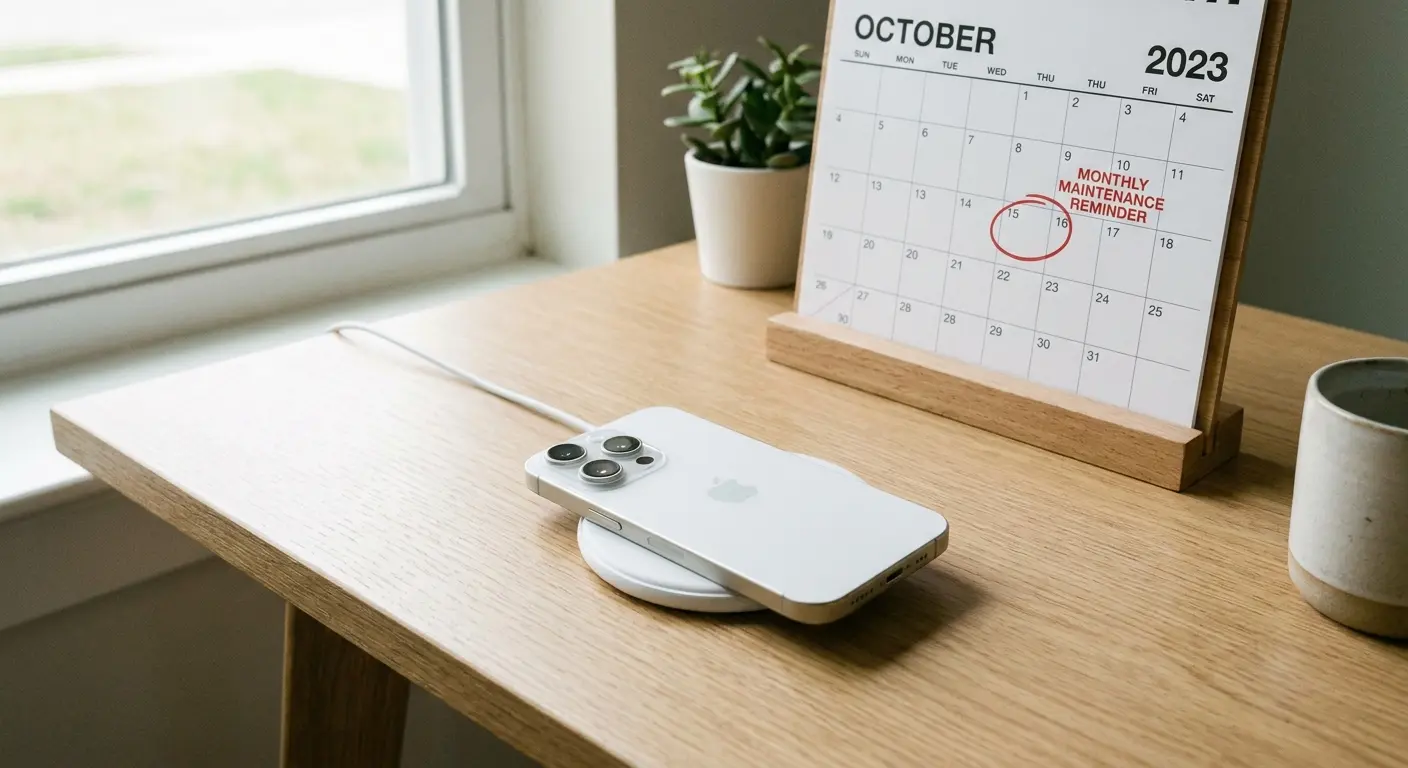
Using wireless charging as your primary method eliminates cable insertion entirely, which stops the compacting cycle. You can reserve wired charging for situations where you need fast charging or when wireless isn't available. This dramatically reduces port wear and debris accumulation.
Some users rotate between wired and wireless charging to balance convenience with port preservation. Consider switching to wireless charging solutions as your primary method to reduce port wear and debris accumulation.
Port plugs work if you're willing to use them consistently. The key is finding a plug design that's easy to remove and doesn't interfere with your case. Magnetic charging adapters that stay inserted in the port can protect against debris while providing easy connection, though they add bulk and may not support all charging features.
Cleaning your pockets and bags regularly removes the source material before it reaches your phone. This sounds obvious, but most people never empty and clean their pockets thoroughly. Understanding how to clean iphone charging port openings matters less when you prevent debris from accumulating in the first place.
Proper how to clean out charging port techniques combined with prevention create a maintenance routine that keeps your device functioning optimally. The clean port you maintain through prevention requires less aggressive intervention than one you've neglected for months.
The Monthly Inspection Routine
Set a calendar reminder for the first of each month. Take 60 seconds to check your charging port, speaker grilles, and other openings. Catching debris early means it removes easily and never has a chance to compact.
This habit also helps you notice other issues like case wear, screen damage, or button problems before they worsen.
Wireless Charging as Primary Defense
Modern iPhones support wireless charging at speeds that work for overnight charging and desk use. MagSafe charging on iPhone 12 and newer provides alignment and faster speeds than standard Qi charging.
By making wireless your default and using wired only when necessary, you might go months between port cleanings instead of needing them every few weeks. Understanding how to clean an iphone charging port becomes less urgent when wireless charging handles most of your daily needs.
The how to clean charging port process you've learned serves as a backup skill rather than a weekly necessity when you prioritize wireless options.
Environmental Considerations
If you work in particularly dusty or dirty environments, you face accelerated debris accumulation. Consider using a waterproof case with sealed port covers for work, then switching to a regular case during off-hours.
This seems excessive, but if you're in construction, manufacturing, or outdoor work, the protection pays for itself in avoided repairs and frust ration. For extreme environments, explore our rugged phone cases designed with enhanced port protection for construction and outdoor work. Our phone mounts also keep your device secure and away from debris-prone surfaces during work hours.
Final Thoughts
Look, I get it. Cleaning your phone's charging port isn't exactly thrilling content. You're not gonna bring this up at parties.
But you know what's less thrilling? Paying $89 for a port replacement because you forced a cable into a lint-packed hole one too many times. Or buying your seventh Lightning cable this year. Or, and I've seen this, buying a whole new phone because you thought yours was broken.
Five minutes and a toothpick. That's all this takes. Do it now, do it every couple months, and you'll never have to think about it again.
Unless you want to become the weird charging port cleaning person in your friend group. In which case, welcome. We meet never, because that would be strange.

