You've cracked your screen again. The panic sets in, followed by the math: How much will this cost? Should I go to Apple? What about that sketchy mall place? Can I even do this myself?
Look, we've spent years building phone cases that can take a beating. We've talked to thousands of customers. And here's what nobody in the repair industry wants you thinking about: the decision you make before you walk into a repair shop matters way more than the repair itself.
Most advice focuses on finding the cheapest fix or the fastest service. That's backwards. You need to figure out what you're trying to accomplish, and that depends on stuff repair shops don't ask about. Complicated questions don't close sales.
So let's fix that.
Table of Contents
What does "fixed" actually mean for your phone?
What repairs really cost (and why the sticker price is BS)
DIY screen replacement: when it works and when you're screwed
How to tell if a repair shop is lying to you
Parts quality is confusing as hell (here's what matters)
Protection strategies that actually prevent the next crack
Warranty stuff nobody explains until you're already screwed
TL;DR
If you're upgrading soon anyway, get the cheapest fix that works or don't fix it at all
Authorized repairs cost more but they're worth it if you're keeping the phone
DIY works great for old phones, terrible for new ones
Every repair kills your water resistance, even Apple's (they won't tell you this)
Your existing warranty and AppleCare coverage completely change the math
OEM parts aren't available outside Apple, and "OEM-quality" is meaningless marketing speak
Post-repair cases with real shock absorption prevent you from doing this again in six months
What Does "Fixed" Really Mean for Your Specific Situation
The Questions Repair Shops Don't Want You Asking
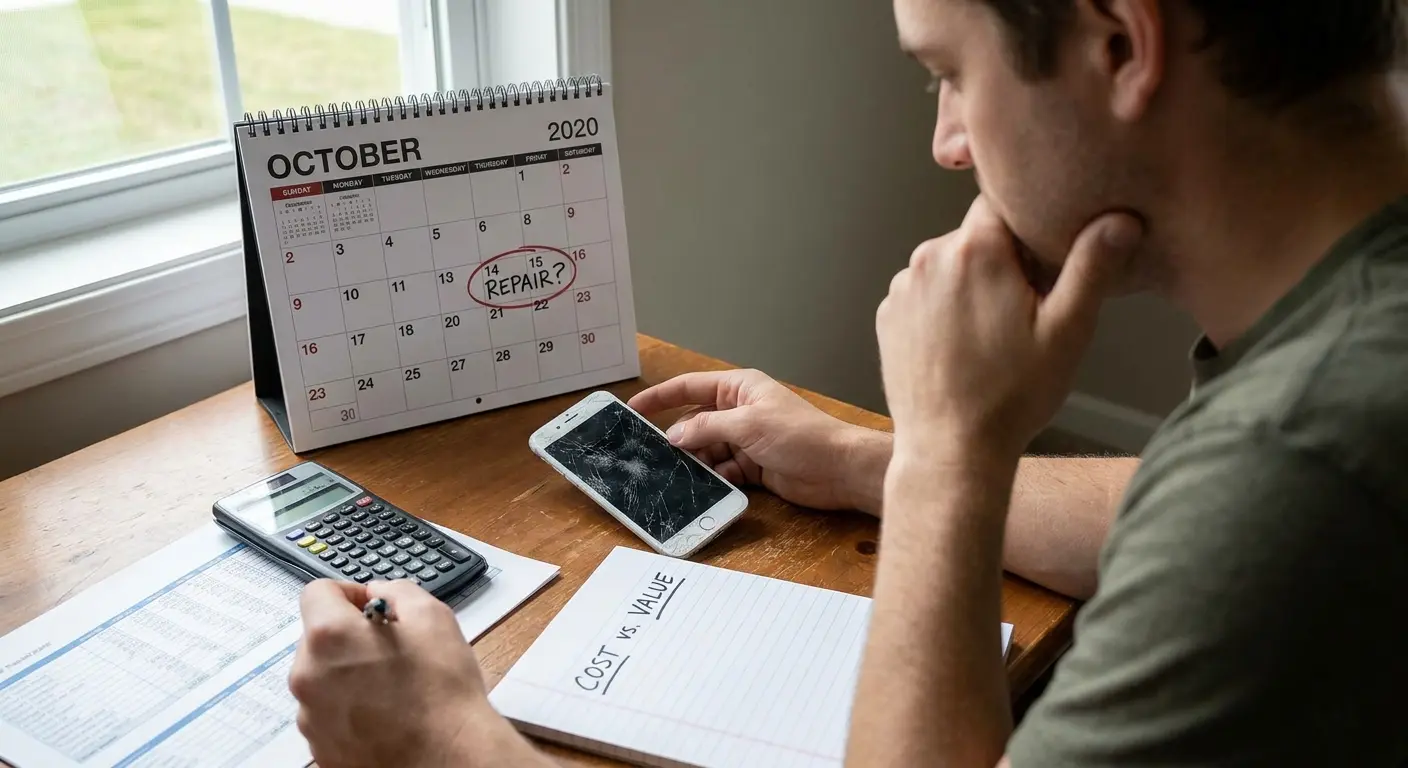
Your cracked screen exists in a bigger picture that repair shops ignore. Complexity doesn't close sales. We need to start with three questions that matter.
How long are you keeping this phone? If you're upgrading in three months, your repair strategy looks completely different than someone planning to use their iPhone for another two years. This timeline affects everything from parts quality to whether you should even bother with authorized repairs.
What do you use your phone for daily? Someone who needs their device for work presentations can't afford the 3-5 day turnaround most repairs require. Your usage intensity also determines whether you need full functionality restoration or just enough screen integrity to stop cutting your fingers.
What's your risk tolerance? Some people need their phone working perfectly, with all features intact. Others just need the glass to stop shattering. Both approaches are valid; they just lead to completely different repair paths.
The table below breaks down which repair path makes sense based on your specific circumstances:
Your Situation |
Recommended Repair Path |
Why It Makes Sense |
|---|---|---|
Upgrading within 6 months |
Cheapest functional fix or skip repair entirely |
Minimal return on repair investment |
Keeping phone 1-2+ years |
Authorized repair with quality parts |
Protects long-term usability and resale value |
Heavy work dependence |
Same-day local shop with warranty |
Minimizes downtime impact on productivity |
Casual user, older model |
DIY or budget third-party repair |
Cost savings outweigh feature preservation |
Device under AppleCare+ |
Apple authorized repair ($29 deductible) |
Maximizes your existing coverage value |
Planning to sell/trade soon |
Apple authorized repair only |
Maintains resale value and trade-in eligibility |
The Features You'll Lose (That Nobody Mentions Upfront)
True Tone display calibration often disappears after third-party repairs. Your screen will work, but color temperature won't automatically adjust to ambient lighting anymore. For most people, this matters less than repair shops claim when they're justifying premium pricing.
Face ID can get permanently disabled if the repair damages specific flex cables. This isn't common, but it happens enough that you should back up your passcode and alternative unlock methods before any repair.
Haptic feedback sometimes feels different post-repair. The Taptic Engine sits close to screen assembly points, and reassembly variations can change how notifications and keyboard typing feel. Minor issue for most, dealbreaker for some.
Water resistance? Gone. Every screen repair voids your water resistance rating, including Apple's own service (though they won't advertise this loudly). The original factory seals can't be perfectly replicated, even with official parts and procedures.
Sarah brought her iPhone 13 Pro to a highly-rated independent shop after cracking her screen during a hiking trip. The repair cost $180, looked perfect, and the touch response worked flawlessly.
Three weeks later she's lying in bed scrolling and something feels off. The screen looks wrong. Too blue? She checks in her office the next day and now it looks too warm. She googles it. True Tone is disabled. The repair shop can't fix it without Apple's equipment, which they don't have.
She lived with it. What else could she do? But for the next year, every time she used her phone, there was this tiny reminder that it wasn't quite right. Not broken enough to fix again, but not right either.
That's the thing about "cheap" repairs. Sometimes they cost you in ways you can't put a dollar amount on.
Your Phone's Age Completely Changes Everything
iPhone 11 and older models offer more repair flexibility. Parts availability is better, procedures are well-documented, and the risk-reward ratio favors more aggressive cost-saving approaches. These phones have been out long enough that third-party repair ecosystems have matured.
iPhone 12 through 14 models sit in an awkward middle zone. They're valuable enough that proper repairs matter, but they're also approaching the age where repair costs start competing with upgrade costs. Your decision here hinges almost entirely on your upgrade timeline.
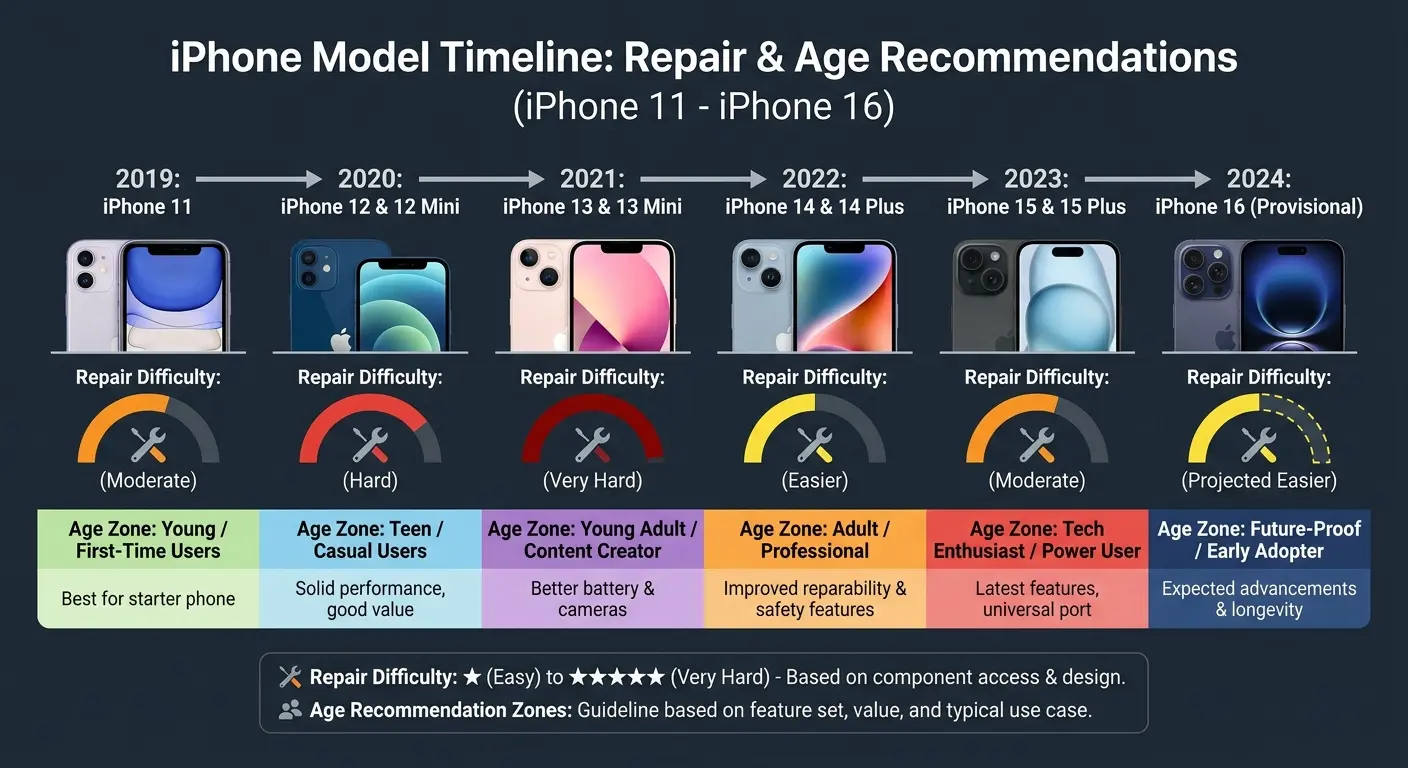
iPhone 15 and 16 models demand more caution. These devices have current resale value worth protecting, and their newer technology means fewer technicians have extensive experience with their specific quirks. Authorized repairs make more sense here, even with higher costs.
The Pro and Pro Max variants add another layer since their screen technology (ProMotion, always-on display) uses more sophisticated components that are harder to source and install correctly outside official channels.
What Repairs Really Cost (And Why The Sticker Price Is BS)
What You're Paying For Beyond The Glass
Labor costs are all over the place. Shops charge whatever they think you'll pay. An iPhone SE screen takes 15 minutes to replace. An iPhone 14 Pro Max requires 45+ minutes of careful work with multiple component transfers. Flat-rate pricing obscures this reality.
Diagnostic fees often appear as separate charges, even when you know exactly what's wrong. Some providers waive this if you proceed with repair, others pocket it regardless. Ask explicitly before handing over your device.
Parts procurement represents a huge variable that quoted prices rarely reflect. That $79 screen replacement might use a $12 aftermarket part, or it might use a $65 refurbished OEM component. You're usually not told which until after the work is done.
Warranty coverage on the repair work itself ranges from 30 days to lifetime guarantees. Shorter warranties often signal lower confidence in parts quality or installation workmanship. This matters more than the initial price difference.
Cost Component |
Apple Store |
Independent Shop |
Mall Kiosk |
DIY |
|---|---|---|---|---|
Parts Quality |
Genuine OEM |
Varies (ask specifically) |
Usually aftermarket |
Your choice |
Labor/Service Fee |
$100-$379 depending on model |
$50-$200 |
$40-$150 |
$0 (your time) |
Diagnostic Fee |
Usually waived |
$0-$50 (often waived) |
Typically none |
N/A |
Warranty Period |
90 days to 1 year |
30-90 days typical |
30 days or less |
None |
Turnaround Time |
3-5 days (or same-day if available) |
1-2 hours same-day |
30-60 minutes |
1-3 hours |
Total Typical Cost (iPhone 13) |
$279 |
$120-$180 |
$80-$120 |
$40-$80 in parts |
The Hidden Costs That Show Up Later
Your time investment goes beyond the repair appointment. Factor in backup procedures, data transfer if something goes wrong, reinstalling authenticator apps, and reconfiguring settings that sometimes reset during repairs. For busy professionals, this "time tax" can exceed the repair cost in lost productivity.
Opportunity costs of being without your phone matter more for some users than others. If you need your device for work, you might need a loaner phone or temporary replacement. Apple provides loaners for mail-in repairs, but most third-party shops don't.
Future resale value takes a hit with non-authorized repairs, even if the work was done perfectly. Buyers can see repair history in diagnostic modes, and this affects what they're willing to pay. For newer iPhones, this can mean losing $50-150 in resale value.
Repeated repairs become necessary when the underlying cause isn't addressed. If you cracked your screen because your case wasn't protective enough, you'll crack the replacement too. We see this cycle constantly with customers who come to us after their second or third screen replacement.
Marcus paid $95 for a quick screen replacement at a mall kiosk for his iPhone 12. Six months later, when he traded the phone in for an iPhone 15, the carrier's diagnostic software flagged the third-party repair. His trade-in value dropped from $320 to $200.
That "cheap" repair cost him $215 when accounting for the lost trade-in value, making it more expensive than the $279 Apple would have charged initially. He would have broken even and kept his full trade-in value with the authorized repair.
Insurance and AppleCare Math That Makes Sense
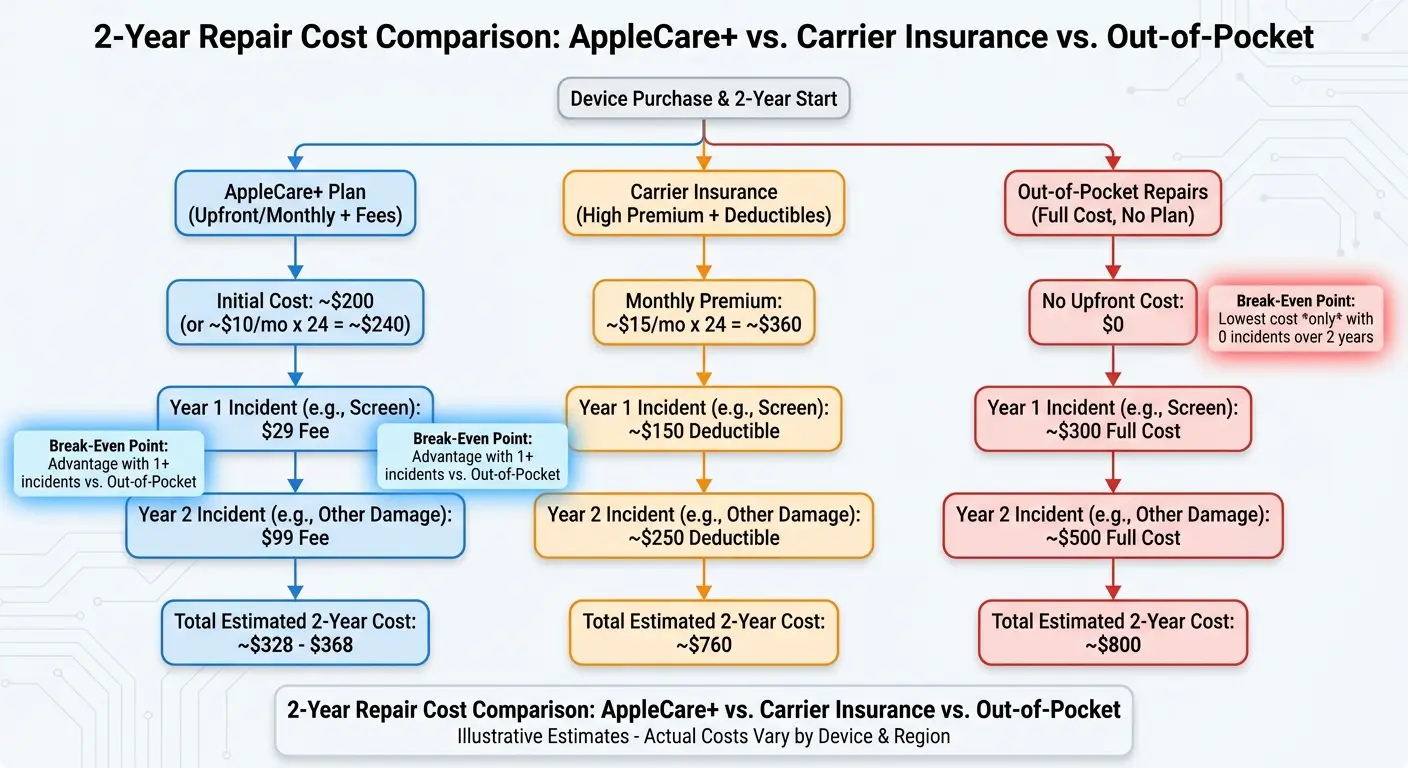
AppleCare+ screen repairs cost $29, making the service pay for itself after one incident if you bought it upfront. The math gets trickier if you're considering purchasing AppleCare+ after the fact (you have 60 days, but you'll need to pass a remote diagnostic).
Carrier insurance programs like Asurion typically charge $99-149 per claim with deductibles, plus monthly premiums. Run the numbers over your ownership period. For many users, these programs cost more than they save unless you're genuinely accident-prone.
Credit card purchase protection sometimes covers screen damage within 90-120 days of purchase. Check your card benefits before paying for any repair. This coverage often goes unused simply because people don't know it exists.
Homeowners or renters insurance might cover phone damage, but deductibles usually make this impractical for screen repairs alone. Worth knowing if you have multiple damaged devices or total loss situations.
DIY Screen Replacement: When It Works And When You're Gambling
The Honest Skill Assessment You Need To Do First
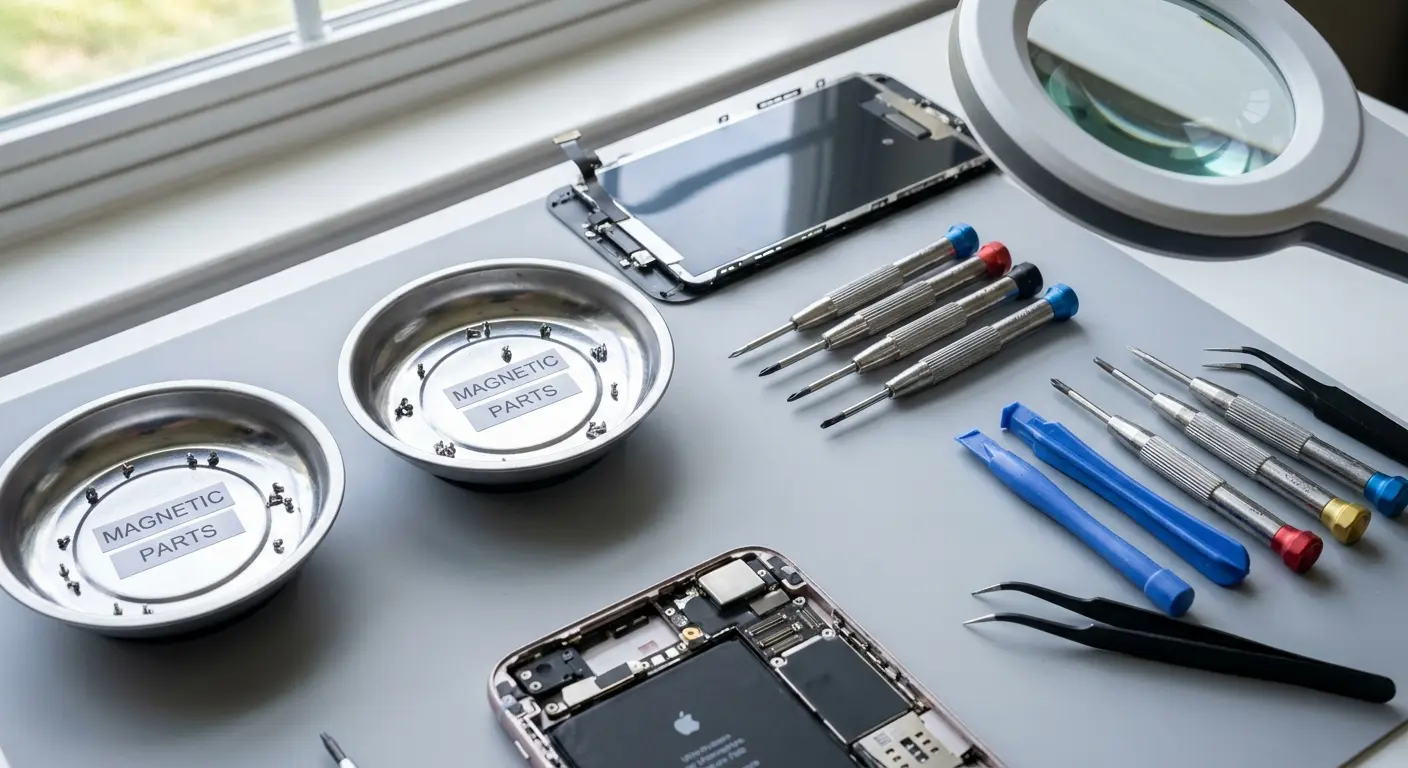
Comfort with small electronics repair is different from general handiness. You might be great at home improvement projects but terrible with delicate ribbon cables and microscopic screws. Be honest about your experience with precision work.
Patience under pressure determines DIY success more than technical skill. Screen replacements involve 15-30 tiny screws that look identical, adhesive that fights you, and cables that can tear if you rush. If you get frustrated easily when things don't go smoothly, DIY isn't your path.
Vision quality matters more than people admit. These components are small, and lighting needs to be excellent. If you need reading glasses or struggle with fine detail work, you're setting yourself up for problems.
Tool investment requirements vary by model. Older iPhones need basic screwdrivers and prying tools ($15-25 in quality tools). Newer models require specialized equipment for adhesive removal and screen calibration that can cost $100+. Factor this into your cost savings calculations.
DIY Readiness Checklist: Answer Honestly Before Ordering Parts
I've successfully repaired small electronics before (watches, controllers, laptops)
I can work comfortably with components smaller than a fingernail
I have 2-3 uninterrupted hours available for the repair
I have a clean, well-lit workspace with good overhead lighting
I can follow multi-step video instructions without skipping ahead
I don't get frustrated when things don't work on the first attempt
I have good close-up vision or appropriate magnification available
I'm comfortable voiding any remaining warranty coverage
I have a backup phone available if this repair fails
I've watched at least two complete repair videos for my specific model
Scoring: 8-10 checked: DIY is reasonable for older models | 5-7 checked: Consider professional repair | Under 5 checked: DIY is high risk
Models Where DIY Makes Sense (And Where It Doesn't)
iPhone SE (all generations), 6, 6S, 7, and 8 series represent the sweet spot for DIY repairs. Procedures are straightforward, parts are cheap and widely available, and there's less to break during the process. These phones have been out long enough that comprehensive video guides exist for every possible complication.
iPhone X through 11 series push into intermediate difficulty. Face ID components require careful handling, and adhesive becomes more aggressive. Doable for confident DIYers, but the margin for error shrinks considerably.
iPhone 12 and newer models involve significant risk for DIY attempts. Parts pairing issues can trigger warning messages even with genuine components, and the repair procedures require more specialized knowledge. Unless you have specific electronics repair experience, the money you save isn't worth the bricking risk.
Pro models across all generations add complexity that most DIY guides underestimate. The advanced display technology and additional sensors mean more things can go wrong, and replacement parts that match original quality are harder to source.
How long does it take to fix an iPhone screen yourself? For experienced DIYers working on older models, expect 1-2 hours. First-timers should budget 3 hours minimum, and that's assuming everything goes smoothly. Newer models with more complex assembly can push that to 4+ hours if you're being appropriately careful.
The Parts Sourcing Minefield
iFixit offers the most reliable DIY parts with actual quality control, but you'll pay more than bargain-basement options. Their parts include necessary tools and adhesive, which matters more than it seems when you're mid-repair and realize you're missing critical components.
Amazon and eBay listings use deliberately confusing language around parts quality. "OEM quality" means nothing. "Refurbished original" usually means someone removed the part from a broken phone. "Premium aftermarket" is marketing speak for "we have no idea where this came from."
Screen quality indicators you can verify: Does the listing specify the LCD or OLED type correctly for your model? Are there detailed photos showing the actual part, not stock images? Does the seller have thousands of reviews specifically for iPhone parts? These factors matter more than price.
Digitizer sensitivity varies dramatically between parts suppliers. Cheap screens often have dead zones or require harder presses to register touches. You won't know this until after installation, and by then you've voided any return options by removing protective films and installing the part.
How To Tell If A Repair Shop Is Lying To You
Apple Store and Authorized Service Providers
Genuine parts and trained technicians come standard, which matters more for newer devices where parts pairing and software integration create complications. You're paying for reliability and accountability, not just the repair itself.
Appointment availability can be terrible, especially in smaller markets. You might wait a week just to get your phone looked at, then another 3-5 days for the repair. This timeline works fine if you have a backup device, but it's brutal if you don't.
Pricing sits at the top end, but you're also getting warranty preservation and resale value protection. For phones you plan to keep long-term or eventually sell, this premium often pays for itself.
Data privacy protections are more robust than third-party options. Apple has systems and policies around customer data access that smaller repair shops simply don't have the resources to implement.
Independent Repair Shops
Quality varies enormously between shops, even within the same chain. The technician matters more than the brand name on the storefront. A skilled independent tech can do better work than a mediocre Apple-authorized technician.
Same-day service is the primary advantage here. Most independent shops can replace your screen within 1-2 hours if they have parts in stock. This convenience factor is huge for people who can't be without their phones.
Parts quality is your biggest question mark. Ask explicitly: Are these refurbished Apple parts, aftermarket components, or something else? Get the answer in writing before authorizing work. Shops that hesitate to specify parts sources are hiding something.
Warranty terms reveal shop confidence levels. A 90-day or longer warranty on both parts and labor suggests they're using decent components and trust their work. 30-day warranties signal they're expecting problems.
Questions to Ask Any Repair Shop Before Authorizing Work
What brand and grade of replacement screen will you use? Get the specific part manufacturer, not vague "OEM-quality" nonsense.
Is this a refurbished OEM part or aftermarket? Don't accept "premium" or "high-quality" as answers.
What warranty do you provide on parts and labor, and what happens if I come back pissed off because the repair failed?
What features might not work after repair? True Tone, water resistance, etc. Make them list it.
Do you have experience with my specific iPhone model? And "yes" from someone who's been working here for three weeks doesn't count.
What happens if you break something else during the repair? Because I've heard horror stories and I need to know who's paying if my Face ID stops working.
Will this repair affect my ability to get future Apple service? Honest shops will say yes.
Can I see the part before installation? Verify it matches what they described.
How long will the repair take, really? Get a realistic timeline, not a sales pitch.
What's your policy if I'm not satisfied with the repair quality? Refund, redo, or am I just screwed?
Mail-in Repair Services
Turnaround time typically runs 5-7 business days including shipping both ways. You need a backup phone or extreme patience. The convenience is in not having to visit a physical location, not in speed.
Pricing often beats local options because these services operate at scale with centralized facilities. They're buying parts in bulk and running efficient operations. The savings can be significant, especially for older models.
Risk comes down to shipping damage and accountability. Insure your shipment both ways, photograph your device before packing, and use a service with clear tracking. If something goes wrong in transit, you need documentation.
The better mail-in services (uBreakiFix, iCracked) have established reputations and transparent processes. Random websites offering amazing prices usually deliver disappointing results. Stick with services that have been around for years and have substantial review histories.
Mall Kiosks and Department Store Counters
Speed is the only real advantage. Many can replace screens in 30-60 minutes while you shop or grab coffee. If you're traveling or in a genuine emergency, this convenience might outweigh other concerns.
Parts quality tends toward the bottom end. These operations run on thin margins and high volume, which means they're using the cheapest components that technically function. Your screen will work, but don't expect it to feel like the original.
Technician experience varies wildly. You might get someone who's done thousands of repairs, or you might get someone on their third day. There's no way to verify credentials, and turnover is high in these positions. You're rolling the dice on who happens to be working that shift.
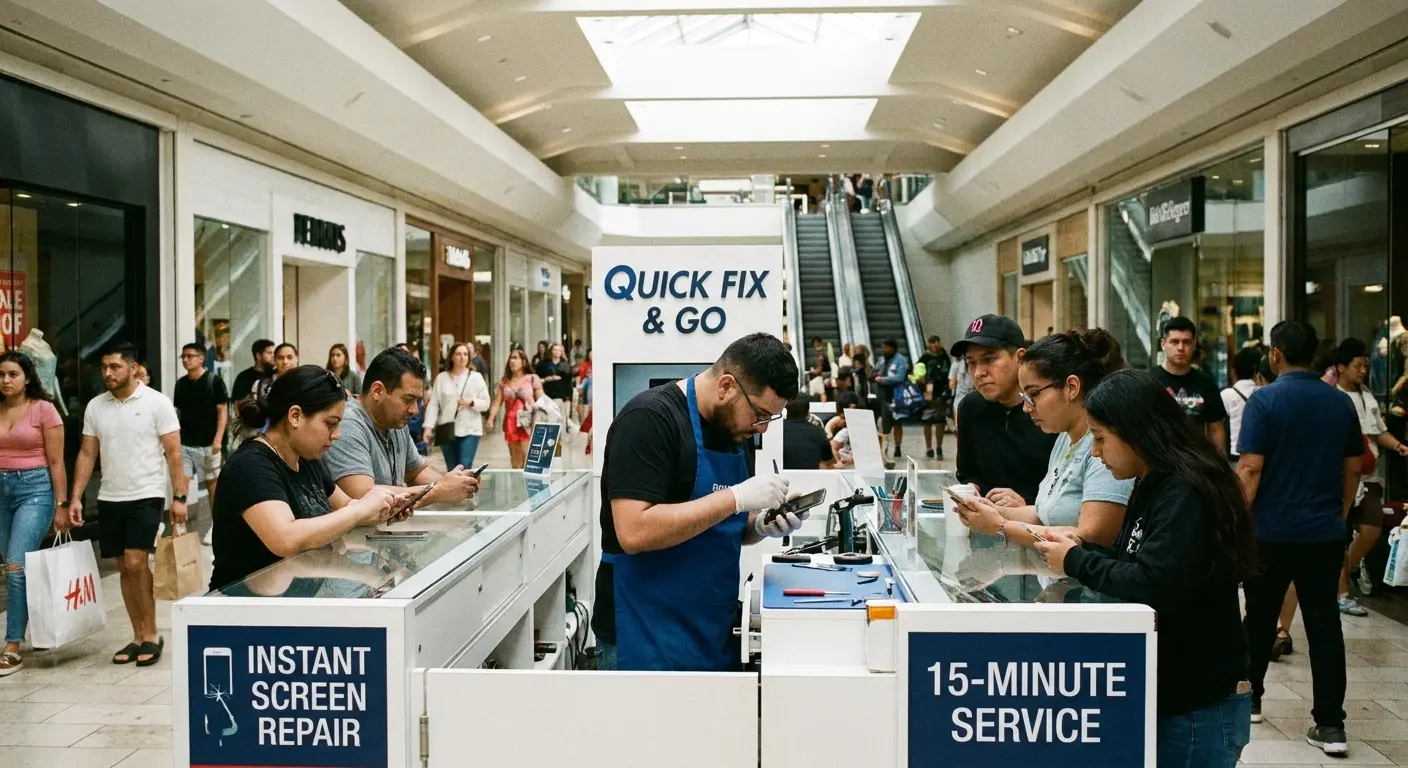
Return policies are often restrictive or nonexistent. If you're unhappy with the repair quality, your options are limited. These kiosks operate on volume, not customer relationships, which changes how they handle complaints.
Parts Quality Is Confusing As Hell (Here's What Matters)
What OEM Means (And What It Doesn't)
Original Equipment Manufacturer parts come from Apple's supply chain. These are identical to what's in your phone from the factory. The problem? Apple doesn't sell these parts to third-party repair shops, which means genuine OEM parts outside of Apple's ecosystem are usually salvaged from other devices.
Refurbished original parts have been removed from broken phones, cleaned up, and resold. Whether refurbished parts are any good comes down to who's doing the refurbishing, and you usually have no idea. Some operations do excellent work with proper testing and quality control. Others just wipe off the dust and resell whatever they pulled out of the last broken phone.
Aftermarket parts are manufactured by third parties trying to replicate Apple's specifications. The best aftermarket screens can be 85-90% as good as original parts. The worst are barely functional. Price usually correlates with quality here, but not always in predictable ways.
Copy parts represent the bottom of the barrel. These are cheap reproductions that meet minimum functionality standards but fail quickly. They're what you get when a repair quote seems too good to be true.
You know what makes me irrationally angry? The fact that there's no standardized parts grading system. Like, we have the USDA for beef. We have octane ratings for gasoline. We have thread count for sheets (even though that's mostly BS too, but at least it's standardized BS).
But for phone parts? Nothing. Just whatever the repair shop feels like calling it. "Premium." "OEM-quality." "Genuine refurbished." These words mean nothing.
And everyone in the industry knows this. But nobody fixes it because confusion is profitable.
Deep breath. Moving on.
Testing Parts Quality Before You Leave The Shop
Touch responsiveness should feel identical to your original screen. Test all corners and edges, not just the center. Run your finger in slow diagonal lines across the entire screen. Dead zones or areas requiring extra pressure indicate poor digitizer quality.
Color accuracy matters if you do any photo or video work. Pull up images you're familiar with and compare them to another iPhone if possible. Cheap screens often have color shifts, usually toward cooler blue tones or warmer yellows.
Brightness levels should match your phone's original capabilities. Max out the brightness in a well-lit area. If the screen struggles to be visible in bright sunlight, you got a subpar part.
True Tone functionality will likely be gone, but basic auto-brightness should still work. Test this by moving between bright and dark areas. If the screen doesn't adjust at all, something wasn't connected properly.
Jake picked up his iPhone 12 from a local repair shop after a $120 screen replacement. The technician handed it over, he glanced at the home screen, paid, and left.
Two days later, he noticed the right edge of the screen required noticeably harder presses to register touches. When typing, he constantly missed letters on that side. He returned to the shop, but they claimed he must have dropped it again and refused to honor their 30-day warranty.
Had he tested touch responsiveness thoroughly before leaving by running his finger along all edges and typing a full paragraph, he could have identified the defective digitizer immediately while still at the counter. Instead, he was out $120 with a half-working screen.
The Software Warnings You'll Probably See
"Unable to verify this iPhone has a genuine Apple display" messages appear on iPhone 11 and newer when non-Apple parts are installed. This warning is informational, not functional. Your phone works fine, but the message persists in settings.
True Tone disabled notifications happen with most third-party repairs because the feature requires specific calibration data tied to your original screen. Some advanced repair operations can transfer this data, but most don't have the equipment.
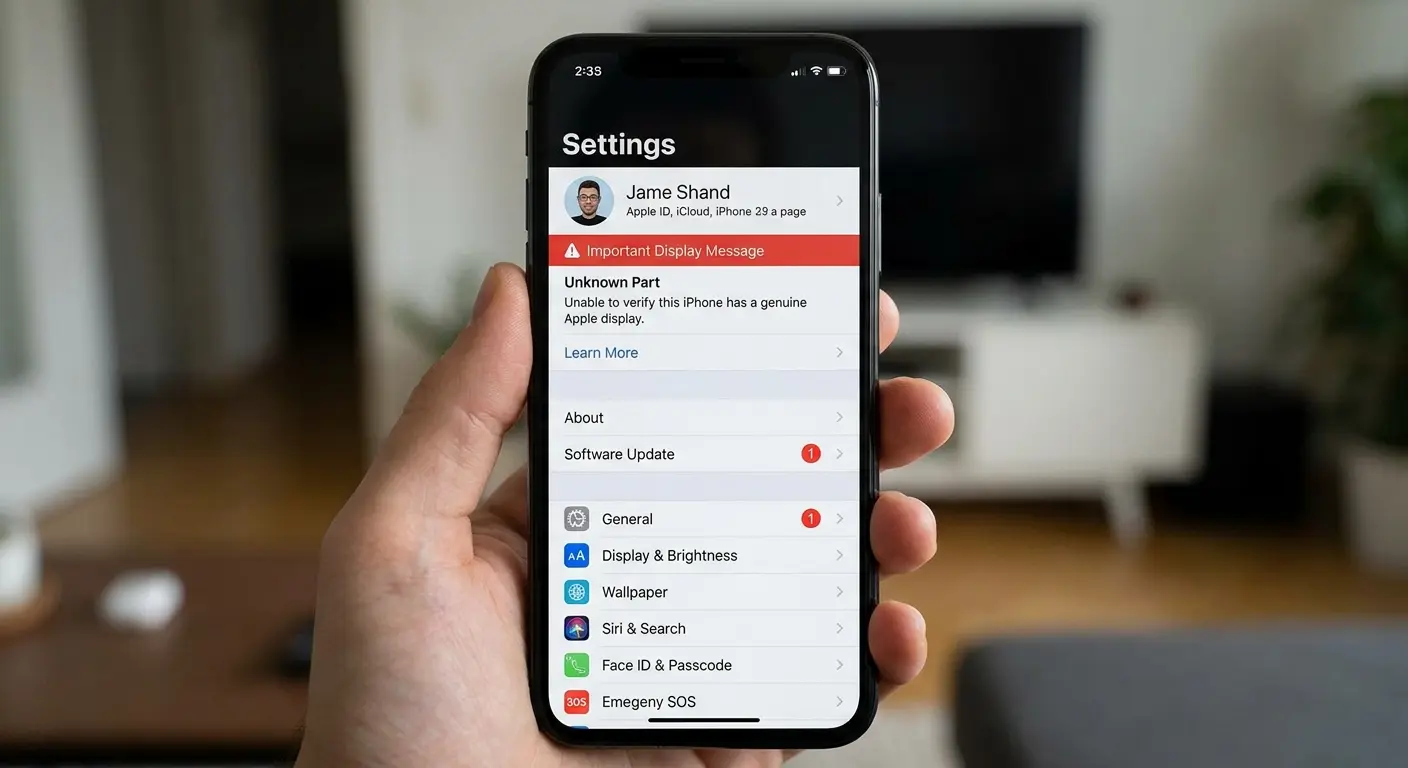
Battery health reporting can get disabled if certain flex cables are damaged during screen replacement. This doesn't affect battery performance, but you lose the ability to monitor battery health in settings.
Face ID failure messages are the serious ones. If Face ID stops working after a screen repair, the repair shop damaged the Face ID components or their connections. This should be covered under their warranty, but it's a hassle you don't want.
Protection Strategies That Actually Prevent The Next Crack
Why Your Next Screen Will Crack Too (Unless You Change Something)
Drop patterns repeat because our habits don't change. You cracked your screen getting out of your car, or pulling your phone from your pocket, or setting it on a table too quickly. The same scenario will happen again unless you address the root cause.
Case inadequacy is the most common culprit. That slim case looks great but offers minimal corner protection, which is where impact force concentrates during drops. We built our entire business around solving this specific problem because we got tired of seeing the same customers return with cracked screens every few months.
Screen protectors buy you one free drop, maybe two. Tempered glass protectors absorb impact by shattering themselves, which works until they're compromised. If your screen protector is cracked, replace it immediately. You're operating without protection.
Pocket and bag placement matters more than people think. Phones in back pockets get sat on. Phones loose in bags get crushed by other items. Phones in the same pocket as keys get scratched. Small habit changes prevent most damage.
Protection Levels That Match Real-World Use
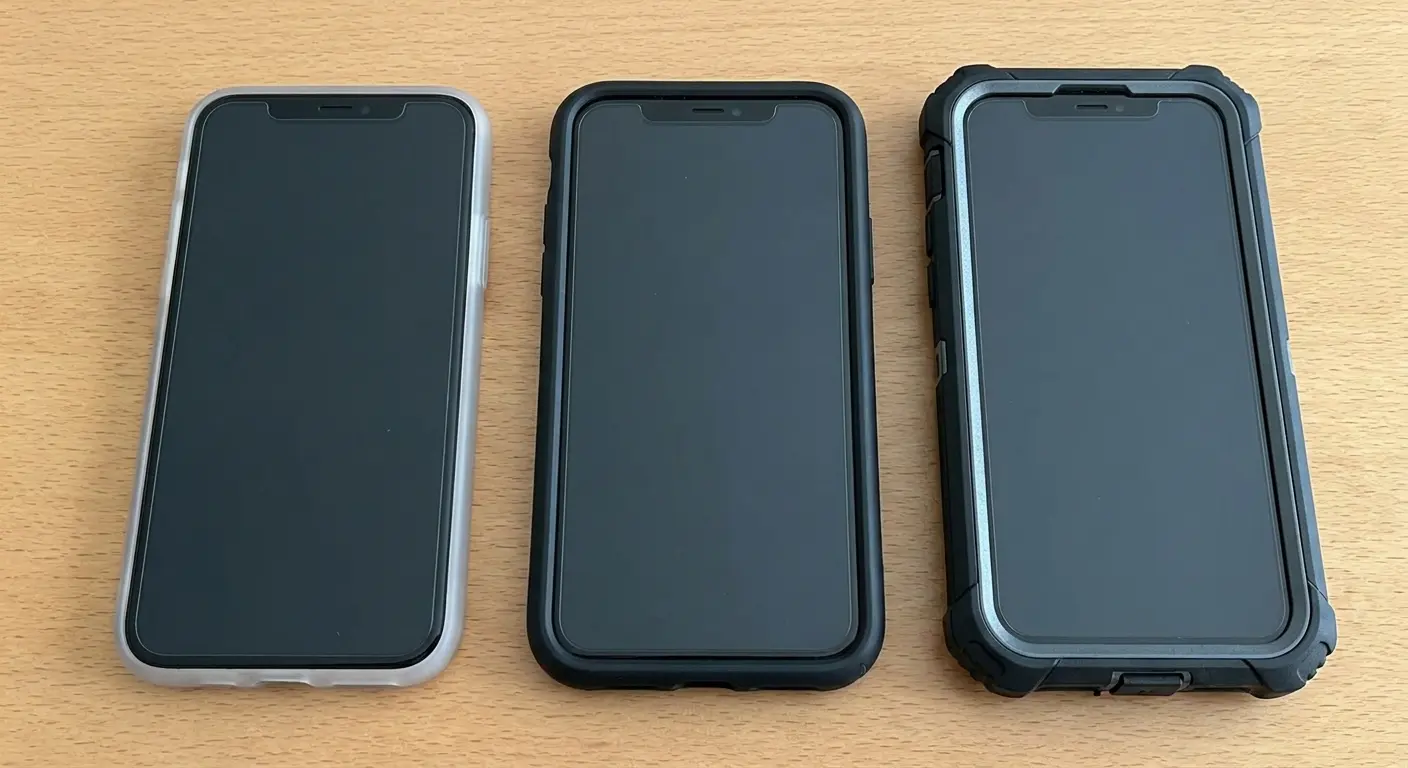
Minimal protection works for people who are genuinely careful and rarely drop their phones. A basic case and screen protector will handle minor impacts and scratches. If you've never cracked a screen before, you probably don't need to overdo protection.
Standard protection makes sense for most users. A quality case with raised bezels, reinforced corners, and a tempered glass screen protector will handle typical drops from waist height onto hard surfaces. This is the sweet spot for protection versus bulk.
Heavy-duty protection becomes necessary if you work in demanding environments, have dropped your phone multiple times, or use your device in situations where drops are likely. Construction sites, outdoor recreation, and active parenting all qualify. Full disclosure: we make cases and mounts. Obviously I'm going to mention them. But this is genuinely the problem we built our business around solving, so check out our Rugged Cases if you're tired of cracking screens.
The Mounting Solution Nobody Talks About
Phones drop most often during transitions. Getting in and out of vehicles, moving between activities, trying to use your phone while doing something else. Secure mounting eliminates drops during these high-risk moments.
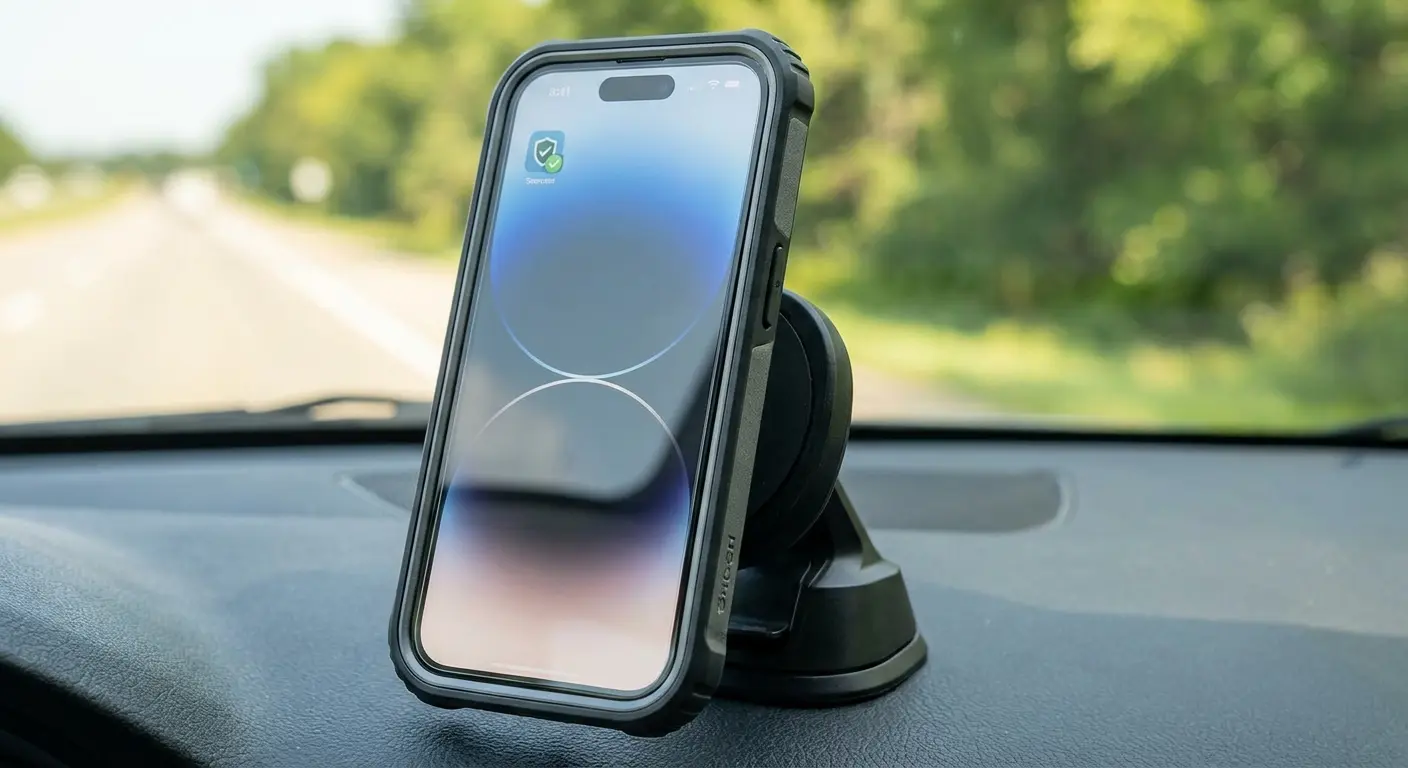
Dashboard mounting for driving keeps your phone accessible without the fumbling that leads to drops. You're not digging in cup holders or fishing your phone out from under the seat. Maps stay visible, calls stay connected, and your phone stays intact. Our car phone mounts use magnetic systems that make one-handed mounting possible, which matters when you're juggling keys, coffee, and everything else.
Bike and motorcycle mounting turns your phone into a reliable navigation tool without the constant worry about it bouncing loose and shattering on pavement. We've seen too many expensive phones destroyed because flimsy mounts failed at the worst possible moment. Check out our motorcycle phone mounts if you need something that can handle vibration and impacts without letting go.
Desk and wall mounting at home or work means your phone has a designated spot where it's secure and visible. You're not setting it down on random surfaces where it can slide off or get knocked over. Our magnetic mounting system works across multiple locations, so your phone always has a safe landing spot.
Warranty Stuff Nobody Explains Until You're Already Screwed
How Repairs Affect Your Apple Warranty
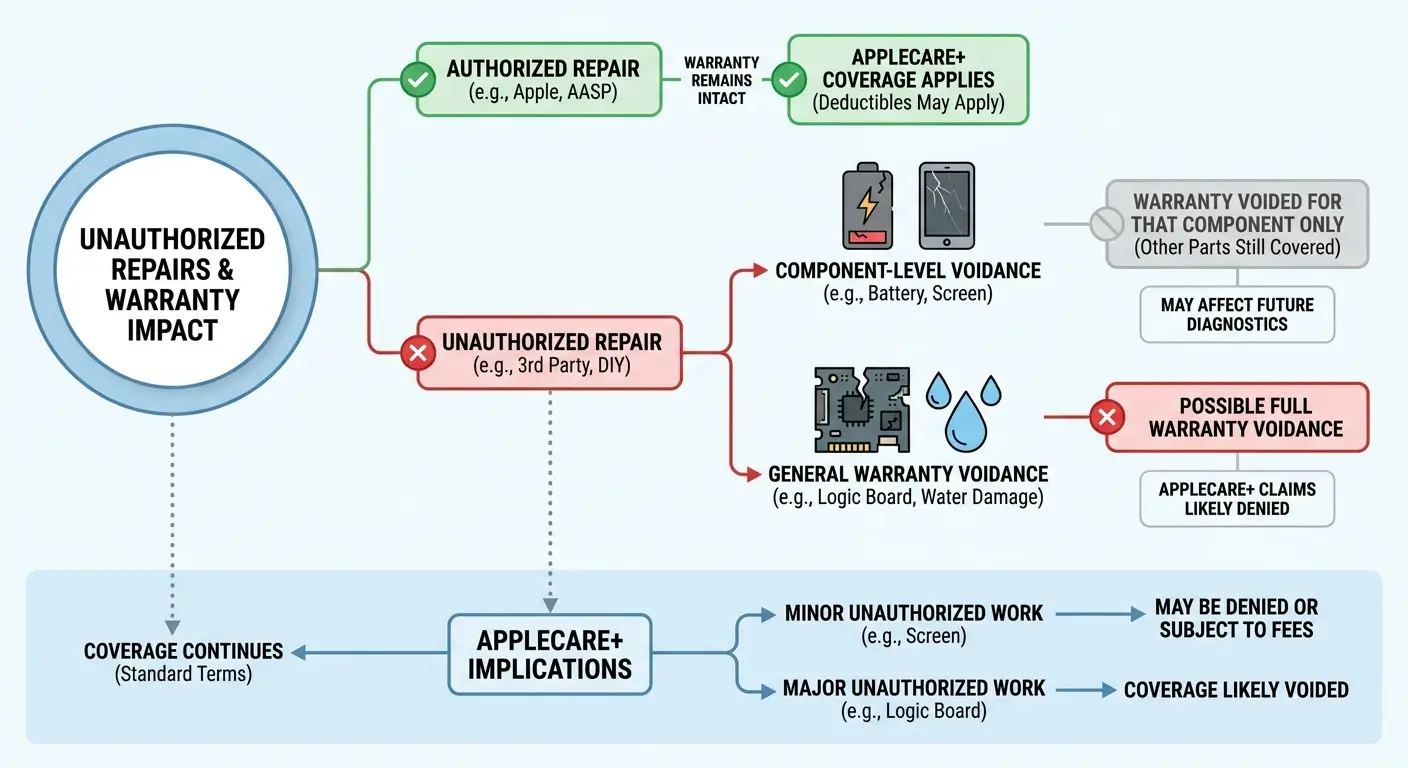
Standard one-year limited warranty covers manufacturing defects, not accidental damage. If you crack your screen, your warranty doesn't help anyway. But here's what matters: unauthorized repairs void your warranty for other issues that might arise.
Component-level warranty voidance means if you get a third-party screen replacement and then your camera fails, Apple can refuse warranty service on the camera because unauthorized repair work was performed. They're not required to service devices that have been opened by non-authorized technicians
Component-level warranty voidance means if you get a third-party screen replacement and then your camera fails, Apple can refuse warranty service on the camera because unauthorized repair work was performed. They're not required to service devices that have been opened by non-authorized technicians.
AppleCare+ coverage continues after authorized repairs but can be voided by unauthorized work. Read the fine print. If you have AppleCare+ and get a screen fixed at a mall kiosk, you might lose your coverage for everything else.
Documentation requirements matter if you want to preserve warranty status. Keep receipts and records of all authorized repairs. If you ever need to prove your device hasn't been tampered with, you'll need this paper trail.
The Repair History That Follows Your Device
Diagnostic software reveals repair history even if the work was done perfectly. Apple's internal systems can detect non-genuine parts, previous openings, and component replacements. This information affects how they handle future service requests.
Resale disclosure requirements vary by platform, but honest sellers mention repair history. Buyers can run diagnostics or check serial numbers to verify claims. Undisclosed repairs discovered later often lead to disputes and returns.
Trade-in value calculations factor in repair history heavily. Apple and carriers offer less for devices with third-party repairs, sometimes significantly less. A phone worth $400 in trade might only get $250 if it has a replacement screen.
Future repairability can be compromised by poor initial repair work. If someone stripped screws, damaged housing threads, or broke clips during your screen replacement, the next repair becomes harder and more expensive.
Insurance Claims and Repair Shop Interactions
Filing insurance claims after unauthorized repairs gets complicated. If you had a third-party screen replacement and then drop your phone again, your insurance company might deny the claim or argue the previous repair contributed to the damage.
Proof of authorized repair becomes necessary for some claims. Keep detailed records including receipts, warranty cards, and any documentation the repair shop provides. Vague "we fixed your screen" notes don't cut it for insurance purposes.
Multiple claims within short timeframes trigger scrutiny from insurance providers. If you're filing screen damage claims repeatedly, expect questions about how you're protecting your device and possible premium increases or coverage limitations.
Deductible structures sometimes change based on repair history. Some carriers increase deductibles for repeat claimants or devices that have had previous unauthorized work performed.
Look, I've Thrown A Lot At You Here
Maybe too much.
But here's what it comes down to: repair shops make money when you're confused and desperate. So they keep things confusing. They don't want you asking about your upgrade timeline or thinking about resale value or wondering if that "OEM quality" screen is just garbage they bought on Alibaba.
Your phone's probably going to outlast your screen. Most people crack their screens 2-3 times during ownership because they never fix the actual problem, which isn't the glass. It's how they're carrying and using their phone.
We built our business around this because we got tired of seeing the same customers come back every six months with the same problem. Better protection, better mounting, fewer repairs. It's not complicated.
But when you do need a repair, and you probably will, at least now you know what questions to ask.
And if a repair shop gets annoyed that you're asking too many questions? That tells you everything you need to know. Walk out.