


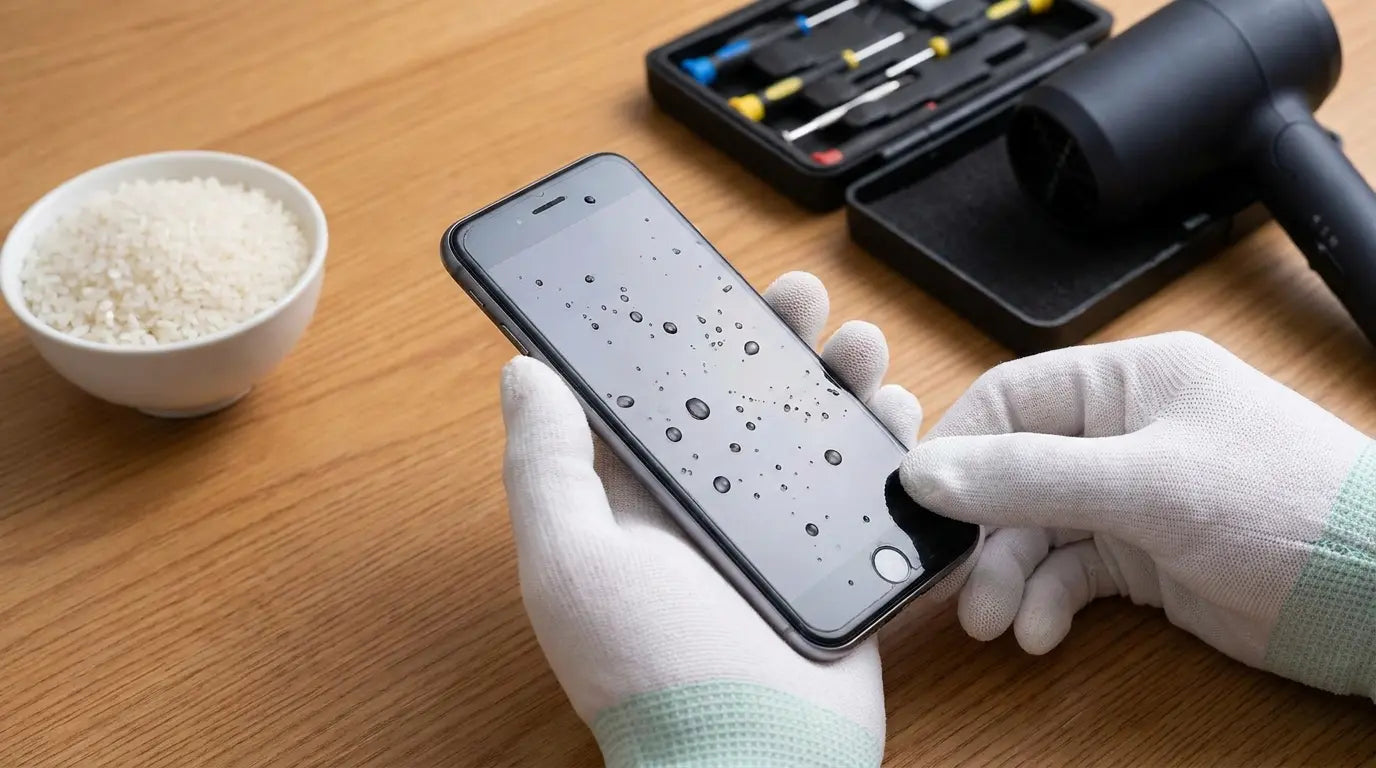
So your phone's wet. Or maybe it got wet before and you're not doing that again.
Either way, most advice you'll find focuses entirely on damage control after the fact. Rice, silica gel packets, the hair dryer debate (spoiler: terrible idea). But the real conversation about water damage should start before your phone ever gets wet.
Here's the truth: most water damage is preventable. Not all of it, sure. But the majority of incidents happen in predictable scenarios we choose to ignore until we're staring at a blank screen. I'm going to walk through the actual fix methods (because you need them), but more importantly, we're examining why your phone got wet in the first place and how to make sure it never happens again.
Table of Contents
Why Water Damage Prevention Beats Emergency Response Every Time
Understanding Your Phone's Actual Water Resistance (It's Not What You Think)
The Immediate Response Protocol When Water Contact Happens
What Actually Works for Drying Out Your Device
The Hidden Damage You Can't See and Why It Matters
Building a Prevention System That Doesn't Rely on Luck
When Professional Repair Makes Sense vs. When It's Too Late
TL;DR
Water resistance ratings degrade over time and don't cover common exposure scenarios
The first 60 seconds after water contact determine whether your phone survives
Rice doesn't work and some popular drying methods cause more damage than water alone
Internal corrosion continues for days after the phone appears dry
Prevention requires addressing specific use patterns, not just buying a waterproof case
Most water damage happens during routine activities, not freak accidents
Professional data recovery is possible even when the phone is dead, but it's expensive
Why Water Damage Prevention Beats Emergency Response Every Time
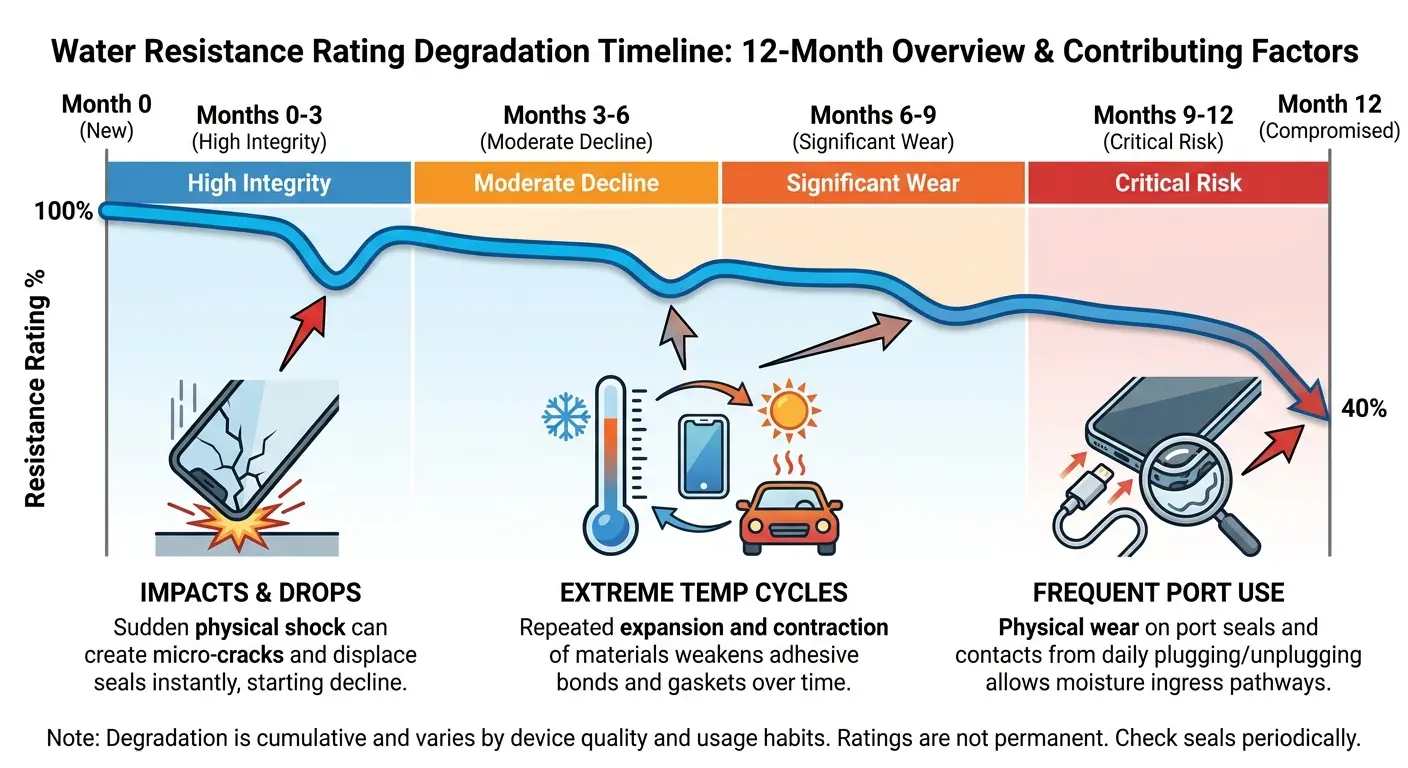
Your phone can survive a brief dunk in freshwater under ideal conditions. That's what the IP68 rating promises, at least on paper. But here's what manufacturers don't emphasize in their marketing materials: water resistance isn't a permanent feature. It degrades with every drop, every temperature fluctuation, every time you open the charging port.
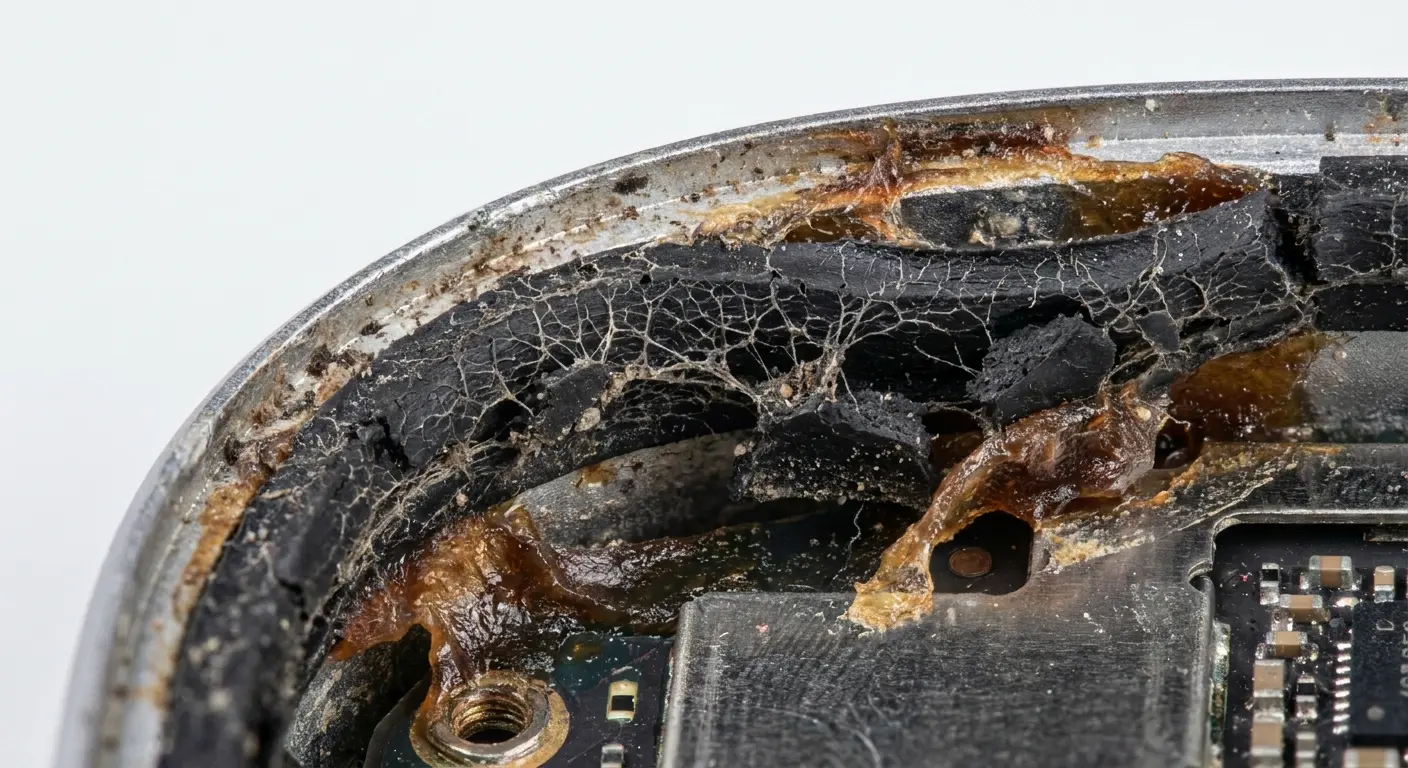
The adhesive seals protecting your device weaken over months of normal use. Microscopic cracks develop in the housing. The rubber gaskets compress and lose their integrity. By the time your phone is a year old, that IP68 rating is more of a suggestion than a guarantee.
I've watched people lose thousands of photos, critical work documents, and irreplaceable messages because they trusted their phone's water resistance rating without understanding its limitations. The emotional cost hits harder than the replacement price. You can buy a new device in a few hours. You can't recover your daughter's first words if they only existed in a corrupted video file.
Prevention isn't about living in fear of water. It's about recognizing patterns in how you use your phone and building barriers at those specific vulnerability points.
Most water damaged phone incidents follow predictable patterns. Bathroom counters while showering. Kitchen sinks during meal prep. Outdoor activities near bodies of water. Workout sessions where sweat accumulation exceeds what the device can handle.
Think about your bathroom for a second. You place your phone on the counter while you shower because you're streaming music or a podcast. Steam accumulates. Condensation forms on the device. Over weeks and months, moisture seeps into the charging port. One day, you notice the port won't accept the cable properly. By that point, internal corrosion has already started.
You didn't drop the phone in water. You didn't submerge it. You just exposed it to humidity repeatedly in a scenario that felt completely safe.
Understanding Your Phone's Actual Water Resistance (It's Not What You Think)
Let me ruin IP68 ratings for you.
That "waterproof" certification? It means your phone survived 30 minutes in a lab tank with perfectly still, room-temperature freshwater. Once. When it was brand new.
Your phone isn't brand new anymore. You've dropped it. The seals have compressed. The adhesive has weakened. That IP68 rating is more like an IP63 now. Maybe IP60 if you've had the phone for two years.
Laboratory conditions don't include:
Saltwater or chlorinated pool water
Moving water with any force behind it
Hot water above room temperature
Water contact while the phone is hot from charging or processing
Repeated exposure over time
Any water contact after the phone has experienced drops or impacts
The rating tests use stationary, room-temperature freshwater with the device in perfect, factory-new condition. Your actual usage environment matches approximately none of these parameters.
Water Type |
Corrosion Speed |
Risk Level |
Common Scenarios |
|---|---|---|---|
Freshwater (room temp) |
Slow |
Low to Moderate |
Sink splashes, rain exposure |
Tap water |
Moderate |
Moderate |
Kitchen accidents, bathroom drops |
Saltwater |
Very Fast |
Extreme |
Beach, ocean activities |
Chlorinated water |
Fast |
High |
Pool exposure, hot tubs |
Sugary drinks |
Very Fast |
Extreme |
Coffee spills, soda accidents |
Hot water |
Fast |
High |
Shower steam, cooking accidents |
And that's just freshwater. Saltwater? Pool water? Your morning coffee? The testing doesn't cover any of that. Saltwater corrodes electronics about 10x faster than freshwater. Soda is even worse because sugar creates this sticky residue that traps moisture against the components.
So yeah. "Waterproof." Sure.
Water resistance and waterproofing are different things. No consumer smartphone is waterproof. They're water resistant, which means they can handle some exposure under specific conditions. This actually matters because when you're deciding whether to take your phone into situations where water contact is likely, you need to know what you're working with.
Manufacturers test new devices. Your phone stops being new the moment you start using it.
Thermal cycling from charging, physical stress from daily handling, and environmental exposure all contribute to seal degradation. Some estimates suggest water resistance drops by 20-30% within the first six months of ownership. This is where proper phone water damage prevention becomes critical, especially if you're frequently outdoors or near water.
The Immediate Response Protocol When Water Contact Happens
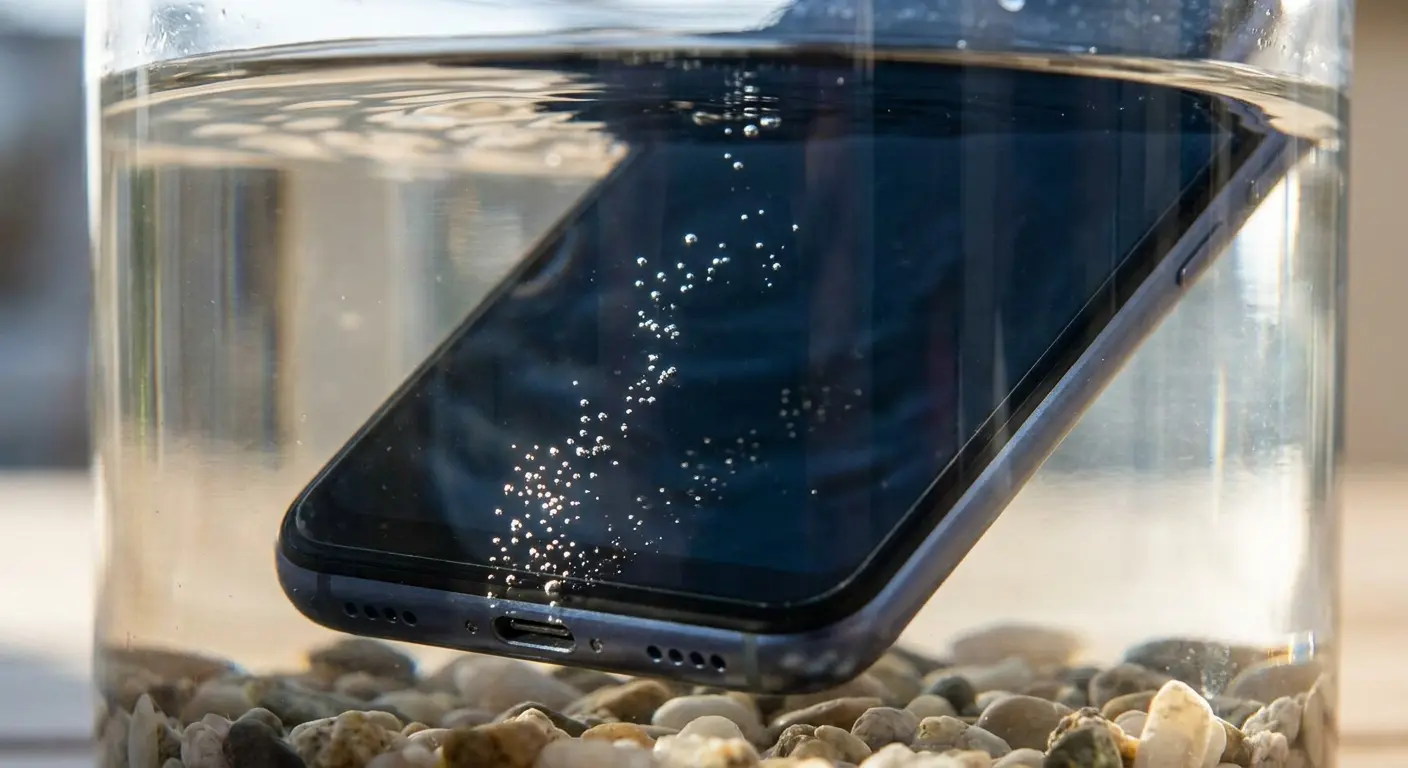
Okay, your phone just got wet. You've got maybe 60 seconds before this goes from "probably fine" to "definitely not fine."
Time matters more than any other factor once water touches your phone. You have about 60 seconds before water penetration reaches critical internal components in most devices.
First 60 Seconds Emergency Checklist:
Power off immediately (Hold power button, force shutdown if needed)
Remove the case (Water trapped between case and phone extends exposure)
Pull SIM card tray (Creates escape route for trapped water)
Position ports downward (Let gravity drain water from openings)
Remove any accessories (Headphones, charging cables, pop sockets)
Pat dry exterior only (Gentle dabbing with lint-free cloth)
Place in open air (Not in a bag, container, or enclosed space)
Turn it off. Right now. I don't care if you're mid-text, mid-call, mid-whatever. Hold the power button and shut it down. Every second the device remains powered while wet increases the risk of short circuits that cause permanent damage. Don't wait to save what you're working on. Don't try to test if it's still functioning. Just shut it down, even if it seems fine.
Rip the case off if you're using one. Water trapped between the case and phone creates sustained contact that's worse than brief exposure. Some cases hold water against the device, turning a minor splash into prolonged submersion. If you're using a rugged protective case from Rokform, the magnetic mounting system makes quick removal easier during emergencies, though our cases are designed with drainage channels to minimize water retention.
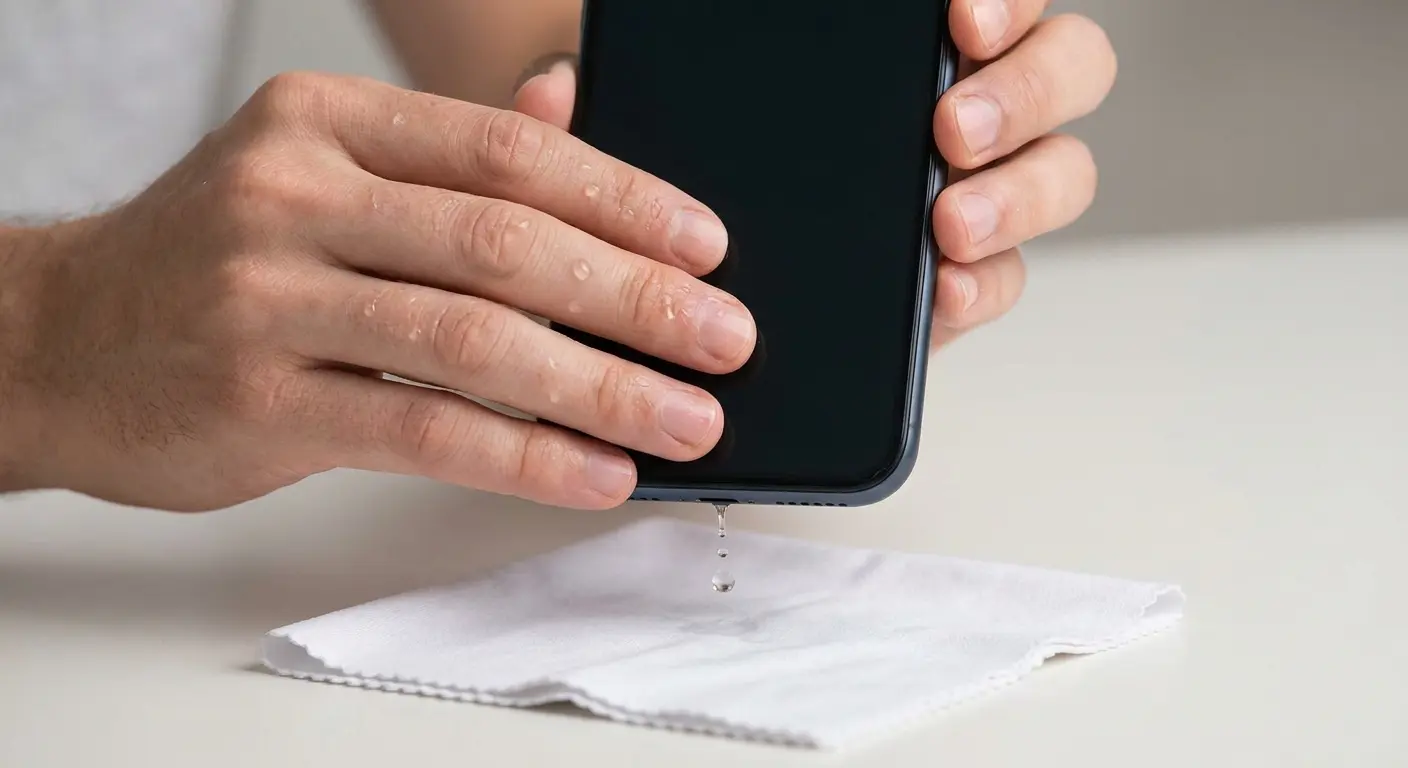
Pull out the SIM card tray. This creates an additional escape route for water and helps air circulation during drying. The SIM tray opening is one of the few user-accessible entry points, and leaving it sealed traps moisture inside.
Position the phone to let gravity work for you. Ports facing down. This seems obvious but people often lay phones flat, which keeps water pooled in charging ports and speaker grilles.
Don't do these things, even though every instinct tells you to:
Don't turn it on to check if it works
Don't plug it in to see if it charges
Don't shake it vigorously (you'll spread water to dry areas)
Don't apply heat from hair dryers or ovens
Don't put it in rice
The rice thing. We need to talk about the rice thing.
It doesn't work. It never worked. Your phone recovered IN SPITE of the rice, not because of it. Rice isn't even a particularly good desiccant (silica gel is way better), and even that barely helps unless you have like 30 of those little packets.
But here's why the myth won't die: confirmation bias. Someone drops their phone in water, panics, throws it in rice for two days, and the phone works. They credit the rice. What actually happened is the phone dried out on its own because they left it alone for 48 hours.
The rice didn't hurt (usually), but it also didn't help. You could've left it on the counter and gotten the same result. Actually, you would've gotten a BETTER result because now you don't have rice dust in your charging port.
Your goal in the first few minutes is simple: minimize electrical damage and create conditions for water to escape. Nothing else matters until you've accomplished those two things. Understanding how to get water out of your phone starts with these critical first steps, not the drying methods that come later.
What Actually Works for Drying Out Your Device
Passive air drying in a low-humidity environment beats every other method. Room temperature, good air circulation, ports facing down, minimum 48 hours. Boring, slow, and significantly more effective than any active intervention you're tempted to try.
Silica gel packets work if you have enough of them. You need about 100 grams of silica gel for effective moisture absorption around a smartphone. Those tiny packets that come with shoes or electronics? You'd need about 20-30 of them. Most people have maybe three lying around. Insufficient quantities provide false confidence while water continues damaging components.
Drying Method |
Effectiveness |
Time Required |
Risk Level |
Notes |
|---|---|---|---|---|
Passive air drying |
High |
48-72 hours |
Very Low |
Best option for most situations |
Silica gel (100g+) |
High |
24-48 hours |
Low |
Requires substantial quantity |
Vacuum chamber |
Very High |
2-4 hours |
Low |
Professional equipment needed |
Rice |
Very Low |
N/A |
Medium |
Starch dust causes additional issues |
Hair dryer/heat |
None |
N/A |
Very High |
Causes component damage |
Isopropyl alcohol |
Medium |
12-24 hours |
High |
Requires 90%+ concentration, risky DIY |
Isopropyl alcohol displacement is a technique repair professionals use, but it's risky for DIY attempts. The theory is sound: alcohol displaces water and evaporates faster. The execution requires 90%+ concentration isopropyl alcohol, complete submersion of the device, and understanding of which components can't handle alcohol exposure.
You can cause more damage than the water did if you get it wrong.
Vacuum chambers work well but require equipment most people don't have access to. Some phone repair shops offer vacuum drying services. If you're near one and your phone is valuable enough to justify the service fee, this is worth considering within the first few hours.
Heat is your enemy, not your friend. Every degree above room temperature increases the risk of damaging heat-sensitive components. Hair dryers, ovens, radiators, and direct sunlight all cause more problems than they solve. Heat also accelerates corrosion processes, so you're literally speeding up the damage you're trying to prevent.
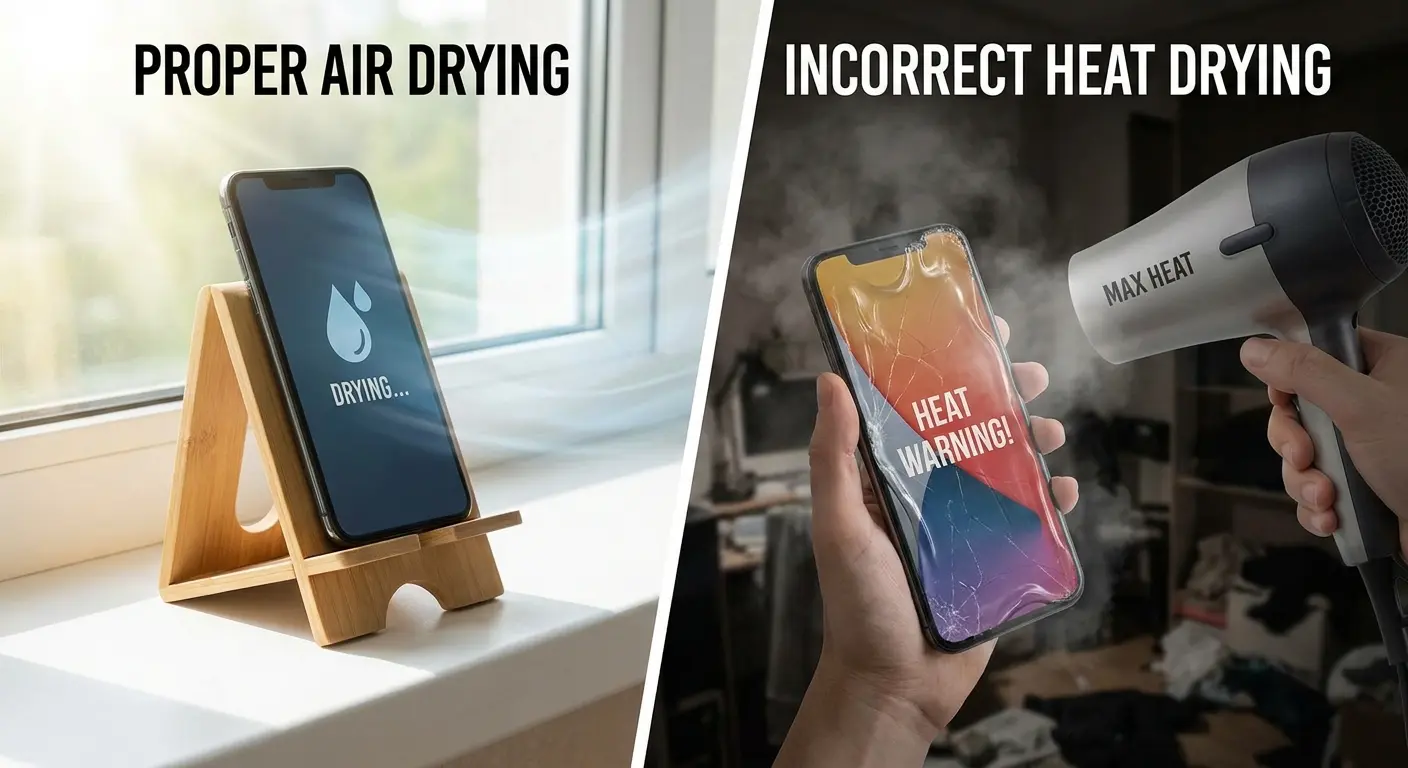
My buddy Jake (and I told him this was stupid) used a hair dryer on his iPhone 12 after it fell in his pool. Worked great for about 20 minutes. Then the screen just... black. Completely black. Turns out he melted something inside. Cost him $400 to fix what would've been fine if he'd just left it alone. The heat didn't dry the phone faster. It melted the adhesive holding the display connector in place, created thermal stress on the logic board, and damaged the battery. What started as recoverable water damage became a total loss because of the drying method, not the water itself.
Here's how it actually works. Water evaporates faster in dry environments with good air circulation. You want to maximize evaporation rate without introducing heat or physical agitation. Think open room with a fan (not pointed directly at the phone, just improving general air circulation), not enclosed container with active heating.
You're fighting two separate problems: liquid water that needs to evaporate, and mineral deposits left behind as water evaporates. Freshwater leaves fewer deposits than tap water, which leaves fewer than saltwater. The deposits cause problems even after all moisture is gone, which is why phones sometimes work for days after water exposure and then suddenly fail.
Knowing how to fix water damage phone issues means understanding that drying is only half the battle. The minerals and residue left behind continue causing damage long after the last drop of water has evaporated.
The Hidden Damage You Can't See and Why It Matters
Your phone might power on successfully after drying. You might use it normally for days or even weeks. Then it suddenly dies, and you're confused because you thought you'd fixed the problem.
Corrosion doesn't stop when the water evaporates.
Mineral deposits and residual moisture create ongoing electrochemical reactions that slowly destroy circuit board traces and component connections. This process continues until you actively stop it or until enough damage accumulates to cause failure.
The timeline varies. Freshwater exposure might give you weeks before corrosion causes problems. Saltwater accelerates the process to days. Sugary drinks (soda, juice, coffee with sugar) create sticky residues that trap moisture and speed up corrosion even faster than saltwater.
Battery connections corrode first in most cases. You'll notice the phone dying at higher battery percentages or refusing to charge properly. These are warning signs that internal damage is progressing. By the time you see symptoms, the corrosion has usually spread beyond the battery connector.
Display connectors and logic board components follow. You might see screen flickering, touch responsiveness issues, or random restarts. Each symptom indicates specific component damage, and multiple symptoms mean the corrosion has spread to multiple areas.
Progressive Corrosion Warning Signs (in typical order of appearance):
Days 1-3: Charging port issues, intermittent charging, slow charging speeds
Days 3-7: Battery percentage drops suddenly, phone dies above 20% battery
Days 7-14: Speaker distortion or complete audio failure, microphone problems
Days 14-30: Screen flickering, dead pixels, touch sensitivity issues
Days 30+: Random restarts, boot loops, complete device failure
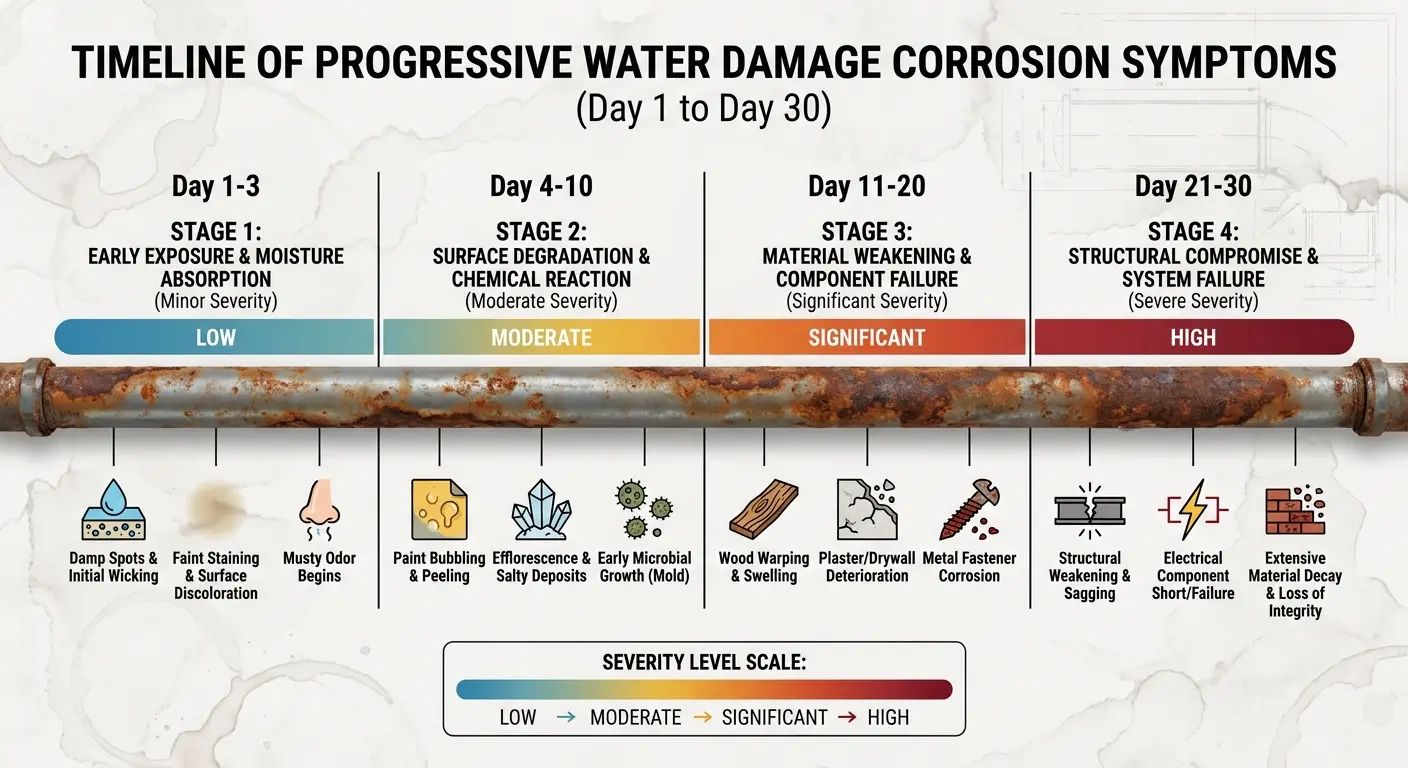
Professional cleaning with ultrasonic baths and specialized solutions can stop the corrosion process, but only if done before too much damage accumulates. The window for effective intervention is about 72 hours after water exposure. After that, you're looking at component-level repairs or replacement.
And here's the kicker: you can't see the damage happening. The phone works fine, so you assume you're in the clear. Meanwhile, corrosion is spreading across the logic board, destroying traces and connections that can't be repaired without microsolder work.
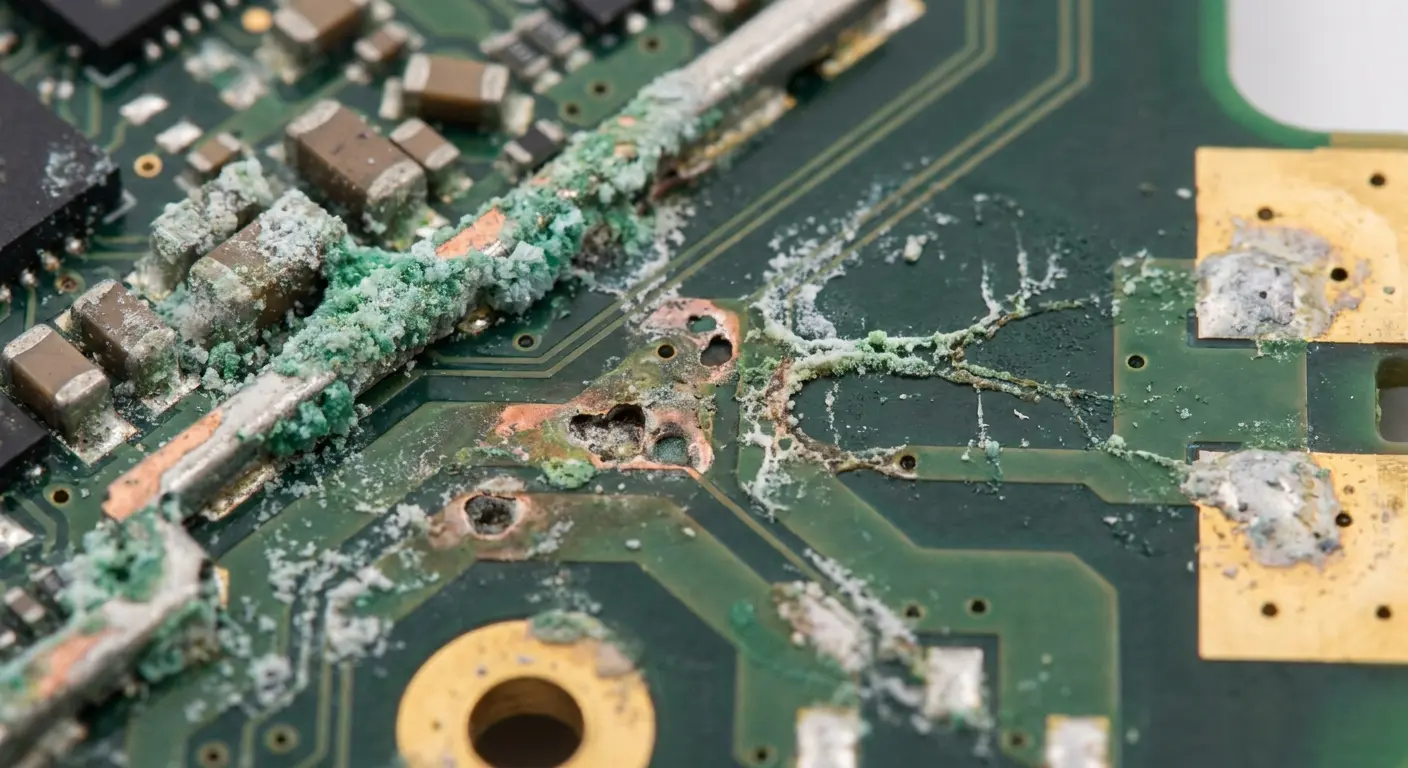
Some damage is permanent regardless of intervention timing. Water exposure can degrade battery chemistry even if no visible corrosion occurs. You might notice reduced battery life or swelling months after the incident. Microphone and speaker components are especially vulnerable to permanent damage from water exposure.
Data recovery becomes your priority once you accept the phone itself might not be salvageable. If the device won't power on but you need the contents, professional recovery services can extract data from damaged logic boards. This is expensive (often $500-1500 depending on damage severity), but it's possible even when the phone appears completely dead.
Phone water damage repair becomes a race against time once corrosion starts. Every day you wait reduces the chances of successful recovery and increases the likelihood of catastrophic component failure.
Building a Prevention System That Doesn't Rely on Luck
You use your phone in the same situations repeatedly. Identifying those patterns is the first step toward meaningful prevention.
Track where and when you're most likely to expose your phone to water. Bathroom use while showering or bathing. Kitchen use during cooking and cleaning. Outdoor activities near pools, lakes, or oceans. Gym sessions where sweat accumulation is significant. Commuting in rain or snow.
Each scenario requires a different prevention approach. Generic solutions don't work because they rely on perfect behavior under varying circumstances. You need specific barriers that work automatically without requiring constant vigilance.
Bathroom prevention starts with creating a designated dry zone for your phone. Not the counter next to the sink. Not the toilet tank. A shelf or cabinet area that's physically separated from water sources and steam exposure. If you need your phone for music or podcasts while showering, invest in a waterproof Bluetooth speaker instead of bringing the phone into the humid environment.
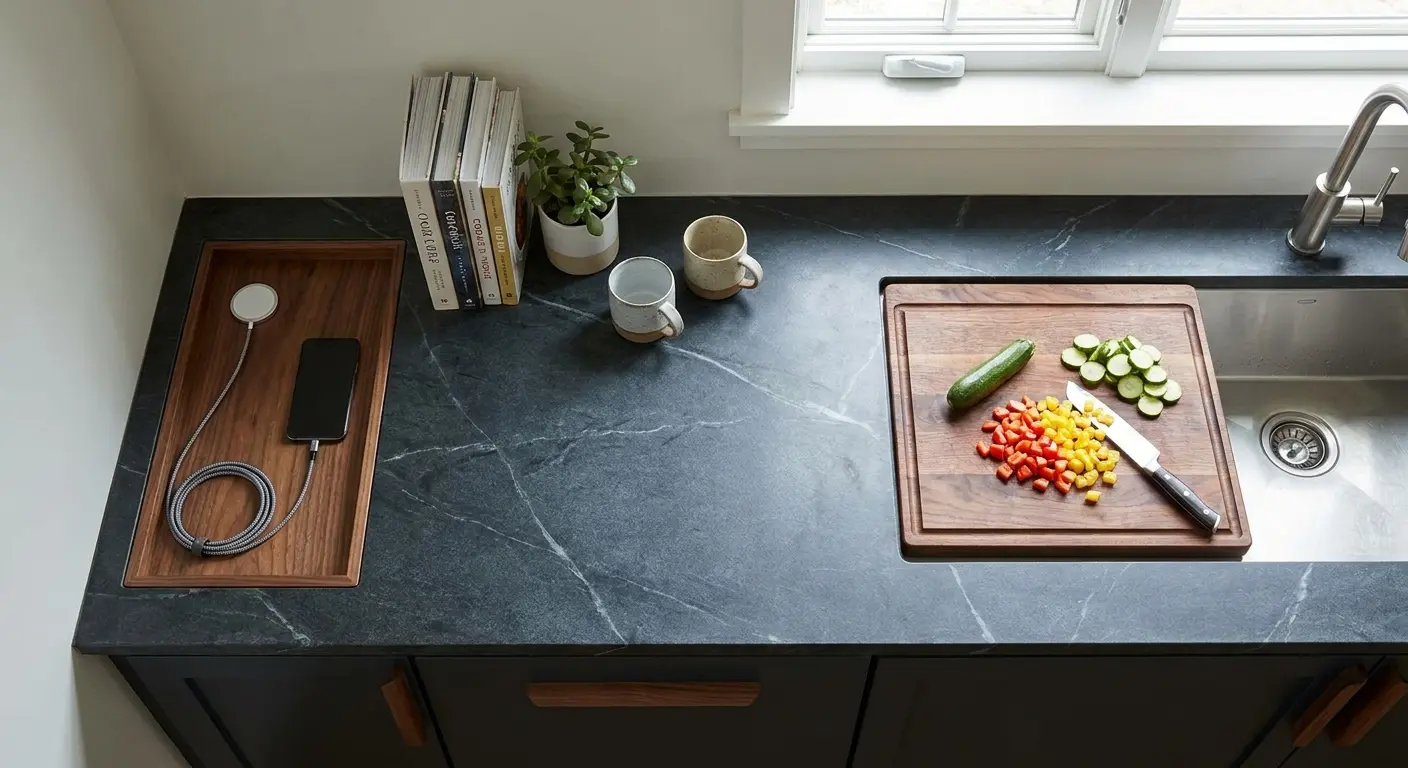
Kitchen prevention means establishing a charging station away from the sink and food prep areas. Phones end up near water sources because we put them down wherever we're working. Create a specific spot that's convenient but separated from wet zones.
Magnetic mounting systems work well here because they keep the phone accessible without it being in the danger zone. Rokform's magnetic mounts secure your device to walls, cabinets, or metal surfaces, keeping it elevated and away from countertop spills and splashes.
Outdoor activity prevention requires accepting that standard cases aren't enough. If you're regularly near water, you need either a truly waterproof case (not water-resistant, waterproof) or a waterproof pouch. The pouch approach works better for occasional exposure because you're not adding bulk to your daily carry. Keep one in your gym bag, car, or beach gear.
Take the pool scenario. You're at a pool party, and everyone's taking photos. You want those memories captured, but you also know your phone is one slip away from the deep end. A waterproof pouch costs $15 and fits in your pocket. You can still use the touchscreen through the clear plastic, take photos underwater if you want, and eliminate the anxiety entirely.
The pouch doesn't make your phone bulkier for the other 360 days of the year when you're nowhere near a pool.
Sweat damage is underestimated. Armband phone holders during workouts create sustained sweat exposure that can penetrate ports and seals. Either leave your phone in a locker or use a truly waterproof case if you need it during exercise. Sweat contains salt and other minerals that corrode components just as saltwater does.
For serious outdoor enthusiasts, Rokform's rugged cases offer military-grade drop protection with integrated mounting systems. While they're not fully waterproof, the reinforced construction and sealed edges provide better moisture resistance than standard cases, especially when combined with our bike mounts or motorcycle mounts that keep your device secured and elevated during activities.

The prevention system works because it addresses specific use cases with appropriate solutions. You're not trying to remember to be careful all the time. You're creating physical barriers and designated zones that protect your phone automatically as part of your normal routine.
When Professional Repair Makes Sense vs. When It's Too Late
Professional water damage repair costs between $80-300 for most phones, depending on the extent of internal cleaning required and whether any components need replacement. You're weighing this cost against the phone's replacement value and the importance of data recovery.
Look, it's pretty simple when you break it down for newer flagship phones. A $200 repair on a phone worth $800 makes sense if the repair has a reasonable success rate. For older devices or budget phones, replacement often costs less than professional repair.
Timing determines success rates more than damage severity. Water damage repair attempted within 24-48 hours has about 70-80% success rates for freshwater exposure. Wait a week, and that drops to 30-40% as corrosion spreads. Wait a month, and you're looking at under 10% success rates for full functionality recovery.
Professional repair involves complete disassembly, ultrasonic cleaning of the logic board and components, inspection for damaged parts, and reassembly. Reputable shops test all functions before returning the phone to you. This process takes 2-4 hours of actual work, which explains the labor costs.
You can assess repair viability yourself with a few indicators. If the phone won't power on at all after 48 hours of drying, professional intervention is your only option short of replacement. If it powers on but shows multiple function failures (screen issues plus audio problems plus connectivity issues), the damage is extensive enough that repair costs will approach the high end of the range.
Single-function failures are more promising. A working phone with only speaker damage or only camera issues suggests localized damage that's cheaper to address. Component replacement might be necessary, but the overall repair is more contained.
Data recovery without phone repair is possible through logic board extraction and specialized equipment. This service costs more ($300-800 typically) because it requires more technical expertise and doesn't result in a working phone. You get your data transferred to a new device or storage medium, but the damaged phone remains non-functional.
Water damage also voids most manufacturer warranties, so don't expect free repair through official channels. Third-party repair shops are your option, and quality varies significantly. Look for shops that specialize in water damage specifically rather than general phone repair. The techniques and equipment differ from screen replacements or battery swaps.
Ask potential repair shops about their success rates for water damage and whether they charge diagnostic fees if repair isn't possible. Some shops charge $40-60 just to assess the damage, which you'll pay even if they determine repair isn't viable. Others waive diagnostic fees if you proceed with repair.
Insurance claims are another consideration. If you have device insurance or homeowner's/renter's insurance that covers electronics, water damage might be covered minus your deductible. Check your policy before paying for repairs, as some insurers require you to use specific repair providers or go through their claims process first.
Final Thoughts
Water damage prevention isn't about paranoia. It's about recognizing that your phone exists in environments where water exposure is inevitable unless you create specific barriers. The fix methods matter when prevention fails, but they're always secondary to not needing them in the first place.
Your phone will encounter water. That's not a question of if, but when. The difference between a minor inconvenience and a total loss comes down to whether you've built prevention into your daily routines or you're relying on luck and water resistance ratings that degrade over time.
I've covered the immediate response protocol because you need it when things go wrong. I've explained what works for drying because most popular methods make things worse. But the real value is in the prevention system you build around your specific usage patterns.
Start by identifying your highest-risk scenarios. Then implement specific solutions for those scenarios rather than trying to change your behavior across the board. Physical barriers, designated safe zones, and mounting systems that keep your phone secured away from water sources.
The phones we carry represent significant financial investment, sure. But more importantly, they hold pieces of our lives that can't be replaced at any price. Photos, messages, notes, memories captured in digital form. Prevention protects both the device and the irreplaceable content it contains.
You know your patterns better than anyone. You know where and when your phone is most vulnerable. Build your prevention system around that knowledge, and you'll never need to panic-search for how to fix water damaged phone solutions again.

