

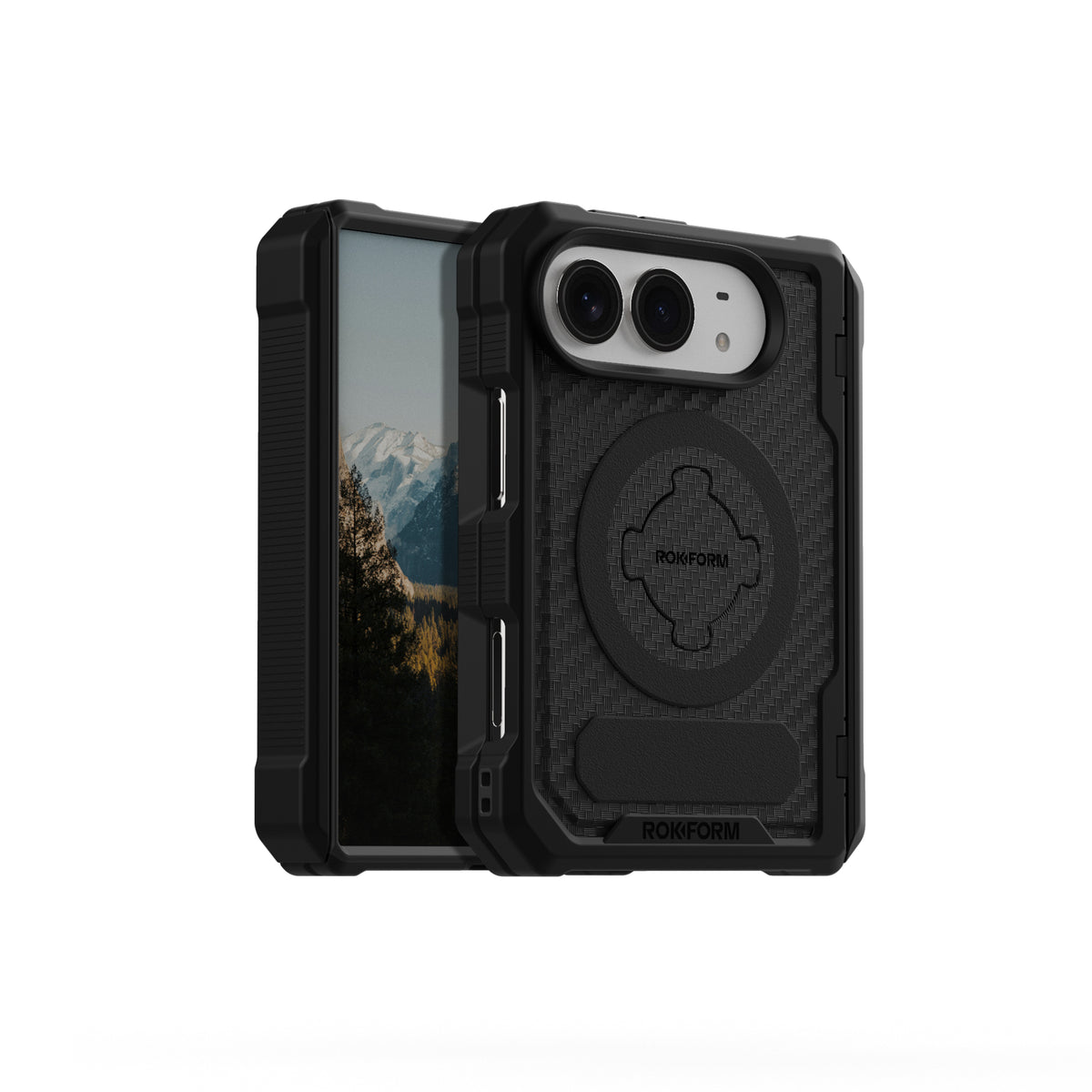


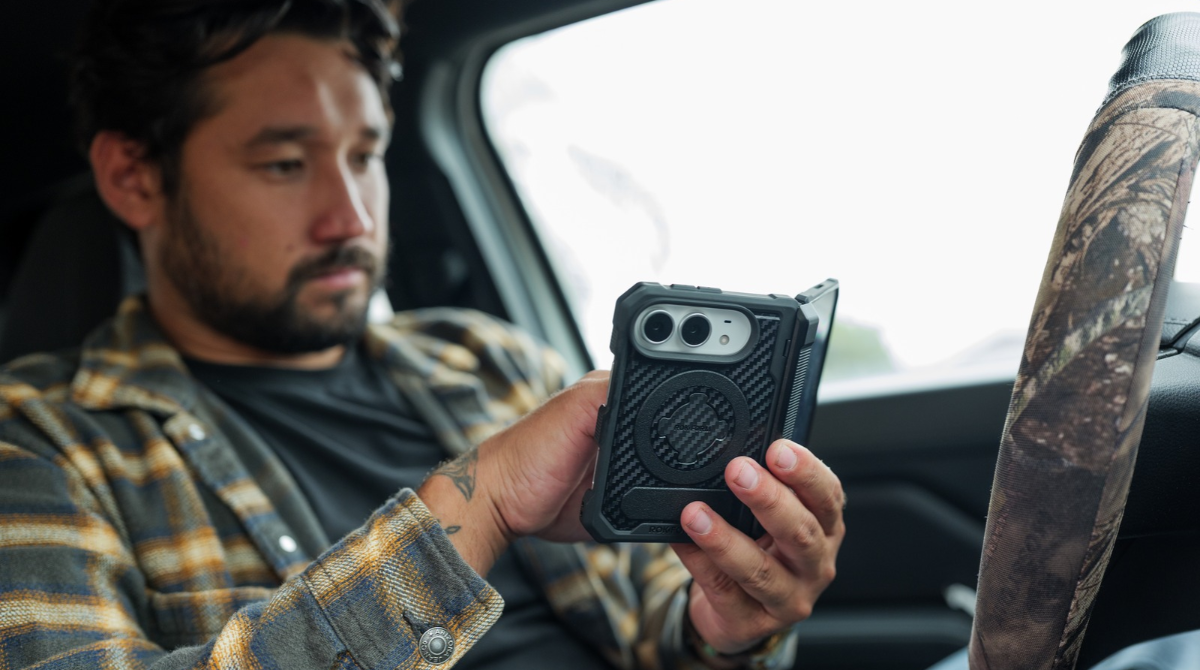
Your iPhone Duo needs more than a strong magnet. It needs a mount that works with your case, fits your vehicle, and holds your phone at a useful angle without blocking your controls.
Our Rokform car mounts for iPhone Duo start with a matched setup: our iPhone Duo Rugged Case and your choice of a windshield, dash, or screen-mounted charger. You pick the spot that works in your vehicle. We’ll help you sort out the details.
That’s our #1 pick for a matched Rokform setup, not an independent ranking.
We’ve covered whether the iPhone Duo is worth it. Here, we’ll help you choose a mount without guessing about case compatibility, magnetic hold, or charging.
TL;DR
Start with our iPhone Duo Rugged Case, then choose a windshield, dash, or screen-mounted charger that fits your vehicle
A strong magnet is only part of the setup, so check the base and adjustable joints too
Use the non-magnetic case plug for wireless charging and remove any detachable ring or stand
Check your phone’s angle, charging connection, and clearance while parked before hitting the road
What Your iPhone Duo Needs From a Car Mount
Apple lists the iPhone Duo’s weight at 254 grams. Add our 86-gram Rugged Case with the non-magnetic plug installed, and your mount is supporting about 340 grams, or 12 ounces. That weight matters across the whole setup, from the magnetic head to the base attached to your vehicle.
But choosing a car mount for a heavy phone takes more than checking magnet strength.Your phone can stay attached while a loose joint tilts or an extended arm shifts. The case connection, adjustable joints, and mounting base all need to do their part.
Opening the Phone Changes the Load
Unfolding your Duo doesn’t add weight. It changes where that weight sits relative to the mount. Depending on the phone’s position, that wider screen can put more leverage on the magnetic connection and adjustable joints.
That’s why we want you to check the position you’ll actually use. A folded Duo takes up less room around your dash. Open it, and you’ll need clearance for the hinge and wider screen without covering nearby controls.

Start With the Right Case
We introduced our Duo Rugged Case on October 16, 2026, bringing what we’d learned from our Galaxy Z Fold cases to Apple’s first foldable.
Here’s what matters when you mount it. Our Duo Rugged Case gives you two attachment options: MAGMAX magnets and our RokLock twist-lock port. The windshield, dash, and screen-mounted chargers in this guide use the magnets. There’s no twist-lock step when placing your phone on these charging heads.
The RokLock port is for our compatible twist-lock mounts, not the three chargers featured here.

Leave the Charging Area Clear
Keep the non-magnetic center plug installed for wireless charging. If you’ve swapped in the magnetic plug, switch it back before placing your Duo on the charger. Remove any detachable ring or stand, too.
If your phone attaches but won’t charge, check the plug and any accessories on the back first.
Snapping into place doesn’t mean charging has started. Check the charging indicator on your phone.
Our guide to MagSafe compatibility explains how they work together, but a compatible case doesn’t guarantee compatibility with every third-party charger
What Our Magnetic Hold Numbers Mean
Your case shouldn’t be the weak link between your Duo and its mount. Our windshield, dash, and screen chargers have a stated magnetic hold of 2.9 lb (approximately 1,315 grams-force) with a generic case, compared with 5.6 lb (approximately 2,540 grams-force) with a Rokform rugged case.
Same chargers. Different case. Nearly twice the hold.
That’s the benefit of choosing a magnetic car mount for iPhone Duo and its case together instead of treating them as separate purchases.
Strong Hold, Without the Hype
For perspective, that stated pull-off force is about 7.4 times the weight of the Duo-and-case combination. It’s a static weight comparison, not a Duo-specific road test or crash rating.
Pulling a phone straight off a magnetic head is also different from making it slide or turn. A pull-off figure measures that first connection. It doesn’t rate the entire mount, its adjustable joints, or its attachment to your vehicle.
Magnetic hold is one part of the decision.
Our guide helps you choose a universal car mount by looking at the base and how it attaches to your vehicle
Choose Your Rokform Car Mount for iPhone Duo
You shouldn’t have to reach across the dash or cover your controls to see your phone. Pick your mounting spot first, then choose the Rokform car charger that puts your Duo there.
Our windshield, dash, and screen chargers each cost $99.99 and offer up to 15W wireless charging. The difference is how they attach and where they let you position your phone.
These three options leave your vents free.
If you’d rather mount there, check out our picks for the best vent car mounts
Our charger |
How it attaches |
What you can adjust |
What to check |
Suction base |
Twin-ball arm and charging head |
Glass placement, suction seal, and road visibility |
|
3M VHB adhesive with optional TPU base |
Twin-ball arm and charging head |
Dash material, surface contact, and nearby controls |
|
Adhesive base |
Folding, reversible arm and ball-joint head |
Display clearance and room for your Duo to open |
Windshield: More Freedom to Find Your Angle
A crowded dash doesn’t leave much room for another accessory. Our Rokform windshield car charger puts the base on suitable glass, so you don’t need an open spot on the dash.
The twin-ball aluminum arm lets you adjust the reach and charging-head angle. The suction base can also be removed and repositioned, giving you room to get the placement right. Keep the arm only as extended as necessary, with your phone clear of your road view.
Mari B. says it holds her heavy phone-and-case setup. She also notes that her RokLock Sport Ring has to come off even when she’s only mounting the phone for navigation. That’s worth checking before placing yours on the charging head.

Dash: Set Your Position and Leave It There
Our Rokform dash car charger gives your Duo a dedicated spot without using the windshield or vents.
Its aluminum body sits on a 3M VHB adhesive base, with twin-ball adjustment for setting the phone’s position and angle. The optional flexible TPU base helps accommodate curves, but it doesn’t make every dash material suitable for adhesive mounting.
A convenient spot still needs a compatible surface. Heavy texture can reduce adhesive contact, so don’t choose the dash mount on location alone.

Screen: Keep Your Phone Beside Your Display
Our Rokform screen phone mount positions your Duo alongside the center display. Its reversible arm gives you options for placement, the ball-joint head adjusts the viewing angle, and the arm folds away when you don’t need it extended.
This option depends on the space around your display. A location that suits a folded Duo may not leave enough room to open it, so allow for both positions before choosing the screen mount.
Kevin M. calls installation in his Model Y easy and likes being able to reposition the head for vertical or horizontal phone placement. He doesn’t name his phone, so his review doesn’t confirm the fit of an opened Duo.

Get Your Charging Setup and Budget Right
The closest USB port isn’t always the right one. Check its output before relying on it to power your charger.
Our chargers call for a USB-C power source, either a suitable factory-installed port or a 12V car adapter with USB-C output. We include a braided cable with our Magnetic Dash Car Charger, but the 12V adapter isn’t included. Using USB-A instead can mean insufficient power and unreliable charging.
The port’s shape doesn’t tell you its output. Match the power source to your charger’s requirements rather than assuming every USB-C port will do.
Know What Charging Speed to Expect
Apple lists up to 25W MagSafe and Qi2 charging for the Duo. Our three car chargers offer up to 15W, so they won’t deliver the phone’s full advertised wireless charging ceiling. A higher-powered adapter won’t turn a 15W charger into a 25W model.
Actual charging speed also depends on conditions. Running navigation while the screen stays on uses power as you charge, and a hot cabin adds another challenge.
Our Qi2 vs MagSafe comparison explains the differences between the charging standards
Don’t Ignore Cabin Heat
Your phone is already working when it’s running maps in the sun. Add wireless charging, and heat can build enough for the phone to slow or pause charging.
If charging pauses, check for a temperature warning before assuming something’s wrong with the charger.
Keep the phone out of direct sunlight where practical, and let an overheated phone cool before continuing to charge.
Our look at wireless charging and battery heat explains why temperature matters
Budget for the Whole Setup
Our Duo Rugged Case costs $89.99. Pair it with any of the three $99.99 chargers, and your hardware subtotal comes to $189.98 before applicable tax, shipping, or a separate power adapter.
Check your vehicle’s USB-C power supply before ordering. If it meets your charger’s requirements, you’re set. Otherwise, add a suitable 12V USB-C adapter to your list.
Check the Fit Before You Hit the Road
Get the Base Set First
Follow the instructions for your specific mount rather than using the same process for every base.
Hold the mount in position before attaching it, keeping your road view, controls, and airbag areas clear
For our dash charger, choose a smooth, flat surface that gives the adhesive proper contact
For our windshield charger, clean the glass as instructed, press the suction cup firmly into place, and engage the suction lock
For our screen mount, make sure the mounting surface is clean and dry, and follow the supplied adhesive setup instructions
Secure the adjustable joints and route the cable away from controls and moving parts
If your car mount will not stick, don’t keep loading it with your phone. Check the surface and installation first. Removing and repositioning the screen mount requires fresh adhesive, not another attempt with the used pad.
Check Your Duo Folded and Open
Keep a hand under your phone during the first placement. Check that the case sits flat against the magnetic head, with nothing catching on the camera or hinge.
Then check each position you intend to use.
Start with the Duo folded and watch for movement at the base, arm, or charging head
Support the phone as you open it, checking hinge clearance and room around the wider screen
Confirm that your chosen angle holds without drooping or turning
Make sure the phone leaves your touchscreen, buttons, and nearby stalks accessible
Connect power and confirm that the phone shows it’s charging
If your phone mount keeps rotating, find where the movement starts. The phone turning against the head is different from a ball joint slipping or the base shifting. Correct the loose or poorly fitted connection before using the setup.
Once it’s fitted, save any further adjustments for when you’re parked.


Final Thoughts
Your Duo deserves better than a mount you’re always messing with. Our Rokform car mounts for iPhone Duo bring the case, magnetic attachment, and charging together, with three mounting options so you’re not stuck making one location work.
For a wider look at the options, check out our 8 magnetic car mounts for iPhone Duo. Then choose your Rokform car mount based on what fits your vehicle and how you’ll use your phone.

