


Table of Contents
The Physics of Sacrifice: Why Breaking Is Actually the Point
What Your Cracked Screen Protector Is Really Telling You
The Material Science Nobody Explains at Purchase
When Breaking Means Success (and When It Means Failure)
Reading the Fracture Patterns: Your Screen Protector's Last Message
Why Premium Price Tags Don't Always Mean Better Protection
The Replacement Cycle You Should Actually Follow
How Case Design Influences Screen Protector Longevity
What to Do the Moment You See That First Crack
TL;DR
Screen protectors are designed to break. That's literally the point. They absorb the impact so your actual screen doesn't have to.
A crack doesn't always mean success though. Edge cracks without a clear impact? That's usually installation problems or a defective protector.
Most people replace them at the wrong time. Either way too early (wasting money) or way too late (leaving their screen vulnerable).
Price gets you better clarity and scratch resistance, not necessarily better impact protection. That $45 protector might not save your screen any better than the $15 one.
The Physics of Sacrifice: Why Breaking Is Actually the Point
I've had this argument at least a dozen times. Someone shows me their cracked screen protector, annoyed they "wasted" money on something that broke in a month. And I have to be that guy who says: "Actually, it worked perfectly."
They never believe me at first.
Here's the thing engineers won't tell you at the store: they actually *want* this thing to break. When your protector shatters, it's eating up all that impact energy so your actual screen doesn't have to. Think of it like a crumple zone in a car. When you crash, you *want* the front of your car to crumple. That's it absorbing energy that would otherwise go into your body.
Same deal here.
According to research on protective glass technology, glass screen protectors are engineered as sacrificial barriers. When that glass shatters into a spiderweb, it's not failing. It's working. All that energy that went into creating thousands of tiny cracks? That's energy that never made it to your actual screen.
Manufacturers actually induce stress into the glass during production on purpose. They heat it up and cool it fast, which puts the outer surfaces under compression and the interior under tension. When you drop your phone, that stored energy releases in a controlled way. The protector fragments instead of your screen.
Physics in action. Not product failure.
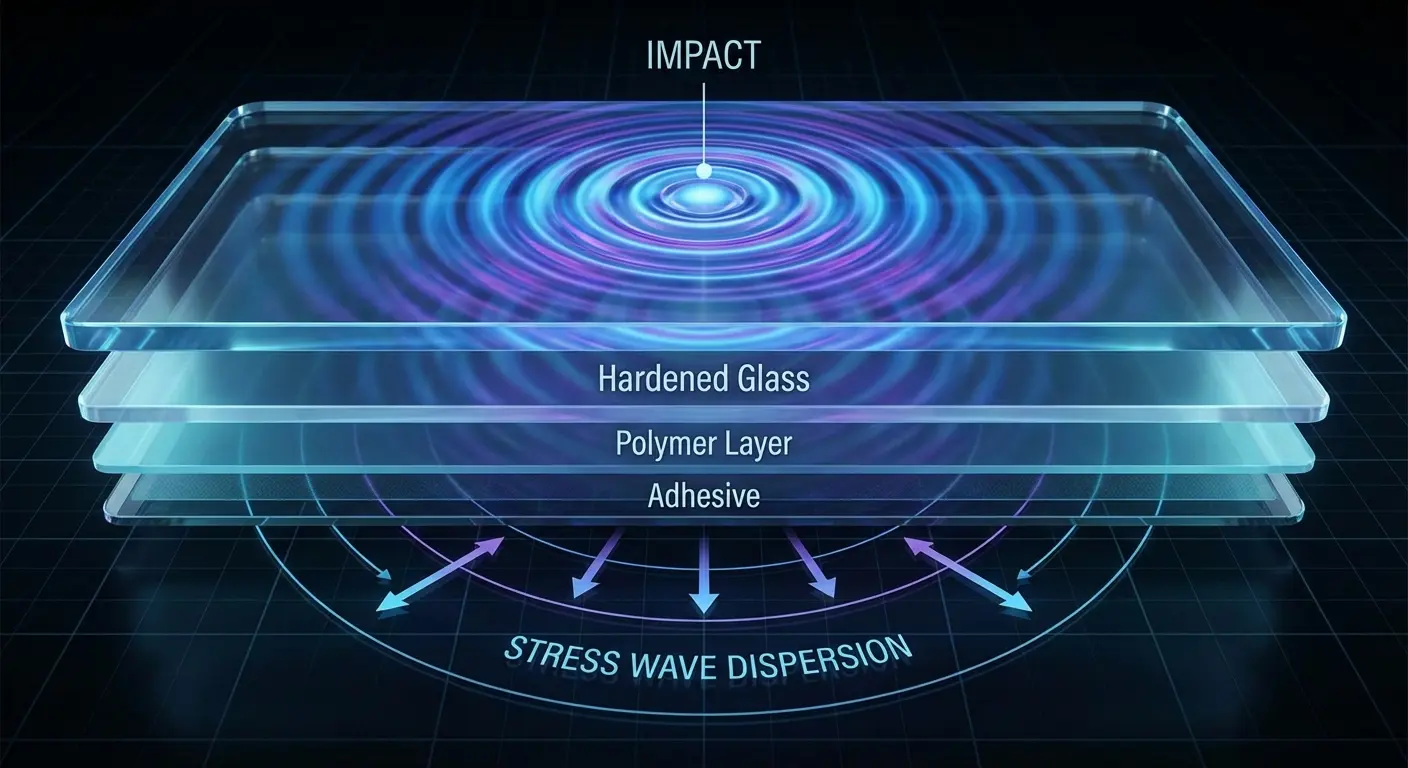
The confusion makes sense though. We're trained to think broken equals bad. A cracked case feels like a defect. A frayed cable seems cheap. But screen protectors are different. They're designed to be destroyed in your phone's place. Consumable protection.
I used to think the same way. Went through probably five protectors in two months because I'd replace them the second I saw any damage. Wasted so much money before I figured out what was actually happening.
What Your Cracked Screen Protector Is Really Telling You
Your shattered screen protector is trying to tell you something. You just need to know how to read it.
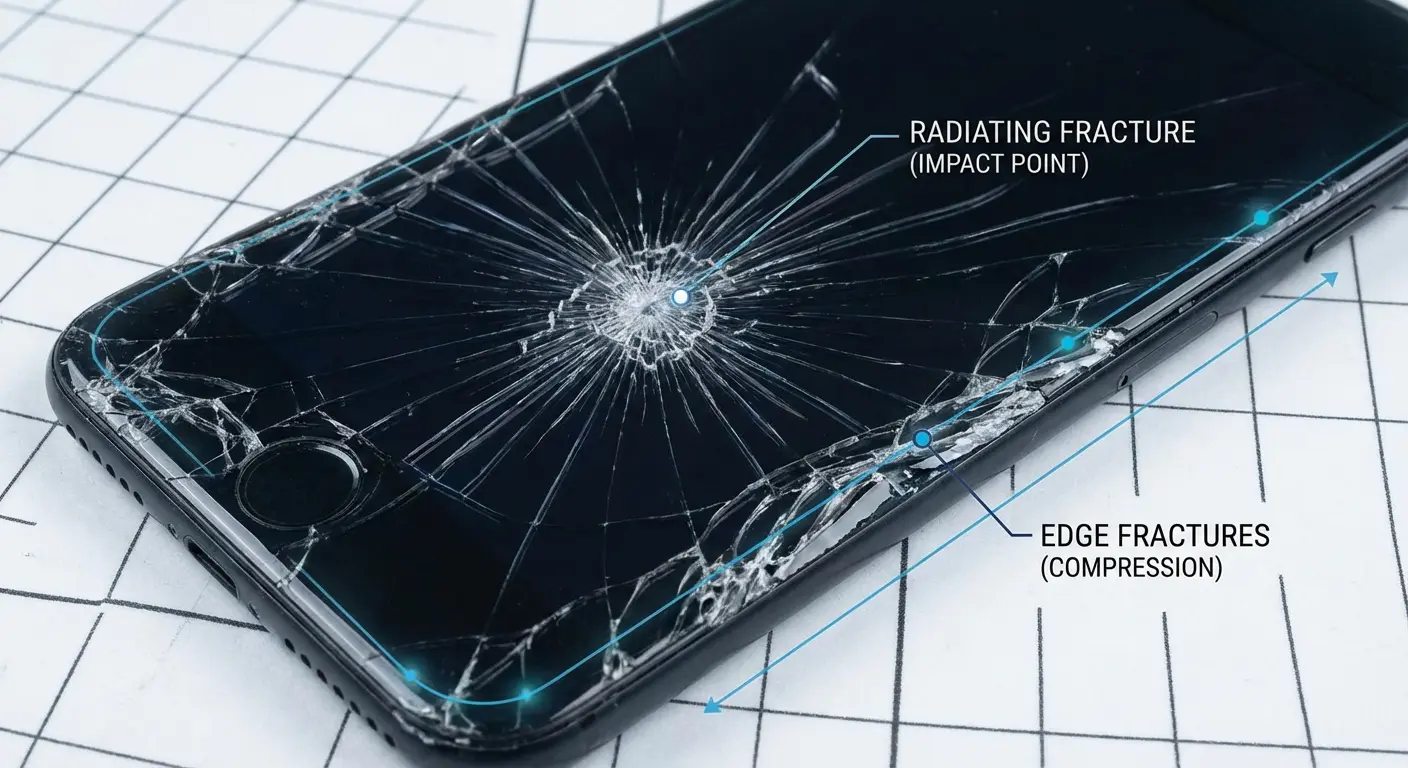
See those cracks radiating out from one spot like a spiderweb? That's the good kind of break. Your protector took a direct hit and spread that energy out across the whole surface. The glass fractured outward as the impact dispersed through the material, keeping that concentrated force away from your display.
Textbook performance.
Here's a real example. An Amazon customer using a Torras Diamond Shield protector wrote: "Pulled a boneheaded move. Put a pair of pliers in my pocket with my new phone. Sat down and heard a cracking noise. Looked at my phone and thought the screen was a goner. Nope. Just the Torras protector! I replaced it with the second one that came with the package." The protector shattered from concentrated pressure, but the phone screen underneath stayed perfect. Exactly what you want to see.
Cracks starting from the edges with no obvious impact point? That's usually bad news. Installation problems, manufacturing defects, or your case is putting too much pressure on the edges. These failures happen because the protector was already compromised before any impact occurred.
Sometimes the protector separates from your screen but doesn't shatter. That's called delamination, and it means the adhesive failed or you had an angled impact. Not pretty, but the protector still lifted to absorb that lateral force. Could've saved your screen from shear stress.
Scratches without cracks? Your protector is handling its day job: preventing abrasion damage from keys, sand, and daily contact. The surface is taking hits that would otherwise mark up your actual screen. When you're considering the best glass screen protectors for your device, understanding these patterns helps you know what success actually looks like.
Bottom line? If your phone screen is intact after your protector breaks, the system worked. The protector did its job and needs to be replaced immediately. It can't perform that function twice.
The Material Science Nobody Explains at Purchase
Let's talk materials, because this is where people overthink things.
Tempered glass dominates the market, but it's not automatically better than film protectors. Each material protects against different threats. Understanding how they fail differently changes how you think about "breaking."
Tempered glass is created by heating the glass and then cooling it rapidly. This puts the outer surfaces into compression and the interior into tension, as explained in material science research on protective glass. This helps it resist cracking up to a point.
Glass excels at impact absorption through fracture. The rigid structure lets it distribute point impacts across a wider area before failing catastrophically. When it breaks, it's usually done its job. Most glass protectors measure 0.3mm to 0.5mm thick. That thickness matters. Thicker versions absorb more energy but might mess with touch sensitivity and case fit.
Material Type |
Primary Protection Method |
Best For |
Failure Mode |
Typical Lifespan |
|---|---|---|---|---|
Tempered Glass |
Impact absorption through fracture |
Drop protection, point impacts |
Shatters into small pieces |
6 months - 2 years |
PET Film |
Scratch resistance through surface hardness |
Scratch prevention, abrasion |
Tears, punctures, permanent creases |
6 months - 2 years |
TPU |
Energy absorption through elastic deformation |
Repeated minor impacts, flexibility |
Permanent warping after severe impact |
6 months - 1 year |
Nano Coating |
Microscopic protective layer |
Light scratch resistance |
Gradual wear-off |
6 months - 2 years |
Liquid Application |
Chemical bonding to screen |
Scratch resistance |
Cannot be removed/replaced |
Up to 6 months |
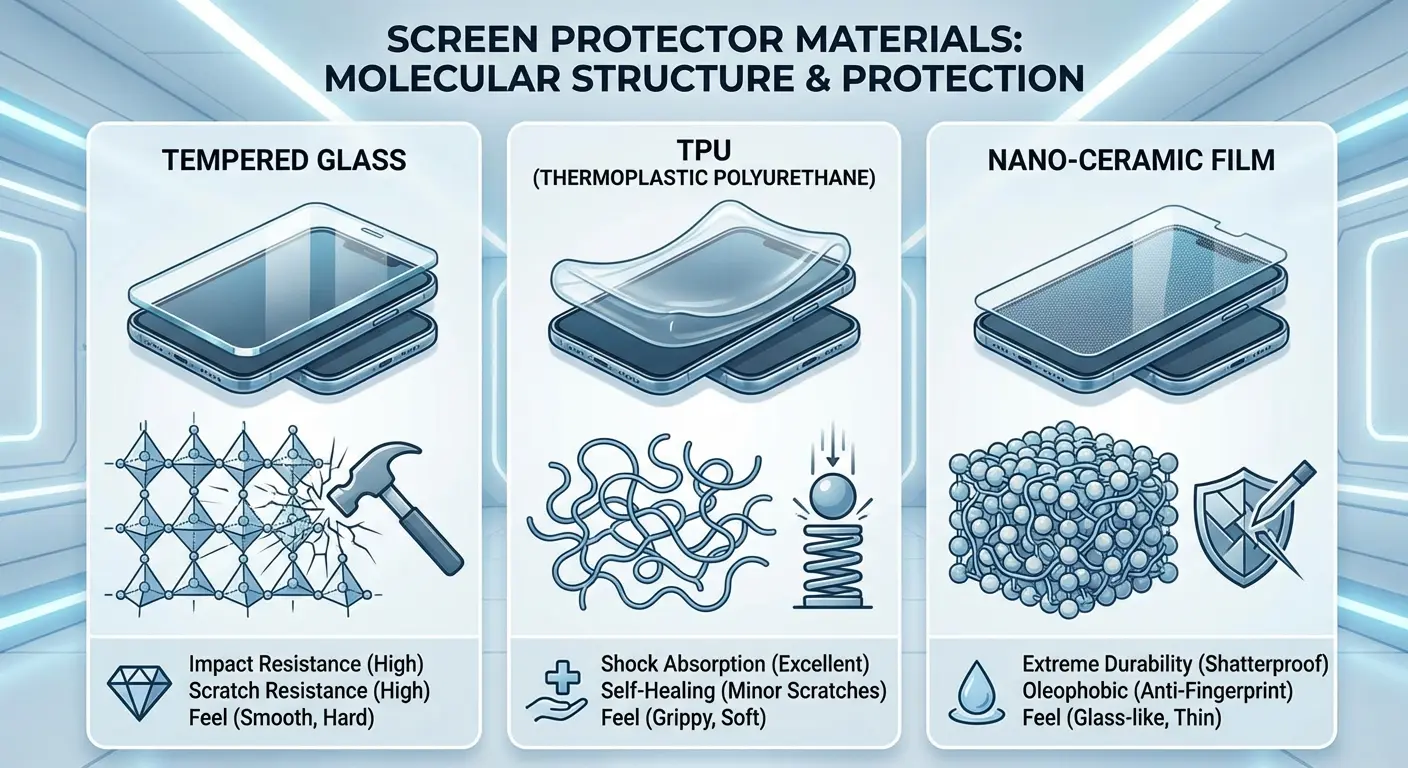
PET film protectors don't break in the traditional sense. They tear, puncture, or develop permanent creases. This flexibility means they absorb impact through deformation rather than fracture. A PET protector can handle repeated drops that would shatter glass. But it won't prevent your screen from flexing during impact, and that flex is often where LCD and OLED panels actually fail.
TPU sits in the middle with self-healing properties for minor scratches. These are nearly impossible to shatter but can develop permanent deformation after severe impacts. The material absorbs energy by bending, returning to shape after minor stress but staying warped after you exceed its limit.
I'll be honest: I don't recommend the liquid or nano coating stuff. They're basically invisible and offer minimal protection. Save your money.
You need to match material to threat. Drop your phone a lot? Tempered glass. Keep it in pockets with keys? PET or TPU will outlast glass for scratch protection. The "best" protector depends entirely on how you actually damage phones.
When Breaking Means Success (and When It Means Failure)
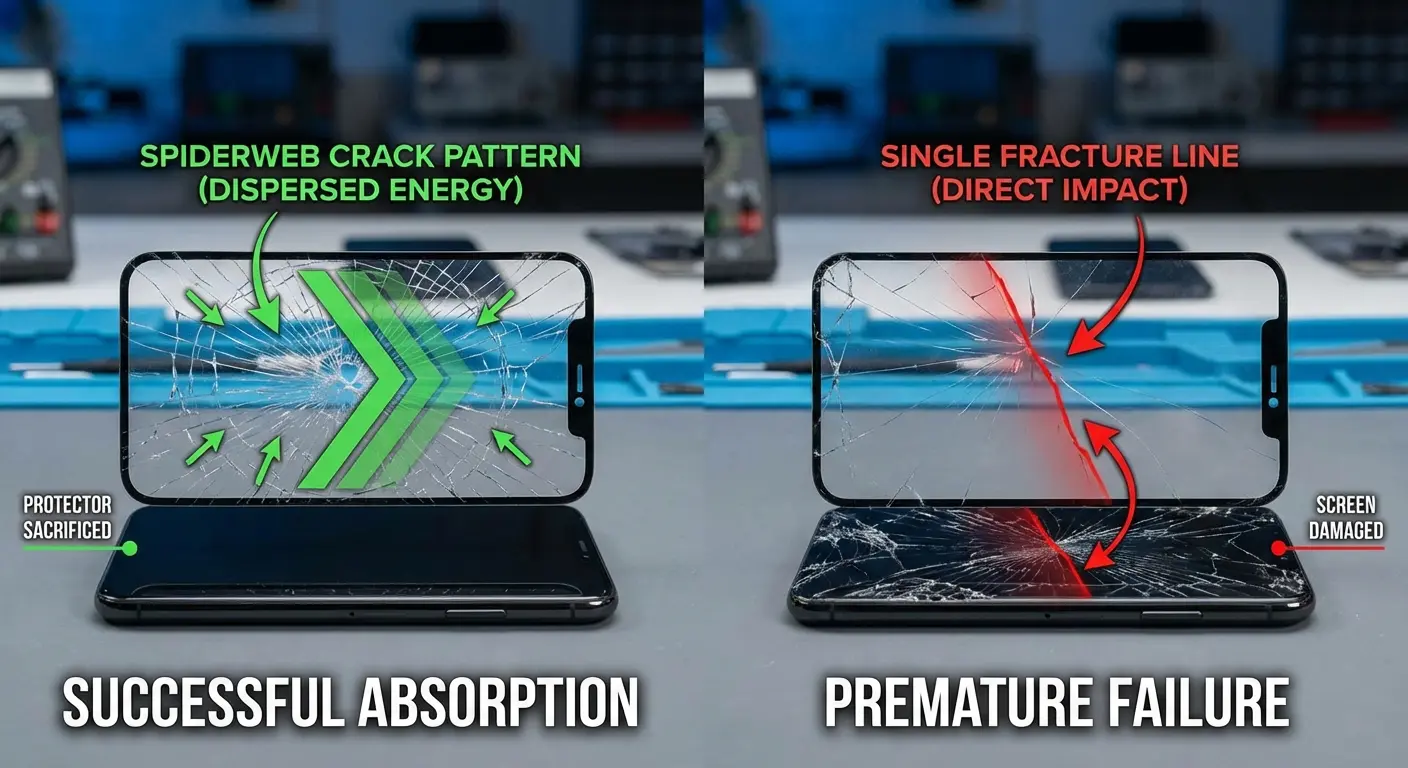
Not all breaks are created equal. Knowing the difference between protective success and premature failure saves you money and frustration.
A protector that shatters from a waist-height drop onto concrete while keeping your screen pristine? Success. You got exactly what you paid for. The protector converted kinetic energy into fracture energy, and your phone survived.
A protector that cracks in your pocket from normal pressure? Failure.
This indicates manufacturing defects, improper tempering, or installation stress that weakened the structure before any protective event occurred. Why do some screen protectors crack so easily? According to research, the answer often lies in factors beyond the material itself. Installation errors, manufacturing inconsistencies, or environmental stressors can compromise structural integrity before any actual impact happens.
Quick assessment when your protector cracks:
First, check the underlying screen. Run your finger across the display with the screen off. Look for cracks, discoloration, or dead pixels. Test touch responsiveness across all zones.
Then examine the crack pattern itself. Central impact point with radiating cracks? Likely success. Edge cracks without an impact center? Installation or manufacturing issue. Multiple overlapping fracture zones? Repeated impacts.
Consider the timeline too. Cracked within 48 hours without impact? Installation failure. Lasted 3+ months before breaking? Normal wear or successful protection. Spontaneous cracking? Thermal stress or manufacturing defect.
Think about what happened. Known drop or impact? Protector likely worked as designed. No clear cause? Quality issue or environmental factor. Temperature change right before the crack? Thermal expansion failure.
Breakage within the first two days, without any clear impact, almost always means installation error. I installed a protector in my bathroom once. Steam everywhere. Thought I was being smart doing it after a shower when dust settles. The adhesive never bonded right. Lifted at the edges within a week.
Dust particles under the protector create stress points. Or you forced the protector onto a surface that wasn't clean and dry. These micro-gaps concentrate stress and cause spontaneous fracturing.
Protectors that crack from temperature changes (leaving your phone in a hot car, bringing it in from freezing weather) are experiencing thermal stress failures. Research on environmental factors affecting screen protectors shows that extreme temperatures cause the protector to expand or contract, leading to stress and eventual cracking. Quality protectors account for thermal expansion, but budget options often skip this engineering step.
Here's your evaluation framework: Did your screen survive? Did the protector show clear impact evidence? Did it last beyond the first week?
Yes to all three? The protector succeeded, regardless of how it looks now.
Reading the Fracture Patterns: Your Screen Protector's Last Message
Your shattered screen protector contains information. Forensic evidence, basically. You just need to know how to read it.
Star patterns with a clear epicenter mean direct perpendicular impact. You dropped your phone face-down, and the protector took a concentrated hit. This is the scenario protectors handle best. If your screen survived, your setup works.
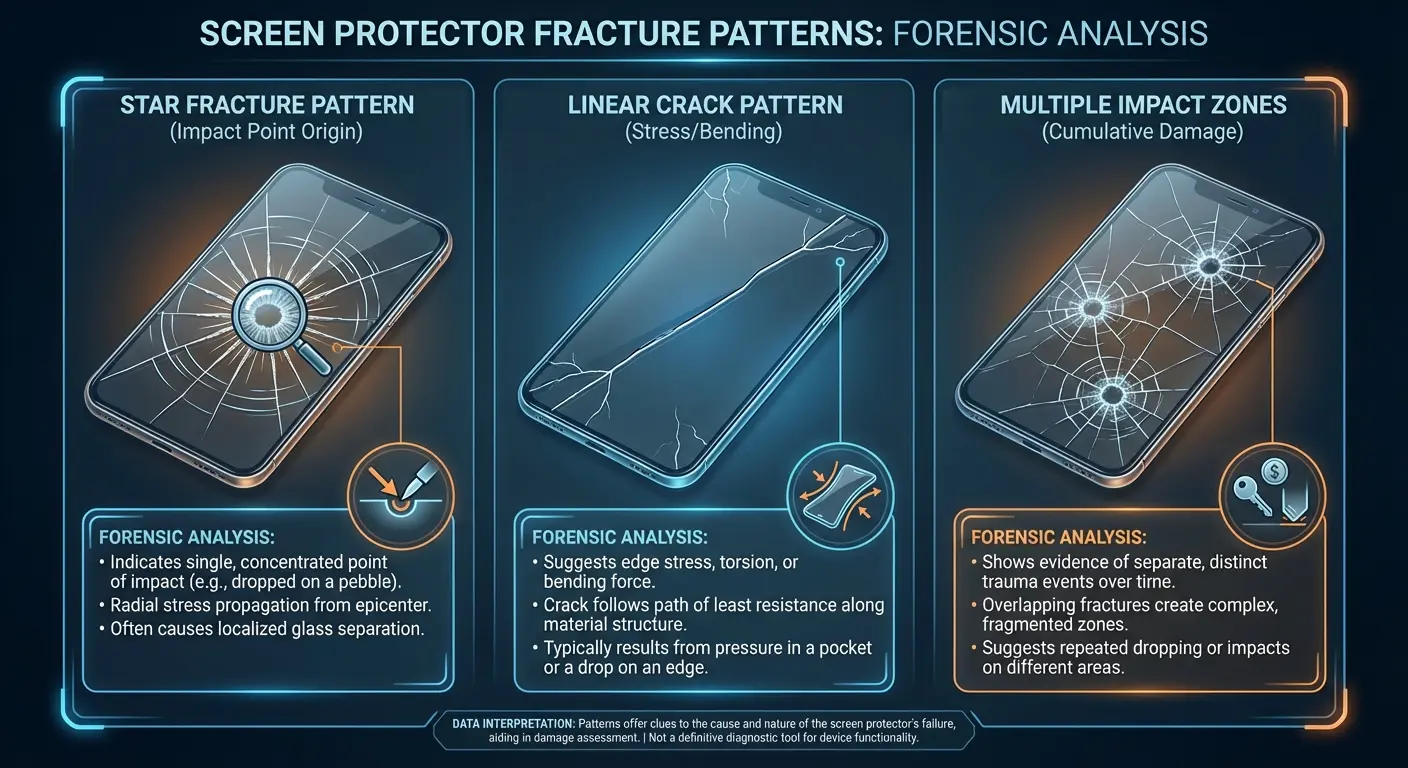
Linear cracks running parallel to edges suggest torsional stress. Your phone twisted during impact or pressure. Happens during pocket sits or when your phone lands at an angle. Film protectors handle this better than rigid glass.
Multiple impact points creating overlapping fracture zones? Your phone bounced or tumbled. Each impact weakened the protector until it failed completely. This pattern suggests you need a more comprehensive protective system. Better case, different carrying method. No protector survives repeated impacts in quick succession.
Cracks that stop at the protector's edge without reaching the center? The impact force was successfully distributed and dissipated. The protector absorbed energy across its entire surface rather than allowing concentrated stress at the impact point. Good sign.
Uniform shattering with no clear impact center often reveals manufacturing defects or installation stress. The protector was already compromised and failed under minimal force. This pattern warrants a warranty claim or vendor switch.
I got an email from a reader who cracked three protectors in two months. Turns out their phone case was the problem. Too tight, putting constant pressure on the edges. Changed the case, and the next protector lasted over a year.
Why Premium Price Tags Don't Always Mean Better Protection
The $45 screen protector isn't necessarily protecting your phone better than the $12 version.
You're often paying for features unrelated to impact resistance.
Premium prices typically buy you better oleophobic coatings (the oil-resistant layer that makes fingerprints less visible), higher light transmission for better clarity, and more precise cutouts for cameras and sensors. These features improve user experience but don't absorb impact energy more effectively.
Impact protection comes down to material thickness, tempering quality, and adhesive strength. A well-manufactured $15 protector can match a $40 protector in these metrics. The price difference funds marketing, packaging, and brand positioning.
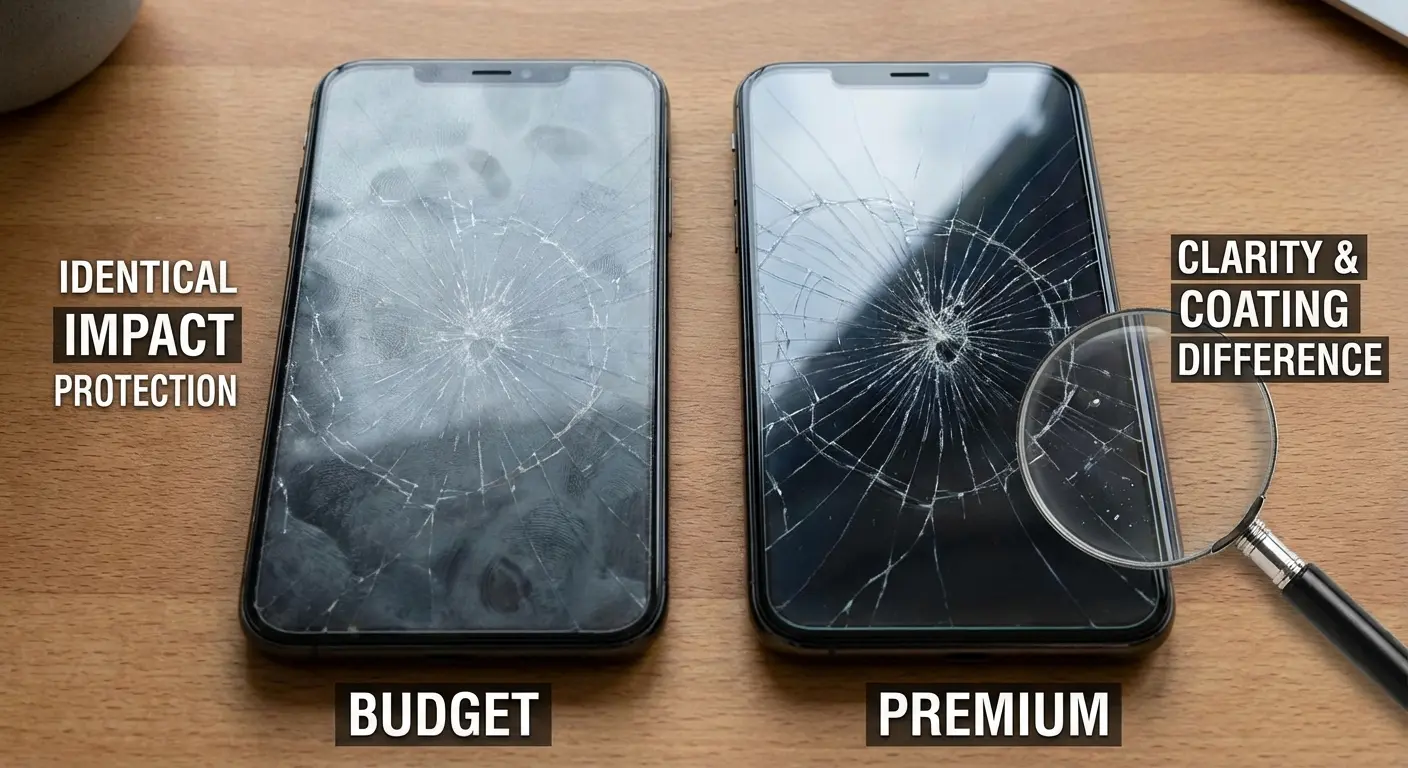
Where premium protectors justify cost: edge-to-edge coverage on curved screens, proprietary installation tools that improve adhesion quality, and warranty programs that include replacements. You're paying for convenience and coverage precision, not superior glass.
But premium features can introduce trade-offs. Recent research from Astropad revealed that most generic screen protectors on the iPhone 17 series nullify Apple's new anti-reflective Ceramic Shield 2 coating. The iPhone 17 without a screen protector shows 2.0-2.1% reflectance, but adding a generic glass protector increases that to 4.6%. Worse than the previous iPhone 16 Pro at 3.8%. Only specialty AR-coated protectors maintain the anti-reflective benefits, reducing reflectance to 1%.
So sometimes that premium price tag is actually buying you compatibility with features you already paid for.
Scratch resistance does scale with price. Premium protectors often use higher-grade tempered glass (9H versus 8H hardness) that resists abrasion better. If you work in construction or keep your phone with tools, this matters. For typical users? The difference is negligible.
The "9H hardness" thing you see on every package? Mostly marketing. It's a pencil hardness test that doesn't actually tell you much about drop protection. It measures scratch resistance, not impact absorption. Two different things.
The exception: protectors with specialized coatings for blue light filtering, anti-glare properties, or privacy screening. These features require additional manufacturing steps that legitimately increase cost. You're buying functionality beyond basic protection.
I can't prove this, but I think a lot of "premium" protectors are just rebranded versions of cheaper ones. The glass probably comes from the same factories. You're paying for the box and the brand name.
The Replacement Cycle You Should Actually Follow
Most people replace screen protectors at the wrong time. Either too quickly, wasting money on functional protectors, or too late, leaving their screens vulnerable.
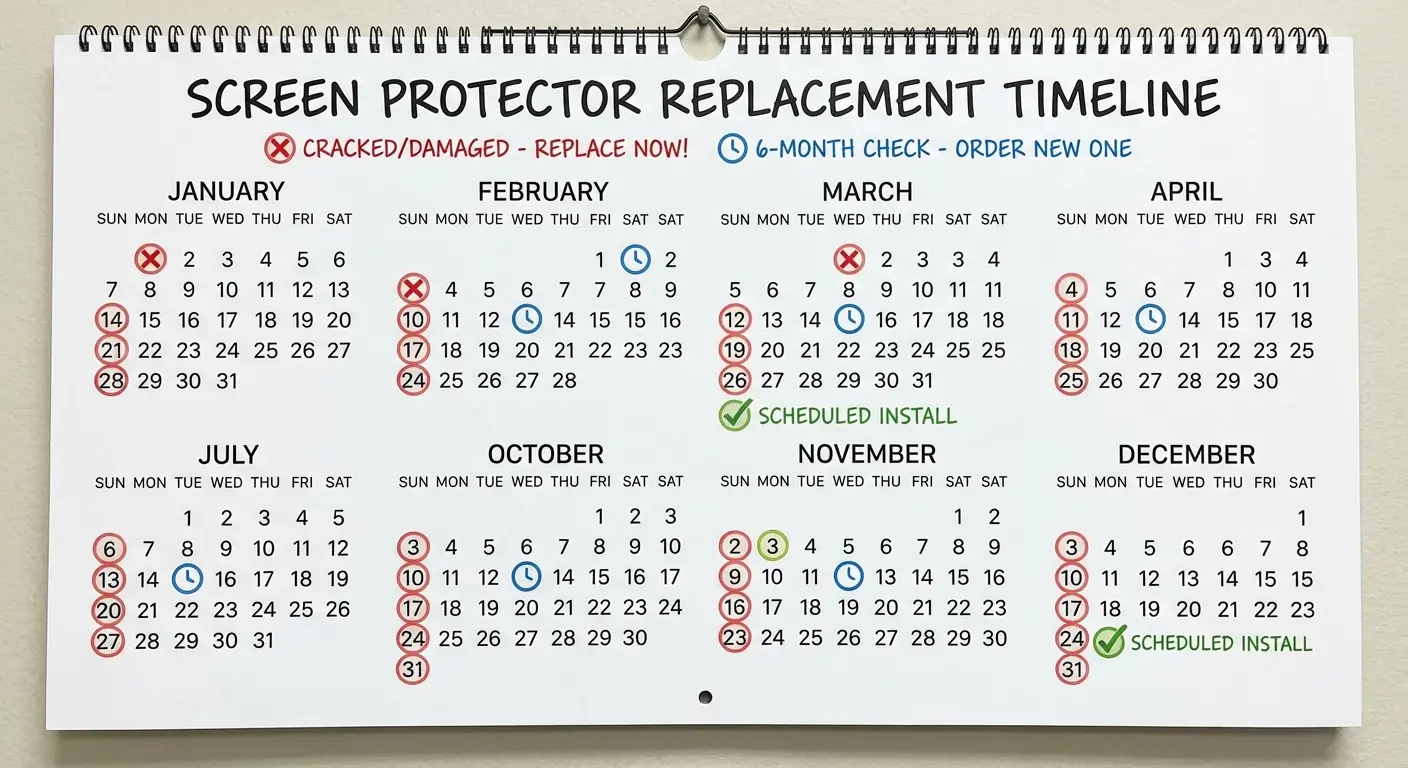
Replace immediately if the protector shows any crack or chip. Compromised structural integrity means the next impact will transfer energy directly to your screen instead of being absorbed by the protector. A cracked protector is essentially decorative at this point.
Replace every six months even without visible damage.
Adhesive degradation and accumulated micro-scratches reduce protective performance over time. The protector might look fine but has lost impact absorption capability. I used to think this was just companies trying to sell more protectors, but after testing it myself, the difference is real. A fresh protector handles drops way better than a six-month-old one.
When to replace immediately:
Any visible crack, regardless of size
Chips along edges or corners
Lifting or peeling at any point
Discoloration or clouding that affects visibility
Reduced touch sensitivity in any zone
After any significant impact, even if no visible damage
Scheduled replacement every 6 months:
Even without visible damage
Adhesive degradation occurs naturally
Micro-scratches accumulate and weaken structure
Oleophobic coating wears off
Set a calendar reminder for hassle-free maintenance
Don't replace yet:
Minor edge lifting less than 2mm that isn't spreading
Light surface scratches that don't affect touch or visibility
Slight rainbow effect at curved edges (normal for many protectors)
Cosmetic imperfections that don't compromise structure
Don't replace for minor edge lifting (less than 2mm) unless it's spreading. Small edge gaps don't significantly compromise protection for the screen's center, where impacts typically occur. Replacing for cosmetic edge issues wastes functional protectors.
Replace if you notice reduced touch sensitivity or display clarity. These symptoms indicate adhesive failure or coating degradation. Your protector is separating from the screen, creating an air gap that both reduces usability and compromises protection.
When selecting your replacement, browse through quality screen protector options that match your device and usage patterns.
Keep a spare protector with your phone. The replacement window matters. Every hour your phone operates without protection after your protector breaks is elevated risk. Having an immediate replacement available means you can swap protectors anywhere, anytime.
Side note: I once saw someone try to apply a screen protector on a moving subway. It went exactly as badly as you're imagining.
How Case Design Influences Screen Protector Longevity
Your screen protector doesn't work in isolation. Case design determines whether your protector absorbs impacts or takes direct hits that exceed its protective capacity.
Cases with raised bezels (lips that extend 1-2mm above the screen) prevent most face-down impacts from touching your protector at all. The case absorbs the impact, and your protector remains intact. This is the single most important case feature for protector longevity.
Flexible TPU cases can cause protector failure. When the case flexes during impact, it can transfer torsional stress to the protector's edges, causing cracks that originate from the perimeter. Rigid cases maintain dimensional stability that protects the protector.
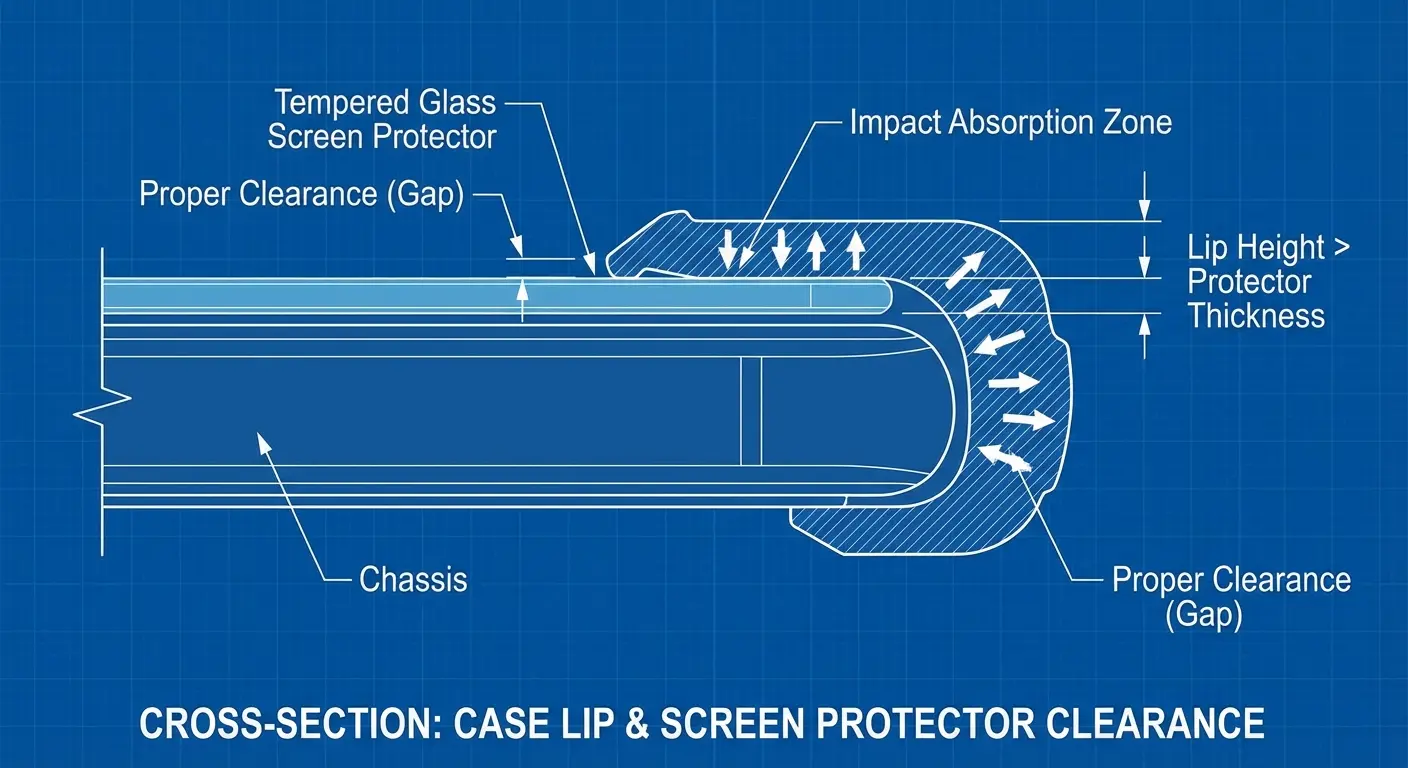
Picture this: A construction worker drops their phone from a ladder onto concrete. They have a quality tempered glass protector but paired it with a slim TPU case featuring minimal screen lip. The phone lands face-down, the flexible case compresses on impact, and the screen protector makes direct contact with the concrete. The protector shatters. But so does the screen underneath, because the impact force exceeded what the protector alone could handle. Had they used a rigid case with a 1.5mm raised bezel, the case would have taken the impact entirely, leaving both protector and screen unscathed.
Precise case cutouts matter more than you'd expect. Cases that overlap the screen protector's edges create pressure points that weaken the protector over time. Cases with excessive gaps allow the protector to lift at edges, compromising adhesion.
Full disclosure: We make phone cases at Rokform, and we engineered our rugged cases specifically with this issue in mind. Every case features a precisely calibrated screen lip that extends above any standard protector thickness while maintaining the slim profile users want. The rigid polycarbonate frame prevents flex-related stress on your protector's edges, and our mounting systems never interfere with screen protector adhesion. But even if you don't buy from us, check that your case has at least a 1mm raised bezel. It matters more than the protector quality.
The case-protector system should be selected together, not separately. Verify compatibility before purchase, checking that the case manufacturer explicitly supports screen protector use with adequate lip clearance.
What to Do the Moment You See That First Crack
That first crack demands immediate attention, but panic isn't productive. Here's what to do.
Stop using your phone temporarily and inspect the screen underneath. Look at the display from multiple angles with the screen both on and off. You're checking for cracks, discoloration, dead pixels, or touch response issues. If the screen shows any damage, your protector failed to fully protect it, and you need professional assessment.
If the screen appears intact, verify touch functionality across the entire display. Open an app that uses the full screen and test every zone. Cracks in the protector can interfere with capacitive touch sensing, creating dead spots even when the screen is undamaged.
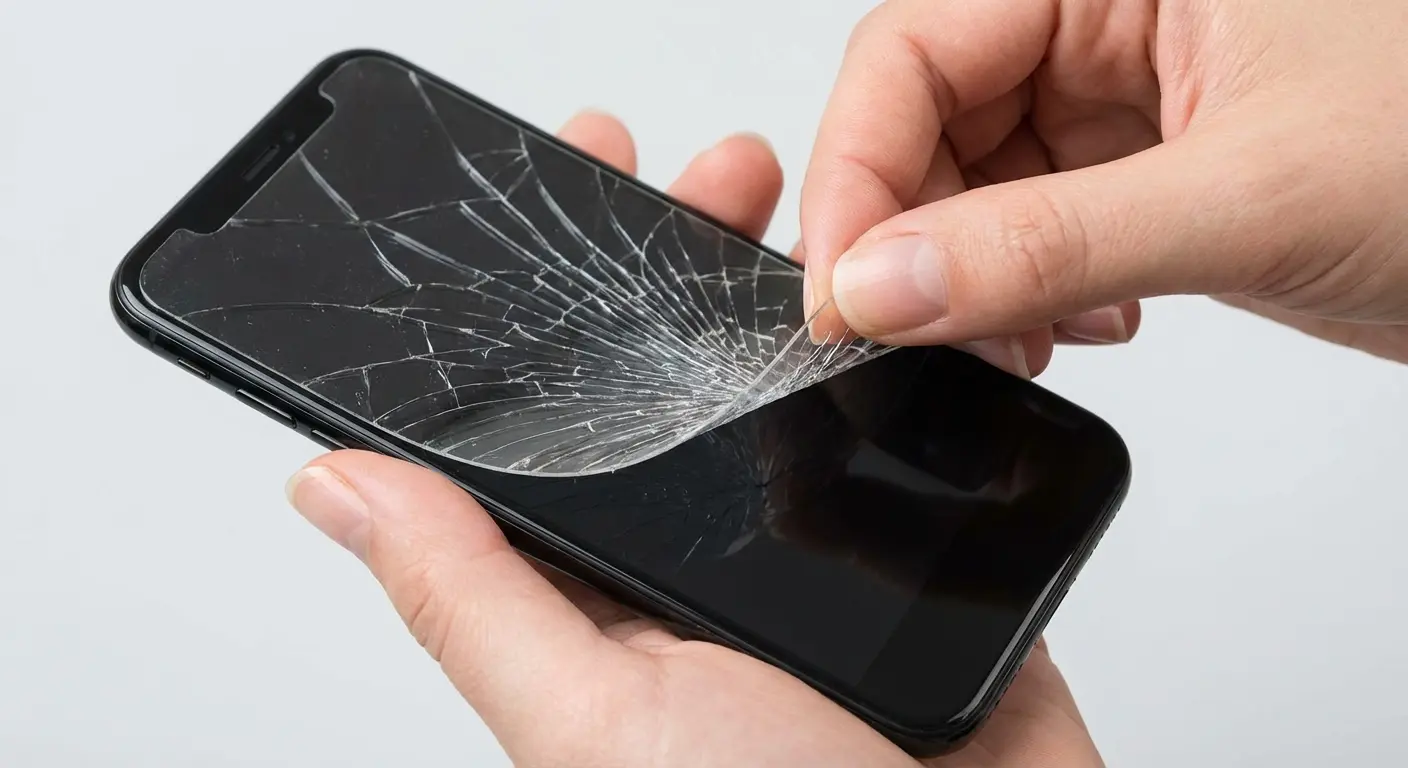
Don't remove the cracked protector yet if you can't replace it immediately. A compromised protector still offers more protection than no protector, particularly against scratches. It won't absorb another impact effectively, but it maintains a barrier against abrasion.
Avoid getting moisture on the cracked protector. Water can seep through fractures and reach your screen, potentially causing adhesive failure or, worse, entering your phone through the speaker or charging port.
Order a replacement immediately, even if the crack seems minor. Cracks propagate. Temperature changes, pressure in your pocket, or minor flexing can turn a small crack into complete failure within hours.
This becomes especially critical for foldable phone users. Recent reports from Pickr highlight that older foldable phones are experiencing screen protector failures from mere use, with bubbling and cracking occurring even without drops. The flexible screen protectors on foldables face unique stress from repeated folding, making prompt replacement even more essential when damage appears. For foldable owners, a cracked or bubbling protector represents imminent risk to the expensive flexible display underneath.
Do NOT try to remove a shattered protector in one piece. I watched someone slice their finger open doing this. Peel from the corner slowly, or just go to a shop and let them deal with it.
Final Thoughts
Alright, last thing.
Stop being mad at broken screen protectors. They're doing exactly what you paid them to do. Get mad at the ones that don't break. Those are the ones that failed you.
Your screen protector cracked and your screen didn't? That's a win. That sickening crack sound when you drop your phone, and then you flip it over, heart pounding, expecting the worst. But it's just the protector, spider-webbed across the surface while your actual screen is fine underneath. Best $15 you ever spent.
Then replace it immediately. Because it can't do that trick twice.
The material you choose, the installation quality you achieve, and the case you pair with your protector all determine whether breakage represents protective success or premature failure. You now know how to tell the difference.
Price doesn't equal protection. Premium features improve user experience (clarity, smoothness, fingerprint resistance) but mid-range protectors often match expensive versions in impact absorption. Spend money on features you'll use, not brand prestige. For comprehensive protection, pair your screen protector with quality phone cases designed to work as an integrated system.
Replacement timing matters more than initial selection. A fresh $10 protector outperforms a six-month-old $50 protector because adhesive integrity and structural soundness degrade over time regardless of price point.
Whether you're protecting an iPhone 17 or any other device, understanding how protection works transforms frustration into confidence.
Pull your phone out right now. I'll wait. See those micro-scratches on your protector? That's it doing its job. Those would be on your actual screen otherwise.
Drop a comment if you've got a good screen protector story. Bonus points if it involves a dramatic phone drop with a happy ending.

