


Table of Contents
Why We're Obsessing Over the Wrong Android Security Problem
The Antivirus Theater: What AVG Actually Does on Your Device
Google Play Protect vs. Third-Party Solutions: The Performance Gap Nobody Talks About
Battery Drain and Memory Bloat: The Hidden Cost of Security Apps
Physical Vulnerabilities: The Security Blindspot in Your Pocket
When AVG Antivirus Makes Sense (And When It Doesn't)
Building a Realistic Android Security Strategy
TL;DR
Most Android users face greater risk from physical damage and data loss than from malware infections
AVG Antivirus provides redundant protection since Google Play Protect already scans apps and monitors threats
Security apps consume significant battery life and system resources, often creating more problems than they solve
The real security gaps involve screen damage, theft, and accidental drops that compromise device access
A layered approach combining selective software protection with robust physical cases offers better real-world security
Free antivirus versions include aggressive upselling and may harvest more data than they protect
Why We're Obsessing Over the Wrong Android Security Problem
Let me guess: you've got AVG antivirus for Android running on your phone right now, eating 10% of your battery, and you can't remember the last time it actually found anything. Meanwhile, your screen's cracked, your phone's in a cheap case, and you've dropped it maybe four times this month.
Yeah. We've got our priorities completely backwards.
Here's what the antivirus companies won't tell you: you're probably never going to get a virus. According to AV-Comparatives' 2025 Mobile Security Review, the risk of accidentally downloading and installing malware from Google Play is relatively low, as the app store is regularly checked for fraudulent and dangerous apps. Your phone is way more likely to suffer catastrophic failure from a three-foot drop than from a virus infection.
The antivirus industry has successfully convinced us that software threats deserve our primary attention. Meanwhile, the actual risks sitting in your pocket (or about to fall out of it) get completely ignored.
The Statistics Don't Match the Fear
Google's transparency reports show that less than 0.02% of Android devices have potentially harmful applications installed from Google Play. Even when you include sideloaded apps from third-party sources, the infection rate barely moves.
Compare that to screen damage, which affects roughly 50 million Americans annually. Or smartphone theft, which accounts for nearly 40% of all robberies in major metropolitan areas. The math doesn't support our collective paranoia about digital threats.
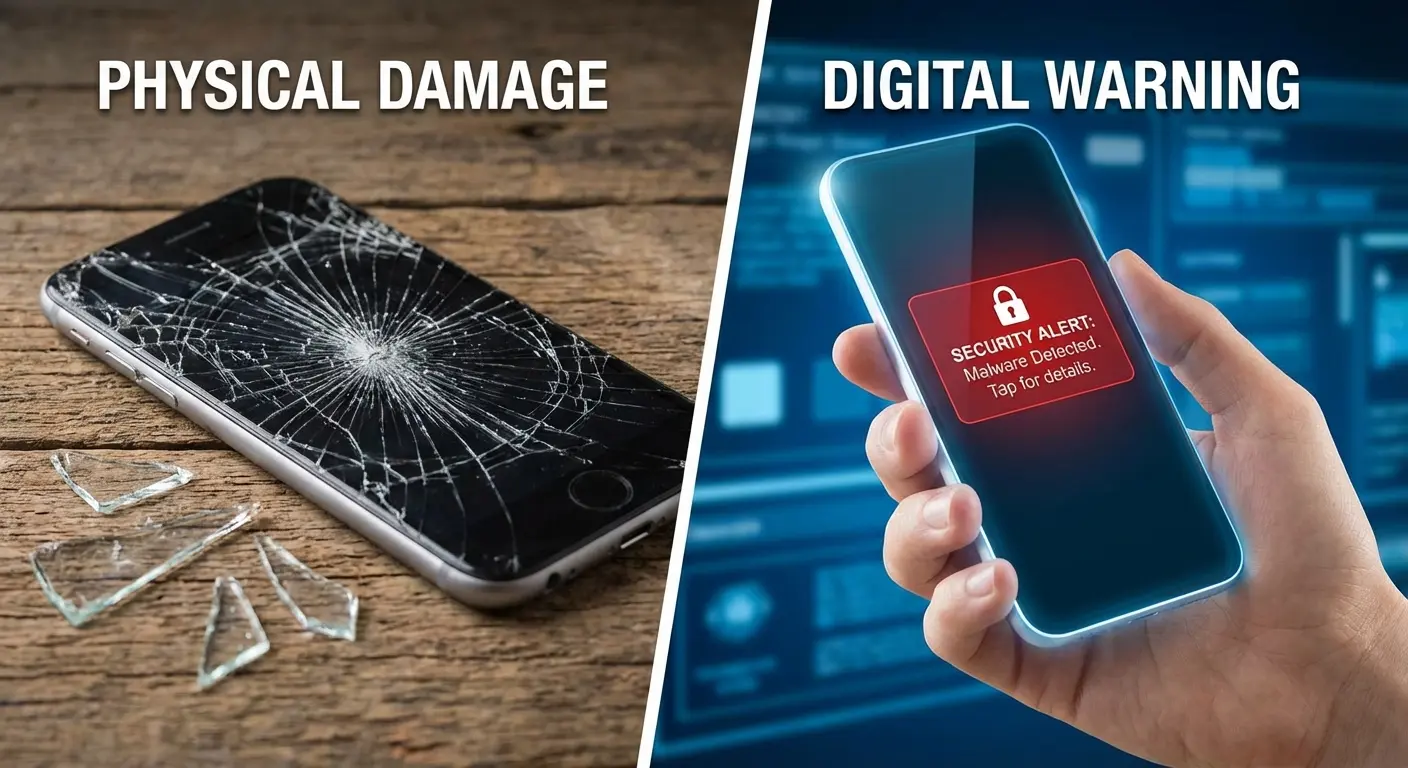
AVG Antivirus for Android positions itself as essential protection, but essential against what? The threats that dominate marketing materials rarely show up in real-world usage for most people.
The AV-Comparatives' 2025 Mobile Security Review found that AVG AntiVirus Free for Android detected 99.3% of malware test packets while online and 97.4% when offline during real-world protection tests. These numbers sound impressive until you ask yourself: how often am I actually encountering this stuff?
The same report notes that in regions like the United States and Europe, where Google Play dominates, the risk of accidentally downloading malware is relatively low compared to Asian markets with prevalent third-party app stores. For Western users who stick to official app stores, that 99.3% detection rate matters way less than understanding whether you're even likely to encounter the threats being detected.
How Threat Perception Gets Manufactured
Security companies profit from anxiety. That's not a conspiracy theory, it's just business.
When you feel vulnerable, you're more likely to purchase protection, even if that protection addresses a statistically insignificant risk. AVG and similar providers invest heavily in content marketing that emphasizes worst-case scenarios. You'll see articles about banking trojans, ransomware, and attacks that sound absolutely terrifying. What you won't see is the disclaimer that these threats overwhelmingly target enterprise users, not someone checking Instagram and texting friends.
Your actual risk profile depends on your behavior. Do you sideload apps from sketchy websites? Do you ignore permission warnings? Do you click on links in unsolicited messages? If you answered no to these questions, your malware risk is basically zero, with or without AVG antivirus for Android installed.
A 2020 Cloudwards investigation revealed that Avast, which owns AVG, had been selling users' browsing data to advertisers through a subsidiary called Jumpshot. Jumpshot was shut down following public backlash, but the incident highlights how free security products monetize user data.
The Cloudwards review notes that "despite Jumpshot being shut down, there's no clear sign that using AVG no longer risks getting your data sold to a corporate client." This raises an important question: are you installing security software to protect your privacy, or creating a new privacy vulnerability in the process?
The Antivirus Theater: What AVG Actually Does on Your Device
AVG Antivirus for Android scans your apps, monitors your downloads, and checks websites for potential threats. It offers anti-theft features, privacy scanning, and performance optimization tools. On paper, this sounds great.
In practice? You're getting a lot of redundant functionality wrapped in an interface designed to make you feel productive. That scanning animation looks impressive, but what's actually happening behind the visual feedback?
Scanning Apps That Google Already Scanned
Every app you install from Google Play has already passed through Play Protect's verification system. Google scans for malware before apps reach the store, then continues monitoring them after installation. This happens automatically, in the background, without you doing anything.
When AVG antivirus for Android scans your installed apps, it's basically performing a second check on software that's already been vetted. This isn't necessarily harmful, but it's not adding the layer of protection that marketing materials suggest.
Play Protect uses Google's massive threat intelligence database, updated constantly across billions of Android devices worldwide. AVG has its own database, sure, but the overlap in detection capabilities is substantial. You're not getting dramatically better protection. You're getting the same protection twice.
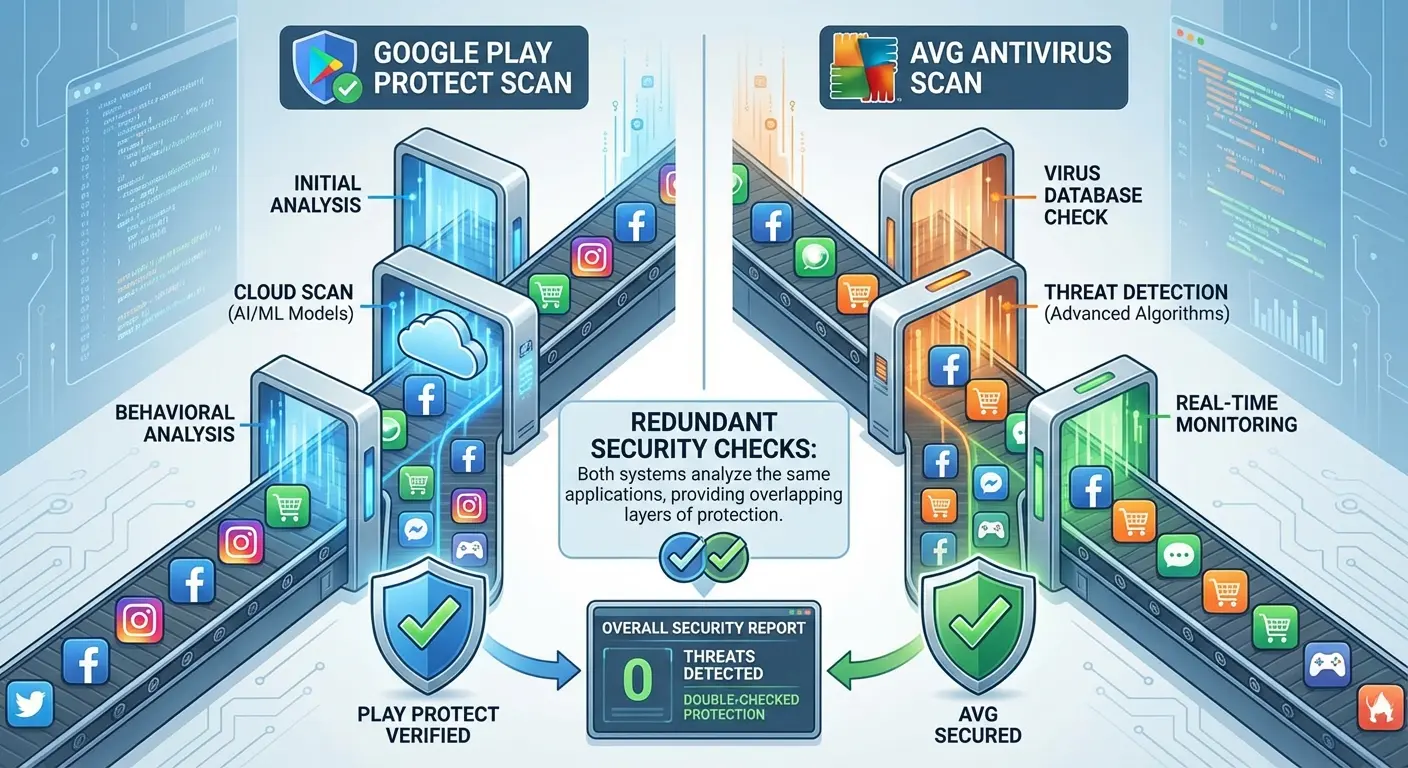
The exception? Apps installed from outside Google Play. If you regularly sideload APK files from third-party sources, a secondary scanning layer makes more sense. For everyone else, you're paying (in system resources if not money) for redundancy.
Think about Sarah, a typical Android user who downloads only popular apps from Google Play: Instagram, Spotify, her banking app, and a few games. Every single one of these apps was scanned by Play Protect before she could even see them in the store. When she decides to download AVG antivirus for Android and runs her first scan, the app proudly announces it's checked 47 applications and found zero threats.
What it doesn't tell her is that Play Protect had already performed this exact check and continues to do so automatically every day. Sarah now has two apps consuming battery and memory to perform identical functions, with no measurable security benefit.
The Permission Monitor You Already Have
AVG antivirus for Android highlights its ability to monitor app permissions and alert you to privacy risks. Android has offered detailed permission controls since version 6.0 (released in 2015) and has continuously improved them with each update.
Modern Android versions show you exactly which apps have access to your camera, microphone, location, contacts, and other sensitive data. You can revoke these permissions individually at any time. You can also set permissions to "only while using the app" for location services.
What does AVG add to this? Mostly, it adds notifications about permissions you've already granted. These alerts might prompt you to reconsider your choices, which has some value, but they don't provide capabilities that Android lacks natively.
The privacy advisor feature scans apps for "risky" permissions, but risk is subjective. A navigation app requesting location access isn't risky, it's necessary. A flashlight app requesting contact access is suspicious. You don't need specialized AVG antivirus software to recognize this distinction.
Anti-Theft Features: Solving Yesterday's Problem
AVG's anti-theft capabilities include remote device location, lock, and wipe functions. These features sound essential until you realize that Google offers identical functionality through Find My Device, which comes pre-installed on every Android phone.
You can locate your phone on a map, make it ring at full volume, lock it with a message for whoever finds it, or completely erase it remotely. All of this works through your Google account, accessible from any web browser. No additional software required.
The argument for AVG antivirus for Android here typically centers on having a "backup" if your Google account is compromised. This scenario is possible but requires that an attacker has your Google credentials but hasn't thought to uninstall AVG (which would eliminate its anti-theft protection anyway).
We're stacking hypotheticals to justify redundant features. The simpler solution is securing your Google account with two-factor authentication, which protects far more than just your phone's anti-theft capabilities.
Feature |
Google Find My Device (Built-in) |
AVG Anti-Theft |
Actual Benefit of AVG |
|---|---|---|---|
Locate device on map |
✓ Free, pre-installed |
✓ Requires AVG installation |
None - identical functionality |
Remote lock with message |
✓ Free, pre-installed |
✓ Requires AVG installation |
None - identical functionality |
Remote alarm/ring |
✓ Free, pre-installed |
✓ Requires AVG installation |
None - identical functionality |
Remote wipe |
✓ Free, pre-installed |
✗ Not supported on Android 14+ |
None - Google's version works better |
Works if Google account compromised |
✗ Requires Google login |
✓ Separate login system |
Minimal - attacker can uninstall AVG |
Battery/memory impact |
Negligible (system-level) |
100-150MB RAM, 5-10% battery |
Negative - consumes resources |
Setup complexity |
Automatic, no configuration |
Requires installation & configuration |
Negative - additional steps |
Google Play Protect vs. Third-Party Solutions: The Performance Gap Nobody Talks About
Security software evaluation typically focuses on detection rates. Which antivirus catches the most threats in controlled laboratory tests? These comparisons fill tech websites and influence purchase decisions.
They also miss the point entirely for real-world Android usage. Detection rates matter when you're regularly exposed to malware. For the average user, the more relevant metrics are false positive rates, system impact, and privacy implications.
False Positives: The Boy Who Cried Malware
Third-party security apps tend toward aggressive detection to avoid missing threats. This sounds good until you experience the tenth false alarm about a legitimate app being "potentially dangerous."
False positives create alert fatigue. You start ignoring warnings because you've learned they're usually wrong. This defeats the entire purpose of having security software, since you'll likely dismiss a real threat along with the false alarms.
Google Play Protect has the advantage of context. It knows which apps are widely installed, which developers have established reputations, and which behaviors are normal within specific app categories. This contextual awareness reduces false positives significantly.
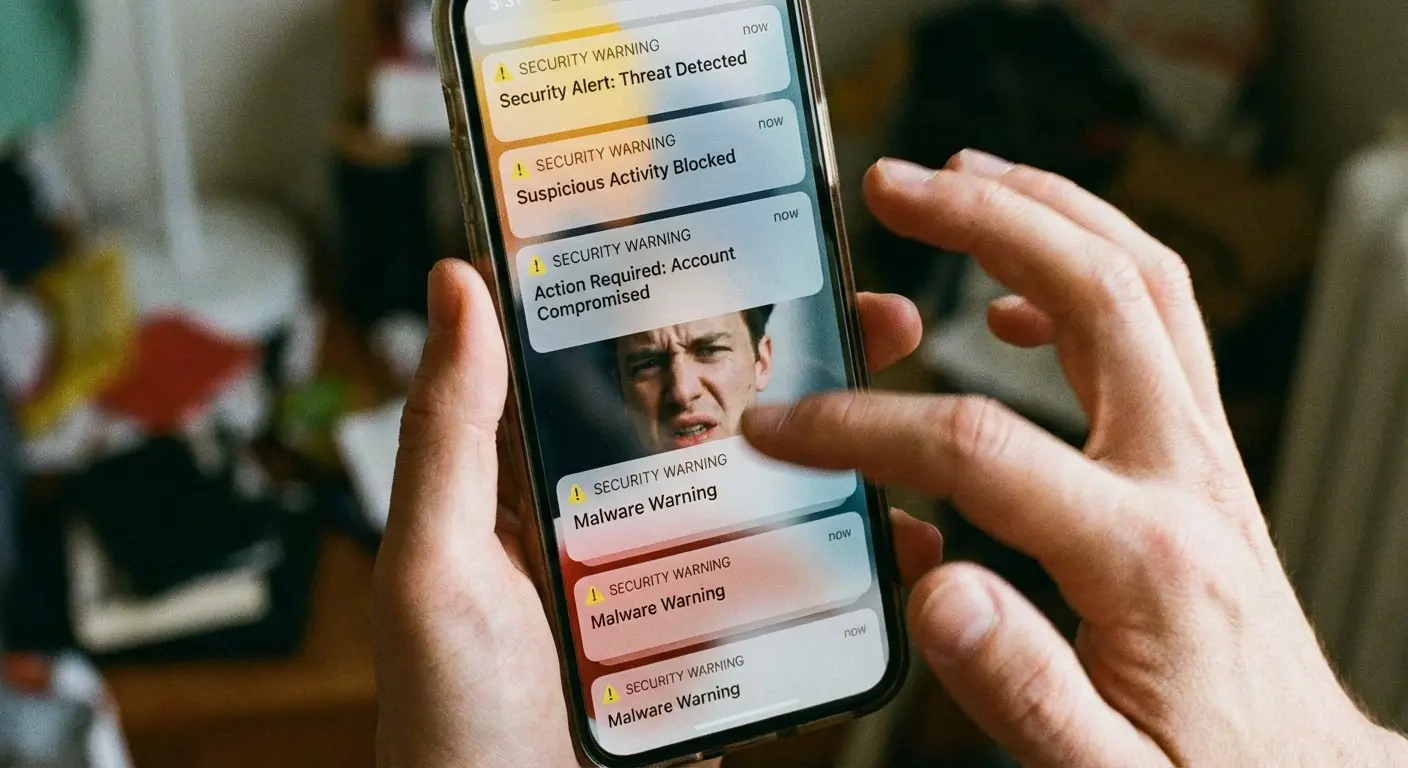
AVG antivirus for Android lacks this ecosystem-wide visibility. It's making decisions based on signature databases and heuristic analysis without the behavioral data that comes from monitoring billions of devices. The result is more noise, less signal.
AV-Comparatives' 2025 testing revealed that AVG AntiVirus Free for Android registered 8 false positives during real-world protection tests, flagging legitimate applications as threats when they posed no actual danger. While this might seem small in isolation, it represents 8 unnecessary interruptions and security decisions that users must evaluate.
The testing used 500 clean apps in their false-positive assessment, meaning AVG incorrectly flagged 1.6% of legitimate software. Over the course of a year with dozens of app installations and updates, this false positive rate translates to regular false alarms that train users to ignore security warnings. The opposite of what security software should accomplish.
System Resource Consumption: The Performance Tax
Security apps run constantly in the background, monitoring file access, network connections, and app behavior. This surveillance requires CPU cycles, memory allocation, and battery power.
AVG Antivirus for Android typically consumes 100-150MB of RAM while running. That might not sound like much, but it's memory that could be used for apps you actually want to use. On devices with 4GB of RAM or less (still common in mid-range and budget Android phones), this represents a real performance impact.
Battery drain is harder to quantify because it varies based on how aggressively the app scans and how often you install new apps or download files. Independent tests suggest that running AVG antivirus software reduces battery life by 5-10% on average. For users who struggle to make it through a full day on a single charge, this isn't trivial.
Google Play Protect integrates with Android's core functions, allowing it to operate more efficiently than third-party apps. It can check apps during installation without maintaining constant background processes. The performance difference might not be dramatic, but it exists.
Performance Metric |
Google Play Protect |
AVG Antivirus for Android |
Impact on User Experience |
|---|---|---|---|
RAM Usage |
10-20MB (integrated into system) |
100-150MB (standalone app) |
Noticeable on devices with ≤4GB RAM |
Battery Drain |
<1% (background scanning) |
5-10% (continuous monitoring) |
30 -60 minutes less daily usage |
CPU Usage During Scan |
Minimal (system-level integration) |
Moderate (app-level processes) |
Temporary lag during scans |
Storage Space |
0MB (pre-installed) |
40-60MB app + cache |
Matters on budget devices (32GB storage) |
Scan Speed |
Near-instant (cloud-assisted) |
5-10 minutes for full scan |
User must wait or experience background slowdown |
Background Processes |
1 (integrated service) |
3-5 (separate monitoring services) |
More aggressive app killing by Android |
Privacy Implications: Who's Watching the Watchers?
Security apps require extensive permissions to function. They need to see your installed apps, monitor your network activity, access your files, and sometimes track your location. You're granting significant access to your personal data.
What happens to that data? AVG's privacy policy discloses that they collect information about your device, your app usage, and your browsing activity. Some of this data is used to improve their products. Some is used for advertising purposes. Some may be shared with third parties.
You're installing security software to protect your privacy, but that software itself becomes a privacy concern. The irony is thick.
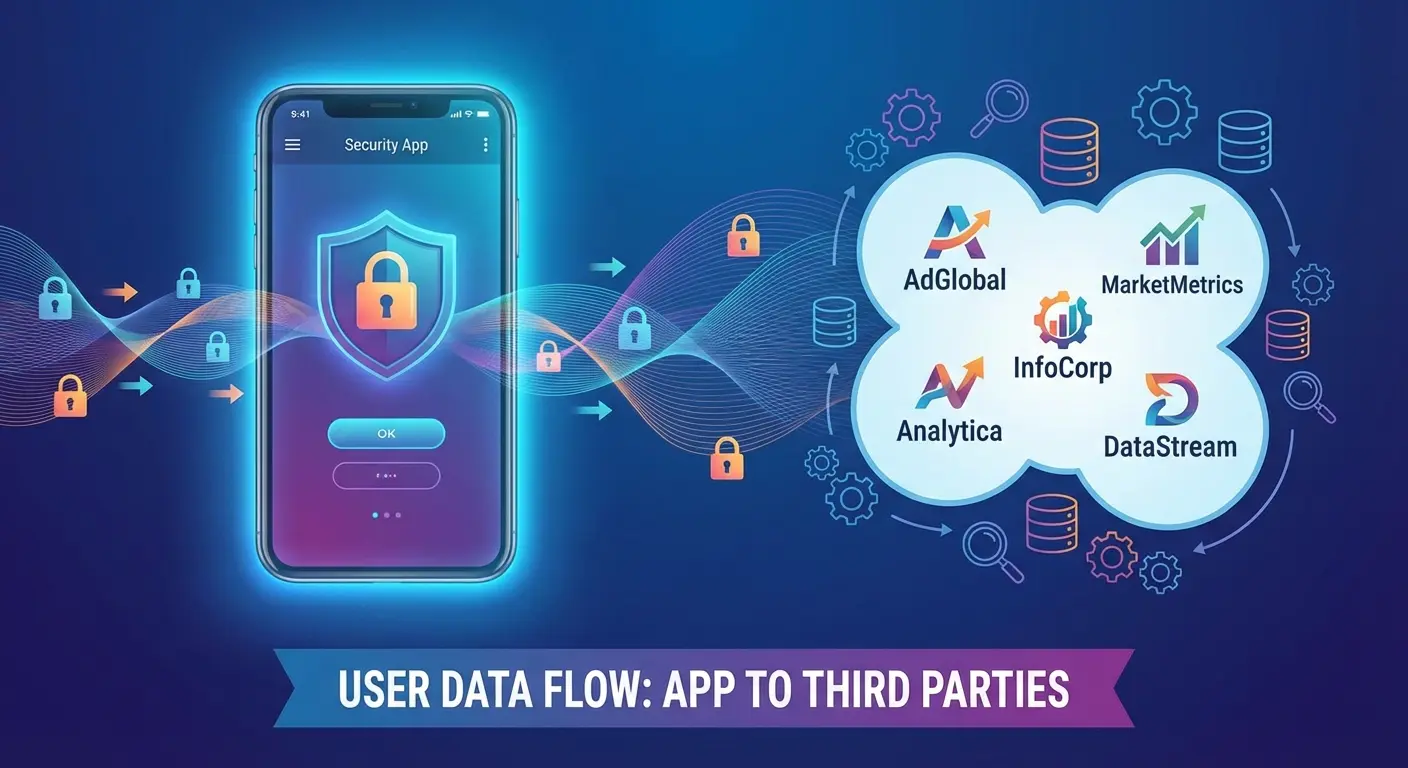
Google certainly collects data from Android users, and I'm not suggesting they're privacy paragons. But you've already made that tradeoff by using Android. Installing AVG antivirus for Android means adding another company to the list of entities with deep visibility into your digital life.
The free version of AVG Antivirus is particularly aggressive about data collection because that's how free software gets monetized. You're not the customer, you're the product. Your usage data and attention (through ads and upgrade prompts) are what AVG is selling.
Battery Drain and Memory Bloat: The Hidden Cost of Security Apps
Your phone's performance directly affects your security posture in ways that antivirus vendors don't discuss. A phone that's constantly running out of battery becomes unavailable precisely when you might need it most. A device that's sluggish and unresponsive frustrates you into ignoring security best practices.
These second-order effects matter more than we typically acknowledge when evaluating security software.
When Your Security App Makes You Less Secure
You're out for the evening and your phone battery is at 15%. You know AVG antivirus for Android is running in the background, constantly scanning and monitoring. You start closing apps aggressively, disabling features, maybe even uninstalling software to squeeze out another hour of battery life.
In this moment, are you thinking carefully about security? Are you reading permission requests? Are you being selective about which apps you disable? Probably not. You're in crisis mode, making quick decisions to solve an immediate problem.
This is how resource-intensive security software creates vulnerabilities. It puts you in situations where you're forced to choose between security and functionality, and functionality usually wins.
A phone that reliably lasts all day with normal use allows you to maintain good security practices consistently. You're not forced into tradeoffs. You can keep location services enabled for Find My Device. You can afford to run system updates when prompted instead of postponing them indefinitely. You have the battery buffer to handle authentication apps and two-factor codes without anxiety.
Marcus travels frequently for work and relies on his mid-range Android phone for navigation, client calls, and two-factor authentication for work systems. After installing AVG antivirus for Android, he noticed his phone dying by 3 PM instead of lasting until evening.
During a critical business trip, his phone died while he was using GPS navigation in an unfamiliar city. He couldn't access his hotel reservation, couldn't call his client to explain he'd be late, and couldn't use his authenticator app to log into his company VPN from a borrowed laptop. The security app meant to protect him had created a complete security and productivity failure.
After uninstalling AVG, his battery life returned to normal, and he hasn't experienced a malware infection in the two years since. Because he was never at risk in the first place.
The Memory Management Nightmare
Android's memory management is actually pretty smart. It automatically closes background apps when resources get tight, prioritizing what you're actively using. This system works well until you install apps that demand constant background operation.
AVG Antivirus for Android requests exclusion from battery optimization and memory management restrictions. It wants to run continuously, which means Android can't reclaim those resources when needed. Your other apps start getting killed more aggressively to compensate.
You'll notice this as apps reloading more frequently when you switch between them. Your browser tabs refresh and lose your place. Your messaging apps reconnect instead of resuming instantly. These aren't just minor annoyances, they're symptoms of a system under resource pressure.
Some users respond by upgrading to phones with more RAM, which certainly solves the problem but at considerable expense. Others just accept the degraded experience, not realizing that their security software is the culprit.
Quantifying the Real Cost
AVG antivirus for Android is free to download, but free doesn't mean costless. What's the value of 10% additional battery life? For someone who needs to use their phone for navigation during a long commute, it might mean the difference between arriving safely and getting stranded with a dead device.
What's the value of 150MB of RAM on a 4GB device? That's nearly 4% of your total memory dedicated to software that's duplicating built-in protections. On a phone that costs $300-400, you're essentially paying $12-16 worth of hardware capability for redundant security.
These calculations might seem pedantic, but they represent real tradeoffs you're making every day. Your phone is probably your most-used piece of technology. Degrading its performance by 5-10% affects hundreds of interactions daily.
The premium version of AVG antivirus pro for Android costs $16.99 per year, which is reasonable compared to desktop antivirus pricing. But you're paying money to consume resources that reduce your device's effectiveness. The economics only make sense if you're genuinely at elevated malware risk.
Physical Vulnerabilities: The Security Blindspot in Your Pocket
You can have the most sophisticated malware protection available, but it's worthless if your phone screen shatters and you can't unlock your device. You can monitor permissions meticulously, but it doesn't matter if your phone gets stolen and the thief simply factory resets it.
Physical security is digital security. We've created an artificial separation between these concerns that doesn't reflect how security fails in the real world.
Screen Damage: The Most Common Security Failure
A cracked screen isn't just cosmetic damage. Severe screen damage can prevent you from entering your PIN or pattern lock. It can make biometric authentication impossible. It can render your device completely inaccessible even though all your data is technically intact and secure.
You've now experienced a catastrophic security failure that has nothing to do with malware. Your banking apps, email, photos, and messages are locked inside a device you can't use. Recovering access requires either expensive screen replacement or factory reset (which means data loss if you don't have current backups).
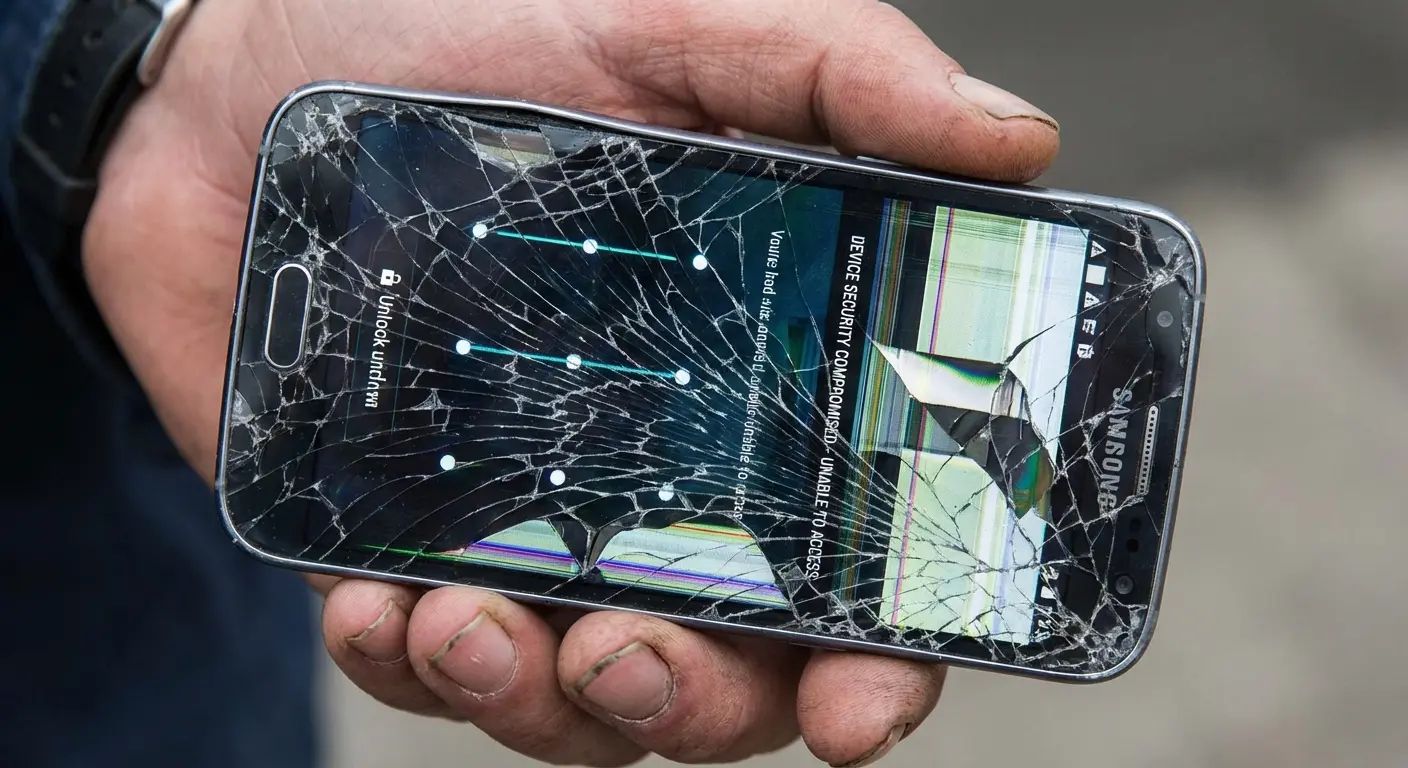
Screen replacement costs typically range from $100-300 depending on your device model. That's 6-18 years worth of AVG antivirus pro for Android subscriptions. A quality protective case costs $30-60 and dramatically reduces screen damage risk.
The math is straightforward. You're far more likely to damage your screen than to encounter malware, and the consequences of screen damage are more severe. Yet most people spend more time researching antivirus apps than phone cases.
Theft and Loss: When All Your Software Security Becomes Irrelevant
Smartphone theft remains prevalent despite improved tracking and remote wipe capabilities. Thieves have adapted by immediately powering devices off, blocking location tracking before you realize the phone is missing.
Professional theft operations use Faraday bags that block all wireless signals, preventing remote location or wipe commands from reaching your device. By the time the phone comes out of the bag, it's been factory reset and your security measures are gone.
Your antivirus software? Completely irrelevant. Your carefully configured permissions? Wiped. Your two-factor authentication apps? Inaccessible, which means you might also lose access to accounts that depend on them.
Theft prevention is about making your phone less attractive to steal and harder to lose. This means physical security: cases with secure attachment points, belt clips, mounting systems that keep your phone visible and accessible but not vulnerable to grab-and-run theft.
Water Damage and Environmental Threats
Your Android phone might have an IP68 rating, but that protection degrades over time as seals wear and adhesives weaken. A phone that could survive 30 minutes underwater when new might fail after two years of daily use and minor impacts.
Water damage creates the same security outcome as theft: total device inaccessibility and potential data loss. You can't remotely wipe a phone that won't power on. You can't recover data from a corroded logic board.
Environmental protection isn't just about waterproofing. It's about shock absorption, dust ingress, temperature extremes, and the accumulated wear of daily handling. A phone that fails mechanically is a phone that's lost all its security capabilities.
We obsess over digital threats while carrying our devices in ways that expose them to constant physical risk. We worry about malware while setting our phones on bathroom counters near sinks. We install security apps while using no case at all.
The disconnect is remarkable.
When AVG Antivirus Makes Sense (And When It Doesn't)
Look, I've been pretty critical of AVG Antivirus for Android, but that doesn't mean it's never appropriate. Security decisions should be based on your actual risk profile, not on marketing claims or blanket recommendations.
Some users genuinely benefit from third-party security software. Others are wasting resources on protection they don't need.
High-Risk User Profiles
You regularly sideload apps from outside Google Play. Maybe you're installing beta versions of apps, using regional apps not available in your market, or accessing software that Google doesn't allow in the Play Store. This behavior significantly increases your malware exposure.
You share your device with others who have different security awareness levels. Children, elderly parents, or friends who borrow your phone might click on things you wouldn't, grant permissions you'd deny, or install apps you'd avoid.
You use your Android device for work purposes with access to sensitive business data or systems. Your employer might require security software as a condition of device usage, and the risk profile for business data differs from personal use. In these cases, you might want to install AVG antivirus for Android or even upgrade to AVG antivirus pro for Android for additional features.
You have limited technical knowledge and want assistance making security decisions. The prompts and warnings from security software might help you avoid mistakes, even if they're redundant for more experienced users.
These scenarios represent legitimate use cases for AVG antivirus for Android. You're either at elevated risk or you benefit from the additional guidance layer that security software provides.
Quick Assessment: Do You Actually Need Third-Party Antivirus?
If you do these three things regularly, maybe consider it:
Install apps from sources other than Google Play Store
Share your device with people who might not be as security-aware as you
Use your personal Android for work stuff with sensitive business data
If none of those apply? You probably don't need it.
When Built-In Protection Is Sufficient
You only install apps from Google Play and you pay attention to ratings, reviews, and permission requests. This behavior pattern reduces your malware risk to basically zero.
You understand basic security hygiene: you don't click suspicious links, you verify sender identity before opening attachments, you recognize phishing attempts. These skills provide better protection than any software.
Your device has adequate performance and battery life for your needs, and you don't want to sacrifice resources for redundant protection. You'd rather optimize for usability than install software that duplicates existing features.
You're privacy-conscious and prefer to minimize the number of companies with deep access to your device data and usage patterns. You've made the necessary tradeoffs with Google by using Android, but you don't want to extend similar access to additional parties.
For users matching this profile, AVG Antivirus for Android adds minimal value while consuming resources and creating privacy concerns. You're better served by using Android's built-in protections and focusing on physical security measures.
Building a Realistic Android Security Strategy
Effective security isn't about installing the most apps or having the most protection. It's about identifying your actual risks and addressing them proportionally.
Your security strategy should reflect how you use your phone, what threats you realistically face, and what resources you're willing to dedicate to protection.
Layer One: Behavioral Security
Your behavior determines your security outcomes more than any software you install. Paying attention to what you're doing beats passive protection every time.
Review app permissions before granting them. Does this app need the access it's requesting? If a calculator wants access to your contacts, that's a red flag worth investigating.
Verify sender identity before clicking links or downloading attachments. Take three seconds to check whether that text message or email came from who it claims to represent.
Keep your device updated. Android security patches address real vulnerabilities that get exploited. Installing updates promptly provides concrete security benefits without any performance penalty.
Use strong authentication. A six-digit PIN is significantly more secure than a four-digit one. Biometric authentication (fingerprint or face unlock) is convenient and secure when implemented properly.
These practices cost nothing, require minimal time, and provide better protection than most security software.
Layer Two: Built-In Protections
Android includes substantial security features that most users never actively configure or verify. Maximizing what you already have should come before adding third-party solutions.
Confirm that Google Play Protect is enabled and actively scanning. Check Settings > Security > Google Play Protect to verify status and review scan history.
Set up Find My Device and test it. Visit android.com/find from a computer to ensure you can locate your phone remotely. Verify that location services are enabled for this feature to work.
Configure app-specific permissions thoughtfully. Use "only while using the app" for location access when possible. Deny permission requests that don't align with app functionality.
Enable automatic system updates if your device and carrier support it. Removing the human decision point ensures you stay current with security patches.
Review your Google account security. Enable two-factor authentication, check connected devices, and verify recovery options. Your Google account is the master key to your Android security.
Here's what you should actually check:
Google Play Protect Setup:
Navigate to Settings > Security > Google Play Protect
Verify "Scan apps with Play Protect" is enabled
Enable "Improve harmful app detection " for enhanced protection
Review scan history to confirm regular automatic scans
Note the date of last scan (should be within 24 hours)
Find My Device Configuration:
Visit android.com/find on a computer or another device
Sign in with your Google account
Verify your phone appears and shows current location
Test the "Play Sound" feature to confirm remote access works
On your phone: Settings > Security > Find My Device, confirm it's ON
Ensure location services are enabled (required for tracking)
Permission Audit:
Go to Settings > Privacy > Permission Manager
Review apps with Location access, set to "Only while using the app" where appropriate
Review apps with Camera access, remove permission from apps that don't need it
Review apps with Microphone access, verify each app legitimately needs this
Check "Special app access" for any apps with elevated permissions
Remove unused apps entirely rather than just revoking permissions
Google Account Security:
Visit myaccount.google.com/security
Enable 2-Step Verification if not already active
Review "Your devices," remove any you don't recognize
Check "Third-party apps with account access," revoke outdated permissions
Verify recovery phone number and email are current
Review recent security activity for suspicious sign-ins
Layer Three: Physical Protection
This is where most security strategies fail. I've spent this entire article arguing that physical vulnerabilities represent greater risk than malware for typical users, yet most people use inadequate or no physical protection.
A quality protective case isn't optional if you're serious about security. Screen damage, impact damage, and environmental exposure create security failures that no software can prevent or remedy.
Your case should provide genuine drop protection, not just scratch prevention. Look for raised bezels that protect the screen when face-down, reinforced corners that absorb impact, and materials that dissipate shock rather than just looking rugged.
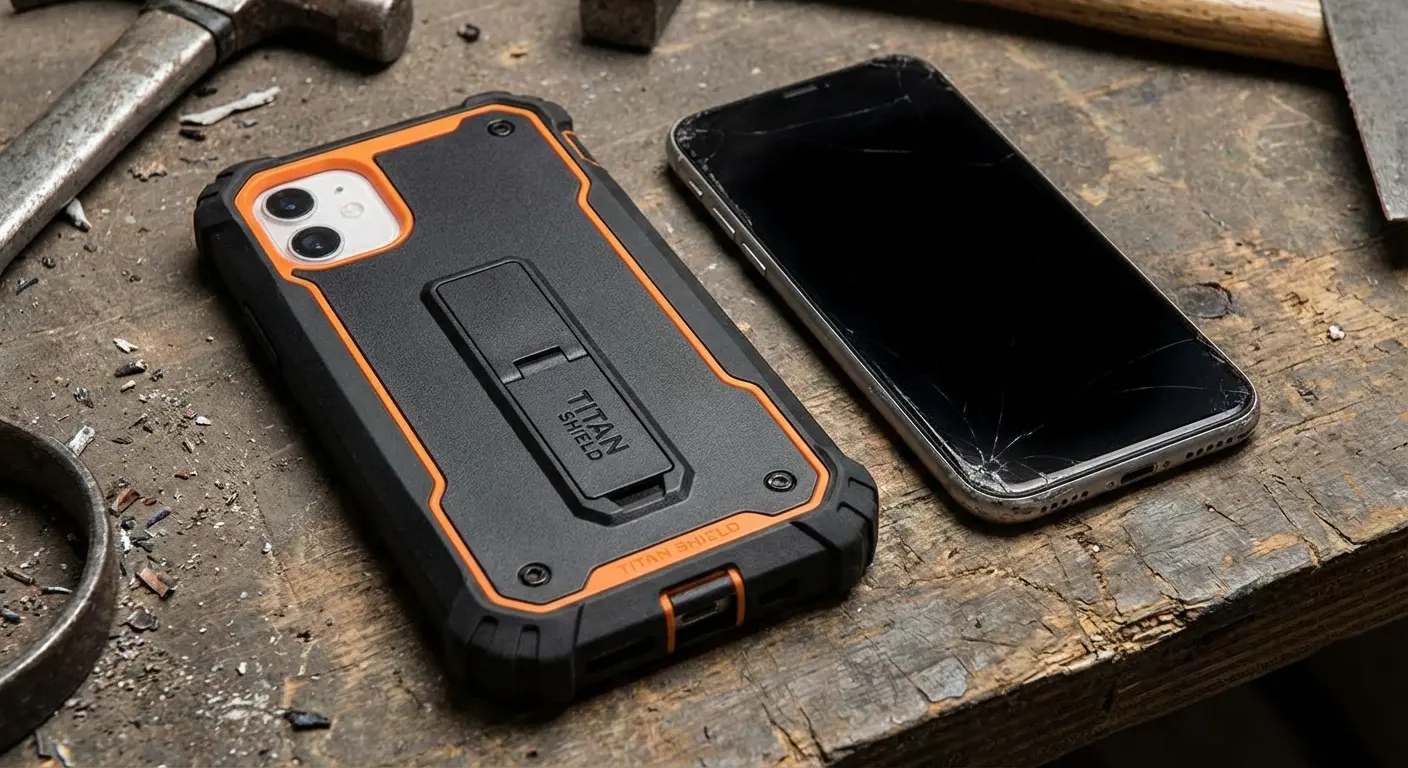
Think about how you carry and use your phone. Do you frequently use it in environments where drops are likely? Do you use your phone for navigation while biking or driving? Do you work in conditions with dust, moisture, or temperature extremes?
Your physical protection should match your usage patterns. Someone who uses their phone primarily indoors has different needs than someone who works construction or spends weekends hiking.
This is where Rokform's approach makes sense for users who've identified physical vulnerability as their primary risk. Their cases integrate mounting systems that keep your phone secure and accessible rather than loose in pockets or bags where it's vulnerable to drops, theft, or loss.
The magnetic mounting works across vehicles, bikes, and workspaces, addressing the "where do I put my phone" problem that leads to most drop incidents. You're not just protecting your device from impact, you're reducing the situations where impact occurs in the first place.
If you've determined that physical security deserves priority over redundant malware protection, check out their lineup at rokform.com.
Layer Four: Selective Software Solutions
Only after you've optimized behavior, built-in protections, and physical security should you think about additional software. Even then, be selective about what you install and why.
If you've identified a specific gap in your security posture, address that gap with targeted software rather than full suites. Need better password management? Install a password manager. Concerned about specific app permissions? Use a dedicated permission manager.
If you've determined that you match a high-risk profile (regular sideloading, shared device, business use), then download AVG antivirus for Android or similar solutions might make sense. But install them with clear understanding of what you're getting and what you're sacrificing.
Monitor the impact. After installing security software, check your battery usage statistics after a few days. Is the security app consuming 5% of your battery? 10%? 15%? Decide whether that cost is justified by the protection you're receiving.
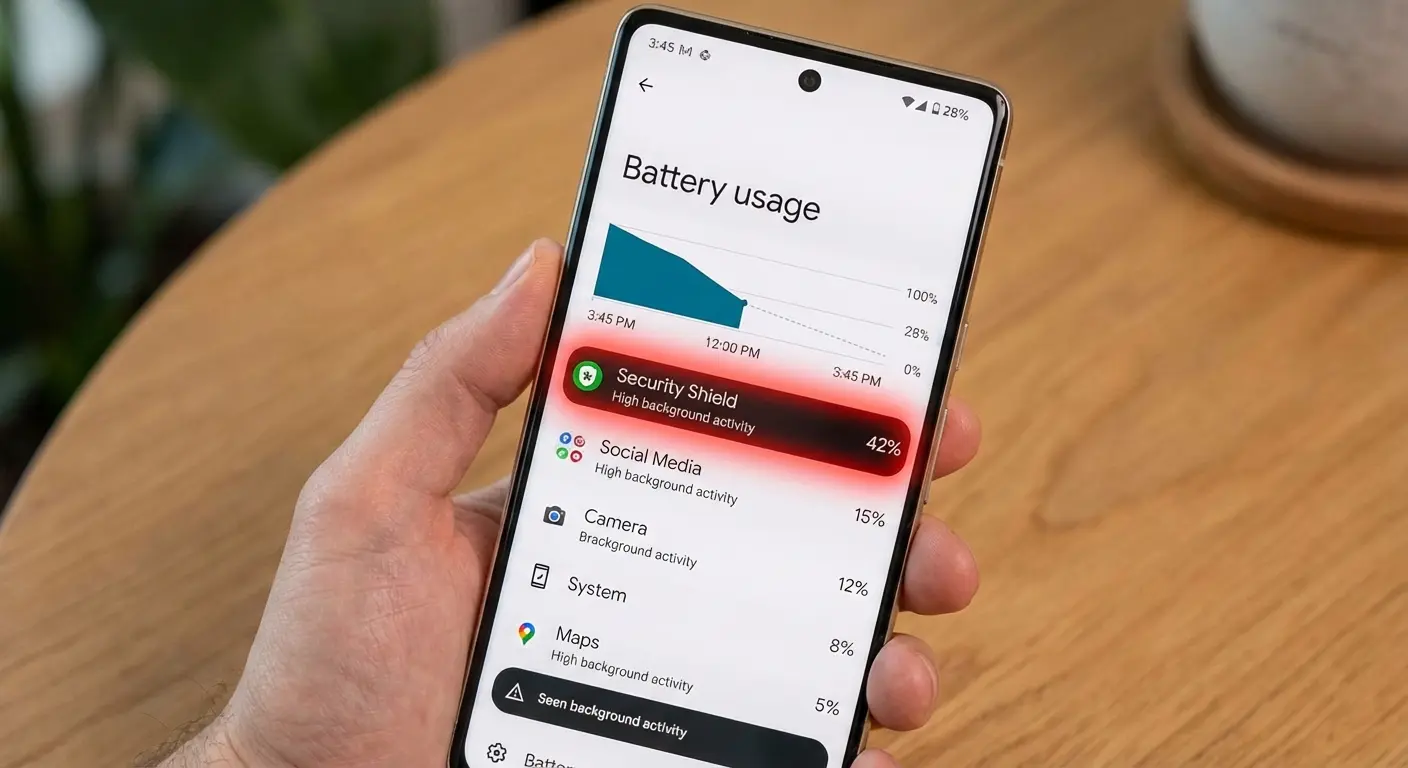
Be willing to uninstall. If you find that security software is creating more problems than it's solving, remove it. You're not locked into any decision, and your security posture won't collapse without third-party apps if you've implemented the other layers effectively.
Final Thoughts
So should you install AVG? Probably not. Should you buy a better case? Definitely.
AVG Antivirus for Android isn't a bad product. It does what it claims to do, and for certain users in specific situations, it provides genuine value. My critique isn't about AVG's capabilities but about whether those capabilities address the threats you actually face.
The mobile security industry has successfully convinced us that malware represents our primary risk. The data doesn't support this narrative for the vast majority of Android users. You're statistically far more likely to experience security failures through physical damage, theft, or loss than through malware infection.
Your security investments (whether money, system resources, or attention) should align with your actual risk profile. For most people, that means prioritizing behavioral security, optimizing built-in protections, and ensuring solid physical protection before even thinking about third-party security software.
I'm not suggesting you ignore digital threats entirely. I'm suggesting you put them in context. A balanced security strategy addresses multiple threat vectors proportionally rather than over-investing in protection against unlikely scenarios while ignoring probable ones.
Your phone is probably your most important piece of technology. It deserves thoughtful security that matches how you use it and what threats you realistically face. That might include AVG antivirus for Android, but for most users, it probably doesn't.
Make security decisions based on evidence, not fear. Understand what protections you already have. Identify where your actual vulnerabilities lie. Then address them systematically, starting with the most probable threats rather than the most marketable ones.
And for the love of all that's holy, get a decent case before you worry about malware that statistically won't affect you anyway.

