


Table of Contents
Wait, Can Norton Actually Stop Someone From Stealing My Phone?
The Thing About Android vs. iOS That Nobody Mentions
Here's What I Learned After Watching People Lose Their Phones
You've Got Norton. Great. But What Happens When Someone Just Takes Your Phone?
You've got Norton Antivirus installed on your phone. You feel secure. Your data's encrypted, your passwords are managed, and you're scanning for malware regularly.
But here's the thing nobody mentions: the moment your phone hits concrete or gets swiped from your table at a coffee shop, all that digital security becomes instantly irrelevant.
We're obsessed with protecting against hackers we'll never see while ignoring the physical threats that compromise our devices every single day. Social engineering threats alone accounted for more than 80% of threats observed worldwide in the first three quarters of 2025, according to Gen Threat Labs research, with Gen blocking an average of 110 social engineering-related attempts every second.
The conversation around Norton Antivirus phone protection typically centers on malware detection rates, VPN capabilities, and dark web monitoring. Those features matter (we'll get into them), but they only address half the equation.
Security isn't just about keeping malicious code out of your device. It's about keeping your device functional, accessible, and in your possession long enough for those protections to matter.
Think about the last time you cracked a screen or dropped your phone in water. Your first concern wasn't whether Norton caught a virus that day. You were worried about whether the device would even turn back on.
That's the gap nobody's addressing.
I've been using Norton on my last three phones, and I've seen what it catches. But I've also seen what happens when the physical device fails and suddenly all that software protection is useless. Your phone isn't just a digital device anymore. It's your wallet, your ID, your two-factor authentication hub, and your connection to everything that matters.
Protecting it requires a more complete strategy than software alone can provide.
What Norton Antivirus Actually Does on Your Phone (And What It Doesn't)
The Core Protection Features You're Paying For
Norton Mobile Security scans apps before and after installation, checking for malicious code that could compromise your data. The software monitors app permissions in real-time, alerting you when something requests access it shouldn't need.
Why does a flashlight app need your contacts?
(It doesn't. That's the whole point.)
Web protection blocks phishing sites before they load, which matters more than you'd expect. Phishing attempts have gotten so sophisticated that even tech-savvy users occasionally miss the warning signs. Norton's database updates constantly, catching new scam sites within hours of their creation.
Norton recently expanded its AI-powered Scam Protection globally across all Norton 360 and Norton mobile plans, according to a November 2025 announcement from Gen. The new features include Deepfake Protection for English-language videos on YouTube and Facebook, Safe Web, Safe SMS, and for Norton 360 Advanced customers, Safe Email and Safe Call protection. These AI-powered features are included at no extra cost as part of Norton Cyber Safety products.
The Wi-Fi security feature alerts you to unsecured networks and potential man-in-the-middle attacks. Public Wi-Fi at airports, hotels, and cafes creates opportunities for data interception. Norton's VPN feature encrypts your connection, making intercepted data useless to attackers.
My colleague Sarah uses coffee shop Wi-Fi constantly for client work. Last month, she connected to "Free_Coffee_WiFi" without thinking twice. Norton caught it immediately - turned out to be a honeypot network set up by someone in the parking lot. The alert popped up, VPN kicked in automatically, and she avoided what could've been a disaster. She didn't even realize what almost happened until she looked at the notification later.
Device optimization tools clear cache files, manage battery drain from background apps, and identify resource-heavy processes. These features don't directly relate to security, but they keep your phone running efficiently enough that you'll actually maintain security updates instead of ignoring them because your device feels sluggish.
The Limitations Written in Fine Print
Norton can't stop someone from stealing your phone.
Can't prevent screen damage when you drop it.
Won't protect your charging port from water damage or keep your camera lens from shattering.
Software security assumes you have a functional device to protect. Which (and here's the problem) isn't always the case.
When your phone's screen is destroyed, biometric authentication becomes impossible. You can't access Norton's features if the device won't power on. Physical damage creates security vulnerabilities that antivirus software was never designed to address.
Remote wipe features (included in Norton) only work if the thief hasn't already pulled your SIM card or if your device maintains internet connectivity. A smashed phone sitting in a repair shop for three days isn't running Norton's background scans. You're exposed during that entire window.
The software also can't protect against every form of social engineering. If you manually grant permissions to a malicious app because the interface convinced you it was legitimate, Norton can only do so much. User error remains the weakest link in any security system.
Norton Protection Feature |
What It Covers |
What It Doesn't Cover |
|---|---|---|
Malware Scanning |
Malicious code in apps, trojans, spyware |
Physical device theft or damage |
Web Protection |
Phishing sites, fraudulent URLs, unsafe downloads |
User-approved malicious permissions |
Wi-Fi Security |
Unsecured networks, man-in-the-middle attacks |
Physical access to your device on public networks |
VPN Encryption |
Data interception, online tracking |
Device functionality after water/impact damage |
Remote Wipe |
Data protection after theft (if connected) |
Recovery if device is powered off or SIM removed |
App Permission Monitoring |
Suspicious access requests in real-time |
Permissions already granted before Norton installation |
The Real Cost of Going Unprotected
What Happens When Mobile Security Fails
Your phone contains authentication codes for banking apps, saved passwords (even if you think you've disabled that feature), email access that can reset passwords for other accounts, and enough personal information to answer security questions for services you forgot you signed up for.
Identity theft from mobile device compromise costs victims an average of $1,551 in out-of-pocket expenses, according to FTC data from 2024. That's not including the 200+ hours people spend resolving fraudulent accounts, disputing charges, and restoring their credit.
Two hundred hours. That's five full work weeks of your life.
Malware that captures screenshots or logs keystrokes can compromise every account you access from your device. A single infected app can harvest credentials for dozens of services before you even notice unusual activity. By the time your bank alerts you to suspicious charges, the attacker has already moved through your digital life systematically.
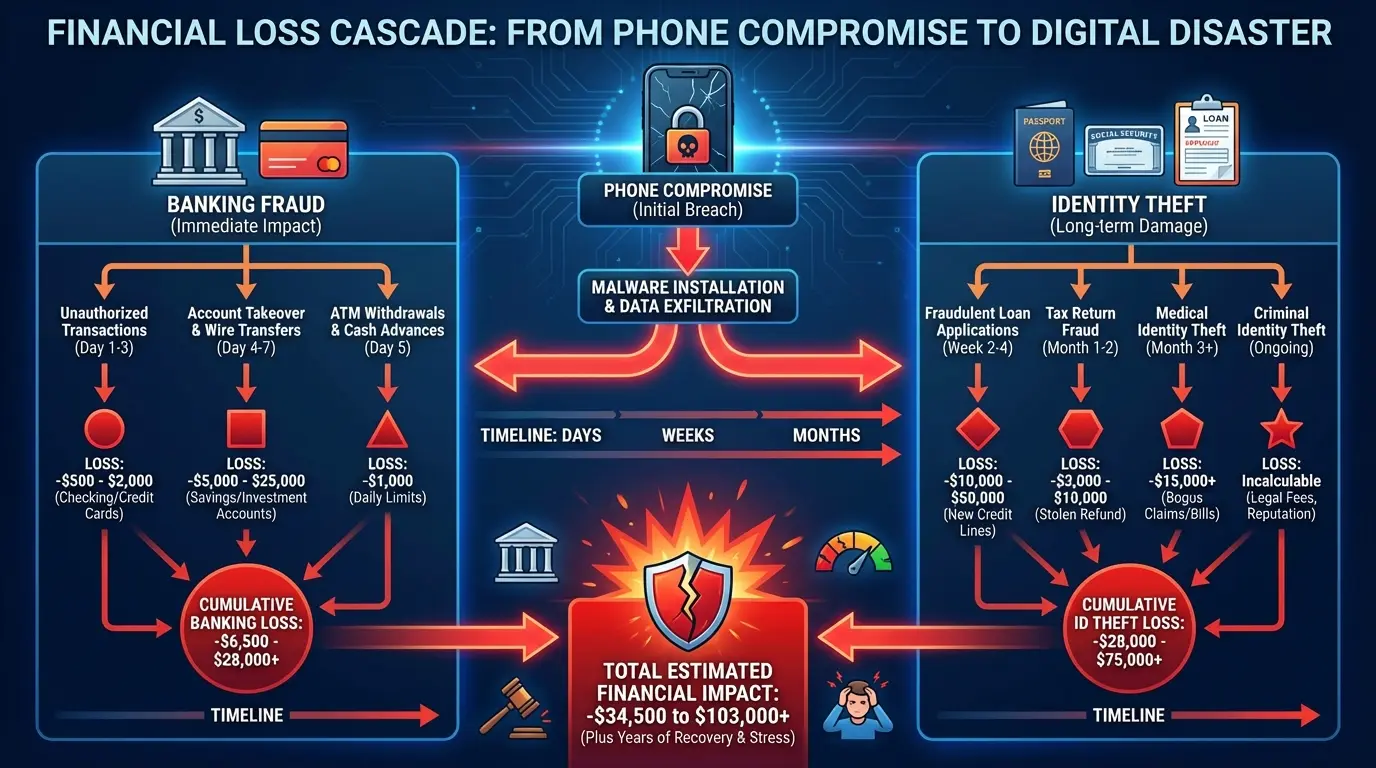
The replacement cost of a high-end smartphone now exceeds $1,200 for flagship models. Add the cost of restored data, temporary replacement devices, and the productivity loss during the transition, and you're looking at $2,000+ in total impact. That's before factoring in any identity theft or fraud that occurred while the device was compromised.
My friend Lisa is a freelance designer. She lost her phone at a conference in Austin last year. Left it at a coffee station, realized maybe 45 minutes later, it was gone. Her phone didn't have a passcode (I know, I know), and by the time she got to a computer to remote wipe it, someone had already screenshotted her PayPal and sent themselves $3,400. She's still dealing with the fallout. The bank reversed some charges, but not all. And the client list that got leaked? She lost three long-term contracts because people thought she'd been hacked and didn't trust her security anymore.
The Cascading Effect Nobody Warns You About
This is what actually happens:
You crack your screen badly enough that touch response becomes unreliable. You delay the repair because you're busy (or broke). During that delay, you miss a critical security update notification. The outdated software contains a vulnerability that gets exploited two weeks later.
Or this: Your phone gets stolen. You remotely wipe it (good call), but you forgot that your authenticator app didn't have cloud backup enabled. Now you're locked out of accounts that require two-factor authentication.
You're forced to go through account recovery processes that involve sending copies of your ID to multiple services, creating new opportunities for identity theft if any of those companies experience a data breach.
Physical damage also forces you into repair situations where you're handing your device to strangers. Not every repair shop maintains strict data privacy protocols. Understanding phone repair risks and security becomes critical during these vulnerable windows. Your phone might be fully functional after repair, but someone had unrestricted access to it for 24 hours.
Each vulnerability amplifies the others. Software can't protect a device that's not in your possession. Physical protection can't prevent malware from stealing data. You need both layers working at the same time.
When Your Phone Gets Compromised - Do This Right Now
Okay, your phone is gone. Here's what you do right now (not tomorrow, not after you finish your coffee):
Lock it remotely. iPhone users hit up iCloud, Android users use Find My Device. Do this before you do anything else, because you've got maybe 10 minutes before someone powers it down.
Then change your email password. From a computer, not another phone. Your email is the skeleton key to everything else.
Call your carrier. Tell them to suspend service. This prevents SIM swap attacks, which (trust me) are worse than losing the phone.
Now you can breathe for a second.
The next steps can wait an hour or two, but get to them:
Enable remote wipe if device recovery seems unlikely (within 24 hours)
Document everything - date, time, where it happened - for insurance claims
Review recent account activity for unauthorized transactions
Enable fraud alerts with credit bureaus (Equifax, Experian, TransUnion)
Update security questions and two-factor authentication on all accounts
Check for unauthorized app installations if you get the device back
File a police report if it was stolen (you'll need this for insurance)
Android vs. iOS: Does Your Operating System Change the Game?
Look, Android Users Have a Target on Their Backs
Android has 71% of the global market. Which means if you're writing malware, you're writing it for Android. It's just math.
I've used both platforms, and here's the reality: Android gives you freedom, but that freedom comes with risk. The open-source nature allows for incredible customization and flexibility. It also means apps can access deeper system functions than iOS typically permits. That expanded access creates more potential entry points for malicious code. Norton's scanning becomes more critical on Android because the attack surface is simply larger.
Fragmented update cycles across different manufacturers create security gaps. Samsung might push an update immediately, while other brands lag by months. Older devices stop receiving security patches entirely, leaving users vulnerable to known exploits that have been patched on newer models.
Third-party app stores (outside Google Play) introduce additional risk. While Google Play has security vetting, it's not foolproof. Sideloading apps from unknown sources bypasses even those basic protections. Norton antivirus phone protection matters more in this environment because you can't rely solely on the distribution platform's security measures.
iOS Users Get Complacent (And That's When Phishing Gets Them)
Apple's walled garden approach does provide inherent security advantages. Apps go through more rigorous vetting, system access is more restricted, and updates roll out universally across supported devices.
But iOS users still fall victim to phishing attacks at rates comparable to Android users. Norton's web protection matters just as much on an iPhone because these attacks target the user, not the operating system. A convincing fake banking site works equally well regardless of which device loads it.
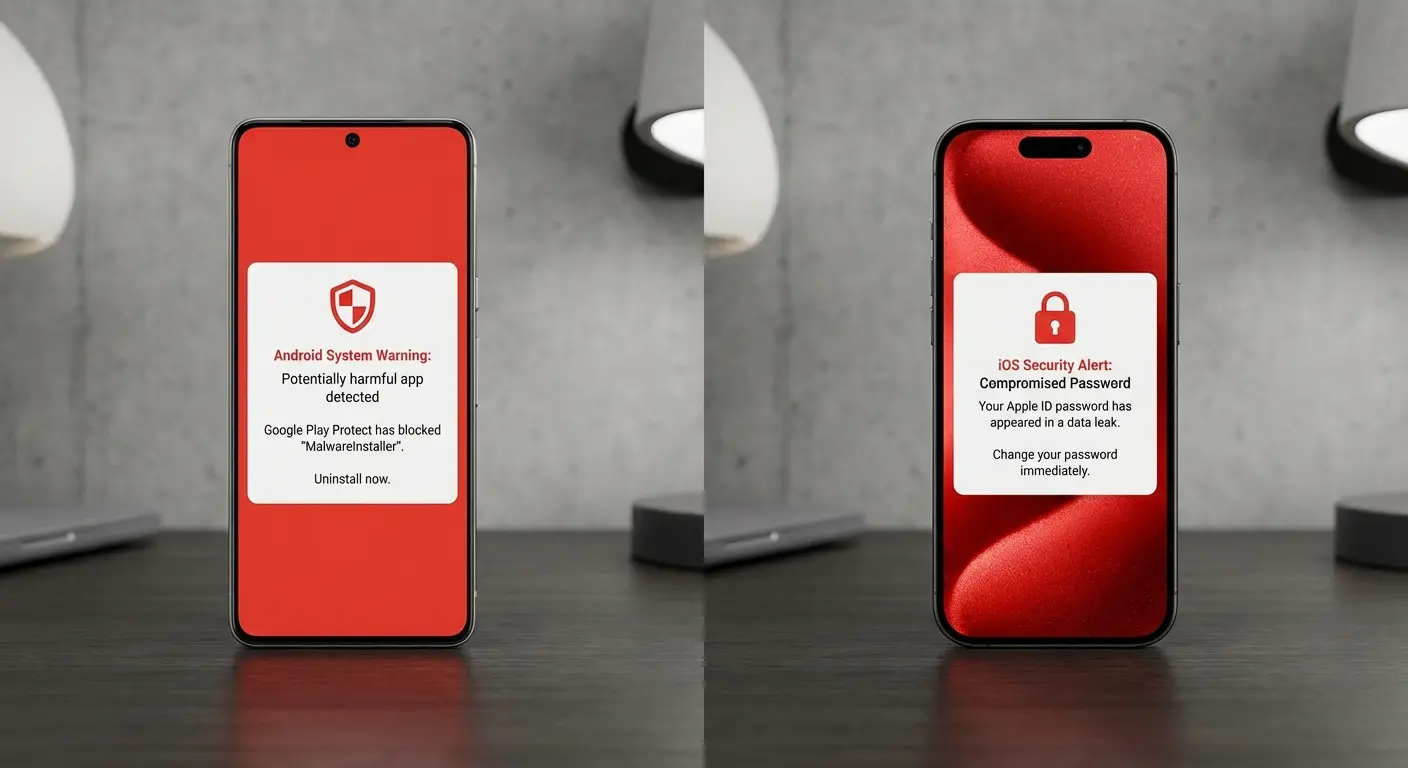
I've seen more iPhone users fall for fake iCloud login pages than Android users fall for malware, because Android users know they need to be paranoid. iOS users think they're invincible. And that's exactly when they're vulnerable.
Zero-day exploits (vulnerabilities unknown to Apple) exist and get discovered regularly. The period between discovery and patch deployment leaves even updated iOS devices vulnerable. Norton provides an additional security layer during these windows, though it can't patch the underlying system vulnerability.
iMessage and FaceTime have had documented security flaws that allowed remote access without user interaction. While Apple patches these quickly once discovered, the assumption that iOS is inherently invulnerable creates complacency.
Google Pixel and the Update Advantage
Google Pixel devices receive security updates directly from Google, eliminating the manufacturer and carrier delays that plague other Android phones. This puts them closer to iOS in terms of update consistency.
Norton's role on a Pixel becomes more focused on app-level threats rather than compensating for outdated system security. If you're on Android and care about security, Pixel is probably your best bet. The hardware isn't always the flashiest, but the software support is unmatched.
Huawei devices (particularly newer models without Google Play Services) operate in a different security environment entirely. The Huawei AppGallery has different vetting processes, and the absence of Google's infrastructure changes how security tools function. Norton's availability and functionality on these devices varies by region and model.
Your specific device matters as much as your operating system. A three-year-old budget Android phone faces different security challenges than a current-generation Samsung flagship. Norton provides consistent protection across these variables, but it's working with different baseline security levels depending on your hardware and software combination.
Beyond Software: The Physical Security Gap
Cracked Screens Are a Security Threat (Not in the Way You
Cracked Screens Are a Security Threat (Not in the Way You Think)
Biometric authentication fails when your screen is shattered. Fingerprint sensors stop working. Face ID struggles with a damaged front camera. You're forced to fall back on PIN or pattern entry, which is more vulnerable to shoulder surfing and easier to brute-force.
A damaged screen often means delayed repairs, which means delayed security updates. You're less likely to maintain your device properly when it's already compromised. That cracked screen becomes the first domino in a series of security failures.
Water damage creates intermittent functionality that's even worse than complete failure. Your phone might work well enough that you don't replace it immediately, but unreliable enough that you miss notifications (including security alerts from Norton). You're operating in a degraded security state without fully realizing it.
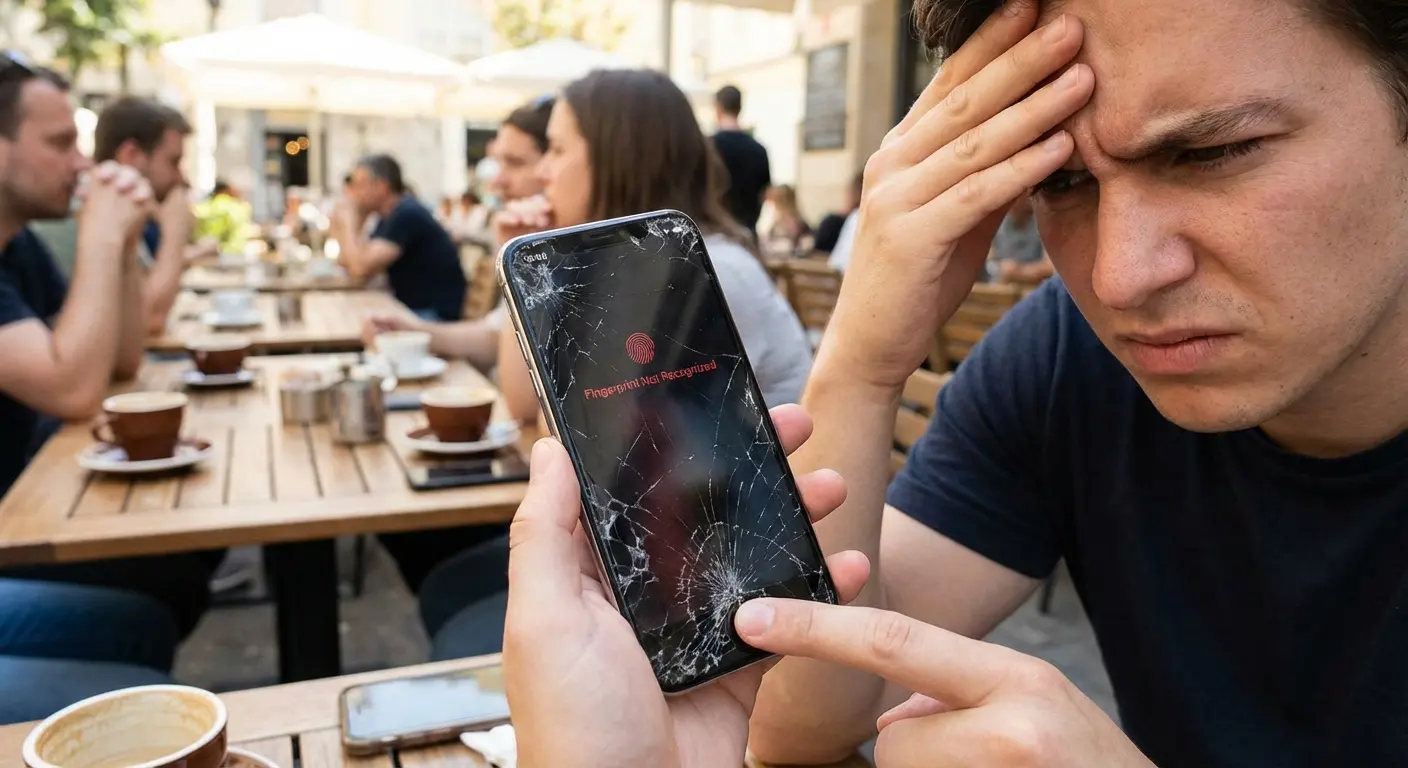
Physical damage also affects your behavior. You're more likely to leave a damaged phone unattended because it feels less valuable. You might be less cautious about where you use it or who you hand it to. The psychological impact of physical damage undermines your security practices.
The Theft Factor Nobody Wants to Acknowledge
Approximately 2 million phones get stolen annually in the United States alone. Theft isn't just about losing the hardware value. It's about someone gaining physical access to your digital life before you can remotely wipe the device.
Thieves know the value extends beyond resale. A locked phone can be worth more for the data it contains than for its parts. Social engineering attacks using stolen phones have become sophisticated. Attackers contact your family members, your employer, or your financial institutions using information gleaned from your device.
Norton's anti-theft features help (remote location tracking, alarm triggering, device locking), but they require the phone to be powered on and connected. A professional thief will immediately power down the device or place it in a signal-blocking bag. Your window for remote action is measured in minutes, not hours.
Physical security measures that prevent theft in the first place become your primary defense. Software tools are your backup plan, not your frontline protection. You need both layers working together, with physical security taking priority because it enables everything else.
How to Build a Complete Phone Protection System
The Multi-Layer Approach That Actually Works
Start with software security as your baseline. Norton (or equivalent mobile security software) should be installed, updated, and actively monitoring before you worry about anything else. Set up automatic scanning, enable web protection, and configure the VPN for use on public networks.
Add physical protection that prevents the damage and theft scenarios we've discussed. Your phone needs impact protection that works, not just aesthetic cases that add bulk without meaningful protection. Drop protection, water resistance, and secure mounting solutions all contribute to keeping your device functional and in your possession.
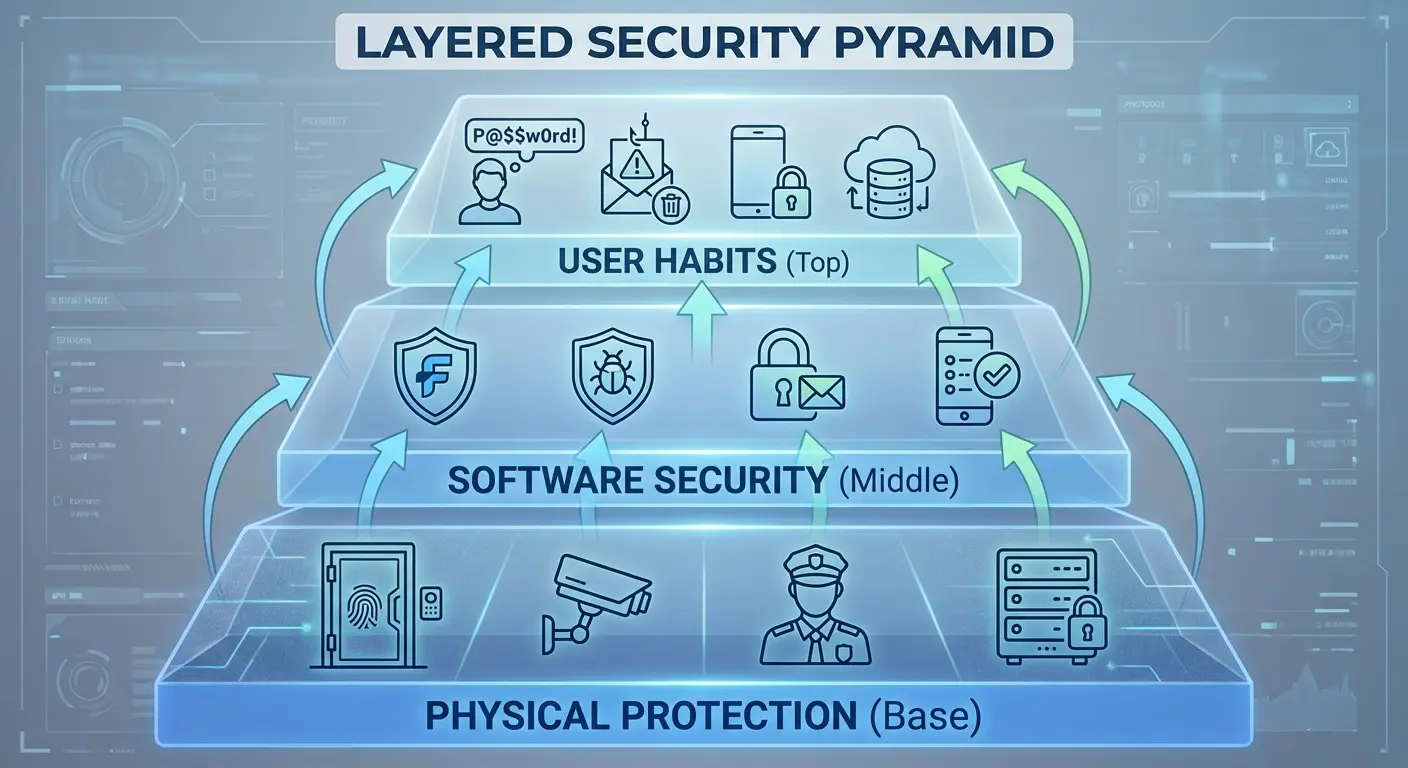
Enable all native security features your operating system provides. Biometric authentication, Find My Device (or Find My iPhone), automatic backups to cloud storage, and remote wipe capabilities should all be configured before you need them. Norton complements these features but doesn't replace them.
Develop security-conscious habits that work with your protection tools. Don't ignore permission requests. Review app access regularly. Update software promptly. Use strong, unique passwords (or a password manager). These practices multiply the effectiveness of your security tools.
What's Actually Missing From Your Current Setup
When did you last review which apps have permission to access your location, contacts, or camera? Apps you installed years ago might have permissions you wouldn't grant today. Norton can alert you to suspicious permission requests, but it can't retroactively audit everything you've already approved.
How quickly could you remotely wipe your device if it was stolen right now? Do you remember your account passwords without accessing your password manager (which is on your phone)? Have you documented your account recovery information somewhere other than your device?
What happens to your phone when you're at the gym, at the beach, or on a bike ride? These scenarios often involve either leaving your phone vulnerable or bringing it into high-risk environments without adequate protection. You're creating security gaps during the activities where your phone is most likely to be damaged or stolen.
Does your backup strategy actually work? Have you tested restoring from backup, or are you assuming it'll work when you need it? A backup that fails during restoration is worse than no backup because you believed you were protected.
Monthly Security Check (Takes About 20 Minutes)
Software stuff (maybe 5 minutes): Run Norton's full system scan and actually look at the results. Check for pending OS and app updates. Verify your VPN is configured for auto-connect on public Wi-Fi. Review Norton's threat detection log - if you're seeing patterns, that matters.
Permission audit (this takes longer, maybe 10 minutes): Go into Settings, then Privacy, then Location. Look at which apps have location access. Do they all need it? Check camera and microphone permissions while you're there. Find apps you haven't used in 90+ days and delete them. Verify your two-factor authentication apps have cloud backup enabled (this one's critical).
Physical check (3 minutes): Inspect your case for cracks, wear, or reduced protection. Test your biometric sensors - fingerprint, Face ID, whatever you've got. Check your charging port for debris or corrosion. Make sure Find My Device/iPhone is enabled and location sharing actually works.
Backup test (5 minutes): Confirm automatic cloud backup completed in the last 24 hours. Test restore of a few recent photos to verify backup integrity. Document recovery codes for critical accounts somewhere offline and secure. Update emergency contact information if anything's changed.
A small business owner I know does this every first Sunday of the month. Takes him maybe 30 minutes. Last year, his phone got stolen from a restaurant table. He remotely wiped it within 8 minutes, restored everything to a replacement device within 2 hours, and lost zero business data because his backup protocols were tested and current. That 30-minute monthly investment saved him thousands in potential losses.
Why Your Phone Needs a Case That Does More Than Look Good
You've secured your phone digitally with Norton. You've enabled all the right settings. But you're still carrying it in a flimsy case (or no case at all) and setting it down in vulnerable locations throughout your day.
Look, I need to mention that I work for Rokform - we make phone cases. But here's why I'm bringing it up: most cases are designed to look good, not to actually protect your phone in the situations where Norton can't help you.
Physical protection isn't just about preventing cracks. It's about maintaining the functionality that your digital security depends on. When we designed our protective cases, we focused on the intersection between physical durability and practical security. Our magnetic mounting system means your phone isn't sitting loose on your car dashboard or gym bench where it's easy to grab. It's securely mounted and within your line of sight.
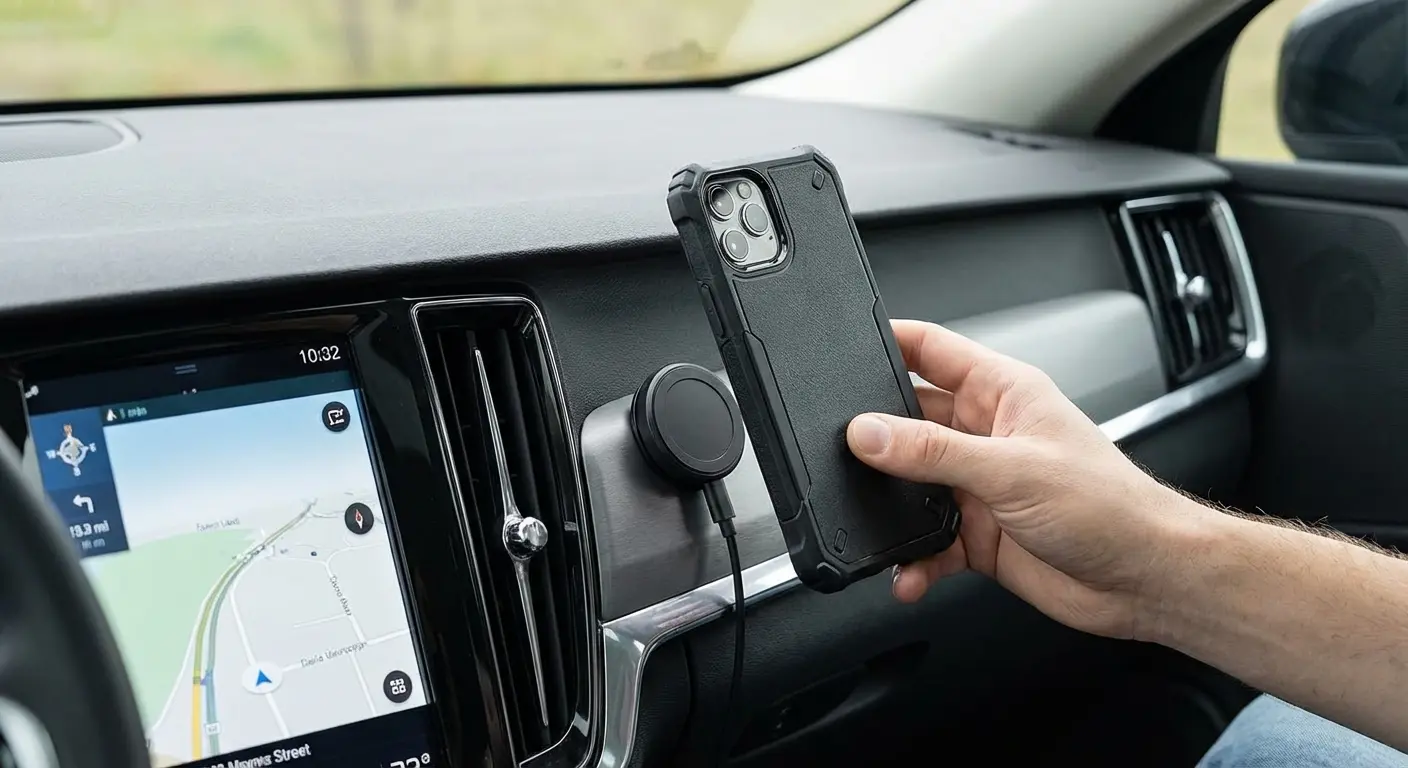
Drop protection that meets military standards (MIL-STD-810G) keeps your device functional even after impacts that would destroy typical cases. That means your biometric sensors keep working, your screen remains responsive, and Norton can continue protecting you without interruption. Physical security enables digital security.
I've seen too many people invest in comprehensive software protection while ignoring the physical vulnerabilities that make that software irrelevant. A $50 annual Norton subscription doesn't matter if your phone is at the bottom of a lake or in someone else's pocket. Our rugged case lineup addresses the physical vulnerabilities that software can't fix.
Setting Up Automated Protections You Can Actually Trust
Configure Norton to run deep scans during overnight charging when you won't notice the performance impact. Schedule these scans weekly at minimum. Enable automatic threat removal for confirmed malware rather than requiring manual confirmation for every detection. The other big name gets the same treatment in my Avast antivirus for Android review.
Set up automatic app updates through your device's app store, but enable notifications so you're aware of what's changing. Major updates sometimes introduce new permission requests that deserve your attention. Automation shouldn't mean blind trust.
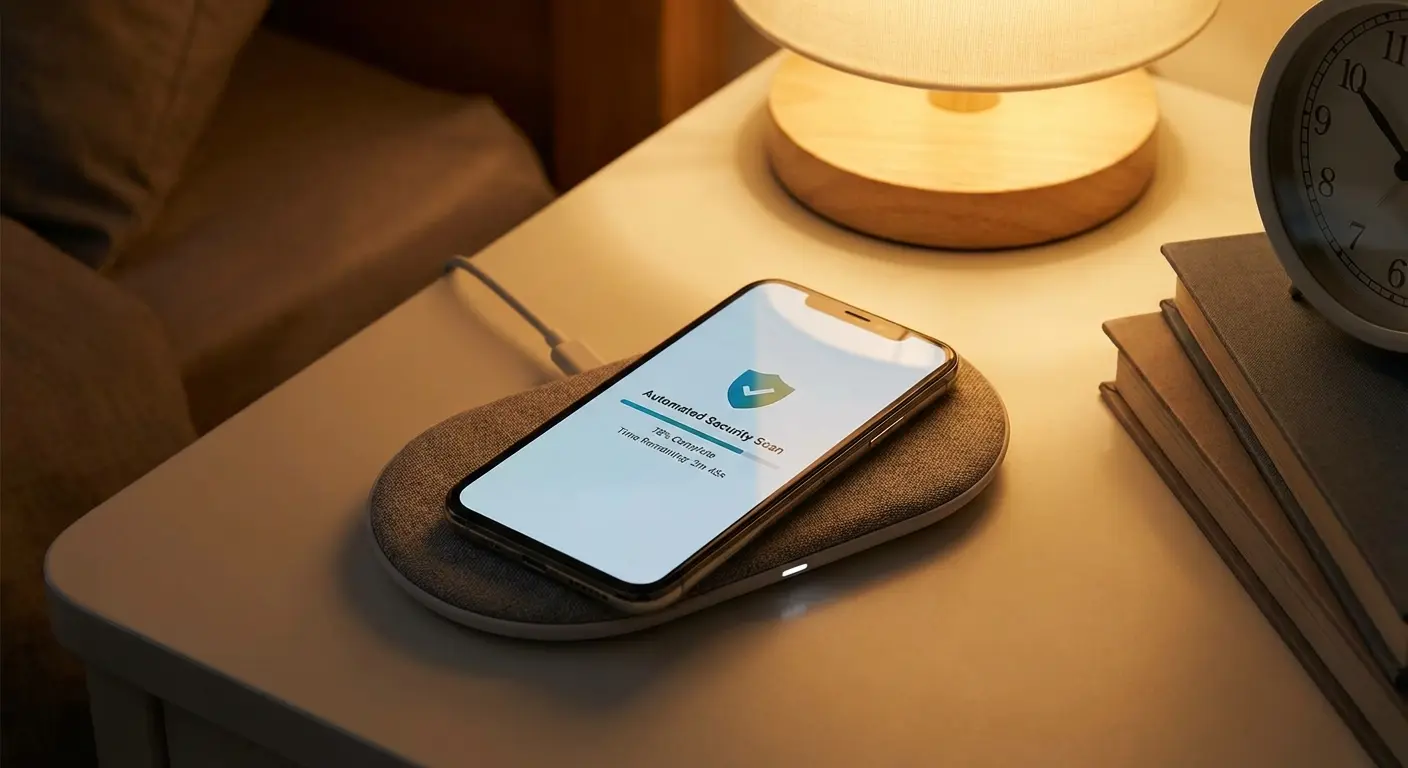
Enable automatic cloud backup for photos, contacts, and documents. Services like Google Photos, iCloud, or OneDrive should be syncing continuously in the background. Your device might be protected, but your data needs independent backup in case physical damage or theft occurs anyway.
Create calendar reminders for quarterly security reviews. Automation handles daily tasks, but human oversight catches the edge cases and evolving threats that automated systems miss.
According to ZDNET's 2025 antivirus review, Norton 360 consistently earns perfect scores across independent testing from AV-Test for protection, performance, and usability. The review notes that while Norton Antivirus Plus starts at just $30 for the first year covering one device, customers should be aware of price increases after promotional periods. Norton 360 Standard, Deluxe, and LifeLock Select Plus plans range from $40 to $100 per year and include additional features like dark web monitoring, VPN, and parental controls.
What I Actually Learned After My Phone Got Stolen
My phone got stolen two years ago at a bar in Chicago. I had Norton installed, I had Find My iPhone enabled, I had everything set up right. And you know what? None of it mattered because I left my phone on a table while I went to the bathroom. Someone just picked it up and walked out.
I got the phone back - tracked it to an apartment building, got the cops involved, whole thing. But those 48 hours before I got it back? I was locked out of my email, my bank, my work accounts. Everything required two-factor authentication that went to that phone.
Norton excels at detecting malware, blocking phishing attempts, securing your network connections, and providing remote device management. These capabilities matter enormously in an environment where mobile threats evolve daily. The software deserves a place in your security toolkit.
But software alone leaves you vulnerable to the physical threats that compromise devices every day. Theft, damage, loss, and the cascading security failures they trigger require different protection strategies. Your phone is simultaneously a digital device and a physical object. Both aspects need active protection.
The goal isn't perfect security (which doesn't exist). It's reducing your attack surface enough that you're not the easiest target. Thieves move on to less protected devices. Malware looks for easier entry points. Physical damage happens, but it doesn't have to compromise your data and identity in the process.
Build your protection in layers. Start with Norton or equivalent mobile security software. Add physical protection that prevents damage and theft. Enable all native security features your device offers. Develop habits that support your security tools rather than undermine them.
Your phone contains too much of your life to protect it halfway. Complete security requires addressing both the threats you can't see (malware, phishing, data interception) and the ones you can (drops, theft, physical damage).
So yeah, install Norton. But also get a case that can survive a drop. And maybe don't leave your phone sitting on a table in a crowded bar.
Security isn't just software. It's not being stupid.

