


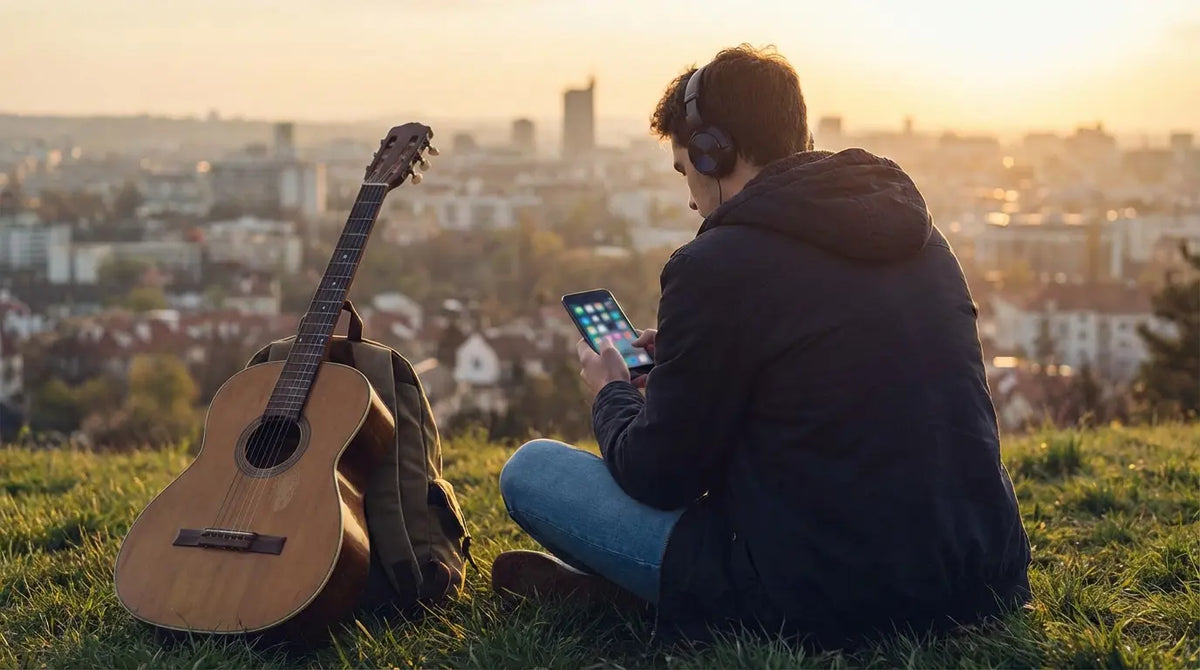
There is nothing worse than standing in your kitchen, trying to queue up a specific song for dinner, and getting hit with a random shuffle mode you didn't ask for. Last week, I tried to play some jazz, and the app decided to blast an EDM track followed by a loud insurance ad. It killed the vibe instantly.
That moment is exactly why you need to know which free apps actually work. The internet is flooded with options—platforms like Chartmetric show the sheer volume of data out there—but most of them are designed to annoy you into paying for a subscription. We’ve dug through the noise to find the platforms that deliver music to your ears without costing a dime. And since even the best stream sounds flat on bad hardware, we'll also touch on the gear—like the best golf speaker setups and mounts—that helps you get the most out of your playlist.
Finding a music app shouldn't feel like a chore. Here is the no-nonsense guide.
Table of Contents
We’ve organized this to get you straight to the good stuff. We’ll break down the "catch" with free streaming, then hit our top 25 list—covering the mainstream giants, the offline lifesavers, and the indie gems. Finally, we’ll talk about how to keep your phone secure while you're blasting your new mix.
TL;DR: The Reality of Free Streaming
If you want the quick facts before diving in, here is what free streaming looks like in 2026:
You Pay with Attention: Nothing is truly free. You either pay with your wallet, or you deal with audio interruptions and banner ads.
Offline is Rare: Most free tiers need data. Apps like Trebel and Audiomack are the rare exceptions that let you download tracks.
The Shuffle Trap: Big apps (Spotify, Amazon) usually force shuffle mode on mobile. If you want to pick specific songs, you often have to use a desktop.
Niche is Nice: Don't expect Taylor Swift on every platform. Use SoundCloud for remixes and Bandcamp to support indie artists.
Protect Your Gear: Streaming drains battery and puts your phone in precarious spots (like propped up on a treadmill). Having the best phone case for the gym is mandatory if you're active.
The "Party Foul" Scenario: You're hosting a dinner party. You hit play on a "Chill Vibes" playlist. Two songs in, a jarringly loud ad for laundry detergent comes on. This is why knowing which apps have audio ads vs. silent banner ads matters before the guests arrive.
What You Need to Know Before Downloading
Free streaming always comes with a trade-off. Before you clutter your home screen with new icons, check the ad situation. Some apps ruin the mood with audio interruptions, while others just show visual ads (which are much easier to ignore).
You also need to look at bitrate. Standard definition audio is fine for cheap earbuds, but if you're playing music through a quality speaker, a low-bitrate stream is going to sound like it's coming out of a tin can.
Here is what you're really getting:
Feature |
Free Tier Reality |
Premium Expectation |
|---|---|---|
Control |
Usually Shuffle-only on phones; limited skips (usually 6/hour). |
Play whatever you want, whenever you want. |
Ads |
Interruptions every few songs. |
Zero ads. |
Offline |
Rare. You usually need Wi-Fi or 5G. |
Download and listen anywhere. |
Quality |
Standard def (96kbps - 160kbps). |
HD or Lossless audio. |
Category A: The Mainstream Giants
These are the heavy hitters. You know the names, but you might not know exactly how much they restrict their free users. These apps have the best libraries, but on mobile, they act more like radio stations than on-demand players.
1. Spotify
Spotify is the king for a reason. The discovery algorithms are unmatched—it just knows what you want to hear. The downside? The mobile app forces shuffle on most playlists. If you want total control without paying, use the web player on your laptop. It’s a loophole that still works.
2. YouTube Music
If a song exists, it’s on YouTube. This is the place for obscure covers, live versions, and remixes. The big annoyance here is that on the free tier, you can't lock your phone. The screen has to stay on, which eats your battery life for breakfast.
3. Amazon Music
If you have Alexa devices, this is a solid choice. It integrates perfectly for voice commands. On mobile, it’s strictly shuffle-based, but it’s great for passive listening when you just want a genre and don't care about picking specific tracks.
App |
Best For... |
The Catch |
|---|---|---|
Spotify |
Music discovery and playlists. |
Forced shuffle on mobile. |
YouTube Music |
Finding obscure tracks. |
Screen must stay on. |
Amazon Music |
Alexa users. |
You can't pick specific songs. |
Tidal |
Better audio quality. |
Lower bitrate than the paid HiFi tier. |
4. Deezer
Deezer often gets overlooked, but it’s great. Their "Flow" feature creates an infinite mix based on what you like. It’s clean, simple, and a nice break if you're tired of Spotify's interface.
5. Tidal
Tidal recently shook things up with a completely free tier in the US. While you don't get their famous "Master Quality" audio for free, the fact that you get decent on-demand listening makes it a serious contender.
6. Pandora
The OG of internet radio. You don't use Pandora to pick a song; you use it to pick a vibe. Type in an artist, and it does the rest. It’s perfect for "set it and forget it" situations.
Category B: Offline-Capable & Legally Free
Data plans aren't infinite. These apps solve the "Holy Grail" problem: listening without an internet connection. They usually make you watch some ads in exchange for downloads, but it's a fair trade.
7. Freefy
Freefy is starting to make waves because it offers what everyone wants: on-demand listening without a subscription. It’s marketed as a legal alternative to piracy, and honestly, the experience feels surprisingly premium. If you hate forced shuffle, this is one to check out.
8. Trebel
Trebel uses a unique model: you "pay" for your music by engaging with ads or brand content. Do a little work upfront, and you can download music to listen to offline. It’s a lifesaver for anyone with a limited data plan.
The "Data Saver" Hack: If you only have 5GB of data a month, streaming Spotify on your commute will burn through that in a week. With Trebel, download your playlist on your home Wi-Fi while you brush your teeth, and you're set for the bus ride without using a byte of data. Streaming specifically has its own shortlist in my best free music streaming apps guide.
9. Audiomack
A powerhouse for Hip-Hop, Afrobeats, and Reggae. Artists often upload mixtapes and pre-release tracks here directly. It allows free downloads, making it essential for keeping up with trends before they hit the mainstream charts.
10. My Mixtapez
If you follow rap culture, you know this app. It’s the destination for mixtapes. The ads can be a bit heavy, but the content is often exclusive. You won't find Country hits here, but for its niche, it's unbeatable.
Category C: Indie, Remixes, and Community
Sometimes you want something raw. These platforms are where you go to find DJ sets, unreleased demos, and the next big thing before they get signed.
11. SoundCloud
SoundCloud is the wild west of streaming. It’s where you find hour-long DJ mixes and raw demos. The free version has ads, but it’s the only place to find tracks that simply don't exist on Apple Music. iPhone owners get their own shortlist in my music apps for iPhone guide.
12. Bandcamp
Bandcamp is mostly a store, but it works as a streaming tool for discovery. It’s the most ethical way to listen since it supports artists directly. You can stream most tracks for free, though some artists limit how many times you can listen before asking you to buy.
13. Jamendo
This is for royalty-free music and independent artists. You won't find Top 40 here, but it's a goldmine for content creators looking for background music or just listeners who want something fresh and different.
14. ReverbNation
Great for finding local bands. You can actually search by location, which is a cool way to see who is making noise in your specific city.
15. DatPiff
A library of the "Golden Era" of hip-hop mixtapes. While the platform has evolved, the archive of classic mixtapes from the 2000s and 2010s is legendary. It’s a time capsule you can't find anywhere else.
Category D: Radio & Global Stations
Sometimes algorithms suck and you just want a human to pick the music. These apps connect you to live radio stations around the world.
16. iHeartRadio
This aggregates thousands of live AM/FM stations. If you want to listen to your actual local radio station (or one from across the country) through your phone, this is the app.
17. TuneIn
TuneIn goes global. You can listen to stations in London, Tokyo, or Brazil instantly. It’s fantastic for sports and news, not just music.
The "Homesick" Cure: If you're an expat living abroad, an algorithmic playlist feels cold. Tuning into your hometown's morning radio show via TuneIn brings a sense of connection that Spotify just can't replicate.
18. Radio Garden
The coolest interface on this list. You spin a 3D globe and tune into radio stations based on location. It has zero on-demand capability, but the exploration factor is incredibly fun.
19. AccuRadio
Channels curated by humans, not bots. It generally has fewer ads than the big streamers, making it a solid option for office background music.
20. Jango
Jango is a bit of a hidden gem. The interface looks a little dated, but they claim to play only one ad per day. If you hate interruptions, it’s worth a look.
Category E: Video Wrappers & Tools
These aren't traditional streamers, but they are essential tools for your phone.
21. Musi
Musi is a hack for YouTube. It lets you stream YouTube audio without keeping your screen on. The ads are visual (in the app), so your music doesn't get interrupted. Massive battery saver.
22. VLC for Mobile
The Swiss Army Knife of media players. If you have MP3 files saved on your phone, VLC will play them. No ads, no tracking, just a solid player.
23. Plexamp
If you're a techie with a home server, Plexamp is amazing. It streams your personal music collection to your phone. It’s like building your own private Spotify.
24. Shazam
Essential for identifying songs. It pairs well with any other app on this list to help you build your library when you hear something cool in public.
25. LiveOne
Formerly Slacker, this blends radio with some on-demand features. The human-curated stations feel more "alive" than standard playlists.
Securing Your Soundtrack with Rokform
So you've got the apps. Now you need to make sure your phone survives the workout (or the drive). Whether you're using Freefy or Spotify, you need a way to control the music safely without dropping your device.
For the Golf Course
Using apps like Pandora during a round of golf is great until your phone rattles around in the cup holder. We built the G-ROK PRO Bluetooth golf speaker to solve this. It has a massive magnet that sticks directly to the golf cart frame. It pairs instantly, sounds great, and ensures your phone isn't sliding around the floor of the cart.
For the Road
Streaming maps and music at the same time is a battery killer, but you need your phone visible. Our Rugged cases use MAGMAX™ magnets. When you pair them with a Rokform car mount, your phone stays locked in place. You can glance at the track name or skip a song without fumbling around.
For the Gym
Our cases are built with military-grade polycarbonate. If you drop your phone while trying to change a song on the treadmill, the 6-foot drop protection has you covered. Plus, the magnetic case lets you stick your phone to the squat rack so you can watch your workout mix without your phone touching the dirty gym floor.
Activity |
The Gear |
Why It Helps |
|---|---|---|
Golfing |
G-ROK PRO Speaker |
Sticks to the cart, loud audio, keeps phone safe. |
Driving |
Dash Swivel Mount |
Safe, hands-free control. No fumbling. |
Cycling |
Handlebar Mount |
Locks phone against vibration; easy playlist changes. |
Gym |
Rugged Case |
Stick it to the machine. Keep it off the floor. |
Final Thoughts
The right app turns your phone into a jukebox, a radio, and a discovery engine all at once. You don't need to spend a fortune to get good audio if you know where to look. I recommend downloading a few from different categories—maybe Freefy for specific songs and Radio Garden for exploration—to see what clicks with you.
Once you have your sounds sorted, make sure your gear is ready to handle the ride. Check out our magnetic cases and mounts to keep your phone secure, no matter where the playlist takes you.

