


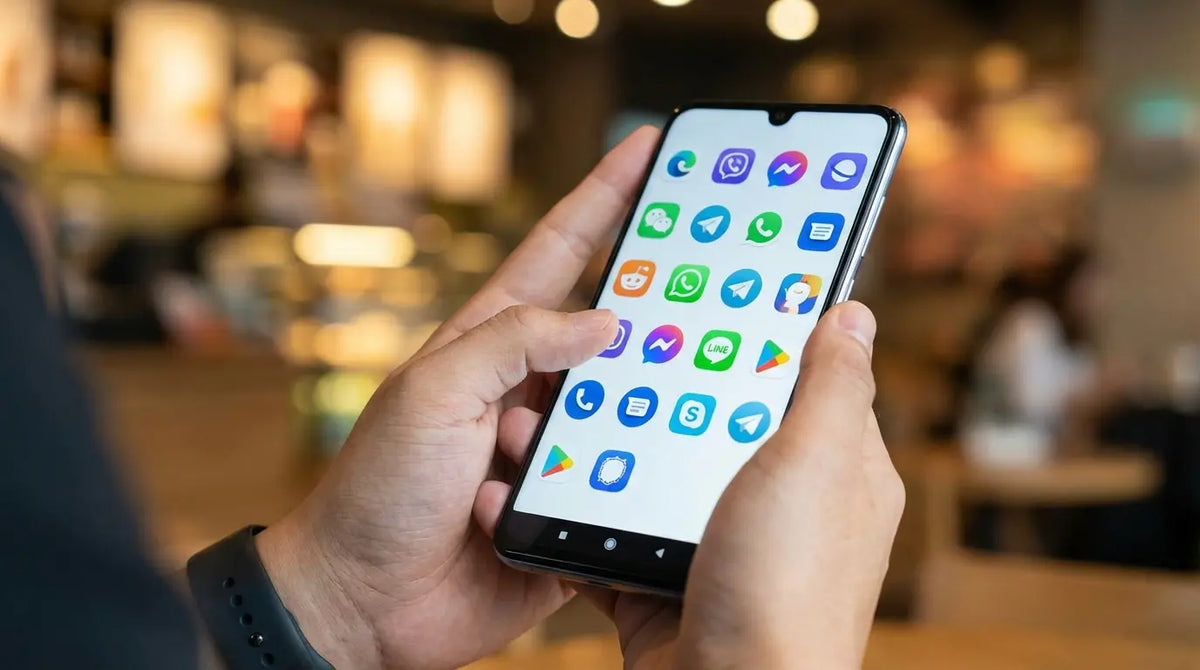
WhatsApp delivers somewhere around 130 billion messages a day. Honestly, that number is hard to even wrap your head around. I felt it last week, though—waking up to a notification shade so packed with group chats and spam that I completely missed a text from my wife asking me to pick up dinner. We’re all drowning in communication. Whether you’re rocking one of the best Android phones out there or holding onto an old reliable device, notification fatigue is a real problem. Finding the right texting apps for Android isn't just about sending memes; it's about filtering the noise so you don't miss the stuff that actually matters.
You need the right tools to filter the noise and actually connect.
Table of Contents
TL;DR: The Quick Version
What To Look For Before You Download
The "Stock" Replacements (SMS & RCS)
Privacy & Security First
The Social Giants (Cross-Platform)
Customization & Power Users
Work & Niche Utility
Hardware Protection for Your Digital Life
Final Thoughts
TL;DR: The Quick Version
If you don't have time to read the deep dive, here is the cheat sheet. We looked at the shift toward RCS, why encryption is a must-have, and why your phone case matters just as much as the app you use.
RCS is the new King: Rich Communication Services (RCS) is basically the "iMessage for Android." It kills off the old, clunky SMS limitations.
Encryption keeps you safe: If you're talking about anything private, make sure your app has End-to-End Encryption (E2EE).
Don't get locked in: If you work from a laptop, pick messaging apps that let you text from your computer without a headache.
Hardware protects software: You can't text on a broken screen. A rugged case is the best way to keep your connection alive.
Critical Factors for Your Next Android Messenger
Before you hit download, you need to know what you're actually getting. It’s not just about bubble colors anymore; it’s about how your data travels and who can see it.
Understanding Communication Protocols
You need to know how your message gets from A to B. SMS and MMS are the dinosaurs of the industry. They compress your photos into blurry thumbnails and struggle with group chats. If your default messaging application feels stuck in 2010, it's likely using these old protocols.
The "Grainy Video" Scenario: We’ve all been there. You record a cute video of your dog or kid, send it to a family member, and they receive a pixelated mess that looks like it was filmed on a toaster. That’s MMS. If you send that same file via RCS or an app like WhatsApp, they see it in full HD.
RCS is the modern standard for Android. It gives you typing indicators, read receipts, and high-res media. IP-based apps (like WhatsApp) use your data plan or Wi-Fi, bypassing carrier fees entirely.
Feature |
SMS/MMS (Legacy) |
RCS (Modern Standard) |
IP-Based (WhatsApp/Signal) |
|---|---|---|---|
Connection |
Cell Towers |
Data/Wi-Fi |
Data/Wi-Fi |
Media Quality |
Terrible (Compressed) |
High Resolution |
Original Quality |
Read Receipts |
No |
Yes |
Yes |
Encryption |
None (Carrier readable) |
Encrypted in transit |
Full E2EE (Usually) |
Requirement |
Phone Number |
Phone Number |
App Installation |
Demanding Privacy and Security
Data surveillance is getting creepy. You should prioritize End-to-End Encryption (E2EE). This means the company running the app can't read your texts even if they wanted to—only you and the recipient have the key. Always check the settings menu when you install a new message app to make sure this is turned on.
Syncing Across Devices
Most of us bounce between a phone, a tablet, and a laptop all day. The best messaging platforms have standalone desktop apps or web interfaces so you don't have to pick up your phone every time it buzzes.
AI and Smart Features
Love it or hate it, AI is here. Look for apps that help you out with smart replies, automatic spam detection (a lifesaver), and sorting features that keep your Uber verification codes separate from your family group chat.
Category A: The "Stock" Replacements (SMS & RCS)
These are the apps you download when you just want your phone to work better than it did out of the box. They handle standard texts but upgrade the experience.
1. Google Messages
Google Messages is driving the RCS revolution. It’s the default for a reason. It handles high-res photos, reaction emojis, and has excellent spam filtering. They recently added "Gemini" AI to help you draft texts, which is cool if you're stuck on what to say. E2EE is on by default for RCS chats, and the messages for web feature is super easy to set up with a QR code. If you want a "just works" experience, Google Messages is the winner. Switching to it usually solves media quality issues instantly.
2. Textra SMS
Textra is for the people who miss the days when you could customize everything. You can change bubble colors, app icons, and notification styles for specific contacts. The downside? It doesn't support RCS yet. It lacks E2EE, but it’s hands-down the best customization experience for standard text messages. It’s fast, pretty, and lightweight.
3. Chomp SMS
From the same developers as Textra, Chomp adds a bit more utility. It has a passcode app lock, scheduled messaging (great for birthdays), and a "stop sending" button for when you hit send and immediately regret it. It’s still running on older SMS/MMS protocols, though.
4. Pulse SMS
Pulse does something unique: it creates a dedicated cloud account to sync your SMS across literally everything. You can text from a tablet, web browser, or smartwatch seamlessly. It requires a subscription for the cross-device features, but for some, being able to text from a tablet without the phone nearby is worth the price.
5. Samsung Messages
If you have a Galaxy, you know this one. The "One UI" design is great because it puts all the buttons at the bottom of the screen where your thumb can actually reach them. It supports RCS and syncs well with Windows, though a lot of Galaxy users are slowly migrating to Google Messages just for better compatibility with non-Samsung phones.
App |
Best For |
RCS Support |
Web/Desktop Sync |
Cost |
|---|---|---|---|---|
Google Messages |
The "Standard" Experience |
Yes (Native) |
Yes (Web QR Code) |
Free |
Textra SMS |
Making it look cool |
No |
No |
Free / Pro |
Pulse SMS |
Texting from anywhere |
No |
Yes (Cloud Account) |
Subscription |
Samsung Messages |
Galaxy Loyalists |
Yes |
Yes (Link to Windows) |
Free |
Category B: Privacy & Security First
For the whistleblowers, the security-conscious, or anyone who just believes their conversations are nobody else's business.
6. Signal
Signal is the benchmark. Even Edward Snowden uses it. It has disappearing messages, view-once media, and it collects almost zero data on you. The code is open-source, and the encryption is always on. If you want to secure your text messages completely, this is the one to get.
7. Telegram
Telegram is a beast. It supports massive group channels and lets you share files up to 2GB. It’s cloud-based, so your chats are instantly on every device you own. Just be aware: "Secret Chats" are encrypted, but standard chats aren't E2EE by default. It's incredibly fast and the stickers are top-tier. Full chat platforms go further than SMS, and I compared the best messaging apps for Android as well.
8. Threema
Threema costs a few bucks, but you pay with money instead of your data. You don't even need a phone number or email to sign up, which offers true anonymity. It’s full E2EE and operates strictly on data.
The "Metadata" Trail: Most apps encrypt the content of your message, but not the metadata (who you spoke to and when). If you are really worried about privacy, metadata can reveal a lot. Apps like Threema or Session minimize this, ensuring that who you are talking to remains just as private as what you are saying.
9. Session
Session is for the hardcore privacy advocates. It routes messages through an onion-routing network (like Tor), which scrubs your metadata trail. No phone number required. It’s a little slower than WhatsApp because of how it routes data, but the privacy gains are massive.
10. Wire
Wire is aimed more at businesses that need secure collaboration. It does E2EE for messages, voice calls, and video conferences. It’s great for teams that need to share files and screens securely without worrying about corporate espionage.
App |
Encryption (E2EE) |
Requires Phone # |
Metadata Protection |
Best Use Case |
|---|---|---|---|---|
Signal |
Always On |
Yes |
High |
Daily Secure Chat |
Telegram |
"Secret Chats" Only |
Yes |
Low |
Large Groups/Channels |
Threema |
Always On |
No |
Very High |
Total Anonymity |
Session |
Always On |
No |
Extreme |
Metadata Privacy |
Category C: The Social Giants (Cross-Platform)
These are the apps you probably already have because everyone else has them. They blur the line between social media and texting.
11. WhatsApp
If you have friends outside the US, you have WhatsApp. It’s the most popular app globally. It uses the Signal protocol for encryption, so it's actually quite secure. It handles calls, status updates, and communities well. It's the Swiss Army Knife of messaging apps.
12. Facebook Messenger
You likely use this because your Facebook friends are there. The "Chat Heads" feature (bubbles that float over other apps) is still one of the best multitasking tools on Android. Just remember to check your settings to enable E2EE, as it's not always on by default.
13. Discord
Discord isn't just for gamers anymore. It organizes conversations into servers and channels rather than just a long list of texts. It’s great for hobby groups or friend circles who want to hop in and out of voice chat. It’s a totally different vibe from standard google messaging style apps.
14. Snapchat
The OG of disappearing messages. It’s less about "texting" and more about sharing moments. The map feature is cool (or creepy, depending on how you look at it), but don't treat this as a secure vault. It’s a social tool, plain and simple.
15. Instagram Direct
Let's be real, half of our "texting" is just replying to Instagram Stories with fire emojis. It keeps you in the ecosystem and is the main way to slide into DMs. It’s not a serious texting app, but it’s a necessary evil for staying in the loop.
Category D: Customization & Power Users
If you like to tinker with settings until 2 AM, these are for you.
16. Mood SMS
Mood SMS is fun. It has a "predictive emoji" engine and lets you customize backgrounds and fonts to an insane degree. It also has a "private box" to hide specific threads, which is... handy.
17. Handcent Next SMS
Handcent has been around forever. It offers "Handcent Anywhere" to let you text from computers and tablets. It’s heavily skinnable, so if you hate the way modern Android looks, you can change it here.
18. YAATA SMS
YAATA is tiny but powerful. It has a steep learning curve, but if you want to control exactly what color the LED flashes when your boss texts you vs. when your mom texts you, this is the app. It’s for the power users who love digging into Android settings.
19. QKSMS (or Forks)
Open-source, ad-free, and beautiful. QKSMS hasn't been updated in a while, but forks of it exist. It’s clean "Material Design" without the bloat. If you want a simple, privacy-respecting SMS app, this is a classic.
20. Simple SMS Messenger
Does what it says on the tin. No ads, no weird permissions, no tracking. It just sends texts. Part of the "Simple Mobile Tools" suite, it’s great for older phones or people who just want a phone to be a phone.
Category E: Work & Niche Utility
Tools for the job site, the office, or the middle of nowhere.
21. Slack
The office standard. It organizes work into channels and integrates with everything from Google Drive to Trello. It’s great for keeping work separate from your personal life so you don't accidentally send a meme to your CEO.
22. Microsoft Teams
If your company uses Office 365, you're using Teams. It combines chat, video meetings, and file sharing. It’s heavy, but it keeps everything in one place.
23. Bridgefy
This app is a lifesaver—literally. It uses Bluetooth to send messages without cell service or Wi-Fi. It hops signals between users to extend the range.
The "No Signal" Solution: Picture this: You're at a music festival or hiking deep in a canyon. Zero bars. Bridgefy lets your phone connect directly to your friend's phone via Bluetooth (up to 300 feet), or "hop" through other users to reach them. It creates a temporary, offline network when the towers fail.
24. Voxer
Think of this as a modern Walkie-Talkie. It sends live voice audio that is also recorded. Great for construction crews or teams that need to talk instantly without dialing a number.
25. GroupMe
GroupMe is the great equalizer. It manages group texts where half the people have iPhones and the other half have Androids. It uses SMS bridges to make sure nobody gets left out of the chat.
Protecting Your Connection
We’ve talked a lot about software, but let's be honest: none of this matters if you drop your phone on the sidewalk and shatter the screen.
We rely on these texting apps for everything—from coordinating work to staying in touch with family. But software can't fix broken hardware. Whether you're checking text messages on a job site, mounting your phone on a motorcycle, or just clumsy (like me), you need protection. Check out our rugged cases to keep your device in one piece.
Rugged Protection for Real Life
You shouldn't have to baby your phone. Rokform’s Rugged and Crystal cases use high-impact polycarbonate. We’re talking military-grade protection that shields your screen and corners from drops. This ensures your messaging apps are actually accessible when you need them.
The MAGMAX™ Advantage
Sometimes you need to see a notification without holding your phone. Rokform cases feature industrial-grade MAGMAX™ magnets. You can stick your phone to a toolbox, gym equipment, or your car dashboard. It keeps your device secure and at the perfect angle for checking text messages or GPS. And seriously, mount your phone securely in the car—save a life, don't text and drive.
Final Thoughts
The Android ecosystem is massive, and that's the best part about it. You aren't forced into one way of doing things.
You might need the Fort Knox privacy of Signal, the global reach of WhatsApp, or maybe you just want Google Messages because it handles RCS like a champ. Pick the tool that fits your life. If you use your phone for work, back it up. If you hate the default colors, download a customizer.
But remember: a broken phone sends zero messages. Once you've picked your app, make sure your hardware can handle the real world by grabbing one of the best magnetic cases for Android. Stay connected, and stay safe.

