


Table of Contents
Why your battery dies even on the charger
The power problem nobody mentions
Your mount is probably in the wrong spot
Heat kills everything (especially your phone)
Those USB ports aren't all the same
Making wireless actually work
TL;DR
Wireless Android Auto kills your battery faster than most charging pads can keep up. Heat from wireless charging plus your phone's processor turns your dashboard into an oven. Your mount's position screws with WiFi and Bluetooth signals more than you think. And honestly? Sometimes a cable just works better.
Why Wireless Android Auto Fails When You Need It Most
Two hours into a road trip, Spotify's playing, Maps is navigating, and your phone's at 43%.
Wait, weren't you at 47% like 20 minutes ago?
Yeah. Welcome to wireless Android Auto, where your phone dies on the charger.
Here's what's actually happening: your phone is running Wi-Fi Direct AND Bluetooth at the same time, according to Android Auto's technical documentation. One handles the screen mirroring and data, the other deals with calls and the initial connection. That's two radios going full blast, which absolutely murders your battery.
The whole thing is kind of backwards when you think about it. We went wireless to make things easier, and somehow ended up with a bunch of new problems wired connections never had. The tech fails specifically when you need it most: long trips, hot weather, running multiple apps.
Quick version: Android Auto mirrors your phone onto your car's screen so you can use Maps, Spotify, whatever without dying in a crash. The wireless version cuts the cable but adds a bunch of problems Google doesn't advertise.
Look, Android Auto isn't just an app you open. It's your phone basically running two jobs at once. Bluetooth handles the initial handshake and some control stuff, while WiFi Direct manages everything you see on screen. Both radios running full power while your screen stays lit for navigation creates a power draw that most wireless charging pads just can't match.
Here's what can actually keep your phone charged during navigation:
Wireless charging pad: 5-10W (nope)
Regular USB-A port: 7-12W (barely)
USB-C with Power Delivery: 15-27W (yes)
Good cigarette lighter adapter: 18-45W (yes, but now you have a cable)
Your phone running Android Auto? Pulling 8-12 watts easy. See the problem? The convenient option doesn't work. You're not maintaining your battery. You're just dying slower.
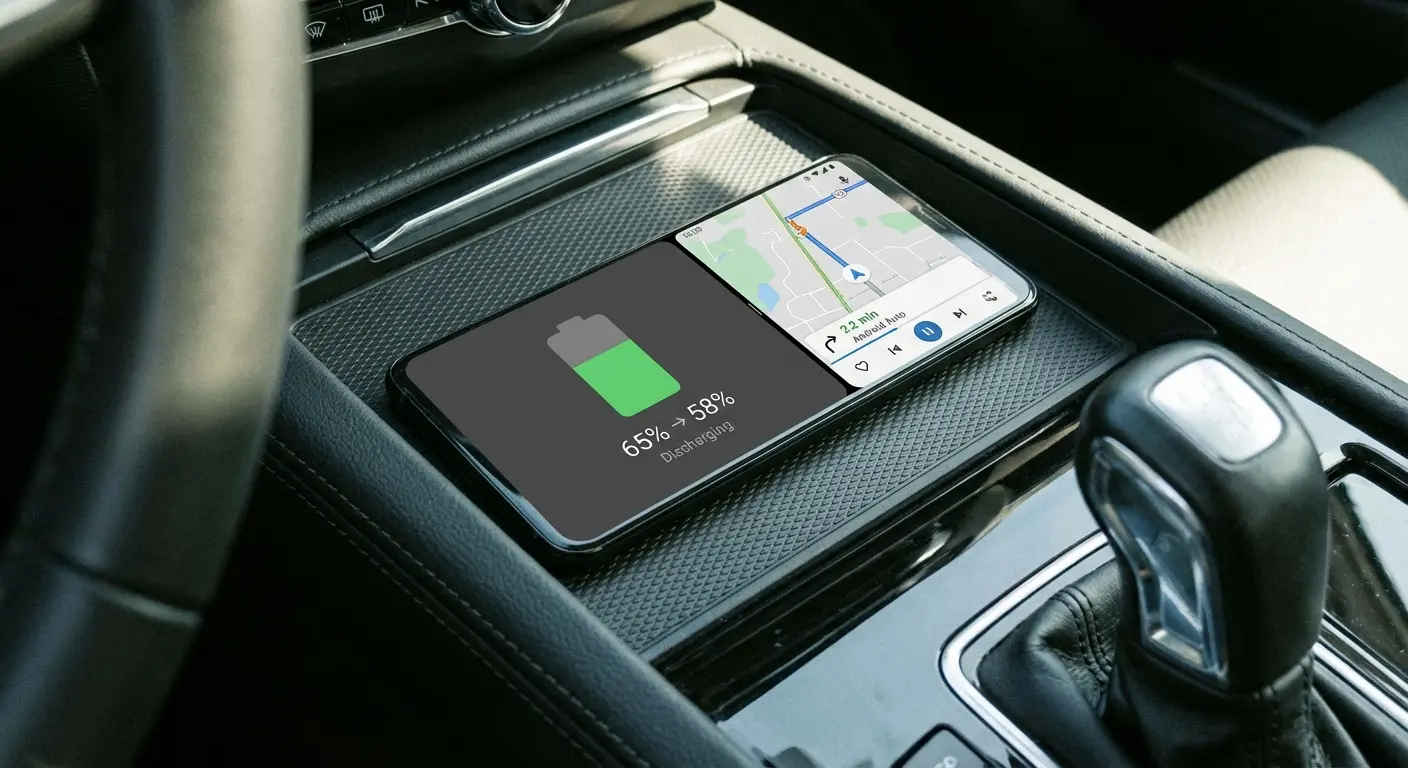
The Temperature Factor Everyone Ignores
Wireless charging generates heat through induction. Running Android Auto generates heat through processor activity. Combine them in a car sitting in direct sunlight, and you've created a thermal nightmare.
Heat kills batteries. Period.
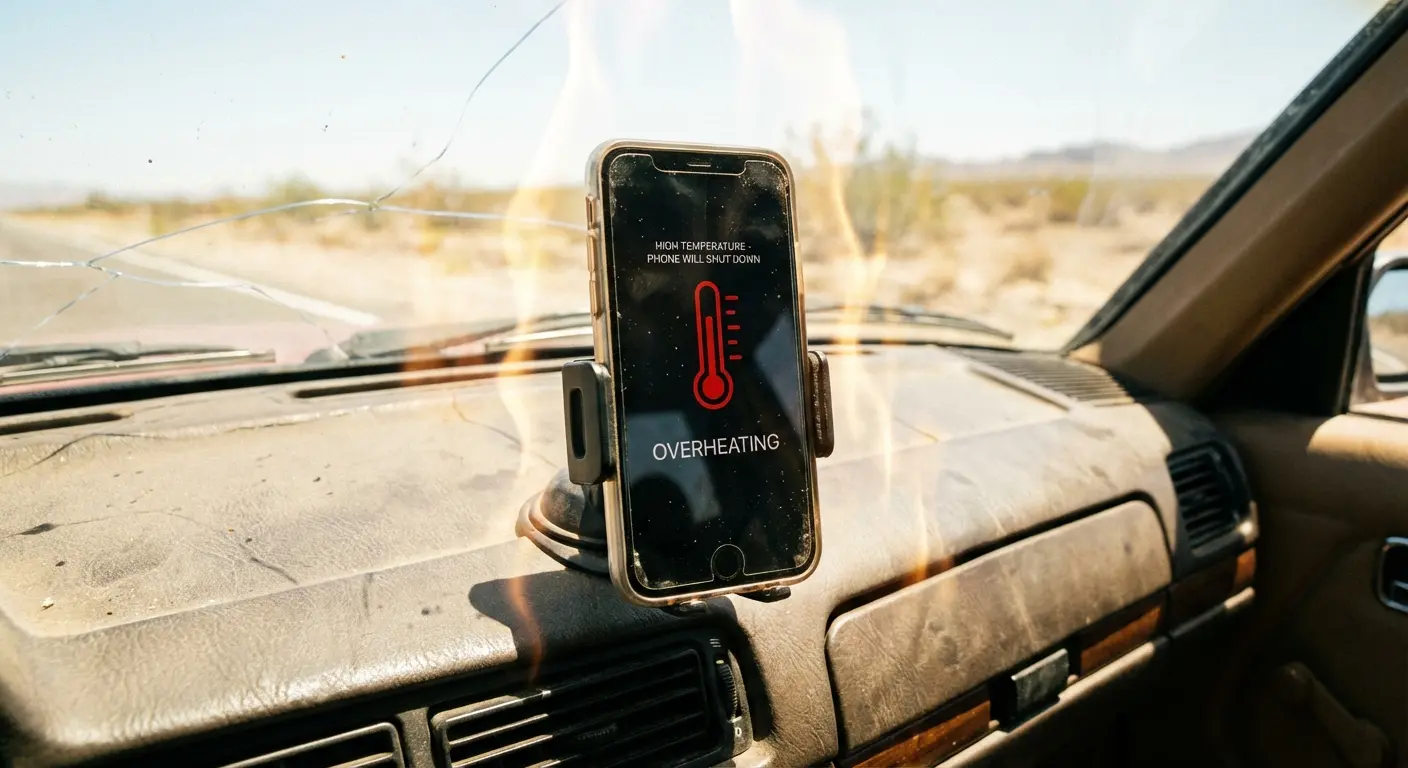
But here's what actually happens in your car that nobody talks about: You've got induction charging heating your phone from the outside. The processor is cooking it from the inside. And you're sitting in a metal box in the sun that can hit 140 degrees. It's not a charging solution. It's a phone sauna.
Android phones throttle performance when they overheat. We're not talking about a subtle slowdown. Your device will reduce charging speed, dim the screen, limit processor performance, and in extreme cases, pause charging entirely to protect the battery.
That smooth Android Auto experience becomes laggy, unresponsive, or disconnects completely.
You can't solve a thermal problem with a software update. The physics don't give a shit about your app version.
I saw this happen last week: driving through Arizona in July, outside temp at 105°F. Dashboard hitting 140°F in direct sun. Phone starts at a comfortable 75°F but within 20 minutes of wireless charging plus active Android Auto, the internal temperature hits 95°F. Temperature warning pops up, charging stops completely, processor throttles. Google Maps starts stuttering during turn-by-turn directions precisely when you need it most, navigating an unfamiliar interchange at highway speed.
Why Road Trips Expose the Weakness
Short commutes mask these issues. Your phone starts at 80% or higher, the trip lasts 20-30 minutes, and you arrive before the power deficit becomes obvious. You might even gain a few percentage points if conditions are favorable.
Road trips tell a different story.
You're starting a 3-hour drive at 65% battery because you forgot to charge overnight. Android Auto connects wirelessly, you've got Waze running with live traffic updates, podcast streaming, maybe you're tethering a passenger's device. Two hours in, you're at 35% and dropping, your phone is uncomfortably warm, and you're calculating whether you'll have enough power to use your phone when you arrive.
This is where wireless becomes a liability instead of a convenience.
The Hidden Power Draw Nobody Talks About
Calling it "wireless" Android Auto is technically accurate but practically misleading. You're still tethered to a charging pad or you're watching your battery die. You've just traded a cable for a different kind of dependency.
What's Draining Your Battery
Screen-on time during navigation is the obvious culprit, but it's not the biggest one. Your phone's GPS radio runs continuously, your processor is rendering map updates in real-time, and you're maintaining two separate wireless connections to your vehicle.
Background app refresh continues while Android Auto runs. Your email still syncs, your messaging apps still check for updates, and your phone still performs all its normal functions while simultaneously managing your entire in-car interface. You're basically asking your phone to be two phones at once.
Streaming audio adds another layer. Spotify, YouTube Music, or podcast apps are pulling data over your cellular connection (unless you've downloaded content), processing that audio, and sending it wirelessly to your car. Each step consumes power that your wireless charger is struggling to replace.
Here's the breakdown:
Screen at full brightness: 2-3W
GPS running continuously: 1-2W
WiFi Direct for data transfer: 1.5-2.5W
Bluetooth for phone calls: 0.5-1W
Cellular data streaming: 1-2W
Processor rendering navigation: 2-3W
Total: 8-13W (which exceeds most wireless charging)
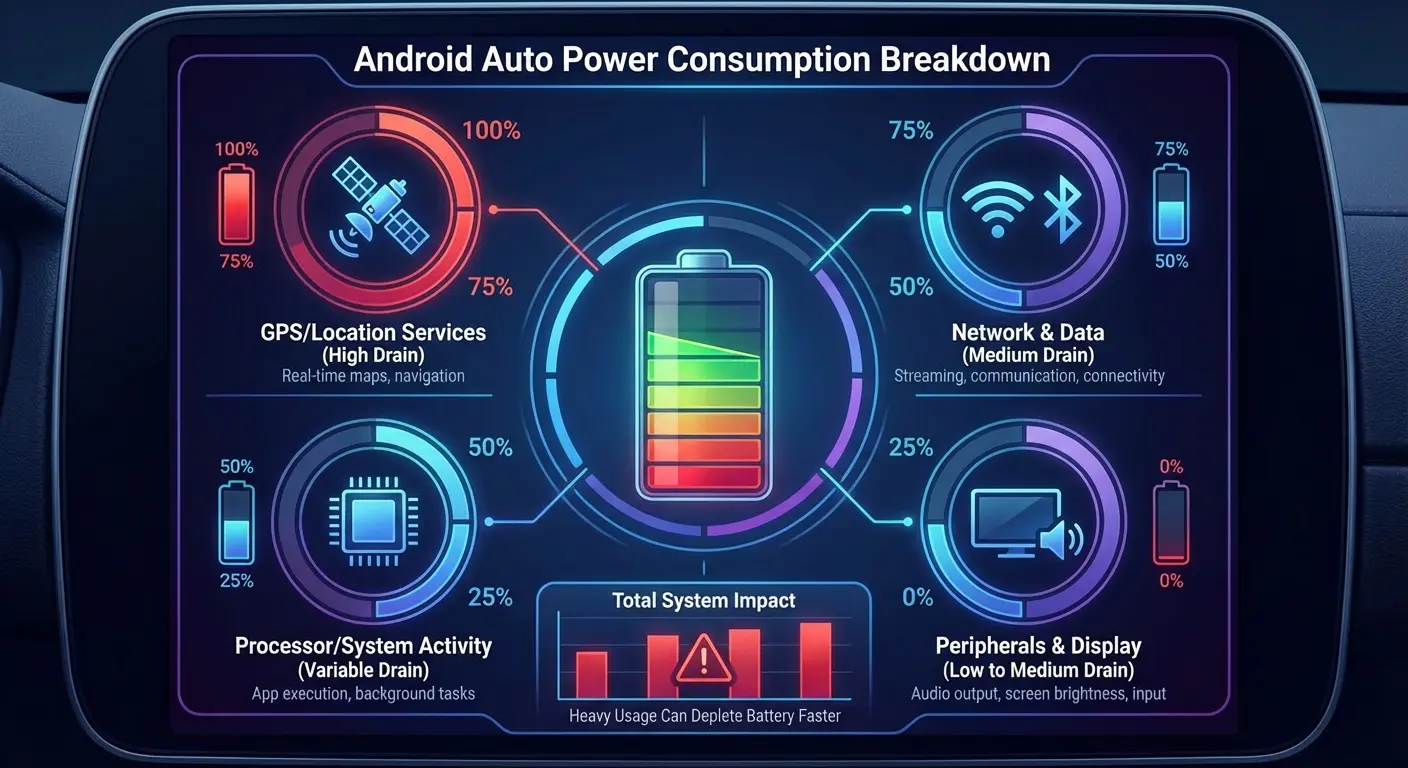
The Age Problem
A two-year-old Android phone doesn't hold charge the way it did when new. Battery degradation is inevitable, and wireless Android Auto accelerates your awareness of that degradation.
Your battery's maximum capacity has decreased, but Android Auto's power demands haven't. The gap between what your phone can store and what it needs to function grows wider with each charge cycle. Wireless charging can't compensate for a battery that's already operating at 80% of its original capacity.
You'll notice this faster with wireless Android Auto than almost any other use case because you're pushing your phone hard for extended periods while expecting it to maintain or gain charge.
Take a Samsung Galaxy S21 purchased in early 2022. When new, its 4,000mAh battery easily handled 45-minute commutes with wireless Android Auto, arriving with more charge than it started. By mid-2024, that same phone with a battery worn down to roughly 75% capacity (3,000mAh effective) starts the same commute at 70% and arrives at 55%. The usage pattern hasn't changed. The battery's ability to meet that demand has. The wireless charging pad outputs the same 10W it always did, but it's fighting a losing battle.
Why Wired Connections Still Win on Power
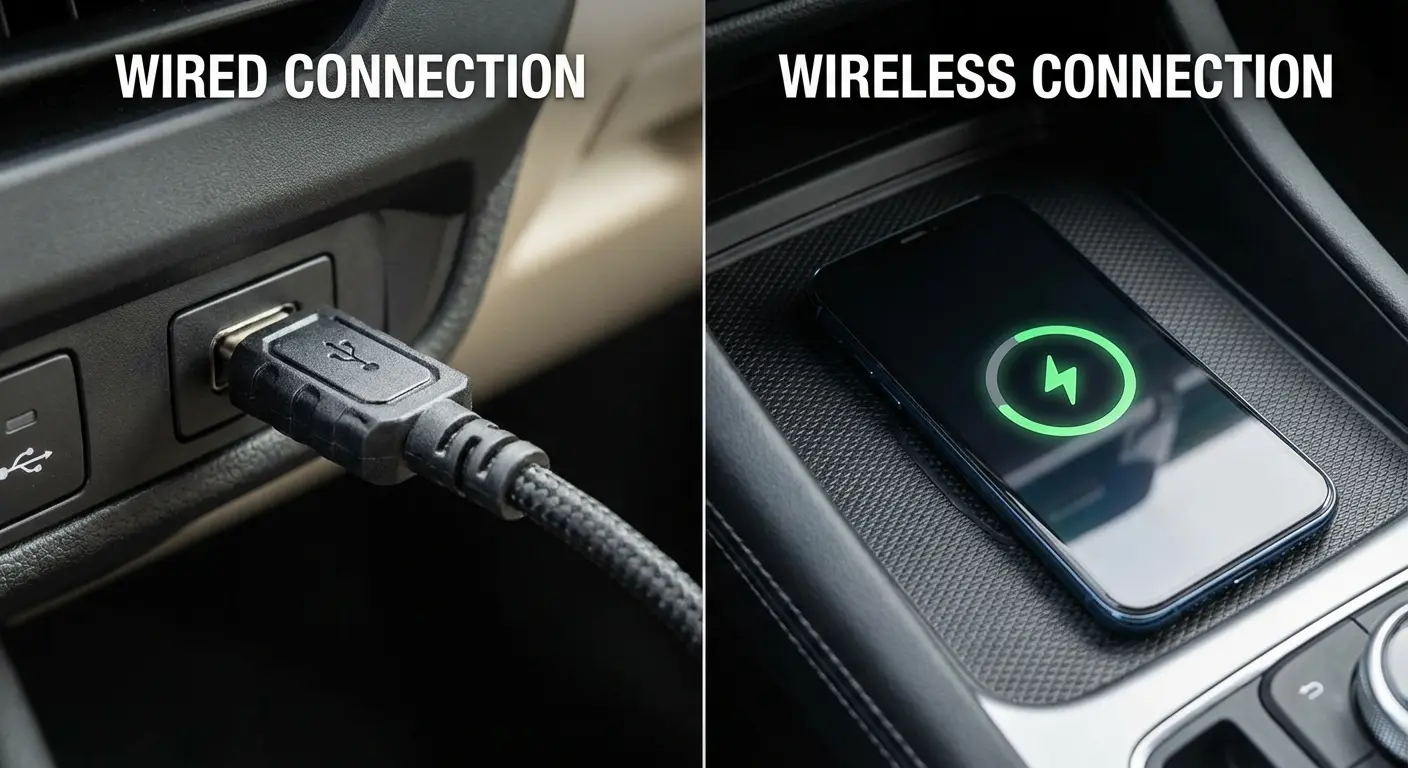
A USB-C cable can deliver 15-27 watts depending on your car's USB port specification. That's double or triple what wireless charging provides, with zero energy lost to heat from induction.
Wired connections also maintain more stable power delivery. There's no alignment issue, no interference from phone cases, and no efficiency loss from the charging method itself. You're getting direct power transfer exactly when and where your phone needs it.
The data connection through USB-C is also more stable and lower-latency than WiFi Direct. Your Android Auto interface responds faster, apps load quicker, and you're less likely to experience the random disconnects that plague wireless setups.
Mounting Solutions That Actually Work With Wireless Connectivity
Your phone's position in your vehicle affects more than visibility. It impacts signal strength, heat dissipation, and charging efficiency. Most people mount their phones wherever it's convenient and wonder why their wireless Android Auto connection is unstable.
Android Auto isn't just an app. It's a complex system that needs the right conditions for both power delivery and wireless signal transmission. Your phone's physical placement matters way more than you'd think.
Signal Strength Isn't Uniform Throughout Your Car
WiFi Direct and Bluetooth signals can be blocked or weakened by metal components in your dashboard, the angle of your phone relative to the head unit's antenna, and interference from other electronic devices. Moving your phone six inches in any direction can improve or degrade your connection quality.
Dashboard mounts typically place your phone closer to the head unit, improving signal strength. Vent mounts are convenient but often position your phone at odd angles that create signal obstacles. CD slot mounts might put your phone in the worst possible position if your head unit's antenna is located elsewhere in the dash.
You need line-of-sight (or as close as possible) between your phone and your head unit for the best wireless performance. Physical obstructions matter, even if you can't see them.
Mount checklist (actually useful version):
Close enough to your head unit that WiFi doesn't suck
Not in direct sun unless you enjoy thermal throttling
Lets air flow behind your phone
One-hand removal (you will not use a two-hand mount consistently, stop lying to yourself)
Doesn't block your wireless charging if you're using it
Stays put when you brake hard
No metal dashboard components directly between phone and head unit
Cable routing for backup wired connection doesn't interfere with gear shifter
The Case Compatibility Problem
Wireless charging is finicky about what sits between the charging pad and your phone. Thick cases, cases with metal components, or cases with card holders can block or significantly reduce charging efficiency.
You're forced to choose: keep your protective case and accept reduced charging, or remove your case every time you get in your car (which nobody does consistently). This isn't theoretical. A case that adds 3mm of thickness can reduce wireless charging efficiency by 30-40%.
Magnetic mounting systems solve the security problem but introduce their own compatibility questions. You need a mount that holds firmly enough for rough roads and sudden stops, allows adequate airflow to prevent heat buildup, doesn't interfere with wireless charging, and positions your phone for good signal strength.
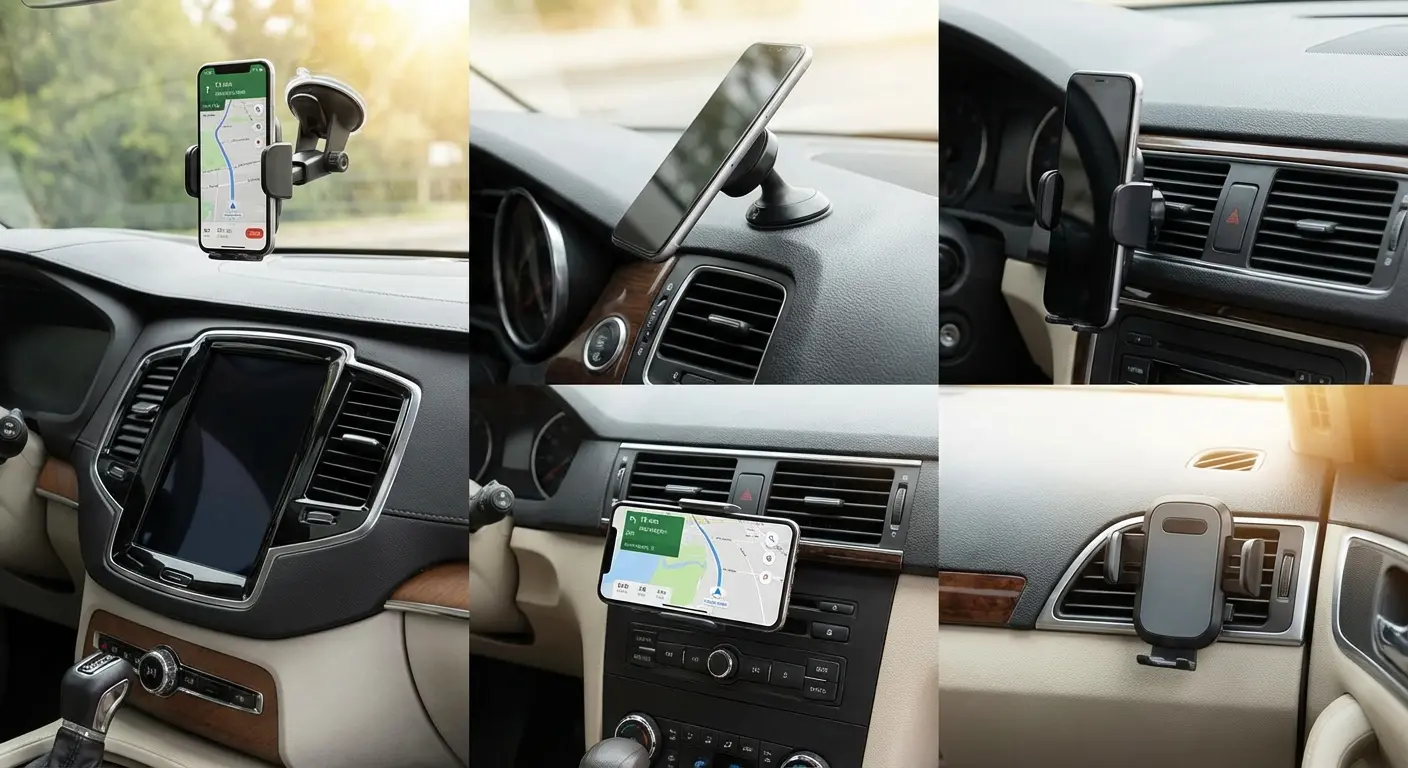
Why Adjustability Matters More Than You Think
Your ideal phone position changes based on time of day (sun glare), driving conditions (off-road vs. highway), and who's driving (height and seating position differences). A mount that locks into one position forces compromises.
You also need to access your phone quickly when you're not driving. Fumbling with clips, clamps, or complicated release mechanisms while you're trying to leave your car is frustrating enough that many people just stop using their mount entirely.
The best mounting solution for wireless Android Auto is one you'll use consistently, not the one with the most features you'll never adjust.
Heat Management: The Silent Android Auto Killer
Heat is the enemy of battery longevity and wireless charging efficiency. It's also inevitable when you combine wireless charging with processor-intensive tasks in an enclosed space that can reach 140°F on a summer day.
What Heat Does to Your Phone
Lithium-ion batteries wear out faster at elevated temperatures. Every hour your phone spends at 95°F or higher while charging accelerates the chemical breakdown inside your battery. You're not just dealing with temporary performance throttling. You're permanently reducing your battery's capacity.
Your phone's processor also throttles when temperatures exceed safe thresholds. That throttling affects Android Auto's performance directly. Maps update slower, touch responses lag, and apps may crash or freeze because your phone is protecting itself from thermal damage.
Wireless charging compounds the problem because the heat source is external and constant. You're heating your phone from the outside (induction charging) while it's generating heat internally (processor and radios), and there's nowhere for that heat to go in a closed car environment.
Why Your Mount's Material Matters
Metal mounts are better for heat, but they screw with your signal. Plastic doesn't mess with connectivity, but your phone turns into a little oven. Pick your poison.
Ventilated mount designs that allow airflow around your phone help significantly. Even a small amount of air circulation can drop your phone's operating temperature by 10-15°F, which is often the difference between stable performance and thermal throttling.
Dashboard mounts in direct sunlight create the worst thermal conditions. Your phone is absorbing solar radiation, generating its own heat, and receiving heat from wireless charging simultaneously. You've created an oven, not a charging solution.
I've melted through three wireless chargers trying to make this work in Phoenix summers. A driver in Texas mounts their Pixel 7 on a dashboard mount with an integrated wireless charging pad. On a 95°F afternoon, the phone sits in direct sunlight streaming Spotify through Android Auto. Within 30 minutes, the phone's internal temperature sensor reads 108°F. The wireless charging pad shuts down automatically. The screen dims to minimum brightness regardless of manual settings. Google Maps begins dropping frames, making the navigation animation jerky. The driver moves the mount to a vent position with AC airflow, and within 10 minutes the temperature drops to 88°F, charging resumes, and performance stabilizes. Same phone, same car, same day. Only the mounting position changed.
Practical Cooling Strategies That Work
Position your phone out of direct sunlight whenever possible. If your mount allows adjustment, angle your phone to minimize sun exposure during the times you typically drive.
Use your car's air conditioning strategically. A vent mount that directs cool air across your phone can maintain reasonable operating temperatures even during wireless charging and active Android Auto use. You're using energy you're already spending (AC) to solve a problem that's costing you battery life.
Okay, I probably should've mentioned this earlier, but consider whether you need wireless charging running continuously. If you're starting a trip at 90% battery for a 30-minute drive, you probably don't need charging at all. Eliminating the wireless charging heat source while still using wireless Android Auto reduces your thermal load significantly.
Some situations require accepting that wired is simply better. A 4-hour summer road trip through desert heat might not be the time to insist on wireless convenience.
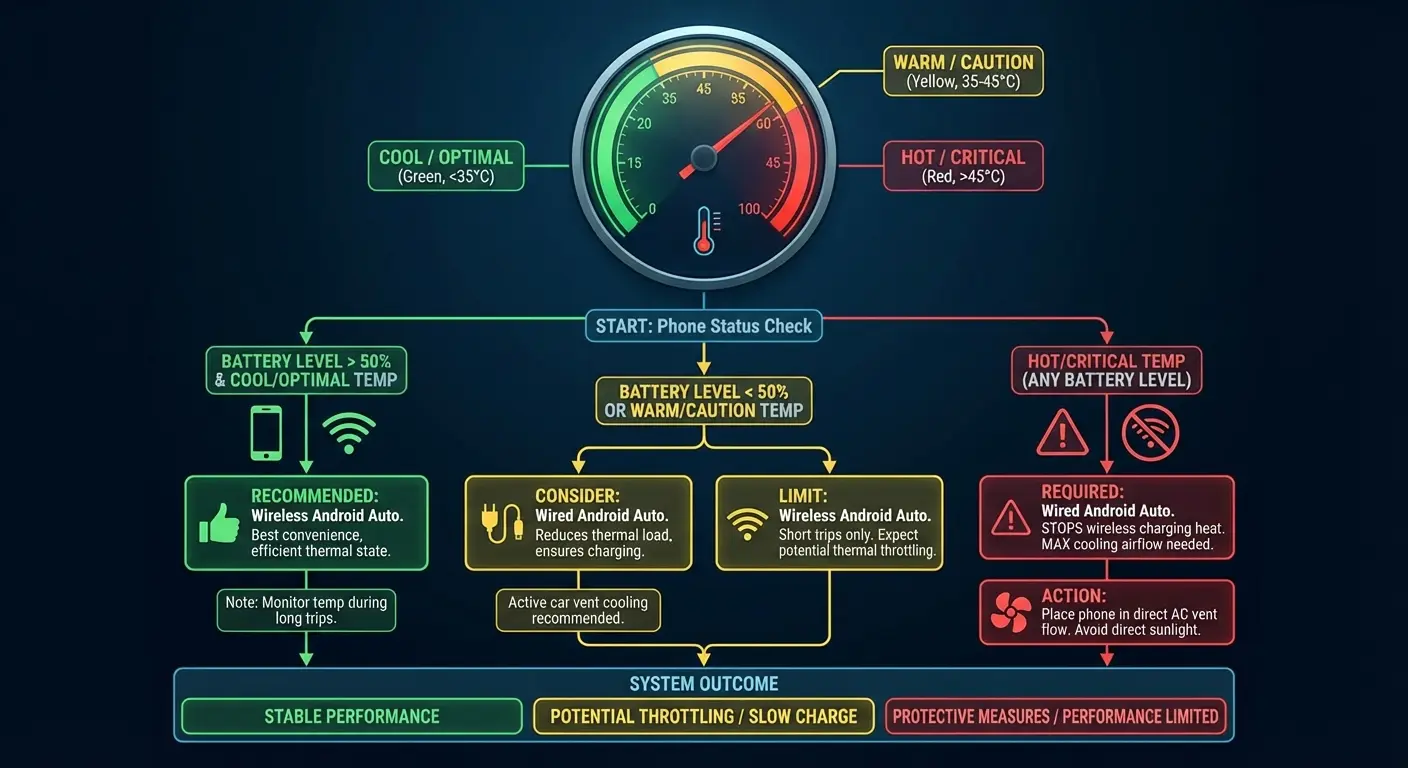
Quick guide:
Under 30 min + Above 60% battery + Under 80°F: Wireless Android Auto, no charging needed
30-60 min + Above 50% battery + Under 85°F: Wireless Android Auto, turn charging on and off as needed
60-120 min + Any battery + Under 90°F: Wireless Android Auto, continuous wireless charging with vent-mounted cooling
Over 120 min OR Above 90°F OR Below 40% battery: Just use a cable. Seriously.
Why Your Car's USB Port Matters More Than You Think
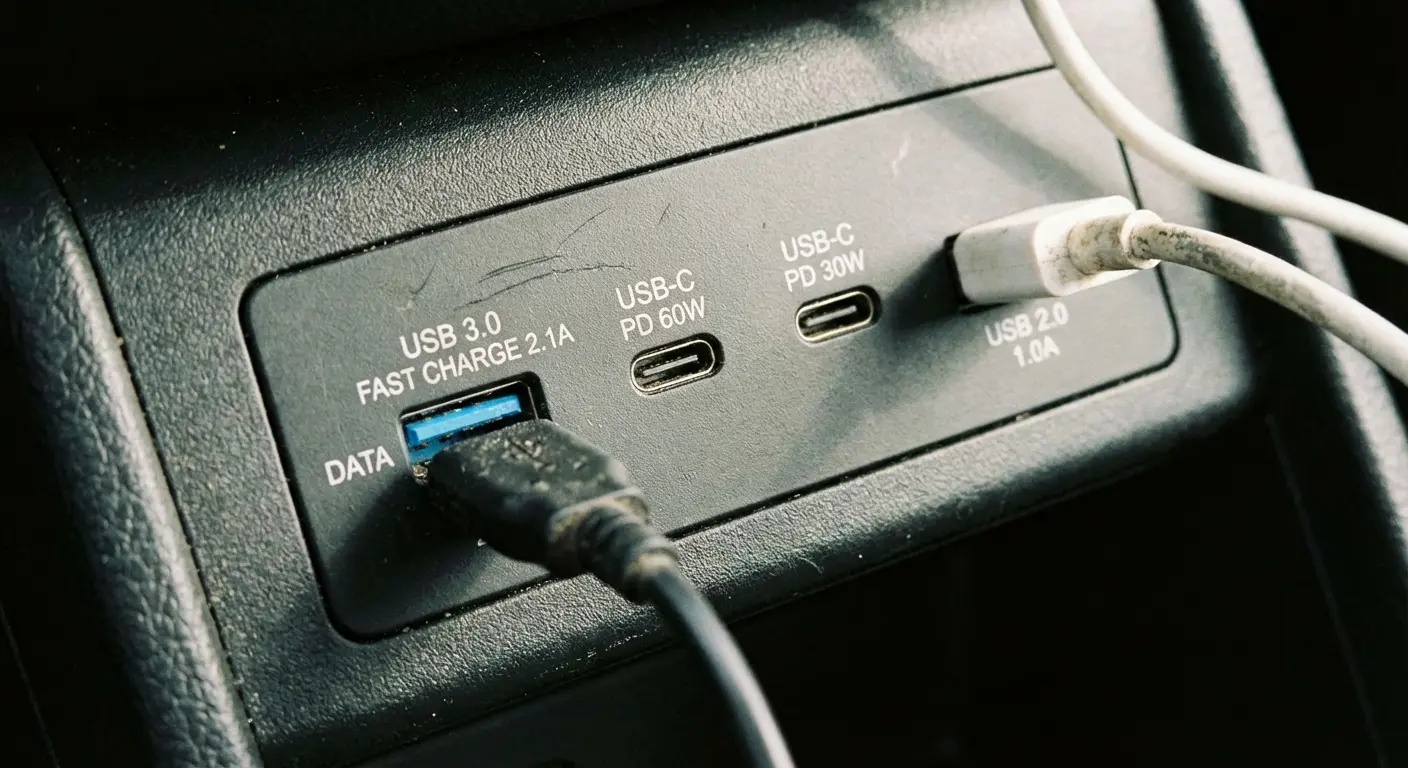
Does your car have four USB ports? Congrats. Three of them are lying to you.
According to Android Auto setup guidelines, Google recommends using a USB cable under 1 meter (three feet) long for wired connections, and not all USB cables support data transfer. Charging-only cables won't work with Android Auto, which explains why many connection failures have nothing to do with your phone or car but everything to do with the cable quality and port specification.
Data vs. Power vs. Both
Some USB ports in vehicles are designed only for charging and can't transmit data. Others handle data but provide minimal power (0.5A, which is basically useless for modern phones). You need a port that does both adequately, and your owner's manual probably doesn't make this clear.
USB-A ports typically max out at 2.4A (12W) in most vehicles. USB-C ports can deliver much more, but only if your car's electrical system supports it. You might have a USB-C port that's only providing USB-A levels of power because that's what the vehicle manufacturer specified.
Plugging into the wrong port explains why some people experience perfect Android Auto performance while others struggle constantly with the same phone and same car model. You're not using the same port, even though they look identical.
Why Location Matters
Front-seat USB ports usually connect directly to your head unit and provide both data and adequate power. Rear-seat ports are often charging-only because they're designed for passenger devices, not Android Auto connectivity.
Center console ports might be on a different circuit than dashboard ports. One might be connected to your infotainment system while the other runs through your car's general electrical system. They'll behave differently even if they have the same physical connector.
You need to test each port individually with Android Auto to know which one works properly. Don't assume the most conveniently located port is the right one.
Side note: Why do car manufacturers put USB ports everywhere but make half of them charge-only? Who decided this was helpful? "Here's a port! Psych, it doesn't do the thing you need." Anyway.
Aftermarket Solutions and Their Compromises
Adding a USB adapter to your cigarette lighter/12V port bypasses your car's built-in USB infrastructure entirely. You'll get more power (potentially up to 45W with the right adapter), but you're still dependent on a cable run to wherever you've mounted your phone.
Wireless Android Auto adapters that plug into your wired Android Auto port introduce another point of failure. You're adding a device that needs its own power, generates its own heat, and creates potential compatibility issues with Android Auto updates. Some work flawlessly. Others create more problems than they solve.
If you're going aftermarket, prioritize power delivery over features. A simple, high-wattage USB-C adapter will serve you better than a multi-port hub with mediocre power output across all ports.
Making Bluetooth Android Auto Work in Real Driving Conditions
You can make wireless Android Auto work reliably, but it requires understanding your specific use case and accepting certain limitations. There's no universal solution that works perfectly for everyone.
For wireless Android Auto to function properly, your phone must support 5GHz Wi-Fi and run either Android 11.0 or higher for any device, Android 10.0 or higher for Google or Samsung phones, or be a Samsung Galaxy S8, S8+, or Note 8 with Android 9.0. These requirements eliminate many older but otherwise functional devices from wireless compatibility entirely.
Many drivers wonder if Android Auto uses Bluetooth and discover that it relies on Bluetooth for the initial connection handshake and phone calls, while WiFi Direct handles the heavy data transmission for navigation and media streaming.
Matching Your Setup to Your Actual Usage
Daily commutes under 30 minutes with moderate temperatures are ideal for wireless Android Auto. You're not pushing your battery hard enough or long enough for the power deficit to matter, and heat buildup stays manageable.
Long highway trips in temperature extremes need a different approach. You might connect wirelessly for the convenience but keep a cable handy for when you need serious charging. Or you might accept that wired is simply more reliable for these conditions and save wireless for easier scenarios.
Your phone's age and battery health determine how much margin you have. A new phone with 100% battery capacity can handle situations that would kill an older device. Be honest about where your phone is in its lifecycle.
Optimization Steps That Actually Help
Clear your phone's cache and close unnecessary background apps before starting Android Auto sessions. You're reducing the baseline power draw so more capacity is available for navigation and audio.
Reduce screen brightness to the minimum level you can comfortably see. Your display is one of the biggest power consumers, and Android Auto doesn't need maximum brightness to be usable in most conditions.
Download maps and music for offline use when possible. Eliminating cellular data usage for streaming significantly reduces power consumption and improves performance in areas with weak signal.
Disable features you're not using. If you're not using voice commands, you don't need the microphone listening constantly. If you're not using messaging features, disable those notifications. Every active feature consumes resources.
When to Abandon Wireless Entirely
If you're consistently arriving at destinations with less battery than you started with, wireless isn't working for your situation. You're better off with a wired connection that reliably charges your phone than a wireless setup that slowly drains it.
If you experience frequent disconnections, lag, or overheating warnings, the convenience of wireless doesn't outweigh the frustration of unreliable performance. A cable solves these problems immediately.
Some vehicles and phone combinations simply don't play well together wirelessly. Compatibility issues exist despite both devices supporting the standard. You can spend hours troubleshooting, or you can plug in a cable and move on with your life.
Look, I know the cable feels like defeat. It's not. It's accepting reality.
The Hybrid Approach Nobody Talks About
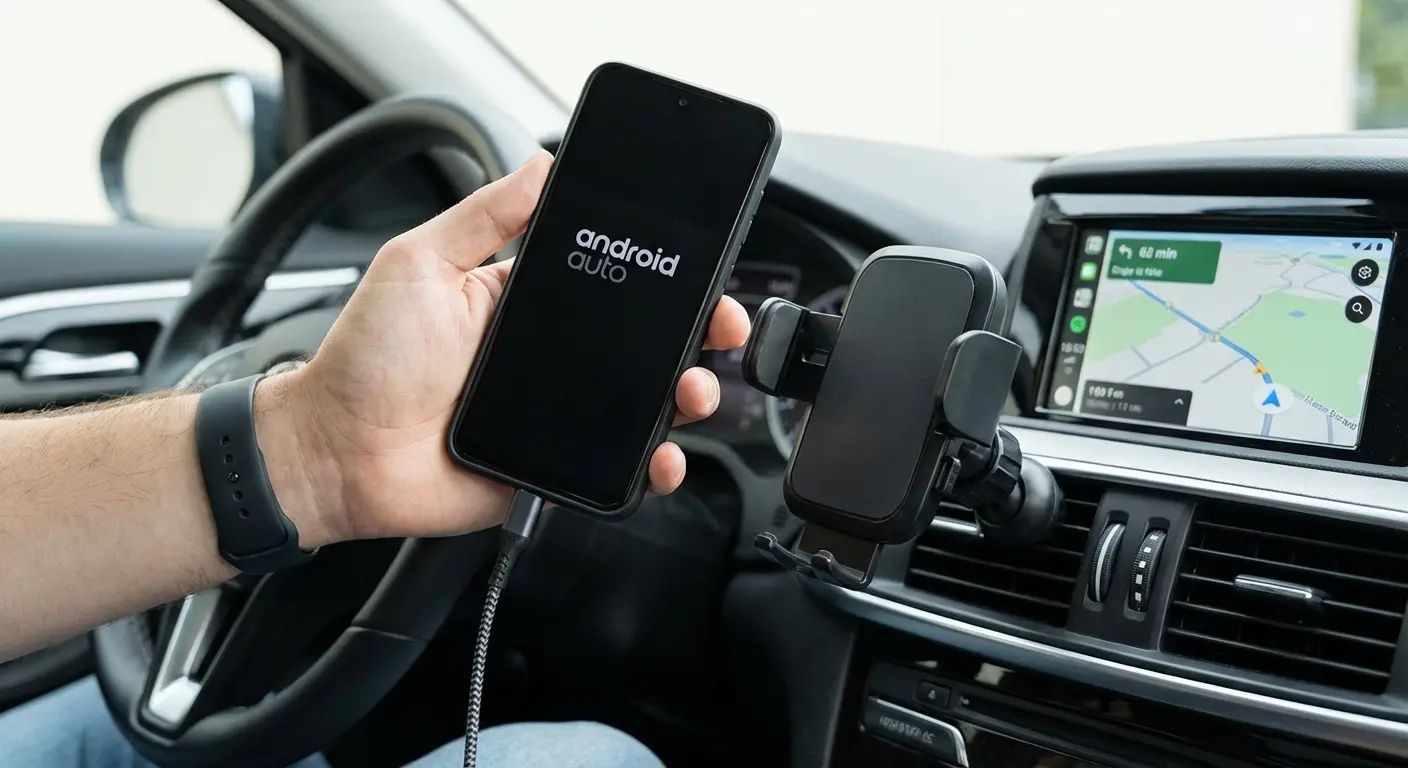
You don't have to choose wireless or wired permanently. Use wireless when conditions favor it (short trips, moderate weather, newer phone with good battery health) and switch to wired when they don't (long trips, extreme temperatures, older device).
Keep a high-quality USB-C cable in your car always. It's your backup plan when wireless fails, your solution when you need maximum charging speed, and your option when you can't afford connection instability.
The goal isn't wireless purity. It's reliable Android Auto performance that works when you need it. Sometimes that's wireless. Sometimes that's wired. Often it's having both options available and choosing based on the situation.
Finding a Mount That Doesn't Fight Your Workflow
You've probably tried multiple phone mounts. Most of them are sitting in a drawer because they were too complicated to use consistently, blocked your wireless charging, or couldn't hold your phone securely on rough roads.
Many drivers ask "does Android Auto use Bluetooth" and discover their mounting solution interferes with both Bluetooth and WiFi signals, which is why choosing magnetic car mounts designed for wireless connectivity matters.
The mounting solution matters as much as your Android Auto setup itself. A mount that requires two hands and 15 seconds to remove your phone means you'll start leaving your phone in your pocket and skipping the mount entirely. One that blocks your charging pad forces you to choose between security and power. One that traps heat against your phone creates the thermal problems we've already covered.
Okay, full disclosure time. I work with Rokform, so yeah, I'm gonna talk about our mounts. But here's why I actually use one: the magnetic attachment solves the speed problem without sacrificing security. Your phone locks into position instantly with one hand, and releases just as quickly when you're ready to leave your car. There's no fumbling with clamps or clips while you're trying to get to a meeting or grab groceries.
Our cases are designed with wireless charging compatibility built in from the start, not added as an afterthought. You're not choosing between protection and charging efficiency. The magnetic system doesn't interfere with Qi charging, and the case thickness is optimized to minimize power loss while maintaining serious drop protection.
For heat management, we've focused on materials and design that allow airflow. Your phone isn't pressed against a solid plastic backing that traps heat. Air can circulate, which matters significantly during those long summer drives when wireless Android Auto is already pushing your phone's thermal limits.
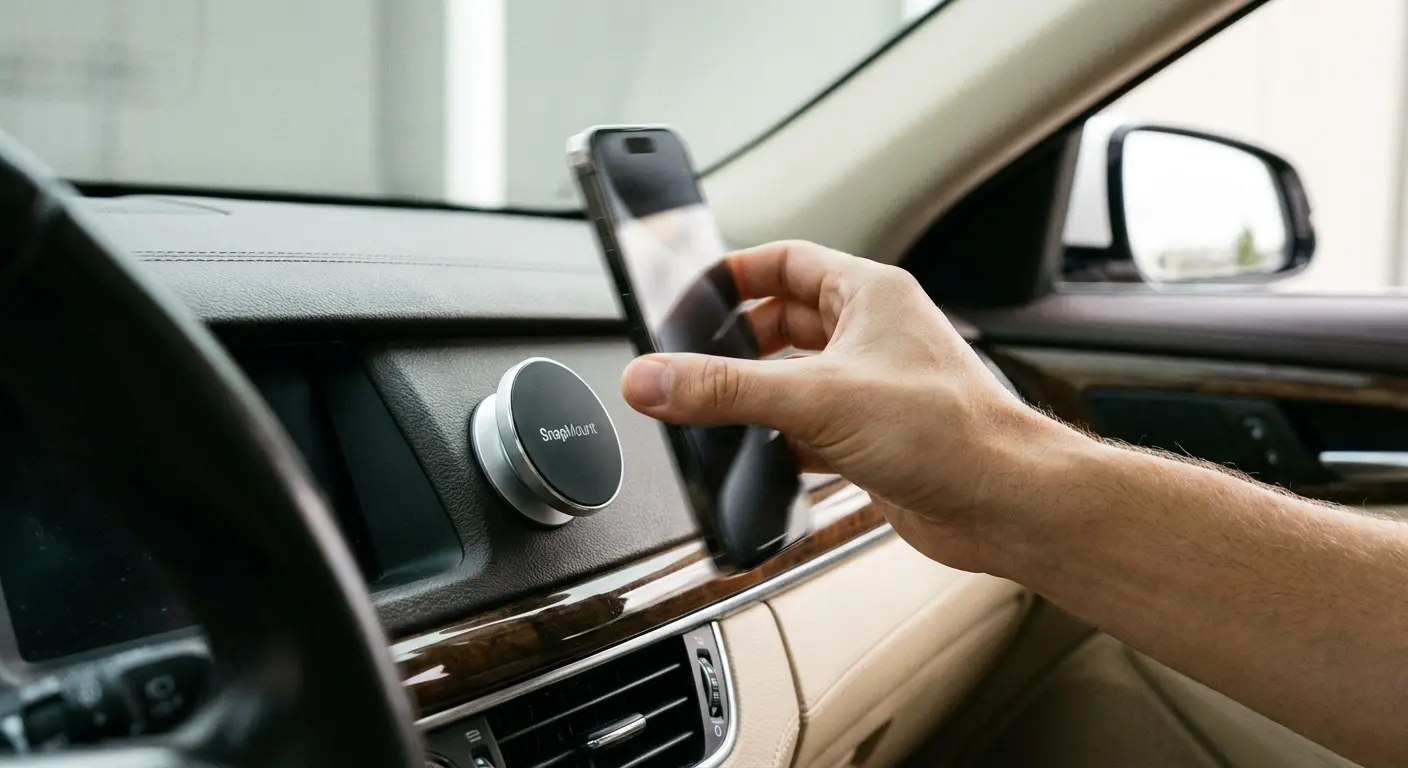
You can check out our full range of mounting solutions and phone cases designed specifically for drivers who need reliable Android Auto performance without the usual compromises.
What to Look for in Any Mount
Whether you go with our system or another solution, prioritize these factors: single-hand operation for both mounting and removal, compatibility with your existing case or a case system that doesn't compromise protection, positioning flexibility so you can adjust for glare and comfort, and enough grip strength to handle emergency stops and rough roads.
Avoid mounts that require perfect alignment to work. You're trying to mount your phone while sitting in your car, possibly in a hurry, possibly in the dark. If the mount only works when everything is perfectly positioned, you'll get frustrated and stop using it.
Think about your complete workflow, not just the mounted position. How do you get your phone into the mount when you're carrying coffee and your work bag? How do you remove it when you're parked in a tight space? The best mount is the one that disappears into your routine instead of complicating it.
Final Thoughts
Wireless Android Auto promises freedom from cables but delivers a different set of constraints. You're trading the minor inconvenience of plugging in a cable for the major inconveniences of power management, heat control, and connection stability.
That doesn't mean wireless is wrong or wired is always better. It means you need to understand what you're getting and make informed decisions based on your real usage patterns, not marketing promises.
Your 20-minute commute in spring weather with a six-month-old phone will have a completely different wireless Android Auto experience than your 3-hour road trip in July with a two-year-old device. Both are valid use cases. They just need different solutions.
My buddy swears by wireless. He also has a 15-minute commute and a brand new phone, so yeah.
The best Android Auto setup is the one you'll use consistently, that works reliably in the conditions you drive in, and that doesn't create new problems while solving old ones. Sometimes that's wireless. Sometimes that's wired. Often it's having both options available and choosing based on the situation.
Stop fighting your setup to match what you think you should want. Start optimizing for what works in your vehicle, with your phone, in your climate, for your typical trips.
Or keep troubleshooting for three hours. Your call.

