


I'm so tired of earbud reviews written by people who clearly only own iPhones.
You know the pattern: Eight paragraphs about Siri integration, spatial audio with Apple Music, and how the case magnetically aligns with your MagSafe charger. Then, buried at the bottom: "Also works with Android devices via standard Bluetooth."
Cool. Super helpful.
Here's what those reviews miss: Your Android phone (whether it's a Samsung, Pixel, or OnePlus) can deliver better Bluetooth audio than any iPhone. Not "pretty close." Actually better. But you'd never know it from reading most reviews, which treat Android support like an afterthought.
Your Samsung Galaxy, Google Pixel, or OnePlus probably supports high-resolution codecs like LDAC or aptX Adaptive that can transmit audio at bitrates up to 990 kbps. That's nearly four times higher than the AAC codec that iOS devices are stuck with. But most mainstream reviews treat codec support as a technical footnote rather than the main thing determining what you'll actually hear.
Despite Apple's AirPods earning $18 billion in 2023, more than companies such as Nintendo and Spotify, true wireless earbuds now account for 72.6 percent of the smart personal audio market in 2024, according to analyst Canalys, with 77 million units shipped. Android users represent the majority of earbud buyers globally, yet most reviews still treat iOS compatibility as the baseline and Android support as an afterthought.
The problem gets worse when reviewers test earbuds primarily with iPhones, then assume the experience translates to Android. It doesn't. Features like multipoint connectivity, companion app functionality, and even basic pairing work differently across Android manufacturers. An earbud that pairs instantly with a Samsung phone might require manual Bluetooth menu navigation on a Google Pixel.
Active noise cancellation that sounds perfectly balanced on an iPhone might feel over-processed or tinny when the same earbuds connect to an Android device using a different codec. Understanding what makes bluetooth earbuds for android perform well requires a completely different evaluation framework than iOS-centric reviews provide.
This guide focuses exclusively on what matters when you're choosing bluetooth earbuds for android, starting with the one spec that affects your listening experience more than any other: codec support.
The Codec Conversation Nobody's Having (But Should Be)
Turns out the testing labs are finally catching up to what Android users have known for years. RTINGS recently updated their comprehensive testing methodology, having tested over 300 wireless earbuds and in-ear headphones specifically for Android compatibility. Their findings consistently show that codec support, not driver size or brand prestige, determines the actual audio quality Android users experience.
Professional reviewers are finally acknowledging that Android's codec flexibility offers genuine advantages over iOS's locked ecosystem.
What Happens Between Your Phone and Your Ears
Okay, codec time. Stay with me.
Your phone has an audio file (a song, a podcast, whatever). That file's too big to send wirelessly in real-time without shrinking it down. The codec does the shrinking (and un-shrinking on the other end).
How much it shrinks the file determines what you hear. Shrink it too much, and your music sounds like it's playing through a phone from 2005. Don't shrink it enough, and the connection drops every time someone walks past you with their Bluetooth on.
This compression and decompression cycle happens continuously, thousands of times per second, for as long as you're listening. The codec determines three critical factors: how much data gets thrown away during compression (affecting audio quality), how quickly the compressed data transmits (affecting latency), and how much processing power is required (affecting battery life).
Different codecs make different tradeoffs. The basic SBC codec that all Bluetooth devices support prioritizes compatibility and low power consumption over audio quality, resulting in a compressed bitrate around 328 kbps. AAC, which iPhones use exclusively, improves on this slightly with better compression algorithms, reaching around 250 kbps with more efficient encoding.
Both of these pale in comparison to what your Android phone can deliver.
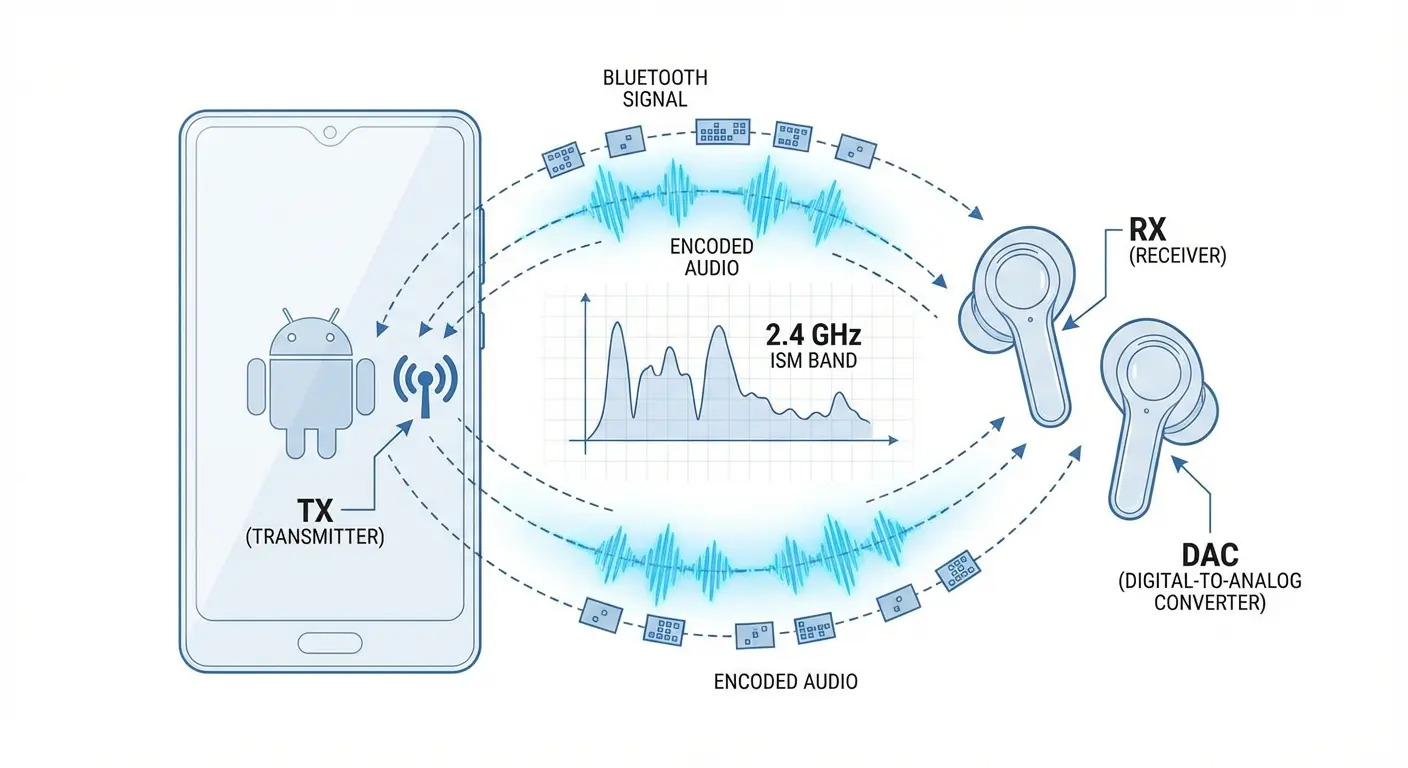
LDAC, Sony's high-resolution codec built into Android since version 8.0, can transmit at up to 990 kbps. That's not a typo. Four times more data. Four times more detail. aptX Adaptive, Qualcomm's dynamic codec, scales between 280 kbps and 420 kbps based on environmental conditions and content type.
The difference between listening to music via SBC versus LDAC is comparable to the difference between watching a video at 480p versus 1080p. The content is the same, but the experience is dramatically different.
Why Android Gives You Options iOS Users Don't Get
Android's open-source architecture allows phone manufacturers to pick whichever Bluetooth codecs make sense for their hardware and target audience. This is the same flexibility that lets Samsung include S-Pen support, OnePlus optimize for gaming performance, or Google integrate advanced computational photography.
Unlike iOS, where Apple controls both the hardware and software stack and limits codec support to AAC, Android manufacturers can choose from a buffet of options.
Most flagship Android phones from the past few years support at least LDAC, and many also include various aptX codecs. Google Pixel phones have included LDAC support since the Pixel 2. Samsung Galaxy devices support both LDAC and Samsung's proprietary Scalable codec. Sony phones, unsurprisingly, offer comprehensive LDAC support with additional tuning options. OnePlus devices with Qualcomm processors usually support the full aptX family, including aptX Adaptive.
This variety isn't fragmentation. It's choice.
You can prioritize the features that matter for your listening habits rather than accepting whatever Apple decides is good enough. If you listen primarily to high-resolution audio files from services like Tidal or Qobuz, LDAC support becomes essential. If you're a mobile gamer who needs low latency, aptX Adaptive or aptX Low Latency makes more sense. If you mainly listen to podcasts and audiobooks, standard AAC is perfectly adequate and saves battery life.
The key is understanding what your specific phone supports and choosing earbuds that can take advantage of those capabilities. This requires doing research that most earbud reviews don't provide, checking your phone's Bluetooth settings to see which codecs are available, and then verifying that prospective earbuds support at least one of your phone's high-quality codec options.
LDAC, aptX, and AAC: What They Actually Do to Your Music
Here's what you need to know about the major codecs your Android phone uses:
Codec |
Max Bitrate |
Best For |
Battery Hit |
Latency |
|---|---|---|---|---|
SBC |
328 kbps |
Basic compatibility |
Low |
200+ ms |
AAC |
~250 kbps |
Podcasts, casual listening |
Low-Medium |
150-180 ms |
aptX |
352 kbps |
Balanced quality/efficiency |
Medium |
120-150 ms |
aptX Adaptive |
280-420 kbps |
Dynamic environments |
Medium |
80-100 ms |
aptX HD |
576 kbps |
High-res music |
Medium-High |
120-150 ms |
LDAC |
330-990 kbps |
Audiophile listening |
High |
150-200 ms |
LDAC: Sony's Answer to Wireless Hi-Res Audio
LDAC is Sony's commitment to delivering near-lossless audio quality over Bluetooth. At its maximum 990 kbps bitrate setting, LDAC transmits roughly three times more data than standard Bluetooth codecs, preserving detail and nuance that would otherwise be lost in compression.
You'll really hear this with jazz quartets or anything with lots of instruments playing at once.
Listen to a jazz quartet through LDAC and you'll hear the brush strokes on the snare drum as distinct textures rather than compressed hiss. The stand-up bass maintains its woody resonance in the lower frequencies while the piano's upper register rings clearly without bleeding into the saxophone's midrange. Classical music reveals similar benefits, with string sections maintaining their individual voices within the orchestral blend and brass instruments projecting their characteristic bite without harsh digital artifacts.
The catch? LDAC demands high-quality source material to justify its bandwidth.
If you're streaming Spotify on the free tier (which maxes out at 160 kbps), or listening to YouTube videos, or playing compressed MP3 files, LDAC is working overtime to transmit detail that isn't in the source file to begin with.
LDAC also drains battery faster on both your phone and your earbuds. Connection stability can suffer in crowded Bluetooth environments like busy subway platforms or open-plan offices where dozens of devices are competing for wireless bandwidth.
Sony addresses this with three LDAC quality settings: "Best Effort" (990 kbps), "Standard" (660 kbps), and "Connection" (330 kbps). Most users find the Standard setting provides the best balance between audio quality and reliability.
My friend Jake commutes 90 minutes each way on the Red Line. He pays for Tidal HiFi and listens to his carefully curated collection of jazz and classical recordings during his daily train ride. With best bluetooth earbuds for android that support LDAC and his phone set to the Standard quality setting (660 kbps), he's hearing way more detail than he would through AAC, especially in the complex harmonic structures of his favorite Miles Davis albums.
The spatial separation between instruments creates a more immersive listening experience that makes his commute feel less like wasted time and more like a personal concert. But when he switches to listening to a podcast during his walk from the station to his office, he manually disables LDAC in his phone's developer settings to conserve battery, since the podcast's spoken-word content doesn't benefit from high-resolution transmission.
aptX Adaptive: Qualcomm's Balancing Act
aptX Adaptive is Qualcomm's intelligent approach to the eternal Bluetooth tradeoff between quality and reliability. Rather than forcing users to choose between maximum audio fidelity and stable connections, aptX Adaptive makes those decisions automatically, thousands of times per second, based on environmental conditions and content type.
When you're sitting at your desk in a quiet room listening to music, aptX Adaptive ramps up to its maximum 420 kbps bitrate, delivering detailed, high-quality audio. When you stand up and walk through a crowded office full of competing Bluetooth signals, the codec automatically scales down to prioritize connection stability, preventing dropouts and stuttering.
When you start watching a YouTube video, it switches to a low-latency mode to keep audio and video in sync. All of this happens transparently, without requiring manual intervention.
This dynamic behavior makes aptX Adaptive particularly valuable for people whose listening environments change throughout the day. Commuters experience this constantly: quiet home, crowded bus, busy office, noisy gym, quiet home again. aptX Adaptive adapts to each environment rather than forcing you to manually adjust settings or accept suboptimal performance.
The codec also includes built-in support for low-latency transmission, usually achieving delays under 80 milliseconds. This makes it suitable for gaming and video watching, where audio-visual sync matters. Unlike LDAC, which can sometimes introduce noticeable latency, aptX Adaptive prioritizes keeping audio aligned with on-screen action when it detects video playback.
The limitation is availability. aptX Adaptive is a Qualcomm technology, which means it's primarily available on phones using Qualcomm Snapdragon processors. If you're using a Samsung phone with an Exynos chip (common in European and some Asian markets), or a Google Pixel with a Tensor processor, you might not have aptX Adaptive support. Always check your specific phone model's codec support before buying earbuds that rely on this feature.
AAC: The Baseline That's Better Than You Think
AAC suffers from an image problem in the Android world. Because it's the only high-quality codec iPhones support, and because Android enthusiasts take pride in their platform's superior codec options, AAC often gets dismissed as the "iPhone codec" or treated as a fallback option.
This reputation is unfair. AAC is a genuinely capable codec that serves most listening scenarios perfectly well.
At around 250 kbps with efficient compression algorithms, AAC delivers noticeably better audio quality than the basic SBC codec while maintaining excellent compatibility across all Bluetooth devices. For podcasts, audiobooks, and most streaming music services, AAC provides more than enough fidelity to enjoy the content. The human voice, which dominates podcasts and audiobooks, compresses efficiently under AAC without introducing the robotic artifacts that plague lower-quality codecs.
AAC also offers practical advantages that higher-resolution codecs can't match. Battery consumption is moderate, falling between SBC's efficiency and LDAC's power hunger. Latency is reasonable at 150-180 milliseconds, which is acceptable for casual video watching, though not ideal for gaming. Connection stability is excellent because the lower bitrate is easier to maintain in crowded wireless environments.
Here's the thing: most Android users spend significant time listening to content that doesn't benefit from high-resolution codecs. Spotify's standard quality is 160 kbps. YouTube videos stream audio at 128-256 kbps. Most podcasts are encoded at 128 kbps or lower.
Transmitting this content via LDAC at 990 kbps is wasteful and unnecessary.
Sarah from my office primarily listens to true crime podcasts during her workday and streams Spotify playlists at standard quality during her evening workout. Her phone supports LDAC, and she initially bought expensive earbuds specifically for that codec support. But after a few weeks, she realized the podcasts sound identical whether she's using LDAC or AAC, and her Spotify streams don't contain enough detail for LDAC to enhance. She also noticed that her earbuds' battery drains much faster when LDAC is enabled. Eventually, she switched to AAC as her default codec, reserving LDAC for the occasional high-resolution album she downloads from Tidal. This approach extends her earbuds' battery life by nearly two hours per charge while sacrificing no perceptible audio quality for her typical listening.
Why Your $300 Earbuds Might Sound Worse Than $80 Alternatives on Android
The Premium Earbud Trap Android Users Fall Into
Here's the thing that makes me irrationally angry: Most premium earbuds are designed for iPhones, then they slap "Works with Android!" on the box and call it a day.
These companies spend millions perfecting driver technology, acoustic tuning, and noise cancellation. They charge $300+. But if they only support AAC, your Android phone (which can do LDAC) is being handicapped.
I've watched people spend $280 on flagship earbuds that sound marginally better than $80 alternatives on their Samsung. Not because the acoustic engineering is comparable, but because both are stuck using the same AAC codec. The expensive ones might have better noise canceling or a nicer case, but the actual audio quality? Bottlenecked.
This isn't theoretical. Many popular flagship earbuds from major brands lack LDAC or aptX support entirely. They sound excellent when paired with iPhones because iOS devices don't offer better codec options. But when paired with a Samsung Galaxy S24 or Google Pixel 8 Pro, both of which support LDAC, these premium earbuds are artificially limited to AAC's 250 kbps bitrate. You're paying for acoustic engineering that's being bottlenecked by codec limitations.
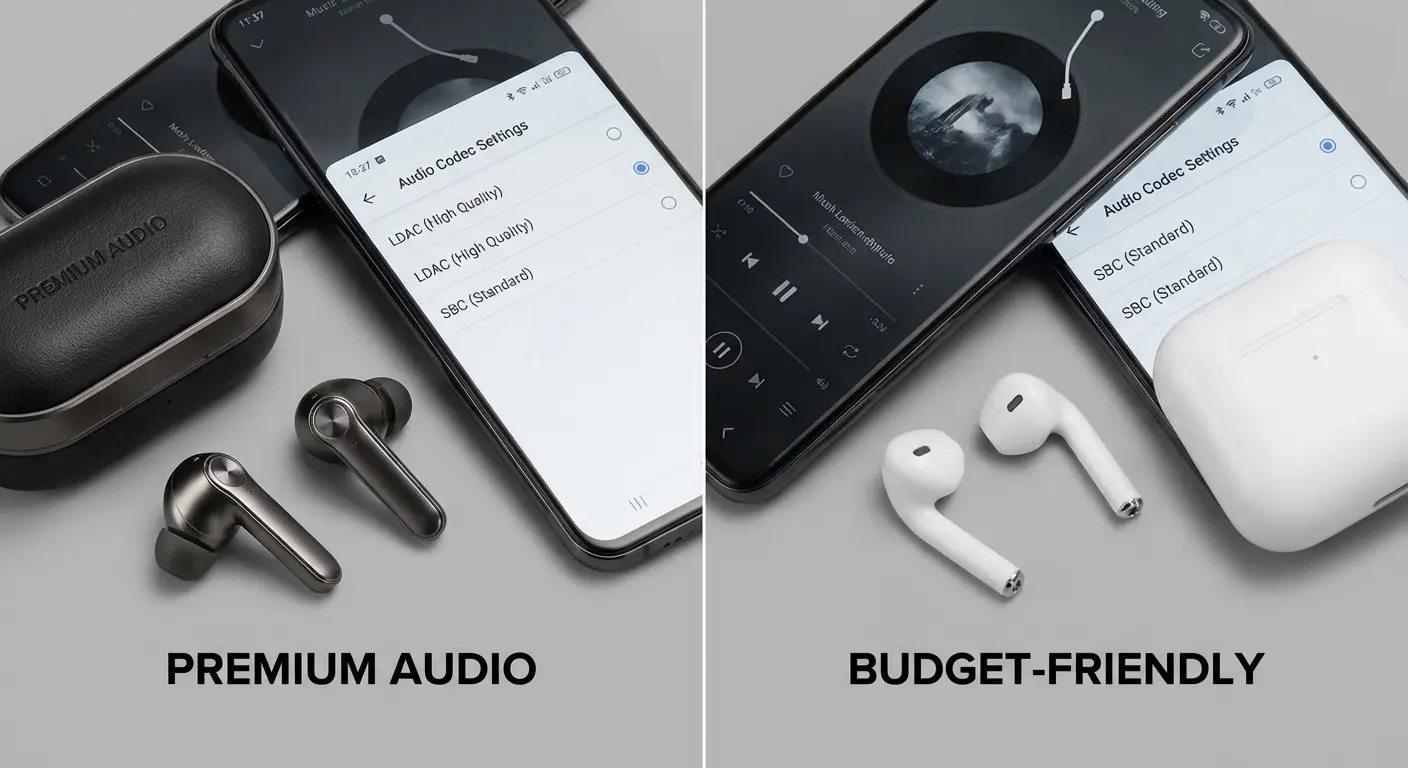
The frustration intensifies when you realize this information isn't prominently disclosed. Product pages list battery life, ANC specs, driver size, and frequency response ranges, but codec support often gets buried in technical specifications or omitted entirely. You have to dig through user manuals or third-party reviews to discover that your $300 earbuds don't support the high-resolution codecs your phone offers.

