


Look, I'm going to be straight with you: we spent $80 billion on phone cases and screen protectors between 2020 and 2023. During that exact same time? Malware infections went up 500%. We're protecting the glass while hackers are draining our bank accounts. It's completely backwards.
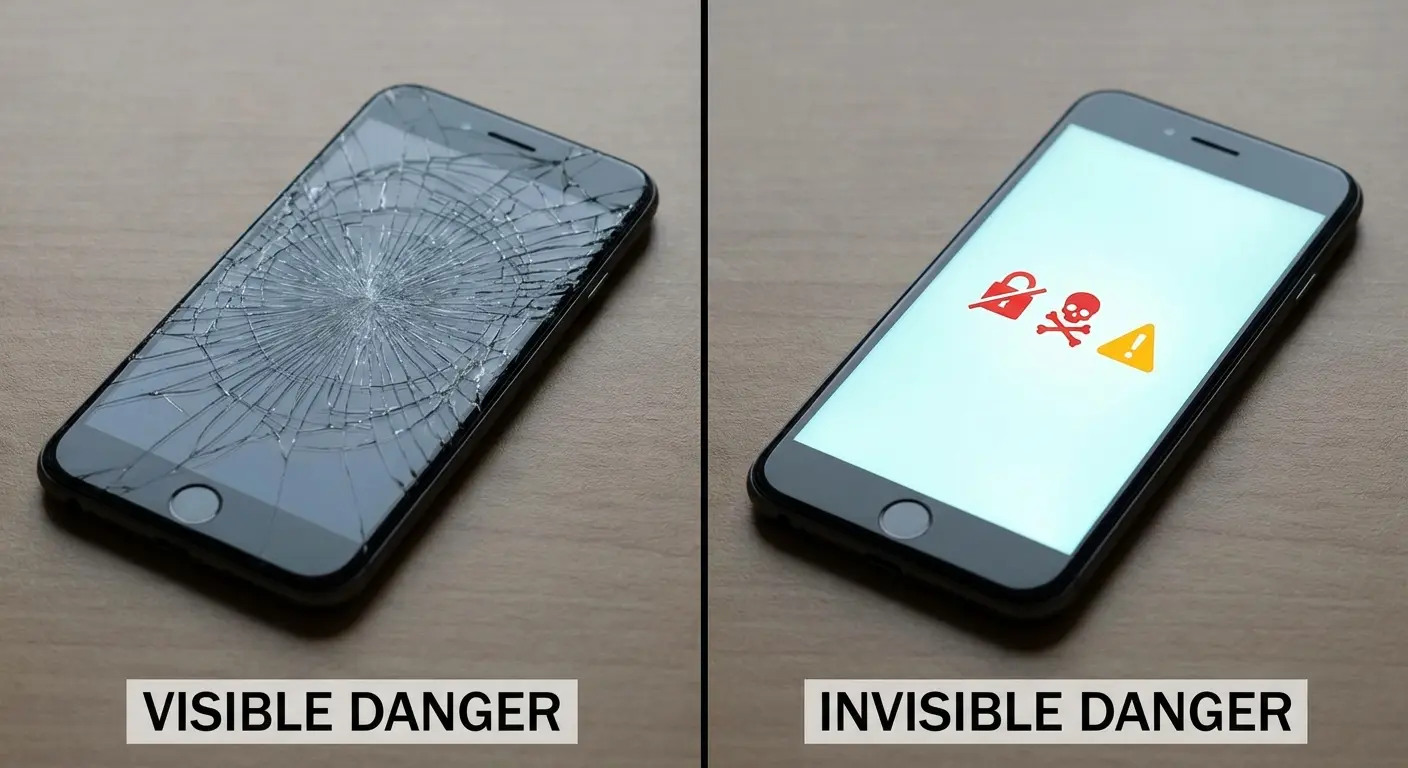
Your phone has everything. Your bank login, every text you've ever sent, passwords to basically your entire life. But somehow we're more worried about cracked screens than stolen identities. I get it, though. A shattered screen is right there in your face. Malware running in the background? Can't see it, so it must not be a problem, right?
Wrong. So, so wrong.
Why We're All Idiots About This
We Only Care About What We Can See
You've probably got a $50 case on your phone right now. Maybe a screen protector too. I'm not judging (I've got both). Screen repairs are expensive as hell, and nobody wants to use a phone that looks like it went through a wood chipper.
But here's the thing. While you're protecting against drops, malware might already be running on your device. You just can't see it. And our brains are terrible at worrying about invisible threats.
We're wired to respond to physical damage. Crack your screen and you feel it immediately. That sick feeling in your stomach when you pick up your phone and see the spiderweb pattern across the display. Meanwhile, malware's stealing your banking credentials and you won't know for weeks.
Let's Talk About What This Actually Costs
Screen repair? $100 to $300 depending on your phone. Annoying? Absolutely.
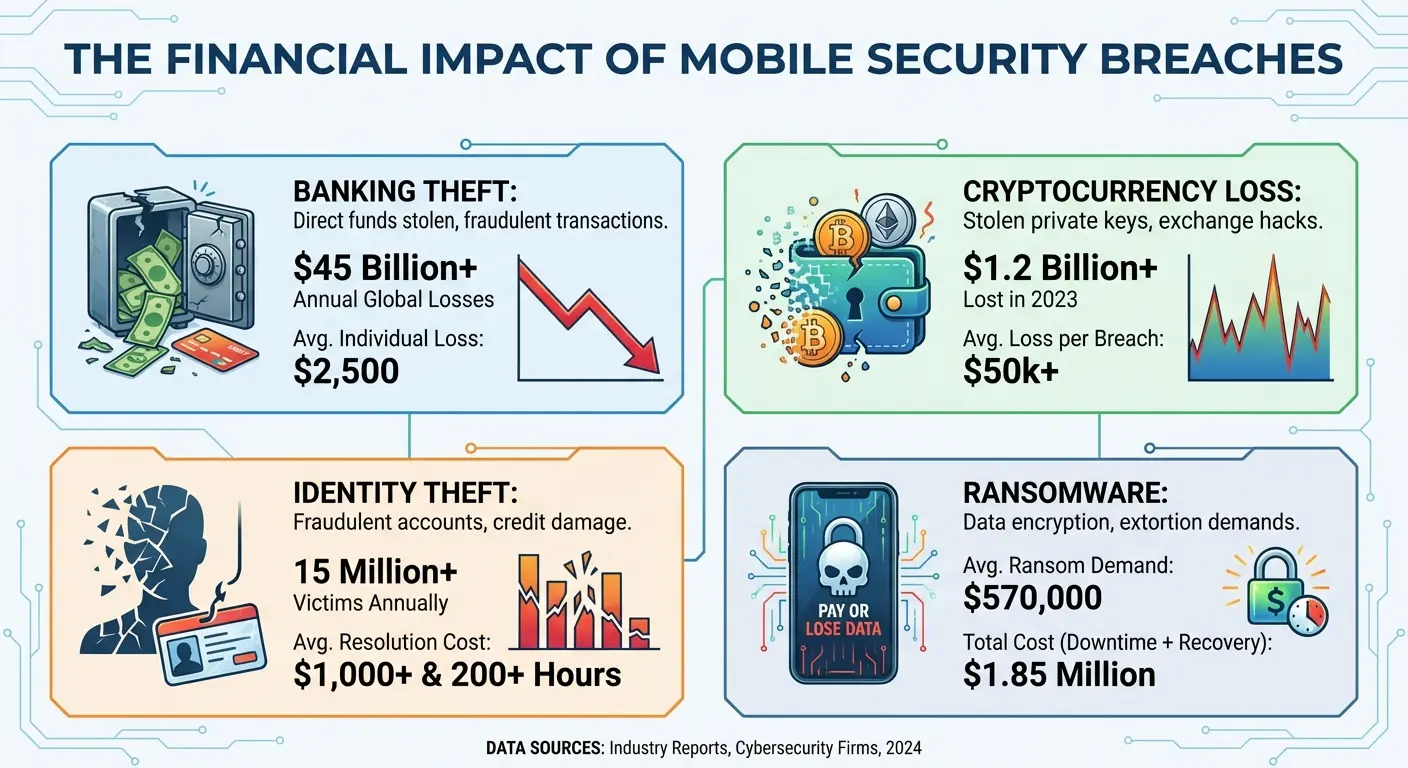
Identity theft? That averaged $1,100 per victim in 2023. And that's just the direct financial loss. We're not even counting the 200+ hours you'll spend on hold with banks, filing police reports, and trying to convince credit agencies that no, you didn't apply for seven credit cards in one day.
Mobile malware infections jumped 500% between 2020 and 2023. During that same period, we threw $80 billion at cases and screen protectors. The math isn't mathing.
Your banking apps, email, social media, photos, messages, authentication codes... it all lives on your phone. One successful malware attack can compromise everything at once.
According to Security.org's comprehensive antivirus testing, over 70 percent of mobile devices worldwide run on Android. That makes Android users incredibly valuable targets for phishing, malicious links, and malware-infected apps.
Sarah's a designer in Portland. Does logos for craft breweries, mostly. She spent $115 on a case and screen protector for her new phone. Didn't spend a dime on cell phone antivirus software. Three months later, she got a text about a package delivery. Looked completely legit (I saw it). She clicked the link.
Banking malware. It showed her a fake login screen that looked exactly like her real banking app. By the time she noticed $4,200 in unauthorized transactions, the money was already bouncing through multiple accounts. Her bank eventually recovered most of it. Most. Not all. And Sarah spent over 40 hours across three weeks dealing with fraud reports and police statements. That's a full work week she could've spent on actual paid client work.
Nobody Wants to Talk About This Part
Phone manufacturers want you obsessing over camera megapixels and processor speeds. Case manufacturers (and look, I get it, drops are real) want you thinking about military-grade drop protection.
But here's what's wild: both of them are perfectly happy to ignore the fact that your data's sitting there completely exposed. Why? Because it's not their problem until it becomes a lawsuit.
You can have the most protected phone physically and still lose everything that matters digitally. Cell phone antivirus protection should be as standard as a protective case. But it's not, because invisible threats don't sell phones.
What Happens When You Don't Protect Your Data
Your Money Disappears
Modern banking trojans don't just grab your password and run. They're way smarter now. They'll overlay a fake login screen on top of your real banking app. I'm talking pixel-perfect copies. You're typing in your credentials thinking everything's fine.
It's not fine.
Once they're in, attackers can transfer money, apply for credit in your name, or sell your banking access on dark web marketplaces for anywhere from $50 to $500 per account. By the time you notice something's wrong, the money's gone and you're starting the recovery process (which, by the way, averages 200+ hours of your life you'll never get back).
Cryptocurrency theft is even worse. No fraud protection. No reversal mechanism. If malware gets into your crypto wallet, those funds vanish permanently. Just... gone.
Your Private Life Becomes Public
Think about what's in your photo gallery right now. Family photos, personal moments, maybe some you definitely wouldn't want public.
Ransomware targeting phones increasingly focuses on photo encryption. They'll lock everything up and demand payment to restore access. But there's something worse than ransomware: silent exfiltration. Some malware quietly uploads your photos, messages, and contacts to remote servers without you knowing. Your private stuff might be getting sold before you even realize you're infected.
I've seen cases where intimate photos were stolen and used for extortion. Where private business communications got leaked to competitors. Where personal messages destroyed relationships when they were taken out of context and shared publicly.
You can't undo privacy violations. Once that stuff's out there, it's out there forever.
Everything's Connected (That's the Problem)
Your phone isn't isolated. It's the key to your entire digital life. Compromise your phone and attackers can potentially access everything else you own online.
Two-factor authentication codes? They come to your phone. Password reset links? Same place. That "secure" account protected by 2FA becomes vulnerable the second malware intercepts those verification codes.
Recovery from a full breach can take months. You'll need to change passwords for every single service you use. Monitor credit reports. Set up fraud alerts. And stay vigilant for identity theft attempts that might not surface for years. Proper virus protection could prevent all of this.
Here's what different types of breaches actually cost you:
Banking Credential Theft: $1,100 to $4,500 in losses, plus 200+ hours over 3-6 months dealing with the aftermath. You'll need credit monitoring for 1-2 years minimum.
Cryptocurrency Wallet Compromise: Complete loss. No recovery possible. The money's just gone forever.
Identity Theft from Phone Data: $1,100+ in direct costs, 6-12 months of recovery time, and credit damage that can last 2-7 years.
Ransomware (Photo Encryption): They'll demand $500 to $2,000 ransom. Even if you pay (don't), you might lose the data anyway. Recovery takes 1-3 weeks if you're lucky.
Corporate Data Breach via Your Personal Device: If you access work stuff on your phone and it gets compromised? Your company's looking at $50,000 to $500,000+ in liability. You're probably losing your job. Your reputation in the industry takes a hit. This one's a career killer.
What Your Phone Already Does (And Where It Falls Short)
The Protection You Didn't Know You Had
Both Android and iOS include security features working quietly in the background. App sandboxing keeps malicious software from accessing other apps' data. Encrypted storage protects your information if someone steals your phone. Regular security patches fix known vulnerabilities.
Google Play Protect scans apps before and after you install them, checking against a database of known malware. Apple's App Store review process has actual humans examining apps before approval. These measures catch a lot of obvious threats.
Your phone probably has more security than you realize. The problem isn't that these protections don't work. They do. It's that they're designed for specific threats while leaving others completely unaddressed.
Where Everything Falls Apart
Built-in security is great at stopping known threats. It struggles hard with new malware that hasn't been cataloged yet (zero-day threats), sophisticated phishing attacks that don't technically break any rules, and malicious apps that hide their true purpose until after you've already installed them.
The permissions system will ask if you want to grant access, but it can't tell you if that app requesting your location actually needs it or plans to misuse it. You're making security decisions without enough information to make them properly.
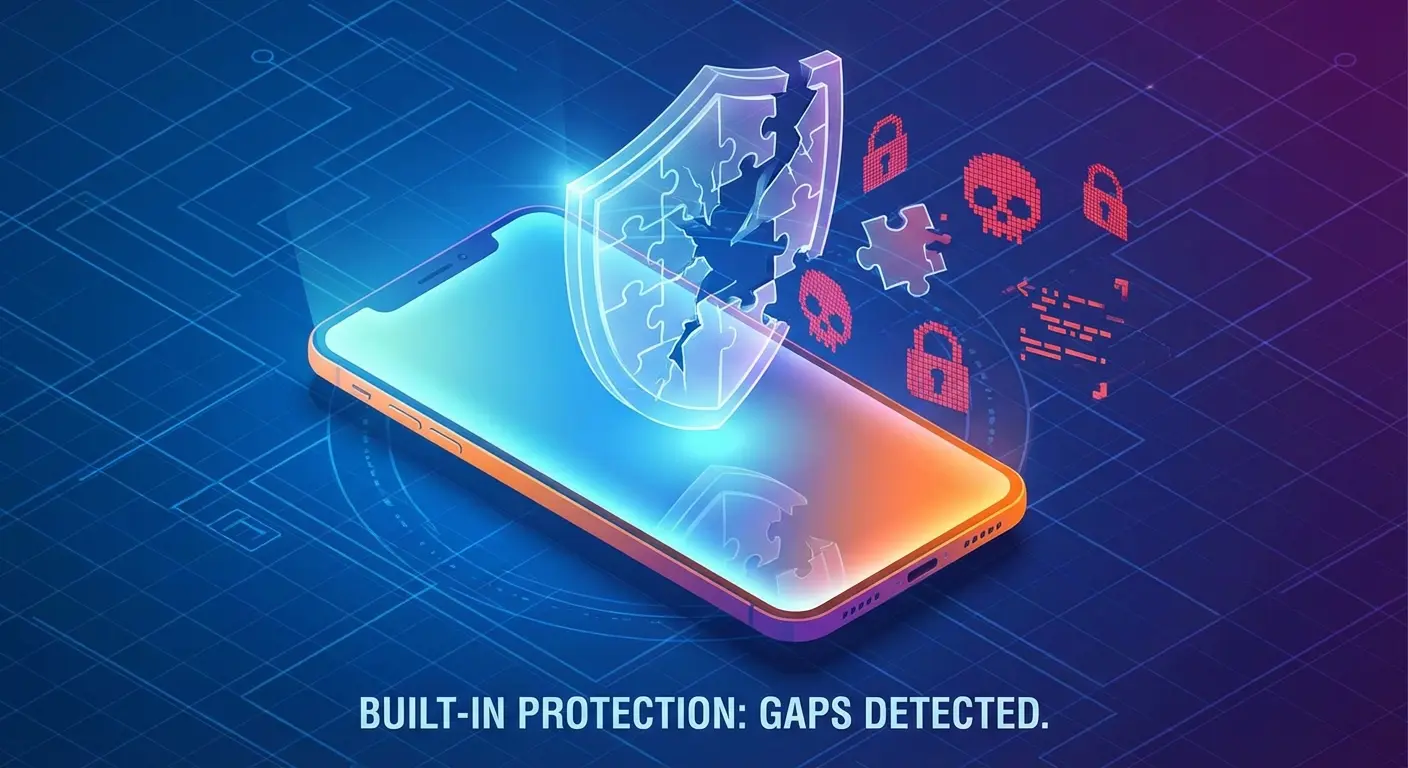
A 2025 study by the Electronic Frontier Foundation and AV Comparatives found that Google Play Protect only detected 53% of stalkerware products tested. That's the lowest detection rate among all the anti-virus solutions they evaluated.
Let that sink in. The default security on most Android phones catches about half of stalkerware. You might as well flip a coin.
And it gets worse. Some stalkerware actually includes instructions on how to disable Play Protect detection during installation. So not only is it bad at catching these apps, but the apps are specifically designed to turn it off.
Neither Android nor iOS includes real-time web protection that scans URLs before you click them. No comprehensive Wi-Fi security analysis. No anti-theft features beyond basic device location. These gaps aren't oversights. They're just outside the scope of what operating system security is designed to handle. This is where dedicated virus protection becomes essential.
The Update Problem Nobody Talks About
Security patches only work if you actually install them. And manufacturer support varies wildly depending on your device. Flagship phones might get updates for three to five years. Budget devices? Sometimes less than two years.
Even when updates are available, tons of people delay installation or just ignore the notifications entirely. Every day you're running outdated software is another day that known vulnerabilities are sitting there, exploitable, on your device.
Third-party security solutions can fill some gaps even on devices that aren't getting manufacturer updates anymore. Though honestly, that's not a substitute for keeping your OS current when you can.
Android vs. iOS: Let's Be Honest About Security
Android's Freedom Problem
Android dominates globally with over 70% market share. That popularity makes it a massive target for malware developers. Simple economics here: more potential victims means more profitable attacks.
The platform's openness allows customization and flexibility that iOS doesn't permit. You can sideload apps from outside the Play Store, customize system-level functions, and choose from countless device manufacturers. This freedom comes with responsibility that a lot of people aren't ready for.
According to Kaspersky's mobile security research, over 98% of mobile banking attacks target Android devices. This stems partly from Android's dominance (controlling over 80% of the global smartphone market) and its open-source nature that lets users install software from sources outside official app stores.
Sideloading apps bypasses Google Play Protect entirely. That modified version of a popular app you downloaded from some random website? It might include malware that the official version doesn't have. I've seen legitimate-looking apps bundled with trojans, spyware, and cryptocurrency miners distributed through unofficial channels. This is why antivirus for android is particularly important.
Android's Messy Update Situation
Unlike Apple's controlled ecosystem, Android runs on thousands of different devices from dozens of manufacturers. Each manufacturer modifies Android differently and follows their own update schedule (or doesn't).
This fragmentation means security patches reach users at vastly different speeds. A vulnerability that gets patched in the latest Android version might stay exploitable on your device for months. Or forever, if your manufacturer has stopped supporting your phone entirely.
The variation in Android implementations also creates testing challenges for security software developers. What works perfectly on a Samsung might behave differently on a Huawei or OnePlus. That's why choosing a reliable antivirus for android that's been tested across multiple device types matters so much.
iOS: Better, But Not Bulletproof
Apple's walled garden approach provides strong baseline security. The App Store review process is more stringent than Google's, and you can't sideload apps (which eliminates a major infection vector).
But iOS users sometimes develop this false sense of invulnerability. "Macs and iPhones don't get viruses" is a myth that's been thoroughly debunked. While traditional viruses are rare on iOS, phishing attacks, malicious profiles, and sophisticated exploits absolutely exist.
Pegasus spyware proved that even fully updated iPhones can be compromised through zero-click exploits. These attacks are typically targeted rather than widespread, but they show that no platform is completely secure. The "iPhone users are safe" mentality is dangerous.
Pick Your Poison
Android requires more active security management from you. You need to be more selective about where you get apps, more careful about permissions, and more aware of potential threats. In exchange, you get flexibility and choice. A reliable mobile security app becomes essential.
iOS provides stronger default security with less work required from you. You sacrifice customization for a more controlled (and generally more secure) environment. But you still need to stay alert for phishing, malicious websites, and social engineering attacks that bypass technical protections entirely.
Neither platform eliminates the need for security awareness and extra protection. The question isn't which is "more secure" in absolute terms. It's which security model matches your technical comfort level and how you actually use your phone.
Quick Comparison:
Malware Detection (Built-in): Android has Google Play Protect (that 53% stalkerware detection rate we talked about). iOS has App Store Review plus iOS Security (stronger vetting overall).
App Sources: Android lets you install from multiple sources including sideloading. iOS restricts you to the App Store only (unless you jailbreak, which... don't).
Updates: Android's fragmented (varies wildly by manufacturer). iOS is unified (direct from Apple, 5+ years of support).
Customization: Android gives you high-level system modifications. iOS keeps you restricted to Apple's framework.
Market Share: Android controls 80%+ globally. iOS has around 20%.
Main Vulnerabilities: Android struggles with sideloaded apps, fragmented updates, and a larger attack surface. iOS deals more with phishing, social engineering, and targeted exploits.
Your Security Responsibility: High for Android (requires active management). Moderate for iOS (stronger defaults, but you still need to pay attention).
Third-Party Antivirus: Highly recommended for Android. Beneficial for iOS (mainly for web protection and phishing defense).
Special Cases: Huawei and Google Pixel
Huawei's Unique Situation
Huawei devices made after 2019 don't include Google Play Services because of US trade restrictions. That means no Google Play Protect, no automatic security scanning, and you're relying on Huawei's AppGallery for apps.
AppGallery has grown a lot, but its app vetting process hasn't been tested as extensively as Google's or Apple's. The selection is more limited too, which tempts some users to sideload apps from third-party sources. That significantly increases your malware risk.
If you're using a Huawei device, third-party antivirus becomes even more critical since you're missing the baseline protection (however imperfect) that Google Play Protect provides. You also need to be way more careful about where you get apps and manually verify you're downloading legitimate versions.
Google Pixel: Android's Security Advantage
Pixel phones get security updates directly from Google, often before other Android devices. This eliminates the delay that happens when updates have to go through manufacturer customization and carrier approval.
The Titan M security chip (and Tensor security core in newer models) provides hardware-level protection for sensitive operations like payment authentication and lock screen verification. This makes certain attacks significantly harder to pull off.
Pixel users get the longest support window in the Android ecosystem (typically five years or more). Your device stays protected longer than most alternatives. You're also running the purest version of Android without manufacturer bloatware that sometimes introduces its own vulnerabilities.
Even with these advantages, you still need extra security measures. Hardware security and timely updates create a strong foundation, but they don't address every threat out there.
The Threats You'll Actually Face
Phishing: The Real Danger
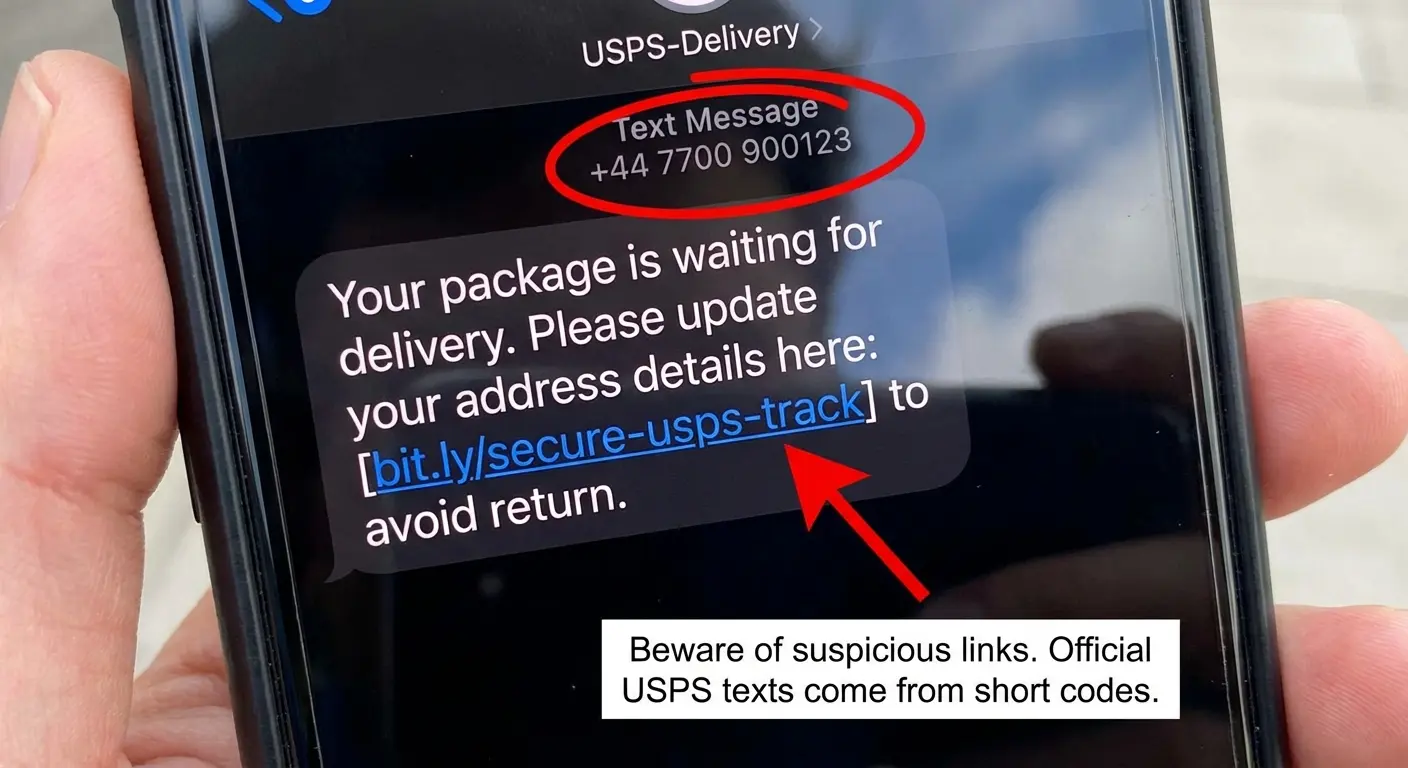
You're way more likely to encounter phishing than some sophisticated malware campaign. These attacks come through SMS, email, or messaging apps, sending you to fake websites designed to steal your credentials.
The messages often pretend to be from banks, delivery services, or government agencies. "Your package couldn't be delivered, click here to reschedule." "Suspicious activity detected on your account, verify immediately." The urgency is intentional. They want you to act before you think.
Modern phishing sites are scary convincing. They replicate the visual design of legitimate services perfectly. The only tell might be a slightly misspelled URL that you won't notice unless you're specifically looking for it.
Apps That Aren't What They Seem
Some malicious apps don't even try to hide. They deliver their promised functionality while secretly harvesting your data, showing aggressive ads, or subscribing you to premium services without your consent.
That flashlight app requesting access to your contacts, location, and camera? It doesn't need any of that to turn on your phone's LED. But once you grant those permissions, it can collect and sell that data to advertisers or worse.
A 2025 study by Panda Security found over 200 malicious apps hosted on Google Play, resulting in more than 40 million malware downloads. Many of these apps requested unnecessary permissions or worked as data-harvesting tools, proving that even official app stores aren't completely safe from malicious software.
I've seen calculator apps that mine cryptocurrency in the background, destroying your battery and slowing down your phone. Weather apps that constantly track your location and sell your movement data. Games that subscribe you to weekly SMS services that charge your phone bill. A virus scanner for android would catch many of these before they compromise your device.
There was this "battery optimizer" app that got over 10 million downloads on Google Play before anyone caught it. The app did show basic battery statistics, but it also asked for access to contacts, call logs, and SMS messages. None of which you need to monitor battery performance.
Security researchers found out the app was uploading all this data to remote servers every 12 hours. Users who granted these permissions basically handed over their entire contact lists, call histories, and text messages to who knows who. The app stayed up for eight months before Google removed it.
Public Wi-Fi: The Invisible Threat
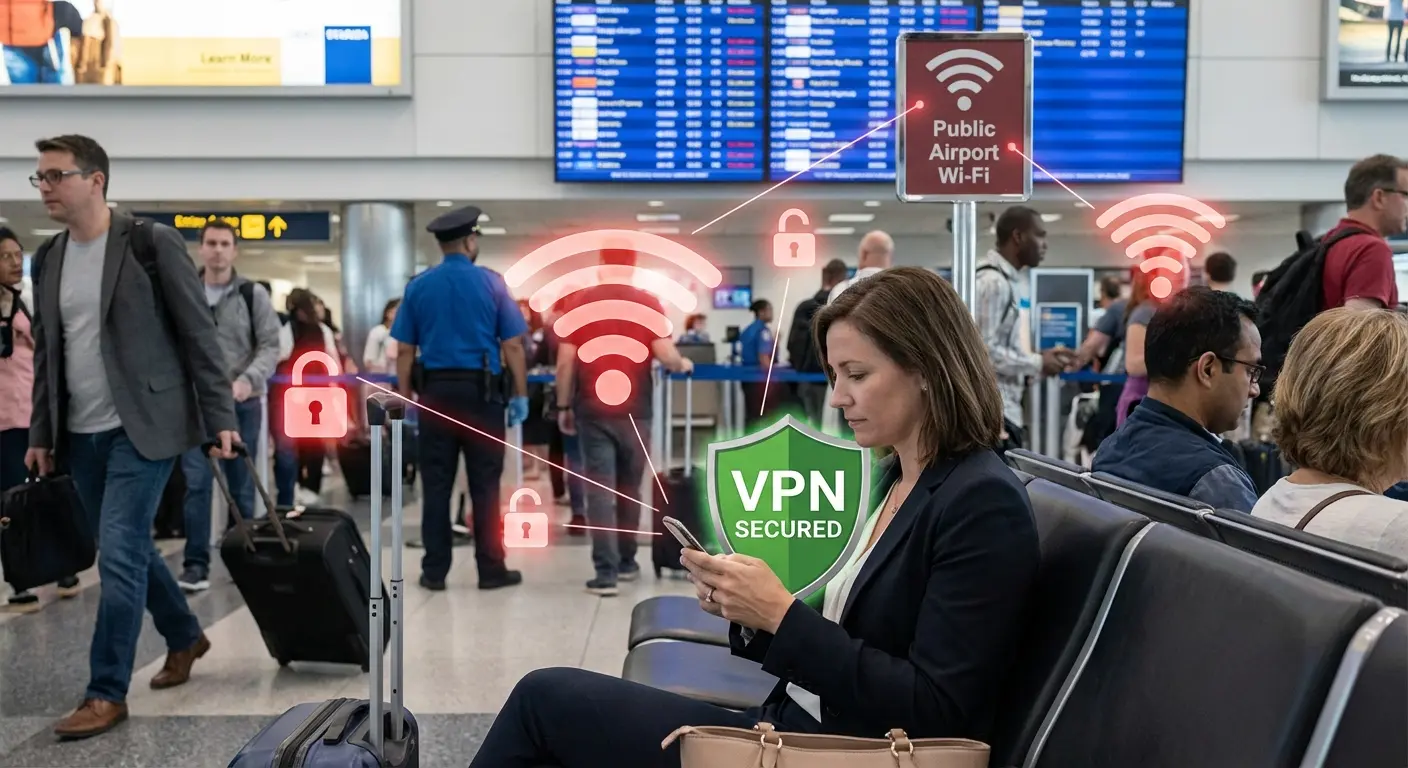
Public Wi-Fi at coffee shops, airports, and hotels is super convenient and super dangerous. Unencrypted connections let anyone on the same network potentially intercept your data.
Man-in-the-middle attacks on public Wi-Fi can capture passwords, session cookies, and any unencrypted information you send. Even HTTPS connections aren't always safe if attackers use SSL stripping techniques.
You might not notice anything wrong. Your connection works normally while someone's capturing your login credentials for later use. The theft is completely invisible until you start seeing unauthorized account access.
Adware That Makes Your Phone Unusable
Not all threats steal your data or money directly. Adware makes your phone nearly impossible to use by injecting ads into everything, creating pop-ups that won't close, and redirecting your browser to promotional sites constantly.
These apps are often borderline legitimate. They disclose their behavior in dense terms of service documents that nobody reads (I know, I know, nobody reads those). Technically, you agreed to the intrusive ads when you installed the app.
Removal can be a nightmare because adware often resists uninstallation, hides its icon, or reinstalls itself through companion apps. You'll need specialized tools to completely remove some of these. Running an android antivirus scan can help identify and get rid of these persistent threats.
SIM Swapping: When They Don't Need Your Phone
SIM swapping doesn't infect your device at all. Attackers convince your carrier to transfer your phone number to a SIM card they control, intercepting calls and messages (including 2FA codes) without ever touching your phone.
You'll notice when your phone suddenly loses service. By then, attackers might already be accessing accounts that use SMS-based authentication. They'll reset passwords, drain financial accounts, and lock you out of your own digital life.
This is why security experts keep saying to use app-based authenticators instead of SMS codes whenever possible. Your phone number is way less secure than you think.
How to Actually Choose Antivirus Protection
What Actually Matters
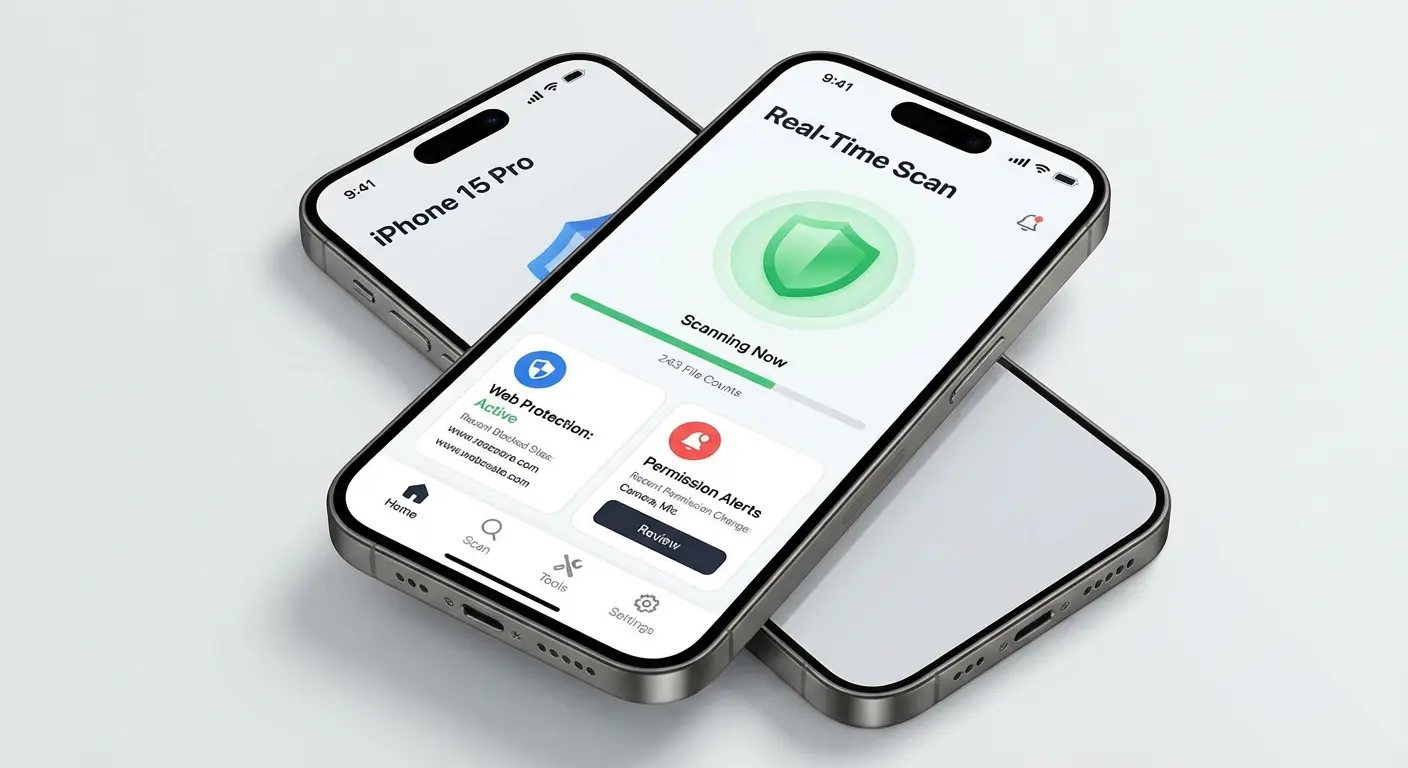
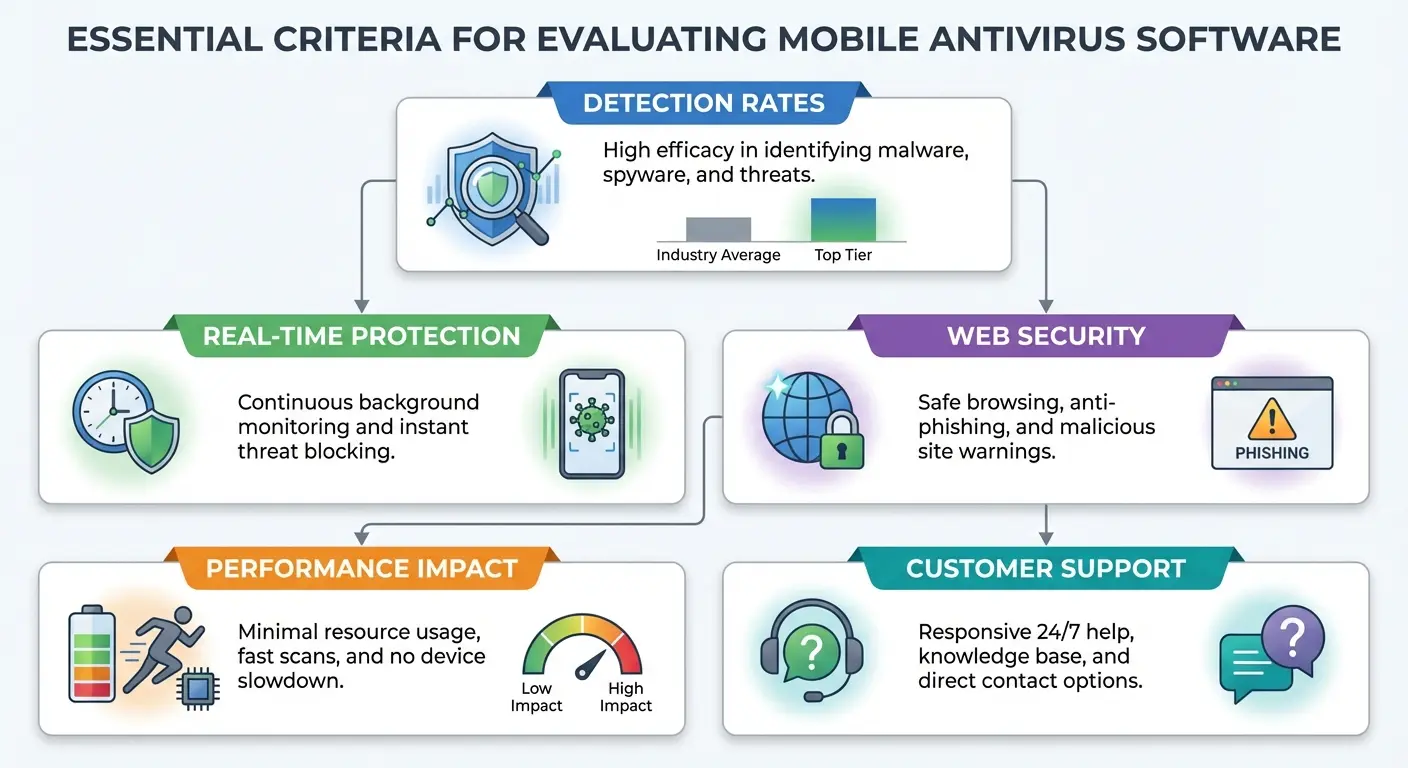
Real-time scanning catches malware during installation rather than after it's already running on your device. This proactive approach is non-negotiable in any antivirus solution worth considering.
Web protection analyzes URLs before you visit them, blocking known phishing sites and malicious domains. This prevents infections that happen through browser-based attacks, which account for a huge percentage of mobile malware.
Anti-phishing specifically targets fake login pages and credential harvesting attempts. It works alongside web protection but focuses on social engineering attacks rather than technical exploits.
App permission monitoring alerts you when apps request unnecessary access or start behaving suspiciously after installation. This addresses the malicious app problem we talked about earlier, giving you visibility into what your installed apps are actually doing.
Free vs. Paid (Let's Be Real)
Free antivirus apps exist, and some are actually legitimate. They typically offer basic malware scanning but limit advanced features like real-time protection, web filtering, and VPN access. A free virus scanner for android can provide baseline protection, but it'll lack comprehensive features.
Here's the thing though: when you use free security software, you're not the customer. You're the product. These apps often make money through data collection (ironic for a security tool, right?), ads, or aggressive upselling to premium tiers. However, reputable free antivirus for android options from established companies like avast antivirus or avg antivirus can still provide solid basic protection.
Paid solutions typically cost between $15 and $60 per year. Compared to the potential cost of a security breach, this is incredibly cheap insurance. You get comprehensive protection, regular updates, actual customer support, and no data harvesting.
Some free android antivirus app options from reputable companies offer decent basic protection if budget is genuinely a constraint. But understand the limitations and avoid free apps from unknown developers entirely.
Performance Matters More Than You Think
Security software runs continuously in the background, eating battery and processing power. Poorly optimized antivirus can make your phone noticeably slower and kill your battery fast.
Check reviews that specifically mention performance impact before choosing a solution. Users will complain loudly if an app destroys their battery or causes lag, so this information is easy to find.
Most reputable antivirus apps are now optimized for mobile efficiency, but there's still variation. A security app that makes your phone frustrating to use won't stay installed long, which leaves you unprotected.
Read the Damn Privacy Policy
I know it's tedious, but you're trusting this app with deep access to your device. You need to know what data it collects and what it does with that information.
Some security apps collect browsing history, app usage data, and device information for "threat analysis." Others keep data collection minimal. Both might provide adequate security, but only you can decide what privacy tradeoffs you're comfortable making.
Security apps from advertising companies deserve extra scrutiny. Their business model might conflict with your privacy expectations, even if their malware detection is solid.
Make Sure It Actually Works With Your Phone
Verify that your chosen solution supports your specific device and OS version. Some security apps work better on certain Android implementations than others. Whether you need an antivirus app for android on a Samsung, Pixel, or another brand, compatibility actually matters.
Check the update frequency. Security software that hasn't been updated in months is falling behind emerging threats. Active development and regular updates show ongoing commitment to protecting users.
According to AV-TEST's independent testing of 15 security apps for Android, six protection apps achieved 100% detection in all test segments: Avast, AVG, Bitdefender, Kaspersky, Norton, and securiON. The testing involved nearly 3,000 newly collected infected apps in real-time tests and roughly 3,200 infected apps that had been circulating for four weeks in reference set tests.
Customer support quality matters when you're dealing with potential security incidents. Can you actually reach a human if needed? Is there documentation for troubleshooting? These questions become critical when you're trying to remove malware or recover from an attack.
Before you download anything, check these things:
Does it actually catch malware? Look up AV-TEST results. If it's not hitting 95%+ detection, it's garbage.
Does it scan in real-time or only when you remember to run it? (You'll never remember.)
What's it doing with your data? Read the privacy policy. Seriously.
Do user reviews confirm minimal battery drain and system impact?
Has the app been updated within the last 30-60 days?
Does it explicitly support your phone model and OS version?
Is there accessible support (chat, email, phone) if issues come up?
Are renewal costs clearly stated, not just discounted first-year pricing?
Is there a free trial or money-back guarantee so you can test before committing?
Building Actual Protection (Not Just Installing One App)
Start With Antivirus
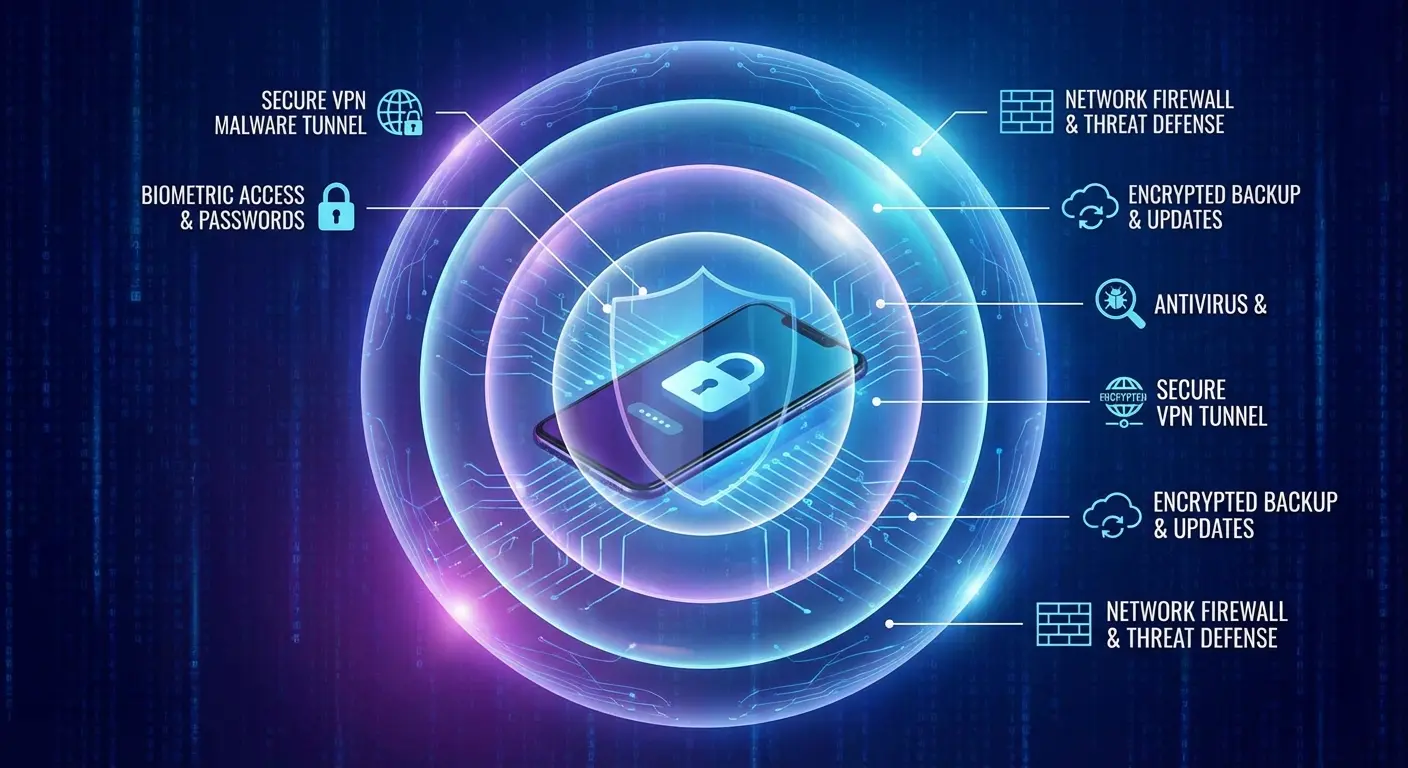
Antivirus software forms your baseline defense, catching known threats and providing real-time protection against malware. It's your first line of defense but it absolutely shouldn't be your only one.
Install reputable antivirus, keep it updated, and actually review the alerts it generates. Don't just dismiss warnings because they're inconvenient. If your security software flags something, investigate before you proceed. Solutions like avg antivirus provide comprehensive protection when you configure them properly.
Run full scans periodically even if real-time protection is active. Scheduled scans can catch threats that slipped through or were installed before your antivirus was running.
Add a VPN for Network Protection
Virtual Private Networks encrypt your internet traffic, making it unreadable to anyone trying to intercept your connection. This is essential on public Wi-Fi and honestly valuable even on networks you trust.
VPNs prevent man-in-the-middle attacks, ISP tracking, and some forms of surveillance. Your browsing stays private, and your data stays protected even on compromised networks.
Choose VPN providers with clear no-logging policies and strong encryption standards. Free VPNs often log and sell your browsing data, which completely defeats the privacy purpose.
Use a Password Manager
Reusing passwords across services means one breach compromises multiple accounts. Password managers generate and store unique passwords for every service, eliminating this vulnerability completely.
You'll only need to remember one master password. The manager handles everything else, automatically filling credentials and alerting you to compromised passwords when breaches happen.
Many password managers include breach monitoring, alerting you when your credentials show up in data dumps. This early warning gives you time to change passwords before attackers exploit the stolen information.
Audit Your App Permissions
Go through what permissions you've granted to installed apps periodically. That game you installed two years ago probably doesn't need access to your contacts, camera, and location.
Both Android and iOS now show which apps recently accessed sensitive permissions. Use these privacy dashboards to identify and revoke unnecessary access.
Uninstall apps you don't use anymore. Every installed app is a potential vulnerability, and abandoned apps won't get security updates even if the developer keeps supporting current users.
Actually Install Updates
Enable automatic updates for your OS and apps whenever possible. Security patches only protect you if they're actually installed, and manual updating leads to delays.
If automatic updates aren't feasible (maybe you have limited data), set a weekly reminder to check for available updates. Treat this as a recurring security task, not optional maintenance.
Prioritize OS updates over feature updates. That new emoji set can wait. Security patches can't.
Develop Better Habits
Technical protections fail when you click malicious links or grant permissions to sketchy apps. Your behavior is part of your security system.
Verify sender information before clicking links in messages. Long-press URLs to see the actual destination. Be suspicious of urgency and unexpected requests.
Download apps only from official stores. Research apps before installing them, reading reviews and checking developer information. A few minutes of verification prevents hours of malware cleanup.
Think before granting permissions. Ask yourself if the requested access makes sense for what the app claims to do. When in doubt, deny permission and see if the app still works.
Set a reminder on your phone. Once a month, spend 20 minutes going through your apps and asking yourself: "Do I still use this? Why does my flashlight app need access to my contacts?" Delete the weird stuff. Update everything. Run a scan. Done.
Marcus, a small business owner, learned about this the hard way. He had avg antivirus installed but connected to airport Wi-Fi without a VPN while traveling to a conference. An attacker on the same network intercepted his un encrypted connection and grabbed his session cookies for a cloud storage service with client contracts.
The attacker accessed the account, downloaded sensitive business documents, and tried to sell them to Marcus's competitors. The breach cost his company a major client contract worth $85,000 and damaged relationships with two others.
After that incident, Marcus implemented the full security stack: avg antivirus, VPN for all public Wi-Fi, password manager with unique credentials for every service, and biometric authentication on sensitive apps. Six months later, his antivirus blocked a phishing attempt, his VPN protected him on hotel Wi-Fi, and his password manager alerted him to a data breach at a vendor. All working together to prevent what could've been another devastating incident.
Physical Security Matters Too
Okay, so I'm about to mention a product and you're going to think this whole article was just a setup for this. It's not, but I do think physical protection matters too, so hear me out.
We've spent this entire article talking about digital threats, but here's the reality: you need both types of protection. A phone that's digitally secure but physically vulnerable can still get stolen, giving thieves physical access to attempt bypassing your security measures. A phone that's physically protected but digitally compromised is just a secure container for stolen data.
Physical security and digital security work together. When you're out running, biking, or working in environments where your phone faces both theft and damage risks, you need protection addressing both concerns at once.
That's where solutions like Rokform's protective cases come in. They're built for people who actually use their phones in demanding situations, not just for show. Rugged protection keeps your device intact while you're focused on digital security measures. Secure mounting systems make theft harder when you're in public spaces where shoulder surfing and grab-and-run theft are real concerns.
You can check out the full lineup of protective solutions designed for active use at Rokform's site. Because comprehensive protection means thinking about all the ways your phone and its data can be compromised, not just the threats that get the most attention.

Look, Here's the Bottom Line
Your phone contains way more valuable information than your wallet ever did. Bank access, personal communications, authentication for dozens of services, photos, documents, and basically the keys to your entire digital identity. All in your pocket.
We protect what we value. You wouldn't leave your wallet on a coffee shop table while you hit the restroom, but a lot of people treat their phones with way less caution despite them being far more valuable targets.
The good news? Mobile security isn't as complicated as it seems. You don't need to become some cybersecurity expert. You just need to implement a few layers of virus protection, stay alert to common threats, and treat digital security with the same seriousness you already apply to physical protection.
Start with reputable antivirus software. Add a VPN for public Wi-Fi. Audit your app permissions regularly. Enable automatic updates. Practice skepticism with unexpected messages and links.
None of these steps are particularly difficult. Together, they create a security setup that'll protect you from the vast majority of threats you'll actually encounter. Perfect security doesn't exist, but "secure enough to not be the easiest target" is absolutely achievable.
Your phone's already protected from drops and scratches. Now protect what's inside it too.

