


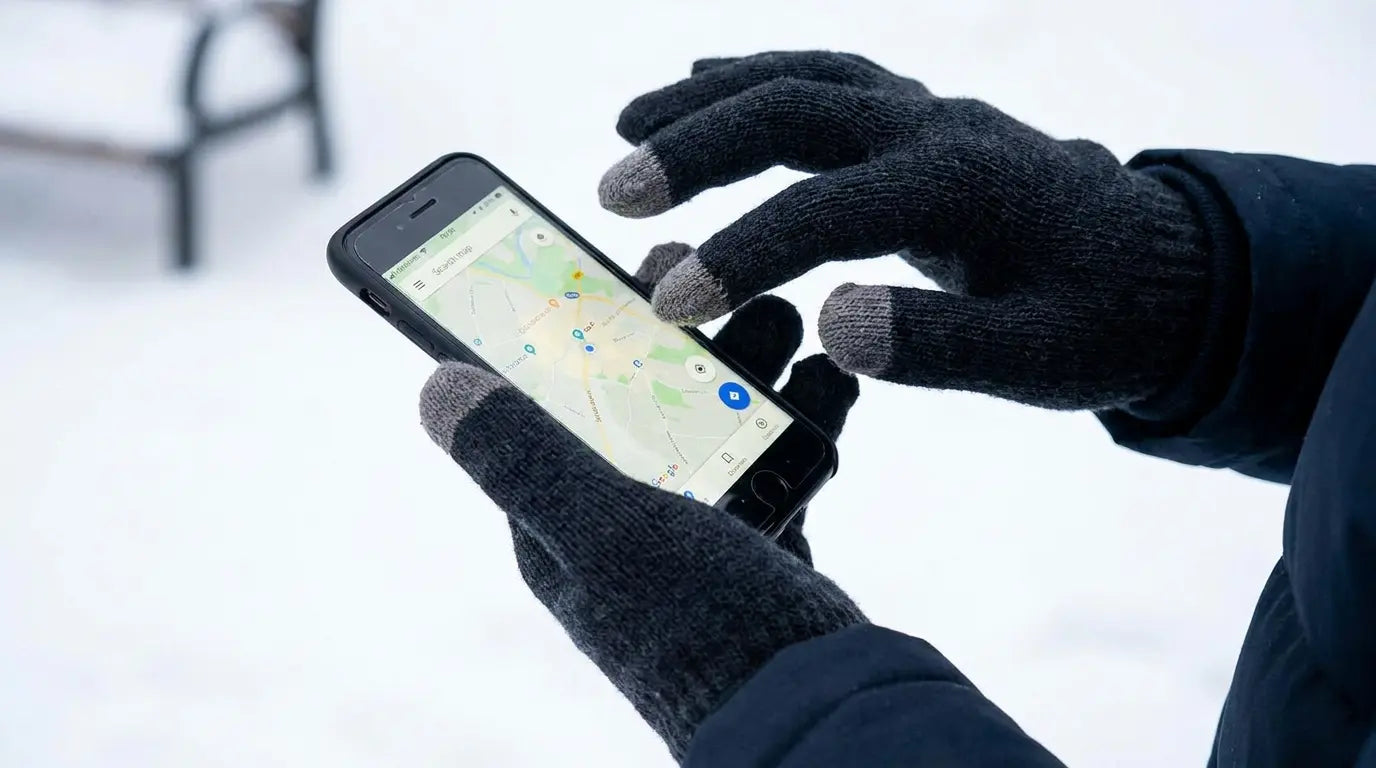
Last January, I watched my girlfriend try to answer a call with her new $40 touchscreen gloves for maybe 45 seconds before she just ripped them off with her teeth. The gloves went in the trash that night.
I've bought touchscreen gloves four times in the last two years. Four. Different. Times. The first pair lasted maybe two weeks before the fingertips just stopped working. Thought I got a bad pair, so I bought a nicer set at $45 instead of $20. Those died even faster. Third pair I washed once and they were done. The fourth pair is currently in my car, and I haven't worn them in a month because I know they'll piss me off.
Here's what I finally figured out: The gloves aren't the problem. The whole idea of touchscreen gloves is the problem.
Outdoor Gear Lab tested 16 winter glove models and found that touchscreen-compatible gloves showed serious performance degradation after just weeks of regular use. The conductive fingertips became less responsive as oils and moisture from hands degraded the metallic coatings. Weeks. Not months or years.
I work at Rokform, and we've spent years designing phone protection that works in extreme conditions. That perspective changes how you think about the glove problem entirely. We've watched thousands of people struggle with this, and the solution isn't better gloves.
Table of Contents
The Conductive Thread Myth Nobody Questions
Material Science vs. Real-World Friction
Why Your Gloves Fail at Specific Temperature Thresholds
The Grip Problem That Touchscreen Marketing Ignores
Screen Protectors Are Sabotaging Your Glove Performance
Phone Case Thickness: The Variable You're Not Measuring
How Phone Mounting Systems Eliminate the Glove Compromise
TL;DR
Conductive materials degrade rapidly from oils, moisture, and friction, making most touchscreen gloves temporary solutions
Temperature affects both glove material flexibility and screen sensitivity simultaneously, creating a compounding failure point
Grip texture matters more than touchscreen capability when you're actually using your phone in cold conditions
Screen protectors add resistance that requires more pressure, which most glove materials can't provide consistently
Bulky phone cases increase the reach distance your fingers need to travel, making precise touches nearly impossible with padded gloves
Single-hand phone operation requires specific finger positioning that standard glove designs actively prevent
Moisture from condensation or snow destroys the conductive properties of most touchscreen-compatible materials within minutes
Biometric authentication (Face ID, fingerprint sensors) creates new failure points that glove manufacturers haven't addressed
Different activities (skiing, running, photography, construction) need incompatible glove features, making one-size-fits-all solutions ineffective
Phone mounting systems let you use quality gloves designed for warmth and dexterity instead of compromising with mediocre touchscreen gloves
The Conductive Thread Myth Nobody Questions
So touchscreen gloves work because they've got silver or copper threads in the fingertips. Conducts electricity, makes your phone think your finger is touching it. Simple enough.
Except your fingers are disgusting. Not like, gross disgusting, just constantly producing oils. Every time you wear the gloves, you're coating those conductive threads with finger grease. And that grease? Kills the conductivity.
Cold weather means you're also dealing with moisture from condensation, snow, or rain. Each exposure degrades the conductive properties of the threads. Within days or weeks (depending on how much you use them), the electrical pathway weakens enough that your screen stops registering touches consistently.
You're not imagining it when your three-week-old touchscreen winter gloves suddenly feel less responsive. The conductive coating is literally wearing away.
Manufacturers know this. But the solution would require exotic materials that would price touch screen gloves out of the casual market. We're stuck in a cycle where cheap conductive threads give you temporary functionality, then fail, then you buy another pair. I've wasted probably $200 on this garbage.
My friend Sarah shoots weddings, and she went through three different pairs in one winter season. The first pair, these $35 North Face things, stopped working after two weeks of daily use checking camera settings outdoors. The second pair lasted slightly longer but failed after a particularly wet shoot in light snow. She was pissed because she'd just washed them once. The third pair worked for about a month before the fingertips wore through completely. She spent $120 total on gloves that were supposed to solve the same problem, when a $40 pair of quality insulated gloves and a phone mount would have served her better all season.
The real question isn't which gloves have the best conductive material. It's whether conductive gloves are the right solution at all.
Why Washing Destroys Conductivity Faster Than Wear
You can't maintain glove hygiene without accelerating their failure. Detergents strip away the metallic coatings that enable touchscreen interaction. Even hand-washing with mild soap damages the conductive threads over time.
Sweat and bacteria build up in gloves worn regularly (especially during physical activity), but cleaning them means sacrificing their primary function. Some manufacturers claim their gloves are machine-washable while maintaining conductivity. Testing shows significant performance degradation after even a single wash cycle.
You're forced to choose between sanitary gloves that don't work or functional gloves that become increasingly unpleasant to wear. This isn't a problem with a product design fix. It's basic physics.
Material Science vs. Real-World Friction
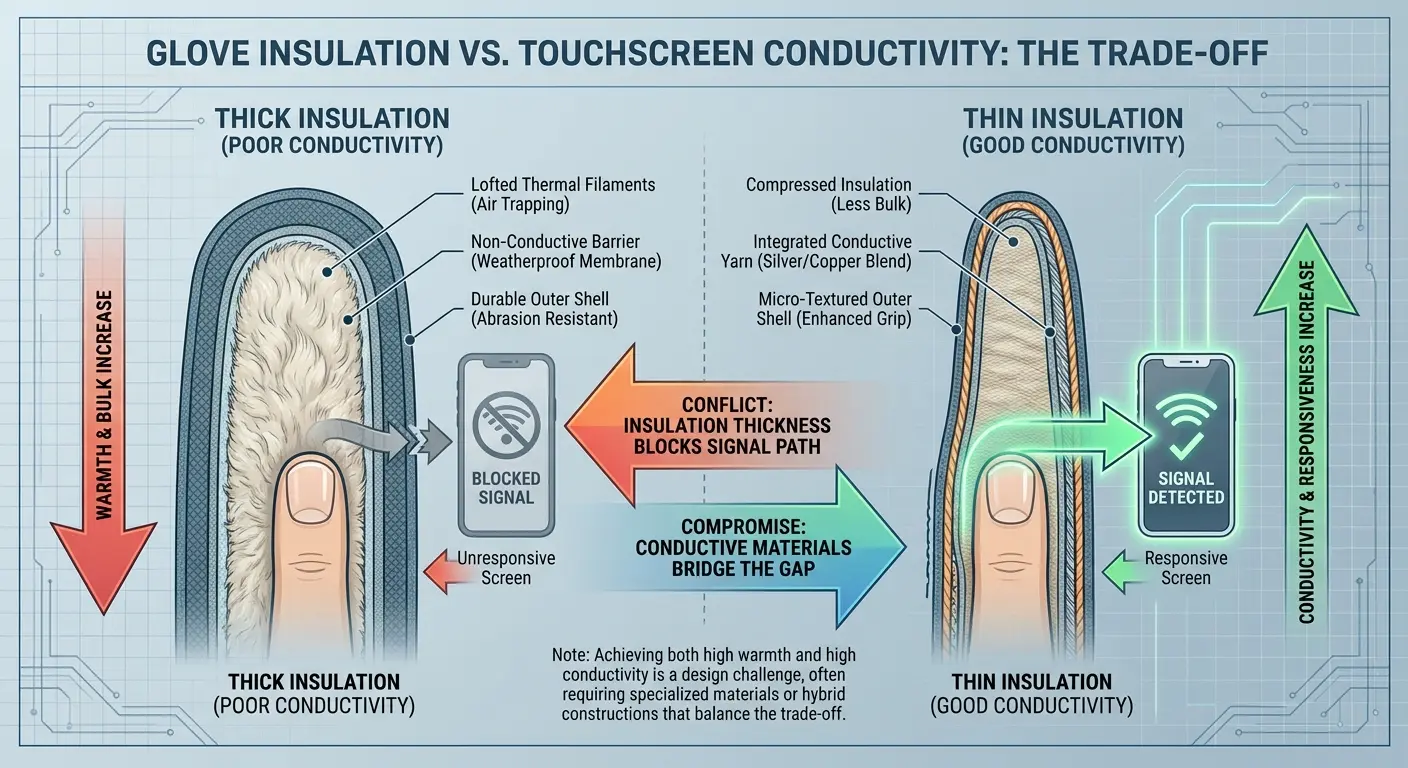
Touchscreen technology requires a specific amount of electrical capacitance to register input. Your bare finger provides this naturally. Glove materials need to replicate that capacitance while also being thick enough to provide warmth.
You can't have both. Physics won't let you.
Thinner materials conduct better but insulate poorly. Thicker materials keep your hands warm but create too much distance between your skin and the screen. Manufacturers try to split the difference with thin conductive fingertips on otherwise warm gloves. This creates weak points where the thin material wears through quickly.
The friction between your glove and your phone screen accelerates this wear dramatically. Every swipe gesture creates abrasion. Every tap compresses the material.
Within weeks of regular use, the fingertips develop thin spots, holes, or complete separation from the base glove material. You end up with gloves that are warm everywhere except the fingertips (where you actually need warmth when touching a cold phone screen).
The material science hasn't caught up to what users actually need. People consider glider gloves among the best touchscreen gloves available, yet even these premium options face the same fundamental material limitations that plague the entire category.
Glove Material Type |
Conductivity Level |
Warmth Rating |
Durability (weeks of daily use) |
Best Use Case |
|---|---|---|---|---|
Silver-coated nylon |
High (initially) |
Low |
2-3 weeks |
Light use, mild temps |
Copper-threaded fingertips |
Medium |
Medium |
3-4 weeks |
Moderate use, cool temps |
Leather with conductive patches |
Low-Medium |
High |
6-8 weeks |
Heavy use, cold temps |
Full synthetic fleece |
Very Low |
Medium-High |
8-12 weeks |
No touchscreen needed |
Wool blend with metal fibers |
Medium |
High |
4-6 weeks |
Casual use, variable temps |
The Dexterity Trade-Off That Manufacturers Won't Admit
Warm gloves are bulky by necessity. Insulation requires air pockets or thick materials. Your fingers lose fine motor control when wrapped in padding.
Touchscreen gloves try to maintain dexterity by using thinner materials, which means they're not actually warm enough for seriously cold conditions. You can have gloves that work with your phone or gloves that keep your hands warm. Very few products deliver both effectively.
When temperatures drop below 20°F, you'll choose warmth over phone functionality every time (because frostbite isn't worth checking a text message). The glove market keeps pretending this compromise doesn't exist.
I've watched people remove their "touchscreen gloves" to use their phones because the gloves weren't warm enough to justify the loss of dexterity they caused. Even premium options like glider gloves struggle with this basic trade-off, though they typically offer better insulation than budget alternatives while still maintaining some degree of touchscreen functionality.
Why Your Gloves Fail at Specific Temperature Thresholds
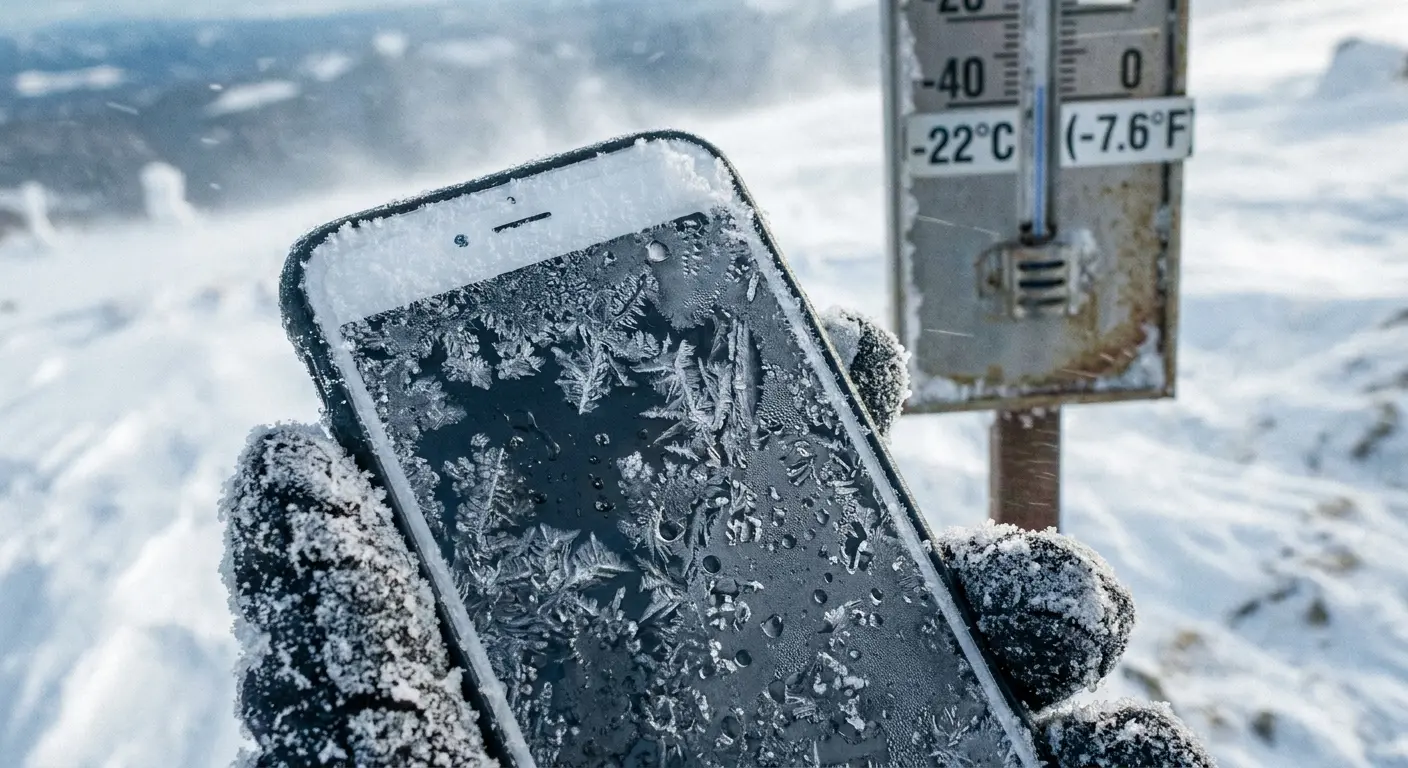
Phone screens become less responsive in cold weather. The liquid crystals in displays slow down at low temperatures. Touch sensitivity decreases because the screen itself is less reactive.
Your gloves aren't the only variable failing you. The phone is also struggling.
Most smartphones are rated for operation down to 32°F, but performance degrades well before that threshold. At 20°F, you'll notice significant lag in touch response. At 0°F, some phones stop registering touches entirely (even from bare fingers).
Adding gloves to this equation compounds the problem exponentially. Your glove needs to provide more electrical capacitance to compensate for the screen's reduced sensitivity, but cold weather also makes glove material stiffer and less conductive. Everything fails simultaneously.
You blame the touchscreen winter gloves, but the screen is equally at fault. There's no touch screen gloves on the market that can overcome a phone screen that's too cold to function properly.
CleverHiker's winter glove testing revealed that gloves performed optimally in temperatures between 10-30°F, with significant performance degradation occurring in both warmer conditions (due to excess moisture from sweating) and colder conditions (due to material stiffening and reduced screen sensitivity).
Battery Performance Creates a Hidden Failure Point
Cold temperatures drain phone batteries faster. You've experienced this: full battery indoors, 20% battery after 30 minutes outside.
When your battery drops, your phone reduces performance to conserve power. This includes decreasing screen sensitivity. Your gloves worked fine when your battery was at 80%, but now at 30% battery in cold weather, the screen barely responds.
The gloves haven't changed. The phone has entered a power-saving mode that makes touch input harder to register.
Users don't connect these dots. They assume their gloves suddenly stopped working, when actually their phone is throttling touch sensitivity to extend battery life. No amount of conductive threading in your gloves will fix a phone that's deliberately reducing its own responsiveness.
The Grip Problem That Touchscreen Marketing Ignores
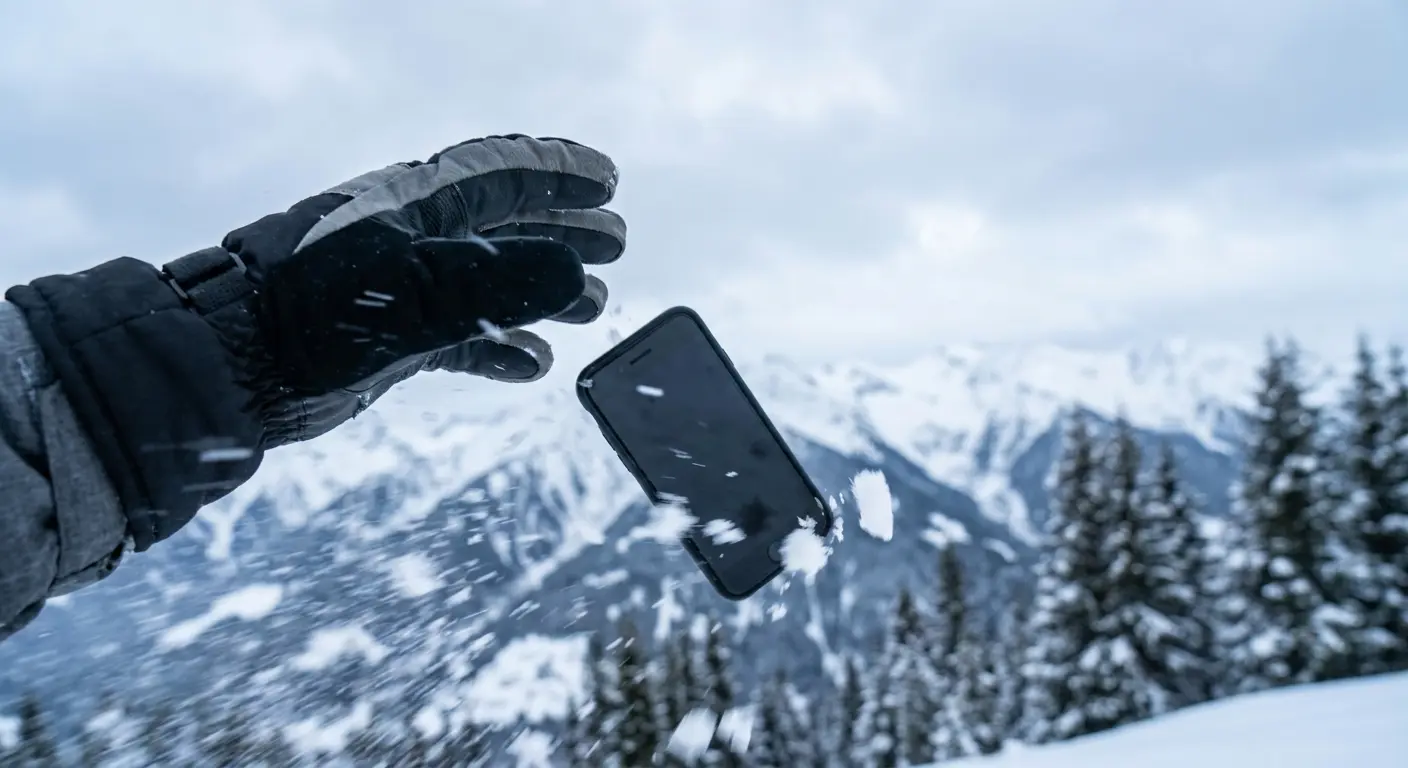
Dropping your phone in cold weather is more common than screen touch failures. Gloves reduce your grip strength and tactile feedback. You can't feel the phone's edges as clearly through glove material. Your fingers can't wrap around the device with the same security as bare hands.
And this pisses me off because touchscreen-compatible gloves often use smooth materials on the fingertips to improve conductivity. These smooth surfaces have less friction than textured materials. You're more likely to drop your phone while wearing gloves specifically designed to work with phones.
The irony is obvious but nobody admits it. I've seen countless cracked screens from winter drops that happened specifically because someone was wearing best touchscreen gloves with poor grip. A phone glove that keeps you from needing to remove it for phone use is worthless if it makes you drop the phone entirely.
Grip should be the primary design consideration, not touchscreen compatibility. Protecting your device with the best cell phone case for drop protection becomes even more critical when using gloves that compromise grip security.
A ski instructor I know told me about watching a student check their phone on the chairlift while wearing new touchscreen gloves. The smooth conductive fingertips couldn't grip the phone's glass back properly. When the chair hit a bump, the phone slipped from their hand and fell 40 feet into deep powder. They spent the next hour searching for it instead of skiing. The $45 gloves led to a $1,200 phone replacement and a ruined ski day.
Why Textured Palms Don't Solve the Real Issue
Some gloves feature rubberized or textured palms for better grip. These textures help with holding objects generally but don't address the specific grip challenge of phones.
Phone surfaces are smooth glass or metal. They require consistent pressure across multiple contact points. Textured palms concentrate grip in specific areas, creating uneven pressure distribution. Your phone feels secure until you shift your hand position slightly, then it slips.
The palm texture also adds bulk, which reduces your ability to wrap your fingers around the phone's edges. You need grip on your fingers, not your palms, but adding texture to fingers interferes with touchscreen conductivity.
Manufacturers can't solve both problems simultaneously with current materials.
Screen Protectors Are Sabotaging Your Glove Performance
Screen protectors add a layer between your glove and the actual screen. This extra distance requires more electrical capacitance to register touches.
Tempered glass protectors are the worst offenders. They can be up to 0.5mm thick, which doesn't sound significant until you're trying to use a touchscreen through gloves. The combined thickness of glove material plus screen protector creates enough separation that many touches simply don't register.
Plastic film protectors are thinner but often have textured surfaces that increase friction. Your glove material catches on these textures, making swipe gestures difficult and imprecise.
Some people remove their screen protectors in winter to improve glove compatibility. This defeats the purpose of protection when you're most likely to drop your phone (because you're wearing slippery gloves). The screen protector industry and the touchscreen glove industry are working against each other, and users are caught in the middle.
Even premium touch screen gloves struggle with thick screen protectors, and glider gloves that normally excel at sensitivity face the same challenges when extra layers are involved. Understanding screen protector options becomes essential when balancing protection with winter usability.
Screen Protector Compatibility Checklist
Before buying touchscreen gloves, evaluate your current phone setup:
☐ Measure your screen protector thickness (0.3mm or less works better with gloves)
☐ Check if your protector has anti-glare coating (reduces conductivity)
☐ Test bare finger responsiveness with protector installed
☐ Note any raised edges around screen cutouts
☐ Verify protector material type (glass vs. film vs. hybrid)
☐ Document current touch sensitivity settings on your phone
☐ Test gloves with protector before removing tags/packaging
Oleophobic Coatings Make Everything Worse
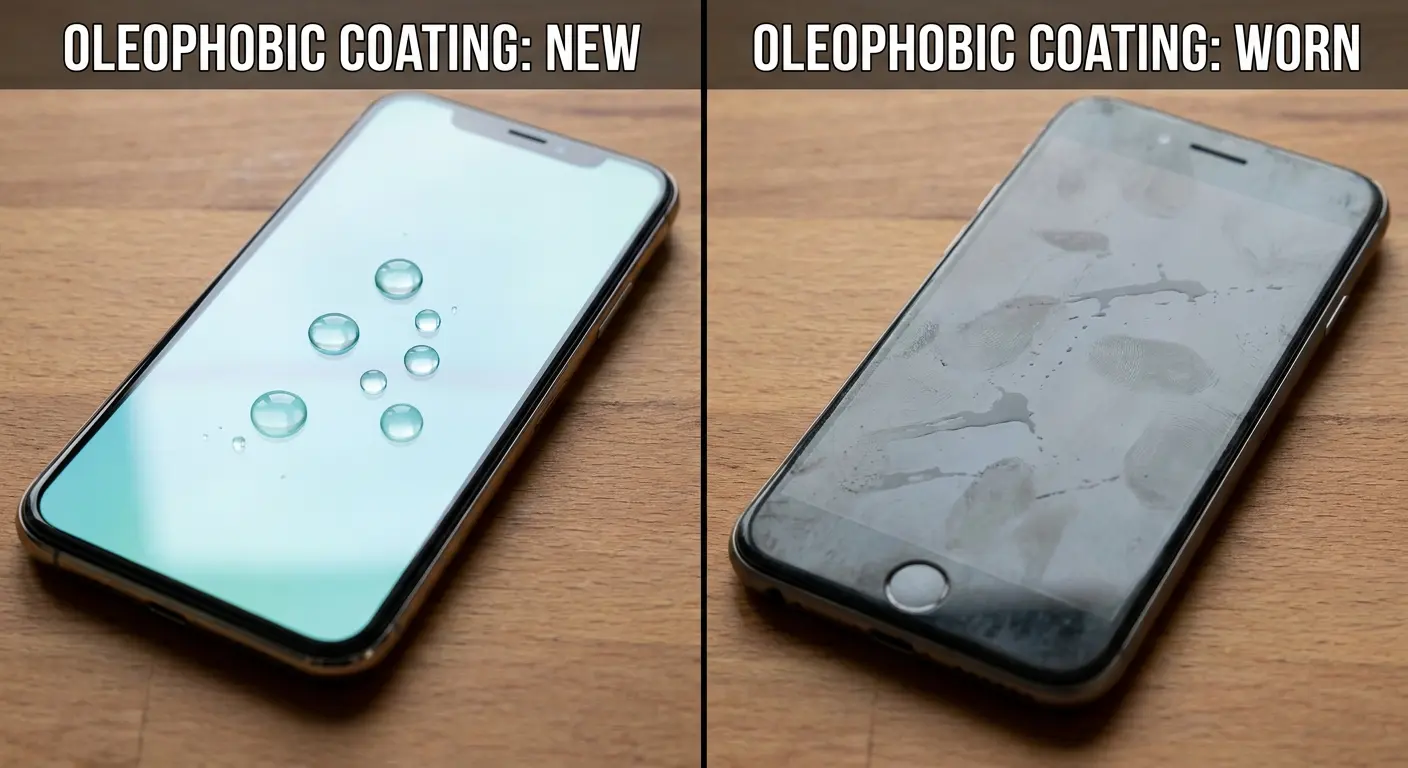
Screens have oleophobic coatings to repel fingerprint oils. These coatings also repel the oils and moisture from your gloves. The coating is doing its job (preventing smudges), but that job includes making it harder for glove materials to make consistent electrical contact.
Older phones with worn oleophobic coatings often work better with gloves than brand-new phones. The coating wears away over time, improving glove compatibility while making the screen more prone to smudges.
You can't win. A pristine screen with intact coating won't work well with gloves. A worn screen works better with gloves but looks terrible and needs constant cleaning.
Some users deliberately degrade their oleophobic coating to improve winter usability. This seems extreme until you've spent a winter constantly removing your gloves because your brand-new phone won't register touches through the fabric.
Phone Case Thickness: The Variable You're Not Measuring
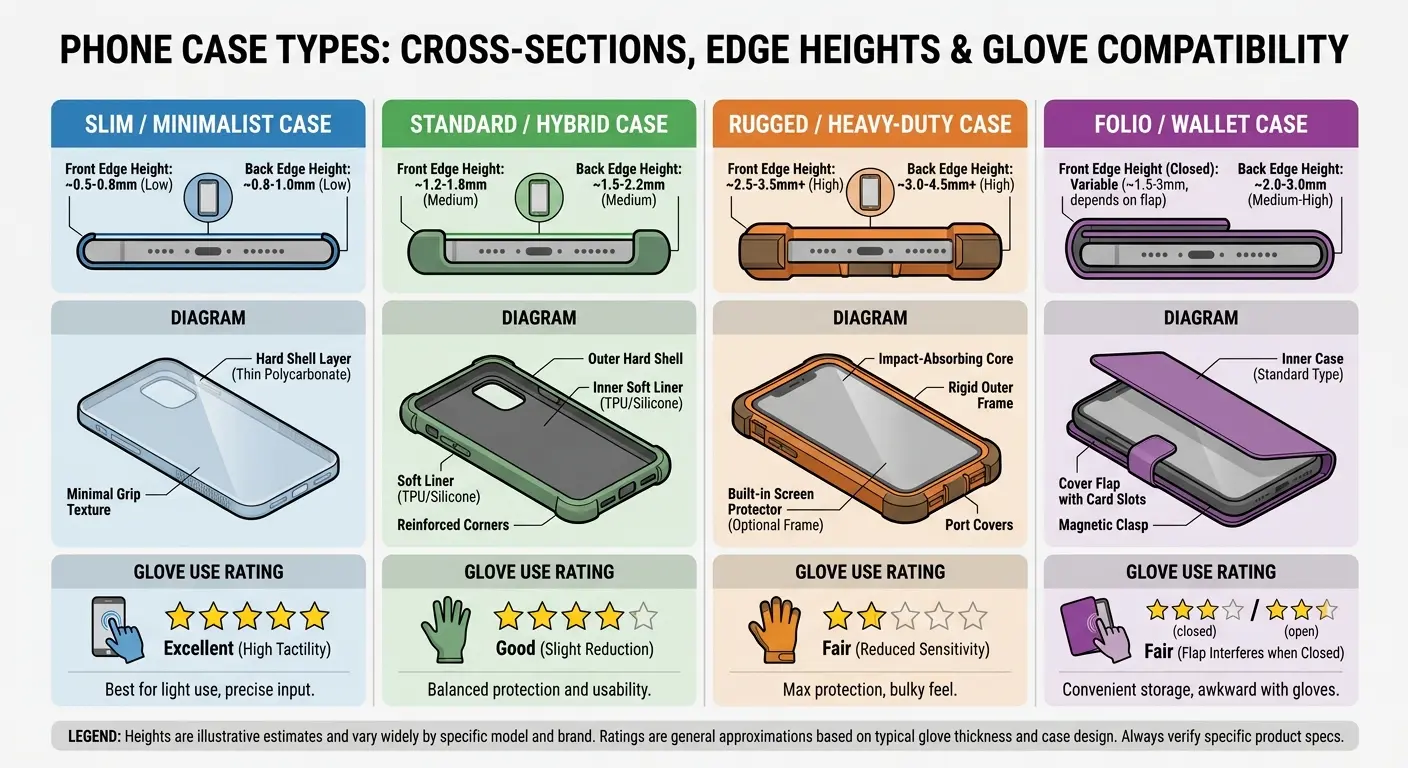
Protective cases add millimeters around your phone's edges. These raised edges are designed to protect your screen from impact. They also increase the distance your finger needs to travel to reach the actual screen surface.
When you're wearing gloves, this added distance matters enormously.
Your gloved finger hits the case edge before making proper contact with the screen. Edge swipes (for navigation gestures or accessing side menus) become nearly impossible. You're essentially trying to touch a screen that's recessed into a frame, while wearing padded fingertips that can't fit into the recess properly.
Thin cases minimize this problem but offer less protection. Rugged cases maximize protection but make glove use almost impossible. We've tested this extensively at Rokform because case design is central to what we do. A 2mm difference in case edge height can be the difference between functional best touchscreen gloves use and complete frustration.
Even the most responsive touch screen gloves can't overcome the physical barrier created by deeply recessed cases.
Case Type |
Average Edge Height |
Glove Compatibility |
Drop Protection |
Best For |
|---|---|---|---|---|
Thin TPU |
0.5-1mm |
Excellent |
Basic |
Touchscreen glove users |
Standard protective |
1-2mm |
Good |
Moderate |
Balanced needs |
Rugged/military grade |
2-4mm |
Poor |
Excellent |
Maximum protection priority |
Wallet case |
3-5mm |
Very Poor |
Good |
Non-winter use |
Battery case |
4-6mm |
Nearly impossible |
Moderate |
Extended battery life |
Button Accessibility Creates a Secondary Failure Point
Cases cover your phone's physical buttons (volume, power, camera). They include pass-through buttons or flexible membranes that you press to activate the actual buttons underneath.
These pass-through buttons require more pressure than the phone's native buttons. Gloves reduce your ability to feel exactly where these buttons are located. You end up pressing too hard, too soft, or in the wrong spot entirely.
Taking a photo while wearing gloves becomes an exercise in frustration. You can't feel the camera button clearly, so you press multiple times, accidentally triggering other functions or missing the shot entirely.
The case is protecting your phone but making it significantly harder to use with gloves. Users rarely consider this when choosing cases. They test cases with bare hands in warm stores, then discover the usability problems months later during actual cold-weather use.
Single-Hand Operation Changes Everything About Glove Design
Most people use their phones one-handed when wearing gloves. Your other hand is carrying something, holding a leash, or staying warm in your pocket.
One-handed operation requires your thumb to reach across the entire screen. Gloves restrict your thumb's range of motion. The material between your thumb and palm prevents full extension. You can't reach the opposite corner of your screen without shifting your grip.
Shifting your grip while wearing slippery gloves means risking dropping your phone.
Touchscreen glove manufacturers design for two-handed use (one hand holding, one hand tapping). This doesn't match real-world winter phone use at all. You need gloves that maintain thumb flexibility specifically.
Most gloves treat all fingers equally, which means they're optimizing for the wrong use case. Your thumb needs different material properties than your other fingers, but almost no gloves are designed with this asymmetry in mind.
While glider gloves offer better dexterity than many alternatives, even they can restrict thumb movement for one-handed operation, and designs meant for typing don't always translate well to phone swiping gestures. Understanding phone grip solutions becomes critical when single-hand operation is compromised by gloves.
Why Glove Sizing Becomes Critical for Phone Use
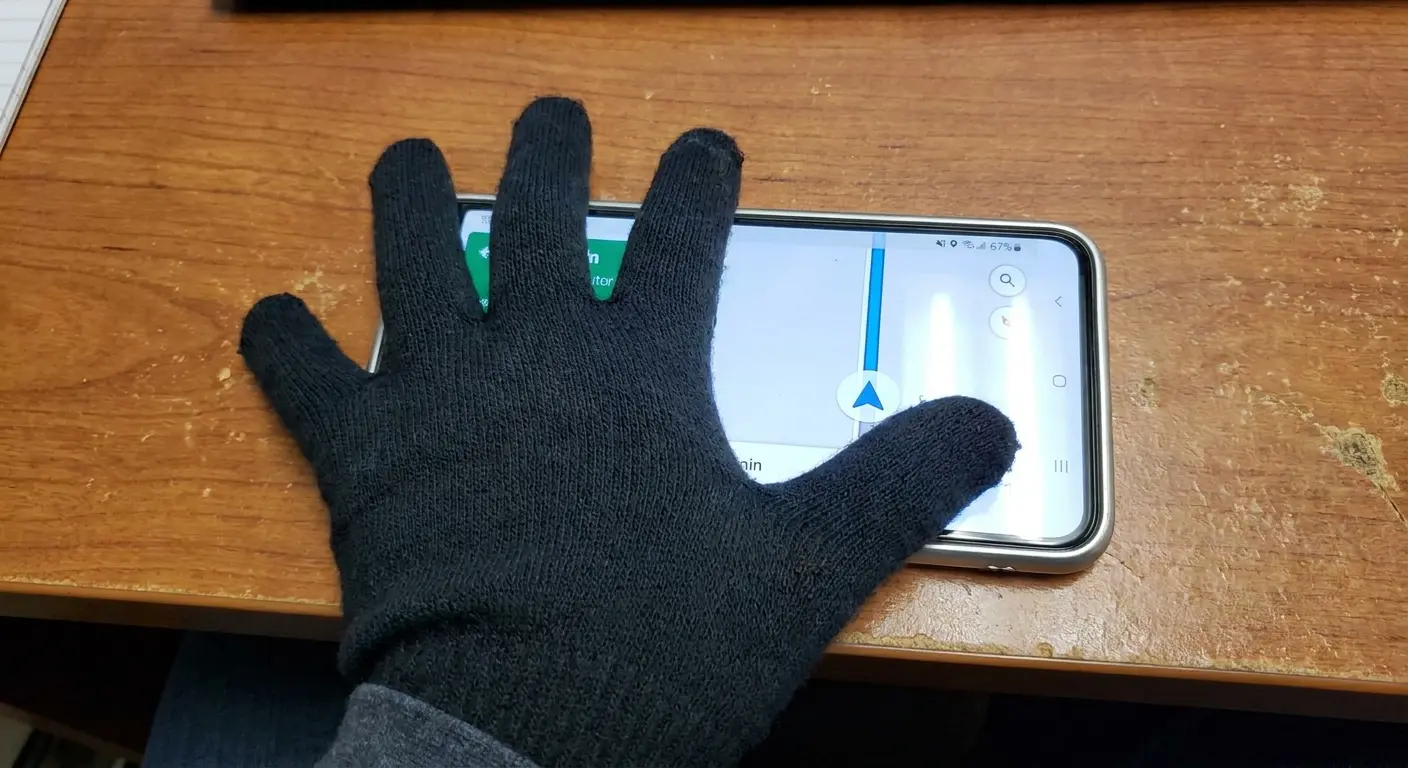
Gloves that are too large bunch up at your fingertips. This bunched material prevents precise touches. You're essentially trying to use your phone through wrinkled fabric.
Gloves that are too small restrict blood flow and reduce dexterity. They also stretch the conductive fingertip material, making it thinner and less effective.
The sizing tolerance for gloves that work well with phones is much narrower than for regular gloves. A size medium might fit your hand generally but be wrong for phone use specifically.
Manufacturers use standard glove sizing, which doesn't account for the precise finger positioning required for touchscreen interaction. You need gloves sized for your finger length and width separately, not just overall hand size. This level of sizing specificity doesn't exist in the consumer glove market.
Moisture Management Matters More Than Conductivity
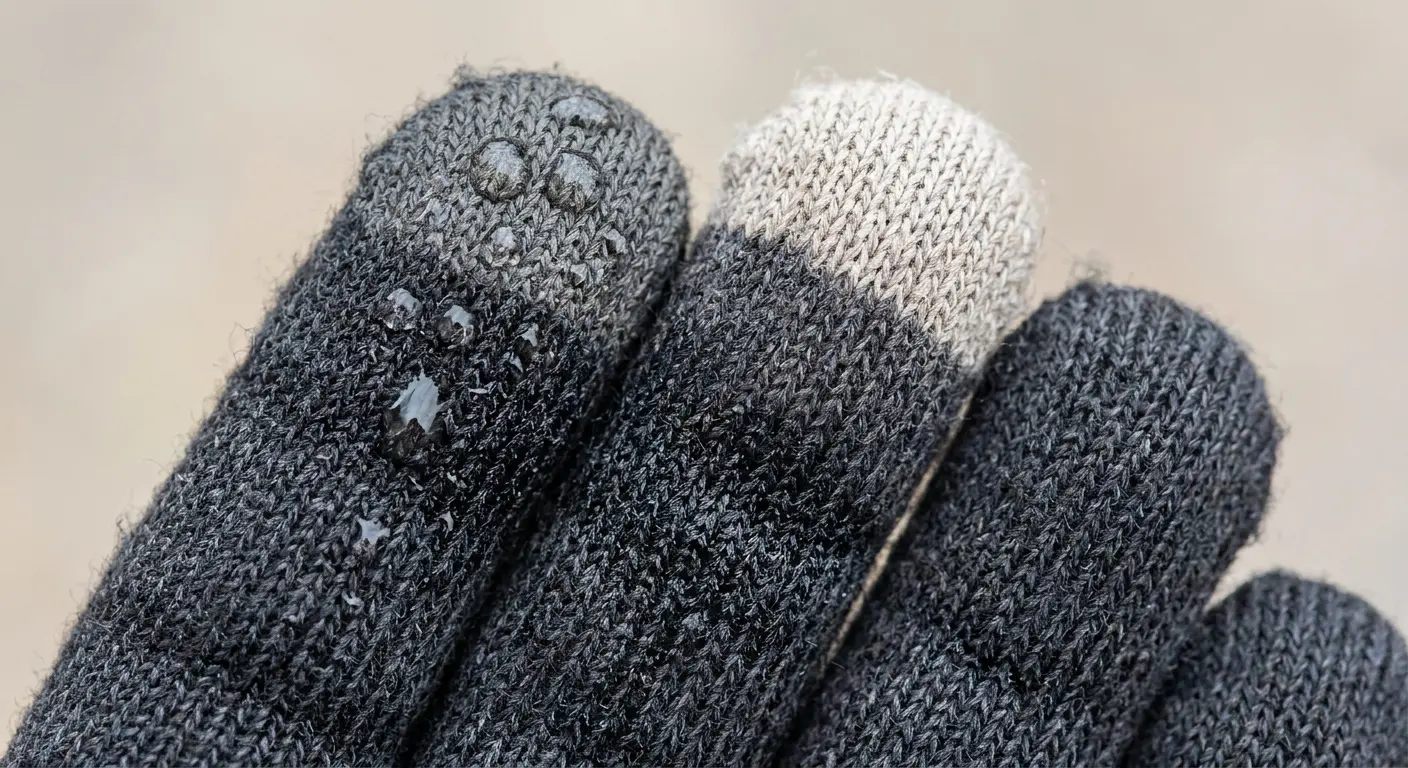
Condensation forms on your phone when you move from cold outdoor air to warm indoor spaces. This moisture gets on your gloves. Wet gloves lose their conductive properties almost immediately.
Water interferes with the electrical pathways in the conductive threads. Your touchscreen winter gloves might work perfectly in dry cold conditions but fail completely once they get damp.
Snow is even worse. Snow melts from your body heat, saturating the glove material. Waterproof gloves solve the external moisture problem but trap sweat inside. Your hands sweat even in cold weather (especially during physical activity).
Sweat accumulates inside waterproof gloves, creating internal moisture that's just as destructive to conductivity as external water. Breathable winter touchscreen gloves let moisture escape but allow snow and rain to penetrate.
There's no material combination that keeps gloves dry from both internal and external moisture while maintaining touchscreen functionality.
Outdoor Gear Lab's testing showed that even gloves marketed as waterproof let water through seams at the wrists and fingertips after just two minutes of submersion, making them unsuitable for extended use in wet conditions.
The Defrosting Problem Nobody Mentions
Your phone screen frosts over in extreme cold. Ice crystals form on the glass surface. No glove can interact with a touchscreen through a layer of ice.
You need to warm the phone enough to melt the frost before any touch input works. Users instinctively breathe on their screens to defrost them. This adds moisture to both the screen and your gloves.
You've now created the exact conditions that destroy glove conductivity (warmth plus moisture). The defrosting process itself sabotages your gloves' ability to work once the screen is clear.
You can't avoid this cycle in seriously cold weather. Your gloves work until your screen frosts, then you defrost the screen, then your gloves stop working because they're damp. The solution isn't better gloves. It's keeping your phone warm enough that frost doesn't form in the first place.
The Biometric Authentication Trap
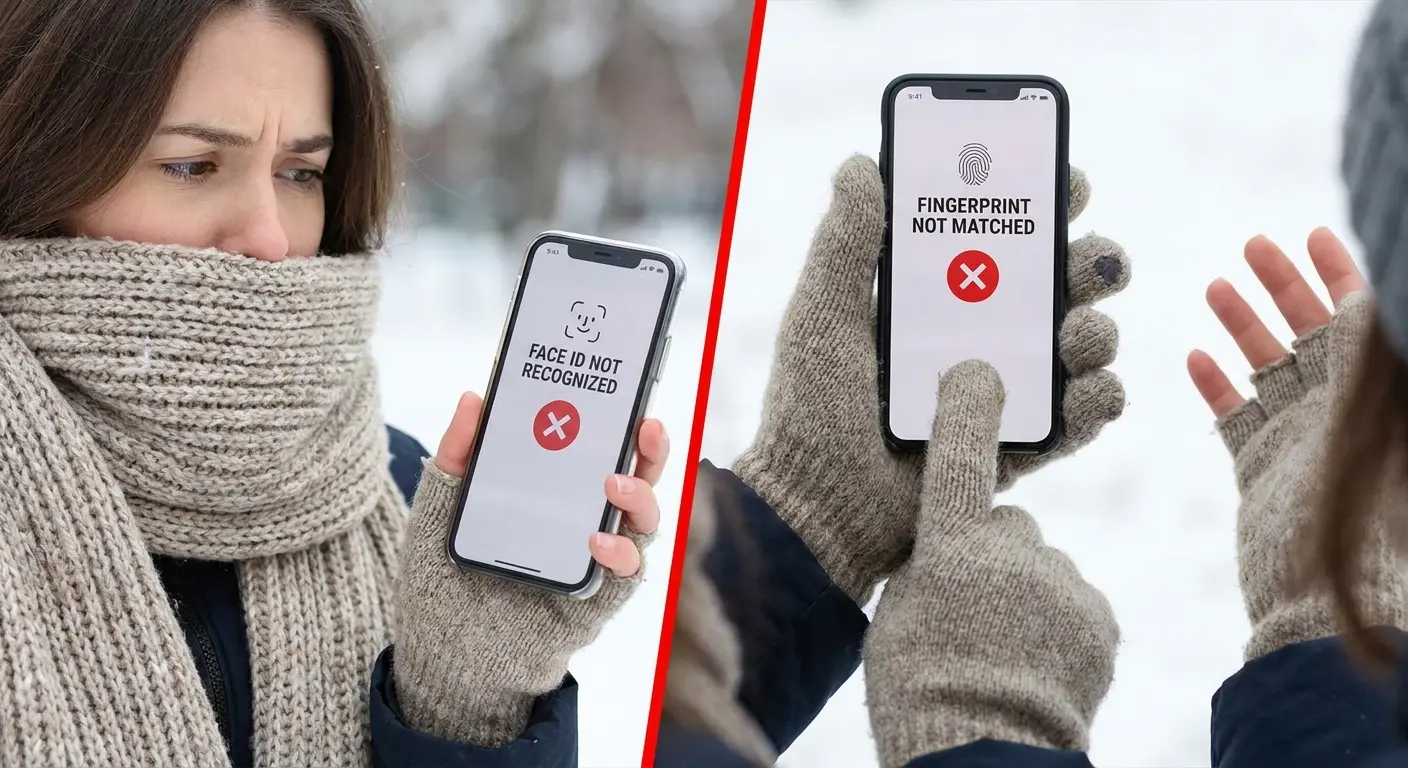
Face ID doesn't work when you're wearing a winter mask or scarf. Fingerprint sensors don't work through gloves. Your phone's security features become obstacles when you're dressed for cold weather.
You're forced to remove a glove to unlock your phone, which defeats the entire purpose of having touchscreen-compatible gloves.
Some people disable biometric authentication in winter to avoid this problem. This reduces your phone's security significantly. Others use simpler passcodes that are easier to enter with gloves. This also reduces security.
The phone industry and the glove industry haven't coordinated solutions for this problem. Your authentication method and your glove choice are working against each other.
Until phones can authenticate through gloves (or while you're wearing face coverings), touchscreen gloves only solve half the problem of winter phone use. Even premium options like moshi digits touchscreen gloves can't bypass fingerprint sensors, though they do offer better passcode entry than cheaper alternatives.
Winter Phone Authentication Setup
Optimize your phone settings before cold weather hits:
Add an alternate Face ID appearance while wearing a winter hat/beanie
Set up a simple 4-digit passcode as backup (easier with gloves than complex patterns)
Enable "Require passcode immediately" instead of biometric-only
Register multiple fingerprints if using Touch ID (increases success rate with slight glove compression)
Configure voice assistant wake commands for hands-free operation
Set up trusted Bluetooth devices (smartwatch, car) for automatic unlocking
Enable Emergency SOS quick access that bypasses authentication
Test all authentication methods while wearing your winter gloves before you need them
Why Glove-Compatible Fingerprint Sensors Don't Exist Yet
Fingerprint sensors read the unique patterns of your skin's ridges and valleys. Glove material obscures these patterns completely.
Some people have suggested gloves with fingerprint patterns printed on the fingertips. This doesn't work because the sensor needs to read electrical signals from your actual skin, not a printed pattern.
Capacitive fingerprint sensors (the most common type) measure the electrical differences between ridges and valleys in your fingerprint. A glove creates a uniform electrical surface with no variation.
The technology to read fingerprints through fabric doesn't exist in consumer devices yet. Research labs have demonstrated prototype sensors that can read through thin materials, but these require completely different sensor technology than what's currently in phones.
Activity-Specific Requirements That Generic Gloves Can't Meet
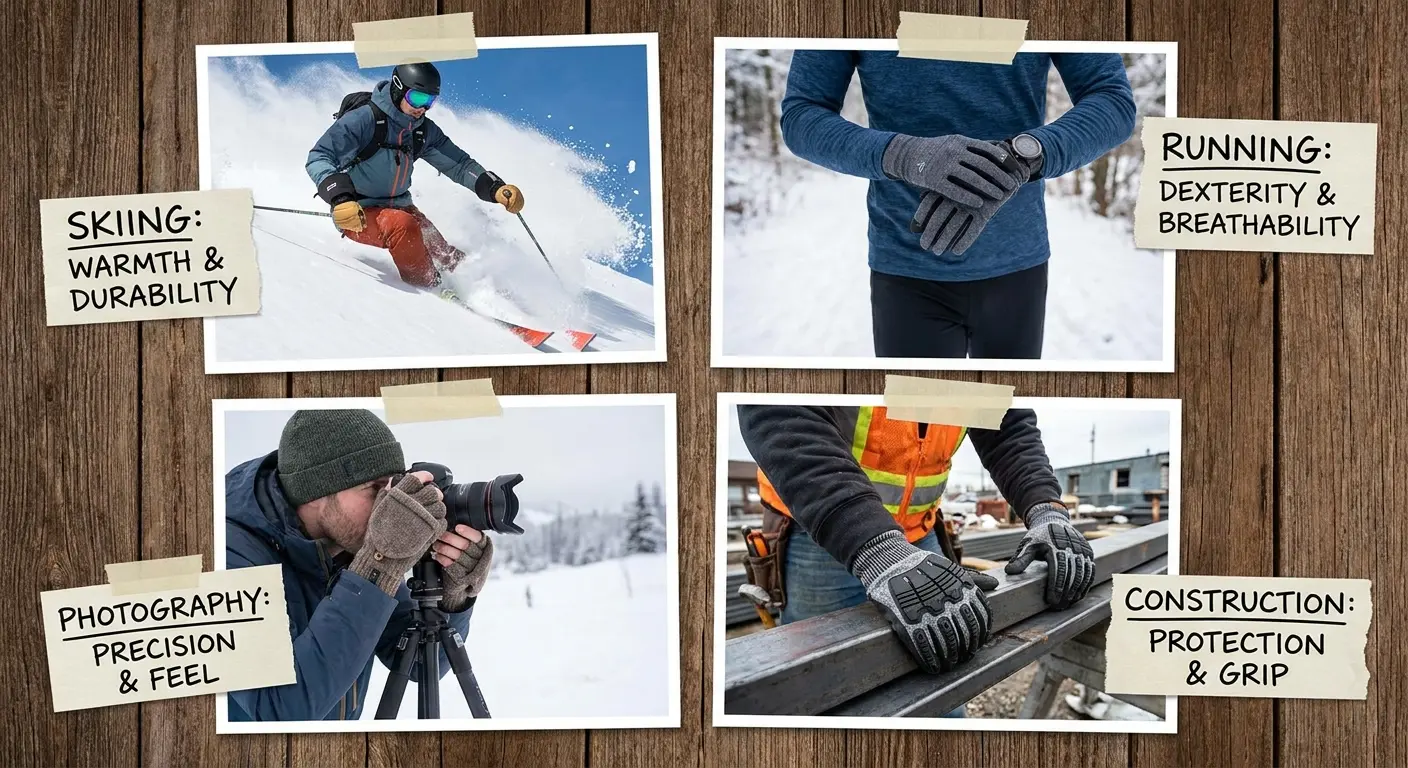
Skiing requires waterproof gloves with wrist cinches to keep snow out. Running requires lightweight gloves that wick sweat. Photography requires exposed fingertips for camera control. Construction requires abrasion-resistant palms and impact protection.
Each activity has glove requirements that conflict with touchscreen compatibility.
Generic touchscreen gloves try to serve all these use cases with a single design. They fail at all of them. Ski gloves with touchscreen fingertips aren't warm enough for chairlift rides. Running gloves with conductive threads get soaked with sweat and stop working mid-run.
Photography gloves with flip-back fingertips are too bulky for precise camera controls. Construction gloves with touchscreen compatibility sacrifice the palm protection you need for handling materials.
You need different gloves for different activities, which means buying multiple pairs and switching based on what you're doing. The touchscreen glove market keeps pretending one pair can work for everything. Real-world use proves this wrong constantly.
Options like moshi digits touchscreen gloves market themselves as versatile for multiple activities, but they still can't overcome the basic conflict between activity-specific needs and touchscreen functionality, especially for specialized tasks like gloves for typing on physical keyboards versus swiping on screens.
The Great Outdoors Magazine found that activity-specific gloves consistently outperformed multi-purpose touchscreen gloves in their intended environments. Ski-specific gloves with GORE-TEX inserts kept hands dry for over an hour in sustained wet snow, while generic touchscreen gloves let water penetrate after approximately 15-20 minutes of exposure.
A trail runner I know tried using the same touchscreen gloves for her morning runs and weekend hikes. During runs, the gloves trapped so much sweat that the conductive fingertips stopped working within 20 minutes. On hikes, they weren't warm enough when she stopped for breaks. She ended up buying three different pairs: lightweight liners for running, midweight fleece for hiking, and insulated waterproof gloves for winter camping. The total cost was higher, but each pair actually worked for its intended purpose instead of failing at everything.
How Activity Duration Changes Glove Requirements
A 10-minute dog walk requires different gloves than a 4-hour ski session. Short-duration activities let you tolerate compromises (thin gloves that aren't very warm, bulky gloves that make phone use difficult).
Extended activities expose every design flaw. Your hands get cold in thin gloves after an hour. You get frustrated with bulky gloves after the tenth time you've struggled to unlock your phone.
Activity duration should determine glove choice, but manufacturers don't provide this guidance. They market gloves as suitable for "winter activities" without distinguishing between 15 minutes and 4 hours of exposure.
You end up buying gloves that work adequately for short periods but fail during extended use.
How Phone Mounting Systems Eliminate the Glove Compromise
Mounting your phone externally removes the need to hold it with gloved hands. You can see your screen without gripping the device. You can interact with it when needed without worrying about dropping it.
This fixes everything.
You're no longer choosing gloves based on touchscreen compatibility. You're choosing gloves based on what your activity actually requires (warmth, waterproofing, dexterity, protection).
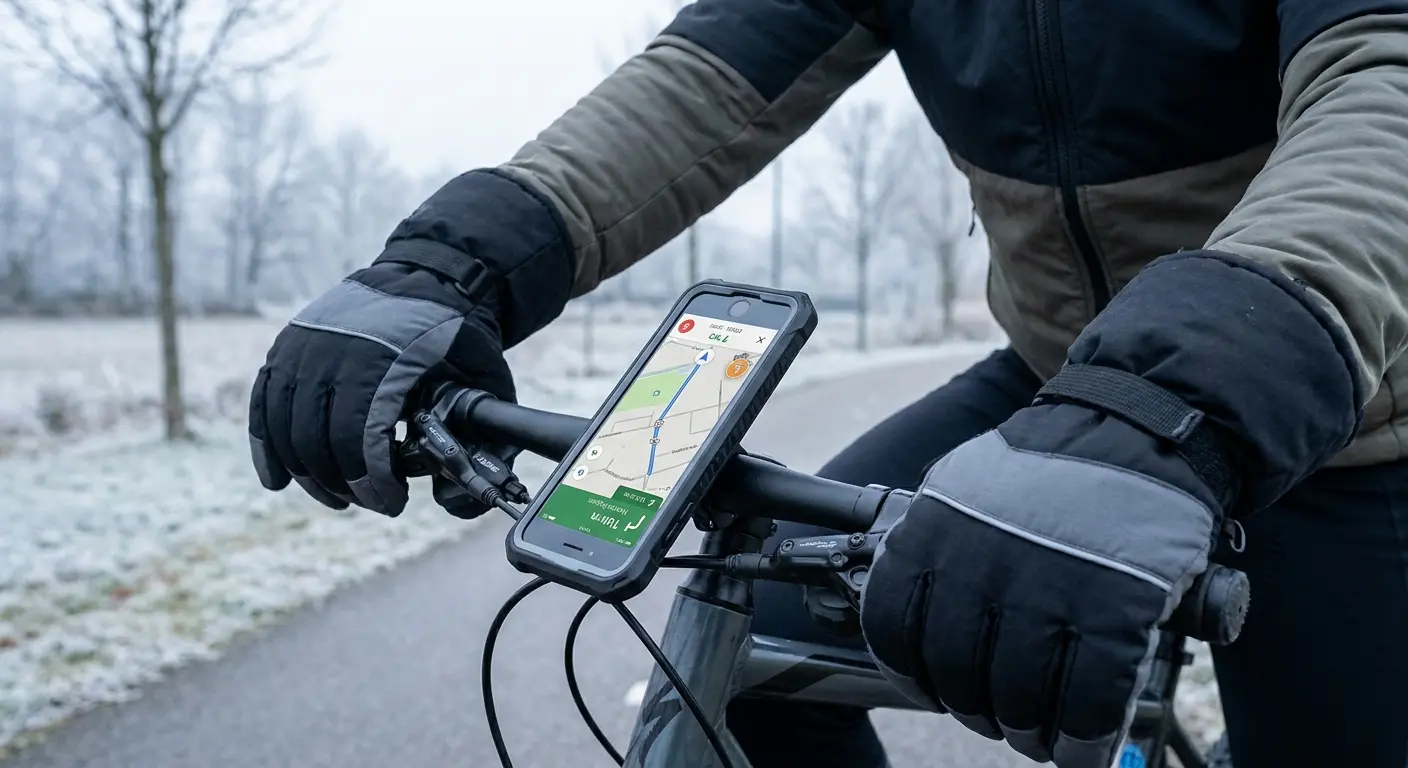
A bike mount lets you use thick winter gloves while still accessing navigation. A motorcycle mount keeps your phone visible without forcing you to remove your riding gloves. An armband for running means your gloves only need to be lightweight and moisture-wicking, not touchscreen-compatible.
We've built mounting systems for years at Rokform because we've seen how they solve problems that products alone can't address. When your phone is mounted securely, you can use gloves designed for your hands instead of touch screen compatible gloves or touchscreen compatible gloves designed for your screen.
This eliminates the frustration of gloves texting where conductive fingertips fail mid-message. Explore bike mounting solutions that work with any glove type for year-round cycling.
CleverHiker's winter glove testing highlighted a growing trend among outdoor enthusiasts: pairing high-quality insulated gloves with phone mounting systems rather than compromising with touchscreen-compatible options. Testers found that the Black Diamond Guide Glove and Hestra Heli Mitten, both non-touchscreen options, provided superior warmth and durability for extended winter activities when combined with handlebar or chest mounts for navigation.
Why Mounting Reduces Phone Interaction Frequency
You check your phone less often when it requires effort to access. This is beneficial during activities where phone distraction is dangerous or disruptive.
When your phone is mounted and visible, you glance at it for information (navigation, pace, time) without handling it. This reduces how often you need to touch the screen at all.
Many interactions that seem necessary (checking notifications, reading messages) can wait until you're done with your activity. Mounting creates a natural barrier that helps you distinguish between urgent interactions and habitual checking.
Your gloves become irrelevant for 90% of your phone use because you're not actually touching the device. The remaining 10% of interactions (answering calls, changing music, adjusting navigation) can be done through voice commands or by briefly removing one glove.
Magnetic Systems Provide Single-Hand Attachment
Traditional phone mounts require two hands to attach and detach your device. You can't mount your phone while wearing gloves.
Magnetic mounting systems snap into place with one hand. You can attach your phone while wearing thick gloves because the magnets do the alignment work. The connection is strong enough for high-vibration activities (motorcycling, mountain biking) but releases easily when you need to remove the phone.
This solves the access problem that makes people avoid mounts entirely. You're not committed to leaving your phone mounted for your entire activity. You can attach and detach as needed without removing your gloves.
The flexibility means you use the mount more consistently, which means you need touchscreen-compatible gloves less frequently. Even glider gloves with their superior conductivity become unnecessary when magnetic mounting handles phone positioning.
We designed Rokform's magnetic system specifically for this use case because we kept seeing people choose between phone access and proper gloves. Discover how magnetic mounting technology transforms cold-weather phone accessibility across all activities.
Final Thoughts
Look, touchscreen gloves are a band-aid on a bullet wound.
The actual problem is that nobody at Apple or Samsung thought about winter when they designed these things. And we keep trying to fix that with fancy fabric, which is insane when you think about it.
You'll keep buying gloves that work temporarily and fail predictably until you change how you approach phone access in winter. Better gloves exist, but they're still gloves with all the limitations that implies.
Rethinking when and how you interact with your phone during cold-weather activities eliminates more problems than any glove technology can solve. You deserve gloves that actually keep your hands warm and protected for whatever you're doing. Your phone can be accessible without compromising that.
Whether you're searching for gloves that work with phone screens or evaluating women's touchscreen gloves specifically designed for smaller hands, the fundamental limitations remain the same across all products. See how motorcycle mounting solutions let riders use proper protective gloves instead of compromising with touchscreen alternatives.

