


Last week I watched my coworker spray Lysol directly on her iPhone screen. The case was still on. She does this every day. When I asked why, she said something about germs and toilet seats, which tells me she's read the same clickbait articles we all have. What she hasn't considered is that her case, which she bought specifically to protect her phone, is slowly disintegrating from the inside out because she's never taken it off to actually clean it properly.
Your case matters just as much as your screen when it comes to staying clean. More importantly, the way you clean both can either extend their life or wreck them in ways you won't notice until it's too late. We're going to walk through the overlooked relationship between disinfection and protection, because keeping your phone clean shouldn't mean sacrificing the gear that keeps it intact.
Table of Contents
Why Your Case Is the Real Contamination Zone
The Chemical Breakdown: What Actually Kills Germs vs. What Kills Your Gear
Material Matters: How Different Cases React to Disinfectants
Screen Cleaning Without the Coating Casualties
The Port Problem No One Talks About
Frequency vs. Overkill: When Clean Becomes Counterproductive
Building a Sustainable Cleaning Routine That Doesn't Require Replacement Gear
UV Sanitizers and Why They're Not the Magic Solution
What to Do When Your Case Starts Showing Wear
TL;DR
Stop using alcohol wipes every day, take your case off when you clean, and those UV boxes are mostly a waste of money. Your case harbors more bacteria than your screen and needs different cleaning methods. Alcohol-based cleaners slowly degrade certain materials and coatings. That slick screen coating wears down faster than you think. Charging ports collect debris that wipes can't touch. Over-cleaning causes more damage than under-cleaning when you're using harsh chemicals. Material compatibility should dictate your disinfectant choice, not just germ-killing power. UV sanitizers miss crevices and don't address visible grime. Preventive measures reduce how often you need to deep clean.
Why Your Case Is the Real Contamination Zone
Your screen gets touched constantly, sure. But your case? It's been in your gym bag, on that gas station counter, in your back pocket pressed against who-knows-what. Your coworker grabbed it to see your photos. It's been places.
The textured grip that makes your case functional also creates microscopic valleys where bacteria settle in and multiply. We've all seen those studies about phones being dirtier than toilet seats (overplayed but not wrong), yet the methodology rarely distinguishes between screen contamination and case contamination.
You place your phone face-down on your desk during a call. That surface? Whatever was on there is now on your case. Then you hand it to Sarah from accounting to show her that meme, and her hands just came back from the bathroom where the soap dispenser's been empty for three days. Into your jacket pocket it goes, along with old receipts and those crumbs from your morning croissant. By lunch, your case has encountered a dozen contamination sources while your screen has only touched your fingers.
Cases with raised edges, button covers, and corner reinforcements create dozens of small crevices. These spots don't get wiped during casual cleaning. You swipe your screen with your shirt or a quick alcohol wipe, and you feel productive. The case? It sits there collecting everything your hands have touched since your last wash.
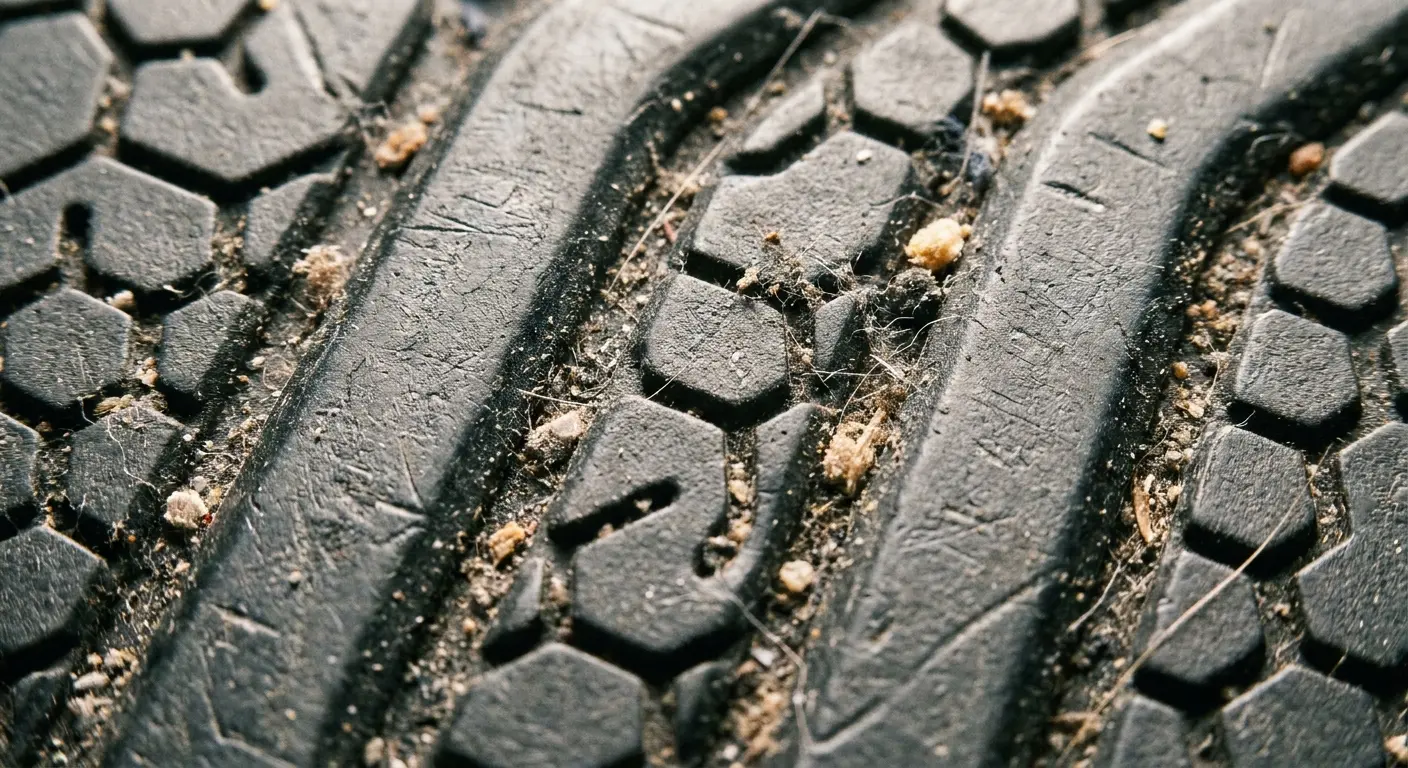
Removal makes all the difference. Most people never take their case off for cleaning, which means the interior surface (the part that contacts your phone) becomes a sealed environment of accumulated oils, dust, and moisture. This creates a breeding ground that your quick screen wipe will never address. When you're thinking about how to clean your phone properly, the case should be your first priority, not an afterthought.
Different materials respond differently to bacterial colonization. Silicone cases with their slightly tacky surface can trap more particulates than hard polycarbonate. Metal cases might seem cleaner but can corrode when exposed to certain cleaning agents. The material you chose for protection might be working against you when it comes to hygiene.
The Chemical Breakdown: What Actually Kills Germs vs. What Kills Your Gear
70% isopropyl alcohol kills basically everything. Apple and Samsung finally admitted it's fine for screens, which is hilarious because they spent years telling us it would destroy our phones. But alcohol is basically a slow-motion case destroyer. That same alcohol can break down adhesives, strip coatings, and cause plasticizers in certain polymers to leach out over time. Your case might become brittle or discolored after months of alcohol exposure.
Disinfectant Type |
Antimicrobial Effectiveness |
Material Safety |
Contact Time Required |
Best Use Case |
|---|---|---|---|---|
70% Isopropyl Alcohol |
High (broad spectrum) |
Moderate (degrades some plastics/adhesives) |
30 seconds |
Screen surfaces, hard plastics |
3% Hydrogen Peroxide |
Moderate (requires longer exposure) |
High (gentler on materials) |
60+ seconds |
Sensitive case materials, regular maintenance |
Quaternary Ammonium |
Moderate to High |
High (plastic-safe) |
45-60 seconds |
Commercial wipes, frequent cleaning |
Diluted Bleach |
Very High |
Low (causes discoloration/degradation) |
10 seconds |
Not recommended for phones |
Dish Soap + Water |
Low (mechanical removal only) |
Very High |
N/A (rinse required) |
Cases (removable), deep cleaning |
Hydrogen peroxide sits around 3% in most household bottles. It's gentler on materials but slower acting on pathogens. You need contact time (usually 60 seconds or more) for it to work, which most people don't allow. We spray and wipe immediately, getting minimal disinfection and maximum moisture exposure. Understanding how to disinfect phone surfaces properly means respecting these contact time requirements, even when they feel inconvenient.
Quaternary ammonium compounds (you'll see them listed as benzalkonium chloride) show up in many commercial disinfecting wipes. They're effective and less harsh on plastics than alcohol. The problem? They can leave a residue that attracts dust and grime, meaning you'll need to clean more frequently. This creates a cycle where you're constantly applying chemicals to address the buildup caused by previous cleaning.
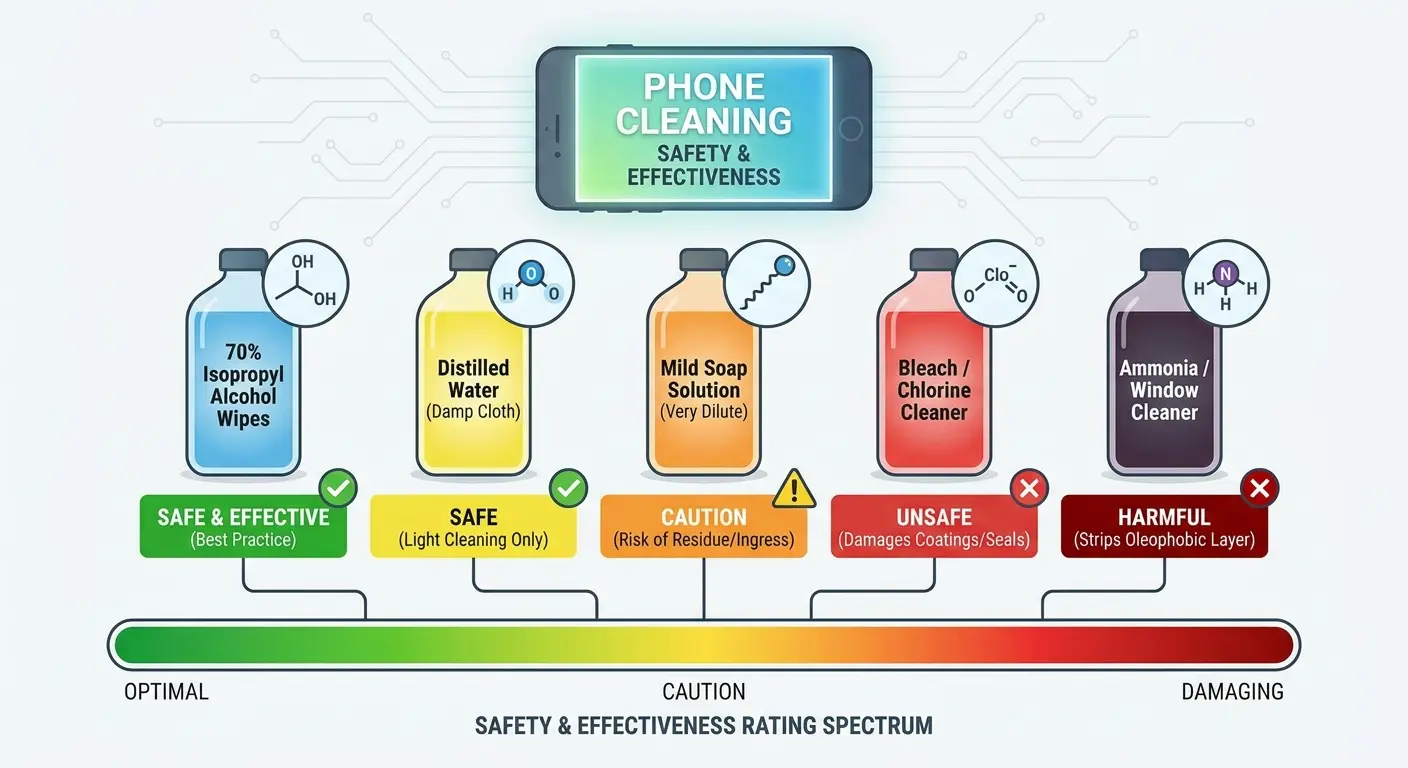
Bleach solutions, even diluted ones, are too aggressive for phone cleaning. They'll disinfect thoroughly but at the cost of permanent discoloration and material degradation. Some people use them anyway because they're cheap and available. The short-term clean isn't worth the long-term damage.
Soap and water might sound too simple, but it's often the safest option for cases (not screens). Surfactants in dish soap break down oils and remove bacteria mechanically rather than chemically. You won't get the instant kill that alcohol provides, but you also won't accelerate wear on your protective gear.
Material Matters: How Different Cases React to Disinfectants
Most of you have either TPU or polycarbonate cases. That's it. If you're in the 5% with genuine leather, you already know alcohol will destroy it. You didn't need me to tell you that. So we're focusing on what actually matters: TPU gets sticky and cracks, polycarbonate yellows and gets brittle.
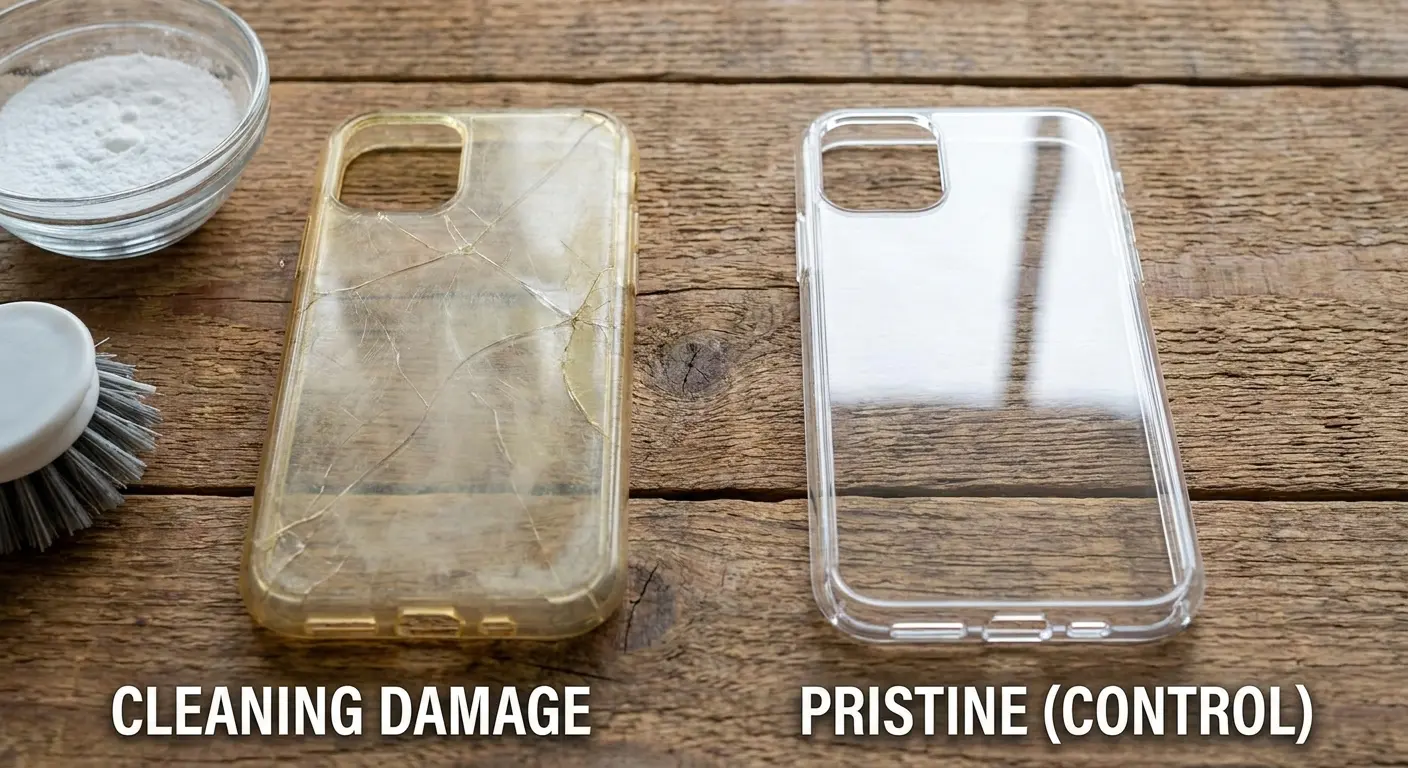
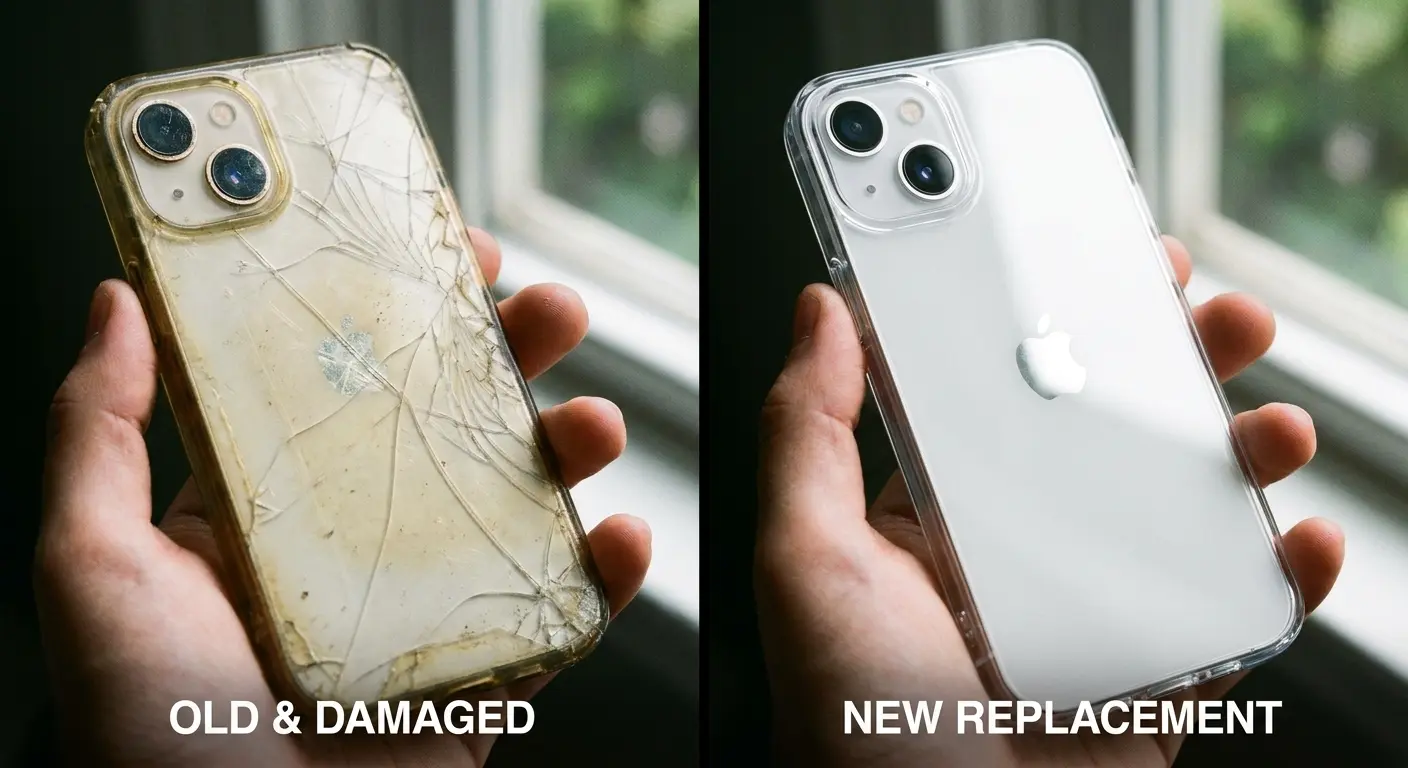
Polycarbonate cases handle alcohol relatively well in the short term. Over months of repeated exposure, you might notice yellowing or a chalky texture developing. This happens as the alcohol strips away surface treatments and oxidizes the plastic. If your clear case is turning yellow, it's not just UV exposure. It's chemical breakdown accelerated by your cleaning routine.
TPU (thermoplastic polyurethane) is more flexible and shock-absorbent than polycarbonate, which makes it popular for protective cases. It's also more susceptible to plasticizer migration when exposed to solvents. Your TPU case might become sticky or start to crack around stress points after aggressive alcohol cleaning. Soap and water work better here, though they require more mechanical scrubbing.
Look, I went full germaphobe during flu season 2022. Alcohol wipes, twice a day, every day. My OtterBox started feeling weird around week six, kind of tacky, like it had been sitting in a hot car. By month three, I could literally peel lint off it in sheets. The kicker? I was wiping down my phone more than I washed my hands. Priorities, right?
Silicone cases (which I personally hate because they collect every piece of lint within a five-foot radius) attract dust and lint naturally due to their surface properties. Alcohol can make this worse by altering the surface chemistry. You'll notice your silicone case feeling greasier or stickier after phone cleaning with alcohol-based products. A damp cloth with mild soap removes contamination without changing the material's texture.
Leather cases (genuine or synthetic) require the most careful approach. Alcohol dries out leather, causing it to crack and lose its suppleness. Synthetic leather (polyurethane-based) can delaminate when exposed to harsh solvents. Use leather-specific cleaners or just a barely damp cloth. You're not going to achieve hospital-grade disinfection on leather, and that's okay because the material itself has some antimicrobial properties.
Metal cases, particularly aluminum, can develop oxidation spots when cleaned with acidic or alkaline solutions. Stick to neutral pH cleaners. Anodized finishes can be stripped by abrasive cleaning, leaving permanent marks. If your metal case has a coating or finish, treat it more carefully than you would bare metal.
Hybrid cases with multiple materials create complications. That rubber bumper might tolerate alcohol while the polycarbonate back doesn't, or vice versa. You need to use the most conservative cleaning method that works for the most sensitive material in the construction. This usually means soap and water with targeted alcohol use only on the most contaminated areas.
When selecting a case that can withstand regular phone cleaning, think about materials designed for durability. Our top rugged phone cases balance protection with cleanability, using materials that survive repeated disinfection without compromising structural integrity.
Case Material |
Recommended Cleaner |
Avoid |
Degradation Signs |
Expected Lifespan with Proper Cleaning |
|---|---|---|---|---|
Polycarbonate |
70% alcohol (moderate use), soap & water |
Bleach, acetone, abrasive scrubbers |
Yellowing, chalky texture, brittleness |
12-18 months |
TPU |
Soap & water, mild detergent |
Frequent alcohol exposure, heat |
Stickiness, stress cracks, loss of flexibility |
10-14 months |
Silicone |
Damp cloth with mild soap |
Alcohol-based cleaners |
Excessive dust attraction, greasy feel |
8-12 months |
Genuine Leather |
Leather cleaner, barely damp cloth |
Alcohol, harsh solvents, soaking |
Cracking, stiffness, discoloration |
18-24 months |
Synthetic Leather |
Damp cloth, gentle soap |
Alcohol, petroleum-based cleaners |
Delamination, peeling, surface bubbling |
12-15 months |
Aluminum/Metal |
Neutral pH cleaner, dry microfiber |
Acidic/alkaline solutions, abrasives |
Oxidation spots, finish stripping |
24+ months |
Screen Cleaning Without the Coating Casualties
That slick feeling when your finger glides across a new screen? That's a coating about as thick as a soap bubble. And you're scrubbing it off.
Your screen has an oleophobic (oil-repelling) coating that's only a few nanometers thick. Every cleaning session removes a microscopic amount of this coating. You won't notice after one cleaning or even twenty. After six months of daily alcohol wipes, your screen will start showing more fingerprints, feel less smooth, and require more frequent cleaning (which accelerates the problem).
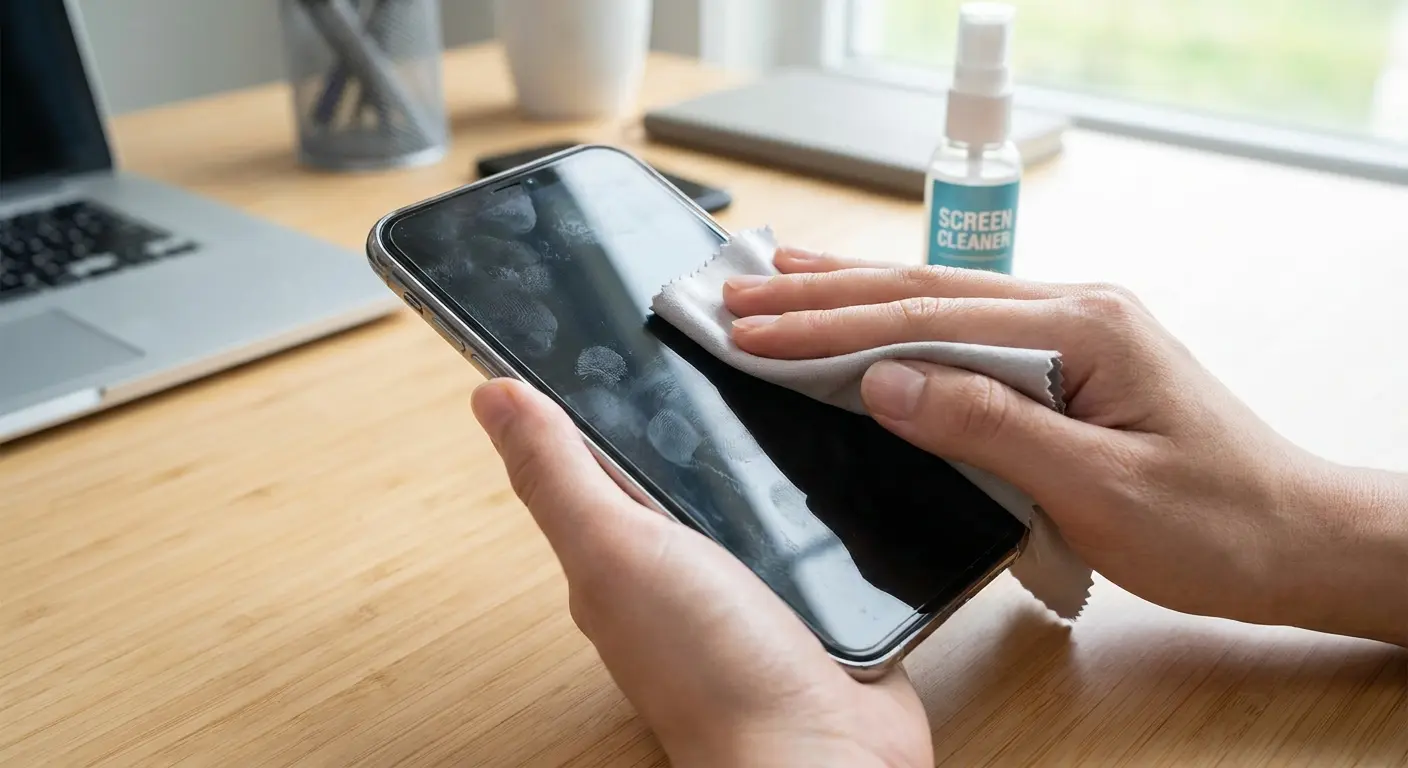
Microfiber cloths dampened with water remove most surface contamination without chemical damage. You're using mechanical action rather than solvents. For actual disinfection, apply 70% isopropyl alcohol to the cloth, not directly to the screen. This controls the amount of liquid and prevents seepage into edges and ports.
Circular motions distribute pressure unevenly and can create micro-scratches when there's debris on the screen. Straight, overlapping strokes in one direction clear contaminants more effectively and reduce the risk of grinding particles across the glass. This simple adjustment to how to clean your phone screen makes a measurable difference over time.
Screen protectors act as a sacrificial layer. You can clean them more aggressively because they're replaceable. Tempered glass protectors handle alcohol better than film protectors, which can cloud or peel at the edges when exposed to solvents repeatedly. If you're concerned about coating preservation, a quality screen protector allows you to disinfect thoroughly without worrying about degrading your actual screen.
For added protection during cleaning, think about using tempered glass screen protectors that can withstand more aggressive disinfection methods.
Some screens have anti-reflective or blue light filtering coatings in addition to oleophobic layers. These are even more sensitive to chemical cleaners. If your phone has these features, check the manufacturer's specific guidance. Generic advice might not apply.
The Port Problem No One Talks About
Pop quiz: when's the last time you looked inside your charging port with a flashlight?
Charging ports collect pocket lint, dust, and skin cells that compress into a dense layer over time. This isn't just a hygiene issue. It prevents proper charging connections and can trap moisture that leads to corrosion. You can't spray disinfectant into these openings without risking internal damage.
How I clean my ports without destroying anything:
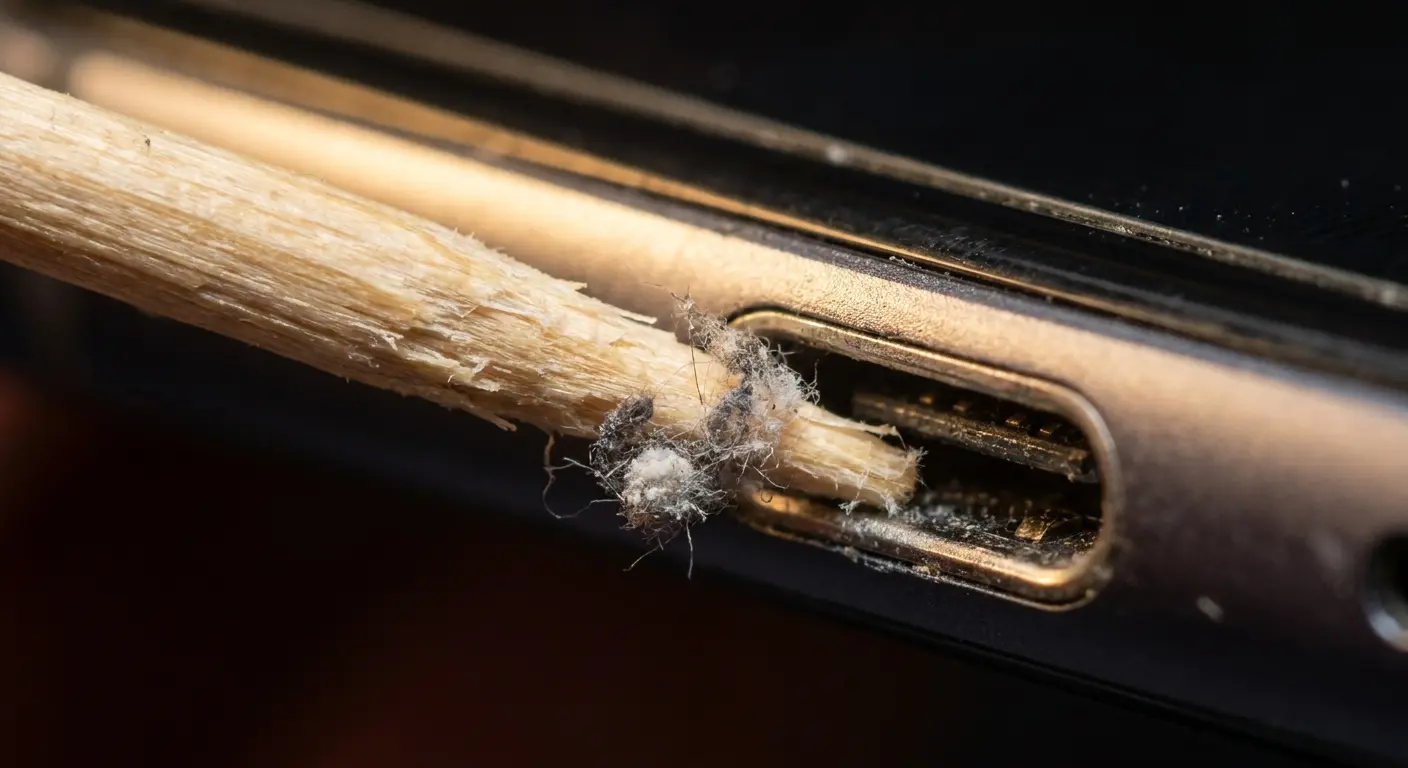
First, shine a light in there. Flashlight, phone light, whatever. You'll be horrified. Get a wooden toothpick (not metal, you're not performing surgery). Gently scrape the bottom. Gently! You're not digging for gold. A shocking amount of lint will emerge. Brush the speakers with a soft toothbrush. Done.
Wooden toothpicks work better than metal tools for port cleaning. They're firm enough to dislodge debris but soft enough that they won't scratch contact pins or damage internal components. Work gently and in good lighting. You'll be surprised how much material comes out of a port that looks clean at first glance.
Compressed air seems like the obvious solution but can force debris deeper into the device. If you use it, hold the can upright (not at an angle) and use short bursts from a distance. Better yet, use a soft brush to loosen debris first, then blow it away gently.
Speaker grilles trap dead skin cells and oils that create a film over the mesh. This muffles sound quality over time. A soft-bristled toothbrush (dry or barely damp) can clean these areas without forcing moisture into the internals. Brush away from the opening, not into it.
Button gaps and seams around the case accumulate grime that standard wiping misses. A cotton swab dampened (not soaked) with isopropyl alcohol can clean these crevices. Roll the swab rather than pressing it flat to avoid leaving cotton fibers behind.
Some cases have port covers or plugs meant to keep debris out. These are worth using if your case includes them, but they need cleaning too. They trap contamination on their surfaces and can introduce debris into ports when you open them with dirty hands.
Frequency vs. Overkill: When Clean Becomes Counterproductive
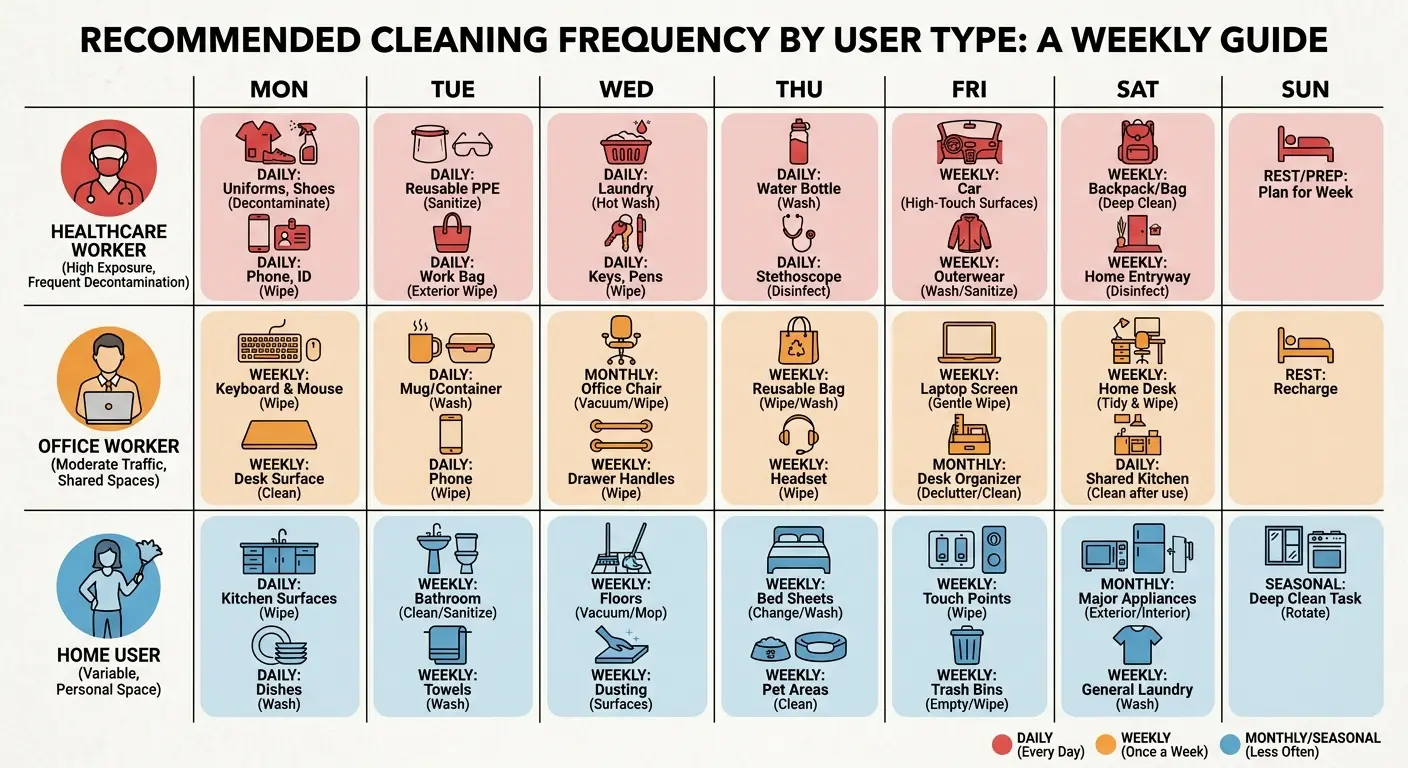
Daily disinfection makes sense for healthcare workers or anyone in high-exposure environments. For most people, it's excessive and accelerates wear on both the device and case. You're solving a problem that doesn't exist while creating new ones.
Weekly deep cleaning with case removal hits the sweet spot for most users. This frequency addresses contamination before it becomes problematic while limiting chemical exposure. Between deep cleans, quick wipes of high-touch areas (screen and case back) maintain baseline hygiene.
Your use pattern should dictate frequency. If you're constantly handing your phone to other people, working in food service, or spending time in hospitals, increase your cleaning schedule. If your phone lives mostly at home and you're the only one touching it, weekly or even biweekly cleaning is sufficient.
My sister's a NICU nurse. She goes through phone cases every 6-8 months because she's using hospital-grade wipes at the end of every shift. Those things could probably disinfect a crime scene. Meanwhile, I work from home and clean mine when I remember, which is maybe twice a month if I'm being honest. My cases last forever. We have the same phone.
Signs you're over-cleaning include case discoloration, increased screen smudging (coating degradation), sticky or tacky case texture, or visible material breakdown around edges and corners. These indicate that your cleaning routine is causing more harm than the contamination you're trying to prevent.
Seasonal adjustments matter. Winter months with more indoor time and illness transmission might warrant more frequent disinfection. Summer with more outdoor use and UV exposure (which has some antimicrobial effect) might need less intensive cleaning.
Building a Sustainable Cleaning Routine That Doesn't Require Replacement Gear
Start with prevention. Wash your hands before extended phone use when possible. This single habit reduces contamination transfer more than any cleaning product. You're addressing the source rather than constantly treating the symptom.
Daily maintenance takes 30 seconds. Wipe your screen with a dry microfiber cloth to remove oils and light debris. This prevents buildup that requires more aggressive cleaning later. Keep a small cloth in your bag or car.
My actual phone cleaning routine (that doesn't destroy anything):
Daily (30 seconds):
Wipe screen with dry microfiber cloth. Quick visual check for debris in ports. Wipe case back if visibly soiled.
Weekly (5-7 minutes):
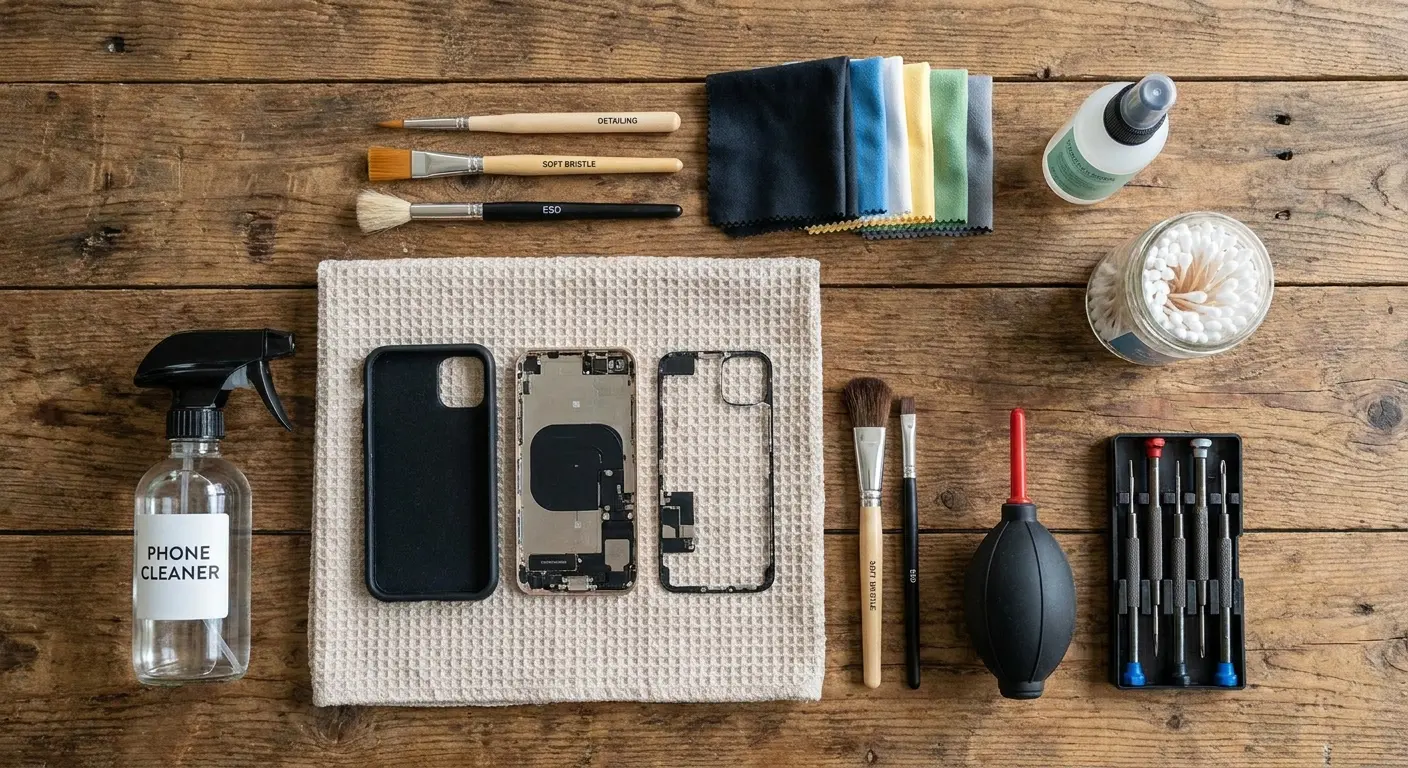
Remove case completely. Wash case with warm water and dish soap. Scrub textured areas and crevices with soft brush. Rinse case thoroughly under running water. Shake out excess water, air dry completely (1-2 hours). While case dries: dampen microfiber cloth with 70% isopropyl alcohol. Wipe naked phone (screen, back, sides) with damp cloth. Use dry wooden toothpick for visible port debris. Dry brush speaker grilles. Reinstall case only when completely dry.
Monthly (10-15 minutes):
Complete weekly routine plus detailed inspection. Check case for cracks, especially around buttons and ports. Test case fit and security. Examine screen coating (increased fingerprints = degradation). Deep clean ports and grilles. Assess whether current routine needs adjustment. Check mounting plates or accessories for adhesive integrity.
As Needed:
After lending phone to others. After use in high-contamination environments. When visibly soiled. After exposure to food, cosmetics, or other substances.
Weekly deep cleaning requires case removal. Wash the case with warm water and dish soap, scrubbing textured areas and crevices with a soft brush. Rinse thoroughly and dry completely before reinstalling. While the case dries, clean your naked phone with a microfiber cloth dampened with 70% isopropyl alcohol. This approach to how to disinfect phone surfaces properly balances effectiveness with material preservation. Clean ports and buttons using appropriate tools as covered earlier.
Monthly inspection catches problems early. Check for case wear, screen coating degradation, port debris accumulation, and any signs that your cleaning routine needs adjustment. This is when you decide if your current approach is working or causing damage.
Rotation strategy: if you have multiple cases (and you should for different activities), rotate them weekly. This gives each case time to fully dry and air out between uses while ensuring you're not constantly stressing the same piece of gear.
We've designed our cases at Rokform with this reality in mind. The magnetic mount system stays secure through repeated cleaning cycles without adhesive degradation that plagues other mounting solutions. You can check out our full case lineup at https://www.rokform.com/collections/phone-cases.
UV Sanitizers and Why They're Not the Magic Solution
UV sanitizers are expensive dust collectors. Yeah, UV-C light kills bacteria in lab settings. But that $80 box on your nightstand? It's running 5-minute cycles when hospitals use 30+. And it only works on surfaces the light actually hits, which means every shadow from your case's texture is a bacteria safe zone.
Effectiveness requires direct exposure. UV light doesn't bend around corners or penetrate shadows. Any surface facing away from the bulb or blocked by raised case features doesn't get disinfected. Your case's textured grip pattern creates hundreds of tiny shadows where bacteria survive.
Exposure time matters more than manufacturers admit. Most consumer devices run 5-10 minute cycles. Hospital-grade UV disinfection often requires 30+ minutes depending on the pathogen. Shorter cycles might reduce bacterial load but won't achieve the sterile result the marketing implies.
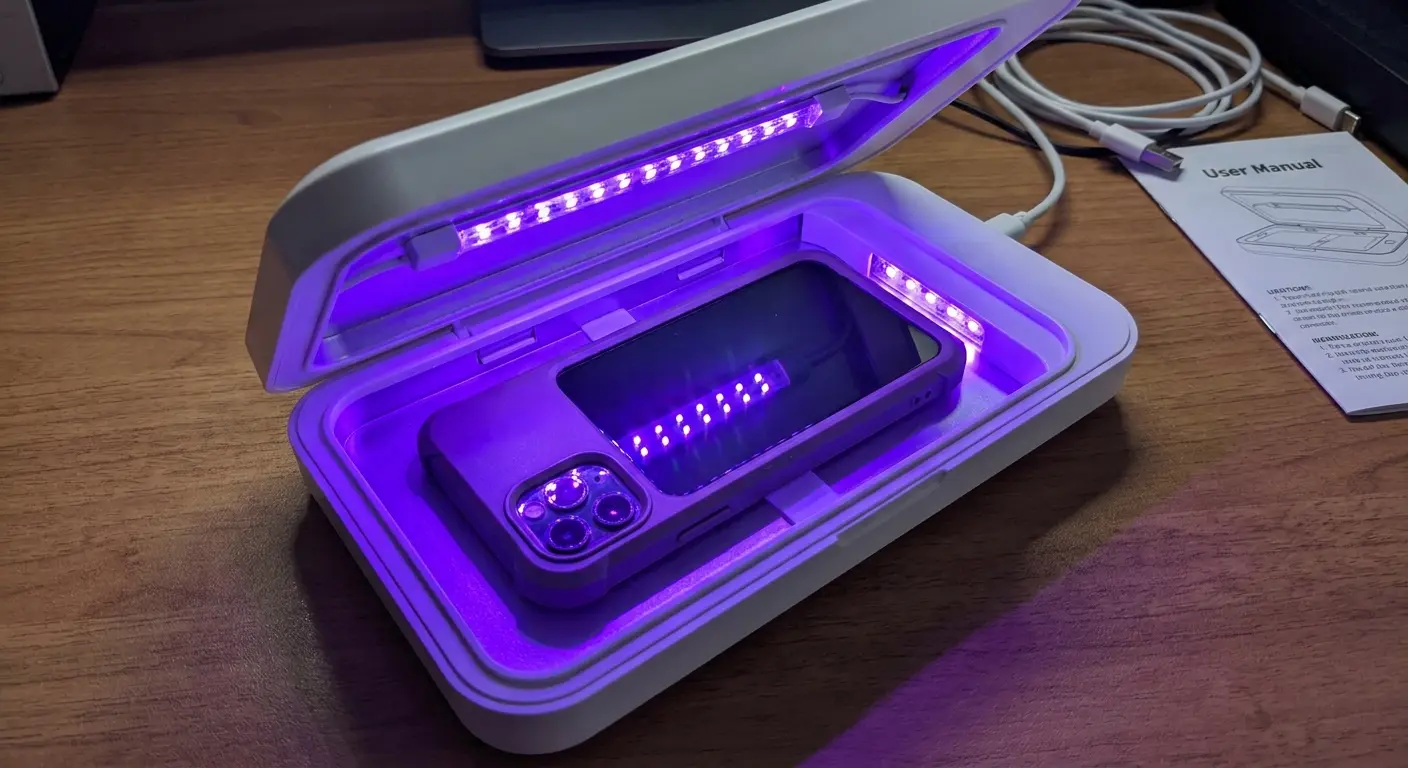
UV sanitizers don't clean anything you can actually see. That greasy fingerprint smudge? Still there. You've just killed the bacteria living in the grease, which, congratulations I guess?
Some materials degrade under UV exposure. Certain plastics yellow or become brittle. Adhesives can break down. If you're using a UV sanitizer regularly, you might be accelerating case aging without realizing it.
The best use case for UV sanitizers is as a supplement, not a replacement. Use them between mechanical cleanings to reduce bacterial load without additional chemical exposure. They work best for quick sanitization when you don't have time for proper cleaning, not as your primary disinfection method.
Battery life and bulb degradation reduce effectiveness over time. UV-C bulbs lose intensity with use. That sanitizer that worked well when new might be producing insufficient UV output six months later. Most consumer devices don't include bulb replacement options or intensity monitoring.
What to Do When Your Case Starts Showing Wear
Discoloration alone doesn't mean your case has failed. Yellowing on clear cases or fading on colored ones is cosmetic. If the case still fits securely, provides edge protection, and hasn't become brittle, it's still functional.
Cracks around button cutouts or port openings indicate structural compromise. These weak points will expand with continued use and cleaning. The case is no longer providing reliable protection. Replace it before it fails during a drop.
Sticky or tacky texture that doesn't resolve after cleaning means the material has degraded beyond recovery. This happens with TPU and silicone cases after extended chemical exposure. The plasticizers have migrated to the surface and the material has changed permanently.
Loose fit is a critical failure point. If your case no longer snaps firmly onto your phone or slides around during handling, it won't protect during impact. This can result from material fatigue, cleaning-related shrinkage, or simple wear. Don't compromise here.
Adhesive failure on cases with metal plates or mounting systems creates a safety hazard. If the mounting plate is separating from the case, it could detach during use and cause your phone to fall. Check these components during your monthly inspection.
Some wear is repairable. Replacement buttons, port covers, or mounting components might be available depending on your case manufacturer. We offer replacement parts for our mounting systems at https://www.rokform.com/collections/accessories because we know these components take abuse during regular cleaning and use.
Cost-benefit analysis matters. If you're replacing cases every few months due to cleaning damage, you're using products or methods that don't match your actual needs. A more durable case that costs more upfront but survives a year of proper cleaning saves money and reduces waste.
Environmental consideration shouldn't be overlooked. Phone cases are mostly non-recyclable plastic. Extending their life through appropriate cleaning practices reduces your environmental impact. Choose quality over disposability when possible.
Deep cleaning can sometimes restore a case that seems beyond hope. Soaking in warm soapy water for 30 minutes, followed by thorough scrubbing and complete drying, can remove built-up residues that make a case look worse than it is. Try this before discarding.
Know when to accept that a case has served its purpose. If you've gotten a year of protection from a case, it's done its job. The cost per day of use makes replacement reasonable. Don't cling to failing gear out of reluctance to spend money on something you've already bought before.
Final Thoughts
I spent three hours researching this because I destroyed a $50 case with Clorox wipes and I was mad about it. You don't need to become a materials scientist. Just stop spraying random chemicals on your phone and expecting it to be fine.
Disinfecting your phone doesn't require complex products or aggressive chemicals. It requires understanding what you're trying to accomplish and what you're willing to sacrifice to get there. Your case protects your phone from physical damage, but your cleaning routine can undermine that protection if you're not paying attention to material compatibility and cumulative exposure effects.
Most cleaning advice treats your phone as a standalone object when it's a system of components that interact. Your case, your screen coating, your ports and buttons all respond differently to the same cleaning agent. What works for one might damage another.
Start with the gentlest method that achieves your hygiene goals. Escalate only when necessary. Remove your case weekly for proper cleaning. Pay attention to what your gear is telling you through wear patterns and material changes. These simple practices will keep both your phone and your protection functional far longer than aggressive daily disinfection ever could.
Your phone is clean enough when it's not actively making you sick and your protective gear is still protecting. Perfection isn't the goal. Sustainable hygiene that doesn't destroy your investment is.

