


Your phone speaker is messed up. That's why you're here, right?
Maybe it's crackling. Maybe it sounds muffled. Maybe one speaker just quit entirely and now you're listening to everything in mono like it's 1987.
You've probably already tried the obvious stuff: restarting, checking the volume, maybe blowing on it like a Nintendo cartridge. And now you're looking for actual fixes.
Good. We'll cover those. But we're also going to talk about why this keeps happening, because if you're on your second or third speaker problem, you're doing something wrong. And it's probably not what you think.
Table of Contents
Why Your Phone Speaker Fails
The 3-Minute Test That Actually Tells You Something
Software Fixes You Should Actually Try First
Physical Cleaning That Works
When You Need Professional Help
Prevention Over Repeated Repairs
Protecting Speakers Before Damage Happens
TL;DR
Speaker failure typically results from cumulative drop damage, not single catastrophic events
Run frequency tests before assuming hardware failure since software issues are common
Cleaning requires soft brushes and adhesive methods; compressed air pushes debris deeper
Water damage requires professional repair due to internal corrosion
Speaker replacement costs $80-329, making prevention the smarter economic choice
Strategic case design with raised bezels protects vulnerable speaker components from impact stress
Why Your Phone Speaker Fails
Phone speakers fail primarily due to physical stress from drops and impacts, not just debris or software glitches. The anatomy of modern speakers makes them vulnerable to cumulative damage that shows up weeks after the impact occurs.
Once you get why speakers actually fail, you'll handle this whole thing differently.
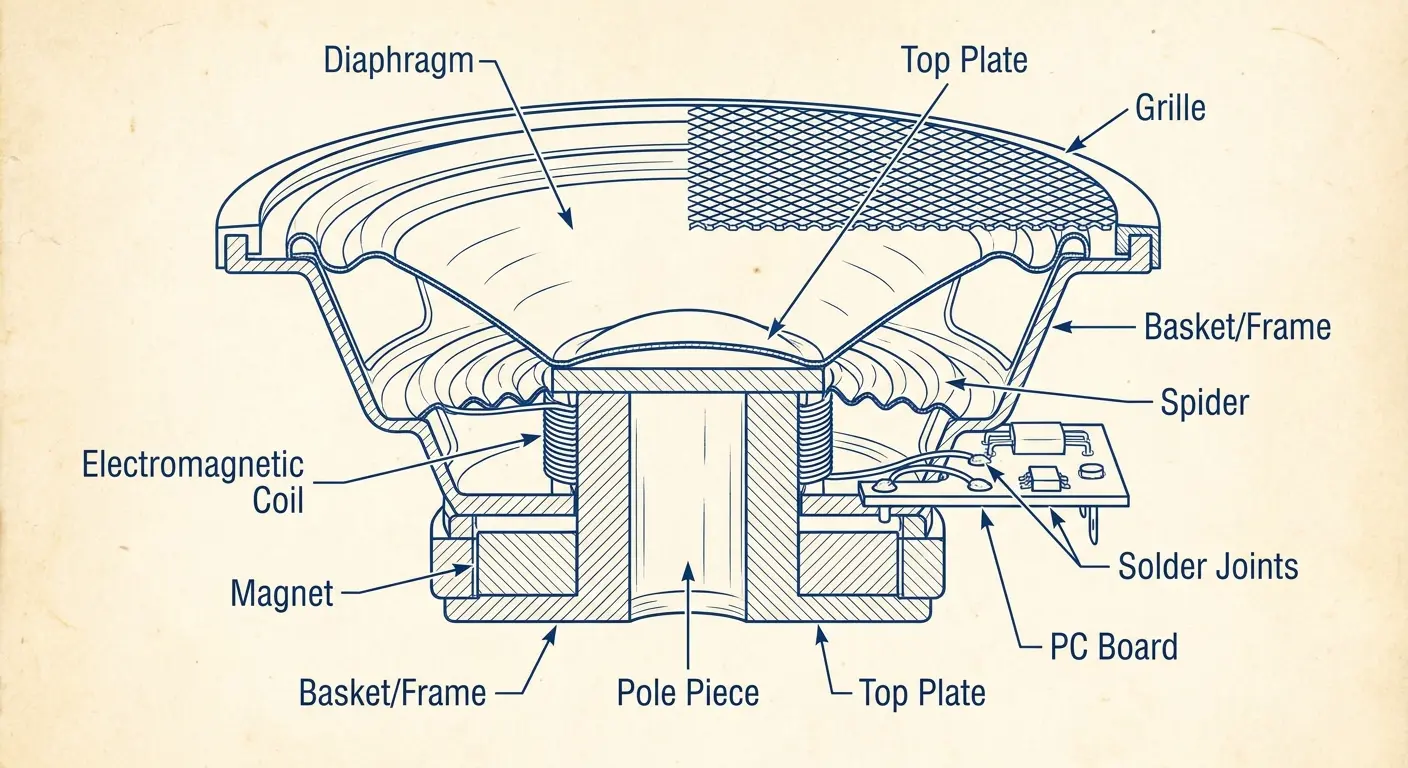
Your device typically has two speakers: bottom-firing for media and earpiece for calls. These components measure roughly 6mm but pack complex mechanisms with electromagnetic coils and diaphragms vibrating thousands of times per second. Manufacturers need sound to escape, which creates openings that invite dust, lint, and moisture.
Component |
Size |
Vulnerability |
Common Failure Mode |
|---|---|---|---|
Speaker Diaphragm |
~6mm diameter |
Excessive volume, bass distortion |
Tearing, warping, buzzing |
Electromagnetic Coil |
2-3mm |
Heat buildup, physical shock |
Disconnection, reduced output |
Solder Joints |
Microscopic |
Drop impacts, flexing stress |
Micro-fractures, intermittent audio |
Grille Perforations |
<1mm holes |
Debris accumulation, moisture |
Blockage, corrosion |
Flex Cable Connections |
0.5mm contacts |
Sudden deceleration forces |
Partial disconnection, one-sided failure |
Physical Stress Points Everyone Misses
Drops create shockwaves through your phone's internal frame that damage speaker solder joints and create micro-fractures.
These don't cause immediate failure, which is the sneaky part.
The damage just sits there, degrading over weeks, until one day your audio starts crackling. By then, you've forgotten about that drop three weeks ago, so the connection isn't obvious. Your screen survived, so you figured everything was fine. But speakers absorb structural stress differently than glass does.
When your phone hits pavement, impact sends shockwaves through the frame. Speaker components experience sudden deceleration forces. Solder joints connecting speakers to logic boards develop micro-fractures that degrade over time. I've examined hundreds of devices with this pattern: drops or impacts occur weeks before audio problems surface, and people never make the connection.
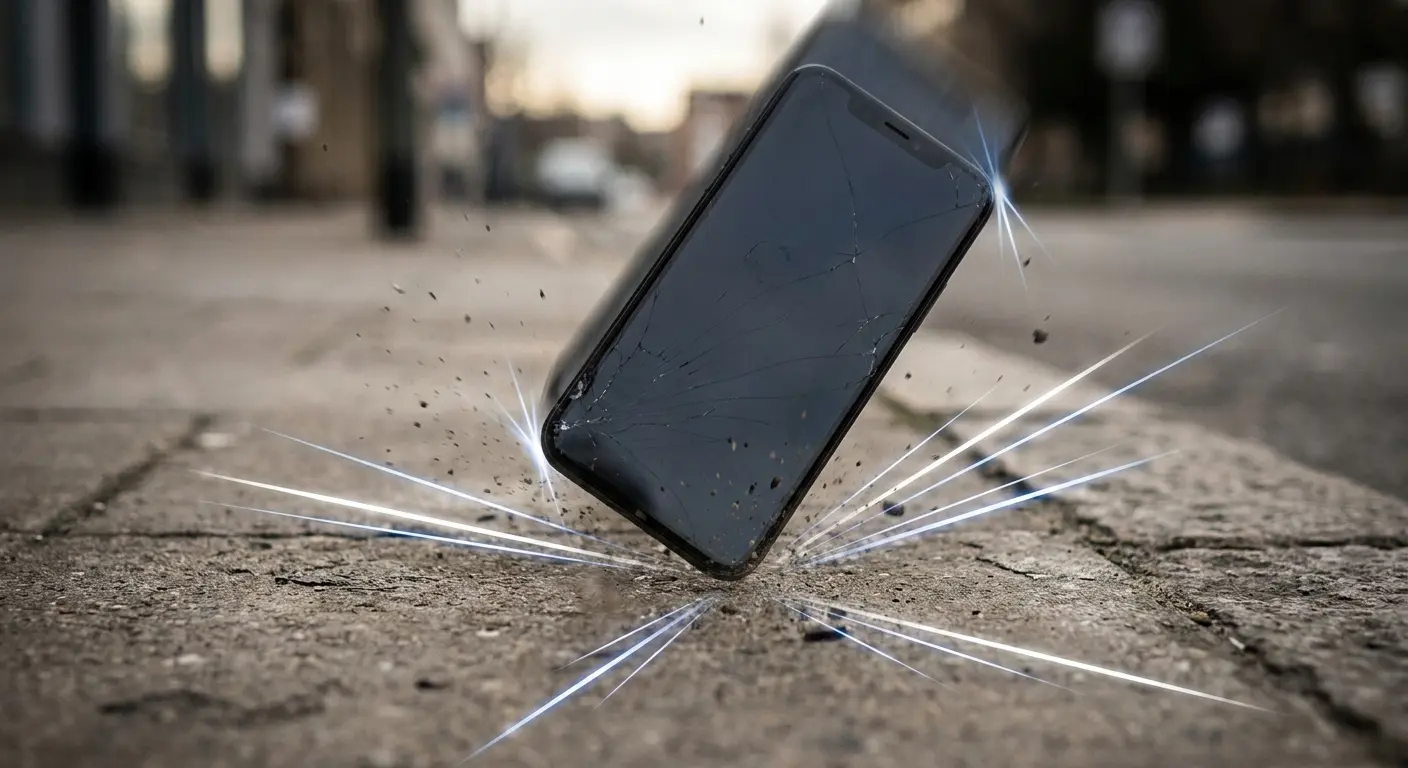
Had a guy come in last month with an iPhone 13, bottom speaker crackling like crazy. No cracks on the screen, everything else worked fine.
"I don't know what happened," he says. "It just started doing this."
So I ask the question I always ask: "When did you last drop it?"
"Oh, like three weeks ago. But it was fine after that!"
Yeah. That's what they all say.
Under magnification, I found hairline fractures in two of the four solder points. That drop he forgot about? It didn't break the speaker right away. It just started the clock ticking. The speaker worked intermittently depending on how thermal expansion from normal use temporarily bridged or widened those micro-gaps. That single drop created damage that took weeks to show up as an obvious problem.
Debris Creates Compounding Problems
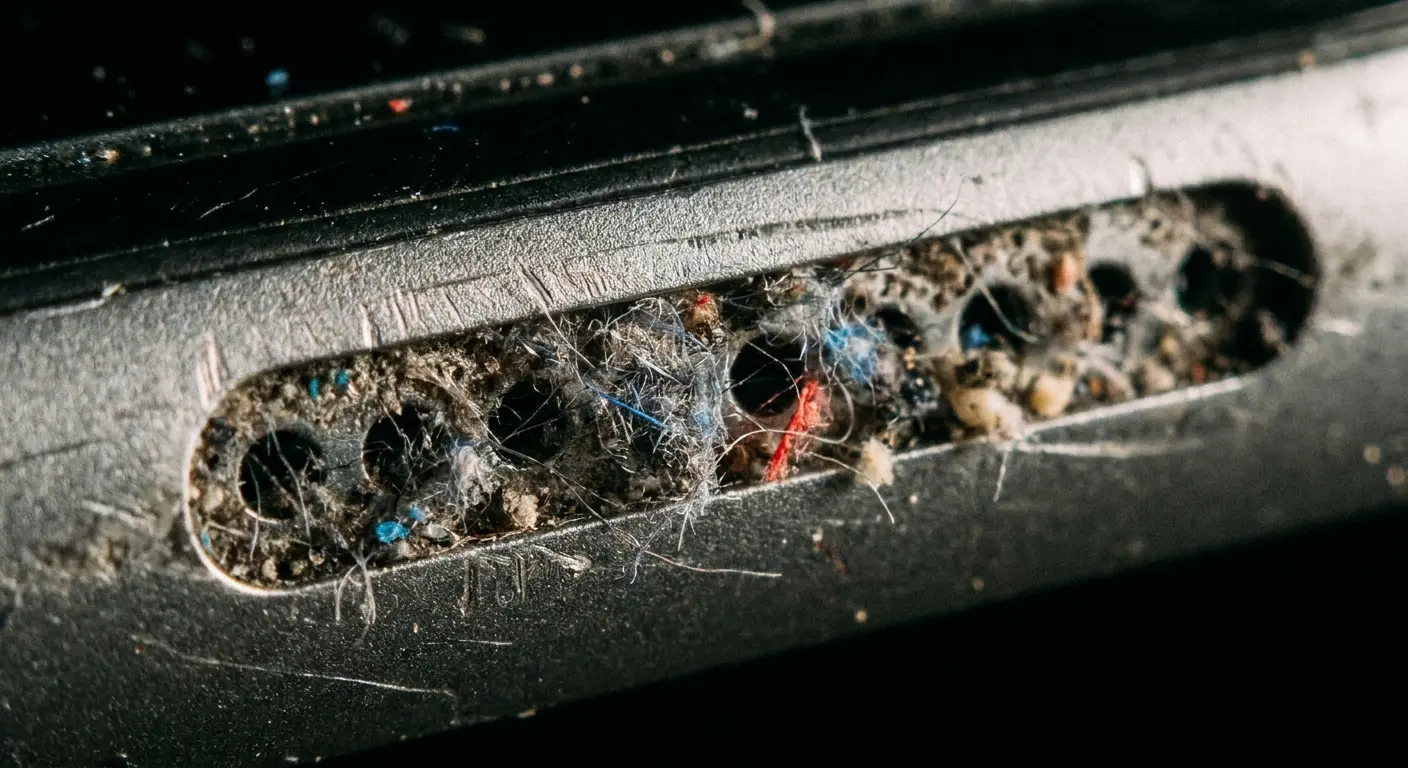
Daily pocket carry introduces particulate matter that forms barriers dampening sound output and trapping moisture. This forces you to max out volume settings, generating excess heat that accelerates component deterioration and warps diaphragms.
Every time your phone sits in your pocket, it's collecting lint, dust, dead skin cells... all the gross stuff you don't think about. Each particle is tiny, but they add up fast. Collectively they dampen output and trap moisture. This creates reduced volume that you compensate for by maxing settings, plus humid environments where corrosion starts on electrical contacts.
Heat from maximum output accelerates adhesive deterioration and can warp diaphragms.
Understanding how phone cases protect your phone reveals why smart case design matters for preventing debris accumulation in the first place.
Monthly Speaker Maintenance Checklist:
Real talk: most of you won't do monthly maintenance. I get it. But if you're the type who actually takes care of your stuff, here's what to check once a month:
[ ] Actually look at both speaker grilles under bright light (you'd be surprised what you'll see)
[ ] Brush them out over something white so you can see what comes out
[ ] Check for visible debris accumulation or discoloration
[ ] Test volume at 50% with the same song each time
[ ] Compare current output to last month's baseline
[ ] Inspect case openings for alignment with speaker grilles
[ ] Clean any pocket lint from case interior
[ ] Document any changes in audio quality or volume
Takes 5 minutes. Catches problems before they're expensive.
The 3-Minute Test That Actually Tells You Something
Quick diagnostic tests eliminate guesswork before you attempt how to fix phone speaker issues. Frequency response testing, stereo checks, and call quality assessments tell you whether you're dealing with physical blockage, component failure, or software issues in under three minutes.
Frequency Response Testing
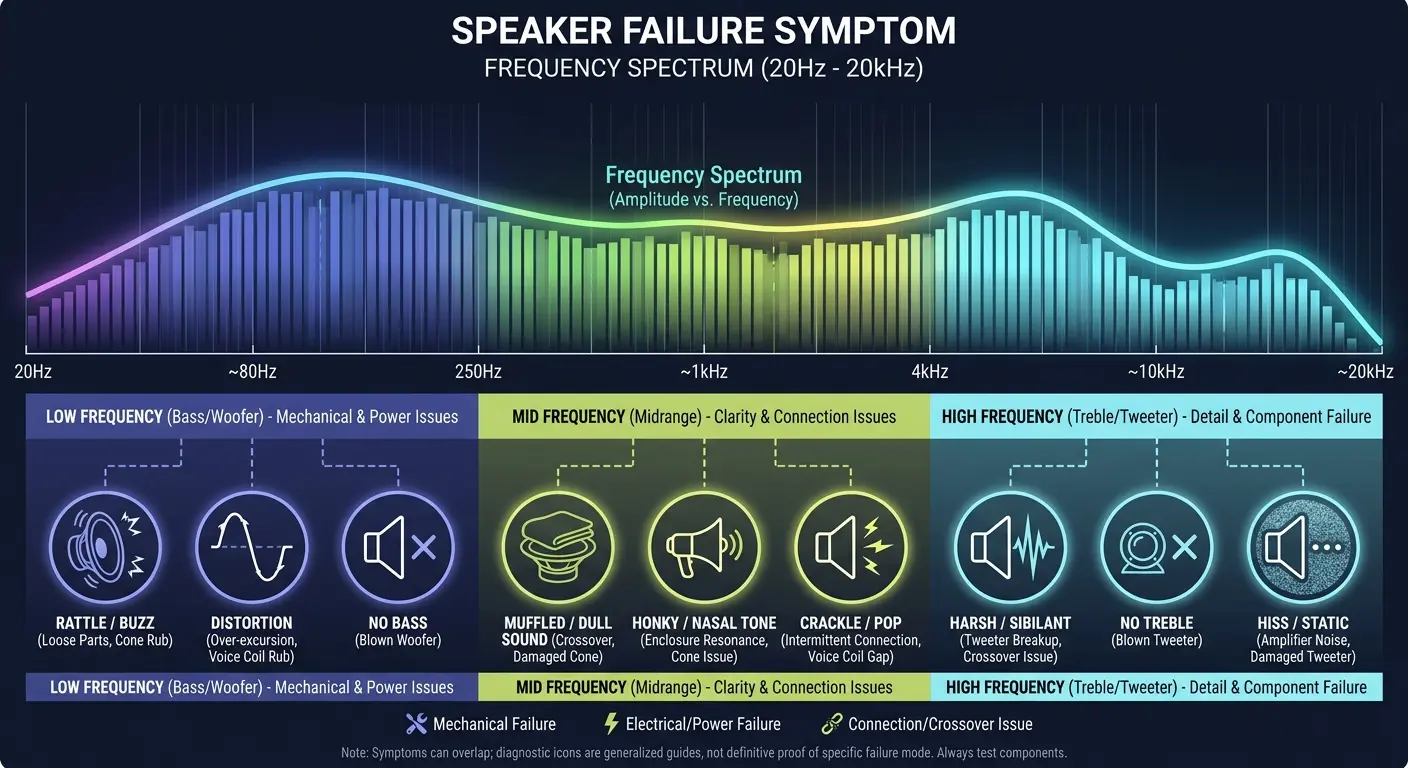
Download a frequency generator app and play tones across the audible spectrum from 20Hz to 20kHz. Dropouts at certain frequencies indicate damaged diaphragms while equally muffled sound suggests debris or software problems.
Look, this test takes three minutes and it'll save you from guessing. If certain frequencies cut out while others play clearly, you've got a damaged diaphragm or partially blocked grille. If all frequencies sound equally muffled, debris or software issues are more likely.
When you run the frequency test, here's what different problems sound like:
Complete silence across all frequencies? That's either software routing issue or your speaker literally disconnected. Check audio settings, restart device.
Dropouts at specific frequency ranges? Damaged diaphragm, partial tear. You need professional repair.
Everything sounds equally muffled across all frequencies? Debris blockage, grille obstruction. Try physical cleaning methods.
Distortion or buzzing at bass frequencies (20-200Hz)? Blown speaker, loose component. Speaker replacement required.
Crackling that changes with phone orientation? Loose flex cable connection. Needs internal reseating.
One speaker silent, other normal? Single component failure. Isolated speaker replacement.
Stereo and Call Quality Checks
Play stereo test tracks to isolate which speaker failed, then test call quality in both speakerphone and earpiece modes. Single-speaker failure indicates physical damage to that component while simultaneous issues point toward software conflicts or liquid damage.
Your phone's dual speakers should produce clearly separated audio. If one side is dead or quieter, you've isolated the problem to a specific unit. Make a call and switch between modes. If the earpiece works but bottom speaker fails, you've confirmed the issue isn't system-wide.
Run a stereo test using a track that alternates left and right channels. On an iPhone, the bottom-right speaker handles the right channel while the earpiece handles left during media playback.
If you hear clear audio from the earpiece but nothing from the bottom speaker, you've just confirmed that your audio processing, software, and one physical speaker all work fine.
The problem is isolated to the bottom speaker component itself, which narrows your troubleshooting to that specific hardware unit rather than chasing software ghosts.
Software Fixes You Should Actually Try First
Software-based solutions resolve audio routing glitches, mode confusion, and app-specific bugs in minutes before you invest time in hardware fixes. These free troubleshooting steps eliminate common variables and can restore functionality immediately.
Honestly? Most of you should skip straight to the frequency test. The software stuff almost never works, but you'll waste 20 minutes on it anyway. Still, it's worth ruling out before you start taking things apart.
Audio Routing and Mode Issues
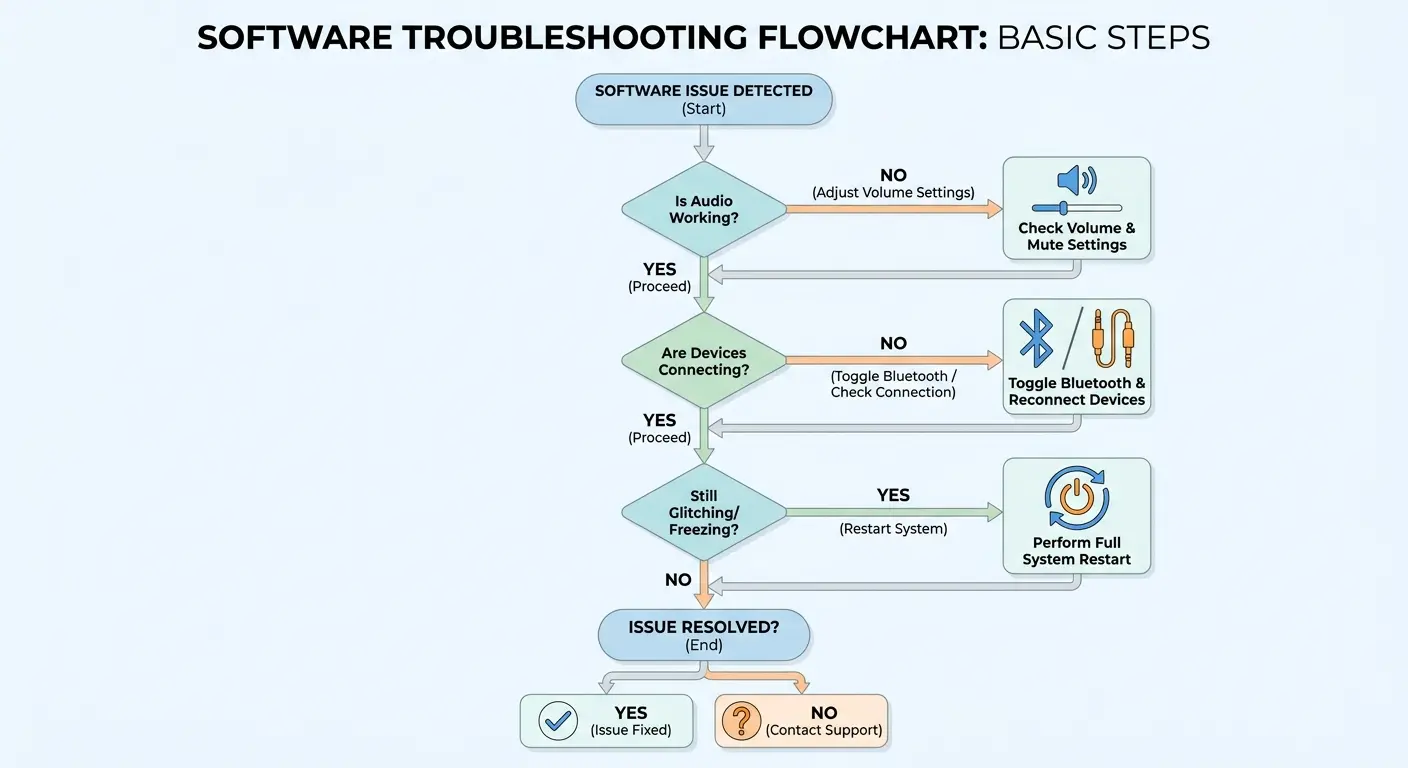
Operating systems sometimes get stuck thinking headphones are connected when they're not, sending audio to non-existent outputs. Toggle Bluetooth, plug and unplug wired headphones, then restart to force the OS to rescan available audio outputs.
Your phone manages audio across multiple pathways: Bluetooth, wired headphones, internal speakers. These pathways get stuck sometimes. Toggle Bluetooth off and on. Plug in headphones, then remove them. Restart your device. Check Do Not Disturb mode, mute switches, and volume limit settings that can make speakers seem broken when they're just restricted.
Software Troubleshooting Sequence (5 Minutes):
Check physical mute switch position (iPhone) or notification settings (Android)
Verify volume is above 50% and no volume limits are enabled
Disable Do Not Disturb and all Focus modes completely
Toggle Bluetooth off, wait 10 seconds, toggle back on
Plug in wired headphones, play audio, unplug while audio plays
Force restart device (not just power off/on)
Test with system sounds (ringtone, keyboard clicks)
Test with multiple apps (YouTube, Spotify, Voice Memos)
Check for pending iOS/Android updates
If all fail, proceed to factory reset after backup
App Bugs and Factory Reset
Individual apps can malfunction after updates and fail to output audio even when system sounds work. Force close and reinstall problematic apps. If issues persist across all apps, back up your device and perform a factory reset to eliminate software corruption affecting audio drivers.
Force close problematic apps and reopen them. Delete and reinstall if needed. Test speakers with multiple apps and system sounds.
Before spending money on repairs, perform a factory reset. Software corruption can affect audio drivers in ways that survive normal restarts. If speakers still don't work after a reset, you've got hardware problems. This confirms you need physical intervention and saves you from wasting time on additional software troubleshooting when figuring out how to fix phone speaker hardware.
Physical Cleaning That Works
Effective speaker cleaning requires specific techniques that remove debris without pushing it deeper into components. Soft brushes, adhesive methods, and isopropyl alcohol address different types of blockages while compressed air often makes things worse.
Brush and Adhesive Techniques
Soft-bristled brushes (1-2mm artist brushes work best) dislodge debris when brushed in one direction over white surfaces so you can see what comes out. Poster tack or museum putty pulls stubborn particles from grille perforations without leaving residue when pressed gently and lifted away.
Compressed air pushes particles deeper into speaker chambers and introduces moisture from condensation.
I know the can says "electronics duster." I don't care. It's making things worse.
Skip it. Get a soft anti-static brush and brush gently across the grille in one direction over a white surface. You'll see surprising amounts of material come out.
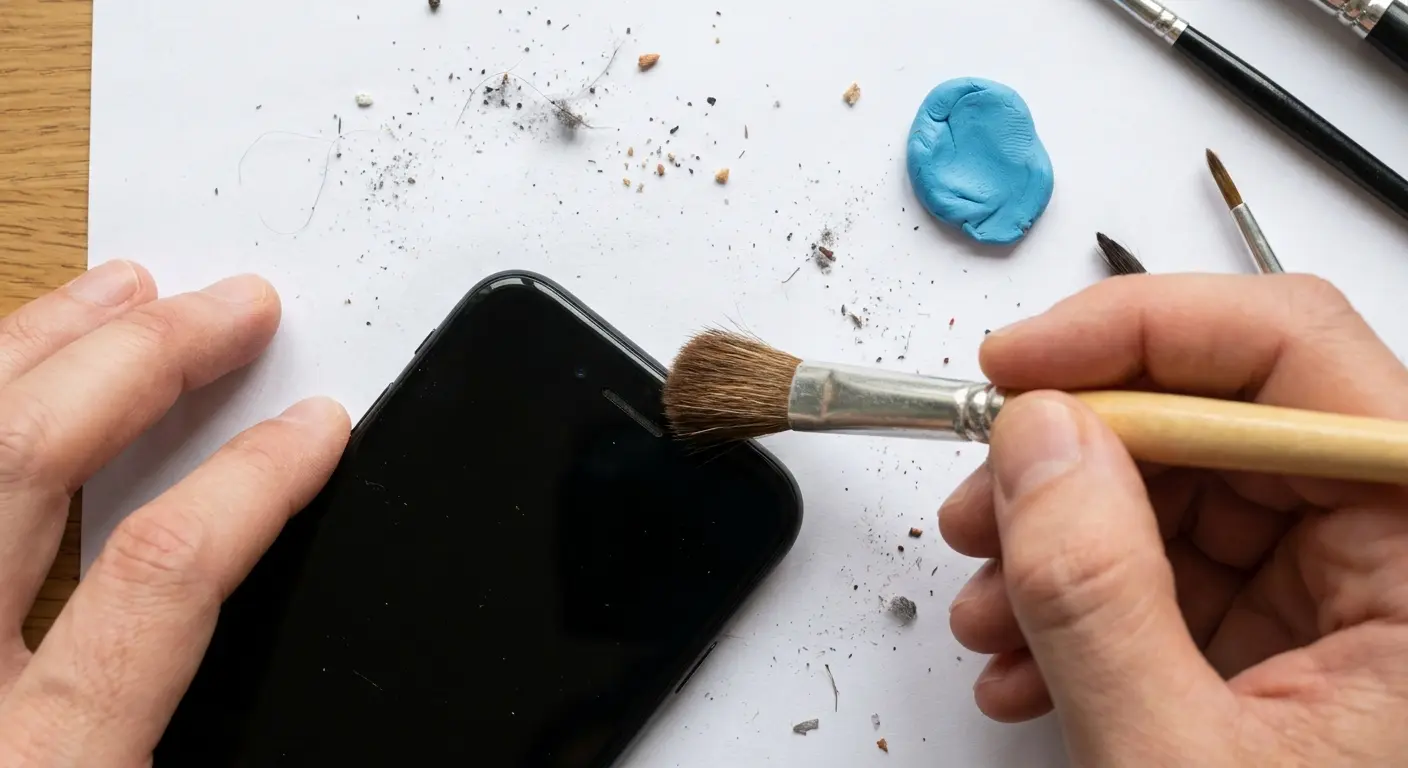
Poster tack provides stickiness to pull debris that brushing misses. Press gently against the speaker grille, then lift away. The tackiness grabs particles without leaving residue if you use a light touch.
For devices exposed to harsh conditions, learning how to clean clear phone case materials helps maintain protective barriers around speaker openings.
We tested this on a Galaxy S22 that came in with "broken" speakers. The user had already tried compressed air twice. When we brushed the bottom speaker grille over white paper using a 1mm artist brush, we collected enough pocket lint and dust to form a visible pile.
After three passes with the brush and one gentle application of museum putty, volume increased from barely audible at maximum to clear output at 60%.
The speaker was never broken. It was just completely clogged (like, packed solid) with debris that compressed air had compacted into the grille perforations rather than removing.
Isopropyl Alcohol for Residue
When brushing and adhesive methods don't restore volume, residue is bonding debris to grilles. Dampen cotton swabs with 90%+ isopropyl alcohol to dissolve oils and grime, then let speakers dry 15 minutes minimum before testing.
Dampen (don't soak) a cotton swab with 90%+ isopropyl alcohol and gently clean the grille surface. The alcohol dissolves oils and adhesive grime while evaporating quickly. Let the speaker dry completely, giving it 15 minutes minimum before testing.
When You Need Professional Help
Hardware issues including blown diaphragms, disconnected flex cables, water damage, and logic board problems require professional intervention. Understanding repair costs and warranty implications helps you make informed decisions about fixing versus replacing devices.
Water Damage and Corrosion
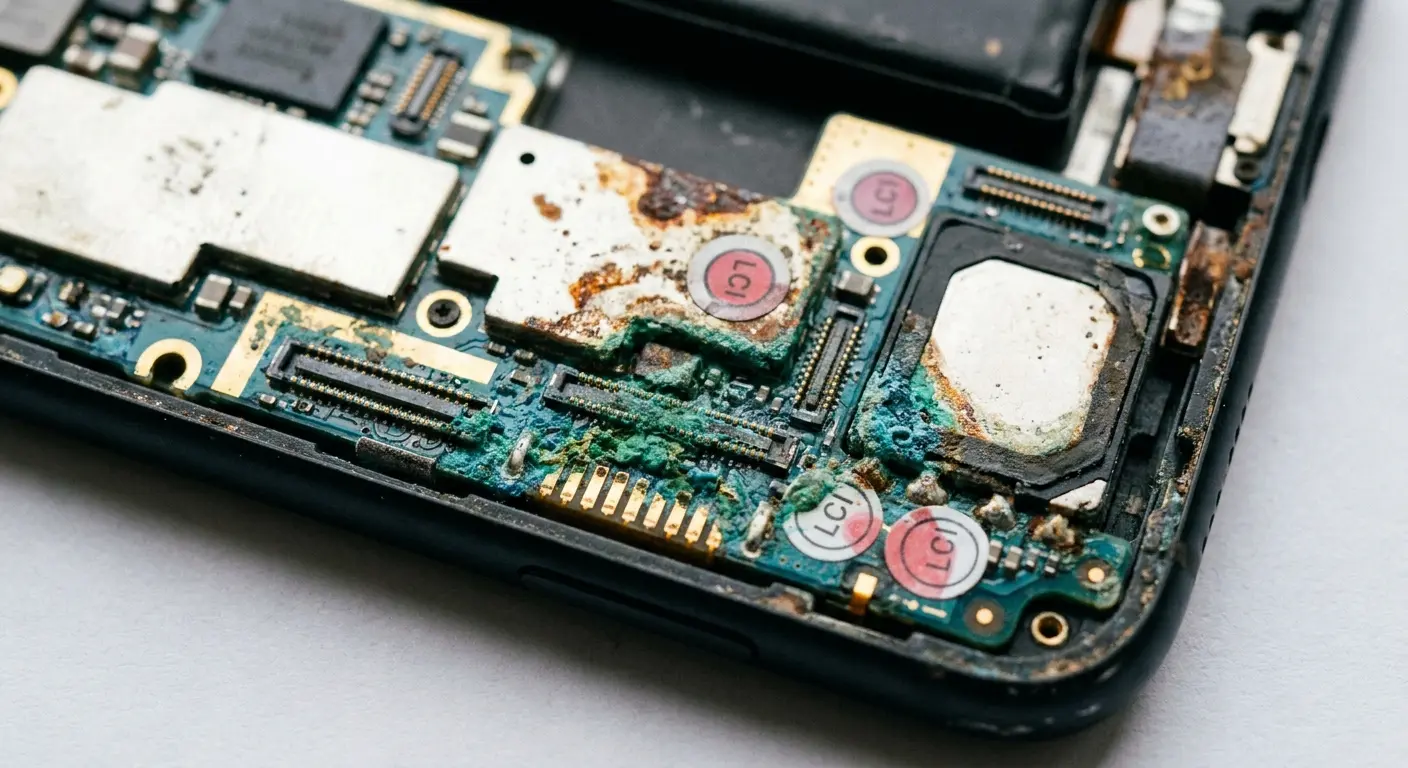
Liquid contact indicators in SIM trays and charging ports turn red when exposed to moisture, confirming water reached internals. Corrosion progresses even after drying, leaving mineral deposits that insulate connections and require professional cleaning with specialized solutions.
Check liquid contact indicators with a flashlight. If they've changed color, water reached internals and likely affected speakers.
Rice doesn't work. I know your aunt swears by it. She's wrong. All you're doing is getting starch dust in there.
Power off immediately, remove case and SIM tray, then place in warm dry areas with airflow for 48 hours. Corrosion continues after drying, making professional repair necessary.
Understanding how to protect phone from water prevents the corrosion issues that destroy speaker components permanently.
Quick sidebar: I once had someone bring in a phone they'd dropped in a toilet. They'd already tried rice, tried a hairdryer, tried everything. When I opened it up, there was visible corrosion on half the components.
"How long has it been?" I asked.
"Two months."
At that point, the phone wasn't salvageable. The corrosion had spread too far. If they'd come in within 48 hours? Maybe. But two months of mineral deposits eating through connections? That phone was dead.
Anyway, point is: water damage doesn't wait for you to feel like dealing with it.
Component Failures Requiring Replacement
Blown speaker diaphragms from excessive volume, disconnected flex cables from drops, and cracked logic board solder joints all require micro-soldering skills and specialized tools. Repair costs range from $80-329 depending on damage extent and whether you use manufacturer or third-party services.
Excessive volume can tear speaker diaphragms, causing distortion and buzzing that no cleaning fixes. Speaker replacement costs $10-30 for parts but $80-150 for labor at repair shops. Apple charges $199-329 because they replace entire assemblies.
Drops can dislodge flex cable connections, requiring phone disassembly to reseat them. Severe impacts crack solder joints on logic boards, requiring $150-300 repairs that approach replacement device costs. At this point, you're weighing repair investment against upgrade costs, which changes the equation entirely.
If you've already got water damage, stop reading DIY guides. Seriously. You need a professional, and every hour you wait makes it worse.
Prevention Over Repeated Repairs
Speaker failure stems from cumulative stress rather than single catastrophic events, making prevention more effective than repeated repairs. Understanding impact physics and how case design redirects forces addresses root causes instead of treating symptoms after damage occurs.
Impact Physics and Cumulative Damage
Each drop adds micro-damage to solder joints, loosens adhesive bonds, and shifts components out of alignment. Five small drops cause more harm than one big impact because damage compounds without obvious warning signs, requiring protection that addresses both major impacts and repeated minor stress.
Speakers fail from cumulative stress, not usually single catastrophic events. Each drop, even minor ones, adds micro-damage.
Five small drops do more harm than one big one because damage compounds without warning signs.
Protection needs to address both major impacts and repeated minor stress.
Case Design That Protects Vulnerable Points
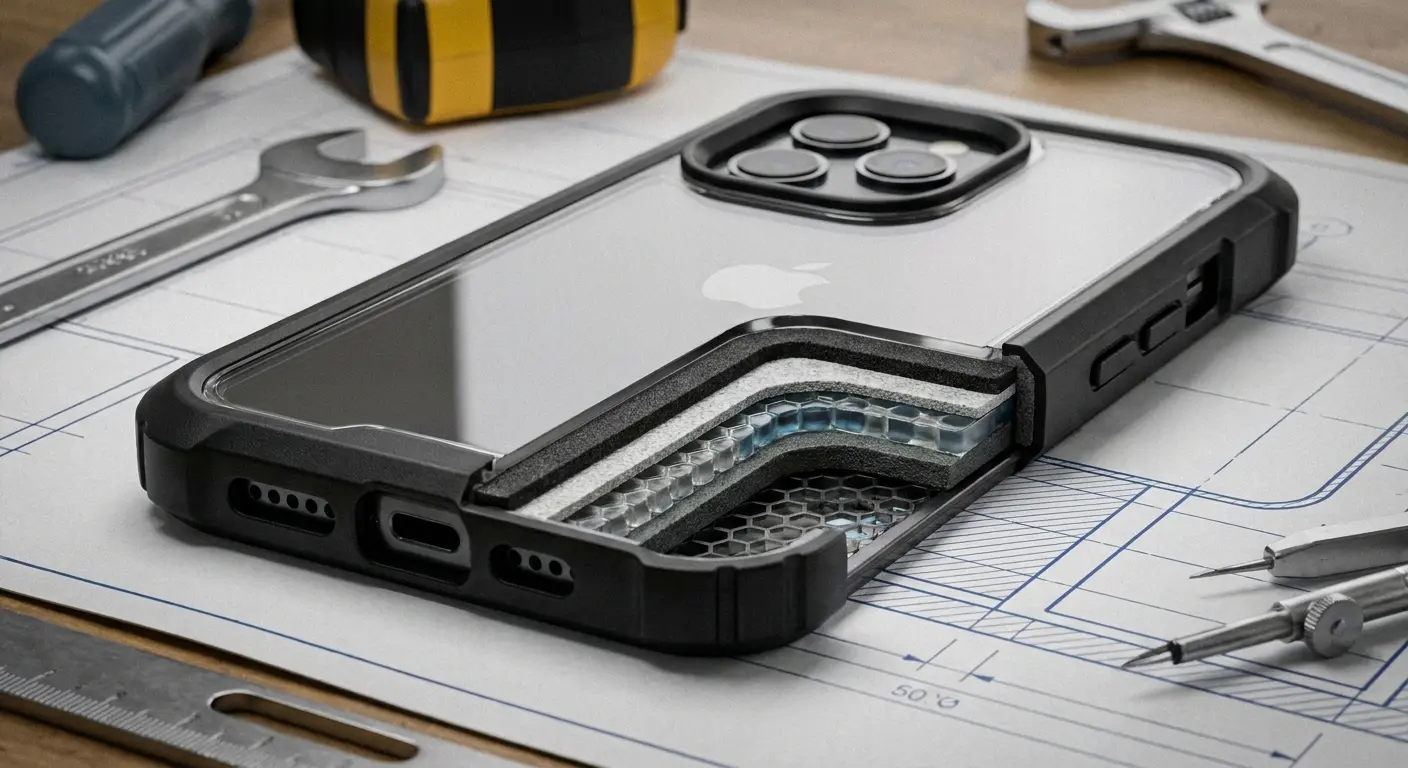
Standard cases wrap edges but leave speaker grilles exposed for sound output. This creates vulnerability during corner drops. What works: raised bezels extending beyond speaker grilles, creating protective perimeters. When phones land on corners, case material absorbs initial impact before reaching speaker areas.
I've spent years testing how case geometries redirect impact forces. Raised edges create buffer zones around every vulnerable opening. For anyone dealing with repeated speaker issues, this targeted protection addresses root causes instead of symptoms.
The materials and design we use in our protective phone cases specifically account for these stress distribution patterns that damage internal components over time.
Mounting Systems and Maintenance
Magnetic mounting systems distribute force across larger surface areas compared to suction or adhesive mounts, reducing cumulative stress on speaker assemblies. Regular monthly cleaning prevents debris accumulation that leads to moisture trapping and heat buildup before problems become serious.
How you mount your phone matters. Suction mounts and adhesive pads concentrate stress on small areas. During vibration or sudden stops, these create flexing forces that propagate to speaker assemblies. Magnetic mounting systems distribute force across larger areas and allow slight movement that absorbs shock rather than transferring it.
Clean speaker grilles monthly even if they sound fine. This prevents debris accumulation leading to moisture trapping and heat buildup. Weekly visual inspection takes 10 seconds and catches problems before they become serious.
Protecting Speakers Before Damage Happens
The economics of speaker protection favor prevention over repair, with protective cases costing $50-80 versus repair costs of $80-329. Warranty limitations and resale value considerations make proactive protection an investment rather than an expense.
Cost Analysis and Warranty Implications
Speaker replacement through Apple or Samsung runs $199-329 depending on model. Third-party shops charge $80-200. Now, those prices are assuming single speaker failure. Both speakers or logic board damage means $300-500. Compare that to $50-80 protective cases preventing damage in the first place.
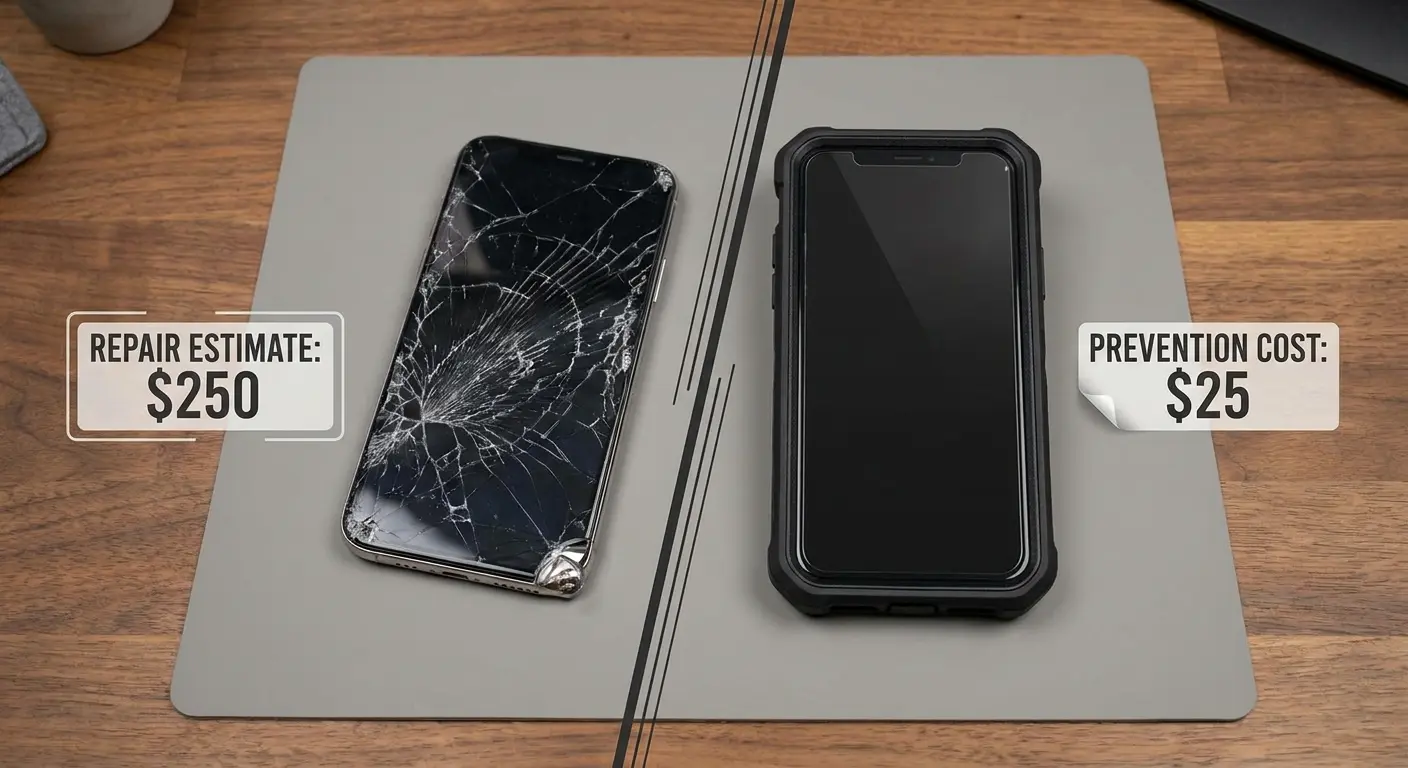
Most manufacturers don't cover speaker failure under standard warranty unless you prove manufacturing defects rather than damage. Physical damage voids coverage, and speaker issues are almost always classified as such. AppleCare+ and similar programs cover accidental damage but require $29-99 deductibles with claim limits.
Resale Value Considerations
Phones with speaker issues sell for 30-50% less than fully functional devices because buyers assume broader problems exist. Maintaining speaker functionality through proper protection preserves hundreds of dollars in resale value, making protection an investment that pays returns during upgrades.
Buyers can't verify problems are isolated to speakers and assume broader issues exist. When you're ready to upgrade, that maintained functionality translates directly into cash recovery that offsets your next device purchase.
Final Thoughts
Look, speaker problems suck because half the time you can't fix them yourself. Software stuff? Sure. Cleaning? Yeah, you can handle that. But actual hardware damage? You're taking it somewhere or living with broken audio.
But here's what I actually want you to take away from this: most speaker failures are preventable. Not all of them (sometimes you just get unlucky). But most of the time? It's cumulative damage from drops and impacts that could've been avoided.
I'm not saying bubble-wrap your phone and never use it. I'm saying protect the parts that actually break. Standard cases wrap the edges and call it a day. That's not enough. You need something that actually shields the vulnerable spots, like those speaker grilles that take the hit every time you drop your phone on a corner.
We built our protection systems around this exact problem. Raised bezels, smart reinforcement, the whole deal. You don't have to use ours, but use something that actually protects speakers, not just screens.
Otherwise? You'll be back here in six months, reading another guide about how to fix phone speaker issues for the third time.

