


Filming daily? Camera Lens Protectors keep the glass clear.
Instagram reached 2 billion daily actives, a figure Mark Zuckerberg gave on Meta's Q2 2026 earnings call on 29 July 2026. Almost none of them follow you. Reaching any of them means passing through Reels, Explore, Search and suggested posts, surfaces Instagram governs with a separate published policy that most advice on how to grow your following on Instagram never opens.
Miss that policy and you can lose Explore, Reels recommendations and suggested accounts without a notification. Fix your hooks and your rhythm all you like; the cap holds. Everything below is either Instagram's published wording, linked, or a vendor study named with its sample.

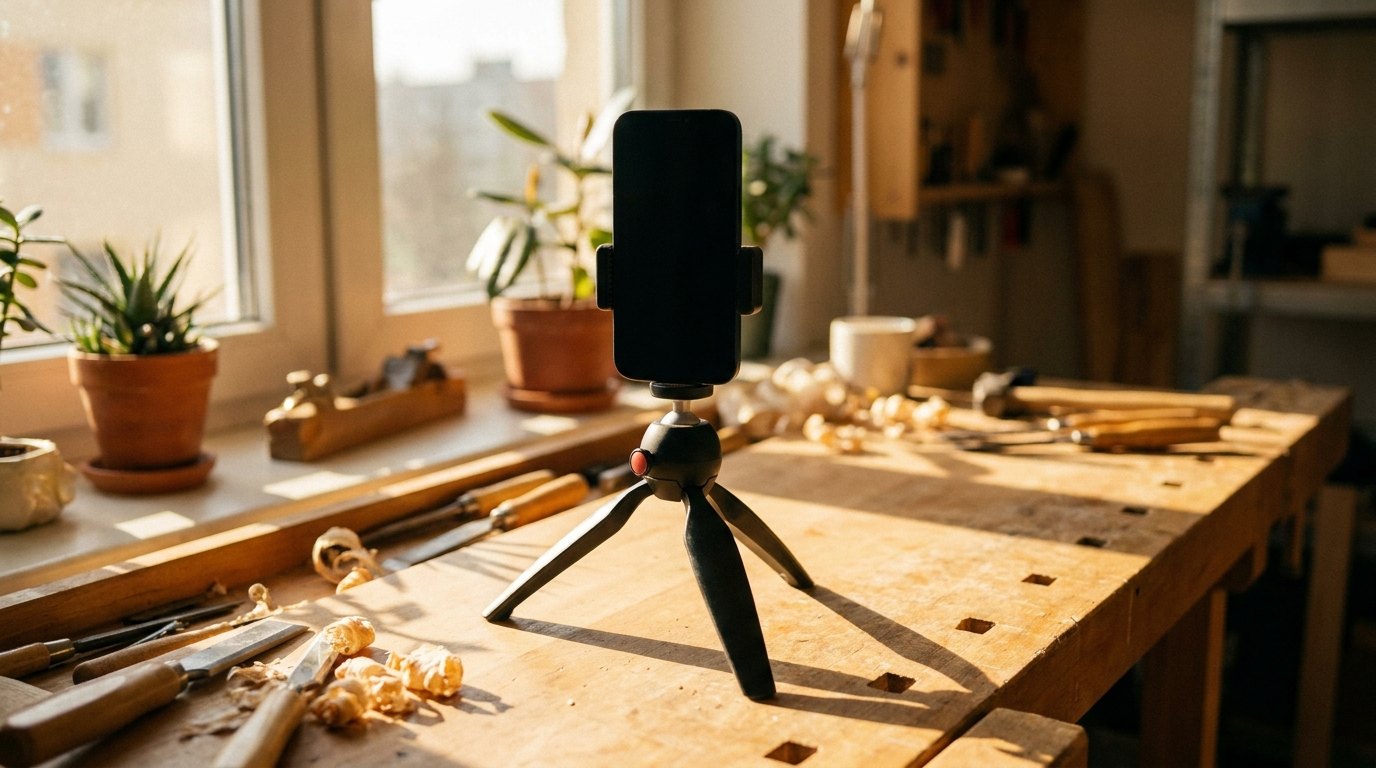
Alt text: Phone on tripod filming vertically on a workbench
Table of Contents
- The Ceiling Most Growth Advice Never Mentions
- What Instagram Publishes About Ranking, Surface by Surface
- The Craft Faults Instagram Shows Less Often
- Recency, Viewer Controls, and Reels on Television
- How Often to Post Without Wrecking Your Week
- Reading Insights Without Fooling Yourself
- Bought Followers, Comment Pods, Giveaway Mechanics
- Keep the Glass Clear When You Film Every Day
- Final Thoughts
TL;DR
- Recommendation eligibility is a gate, not a penalty. Professional accounts check it in Account Status.
- Instagram publishes the craft faults it shows less often, blurry and low resolution among them.
- Any guide to how to grow followers on Instagram through bought likes sells a practice Instagram names in its own rules.
- The published answer for how to grow on Instagram Reels: original, vertical, high resolution, three minutes or less, interesting in three seconds.
- Cadence numbers come from vendors, never from Instagram.
The Ceiling Most Growth Advice Never Mentions
Instagram holds recommendations to a stricter bar than the rest of the app. The Help Center page on Recommendations on Instagram states that "our Recommendations Guidelines are designed to maintain a higher standard than our Community Standards, because recommended content and connections are from accounts you haven't chosen to follow."
Two standards, then, and the recommendation ladder built on the stricter one has two rungs. One post gets left out of recommendations to non followers. Repeat that, or put something that breaks the same guidelines in your bio, and your entire account may become ineligible for recommendation, with nothing recommended "for a period of time". That rung shuts off Explore, Reels recommendations and suggested accounts at once.
Account disabling sits on a different track, and Instagram separates the two in one sentence: "While Recommendation Guidelines only govern what we avoid recommending to non-followers, our Community Guidelines apply to all content on Instagram. We remove content that violates our Community Guidelines, and repeatedly posting this kind of content can result in your entire account being disabled." Recommendations decide who sees you. Community Guidelines decide whether you have an account. Anyone asking how to grow on Instagram organically is really asking to stay above that first rung, where the real work of how to grow your account on Instagram starts.

Alt text: Diagram of Instagram content and account level consequences
What the Recommendations Guidelines Actually Say
One entry under low quality content deserves quoting in full: "unoriginal content that is largely repurposed from another source with only minor, immaterial edits, without adding material value."
The account level list is blunter. Instagram tries not to recommend accounts that recently violated its Community Guidelines, that put content it avoids recommending in the name, username or bio, or that repeatedly posted claims rated False or Altered by fact checkers.
Where to Check Whether Your Account Is Even Eligible
Instagram states one prerequisite: "We only recommend content from public accounts, so make sure your account is set accordingly." A private account sits outside recommendations.
The check takes one line: Settings, then Account, then Account Status. Instagram published it for professional accounts, so a personal account has to switch to Creator or Business first, which also makes it public. The ranking explainer calls it "the best way to understand if your account and content is eligible to be recommended on Instagram," and you can also see whether the account can appear in Search, and appeal if it cannot.
Shadowban Is Not a Named Instagram Penalty
Instagram addresses the belief head on: "we don't suppress content to encourage people to buy ads," and commits to a principle worth holding it to: "if anything makes your content less visible, you should know about it and be able to appeal." Ineligibility has a screen and an appeal path. The folklore version has neither.
What Instagram Publishes About Ranking, Surface by Surface
Instagram's explainer kills the phrase everyone uses: "Instagram doesn't have a singular algorithm that oversees what people do and don't see on the app. We use a variety of algorithms, classifiers, and processes, each with its own purpose." That page is dated 31 May 2023 and still sits linked from current creator pages.
| Surface | Actions Instagram predicts | Signal listed first | Source |
|---|---|---|---|
| Feed | Seconds spent, comment, like, share, profile tap | Your activity: posts liked, shared, saved | Ranking Explained, 2023 |
| Reels | Reshare, watch through, like, tap to audio (unranked) | Your activity: reels liked, saved, reshared | Ranking Explained, 2023 |
| Explore | Likes, saves, shares | Post popularity, weighted above Feed | Ranking Explained, 2023 |
| Search | None published, signals only | Your typed text, matched to usernames, bios and captions | Instagram Search, 2021 |
Why One Post Behaves Differently on Every Surface
A carousel people save travels in Explore. A reel people reshare travels in Reels, and Instagram never says where that reshare has to happen. A profile written in the words people type travels in Search, so your handle, bio and captions are search assets. Growing an audience on TikTok runs on a different pipeline again, so selling somebody how to grow on Instagram fast with a TikTok playbook is guessing. Fast, funny work makes how to grow on Instagram Reels the first question.
The Signals Instagram Names, and the Ones Creators Invented
Instagram names four Reels predictions and does not rank them: "The most important predictions we make are how likely you are to reshare a reel, watch a reel all the way through, like it, and go to the audio page." Four actions, one flat list. The signals list on the same page carries the qualifier "roughly in order of importance". The predictions list carries no qualifier at all, so anyone telling you resharing outranks completion has added a ranking Instagram did not publish.
Sends divided by reach appears nowhere in the documentation. "Watch a reel all the way through" is completion, not accumulated watch time. Saves are named for Explore, not as the strongest signal on the platform. An optimal hashtag count, a best time to post, a reply window, a retention threshold and a penalty for posting too often all circulate as fact, and none appears in a document I can link, as with the folklore around TikTok reach.
The Craft Faults Instagram Shows Less Often
Instagram publishes what it shows less often, and the list runs short. The Help Center page on what kind of reels you may see names reels that "are muted, blurry, or low resolution," that "contain borders, logos, or watermarks," that "have the majority of the image covered by text," or that "are not original videos." The positives are as specific in Instagram's creator guidance: high resolution nine by sixteen vertical with no borders, three minutes or less to be recommended, and an opening that pulls the viewer in within the first 3 seconds. Solving how to grow on Instagram Reels starts by clearing that list.
Then comes the carve out: "Reels from people you follow will still be shown on their profile and in your feed, and we won't make them less visible." Followers keep watching a soft, watermarked reel while nobody new sees it.
Reels play on televisions now. The Instagram Blog announced that Instagram for TV, which groups reels into interest based channels, reached Google TV devices in the US on 24 February 2026. A frame that passed on a phone does not survive fifty inches of television.
The pre publish eligibility check, built from what Instagram publishes:
- Vertical nine by sixteen, with no borders, logos or watermarks in frame?
- Any audio? Muted reels sit on the shown less list.
- Does text cover the majority of the screen?
- Did you shoot it, or has it already been posted on Instagram?
- Do the first three seconds earn a stranger's attention?

Alt text: Hands filming a pottery wheel with a phone
Resolution and framing get settled before you press record, and recording video on your iPhone properly is the cheapest fix. You already own a camera that clears every item above, the quiet good news in how to grow on Instagram organically.
Original Does Not Mean Original to You
Instagram's wording is "content you filmed yourself or content that hasn't been posted on Instagram before." It says only that it is "less likely to recommend reposts of a reel that's already on Instagram," content with noticeable watermarks, or accounts that regularly reshare others' content.
Picture a coffee roaster whose account is mostly clips pulled from suppliers and other cafes, reposted with a new caption and a logo in the corner. Followers see all of it, so nothing looks broken from the inside. The published mechanic is a probability, not a verdict, and no screen reports it, so a quiet quarter cannot be pinned on it either way. Our iPhone photography tips cover frames worth shooting yourself.
Recency, Viewer Controls, and Reels on Television
Recommended Instagram Feed content is fresh now. Over half of it is under a day old, more than double the share a year earlier, per Meta's Q2 2026 earnings call on 29 July 2026.
Viewers steer their own recommendations now. Your Algorithm went live across Feed, Reels and Explore in English on 10 June 2026, announced on the Instagram Blog, which calls it "one unified system", so a topic preference updates recommendations everywhere at once.
Topic clarity is worth more for it. An account legible as one thing gets picked by a stranger who typed that thing into a control. An account posting six unrelated categories cannot be picked at all, one reason how to grow your account on Instagram stalls early, and the same logic decides how to grow a business on Instagram. The best camera apps for iPhone hand you manual exposure and focus when the stock app is the weak link.
How Often to Post Without Wrecking Your Week
Instagram publishes nothing about frequency, neither a reward for posting more nor a penalty, so every number below belongs to a vendor.
Buffer's study of 2.1 million posts from 102,000 Instagram accounts compared weekly posting buckets with a z score, measuring each account against its own baseline. Weekly follower growth rate rose 0.12% above that baseline at one to two posts a week, 0.26% at three to five, 0.44% at six to nine, and 0.66% at ten or more. Buffer marks the distinction itself: "Note that we're talking about an increase in follower growth rate, rather than % increase in total followers."
That is an association, not a proven cause. Accounts posting ten times a week also have more time and more practice. How often should I post on Instagram to grow is the question people ask most, and Instagram has published no answer.
More published work gives the systems more chances to find an audience for you. The honest version of how often should I post on Instagram to grow is a question about your capacity, not about the platform. Volume is a production problem first, and a repeatable vlogging workflow makes the second month survivable. How to grow followers on Instagram organically is mostly a question of what you can sustain.
A Cadence You Can Hold for Ninety Days
Build the week around one filming block rather than around publishing days. Shoot in a batch, cut in a batch, keep four finished pieces unreleased, and set one rule for the week that falls apart: publish the buffer, film nothing, apologize to nobody.
A ceramics studio could work this way, one throwing session yielding a handful of reels, some opening on the finished mug and some on the clay collapsing. The collapse versions go out as trial reels, which Meta says are shown to non followers first and report views, likes and shares about 24 hours later.
Reading Insights Without Fooling Yourself
Ninety days is all the app will hold, and insights cover any period inside that window on a public account. Audience demographics add two published conditions: preset timeframes rather than a custom date range, and reaching or engaging over 100 viewers, both stated in Instagram's Help Center. Any question about last spring is unanswerable unless you kept your own record.
Watch accounts reached, split into followers and non followers, which Instagram tells creators to check. Non follower reach climbing means the recommendation surfaces are carrying you. Non follower reach flat while the likes hold steady means you are entertaining the people who already showed up. That split separates a distribution problem from a craft problem, the most useful thing Insights tells you about how to grow followers on Instagram and most of how to grow engagement on Instagram too.
Monthly insights log, since the app holds 90 days:
- Export date and the period covered.
- Accounts reached, split by followers and non followers.
- Accounts engaged, and follows gained.
- Three best posts by reach, and the surface that drove them.
- Account Status result, with the date checked.

Alt text: Handwritten analytics log beside laptop and phone
Six months of that file teaches you more about how to grow followers on Instagram organically than any benchmark report.
Two Benchmarks, Two Denominators, Two Answers
Buffer and Socialinsider disagree about Instagram engagement by a factor of nine. Both are right. They divide by different things, and neither number answers how to grow engagement on Instagram for your account.
| Study | Sample | Denominator | Headline number |
|---|---|---|---|
| Buffer engagement study | 27 million posts, 273,000 accounts | Engagements over impressions | 4.3% median |
| Socialinsider benchmarks | 35 million posts, 447,613 profiles | Engagements over followers | 0.48% average |
Pick one denominator and stay with it for a year. A benchmark quoted without its sample size is how people panic over a number that never measured what they thought.
Bought Followers, Comment Pods, Giveaway Mechanics
Meta's spam policy prohibits "attempting to or successfully selling, buying, or exchanging for engagement, such as likes, shares, views, follows, clicks, use of specific hashtags, etc." It also names like gating, share gating, and anything of monetary value offered for engagement. Plenty of ordinary giveaway mechanics are written in that shape.
Instagram's recommendation rules cover the rest. Coordinated comment networks intended to artificially drive engagement sit under low quality content, the closest Instagram comes to naming engagement pods. Meta's inauthentic behavior policy is a separate rule aimed at networks of assets run by one operator, and conflating the two gets the risk wrong in both directions.
Say a personal trainer buys followers two weeks before pitching a supplement brand. The count clears the brand's filter, and every post afterwards gets measured against a bigger audience that never watches, reshares or saves, so the reach percentage falls even though the work did not change. Chasing how to grow on Instagram fast through a purchase buys a number and sells what the number represented, and it makes how to grow a business on Instagram harder, because brands read engagement quality now. How to grow on Instagram organically is slower and it compounds.
The Cleanup, If You Already Did It
Check Account Status, stop the source, and remove obvious fake followers by hand. The rule that applies to a purchase is the account level one, not the pods line: Instagram tries not to recommend accounts that have "repeatedly engaged in misleading practices to build followings, such as purchasing 'likes'." That is a recommendation consequence rather than a removal, and no timeline is published. Time and original posting are the path back.
Keep the Glass Clear When You Film Every Day
Posting at volume means the phone lives out of the pocket, on counters, in bags, in and out of a car all day. The camera array collects grit and fine scratches, and the first symptom is haze in bright light, a soft halo around highlights, a milky look you notice on the third reel of the week.
Rokform Camera Lens Protectors start at $19.99 and take that abuse in place of the lens. The tempered glass is precision cut to the camera array of your phone model, built to maintain photo and video clarity with no distortion, which is the whole answer to haze.
Blurry and low resolution reels sit on Instagram's published list of what gets shown less often. No accessory improves your ranking and I will not pretend otherwise. This one keeps a fixable defect out of the footage, all any piece of gear can honestly do for how to grow your following on Instagram. Haze is the mild version. An iPhone camera not working at all ends a week of filming.

Alt text: Phone camera array beside tempered glass protector
Final Thoughts
Work the order. Eligibility first, because nothing else matters if the account sits outside recommendations. Surface second. Craft third, since the demotion list is short and fixable. Cadence fourth, set by your capacity rather than by someone else's chart. Measurement last, in a file you own.
Everything here from Instagram links to Instagram. Everything from a vendor carries its sample size. Anything you read elsewhere about how to grow on Instagram that shows you neither is a guess wearing a confident voice.
Your next action takes fifteen seconds. Open Settings, tap Account, tap Account Status, and find out whether the work you are about to do can reach a stranger.

