


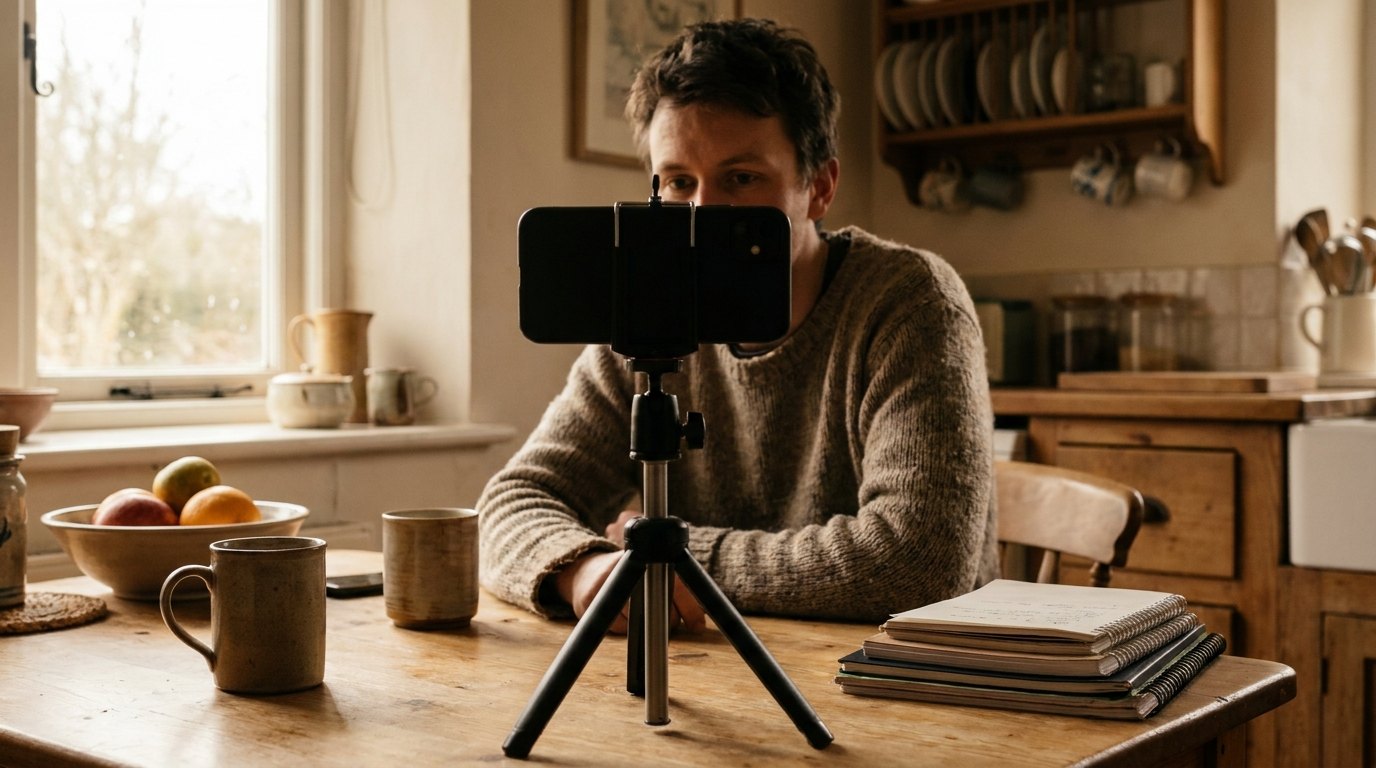
Hands free filming with a Magnetic Sport Ring with Stand.
Almost nobody stops because the ideas ran out. They stop because video ten costs the long day video one cost. YouTube counts over 3 million creators in the YouTube Partner Program, published in August 2026 with no methodology. None got there by buying a camera. They got there by running six stages until the stages stopped hurting: decide the shoot, capture it, get sound, deliver to the lens, cut it down, publish. How to start a vlog is a question about the loop.

Alt text: Person filming themselves with a phone on a stand
Table of Contents
- TL;DR
- Why a Repeatable Loop Beats a Better Camera
- Plan the Shoot Before You Touch the Camera
- Capture Enough Coverage to Cut With
- Getting Usable Audio in a Room You Do Not Control
- Talking to a Lens Without Freezing
- Cutting Forty Minutes Down to Eight
- Publishing Without Guessing
- The Partner Program Rules That Change on 1 February 2027
- Gear, Last, and Only What Removes a Bottleneck
- The Bottleneck Is Your Arm, Not Your Camera
- Final Thoughts
TL;DR
- Six stages, run the same way, make video ten cheaper than video one.
- Audio is two free decisions before a purchase: mic distance, and the room.
- The first thirty seconds is a published number in YouTube Studio.
- A fixed pass order ends an edit. Polishing before cutting kills one.
- YouTube's title test scores watch time, not clicks.
- Two separate changes land on 1 February 2027, and only one spares existing partners.
- Gear last.
Why a Repeatable Loop Beats a Better Camera
Most advice on how to vlog treats those six stages as separate skills, when they are a sequence. Beginners fail at the seams, where footage gets shot and never cut. Half the articles about how to create a vlog open with a camera comparison instead.
One harder reason to build the loop around a real face: in July 2025 YouTube renamed its "repetitious content" rule to "inauthentic content", per YouTube's channel monetization policies (YouTube Help), which ask that content "not be mass-produced, generic, repetitive, or manipulative". That is not an AI ban, and most vlogging for beginners advice skips it. How to create a vlog you will still be making in six months means pre making the decisions.
The Six Stages and Their Stall Points
Find your stall point before spending a cent.
- Decide the shoot. Stalls when the idea never narrows to a moment.
- Capture it. Stalls when you shoot only talking heads, with nothing to cut to.
- Get sound. Stalls in a hard empty room, or at arm's length in wind.
- Deliver to the lens. Stalls on the first take, always the worst.
- Cut it down. Stalls when polishing starts before selecting finishes.
- Publish. Stalls quietly: the file exists and it sits there.
The same loop runs to grow an audience on TikTok, only faster.
Plan the Shoot Before You Touch the Camera
A shot list is not a script: it names the moments you mean to capture and the coverage each needs, a wide, a medium on you talking, a detail or two. Every decision made there is one the edit does not have to make. Anyone learning how to vlog with iPhone owns the camera already, so planning is the lever left. Our guide to record video on iPhone has the settings.
The one page shot list
- Sentence a viewer repeats afterwards: ____
- Opening 30 seconds, word for word: ____
| # | Moment | Coverage | Beat to land |
|---|---|---|---|
| 1 | The thing I came for | Wide, medium, details | What I am trying |
| 2 | The part that takes longest | Medium, two details | Why it is hard |
| 3 | The part that goes wrong | Whatever the phone grabs | Honest reaction |
| 4 | The result | Detail, then medium | What I would change |
| 5 | Sign off | Medium at eye height | One line |
Write Beats Instead of Sentences
Full sentences are the wrong unit. Write beats instead, the one thing to land, in five words. Scripts produce recitation. Beats let you say it three ways and keep whichever sounded like you. The opening line and the sign off are the exception, and how to make a vlog that holds together starts by writing those two out.
Capture Enough Coverage to Cut With
B roll for a solo shooter means anything that covers a cut: three to six seconds per detail, held still, so you can delete your own rambling without the picture jumping.
The rest is a habit of handles. Start the camera, wait two seconds, then speak, and wait again before you stop, so every cut has somewhere clean to land. Restart a fluffed line from the top of the sentence. That is most of how to make a vlog that cuts together.
Getting Usable Audio in a Room You Do Not Control
Thin, echoey voice on otherwise decent footage is almost never a hardware fault. Two decisions cost nothing and fix most of it. RODE is blunt about the first in its guide to microphone technique: "the biggest mistake many content creators make is having the microphone too far away." The built in mics get the blame, but distance does the damage, so how to vlog on iPhone with usable sound starts by closing that gap.
Distance Is the Whole Trick
| Mic type | Working distance | Watch out for |
|---|---|---|
| Dynamic, handheld or desk | 2 to 6 inches | Plosives, handling noise |
| Condenser | 6 to 12 inches | Picks up the room |
| Lavalier on the chest | 20 to 30cm | Fabric rub under a collar |
| Boom, out of frame | A foot in front, above | Drifting into wide shots |
| Phone at arm's length | Fixed by your arm | Distant, reverberant, noisy |

Alt text: Lavalier microphone clipped to a grey shirt
RODE puts a lav "about a hand-span distance (20-30cm) from the mouth", kept "clear from any other piece of clothing that may rub against it". Set gain at real speaking volume. Or use your phone as a mic.
Where Wind Does Not Reach
Wind drives low frequency vibration in the diaphragm, landing as what RODE calls "a violent rumble". Omnidirectional capsules cope better, which is why most lav mics are omni, and foam windshields work best snug, "so that the wind flows around it rather than into it".
Some does come out afterwards: RODE puts wind noise "around the 20Hz to 250Hz range" and says cutting there can tame it, while calling a post production fix a last resort. Take a walking street vlog on a windy afternoon: a lav outside a jacket collar, rumble under every second sentence. Move the mic inside the shirt pocket and shoot behind a wall.
The Room Is Doing More Damage Than the Mic
Acoustician Nick Whitaker, quoted by Shure, explains why you miss your own room: "Your ears will try and neutralize the sound of the room when you're speaking". Listen back on headphones and there it is, "a slightly boxy sound, with a bit of reverb".
Soft material absorbs high frequencies, so carpets, curtains and a full bookshelf count, though composer Brian Crosby warns against overdoing it (he measured "a big dip at around two kilohertz" in his own room). A morning routine vlog shot in a tiled kitchen sounds fine live and boxy on headphones. Move the talking to the bedroom.
Talking to a Lens Without Freezing
A lens gives you nothing back. Your brain reads that as an audience refusing to react, and speeds you up. Burn the first take. Put the lens at eye height, since talking down into a phone changes posture and voice at once, and start before you feel ready.
Pew Research Center reported on 18 February 2025 that four in ten posts from the most popular TikTok creators contain speech, compared with 20% from the least popular creators. Read it as a correlation, not proof that talking causes anything.
Most vlogging for beginners guidance stops at "be yourself", which is useless. How to vlog in front of a lens is a set of physical habits, and how to vlog with iPhone adds one wrinkle: glance at the front camera preview once to set your framing, then stop looking at it. Reading your own face mid sentence is the fastest way to lose your thread.

Alt text: Person speaking to a phone propped at eye height
The First Thirty Seconds Is a Measured Number
YouTube's audience retention documentation says: "Intro tells you what percentage of your audience still watched your video after the first 30 seconds." A strong figure means the opening "matched the viewer's expectation of the video's thumbnail and title", and the fix list for a weak intro starts with "consider changing your video thumbnail and title". A weak hook is often a promise problem.
Cutting Forty Minutes Down to Eight
Editing is where most loops die, and the cure is a fixed pass order rather than more skill. Say a day trip leaves you forty minutes of clips and you want eight. The select pass, at double speed, throws out most of it before a timeline is open.
The Pass Order That Ends the Edit
Nothing later happens until every box above is ticked.
- Pass 1, select: watch everything at 2x, mark keepers, delete nothing
- Pass 2, structure: keepers in order, no transitions, no music
- Pass 3, tighten: every dead second and restatement removed
- Pass 4, cover: every jump patched with B roll
- Pass 5, finish: levels, music under dialogue, captions, color last
- Mix checked once on a real speaker, not earbuds
- Exported, uploaded, published

Alt text: Diagram of five edit passes in order
Learning how to edit a vlog is learning to hold that order under pressure. Skill decides how the finish looks; order decides whether you reach it.
What the Mobile Editors Cost Now
Prices quoted in older guides to how to edit a vlog no longer exist. Adobe released Premiere on iPhone (Adobe Newsroom) on 30 September 2025 as "a free app with powerful mobile editing tools". Apple went the other way on 28 January 2026, folding Final Cut Pro and Logic Pro into Apple Creator Studio (Apple Newsroom) at "$12.99 per month or $129 per year". Apple's Apple Creator Studio page adds the line that matters: "To open or edit a project, you need to be an active subscriber."
CapCut publishes no fixed global price; its US App Store subscriptions run about $7.99 to $19.99 a month. LumaFusion at $29.99 is the only significant one time purchase left. I would pick on export speed, because how to edit a vlog on a phone is settled by whether the app survives a long timeline. Our roundup of the best video editing apps goes wider, and how to vlog with iPhone comes down to whichever one crashes least.
Mix and Frame for a Screen You Cannot See
Phone vloggers mix on earbuds for an audience watching on a TV. Alphabet's ad reach data, reported in DataReportal's Digital 2026 Mid-Year Global Update Report published 22 April 2026, indicates nearly 6 in 10 YouTube viewers (59 percent) now see YouTube ads on connected TV, against 89.7 percent on mobile. In the United States, DataReportal adds, YouTube's connected TV viewers now outnumber its mobile viewers, though it cautions the rise may reflect "changes in how YouTube measures CTV audiences" rather than behavior. Knowing how to make a vlog that holds up in a living room means checking it on one.
Publishing Without Guessing
YouTube's title and thumbnail guidance leads with accuracy: "Make sure your title accurately represents the video. If not, viewers may stop watching." Front load the important words.
Thumbnails want 3840 x 2160 pixels for videos and 2160 x 3840 for Shorts on a verified account, and vertical uploads carry a trap, since YouTube's thumbnail specs warn that a 16:9 custom thumbnail on a vertical video gets "replaced by an auto-generated 4:5 thumbnail". Anyone deciding how to start a vlog on YouTube should shoot stills on the day. Cutdowns of the same shoot are how most people grow on Instagram.
What the Title Test Actually Measures
YouTube lets you "test and compare up to 3 different titles and thumbnails", and the combination "with the highest watch time will be shown to all viewers". Watch time, not click through rate. A thumbnail that pulls clicks and loses the viewer loses the test, worth knowing while working out how to start a vlog on YouTube.
Reading the Retention Graph Instead of Arguing About It
Gradual declines are normal: YouTube notes videos "generally taper off during the playback period". Dips mark moments viewers skipped or left. Spikes mark rewatched or shared moments, though it can also mean "your content isn't clear and your audience had to rewatch a section". The report lives only at video level, and the automatic highlighting of key moments needs a video "at least 60 seconds long" with "at least 100 views", a limit how to vlog for beginners guides leave out.
The Partner Program Rules That Change on 1 February 2027
YouTube announced the first significant Partner Program changes since 2018 on 10 August 2026, on the YouTube Official Blog (YouTube Official Blog). Two of them are separate changes.
The first is the entry bar: "New creators applying for YPP will need 8,000 qualified watch hours in the last 365 days, or 20 million qualified Shorts views in the last 90 days." That one spares people already inside. YouTube says so plainly: "This update won't impact creators already in YPP."
The second reaches everybody in the program. From 1 February 2027, "creators who have 10 million qualified Shorts views over the last 90 days will be eligible for ads and subscription revenue sharing on Shorts". An existing partner under that number loses Shorts revenue sharing while keeping YPP membership and long form earnings, and it resumes "automatically once they cross 10 million views again".
| Change | Today | From 1 February 2027 | Who it reaches |
|---|---|---|---|
| Entry for ads and Premium revenue sharing | 1,000 subscribers, plus 4,000 qualified watch hours in 12 months or 10 million qualified Shorts views in 90 days | 8,000 qualified watch hours in 365 days, or 20 million qualified Shorts views in 90 days. No published change to the 1,000 subscriber requirement | New applicants only |
| Shorts ads and subscription revenue sharing | Included with YPP | 10 million qualified Shorts views in 90 days | Everyone in YPP, existing partners included; long form still earns below it |
| Program terms | Current terms | Updated terms take effect | Review and accept in YouTube Studio by 31 January 2027 |
Qualified watch hours come from public long form videos, and YouTube's eligibility page notes that "any qualified watch hours from Shorts views in the Shorts Feed won't count towards the 4,000". How to start a vlog today means working toward the higher bar, which is worth planning around.
The Lower Tier and the Two View Counts
The expanded tier unlocks fan funding and some shopping without ad revenue: 500 subscribers, three public uploads in 90 days, and either 3,000 qualified watch hours in the last 12 months or 3 million Shorts views in 90 days.
One counting change trips up everyone. Since 31 March 2025 a Shorts view counts "the number of times a Short starts to play or replay, with no minimum watch time requirement", the older metric became Engaged views, and eligibility still runs on those. How to vlog on iPhone across both formats means reading two units, so compare a Short to a Short.
Gear, Last, and Only What Removes a Bottleneck
Every purchase below should trace to a stage that actually broke, which is why gear sits last. I would order upgrades by the problem each removes: something that props the phone, then a mic closer to your mouth. A vlogging kit for iPhone sold as a bundle was assembled by people who never saw your footage. The useful vlogging kit for iPhone gets built one item at a time.
USB-C iPhones take USB-C microphones, and Apple sells a clip on directional one at $89.95. The phone also does more than most how to vlog for beginners guides admit: per Apple's sound recording options, iPhone 16 and later cut wind noise automatically on Spatial Audio or Stereo.

Alt text: Phone on ring stand with microphone and earphones
Most mounting gear assumes a magnet ring, so what MagSafe actually is and phones with the best battery life matter more here than megapixels.
The Bottleneck Is Your Arm, Not Your Camera
Count the hours your arm does the work. Holding a phone at arm's length for a walk and talk. Propping it against a coffee cup to get in frame. Neither is stable, and neither survives a long take.
That is the whole job of the Magnetic Sport Ring with Stand, $39.99, an accessory rather than a camera upgrade. Three things earn their place. The triple magnet layout, front and back magnets plus a strong center magnet, holds the ring onto the case, so your fingers carry the phone instead of your whole arm. The low profile adjustable stand holds the phone upright or on its side, so one accessory covers a vertical cutdown and a horizontal edit. And it sticks to any magnetic surface for hands free use, which solves the propping.
Final Thoughts
What separates the people who reach video ten from those who stop before it is whether the same six stages happen the same way every time. Run the loop once this week, end to end, on something small. Then look at where it broke: a thin shot list, a room that ate your voice, a pass five that started before pass one finished. That is the only thing worth spending money on.

