Skip to content

25% OFF SITE WIDE | Use Code: MERRY25

FREE shipping on $45+ orders

FREE FedEx 2-Day on $79+ orders

60-Day Money Back Guarantee

  • Cases
    iPhone
    • Shop All iPhone Cases
    • iPhone 17 Pro MaxNew
    • iPhone 17 ProNew
    • iPhone 17 AirNew
    • iPhone 17New
    • iPhone 16 Pro Max
    • iPhone 16 Pro
    • iPhone 16 Plus
    • iPhone 16
    • iPhone 16e
    • iPhone 15 Pro Max
    • iPhone 15 Pro
    • iPhone 15 Plus
    • iPhone 15
    • iPhone 14 Pro Max
    • iPhone 14 Pro
    • iPhone 14 Plus
    • iPhone 14
    • More iPhone Cases...
    Galaxy
    • Shop All Galaxy Cases
    • Galaxy S25 ULTRA
    • Galaxy S25 Edge
    • Galaxy S25+
    • Galaxy S25
    • Galaxy S24 ULTRA
    • Galaxy S24+
    • Galaxy S24
    • Galaxy S23 ULTRA
    • Galaxy S23+
    • Galaxy S23
    • Galaxy S22 ULTRA
    • Galaxy S22+
    • Galaxy S22
    • Galaxy S21 ULTRA
    • Galaxy Note 20 ULTRA
    Google
    • Google Pixel 10 Pro XLNew
    • Google Pixel 9 Pro XL
    • Google Pixel 8 Pro
    iPad
    • iPad Air 4/5 and 11” Pro
    • Don't see your device?
  • Mounts
    Car Mounts
    • All Car Mounts
    • Swivel Mounts
    • Suction Mounts
    • Vent Mounts
    • Dash Mounts
    Motorcycle Mounts
    • All Motorcycle Mounts
    • Mount Charging HeadNew
    • Pro Ball Mount
    • Handlebar Mount
    • Perch Mount
    • Stem Mount
    • Small Bar Mount
    • Vibration Dampener
    Bike Mounts
    • All Bike Mounts
    • Over The Top Mount
    • Stem Mount
    • Sport Handlebar Mount
    Universal Mounts
    • All Universal Adapters
    • Magnetic Tripod Mount
    • Universal Adapter
    • RAM® Ball Adapter
  • Power
    Power Banks
    • 5,000mAh Power Bank
    • 10,000mAh Power Bank
    Charging Mounts
    • Windshield Car Charger
    • Dash Car Charger
    • Vent Car Charger
    • RokLock™ Wireless Charger
    • Moto Mount Charging Head
    • Tripod Phone Mount/Adapter
    Charging Accessories
    • 100W USB-C Charging Cable
    • Wireless Charging Stand
    • 30W Dual USB-C 12V Car Charger
    • 12V USB-C Motorcycle Adapter

    Charging made simple

    Meet the Magnetic Wireless Charging Stand.

    Power On The Go

    Stay charged wherever, and whenever.
  • Accessories
    Accessories
    • All Accessories
    • Magnetic Fuzion Wallet
    • Magnetic Sport Ring
    • RokLock™ Sport Ring
    • AirTag Holder
    • Premium Lanyard
    • Lanyard
    • USB-C Port Covers
    Screen Protectors
    • iPhone 17
    • iPhone 16
    • iPhone 15
    • iPhone 14
    • iPhone 13
    • iPhone 12
    • iPhone 11
    • S25 ULTRA
    • S24 ULTRA
    Camera Lens Protectors
    • iPhone 17
    • iPhone 16
    • iPhone 15
    Universal Adapters
    • All Universal Adapters
    • Universal Adapter
    • RAM® Ball Mount
    Replacement Parts
    • Magnetic RokLock™ Plug
    • RokLock™ Upgrade
    • RokLock™ Adhesive Disc
    • Tape Dot Replacement
    • Bar Mount Spacers
  • Golf

    G-ROK PRO Wireless Speaker

    All-New G-ROK PRO is available now!

    G-ROK Wireless Speaker

    The award-winning Golf Speaker.

    Golf Shooter Pro

    Perfect your swing.
    G-ROK Pro Bluetooth Golf Speaker Red/White/Blue

    Limited Edition G-ROK PRO Speaker in RWB

    Let freedom sing.
  • Coming Soon
Rokform Rokform Logo
Rewards 0
      • Shop All iPhone Cases
      • iPhone 17 Pro MaxNew
      • iPhone 17 ProNew
      • iPhone 17 AirNew
      • iPhone 17New
      • iPhone 16 Pro Max
      • iPhone 16 Pro
      • iPhone 16 Plus
      • iPhone 16
      • iPhone 16e
      • iPhone 15 Pro Max
      • iPhone 15 Pro
      • iPhone 15 Plus
      • iPhone 15
      • iPhone 14 Pro Max
      • iPhone 14 Pro
      • iPhone 14 Plus
      • iPhone 14
      • More iPhone Cases...
      • Shop All Galaxy Cases
      • Galaxy S25 ULTRA
      • Galaxy S25 Edge
      • Galaxy S25+
      • Galaxy S25
      • Galaxy S24 ULTRA
      • Galaxy S24+
      • Galaxy S24
      • Galaxy S23 ULTRA
      • Galaxy S23+
      • Galaxy S23
      • Galaxy S22 ULTRA
      • Galaxy S22+
      • Galaxy S22
      • Galaxy S21 ULTRA
      • Galaxy Note 20 ULTRA
      • Google Pixel 10 Pro XLNew
      • Google Pixel 9 Pro XL
      • Google Pixel 8 Pro
      • iPad Air 4/5 and 11” Pro
    Don't see your device?
      • All Car Mounts
      • Swivel Mounts
      • Suction Mounts
      • Vent Mounts
      • Dash Mounts
      • All Motorcycle Mounts
      • Mount Charging HeadNew
      • Pro Ball Mount
      • Handlebar Mount
      • Perch Mount
      • Stem Mount
      • Small Bar Mount
      • Vibration Dampener
      • All Bike Mounts
      • Over The Top Mount
      • Stem Mount
      • Sport Handlebar Mount
      • All Universal Adapters
      • Magnetic Tripod Mount
      • Universal Adapter
      • RAM® Ball Adapter
      • 5,000mAh Power Bank
      • 10,000mAh Power Bank
      • Windshield Car Charger
      • Dash Car Charger
      • Vent Car Charger
      • RokLock™ Wireless Charger
      • Moto Mount Charging Head
      • Tripod Phone Mount/Adapter
      • 100W USB-C Charging Cable
      • Wireless Charging Stand
      • 30W Dual USB-C 12V Car Charger
      • 12V USB-C Motorcycle Adapter

    Charging made simple

    Meet the Magnetic Wireless Charging Stand.

    Power On The Go

    Stay charged wherever, and whenever.
      • All Accessories
      • Magnetic Fuzion Wallet
      • Magnetic Sport Ring
      • RokLock™ Sport Ring
      • AirTag Holder
      • Premium Lanyard
      • Lanyard
      • USB-C Port Covers
      • iPhone 17
      • iPhone 16
      • iPhone 15
      • iPhone 14
      • iPhone 13
      • iPhone 12
      • iPhone 11
      • S25 ULTRA
      • S24 ULTRA
      • iPhone 17
      • iPhone 16
      • iPhone 15
      • All Universal Adapters
      • Universal Adapter
      • RAM® Ball Mount
      • Magnetic RokLock™ Plug
      • RokLock™ Upgrade
      • RokLock™ Adhesive Disc
      • Tape Dot Replacement
      • Bar Mount Spacers
  • G-ROK PRO Wireless Speaker

    All-New G-ROK PRO is available now!

    G-ROK Wireless Speaker

    The award-winning Golf Speaker.

    Golf Shooter Pro

    Perfect your swing.
    G-ROK Pro Bluetooth Golf Speaker Red/White/Blue

    Limited Edition G-ROK PRO Speaker in RWB

    Let freedom sing.
  • Coming Soon
AccountRewards

Search Quick Links

  • iPhone 17 Pro Max
  • iPhone 16 Pro Max
  • Camera Lens Protectors
  • Rokform Warranty
  • USB-C Port Cover
  • Car Mounts

25% OFF SITE WIDE

Use Code: MERRY25 | Sale Ends 12/22

Cart

Your cart is empty

Start shopping
  1. Home
  2. Rokform Blog
  3. iPhone Digital ID: Why Plastic Cards Are Finally Going Extinct
Old-school paper documents are becoming obsolete. Your iPhone digital ID is the only proof you need to carry
Lifestyle

iPhone Digital ID: Why Plastic Cards Are Finally Going Extinct

Game on in 2026: Top 17 Android Games to Look For Reading iPhone Digital ID: Why Plastic Cards Are Finally Going Extinct 20 minutes
By Jessica PetyoDec 20, 2025 0 comments
Tags
  • Lifestyle
  • Tech
Share
Facebook Pinterest Twitter E-mail
Share

Bulky wallets had a good run, but it’s time to admit they’re dead weight. You’re still carrying receipts from 2018, a half-punched coffee card from a place that closed three years ago, and at least one gym membership you definitely don’t use. That brick in your back pocket isn’t “prepared.” It’s clutter. The iPhone digital ID is what happens when your license catches up to the way you actually live - on your phone, not in a worn-out leather wallet.


Your iPhone already talks to your friends, pays for your groceries, unlocks your car, and controls half the gadgets in your house. Now it proves you are you. Instead of digging for a plastic card, your identity lives in Apple Wallet, ready to go the second you unlock your phone with Face ID. In fact, it's rolling out in the real world right now, with iPhones that support Apple Intelligence and beyond, as agencies line up to allow digital ID.


Think of this as a hard reset on how ID is supposed to work. No extra app to babysit or grainy photos of your license saved in your camera roll. Just a legit, verified ID that sits next to your cards and boarding passes, designed to be faster, more secure, and a lot harder to lose. In this guide, you’ll see how iPhone digital ID works, what makes it safer than old-school plastic, and how to set it up yourself. By the end, you won’t be asking if physical cards are going extinct - you’ll be wondering why they’re still around at all.

Quick Links

The Old School Wallet is Dead What the Heck is an iPhone Digital ID? Why You Should Care (Like, Right Now) The Airport Experience: Fly Like a Boss Privacy That Actually Works Is iPhone Digital ID Actually Safe? You bet it is How to Get This iPhone Digital ID Magic Working Where Can You Actually Use It? Protect Your Digital Life Final Word

TL;DR

Kick that wallet to the curb because your iPhone took its job

Prove you are you with Face ID and skip digging around in your pocket

Fly right through TSA PreCheck while others are still fumbling with paper

Keep your home address private since this ID only shows what matters

Get verified fast by scanning your card and snapping a selfie

Use it right now in major states like California, Arizona, and Georgia

Show your ID at Georgia traffic stops without handing over your phone

Nuke your data remotely if you lose your phone so thieves get nothing

Protect your digital life with a Rokform case or risk losing everything to gravity

The Old School Wallet is Dead

Before digital IDs, the wallet was the default catch‑all: cash, cards, IDs, and a decade’s worth of “just in case” clutter. Now that your iPhone can handle payments, navigation, and secure identity checks, the old-school wallet is starting to look like a relic from a slower, heavier era.

Why We Hoard Junk

Most wallets don’t get messy overnight - they slowly turn into time capsules. A “keep it for now” receipt turns into a stack, a one‑time gift card squats in a slot for years, and punch cards from three coffee shops never quite make it to the trash. The problem isn’t just the bulk; it’s that every checkout or ID check becomes a mini dig through stuff you don’t actually use. The iPhone digital ID slices that friction out of your daily routine by moving identity to a place that’s actually organized and searchable instead of overstuffed and forgotten.

The Minimalist Movement

There’s a reason people rave about cleaning out their everyday carry - it literally feels lighter. Swapping a thick wallet for a slim card holder or, better yet, letting your iPhone handle payments and ID, cuts down on decision fatigue and physical clutter. Less in your pockets means fewer things to misplace and fewer “did I forget my wallet?” moments when you’re halfway to the door. Digital ID fits that minimalist mindset perfectly: you trade a stack of plastic for a single, smart credential that lives right next to your cards, passes, and even your boarding pass in Apple Wallet.

Your Phone Has Taken Over

Look at what your phone already does: it's your camera, your bank, your boarding pass, your GPS, and your key to smarter iPhone car phone mounts and accessories when you're on the road. Adding ID to that list is the logical next step. When your driver’s license sits inside Apple Wallet, protected by Face ID, it turns your iPhone into a one‑stop hub for everyday life - no extra card shuffle required. The same device you use to pay, navigate, and snap photos now helps you prove who you are, so the thick wallet in your back pocket finally loses its last excuse to exist.

What the Heck is an iPhone Digital ID?

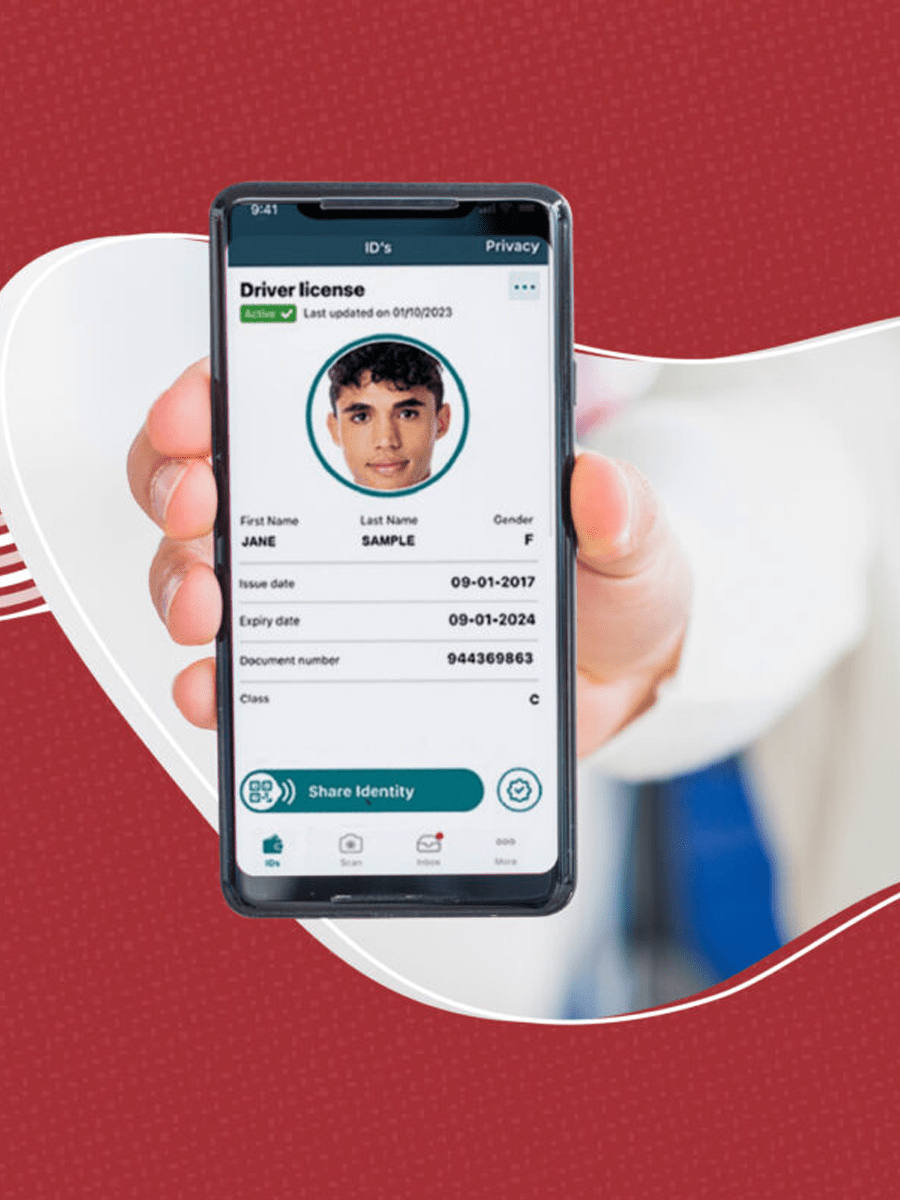
So let’s clear this up: iPhone digital ID is not a screenshot of your license living in your Photos app. That’s just a jpeg with a hero complex. This is a verified, state‑issued digital version of your ID that lives inside Apple Wallet, built to be scanned, checked, and trusted in the real world. It sits right next to your cards and boarding passes, but it behaves very differently—locked behind Face ID or Touch ID, tuned for quick checks, and designed so you’re in control of what gets shared and when.

A close-up of an iPhone screen, showing a verified iPhone digital ID card inside an Apple Wallet
Source: Apple - This isn’t some blurry photo in your camera roll. This is a secure, verified iPhone digital ID - ready for the real world.

It’s Not Just a Photo

The biggest myth? That “digital ID” means you took a picture of your license and called it a day. That’s not secure, and it definitely isn’t official. The iPhone digital ID is a legit, verified credential issued through Apple Wallet, using your state’s or agency’s process - not your camera roll. It lives in Wallet, right next to your credit and debit cards, and it actually behaves like a smart ID: you can use biometrics to unlock it, present only the details someone needs to see, and let systems verify it electronically instead of someone squinting at plastic under bad lighting.


Physical ID Card vs iPhone Digital ID:


Here’s how it stacks up:


Feature

Physical ID Card

iPhone Digital ID

Security

No protection if lost or stolen

Biometric lock plus on‑device encryption

Information Control

Shows all your data every single time

Lets you share only what’s needed (like 21+ status)

Remote Protection

Can’t be disabled once it’s gone

Can be disabled or wiped remotely via Find My

Verification Speed

Manual inspection and guesswork

Instant cryptographic verification where supported

Backup Access

One card, lose it and you’re stuck

Can be restored from your iCloud backup on a new iPhone

Fraud Protection

Easier to clone or fake visually

Multiple authentication layers and device‑bound keys


This is why Apple is quietly turning Wallet into more than a place for cards - it’s becoming the place your identity lives when you’re not pulling out the physical version.

A Fort Knox in Your Pocket

Under the hood, your ID data doesn’t just float around your phone. It’s stored in what Apple calls the Secure Element - a dedicated, tamper‑resistant chip that works like a tiny bank vault sealed inside your iPhone. That vault only opens when you unlock it with your face or fingerprint, and even then, it only hands over the specific details the other side is allowed to see.


Compare that to a physical wallet. If you drop it at a bar or in an Uber, whoever finds it gets everything: your full name, address, birthday, sometimes even donor status and more. With iPhone digital ID, they get nothing. Your phone stays locked, your ID stays locked, and you have the nuclear option of logging into iCloud and wiping the whole device if you need to. Old‑school plastic can’t do that - no remote switch, no vault, just hope and a stressful call to the DMV.

How It Actually Looks

On screen, your digital ID shows up as a clean, card‑style tile inside Apple Wallet, sitting alongside your payment cards, transit passes, and boarding passes. It looks familiar on purpose: photo, name, issuing state, the usual details - but when it’s “active,” you’ll see subtle animations and prompts that confirm it’s being securely presented, not just displayed like a static image.


When you use it, you don’t hand your phone over and hope for the best. You authenticate with Face ID or Touch ID, hold your iPhone near a reader or confirm on screen, and the system does the rest - verifying your ID in the background without turning your device into a free‑for‑all. It feels less like flashing a card and more like tapping into a feature that should have been there all along. If you're tracking iPhone 18 rumors, the iPhone Fold (aka Ultra), or the iPhone Flip, they'll almost certainly lean even harder into Wallet‑powered everything with features like liquid-metal hinge and silicon-carbon battery tech.

Why You Should Care (Like, Right Now)

What happens when time is short, groceries are piling up, and identity checks loom at the register? The iPhone digital ID changes the game by removing friction, boosting privacy, and keeping your day moving. These next sections zoom in on real-life moments where speed matters, cleanliness matters, and identity should be a tap, not a rummage.

A lost physical wallet lying on the pavement with cash and cards visible
Source: Smithsonian Magazine - That gut-punch feeling you get when you lose your wallet is gone. Keep your identity locked in your iPhone digital ID, so you never have to panic again.

The "Oh Crap" Moment

Picture the moment you realize your wallet is missing. A gut-punch of panic, a surge of adrenaline, and a line that seems to stretch out forever as the cashier waits. In that instant, the only thing you want within reach is your phone. The fix is simple: with iPhone digital ID, that panic vanishes. Your phone stays in your hand, you authenticate, and you keep buying what you came for. The system can revoke or disable the ID if needed, so there’s no scramble, no drama.

Speed is King

Slow cards, slow days. Digging through wallets, hunting for the right slot, waiting for a reader - these little delays add up and steal precious minutes. Time matters when there’s a line behind you. A quick tap with the iPhone digital ID finishes the transaction. That’s faster than fishing for plastic ever could be.

Contactless is the New Standard

The “gross factor” of handing a card to a stranger - someone else touching your card, you touching it back—becomes a non-issue with digital ID. It’s sleek, modern, and quietly confident. With iPhone digital ID, there’s no handover of your device - tap or show, keep the phone in hand, and move on. It’s smarter for you and easier for everyone around you.


Before, you had to rely on eyeballing plastic and hoping for the best. Now different businesses can plug into digital ID and actually trust what they’re seeing while keeping things moving:


Business Type

Traditional ID Issues

Digital ID Solutions

Restaurants/Bars

Staff guessing and training around fake IDs

Automated, tech-driven verification

Retail Stores

Handling cards and documents isn’t exactly clean

Fast, contactless ID checks

Online Services

Clunky manual document uploads and reviews

Instant, in-app digital verification

Entertainment Venues

Long ID lines that kill the vibe

Rapid, high-volume ID processing

Delivery Services

Drivers meeting unknown customers face-to-face

Secure remote identity verification

The Airport Experience: Fly Like a Boss

Airports are chaotic with a capital C. Kids screaming, bags everywhere, and a schedule breathing down your neck. The iPhone digital ID changes the airport game by cutting through the noise, letting you move with purpose rather than panic. These sections lay out the airport moment from TSA checkpoint to boarding gate, highlighting how digital ID works with TSA PreCheck, reduces juggling, and adds that unmistakable cool factor.

TSA PreCheck Just Got Better

Think about being at the airport: the chaos, the sounds of rolling suitcases, kids wailing, and a long line that seems to be moving in slow motion. In the middle of the fray, you tap, walk, and keep moving. This works especially well with TSA PreCheck because the digital ID integrates at touchpoints where TSA PreCheck already shines. You're through security and on your way before most people have found their boarding passes in their pocket. It feels like a cheat code - while everyone else messes with licenses and tickets, you’re already on your way, shoes back on and stride full speed onto the concourse.

No More Juggling Act

We all haul so much through the airport: luggage, coffee, jacket, phone, boarding pass, and ID. It’s too much. The fix is simple: consolidate. Your phone becomes the pass and the ID. One hand is free to cradle that coffee while you glide through walls of people parting like you own the place. It’s the ultimate win in a world where every extra second counts.

The Cool Factor

There’s real confidence in using the latest tech at the airport. You approach the TSA line, the agent nods, the light goes green, and you move through without hesitation. That look from the agent says it all: you’re traveling with purpose, not friction. You keep your pace, carry yourself with ease, and glide to your gate.

A TSA agent looking at a security monitor that confirms a traveler’s identity
Source: Dallas Innovates - While everyone else is still messing with papers, you get the green light with iPhone digital ID.

Privacy That Actually Works

Privacy isn’t an optional feature. It’s basic, and the iPhone digital ID keeps control in your hands. This section cuts to the chase on oversharing, clears up myths, and keeps security obvious and simple.

Stop Oversharing Your Info

The creep factor is real: handing a bouncer your physical driver's license, means handing over physical address, birth date, and home details to someone who doesn’t need to know. That’s extra information you don’t owe at the door. The reality is plain: that data isn’t anyone’s business at check.


The fix is precise: iPhone digital ID shows only what’s needed for the check - “Is this person 21?” - and the phone says yes without exposing anything else. The bouncer never sees your address or private details.

Apple Doesn't Know Who You Are

All the conspiracy chatter aside, Apple isn’t tracking your moves or tying purchases to you. The meaningful data lives on your device, not in Apple’s servers. This means that your business stays yours, and verification happens locally, not in the cloud.

The Screen Stays Locked

Privacy is practical. You don’t hand over an unlocked phone for a check. You authenticate with your face, the needed data is sent, and the device stays locked the entire time. No photo rummaging, no backdoors - privacy stays intact from tap to tap.

Is iPhone Digital ID Actually Safe? You bet it is

Your phone holds the keys to your life, and iPhone digital ID is built to keep them locked down. Here's how the security stacks up.

Your Face is the Key

Drop a plastic license and anyone can use it. iPhone digital ID requires Face ID or Touch ID - biometric security that needs you present. A thief can't fake your face, so the ID stays locked.

Physical Wallets are Risky

Physical wallets have zero encryption. They're leather and plastic with no protection. Old school isn't always safer - sometimes it's just vulnerable.

The "Nuke It" Option

Phone stolen? Log into iCloud, wipe the device, and your ID vanishes instantly. The thief gets nothing. You can't remotely wipe a physical wallet. That's the ultimate security edge.

How to Get This iPhone Digital ID Magic Working

Setting up an iPhone digital ID is straightforward. Here's the quick path from start to verified.

Pre-Flight Checklist

You need the latest iOS, a valid physical ID (no expired cards), and decent lighting. Don't try this in a dark room.

The Setup

To add your driver’s license, first, open the wallet app on your iPhone. Then, tap the plus button, scan your card front and back, then take a selfie. You'll move your head during the selfie - it matches your face to the card and stops fraud. The state has to approve, so it might take minutes or a day. Be patient.

Troubleshooting

Sometimes it fails. Clean your camera lens, place the card on a black background, hold your hand steady, and skip the extra coffee before scanning.

A side-by-side view of the Apple Wallet interface showing the simple steps to select and add a driver
Source: 9to5Mac - You don't need a manual for this. Just tap "Driver's License," follow the prompts, and your iPhone digital ID is ready for action.

Where Can You Actually Use It?

iPhone digital ID isn’t a magic key for every door yet, but it’s already useful in more places than most people think. Here’s where it works today, where it’s growing, and how it may show up the next time you see blue lights in the rearview.

The State Rollout List

Right now, only certain states let you drop your ID into Apple Wallet, so this isn’t a “50 states on day one” situation. According to 9to5Mac, heavy hitters like Arizona, California, Colorado, Georgia, Maryland, Ohio, Hawaii, Iowa, Montana, New Mexico, North Dakota, West Virginia, Illinois, plus Puerto Rico are already living in Apple Wallet, and California also runs its own pilot program. More states are actively working on mobile licenses, so if you don’t see yours on Apple’s list yet, it’s a “not yet” situation - check your state’s DMV site and Apple's “ID in Wallet” page to see if you’re up next.

Retailers and Apps

This tech isn’t just for airports. Some retailers already use digital ID for age checks at the counter, cutting card handling and speeding the line. Apps and online services are starting to plug into digital ID for quick identity and age verification instead of uploads and reviews. It’s early, but the direction is clear: more apps, more stores, fewer steps.

The Future of Cops and Stops

Traffic stops are where this matters. Georgia now lets drivers present a digital ID from Apple Wallet at a stop. This way, you can avoid rummaging through your wallet while an officer watches. But it isn’t universal yet - officers need the right scanners and laws vary, so ask first and keep your physical card as backup.

The Downside

Dead battery kills proof. If the screen is black, no ID, no pass. Keep devices charged and don’t be the line nightmare. If someone says “not accepted here,” don’t argue - pull out the plastic. The iPhone ID is a backup, not a replacement; not every cop or venue accepts digital, so carry the real license.

Android vs. iPhone: The Showdown

Android users aren’t left out, but the iPhone path is smoother thanks to tighter integration, especially with Apple Watch. Digital IDs speed things up where supported, but expect variation. Keep the plastic as the safe baseline and use digital IDs where accepted.

Protect Your Digital Life

Your phone is your lifeline. It holds money, ID, photos, and access. If it dies or shatters, you’re stuck - no proof, pass, or plan B. Keep it safe the Rokform way: armored, accessible, always ready.

Two Rokform iPhone 17 cases (in Rugged and Crystal) featuring magnetic mounting tech
Your identity is only as safe as your phone. Lock it down with a Rokform case that handles the hits so your iPhone digital ID always stays ready for action.

Your Phone is Now Your Life

The device is your wallet, your gallery, your ID - all-in-one. A ruined phone equals a ruined trip. That's why iPhone protection with the toughest phone cases is a must. Treat it like vital gear and protect it with purpose.

Gravity is the Enemy

Slippery screens meet hard pavement. One drop can derail a trip. Grip, protection, and a willingness to drop-proof the device are non-negotiables.

Magnetic Mounting for the Win

Our Rokform magnets keep the phone rock-solid on the dash. It stays put, your ID stays in reach, and you stay in control.

Why Rokform is the Smart Choice

Tough isn't optional. At Rokform, we build for real life with the most protective phone cases available - military-grade armor, magnetic mounting, tough cases that endure. If identity rides on a glass slab, armor it with Rokform.

Final Word

Armor up your identity. Your iPhone digital ID is powerful, but it isn't a shield on its own. Pair it with our Apple cases, and you get impact protection ratings that matter, magnetic mounting, and a case that keeps pace with real life. Travel light, stay protected, and keep your proof where it belongs - on you and in your Rokform case. Welcome to the future of safe, rugged mobility.

More from Rokform

  • Best Vent Car Mounts for Apple Enthusiasts

  • Top 9 Apple Phone Accessories

  • The Ultimate iPhone 17 Pro Accessories Roundup

  • 17 iPhone Models that Support Apple Intelligence

Continue reading

android games

Game on in 2026: Top 17 Android Games to Look For

Leave a comment

All comments are moderated before being published.

This site is protected by hCaptcha and the hCaptcha Privacy Policy and Terms of Service apply.

Newsletter

Text "SIGNUP" to 34297 for SMS Updates.

Support

  • Contact Us
  • Terms of Promotion
  • My Account
  • Shipping Information
  • Military and First Responder Discount
  • Reviews
  • Find a Dealer
  • Contact Us
  • Terms of Promotion
  • My Account
  • Shipping Information
  • Military and First Responder Discount
  • Reviews
  • Find a Dealer

About

  • About Us
  • Rokform Giveaway
  • Rokform Rewards
  • Rokform Rewards Terms and Conditions
  • Blog
  • Dealer Locator
  • Become a Dealer
  • B2B
  • What is MAGMAX?
  • Patents
  • Case Comparison
  • About Us
  • Rokform Giveaway
  • Rokform Rewards
  • Rokform Rewards Terms and Conditions
  • Blog
  • Dealer Locator
  • Become a Dealer
  • B2B
  • What is MAGMAX?
  • Patents
  • Case Comparison

Policies

  • Return Policy
  • Warranty Policy
  • Accessibility Policy
  • Terms of Service
  • Privacy Policy
  • California Privacy Notice
  • Notice of Financial Incentive
  • Your Privacy Choices
  • Return Policy
  • Warranty Policy
  • Accessibility Policy
  • Terms of Service
  • Privacy Policy
  • California Privacy Notice
  • Notice of Financial Incentive
  • Your Privacy Choices
California Consumer Privacy Act (CCPA) Opt-Out Icon Your Privacy Choices

Premium handheld innovation.