


Table of Contents
The Ergonomic Paradox We Created
Why Your Thumb Hurts More Than It Should
The Real Cost of Convenience Design
What Happens When Your Hand Never Closes Fully
Single-Handed Use Isn't Actually the Goal
Grip Placement Changes Everything
The Magnetic Advantage Nobody Considers
Rethinking How We Hold Technology
A Better Way to Hold What Matters
Final Thoughts
TL;DR
Quick version: Phone grips were supposed to stop you from dropping your phone, but they've actually wrecked your grip strength by forcing your hand into the same position for hours. The placement matters, magnetic ones are better because you can actually put your phone down, and honestly? The best grip is the one that makes it easy to stop holding your phone.
The Ergonomic Paradox We Created
Your phone weighs less than a can of soda. So why does your hand feel like garbage after using it? Why can't you make a fist without your fingers feeling stiff? Why does your thumb hurt in that weird spot near your wrist that you can't quite massage away?
Because that pop socket you stuck on the back (the one that was supposed to help) is actually making it worse.
We solved dropping phones. Cool. The global phone grips market is expected to grow from approximately USD 1.2 billion in 2023 to an estimated USD 2.7 billion by 2032, driven largely by rising awareness about ergonomic solutions to prevent hand strain. The irony? Many cell phone grips are creating the very problem they claim to solve.
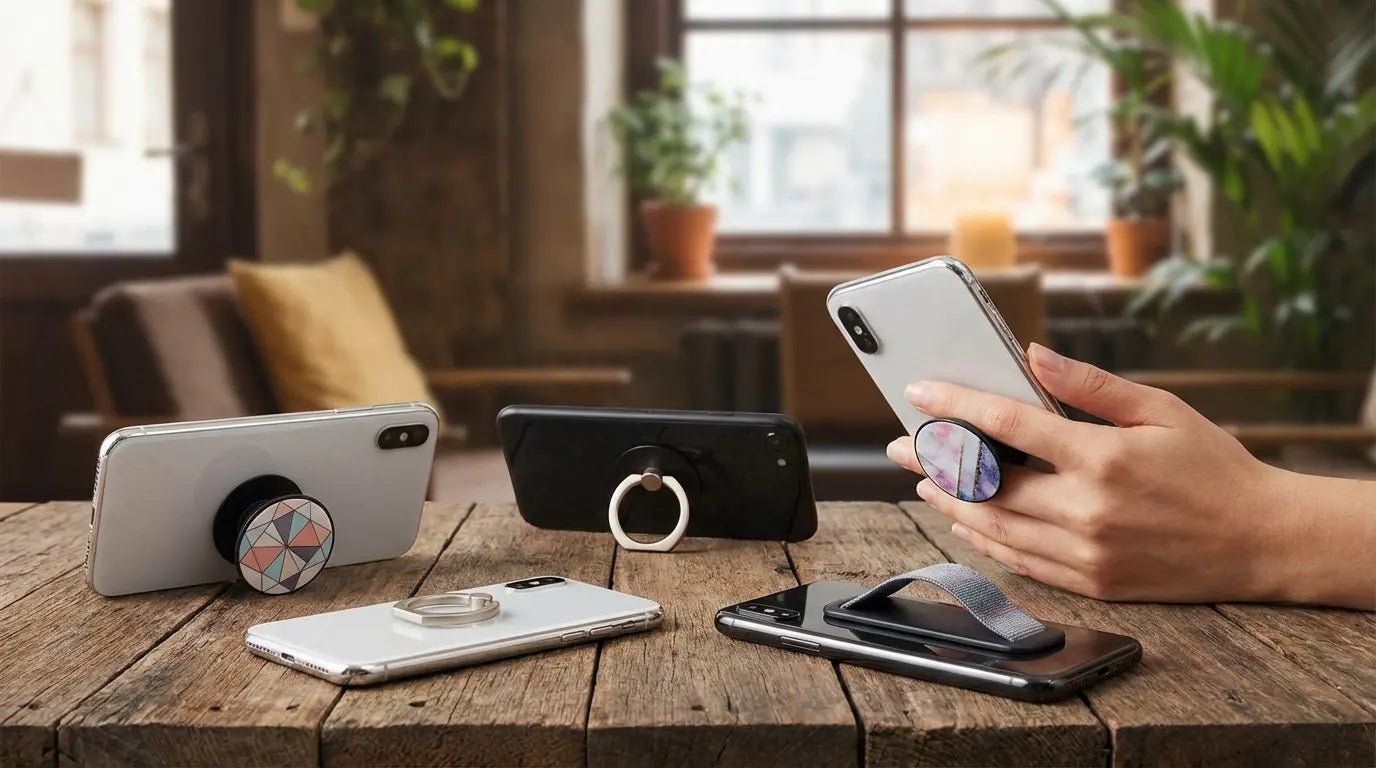
Phone grips entered the market as a safety feature. Drop your expensive device less often, the pitch went, and you'll save money on repairs. Fair enough. The logic was sound, and the adoption rate proved it. Within a few years, those mushroom-shaped pop sockets and metal ring holders became as common as phone cases themselves.
But we missed something critical in that transition. We optimized for preventing a split-second accident (the drop) while completely ignoring what happens when you're locked in the same hand position for 4-6 hours daily.
Think about what your hand does naturally when it holds something. It adjusts. Fingers shift position, the thumb rotates, your wrist angles change to prevent fatigue. You don't maintain a death grip on a coffee mug for twenty minutes straight because your body knows better. It cycles through tiny adjustments that distribute the load and keep blood flowing.
Phone grips interrupt that cycle.
They create a fixed point that your hand has to work around instead of with. Your fingers find the grip, lock into position, and stay there. Because moving means losing that secure hold you installed the phone grip to achieve in the first place. It's a trap.
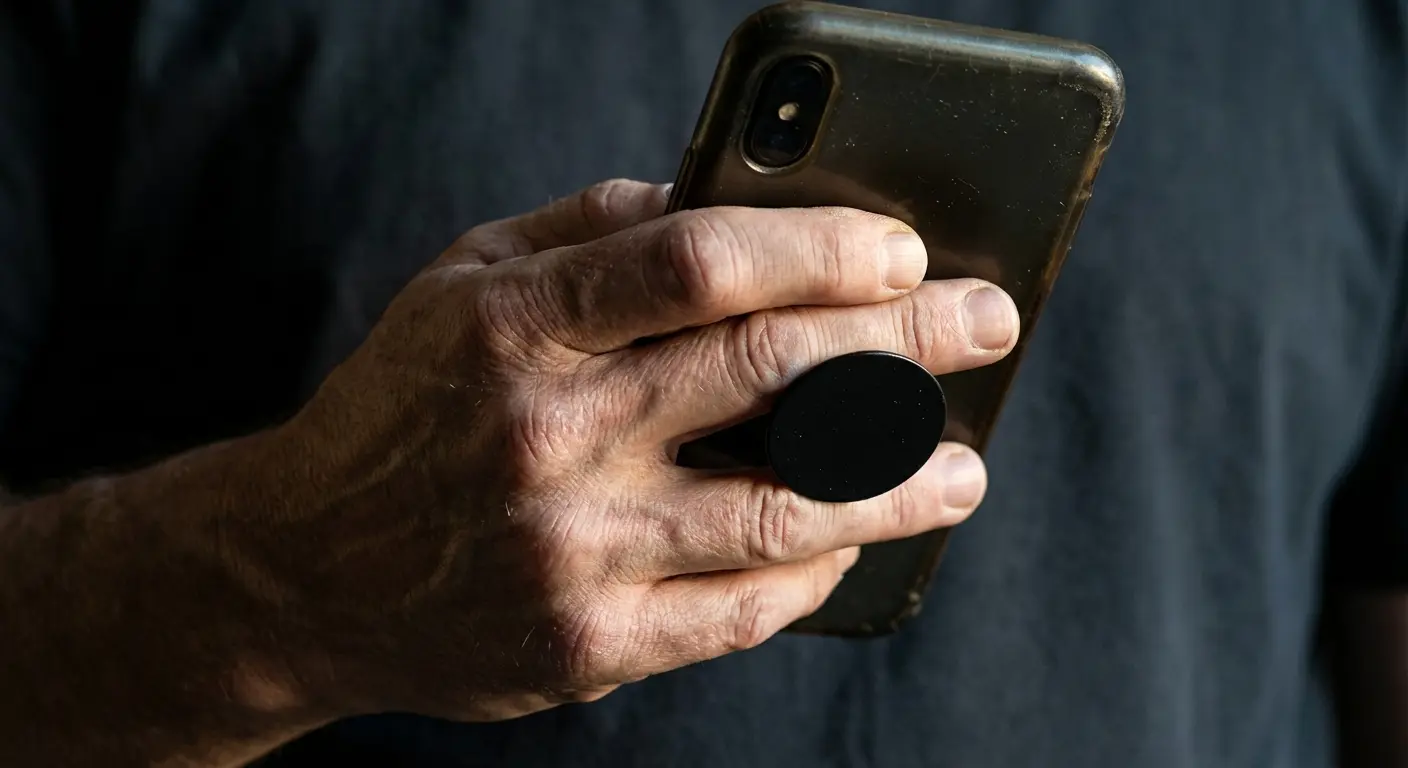
Picture a typical morning commute. You're standing on a crowded train, one hand gripping the rail, the other scrolling through news on your phone with a pop socket wedged between your middle and ring fingers. Your thumb stretches across the screen repeatedly for 35 minutes. Your fingers stay hooked in that same curved position the entire time.
When you finally put your phone away, your hand feels stiff and slightly sore. You shake it out, maybe flex your fingers a few times, and forget about it.
But your hand remembers.
Do this five days a week for a year, and those temporary stiffness episodes become chronic discomfort. Ask me how I know.
Why Your Thumb Hurts More Than It Should
The human thumb wasn't built for the kind of stretching and sideways movement that modern phone use demands. When you add a cell phone grip to the mix, you're asking your thumb to maintain that extended position while also pushing against the grip itself to keep everything stable.
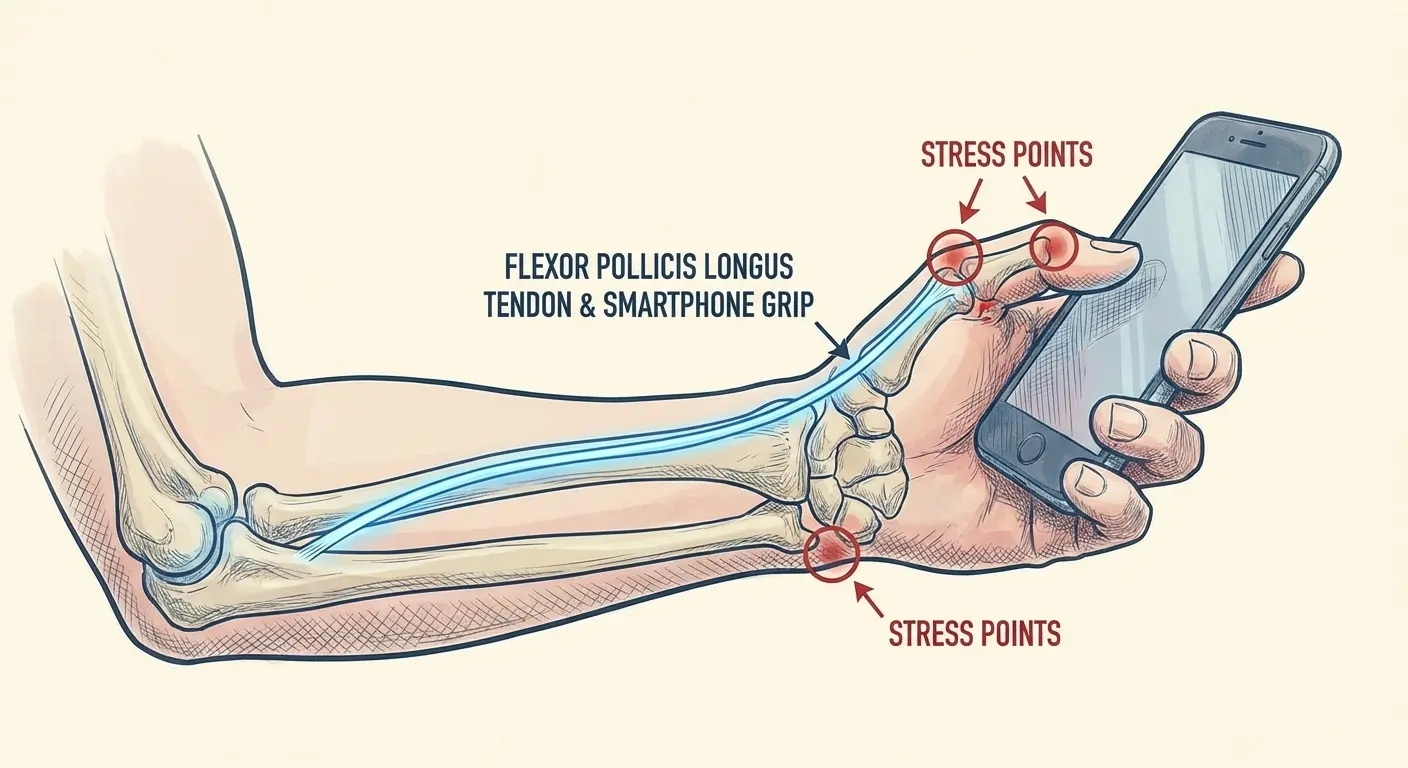
There's this tendon (flexor pollicis longus, if you want the fancy name) that runs from your forearm into your thumb. Every swipe, every scroll, every tap happens while this tendon is working overtime to keep your phone stable in your grip-assisted hold. That's not what it evolved to do.
Here's what happens during a typical phone session with a cell phone grip attached: Your fingers wrap around the device and hook onto or through the grip. Your thumb extends across the screen to interact with content. Your wrist bends slightly inward to bring the screen to the right viewing angle. All three of these positions create constant, low-level strain on different parts of your hand.
Static load is the killer here. Dynamic movement (changing positions, varying angles, releasing and re-gripping) lets your tissues recover between efforts. Static holding creates constant strain that builds up faster than your body can adapt to it.
You probably don't notice this happening because the discomfort builds slowly. First comes a slight ache after extended use. Then occasional sharp pain when you grip other objects. Eventually, you've got chronic soreness that you blame on "just using my phone too much" without recognizing that how you're holding it matters as much as how long.
When considering accessories that reduce strain, understanding the most protective phone cases is equally important for overall device and hand safety.
Grip Type |
Primary Strain Point |
Common Symptoms |
How long before it hurts |
|---|---|---|---|
Pop Socket (center-mounted) |
Flexor tendons in middle/ring fingers |
Finger stiffness, reduced grip strength |
45-90 minutes of continuous use |
Ring Grip (back-mounted) |
Thumb tendon, wrist muscles |
Thumb base pain, wrist ache |
30-60 minutes of continuous use |
Loop/Strap Grip |
Knuckle joints, finger muscles |
Knuckle soreness, palm fatigue |
60-120 minutes of continuous use |
No Grip (two-handed use) |
Spread across both hands |
Minimal localized strain |
2+ hours before fatigue |
Look at that data. Different phone grip designs create different strain patterns, but they all concentrate force in ways that natural hand movement doesn't. Your body is trying to tell you something when discomfort sets in after 30 minutes of use.
Are you listening?
The Real Cost of Convenience Design
We've built an entire accessory ecosystem around making phones easier to hold, but easier doesn't always mean better for your body. The cell phone grip market has prioritized features that sound good in product descriptions (360-degree rotation! Collapsible design! Secure hold!) without asking whether these features actually reduce physical strain.
Convenience design typically optimizes for immediate user satisfaction. Does the product do what it claims right out of the package? Can users figure out how to use it within seconds? Does it feel secure? Valid questions, but they're incomplete.
Nobody's asking: Does this reduce hand fatigue over a two-hour use session? Does it encourage position changes or lock you into a single grip pattern? Can your hand fully relax while still keeping your device secure? These questions matter way more for long-term hand health, but they're harder to market and impossible to demonstrate in a 15-second TikTok.
The industry is beginning to shift, though slowly. In March 2026, Apple launched the Hikawa Phone Grip & Stand, a $69.95 MagSafe accessory developed with direct input from users with muscle strength and dexterity challenges. Designer Bailey Hikawa worked with individuals who have disabilities affecting hand control to create a grip holder made from soft-touch silicone that "supports varied ways of holding iPhone while reducing the effort needed to keep it steady." This accessibility-first approach represents a rare example of the industry prioritizing how things actually feel over how they look.
The result is a market full of products that solve the wrong problem. They prevent drops (good) while promoting static grip patterns (bad). They provide security (good) while killing your body's natural impulse to shift and adjust (bad).
You've probably never seen a cell phone grip marketed on its ability to encourage grip release or promote hand position changes. That's not because these features are impossible to design for. It's because the industry hasn't recognized them as valuable yet.
Checklist: Evaluating Your Phone Grip's Real Impact
Before your next phone session, honestly assess your current grip setup:
Can you easily shift your finger position without losing device security?
Does your grip let your wrist stay in a neutral position (not bent inward or outward)?
Can you switch between one-handed and two-handed use without removing the grip?
After 30 minutes of use, do your fingers feel stiff or sore when you let go of your phone?
Does the grip material create pressure points that dig into your skin?
Can you fully close your hand into a fist immediately after using your phone without it feeling weird?
Does your thumb have to stretch beyond its comfortable range to reach screen corners?
If you answered "no" to three or more of these questions, your grip is probably contributing to hand strain rather than preventing it.
What Happens When Your Hand Never Closes Fully
Close your hand into a fist right now. Then open it completely, fingers extended.
Notice how different those two positions feel? How they work entirely different muscle groups and create different sensations in your palm and fingers?
Your hand needs to move through its full range of motion regularly to maintain strength and flexibility. When you're using a phone grip, your fingers stay in that middle range. Neither fully closed nor fully open. They're perpetually hooked, curved around your device and its grip mechanism.
The small muscles in your hand (the intrinsic ones, not the big forearm muscles that control finger movement) rely on varied movement to stay strong. These muscles control fine motor skills, grip strength, and hand dexterity. They get weaker when you limit their range of motion, just like any other muscle would.
Here's a test: After an hour of cell phone grip use, try to make a tight fist. Really squeeze.
You'll probably notice your hand feels stiff, maybe slightly weak. That's not just fatigue. That's your hand telling you it's been locked in a bad position for too long.
Physical therapists see this pattern constantly. Patients come in complaining about hand weakness or difficulty gripping objects, and their history reveals hours of daily phone use. The connection seems obvious in retrospect, but users rarely make it themselves because the decline happens gradually.
Your hand will adapt to whatever you ask it to do most frequently. If you ask it to maintain a partial hook position around a phone grip for 4-6 hours daily, it'll become very efficient at that specific task.
It'll also become less capable at everything else.
I know someone (okay, fine, it's my friend Sarah) who's a software developer. Climbs on weekends, could crush a beer can in her hand in college. She went to physical therapy last year because she couldn't open a pickle jar. Pickles! The therapist asked about her phone use and Sarah laughed it off. Until she realized she was doing 8+ hours a day between work and personal use, all with a ring grip on her test device.
Within six months, her overall grip strength had declined by nearly 20%. The therapist's assessment was clear: her hand had adapted to the specific demands of holding a phone with a ring grip, but lost its capacity for the full-hand gripping motion required for jar lids, carrying grocery bags, and other daily tasks. After three weeks of targeted exercises and switching to two-handed phone use without a grip, her strength started coming back.
Single-Handed Use Isn't Actually the Goal
Phone grips became popular partly because they enabled single-handed use of increasingly large devices. You could grip your 6.7-inch phone securely with one hand, thumb reaching across the screen, fingers hooked through the grip. Problem solved, right?
Wrong.
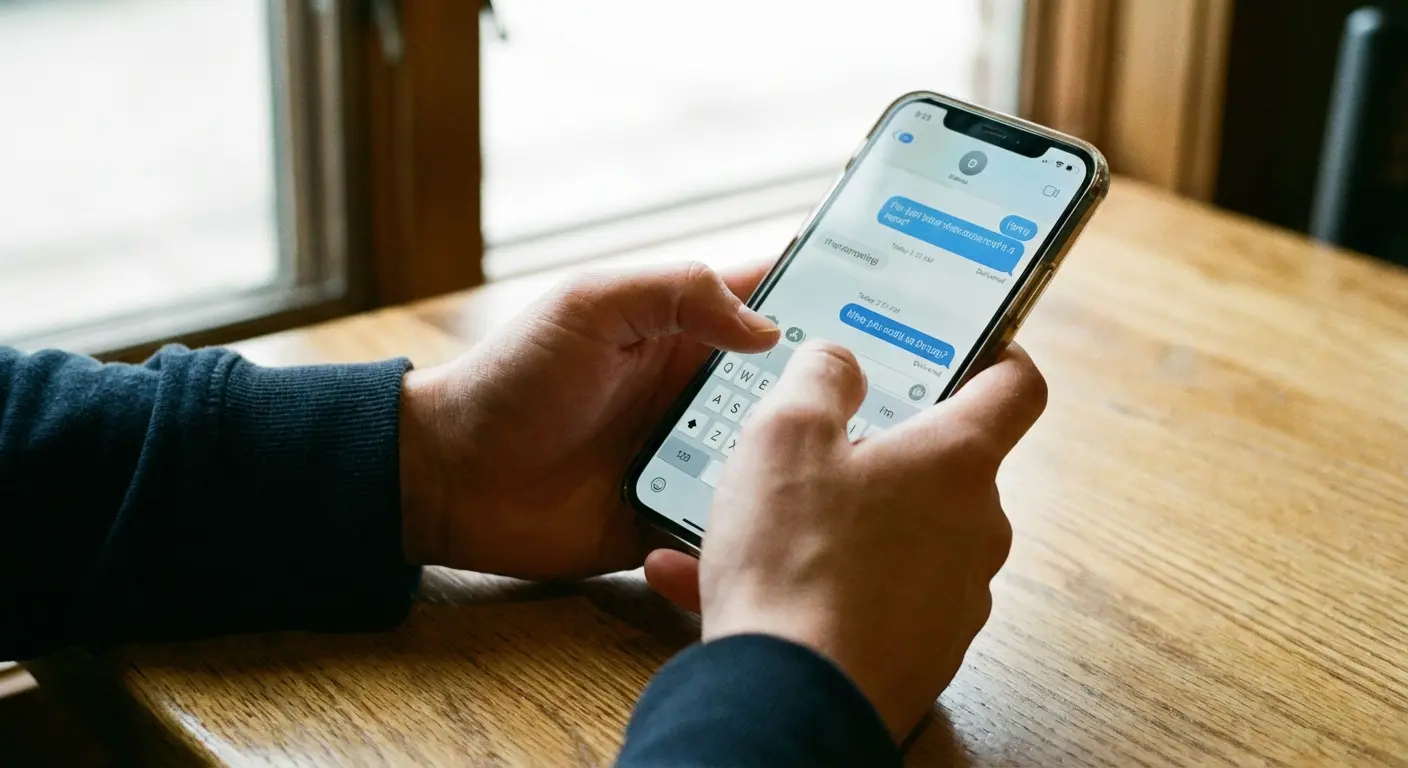
Single-handed use probably shouldn't be the goal. Using both hands distributes the physical load, allows for more natural wrist positions, and lets your dominant hand rest periodically. Two-handed use is just better for extended phone sessions from an ergonomic standpoint.
We've somehow decided that needing both hands to operate a device represents a failure of design. That's backward. The failure is designing devices and accessories that encourage unhealthy single-handed use patterns because we've culturally decided that having one hand free at all times is more important than protecting our hand health.
What are you doing with that free hand anyway? Carrying coffee? Fine, put your phone down. Walking? Your phone can wait. Eating? Definitely put your phone down. The scenarios where you genuinely need one hand on your phone while the other hand is productively engaged are far rarer than we pretend.
Cell phone grips enable a use pattern that feels convenient in the moment but creates problems over time. They make it possible to maintain that one-handed hold long past the point where your hand would naturally fatigue and force you to either switch hands or use both.
Your body's fatigue signals exist for a reason. They're telling you to change position, redistribute the load, give your tissues a chance to recover. Phone grips let you ignore those signals, and you pay for it later with chronic pain and reduced function.
For those seeking alternatives, exploring pop socket alternatives can reveal options that better support hand health.
Use Pattern |
How the weight spreads |
When fatigue hits |
Long-term Risk |
|---|---|---|---|
One-handed with grip |
100% on dominant hand, concentrated at grip point |
30-45 minutes |
High: repetitive strain, reduced grip strength |
One-handed without grip |
100% on dominant hand, spread across palm |
15-20 minutes |
Moderate: thumb strain, wrist problems |
Two-handed (grip-assisted) |
60/40 split, grip hand provides stability |
60-90 minutes |
Low-Moderate: still promotes static positioning |
Two-handed (no grip) |
50/50 split, natural position changes |
90+ minutes |
Low: natural movement variation, spread out load |
Mounted (hands-free) |
0% hand engagement |
Indefinite |
Minimal: no hand strain during use |
See that last row? Mounting your phone eliminates hand strain entirely. Two-handed use without grips comes in second. One-handed use with a phone grip? That's where the problems start.
Grip Placement Changes Everything
You've probably never thought much about where your phone grip sits on the back of your phone. Center it, stick it on, done. But that placement decision actually matters for how your hand interacts with your device.
Centered grips force symmetrical finger placement. Your hand has to position itself directly behind the phone's center of mass, which often means your wrist bends inward to bring the screen to the right viewing angle. That wrist bend creates strain through your forearm and into your elbow over time.
Offset grips (positioned toward one edge or corner) allow for more natural hand positions but create uneven load. Your fingers on one side work harder than fingers on the other side, which can lead to imbalanced muscle development and localized fatigue.
Neither option is perfect, which suggests that maybe permanent grip placement isn't the right solution at all. Your hand position should vary based on what you're doing with your phone. Scrolling through content needs different support than typing. Watching video works better at different angles than reading text.
A fixed phone grip locks you into one interaction pattern regardless of task. That's a problem when you consider how many different ways you interact with your device throughout the day.
The best grip placement is the one you can change. Or better yet, the one you can remove entirely when it's not needed, allowing your hand to interact with your device naturally based on the task at hand rather than accommodating a permanent accessory.
Decision Framework: Choosing Grip Placement Based on Usage Pattern
Use this framework to figure out the best grip holder placement for your specific needs:
If your primary use case is:
Scrolling social media one-handed → Lower third, offset toward pinky side (reduces thumb extension)
Typing messages frequently → Consider no permanent grip; two-handed typing is just better for you
Watching video content → Upper third, centered (converts to stand mode easily)
Photography/video recording → Lower third, centered (provides stability without blocking camera)
Navigation while walking → Magnetic system (allows quick mounting/dismounting)
Mixed usage throughout day → Removable phone grip option (adapt placement to task)
Red flags that your placement is wrong:
Wrist pain after 20+ minutes of use
Thumb can't comfortably reach opposite screen corner
Fingers feel cramped or compressed
You're constantly readjusting your grip
Other hand instinctively reaches to support the device
The Magnetic Advantage Nobody Considers
Magnetic phone systems changed the conversation around how we interact with our devices, but most people focus on the mounting convenience rather than the hand health side of things. The real advantage isn't that you can stick your phone to your car dashboard. It's that you can put your phone down without putting it down.
When your phone can magnetically attach to surfaces throughout your environment (your desk, your car, your kitchen counter), you're way more likely to release your grip entirely. You're not balancing it precariously or setting it face-down where you can't see notifications. You're mounting it securely, which means your hand is completely free.
That complete release is what your hand needs. Even switching from one hand to the other doesn't fully relieve strain because you're still maintaining a grip. Magnetic mounting gives your hands multiple complete breaks throughout the day without sacrificing device accessibility.
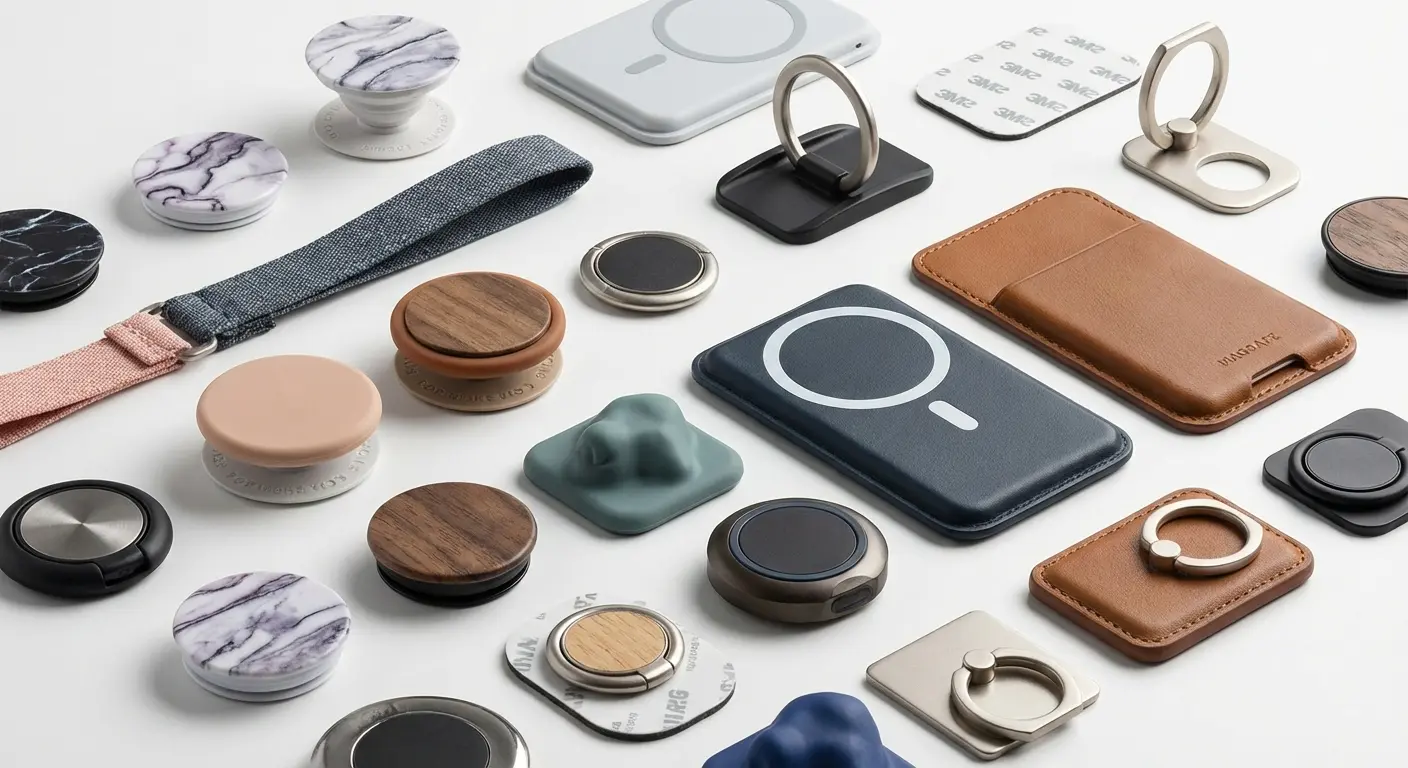
The magnetic grip category continues to evolve with user comfort in mind. In March 2026, 9to5Mac reviewed the SUPERONE MagSafe grip, which replaces the traditional hard metal loop with an adjustable soft Velcro strap. As the reviewer noted, "A lot of magnetic ring holders use hard metal loops. They work fine for a few minutes, but the metal digs into your fingers after a while as you hold it." The fabric-based approach addresses a key flaw in traditional ring grips: sustained pressure points that reduce blood flow to fingers during extended use.
Here's where it gets interesting (okay, maybe I'm a nerd for thinking this is interesting, but stay with me): magnetic systems also enable grip variation when you do need to hold your phone. A universal phone grip on the back of your device provides a holding point, but unlike traditional pop sockets or fixed grips, you can position your hand differently each time you pick it up. The magnetic connection doesn't care whether you're hooking two fingers through or just one, whether you're holding from the top or the bottom.
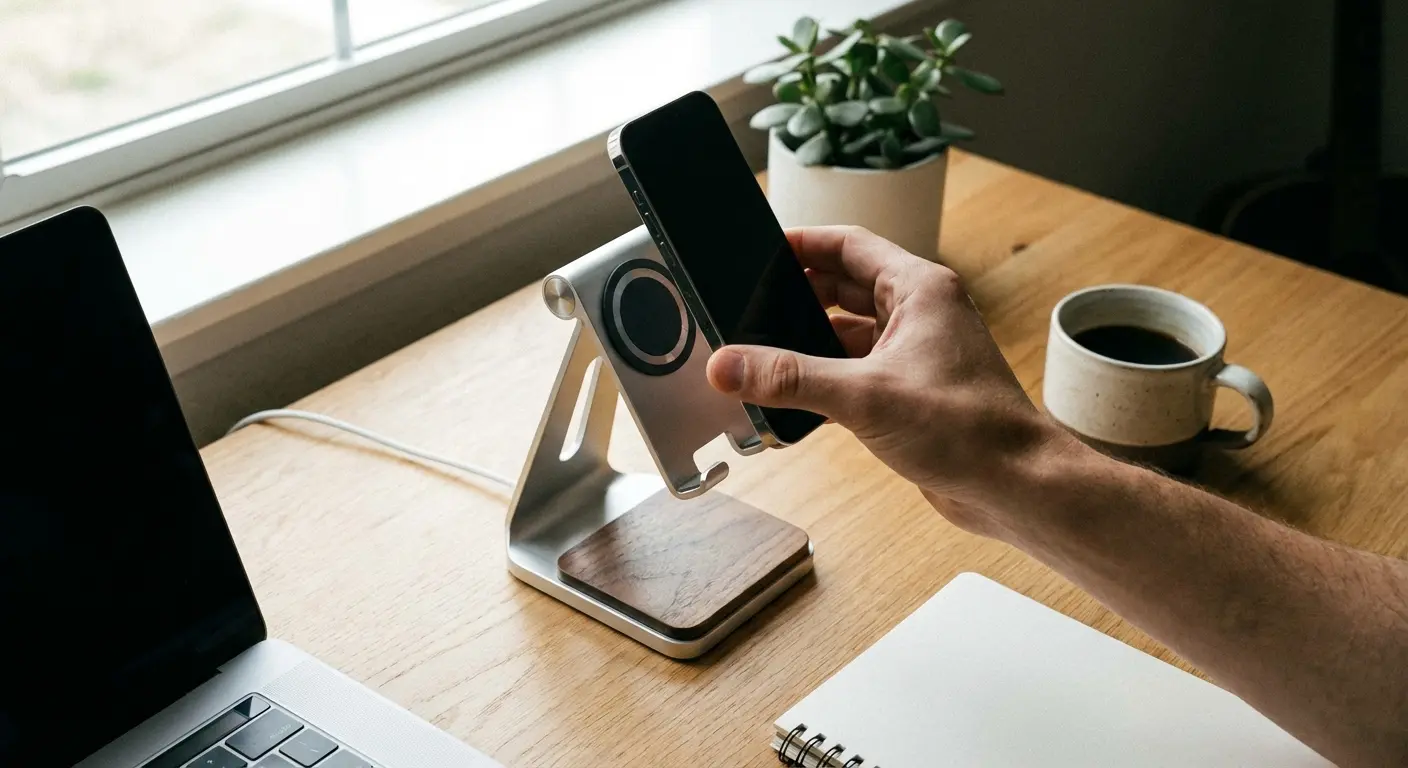
That variability is exactly what your hand needs to prevent repetitive strain. You're not locked into one grip pattern. You're free to adjust based on what feels comfortable in the moment, and that comfort assessment changes throughout the day as different muscle groups fatigue.
Understanding what is a magnetic phone case helps clarify why magnetic mounting systems work better for hand health.
A graphic designer I know works from home with her phone mounted magnetically on a small stand beside her monitor. Throughout her workday, she glances at messages, checks notifications, and occasionally picks up her phone to respond. Because the magnetic mount makes it effortless to place the phone down, she unconsciously does so after every interaction. Sometimes for just 30 seconds, sometimes for 20 minutes.
Her hands get dozens of micro-breaks throughout the day. When she switched to her old pop socket setup during a week of travel, she noticed the difference immediately: her hands felt tight and fatigued by mid-afternoon because she'd been holding her phone almost continuously, even during moments when she was just reading and could easily prop it up.
Rethinking How We Hold Technology
We've accepted that phones need grips the same way we accept that phones need cases. It's just what you do. But that acceptance has stopped us from asking whether we're solving the right problem in the right way.
Device security and hand health aren't mutually exclusive goals, but the current phone grip market treats them as if they are. Products optimize for one (keeping your phone in your hand) while ignoring the other (keeping your hand healthy). We need accessories that address both.
What would that look like? Grips that encourage position changes rather than locking your hand in place. Mounting systems that make it easier to put your phone down than to keep holding it. Accessories designed with input from physical therapists and ergonomics researchers, not just industrial designers focused on looks and cost.
The technology exists. Magnetic systems, adjustable grips, and modular accessories that adapt to different use cases are all currently available. What's missing is market demand for these features, and that demand won't exist until users understand why it matters.
According to Cognitive Market Research, the global phone grips market was valued at USD 822.1 million in 2023 and is projected to grow at a CAGR of 8.5% through 2030. Yet despite this explosive growth, ergonomic design remains a secondary consideration. The market is segmented by material (plastic, metal, silicone), attachment type (adhesive, magnetic, suction), and aesthetic customization, but rarely by ergonomic impact or hand health outcomes.
You probably didn't buy your current cell phone grip thinking about hand health. You thought about preventing drops and maybe about how it looked. That's not your fault. The industry hasn't given you reason to think about the health side of things because acknowledging those concerns would require admitting that current products are inadequate.

But you're thinking about it now. And that awareness changes how you evaluate your options. You can't unsee the connection between your grip accessory and your hand discomfort once you understand what's actually happening.
Consumer awareness is beginning to shift. Research indicates that the prolonged use of smartphones can lead to conditions such as "texting thumb" or "smartphone pinky," which are caused by the awkward hand positions people often adopt while holding their devices. Phone grips were originally marketed as solutions to these problems, providing "a more natural and comfortable way to hold smartphones, reducing the risk of such injuries." The irony? Many phone grip designs have simply replaced one set of awkward positions with another, trading acute drop risk for chronic strain patterns.
A Better Way to Hold What Matters
Okay, so here's where I have to mention that Rokform (the company whose blog you're reading) makes a magnetic grip. I know, I know, "of course they do." But hear me out, because the magnetic thing actually matters for the reasons I've been talking about.
If you're experiencing hand fatigue or thumb pain from phone use, your phone grip might be working against you rather than for you. The Rokform Magnetic Sport Ring With Stand addresses the core issue we've been discussing: it gives you a secure hold when you need it while encouraging you to mount and release your device throughout the day.
The magnetic system means you're not locked into one grip pattern. You can adjust hand position, switch hands easily, or mount your phone to compatible surfaces and give your hands a complete break. The stand functionality provides viewing angles that don't require you to hold your device at all during video calls or content consumption.
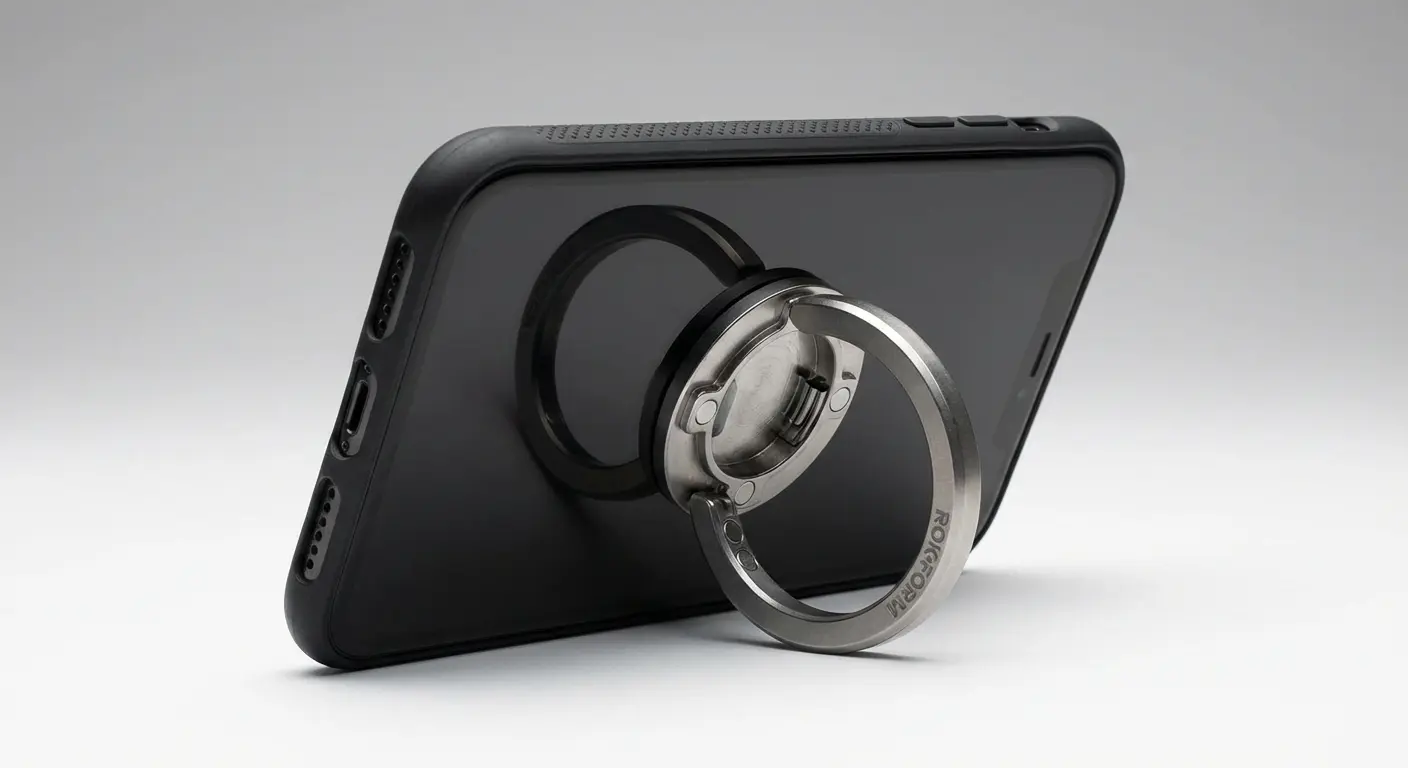
That flexibility is what separates supportive accessories from restrictive ones. Your hand needs variability, and your accessories should enable that rather than prevent it.
Is it the only solution? No. Is it better than a permanent pop socket for hand health? Yeah, actually.
Consider how your current setup affects your hand health. If you're experiencing discomfort, your phone grip and stand might be the problem, not the solution. A phone grip holder that functions as a grip phone holder gives you the security you need without the static positioning that causes long-term damage. The right universal phone grip allows for natural hand movement while still providing the drop protection you're looking for.
Final Thoughts
Phone grips solved a real problem. Dropping expensive devices is frustrating and costly. But in solving that problem, we created another one that's been hiding in plain sight. The accessories designed to help us hold our phones more securely have trained our hands into repetitive strain patterns that reduce grip strength and cause chronic discomfort.
You don't have to accept that trade-off. Accessories exist that provide security without sacrificing hand health, but you have to know what to look for. Prioritize systems that encourage grip variation, enable easy mounting and release, and allow your hand to move through its natural range of motion throughout the day.
The best phone grip isn't the one that helps you hold your phone longest. It's the one that reminds you when to put it down. It's the one that adapts to different tasks rather than forcing every task into the same hand position. It's the one designed with your long-term hand health in mind, not just immediate drop prevention.
Your hands do thousands of precise tasks every day. They deserve accessories that support their health rather than compromise it. The next time you reach for your phone, pay attention to how your hand feels after an hour of use. That discomfort is information, and it's telling you something important about whether your current setup is working for you or against you.
We can't eliminate phone use from our lives, and we shouldn't have to risk our hand health to keep our devices safe. The solution is choosing accessories that understand the difference between holding and supporting, between security and restriction, between convenience and long-term function.
Whether you're considering a traditional adhesive phone grip, a phone grip stand, or exploring cell phone grips with magnetic mounting capabilities, the key is selecting options that prioritize movement variability over static security. Your grip strength matters. Your hand mobility matters. The accessories you choose should reflect that.
For those seeking comprehensive protection beyond grips, exploring top rugged phone cases ensures your device stays safe while supporting hand health.
Look, your hands are going to be with you for a while. Probably longer than your current phone. Maybe treat them better than a $15 pop socket does.
Or don't. Keep scrolling with your death grip. See how that works out when you're 40 and can't hold a coffee cup without your hand cramping.
Your call.

