


Table of Contents
Why Your Phone's Weight Distribution Is Working Against You
The Hidden Cost of Center-Mounted Accessories
Grip Geometry: How Placement Changes Everything
Single-Hand Reach Zones (And Why Most Grips Ignore Them)
The Stand Function Nobody Actually Uses
Portrait vs. Landscape: The Orientation Problem We Don't Talk About
Magnetic Interference and What It's Really Doing to Your Device
Material Fatigue: When Your Grip Becomes a Liability
The Rokform Difference: Solving the Anchor Point Problem
Final Thoughts
TL;DR
Your phone grip is probably in the wrong spot. Like, objectively wrong. Most grips attach dead center, which turns your phone into a lever that your fingers have to fight against. That pinky pain you've been ignoring? That's why. Your thumb can only reach about 60-70% of your screen with standard grip placement, which makes modern gesture controls frustrating as hell.
Stand functions fail in real scenarios because companies prioritize making them compact over actually useful. Magnetic grips can mess with wireless charging and your compass if the field strength isn't engineered right. The sweet spot for grip placement is lower and slightly off-center, where your hand naturally holds the phone. And here's something nobody tells you: adhesive-based systems lose about 40% of their holding strength within six months. Yeah, really.
Why Your Phone's Weight Distribution Is Working Against You
Quick question: how many times have you dropped your phone this year? Don't lie. We all do it, then blame ourselves for being clumsy. But here's the thing. your hand wasn't designed to grip a smooth, 6-ounce glass rectangle for hours at a time. The phone is the problem, not you.
Modern smartphones are basically slippery metal and glass slabs. They weigh between 6 and 8 ounces, and that weight sits high in your palm when you're using it one-handed. Your fingers are constantly fighting gravity, and most people don't think about this until they're watching their $1,200 device bounce down the stairs.
These things are incredible computers that fit in your pocket, but they're still just smooth rectangles of glass and plastic that are genuinely difficult to grip during extended use. This makes them susceptible to drops, slips, water damage, and accidental breaks.
We blame ourselves for being careless. The real issue is biomechanical. Your hand has limits, and phone designers don't seem to care.

Phone manufacturers keep pushing bigger devices because screen real estate sells. We've gone from 4-inch displays to 6.7-inch slabs in just over a decade. Your hand size hasn't changed, but the leverage required to maintain a secure grip has increased exponentially.
Picture your typical morning commute. You're standing on a crowded train, one hand gripping the overhead rail, the other scrolling through news on your 6.5-inch phone. Your thumb stretches repeatedly across the screen for 35 minutes straight while your fingers stay curved around the device. When you finally put your phone away, your hand feels stiff and slightly sore. You shake it out, flex your fingers, and forget about it.
But your hand remembers. Do this five days a week for a year, and those temporary stiffness episodes turn into chronic discomfort that affects your ability to grip other stuff throughout the day.
The center of mass on modern smartphones sits roughly at the midpoint of the device. When you add a grip or stand accessory, you're introducing a new anchor point. Where that anchor sits determines whether you're helping or hurting your ability to hold the phone securely.
The Hidden Cost of Center-Mounted Accessories
Walk into any phone store. See all those grips? They're all attached in the exact same spot: dead center. Seems logical, right? Symmetry feels good. Looks balanced.
It's completely wrong.
Center mounting turns your phone into a lever, with your poor pinky as the fulcrum. Every time you tilt the device to view something at an angle or reach for the top corner of your screen, you're fighting rotational force. Physics doesn't care about convenience.
Your pinky finger bears most of this load. It's the smallest digit on your hand, yet it's responsible for preventing your phone from rotating backward out of your grip. Over time, this causes strain that shows up as soreness at the base of your pinky and along the outside edge of your palm.
Grip Type |
Weight Distribution |
Strain Pattern |
Discomfort Timeline |
|---|---|---|---|
Center-mounted ring grip |
100% concentrated at grip point |
Pinky base, palm edge |
45-90 minutes continuous use |
Center-mounted pop socket |
Focused on middle/ring fingers |
Finger stiffness, reduced grip strength |
30-60 minutes continuous use |
Lower-offset grip |
Distributed across palm |
Minimal localized strain |
90+ minutes before fatigue |
No grip (two-handed) |
50/50 split across both hands |
Natural variation, spread load |
120+ minutes with position changes |
We've gotten so used to this discomfort we don't even notice it anymore unless someone points it out. But repetitive strain doesn't disappear just because you've adapted to it.
I know someone who's a software developer and weekend rock climber. She could crush a beer can in her hand in college. After a year of 8+ hours daily phone use with a ring grip on her test device, she ended up in physical therapy because she couldn't open a pickle jar. The therapist asked about her phone use and she laughed it off at first. Then she realized the grip pattern from her ring holder had caused her overall grip strength to decline by nearly 20%.
The therapist's assessment was clear: her hand had adapted to the specific demands of holding a phone with a ring grip, but lost its capacity for full-hand gripping motions required for jar lids, carrying grocery bags, and other daily tasks. After three weeks of targeted exercises and switching to two-handed phone use without a grip, her strength started coming back.
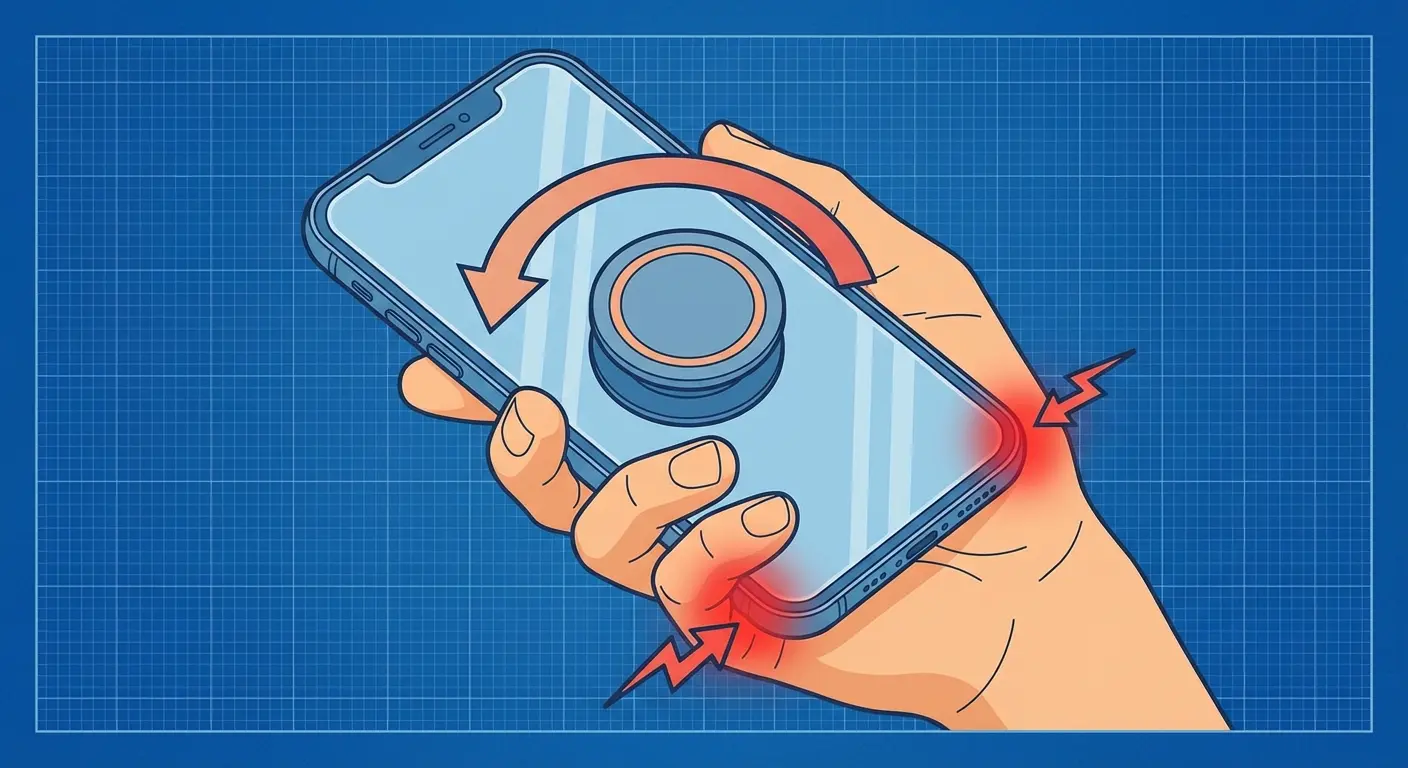
The adhesive required to keep a center-mounted grip attached needs to be incredibly strong because it's fighting maximum leverage. This means either permanent attachment (which limits case options) or eventual failure when the adhesive weakens. There's no middle ground that works long-term.
Grip Geometry: How Placement Changes Everything
Moving the anchor point down by even half an inch changes the entire equation. Your hand naturally cups around the lower third of your phone when you're holding it. That's where your palm provides the most surface contact and where your fingers have the most mechanical advantage.
A lower-mounted grip aligns with this natural position instead of fighting it. You're no longer creating a lever that wants to rotate away from you. The device settles into your hand rather than perching on top of it.
Offset placement (slightly to one side rather than perfectly centered) accommodates the way your thumb moves. Right-handed users naturally grip with their palm slightly left of center, and vice versa. Symmetry looks good in product photos but ignores how humans interact with objects.
The thickness of the grip matters just as much as its position. Too thin and it doesn't provide enough purchase for your fingers. Too thick and it prevents the phone from sitting flush against surfaces or fitting in pockets. The ideal range sits around 6-8mm of total profile added to your device.
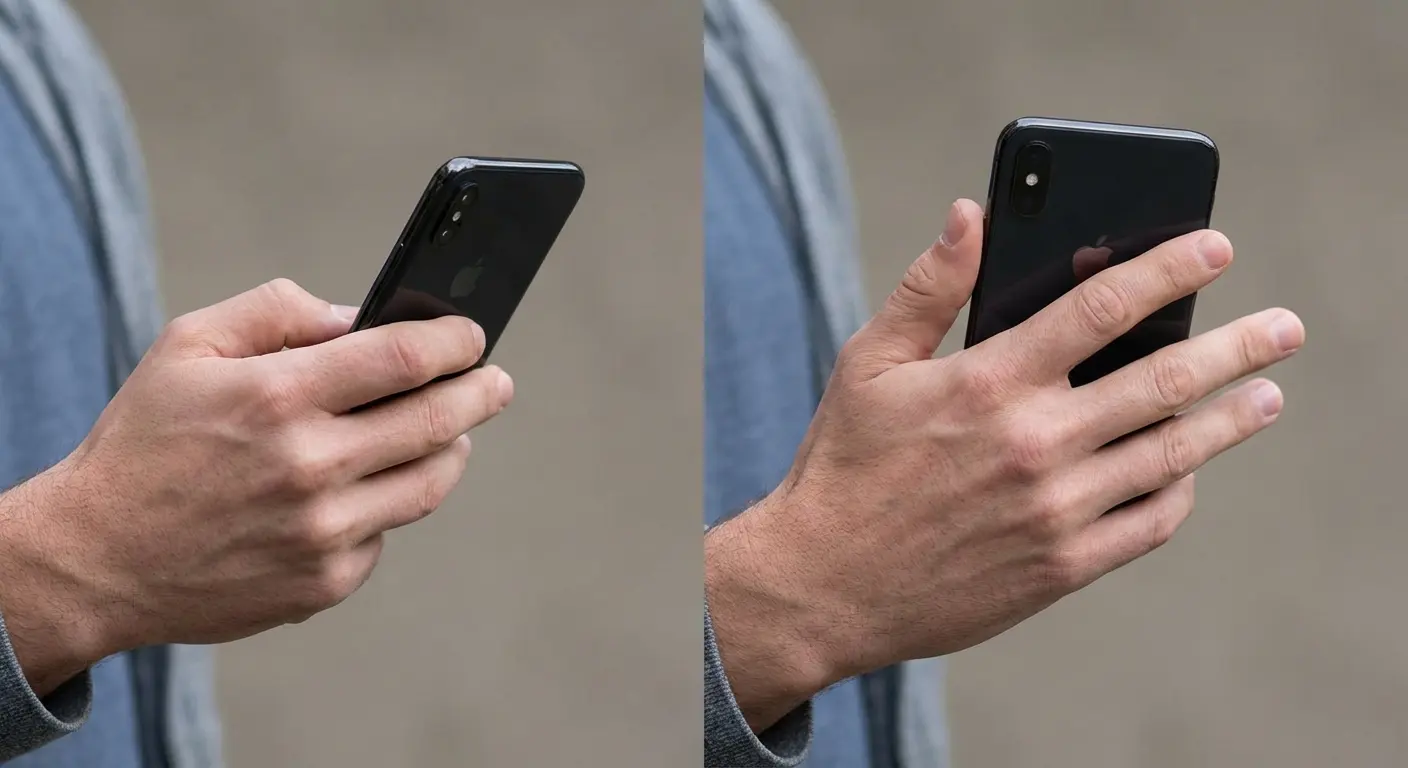
Ring-style grips offer rotation, which sounds useful until you realize that rotation around a center point doesn't help with anything. You need the grip to stay oriented in a way that supports your fingers, not spin freely. Controlled rotation within a limited range? That's different. Full 360-degree spin? That's a feature looking for a problem to solve.
Material innovation in phone grips extends beyond traditional hard metals and plastics. In March 2026, 9to5Mac reviewed the SUPERONE MagSafe grip, which replaces the traditional hard metal loop with an adjustable soft Velcro strap. As the reviewer noted, "A lot of magnetic ring holders use hard metal loops. They work fine for a few minutes, but the metal digs into your fingers after a while as you hold it." The fabric-based approach addresses a key flaw in traditional ring grips: sustained pressure points that reduce blood flow to fingers during extended use. This shift toward softer materials shows growing awareness that material choice affects not just durability, but user comfort during extended holding periods.
Single-Hand Reach Zones (And Why Most Grips Ignore Them)
Your thumb can reach approximately 60-70% of your phone's screen when you're holding it one-handed. This is well-documented. UI designers have known about it for years. It's why important navigation elements tend to cluster at the bottom of apps.
Adding a grip should expand your reach zone by stabilizing the device and freeing your thumb to stretch further. Most grips don't do this because they're positioned in a way that locks your hand into the same position you'd use without them.
Here's a quick test: Hold your phone naturally with your grip attached. Without straining, mark the furthest point your thumb can comfortably reach. Try to access the notification shade at the top of your screen. Swipe in from the left and right edges for navigation. Reach for the opposite top corner (top-right for right-handed users). Note any areas requiring grip adjustment or second hand assistance.
Now remove your grip and repeat the test. Compare the reachable area with and without the grip.
If your reachable area hasn't increased with the grip attached, your accessory is decorative, not functional.
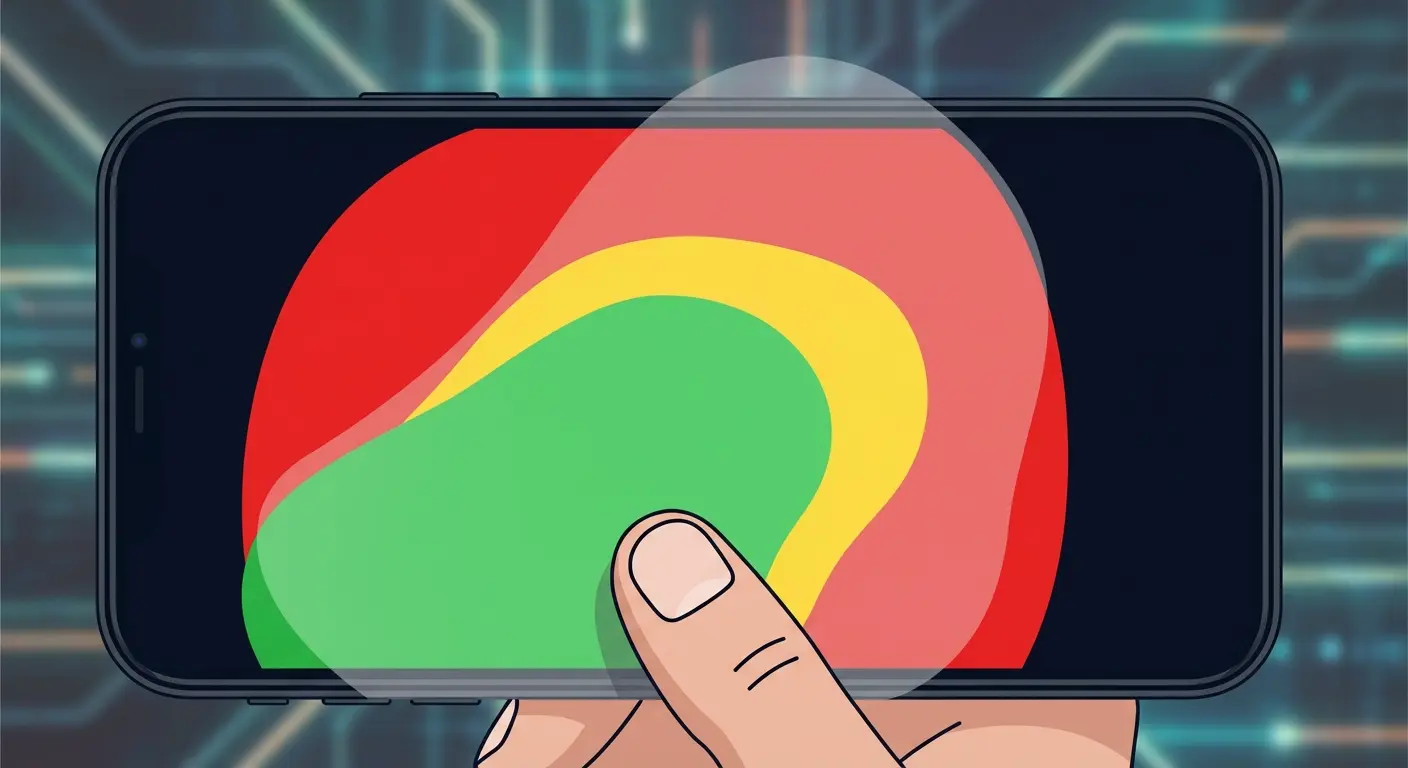
The unreachable zone on modern phones sits in the top corners and along the top edge. You can't tap notifications, pull down control center, or interact with top-mounted navigation without shifting your grip or using your second hand. A properly positioned grip should reduce how often you need to do this.
Gesture-based navigation (which most phones use now) makes this worse. Swiping up from the bottom edge, swiping in from the sides, and reaching the top corners are all required actions. Your grip should make these movements easier, not harder.
The Stand Function Nobody Actually Uses
Phone stands sound great in theory. You can watch videos hands-free, follow recipes while cooking, or join video calls without propping your device against random objects. In practice? Most built-in stands are terrible.
The problem is viewing angle. Most pop-out stands hold your phone at 60-70 degrees from horizontal, which works fine if you're looking down at a desk. It's useless if you're trying to watch something while lying in bed, cooking at counter height, or sitting in a car.
You need multiple angle options, but adding mechanical complexity to a phone accessory introduces failure points. Hinges break, plastic tabs snap, and anything with moving parts eventually stops moving the way it should.
Stand Type |
Viewing Angles |
Portrait Support |
Stability During Touch |
Failure Points |
|---|---|---|---|---|
Pop-out kickstand |
Fixed 60-70° |
Poor or none |
Low (collapses easily) |
Plastic hinge, adhesive |
Ring grip (laid flat) |
~45° only |
Limited |
Moderate (wobbles) |
Ring joint, adhesive |
Multi-position mechanical |
3-5 preset angles |
Usually one option |
Moderate |
Multiple hinges, springs |
Magnetic mount |
Infinite (surface-dependent) |
Full support |
High (no touch transfer) |
Magnet strength only |
Integrated case stand |
2-3 angles |
Varies by design |
Moderate to high |
Case wear, clip fatigue |
Landscape orientation gets prioritized because that's how we watch video content. Portrait stands exist but they're afterthoughts, which is weird considering how much time we spend scrolling vertically through social media, articles, and messages. You should be able to prop your phone up in both orientations without fighting the stand mechanism.
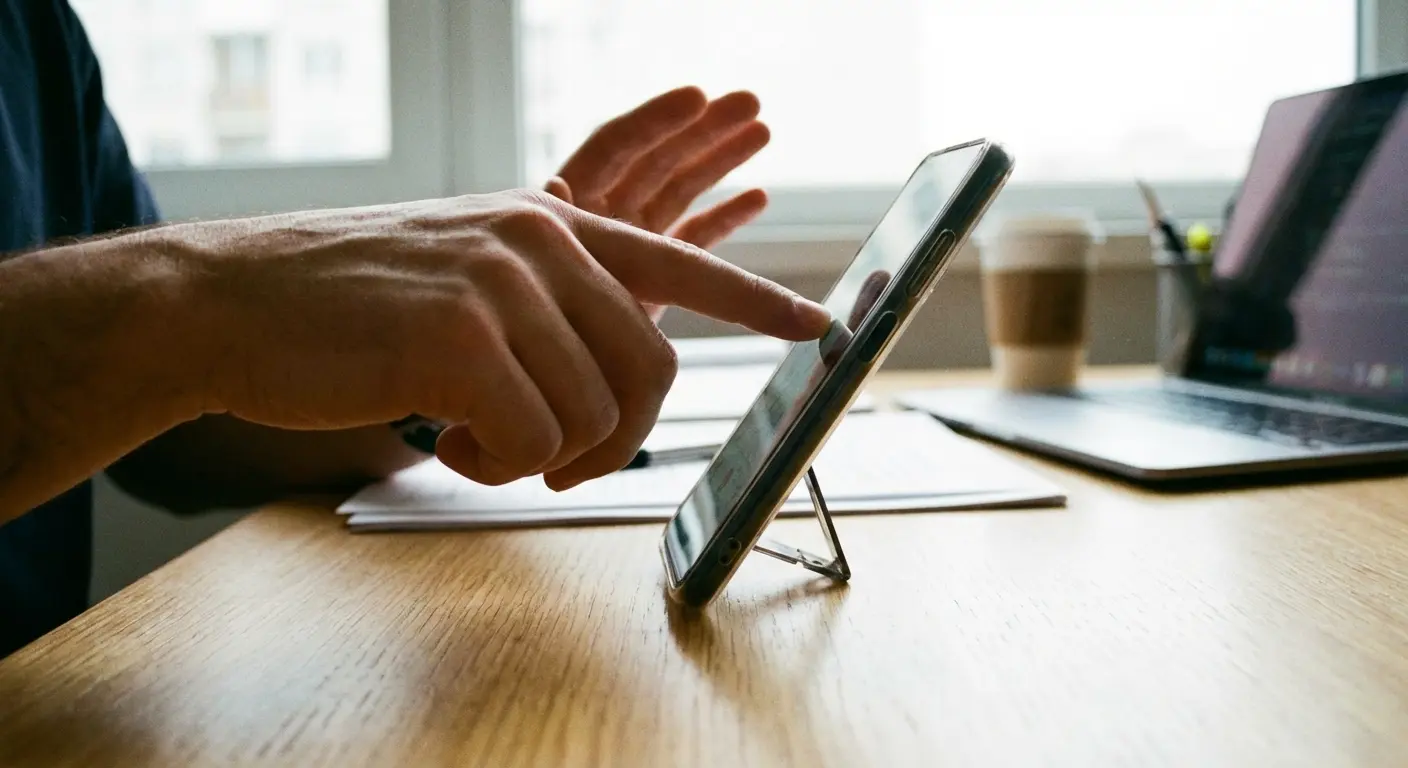
Stability matters more than adjustability. A stand that holds two perfect angles reliably beats a stand that offers six angles but wobbles or collapses when you tap the screen. You're going to interact with your phone while it's standing, so it needs to absorb touch input without falling over.
Magnetic mounting solves some of these problems by letting you attach to external surfaces at any angle. Your car vent, your refrigerator, a metal desk lamp. all of these become potential stand locations. This only works if the magnetic field is strong enough to hold against bumps and vibration.
A graphic designer I know discovered this accidentally. She mounted her phone magnetically on a small stand beside her monitor at work. Throughout her day, she'd glance at messages, check notifications, and occasionally pick up her phone to respond. Because the magnetic mount made it effortless to place the phone down, she did it unconsciously after every interaction. sometimes for just 30 seconds, sometimes for 20 minutes. Her hands got dozens of micro-breaks throughout the day.
When she switched back to her old pop socket setup during a week of travel, she noticed the difference immediately. Her hands felt tight and fatigued by mid-afternoon because she'd been holding her phone almost continuously, even during moments when she was just reading and could have easily propped it up.
Portrait vs. Landscape: The Orientation Problem We Don't Talk About
We use our phones in portrait mode about 80% of the time, yet most accessories are designed with landscape orientation in mind. This creates a mismatch between how products are engineered and how they're actually used.
A grip optimized for landscape viewing sits in the wrong place when you rotate back to portrait. It digs into your palm or forces your fingers into awkward positions. You're constantly adjusting your hold to compensate for an accessory that's fighting your natural grip.
Symmetrical designs try to solve this by working equally poorly in both orientations. That's not a solution, it's a compromise that makes the product worse at everything.
The ideal grip should enhance portrait mode use (since that's your default) while not interfering with landscape mode (since you still need it regularly). This requires thinking about hand position in both orientations during the design phase, which most manufacturers skip.
If your primary use is scrolling social media one-handed, you want lower third placement, offset toward your pinky side. This reduces thumb extension and wrist strain. If you're typing messages frequently, consider no permanent grip at all. two-handed typing provides better ergonomics and speed. Watching lots of video content? Upper third placement, centered, makes conversion to stand mode easier for landscape viewing. For photography and video recording, lower third placement centered provides camera stability without blocking the lens array.
Red flags that your current placement is wrong: wrist pain after 20+ minutes of use, thumb can't comfortably reach the opposite screen corner, fingers feel cramped or compressed around the grip, you're constantly readj usting your hold, your other hand instinctively reaches to support the device, or pinky soreness at the base or along the palm edge.
Stand functionality has the same issue. Landscape stands are everywhere. Portrait stands that actually work are rare. You end up with an accessory that's great for watching YouTube but useless for video calls, recipe following, or any other portrait-mode standing scenario.
Magnetic Interference and What It's Really Doing to Your Device
Magnets near electronics make people nervous, and for good reason. Magnetic fields can interfere with compasses, disrupt wireless charging, and (in extreme cases) affect data storage. The question isn't whether magnetic grips create interference, it's whether that interference actually matters.
Your phone's compass uses a magnetometer to detect Earth's magnetic field. A strong magnet nearby will throw off these readings, which affects map orientation and any apps that use compass data. Cheap magnetic accessories don't account for this and can leave your compass permanently miscalibrated.
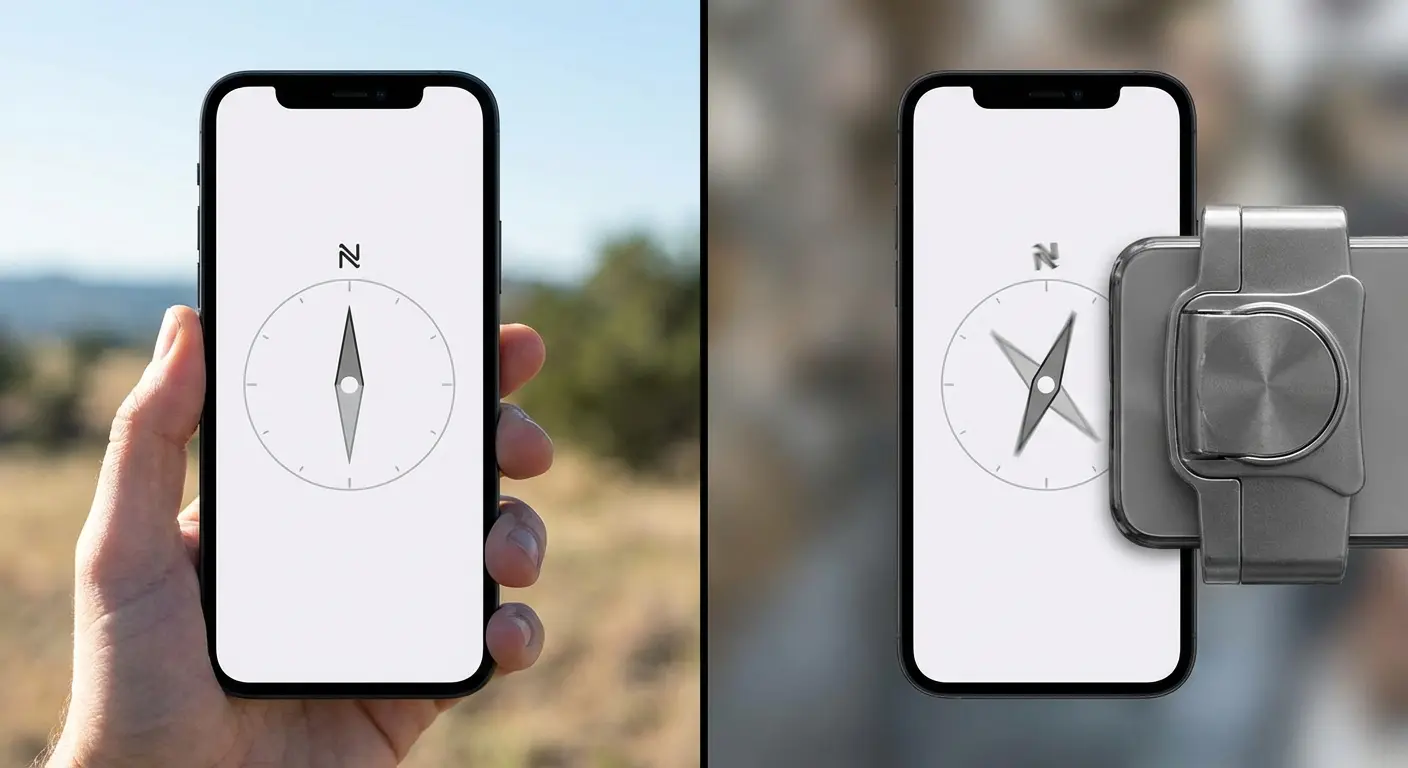
Wireless charging relies on electromagnetic induction. The charging coil in your phone needs to align with the coil in your charging pad. A magnetic grip can help with alignment (good) or interfere with the field transfer (bad). The difference comes down to magnet placement and field strength engineering.
The magnetic grip category keeps evolving beyond simple functionality. In March 2026, Apple launched the Hikawa Phone Grip & Stand, a $69.95 MagSafe accessory developed with direct input from users with muscle strength and dexterity challenges. Designer Bailey Hikawa worked with individuals who have disabilities affecting hand control to create a grip holder made from soft-touch silicone that "supports varied ways of holding iPhone while reducing the effort needed to keep it steady." This accessibility-first approach represents a rare example of the industry prioritizing how things feel over how they look, while still maintaining the magnetic functionality that prevents compass and charging interference through proper field engineering.
MagSafe and similar systems use magnets intentionally, creating a standardized mounting array that accessories can tap into. This works because the magnetic field is engineered to not interfere with device functions. Aftermarket magnetic grips that don't follow these standards can create problems.
Shielding matters. A properly designed magnetic grip includes shielding that contains the magnetic field to the mounting surface without letting it bleed into the device internals. This isn't expensive to implement, but it requires actually caring about engineering rather than just slapping magnets onto plastic.
Field strength needs to be strong enough for secure mounting but not so strong that it interferes with charging efficiency or compass function. This is a narrow range that requires testing to dial in correctly.
Material Fatigue: When Your Grip Becomes a Liability
Adhesive-based grips are temporary, even when manufacturers claim they're permanent. The adhesive degrades from heat, UV exposure, skin oils, and repeated stress. You don't notice the gradual weakening until the grip fails completely, usually at the worst possible moment.
Most adhesives lose about 40% of their holding strength within six months of daily use. This isn't a defect, it's just how adhesive chemistry works. Heat cycles (like leaving your phone in a hot car) accelerate this degradation significantly.
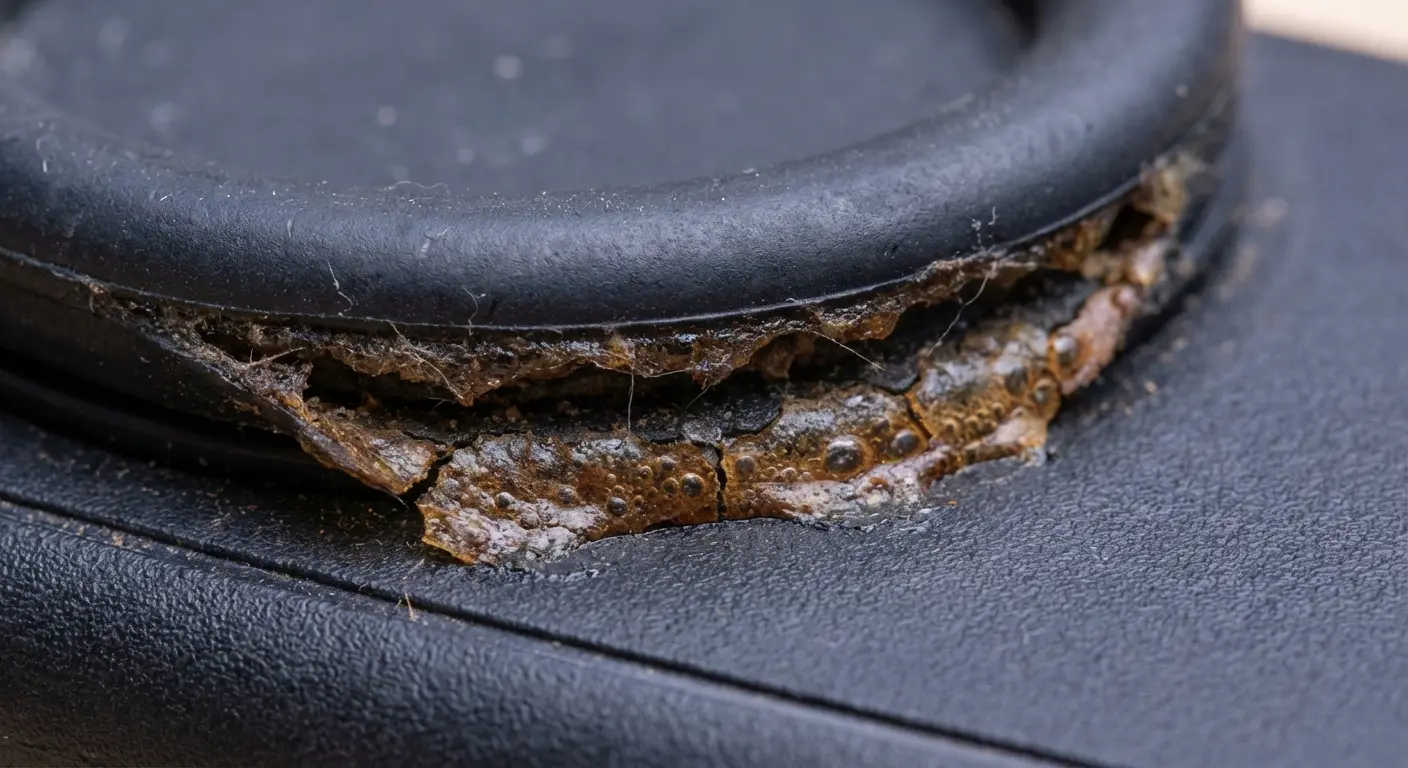
Mechanical attachment points (screws, clips, case integration) don't degrade the same way. They either work or they break. There's no gradual failure mode where you think you're secure but aren't.
Plastic components develop stress fractures from repeated flexing. Ring grips that rotate constantly are super prone to this. The plastic at the hinge point experiences thousands of flex cycles, and eventually it cracks. You can't see the crack until it's too late.
Metal components corrode, especially if you live in humid environments or near saltwater. Aluminum oxidizes into a white powder that weakens structural integrity. Stainless steel holds up better but adds weight. Cheap metal alloys corrode quickly and can stain your phone case.
The materials touching your phone matter. Some plastics and adhesives react with phone case materials, causing discoloration or degradation. This is especially common with clear cases, which yellow when exposed to certain chemicals.
The Rokform Difference: Solving the Anchor Point Problem
Okay, here's where I tell you about the product that actually gets this right. I know, this whole article has been building to a pitch. But stick with me, because the Magnetic Sport Ring With Stand from Rokform actually addresses the stuff I've been talking about.
Instead of slapping a grip on the center like everyone else, they position it lower on your device where your hand naturally grips. This isn't revolutionary science. it's just paying attention to how hands work. The phone settles into your palm instead of perching on top of it like a nervous bird.
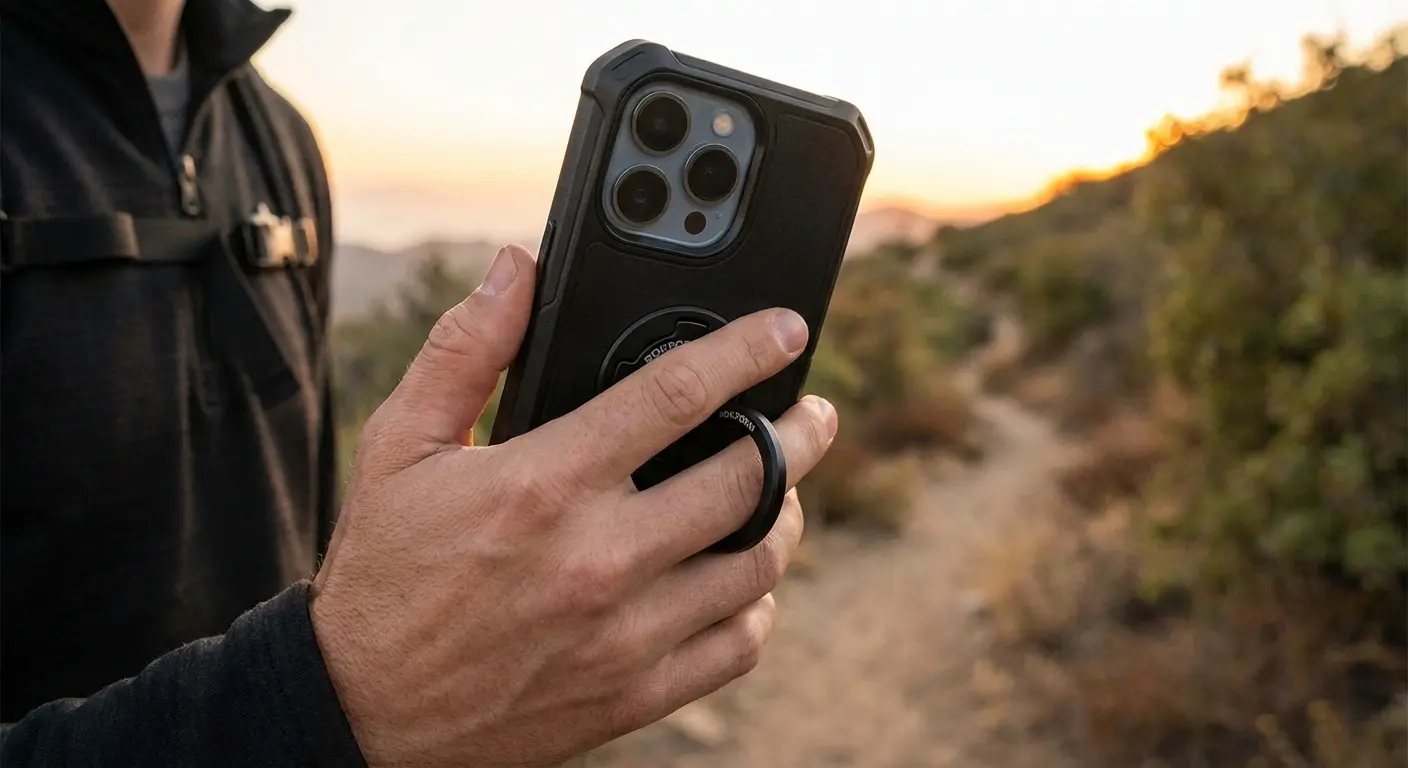
The magnetic array is engineered to work with MagSafe and similar systems without interfering with wireless charging or compass function. Field strength is calibrated to provide secure mounting without over-magnetizing. This isn't accidental, it's the result of actually testing use cases rather than just shipping product.
Stand angles are designed for real viewing scenarios. You get stable portrait and landscape options that don't require fighting with mechanical parts. The stand holds firm when you tap your screen instead of collapsing or wobbling.
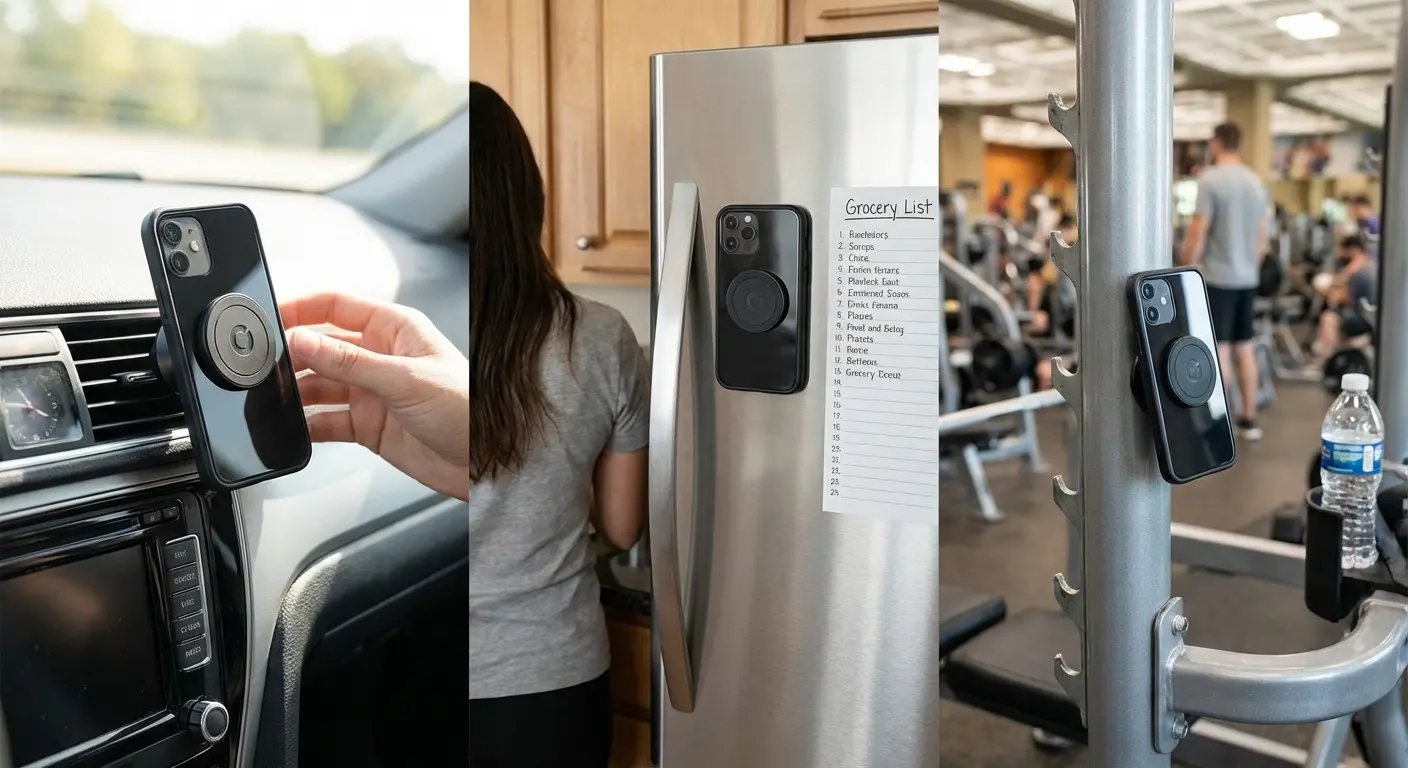
You can mount to any magnetic surface, which turns your environment into a stand system. Your car, your gym equipment, your kitchen. anywhere there's metal becomes a potential mounting point. This flexibility matters more than having seventeen preset angles on a built-in stand.
If you're tired of grips that feel like they're fighting your hand instead of helping it, the anchor point approach makes a tangible difference. Check out the full specs and engineering details at rokform.com/products/magnetic-magmax-sport-ring-stand-magsafe-compatible.
Final Thoughts
The phone grip and stand market is saturated with products that look similar and make the same promises. Most of them fail at the fundamental level because they don't account for how your hand works or where the stress points develop during real use.
Anchor point placement determines whether an accessory helps or hurts. Center-mounting creates leverage problems that your fingers have to compensate for. Lower, slightly offset placement aligns with natural grip position and reduces strain.
Stand functionality should serve both orientations and provide stable viewing angles that work in real scenarios, not just product photos. Magnetic mounting expands your options beyond built-in stands.
Material choices and engineering quality separate accessories that last from accessories that fail. Adhesive degrades, plastic cracks, and cheap magnets interfere with device functions. These aren't unsolvable problems, they just require manufacturers to prioritize function over cost-cutting.
Your phone is too expensive and too important to trust to accessories designed without thought for biomechanics, materials science, or real-world use patterns. The anchor point matters. Everything else follows from getting that right. Whether you're searching for a phone grip and stand solution or evaluating your current phone grip stand setup, understanding these fundamental principles helps you make informed decisions that protect both your device and your hand health.

