


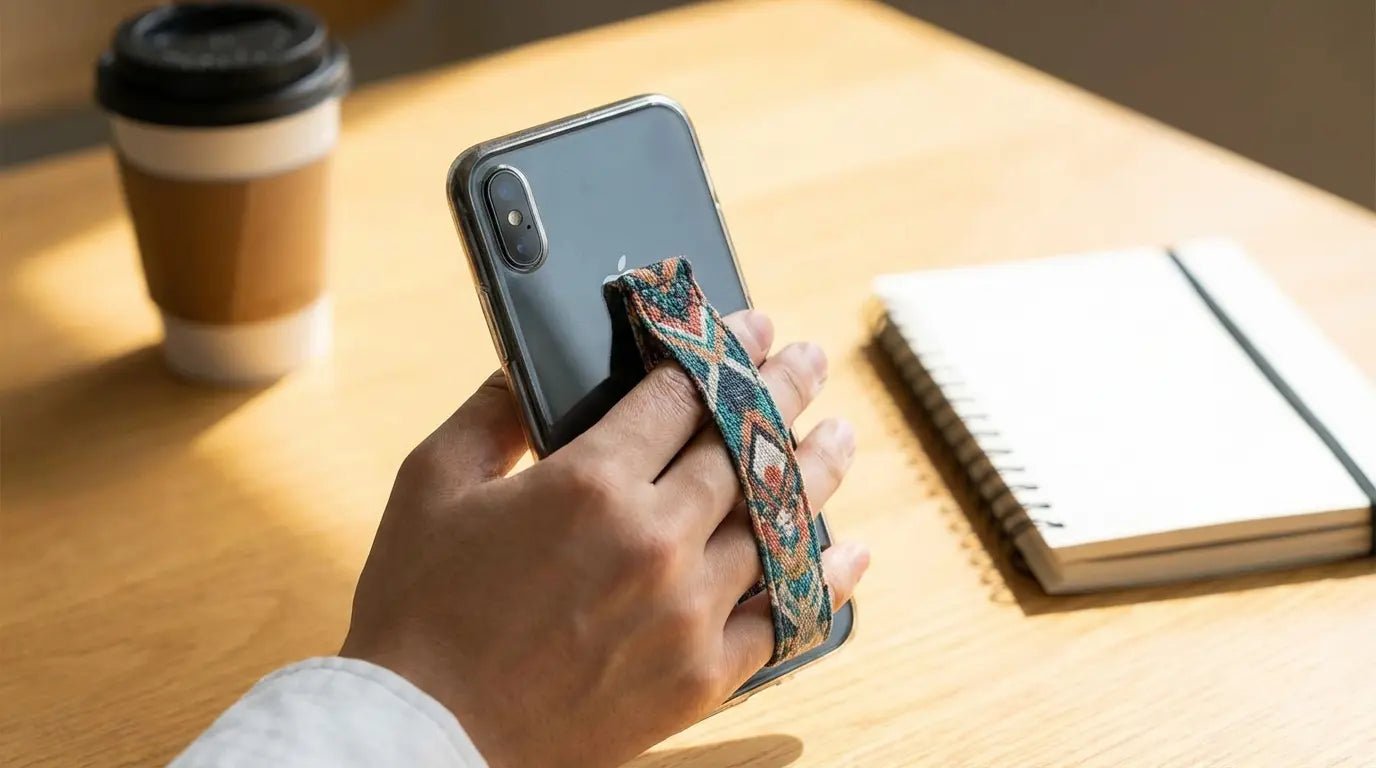
Here's a thing nobody talks about: your hand hurts. Not from dropping your phone - from holding it. That dull ache in your thumb after 20 minutes of scrolling? That's not normal wear and tear. That's your 6.7-inch slab of glass slowly destroying your hand geometry because someone decided phones should be tablets you can technically fit in a pocket.
You're swiping, typing, scrolling, photographing, and video calling. Your hand is stuck in a sustained, unnatural position that phones larger than 5 inches were never designed to support. The average person supposedly touches their phone 2,617 times a day, which honestly sounds made up, but even if it's half that, you're still holding this thing for hours. And the global phone grips market is expected to grow from approximately USD 1.2 billion in 2023 to an estimated USD 2.7 billion by 2032, which is kind of insane but also makes sense when you think about how many people are walking around with cracked screens.
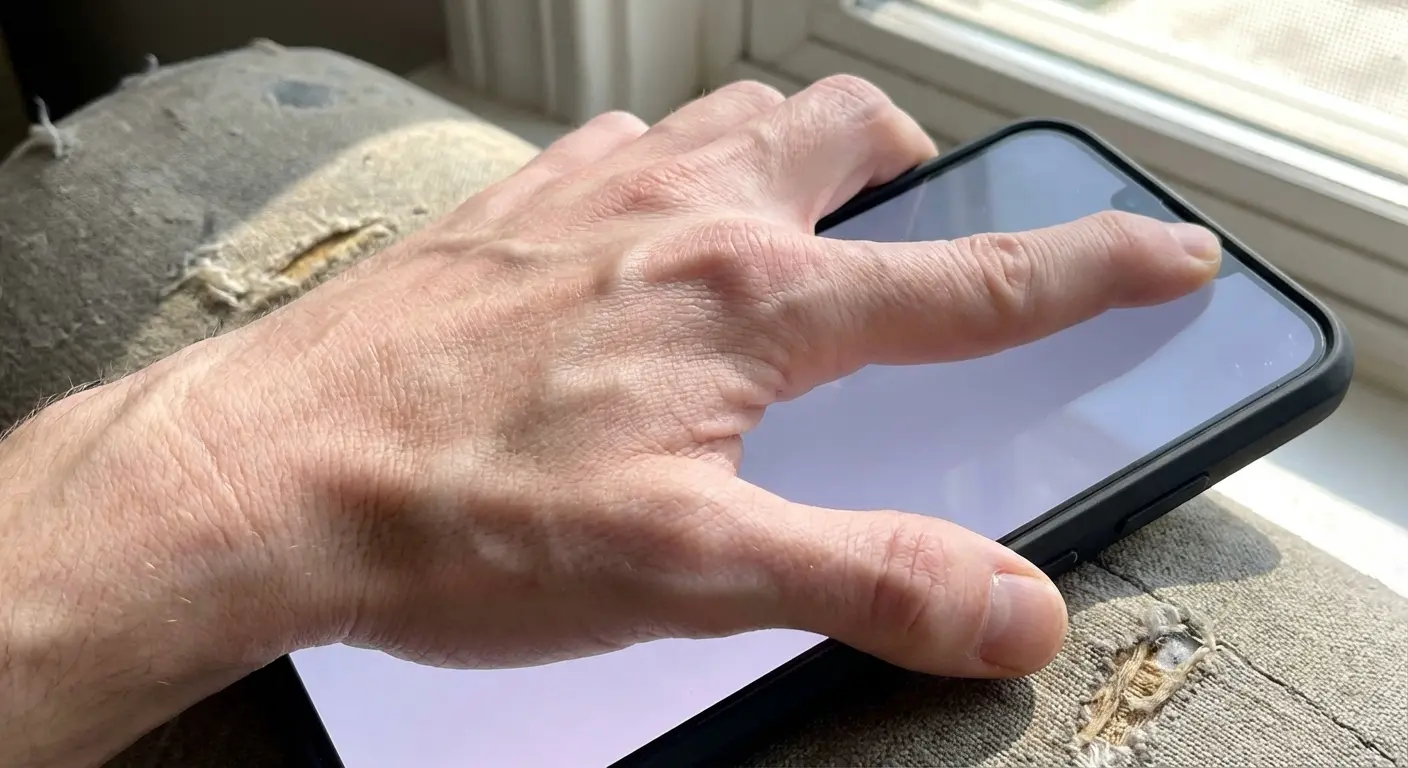
Traditional phone grip strap solutions treat your device like it's a camera you occasionally pull out. They add a loop or elastic band, call it security, and move on. That approach completely ignores the reality that your phone is basically attached to your hand for a significant chunk of your day.
I think about this differently. The question isn't just "will this prevent a drop?" It's "does this improve every interaction I have with my device, or does it just add another layer of friction?"
Most grips create new problems while solving old ones. They block wireless charging. They prevent mounting. They add permanent bulk in one fixed position. They assume you hold your phone the same way for every task, which you absolutely don't. The industry focuses almost exclusively on drop prevention, but that's treating a symptom rather than addressing the root problem. Modern phones weren't designed for one-handed use at their current sizes, and most phone grip strap options simply add bulk without solving the ergonomic mismatch.
The Real Cost of Your Current Phone Handling Strategy
Your hand gets tired. You've noticed it but dismissed it as normal. That dull ache in your thumb, the tension in your palm when you've been scrolling for twenty minutes straight. You shift your grip, adjust your position, maybe switch hands.
This isn't just discomfort.
It's your body telling you that the current setup isn't working. There's actual research on this - people are getting "texting thumb" or "smartphone pinky" from the awkward hand positions they adopt while holding their devices. According to market research on ergonomic phone accessories, the prolonged use of smartphones can lead to measurable effects on thumb mobility, grip strength, and even nerve function. You're basically doing a low-intensity endurance exercise for hours daily, and most grip solutions don't address the biomechanical reality of that stress.
Then there's the functional cost. How many photos have you taken that came out slightly blurred because you couldn't quite stabilize your phone while reaching for the shutter button? How often do you avoid one-handed typing because it feels too precarious? How many times have you simply not pulled your phone out in certain situations because you didn't trust your grip?
These micro-decisions compound. You're unconsciously limiting how you use a device you paid serious money for, all because the grip situation hasn't been properly solved.
I know a wedding photographer who tried to shoot an entire reception using only her iPhone 15 Pro Max. Without a proper grip system, she found herself constantly switching hands to relieve fatigue, missing candid moments while adjusting her hold, and experiencing noticeable hand cramping after just two hours of shooting. After investing in a professional cage system with ergonomic handles, she could shoot an eight-hour event comfortably. What used to be a painful experience became actually sustainable.
The financial angle matters too. You might have a case, a screen protector, maybe a pop socket or ring holder collecting dust somewhere. Each purchase was meant to solve a specific problem, but they don't work together. You've assembled a collection of partial solutions instead of implementing one comprehensive system.
What Your Grip Says About How You Actually Use Your Device
Think about how you hold your phone when you're taking a landscape photo versus watching a video versus texting.
Completely different positions, right?
Photography demands stability and precise angle control. You need to reach the shutter button (or volume button) while keeping the device steady. Your grip needs to be firm but not so tight that you introduce shake when you tap the screen.
Video watching is entirely different. You want the phone propped at a viewing angle, hands-free if possible, with the screen positioned to minimize neck strain. You're not actively manipulating the device, you're consuming content.
Typing requires yet another configuration. You're either going two-handed (phone horizontal in your palms, thumbs on the keyboard) or one-handed (device vertical, thumb stretching across the screen while your fingers support the back).
Gaming introduces even more variables depending on the game type. Portrait orientation for puzzle games, landscape for action titles, different pressure points and grip styles for each.
Use Case |
Ideal Orientation |
Grip Requirements |
Common Pain Points |
|---|---|---|---|
Photography |
Landscape/Portrait (variable) |
Stable two-handed, physical shutter access |
Camera shake, awkward button reach, lens obstruction |
Video Consumption |
Landscape (propped) |
Hands-free stand, viewing angle 30-45° |
Neck strain, unstable propping, arm fatigue |
One-Handed Typing |
Portrait (vertical) |
Secure palm support, thumb mobility |
Precarious hold, limited reach, drop anxiety |
Two-Handed Typing |
Portrait (vertical) |
Horizontal palm cradle |
Thumb strain, device slippage |
Gaming |
Landscape |
Firm lateral grip, button access |
Hand cramping, overheating, finger obstruction |
Navigation/Walking |
Portrait (vertical) |
Secure one-handed, quick glanceability |
Drop risk, attention split, weather exposure |
The problem? Most grips lock you into one position. They're designed for security (preventing drops) but they don't adapt to these varied use cases. You end up working around your grip instead of having it work for you.
The right solution isn't the strongest adhesive or the most aggressive texture. It's the one that adapts to what you're doing in any given moment. For photographers and content creators looking to maximize stability, exploring iPhone photography tips and techniques can reveal how proper grip solutions enable better shooting angles and reduce camera shake.
Engineering a Grip That Works With Your Phone's Architecture
Your phone's center of gravity sits roughly at its geometric center (slightly higher if you've got a camera bump). Every grip or attachment shifts that balance point.
Add a thick ring holder to the top half of your phone and you've just made the device top-heavy. It wants to rotate forward in your hand. You compensate by gripping harder, which increases fatigue. Poor weight distribution creates a cascade of ergonomic problems.
Placement matters enormously. Too high and you can't reach the top of the screen. Too low and the device feels unstable. Too far to one side and you're constantly fighting rotational torque.
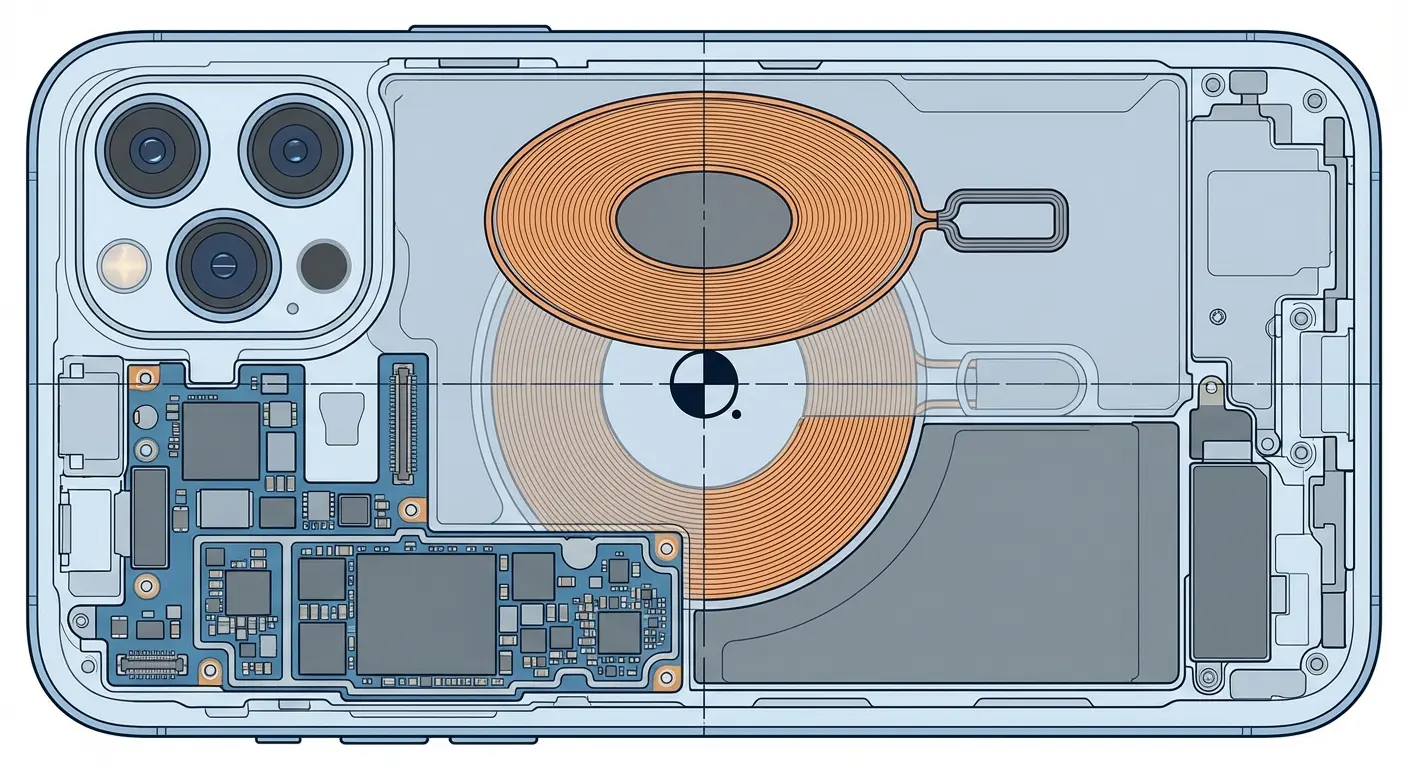
Then there's the wireless charging situation. Most phones now support Qi charging, but many grips use materials or thicknesses that block the magnetic alignment or create too much distance between the charging coil and the pad. You're forced to choose between grip security and charging convenience.
A content creator I know attached a popular ring grip to their iPhone 14 Pro. The 4.2mm thickness of the grip, combined with their protective case, created a 6mm gap between the phone's charging coil and their wireless charging pad. Their phone would only charge intermittently, often stopping mid-charge and overheating. They eventually had to choose between removing the grip every night for charging or reverting to a Lightning cable, which defeated the whole purpose of their wireless charging setup. When they switched to a MagSafe-compatible magnetic grip system, they could simply detach the grip in seconds for charging, then snap it back on in the morning.
The internal architecture of your phone also imposes constraints. There's a charging coil, NFC antenna, camera array, speakers, and various sensors all positioned strategically. A poorly designed grip can interfere with any of these.
Material properties matter more than most people realize. You need something with enough grip to prevent slippage but not so much friction that it catches on pockets or creates drag when you're trying to reposition. You need durability that survives UV exposure, temperature fluctuations, and the oils from your skin. You need something thin enough to maintain the phone's profile but substantial enough to provide genuine utility.
This is why cheap solutions fail. They're not engineered, they're just manufactured.
There's a difference.
Why Magnets Actually Matter
Magnets change the entire equation. They transform your phone grip strap from a permanent fixture into a modular system.
A magnetic grip isn't just about attaching to your phone. It's about attaching your phone to everything else. Car mounts, desk stands, wall mounts, bike handlebar mounts, gym equipment mounts. You're creating a universal interface.
The practical implications are significant. You get in your car and your phone snaps to the dash mount instantly. No fumbling with clamps or cradles. You're at your desk and it attaches to a stand at the right viewing angle for video calls. You're at the gym and it mounts to the equipment so you can follow your workout without propping it precariously on a bench. According to Android Central's recent testing of phone grips, magnetic systems like the Spigen O-Mag Ring have become increasingly popular because "a magnetic plate is embedded in that flat back so that you can use it with magnetic car mounts" and thanks to 360-degree rotation, "you can use it as a kickstand in landscape or portrait mode on most phones."
This is the overlooked advantage. Everyone focuses on the grip itself, but the real value is in the ecosystem it enables.
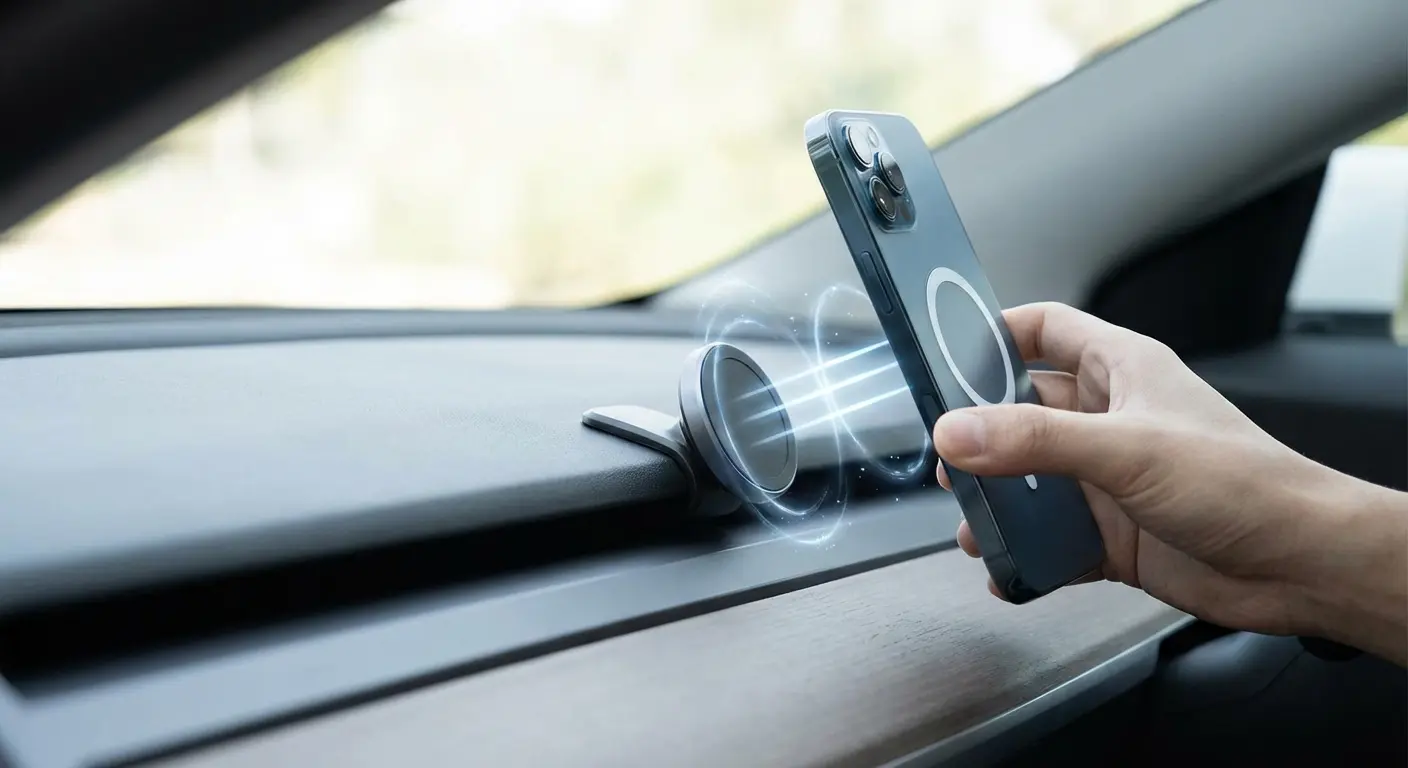
Traditional grips are endpoints. They solve one problem (drop prevention) and that's it. Magnetic systems are connection points. They solve the immediate grip problem while simultaneously opening up dozens of mounting and positioning options.
There's also the rotation factor. A well-designed magnetic grip can rotate within its mount, giving you portrait or landscape orientation without removing your phone. You're not locked into one viewing angle or one orientation.
The magnetic attachment is also reversible and non-permanent in a way that adhesive solutions aren't. You can remove it, replace it, or upgrade it without leaving residue or damaging your case.
The Viewing Angle Thing Everyone Ignores
You're probably reading this on your phone right now. What angle is your screen at relative to your eyes? How's your neck position?
Most people hold their phones at chest level or lower, angled upward. This creates what physical therapists call "text neck" - sustained forward head posture that puts enormous strain on cervical vertebrae. Your head is basically a bowling ball hanging off the front of your spine.
The right viewing angle positions the screen at or slightly below eye level, perpendicular to your line of sight. This minimizes neck flexion and reduces eye strain from looking downward.
But here's the problem: achieving that angle while holding your phone requires your arm to be raised and extended, which isn't sustainable for more than a minute or two. You need a stand.
Most people don't carry a stand. They make do with whatever's available - leaning the phone against a water bottle, propping it on a folded napkin, balancing it on a stack of books. These improvised solutions are unstable and rarely at the correct angle.
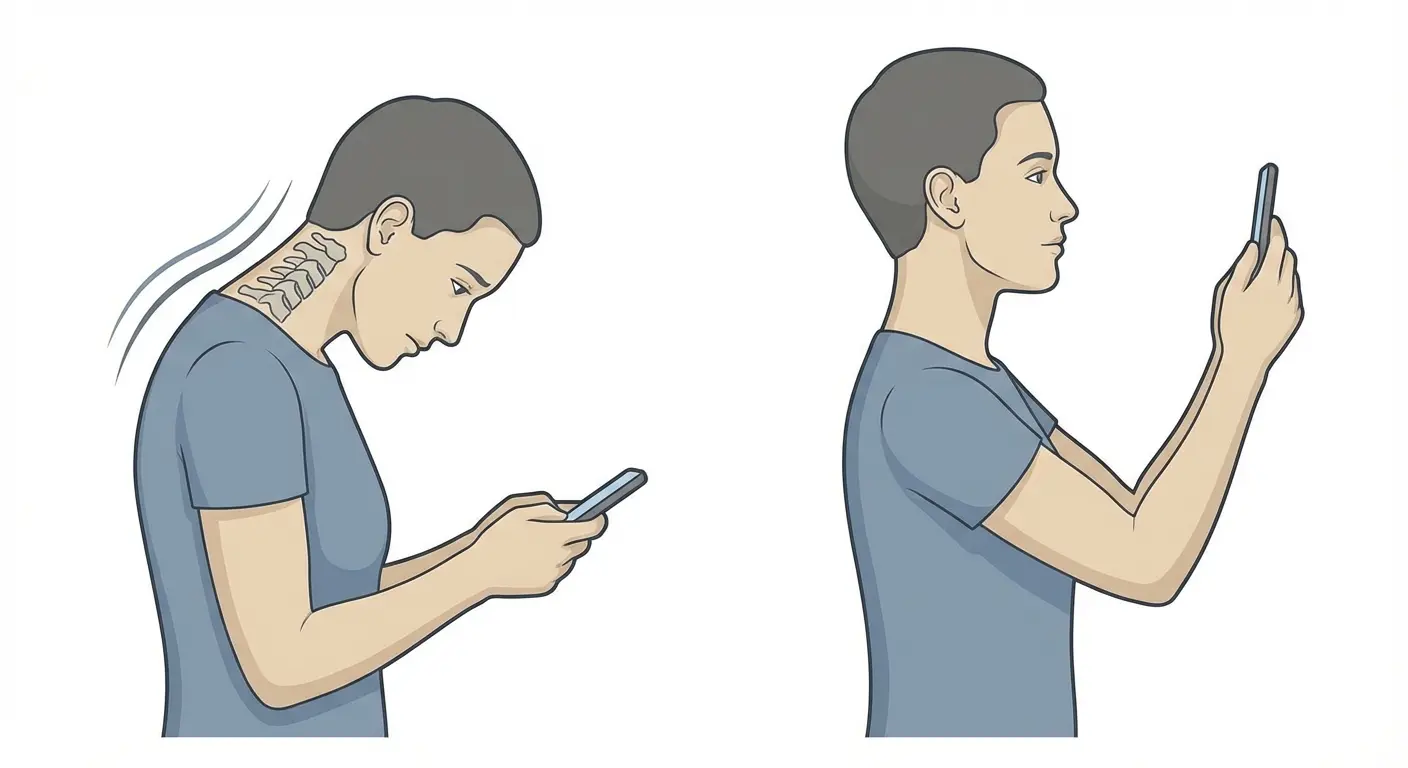
You want your screen basically at eye level, 30-45 degrees from vertical, about an arm's length away. Your neck shouldn't feel like you're staring at your shoes. If you're adjusting your position every five minutes, your setup sucks.
A grip with integrated stand functionality solves this. You can position your phone at the right viewing angle on any flat surface, hands-free, without carrying additional accessories.
Rotation matters here too. You want portrait for reading and scrolling, landscape for video. A fixed stand forces you to choose. A rotating stand adapts to the content.
The ergonomic benefits compound over time. Reduced neck strain, less eye fatigue, more comfortable extended viewing sessions. You're not just preventing drops, you're preventing chronic musculoskeletal issues.
Your Grip Needs to Do More Than One Thing
You're already carrying a phone, a case, probably a wallet, keys, maybe earbuds. The last thing you need is more single-purpose accessories cluttering your pockets or bag.
Here's my rule: if your grip doesn't do at least three useful things, it's just expensive decoration.
What else should it do? It should enable mounting (we've covered this). It should function as a stand for hands-free viewing. It should improve photo and video stability by giving you a secure hold point. It should make one-handed use easier by providing a leverage point that reduces the stretch required to reach distant parts of the screen.
Ideally, it should also integrate with other systems you use. If you've got a magnetic car mount, your grip should work with it. If you've got a desk stand, same thing. If you want to attach your phone to a tripod for content creation, that should be possible too. As The Telegraph recently reported in their comprehensive review of smartphone accessories, "with a rise in phone snatchings, it's more important than ever to keep your expensive tech close at hand," and modern grips are evolving beyond simple drop prevention to become multi-functional security and productivity tools.
The psychological dimension matters as well. When you're confident in your grip, you use your phone differently. You're more willing to use it in challenging situations - on a crowded train, while walking, in environments where a drop would be particularly costly.
This confidence translates to functionality. You take more photos because you're not worried about dropping your phone while reaching for the shutter. You use navigation while walking because you trust your one-handed grip. You reference your phone during workouts because you know it's secure.
A good grip doesn't just prevent negative outcomes (drops), it enables positive ones (more effective use of your device across more situations).
Materials: Why Cheap Grips Fall Apart
That cheap ring holder you bought for five dollars? It'll last about six months before the adhesive fails or the ring mechanism breaks.
I've probably owned 15 different phone grips. Most of them are in a drawer somewhere, next to the fidget spinners and those weird phone VR headsets from 2016.
Material quality determines lifespan, and lifespan determines actual cost. A twenty-dollar grip that lasts three years is cheaper than a five-dollar grip you replace four times.
The adhesive is the first failure point. Cheap adhesives lose bonding strength with temperature cycling (hot car, cold pocket, repeat). They degrade under UV exposure. They fail when exposed to the oils and moisture from your hands. You'll notice the edges starting to lift, then one day it just falls off. The first time I tried to use my phone with a ring grip at the gym, the thing popped off mid-bench-press and my phone hit me in the face. So yeah, adhesive quality matters.

The grip material itself matters too. You want something with consistent friction characteristics - enough grip to prevent slippage, not so much that it's annoying. The material needs to maintain these properties across temperature ranges. Some plastics get slippery when cold, sticky when hot. That's unacceptable.
Durability under stress is another consideration. The grip experiences constant tension and compression as you use it. Cheap materials fatigue and crack. The ring mechanism (if there is one) wears out, getting loose and wobbly. According to industry analysis of phone grip materials, the market is segmented into plastic, metal, silicone, and other materials, with "metal phone grips, typically made from aluminum or stainless steel, valued for their durability and premium feel" offering "a robust and long-lasting solution, often preferred by consumers who prioritize quality and aesthetics."
There's also the aesthetic dimension. Materials that yellow, stain, or show wear quickly make your phone look shabby. You paid good money for that device, you don't want it looking beat up because of a cheap accessory.
Environmental impact should factor into your decision too. Buying and disposing of multiple cheap grips creates more waste than investing in one quality solution that lasts. The manufacturing impact, shipping, packaging, and eventual landfill contribution all multiply with each replacement.
Material |
Durability |
Grip Quality |
Temperature Stability |
UV Resistance |
Typical Lifespan |
Environmental Impact |
|---|---|---|---|---|---|---|
Cheap Plastic |
Low |
Inconsistent |
Poor (gets sticky/slippery) |
Low (yellows) |
3-6 months |
High (frequent replacement) |
Premium Plastic |
Medium |
Good |
Good |
Medium |
1-2 years |
Medium |
Silicone |
Medium |
Excellent |
Excellent |
Medium |
1-2 years |
Medium (recyclable) |
Aluminum |
High |
Good (with coating) |
Excellent |
Excellent |
3-5 years |
Low (durable, recyclable) |
Stainless Steel |
Very High |
Medium |
Excellent |
Excellent |
5+ years |
Very Low (extremely durable) |
Fabric/Elastic |
Low-Medium |
Excellent (comfort) |
Good |
Low (fading) |
6-12 months |
Medium (biodegradable options) |
Premium materials cost more upfront but deliver better performance, longer life, and ultimately better value.
The Ecosystem Approach to Phone Security
You've probably accumulated a collection of phone accessories over the years. A case from one brand, a screen protector from another, maybe a car mount that sort of works with your setup, a pop socket you don't really use anymore.
This fragmented approach costs you money and functionality. Components that weren't designed to work together often don't work together well.
A better strategy is to think in terms of systems. Your phone protection, grip, and mounting solutions should be designed as an integrated ecosystem where each component enhances the others.
This means your case should be compatible with your grip. Your grip should work seamlessly with your mounts. Your mounts should position your phone at the right angles for their specific use cases (driving, desk work, content consumption).
The magnetic mounting standard (MagSafe and compatible systems) has created an opportunity for this kind of integration. Manufacturers can now design products that work together through a common magnetic interface.
But not all implementations are equal. Some magnetic grips are just adhesive rings with weak magnets. They'll stick to magnetic surfaces but won't hold securely during actual use. Others have strong magnets but poor ergonomics or limited functionality.
The ecosystem approach also means thinking about your daily routines. Where do you need your phone accessible? In your car, obviously. At your desk for work or video calls. Maybe at the gym, in the kitchen while cooking, on your nightstand.
Each of these locations benefits from a mounting solution. But carrying multiple accessories defeats the purpose. You need one grip system that works with multiple mount points.
This is where most people's setups fall apart. They've got a car mount that uses a clamp, a desk stand that uses a different attachment method, and a grip that works with neither. Every transition requires removing and reinstalling their phone, which is friction they eventually stop tolerating.
Integration eliminates that friction. One magnetic grip, multiple magnetic mounts, instant attachment at every location. Your phone becomes truly mobile while remaining secure and accessible.
A sales professional I know who travels frequently for work implemented a complete magnetic ecosystem and saw immediate workflow improvements. They installed magnetic mounts in their rental cars (using a reusable adhesive mount that transfers between vehicles), placed a magnetic desk stand at their home office, added a magnetic mount to their hotel room routine (attaching to the bathroom mirror for morning video calls), and kept a magnetic power bank in their laptop bag. With a single magnetic grip on their phone, they could instantly mount their device in any of these locations without fumbling with clips, stands, or cases. What used to take 30-45 seconds of setup at each location now happened in under two seconds, and they estimated saving 15-20 minutes daily just from reduced friction in their phone positioning routine.
Finding a Solution That Actually Addresses These Problems
Okay, look - I work for Rokform, so obviously I'm going to tell you about our grip. But here's the thing: we actually built this to solve these exact problems because we were annoyed by the same crap everyone else sells.
If you're dealing with the chronic usability issues we've outlined (hand fatigue, limited mounting options, awkward viewing angles, fragmented accessory ecosystems), you need something that addresses all of these simultaneously rather than solving one while creating others.
We designed our Magnetic MagMax Sport Ring Stand specifically to function as a complete system rather than an isolated accessory. It rotates 360 degrees for portrait or landscape orientation. It kicks out to function as a stand at multiple angles for hands-free viewing. The magnetic array is strong enough for secure mounting (we're talking real-world use, not just light attachment) while remaining compatible with MagSafe and our full range of mounts.
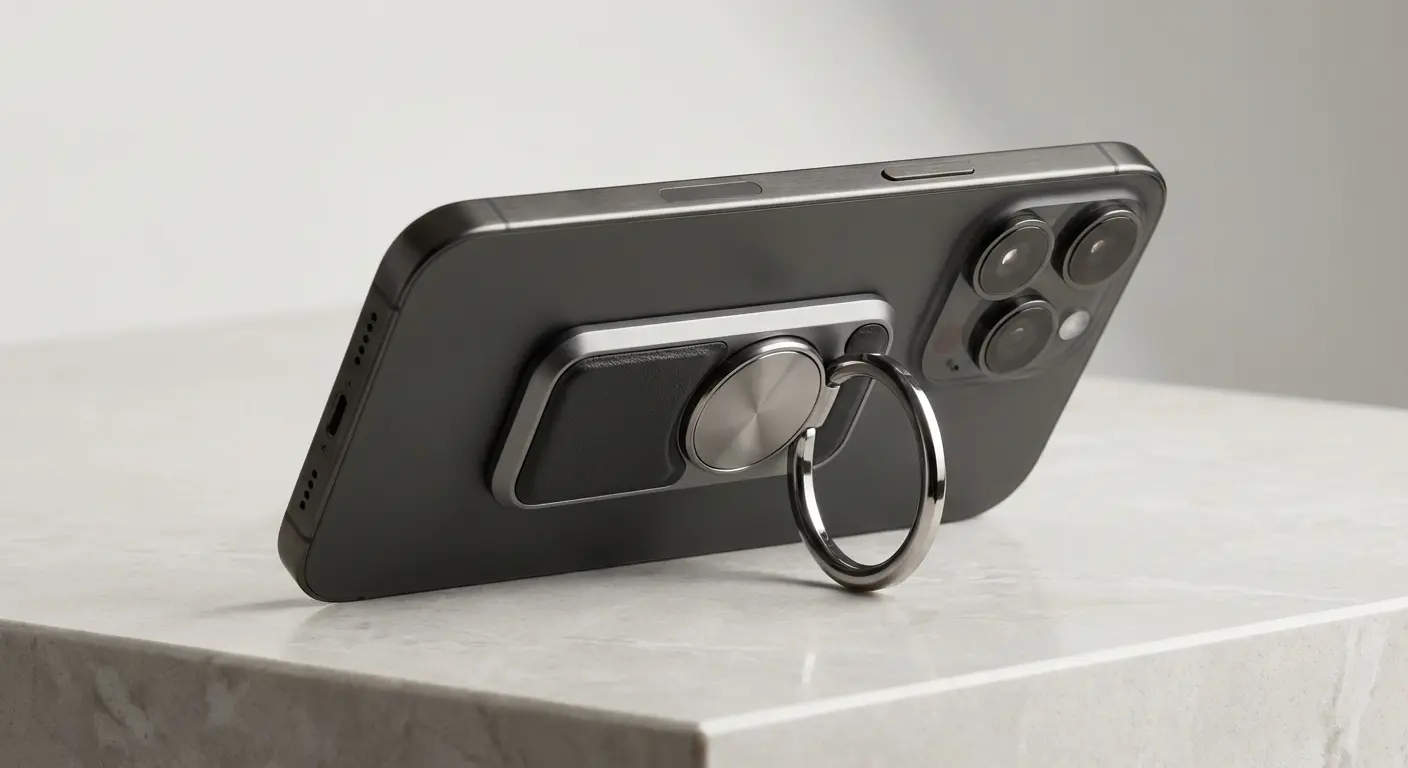
The ring itself provides a secure grip point that reduces hand strain during extended use without adding the bulk of traditional grip straps. You can slip a finger through for security or use it as a stand base depending on what you're doing.
Is this a sales pitch? Yeah, kind of. But I'm not going to pretend there aren't other decent options out there.
Check out the full specs and see if it addresses the specific pain points in your current setup. We've also got mount options for basically every situation (car, desk, bike, wall, gym equipment) that work seamlessly with the same magnetic interface.
Final Thoughts
Look, I've probably overthought this. But I've also used dozens of phone grips, and most of them solve one problem while creating three others.
The phone grip conversation has been dominated by drop prevention for too long. Drops are dramatic and visible, so they're easy to market against. But the real problem is the accumulated strain and inefficiency of poor ergonomics across thousands of daily interactions.
You're holding your phone for hours every day. That interaction should be comfortable, secure, and adaptable to whatever you're doing. Your grip solution should enhance your phone's functionality, not just protect against its failure.
Most of what's available on the market treats grips as an afterthought accessory rather than a core component of your phone's usability. You end up with solutions that solve one narrow problem while creating new ones or simply failing to address the broader ergonomic and functional challenges.
When you're evaluating options, think beyond the immediate "will this prevent drops" question. Ask whether it improves your photo stability, reduces hand fatigue, enables better mounting options, adapts to different use cases, and integrates with the other components of your setup.
You don't have to tolerate discomfort or inefficiency just because it's common. If you're going to stick something on your $1,000 phone, it should probably make your life easier, not just prevent the occasional drop.
The whole industry is focused on protecting your phone from you. What if we focused on making your phone work better for you?
That's the whole point.

