


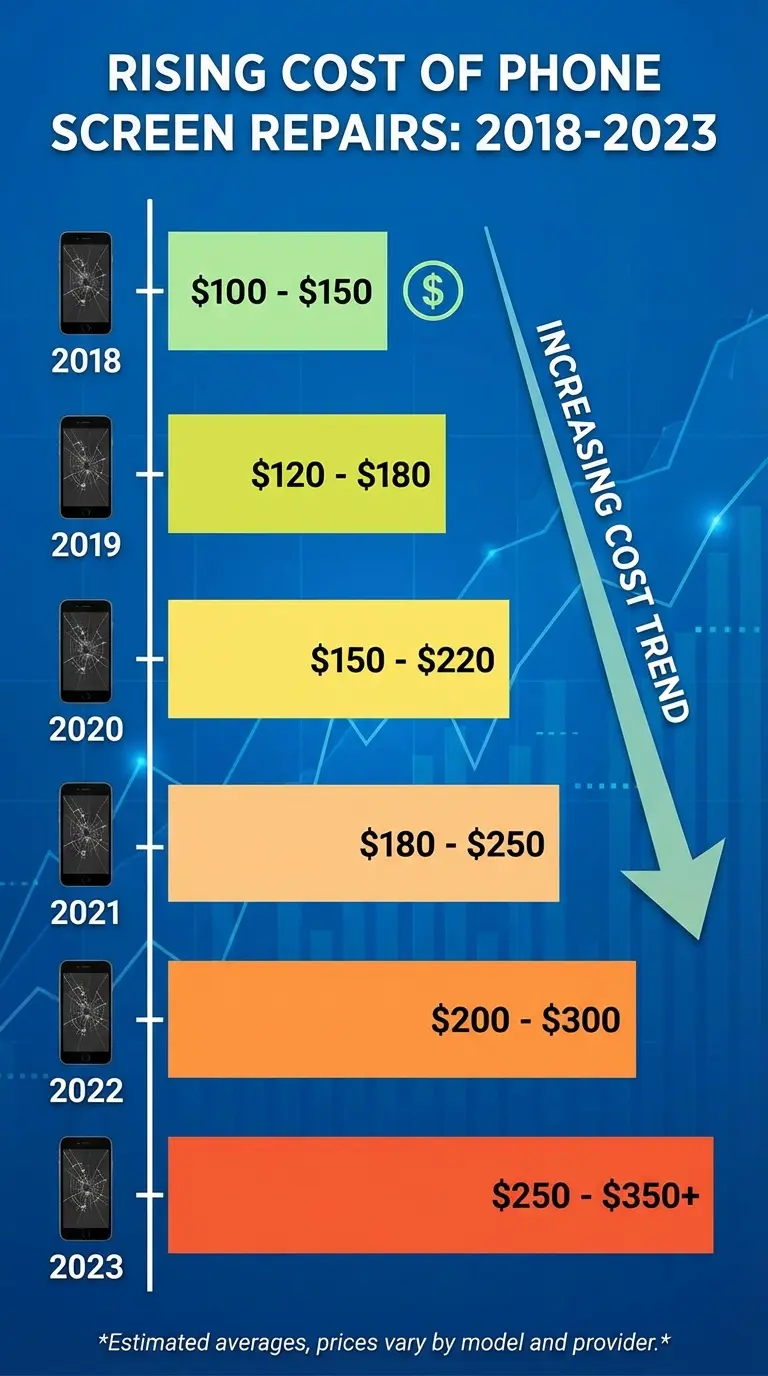
$8.3 billion. That's what Americans spent fixing cracked phone screens in 2023 alone, according to Allstate Protection Plans. Triple what we spent back in 2018. And here's the kicker: that number doesn't include all the other ways a broken phone costs you money.
When you factor in the time lost coordinating appointments, the productivity drain of being without your device, and the data vulnerability window between damage and restoration, the real cost typically runs 2-3x higher than what shows up on the repair bill. Most people fixate on whether they can afford the $379 screen replacement when they should be asking how they can avoid paying anything at all.
Table of Contents
Why the Sticker Price Doesn't Tell the Whole Story
The Real Cost Breakdown You're Not Seeing
What Your Warranty Actually Covers (Spoiler: Less Than You Think)
The Hidden Economics of Repair vs. Replace
How Protection Changes the Entire Equation
Prevention as a Financial Strategy
TL;DR
Repair costs are up 40% in three years (and that's just what's on the bill)
Time lost, data vulnerability, and inconvenience costs often exceed the repair bill itself
Manufacturer warranties rarely cover accidental damage (you know, the thing that actually breaks your phone)
Nobody thinks about depreciation when deciding to repair vs. replace, but it matters more than you'd think
Third-party repairs void warranties and create security risks you won't notice until it's too late
Legitimate protection upfront costs less than a single screen replacement
The right protective case eliminates 90% of repair scenarios before they happen
Why the Sticker Price Doesn't Tell the Whole Story
Research from Allstate Protection Plans shows 27% of smartphone owners would initiate screen repairs within a day, which tells you everything about how dependent we've become on these devices for basic functioning.
Here's what nobody tells you about repair costs. The invoice you receive is never the complete picture. What about the cascading mess that follows the moment your screen shatters?
The Invoice Is Just the Beginning
You've seen the prices. $279 to $379 for a screen replacement on newer iPhones, $549+ for back glass. And yeah, those numbers keep climbing as phones get more complicated. But that repair invoice? That's just the start of what this is actually going to cost you.
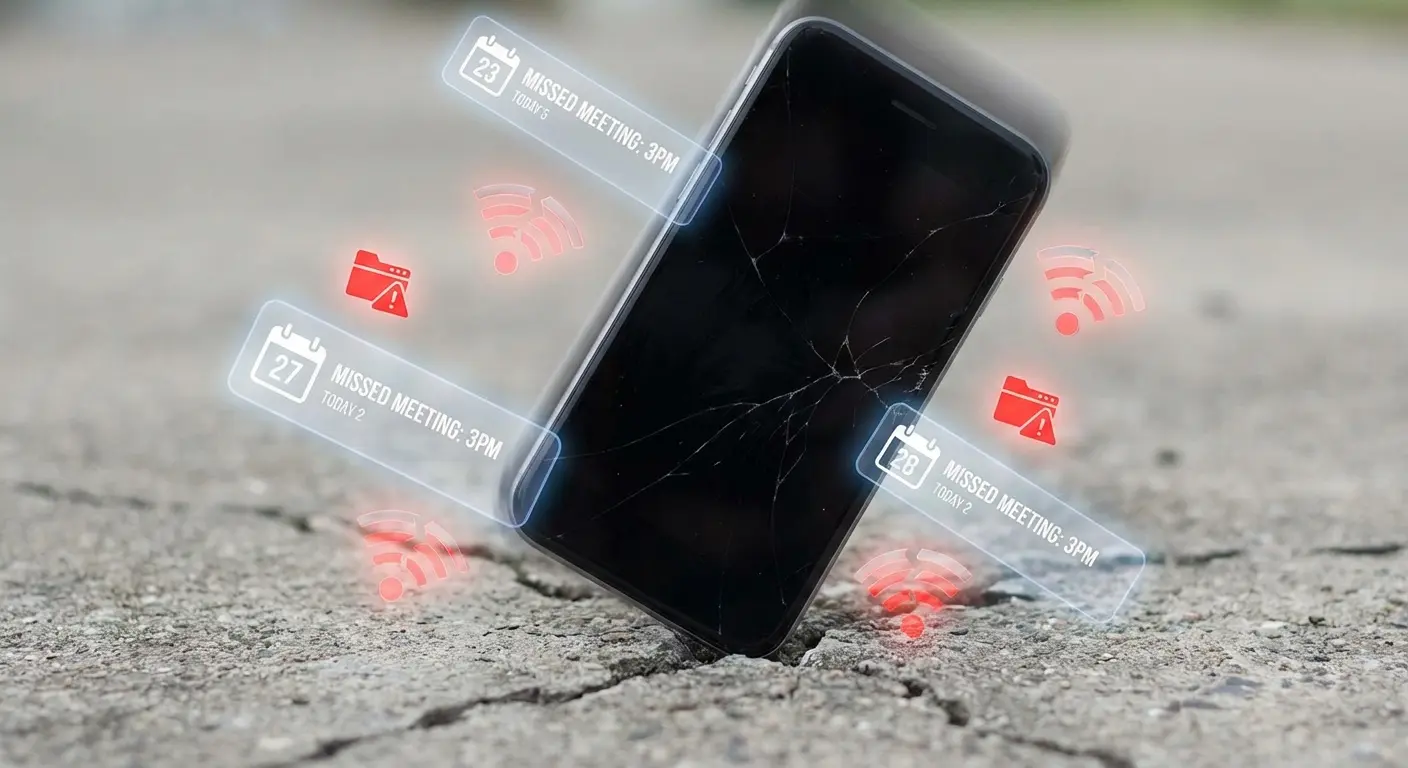
Think about what happens the second your phone hits the pavement. Your calendar becomes inaccessible. Your two-factor authentication stops working. That client call you had scheduled? You're scrambling to find another device to join from. The repair appointment isn't available for three days, so you're either functioning at half capacity or paying for an Express service that adds another $100 to your bill.
Time Costs Add Up Faster Than You Realize
I did the math on actual hours lost in a typical repair scenario. Scheduling the appointment takes 15-20 minutes (assuming you can get through to support without a wait). Getting to the repair location, even if it's a mall kiosk, costs you 30-45 minutes round trip. The repair itself, if done same-day, still means 2-3 hours without your device.
You're looking at a minimum half-day disruption, often more.
Take Sarah. Freelance graphic designer, three kids, always has crumbs in her phone case. She cracked her iPhone 15 Pro screen on a Tuesday morning. Just her luck. Twenty minutes on hold with Apple Support (of course), then a 35-minute drive to the nearest Apple Store in the middle of her workday. While waiting three hours for the repair, she missed a client video call (rescheduled to the following week, delaying project approval), couldn't access her project files stored in cloud apps requiring two-factor authentication, and lost the window to submit a time-sensitive proposal. The repair cost her $379, but the delayed proposal meant she lost a $2,500 contract to a competitor who responded faster. Her actual cost: $2,879.
For someone billing $50/hour (a modest freelance rate), that's $200-300 in lost productivity. For a salaried employee, it's meetings missed, emails unanswered, and the stress of being unreachable during business hours.
The opportunity cost doesn't show up on the repair invoice, but it's real money.
Data Vulnerability Creates Risk You Can't Price
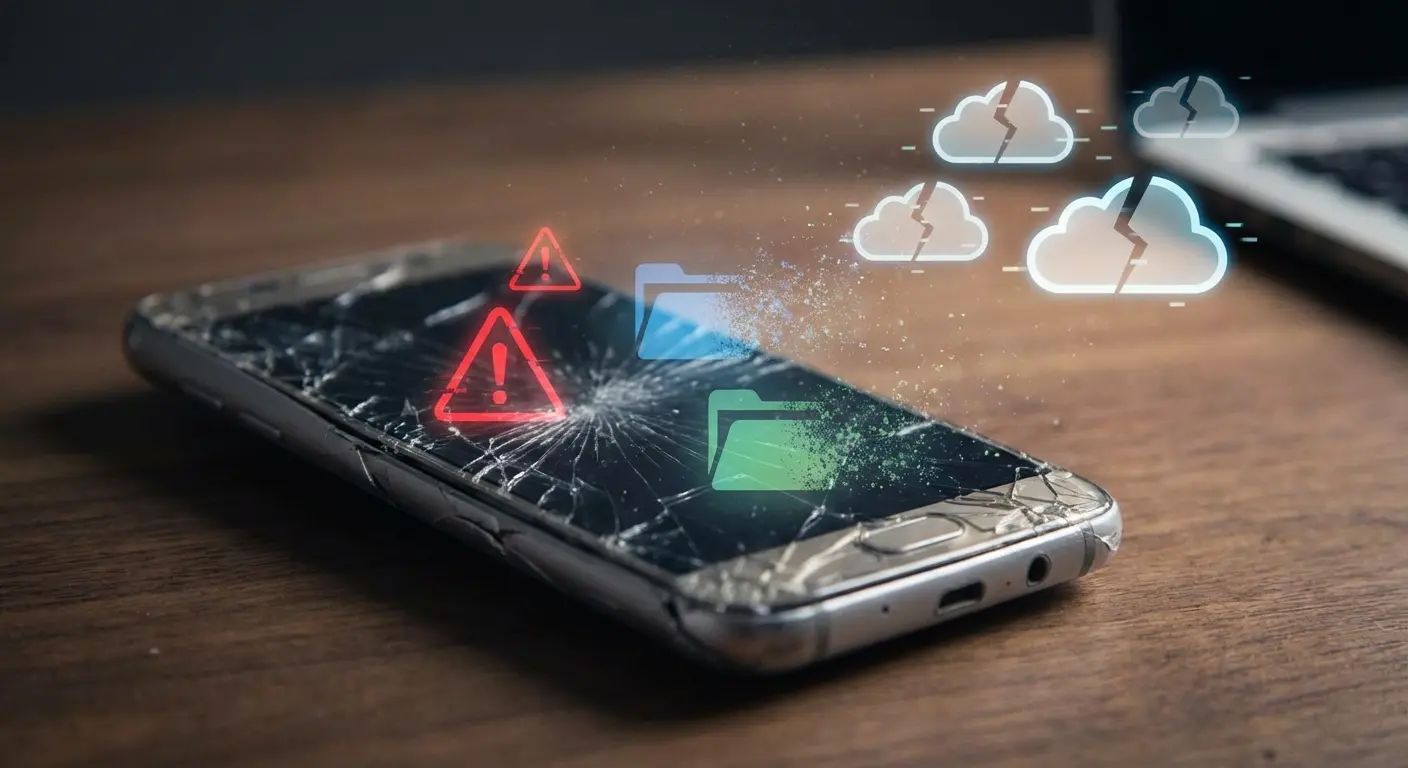
Here's something most people don't consider until it's too late. The window between damage and repair is when your data is most vulnerable. You might have a cracked screen that still functions, but the digitizer is compromised. Water damage might seem minor until the phone dies completely three days later, before you've backed everything up.
Even if you're diligent about backups, there's always something that doesn't sync. Those photos from last weekend. That voice memo with the brilliant idea. The text thread with important information you meant to screenshot.
I've seen people pay $500-1000 to data recovery services trying to retrieve information from phones that died before they could complete a backup. That's on top of the repair or replacement cost.
The Real Cost Breakdown You're Not Seeing
Allstate Protection Plans found that the average phone repair cost reached $302 in 2023, with the nation's collective repair and replacement expenses in the U.S. totaling $149 billion. A staggering figure that reflects both rising repair costs and increasing device complexity.
The gap between what people expect to pay and what they actually end up paying has widened significantly. Newer phone models carry premium repair pricing that hasn't received the attention it deserves. Let me show you the real numbers behind different types of damage and repair channels so you understand exactly what you're facing.
Damage Type |
Apple Official Pricing |
Third-Party Pricing |
Typical Repair Time |
Coverage Under Standard Warranty |
|---|---|---|---|---|
Screen Replacement (iPhone 15 Pro Max) |
$379 |
$150-$200 |
2-3 hours |
Nope (accidental damage) |
Back Glass Replacement |
$499-$549 |
$300-$400 (limited availability) |
4-6 hours |
Nope (accidental damage) |
Battery Replacement |
$89-$99 |
$50-$70 |
1-2 hours |
Yes, if below 80% capacity within warranty period |
Water Damage Diagnostic |
Included in repair |
$89-$149 |
1-2 hours |
Nope (environmental damage) |
Water Damage Repair |
$300-$600 |
$250-$500 |
3-5 days |
Nope (environmental damage) |
Camera Lens Replacement |
$129-$179 |
$80-$120 |
1-2 hours |
Only if it's a manufacturing defect |
Charging Port Repair |
$79-$129 |
$50-$90 |
1-2 hours |
Only if it's a manufacturing defect |
Screen Damage: The Most Common and Most Deceptive
Screen repairs dominate the repair market. They account for roughly 60% of all phone repairs, which makes sense given how we use our devices. What's changed is how much that screen costs to fix.
An iPhone 15 Pro Max screen replacement through Apple runs $379. That's without AppleCare+. The iPhone 16 Pro Max? Same price, but the technology has gotten more sophisticated. These aren't just glass panels anymore. You're replacing OLED displays with integrated touch layers, Face ID components, and proximity sensors.
Apple recently updated its iPhone Repair and Service website to include service fees for the iPhone 17, iPhone 17 Pro, and iPhone Air, maintaining the same pricing structure for screen replacements. Out-of-warranty screen repairs for the iPhone 17 Pro Max remain at $379, confirming that premium device repair costs continue to hold steady at the upper price range despite advances in manufacturing.
Third-party repair shops advertise $150-200 for screen replacements. Sounds great until you realize they're using aftermarket parts that don't match the original quality. Colors look off. Touch sensitivity decreases. True Tone stops working. You've saved money upfront but compromised the device you paid $1,200+ for.
Back Glass: The Repair Nobody Sees Coming
This one catches people off guard. Back glass damage seems cosmetic, so people assume it's cheap to fix.
It's not.
Apple charges $499-549 for back glass replacement on recent Pro models. Why so expensive? They can't just replace the glass. The design integrates the back panel with the chassis and wireless charging components. The entire housing needs replacement, which means transferring every internal component to a new shell.
Most third-party shops won't even attempt this repair. The ones that do charge $300-400 and can't guarantee wireless charging will work properly afterward. You're stuck with manufacturer pricing or living with a shattered back (which most people do, since it doesn't affect functionality).
Water Damage: The Wildcard That Keeps Getting Worse
Water resistance ratings have improved, but water damage repairs haven't gotten cheaper. They've gotten more unpredictable.
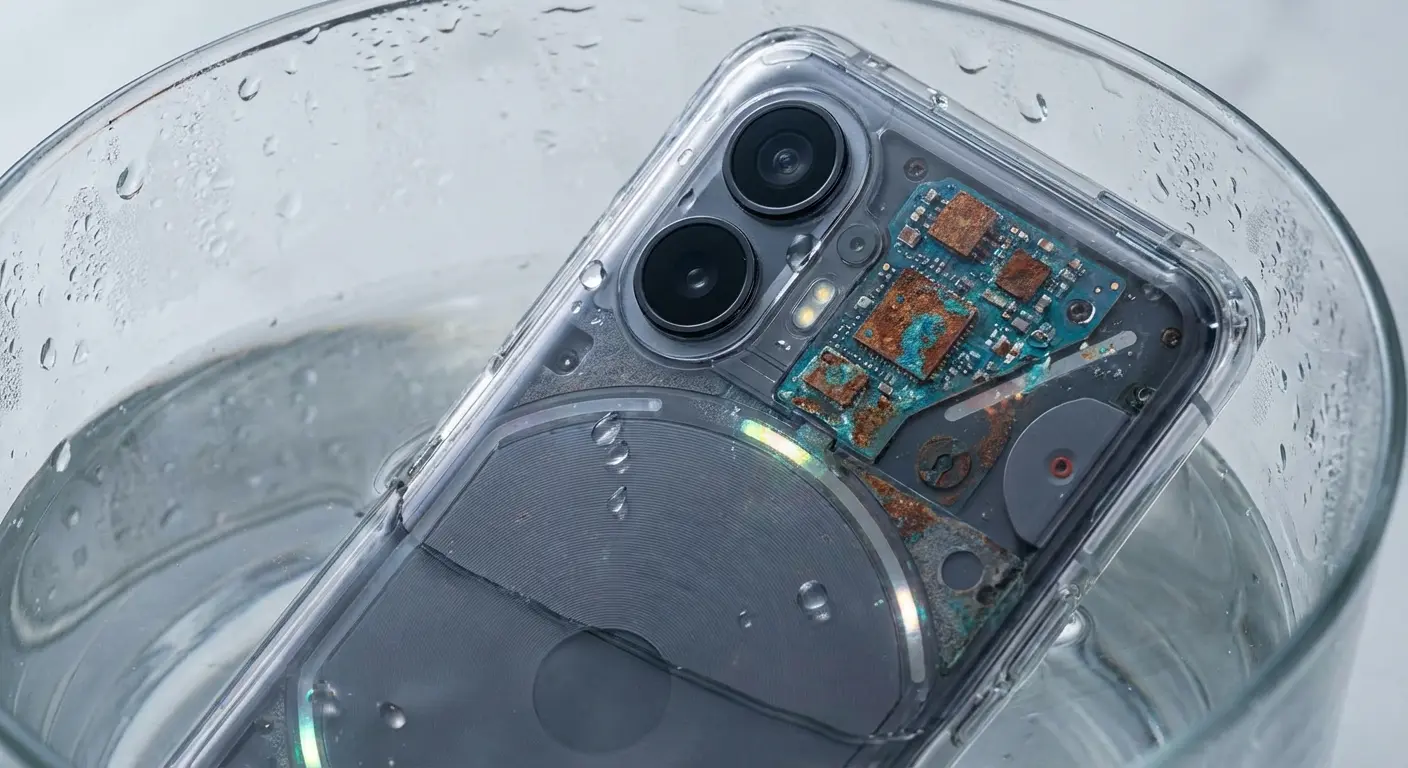
You might get lucky. A quick dip gets dried out, and everything works fine. Or you might face corrosion that doesn't show up for weeks, slowly degrading connections until multiple components fail. Repair shops charge $89-149 just for diagnostics on water-damaged phones. If they find motherboard damage, you're looking at $300-600 in repairs, assuming it's even fixable.
The worst part? Water damage voids most warranties, even if your phone is technically water-resistant. That IP68 rating protects against specific conditions (clean water, specific depths, limited time). Drop it in salt water or a puddle with debris? You're on your own.
Other Component Failures That Add Up
Cameras, charging ports, buttons, speakers. These components seem minor until they stop working. Camera lens replacement runs $129-179. Charging port repair costs $79-129.
These prices add up fast if you have multiple issues. I've seen phones with $600+ in needed repairs, at which point you're better off replacing the device entirely. But that decision point isn't always clear when you're getting quoted for individual fixes.
What Your Warranty Actually Covers (Spoiler: Less Than You Think)
Most people don't understand what they've paid for until they try to use it. Let me break down the differences between manufacturer warranties, AppleCare+, carrier insurance, and credit card protections. The deductibles, coverage limits, claim limits, and exclusions matter more than the marketing materials suggest.
Warranty Coverage Quick Assessment Checklist
Before assuming your damage is covered, verify:
☐ What broke? (Accidental damage, factory defect, or just old age?)
☐ Warranty period: Still within the original 1-year manufacturer warranty?
☐ Coverage plan: Got AppleCare+, carrier insurance, or credit card protection active?
☐ Deductible amount: What are you paying out-of-pocket even with coverage?
☐ Claim limits: How many incidents have you used this year? (Usually 2 per 12 months)
☐ Exclusions: Does your damage fall under excluded categories like theft, loss, or cosmetic?
☐ Documentation: Got proof of purchase and photos of the damage?
Manufacturer Warranties Cover Almost Nothing You'll Actually Need
Your one-year limited warranty covers manufacturing defects. That's it. The screen that cracked when you dropped it? Not covered. The water damage from leaving it on the patio table during a rainstorm? Not covered. The charging port that stopped working after two years of daily use? Not covered (because you're past the warranty period).
Manufacturing defects are rare with modern phones. Quality control has improved to the point where true defects appear in less than 2% of devices. Everything else falls under "accidental damage" or "wear and tear," neither of which your standard warranty addresses.
AppleCare+ Makes More Sense Than It Used To (But Read the Fine Print)
AppleCare+ costs $199-269 upfront or $9.99-13.49 monthly, depending on your model. You get two incidents of accidental damage coverage per year, but you still pay deductibles. Screen repair costs $29. Other damage costs $99.
Let me show you the math. If you crack your screen once during your two-year phone ownership, you've paid $199 (or $240 in monthly fees) plus $29 for the repair. That's $228 total versus $379 without coverage. You've saved $151.
My buddy Marcus, who I swear has broken every phone he's ever owned, actually did the math this time. Bought an iPhone 15 Pro for $1,199 and added AppleCare+ at $199 upfront. Eight months later, he dropped his phone in a parking lot, shattering the screen. Paid the $29 deductible for repair. Four months after that, his toddler knocked the phone off a counter, cracking the back glass. Another $29 deductible. Total spent on AppleCare+ and deductibles: $257. Total he would have spent without coverage: $379 (screen) + $549 (back glass) = $928. His net savings: $671. For Marcus, AppleCare+ paid for itself twice over because his usage pattern (active toddler, frequent phone handling) matched his risk profile.
But if you never crack your screen? You've spent $199-240 for nothing. The gamble makes sense if you're historically hard on phones. For careful users, it's expensive insurance against something that might not happen.

The Theft and Loss Add-On: Worth It or Not?
AppleCare+ with Theft and Loss costs an additional $100-120 over the standard plan. The deductible for a lost or stolen phone is $149. You're paying $300+ in total coverage costs plus $149 when you make a claim.
Compare that to just replacing a phone outright (which you can often do through carrier payment plans) or using homeowners/renters insurance, which might cover theft with a lower deductible. The value proposition gets murky.
Carrier Insurance Programs: Convenient but Expensive Over Time
Carriers charge $7-15 monthly for device protection plans. That's $168-360 over a two-year period. Deductibles range from $29 for screen repairs to $249 for full replacements.
Honestly? The math rarely works in your favor. You're paying more in premiums than you would for AppleCare+, with similar or higher deductibles. The main advantage is convenience (you can file claims through your carrier) and the fact that coverage continues as long as you pay, even if you keep your phone for three or four years.
Credit Card Protection: The Coverage You Forgot You Have
Many premium credit cards include cell phone protection if you pay your monthly bill with that card. Coverage typically includes $600-800 per claim with a $25-100 deductible.
This is genuinely useful coverage that most people never use because they don't know it exists. Check your card benefits. You might already have protection that rivals AppleCare+ without paying extra for it.
The Hidden Economics of Repair vs. Replace
The way most people decide whether to repair or replace a damaged phone is fundamentally flawed. Let me show you depreciation curves, residual value calculations, and the true cost over different time horizons. The sweet spot for when to repair versus replace changes based on how long you've owned the phone and how long you plan to keep it.
Phone Age |
Original Price |
Current Market Value |
$379 Screen Repair as % of Value |
Repair or Replace Recommendation |
|---|---|---|---|---|
6 months |
$1,200 |
$700-$800 |
47-54% |
Repair (preserving significant value) |
12 months |
$1,200 |
$600-$650 |
58-63% |
Repair (still reasonable value retention) |
18 months |
$1,200 |
$450-$500 |
76-84% |
Consider replacing (approaching threshold) |
24 months |
$1,200 |
$350-$400 |
95-108% |
Replace (repair exceeds current value) |
30+ months |
$1,200 |
$250-$300 |
126-152% |
Definitely replace (repair costs way more than value) |
Depreciation Changes Everything
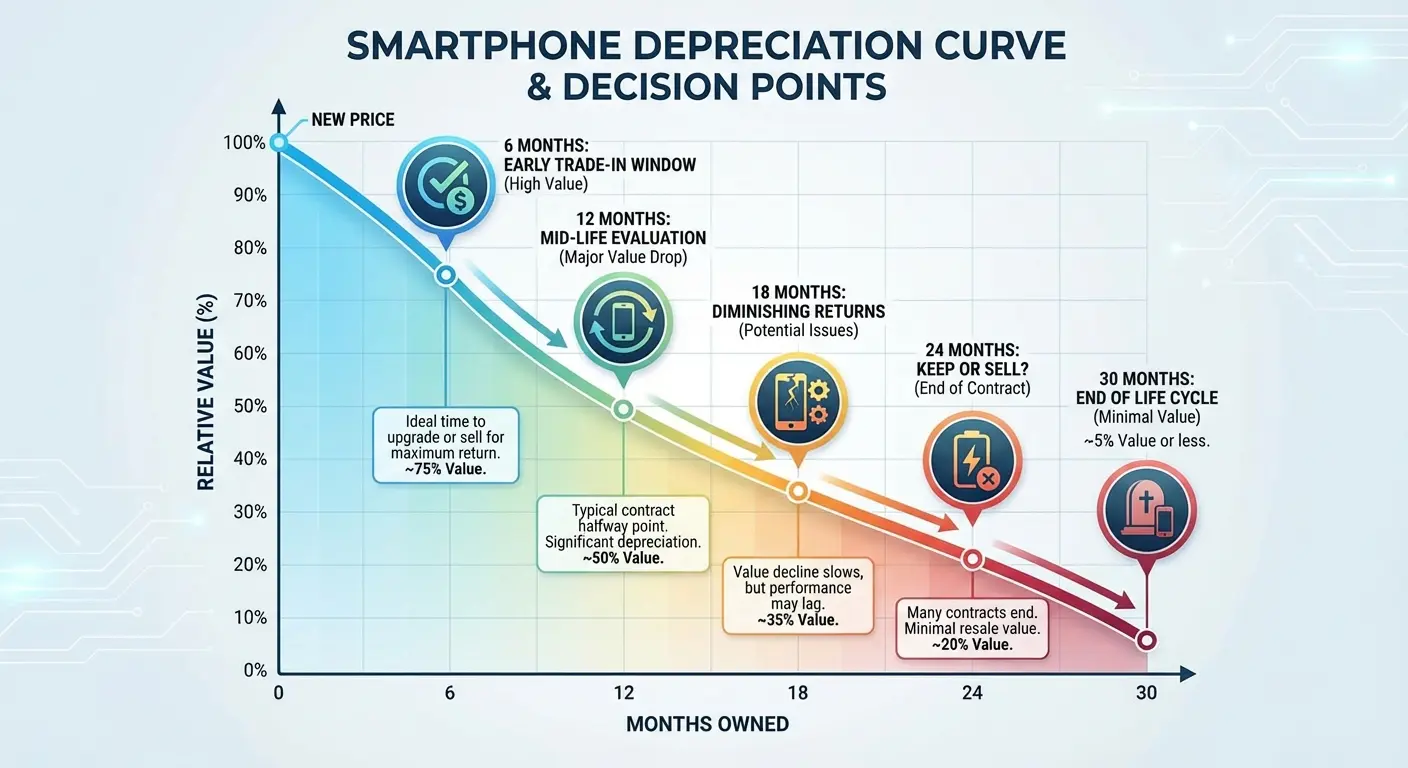
Your phone loses 40-50% of its value in the first year. By year two, it's worth 30-40% of what you paid. This depreciation curve matters when you're deciding whether a repair makes financial sense.
Say you're six months into owning a $1,200 phone. A $379 screen repair feels expensive, but your phone is still worth $700-800. Repairing it makes sense because you're preserving significant residual value.
Now say you're 18 months in. That same phone is worth $450-500. The $379 repair represents 75-84% of your phone's current value. You're approaching the point where replacement might make more financial sense, especially if you were planning to upgrade within the next year anyway.
The Repair Cost as Percentage Rule of Thumb
Here's how I think about it: if the repair costs more than 50% of your phone's current market value, seriously consider replacement instead. If it's more than 75%, replacement almost always makes more sense unless you're deeply committed to keeping that specific device.
This calculation requires knowing what your phone is worth. Check recent sold listings on resale markets (not asking prices, actual sold prices). Factor in your phone's condition before the damage. A phone with a cracked screen but otherwise pristine is worth more than one with battery degradation, scratches, and now a broken display.
The Multiple Repair Trap
Single repairs often make sense. Multiple repairs rarely do.
You crack your screen, and while it's in the shop, they discover your battery health is at 75% and your charging port is intermittent. Now you're looking at $379 + $89 + $99 = $567 in repairs.
At that point, you're better off putting that money toward a new or refurbished device. You get a fresh battery, full functionality, and likely an extended usable life compared to repairing an aging phone with multiple issues.
The Upgrade Cycle Timing Factor
If you're three months from your planned upgrade, repair rarely makes sense. You're paying significant money for three months of use. Better to limp along with the damaged phone if it's still functional, or accelerate your upgrade timeline.
If you're planning to keep your phone for another 18-24 months, repair makes much more sense. You're spreading that repair cost over a longer period, which improves whether it's worth it.
How Protection Changes the Entire Equation
Let's reframe the cost conversation from "what will I pay when it breaks" to "what can I invest to prevent it from breaking." Proper protection eliminates most repair scenarios entirely. Understanding why people skip protection and what makes them regret that choice reveals patterns worth learning from.
The Math That Nobody Wants to Do (But Should)
A single screen repair costs $279-379. Quality protection costs $40-70.
You don't need to be a mathematician to see that preventing one drop pays for itself several times over.
Yet people skip protection constantly. They buy a $1,200 phone and immediately use it naked or with a $15 case that offers minimal real protection. The psychology makes sense (you want to enjoy the design you paid for, the phone feels invincible when it's new), but the economics don't.
Not All Protection Is Created Equal
Here's what most people get wrong about phone cases. They think any case provides protection.
It doesn't.
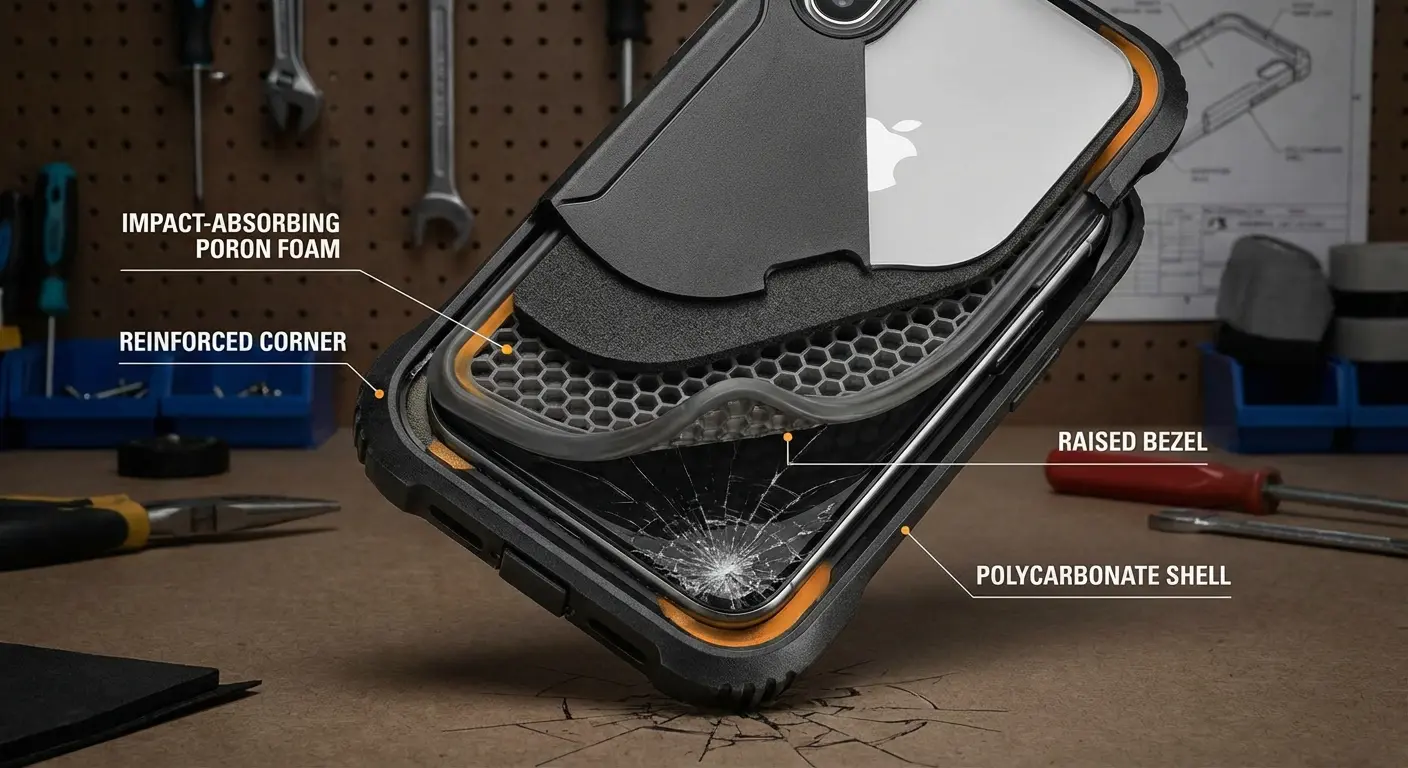
Cheap cases absorb minimal impact. They might prevent scratches, but they're not engineered to handle real drops. You need cases that have been drop-tested to military standards (MIL-STD-810G is the benchmark). You need raised bezels that protect your screen and camera lenses when the phone lands face-down. You need materials that absorb and disperse impact rather than transmitting it directly to your device.
Talk to anyone in the repair business and they'll tell you: they've seen too many people bring in phones with shattered screens, still in their cases. The case is intact. The phone is destroyed. That's not protection. That's false security.
The Features That Actually Prevent Damage
Magnetic mounting systems keep your phone secure in cars, on bikes, and during activities where fumbling leads to drops. Textured grips reduce the casual slips that cause most damage. Reinforced corners handle the high-impact zones where phones typically make contact during falls.
These aren't luxury features. They're functional elements that directly reduce damage probability. The difference between a phone that survives two years without incident and one that needs multiple repairs often comes down to these specific design choices.
When You're Serious About Protection (And Tired of Repair Bills)
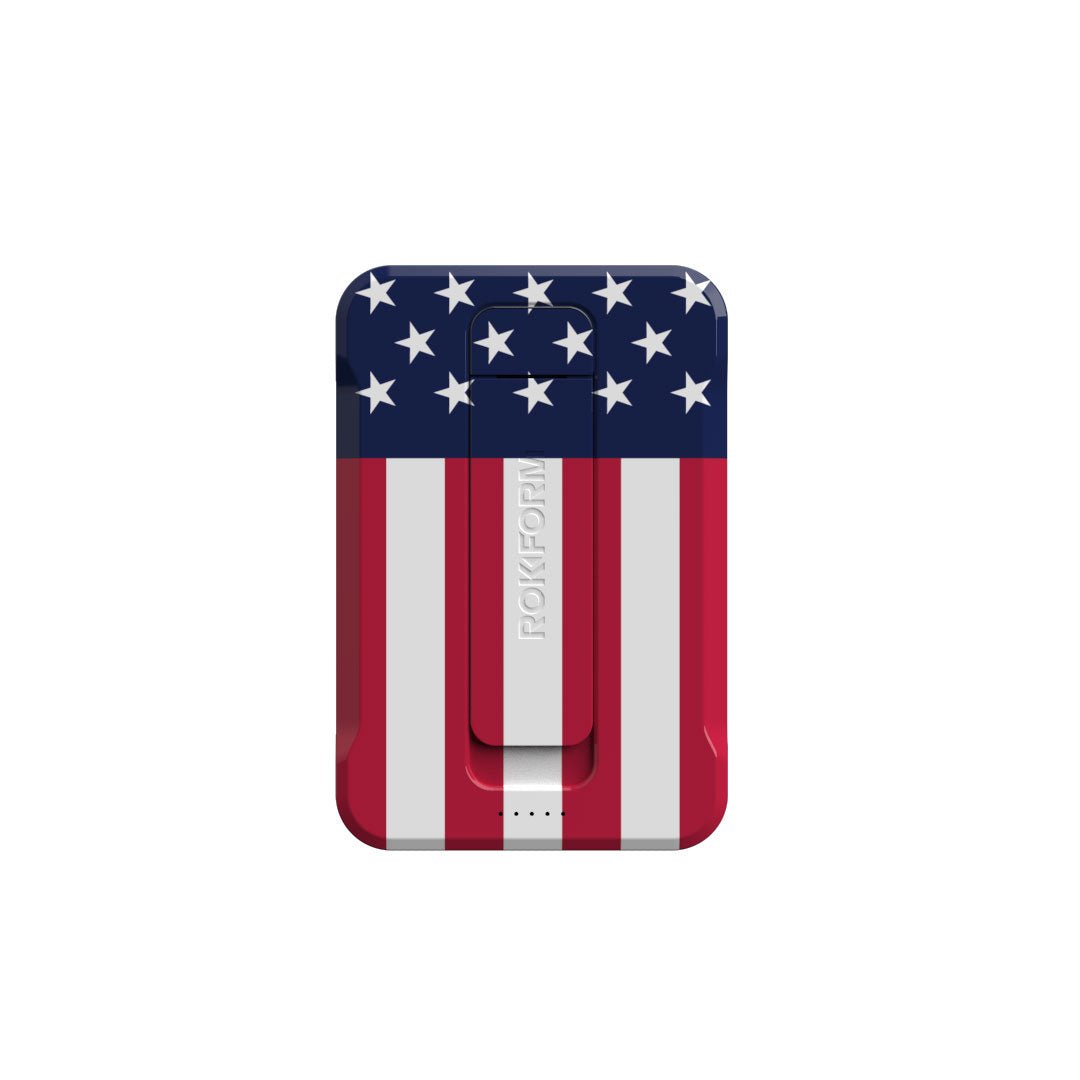
Full disclosure: this is where I tell you about Rokform cases, because honestly, they were built after getting tired of watching people crack $1,200 phones in $15 cases.
Military drop-test standards? Yeah, they do that. But the real reason Rokform cases work is the RokLock mounting system, which keeps your phone locked down when you're doing the exact activities where most people drop their phones. Car, bike, gym, wherever.
I'm not going to list every feature because you can read that on the website. What matters: dual-layer protection (polycarbonate shell with TPU liner), raised bezels so your screen doesn't kiss the pavement, and materials that don't turn yellow and gross after six months.
The proprietary RokLock twist-lock mounting system isn't just convenient, it's a safety feature. When your phone is magnetically secured to a mount, it's not sliding around your car, falling between seats, or getting knocked off surfaces. The mounting ecosystem eliminates the fumbling and juggling that causes most damage incidents.
Look, every detail is engineered with protection in mind. Button covers maintain tactile response while keeping out dust and debris. Precise cutouts ensure full functionality without compromising the protective seal. The materials don't degrade or yellow over time, maintaining both protection and appearance throughout your phone's life.
Check out the full lineup at Rokform.com. You're investing in protection that costs less than a single screen replacement and prevents the downtime, data risk, and hassle that come with every repair scenario outlined here.
The Lifestyle Factor in Protection Decisions
Your risk profile matters more than you think. Someone who works a desk job and primarily uses their phone indoors faces different damage probability than someone who works construction or spends weekends mountain biking.
Parents with young kids? Your phone is getting grabbed, thrown, and dropped more than you realize. Damage statistics show phones in households with children under five experience 3x more damage incidents than phones in child-free households.

Outdoor activities multiply your risk. Hiking, climbing, water sports, cycling. These scenarios combine movement, distraction, and environmental factors that increase drop probability. Add in temperature extremes, moisture exposure, and the potential for impacts beyond simple drops, and you're looking at significantly higher damage risk.
Office environments seem safe until you factor in concrete floors, tile bathrooms, and the number of times you pull your phone out while walking, carrying coffee, or multitasking. The damage might be less frequent, but it still happens.
The Cost of Being Wrong About Your Risk Level
Here's what happens constantly: people underestimate their risk until after the first major damage incident. Then they overcompensate, buying maximum protection after they've already paid for an expensive repair.
The smart move is honest self-assessment upfront. How many times have you dropped your phone in the past year? How many close calls have you had? What activities do you do regularly where your phone is exposed to potential damage?
If your answer is "more than twice" or "several," you're a high-risk user. Protection isn't optional for you. It's a financial necessity that will pay for itself.
Prevention as a Financial Strategy
Protection goes beyond just cases. Let's talk about screen protectors, insurance decisions, backup strategies, and behavioral changes that reduce damage probability. Think of prevention as building layers of defense rather than relying on single-point solutions. Here's a tiered strategy based on risk tolerance and budget.
Phone Protection Strategy Template
Tier 1: Essential Protection (Budget: $50-80)
Military-grade protective case ($40-70)
Tempered glass screen protector ($10-30)
Enable automatic daily cloud backups (free, but honestly most people skip this)
Designate specific pockets for phone storage (free, sounds obvious but it works)
Tier 2: Enhanced Protection (Budget: $250-350)
All Tier 1 items
AppleCare+ or equivalent coverage ($199-269)
Backup screen protector for immediate replacement ($10-30)
Phone lanyard/strap for high-risk activities ($15-25)
Tier 3: Maximum Protection (Budget: $350-450)
All Tier 2 items
AppleCare+ with Theft and Loss ($299-389)
Waterproof pouch for water activities ($20-40)
Secondary backup device for critical periods ($30-50 for basic backup phone)
Layered Protection Makes Statistical Sense
No single protection method eliminates all risk. The goal is reducing probability across multiple failure points. A quality case handles drops and impacts. A screen protector addresses scratches and minor impacts that might not crack the screen but can damage the oleophobic coating. Insurance or warranty coverage handles the catastrophic scenarios that slip through physical protection.
Basically, it's redundancy in a system where failure is expensive. Each layer catches what the previous layer misses.
The Screen Protector Debate (And Why It Still Matters)
Some people argue that modern Ceramic Shield or Gorilla Glass makes screen protectors obsolete.
They're wrong, but for reasons that aren't immediately obvious.
Screen protectors don't primarily prevent cracks from major drops. Your case handles that. They prevent micro-scratches that accumulate over time and degrade resale value. They take the abuse from keys, coins, and sand particles that gradually wear down the coating that makes your screen feel smooth.
A $30 screen protector that you replace once a year costs less than the resale value you lose from a scratched screen. The phone with a pristine display sells for $50-100 more than an identical model with visible scratches.
Glass vs. Film: Which Type Makes Sense
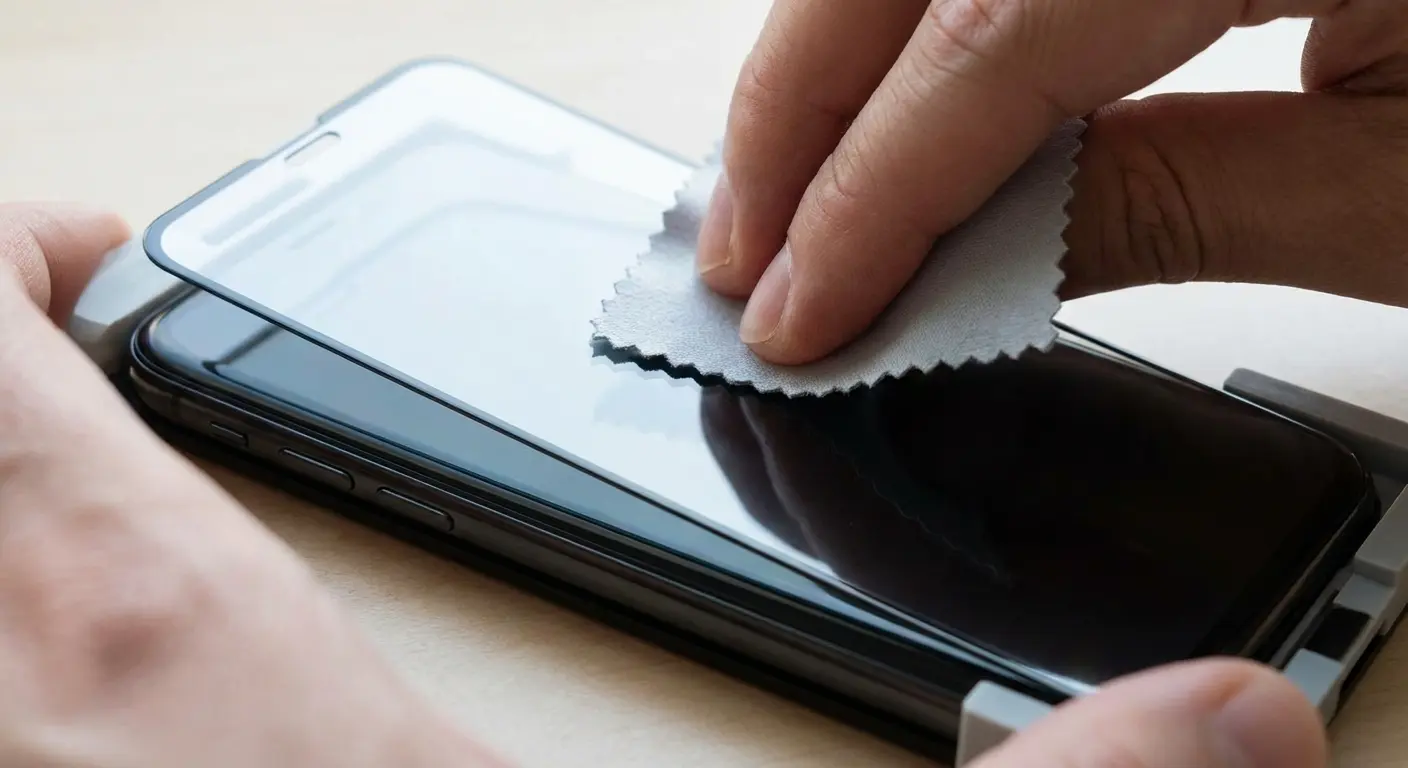
Tempered glass protectors offer better impact protection and feel closer to the original screen. Film protectors are thinner and less noticeable but provide minimal impact absorption. For most users, tempered glass makes more sense unless you're using a phone with curved edges where film protectors adhere better.
Replace your screen protector immediately after it cracks. A cracked protector has already absorbed an impact and may not protect effectively against the next one.
Behavioral Changes That Cost Nothing
You can reduce damage probability significantly through habit changes. Designate specific pockets for your phone (never in back pockets where you might sit on it). Create phone-free zones during high-risk activities. Use a wrist strap or lanyard when you're in situations where drops are likely.
These changes feel minor, but they address the circumstances where most damage occurs. You're not dropping your phone while it's sitting on your desk. You're dropping it during transitions: getting in and out of cars, pulling it from pockets while walking, setting it down while distracted.
The Backup Strategy Nobody Maintains (Until It's Too Late)
Automatic cloud backups should be non-negotiable. Set them to run daily over WiFi. This doesn't prevent damage, but it eliminates the data loss component that often costs more than the physical repair.
I've talked to people who paid $800 to data recovery services trying to retrieve photos from a damaged phone. That's insane when free cloud storage would have prevented the entire problem. The five minutes it takes to set up automatic backups saves you from one of the most expensive consequences of phone damage.
Contacts, messages, app data, health data, authentication codes. Your backup strategy should be thorough. Test your backup by doing a trial restore to an old device or through your cloud service interface. You don't want to discover your backups weren't working after your phone is already damaged.
Total Cost of Ownership
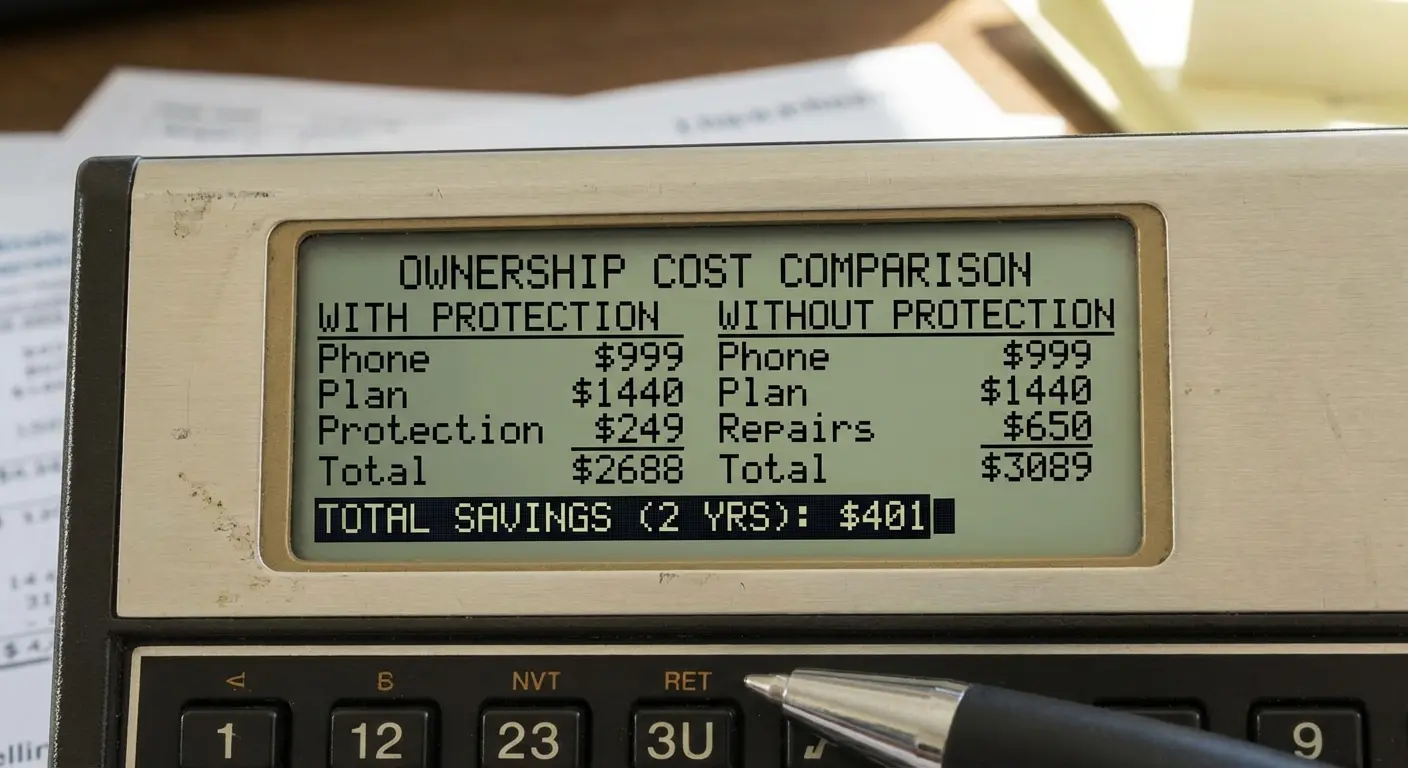
Add up what you've spent on your phone over its entire life: purchase price, repairs, insurance premiums, deductibles, accessories, depreciation. Now compare that to what you could have spent with proper protection from day one.
Most people find that $50-100 invested in quality protection upfront would have saved them $300-800 in repairs and related costs. The ROI on prevention is consistently better than the cost of reactive repairs.
Final Thoughts
Phone repair costs will keep climbing. Devices are getting more complex, parts are getting more expensive, and labor rates aren't decreasing. You can't control those trends.
What you can control is whether you're paying those costs in the first place.
The cost trajectory shows no signs of reversing. Samsung's new Galaxy Z TriFold reportedly costs between $1,123 to $1,243 for a folding screen repair in Korea, nearly the equivalent of purchasing another Galaxy S25 Ultra. As foldable and more complex devices enter the mainstream, repair costs will only escalate further, making prevention strategies even more critical.
Most repair bills are preventable. That's not an exaggeration. The vast majority of screen cracks, back glass damage, and component failures come from drops and impacts that quality protection would have prevented. You're not protecting against freak accidents. You're protecting against predictable physics.
Look, repair costs are climbing, your time is valuable, and losing your data sucks. But here's the thing: almost all of this is preventable.
I'm not saying you need to bubble-wrap your phone. Just stop pretending it's indestructible. A $50 case beats a $379 repair bill every time. Your phone is likely one of your most expensive possessions that you use constantly and expose to risk daily. Treating it like it's indestructible is expensive optimism. Treating it like it's valuable enough to protect properly is just smart economics.
Do the math, protect your stuff, and stop funding Apple's repair department.

