


Table of Contents
Why Most Phone Repair Tool Guides Miss the Point
The Real Cost of DIY Phone Repair (It's Not What You Think)
Essential Tools You'll Actually Use More Than Once
When Professional Repair Makes More Financial Sense
Prevention Tools That Outlast Repair Kits
How to Evaluate If Your Phone Is Worth Repairing
Building a Realistic Repair Toolkit on a Budget
TL;DR
Real talk: You're researching repair tools because your phone broke. But you're solving the wrong problem. Prevention costs less than repair, takes zero hours of your Saturday, and doesn't risk turning your $800 phone into a paperweight. This guide tells you when repair makes sense (rarely) and what actually prevents the damage in the first place.
Why Most Phone Repair Tool Guides Miss the Point
I'm watching my neighbor try to replace his iPhone screen in his driveway. It's 9 PM. He's been at it for three hours. His wife brought him a flashlight an hour ago. I can see him Googling something on his iPad.
This is insane.
You've seen those comprehensive guides listing every screwdriver bit, suction cup, and spudger you might need to resurrect your shattered screen. They're detailed, sure. But here's what they don't tell you: why the hell do we all just accept that phones will break?
Look, I'm not here to shame anyone who's dropped their phone. I've done it. You've done it. But the phone repair tools industry has conditioned us to view damage as inevitable rather than preventable. That's a profitable narrative for them. Terrible advice for you.
Repair shops will tell you that over 80 percent of smartphone repair mistakes are caused by using the wrong tools. But let's be honest about what that statistic really means. It means the repair industry has normalized damage while simultaneously making successful fixes harder than they need to be.
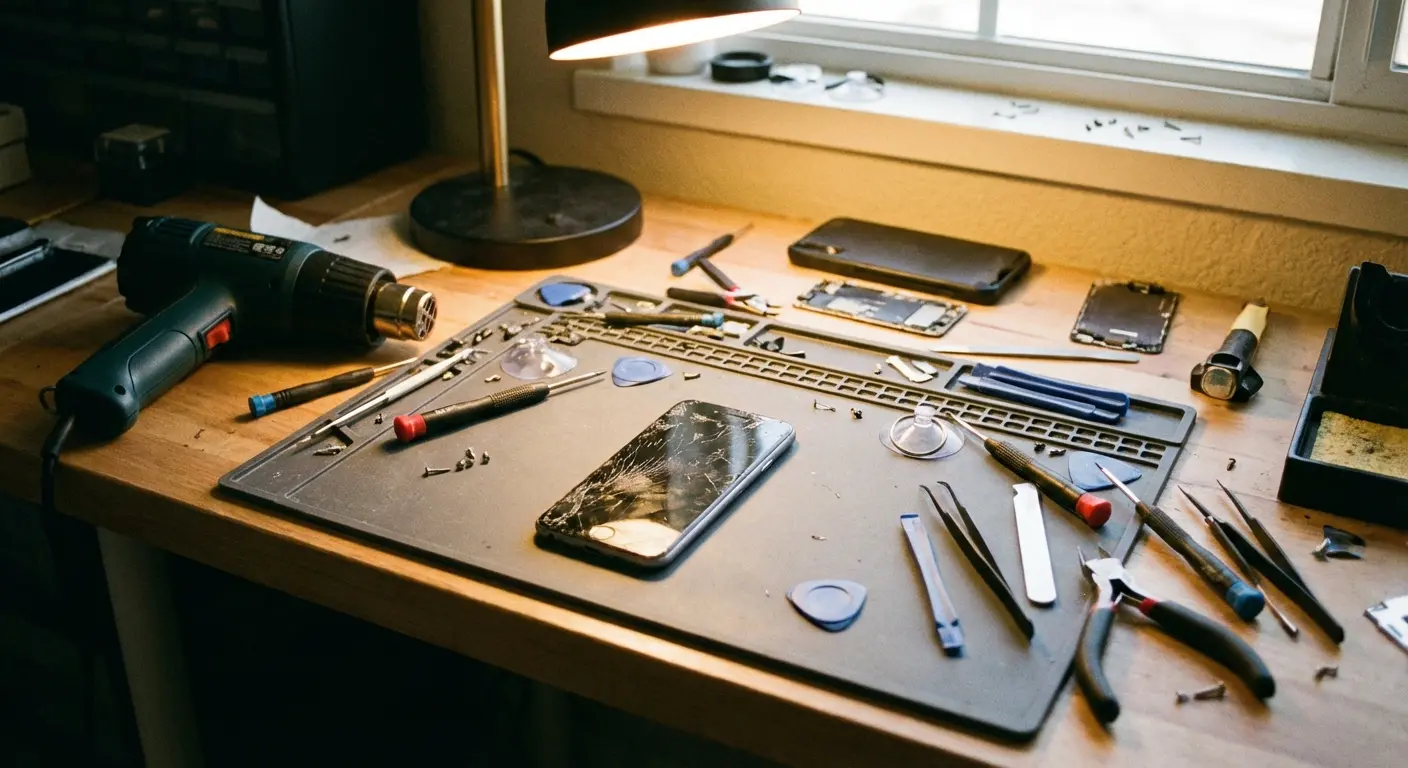
When's the last time you saw a phone repair guide that spent equal time discussing prevention strategies? Never, right? Follow the money. Repair kits generate repeat purchases. Cases are often one-time investments.
We've all just... accepted this? That phones break and we'll need to fix them? When did that become normal?
Consider my friend Sarah. Works in marketing, always has three coffee cups going. She dropped her iPhone 13 Pro in a Costco parking lot. Not even doing anything dramatic. Just... dropped it. She spent four hours on a Saturday trying to fix it herself, ordered the wrong screen twice, and eventually paid someone $200 anyway.
The kicker? She dropped it again six months later in the exact same parking lot. Like, what are the odds?
This time she invested in a Rokform case with their magnetic mounting system. Two years later, she hasn't needed those phone repair tools once, despite multiple drops during her daily commute. She was solving the wrong problem.
So we're gonna do something radical here. We're covering phone repair tools honestly, including which ones you need and when professional help beats DIY. But we're also addressing the elephant in the room: most people researching phone repair tools are doing so because their protection strategy failed or didn't exist.
The Real Cost of DIY Phone Repair (It's Not What You Think)
That $25 repair kit on Amazon looks like a bargain compared to a $200 screen replacement quote. Until you factor in everything else.
Repairs got way harder recently. According to iFixit's repairability analysis, the iPhone 14 Pro earned a failing grade not because of hardware complexity, but because Apple's "parts pairing" system requires new components to be authenticated by Apple's servers. Even genuine replacement parts may trigger warnings or disable features unless Apple authorizes the repair.
That's not a bug. That's the business model.
Time Investment Nobody Mentions
Your first screen replacement will eat 3-4 hours minimum. That includes watching tutorials multiple times, organizing tiny screws you're terrified of losing, and the inevitable moment where something doesn't align quite right and you're Googling frantically at 11 PM.
You make thirty bucks an hour at work. You just spent four hours on this. Do the math. You didn't save money, you just paid yourself less than your boss does.
The Failure Tax
About 60% of people screw this up their first time. First-time repair success rates for screen replacements hover around 60-70%, according to independent repair forums. That 30-40% failure rate means you might be buying that screen twice. Or paying a professional to fix both the original problem and your repair attempt.
Broken ribbon cables. Stripped screws. Adhesive that won't seal properly. These aren't worst-case scenarios. This is Tuesday for first-timers.
Repair Scenario |
DIY Cost |
Professional Cost |
Time Investment |
Success Rate |
True Cost (with failure risk) |
|---|---|---|---|---|---|
Screen Replacement |
$80-120 |
$150-250 |
3-4 hours |
60-70% |
$120-240 (parts + time + failure risk) |
Battery Replacement |
$50-80 |
$80-120 |
2-3 hours |
70-80% |
$70-130 |
Charging Port |
$30-60 |
$100-150 |
4-6 hours |
40-50% |
$90-180 (requires micro-soldering skills) |
Back Glass |
$60-100 |
$350-500 |
5-7 hours |
30-40% |
$150-300 (extremely high failure rate) |
Resale Value Hits You Didn't Anticipate
Non-OEM parts tank resale value. Buyers can tell, or they assume, and they'll lowball you accordingly. That $80 you saved on a third-party screen might cost you $150 when you sell or trade in.
Even successful DIY repairs often leave telltale signs. Slightly misaligned screens. Adhesive residue. Cases that don't fit quite right anymore. These details matter in the secondary market.
Essential Tools You'll Actually Use More Than Once
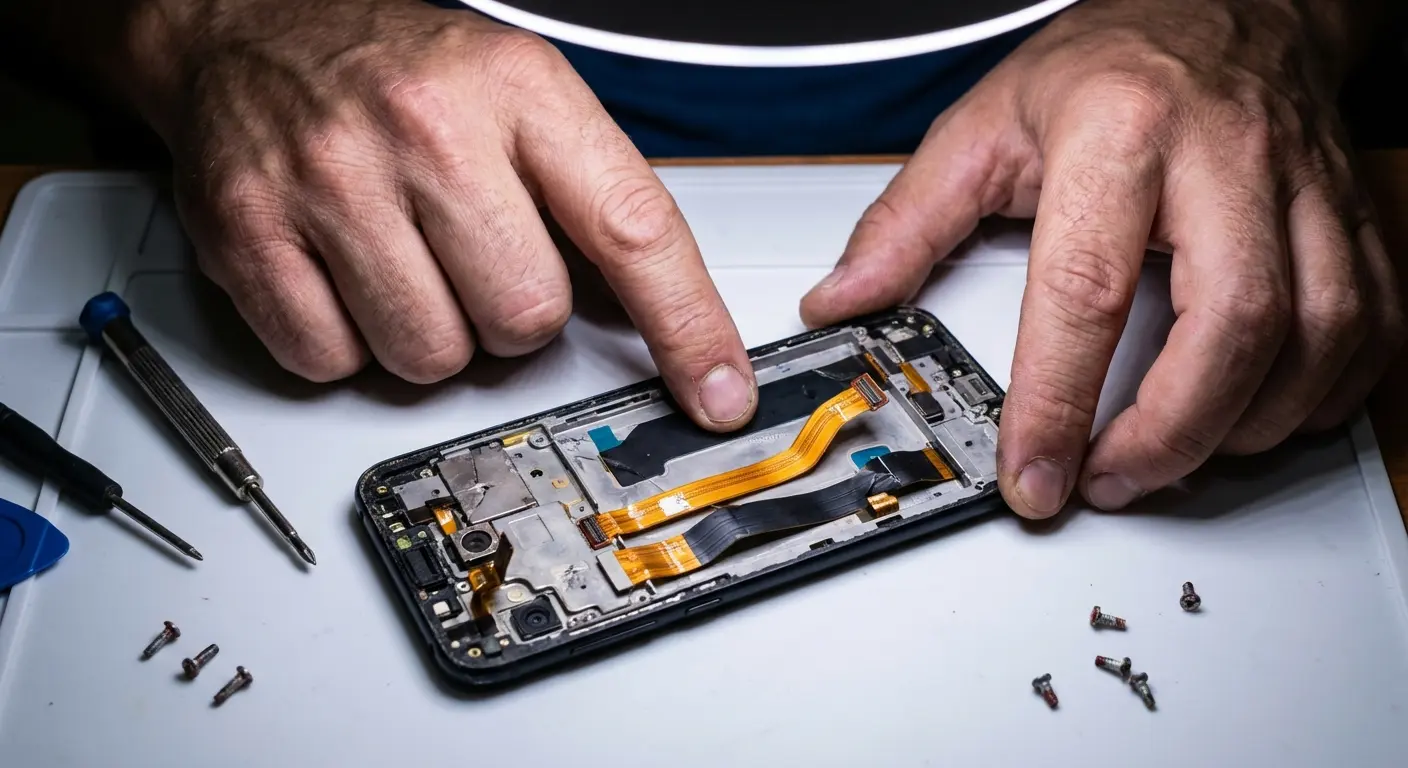
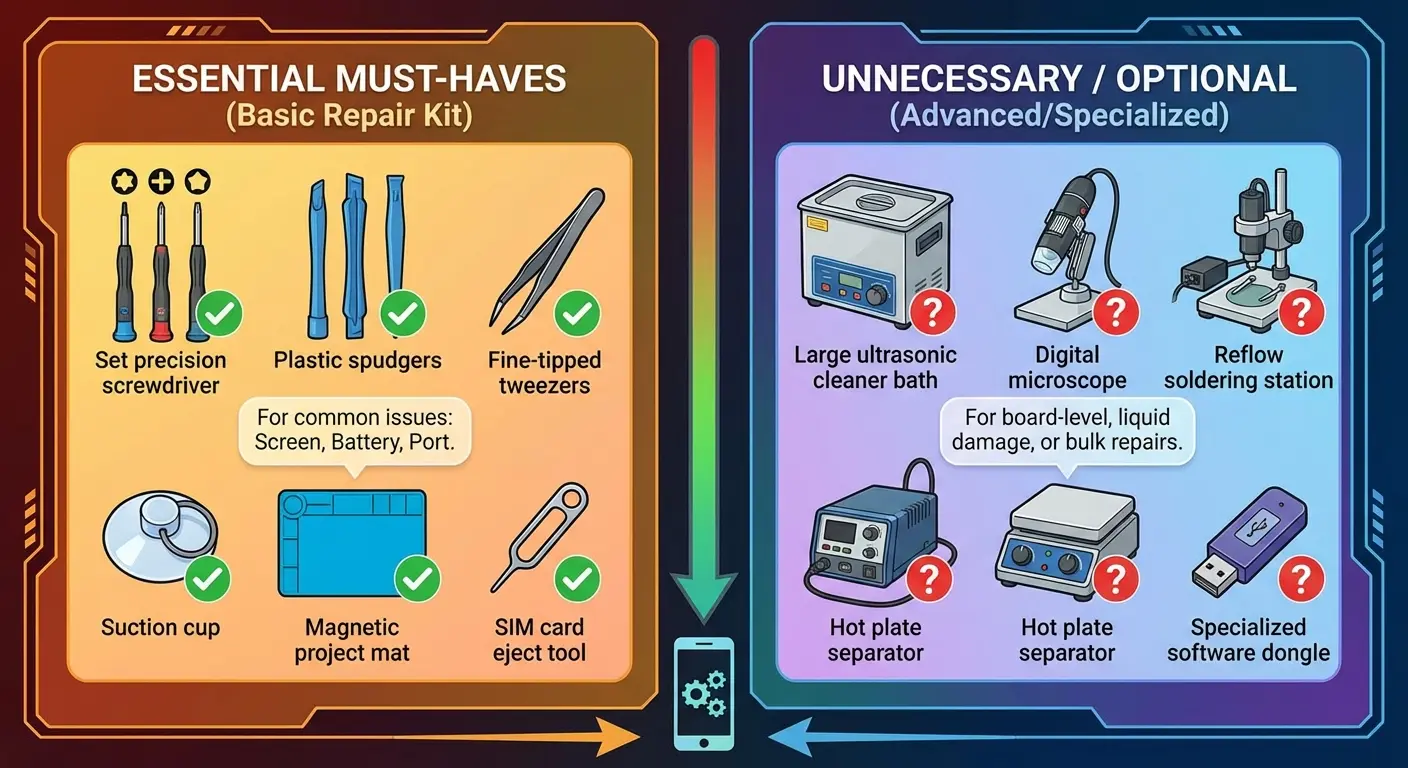
Okay, you're committed to DIY repair despite the risks. You don't need the 47-piece kit. You need about eight tools that don't suck.
The Non-Negotiables
Precision screwdriver set with magnetic tips. Phones use Pentalobe, Tri-point, and Phillips screws. You need bits that fit correctly because cheap ones strip screws instantly. Magnetic tips aren't optional. They're the difference between controlled removal and watching a P2 screw disappear into your carpet forever.
Don't cheap out here. Just don't.
Plastic opening tools (spudgers) in multiple widths. Metal pry tools will crack your screen or damage internal components. You want nylon or polyoxymethylene that flexes slightly under pressure.
Suction cup designed for phone screens. The generic ones from hardware stores don't distribute pressure correctly. You need one with a release tab and enough surface area for modern phone sizes.
Tweezers with anti-static coating. You're handling ribbon cables and connectors that static discharge can destroy. Spend the extra $8 for ESD-safe tweezers.
Before you start, and I mean this: power off your device completely. Remove the SIM card. Photograph the device from multiple angles to document what it looked like before you touched it. Lay out a clean, static-free work surface with adequate lighting. Watch the complete repair tutorial at least twice before starting.
Organize small containers or a magnetic mat for screw storage. Label screw locations using tape and marker as you remove them. Keep isopropyl alcohol and lint-free cloths within reach. Have your phone's model number and repair guide readily accessible.
Set a timer to track your repair time honestly.
The Helpful Additions
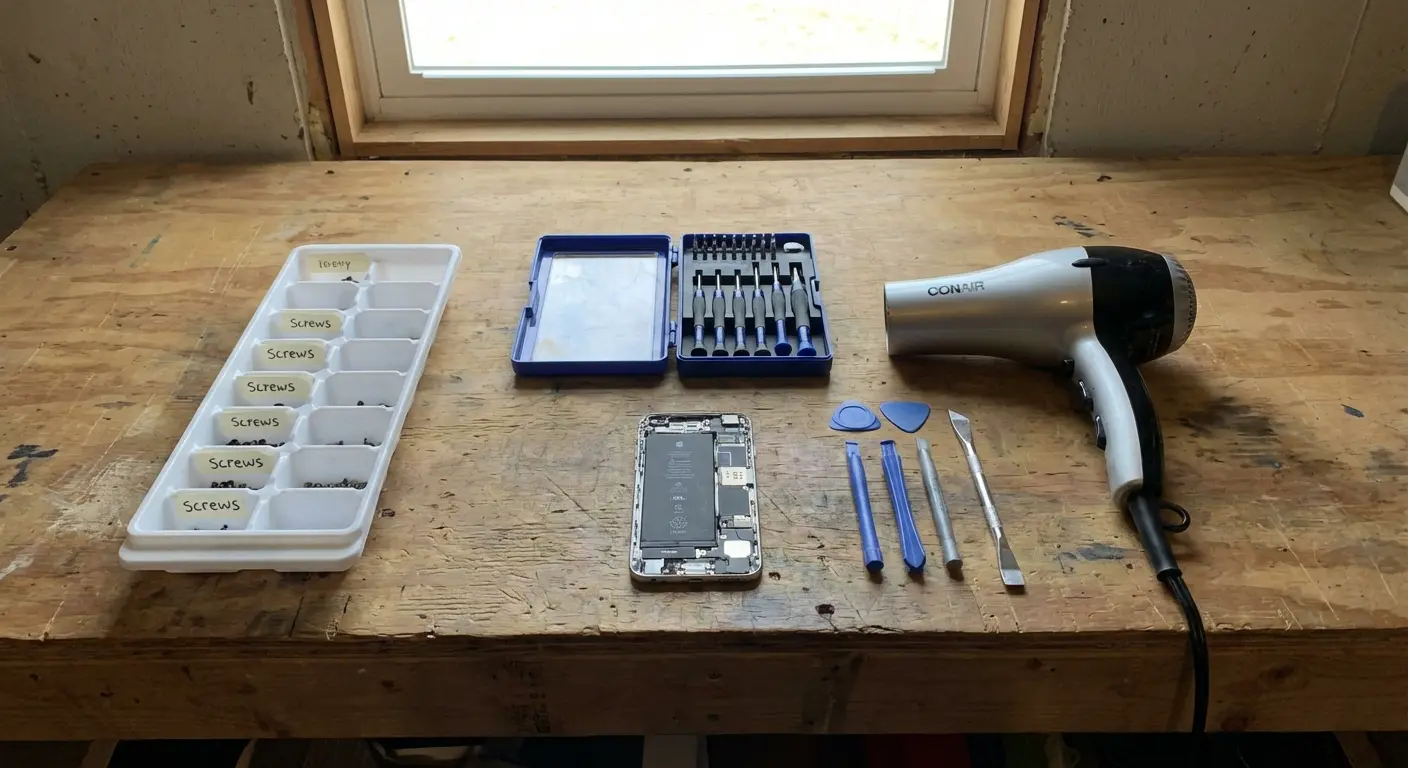
Heat gun or hair dryer for adhesive softening. Most modern phones are glued together. You need controlled heat to soften that adhesive without damaging the battery or display.
Isopropyl alcohol (90% or higher) for cleaning adhesive residue and preparing surfaces. Lower concentrations leave moisture that corrodes electronics.
Magnetic project mat. Those tiny screws go in specific locations. Mixing them up means stripped threads or components that won't seat properly. A mat with labeled sections prevents reassembly nightmares.
My buddy James works in IT. He bought a budget repair kit for $18 to replace his Galaxy S21 screen. The included screwdriver stripped three screws before he realized the bits were made from soft metal that deformed under pressure.
He ended up buying a quality Wiha precision set for $35, which he's since used to repair two laptops, a tablet, his kids' gaming controllers, and three different phones over two years. Quality tools for core items become multi-use investments. Cheap phone-specific kits become expensive single-use failures.
What You Don't Need (Yet)
Specialized battery removal tools. If you're at the skill level where battery replacement makes sense, you already know what you need.
Screen separator machines. These are for repair shops doing volume work, not home users.
Ultrasonic cleaners. Cool gadget, zero relevance for basic repairs.
When Professional Repair Makes More Financial Sense
Professional repair isn't always the expensive option. Sometimes it's the economical one.
Warranty and Insurance Scenarios
If you're within manufacturer warranty or AppleCare+ coverage, DIY repair voids that protection immediately. You're trading a $29 screen replacement for a full-price fix on whatever breaks next.
How is this even a question?
Insurance claims work similarly. Most carrier insurance programs require authorized repair. Your DIY attempt invalidates the claim and leaves you holding the full cost.
Complexity Thresholds That Matter
Battery replacements sound simple until you're dealing with adhesive pull tabs that snap, leaving the battery glued solid. Professionals have tools and experience for extraction without puncturing the battery. You probably don't want to learn that skill through trial and error.
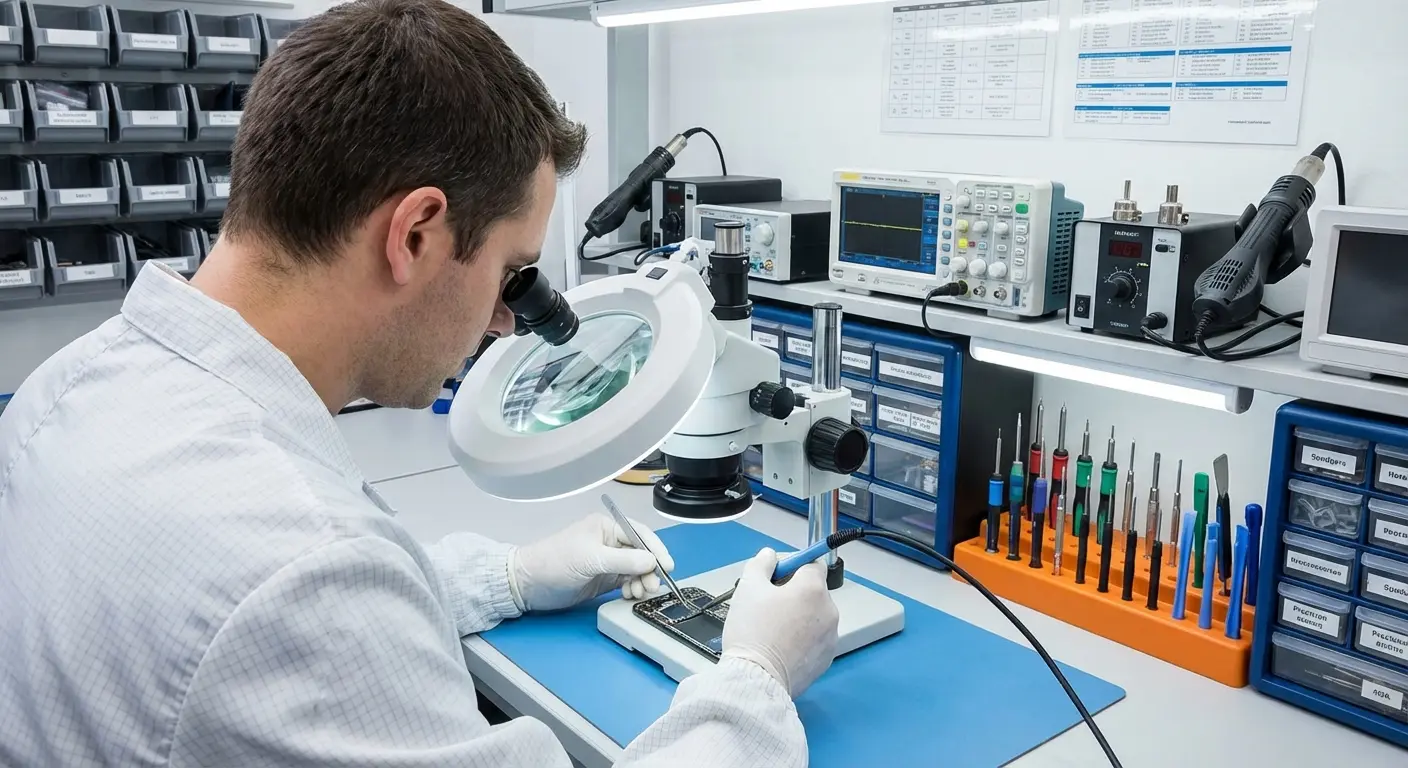
Water damage repair requires diagnostic equipment to identify affected components. Throwing a logic board in rice and hoping isn't a repair strategy. It's wishful thinking.
Charging port replacements involve micro-soldering on multilayer boards. This isn't a screwdriver job. It's a specialized skill requiring equipment that costs more than your phone.
You can't solder. Stop pretending you can.
Decision Factor |
Choose DIY When... |
Choose Professional When... |
|---|---|---|
Warranty Status |
Device is out of warranty completely |
Any active warranty or AppleCare+ coverage remains |
Repair Complexity |
Simple component swap (screen, battery on older models) |
Micro-soldering, logic board repair, water damage diagnosis |
Tool Investment |
You'll use tools for multiple future repairs |
This is a one-time repair need |
Time Availability |
You have 4-6 hours to dedicate and enjoy the process |
You need the device working within hours, not days |
Financial Risk Tolerance |
You can afford to replace the device if repair fails |
Device replacement would create financial hardship |
The Time Value Calculation
You can pay $150 for a professional screen replacement completed in 90 minutes, or spend $80 on parts and tools plus 4-6 hours of your time (assuming first-attempt success).
If your time has any economic value, or if you simply have better things to do on a Saturday afternoon, professional repair often wins.
Yeah, I know what you're thinking. "But my cousin fixed his phone just fine." Your cousin got lucky.
Prevention Tools That Outlast Repair Kits
You know what's better than owning phone repair tools? Never needing them.
Repair technicians understand the value of proper tools and protection. According to repair industry standards, precision screwdrivers with magnetic tips and anti-static tweezers are essential for successful repairs. But here's the thing: the need for these tools disappears entirely when quality protection prevents damage in the first place.
The Math That Changes Everything
A good case costs maybe $60. Fixing your screen costs $200. Fixing it again after you drop it again? Another $200.
One prevented drop pays for your case. Two prevented drops and you're ahead of most DIY repair scenarios. Three and you've saved more than professional repair costs.
Protection That Actually Works
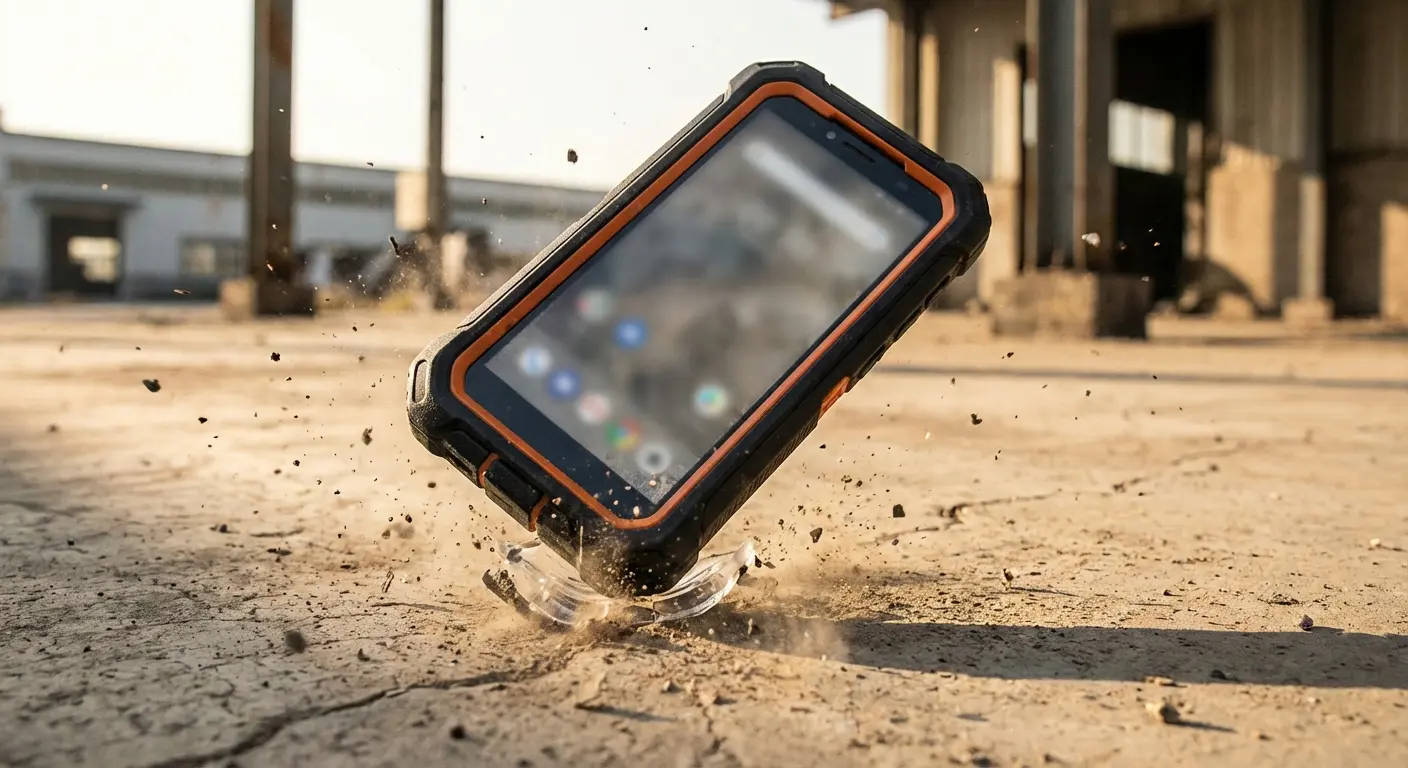
Not all cases are created equal. That $15 TPU case from the gas station might prevent scratches. It won't prevent screen cracks from chest-height drops onto concrete.
You need impact absorption. Air cushions or reinforced corners. Raised bezels so your screen doesn't contact surfaces when face-down. Materials that maintain grip without adding bulk. Military-grade drop testing (MIL-STD-810G) isn't marketing fluff. It's a measurable standard.
Screen protectors add another layer of defense, but only if they're tempered glass (not plastic film) and properly applied. No bubbles or gaps that compromise adhesion.
Mounting Solutions You're Ignoring
Most drops happen during specific activities. Car mounts prevent the fumble while driving. Bike mounts stop the pocket-extraction-while-riding disaster. Magnetic systems let you attach and detach single-handed without grip compromises.
There's this nurse I know, Maria. She dropped her phone five times in eight months. Every single incident occurred during shift changes when she was juggling her badge, coffee, and patient charts while checking her schedule. After the third cracked screen, she recognized the pattern wasn't clumsiness but cognitive overload during specific high-stress transitions.
She switched to a case with a wrist strap and magnetic car mount, eliminating the need to grip her phone during those vulnerable moments. She hasn't cracked a screen in three years since addressing the behavioral pattern rather than replacing damaged glass.
Rokform pioneered this integration approach, building cases with embedded magnets that work across their mounting ecosystem. You're not protecting your phone. You're eliminating the high-risk handling scenarios that send people shopping for phone repair tools.
Their RokLock twist-lock system means your phone stays secure through mountain bike trails, off-road driving, or whatever else you're doing when that $15 case would've failed. I've seen the damage patterns, and the phones that survive aren't the ones with basic protection. They're the ones that never entered the drop scenario in the first place.
Alright, cards on the table: we make cases. Really good ones. And yeah, I'm about to tell you why you should buy one. But I'm also going to be honest about when you shouldn't, because I'm not trying to sell you something you don't need—I'm trying to solve the actual problem you have.
What makes Rokform the top choice for serious phone protection? It starts with their military-grade construction that exceeds MIL-STD-810G drop testing standards. But the real difference is their integrated system approach. The cases feature embedded rare-earth magnets that create a seamless ecosystem with their mounts. Car, bike, motorcycle, desk, wall, you name it.
The polycarbonate shell combined with TPU liner absorbs impacts that would shatter lesser cases. Raised bezels protect both screen and camera lenses. The textured grip pattern prevents the slips that cause drops in the first place.
Here's what separates Rokform from every other "rugged" case on the market: they designed the entire protection and mounting system from the ground up as one cohesive solution. Your phone clicks into mounts with satisfying security. The magnetic hold is strong enough for off-road use but releases when you need it. The cases maintain slim profiles despite offering protection that typically requires bulky designs.
I've tested countless cases over the years. Most make compromises. Protection at the expense of usability, or sleek design that sacrifices drop resistance. Rokform refuses that trade-off. Their cases protect without turning your phone into a brick, and their mounting system eliminates 90% of the scenarios where phones get damaged.
How to Evaluate If Your Phone Is Worth Repairing
Not every broken phone deserves repair investment. Some need retirement.
The repair landscape is evolving with better diagnostic tools. Google is testing a new 'Device health & support' menu for Pixel phones that consolidates battery diagnostics, temperature monitoring, storage analysis, and charging diagnostics into one centralized location. Makes it easier to assess whether your device's problems warrant repair investment or indicate it's time for replacement.
The Age Factor
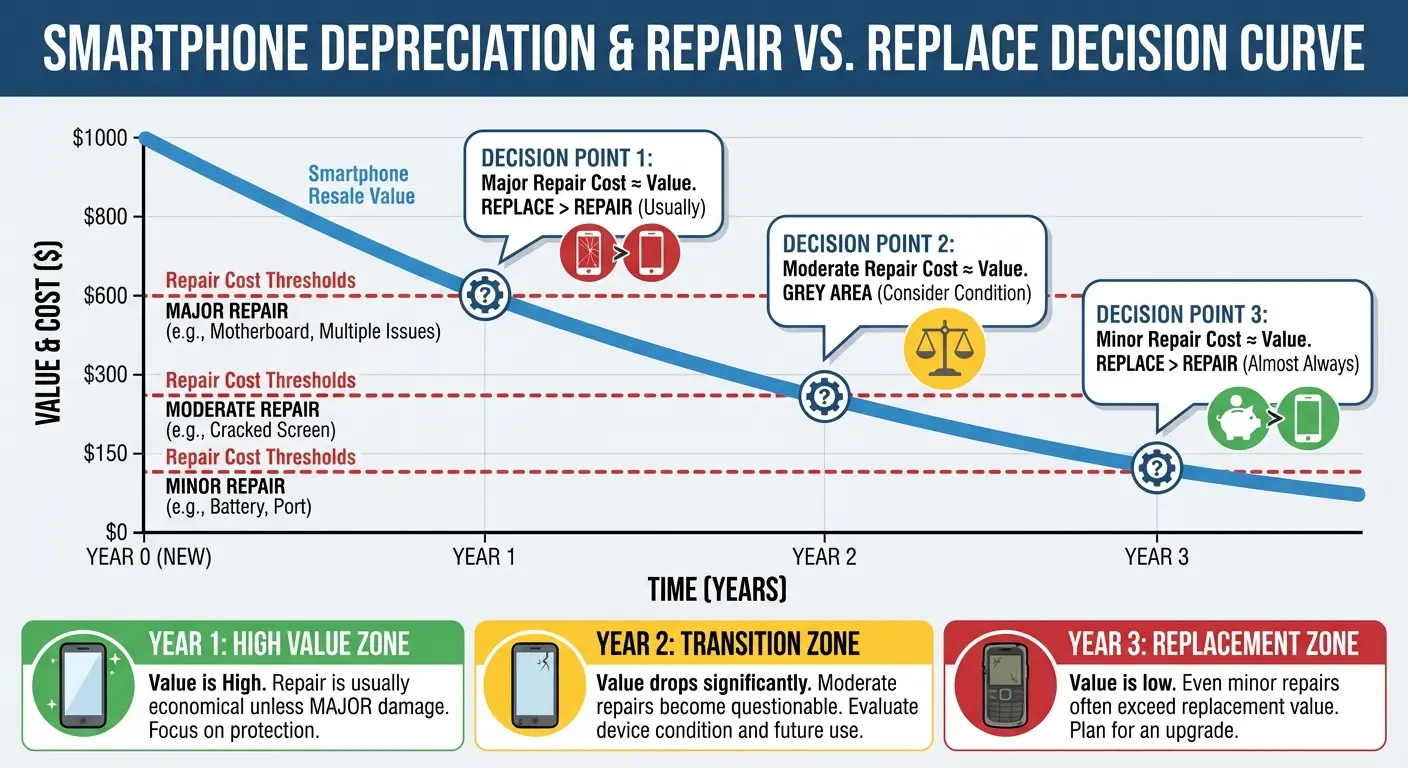
Phones older than three years face diminishing returns on repair investment. Parts availability decreases. Software support ends. Performance gaps widen compared to current models.
If your repair cost exceeds 40% of the phone's current resale value, you're probably better off selling it for parts and upgrading.
Is Your Phone Worth Repairing? Decision Template:
Device Information:
- Current age: _____ years/months
- Original purchase price: $_____
- Current resale value (working condition): $_____
- Current resale value (broken): $_____
Repair Assessment:
- Estimated repair cost (parts + labor): $_____
- Repair cost as % of current value: _____%
- Number of previous repairs: _____
- Remaining manufacturer software support: _____ years
Financial Calculation:
- Cost to repair: $_____
- Upgrade cost (new device minus trade-in value): $_____
- Difference: $_____
Decision Criteria:
- If repair cost is more than 40% of current value, consider replacement
- If device age is more than 3 years AND needs major repair, lean toward replacement
- If you've already done 2+ previous repairs, replacement is likely better value
- If software support is ending within 12 months, factor in limited remaining lifespan
Cumulative Damage Assessment
First repair on an otherwise pristine phone? Probably worth it. Third repair on a device that's already been through screen replacement and battery swap? You're maintaining a depreciating asset with increasing failure risk.
Each repair introduces new potential failure points. Reassembly never quite matches factory precision. Adhesive seals degrade. Water resistance disappears.
Upgrade Opportunity Cost
Carrier deals and manufacturer trade-in programs often value broken phones higher than you'd expect. That cracked screen might cost you $50 in trade-in value but $200 to repair.
Running the numbers might reveal that upgrading costs less than repairing once you factor in trade-in credits and promotional pricing.
Building a Realistic Repair Toolkit on a Budget
You can build a functional repair toolkit for under $50 if you're strategic about it.
Building a functional toolkit doesn't require buying everything at once. According to repair equipment guidelines, the essential phone repair tools include precision screwdrivers, plastic pry tools, tweezers, suction cups, heat guns, opening picks, magnetized mats, and multimeters. But strategic purchasing decisions determine whether you spend $50 or $200 for functionally equivalent results.
Where to Spend
Screwdriver bits. Cheap bits strip screws and round out heads. Spend $20 on a quality set (Wiha, iFixit, or equivalent) and you'll use them for years across multiple devices.
Spudgers can be budget-friendly. A $5 set from a reputable seller works fine. You're not applying enough force for quality differences to matter significantly.
Where to Save
Suction cups. The $3 version works adequately for occasional use. You're not running a repair shop.
Magnetic mats. DIY versions using ice cube trays or pill organizers work perfectly well. Label with tape.
The Borrow or Share Strategy
Heat guns are expensive for single-use scenarios. Borrow a hair dryer. It's slower but works just as well for adhesive softening.
Consider tool libraries or maker spaces in your area. Many offer tool lending programs that include precision electronics repair equipment.
Final Thoughts
Phone repair tools aren't the enemy. They're just not the solution most people need.
If you're reading this because your screen is cracked, your back glass is shattered, or your charging port is failing, you're already past the point where this article could've helped most. But you're not past the point where you can change the pattern.
You've got decisions ahead. Repair or replace. DIY or professional. Invest in phone repair tools or invest in protection for the next device. Those decisions matter, and now you've got a framework for making them based on economics rather than assumptions.
Bottom line? The repair tool industry thrives on repeat customers. The protection industry thrives on one-time customers who never come back because their phones survive. Those incentive structures tell you everything about which approach serves your interests.
Look, maybe I'm wrong about this. Maybe you're super handy and you'll nail the repair first try. But I've watched enough people try this to know how it usually goes.
Batteries degrade regardless of protection quality. Charging ports wear out from normal use. Software issues happen. But the vast majority of repairs the ones that send people hunting for tool kits and watching YouTube tutorials at midnight stem from preventable damage.
You can own that $25 repair kit and hope you don't need it. Or you can invest that same money in protection that makes the kit unnecessary. One approach accepts damage as inevitable. The other refuses to.
Don't buy the repair kit. Buy a case that actually works. I'm not being subtle here.

