


Table of Contents
Why We're Talking About Repair Kits (And Why That Matters)
The Hidden Cost of DIY Screen Repairs Nobody Mentions
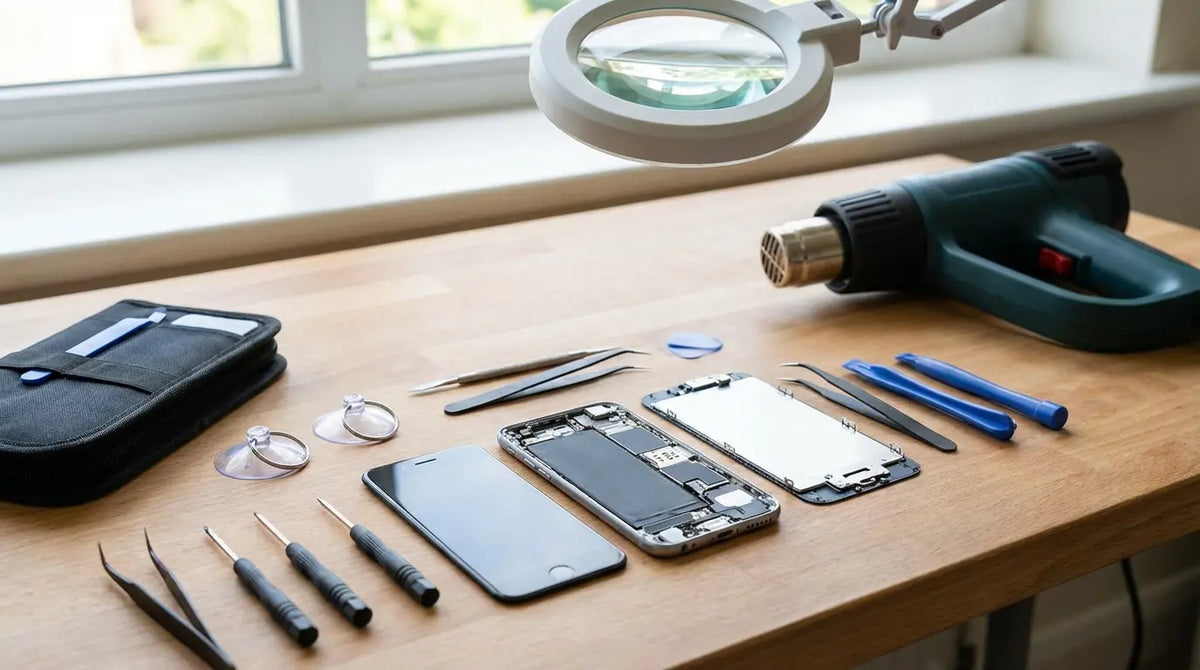
What's Actually Inside a Quality Phone Screen Repair Kit
Best Phone Screen Repair Kits Worth Your Money
Safety First: Protecting Yourself During a DIY Repair
Safety Second: Protecting Your Phone From Further Damage
The Real Question: Should You Even Be Repairing Your Screen?
Why Prevention Beats Any Repair Kit on the Market
What Makes Rokform the Ultimate Phone Protection Solution
TL;DR
Your screen is cracked. You're on Amazon looking at repair kits, thinking "how hard can this be?"
Here's what matters:
DIY kits run $15-$50. You'll spend 3-4 hours on your first attempt, not the "30 minutes" they promise
Real risks: glass cuts, battery fires, voided warranty, dead water resistance
Even when it works, your screen will feel slightly off and your phone's worth less
Average person cracks their screen every 10 months. You're not fixing the problem, you're just delaying the next one
A $60-80 case that works costs less than two repairs
Rokform cases survive 10-foot drops. We're biased (we sell them), but the math checks out
Bottom line: the $100 you save on DIY isn't worth your time, your safety, or doing this all over again in a year.
Why We're Talking About Repair Kits (And Why That Matters)
The Repair Kit Industry's Best-Kept Secret
So your screen looks like a spiderweb. You're here because every time you unlock your phone, those cracks stare back at you.
Want to know the dirty secret? The repair kit industry is counting on seeing you again in about 10 months. That's the average time between screen breaks for most smartphone users.
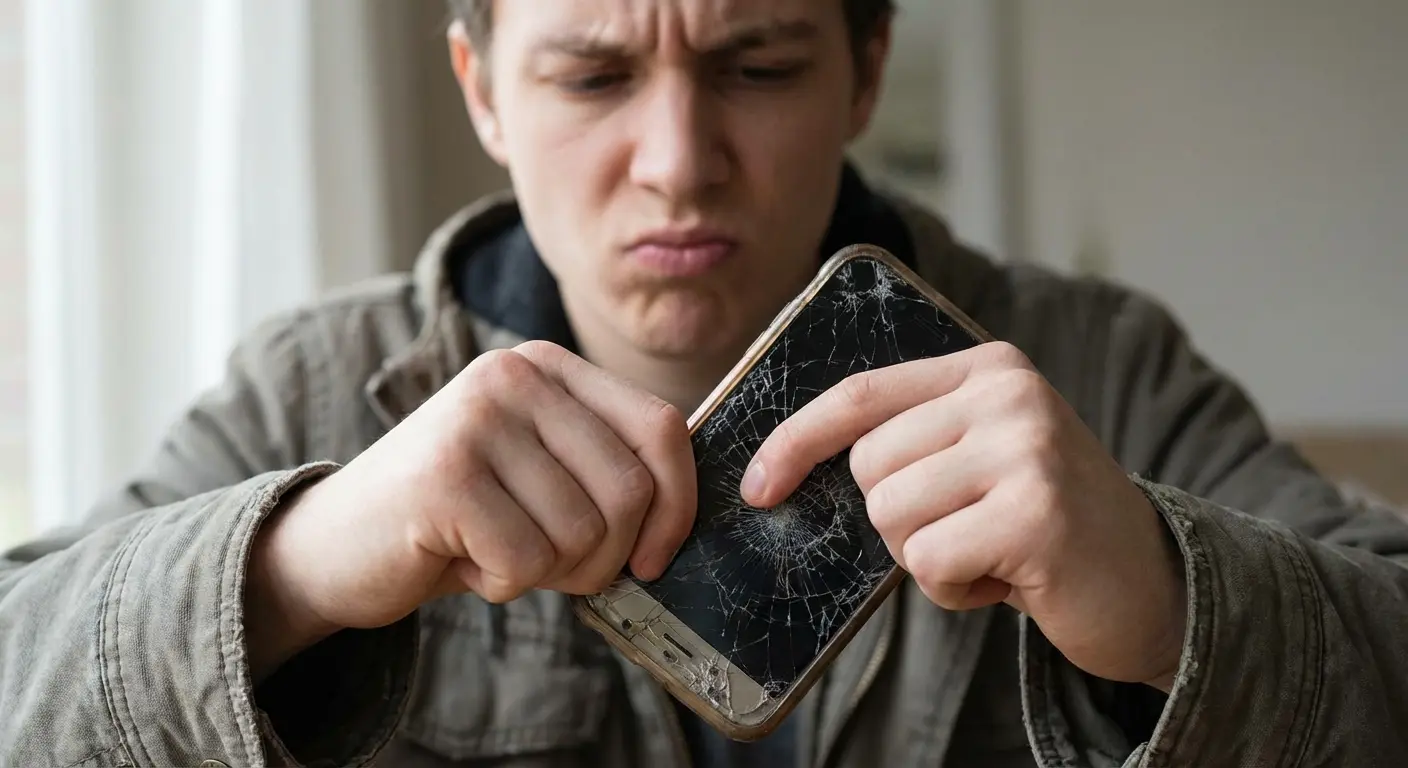
WiFi Talents research shows cracked screens account for 62% of the mobile repair market. Americans break two smartphone screens every second.
Two per second.
I'll give you the repair kit info since you need it right now. But first, let's talk about why you keep ending up here.
Breaking the Cycle of Break and Fix
Add up how much you've spent on phone repairs in the past three years. Not just screen replacements. Also count the protective accessories you bought after each incident, swearing "never again."
The repair kit market hit $2.3 billion globally in 2023. Not because people enjoy fixing phones as a hobby. It's because we've normalized a cycle that shouldn't exist.
After your car and maybe your laptop, your phone is probably the most expensive thing you own. Yet somehow, we've accepted that it breaking is inevitable rather than preventable.
My friend Sarah (works in marketing, always has the newest iPhone) dropped hers in a Target parking lot last January. She watched a couple YouTube videos, felt confident, ordered a $35 kit off Amazon. Spent her entire Sunday following tutorials, actually got it working. Felt pretty accomplished.
By November she dropped it getting out of her car. Same phone, almost the same spot. This time she just paid $150 for professional repair because she wasn't spending another Sunday on this.
September rolls around. Another drop. Another repair.
Over 21 months: $320 in repairs. The case she bought after the first break? $25. Clearly wasn't doing much. An $80 military-grade case would've saved her $240 and every one of those Sundays.
But she didn't know that after break one. Most people don't.
The Hidden Cost of DIY Screen Repairs Nobody Mentions
Your Time Has a Dollar Value
Most cell phone screen repair kit listings promise a "simple 30-minute fix." Sure, if you've done this 500 times before.
For your first attempt? Plan on spending 3-4 hours. That includes watching tutorial videos multiple times, organizing tiny screws you're terrified of losing, and the inevitable moment where something doesn't align correctly and you have to start over.
iFixit's repair documentation shows that while repairs should take anywhere from 30 minutes to a couple hours, first-timers consistently fall on the longer end. Especially when you factor in preparation, troubleshooting, and cleanup.
Let's say you make $25/hour at your actual job. You just spent $100 in time on a repair that costs $80 at a professional shop.
The Warranty You're About to Void
Opening your phone's chassis instantly voids any remaining manufacturer warranty. Even outside the standard one-year coverage, many credit cards extend warranty protection for purchases. You're forfeiting that too.
AppleCare+ and similar protection plans become worthless the moment you break that seal. You might save $100 today, but you're gambling that nothing else will go wrong with your $1,000+ device for the rest of its lifespan.
Water Resistance Dies With DIY Repairs
Your phone's IP68 water resistance rating depends on factory-sealed adhesive bonds that you cannot replicate at home. The adhesive strips in phone screen repair kits hold the screen in place, but they don't create a waterproof seal.
One unexpected rainstorm, one splash from a sink, one humid bathroom while you shower, and you've got liquid damage on top of your cracked screen. Water damage isn't covered by any warranty, even if you still had one.

Let's break down what you're paying when you choose different repair paths:
Cost Factor |
DIY Repair |
Professional Repair |
Prevention (Quality Case) |
|---|---|---|---|
Initial Investment |
$30-$50 |
$100-$200 |
$60-$90 |
Time Required |
3-4 hours |
1-2 hours (including travel) |
5 minutes (one-time installation) |
Warranty Impact |
Voided immediately |
Voided (unless manufacturer-authorized) |
Preserved |
Water Resistance |
Lost permanently |
Lost (unless manufacturer repair) |
Maintained |
Success Rate |
55% attempt DIY first* |
95%+ |
99%+ (prevents damage) |
Resale Value Impact |
-15-25% |
-10-15% |
None (device stays pristine) |
*Source: WiFi Talents
See the pattern? Most people don't until they're three repairs deep into the cycle.
What's Actually Inside a Quality Phone Screen Repair Kit
The Screen Itself (Where Quality Varies Wildly)
Replacement screens come in three tiers: OEM (Original Equipment Manufacturer), refurbished OEM, and aftermarket.
OEM screens are pulled from new phones or manufactured to exact specifications. They'll cost you $80-$150 depending on your phone model. Touch sensitivity, color accuracy, and brightness will match your original screen.
Refurbished OEM screens are original screens with replaced glass. They run $40-$80 and offer decent quality, though you might notice slight differences in responsiveness. I also cover cell phone screen repair if you would rather pay someone.
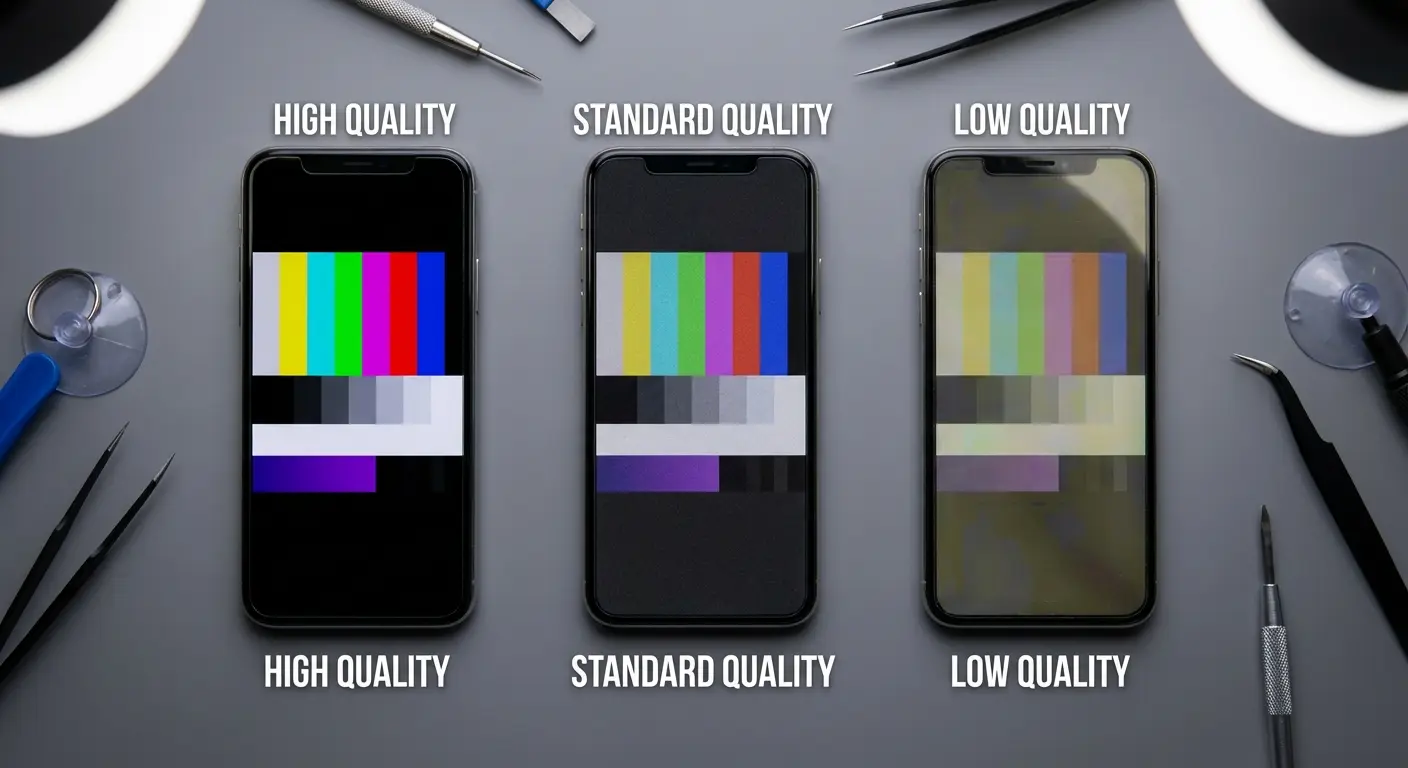
Aftermarket screens are the budget option at $15-$40. Some are surprisingly good. Others have terrible viewing angles, ghost touches, or colors that look washed out. You won't know which you got until it's installed.
A recent case documented by Supercar Blondie shows the risks of ultra-cheap repair parts. A technician bought a $23 Temu display kit for an iPhone XR that included all the necessary tools and components. While the screen technically worked after installation, the colors were washed out and gray compared to the original. He called it "money out the window" and recommended sticking to original or high-quality refurbished parts instead.
Tools That Actually Matter
Pentalobe and tri-point screwdrivers are non-negotiable. Your regular precision screwdriver set won't work because phone manufacturers use proprietary screw heads (because of course they do) specifically to discourage DIY repairs.
Spudgers (those flat plastic prying tools) prevent you from scratching internal components or shorting circuits with metal tools. Cheap cell phone repair kits include flimsy ones that snap. Quality kits provide metal spudgers with plastic tips.
Suction cups help separate the screen from the chassis without applying uneven pressure that could crack the replacement screen before you even install it. The single-cup versions in cheap kits are frustrating. Double-handled suction tools give you control.
Essential Tools Checklist for DIY Screen Repair:
☐ Pentalobe screwdriver (size varies by phone model)
☐ Tri-point or Phillips screwdriver (for internal components)
☐ Plastic spudger set (minimum 3 different widths)
☐ Metal spudger with plastic tip
☐ Double-handled suction cup tool
☐ Tweezers (fine-point, anti-static preferred)
☐ Guitar picks or plastic prying cards (at least 5)
☐ Heat gun or hair dryer (for adhesive softening)
☐ Isopropyl alcohol 90%+ (for cleaning residue)
☐ Microfiber cloths (lint-free)
☐ Magnetic mat or screw organizer
☐ Anti-static wrist strap
☐ Cut-resistant gloves (ANSI A2 rated minimum)
☐ Safety glasses
☐ Good lighting (headlamp or adjustable desk lamp)
The Adhesive Strip That Holds Everything Together
Pre-cut adhesive strips are shaped precisely for your phone model. They're not optional, and you can't substitute them with any other adhesive.
Quality phone screen repair kits include two sets in case you mess up the first application. Budget kits include one, and if you misalign it, you're ordering another kit or leaving your phone held together by hope and pressure.
Give that adhesive 24 hours to cure under even pressure. Most phone repair kits don't include the clamp or weighted press required for proper curing, so you'll improvise with heavy books and crossed fingers.
Best Phone Screen Repair Kits Worth Your Money
iFixit recently launched FixBot, a free AI-powered chatbot available on iOS and Android that provides step-by-step repair guidance. The bot is trained on iFixit's 125,000 repair guides and can identify devices from photos, answer questions via voice commands, and walk users through repairs hands-free. Particularly useful when you're elbow-deep in a disassembly and can't touch your phone. While currently free, a paid tier is planned for the future.
For iPhone Users
iFixit Pro Tech Toolkit with iPhone Screen ($89-$149 depending on model)
This is the gold standard. iFixit includes OEM-quality screens, comprehensive tool sets that you'll use again, and their repair guides are the best in the industry. You're paying extra for quality control and customer support that responds.
iFixit's pricing analysis shows the average cost of their Screen Fix Kits for iPhone 11 models and older is close to $81, while kits for iPhone 12 models and newer average around $184 due to OLED technology. For those seeking maximum savings, choosing a "hard" OLED replacement can save fixers an average of $170 compared to Apple's repair service, though LCD replacements offer even greater savings of around $200 on average.
Best for: First-time repairers who want the highest success rate and don't mind paying for peace of mind.
MMOBIEL Screen Replacement Kit ($29-$45 depending on model)
A solid middle-ground option with decent aftermarket screens and adequate tools. The adhesive is pre-installed on the screen (convenient but leaves no room for error). Touch sensitivity is about 90% of original quality.
Best for: Budget-conscious users who've watched multiple tutorials and feel confident in their ability to get it right the first time.
Fixez iPhone Screen Repair Kit ($49-$79 depending on model)
Refurbished OEM screens with better-than-average tools. Their suction cup tool is notably better than competitors at this price point. Includes two adhesive strips.
Best for: Users who want OEM quality without paying iFixit prices and have moderate technical confidence.
For Samsung Galaxy Users
iFixit Samsung Galaxy Screen Replacement ($79-$129 depending on model)
Same quality philosophy as their iPhone kits. Samsung screens are trickier because of the curved edges on many models, and iFixit's guides account for those complications.
Best for: Galaxy S or Note users with curved screens who want to minimize the risk of cracking the replacement during installation.
E-yiiviil Screen Replacement Kit ($35-$55 depending on model)
Surprisingly good aftermarket screens for the price. The kit includes a heat gun (essential for Samsung repairs) rather than just heat packs. Color calibration is decent though not perfect.
Best for: Galaxy A-series or older Galaxy S users where the phone's value doesn't justify premium repair costs.
For Google Pixel Users
Pixel-specific kits are harder to find, and quality is all over the place. Your best bet is iFixit's Pixel Screen Replacement ($69-$99 depending on model) or sourcing an OEM screen separately and using a universal precision toolkit.
Pixel screens are notoriously difficult for DIY repairs because of the under-display fingerprint sensors on newer models. Misalignment during installation can permanently disable the sensor.
Best for: Tech-savvy users who've completed phone repairs before and understand the risks specific to Pixel hardware.
Safety First: Protecting Yourself During a DIY Repair
Those Glass Shards Are Sharper Than You Think
Your cracked screen isn't just broken. It's a collection of razor-sharp glass fragments held together by the screen's laminate layer. The moment you start prying it up, those fragments can separate and slice through skin easily.
Wear cut-resistant gloves. Not regular work gloves (glass will go right through), but cut-resistant gloves rated ANSI A2 or higher. They cost $12 and they'll save you a trip to urgent care for stitches.
Work over a towel or cloth to catch falling glass. Vacuum the work area before you start (so you're not grinding old glass shards into your skin when you lean on the table) and after you finish.
James, a college student in Austin, decided to repair his Samsung Galaxy S21 screen in his dorm room using a kit he ordered online. Fifteen minutes into prying up the cracked display, a large glass fragment separated and sliced through his index finger, requiring seven stitches at the campus health center.
The cut was deep enough that he lost sensation in his fingertip for three weeks. The medical bill, even with insurance, cost him $180. More than the professional repair would have been. He now tells friends that the scar reminds him that "YouTube confidence" isn't the same as preparation.
The Battery Puncture You Need to Avoid
Lithium-ion batteries don't just leak when punctured. They can catch fire or explode. It's rare, but it happens often enough that you need to take it seriously.
Never use metal tools near the battery. Those spudgers are plastic for a reason. If you slip with a screwdriver and puncture the battery, you'll know immediately because it will start smoking.
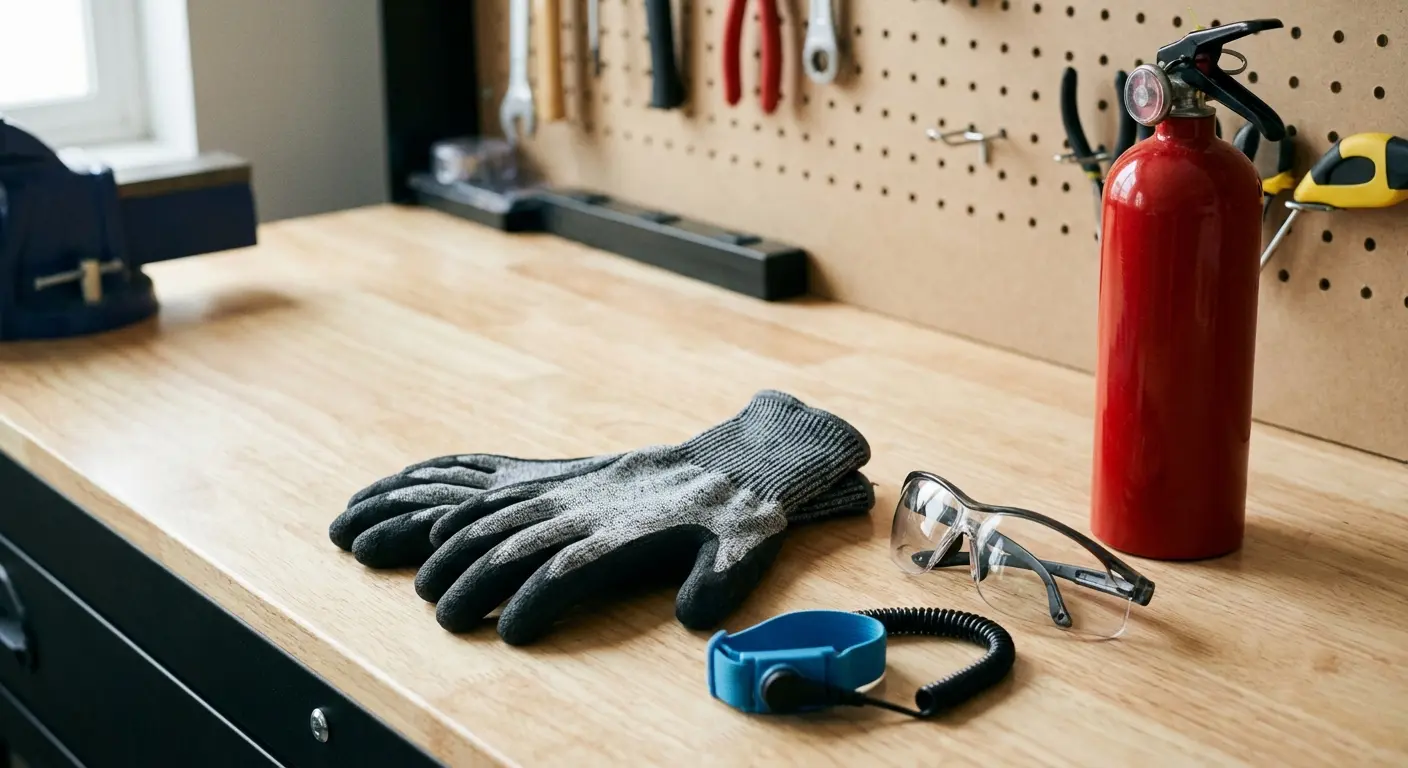
If that happens: don't panic, don't throw water on it, and don't try to remove the battery. Carry the entire phone outside immediately and let it burn out in a safe area away from anything flammable. Have a fire extinguisher rated for electrical fires nearby before you start.
Congratulations, you've created a tiny bomb. Take it outside and let it do its thing away from your apartment. Your security deposit will thank you.
The Fumes You're Breathing
Isopropyl alcohol (used to clean adhesive residue) evaporates quickly and the fumes are more intense than you expect in an enclosed space. Prolonged exposure causes headaches, dizziness, and nausea.
Work in a ventilated area. Open windows, use a fan, take breaks. If you start feeling lightheaded, you've been exposed to too much and need fresh air immediately.
Pre-Repair Safety Setup Checklist:
Before you start: clear at least three feet of workspace with good lighting. Lay down a protective towel or cloth to catch glass fragments. Vacuum the work area thoroughly. Put on cut-resistant gloves (ANSI A2 minimum, not your regular work gloves). Put on safety glasses. Crack a window or turn on a fan for ventilation. Place a fire extinguisher (Class C rated) within arm's reach. Have another phone nearby for emergencies (not the one you're repairing). Identify a clear path to outside in case of battery fire. Remove all food, drinks, and flammable materials from your workspace. Tie back long hair and remove dangling jewelry. Tell your roommate what you're doing so they don't freak out if something smokes. Have a first aid kit accessible with bandages and antiseptic. Set up a phone holder or stand for viewing tutorial videos hands-free.
Yes, this feels ridiculous. Yes, you need to do it anyway. Future you will thank present you when you're not crying over a lost screw at 11 PM.
Safety Second: Protecting Your Phone From Further Damage
Static Electricity Kills Components Silently
You can't see or feel the static discharge that fries a circuit, but your phone will definitely stop working afterward. Those tiny chips on the motherboard are incredibly sensitive to electrostatic discharge (ESD).
Use an anti-static wrist strap connected to a grounded metal object. They cost $6. Touch a grounded metal surface before you start and periodically during the repair to discharge built-up static.
Don't work on carpet or while wearing synthetic fabrics that generate static. A wooden table or kitchen counter is fine. Tile or concrete floors are better than carpet.
The Screw Organization System You Need
Your phone contains 15-20 screws of different lengths and thread types. They look nearly identical, but they're not interchangeable. Using a 2.5mm screw in a hole meant for a 2mm screw will crack the mounting post on your motherboard.
Print out a disassembly diagram (iFixit has them for most models) and tape screws directly onto the diagram in their corresponding locations. Magnetic mats with labeled sections work too, but the diagram method is idiot-proof.
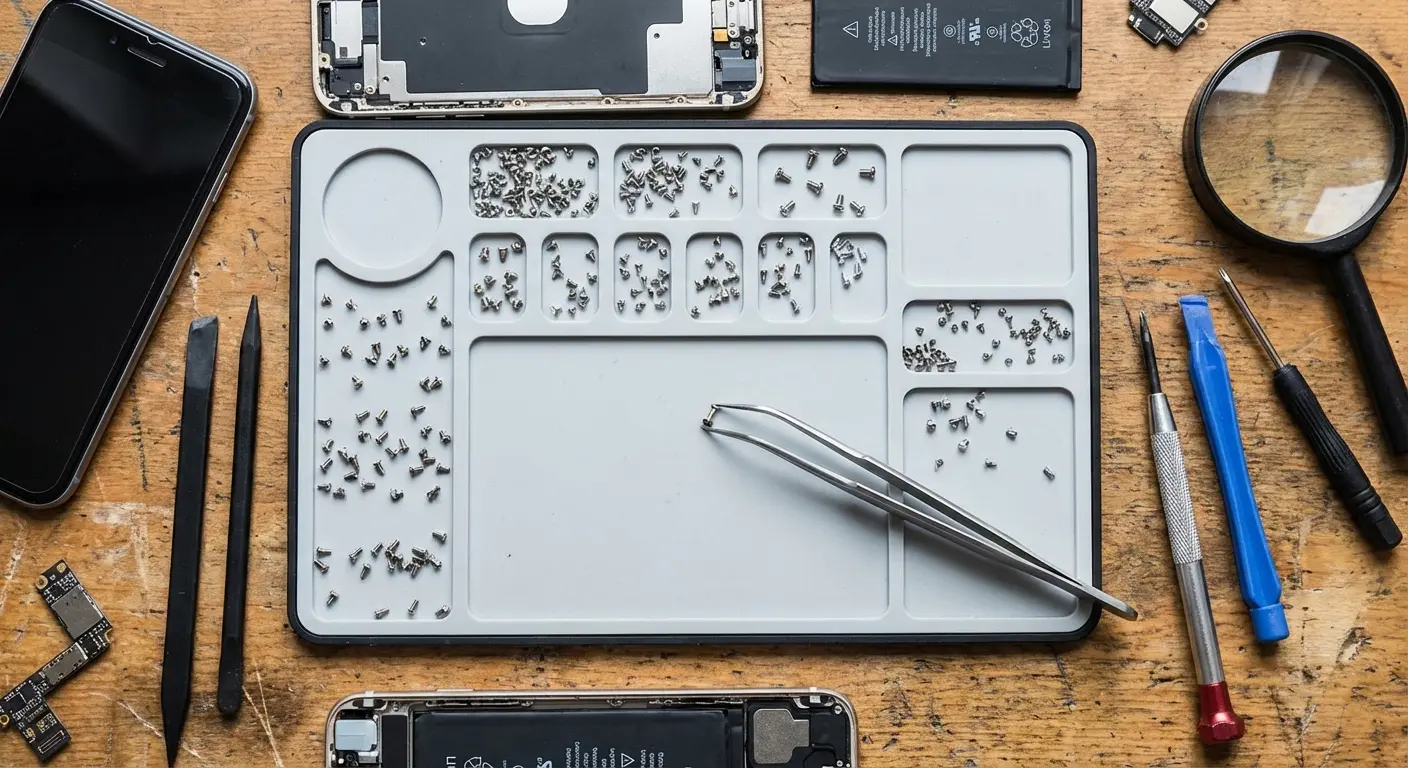
If you lose a screw, stop. Don't continue the repair hoping it wasn't important. Order a complete screw set for your phone model ($8 on Amazon) and wait for it to arrive.
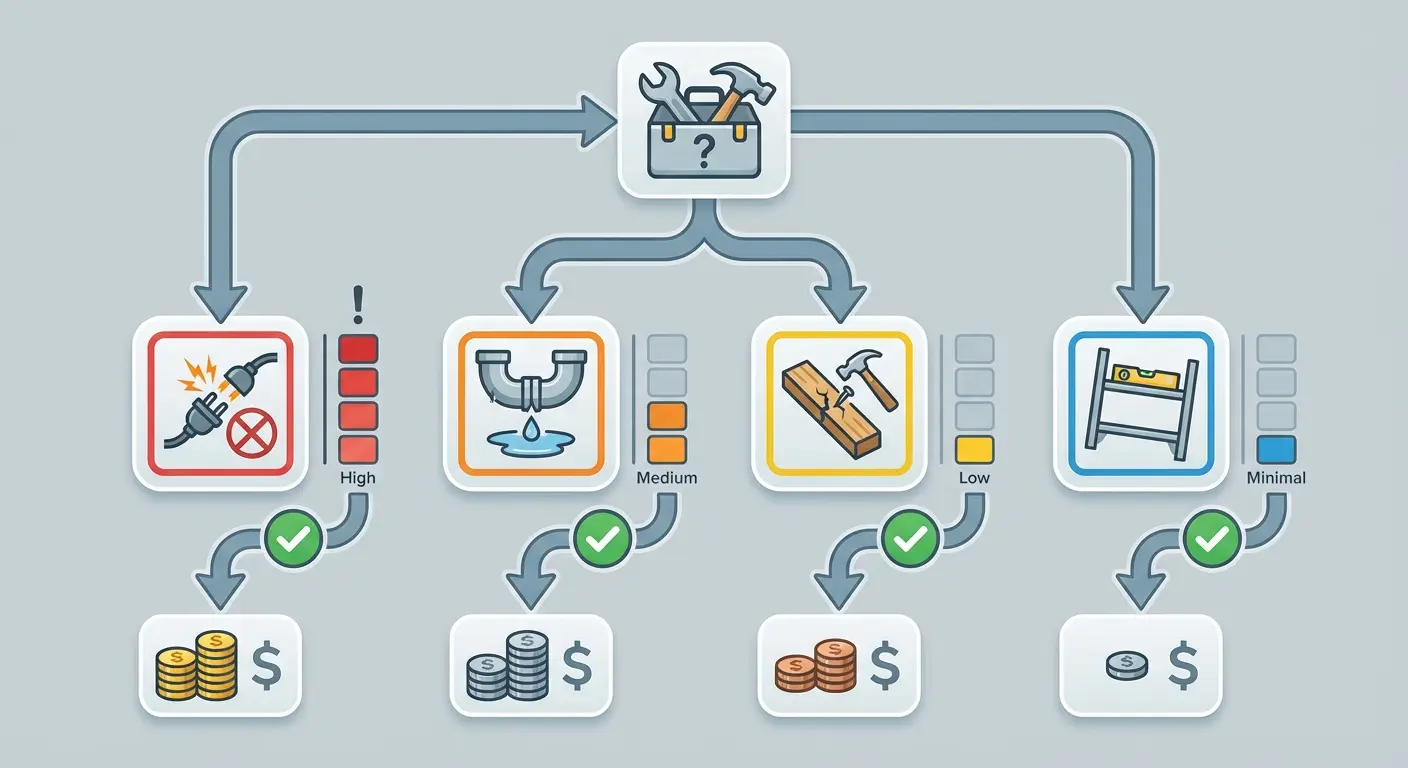
What Goes Wrong:
Static discharge fries your motherboard. You won't see it happen, won't feel it. Phone just won't turn on afterward. That's a $300-500 motherboard replacement, or basically a new phone.
Wrong screw in wrong hole cracks the mounting post. They all look the same. They're not. Frame replacement runs $150-300.
Disconnect the battery LAST instead of first? Short circuit. Could be $100, could be $400 depending on what dies.
Puncture the battery and you've got a fire. New phone territory: $800-1,200.
Over-tighten those tiny screws and you'll crack the motherboard. Finger-tight only. Another $300-500 mistake.
Forget to test before sealing? You'll discover the non-working feature after adhesive cures. Now you need new adhesive ($40-80) plus the time to disassemble everything again.
Mix up cable connections and you've got disabled features or potential shorts. $50-200 depending on cable damage.
Test Before You Seal
Don't apply the adhesive strip until you've confirmed everything works. Connect the screen, power on the phone, and test every function: touch sensitivity across the entire screen, face recognition or fingerprint sensor, proximity sensor, front camera, and speaker.
If something doesn't work, it's way easier to fix while the screen is still removable. Once that adhesive cures, you're disassembling the entire phone again (and buying another adhesive strip) to fix whatever you missed.
Maria did everything right. Watched the tutorials twice. Ordered a good kit. Took her time with the iPhone 12 repair. Screen worked perfectly when she tested it.
So she sealed it up. Why wouldn't she?
Next day: Face ID dead. The front camera cable was off by maybe a millimeter. To fix it meant ordering new adhesive, waiting for shipping, heating up the screen she'd just sealed, prying it open again, risking cracking it.
All because she didn't test before sealing. Would've taken 30 seconds.
The Real Question: Should You Even Be Repairing Your Screen?
The Repair Treadmill Costs More Than You Think
You'll spend an average of $150 per screen repair over your phone's lifetime. Most people own their phones for 2-3 years. Most people break their screens at least twice in that period.
That's $300 minimum in repairs, not counting the repairs you paid for on previous phones, or the repairs you'll pay for on future phones. You're subscribed to a repair service you didn't sign up for.
What if you could break that cycle entirely?
Why We Tolerate Broken Screens as Normal
Somewhere along the way, we accepted that phones are fragile. We treat thousand-dollar devices with less protection than we give our $30 water bottles (which somehow all come with indestructible cases).
The phone case industry convinced us that "protection" means a slim case that looks good and maybe survives a 3-foot drop onto carpet. Anything more substantial is dismissed as bulky or ugly.
That's marketing, not physics. Real protection exists. We've just been conditioned to think we have to choose between a phone that's safe and a phone that's usable.
The Cost-Benefit Analysis Nobody Runs
A quality phone screen repair kit costs $50. A professional repair costs $150. A truly protective case costs $60-$90.
Over two years with the typical two screen breaks: you'll spend $300 on professional repairs or $100 on DIY repairs (plus 6-8 hours of your time, plus the stress, plus the risks we've outlined).
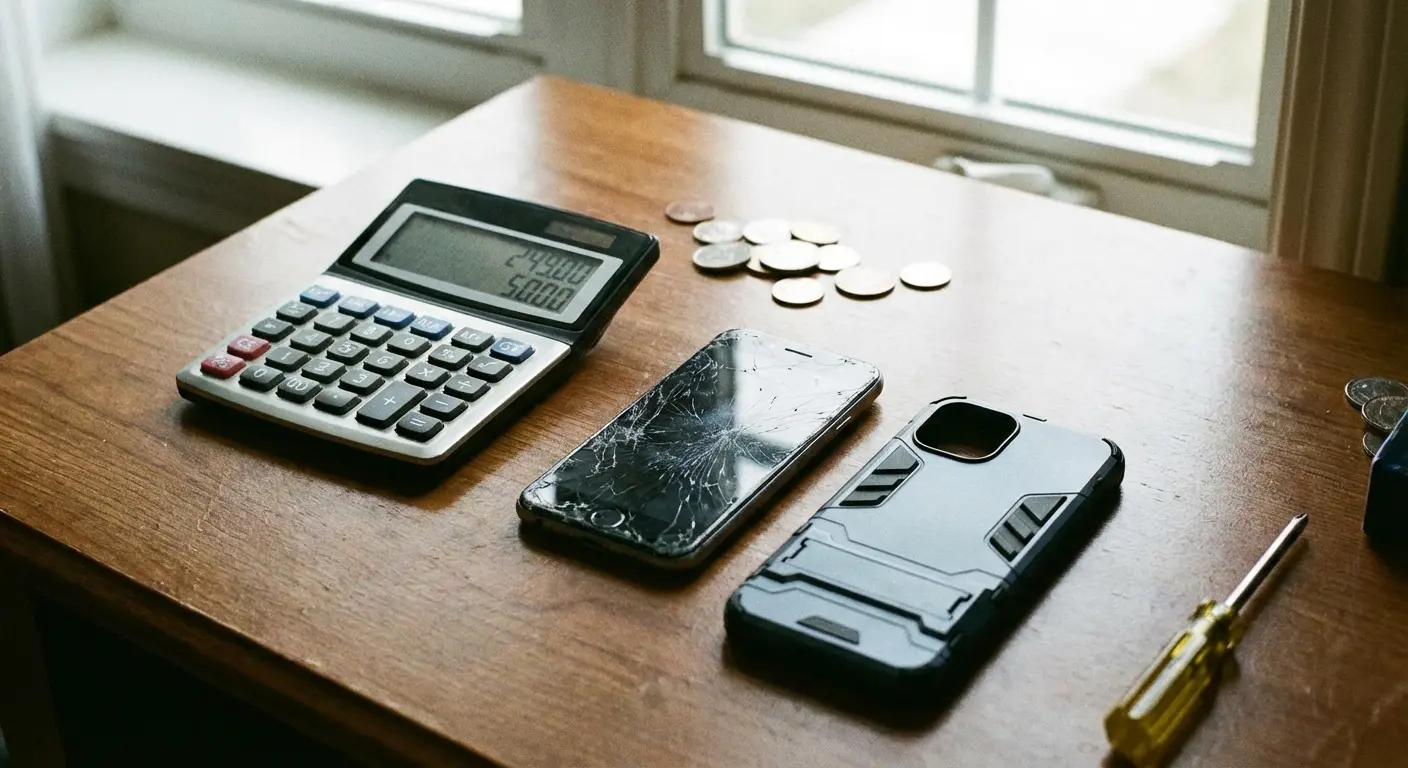
Or you spend $80 once on protection that prevents those breaks from happening. The math isn't complicated, but we don't do it because we're thinking about today's expense, not this year's total cost.
Honestly? If your phone is more than two years old and the screen cracks, just upgrade. The resale value is already tanked. Putting $150 into a repair doesn't make financial sense when that's half the cost of a new phone. But nobody wants to hear that because we're not ready to upgrade yet.
Why Prevention Beats Any Repair Kit on the Market
Understanding How Screens Break
Drop height matters less than you think. A 2-foot drop onto concrete at the wrong angle will shatter a screen. A 6-foot drop onto grass probably won't.
Corner impacts are the killer. When your phone lands corner-first, all the force concentrates into a tiny point. That force transfers directly through the frame into the glass, and physics does the rest.
Standard cases protect against scratches and minor bumps. They're not engineered for impact distribution. The corners compress, the force transfers, the screen cracks.
What Military-Grade Actually Means
MIL-STD-810G is the U.S. military's testing standard for equipment durability. It involves 26 drops from 4 feet onto concrete at different angles.
Cases that meet this standard aren't just thicker. They use materials that absorb and distribute impact force across the entire case structure rather than allowing it to concentrate at the point of contact.
The corners are reinforced with shock-absorbing polymers. The edges extend above the screen surface so that face-down drops don't make glass-to-concrete contact. The back panel is rigid enough to prevent flex that would stress the screen from behind.
The Bulk Objection Misses the Point
Yes, protective cases add size. A phone in a military-grade case is noticeably larger than a naked phone.
But you know what else is noticeable? Not having a shattered screen. Not spending 4 hours hunched over a repair tutorial. Not voiding your warranty. Not losing water resistance.
The bulk complaint assumes that thinness is the highest priority.
It's not.
Functionality is. A phone that's 3mm thicker but survives daily life is more usable than a thin phone with a cracked screen.
What Makes Rokform the Ultimate Phone Protection Solution
Full disclosure: I work for Rokform. We make phone cases. You'll see our pitch right here. But everything before this? That's just the reality of phone repairs whether you buy from us or not.
Protection That Exceeds the Standard
Rokform cases are tested to 10-foot drops. That's more than double the military standard and well beyond what any standard case manufacturer even attempts.
The engineering isn't just about thickness. It's about material science. Rokform uses a polycarbonate shell with TPU impact zones at every corner and edge. The screen bezel extends 2mm above the glass surface. Face-down drops onto gravel don't touch your screen.
You're not choosing between protection and usability. You're getting both because the protection is engineered correctly rather than just adding bulk.
The Mounting System That Prevents Drops
Most case manufacturers ignore this: half of all phone drops happen because we're trying to hold the phone while doing something else. Driving. Cooking. Working out. Biking.
Rokform's patented RokLock mounting system means your phone locks securely to mounts in your car, on your bike, at your desk, in the gym. You're not balancing it precariously or wedging it into cup holders where it'll fall out at the first turn.

The magnetic system is strong enough that your phone stays mounted on rough terrain or during aggressive driving, but releases instantly when you twist it. You're not fumbling with clips or clamps.
Side note: Those mounting systems work in fresh water under controlled conditions. Your phone falling in a toilet (which happens more than anyone admits) is not a controlled condition. Just saying.
Stop Repairing and Start Preventing
You're reading this because you have a broken screen right now. Maybe you'll repair it with a phone repair kit, maybe you'll pay a professional, but either way, you'll have a functioning phone again in a few days.
What happens in 10 months when you drop it again?
Rokform cases are built for people who are done with the repair cycle. We've spent years engineering protection that works in real-world conditions, not just in marketing claims. Our cases have prevented thousands of screen breaks for people who were exactly where you are right now.
Explore Rokform's protective cases and find the model that fits your phone because the best repair is the one you never have to do.
Look, Here's the Reality
You're probably going to repair this screen anyway. I get it. You're here now, it's broken now, you need it fixed now. You've got the info. What to buy, what to watch for, how not to set your battery on fire.
Some of you will DIY this repair and be perfectly happy with the results. Others will realize mid-repair that this isn't how you want to spend your afternoon.
But here's what I want you to take away: this shouldn't keep happening.
Your phone isn't some disposable thing. It's your camera for moments you can't recreate. It's your GPS when you're lost in a random city. It's how people reach you in emergencies. It's your mobile office when you're away from your desk. Treating it like it's going to break every 10 months isn't inevitable. It's a choice you're making by trusting a $15 case.
The phone repair kit industry will always be there when you need it. They're counting on seeing you again.
The question is whether you want to keep showing up.
Just promise me one thing: when it breaks again (not if, when) you'll remember this moment and buy actual protection instead of another repair kit.
Deal?

