


Your Samsung screen just cracked. Or maybe your battery's dying by lunch and you're tired of living next to an outlet. Either way, you're about to discover that getting your phone fixed is expensive, time-consuming, and way more complicated than it should be.
I'm going to walk you through what Samsung's warranty actually covers (spoiler: not much), what repairs really cost (spoiler: way too much), and why spending $60 on a decent case now beats spending $300 on a screen replacement later.
Let's start with the bad news.
Table of Contents
The Hidden Cost Structure Behind Official Samsung Repairs
Why Your Samsung Warranty Probably Won't Cover What You Think It Does
The Real Timeline: How Long You'll Actually Be Without Your Phone
Data Security Risks Most People Ignore During Repairs
Third-Party vs. Samsung Authorized: Breaking Down the Quality Difference
The Parts Lottery: Why Not All Replacement Screens Are Created Equal
Battery Replacements and the Performance Throttling You Need to Know About
Prevention Beats Repair: The Economics of Proper Phone Protection
Final Thoughts
TL;DR
Screen repairs through Samsung? Try $280-330. Yes, really.
Your warranty covers almost nothing useful (accidental damage isn't included, which is...most damage)
You'll be without your phone for 1-2 weeks minimum with mail-in service. Hope you have a backup plan.
Data vulnerability during repairs is real. Most service centers gloss over this in their intake process.
Third-party repairs using non-OEM parts can trigger software warnings and void remaining warranty coverage
A good protective case costs less than a single screen replacement. Do the math.
What Samsung Repair Actually Costs (It's Bad)
Let's talk numbers. The prices aren't pretty, and Samsung deliberately hides them behind terms like "diagnostic fees" and "additional damage assessment." Most people only discover the true cost after they've already committed to the repair process.
Screen Replacements Cost More Than Your Car Payment
$279 to $329 for a Galaxy S24 Ultra screen. Just the screen. Not the whole phone. The screen.
And that's the starting price, before they "discover" additional damage. Frame bent? Water damage indicators triggered? Suddenly you're looking at $450+.
For context: that's 38% of what you paid for the phone new. If your phone's six months old and already depreciated? You're paying more than half its current value to fix one component.
It's insane.
The pricing gets worse as you move through Samsung's lineup. Mid-range models see repair costs that represent an even higher percentage of their original value:
Galaxy Model |
Screen Replacement Cost |
Original MSRP |
Repair Cost as % of Original Price |
|---|---|---|---|
Galaxy S24 Ultra |
$279-$329 |
$1,199 |
23-27% |
Galaxy S24+ |
$249-$279 |
$999 |
25-28% |
Galaxy S24 |
$199-$229 |
$799 |
25-29% |
Galaxy S23 Ultra |
$269-$299 |
$1,199 |
22-25% |
Galaxy Z Fold 5 (Main Screen) |
$499-$549 |
$1,799 |
28-31% |
Galaxy A54 |
$149-$179 |
$449 |
33-40% |
Notice how the Galaxy A54 owner pays 33-40% of their phone's original price for a screen replacement. That's approaching half the device's value for a single repair. I still don't understand why Samsung charges similar percentages across wildly different phone prices. The math doesn't math. Anyway...
The Battery Swap Math Nobody Wants to Do
Battery replacements run $99 to $129 through Samsung, depending on your model. Sounds reasonable until you factor in shipping costs (if you're doing mail-in service), potential diagnostic fees if they find "additional issues," and the reality that you're getting a battery that will degrade just like your original one did.
Samsung doesn't guarantee battery health beyond one year on replacements. You're basically paying $100+ for a component that might start showing problems within 18 months of installation.
Consider this: You own a Galaxy S23 that's 18 months old. The battery's down to about 75% capacity, dying by 3 PM with moderate use. You pay $99 for an official Samsung battery replacement, plus $15 shipping. Total: $114. The replacement battery performs well at first, but 14 months later, you're experiencing similar degradation.
Meanwhile, the Galaxy S25 has launched with better battery tech, improved cameras, and a faster processor. Your S23 is now worth maybe $250 on trade-in. You spent $114 to extend a device's life by roughly a year, when that money could have gone toward upgrading to a phone that would serve you for the next three years.
Diagnostic Fees and the "While We're In There" Upsell
Samsung charges a $29 diagnostic fee for mail-in repairs, even if you know exactly what's wrong with your device. This fee gets waived if you proceed with the repair, but it's a sunk cost if you decide their quote is too high.
The bigger problem? Once they've got your phone opened up, technicians often discover "related damage" that wasn't visible during your initial assessment. Water damage indicators that supposedly show moisture exposure. Adhesive degradation that "compromises structural integrity." These findings can double your initial quote, leaving you stuck between paying more or getting your phone back unrepaired (minus that diagnostic fee, of course).
This scenario plays out constantly. Someone sends their phone in expecting a $199 screen replacement and receives a call about $380 in total repairs needed. They're already without their phone, already paid shipping, already invested time in backing up data and preparing for the repair.
The pressure to say yes to the inflated quote is enormous. Samsung knows this.
Your Warranty Doesn't Cover Shit
Most people assume "warranty" means protection against repair costs. That assumption costs them hundreds of dollars when reality hits. Samsung's standard warranty is way more limited than the average consumer realizes, and the gap between what you think you're covered for and what Samsung will actually pay for is where your money disappears.
The Manufacturing Defect Loophole
Samsung's standard one-year warranty covers defects in materials and workmanship. What does that mean? If your screen spontaneously develops dead pixels without any physical impact, you're covered. If you dropped your phone and cracked that screen? You're paying full price for repairs.
This matters because most repairs (I've seen estimates around 70%) are from accidental damage. Drops, water, sitting on your phone. Stuff your warranty explicitly doesn't cover.
The warranty exists to protect Samsung against manufacturing failures, not to protect you against the real-world damage that phones actually experience. It's a narrow protection window that excludes the incidents that send most people searching for samsung cell phone repair options.
Samsung Care+ Isn't Automatic (And It Has Deductibles)
You have to actively purchase Samsung Care+ within 60 days of buying your device. It's not included with your phone, despite what some carrier sales reps might imply when they're rushing through your checkout process.
Even with Samsung Care+, you're paying deductibles for each claim. Screen repairs run $29, while other damage costs $99 per incident. You're limited to three claims per year. For people who are genuinely hard on their phones, those three claims can evaporate quickly, leaving you back at square one with full-price repairs for the rest of your ownership period.
The monthly cost adds up too. At $11-15 per month depending on your model, you're spending $132-180 annually for coverage that still requires you to pay deductibles when you need service.
Samsung Care+ costs $11-15/month ($132-180/year) and you still pay deductibles ($29 for screens, $99 for other damage). A Rokform case costs $60-70 once. Do the math.
The prevention approach costs less upfront and doesn't saddle you with recurring monthly charges. I'll get into why that matters more than most people realize.
Water Resistance Doesn't Mean Water Proof (And Samsung Knows It)
Galaxy phones carry IP68 ratings, which sounds impressive until you read the fine print. This rating covers submersion in up to 1.5 meters of fresh water for up to 30 minutes under controlled laboratory conditions.
Your warranty explicitly excludes water damage. Which is hilarious, because Samsung markets these phones as water-resistant. They'll show you commercials of phones getting splashed, dropped in pools, whatever. But the warranty? "Water damage not covered."
It's like selling you a raincoat and then refusing to replace it when it gets wet. The IP68 rating describes what the phone *should* handle, not what Samsung will actually cover when it doesn't.
I've seen countless cases where people assumed their water-resistant phone was fully protected, only to face $300+ repair bills when liquid made its way into the device. The IP68 rating creates a false sense of security that Samsung's warranty department is happy to shatter when you file a claim.
How Long Repairs Take (Spoiler: Forever)
Samsung advertises quick turnaround times that sound reassuring when you're panicking about a broken phone. The reality? Way longer waits, communication gaps, and delays that nobody mentions until you're already committed to the samsung phone repair process.
Mail-In Service: The 7-14 Day Reality
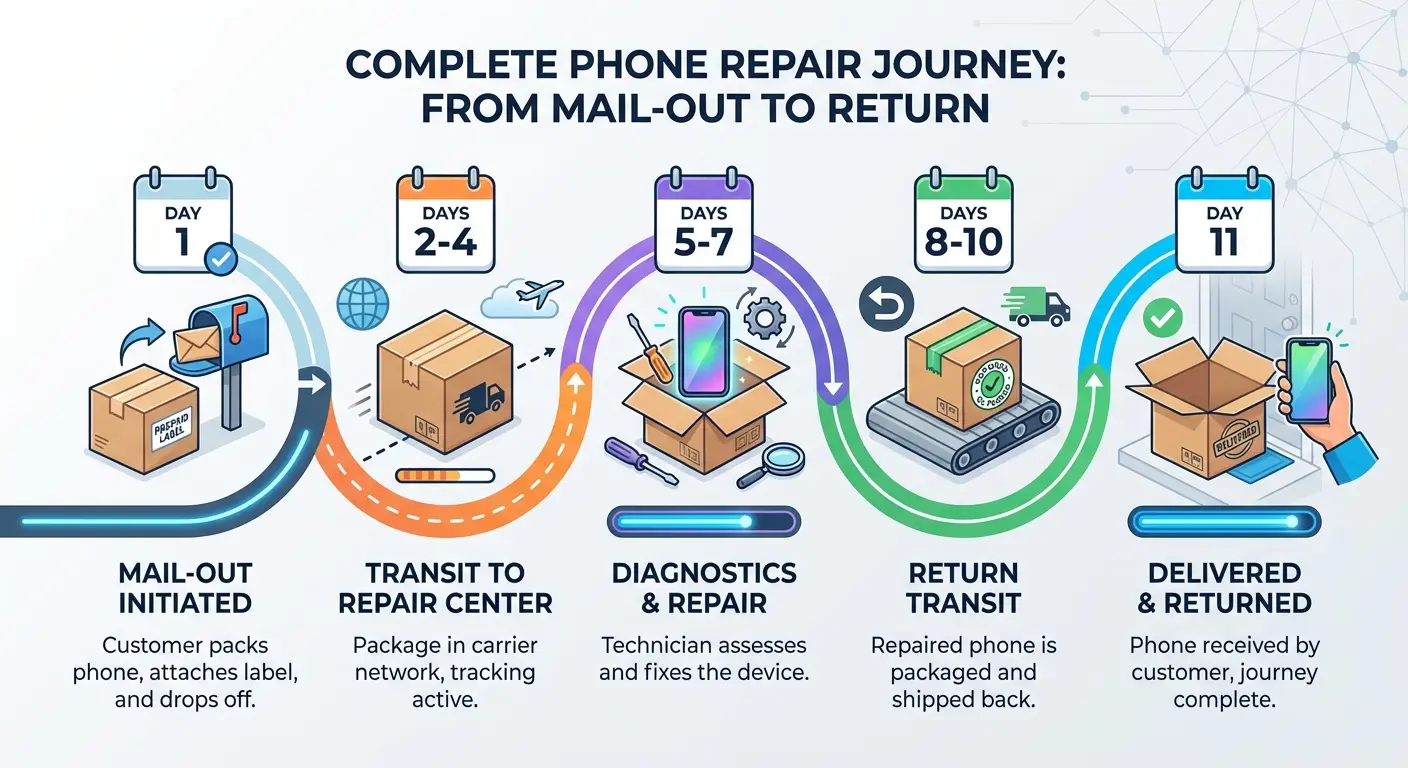
Samsung advertises 5-7 business day turnaround for mail-in repairs. That's the repair time itself, not the total time you're without your phone.
You need to factor in shipping time to the repair center (2-3 days), the actual repair window (5-7 days if everything goes smoothly), and return shipping (another 2-3 days). You're realistically looking at 10-14 calendar days minimum, assuming no complications arise.
Parts delays can extend this significantly. If Samsung's repair center doesn't have your specific component in stock, you're waiting for procurement before your repair even starts. Timelines can stretch to three weeks or longer during high-demand periods (right after new model launches, when lots of people are trading in or repairing older devices).
Two weeks without your primary phone means two weeks of missed calls, delayed responses to messages, and scrambling to stay connected. For people who run businesses from their phones or rely on them for work communication, this timeline is borderline catastrophic.
Walk-In Repairs Through uBreakiFix: The Appointment Bottleneck
Samsung partners with uBreakiFix locations for same-day repairs on certain issues. Sounds convenient until you try to book an appointment in a major metro area.
Available slots often run 3-5 days out, particularly for screen replacements and other common repairs. You're still waiting nearly a week just to get your phone looked at, then facing potential same-day turnaround if parts are available (or multi-day waits if they need to order components).
The same-day promise only applies if your repair is straightforward and parts are in stock. Any complications, and you're leaving your phone there for 2-3 days minimum.
The Loaner Phone Trap
Samsung doesn't provide loaner devices for repairs. Some carrier insurance programs do, but you're getting a basic model that won't sync your apps, settings, or data seamlessly.
You'll spend hours trying to get your authenticator apps transferred, your banking apps verified on the temporary device, and your work email configured. Then you'll do it all again in reverse when your phone comes back.
Most people end up either suffering through with the loaner, paying for expedited repair service (which adds $50-100 to your bill), or just going without their phone entirely and missing important calls, messages, and notifications.
Before you send your phone off for repairs, work through this preparation checklist. It'll save you from the panic that hits when you realize you can't access something critical:
Pre-Repair Preparation Checklist:
Back everything up (photos, videos, all of it) to Samsung Cloud or Google Photos
Contacts → export to Google or your SIM
Screenshot anything important (WiFi passwords, account numbers, those 2FA backup codes you never wrote down)
Disable Find My Mobile and remove Samsung/Google account locks
Remove your SIM card and SD card. Seriously, don't forget this.
Take photos of your phone's current condition (you'll want proof if they claim pre-existing damage)
Enable Repair Mode (Android 14+) or factory reset if required
Arrange for alternative communication method (old phone, temporary device, or forwarding to another number)
Save your repair ticket number and service center contact information
Set calendar reminders to follow up if repair exceeds promised timeline
Data Security Risks Most People Ignore During Repairs
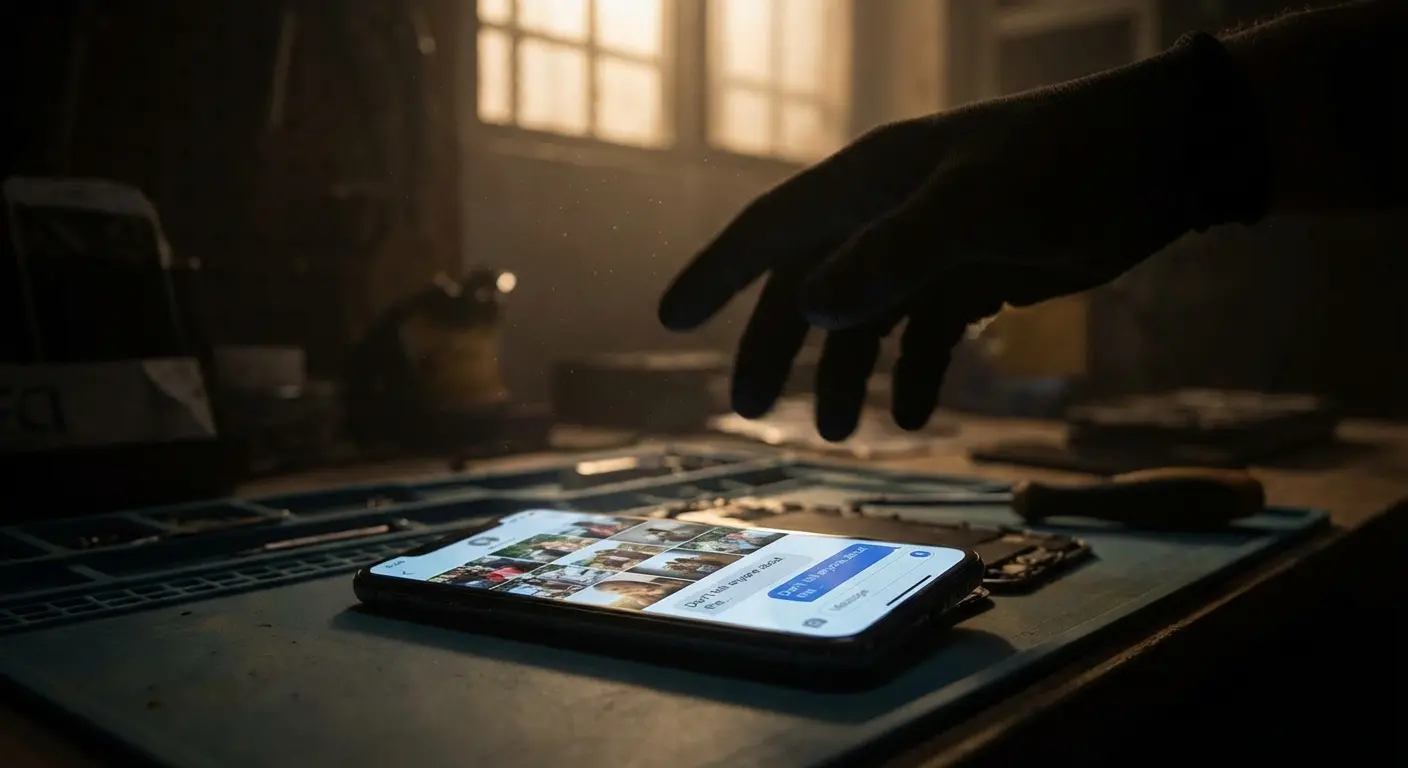
Handing your phone over for repairs means surrendering a device that contains your entire digital life. Banking apps, personal photos, private messages, work emails, social media accounts. Most people focus on the repair cost and timeline while completely overlooking the security implications of letting strangers access this information.
What Technicians Can Access
Repair technicians need to test your phone's functionality after completing repairs. That means powering on your device, checking the display, verifying touch responsiveness, and ensuring all components work properly.
If your phone isn't locked or encrypted properly, technicians have potential access to everything: photos, messages, emails, banking apps, social media accounts, and stored passwords. Samsung's official policy requires technicians to respect customer privacy, but you're trusting individual human beings to follow those guidelines when they're alone with your unlocked device.
Samsung and Google Pixel devices running Android 14 or later now include a dedicated Repair Mode feature (called Maintenance Mode on Samsung devices) that creates a sandboxed, temporary profile protecting your personal data while allowing technicians full functionality to test repairs. According to *ZDNet*, this mode "sets up a sandboxed, temporary profile (on a separate, newly created partition) on your phone that protects your personal information by locking down your data, while still allowing a technician to use all of the phone's functionality."
This is a huge improvement over the previous choice between factory resetting your device or leaving your data exposed during repairs. If you're running Android 14 or newer, enabling Repair Mode should be mandatory before handing your phone to anyone.
The Factory Reset Dilemma
Samsung recommends backing up and factory resetting your device before sending it for repairs. This protects your data but creates a new problem: you need to reconfigure everything when your phone returns.
Most people skip the factory reset because it's inconvenient. You'll need to reinstall apps, log back into accounts, reconfigure settings, re-download photos from cloud storage, and re-establish all your customizations. It's hours of work that feels unnecessary when you're just getting a screen replacement.
But skipping this step means your personal data sits on a device that's passing through multiple hands at a repair facility. Technicians, logistics staff, quality control checkers. Each person represents a potential security vulnerability.
Third-Party Repair Shops and Data Vulnerability
Independent repair shops don't have the same corporate oversight and accountability structures that Samsung's official channels maintain (however imperfect those might be). You're trusting a local business owner and their employees with your device.
Some third-party shops have been caught installing spyware, copying personal photos, or accessing customer accounts during repairs. These cases are relatively rare, but they happen often enough that data security should factor into your decision about where to get your phone serviced.
You have limited recourse if a third-party shop mishandles your data. Samsung's official channels at least provide corporate accountability and established complaint procedures if something goes wrong.
My friend Sarah (Phoenix) took her S22 to some shop in a strip mall on Camelback Road. They said "no need to factory reset for a screen replacement." Three weeks later, Instagram login attempts from someone in Phoenix. Someone had screenshotted her bank app. The shop denied everything, no security footage, nothing. She's still dealing with it months later. Saved $80, spent hundreds of hours unfucking her digital life.
I know this sounds paranoid. It's not. It happens.
Third-Party vs. Samsung: Which One Screws You Less?
When you're searching for samsung cell phone repair near me, you'll find dozens of options ranging from Samsung's official channels to independent shops operating out of strip malls. The price differences are tempting, but understanding what you're sacrificing for those savings matters more than the initial sticker shock.
OEM Parts vs. Aftermarket Components
Samsung authorized repairs use genuine OEM (Original Equipment Manufacturer) parts that match your phone's original specifications. Third-party shops typically use aftermarket components that are manufactured to similar specs but aren't identical to Samsung's parts.
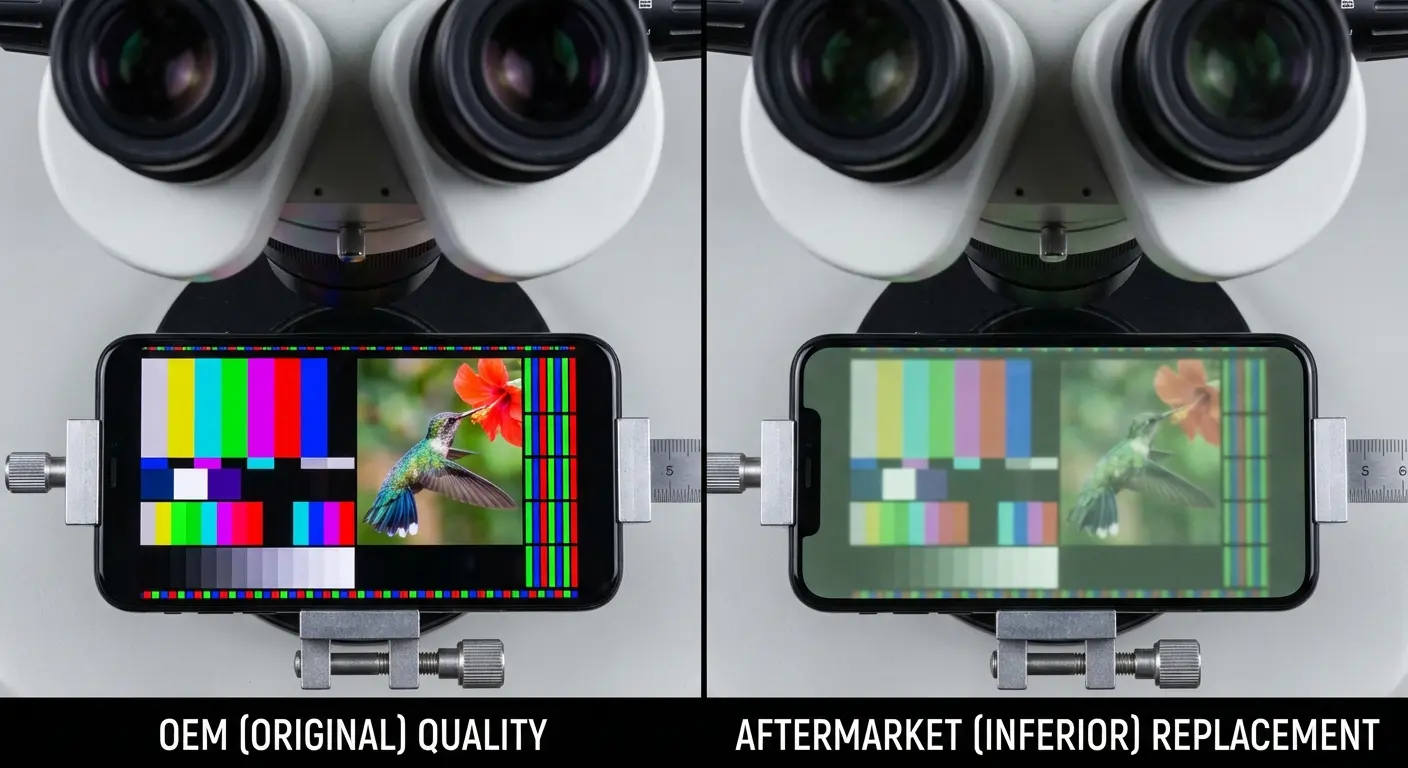
The quality gap varies wildly. Premium aftermarket screens can perform nearly identically to OEM parts, with comparable color accuracy, touch sensitivity, and durability. Budget aftermarket parts show noticeable differences: colors look washed out, touch response feels laggy, and the glass quality is noticeably inferior.
You often don't know which tier of aftermarket parts your third-party shop is using until after the repair is complete. Some shops are transparent about parts sourcing and quality, while others deliberately obscure this information to maximize their margins.
Warranty Implications You Can't Undo
Using third-party repairs with non-OEM parts voids any remaining Samsung warranty coverage on your device. If you're six months into ownership and get a third-party screen replacement, you're forfeiting the remaining six months of manufacturer warranty protection.
This matters if you subsequently develop an unrelated issue that would have been covered under warranty. A camera failure, charging port malfunction, or speaker problem that should be fixed free under warranty becomes a paid repair because you opted for third-party service on your screen.
Samsung can detect non-OEM parts when you bring your device in for future service. Their diagnostic tools identify component serial numbers and manufacturing signatures that don't match original specifications.
The Workmanship Variable
Authorized Samsung technicians receive company training on proper repair procedures, adhesive application, component alignment, and quality control standards. Third-party technicians might have excellent skills, or they might have learned phone repair from YouTube videos.
You're gambling on the individual technician's competence and attention to detail. A poorly installed screen can develop light bleed, adhesive failure, or waterproofing compromises that create problems months after the repair.
The best third-party shops employ experienced technicians and stand behind their work with solid warranties. The worst shops rush through repairs, use inferior parts, and make themselves difficult to reach when problems emerge.
When Third-Party Makes Sense (And When It Doesn't)
Look, I've been pretty hard on third-party repairs, but I'll admit I've used them before when I had an old phone I was about to replace anyway. Saved money, phone worked fine for the few months I kept it. So I'm not saying never do it. Just know what you're risking.
Third-party samsung cell phone repair makes the most sense for older devices that are out of warranty and approaching replacement anyway. If your Galaxy S21 needs a screen replacement and you're planning to upgrade within six months, saving $100+ with a quality third-party repair is probably worth it.
For newer devices still under warranty or Samsung Care+ coverage, authorized repairs protect your remaining coverage and ensure you're getting genuine parts. The price premium makes sense when you're protecting a $1,000+ device that you plan to keep for another year or more.
Before handing your Samsung to any independent repair shop, verify these critical factors:
Third-Party Repair Shop Evaluation Checklist:
Shop has verifiable online reviews (Google, Yelp) with at least 4.0+ rating and 50+ reviews
Technician can specify exact parts brand/quality tier they'll use (ask for documentation)
Written warranty provided for both parts and labor (minimum 90 days)
Shop has physical storefront (avoid mobile-only or home-based operations)
Clear pricing provided upfront with no "diagnostic fee" surprises
Shop can show certifications or training credentials
Privacy policy posted regarding data handling during repairs
Return policy if you're unsatisfied with repair quality
Shop carries insurance/bonding (ask to see certificate)
References available from recent customers with similar repairs
The Parts Lottery: Why Not All Replacement Screens Are Created Equal
Screen quality differences between OEM and aftermarket parts go way beyond simple "good versus bad" distinctions. The specific components within replacement screens determine whether you're getting a display that matches your phone's original performance or a downgraded experience that you'll tolerate for the rest of your ownership.
Digitizer Quality and Touch Responsiveness
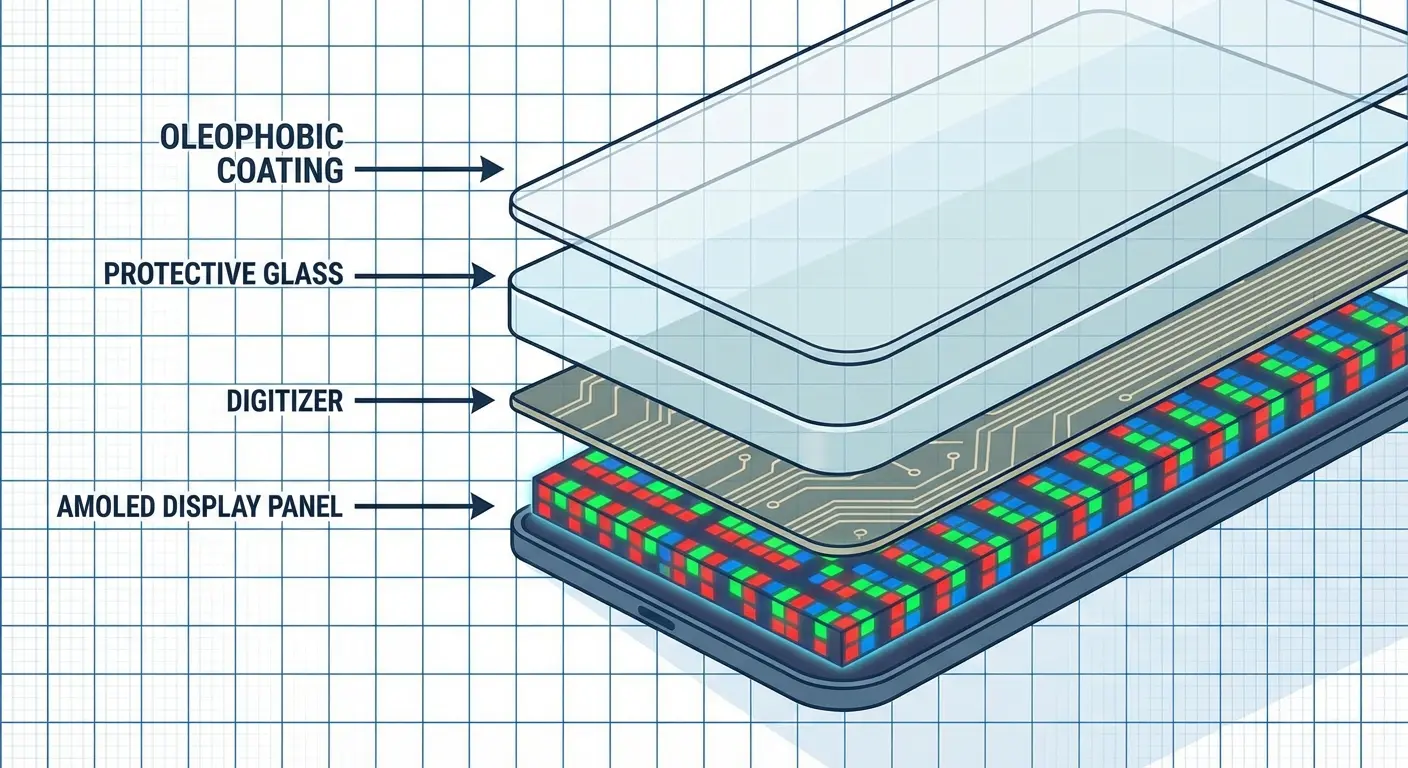
The digitizer is the layer beneath your screen glass that detects touch input. Premium replacement screens use digitizers with response times and sensitivity that match OEM specifications. Budget replacements use inferior digitizers that create noticeable lag between your touch and the phone's response.
This difference feels subtle at first but becomes increasingly frustrating during daily use. Typing feels less accurate, gaming becomes more difficult, and precise touch actions (hitting small buttons or dragging to exact positions) require multiple attempts.
You can't fix digitizer quality after installation. If your repair shop installed a screen with a subpar digitizer, you're stuck with degraded touch performance until you pay for another replacement.
Color Calibration and Display Quality
Samsung's AMOLED displays are known for vibrant colors, deep blacks, and excellent contrast ratios. OEM replacement screens maintain these characteristics because they're manufactured to Samsung's exact specifications and undergo color calibration during production.
Aftermarket screens often show noticeable color shifts. Whites might appear slightly yellow or blue. Colors look less saturated. Black levels aren't truly black, showing slight gray tones in dark scenes. These differences are particularly obvious when you're watching videos or viewing photos.
Some third-party shops will tell you the color differences are minimal or that your eyes will adjust. You shouldn't have to adjust to inferior display quality on a flagship device that you paid premium prices to own.
Oleophobic Coating and Fingerprint Resistance
Your original Samsung screen came with an oleophobic coating that resists fingerprints and makes the screen easier to clean. Many aftermarket replacement screens either lack this coating entirely or use inferior versions that wear off quickly.
You'll notice your screen getting smudgy more quickly, fingerprints being more visible, and the glass feeling less smooth when you're swiping. The coating can't be reapplied effectively after installation, so this is another permanent quality reduction you'll live with.
Structural Integrity and Crack Resistance
Not all glass is equally strong. Samsung uses Gorilla Glass Victus or similar high-grade materials that offer genuine drop protection and scratch resistance. Aftermarket screens might use lower-grade glass that's more prone to cracking from impacts and scratching from daily use.
You might save money on the initial samsung phone repair only to crack your replacement screen from a drop that your original screen would have survived. Then you're paying for another replacement, eliminating any cost savings from choosing the cheaper option initially.
Guy I know bought an S23 Ultra, got a third-party screen replacement about 18 months in to save money. $180 instead of Samsung's $299. Seemed fine at first, but the screen had this yellowish tint he didn't notice until he was next to someone with the same phone. Text looked slightly off.
Three months later, drops it from waist height in his driveway. A drop the original screen had survived before. New screen shatters completely. Ends up paying $299 for the Samsung replacement anyway. So he spent $479 total instead of $299 if he'd just gone with Samsung first.
The "savings" cost him $180 and three months of a shitty-looking screen. Not worth it.
Battery Replacements and the Performance Throttling You Need to Know About
Battery degradation isn't just about shorter battery life. Samsung's software implements performance management strategies that slow your entire phone down when battery health drops below certain thresholds. Understanding this relationship between battery health and device performance changes the calculation around when battery replacement makes financial sense.
How Samsung's Software Manages Battery Degradation
Samsung's OneUI includes power management algorithms that throttle your phone's performance when battery health drops below certain thresholds. Your Galaxy S23 might be capable of running at full speed, but the software deliberately limits processor performance to prevent unexpected shutdowns from an aging battery.
You'll notice apps taking longer to load, animations stuttering, and overall responsiveness feeling sluggish. Most people assume their phone is just getting old, but it's often the battery degradation triggering these performance limitations.
A battery replacement removes these throttling restrictions, but only if you're getting a genuine battery that the phone's software recognizes as healthy. Some aftermarket batteries don't communicate proper health metrics to Samsung's power management system, meaning you might still experience throttling even with a "new" battery installed.
The 80% Capacity Threshold
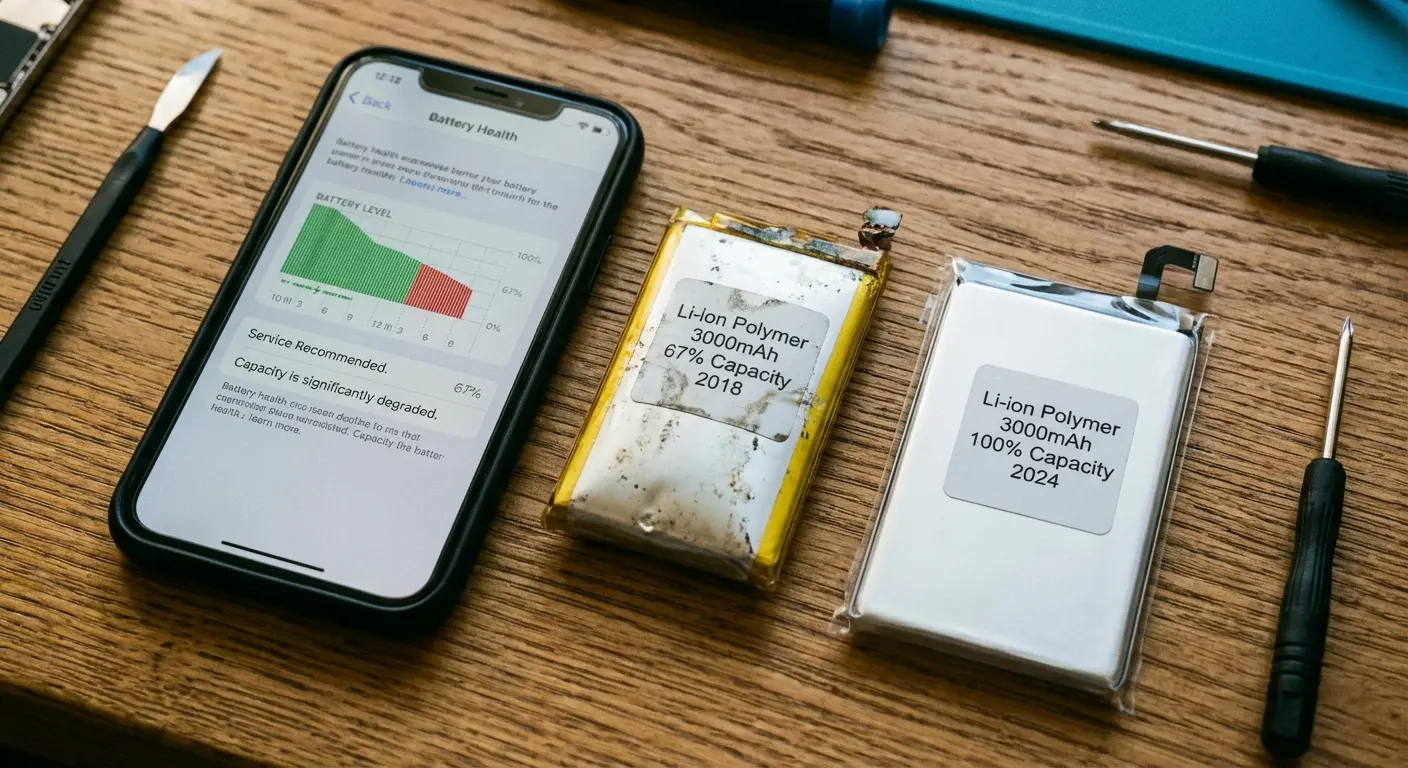
Samsung batteries are considered degraded when they fall below 80% of their original capacity. This typically happens around the two-year mark with normal use, though heavy users (people who charge multiple times daily or frequently use fast charging) can hit this threshold in 18 months or less.
Once you're below 80% capacity, you're getting noticeably less screen-on time per charge. Your phone might die at 15% instead of reaching 0%. Charging takes longer because the battery can't accept power as efficiently.
Battery replacement makes sense at this point, but here's the catch: you're already two years into device ownership. Flagship Galaxy phones typically see major value drops by year two, and new models offer substantial performance improvements. You're spending $100+ to extend the life of a device that's already outdated compared to current offerings.
Aftermarket Batteries and Capacity Claims
Third-party battery sellers often advertise capacities that exceed OEM specifications. "High capacity replacement battery - 4500mAh!" for a phone that originally shipped with a 4000mAh battery.
These claims are almost always false. The battery might physically be larger (which creates fitment issues and can damage your phone's internal components), or the capacity rating is simply a lie. You're not getting extra battery life. You're getting a battery that might not even match your phone's original capacity.
Worse, some aftermarket batteries lack the safety protections built into Samsung's genuine batteries. Thermal management, overcharge protection, and short-circuit prevention might be absent or poorly implemented. You're introducing fire and explosion risks to save $30-40 on the battery replacement cost.
Battery-related charging issues continue to plague smartphone users, even on newer models. A recent troubleshooting guide for the Samsung Galaxy A55 not charging from *Technobezz* highlights how "lint, dust, and pocket debris get packed into that USB-C port every single day" and can create symptoms that mimic battery failure. The article notes that many users assume they need battery replacements when the issue is port contamination or cable degradation. Problems that cost nothing to fix but are frequently misdiagnosed as requiring expensive battery service.
Battery Replacement vs. Device Upgrade Economics
Run the numbers before committing to a battery replacement. If your Galaxy S22 is worth $300 on trade-in and a new Galaxy S25 costs $800, you're paying $500 to upgrade to a current-generation device with a fresh battery, better cameras, faster processor, and three more years of software support.
Compare that to spending $100-150 on a battery replacement for your S22, which still leaves you with a two-year-old device that's approaching the end of Samsung's software update window. You're extending the life of aging hardware by maybe 12-18 months before other components start failing or the device becomes too slow to use comfortably.
Battery replacement makes the most sense when your phone is relatively new (less than two years old), still performs well aside from battery issues, and you're committed to keeping it for at least another year. Outside those conditions, you're probably better off putting that repair money toward an upgrade.
Prevention Beats Repair: The Economics of Proper Phone Protection
Okay, so I've spent this whole post telling you repairs are expensive and slow. The obvious solution: don't break your phone.
Look, I know this is turning into a novel. But if you're about to spend $300+ on a repair, it's worth understanding all this. Stay with me.
The Real Cost of "Good Enough" Protection
You grabbed a $15 case from Amazon because it had decent reviews and looked protective enough. It probably works fine for everyday scratches and minor bumps, but it's not engineered for the drops that cause expensive damage.
Most budget cases use soft TPU materials that absorb some impact but don't provide the structural reinforcement needed to protect your screen and frame during serious drops. The corners compress on impact, allowing your phone to flex inside the case. That flexing is what cracks screens even when your phone is "protected."
You're creating a false sense of security. The case feels protective, so you're less careful with your phone, but it's not capable of preventing the damage that leads to $300 repair bills.
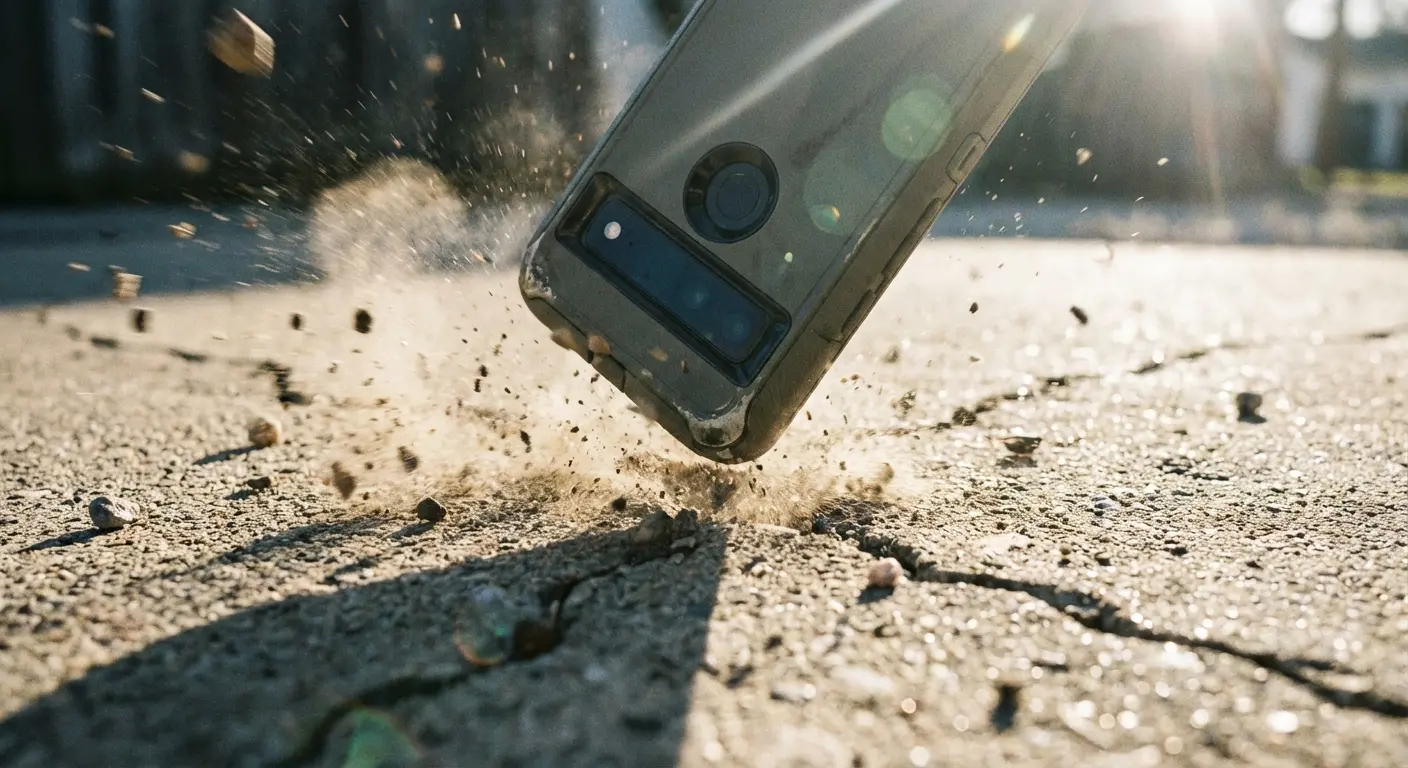
Military-Grade Protection as Insurance
Quality protection engineered to military drop standards (MIL-STD-810G) costs more upfront but fundamentally changes the risk equation. You're looking at $50-80 for cases that have been drop-tested from 6+ feet repeatedly and proven to protect phones from impacts that destroy devices in lesser cases.
Do the math: one screen replacement costs $280-330. A premium protective case costs $60-70. You're paying roughly 20% of a single repair cost for protection that could prevent multiple repairs over your ownership period.
Phones in proper protection survive drops that would have totaled unprotected devices. Concrete drops from waist height, falls down stairs, drops onto tile floors. The phone walks away without damage because the case did its job.
Why Rokform's Approach Makes the Difference
I'm going to talk about Rokform cases here because I use one and it's legitimately saved my ass multiple times. I'm not getting paid to say this (though if Rokform wants to send me a free case for my next phone, I won't say no).
Here's why it's worth the money.
Rokform builds cases with a polycarbonate shell and impact-absorbing TPU liner that work together to disperse impact forces away from your phone. The design includes raised bezels that keep your screen and camera lenses from making contact with surfaces when the phone lands face-down.
What sets Rokform apart is the integrated magnetic mounting system. Your phone isn't just protected when it's in your pocket. It's secured when you're using it in situations where drops are most likely. Your phone locks onto magnetic mounts in your car, on your motorcycle, at your desk, or on your bike. No fumbling with clips, no adhesive pads that fail, no gravity doing its worst when you hit a pothole.
The magnetic system uses rare-earth neodymium magnets that create a hold strong enough to keep your phone secure through aggressive driving, off-road conditions, or high-speed cycling. We're talking 60+ pounds of pull force. Your phone isn't sliding off a vent clip mount or falling out of a cupholder during a hard turn.
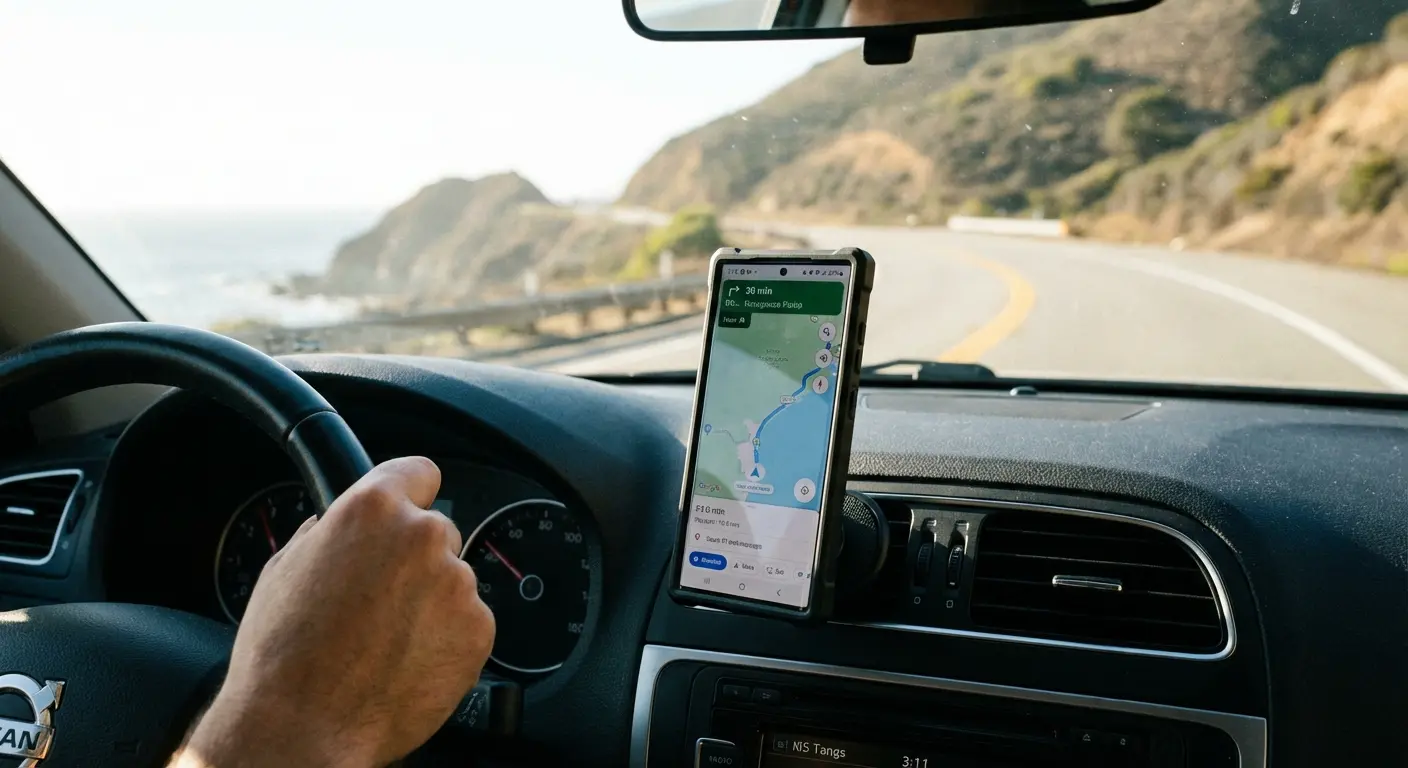
Rokform's RokLock™ twist-lock system takes security even further for extreme conditions. The case features integrated locking grooves that engage with compatible mounts, creating a mechanical lock that supplements the magnetic hold. You're getting redundant security that prevents drops even in situations where other mounting systems fail completely.
The protection extends beyond drop resistance. Rokform cases maintain full access to all ports, buttons, and wireless charging while adding genuine functionality through the mounting ecosystem. You're not compromising usability for protection. You're enhancing both at the same time.
Every Rokform case is designed specifically for your Samsung model. We're not talking about generic cases with loose fits and misaligned cutouts. The precision engineering means your case fits perfectly, protects completely, and looks like it belongs on your phone rather than bulking it up unnecessarily.
I've dropped my phone more times than I want to admit and the screen's still perfect. Concrete, tile, down a flight of stairs once (don't ask). The case works.
The cost difference between Rokform's protection and a single Samsung screen replacement pays for itself the first time you avoid that repair. Every subsequent drop that doesn't result in damage is money you're keeping in your pocket instead of handing to Samsung's repair division.
Protection for Resale Value
Proper protection doesn't just prevent repair costs during ownership. It preserves your phone's resale value when you're ready to upgrade.
A Galaxy S24 Ultra in pristine condition commands $600-700 on the used market. That same phone with a cracked screen (even if repaired) or visible wear on the frame drops to $400-450. You're losing $200-300 in resale value because you didn't invest $60 in proper protection upfront.
Trade-in values follow similar patterns. Carriers and Samsung's own trade-in program pay premium rates for devices in excellent condition. Any screen damage, even hairline cracks, drops you into lower value tiers that can cost you $100-200 in trade-in credit.
Think about the full ownership cycle. You buy a Galaxy S24 Ultra for $1,199. You protect it with a Rokform case for $70. Two years later, you trade it in for $650 because it's in pristine condition. Your net cost of ownership is $619 ($1,199 minus $650 plus $70).
Compare that to buying the same phone, using a $20 budget case, cracking the screen once ($329 repair), and trading it in for $450 due to visible wear. Your net cost of ownership is $1,098 ($1,199 minus $450 plus $20 plus $329). You spent $479 more over the same ownership period because you skimped on protection.
The numbers get worse if you crack your screen multiple times or experience other damage that cheaper protection can't prevent. I've seen people spend more on repairs during a two-year ownership period than they originally paid for their phone.
Final Thoughts
Here's what this all comes down to:
Samsung repairs are expensive as hell. Your warranty won't cover what you actually need it for. You'll be without your phone for weeks. Third-party shops are a gamble. And batteries degrade no matter what you do.
The only real solution is not breaking your phone in the first place.
I've harped on Rokform cases because they actually work. I've dropped my phone more times than I want to admit and the screen's still perfect. But whatever case you get, make sure it's actually protective, not just protective-looking.
Because $60 for a good case beats $300 for a screen replacement every single time.
Your phone is an $800-1,200 investment that you rely on constantly. Protecting that investment properly isn't optional anymore. It's basic economics. The question isn't whether you can afford quality protection. It's whether you can afford not to have it when your phone hits the pavement.
Before you find yourself searching for samsung phone repair options in a panic, consider what proper protection could prevent. The $60-70 you invest in a Rokform case today could save you hundreds in repair costs, preserve your phone's resale value, and eliminate the stress of being without your device for weeks while it's being serviced.
Thousands of Samsung owners trust Rokform to keep their devices safe through conditions that would destroy phones in lesser cases. The difference isn't marketing. It's engineering, materials, and a genuine commitment to solving the protection problem rather than just selling another case.
Your next drop is coming. The only question is whether your phone will be protected when it happens.
Don't learn this lesson the expensive way.
P.S. If you do end up needing a repair, for the love of god, enable Repair Mode or factory reset your phone first. I didn't mention this enough earlier, but the number of people who hand their unlocked phones to strangers is insane. Don't be that person.

