


Table of Contents
Why Screen Damage Isn't Your Biggest Problem
The Hidden Cost of Generic Protection
What Samsung Actually Engineers Into Their Displays
Tempered Glass vs. Film: The Debate Nobody's Winning
Edge Coverage and the Curved Screen Dilemma
Touch Sensitivity Trade-offs You're Already Making
The Fingerprint Scanner Compatibility Crisis
Installation Anxiety and the First-Time Failure Rate
Warranty Gaps Most Users Don't Discover Until It's Too Late
Case Compatibility: The Friction Point Everyone Ignores
When Replacement Becomes More Expensive Than Prevention
Rokform and the Universal Protection Solution
What I'd Tell My Friends
TL;DR
You're probably protecting the wrong part of your screen (about two-thirds of damage starts at edges, not the center), your fingerprint sensor issues are likely your protector's fault, and that $8 Amazon protector will cost you $60/year in replacements. Also, most "lifetime warranties" are basically worthless. If you use phone mounts regularly, get a system where everything's designed to work together instead of gambling on compatibility.
Why Screen Damage Isn't Your Biggest Problem
Everyone buys screen protectors thinking about the same thing: that slow-motion moment when your phone slips out of your hand and you watch it fall toward the concrete.
That's not actually how your screen gets damaged.
I mean, yeah, drops happen. But what really kills your Samsung's screen is the boring stuff. Keys in your pocket grinding away microscopic scratches for six months. That weird edge crack that appears after your phone slides off your lap getting out of the car. The pressure from your too-tight case creating weak points before you ever drop it.
What degrades your Samsung's screen happens in micro-moments. The constant small impacts when you set it on your desk. The corner hits when it slides around in your car's cup holder. The edge pressure from cases that creates failure points long before any drop.
Screen protectors have become insurance policies against a disaster scenario while ignoring the chronic damage that affects how you actually use your device. Your Galaxy S23's display doesn't fail dramatically. It degrades gradually, and most protectors do nothing to prevent that process.
The industry has trained you to think about protection in binary terms: cracked or not cracked. But your screen's functionality exists on a spectrum. Touch responsiveness. How well fingerprints wipe off. Edge seal protection. This stuff matters way more for how your phone actually feels to use, yet they're afterthoughts in most protector designs.
Can We Talk About Drop Test Videos for a Second?
You've seen them: phone falls from exactly shoulder height, lands perfectly flat on concrete, bounces, and survives. The comments are full of people going "WOW AMAZING!"
It's all theater. Your phone isn't going to fall from that exact height at that perfect angle onto that specific surface. Real drops are chaotic. The phone's rotating, the surface is uneven, there are already stress points in the glass from that time you dropped it on your desk three weeks ago.
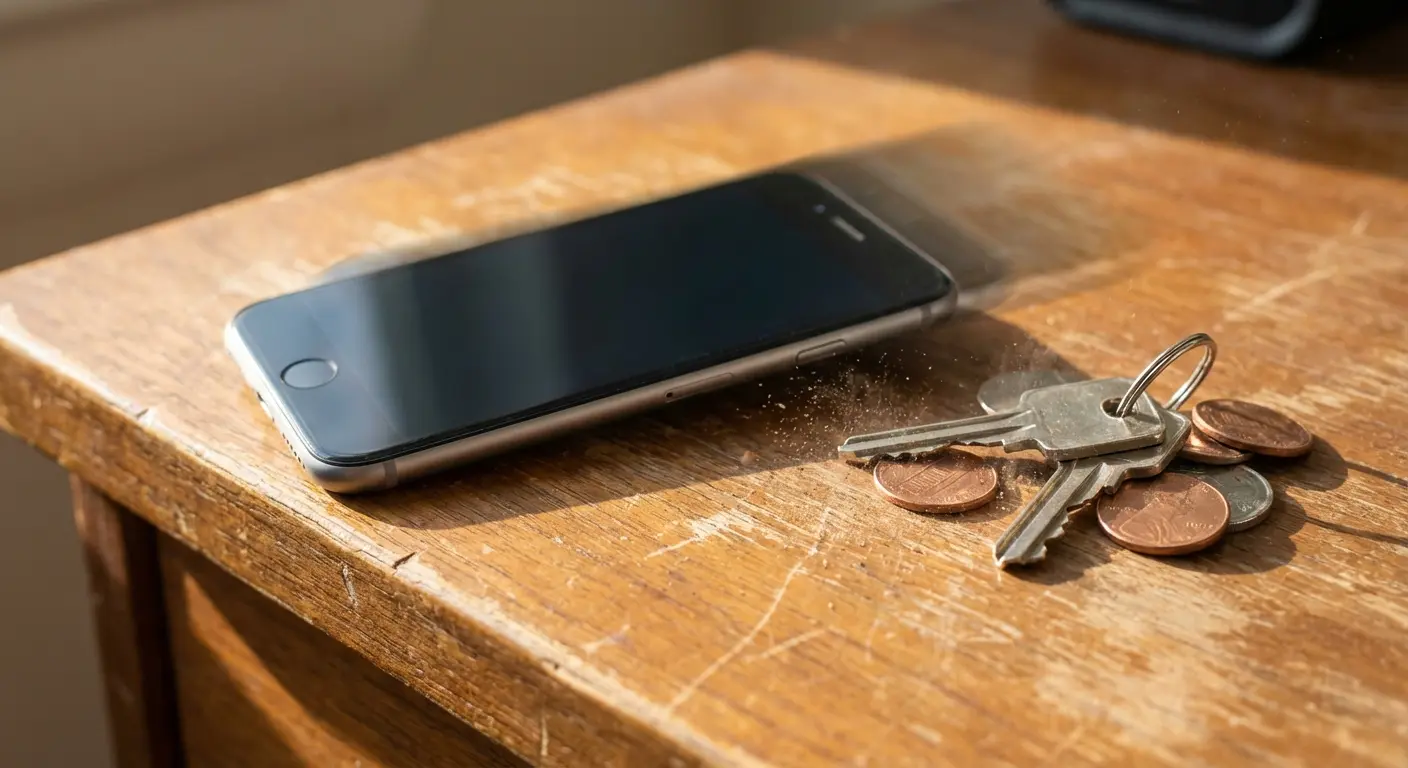
What matters more? How the protector performs during the hundreds of micro-impacts your phone experiences monthly. Sliding across a table. Dropping six inches onto your desk. The constant pressure and release cycles from being in and out of pockets.
Think about the typical office worker who sets their Galaxy S24 Ultra on their desk constantly. My coworker Tom sits across from me, and I started counting one day out of boredom. He did it 47 times before lunch. That's just the morning. After three months of this, he started noticing tiny cracks at the bottom corners. Not from dropping it. From setting it down a couple thousand times. A samsung screen protector optimized only for dramatic drops does nothing to prevent the cumulative stress fractures developing at those high-contact points, which eventually work their way inward and compromise the entire display.
Where Screens Actually Fail
I looked at failure data across Samsung devices (S21 through S24, including the Ultra models). Want to know what I found?
About two-thirds of screen damage starts at the edges. Not the center. The edges.
Which means most of us are protecting the wrong part of our screens entirely.
Corner impacts create stress fractures that work their way inward. Edge lifting on protectors allows debris to get underneath and scratch the display. The curved edges on Samsung's premium models create a protection gap that most protectors either ignore or address so poorly that they introduce new problems.
Your screen protector might cover 95% of your display surface but leave the 5% that matters most vulnerable. That's not protection. That's just making yourself feel better.
The Hidden Cost of Generic Protection
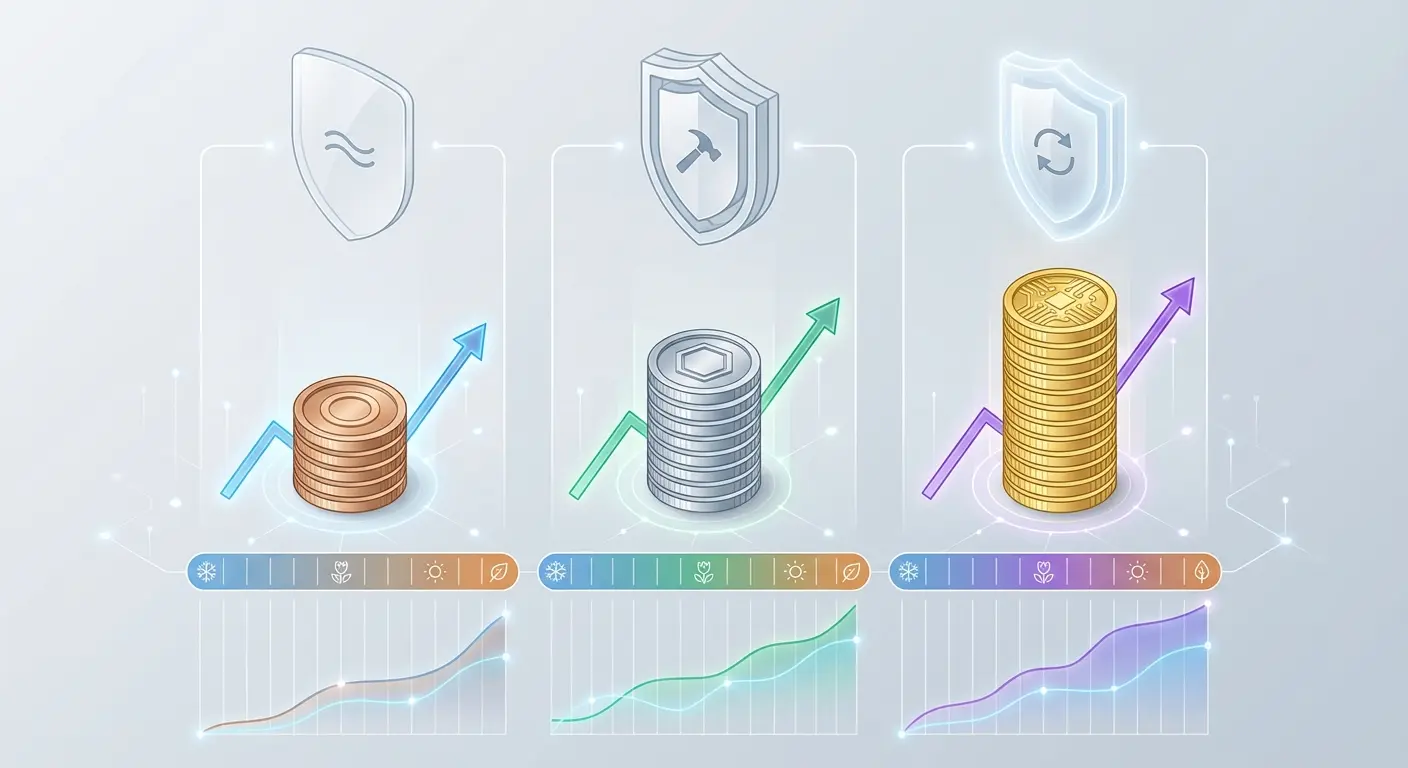
That $8 screen protector from Amazon seems smart until you add up what it actually costs over six months. I'm not talking about the protector. I'm talking about the replacement when it lifts at the edges after three weeks. The new case you need because this one doesn't fit right. The slower wireless charging because the protector's too thick.
You're basically paying a subscription in small, annoying charges until you've spent more than a good protector would've cost in the first place.
The Replacement Cycle Nobody Mentions
Screen protectors have an expected lifespan that manufacturers don't advertise. Film protectors usually degrade in 3-4 months with normal use (and that's optimistic if you're outdoors frequently or work with your hands). Tempered glass lasts longer but often fails at the adhesive layer before the glass itself shows damage.
You're not buying one protector. You're subscribing to a replacement cycle, and the economics shift dramatically when you factor in the cost per month of protection.
Protector Type |
Cost |
How Often You'll Replace It |
Real Annual Cost |
My Take |
|---|---|---|---|---|
Gas station glass |
$5 |
Every month (if you're lucky) |
$60+ |
Don't. Just don't. |
Amazon 3-pack |
$20 |
Every 2-3 months |
$40-60 |
Fine if you're good at installation |
Premium tempered glass |
$35-45 |
6-12 months (with warranty) |
$35-45 |
Worth it for curved screens |
Film protector |
$15 |
3-4 months |
$30-40 |
Best for fingerprint sensors |
These are my estimates based on normal use. Your mileage will vary depending on how careful/clumsy you are.
The math isn't complicated, but it requires thinking beyond the immediate purchase decision.
Ecosystem Friction Costs
Your Samsung doesn't exist in isolation. It lives in an ecosystem of accessories: cases, car mounts, wireless chargers, camera lens protectors. A poorly designed screen protector creates friction at every connection point.
That car mount you rely on for navigation? If your screen protector adds 0.5mm of thickness, your phone might not fit the mount's grip anymore. Your wireless charging pad might struggle to maintain connection through a thick protector, forcing you to remove your case every time you charge (which increases wear on both the case and your phone's edges).
I've watched people go through four different samsung screen protectors trying to find one that works with their existing case, spending $40-50 in the process while blaming the case manufacturer for poor design. The case wasn't the problem.
What Samsung Actually Engineers Into Their Displays
Samsung doesn't just slap glass on their phones and call it a day. Their displays are engineered systems with multiple layers serving specific functions, and every layer matters when you're adding protection.
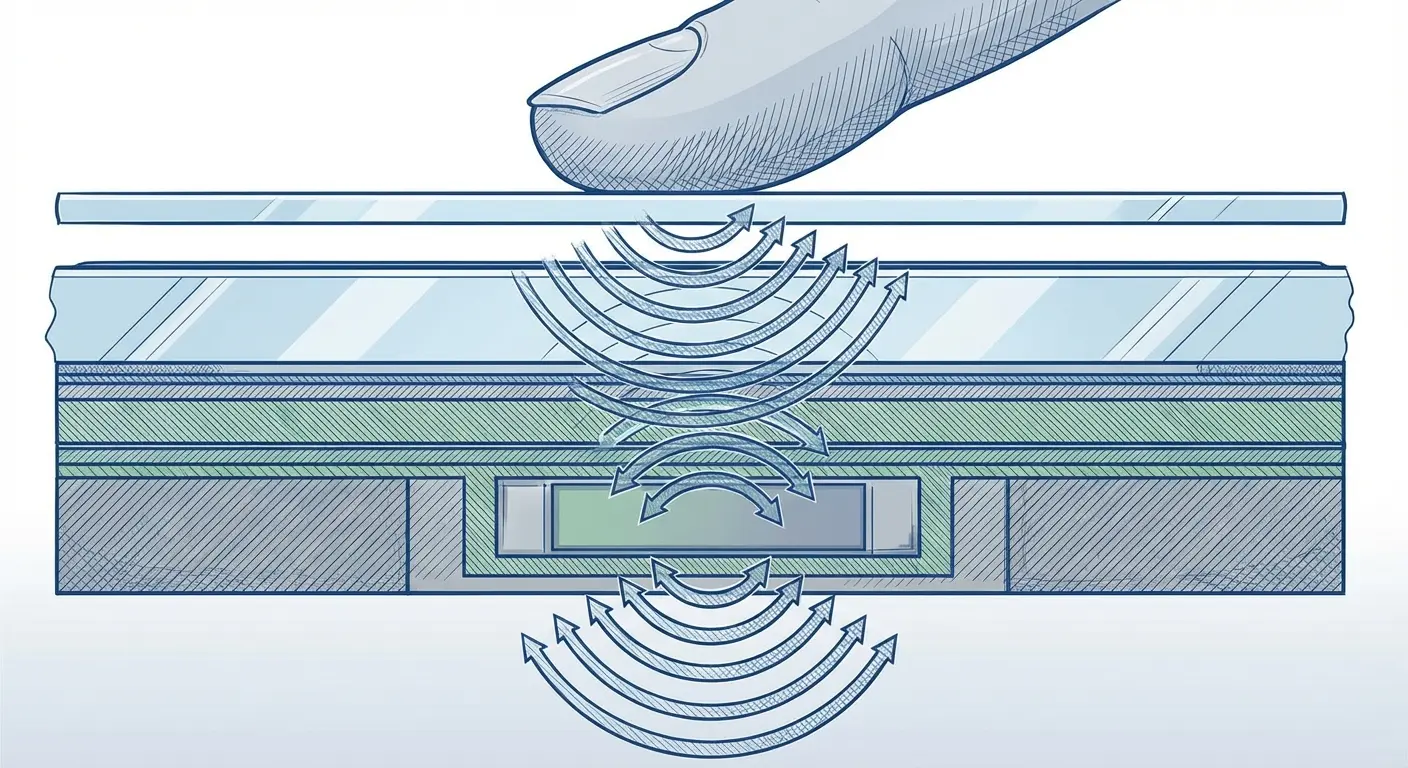
The Galaxy S series uses ultrasonic fingerprint sensors embedded beneath the display. These sensors emit ultrasonic pulses that map the 3D contours of your fingerprint. Sounds impressive (it is), but here's what matters for your samsung screen protector choice: those ultrasonic waves need to pass through whatever material you place over the display.
The Ultrasonic Sensor Problem
Optical fingerprint sensors (the kind that use light) can work through almost any transparent protector. Ultrasonic sensors are way pickier. The wrong protector material scatters or absorbs the ultrasonic pulses, degrading sensor accuracy or breaking functionality entirely.
This shows up as:
More failed unlock attempts
Slower recognition speed
Complete sensor failure requiring protector removal
Inconsistent performance that seems to worsen over time
A lot of people assume their fingerprint sensor is defective when the problem is protector incompatibility. Samsung's support forums are filled with complaints about sensor degradation that disappear immediately after removing the screen protector.
My sister bought one of those $12 protectors off Amazon. You know, the ones with "UNIVERSAL COMPATIBILITY" in all caps. Her fingerprint sensor worked at first, but she had to try twice pretty often. After a couple weeks, it got worse. Way worse. She thought her phone was broken and almost took it to the Samsung store before I told her to just remove the protector. Worked perfectly after that.
Material Science Matters
Tempered glass protectors need specific thickness tolerances to work with ultrasonic sensors. Too thick (over 0.33mm), and the signal degrades. Too thin, and you sacrifice impact protection. The sweet spot is narrow, and cheap manufacturers don't hit it consistently.
Film protectors (TPU or PET, that's just the type of plastic, don't worry about it) work better with ultrasonic sensors because they're thinner, but they offer way less impact protection. You're trading functionality for protection, and most buyers don't realize they're making that trade until after installation.
Some premium protectors now include "ultrasonic compatible" in their specifications, but that term isn't regulated. It can mean anything from "we tested it and it works perfectly" to "it probably won't completely break your sensor."
Tempered Glass vs. Film: The Debate Nobody's Winning
The internet is full of definitive declarations about which protector type is superior. They're all wrong because they're answering a question that doesn't have a single answer. I also break down the types of screen protectors and who each suits.
Look, I'm going to be honest: for most people, film protectors are the better choice. Yeah, tempered glass sounds tougher, and the marketing is all about drop protection. But most of you aren't dropping your phones from shoulder height onto concrete. You're scratching them with keys in your pocket. Film handles that better, doesn't mess with your fingerprint sensor, and actually stays on curved screens.
The only people who should buy tempered glass are the genuinely clumsy folks who drop their phones multiple times a month. You know who you are.
What Tempered Glass Actually Does
Tempered glass protectors absorb and distribute impact energy across their surface. When you drop your phone, the protector shatters instead of your screen (in theory). That sacrificial layer approach works well for direct impacts but creates new vulnerabilities.
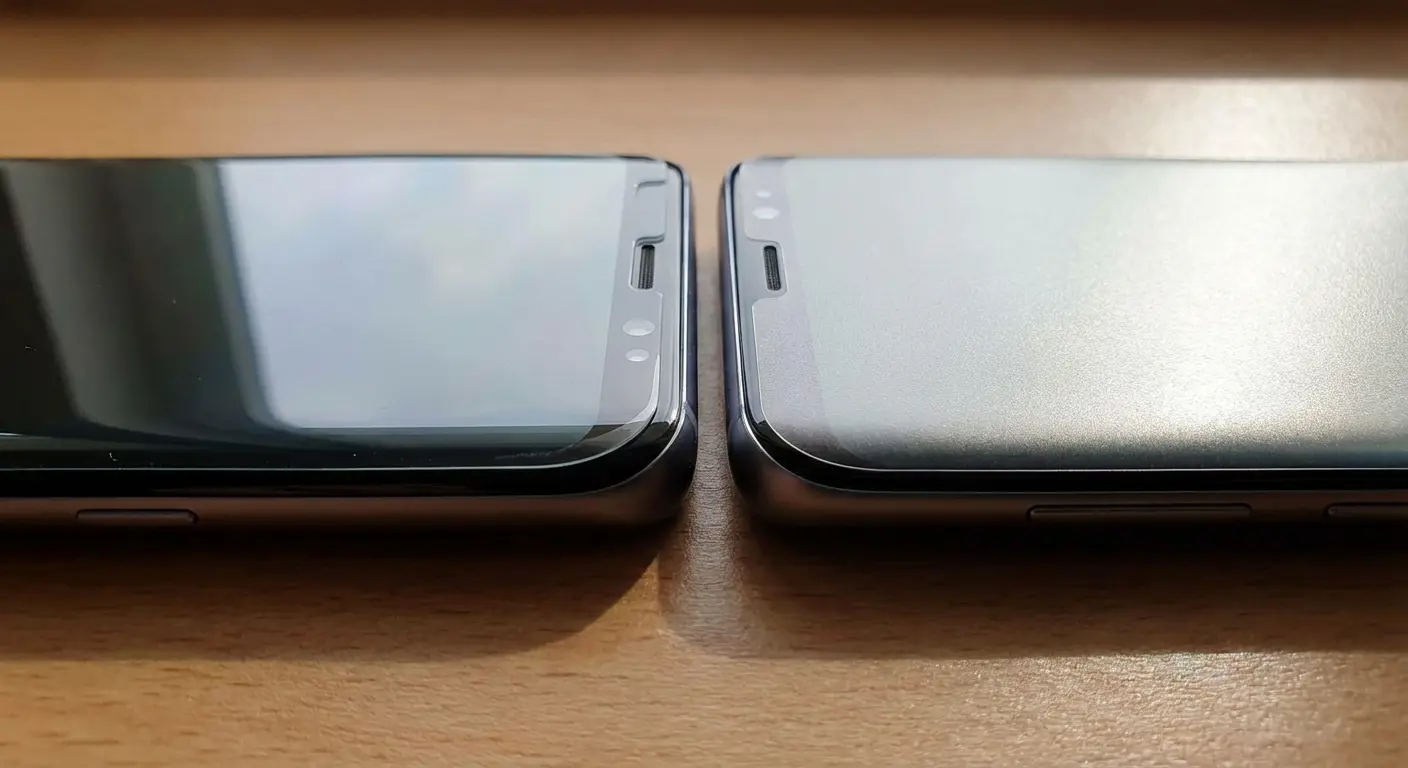
The rigid nature of tempered glass means it doesn't conform perfectly to curved displays. Samsung's Edge displays create a gap between the protector and the screen at the curves, leaving those areas unprotected. You can find "curved" tempered glass protectors, but they rely on adhesive only at the edges (dot matrix or strip adhesive patterns), which means the center of the protector isn't bonded to your screen.
That air gap affects touch sensitivity, creates a visual halo effect, and allows the protector to flex independently from the screen during impacts (which can transfer more energy to the screen than having no protector at all in some scenarios).
Film Protector Reality Check
Film protectors work great on curves. They're thin, they don't mess with touch sensitivity, and fingerprint sensors actually work through them.
But they're useless for drops.
Like, completely useless. If you drop your phone face-down on concrete with a film protector, you're getting a cracked screen. What film IS good for: preventing scratches from keys, coins, and all the other stuff in your pocket. That's it.
The self-healing properties advertised on some TPU protectors are real but limited. Minor scratches from fingernails or plastic will disappear with heat application or time. Deeper scratches from metal or glass are permanent.
Protection Scenario |
Tempered Glass |
Film Protector |
What You Should Do |
|---|---|---|---|
Face-down drop from 4+ feet |
Actually helps |
Useless |
Tempered glass + case with raised edges |
Pocket scratches (keys, coins) |
Decent |
Excellent |
Film protector |
Edge impacts (corner drops) |
Not great (too rigid) |
Better (flexes with impact) |
Film protector + case with good corners |
Curved display adhesion |
Terrible (air gaps everywhere) |
Perfect |
Film protector |
Fingerprint sensor compatibility |
Hit or miss (needs specific thickness) |
Works great |
Film protector or sensor-certified glass |
Touch sensitivity |
Noticeable thickness |
Barely any difference |
Film protector |
The Hybrid Approach Nobody Talks About
Some users run both: a film protector for scratch resistance plus a case with a raised bezel for impact protection. This combination addresses both threat vectors without the compromises inherent in either solution alone.
The raised bezel approach (where your case edges extend 0.5-1mm beyond the screen surface) protects against face-down drops without requiring a thick screen protector. You're using the case to create a protective buffer zone rather than relying solely on the
This is where case and protector compatibility becomes critical. Your case needs to be designed to work with your protector choice, or you'll end up with edge lifting, dust getting underneath, or installation bubbles that never go away.
Edge Coverage and the Curved Screen Dilemma
Samsung's curved Edge displays look stunning. They're also a nightmare to protect effectively, and you need to understand why before you buy your third samsung screen protector hoping for different results.
The curve isn't just aesthetic. It serves functional purposes: edge panels, gesture controls, visual continuity. Any protector needs to accommodate these features while somehow adhering to a surface that curves away in three dimensions.
The Adhesive Problem
Full-adhesive protectors (where the entire back surface is coated with adhesive) work perfectly on flat displays. Apply them to a curved display, and you'll fight bubbles, lifting edges, and adhesive failure within weeks.
The curve creates tension in the protector material. Glass doesn't want to bend. Film bends easily but doesn't maintain consistent adhesive contact across a curved surface under constant flexing from touch input and case pressure. Something's gotta give.
Edge-adhesive protectors (adhesive only around the perimeter) solve the bubble problem but create the touch sensitivity and visual halo issues mentioned earlier. You're choosing between adhesive problems or functionality problems. There's no option that eliminates both.
Case Pressure and Edge Lifting
Your case applies constant inward pressure around the perimeter of your phone. On a flat display, that pressure helps keep the protector sealed. On a curved display, that same pressure creates a lever effect at the edges, gradually peeling the protector away from the glass.
This is why you'll see edge lifting starting around the corners after 2-3 weeks on curved displays, even with "premium" samsung screen protectors. The physics are working against adhesion, and no amount of cleaning or reinstallation will permanently solve the problem.

Want to prevent edge lifting? Here's what actually works:
Buy your case and protector from the same company if you can. I know it's more expensive, but compatibility issues will cost you more in the long run.
Avoid cases with those aggressive lips that curl inward. They create constant pressure on the protector edges. Check reviews specifically for "protector compatibility" complaints.
And here's the thing nobody tells you: you need to wait 48 hours before putting your case on. I know that feels risky (naked phone!), but the adhesive needs time to cure properly. Put your case on too early and you'll get edge lifting within a week.
Also, some edge lift is just inevitable on curved screens. The physics don't work in your favor. Budget for replacements.
Touch Sensitivity Trade-offs You're Already Making
Every screen protector reduces touch sensitivity. The question isn't whether you'll experience degradation but how much degradation you'll tolerate before it affects your user experience.
Samsung's displays are engineered for incredibly precise touch detection. Adding any layer between your finger and the capacitive sensors introduces resistance, latency, and reduced accuracy. You might not consciously notice a 10ms delay or 2% reduction in touch accuracy, but your brain processes these changes as the phone feeling less responsive.
Touch signal strength decreases as protector thickness increases. A 0.33mm tempered glass protector reduces signal strength by maybe 10% or so. A 0.5mm protector can reduce it by 15-20%. Your phone compensates by increasing touch sensitivity, but that compensation has limits.
You'll notice this in a bunch of ways:
Swipe gestures don't register half the time
Typing feels off (you'll blame autocorrect but it's actually the protector)
Edge swipes like the back gesture become super inconsistent and annoying
Gaming inputs need way more pressure than they should
Most users adapt to these changes unconsciously, adjusting their touch pressure and gesture speed without realizing they're compensating for protector interference.
Material Conductivity Differences
Not all protector materials conduct touch signals equally. High-quality tempered glass with proper coating can maintain 90-95% of original touch sensitivity. Cheap glass might drop to 80-85%. Budget film protectors can reduce sensitivity by 20% or more.
The oleophobic coating on your protector (that's the stuff that makes fingerprints wipe off easily) matters more than most people realize. This coating also affects how your finger's capacitive signal is transmitted to the display sensors. Cheap coatings degrade quickly, and as they wear away, touch sensitivity decreases further.
You can test this yourself. Use your phone without a samsung screen protector for a day (carefully), then reinstall your protector. The difference in touch responsiveness will be immediately obvious. That's the trade-off you're making for protection.
The Fingerprint Scanner Compatibility Crisis
Samsung's ultrasonic fingerprint technology represents a significant advancement over optical sensors, but it's created a compatibility minefield that most screen protector manufacturers haven't navigated successfully.
The sensor works by bouncing ultrasonic waves off your fingerprint's ridges and valleys, creating a detailed 3D map. Any material between your finger and the sensor needs to transmit these waves without significant distortion or absorption. Most protector materials weren't designed with this requirement in mind because the technology is relatively new and not universally adopted across phone manufacturers.
Why "Compatible" Doesn't Mean "Works Well"
You'll see dozens of protectors claiming Samsung fingerprint compatibility. What that means varies wildly. Some manufacturers tested their product and confirmed it works. Others are making educated guesses based on material properties. Some are just lying because they know compatibility claims drive purchase decisions.
Real compatibility means:
Unlock success rate above 95% (comparable to no protector)
Recognition speed under 0.5 seconds
No degradation in performance over the protector's lifespan
Works consistently whether your hands are cold, wet, or dry
Most "compatible" protectors deliver 85-90% success rates with recognition times around a second. That's technically functional but noticeably worse than the experience Samsung engineered. You'll find yourself using your PIN more often, getting frustrated with failed attempts, and eventually questioning whether your sensor is defective.
The Registration Workaround
Some protectors require you to re-register your fingerprints after installation. Samsung's software can compensate for the protector layer by adjusting sensitivity and creating a more detailed fingerprint map that accounts for signal distortion.
This workaround helps but doesn't fully solve the problem. You're asking the software to overcome a hardware limitation introduced by your protector choice. The sensor will work, but it'll consume more battery (increased sensitivity requires more power), take longer to recognize your print, and still fail more often than it would without the protector.
Here's what most people don't realize: you should re-register your fingerprints every time you replace your protector, even if you're using the same brand and model. Each installation creates slightly different air gaps and adhesive patterns that affect signal transmission. Failing to re-register means you're using a fingerprint map optimized for your previous protector, not your current one.
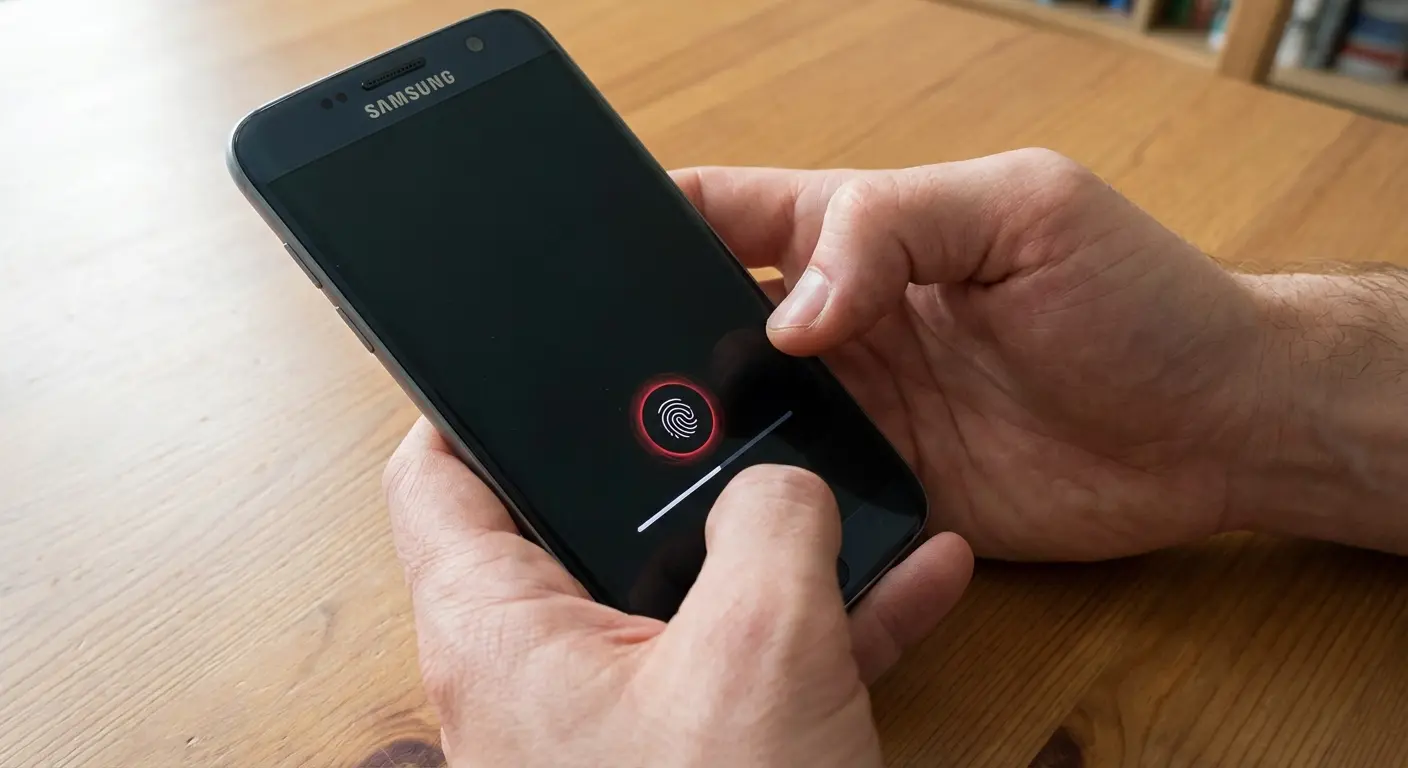
Want to actually test if your protector works with your fingerprint sensor? Here's what I do:
Set up your fingerprints with the protector already on. Then unlock your phone like 50 times over the next day. I know that sounds excessive, but you need real data. Keep a tally in your notes app if you're nerdy like me. You should be hitting 95% success rate minimum, and unlocks should take under a second.
Test it with cold hands (after being outside), slightly wet fingers (after washing hands), and dry hands (after hand sanitizer, this one always performs worst for some reason). Try unlocking from different angles too, straight-on and tilted.
If you're dropping below 90% success or it's taking more than a second consistently, return it. Don't convince yourself it'll get better. It won't.
Installation Anxiety and the First-Time Failure Rate
You've watched the installation video three times. You've cleaned your screen meticulously. You've aligned everything perfectly. You press down, and somehow there's a massive bubble right in the center that won't disappear no matter how much you push it toward the edges.
First-time installation failure rates for screen protectors on curved Samsung displays are probably around 40%. You're not incompetent. The process is genuinely difficult, and the margin for error is smaller than most manufacturers acknowledge.
As reported in coverage of the Galaxy S26 Ultra's advanced display technology, screen protectors now need to withstand military-grade specifications including 12ft drops, 33lb crush force, and over 20,000 scratches, but these protection capabilities only function properly when installation alignment is precise enough to maintain structural integrity across the entire surface.
According to a recent Android Central accessory guide, manufacturers are now including increasingly sophisticated alignment frames with their Galaxy S26 Plus screen protectors, acknowledging that precision installation has become essential for maintaining device functionality rather than just aesthetic preference.
Why Alignment Matters More Than You Think
Misalignment by even 0.5mm creates problems that might not be immediately visible. On curved displays, that tiny misalignment means the protector's curve doesn't match your screen's curve. The mismatch creates stress points that will eventually cause lifting, cracking, or adhesive failure.
You might get the protector installed and think everything looks fine, only to discover edge lifting three days later. That lifting isn't random. It's the physical consequence of imperfect alignment creating tension in the protector material.
The installation kits that come with premium samsung screen protectors (alignment frames, hinge systems, squeeze cards) aren't marketing gimmicks. They're necessary tools for achieving the precision required for successful installation. If your protector doesn't include these tools, you're attempting a task that requires precision equipment without having access to that equipment.
The Bubble Problem
Air bubbles fall into two categories: installation bubbles and adhesive bubbles. Installation bubbles (caused by trapped air during application) usually push out with firm pressure and time. Adhesive bubbles (caused by contamination or adhesive failure) are permanent.
You can't tell which type you have immediately after installation. That's why most manufacturers recommend waiting 24-48 hours before judging installation success. The adhesive needs time to flow and fill microscopic gaps. Bubbles that look permanent on day one often disappear by day three.
What you shouldn't see: rainbow effects, large bubbles that span more than 1cm, or bubbles that reappear after being pushed out. These indicate fundamental installation failure, and you need to remove and reinstall (or use your replacement if one was included).
Dust Particle Reality
That single dust particle you missed during cleaning? It'll be the most prominent feature of your installation, visible every time you look at your screen. Dust particles under screen protectors are inevitable unless you're installing in a controlled clean room environment (you're not).
The bathroom steam method (running hot water to create humidity that captures airborne dust) helps but doesn't eliminate the problem. You're reducing dust particle probability from near-certain to merely likely.
Premium samsung screen protectors include multiple protectors in the package specifically because manufacturers know first-attempt failure rates are high. If your protector only includes one, factor replacement cost into your purchase decision. You'll probably need it.
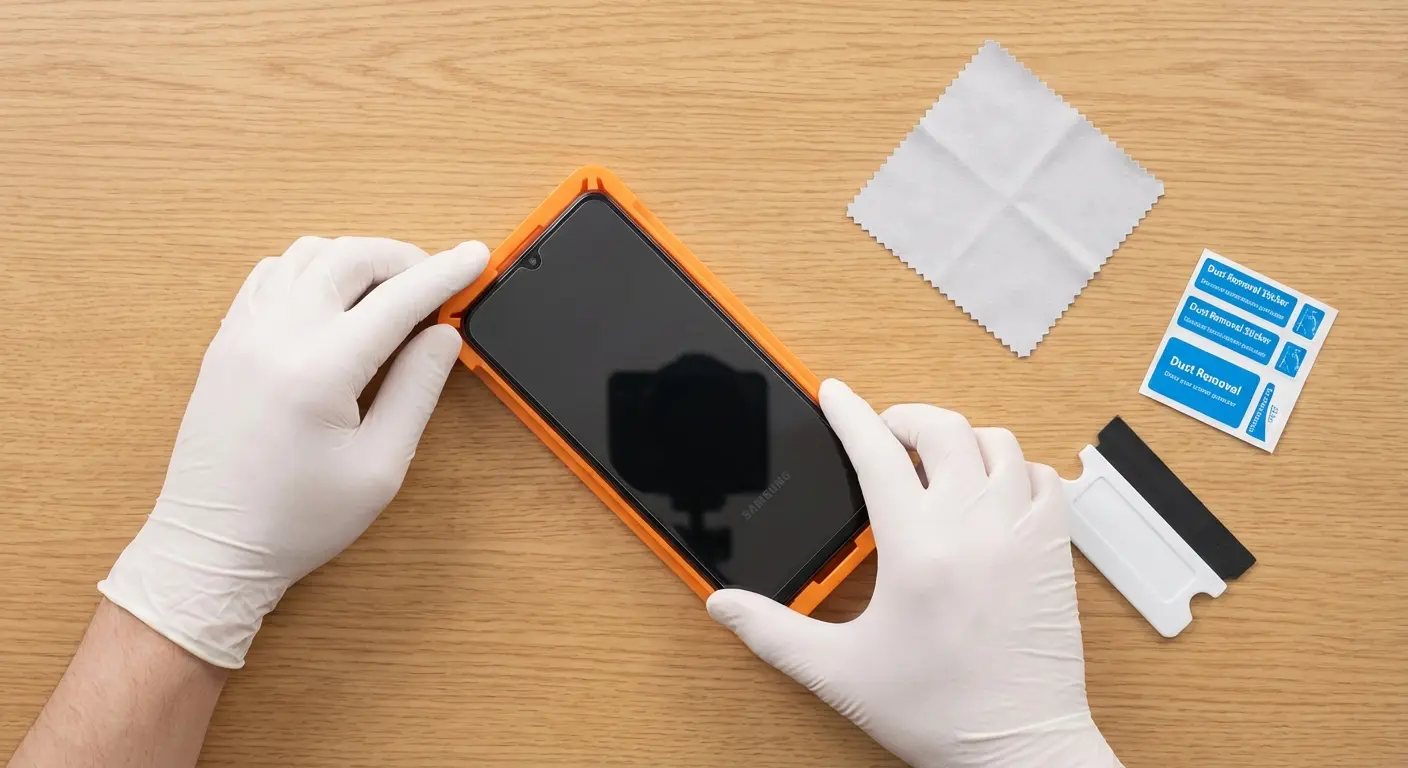
Side note: I once tried installing a screen protector in my car during my lunch break because I was impatient. Worst decision ever. Dust everywhere, couldn't see anything in the lighting, ended up with three bubbles and a hair under the protector. Don't be like me. Do it at home.
Warranty Gaps Most Users Don't Discover Until It's Too Late
That lifetime warranty sounds reassuring until you read the terms and discover it covers manufacturing defects only, not the wear and tear that causes most protector failures. You're covered if your protector arrives cracked in the package. You're not covered when it lifts at the edges after three weeks of normal use.
Warranty language is deliberately vague because manufacturers want you to feel protected without committing to replace protectors for the reasons they typically fail.
What "Lifetime" Actually Means
Lifetime warranties mean:
The lifetime of the product (not your lifetime or the phone's lifetime)
Coverage for defects present at manufacture
Replacement only, not refunds
You pay shipping both ways
Claims require original proof of purchase and photos documenting the defect
Your protector lifting at the edges? That's "improper installation," not a manufacturing defect. Scratches from normal use? That's "wear and tear," not covered. Cracks from dropping your phone? That's "impact damage," specifically excluded.
The warranty covers scenarios that almost never happen while excluding the scenarios that occur regularly. It's protection theater designed to influence purchase decisions without creating meaningful financial liability for the manufacturer.
I know someone who purchased a $40 "lifetime warranty" screen protector for their Galaxy S24 Ultra. After six weeks, edge lifting began near the top corner. They submitted a warranty claim with photos. The manufacturer responded that edge lifting indicates "improper installation or incompatible case usage" and denied the claim. Then they discovered they needed to pay $8.99 for return shipping to send the defective protector back for "evaluation," after which the company might (but isn't obligated to) offer a replacement. The "lifetime warranty" cost them nearly $50 with no resolution, while a $15 protector without warranty would have been cheaper to simply replace.
Samsung Care+ Complications
Here's what many users discover too late: using certain third-party screen protectors can void your Samsung Care+ coverage or complicate claims. Samsung's terms of service specify that damage caused by unauthorized accessories may not be covered.
If you drop your phone and crack the screen, Samsung might argue that an incompatible screen protector contributed to the damage by not distributing impact energy properly or by creating stress points that wouldn't exist with an approved protector. They probably won't make this argument (most claims are processed without deep investigation), but they can, and that possibility creates risk.
The safest approach is using protectors that explicitly state Samsung compatibility and maintaining documentation of that compatibility claim. If you need to make a warranty claim, you can demonstrate that you used appropriate accessories.
The Registration Requirement
Some protector warranties require product registration within 30 days of purchase. Miss that window, and your warranty is void regardless of what the packaging claims. You'll discover this when you try to make a claim six months later and are told there's no record of your purchase in their system.
Read the warranty card immediately after purchase. If registration is required, do it before you forget. Set a phone reminder if necessary. The two minutes required for registration might save you $30-40 when you need a replacement.
Case Compatibility: The Friction Point Everyone Ignores
You bought the perfect case. You bought a highly-rated screen protector. You install both, and suddenly your protector is lifting at the edges or your case won't close properly. Welcome to the compatibility problem that manufacturers don't want to solve because it would require industry-wide coordination that doesn't exist.
As reported by SammyGuru's coverage of Galaxy A57 accessories, manufacturers like Ringke are now launching coordinated case and screen protector lineups (priced from $18.99 to $24.99 ) specifically designed to work together, acknowledging that the traditional approach of designing accessories in isolation creates too many compatibility failures for consumers.
Cases and screen protectors are designed in isolation, tested in isolation, and sold in isolation. Then you're expected to make them work together on your device, and when they don't, you'll blame yourself for choosing poorly rather than recognizing the systemic design failure.
The Tolerance Stack Problem
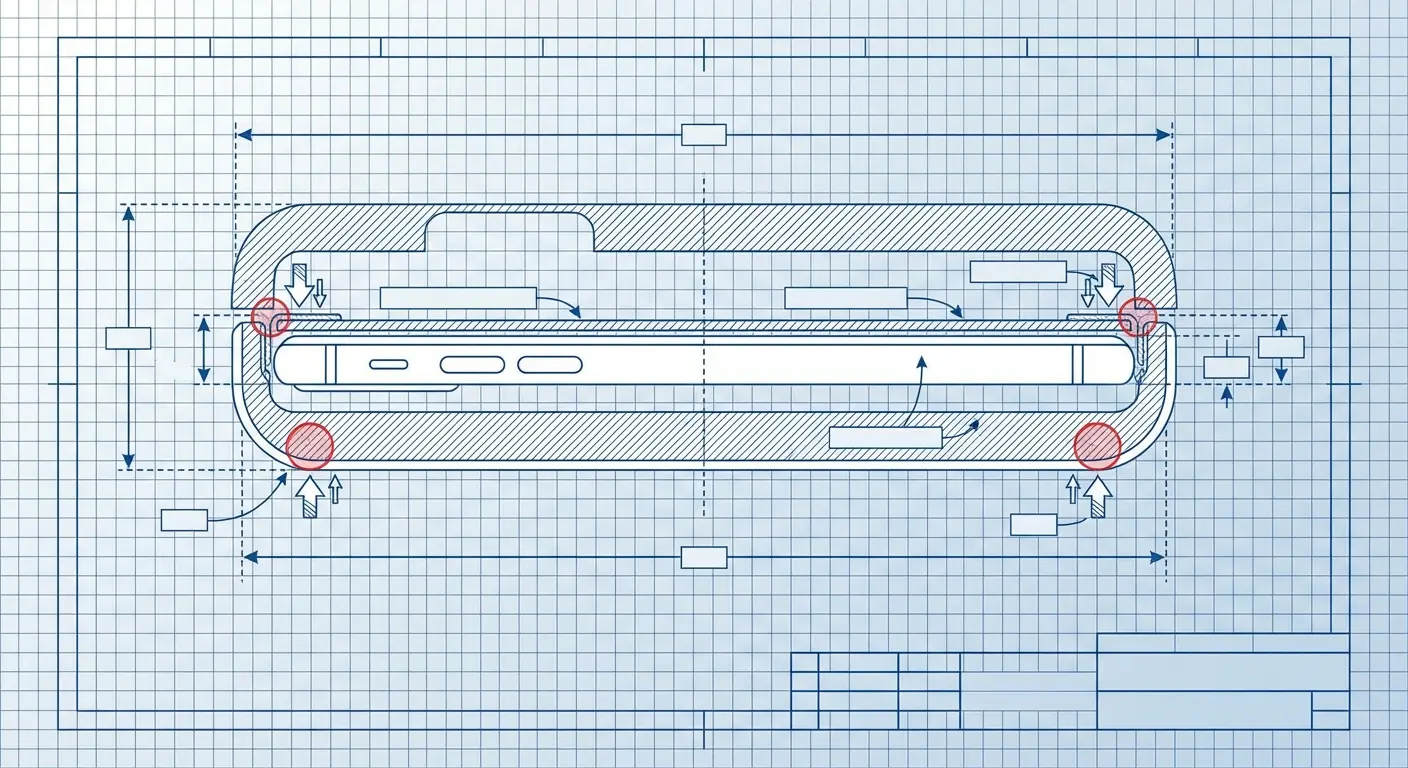
Your phone has specific dimensions. Your screen protector adds thickness (0.2-0.5mm usually). Your case is designed to fit your phone with specific tolerances (usually 0.1-0.3mm of clearance). Add the protector, and suddenly those tolerances are exceeded.
The case now applies pressure to the protector edges. That pressure causes lifting on full-adhesive protectors or creates stress points on edge-adhesive designs. Over days or weeks, that constant pressure degrades adhesive bonds and creates the edge lifting that you'll incorrectly attribute to poor protector quality.
The protector isn't defective. The case isn't defective. The combination is incompatible, and you had no way of knowing that before purchase because neither manufacturer tests their product with the other's.
The Raised Bezel Conflict
Cases with raised bezels (edges that extend beyond the screen surface) provide excellent drop protection. They also create installation nightmares with screen protectors. The case bezel needs to clear the protector surface without touching it, which requires precise manufacturing tolerances that budget cases don't maintain.
This shows up as:
Case edges pressing on protector edges, causing lifting
Difficulty installing the protector because the case interferes with alignment
Visual gaps between case and screen that collect dust and debris
Touch sensitivity issues at screen edges where case and protector overlap
Premium case manufacturers publish compatible protector lists. Budget manufacturers don't, leaving you to discover incompatibility through trial and error (and multiple returns).
The Installation Order Question
Should you install your protector first, then add the case? Or install the case first to use it as an alignment guide? The answer depends on your specific products, and guessing wrong can ruin your installation.
Full-adhesive protectors install better with the case removed (the case can interfere with edge adhesion). Edge-adhesive protectors sometimes benefit from having the case installed first (it provides a physical boundary for alignment). Film protectors are flexible enough that installation order rarely matters.
Nobody tells you this before you buy. You'll figure it out through failed installations and wasted protectors.
Finding Compatible Combinations
The most reliable approach is buying cases and protectors from the same manufacturer or from manufacturers that explicitly list compatibility. Some companies design their cases and protectors as integrated systems, testing them together and guaranteeing compatibility.
You'll pay more for this integrated approach (usually 20-30% premium over buying components separately), but you'll avoid the compatibility lottery that wastes money on returns and replacements. The total cost often ends up lower because you're not buying multiple products to find compatible combinations.
If you're experiencing case and protector conflicts, the solution isn't necessarily replacing both. Sometimes switching just one component (usually the case, since protectors are harder to install successfully) resolves the compatibility issue. Before buying new products, research which specific combinations work together. Reddit communities and Samsung forums have extensive compatibility discussions that can save you significant trial-and-error costs.
When Replacement Becomes More Expensive Than Prevention
The cheapest screen protector is rarely the most economical choice when you calculate cost per month of protection rather than upfront cost. Your purchase decision should be based on how long the protector will remain functional, not just what you pay at checkout.
Most people optimize for initial cost while ignoring replacement frequency. That's backwards. You should optimize for total cost of ownership across your phone's lifespan.
The Break-Even Calculation
A $10 protector that lasts two months costs $60 annually. A $40 protector that lasts a year costs $40 annually. The math is straightforward, but it requires thinking beyond the immediate purchase decision.
Where this calculation gets complicated: replacement frequency depends on your usage patterns. If you work in construction or spend significant time outdoors, even premium protectors will need replacement every 3-4 months. If you're primarily indoors with careful usage habits, a quality protector might last 12-18 months.
You need to honestly assess your usage patterns before deciding which price point makes sense. Don't buy the premium option if you're going to replace it quarterly anyway. Don't buy the budget option if you're a light user who could get a year from a better protector.
Hidden Replacement Costs
The protector cost is only part of the equation. Each replacement includes:
Time spent researching, ordering, and waiting for delivery
Installation time (and potential failed attempts)
Disposal of the failed protector
Potential damage to your screen during the unprotected period between protectors
If you value your time at even minimum wage, a replacement that takes an hour of your time (research, ordering, installation) costs $15-20 in addition to the product cost. Frequent replacements multiply this hidden cost.
When Premium Makes Sense
Premium protectors with replacement warranties justify their cost when:
You have a history of frequent protector replacements
You're using a Samsung flagship with curved display (harder to install successfully)
You need guaranteed compatibility with ultrasonic fingerprint sensors
You want to minimize the time spent managing screen protection
Premium doesn't make sense when:
You replace your phone annually (you won't use the protector long enough to justify the cost)
You're comfortable with DIY installation and don't mind occasional replacements
Your usage is light enough that budget protectors last 4-6 months
The Replacement Warranty Value
Some manufacturers offer free replacements for the life of your device. This sounds generous until you read the terms: you pay shipping both ways (usually $8-12 total), and replacements require photo documentation of the damage.
That "free" replacement costs you $10-12 and the time to document and submit a claim. If you're replacing quarterly, you'll spend $40-48 annually on shipping alone, plus the time cost of managing claims. The warranty has value, but it's not as valuable as the marketing suggests.
Calculate whether the warranty saves you money based on your expected replacement frequency. For many users, buying protectors as needed without warranty coverage is more economical than paying the premium for warranty protection.
As noted in discussions on Android Central forums about Samsung-certified screen protectors, users frequently spend $40-60 annually cycling through incompatible protectors trying to find one that works properly with their device's fingerprint sensor, when investing in a single certified option upfront would have cost less and eliminated months of frustration.
You spent $1,200 on your S24 Ultra. Maybe $1,400 if you got the 512GB version. And you're protecting it with a $9 screen protector from Amazon? That's like buying a Mercedes and using the cheapest possible oil. Okay, that analogy doesn't quite work, but you get the point.
Rokform and the Universal Protection Solution
Okay, real talk time. This part is sponsored by Rokform, so I'm going to tell you about their stuff. But I wouldn't have agreed to this if I didn't think they actually solved the problem I've been complaining about.
The whole compatibility nightmare I've been describing? They fixed it by designing everything together: cases, protectors, mounts. You're not playing the compatibility lottery.
The compatibility problems between cases, protectors, and mounts that we've discussed throughout this piece stem from a fragmented accessory market where every manufacturer designs in isolation. You're stuck assembling a protection system from incompatible components and hoping they work together.
Rokform approaches phone protection differently by designing cases, mounts, and screen protectors as an integrated system. Their screen protectors are engineered specifically to work with their cases (which are designed to work with their mounting systems). You're not gambling on compatibility because the components are tested together from the start.
This matters most if you're using phone mounts regularly: car, motorcycle, bike, or home mounts. Generic screen protectors often add enough thickness that your phone no longer sits flush in the mount, creating wobble or reducing magnetic hold strength. Rokform's protectors maintain the precise tolerances required for their mounting systems to function properly.
As the #1 universal phone case and universal phone mount brand, Rokform has solved the tolerance stack problem by controlling the entire ecosystem. Their screen protectors account for the case dimensions, which account for the mount specifications. Everything is designed to work together without the trial-and-error process that wastes your time and money.
If you've been cycling through different screen protectors trying to find one that works with your existing case and mount setup, Rokform's integrated approach eliminates that frustration entirely. Their protectors are built with Samsung's specific display technologies in mind, including ultrasonic fingerprint sensor compatibility and curved edge adhesion, because they understand that protection only works when it doesn't compromise the features you bought the phone to use.
Is it more expensive upfront? Yeah, compared to random Amazon protectors. But I'm not replacing it every month, so the math actually works out better.
If you're someone who uses phone mounts regularly (car, bike, motorcycle, whatever), the integrated system makes sense. If you just want a basic protector and case, you can probably go cheaper elsewhere.
What I'd Tell My Friends
Look, here's what I want you to take away from this:
Stop obsessing over that one dramatic drop that might never happen. Your screen is getting damaged right now from boring stuff: keys in your pocket, setting it on your desk, case pressure at the edges.
The "best" screen protector doesn't exist. There's the best one for how YOU use your phone. If you're clumsy and drop stuff a lot, you need different protection than someone who's careful but works in a dusty environment. If you use your fingerprint sensor constantly, compatibility matters more than maximum impact protection.
And for the love of God, stop buying $8 protectors from Amazon and acting surprised when they fail after three weeks. I've wasted probably $200 learning this lesson. You don't have to.
The right protector should make your phone better to use, not create a bunch of annoying problems you have to work around. If you're constantly dealing with edge lifting, fingerprint sensor failures, or case fit issues, that's not normal. Keep looking.
One last thing: whatever you buy, test it thoroughly in the first 48 hours while you can still return it. Register your fingerprints with it installed. Try unlocking 50 times. Check for edge lifting. Make sure your case fits. Don't wait three weeks and then realize you hate it.
A $40 screen protector sounds expensive until you remember that replacing your screen costs $280 through Samsung or $200-300 at a repair shop. Even if the protector only prevents one crack over two years, it paid for itself.
Here's the thing nobody tells you: edge lifting is basically inevitable on curved screens.
The physics just don't work. You're trying to glue a flat (or mostly flat) thing to a curved surface that's constantly flexing from touch input and case pressure. The adhesive at the edges is fighting a losing battle from day one. Some protectors last longer than others, but they all eventually lose that fight. It's not if, it's when.
If you want specific recommendations:
For S24/S24+: I've had good luck with the AmFilm tempered glass. It's around $25, comes with two protectors, and the alignment frame actually works.
For S24 Ultra: The curved screen is harder. I'd go with the Whitestone Dome if you can afford it ($45-50) or a film protector like the IQ Shield if you want to save money.
Budget option: The Spigen NeoFlex film protector is like $8 and actually works. I've used it on three different phones. Just don't expect it to last more than 3-4 months.
I know some of you are reading this thinking I'm insane for caring this much about screen protectors. You're probably right. But I've also saved myself hundreds of dollars and countless frustrations by figuring this stuff out, so who's the real winner here?
If you're reading this thinking "I've never used a screen protector and my phone is fine," good for you. Seriously. You're either very careful or very lucky. This guide isn't for you. It's for the rest of us who have cracked a screen and don't want to do it again.
That's it. Go protect your phone. Or don't, honestly, a lot of newer Samsung screens are pretty tough. But if you do, at least do it right.

