


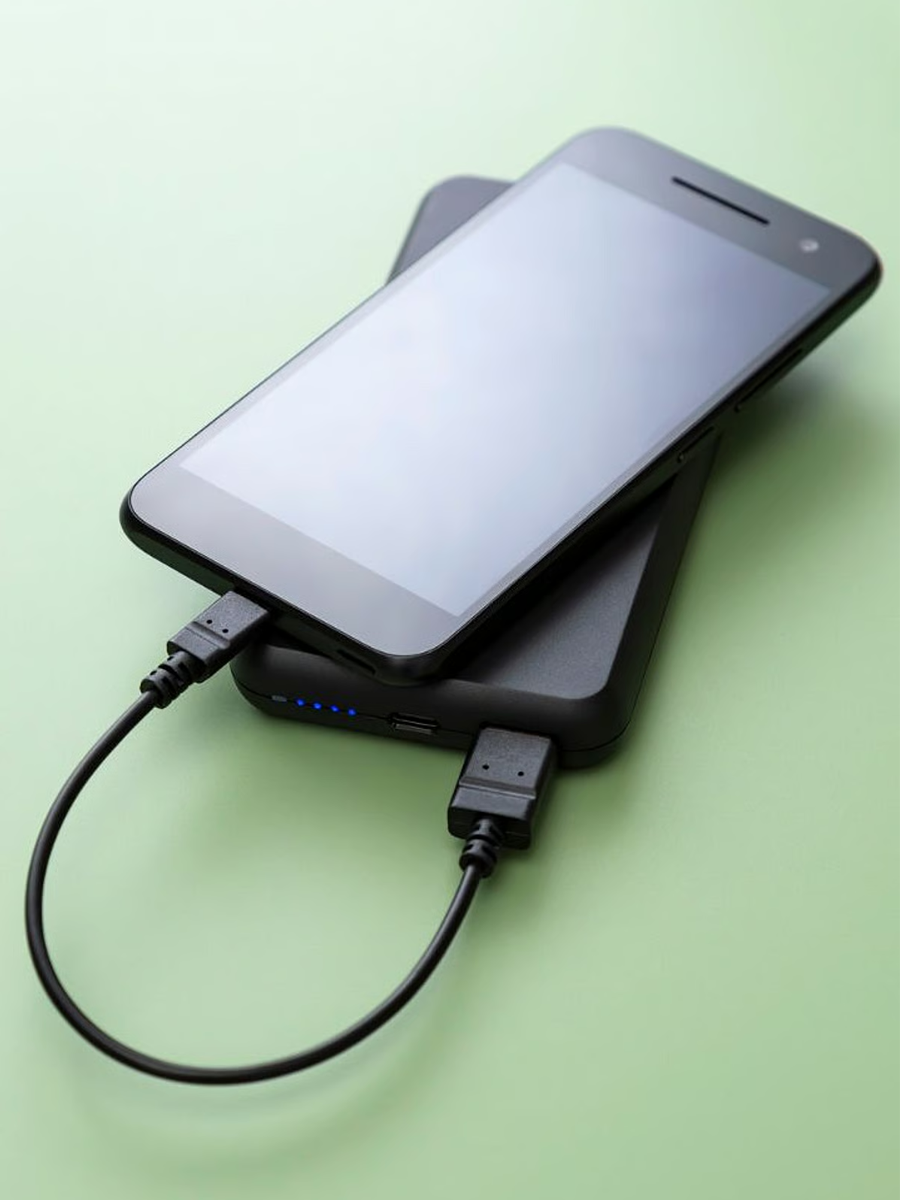
You’ve probably got a drawer full of phone chargers that don’t hit like they should. One is slow. Another runs hot. Then there’s the one that only works if you wiggle the cable just right. And somehow they all still claim to be “fast” on the box.
We’re over that kind of nonsense. The real headache is watching people buy the wrong universal iPhone chargers on repeat just because the plug shape looks right. Around here, we build gear that has to survive trucks, trails, job sites, and the kind of days that don’t need weak batteries.
So let’s fix your power setup. We’ll break down what wattage you actually need, how USB‑C changed the game, where wireless charging is headed with Qi2, and how to spot a junk Apple charger from a mile away. Along the way, we’ll show you how our chargers, cables, mounts, and universal gear lock everything into one simple ecosystem - even if you’re not rocking a phone we make a case for yet.
TL;DR
Apple charger labels don’t automatically mean fast or safe; look at real power, build, and certifications before you trust it with your iPhone
USB‑C with Power Delivery lets one solid charger handle your iPhone, iPad, and even laptops when you pick the right wattage range for each device
Wireless charging leveled up with MagSafe and Qi2, bringing magnets, better speeds, and cooler temps when you match the pad with the right adapter and cable
Good phone chargers feel sturdy, carry real safety badges, and pair with quality cables so you’re not slow‑cooking your battery every night
Smarter charging habits and a little heat control can stretch your battery life way longer than just swapping chargers over and over
Our chargers, mounts, and universal accessories are built to work across phones and cases so your whole setup stays simple, tough, and ready to travel
Goodbye Lightning, Hello USB-C
Lightning had a good run. Time to let it go.
Once iPhone moved to USB‑C, everything got easier. One port for your phone, tablet, and laptop. One cable in the truck, backpack, and nightstand instead of three different ones that all look the same until you plug them in.
That’s how we like to run things. Our phone chargers and USB‑C chargers are built so you can plug in an iPhone, iPad, or MacBook without thinking about it. Match them with our PowerTrip™ 100W USB‑C Charging Cable and you’ve got a tough, braided cable that handles fast charging and daily abuse without tapping out.

It’s Not Just a New Plug - It’s a Whole New Power Game
Most people see USB‑C and think, “Cool, different shape.” There’s more going on. A solid Apple charger or USB‑C wall charger doesn’t just dump power into your phone. It checks what your iPhone can handle, then settles into a level that’s fast and still safe for the battery.
Our chargers are all about that same behavior. Plug in an iPhone 16, an iPad Air, or a MacBook Air and you get steady, real‑world speed without the charger feeling sketchy or too hot to touch.
Why Power Delivery (PD) Is the Real MVP
Power Delivery is what keeps the whole thing from getting dumb. When your battery is low, PD lets the charger push harder so you get that quick jump out of the danger zone. As the battery fills up, the power eases off so you’re not hammering it at 100% all night.
We build our phone chargers around PD for that exact reason. A PowerTrip™ 65W USB‑C charger can feed your phone, tablet, and even a lighter laptop at the same time across its ports, instead of needing a separate charger for every device. It’s the kind of setup that works at home, in the garage, or on a road trip without turning your bag into a knot of random cables.
How Much Power Do You Actually Need? (Wattage Guide)
Wattage is where a lot of people guess. Then they wonder why charging feels slow or way hotter than it should. You don’t need a degree for this. Just match the right range to the right device.
Here’s the simple version you can actually use:
Device type |
Minimum wattage |
Recommended wattage |
Why it matters |
iPhone 15/16 (base) |
20W |
20W–30W |
Fast charging kicks in around 20W, so a solid Apple charger or USB‑C charger gets you from dead to usable fast without overdoing it |
iPhone 15/16 Pro Max |
20W |
30W |
Bigger battery can pull close to 27W, so 30W gives you stronger top‑ups and keeps your universal iPhone chargers feeling snappy instead of sluggish |
iPad Air / Pro |
20W |
30W–45W |
Tablets are power sponges, so more wattage means less time staring at a loading bar while you scroll, stream, and sketch |
MacBook Air |
30W |
45W–65W |
30W will crawl if you’re working. Bumping to 45W–65W lets you charge and use the laptop at the same time without losing ground |
Pair that kind of charger with a legit high‑watt USB‑C cable and you’ve got one setup that can cover your whole Apple lineup without needing a backup on every outlet. In fact, that’s the same real‑world approach we bring in our top phone chargers - gear that actually keeps up.
20W vs. 30W: Does It Really Matter?
On paper, 10 watts doesn’t sound like much. On your nightstand, you feel it. An iPhone 15 or 16 runs just fine on 20W. That’s where fast charging kicks in and gets you from almost dead to “good to go” in a short window.
The bump to 30W shows up more with Pro Max models, heavier use, and stacked devices. If you’re the person who’s always at 5% before heading out, that extra push early in the charge makes a difference. The key is still the same: don’t chase the biggest number you see. Chase the range that matches what you actually own.
GaN Tech: The Tiny Brick That Hits Like a Heavyweight
GaN sounds nerdy. The result is simple. You get more power in a smaller, cooler charger. That means less bulk in your bag and less heat at the outlet when you’re charging more than one thing.
Our PowerTrip™ 65W GaN Fast Charger takes that idea and runs with it. Multiple ports, strong output, and a size that doesn’t eat your whole outlet strip - perfect when you want one travel charger that can handle your phone, tablet, and even a light laptop without letting you down.

Wireless Charging Just Got Smarter
The best wireless phone chargers used to mean “set it down and hope it’s actually charging.” Those days are done. Now you’ve got MagSafe, Qi, and Qi2 all fighting for space on your nightstand, and each one behaves a little differently.
The good news? Once you understand how they line up, you can pick a setup that actually works for your life instead of chasing whatever looks coolest on TikTok.
MagSafe vs. the Old Qi Struggle
MagSafe cleaned that up for iPhone 15, 16, and iPhone 17. Magnets pull the phone into the right position so the coils line up, which means steadier power and speeds up to 15W when everything’s dialed in. A solid Apple charger feeding a good MagSafe pad is still one of the easiest ways to keep an iPhone topped off without living in cable land.
Around here, we take that base idea and crank it up with MAGMAX™. Our cases and mounts use a stronger magnet array so MagSafe‑style accessories lock in harder, which is huge when you’re on a bike, in a truck, or bouncing around a job site.
Meet Qi2: The Charging Standard That Finally Makes Sense
Qi2 basically takes the best part of MagSafe - the magnets - and opens it up to more phones. Instead of guessing where to drop your phone, magnets snap it into the right spot so power moves cleanly and you’re not wasting energy as heat.
On newer iPhones like the 15, 16, and 17, Qi2 can hit up to 15W when everything’s set up right, which puts it in the same speed class as MagSafe while staying friendly with supported Android phones too. That’s huge if your house is a mix of devices and you want phone chargers and pads that don’t pick favorites as long as the phone speaks the same standard.
For us, it lines up perfectly with how we build magnetic wireless gear, like our Magnetic Wireless Charging Stand - strong magnets, locked‑in alignment, and a charging spot that stays put whether you’re tapping the screen or just letting the phone rest while it powers back up.
MPP (Magnetic Power Profile) - What the Hype’s About
Magnetic Power Profile is the part of Qi2 that makes the whole thing feel locked‑in instead of sketchy. Magnets and coils line up your phone with the pad so power moves where it should instead of bleeding off as heat.
That tighter alignment means fewer random disconnects, more consistent speed, and less “why is my phone hot but still low?” moments. It’s the same reason we care so much about magnet strength and placement in our MagSafe‑style cases, mounts, and MAGMAX™ accessories - if the phone stays where it should, the charging and mounting stay solid too.
Unlocking the Full 15W - No More Half-Speed Charging
Here’s how the main players stack up when you’re talking iPhone speed and behavior:
Feature |
Old Qi (standard) |
Apple MagSafe |
Qi2 (new standard) |
Max speed (iPhone) |
Up to 7.5W |
Up to 15W |
Up to 15W for iPhone, with better efficiency on supported phones |
Magnetic alignment |
No - easy to miss the coil |
Yes - magnets snap it into place |
Yes - MagSafe‑style lock‑on without being tied to one brand |
Cross‑platform |
Yes, but slow and hit‑or‑miss |
Apple only for full 15W |
Yes - built to work with newer Android and iPhone models |
Heat efficiency |
Lower - misalignment = wasted power and heat |
High - tighter coil alignment cuts waste |
High - magnets plus smarter control to keep temps in check |
Hit that full 15W by matching a Qi2 or MagSafe charger with a strong USB‑C power source and a legit cable, and you’ve got a wireless spot that actually feels “fast” instead of just convenient. Set it up once and your iPhone 17, the older iPhones in the house, and even newer Androids can all share the same pad without you juggling a bunch of different chargers.
Keep It Cool: Why Heat Ruins Speed and Battery Life
Wireless and fast charging both make a little heat. That’s normal. Problems start when the charger runs hot for too long or the phone can’t breathe.
When temps climb, your iPhone slows charging on purpose to protect the battery, so you sit there wondering why the percentage barely moved. Do that night after night and you’re not just losing speed - you’re slowly shaving life off the battery itself.
You can dodge a lot of that with a few simple habits. Don’t stack your phone on soft surfaces while it charges, don’t cover the charger, and skip the sketchy pads that feel hot to the touch. A solid, well‑built setup with good alignment - like our Magnetic Wireless Charging Stand - keeps temps under control so your phone can actually charge the way it was meant to.

How to Tell a Good Charger from a Junk One
Not every Apple charger you see online deserves to touch your iPhone. Some are built like tanks. Others feel like toys. The difference shows up in the details long before you plug anything in.
A real charger looks clean, feels sturdy, and backs up its claims with proper safety marks and honest specs. The junk stuff hides behind buzzwords and “fast” stickers, then runs hot, charges slow, or gives up after a few months.
Spotting Real Certifications (MFi + USB-IF)
If a charger wants to charge an iPhone the right way, it should play by Apple’s rules. That’s what MFi is for. “Made for iPhone” means the brand actually worked with Apple and passed the tests instead of guessing how things should work.
USB‑IF is the same idea on the USB side. A USB‑IF certified charger or cable has been checked for things like safe power levels, proper communication, and not doing anything stupid when you plug it into a laptop or tablet. When you see both MFi and USB‑IF in the mix, you’re looking at an apple charger setup that’s serious about not frying your gear.
The Charger Inspection Checklist Every iPhone Owner Needs
You don’t need tools for this part - just your hands and a minute of attention. Before you trust a charger, run it through this quick list:
Packaging check: messy printing, bad grammar, or blurry images are a red flag for knockoffs
Logo check: look for proper “Made for iPhone” and USB‑IF icons, not bootleg versions that look almost right
Pins and prongs: they should be straight, evenly spaced, and not wobble when you press them
Hand feel: a decent charger has some weight to it; if it feels hollow, they probably saved money on the guts
Cable thickness: super thin “high‑watt” cables usually aren’t - real fast charge lines need some meat on them
If a charger fails more than one of those tests, there’s better stuff out there. Your iPhone, iPad, and MacBook are worth more than gambling on a sketchy bargain.
Cable Talk: What’s Actually Inside Matters
People obsess over the adapter and forget the cable is half the story. A weak cable can turn great phone chargers into mediocre ones just by choking the power on the way to your device.
Inside a good cable, you’ve got enough copper to handle higher wattage, proper shielding to cut down on interference, and connectors that don’t loosen up after a few weeks of normal use. That’s why we build our PowerTrip™ 100W USB-C Charging Cable with a tough braided jacket and reinforced ends - it’s meant for real life, not just staying plugged in on a desk.
Braided vs. Rubber - Which One Survives the Daily Grind?
Rubber cables are fine if you baby them. Toss them in a bag, close a drawer on them, or bend them the wrong way too many times and they start to fray, crack, or split at the connector. You’ve seen it a hundred times.
Braided cables hold up better when you’re rough on your gear. The outer layer takes the abuse so the wiring inside doesn’t have to. That’s the kind of cable you want if you’re charging in the truck, at the gym, in a hotel room, and everywhere in between - something that doesn’t tap out the first time it gets yanked.
That Tiny E-Marker Chip Could Save Your Phone
Most people never think about the little chip inside some USB‑C cables, but it does a big job. The E‑Marker tells your charger and device what the cable is rated for, so they don’t try to push more power than the cable can safely handle.
If your adapter and laptop think they’re talking to a 100W cable but it’s really a cheap imposter, things can get ugly fast. The right E‑Marked cable keeps the conversation honest. Your iPhone might not pull crazy wattage, but when you share cables with tablets and laptops, that chip becomes the quiet bodyguard watching the whole exchange.
The Voltage Handshake - Where Smart Charging Begins
Every good charge session starts with a quick conversation. Your iPhone asks what the charger can deliver. The charger responds with what it’s built to send. Then they settle on a level that makes sense for both.
That “handshake” is why you want a real apple charger or a solid third‑party USB‑C charger that follows the rules. When both sides play nice, you get fast, controlled power instead of weird voltage spikes or random disconnects. When one side is cutting corners, you feel it in heat, slow speed, or random charge drops.

Make Your Battery Live Longer
You don’t have to baby your phone to keep the battery in good shape. You just need to avoid beating it up every single day. A few small tweaks add up over months and years, before you ever need to upgrade your phone.
The chargers matter, but how you use them matters just as much. You’re not trying to never charge to 100% again. You’re just trying to keep the battery from living at the extremes all the time.
Everyday Charging Habits That Actually Help
A few simple habits go a long way:
Top off when you can, instead of always waiting until you’re almost dead
Unplug once you’re full instead of leaving the phone on charge for days
Avoid charging in direct sun or hot cars when you have a choice
Use trusted gear so the charging curve is actually tuned for your device
You don’t have to obsess over every percentage point. Just stop putting your phone in the worst‑case scenario on purpose and your apple charger has a much easier job.
iPhone Settings That Can Slow Battery Wear
Apple baked in a few tools that quietly protect your battery in the background. Optimized Battery Charging learns your routine and slows down that last stretch to 100% so the phone isn’t sitting at full voltage all night.
Turning that on, trimming down unnecessary background activity, and staying current on iOS updates all help your battery age more gracefully. None of it feels flashy, but it keeps your iPhone from feeling tired halfway through its life while you keep using the same Apple charger day after day.
Why Heat Is the Silent Battery Killer
Batteries hate staying hot. A little warmth during fast charging is normal. Constant high heat is what slowly chips away at capacity over time.
If your phone feels uncomfortable to hold while it’s charging, that’s a sign something’s off - maybe the charger, maybe the environment, maybe a combo of both. Keeping your setup in cooler spots, giving it some airflow, and using quality hardware all keep the battery happier and your charge times more consistent.
Keep Your Port Clean - Dust = Slow Charging
A gunked‑up charging port can make a good charger look bad. Pocket lint, dust, and dirt all build up over time, especially if you carry your phone without a cover over the bottom.
When that junk packs in around the contacts, the cable can’t seat properly. You see slow charging, loose connections, or “not supported” messages that make no sense. Gently clearing the port with a non‑metal tool every now and then keeps the path clear so your charger can actually do its job.
Here’s Why Your iPhone Charges Slow (And How to Fix It)
Slow charging usually comes down to four things: weak power source, bad cable, dirty port, or heat. To make your phone charge faster, swap out the cheap adapter, try a known good cable, clean the port, and give the phone a cooler spot to sit - you’ll see a difference fast. Once you figure out these basics, every good charger you buy hits harder and stays useful longer.

Power + Protection = The Rokform Edge
Most universal iPhone chargers try to do a little bit of everything and end up feeling average at all of it. Our angle is different. We build power gear that’s meant to live with real‑world chaos - cars, bikes, trails, job sites - and still keep your phone alive.
From the wall to the car to the trail, we want one ecosystem that covers the whole run. You pick the phone. We help keep it safe, mounted, and charged without turning your setup into a science project. No doubt, we design the best cases for Apple, Galaxy, & Pixel. But we don’t stop there. If you don’t have one of the major flagship models or just want to rock the case you already have, add the Magnetic Universal Adapter to your favorite case and now that phone also snaps into our mounts and wireless setups like it was born in the Rokform ecosystem.
Why Rokform Chargers Hit Harder and Last Longer
You’ll see it right away in our power lineup. The 30W Dual USB‑C 12V Car Charger feeds modern phones and tablets from the same compact plug in your dash, so you and your passenger aren’t fighting over the only real port in the car. Our 5000mAh Wireless Magnetic Power Bank with Stand snaps to MagSafe‑style phones and gives you on‑the‑go juice plus a built-in kickstand when you’re streaming or working on the road.
Around here, phone chargers aren’t an afterthought. They’re part of the same system as our magnetic mounts and toughest cases, with options for the dash, windshield, vent, and even motorcycles thanks to our charging heads and 12V to USB‑C adapters. When the PowerTrip™ Travel Charger Kit lands, you’ll have a compact way to bring that same attitude through airports and hotel rooms too - one kit, multiple devices, zero drama.

Final Thoughts
Charging doesn’t need to be complicated. The right universal iPhone chargers, cables, and wireless setup should just work - fast, safe, and across all the Apple gear you actually use.
We build our power accessories the same way we build our cases and mounts: tough, simple, and ready for real life. Whether you’re at home, in the truck, or out on a motorcycle ride, our lineup keeps your phone powered without turning your setup into a mess of random chargers.

