


Table of Contents
The Real Problem Nobody Talks About
What Avast Actually Does (And Doesn't)
How Malware Actually Gets In
Free vs. Premium: What You're Paying For
When Antivirus Software Isn't Enough
TL;DR
Look, Avast works fine for catching malware, but your phone's way more likely to get stolen from your gym bag than hacked by some remote attacker. The free version does the job for most people. Everything else is just paying for convenience you probably don't need. And honestly? Physical security matters more than any antivirus app, but nobody wants to talk about that.
The Real Problem Nobody Talks About
We're Solving for the Wrong Problem
You've got Avast antivirus android installed. Your phone's protected, right?
Want to know what actually happens? Most Android security breaches don't happen because you lack antivirus software. They happen because someone physically grabbed your device, or you clicked something you shouldn't have, or you granted permissions to an app that had no business accessing your contacts. While Avast blocks over 14,000 cyberattacks on average every minute (which... I mean, what counts as an attack? A tracking cookie? Either way, big number, lots of users), the reality is that your device faces physical threats way more often than digital ones. The scale of Avast's protective capabilities demonstrates just how prevalent digital threats are across their user base, yet this massive volume of blocked attacks doesn't change the fact that physical vulnerabilities remain the primary security gap for individual users.
Everyone obsesses over remote threats like malware, phishing, ransomware, while ignoring the attack vector that's far more common: physical access.
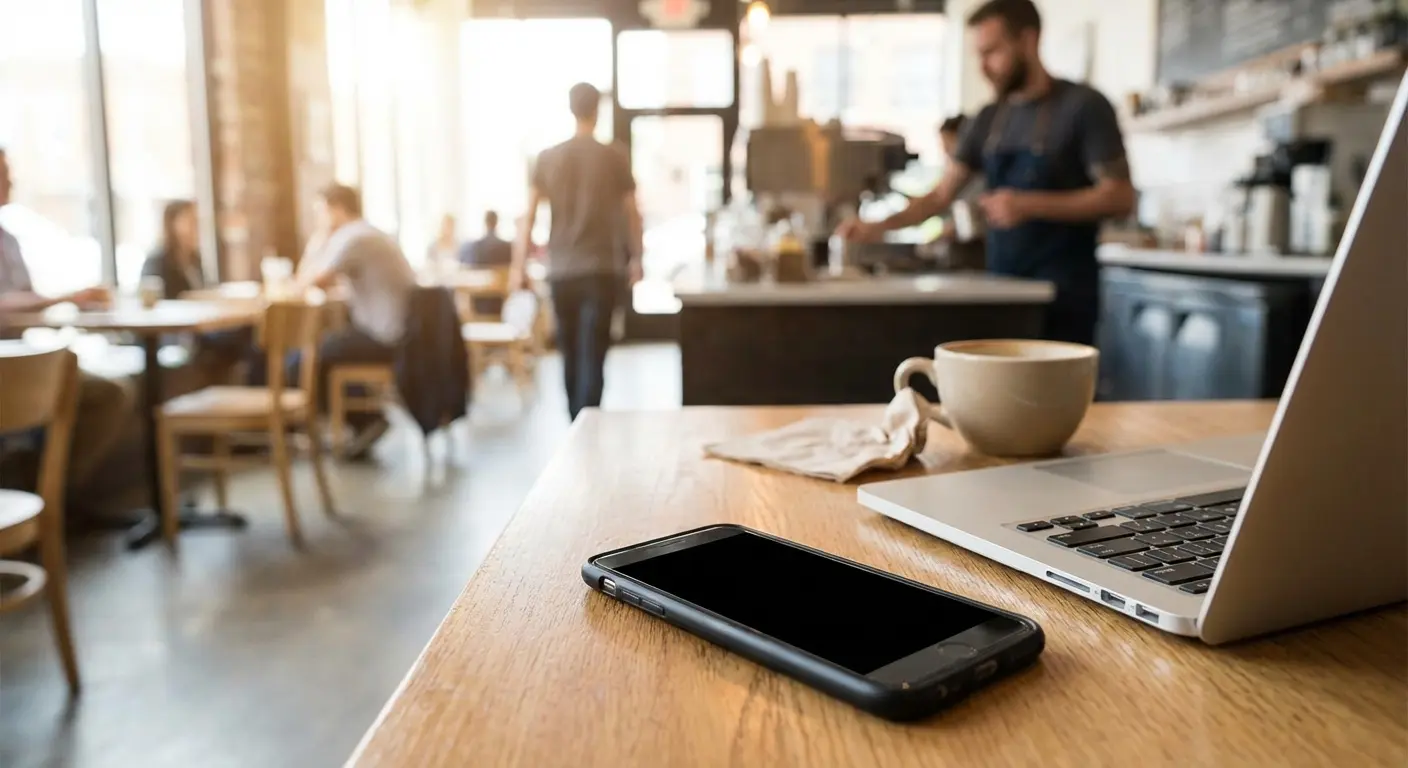
Think about how many times your phone sits unattended on a desk, in a gym locker, or in your car.
That's not a scenario any virus protection software can defend against.
The Statistics Don't Match the Marketing
Yeah, Android malware is real. Google removes thousands of malicious apps from the Play Store annually. But here's what the security companies won't emphasize: the percentage of Android users who actually encounter serious malware is surprisingly low if they stick to official app stores and practice basic digital hygiene.
Most "threats detected" by antivirus apps are potentially unwanted programs (PUPs), not actual malware. They're annoying, sure, but they're not emptying your bank account. The real damage comes from social engineering attacks that bypass antivirus entirely, or from physical device theft that gives attackers unlimited time to crack your security.
The threat landscape is evolving rapidly. According to recent reporting from ZDNet, Malwarebytes has documented that the recorded volume of mobile-related malware targeting Android smartphones has jumped by 151% since the start of 2025. Sounds scary until you ask "151% of what?" But even with this surge, malware threats still represent a fraction of total device security incidents when compared to physical theft, unauthorized access, and user-error compromises.
So What Do You Actually Do About This?
We're not suggesting you skip antivirus protection. Avast serves a purpose, and we'll break down exactly what that purpose is. What we are suggesting is that you're probably over-indexing on digital threats while leaving massive physical security gaps wide open.
Your security strategy needs to account for both vectors. That means yes, install Avast if it gives you peace of mind. But it also means thinking seriously about what happens when your phone gets stolen from your gym bag, or when you leave it on a restaurant table for "just a second."
Security Threat Assessment Checklist:
How often does your phone sit unattended in public spaces?
When did you last check which apps can access your camera, microphone, and location?
Got remote wipe set up? Have you actually tested it?
Is your lock screen biometric or just a PIN?
Does your phone have actual drop protection or just a decorative case?
Are you downloading apps from sketchy sources?
What Avast Actually Does (And What It Doesn't)
The Core Functionality Breakdown
Avast for Android scans apps, files, and downloads against a database of known malware signatures. It checks URLs before you visit them. It monitors app permissions and flags anything suspicious. These are table stakes features, and Avast handles them fine.
The app also includes a Wi-Fi security scanner (useful for identifying vulnerable networks), a junk cleaner (moderately helpful), and various "optimization" tools (mostly unnecessary). You're getting a suite of features, but the antivirus engine itself is the only component that matters for actual security.
Feature |
Security Value |
Performance Impact |
Recommended Setting |
|---|---|---|---|
Malware Scanning |
High |
Low |
Always enabled |
Real-time Protection |
High |
Medium |
Enabled for app installs only |
Wi-Fi Security Scanner |
Medium |
Low |
Enable when on public networks |
Junk Cleaner |
None |
Medium |
Disable |
App Lock |
Low |
Medium |
Disable (use Android native) |
Photo Vault |
Low |
Low |
Disable (use Google Photos) |
VPN (Premium) |
Medium |
High |
Enable only on untrusted networks |
Detection Rates and Real-World Performance
Independent testing labs (AV-TEST, AV-Comparatives) consistently rank Avast in the upper tier for Android malware detection. We're talking 99%+ detection rates for known threats. Actually impressive. In fact, Avast Free Mobile Security scored 100% in AV Comparatives' mobile security test, placing it among only two free apps to achieve perfect detection rates. This perfect score validates Avast's detection capabilities, though it's worth noting that the test focuses on known threats rather than zero-day exploits or sophisticated targeted attacks.
Where things get murkier is with zero-day threats and sophisticated attacks. No antivirus for android catches everything, and the threats that slip through are usually the ones specifically designed to evade detection. Avast won't save you from a targeted attack, but then again, neither will any other consumer-grade security app. And honestly, if someone's targeting you specifically, you've got bigger problems than choosing the right antivirus.
The Limitations Nobody Mentions
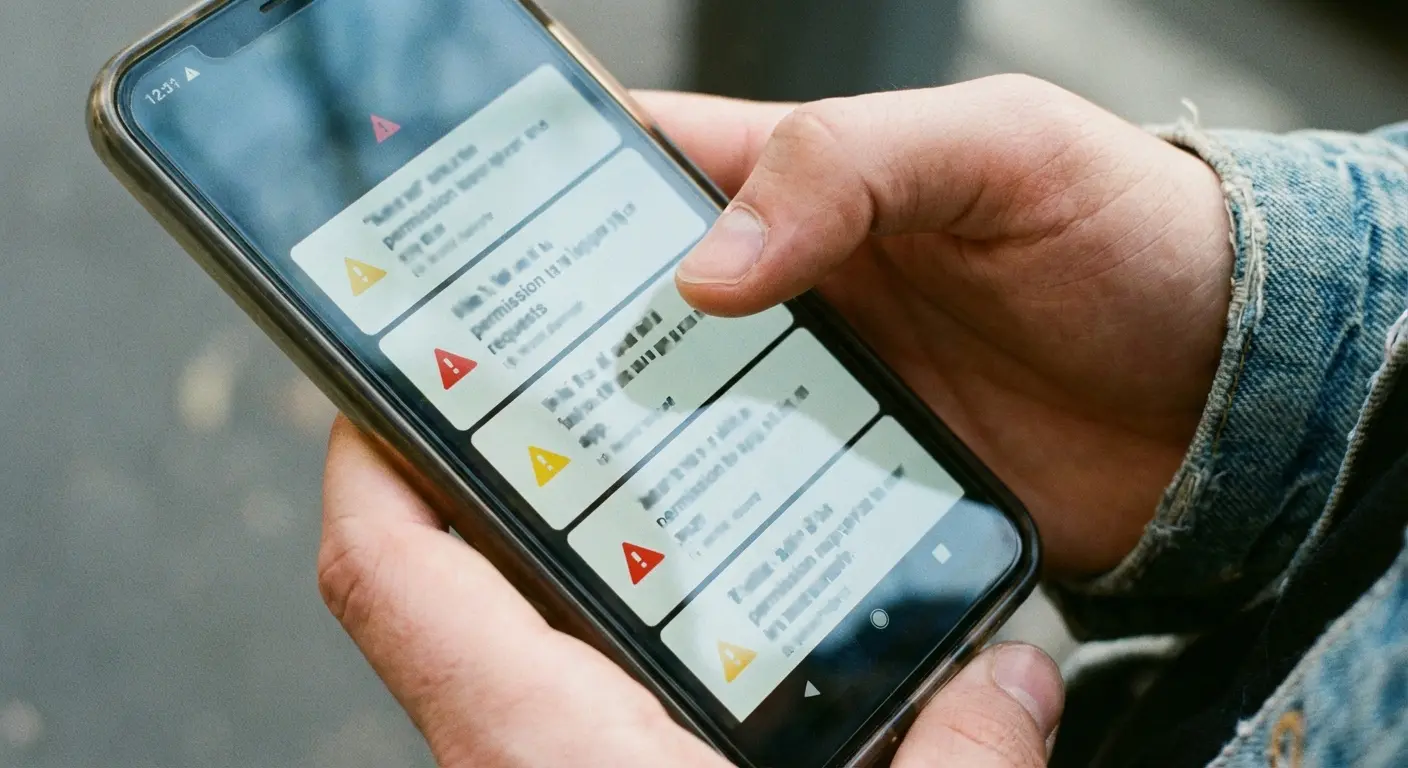
Avast antivirus can't protect you from yourself. If you grant an app permission to access your camera, microphone, and location data, the app has that access whether Avast is installed or not. The antivirus might warn you that the permissions seem excessive, but it can't block them if you click "Allow."
It also can't do anything about physical security.
Someone with your unlocked phone has access to everything, regardless of what security software you're running. This seems obvious, but it's the gap that trips up most people who think "I have antivirus, I'm protected."
Consider a flashlight app that requests access to your contacts, call logs, and text messages. Avast will flag these permissions as unusual and warn you (and it should, why does a flashlight need your contacts?). But if you dismiss the warning and grant access anyway because you "just need a flashlight right now," the app now has full access to your personal communications. The antivirus did its job by alerting you. The security failure happened when you ignored the warning and prioritized convenience over caution.
The Physical Security Gap Nobody's Talking About
Your Phone Is a Physical Object First
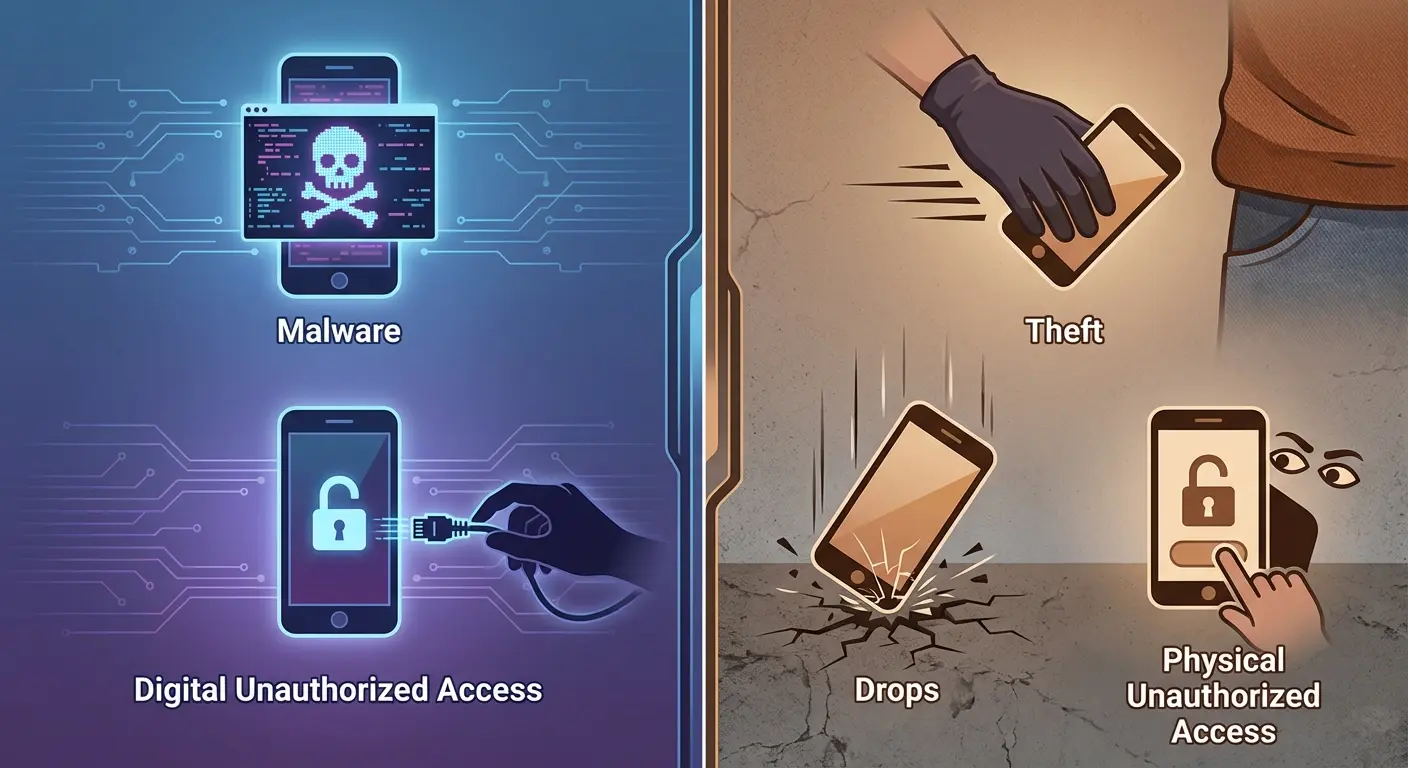
We treat smartphones as digital devices, but they're physical objects that can be dropped, stolen, or accessed by anyone who picks them up. You can have the most sophisticated antivirus app for android in the world, and it means nothing if your phone gets swiped from your pocket on the subway.
The security industry has trained us to fear remote hackers because it sells software. Meanwhile your phone's sitting on the gym bench right now, isn't it? Your ex scrolling through your messages. Your coworker picking up your phone when you step away. Your kid accidentally factory resetting your device. These aren't scenarios that virus protection software addresses.
When considering comprehensive protection against phone theft, physical security measures often prove more valuable than digital safeguards alone.
The Unlock Screen Illusion
A PIN or pattern lock provides minimal security against someone with physical access and time. Biometrics are better, but they're not foolproof. The point is this: if someone steals your Android device, your first concern shouldn't be whether they can bypass Avast. It should be whether they can bypass your lock screen, and whether your device will survive the theft attempt intact.
Physical protection matters. A cracked screen or damaged port from a drop can compromise your device just as effectively as malware. Water damage can brick your phone instantly. These are threats that happen way more frequently than malware infections, yet we spend far more mental energy on digital security.
Guy at my last job left his phone unlocked on his desk (10-minute timeout, which is insane) and someone went through his Slack messages while he was getting coffee. Not even malicious, just nosy. Avast didn't help with that.
Drop Protection and Device Longevity
When's the last time you paid money to remove malware from your Android phone? Now, when's the last time you paid for a screen repair, or replaced a phone entirely because of physical damage?
The average screen repair costs $100-300 depending on your device. A malware infection, assuming you even get one, usually costs nothing to fix (factory reset, reinstall apps, move on). We're optimizing for the wrong threat.
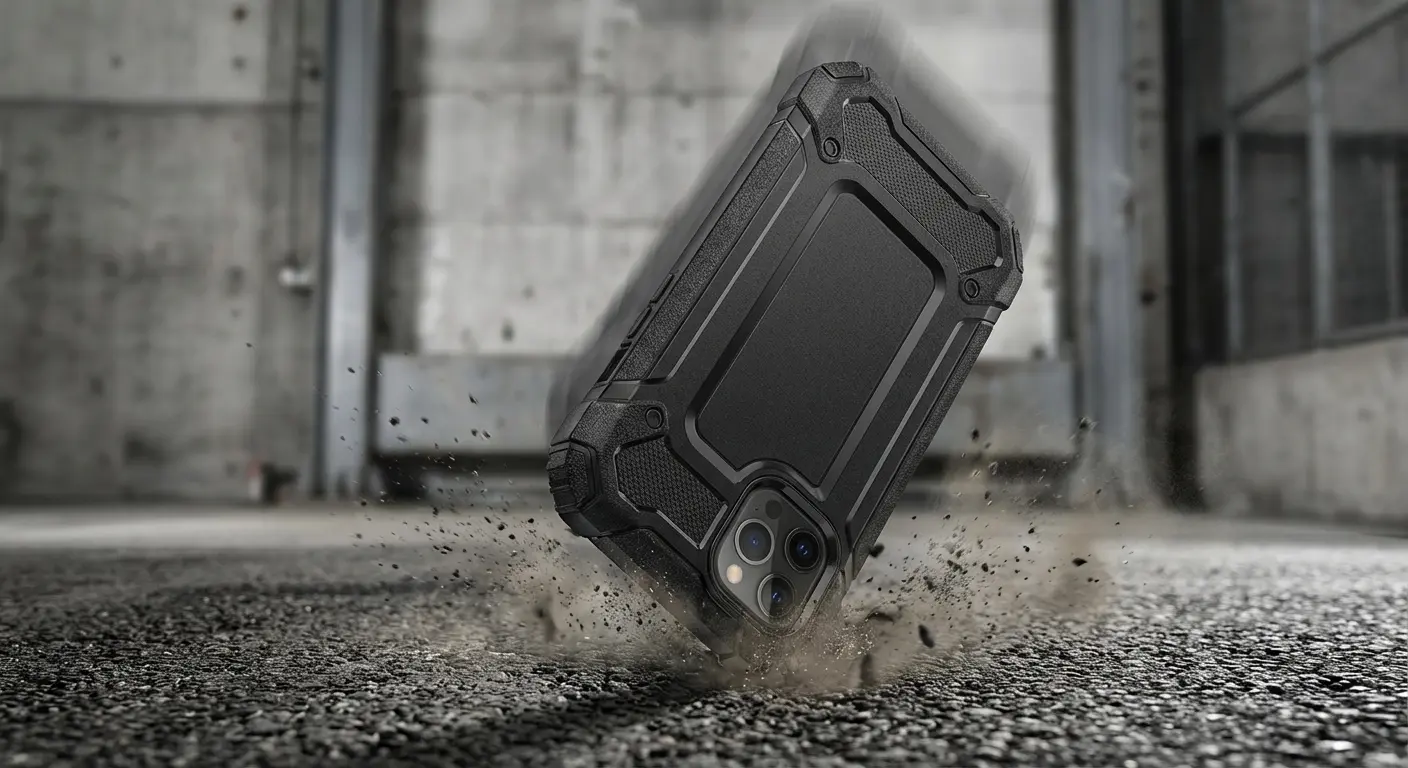
Physical protection isn't just about surviving falls. It's about ensuring your device remains functional and secure in the real-world situations where most damage occurs. You're not going to lose your data to a hacker. You're going to lose it because your phone shattered when it fell out of your pocket getting out of your car.
I use a Rokform case because I've destroyed too many phones. The magnetic mount actually holds (I've hit some nasty potholes and my phone stayed put). Is it overkill? Maybe. But it's cheaper than replacing a screen every six months. Yeah, they're pricier than the $15 Amazon cases, but those don't do anything except make your phone slightly thicker. The Rokform case survived a 6-foot drop onto concrete in a parking lot. I know because I watched it happen and assumed I was screwed.

How Malware Gets In Through the Back Door
The Sideloading Problem
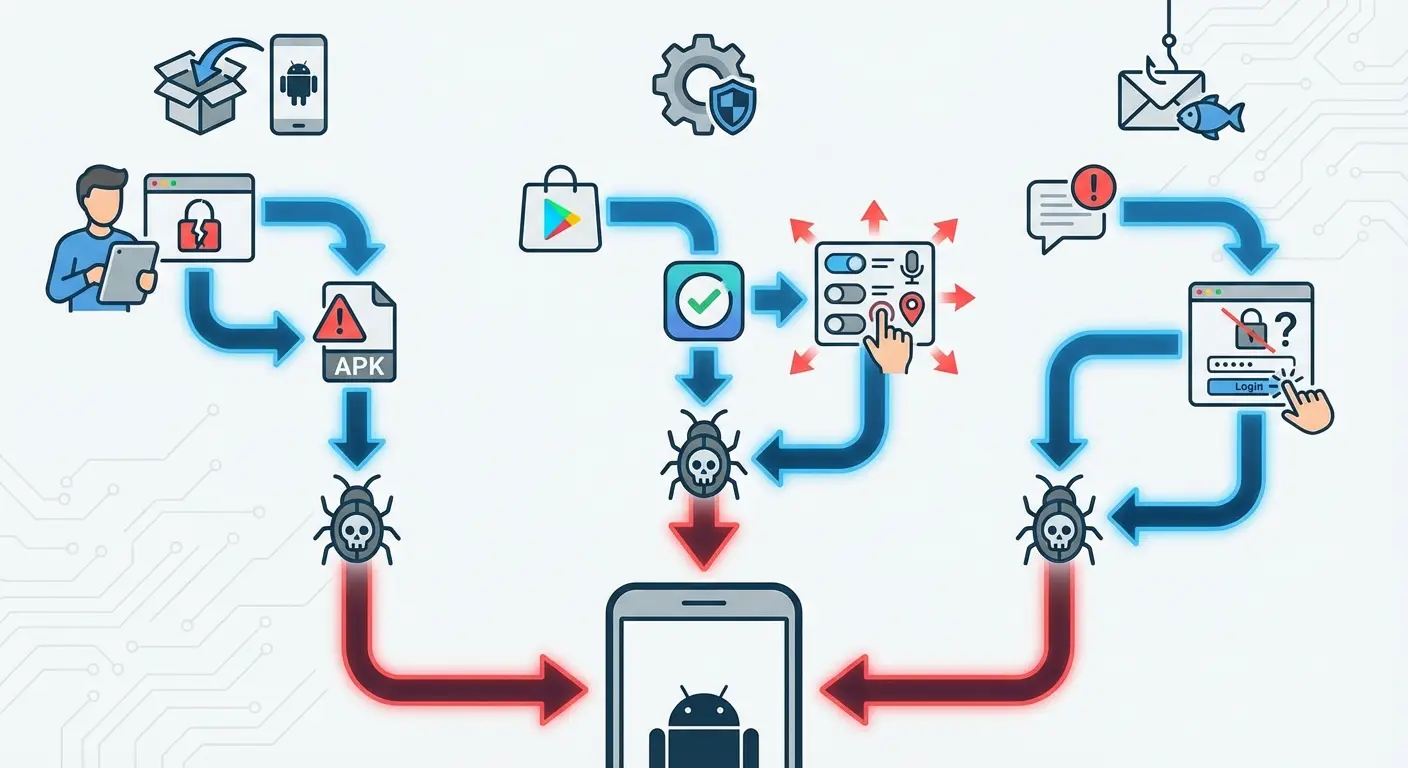
Android's openness is its greatest strength and its biggest security weakness. You can install apps from anywhere, not just the Play Store. This flexibility is fantastic until you sideload an APK from a sketchy website and install malware directly.
Avast can scan these sideloaded apps, and it will often catch obvious threats. But sophisticated malware designed to evade detection can slip through, especially if it's newly developed and not yet in signature databases. The best defense here isn't free antivirus software; it's not sideloading apps from untrusted sources in the first place.
The sideloading threat isn't theoretical. Google is currently taking legal action against the BadBox 2.0 botnet, which targets a variety of IoT devices, including those running on the Android platform. These attacks often originate from compromised apps installed outside official channels, demonstrating that sideloading remains a primary vector for sophisticated malware distribution.
Permission Creep and App Behavior
Apps request permissions, and we grant them without thinking. A flashlight app wants access to your contacts? Sure, whatever. This is how data harvesting happens, and it's completely invisible to free antivirus software because the app isn't technically malicious. It's just invasive.
Avast includes a permission monitor, which is helpful. It'll notify you when apps request unusual permissions. But it can't make the decision for you, and it can't revoke permissions you've already granted unless you do it manually.
And don't even get me started on apps that request every possible permission. A calculator app asking for camera access? Come on.
Phishing and Social Engineering
You get a text that looks like it's from your bank. You click the link. You enter your credentials on a fake login page. Congrats, you just got phished, and your antivirus software sat there watching you do it.
Antivirus for android struggles with social engineering because the attack doesn't involve malware. It involves tricking you into making bad decisions. The best defense is skepticism and verification, not virus scanning.
Understanding how to protect your phone from being hacked requires awareness of social engineering tactics that bypass traditional security software.
Performance vs. Protection: The Trade-Off You're Making
Background Process Reality Check
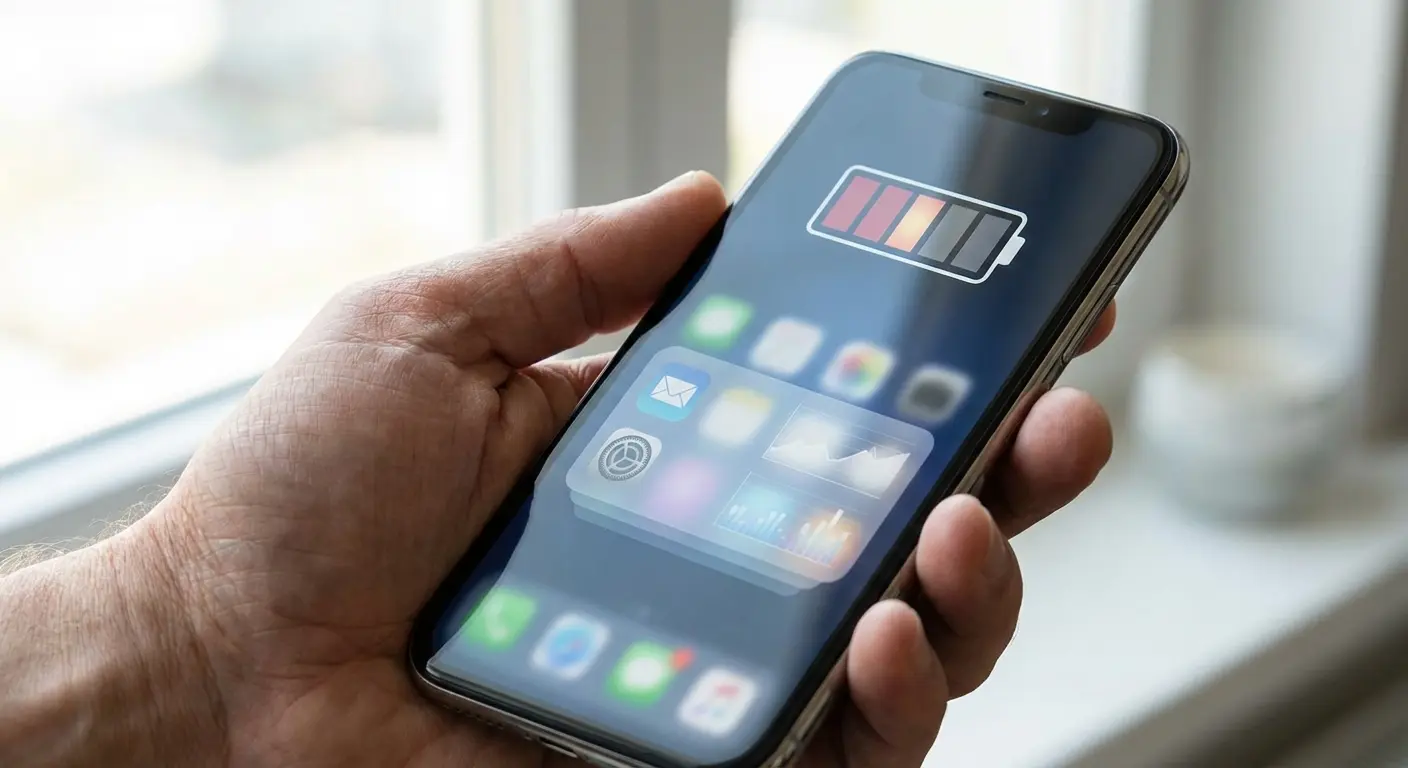
Avast runs continuously in the background, scanning files, monitoring apps, and checking for threats. This requires processing power, memory, and battery. There's no way around it. You're trading performance for security, and the question is whether that trade-off makes sense for your usage pattern.
For most users on modern Android devices (anything running Android 12 or newer with decent specs), the performance impact is minimal. You might notice slightly faster battery drain or occasional lag when Avast runs a full scan, but it's not dramatic.
On older or budget devices, though, the impact becomes more noticeable.
Resource Consumption Metrics
Avast typically uses between 50-150MB of RAM depending on what features you have enabled. It runs background scans that can spike CPU usage periodically. Battery consumption varies, but expect an additional 2-5% drain per day with all features enabled.
These numbers aren't catastrophic, but they're not negligible either. If you're running multiple security and utility apps simultaneously, the cumulative impact can slow your device noticeably. This is where you need to make intentional choices about what features you need versus what's just bloat.
Optimization Settings That Actually Matter
You can reduce Avast's performance impact significantly by disabling features you don't use. The junk cleaner is useless. I'm just going to say it. Android already handles storage cleanup, and Avast's version just runs in the background accomplishing nothing except draining your battery. The app lock? Redundant if you already use Android's built-in app pinning. The VPN? Only useful when you're on public Wi-Fi.
Scheduled scans are smarter than continuous monitoring for most users. Set Avast antivirus android to run a full scan once a week when your phone's charging overnight, and use real-time protection only for new app installations and downloads. This dramatically reduces resource consumption while maintaining solid security coverage.
Battery Drain and Background Processes Explained
What's Actually Happening When Avast Runs
Every time you download a file, install an app, or visit a website, Avast's real-time protection kicks in. It scans the content, checks it against threat databases, and either allows it or blocks it. This happens in milliseconds, but it's still consuming battery with each check.
Background scans are the bigger culprit. Avast free antivirus periodically scans your entire device to catch threats that might have slipped through or been installed before your last database update. These scans are thorough, which means they're resource-intensive. You'll notice your phone getting slightly warm and battery percentage dropping faster when a scan's running.
Battery Impact Mitigation Strategies
Disable continuous Wi-Fi scanning unless you're frequently connecting to public networks. Most people use the same trusted networks (home, office) 90% of the time, making continuous scanning overkill.
Turn off the app lock feature if you're using it. It requires constant monitoring of which apps you're opening, which means constant battery drain. Android's native security features handle most of what app lock does anyway.
Reduce scan frequency. Weekly scans are sufficient for users who only install apps from the Play Store and practice reasonable caution. Daily scans are overkill and will noticeably impact battery life.
First thing: turn off the junk cleaner, app lock, and photo vault. You don't need them. Then set scans to run weekly at 3 AM while you're charging. Only scan new apps when you install them (forget about scanning every single file). Disable automatic Wi-Fi checking unless you're actually on public networks all the time.
Expected result: Battery impact drops from 5-7% daily to maybe 2% daily.
When Battery Drain Becomes a Red Flag
If Avast is consuming more than 5-7% of your daily battery usage, something's wrong. Check your settings to see if you've accidentally enabled features you don't need, or if a scan is stuck in a loop.
Sometimes the battery drain isn't from Avast itself but from conflicts with other security or optimization apps. Running multiple antivirus solutions simultaneously is redundant and will absolutely tank your battery life. Pick one and stick with it.
Free vs. Premium: What You're Actually Paying For
The Free Version's Real Capabilities
Avast's free tier includes malware scanning, real-time protection, and basic threat detection. For the average Android user who downloads apps exclusively from the Play Store and doesn't engage in risky behavior, this is sufficient.
You get the core antivirus engine, which is the same one used in the premium version. The detection rates don't change based on whether you're paying. What changes is access to convenience features and additional tools that sit adjacent to antivirus functionality.
Premium Features Deconstructed
The premium version adds a VPN (useful for public Wi-Fi security), app locking (redundant with Android's native features), and ad-free experience (nice but not security-critical). You also get priority support, which matters if you need help troubleshooting.
The VPN is probably the only premium feature with genuine security value, and even then, only if you frequently use untrusted networks. If you're mostly on home Wi-Fi and cellular data, you're paying for something you'll rarely use.
A remote worker who spends three days a week at coffee shops and co-working spaces might genuinely benefit from Avast Premium's VPN feature. They're connecting to different public networks daily, each representing a potential man-in-the-middle attack vector. For this user, the $5.80 monthly premium cost provides real security value. Meanwhile, someone who works from home and only uses their phone on trusted home Wi-Fi and cellular data would be paying for VPN protection they use maybe twice a month when traveling.

Is Premium Worth It?
For most users? No. The free antivirus version covers the essential security bases. You're not getting dramatically better protection by upgrading; you're getting convenience and additional features that may or may not fit your needs.
I said earlier that most people don't need premium. But honestly, if you're working from coffee shops all the time, the VPN might be worth it. I don't know. Depends what your time is worth versus the $6/month.
Premium makes sense if you're constantly on public Wi-Fi, if you want the VPN for privacy reasons beyond security, or if you value the ad-free experience enough to pay for it. But don't upgrade thinking you're buying substantially better malware protection, because you're not.
The Overlooked Role of Physical Device Security
Drop Damage Costs More Than Malware
Your phone contains your entire digital life. Banking apps. Email. Social media. Photos. Messages. Two-factor authentication codes. If someone gets physical access to your unlocked device, they own all of it.
Physical security isn't just about preventing theft. It's about ensuring your device remains functional and intact. A shattered screen can prevent you from accessing critical information during an emergency. Water damage can brick your device and destroy data if you haven't backed up recently. These scenarios happen constantly compared to malware infections.
Theft and Unauthorized Access
Your phone gets stolen. The thief has physical access. They have time. Your free antivirus for android subscription means absolutely nothing in this scenario. What matters is whether your lock screen security is robust, whether you have remote wipe enabled, and whether your device is trackable.
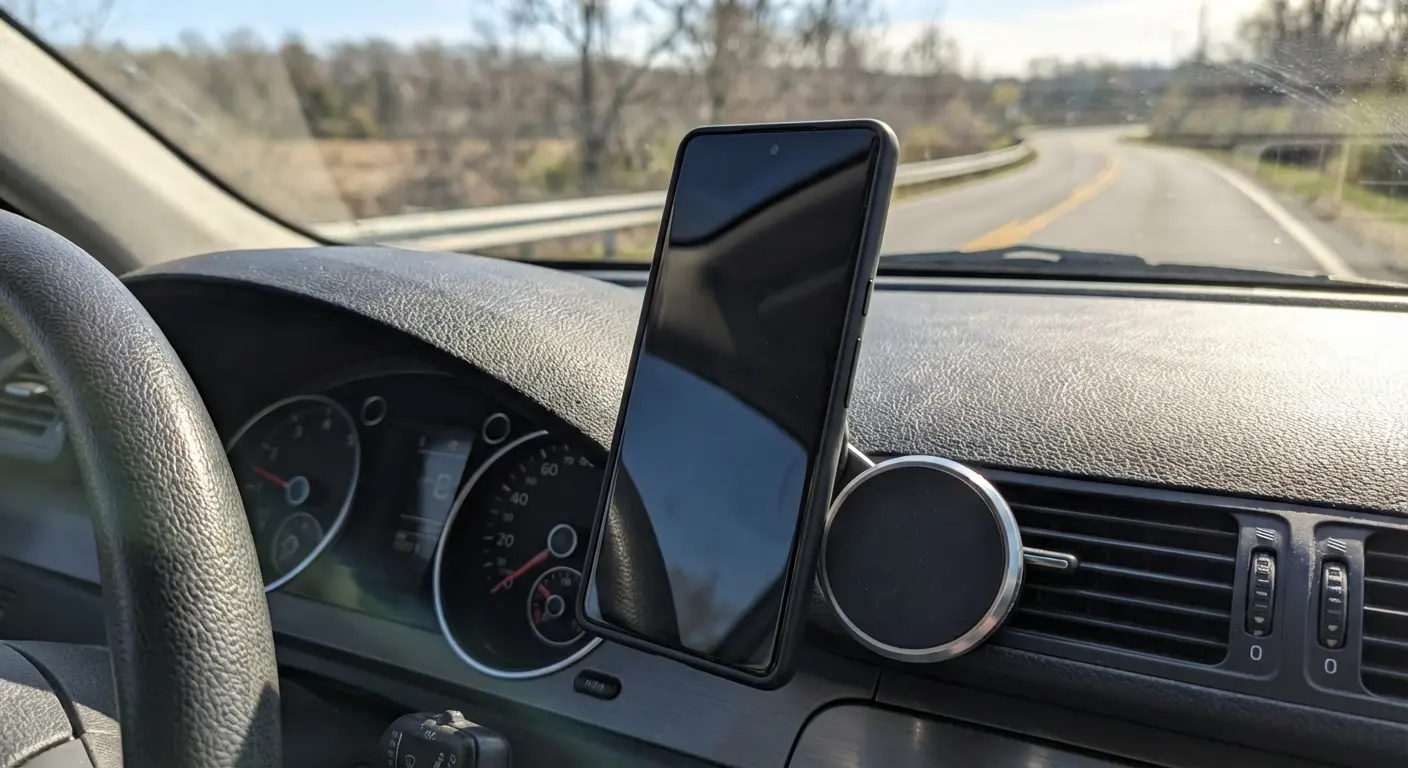
Better yet: what matters is whether your phone was secure enough physically that it didn't get damaged in your bag, whether it was protected enough that it survived the drop when you fumbled it, whether it was mounted securely enough in your car that it didn't become a projectile during sudden braking.
Why Physical Protection Deserves Equal Investment
You're willing to pay for antivirus software (or at least install free versions and deal with ads). Are you equally willing to invest in physical protection that prevents the far more common threats of drops, impacts, and theft-related damage?
We've normalized spending on digital security while treating physical protection as optional. This is backwards. Your Android device faces physical threats every single day. It faces digital threats occasionally, and usually only if you're engaging in risky behavior.
After my third cracked screen, I gave up on cheap cases. Got a Rokform. Haven't cracked a screen since. The magnetic mounting system works through the case (38 pounds of pull force, which is actually insane). I've taken it mountain biking, hit some serious bumps, and my phone stayed attached. You're not just protecting against drops; you're protecting against the vibrations, impacts, and environmental factors that degrade device integrity over time.
Some military drop-test standard (MIL-STD-whatever) basically means it can survive being dropped from head height onto concrete. Is this overkill for most people? Probably. I still use it anyway.
Setting Up Avast Without Killing Your Phone's Speed
Initial Configuration Best Practices
When you first install Avast, it's going to suggest enabling everything. Don't. Start with just the core antivirus engine and real-time protection. Add features only if you have specific needs for them.
Deny permissions that aren't essential for antivirus functionality. Avast will ask for access to various system functions, and while most are legitimate, you should understand what you're granting and why.
Feature-by-Feature Decision Framework
Wi-Fi Security Scanner: Enable only if you regularly connect to public networks. Otherwise, leave it off.
Junk Cleaner: Disable. Android's built-in storage management handles this fine.
App Lock: Disable unless you have specific apps you need to protect beyond your device's lock screen. Android's native security is usually sufficient.
Photo Vault: Disable. Use Google Photos' locked folder feature instead; it's integrated with your existing workflow and doesn't require another app running in the background.
VPN (Premium only): Enable only when actively using untrusted networks. Don't leave it running 24/7 unless you have specific privacy requirements.
Scan Schedule Optimization
Set scans to run weekly, overnight, while your phone's charging. This ensures they don't interfere with daily usage or drain battery when you need it.
Disable automatic scans of every new file and download. Instead, enable scans only for new app installations. This dramatically reduces resource usage while maintaining virus protection against the primary malware vector (malicious apps).
Notification Management
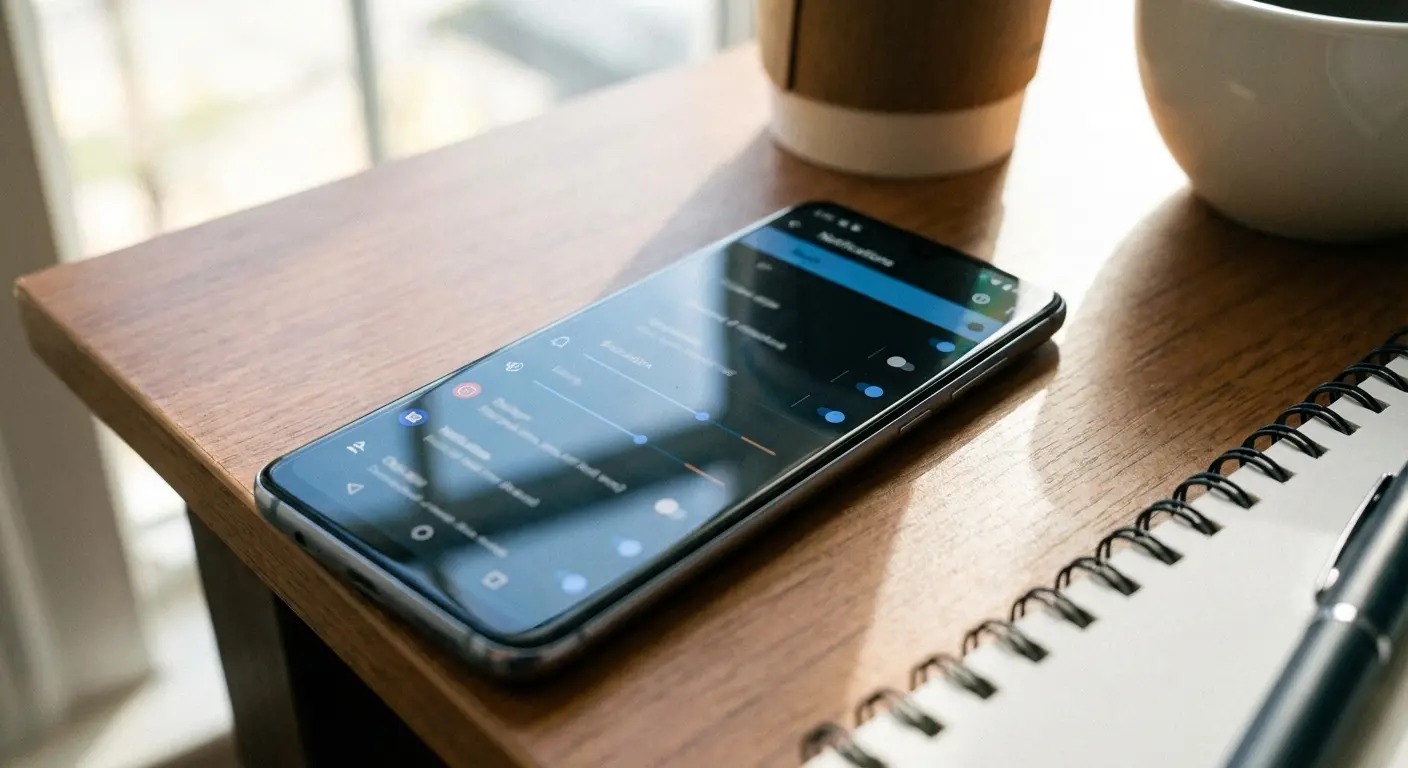
Avast antivirus loves sending notifications. You'll get alerts for threats (useful), scan completions (annoying), feature promotions (very annoying), and random security tips (completely unnecessary).
Go into notification settings and disable everything except critical threat alerts. You don't need to know every time Avast completes a scan or finds a tracking cookie. You only need to know if it finds actual malware.
When Antivirus Software Isn't Enough
The Behavior Gap
Avast can't fix user error. You're the weakest link in your own security chain, and no amount of sophisticated malware detection changes that. Clicking suspicious links, granting unnecessary permissions, using weak passwords these are the vulnerabilities that matter.
Security software creates a false sense of invulnerability. You've got free antivirus installed, so you relax your guard. You click things you shouldn't. You download apps from sketchy sources. You figure the free antivirus will catch anything malicious. Sometimes it will. Often it won't, because the threat isn't technical; it's psychological.
The Multi-Vector Threat Reality
Your Android security needs to account for multiple attack surfaces simultaneously. Digital threats (malware, phishing, data harvesting). Physical threats (theft, damage, unauthorized access). Network threats (man-in-the-middle attacks, unsecured Wi-Fi). Behavioral threats (social engineering, credential reuse, poor password hygiene).
Avast addresses maybe 30% of this threat landscape. It handles malware detection and some network security. Everything else is on you.
Comprehensive Android Security Checklist:
Digital stuff: Antivirus installed and configured. Apps from Play Store only. Check app permissions every few months. Auto-updates enabled.
Lock it down: Biometric lock screen. Screen timeout at 30 seconds max. Two-factor on important apps. Password manager so you're not reusing passwords.
Physical security: Actual protective case (not decorative). Secure car mount if you use one. Find My Device enabled and tested. Remote wipe ready to go.
Network layer: VPN for public Wi-Fi. Don't auto-connect to random networks. Turn off Bluetooth when you're not using it.
Backups: Cloud backup running automatically. Actually test that you can restore from it. Encrypt your backups.
When Physical Security Becomes Critical
Watched someone at the gym leave their phone on the bench between sets. Just sitting there. For 20 minutes. Anyone could've grabbed it. Avast was probably running. Didn't matter.
Your phone contains everything. Banking apps. Email. Social media. Photos. Messages. Two-factor authentication codes. Physical access means game over.
Physical security isn't just about preventing theft. A shattered screen can prevent you from accessing critical information during an emergency. Water damage can brick your device and destroy data if you haven't backed up recently. These scenarios happen way more often than malware infections.
The Case for Redundant Protection
You wouldn't rely solely on your home's door lock for security. You probably also have windows that lock, maybe an alarm system, perhaps cameras or motion-sensor lights. Each layer addresses different vulnerabilities and provides backup if another layer fails.
Your phone deserves the same approach. Avast free antivirus handles digital threats. Strong passwords and biometric locks handle authentication. Encrypted backups handle data loss. And physical protection (quality cases, secure mounting systems, drop protection) handles the damage and theft scenarios that free antivirus can't touch.
The Rokform case I mentioned earlier integrates into this multi-layered approach. The magnetic system works in high-vibration environments where other mounts fail. I've taken it off-road, and my phone stayed attached through some ridiculous terrain. This level of physical security means your device stays protected and accessible exactly when you need it, complementing the digital protection Avast provides.
Final Thoughts
Avast catches malware fine. It scans apps, monitors permissions, gives you baseline protection. The free version handles what most people need. Premium adds convenience, not dramatically better security.
But if you think antivirus software is solving your security problems, you're missing the point.
Your phone's going to get dropped, stolen, or accessed by someone who shouldn't have it way before it gets infected with malware. I've seen it happen over and over. Cracked screens. Phones left on tables. Gym bag thefts. These are the actual threats.
What I actually do: Avast free version, configured to scan weekly while I'm sleeping. Rokform case because I drop my phone constantly. Strong lock screen with biometric. Remote wipe enabled and tested. That's it. Could I do more? Sure. But these things handle 95% of realistic threats, and I'm not going to obsess over the other 5%.
Your phone's more likely to fall out of your pocket than get hacked by Russian cybercriminals.
Plan accordingly.

