


Quick links if you want to skip around: Why iOS is different | Real threats | What those apps actually do | What to do instead
TL;DR
Look, you don't need antivirus on your iPhone. iOS doesn't work like Windows. Your actual problems are phishing scams, terrible passwords, public WiFi, and dropping your $1,000 phone on concrete. This post explains why the whole "iPhone antivirus" thing is mostly bullshit, what threats actually matter, and what you should do instead.
Why iOS Doesn't Get Viruses the Way You Think It Does
I get it. You've spent 20 years dealing with virus-infected Windows machines and sketchy Android malware. So when you buy an iPhone, your brain screams "PROTECT IT." Makes total sense. But you're solving the wrong problem.
Apple doesn't allow iOS security apps to perform "virus scans," and I mean actual architectural differences, not just Apple's usual "we're special" marketing BS.
Apple built iOS with something called sandboxing. Think of it like this: every app lives in its own little prison cell. It can't see what other apps are doing, can't touch system files, can't escape and infect anything else. A virus needs to spread to be dangerous. iOS doesn't let apps spread. That's it. That's the whole ballgame.
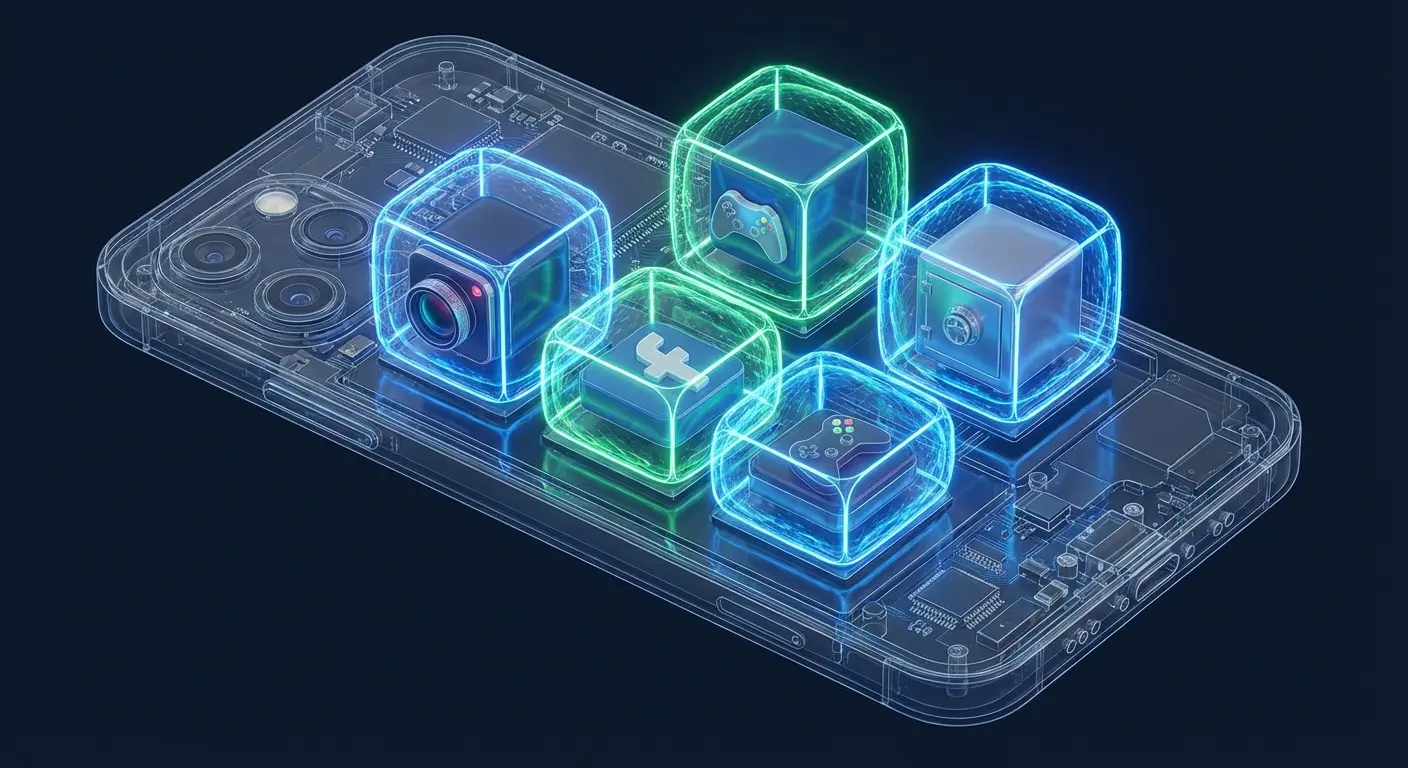
Traditional viruses work by modifying system files and jumping between programs. They need that access to replicate and cause damage. iOS simply doesn't allow it. Even if malicious code somehow made it onto your device (which is already extremely difficult), it would be trapped in its sandbox, unable to spread or access anything meaningful.
The App Store review process adds another layer. Apple claims to review every app before it goes live, scanning for malicious behavior and code vulnerabilities. How thorough that review actually is probably varies, but it's effective enough to prevent the kind of widespread virus infections you see on other platforms.
Here's the thing: you're not wrong for wanting protection. You're just looking for the wrong kind. When people search for iPhone antivirus apps, they're usually trying to solve problems that iOS architecture already handles.
The Real Threats Your iPhone Actually Faces
Want to know what actually gets iPhone users? Phishing. Not viruses. Phishing.
In 2025, iOS devices faced 26% phishing exposure rates, double that of Android. Which seems high to me, and I'm not sure if that's because iPhone users are targeted more or just report it more, but either way, phishing is clearly the problem.
You know how it works. You get an email that looks exactly like it's from your bank, complete with logos and formatting. You click the link, enter your credentials, and congratulations, someone now has access to your actual bank account. Your iPhone's security didn't fail. You got played.
Social engineering targets you, not your device. Scammers call pretending to be Apple Support, creating urgency about a security breach. They walk you through "fixing" the problem, which involves you handing over your Apple ID credentials. iOS can't protect you from yourself.
My friend's sister (works in marketing, somewhere in Texas) got completely wrecked by this last year. Calendar invite from "IT," except it wasn't. Company logo and everything. She clicked through, typed in her Apple ID password because she was rushing between meetings, and by that afternoon someone was in her iCloud reading client emails. Took her three days to unfuck the situation.
Public WiFi networks expose your data in transit. When you connect to that coffee shop network, you're potentially broadcasting your browsing activity, login credentials, and personal information to anyone with basic packet-sniffing tools. Your iPhone's security features protect what's on the device, not what travels across compromised networks.
Data breaches happen at the service level, not the device level. When LinkedIn or Adobe or your favorite retailer gets hacked, your information leaks regardless of what phone you use. The credentials you reuse across multiple services become vulnerability points that have nothing to do with iOS security.

Microsoft researchers recently sounded the alarm on multiple new phishing campaigns by an unknown actor. These campaigns utilize fake meeting invitations, invoices, and counterfeit PDF attachments to deliver malware, demonstrating how attackers are evolving their tactics to bypass traditional security measures and target users directly through social engineering.
Malicious profiles and configuration files can bypass some protections. These aren't viruses, but they can mess with how your phone works in concerning ways. Someone might trick you into installing a profile that routes your traffic through their servers or installs certificates that let them intercept encrypted communications.
Zero-click exploits exist but target high-value individuals. Governments and sophisticated attackers use incredibly expensive exploits (we're talking millions of dollars) to compromise specific targets. If you're worried about these, you have bigger problems than choosing a security app.
Physical theft remains the most common and dangerous threat. Someone steals your unlocked phone at a bar, and suddenly they have access to your email, banking apps, social media, photos, and everything else you've authenticated. No amount of digital security helps if someone physically possesses your unlocked device.
What "Antivirus" Apps for iOS Really Do
Search "antivirus" in the App Store and you'll find dozens of options with impressive names and bold claims. Here's what you're actually getting, and it's honestly kind of hilarious.
Most are VPN services wearing an antivirus costume. They'll scan your device and declare it "virus-free" (which it was before you installed the app), then push you toward their monthly VPN subscription. The VPN might be useful for protecting your data on public networks, but it's not antivirus software.
Password managers get bundled into security suites and called antivirus. These apps help you generate and store strong passwords, which genuinely improves your security posture. But this isn't virus protection. It's credential management, and iOS already offers this through iCloud Keychain.
Identity theft monitoring services check if your email appears in known data breaches. Useful? Sometimes. Antivirus? Not even close. You're paying for alerts about breaches that already happened, often weeks or months after the fact.
What They Claim |
What You Actually Get |
iOS Already Has This? |
|---|---|---|
Virus Scanning |
Settings check + jailbreak detection |
Partially (XProtect) |
Malware Protection |
Web filtering + phishing warnings |
Partially (Safari warnings) |
Security Monitoring |
Breach database lookups |
No |
Device Optimization |
Storage analysis + app permissions review |
Yes (Settings app) |
VPN Protection |
Encrypted browsing on public WiFi |
Limited (iCloud Private Relay) |
Password Security |
Credential storage + breach alerts |
Yes (iCloud Keychain) |
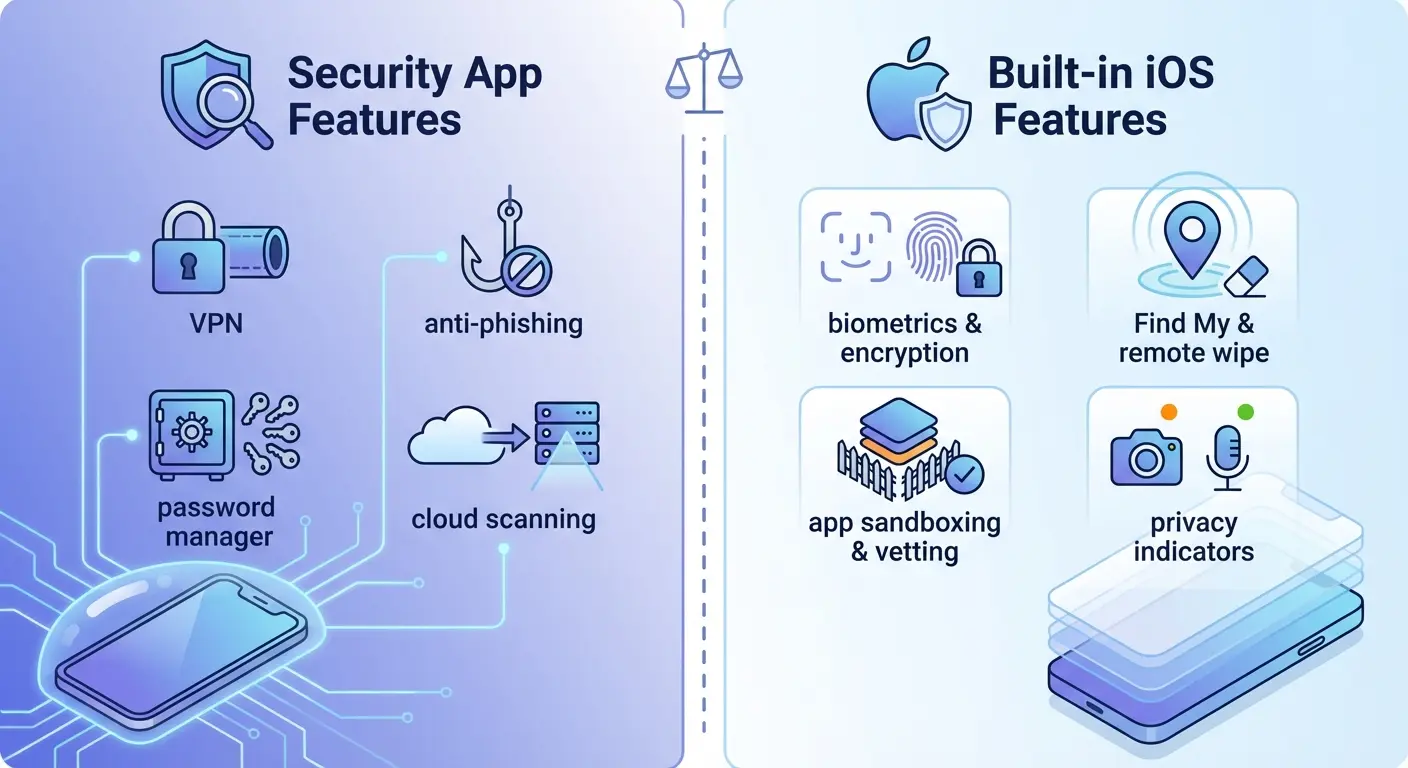
WiFi security scanners analyze networks for vulnerabilities and warn you about unsafe connections. This addresses a real threat we mentioned earlier. The value depends on your behavior (do you regularly use public WiFi?) and whether you'd change your actions based on the warnings.
Ad blockers and anti-tracking tools prevent websites from following you around the internet. These protect your privacy more than your security, though I honestly don't know where privacy ends and security begins anymore. Safari already offers tracking prevention built in.
Contact backup and device locator features duplicate what iCloud already does. You're paying for redundancy, which might provide peace of mind but doesn't add functional protection.
The "scan" these apps perform is mostly theater. They're checking for jailbreak status, looking at your iOS version, reviewing your settings, and comparing your email against breach databases. They can't scan for viruses because they can't access other apps' sandboxes. Remember that architecture we discussed?
I know a photographer who fell for this. Downloaded some "antivirus" app with 4.5 stars. It did this whole dramatic scan (progress bars, technical gibberish, the works), then told him his phone had "127 vulnerabilities." Spooked him into paying $10/month. Six months later he realized all it did was check if his iOS was updated. Something he could've seen in Settings for free. He felt like an idiot.
People keep searching for free iPhone antivirus apps, but here's the thing: iOS doesn't need them. Even the paid options that claim to be "the best" don't do much beyond what Apple already built in. Download one of these free security apps and you're mostly getting repackaged features.
Security Features Already Built Into Your iPhone
Face ID and Touch ID do more than unlock your phone. They encrypt your data in a way that makes it nearly impossible to access without your biometric signature. Even if someone steals your device, your data remains encrypted and useless without your face or fingerprint.
Find My iPhone turns your device into a trackable brick. You can see its location, play a sound, mark it as lost (which disables Apple Pay and prevents anyone from accessing your information), or remotely erase everything. Activation Lock means a thief can't set up your iPhone as their own, even after a factory reset.
Two-factor authentication (2FA) protects your Apple ID from credential theft. Someone might phish your password, but they can't access your account without the verification code sent to your trusted devices. Enable this immediately if you haven't already.
Automatic updates patch security vulnerabilities as Apple discovers them. Those annoying update notifications? They're often fixing exploits that could compromise your device. Running outdated iOS versions leaves you exposed to known vulnerabilities.
According to independent testing from AV-Test in June 2025, iOS security tools consistently score 100% for protection against Mac malware and 99% for protection from potentially unwanted programs when kept updated, demonstrating the effectiveness of Apple's built-in defenses when properly maintained.
App permissions force developers to ask before accessing your camera, microphone, location, photos, and contacts. You control what each app can see and do. Review these regularly because apps you installed years ago might have permissions you'd no longer grant.
Safari's Intelligent Tracking Prevention blocks cookies and other tracking methods that follow you across websites. It's not perfect, but it significantly reduces how much data advertisers collect about your browsing habits.
Secure Enclave is a dedicated chip that handles encryption keys and biometric data separately from the main processor. Even if someone compromises iOS itself, they can't access the Secure Enclave's contents. This is why law enforcement struggles to crack iPhones.
iCloud Keychain generates, stores, and autofills complex passwords across all your Apple devices. It monitors for passwords that appear in data breaches and alerts you to change them. This solves the password reuse problem that makes data breaches so dangerous.
Screen Time isn't just for limiting kids' usage. It shows which apps have access to your data and how you're using your device, helping you identify suspicious behavior or apps you should remove.
These built-in features work better than any third-party security app you could download. They're integrated at the system level, which means they work seamlessly without the performance overhead or privacy concerns of third-party apps. Rather than searching for another security tool, maximize these native capabilities first.
iOS Security Settings Audit (Do This Monthly)
Spend 10 minutes once a month going through your settings. Make sure Face ID still works, Find My is on, two-factor auth is enabled. Check which apps have access to your location, camera, and microphone. You'd be surprised how many you forgot about. Look at your passwords in Settings and change any that are weak or compromised. Check for iOS updates. That's really it.
Verify Face ID/Touch ID is enabled and working properly
Confirm Find My iPhone is active and location sharing is on
Check that Two-Factor Authentication is enabled for Apple ID
Review iOS version and install any pending updates
Audit app permissions (Settings > Privacy & Security)
Review apps with Location Services access
Check apps with Camera and Microphone permissions
Verify iCloud Keychain is enabled and syncing
Review Screen Time data for unusual app activity
Confirm Safari's "Prevent Cross-Site Tracking" is enabled
Check for weak or compromised passwords in Settings > Passwords
Review trusted phone numbers and devices for 2FA
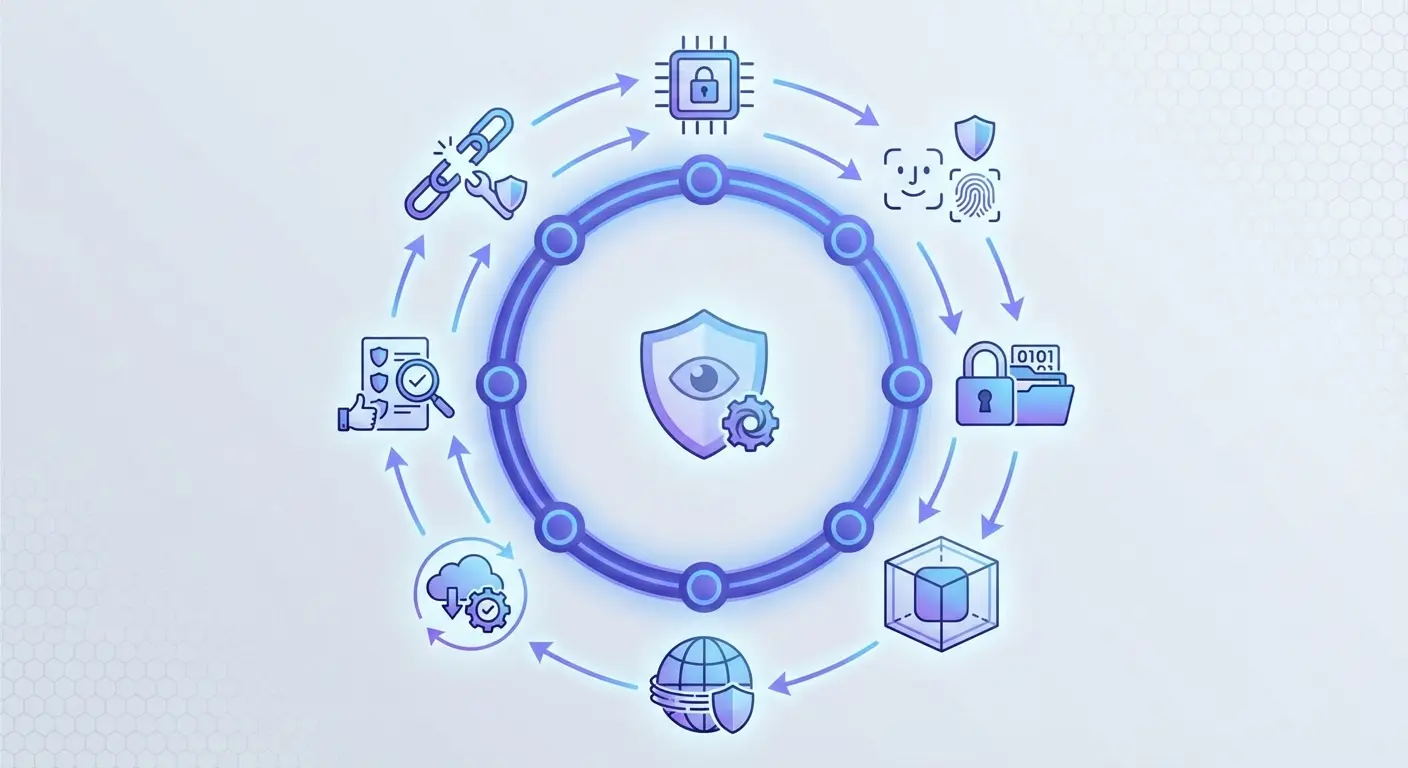
When discussing physical security features, keeping your device secure during activities where it might fall or get stolen is where protecting your iPhone goes beyond digital settings.
When Third-Party Security Apps Make Sense
Honestly? Almost never. But here are the exceptions.
You live on public WiFi. Coffee shops, airports, hotels, and coworking spaces all present network-level risks. A reputable VPN encrypts your traffic before it leaves your device, protecting it from interception. This isn't theoretical. Packet sniffing on public networks is trivially easy.
Your work requires compliance with specific security standards. Some industries mandate particular security measures, monitoring, or audit trails. If your employer requires Mobile Device Management (MDM) or specific security software, you don't have a choice. Just verify the requirement is legitimate and not a misunderstanding of iOS security.
You want breach monitoring with faster notifications. While you can manually check sites like Have I Been Pwned, dedicated monitoring services alert you immediately when your information appears in new breaches. The speed advantage might matter if you act quickly to change passwords and secure accounts.
You need a more robust password manager than iCloud Keychain. If you use multiple platforms (Windows at work, Android tablet, iPhone), a cross-platform password manager like 1Password or Bitwarden makes more sense than Apple's ecosystem-locked solution. You're not adding security. You're adding convenience and compatibility.
You share devices with family members who have different security awareness levels. Some security apps offer parental controls, web filtering, and activity monitoring that go beyond Screen Time's capabilities. These protect less tech-savvy family members from threats they might not recognize.
Your Situation |
What You Actually Need |
Why iOS Alone Isn't Enough |
|---|---|---|
Frequent public WiFi user |
VPN service |
iOS doesn't encrypt network traffic |
Multi-platform household |
Cross-platform password manager |
iCloud Keychain is Apple-only |
Compliance requirements |
MDM or certified security app |
Industry regulations demand specific tools |
Children using shared devices |
Parental control app |
Screen Time lacks web filtering depth |
International travel |
VPN with geo-unblocking |
iCloud Private Relay doesn't change location |
Immediate breach alerts |
Identity monitoring service |
Manual checking is too slow |
You travel internationally to regions with different privacy laws. VPNs can help you access services that might be blocked or monitored in certain countries. This is more about privacy and access than security, but the distinction matters less when you're dealing with government-level surveillance.
The Thing Everyone Ignores: Your Phone Is a Physical Object
Digital security gets all the attention, but your biggest vulnerability is physical. Drop your iPhone hard enough, and the screen shatters. Water damage can brick it entirely. Theft puts your device in someone else's hands.
Data security depends on device integrity. You can't use Face ID if your screen is destroyed. You can't remotely wipe your phone if it's dead at the bottom of a lake. You can't enable Find My if your phone was stolen while unlocked and the thief immediately disabled it.
Backup strategies fail when you lose the device unexpectedly. Sure, your photos are in iCloud (maybe), but what about your authenticator app codes? Your recent messages? The notes you haven't synced? Physical loss often means data loss, regardless of your digital security posture.
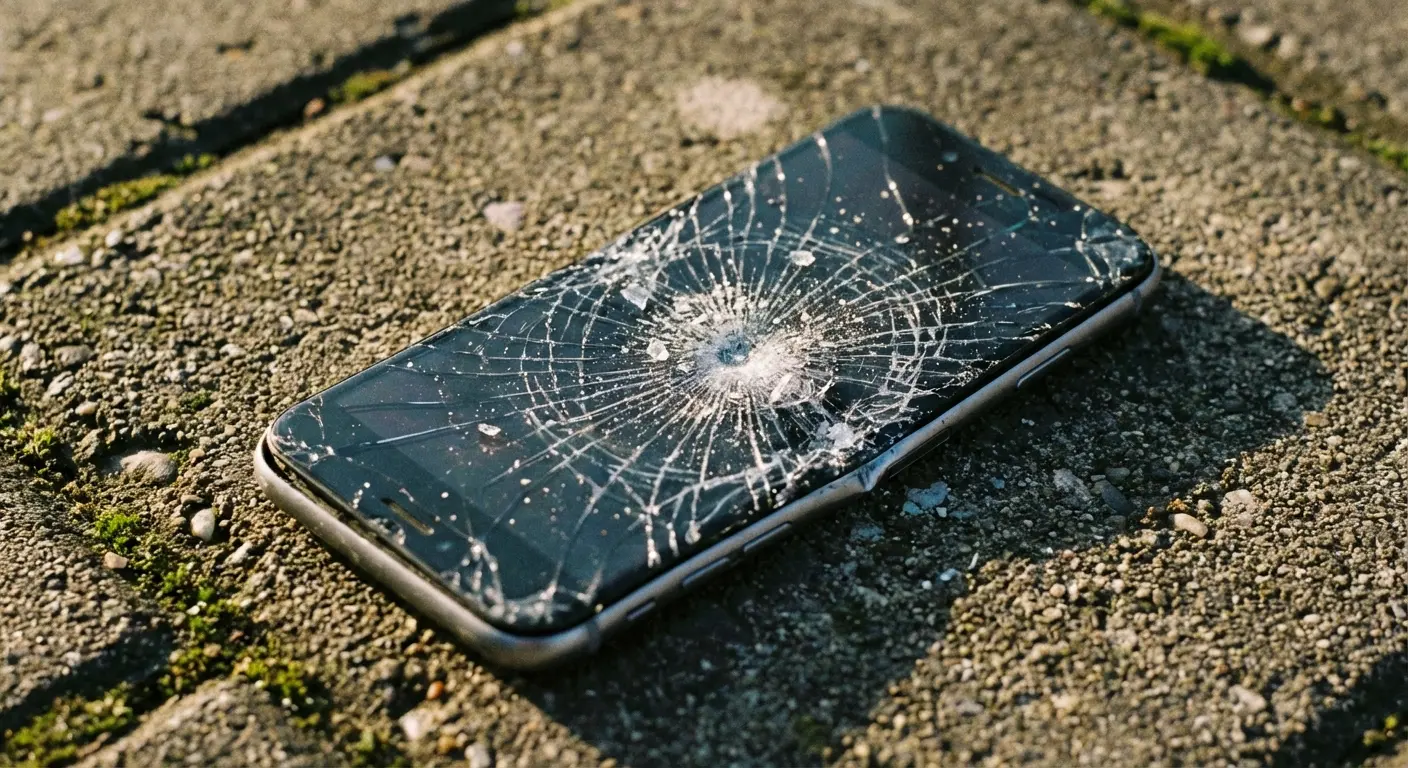
Someone I know (works construction, don't remember exactly what) dropped his iPhone off some scaffolding. Not even that high, maybe 10-12 feet. But it hit concrete corner-first and the screen just exploded. Completely unusable.
He had enabled Find My iPhone and two-factor authentication, but those features became useless when he couldn't interact with the device. His last iCloud backup was three weeks old, meaning he lost recent project photos, client communications, and notes from job sites. The phone had to be replaced, and because the screen was destroyed, the repair shop couldn't verify his identity to transfer data. His digital security was perfect on paper, but physical vulnerability made it all irrelevant.
Screen damage creates urgency that leads to poor security decisions. Your shattered screen makes your phone difficult to use, so you rush to a sketchy repair shop that might install compromised components or access your data while "fixing" it. The pressure to get your device working again overrides security considerations.
Stolen phones become identity theft tools. Even with a passcode, thieves have time to attempt exploits, try common passwords, or use social engineering to reset your accounts. The longer they possess your physical device, the more opportunities they have to compromise your digital security.
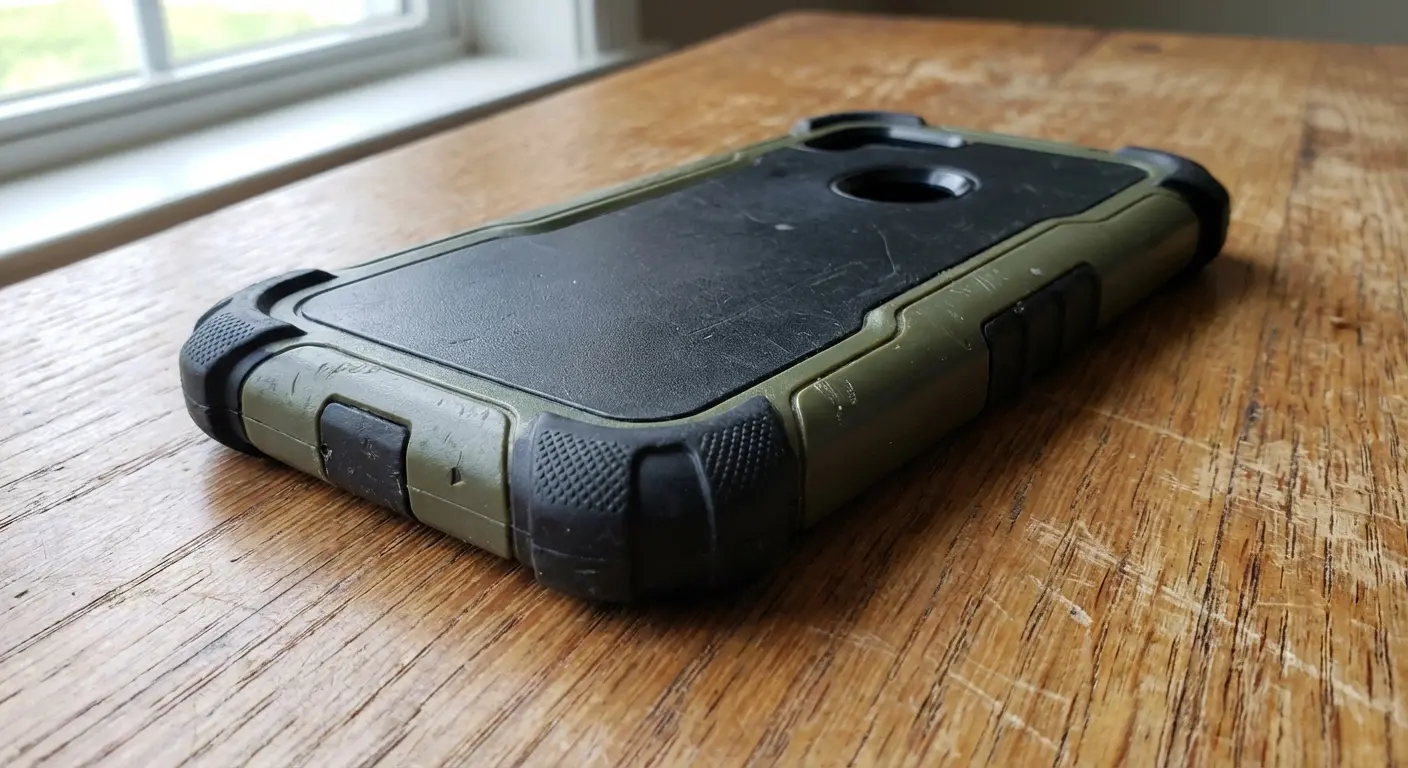
Water and impact damage aren't just inconveniences. They're security events. A damaged phone might force you to authenticate on a borrowed device, use public computers to access accounts, or disable security features to maintain access to critical services.
You've spent time thinking about digital threats while ignoring the statistical reality: you're far more likely to drop your phone than to get hacked. Physical protection isn't separate from security. It's foundational to it.
Okay, so here's where I mention that Rokform sponsored this post. They make tough iPhone cases and mounting systems. Normally I'd roll my eyes at a sponsor placement, but it actually fits here because (and this is my whole point) physical protection matters more than antivirus apps. You can't use any of your security features if your phone is destroyed. A phone that stays in your possession and remains intact is a phone that maintains its security features. You can't use Find My on a phone destroyed in a bike crash, and you can't enable remote wipe if your device fell out of your pocket on a hike.
Their protective cases are engineered for serious impact resistance, keeping your device functional when accidents happen. More importantly, their mounting systems (magnetic and twist-lock) keep your phone secure during activities where it might otherwise slip, fall, or get stolen. Physical protection enables digital security.
People download security apps thinking they're protecting their device, but they ignore the fact that a dropped phone with a destroyed screen renders every security feature useless. Spending money on yet another app makes no sense when you haven't addressed the physical vulnerabilities that create real security risks.
Check out Rokform's full lineup of protective cases designed to keep your iPhone secure in the real world, not just the digital one.
How to Actually Secure Your iPhone in 2025
Alright, enough theory. Here's what you actually need to do.
Start with the basics that take five minutes and protect you from 90% of threats.
Enable two-factor authentication on your Apple ID. Go to Settings, tap your name, select Password & Security, and turn on Two-Factor Authentication. This single step prevents account takeover even if someone gets your password.
Set a strong passcode (not Touch ID or Face ID alone). Biometrics are convenient, but they can be compelled in some legal situations. Your passcode is your last line of defense. Use at least six digits, avoid obvious patterns.
Turn on Find My iPhone. Settings, your name, Find My, Find My iPhone. Enable both Find My iPhone and Send Last Location. This gives you options if your device goes missing.
Review app permissions monthly. Settings, Privacy & Security. Go through each category (Location, Camera, Microphone, Photos) and revoke access for apps that don't need it.
Enable automatic updates. Settings, General, Software Update, Automatic Updates. Turn on both Download iOS Updates and Install iOS Updates. You'll get security patches without thinking about it.
Use iCloud Keychain or a dedicated password manager. Stop reusing passwords. Your device can generate and store unique passwords for every account. Settings, Passwords, Password Options, AutoFill Passwords.
5-Minute iPhone Security Setup (Do These Right Now)
Complete these steps right now, in order, while you're reading this:
-
Turn on two-factor auth (2 minutes)
Settings > [Your Name] > Password & Security
Tap "Turn On Two-Factor Authentication"
Add a trusted phone number
Verify with the code sent to your device
-
Activate Find My iPhone (1 minute)
Settings > [Your Name] > Find My
Toggle on "Find My iPhone"
Toggle on "Send Last Location"
-
Set Strong Passcode (1 minute)
Settings > Face ID & Passcode (or Touch ID & Passcode)
Change Passcode
Use 6+ digits, avoid birthdays/patterns
-
Enable Automatic Updates (1 minute)
Settings > General > Software Update
Tap "Automatic Updates"
Enable both toggles
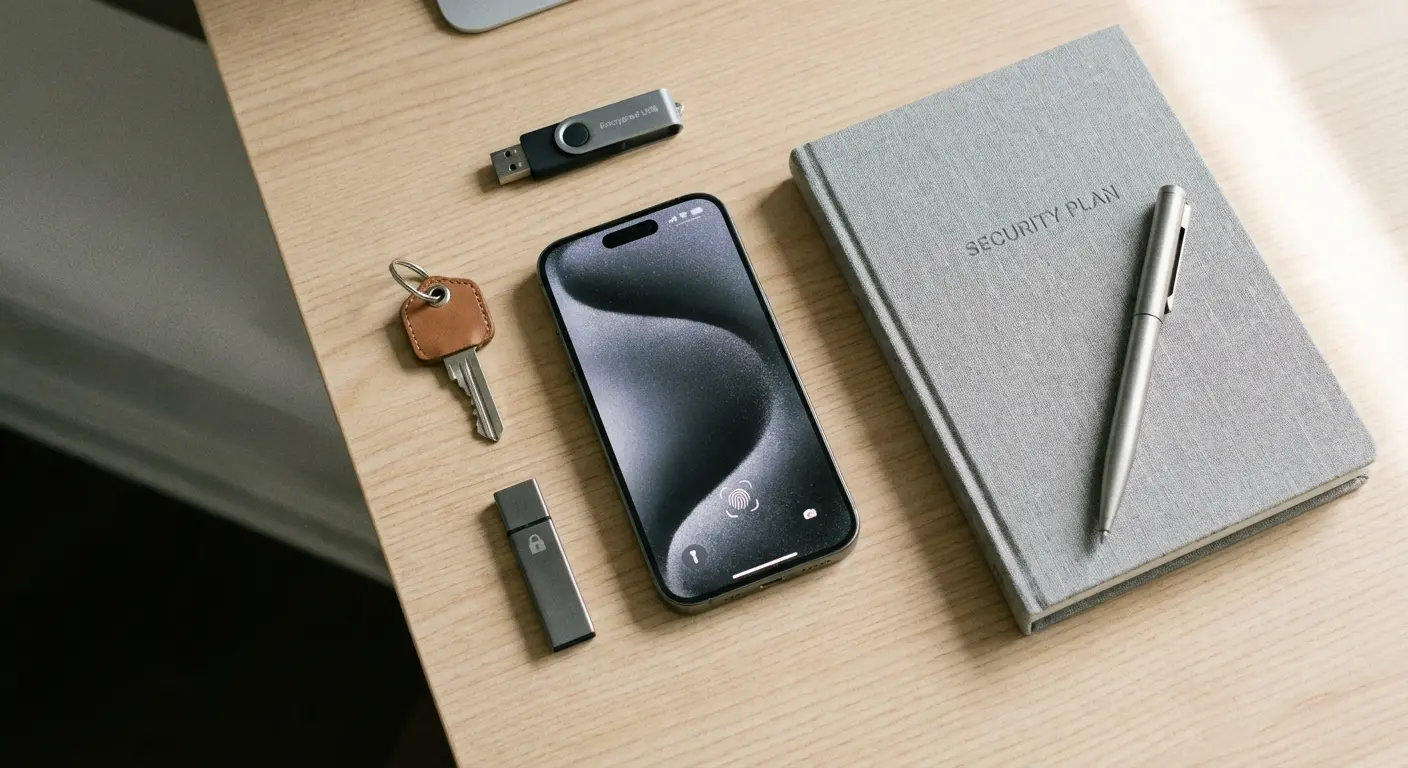
Now address the threats that require ongoing attention.
Be skeptical of every link and attachment. Hover before clicking (on desktop), verify sender addresses, and when in doubt, navigate to websites directly rather than clicking links in emails. Phishing is your biggest threat.
Use a VPN on public WiFi. If you regularly work from coffee shops or travel frequently, a reputable VPN service (not a free one) encrypts your traffic and protects against network-level attacks.
Check your email against breach databases quarterly. Visit Have I Been Pwned, enter your email addresses, and change passwords for any compromised accounts. Set up notifications for future breaches.
Audit your connected apps and services annually. Settings, your name, Media & Purchases, View Account, scroll down to see apps using your Apple ID. Remove anything you don't recognize or no longer use.
Review your Screen Time data for anomalies. Sudden spikes in usage for apps you don't remember using might indicate compromised accounts or unauthorized access.
Recent security advisories from Apple have emphasized the importance of staying current with iOS updates, as the company frequently patches vulnerabilities before they can be exploited. In 2025 alone, Apple addressed several critical security flaws including CVE-2025-43300 and CVE-2025-24085, which were actively exploited in targeted attacks before patches were released.
Finally, protect the physical device that enables all this security.
Invest in a case that protects against drops and impacts. Your iPhone contains everything. Protect it accordingly. Look for cases with military-grade drop protection and secure mounting options if you're active.
Use a screen protector. Tempered glass protectors are cheap insurance against the most common type of damage that makes phones difficult to use and creates security urgency.
Keep your phone on you in public spaces. Don't leave it on tables, in cup holders, or anywhere someone can grab it. Theft is opportunistic.
Enable Stolen Device Protection. This iOS feature adds extra security when your iPhone is away from familiar locations, requiring Face ID or Touch ID with delays before allowing critical changes.
Back up regularly and verify your backups work. iCloud backup is automatic if you enable it, but test that you can restore from backup. Settings, your name, iCloud, iCloud Backup.
Stop looking for free antivirus apps. They don't work, they're often sketchy, and you're wasting time on a non-problem. Use the security features Apple already built in and spend your energy on actual threats like phishing and weak passwords.
Final Thoughts
You don't need antivirus for your iPhone because iOS already handles what antivirus traditionally addresses. The architecture prevents the spread of malicious code, the App Store review process blocks most threats before they reach you, and the built-in security features cover the fundamentals.
What you need is a shift in thinking. Security isn't a product you install. It's a combination of understanding real threats, using the protections already available to you, and acknowledging that your phone exists in physical space where digital security measures become irrelevant if the device is damaged or stolen.
The companies selling you iOS antivirus are solving a problem that doesn't exist while ignoring the problems that do. Phishing, credential theft, network vulnerabilities, and physical loss represent your actual risk surface. Address those, and you'll be more secure than 95% of iPhone users who install "security" apps and assume they're protected.
We've given you the checklist. Enable 2FA, use strong unique passwords, keep iOS updated, review permissions, protect your device physically, and stay skeptical of unsolicited communications. That's it. That's the formula.
Your iPhone is already one of the most secure consumer devices ever made. Stop looking for antivirus software and start using the security features you already paid for when you bought the device. The protection you're searching for has been in your pocket the entire time.

