


Table of Contents
Why We're Obsessed with Physical Phone Protection but Ignore the Digital Threats
The Real Cost of Android Malware (And Why Your Data Is Worth More Than Your Device)
What Bitdefender Actually Does on Android (Beyond the Marketing Speak)
Installation and Setup: The First 24 Hours Matter Most
Performance Impact: Will Your Phone Turn Into a Sluggish Mess?
The Features You'll Actually Use vs. The Ones You Won't
Privacy Audit Tools: What Bitdefender Reveals About Your Apps
Web Protection That Works When You're Not Paying Attention
VPN Integration: When It's Worth Using and When It's Overkill
App Lock and Anti-Theft: Secondary Benefits That Might Save You
When Free Protection Is Enough (And When It Isn't)
How to Maximize Protection Without Becoming Paranoid
TL;DR
You protect your phone's outside but ignore the inside. That's backwards.
Bitdefender scans for malware, blocks sketchy websites, and shows you which apps are spying on you
Won't kill your battery (if your phone's less than 3 years old)
The privacy audit is eye-opening...prepare to be mad at your apps
Free version works fine for most people. Premium adds VPN and app locks.
Set up anti-theft features NOW, not after your phone gets stolen
The first scan matters most. Let it run.
Web protection blocks threats before they reach your device, which matters way more than cleaning up infections
You need both physical and digital protection working together
Why We're Obsessed with Physical Phone Protection but Ignore the Digital Threats
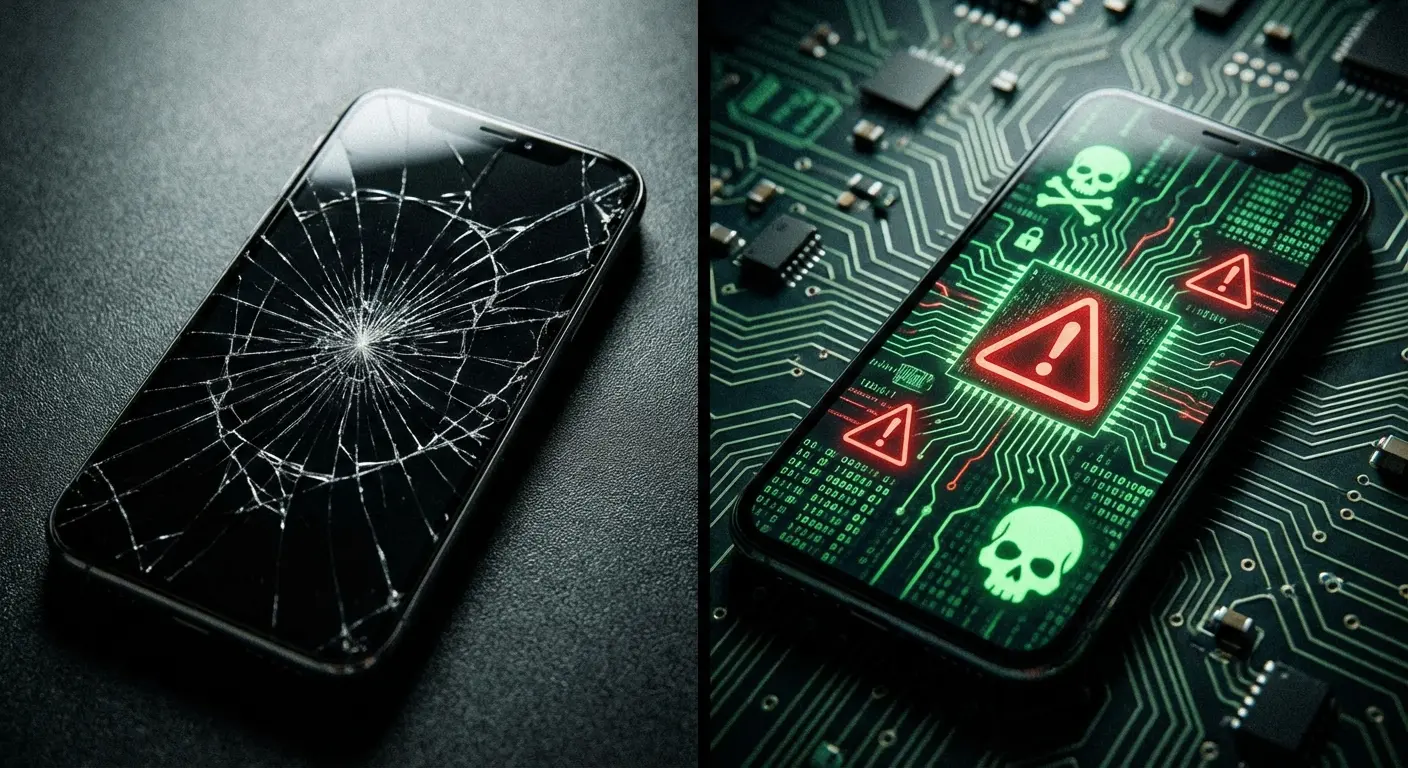
You've probably dropped at least $50 on a phone case. Maybe $80 if you went for the nice one. Screen protector, obviously. Some of you even pay monthly for insurance because the thought of a shattered screen makes you wince.
But your phone's digital security? Probably nothing.
Here's the problem: your phone's digital vulnerabilities are a way bigger threat to your actual life than a cracked screen ever will be. We're talking about banking credentials, private photos, work emails, authentication codes, and location data. Everything that actually matters lives in the software, not the hardware.
The disconnect makes sense, though. Physical damage is visible and immediate. You drop your phone, you see the crack, you feel the regret. Digital threats? They operate in the background, invisible until the damage is already done. Your bank account gets drained, your identity gets stolen, or your private data ends up on some sketchy forum, and you never saw it coming.
Bitdefender Antivirus for Android handles the security layer most people don't think about until it's too late. The software runs in the background without being annoying about it, scanning for malware, blocking malicious websites, and checking your app permissions to catch privacy violations you didn't consent to (or didn't realize you consented to when you mindlessly tapped "Accept All").
The Invisible Threat Problem
Your Android device faces threats every single day. Malicious apps disguised as legitimate software. Phishing links in text messages. Sketchy websites designed to harvest your credentials. Public WiFi networks that broadcast your data to anyone listening.
None of these threats announce themselves. There's no physical sensation when malware gets into your system. You won't feel it when a keylogger starts recording your passwords or when spyware begins tracking your location.
This invisibility creates a false sense of security. Your phone looks fine, operates normally (mostly), and nothing seems wrong. Meanwhile, your data's being harvested, sold, or held for ransom.
Why Android Gets Targeted More Aggressively
The same market dominance that makes Android great (71% global market share) also makes it a massive target for cybercriminals. More users mean more potential victims, which means more resources dedicated to developing Android-specific malware. According to Statcounter Global Stats, about 78% of China's 1.87 billion active mobile devices run Android. That's over a billion phones. Hackers go where the users are, and Android's got the users.
Plus, the whole "open platform" thing? Great for customization. Also great for malware.
The platform's openness, while awesome for app variety, also creates more attack vectors. You can sideload apps from third-party sources, which is fantastic for flexibility but terrible for security if you're not careful. Even the Google Play Store, with all its security measures, occasionally lets malicious apps slip through. Understanding how to protect your phone from malware becomes essential when you realize how many ways threats can get in.
We're not saying Android is inherently insecure. We're saying it needs active protection rather than passive hope. That's where Bitdefender Antivirus comes in.
The Real Cost of Android Malware (And Why Your Data Is Worth More Than Your Device)
Your Android phone itself might be worth $800. Your data? That's worth tens of thousands to the right buyer, and you won't see a penny of it.
Banking trojans built for Android can intercept your two-factor authentication codes, giving attackers everything they need to drain your accounts. Spyware can record every keystroke, capturing passwords, credit card numbers, and private messages. Ransomware can lock your entire device and demand payment for access to your own photos and files.
Real example: A guy I know runs a small contracting business. Everything's on his phone...Square for payments, QuickBooks, his business bank account. He downloaded what looked like a legit productivity app. Wasn't.
Within hours, someone pulled $15,000 from his business account. The recovery process took three months, involved legal fees, forced the business to operate cash-only (losing customers), and he had to notify every client about the potential data breach. His phone was worth $900. Total damage? Over $40,000 when you count lost revenue, legal costs, and reputation damage.

What Happens After Infection
Most malware doesn't announce itself with pop-ups or obvious symptoms. Modern threats are designed to operate silently for as long as possible, maximizing the data they can extract before detection.
Banking credentials get sold on dark web marketplaces for $50 to $200 per account. Your email access? That's worth even more because it gives password reset capabilities for dozens of other accounts. Social media credentials, cloud storage access, and work-related logins all have market values.
The financial damage extends beyond direct theft. Identity theft recovery takes an average of 200 hours and costs thousands in legal fees, credit monitoring, and lost productivity. If your work device gets compromised, you might face professional consequences or liability for data breaches.
The Apps You Trust Might Be the Problem
Bitdefender Antivirus scanning often reveals that the threat isn't some obvious sketchy app. It's the flashlight app that wants access to your contacts. The weather app that wants to read your text messages. The game that demands location tracking even when you're not playing.
These permissions don't always mean malicious intent, but they create vulnerabilities. Even legitimate apps can have security flaws that expose your data. Third-party libraries embedded in apps you use daily might contain exploits you never consented to.
Bitdefender Mobile Security gives you the visibility you need to identify which apps are overstepping their boundaries and what data they're collecting without your knowledge.
What Bitdefender Actually Does on Android (Beyond the Marketing Speak)
Antivirus software for Android isn't what you might remember from desktop versions in the early 2000s. Bitdefender Antivirus doesn't sit there running constant full-system scans that destroy your battery life. It's way smarter than those old programs.
Real-time scanning monitors apps as you install them and files as you download them. The engine checks against a database of known malware signatures and uses behavioral analysis to flag suspicious activity patterns. If an app starts doing something it shouldn't (accessing files it doesn't need, communicating with suspicious servers, attempting to hide its processes), Bitdefender Mobile Security flags it immediately.
In AV-TEST's March 2023 evaluation of 17 mobile security products for Android, Bitdefender scored perfect on performance. No battery drain, no slowdown during normal use, no excessive data traffic. It achieved maximum points in the performance category while maintaining top-tier protection against the latest Android malware attacks.
That surprised me, honestly. Most security apps are resource hogs.
Web Protection That Matters
The web protection component might be Bitdefender Antivirus's most valuable feature, even though it gets less attention than malware scanning. Every link you click, whether in a browser, email, or messaging app, gets checked against a database of known phishing sites and malicious domains.
This matters because most Android infections don't come from the Play Store. They come from links in text messages, social media posts, or emails that lead you to fake login pages or automatic download triggers. Blocking the threat before it reaches your device is way more effective than trying to remove it after installation.
Privacy Auditing Features
Bitdefender Antivirus privacy scanner examines every installed app and shows you exactly what permissions each one has. You'll see which apps can access your camera, microphone, location, contacts, and storage, even when you're not actively using them.
The results are often eye-opening. Apps you use daily might have permissions you don't remember granting. Games might be tracking your location. Utility apps might be accessing your contacts for no apparent reason. The privacy audit doesn't just list these permissions...it rates each app's privacy risk and tells you what to do about it.
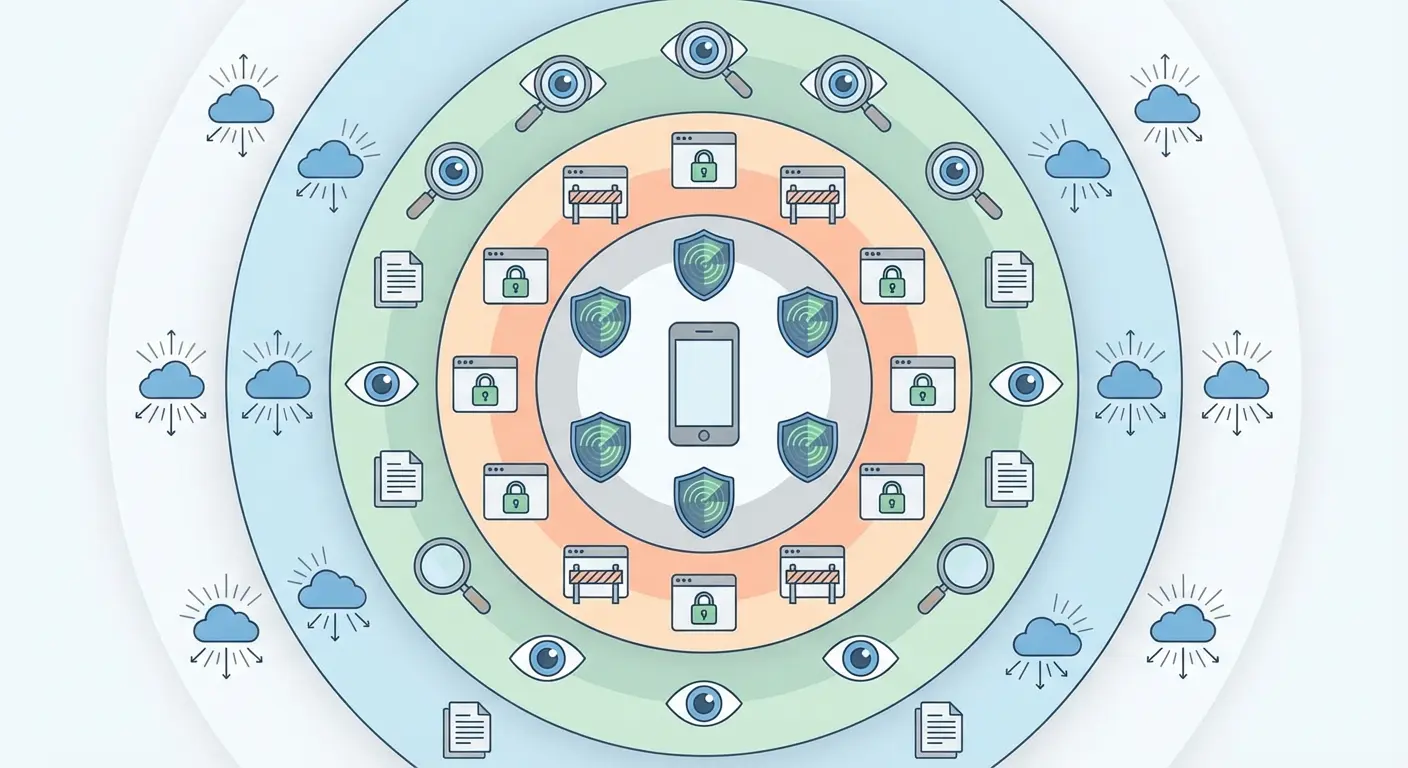
The Scanning Engine Under the Hood
Bitdefender Antivirus uses cloud-based threat intelligence, which means the heavy processing happens on their servers rather than your device. When you scan an app or file, your phone sends a fingerprint (not the actual file) to Bitdefender's cloud infrastructure, which compares it against billions of known threats.
Why does this matter? Your phone doesn't have to store gigabytes of virus definitions. Keeps the app light. Keeps your phone fast.
Protection Layer |
What It Does |
When It Activates |
|---|---|---|
Real-Time Scanning |
Monitors apps during installation and files during download |
Automatically when new content arrives |
On-Demand Scanning |
Checks all installed apps and stored files |
Manual trigger or scheduled scans |
Web Protection |
Blocks malicious URLs and phishing sites |
Every time you click a link |
Behavioral Analysis |
Detects suspicious app activity patterns |
Continuous background monitoring |
Cloud Intelligence |
Compares file fingerprints against threat database |
During all scanning operations |
Privacy Audit |
Reviews app permissions and privacy risks |
Manual trigger or scheduled reviews |
Installation and Setup: The First 24 Hours Matter Most
Download Bitdefender from the Google Play Store, not from a third-party site or link someone sent you. This sounds obvious, but malware distributors often create fake antivirus apps with names similar to legitimate software.
The first full scan takes anywhere from 5 to 20 minutes depending on how many apps you have installed and how much data is stored on your device. Don't skip this initial scan. Seriously. It's checking everything currently on your phone, including apps you installed months or years ago that might have been compromised in updates or that were problematic from the start.
When you first install it:
Let it do the full scan. Don't skip this. Takes 10-20 minutes but finds stuff you didn't know was there.
Turn on real-time protection (should be default, but check)
Set up web protection for your default browser
Grant the permissions it asks for...yeah, it feels weird, but that's how it works
That's it. Don't overthink it.
Configuration Settings That Matter
Bitdefender Antivirus's default settings are decent, but you'll want to adjust a few things immediately. Make sure real-time scanning is active. This means every new app and file gets checked automatically rather than waiting for scheduled scans.
Set up web protection in your default browser and any messaging apps you use regularly. This needs certain permissions from Bitdefender Mobile Security for Android, which might feel counterintuitive (giving an app more access to protect your privacy), but the protection layer is worth it.
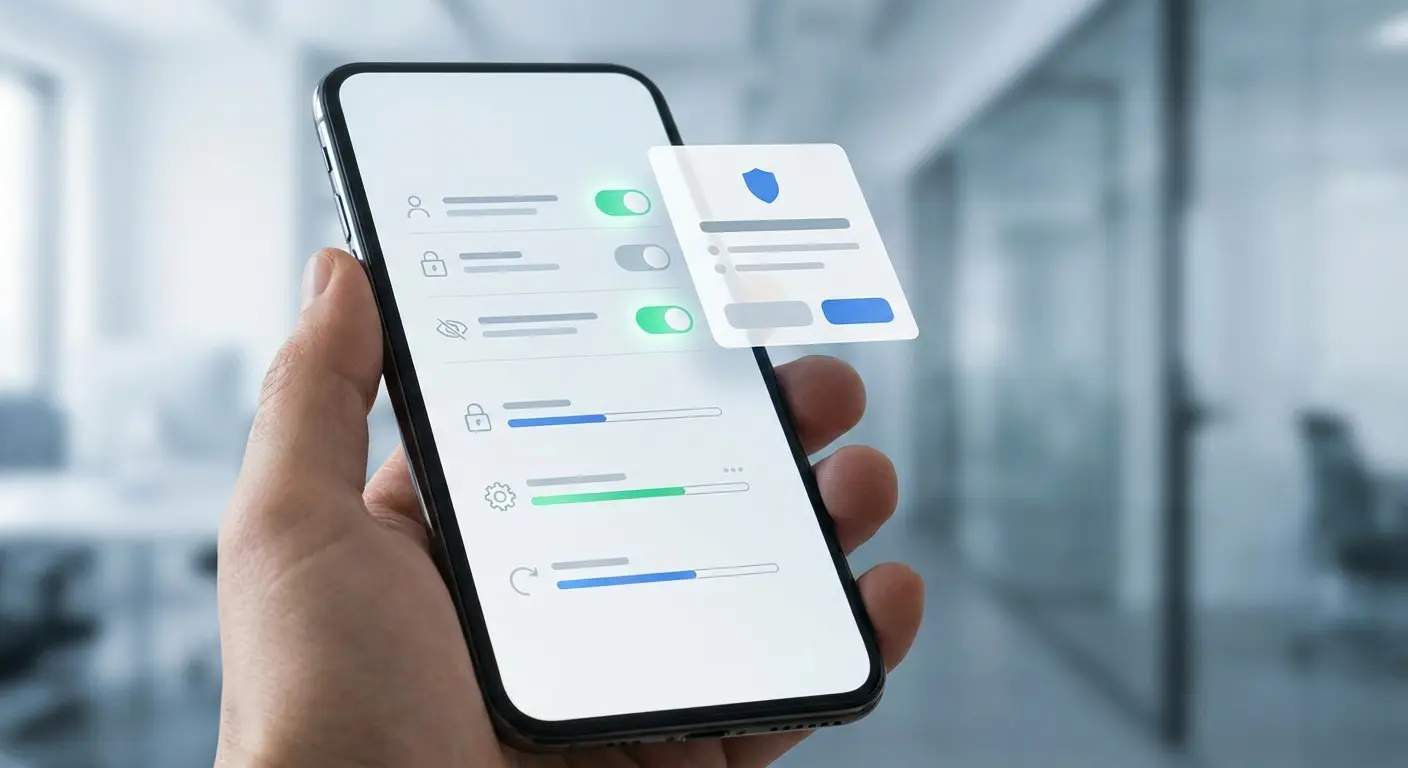
If you're using the premium version, configure the app lock feature. This adds biometric or PIN protection to certain apps, creating an additional security layer if someone gains physical access to your unlocked phone.
The Permission Conversation
Yeah, I know. "Give the security app access to everything" sounds like terrible advice. I get it.
Bitdefender Mobile Security for Android will ask for several permissions during setup. Accessibility services, usage access, and notification access all sound invasive, and they are, but they're also necessary for the app to function effectively.
Accessibility services let Bitdefender Mobile Security monitor what other apps are doing in real-time. Usage access shows which apps you're using and when, helping identify suspicious behavior patterns. Notification access lets Bitdefender Antivirus scan links and attachments in your notifications before you tap them.
You're trusting Bitdefender Antivirus with access to your device. That's the trade-off for comprehensive protection. Don't like it? Fair. Stick with manual security practices. But you're trading convenience for control.
Performance Impact: Will Your Phone Turn Into a Sluggish Mess?
Antivirus apps have a terrible reputation for destroying phone performance. The concern is valid based on older software that ran constant background scans and consumed resources without restraint.
Bitdefender Antivirus Android app uses about 50-100 MB of RAM during active operation and minimal CPU resources during idle periods. Battery impact is measurable but small, usually accounting for 2-4% of daily battery drain on modern devices.
Got a flagship phone from the last couple years? You're golden. Mid-range device from 2-3 years ago? You'll barely notice it. Older phone with 2-3GB of RAM? Yeah, you'll notice some slowdown.
Device Specification |
Expected Performance Impact |
What You Should Do |
|---|---|---|
Flagship (8GB+ RAM, Recent Processor) |
Negligible impact, under 2% battery drain |
Turn on all features, schedule full scans anytime |
Mid-Range (4-6GB RAM, 2-3 Years Old) |
Minor impact, 2-3% battery drain |
Turn on core features, schedule scans during charging |
Budget (3-4GB RAM, 3+ Years Old) |
Moderate impact, 3-5% battery drain |
Turn on real-time only, manual scans when needed |
Older/Low-End (under 3GB RAM, 4+ Years Old) |
Noticeable impact, 5-8% battery drain |
Consider free version, disable non-essential features |
Where You'll Notice the Impact
The performance hit is most noticeable during active scans and immediately after installing new apps. Your phone might feel slightly less responsive for a few seconds while Bitdefender Mobile Security checks the new installation. Full system scans will slow down other operations, which is why scheduling them during charging periods or low-usage times makes sense.
Devices from the past three years with at least 4GB of RAM handle Bitdefender Antivirus without noticeable performance problems. Older devices or budget phones with 2-3GB of RAM will experience more slowdowns, especially if you're running multiple apps at the same time.
Battery Considerations
Real-time protection means Bitdefender Antivirus runs continuously in the background, which does consume battery. The drain is pretty minimal compared to apps that constantly use GPS or maintain active network connections, but it's not zero.
You can reduce battery impact by disabling certain features you don't need. If you only install apps from the Play Store and don't sideload software, you might not need constant app scanning. If you're cautious about links and don't browse sketchy websites, web protection might be overkill for your usage patterns.
The Features You'll Actually Use vs. The Ones You Won't
Bitdefender Antivirus packs dozens of features into the Android app. You won't use most of them, and that's fine. I didn't. Focus on the components that address your actual risk profile rather than trying to activate everything.
Core Features Worth Configuring
Malware scanning and web protection are non-negotiable. These two features provide the foundation of your digital security and operate mostly in the background without needing constant interaction.
The privacy audit tool deserves monthly attention. Run it periodically to check what permissions your apps have accumulated, especially after major Android updates that might reset certain privacy settings.
Anti-theft features need setup before you need them. Configure the remote locate, lock, and wipe capabilities now, while your phone is in your possession. You can't set this up after your device is stolen.
Premium Features That Might Matter
The VPN included with Bitdefender Antivirus premium tier gives you 200MB of daily encrypted traffic on the free plan or unlimited data with premium. This matters when you're on public WiFi networks at coffee shops, airports, or hotels where your data is vulnerable to interception.
App lock adds biometric protection to individual apps, creating a security layer beyond your phone's main lock screen. This is useful for banking apps, password managers, or messaging apps that contain sensitive information.
Account privacy scanning checks if your email addresses have appeared in known data breaches. This feature alerts you when your credentials might be compromised, giving you a chance to change passwords before accounts get accessed.
Features You'll Probably Ignore
The scam alert feature monitors your text messages for phishing attempts. Honestly? It's useless. Generates enough false positives that most users eventually disable it. I turned it off after two days.
Smart unlock automatically disables certain security features when you're in trusted locations. The convenience isn't worth the security risk for most people.
Wear OS integration lets you control certain Bitdefender Antivirus features from a smartwatch. This is a solution looking for a problem that doesn't really exist.
Here's a real-world example: A freelance graphic designer uses their Android phone for client communications, file transfers, and mobile banking. They configured only four Bitdefender Antivirus features: real-time malware scanning (catches threats from client file shares), web protection (blocks phishing links in project emails), app lock on their banking app (protects finances if phone is left at a coffee shop), and monthly privacy audits (discovered a photo editing app was accessing contacts unnecessarily). They ignored the VPN (works from home), anti-theft (has phone insurance), and scam alerts (too many false positives). Their targeted approach gives solid protection without feature overload or performance impact.
Privacy Audit Tools: What Bitdefender Reveals About Your Apps
Run Bitdefender Antivirus's privacy audit right now, before reading further. The results will probably surprise you, and not in a good way.
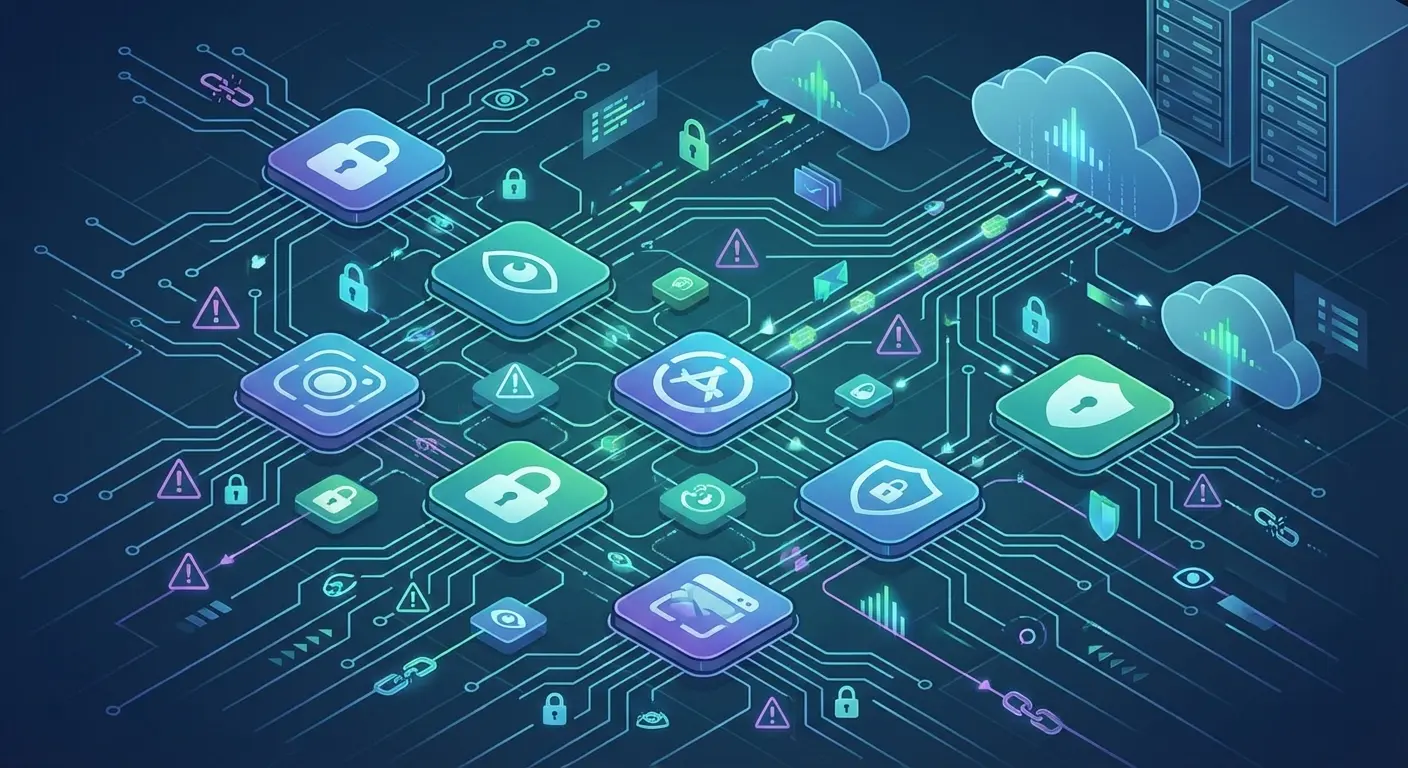
The audit categorizes each installed app by privacy risk level, showing which permissions each app holds and whether those permissions are justified by the app's functionality. A navigation app accessing your location makes sense. A flashlight app accessing your contacts does not.
Common Permission Violations
You'll likely find several apps with microphone access they don't need. Games, utility apps, and even some productivity tools ask for microphone permissions during installation, and most users grant them without questioning why a calculator needs to listen to your conversations.
Location tracking is another common violation. Apps that have no legitimate need for your whereabouts often ask for location permissions for advertising purposes. They're not necessarily doing anything malicious with the data, but they're collecting and monetizing information about your movements.
Contact access is frequently abused by apps that want to build social graphs or expand their user base by spamming your friends. Unless an app's core functionality involves communication, it probably doesn't need your entire contact list.
What to Do With the Information
Bitdefender Mobile Security gives recommendations for each flagged app, but the decision is ultimately yours. You can revoke certain permissions through Android's settings, uninstall problematic apps entirely, or accept the privacy trade-off if the app provides enough value.
Some apps will stop functioning correctly when you revoke certain permissions. That's intentional design, forcing you to choose between functionality and privacy. Games that refuse to work without contact access are probably monetizing your data. Productivity apps that break without excessive permissions might be poorly designed or intentionally invasive.
The privacy audit isn't a one-time task. Run it monthly, especially after installing new apps or updating existing ones. App updates often introduce new permission requests that slip past your notice during automatic updates.
Understanding the Privacy Score
Bitdefender Mobile Security assigns each app a privacy score based on the number and type of permissions it holds. Apps with scores below 7 out of 10 deserve scrutiny. Scores below 5 indicate serious privacy concerns that warrant immediate action.
The scoring system considers not just what permissions an app has, but whether those permissions align with the app's stated purpose. A messaging app with camera, microphone, and storage access scores well because those permissions make sense. A wallpaper app with the same permissions scores poorly because there's no legitimate reason for it to access those features.
Web Protection That Works When You're Not Paying Attention
Most Android infections start with a link. Someone texts you a "package delivery notification" with a tracking link. You see a Facebook post about a crazy news story. An email claims your account needs verification. You tap, and the infection begins.
According to AV-Comparatives' Mobile Security Review 2025, smartphones are increasingly used as PC substitutes for online shopping, banking, instant messaging, and emailing, making them prime targets for sophisticated cyberattacks through fraudulent apps and phishing websites that disguise themselves as fake versions of popular apps downloaded by millions from Google Play.
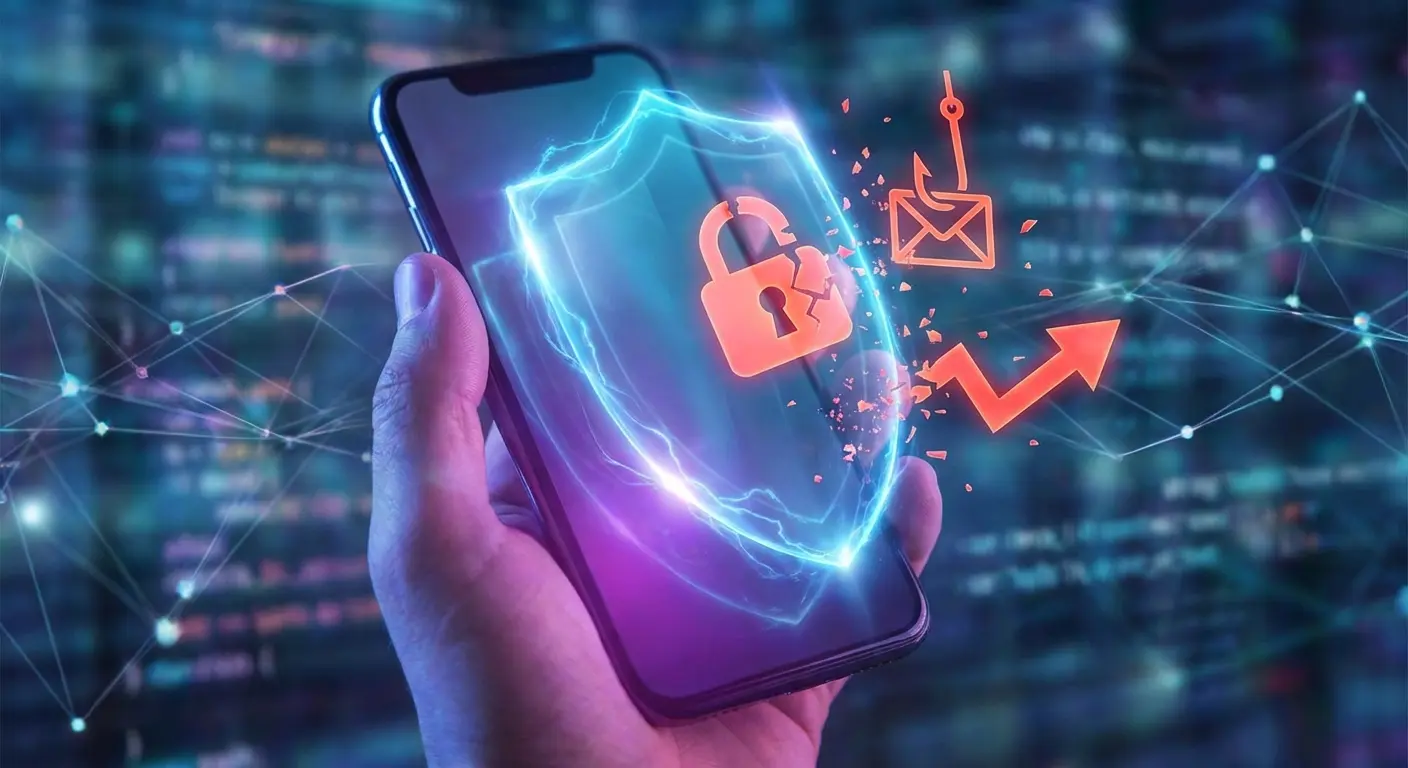
Bitdefender Antivirus web protection intercepts these links before they load, checking each URL against a database of known phishing sites, malware distribution points, and scam pages. The check happens in milliseconds, fast enough that you won't notice any delay in page loading.
How Link Scanning Works
Every time you tap a link in any app (assuming you've granted Bitdefender Antivirus the necessary permissions), the URL gets sent to Bitdefender's cloud infrastructure for analysis. The system checks the domain reputation, looks for patterns associated with phishing attempts, and scans for known malware distribution signatures.
If the link is clean, it loads normally. If it's suspicious, you get a warning screen explaining the threat and giving you the option to proceed anyway or go back. If it's a known malicious site, Bitdefender Antivirus blocks access entirely.
This works across browsers, messaging apps, email clients, and social media apps. You're protected whether you're clicking links in Chrome, Gmail, WhatsApp, or Instagram.
Phishing Protection Beyond the Obvious
Sophisticated phishing attacks don't use obviously fake domains anymore. Attackers register domains that look nearly identical to legitimate sites, changing a single letter or using similar-looking characters from different alphabets. Your bank's domain might be "bankofamerica.com" while the phishing site is "bankofamerlca.com" (notice the lowercase L instead of i).
Bitdefender Antivirus protection catches these subtle variations by analyzing domain registration dates, SSL certificate validity, page content, and behavioral patterns. A brand-new domain that perfectly mimics a major bank's login page gets flagged even if the URL looks legitimate at first glance.
This happened to my roommate: She got a text message claiming to be from our university's IT department, stating her student email account would be suspended unless she verified her credentials immediately. The link in the message led to a page that looked identical to the university login portal, complete with the school logo and proper formatting. Bitdefender Antivirus's web protection flagged the URL before the page loaded, revealing that the domain was registered three days ago and had no connection to the university. She avoided entering her credentials, which would have given attackers access to her academic records, financial aid information, and every other system linked to her student account.
The Limits of Web Protection
Web protection can't save you from yourself if you're determined to ignore warnings. If you dismiss multiple security alerts and proceed to a flagged site anyway, Bitdefender Antivirus can't prevent you from entering your credentials into a phishing form.
The protection also doesn't extend to apps that use in-app browsers with restricted access. Some apps load web content in embedded browsers that don't allow external security apps to monitor the traffic. You're on your own in those situations.
VPN Integration: When It's Worth Using and When It's Overkill
Bitdefender Antivirus includes VPN functionality in its premium tier, with a limited free option that gives you 200MB of encrypted traffic daily. That's enough for occasional use but not for streaming video or heavy browsing.
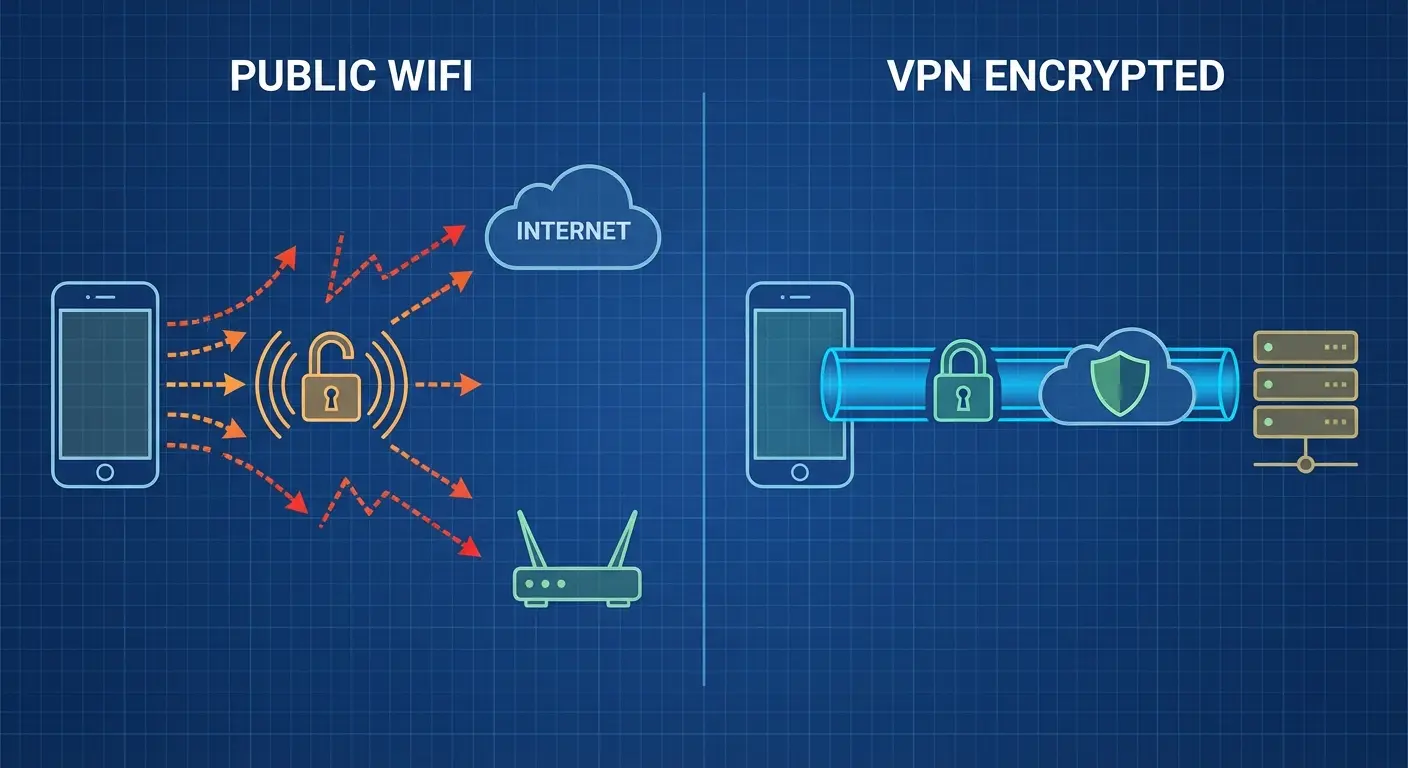
The VPN encrypts your internet traffic and routes it through Bitdefender's servers, hiding your IP address and preventing anyone on the same network from intercepting your data. This matters a lot in certain situations and barely matters at all in others.
When VPN Protects You
Public WiFi networks at coffee shops, airports, hotels, and conferences are genuinely risky. These networks often have minimal security, and anyone with basic technical knowledge can intercept unencrypted traffic from other users on the same network.
Using Bitdefender Mobile Security VPN on public WiFi prevents this interception. Your banking app traffic, email communications, and browsing activity remain encrypted even if the network itself is completely open. Someone monitoring the network will see that you're connected and using data, but they can't see what you're doing or access the content you're transmitting.
Traveling internationally? The VPN can help you access stuff that's blocked in certain countries. Routing your traffic through servers in different locations can bypass regional restrictions.
When VPN Is Unnecessary
Your home WiFi network doesn't need VPN protection unless you suspect it's been compromised. The encryption provided by your router (assuming you're using WPA2 or WPA3) is good enough for normal usage.
Mobile data connections (4G, 5G) are already encrypted between your device and the cell tower. Using a VPN on mobile data adds a second encryption layer that provides minimal additional security while consuming more battery and potentially slowing your connection.
Most modern websites and apps use HTTPS encryption by default, which protects your data in transit regardless of network security. The VPN adds another encryption layer, but you're already protected for the most part.
The 200MB Question
The free VPN tier's 200MB daily limit sounds restrictive, and it is if you're trying to use it constantly. But for the situations where VPN actually matters (securing your connection on public WiFi while checking email or doing some banking), 200MB is usually enough.
Streaming video or downloading large files will burn through that limit in minutes. General browsing and app usage might consume 20-50MB per hour depending on what you're doing. Plan accordingly and activate the VPN only when you need it rather than leaving it running constantly.
I thought the VPN was gimmicky when I first got it. Like, why would I need that? Then I worked from a coffee shop for a week and realized how many sketchy networks I connect to without thinking. Changed my mind on that one.
App Lock and Anti-Theft: Secondary Benefits That Might Save You
Bitdefender Antivirus's premium tier includes app lock functionality that adds biometric or PIN authentication to individual apps. This creates a security layer separate from your phone's main lock screen, protecting certain apps even if someone has access to your unlocked device.
App Lock Use Cases
You hand your phone to someone to show them a photo, and they start swiping through your entire gallery. You leave your phone on your desk at work and a coworker picks it up. Your phone unlocks accidentally in your pocket and starts opening apps randomly.
App lock prevents these scenarios from becoming security incidents. Even with your phone unlocked, protected apps need additional authentication before opening. Your banking apps, password manager, private messaging apps, and email can remain locked while other apps stay easily accessible.
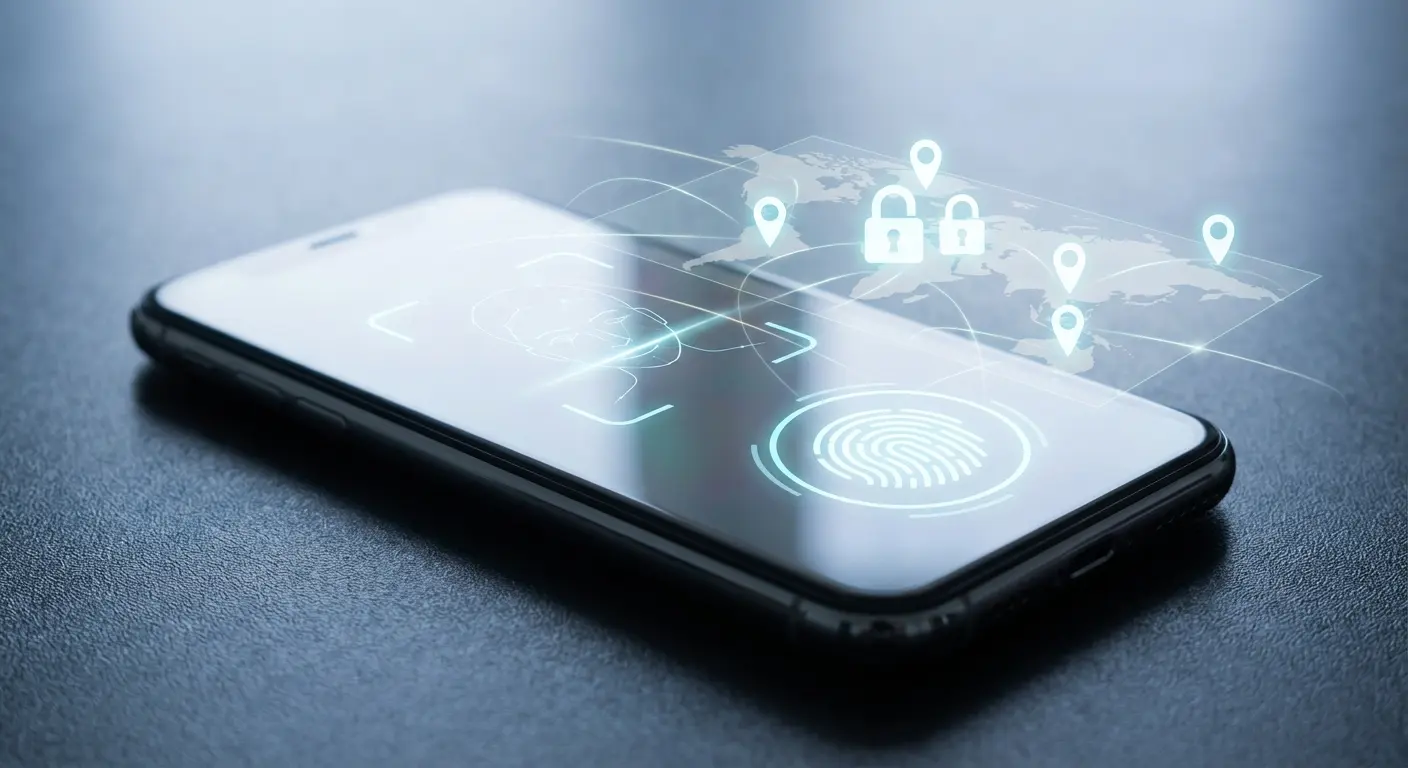
The feature works with fingerprint, face recognition, or PIN authentication, depending on what your device supports. The authentication prompt appears instantly when you tap a protected app, and you can configure different authentication requirements for different apps .
Anti-Theft Configuration
Bitdefender Mobile Security anti-theft features let you remotely locate, lock, and wipe your device if it's lost or stolen. These features need configuration before you need them, and most people never set them up until it's too late.
Remote location shows your phone's current position on a map, updating in real-time as long as the device has power and network connectivity. Remote lock prevents anyone from accessing your device even if they manage to bypass the lock screen. Remote wipe erases all data from the device, preventing whoever has your phone from accessing your information.
The Limitations Nobody Mentions
All anti-theft features need your phone to be powered on and connected to the internet. If the battery dies or someone immediately puts the device in airplane mode, you can't track or wipe it remotely.
A factory reset bypasses most anti-theft protections unless you've also enabled Android's built-in Factory Reset Protection (which is separate from Bitdefender Antivirus). Sophisticated thieves know how to disable security apps before the owner can trigger remote features.
Anti-theft features are better than nothing, but they're not a guarantee you'll recover your device or prevent data access. They buy you time and give you options, but physical device security (keeping your phone in your possession) remains the best protection.
When Free Protection Is Enough (And When It Isn't)
Bitdefender Antivirus Free for Android uses high-detection engines coupled with cloud scanning capabilities to keep Android devices safe from attack with minimal impact on resources, using cloud-based services to check for the latest safeguards rather than downloading and storing virus signatures directly to devices.
Bitdefender Free tier includes malware scanning, web protection, and basic privacy features. That's enough for many Android users, particularly those who practice good security habits and don't engage in high-risk behaviors.
You can probably stick with Bitdefender Free if you only install apps from the Play Store, don't click links from unknown sources, avoid public WiFi networks, and don't store highly sensitive information on your device.
Who Needs Premium Features
Premium makes sense if you regularly use public WiFi for work or personal business. The unlimited VPN access alone justifies the cost if you're frequently on coffee shop or airport networks.
You should consider premium if you store sensitive work documents on your device, use your phone for financial transactions regularly, or have apps that contain information you absolutely cannot afford to have compromised.
Families sharing devices benefit from premium's app lock features, creating separate security layers for different users. Parents can protect certain apps from children, or multiple users can maintain privacy on a shared device.
The Price-to-Protection Ratio
Bitdefender Antivirus's premium tier costs roughly $15-30 annually depending on promotions and subscription length. That's less than most people spend on a phone case, yet it protects assets worth far more than the physical device.
Compare that annual cost to the potential losses from a single security breach. Identity theft recovery, fraudulent charge disputes, credit monitoring services, and the time invested in damage control easily exceed hundreds or thousands of dollars.
The question isn't whether premium features are worth the price in absolute terms. The question is whether you need those features for your usage patterns and risk profile.
Free Alternatives and Tradeoffs
Google Play Protect gives basic malware scanning for all Android devices, but its detection rates lag behind dedicated antivirus software. You're getting some protection, but you're also accepting higher risk.
Other free antivirus apps exist, but many monetize through advertising, data collection, or aggressive upselling. You're trading privacy for free protection, which defeats the purpose of security software.
Bitdefender Free offers legitimate protection without the privacy compromises common in other free security apps. The company makes money from premium subscriptions rather than selling your data, which aligns their incentives with your security interests.
How to Maximize Protection Without Becoming Paranoid
According to AV-Comparatives' 2025 Mobile Security Review, all certified mobile security products had to demonstrate a malware protection rate of at least 99%, no more than 10 false positives, and a battery drain impact of under 8%, with testing conducted on 3,322 unique malicious applications collected in the weeks before testing to create a representative threat set.
Security software is a tool, not a solution. Bitdefender Antivirus Free can't protect you from every threat, and trying to achieve perfect security will drive you insane while providing minimal additional protection beyond reasonable precautions.
A Sustainable Security Routine
Run a full scan monthly or after installing several new apps. This catches anything that might have slipped through real-time protection or been introduced through app updates.
Check the privacy audit every few weeks, especially after major Android updates or when you notice unusual battery drain (which might indicate an app doing things in the background it shouldn't be doing).
Review web protection alerts when they appear, but don't obsess over every warning. If Bitdefender Antivirus Free blocks a site, there's usually a good reason. Trust the protection and move on rather than trying to investigate every blocked URL.
Update Bitdefender Antivirus Free when prompted, but you don't need to manually check for updates daily. The app will notify you when critical updates are available.
What Good Security Hygiene Looks Like
Keep your Android OS updated with the latest security patches. These updates fix vulnerabilities that malware exploits, and no antivirus app can fully protect against unpatched system flaws.
Only install apps from the Google Play Store unless you have a legitimate reason to sideload software. The Play Store isn't perfect, but it's way safer than random APK files from the internet.
Read permission requests during app installation and question anything that seems excessive. A game doesn't need access to your contacts, call logs, or text messages. If an app asks for permissions that don't align with its functionality, find an alternative.
Use strong, unique passwords for important accounts and enable two-factor authentication wherever possible. Bitdefender Antivirus can protect your device, but it can't protect accounts you've secured with "password123."
Recognizing When You're Overdoing It
You're probably being paranoid if you're running manual scans multiple times daily, if you're afraid to click any link ever, or if you're uninstalling apps based solely on permission requests that are actually justified.
Security needs balance. Too little protection leaves you vulnerable. Too much protection creates friction that makes your phone unusable and eventually leads to disabling security features out of frustration.
Bitdefender Antivirus handles the technical protection. Your job is to make reasonable decisions about what apps you install, what links you click, and what information you share. The combination of automated protection and informed human judgment gives better security than either approach alone.
The Physical and Digital Protection Connection
You wouldn't use your phone without a case, and you shouldn't use it without digital protection either. Both forms of protection address real threats that can result in serious losses.
Physical damage to your device is expensive and inconvenient. Digital breaches can be financially devastating and personally violating. Your photos, messages, financial information, and digital identity deserve the same protective attention you give to your phone's screen and body.
Look, I work for Rokform. We make phone cases, really tough ones. That's literally my job. So yeah, I'm biased about physical protection.
But here's the thing: our cases can't protect your bank account. They can't stop malware. A $60 case is useless if someone drains your savings through your phone.
We've spent years at Rokform developing cases that protect your phone from drops, impacts, and daily wear because we understand how much your device matters to you. That same philosophy applies to digital security.
Your phone is an investment worth protecting from every angle, not just the physical ones. While our rugged cases shield your device from concrete and chaos, Bitdefender Antivirus guards the data that makes your phone valuable. Both layers working together create comprehensive protection for the device you rely on every single day.
Check out our lineup of protective cases designed specifically for Android devices, built to handle whatever you throw at them (sometimes literally).
Final Thoughts
Digital threats don't crack your screen. They don't leave visible damage. That's exactly why people ignore them.
You can't see malware. You can't feel when someone's stealing your data. By the time you notice, your bank account's empty or your photos are on some sketchy website.
Bitdefender Antivirus Free for Android addresses the security layer most people overlook while obsessing over screen protectors and impact resistance. Both matter. Both deserve your attention and investment. Both protect different aspects of the same valuable device.
The software isn't perfect, and it won't catch every threat or prevent every possible security breach. What it does is shift the odds dramatically in your favor, blocking the vast majority of common threats while giving you visibility into the privacy violations happening in your installed apps.
Install Bitdefender Antivirus Free, configure the essential features, run that first full scan, and then let it work in the background. Check in periodically to review privacy audits and security alerts, but don't let security concerns consume your daily phone usage.
Your Android device is already protected on the outside with rugged phone cases. Make sure the inside gets the same attention.
Whether you're mounting your phone on your motorcycle or using it for work, combining physical protection with Bitdefender Mobile Security for Android creates comprehensive defense against every threat your device faces.
From car mounts to complete device protection, securing your phone means thinking about both hardware and software vulnerabilities simultaneously.
Bottom line: Your Rokform case protects the hardware. Bitdefender protects everything else.
You need both.

