


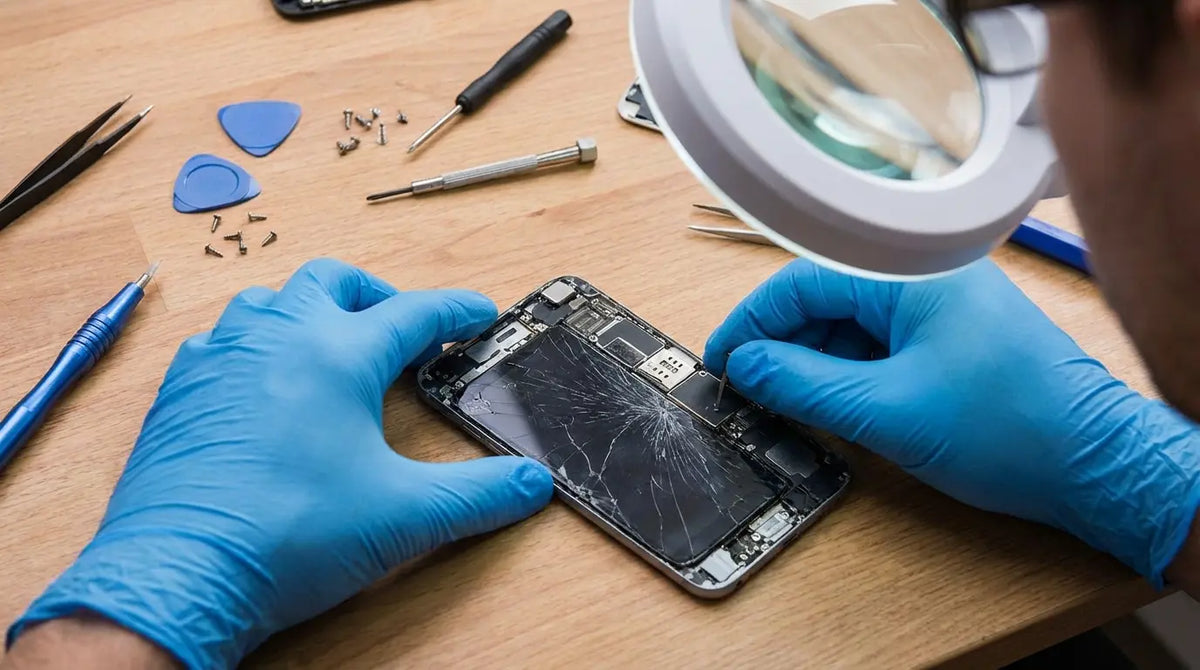
Last Tuesday, I watched a guy in a coffee shop drop his iPhone face-first onto tile. You know that sound. Everyone in the room winced. His screen didn't just crack, it spiderwebbed into about a thousand pieces. He just stood there for a second, then said, "Well, there goes $300."
Except it wasn't $300. Not even close.
Americans spent $8.3 billion fixing cracked screens in 2023. Eight. Billion. Dollars. That's nearly triple the $3.4 billion we spent in 2018. And that number's only going up because we're not just more dependent on these things. We're way more dependent.
Your phone isn't a phone anymore. When's the last time you actually used it to call someone? It's your bank, your office, your camera, your GPS, and your lifeline to everyone who matters.
The repair industry has grown because we've accepted screen damage as inevitable. But what if that acceptance is costing you far more than you realize?
What We're Covering
The real cost of repairs (hint: it's not what you think), what actually happens when your screen cracks, why most screen protectors are kind of a scam, the sketchy world of third-party repairs, and what actually works to prevent damage in the first place.
The Real Cost of Screen Repairs (And Why It's Not Just Money)
So you crack your screen and immediately google repair prices. iPhone 15 Pro Max? $279 through Apple. Galaxy S24 Ultra? $199 through Samsung. Third-party shops? As low as $89.
Seems manageable, right?
Those figures tell you almost nothing about what you'll actually lose.
Allstate did this study that found the average cost for smartphone repairs and replacements hit $302 in 2023, with the nation's collective repair and replacement expenses totaling $149 billion. But these numbers only capture the surface-level financial impact. The cascading costs, all the other stuff that adds up, run much deeper than most people anticipate when they're evaluating whether to fix that cracked screen.
The Downtime Tax
Look, we both know your phone stopped being "just a phone" years ago. It's your authentication method for two-factor logins, your mobile wallet, your work email hub, your navigation system, and your camera for capturing moments that won't wait for a repair appointment.
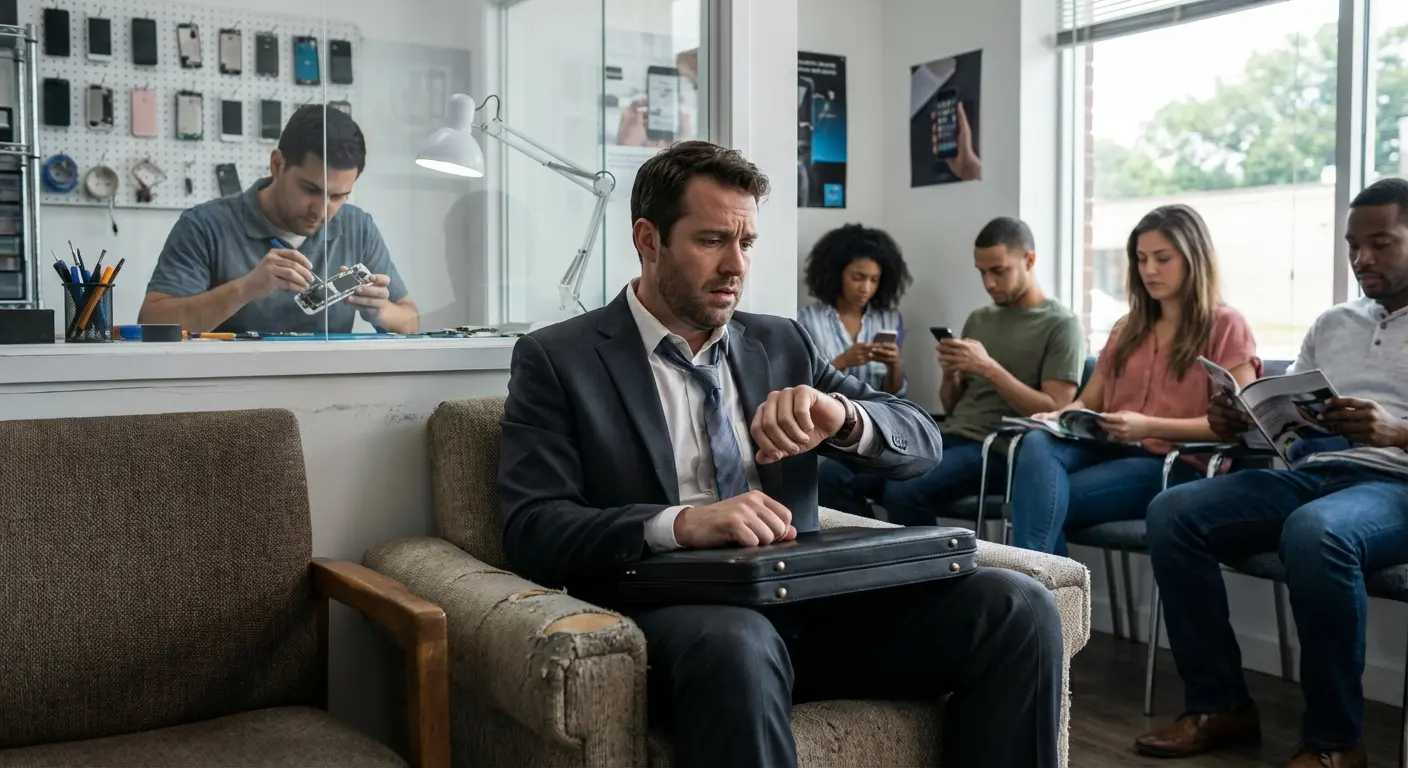
Most authorized repair centers require 3-5 business days for screen replacements. Same-day service exists, but you'll pay a premium and still sacrifice several hours. Third-party shops promise faster turnarounds, but you're gambling with quality and warranty status.
I know this freelance designer who cracked her screen on a Monday morning. Had client presentations scheduled for Tuesday and Wednesday that required her to access project files stored in cloud apps authenticated through her phone. The Apple Store quoted 3-5 business days for repair. She couldn't wait that long, so she paid extra for same-day service at a third-party shop. $150 instead of $89 for the standard turnaround.
But even with same-day service, she lost four billable hours sitting in the repair shop, waiting for her device. At her hourly rate of $75, that's $300 in lost income, plus the $150 repair cost. The true cost of that cracked screen? $450. Not $150.
During those days without your primary device, you're either juggling a backup phone (if you have one) or constantly explaining to colleagues and friends why you're unreachable. The productivity hit compounds if you run a business, manage client relationships, or coordinate family logistics through your phone.
The Data Vulnerability Window
Every time you hand your device to a repair technician, you're trusting them with everything. You've probably wiped sensitive information or at least logged out of banking apps. That's smart.
But repair processes sometimes require full device access to test functionality post-repair. Reputable shops follow strict data privacy protocols. Not every repair kiosk in the mall does. Data breaches from repair facilities make headlines less frequently than corporate hacks, but they happen. Your photos, messages, and saved passwords become vulnerable the moment your phone leaves your hands.
Resale Value Takes a Hit
You might keep your phone for its full lifespan, or you might trade it in when the next model drops. Either way, screen repairs affect resale value more than most damage types.
Authorized repairs using genuine parts minimize this impact. Third-party repairs with aftermarket screens can slash your trade-in value by 15-30%, even if the repair itself looks flawless. Buyers and trade-in programs check for non-OEM parts now. They know aftermarket screens often degrade faster and compromise other features.
A cracked screen you repair might seem like problem solved. The market sees it as a red flag that your device has been dropped, potentially affecting internal components beyond the display.
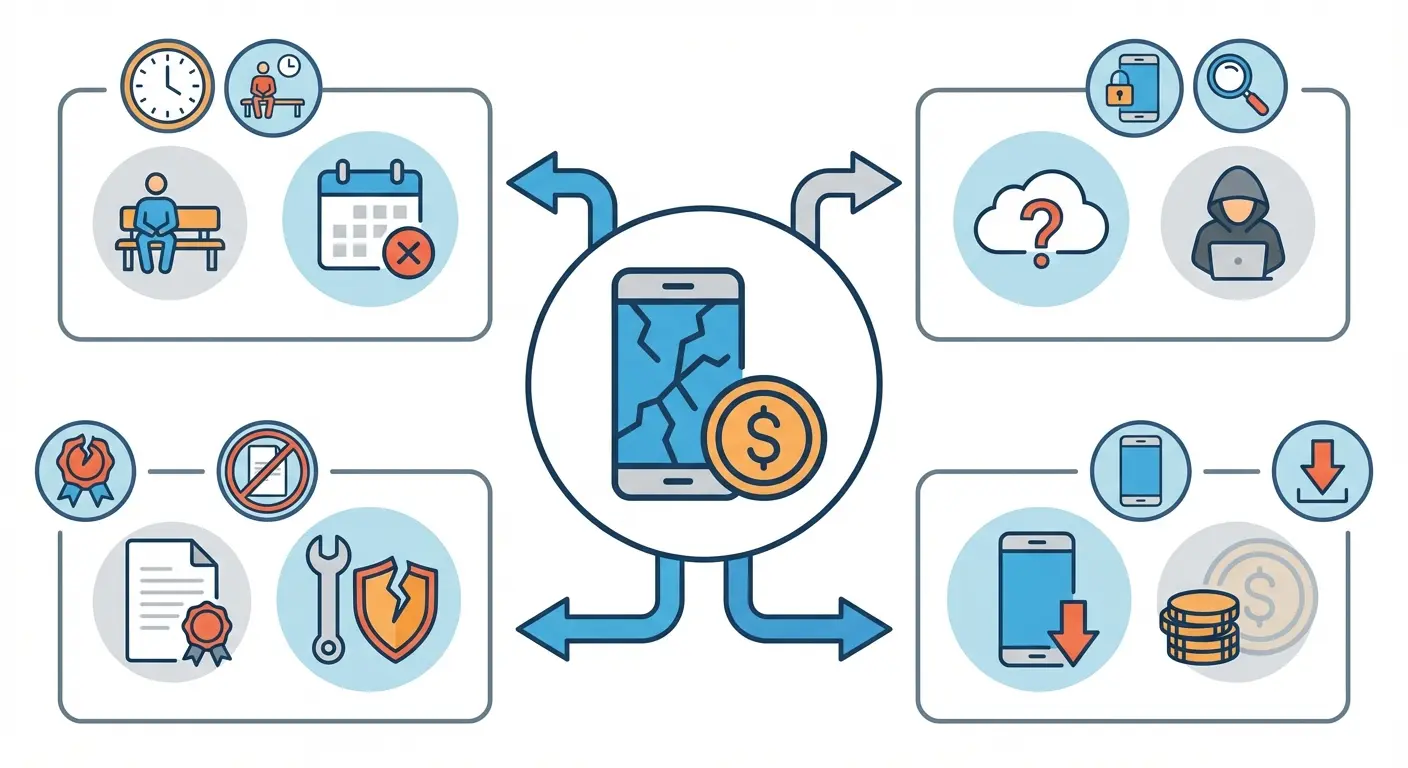
Cost Factor |
Immediate Impact |
Long-Term Impact |
Typical Cost Range |
|---|---|---|---|
Service Fee |
Repair shop charge |
None (if quality work) |
$89-$329 |
Downtime Loss |
Productivity hours lost |
Missed opportunities |
$100-$500+ |
Data Risk |
Potential privacy breach |
Identity theft, account compromise |
$0-$1,000s |
Warranty Void |
Loss of future coverage |
Full-price repairs for other issues |
$200-$600 |
Resale Depreciation |
None |
15-30% value reduction |
$150-$400 |
What Actually Happens When Your Screen Cracks
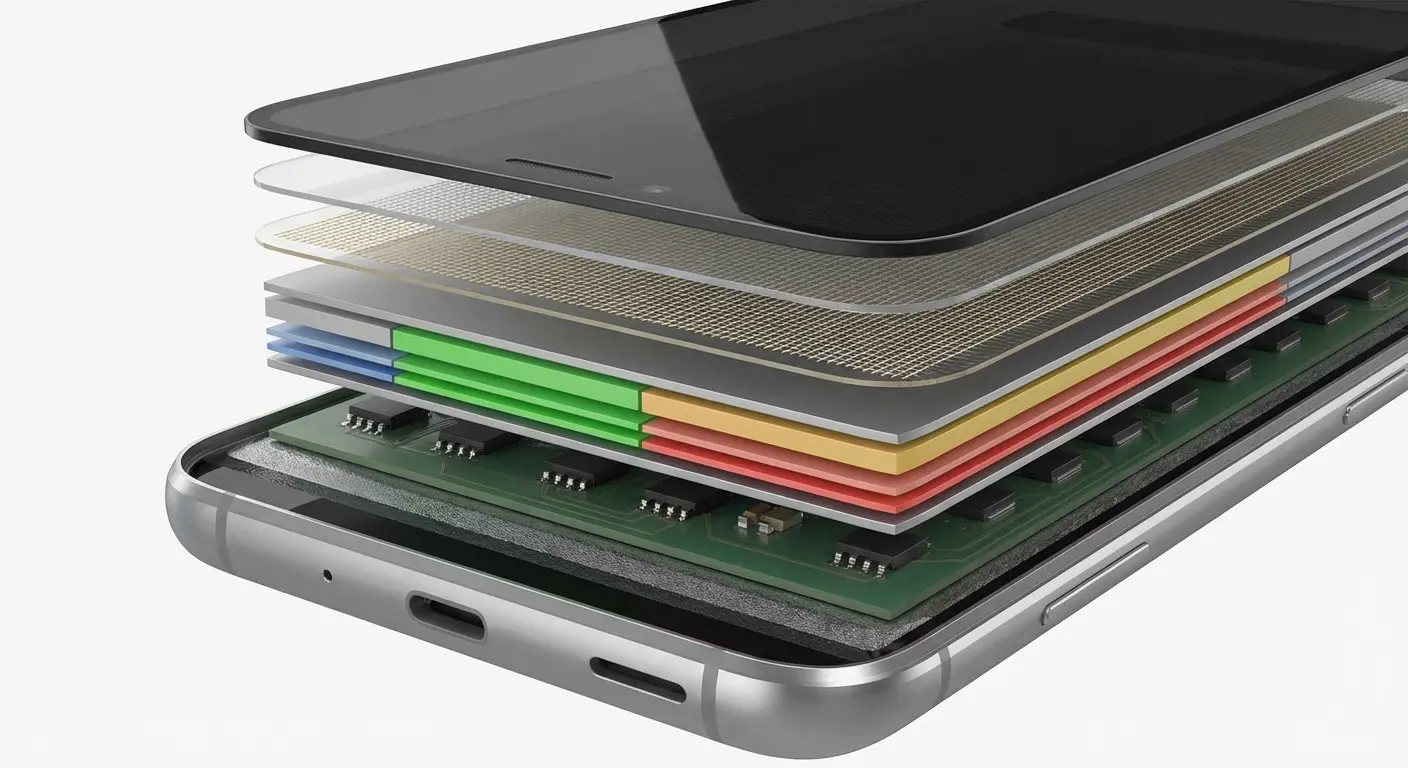
Okay, so here's how phone screens actually work, and I didn't know this until I started researching this stuff. It's not just one piece of glass.
You've got the protective layer on top (that's the Gorilla Glass or Ceramic Shield you've heard about). Under that, the actual display, OLED or LCD, depending on your phone. Then there's something called a digitizer, which is what actually registers your touch. And all of this is glued together with adhesive layers. Premium phones add fancy coatings to repel fingerprints. Some even have pressure-sensitive layers for haptic feedback.
Point is: it's complicated.
When you crack the outer glass, you're not dealing with a purely cosmetic issue.
There's this weird issue Android Authority covered called the "green line problem" affecting AMOLED displays across manufacturers including Samsung, OnePlus, OPPO, and even Apple. It's a permanent green vertical line running across the screen that appears most frequently in phones one to two years old. Sometimes requires complete display assembly replacement, sometimes even motherboard replacement. Shows you how display damage extends way beyond visible cracks.
Cracks Spread Like Gossip
Cracks in the protective glass create stress points that propagate over time. Temperature changes, pocket pressure, and normal handling cause small cracks to spread. You've seen this happen. A tiny corner crack that spiders across the entire screen within weeks.
Your phone's screen contributes to its overall structural rigidity. Manufacturers design the glass and frame as a unified system that distributes impact forces. A cracked screen weakens this system significantly.
Subsequent drops that your phone might have survived with an intact screen now cause catastrophic damage. The cracked glass flexes differently under impact, transferring more force to internal components. Logic boards, camera modules, and battery connections become vulnerable.
Water Resistance Becomes Water Suggestion
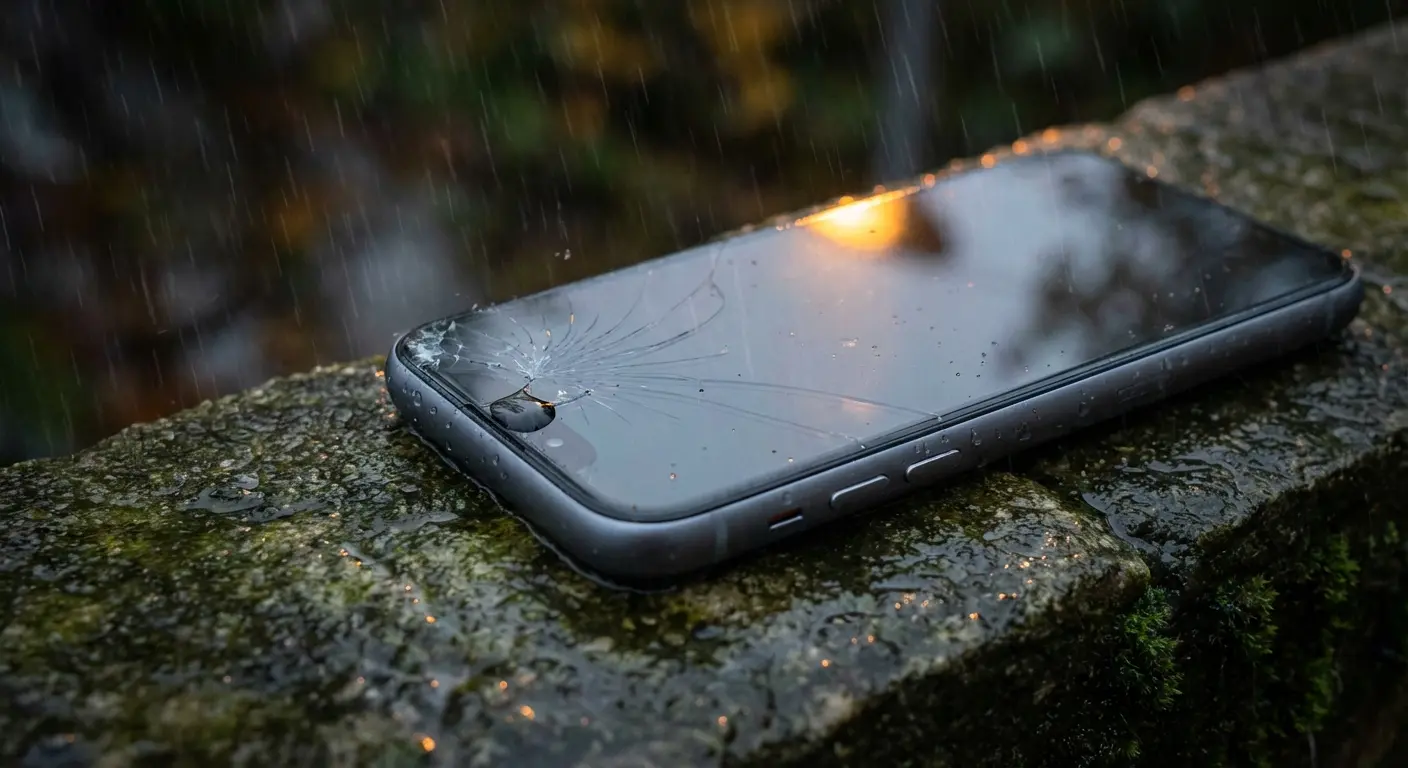
IP68 ratings promise water resistance up to specific depths and durations. Those promises depend on intact seals around your screen. Even hairline cracks compromise the adhesive seal between your display and frame.
Water doesn't need much of an invitation. A hairline crack? That's enough.
My brother-in-law dropped his Galaxy S23 Ultra in a parking lot, created this hairline crack in the upper-right corner. The phone still worked perfectly, so he decided to wait until his upgrade eligibility in three months rather than pay for repair.
Two weeks later, he got caught in a rainstorm walking to his car. Phone was in his jacket pocket, not submerged, just exposed to rain. That evening, the screen started flickering. By morning, it wouldn't turn on at all.
The service center diagnosis: water infiltration through the crack caused motherboard damage. Repair cost: $487. His "it's just a small crack" decision turned a $200 screen repair into a near-total loss, and his insurance wouldn't cover it because the initial damage compromised the water seal. He's still mad about it.
The Repair vs. Replace Calculation Nobody Talks About
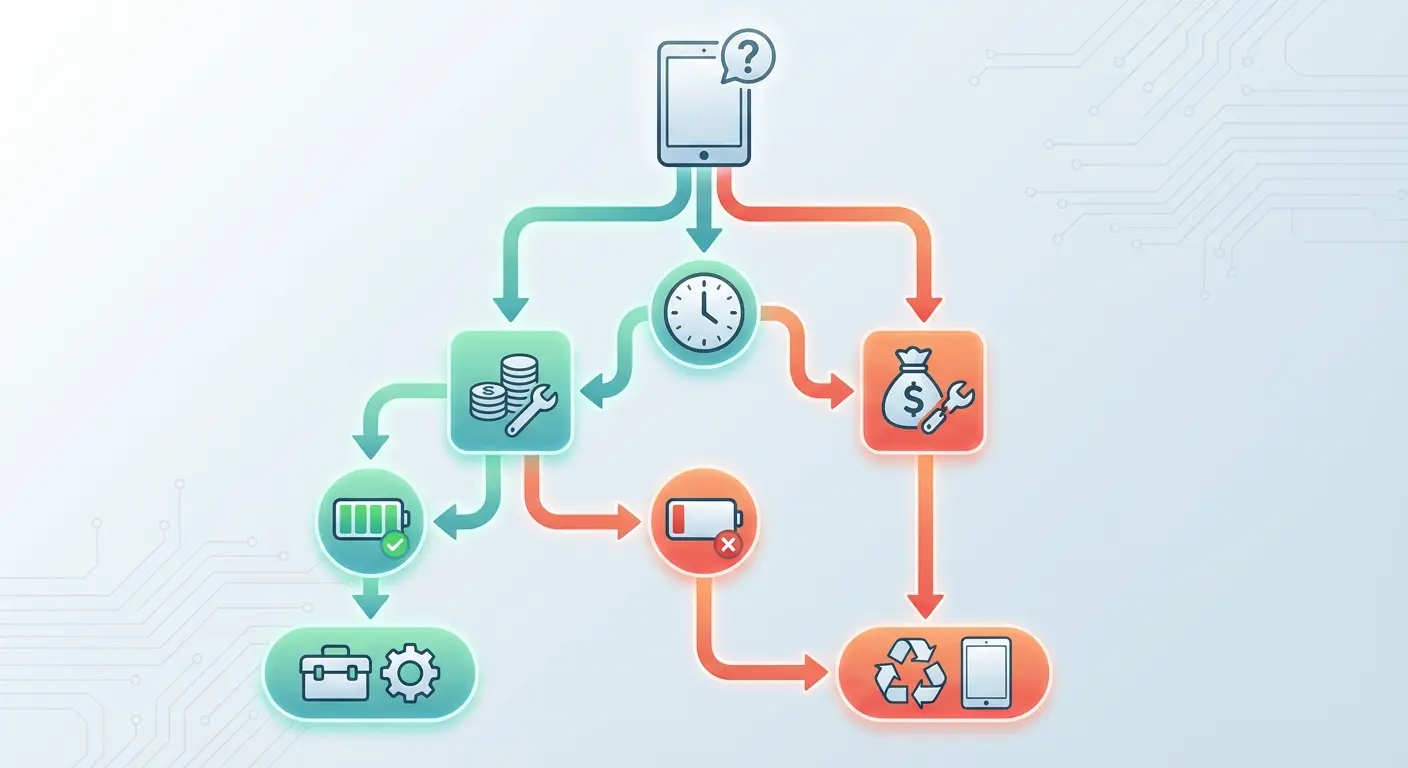
You crack your screen and immediately face a decision. Repair the damage or upgrade to a new device?
The conventional wisdom says repair if the cost is less than 50% of replacement cost. That rule of thumb ignores several critical variables.
Device Age and Software Support
A two-year-old flagship phone with a cracked screen might cost $250 to repair properly. That seems reasonable compared to $1,000+ for a new device. But how many years of software updates remain?
Apple typically supports iPhones for 5-6 years from launch. Android manufacturers vary widely, with Samsung and Google now offering 7 years of updates for flagship models. If your device is approaching the end of its support window, you're paying repair costs for a phone that will become a security risk within 18-24 months.
And listen, security patches matter more than feature updates. Outdated devices become vulnerable to exploits that compromise your data, even if the phone functions perfectly otherwise.
Battery Health as a Multiplier
Screens aren't the only component that degrades over time. Your battery has been through hundreds of charge cycles by the time you crack your screen. If you're already noticing reduced battery life, you're potentially looking at a screen repair now and a battery replacement within months.
Stacking repair costs changes the equation. $250 for the screen plus $89 for battery replacement puts you at $339. That's enough to make a mid-range new device or a refurbished newer model worth considering.
Before you drop $250 on a screen repair, ask yourself these questions, and be honest about the answers:
Device Age: How old is your phone?
Software Support Remaining: How many years of updates are left?
Battery Health: Current maximum capacity?
Additional Issues: List any other problems (battery life, charging port, camera, etc.)
Repair Cost: What's the authorized repair quote?
Combined Repair Costs: Screen plus other needed repairs?
Current Resale Value: What could you sell it for now?
Replacement Cost: New or refurbished equivalent model?
If combined repair costs are over 40% of replacement cost AND software support is less than 2 years remaining, consider replacing. If battery health is under 80% AND screen repair is needed, get both repaired or replace. If device age is over 3 years AND multiple issues are present, strongly consider replacing.
The Upgrade Opportunity Cost
Technology advances quickly. The phone you bought two years ago lacks features that are now standard: better cameras, faster processors, improved 5G bands, and enhanced AI capabilities. Repairing an older device means continuing to miss out on these improvements.
I'm not suggesting you chase every new feature. But if you were already considering an upgrade within the next year, a cracked screen might be the logical trigger rather than an obstacle to overcome.
Why Most Screen Protectors Are Kind of a Scam
Okay, I'm going to say something controversial here: screen protectors are mostly a scam. Not entirely, but mostly.
Walk into any phone store and you'll see screen protectors marketed as essential protection. Sales associates push them hard, often bundling them with new phone purchases. The pitch sounds convincing: a thin layer of tempered glass or plastic film that takes the hit instead of your screen.
The reality? It disappoints more often than it delivers.
SlashGear covered this interesting angle about people trying to fix iPhone screen scratches with commercial grinding and polishing machines. The process requires precise powder measurements, additional water protection measures, and reapplication of oleophobic coating. Technical complexities that demonstrate why prevention remains far more practical than attempting repairs. For an iPhone, cell phone screen repair costs approximately $329 through Apple, or just $29 with AppleCare coverage, making proper protection and insurance more economical than DIY repair attempts.
Scratch Protection vs. Impact Protection
Screen protectors excel at one thing: preventing scratches from keys, coins, and other pocket debris. Modern smartphone glass resists scratching reasonably well on its own (Mohs hardness of 6-7), but protectors add an extra sacrificial layer. When your keys scrape across a screen protector, they damage the $10 protector instead of the $300 screen. That's genuine value.
Impact protection is a different challenge entirely.
When you drop your phone, the force of impact depends on drop height, landing angle, and surface hardness. A tempered glass screen protector might shatter on impact, but that doesn't mean it absorbed meaningful force.
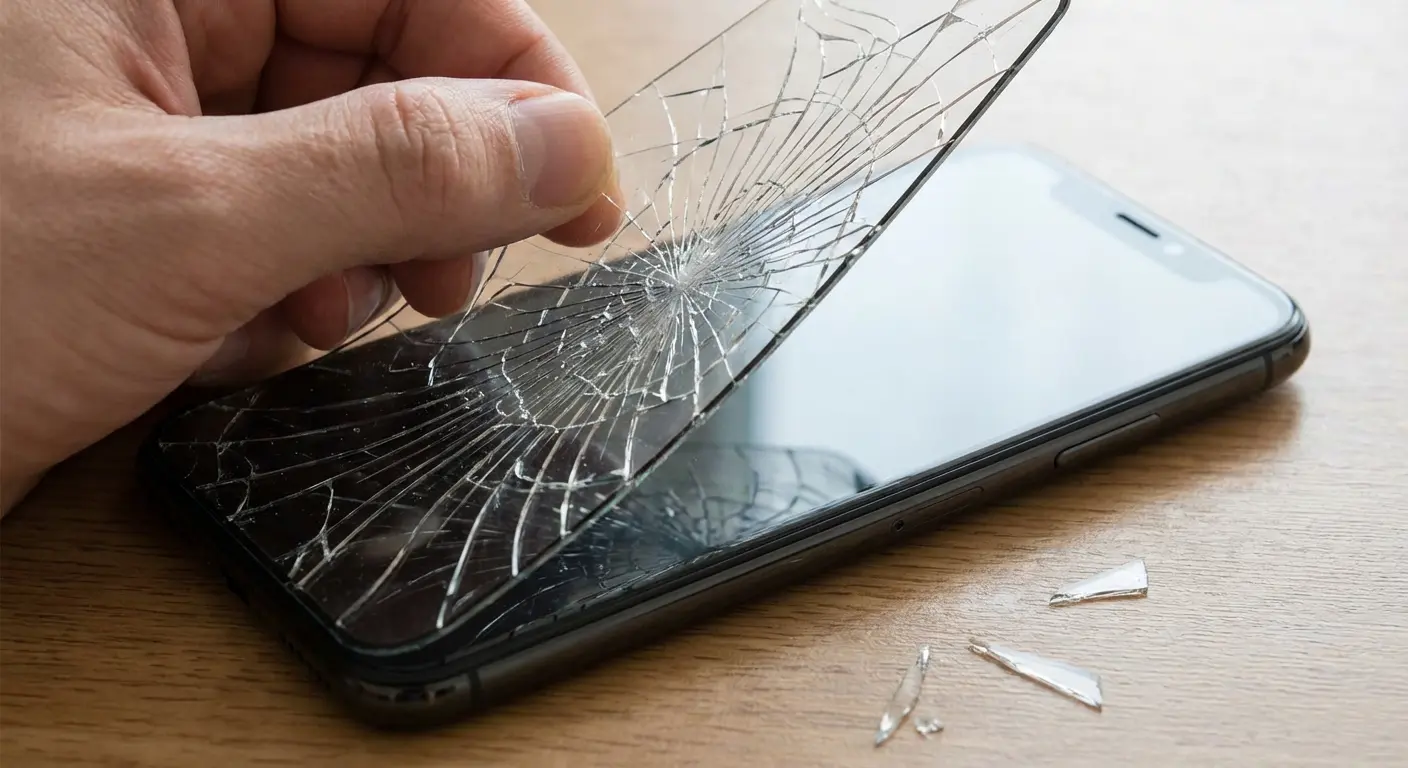
Screen protectors add minimal thickness, 0.3-0.5mm typically. They don't significantly change how impact forces transfer through your device. When a phone lands screen-first on concrete from waist height, the force overwhelms both the protector and the screen beneath it.
You've probably seen this yourself or heard the story from friends: "My screen protector shattered but saved my screen!" Sometimes that's true. Often, it's coincidence. The impact wasn't severe enough to crack the phone's screen, with or without the protector. The protector shattered because it's designed to be more brittle than your phone's glass, making it easier to remove and replace. A fully shattered panel is a different job, covered in my cracked phone screen repair guide.
The False Security Trap
Want to hear something nobody talks about? Screen protectors might actually make you MORE likely to crack your screen. Not because they don't work, but because they make you careless.
When you believe your screen is protected, you handle your phone less carefully. You place it screen-down on rough surfaces. You're less cautious about where you set it down. You take it out in situations where you'd otherwise be more protective.
This psychological shift matters more than the physical protection the screen protector provides. You've essentially paid for a product that makes you less careful with an expensive device.
The Hidden Consequences of Third-Party Screen Repairs
Price drives most repair decisions. Authorized repairs through Apple or Samsung cost significantly more than third-party shops. That price gap tempts you to choose the cheaper option, especially if the repair shop shows you before-and-after photos that look identical.
The differences reveal themselves over time, not immediately.
According to research from Mark Spark Solutions, third-party repair providers now handle over 60% of all smartphone repairs in the United States, driven by competitive pricing and convenient on-demand services that authorized centers struggle to match.
Aftermarket Parts Quality Is All Over the Place
Third-party repair shops source replacement screens from various suppliers. Quality ranges from near-OEM to absolutely terrible. You won't know which tier you're getting until after the repair.
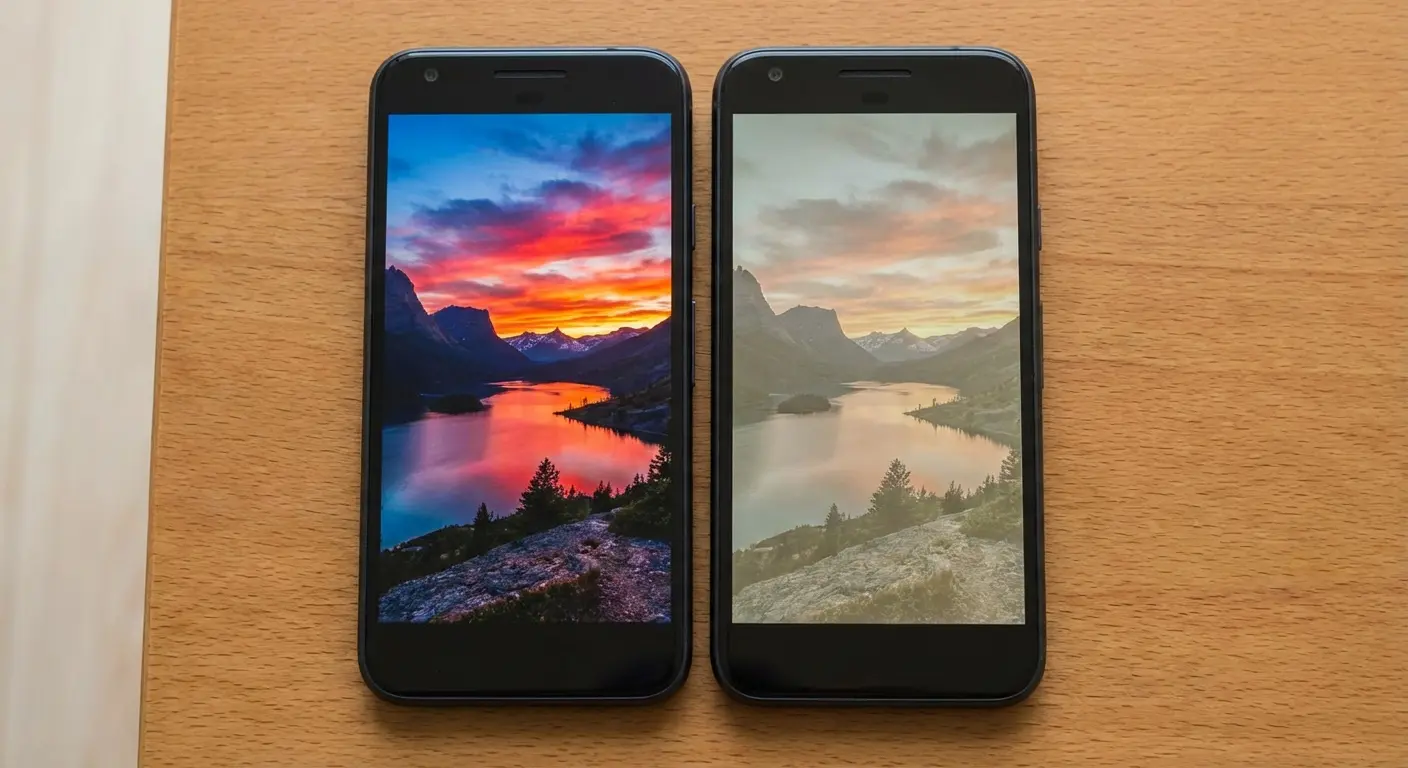
Lower-quality aftermarket screens use cheaper OLED panels with reduced color accuracy. You might not notice immediately, but photos look slightly off. Whites lean blue or yellow. Black levels aren't quite as deep. Maximum brightness falls short of the original spec, making outdoor visibility worse.
Touch sensitivity often degrades with aftermarket digitizers. You'll find yourself tapping icons twice or struggling with precise selections. Gesture navigation becomes less fluid. These aren't dealbreakers individually, but they compound into a noticeably worse user experience.
Feature Compatibility Issues
Modern phones integrate their screens deeply with other systems. Face ID on iPhones requires precise calibration between the TrueDepth camera array and the display. Third-party screen replacements frequently break Face ID functionality entirely because the repair shop can't perform the necessary calibration (Apple restricts this to authorized providers).
True Tone, which adjusts screen color temperature based on ambient lighting, stops working after most third-party repairs. The feature requires the original screen's ambient light sensor data to be paired with your specific device. Aftermarket screens lack this pairing.
Android phones face similar issues. In-display fingerprint sensors often fail or become unreliable after screen replacements using non-OEM parts. The optical or ultrasonic sensors require precise alignment and calibration that third-party repairs can't replicate.
Feature |
OEM Repair |
Third-Party Repair |
Impact if Lost |
|---|---|---|---|
Face ID / Fingerprint |
Fully functional |
Often disabled |
Must use passcode for unlock and app authentication |
True Tone / Auto Brightness |
Calibrated to device |
Usually disabled |
Manual brightness adjustment, eye strain |
Color Accuracy |
Factory calibrated |
Varies significantly |
Poor photo/video editing, inaccurate content viewing |
Touch Sensitivity |
Original spec |
Often degraded |
Missed taps, imprecise selections, frustrating UX |
Maximum Brightness |
Full spec (800-2000 nits) |
Reduced (600-1200 nits) |
Poor outdoor visibility |
Warranty Coverage |
Maintained |
Voided |
Pay full price for all future repairs |
Warranty Voidance
This part's obvious, but people still ignore it. Any unauthorized repair voids your manufacturer warranty and AppleCare+ coverage. If your phone develops an unrelated issue later, battery failure, camera malfunction, charging port problems, you're paying full price for those repairs too.
The initial savings from a cheap screen repair can evaporate quickly when you need additional service and discover you've forfeited all coverage.
How Case Design Determines Screen Survival
Cases are everywhere. From $5 silicone sleeves to $100 leather folios, the market offers endless options. Most people choose cases based on aesthetics or brand preference. That's fine if protection isn't your priority. If you want to avoid screen repairs, case engineering matters more than style.
The Bezel Equation
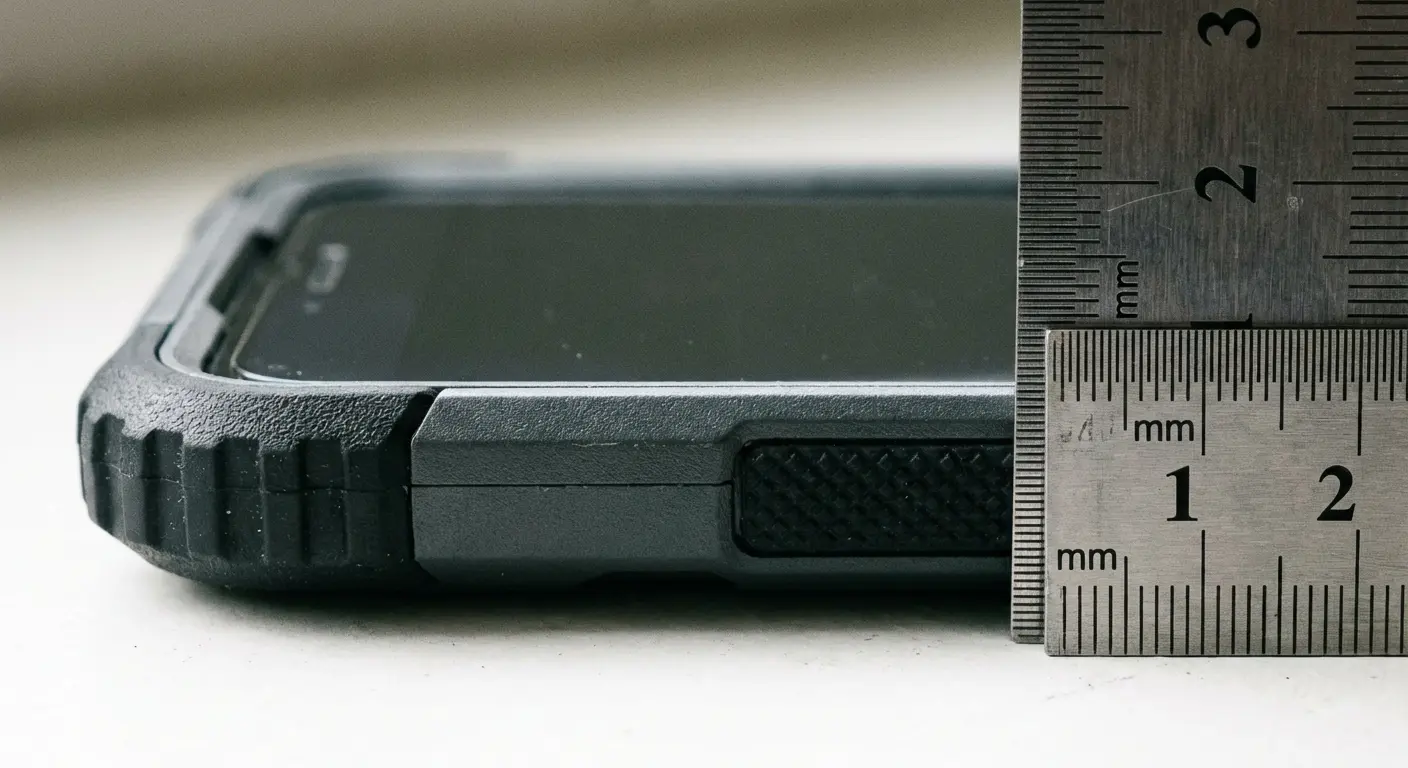
Your phone's screen sits nearly flush with its frame on most modern devices. When the phone lands face-down, the screen makes direct contact with whatever surface it hits. A case needs to extend beyond the screen plane to create a protective buffer.
This raised bezel (or lip) is the single most important protective feature. Measure it. Quality protective cases raise the bezel 1-2mm above the screen surface. That tiny gap means the case takes the impact instead of your screen when the phone lands face-down.
Many slim cases skip this feature or provide minimal bezel height because it makes the phone slightly less sleek. You're trading meaningful protection for aesthetics without realizing it.
Material Science Actually Matters
Cases use various materials: hard polycarbonate, flexible TPU, rigid aluminum, genuine leather, and hybrid combinations. Each material responds differently to impact forces.
Hard materials don't absorb shock well. They're excellent at distributing force across a wider area, which helps, but the impact energy still transfers through to your phone. You need shock-absorbing materials at impact points.
TPU (thermoplastic polyurethane) and similar elastomers compress on impact, converting kinetic energy into heat and deformation. This absorption reduces the force reaching your device. Quality protective cases combine rigid outer shells for structure with TPU inner layers for shock absorption.
Physics tells us that phones most commonly land on corners when dropped, roughly 70% of drops based on various studies. Corners are also the weakest points structurally. Force concentrates at these points, then radiates outward to the screen and back panel.
Cases that reinforce corners with extra material or air-cushion technology significantly improve drop protection. Some designs incorporate raised corner bumpers that extend beyond both the screen bezel and the phone's edges, creating a comprehensive protective barrier.
Understanding how phone cases protect your device helps you make informed decisions about which protective features matter versus marketing hype.
The Slim Case Paradox
Marketing pushes "military-grade protection" in impossibly thin cases. The laws of physics don't bend for marketing copy. Thinner cases provide less material to absorb and distribute impact forces. They can still offer reasonable protection against minor drops, but catastrophic drops require substantial material between your phone and the ground.
You're making a conscious trade-off when you choose a slim case. That's perfectly valid if you prioritize pocketability and aesthetics. Just understand you're accepting higher screen damage risk in exchange.
My buddy works construction, and this happened to him. He carried his iPhone 14 Pro in a slim leather case that cost $60. Looked professional in client meetings and felt premium. During a site inspection, he pulled the phone from his pocket to photograph foundation work. The phone slipped from his hand and fell four feet onto concrete, landing face-down. The slim case had virtually no raised bezel, maybe 0.3mm. The screen shattered completely.
He switched to a Rokform case with a 1.5mm raised bezel and reinforced corners. Over the next 18 months, he dropped his replacement phone five times during site visits. The screen remained pristine. The difference wasn't luck. It was engineering.
Prevention Engineering: What Actually Protects Your Screen
You've seen why repairs cost more than advertised, why screen protectors provide limited value, and why case design matters enormously. So what actually works?
Allstate found that 27% of American smartphone owners would initiate screen repairs within a day due to the importance of their phones in everyday life, while 67% of smartphone accidents involve damaged screens, making screen damage the most common type of smartphone failure by a significant margin.
Multi-Layer Defense
No single solution prevents all screen damage. You need overlapping protection strategies that work together. Defense in depth rather than relying on one protective measure.
Start with a properly engineered case. Raised bezels, shock-absorbing materials, and corner reinforcement are non-negotiable features. The case should feel substantial without being bulky to the point where you're tempted to remove it for daily use.
Add a quality screen protector, but understand its limitations. You're protecting against scratches and potentially minor impacts, not catastrophic drops. Choose tempered glass over plastic film for better feel and slightly improved impact resistance.
Before purchasing a protective case, verify these essential features:
Does the raised bezel measure 1.0mm or higher above screen surface? Do the corners have reinforcement with air-cushion or extra material thickness? Is there a TPU or elastomer shock-absorbing inner layer? Does it have a rigid outer shell for impact distribution? Does it cover all four corners completely? Does it protect the camera bump from surface contact?
Check that the case fits snugly without gaps between phone and case. Button covers should be responsive, not mushy. Port openings need to align precisely with phone ports. Material should feel substantial, not flimsy. The manufacturer should provide drop-test certification or height rating.
Red flags to avoid: Bezel sits flush with or below screen level. Single-material construction (all hard or all soft). Gaps between case sections or loose fit. "Military-grade" claims with no drop-test certification. Extremely thin profile with protection claims.
Handling Habits That Matter
Protection isn't just about products. Your daily habits determine risk exposure more than any case or screen protector.
Stop placing your phone face-down on tables and counters. It's a small behavior change that eliminates a surprising number of screen damage scenarios. Face-up placement also lets you see notifications without picking up your device constantly.
Avoid using your phone while walking, especially on stairs or uneven surfaces. You're exponentially more likely to drop your device when you're distracted and moving. That text can wait 30 seconds until you're stationary.
Secure your phone when you're in situations with elevated drop risk. Concerts, sporting events, amusement parks, and crowded venues all increase the probability of your phone getting knocked from your hands or falling from your pocket. Use a wrist strap or keep it in a zippered pocket.
The Mounting Solution
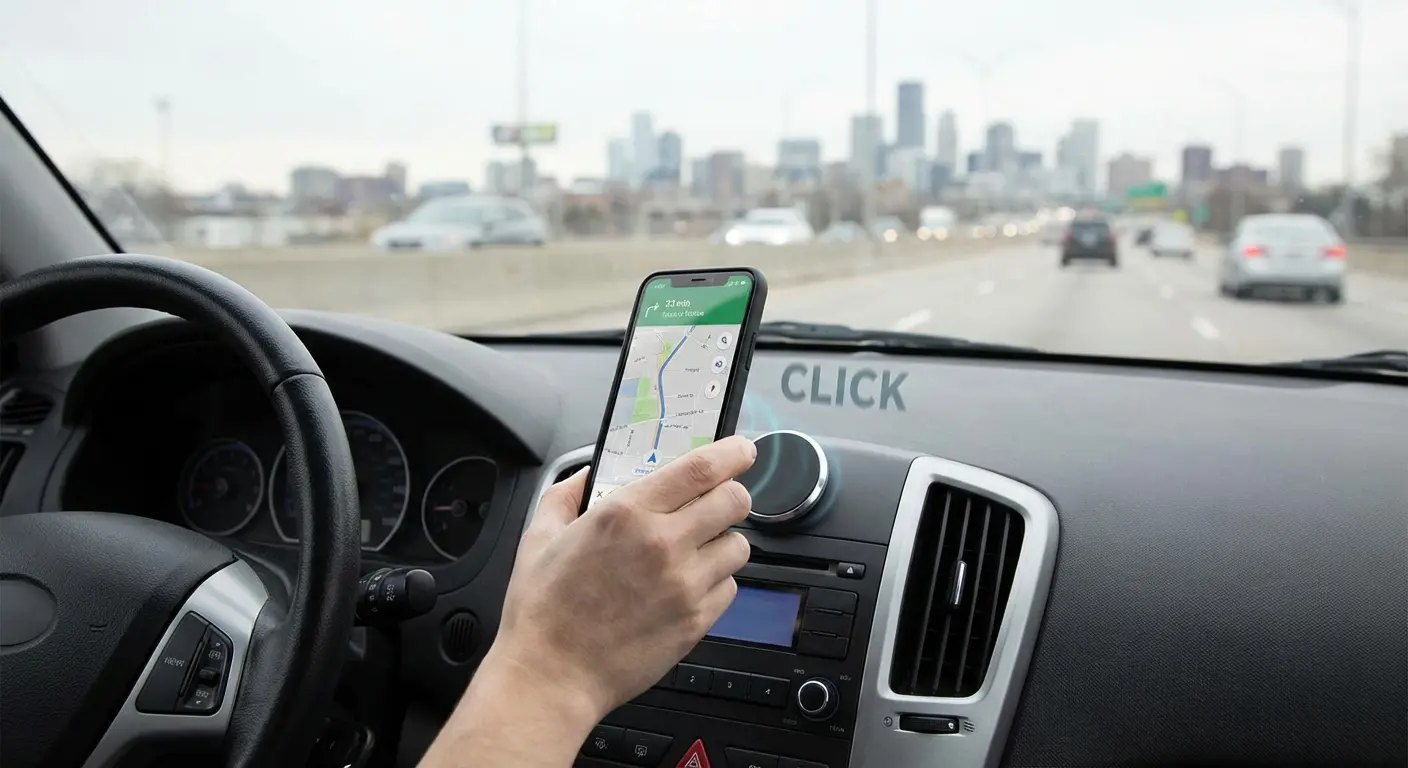
Most protection strategies overlook a critical vulnerability: using your phone while driving, biking, or during activities where you need hands-free access. You're either holding your device (drop risk) or propping it precariously against something (guaranteed drop eventually).
Magnetic mounting systems solve this problem elegantly. Rokform pioneered the integration of powerful magnets directly into phone cases, creating a protection system that goes beyond drop defense. Their cases feature military-grade construction with raised bezels and reinforced corners, all the engineering principles we've discussed, but add a magnetic mounting ecosystem that eliminates entire categories of drop scenarios.
When your phone locks securely to a magnetic mount in your car, on your bike, or at your desk, you've removed the handling risk entirely. You're not fumbling with your device at red lights or trying to prop it against your water bottle to watch videos. The RokLock twist-lock mounting system provides security that friction mounts can't match, especially on rough terrain or during high-vibration activities.
This addresses a pain point most people don't consider until after they've cracked a screen: the cumulative risk of repeated handling throughout the day. Every time you pick up, use, and set down your phone, you're rolling the dice. Secure mounting reduces those risk events by keeping your phone accessible without requiring constant handling.
For those who spend significant time on two wheels, exploring the best motorcycle phone mounts reveals how proper mounting systems prevent drops during high-vibration activities.
Why Rokform Stands Above the Competition
Okay, full disclosure time. I'm going to talk about Rokform here because they're one of the few companies that actually engineered their cases around these principles instead of just slapping "military-grade" on the box and calling it a day. But here's specifically what they did differently.
Their cases integrate multiple protection layers: a polycarbonate outer shell for impact distribution, a TPU inner layer for shock absorption, and precisely engineered raised bezels that measure 1.5mm above the screen surface. I measured it. The corners feature reinforced air-cushion technology that concentrates protection where your phone needs it most.
But what sets Rokform apart is they recognized that protection means more than surviving drops. It means preventing drops from happening in the first place. The integrated RokLock magnetic mounting system transforms how you interact with your phone throughout the day. Your device stays secure whether you're navigating rush hour traffic, mountain biking down technical trails, or working at your desk.
The magnets are powerful enough to hold your phone securely through impacts and vibrations that would send friction-mounted devices flying. The twist-lock mechanism provides redundant security that gives you confidence in the most demanding situations.
For professionals in demanding environments, checking out phone cases designed for construction workers shows how occupation-specific protection addresses real-world hazards.
Rokform cases maintain full compatibility with wireless charging, don't interfere with Face ID or fingerprint sensors, and provide precise button responsiveness. You're not sacrificing usability for protection. The cases have been drop-tested to military standards (MIL-STD-810G-516.6), meaning they've survived repeated drops from six feet onto concrete.
Risk Assessment Reality
You can't eliminate all screen damage risk without putting your phone in a safe and never using it. Protection is about reducing probability to acceptable levels based on your lifestyle and risk tolerance.
If you work construction or spend significant time outdoors in rugged conditions, you need maximum protection even if it adds bulk. Your risk profile demands it. An office worker who primarily uses their phone indoors can probably get away with moderate protection.
Be honest about your usage patterns. You know if you're prone to dropping things. You know if you frequently use your phone in precarious situations. Match your protection level to your reality, not your aspirational self-image.
Final Thoughts
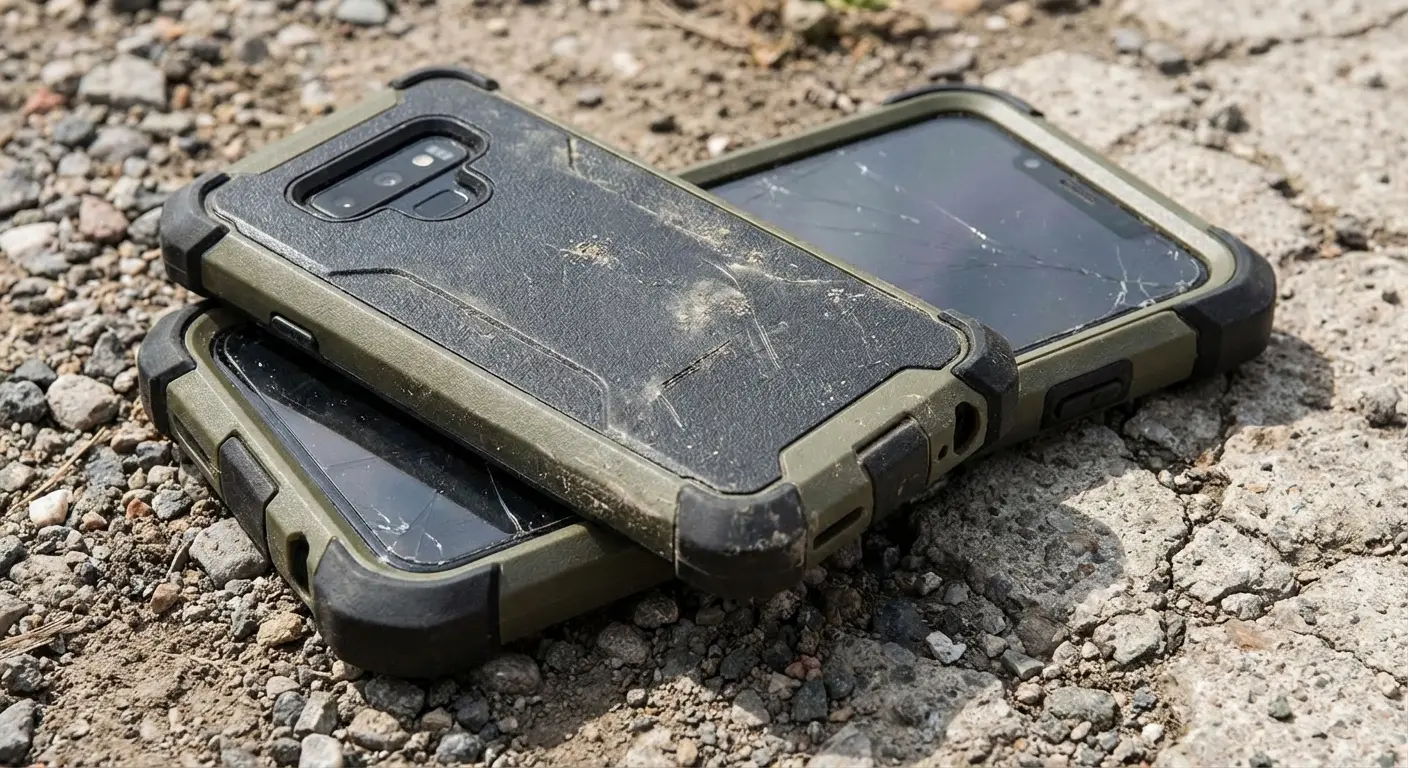
Cell phone screen repair represents failure points in your relationship with your device. They're expensive, inconvenient, and often compromise your phone's functionality even after professional repair. The entire repair industry exists because we've accepted screen damage as inevitable.
It's not inevitable. It's predictable and largely preventable.
The money you spend on proper protection costs a fraction of a single screen repair. More importantly, you maintain your device's full functionality, preserve its resale value, and avoid the productivity loss and data vulnerability that repairs create.
We've normalized cracked screens to the point where seeing someone with a shattered display barely registers anymore. You know these people. Maybe you ARE these people. Walking around with a screen that looks like a crime scene, insisting "it's fine, I can still see everything."
That normalization doesn't make the underlying problem any less costly or frustrating.
Look, I'm not saying you need to wrap your phone in bubble wrap and never take it out of the house. But maybe, maybe, we should stop accepting cracked screens as just part of life. Because they're not. They're just expensive mistakes we keep making because we bought into the idea that protection means bulk and inconvenience.
It doesn't have to.
Your phone is probably the most expensive object you handle multiple times per hour. Treating it accordingly isn't paranoid. It's rational.

