


Battery drain. Weird pop-ups. Data usage spikes. Yeah, you've read about these phone hacking signs a million times. But can I tell you what actually keeps security researchers up at night? It's not some zero-day exploit or sophisticated malware. It's the fact that someone can own your phone in 45 seconds if they can touch it. That's it. Just physical access. And almost nobody talks about this.
We're going to examine phone hacking from a different perspective, one that connects digital threats to real-world access points, because your phone's security doesn't start with antivirus software. It starts the moment someone can physically touch your device.
Table of Contents
Why Physical Access Is the Gateway Most Security Guides Ignore
The Overlooked Signs That Point to Physical Compromise
Juice Jacking and Public Charging: The Trojan Horse in Your Pocket
How Your Phone Case Might Be Sabotaging Your Security
Behavioral Indicators That Software Scans Miss
The Connection Between Drops, Damage, and Data Breaches
What Happens When Your Phone Leaves Your Sight
Building a Physical Security Protocol That Actually Works
How Rokform Addresses the Physical Vulnerability Gap
Final Thoughts
TL;DR
Someone touching your phone for one minute can bypass every security app you've installed (yes, really)
That cracked screen? It's not just ugly, it's a security hole
Public charging stations are basically hacker vending machines
Behavioral changes in how your phone responds to physical inputs often signal compromise
Your phone case and mounting system either strengthen or weaken your overall security posture
You need to account for both digital and physical threat surfaces
Prevention through physical security measures beats detection after compromise
Why Physical Access Is the Gateway Most Security Guides Ignore
Most security content focuses exclusively on remote attacks. Malware, phishing, network intrusions. You install an antivirus app, enable two-factor authentication, and assume you're protected. Here's what drives me crazy about that approach: physical access to your phone, even for 60 seconds, bypasses virtually every software protection you've implemented. Understanding how to know if your phone is hacked requires looking beyond just software symptoms.
Look, here's the thing nobody talks about. Someone with physical access to your device can install spyware that no scanner will detect, modify hardware components, or extract data directly from storage. They can disable security features, change settings, and establish persistent backdoors that survive factory resets. Your encryption? Your firewall? Doesn't matter. Physical access wins every time.
The average person leaves their phone unattended dozens of times per day. On restaurant tables, in gym locker rooms, at coffee shop counters while ordering. Each instance represents an opportunity. You might think you'd notice if someone picked up your phone, but skilled social engineering makes these moments invisible. A helpful stranger who "accidentally" grabbed your phone instead of theirs. A coworker who moved it while cleaning a shared workspace. A repair technician who had legitimate reasons to handle your device.
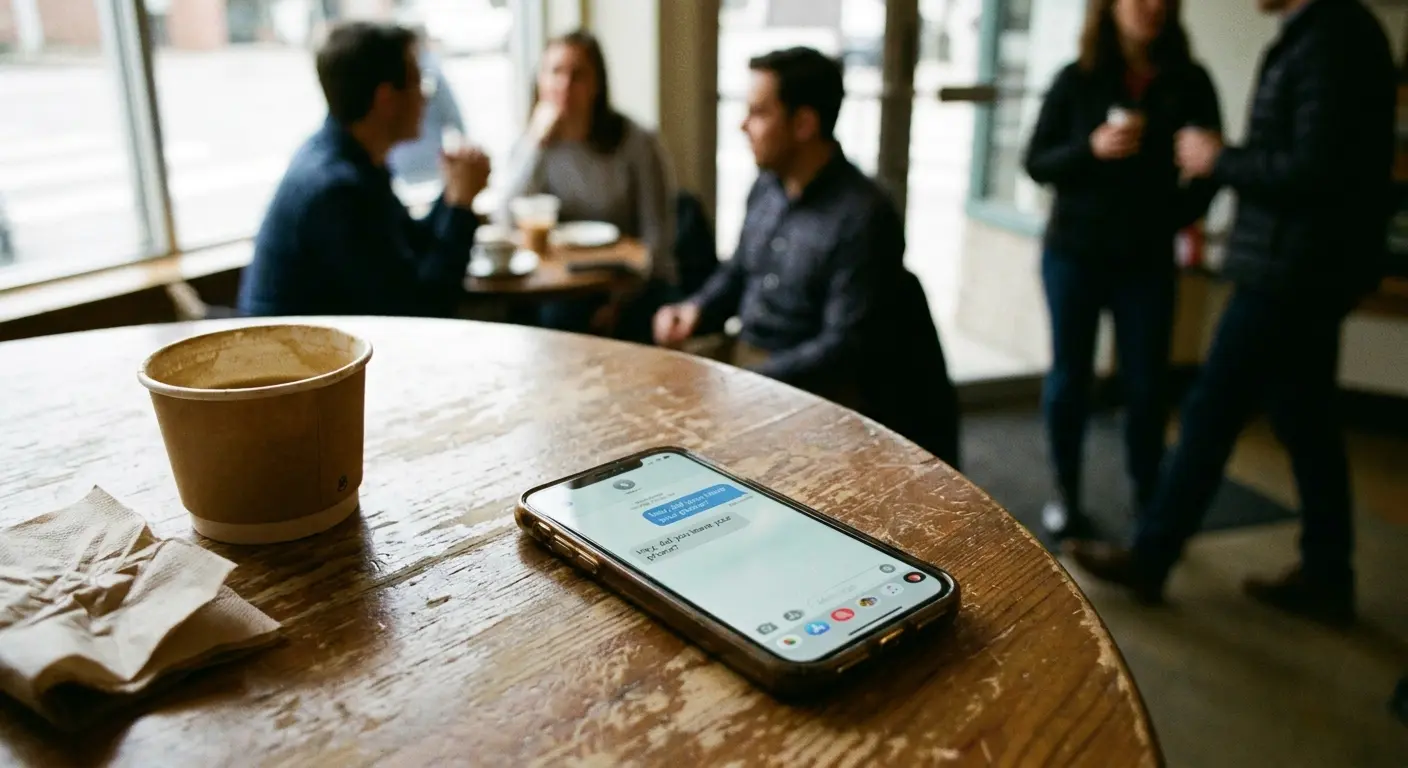
Physical compromise doesn't require extensive time. Installing a monitoring app takes 30 to 45 seconds if the attacker knows what they're doing. Connecting a device that clones your data requires even less. The tools for these attacks are commercially available, marketed as parental control software or employee monitoring solutions. The technical barrier is lower than most people realize.
Thirty seconds. That's all it takes.
Your phone's security model assumes you maintain physical control. Biometric locks, encryption, secure boot processes, they all become irrelevant once someone has unrestricted physical access. This is why understanding physical security isn't about preventing theft. It's about recognizing that your digital security is only as strong as your physical security practices. When you're trying to determine how to know if your phone is hacked, physical tampering should be your first consideration, not your last.
The Overlooked Signs That Point to Physical Compromise
Most checklists miss the physical evidence that someone's been messing with your device. We're talking about hardware changes, unusual wear patterns, and physical inconsistencies that most people dismiss as normal aging. But they're not normal. They're red flags.
Hardware Inconsistencies You Can Feel
You know your phone. The weight of it. How the buttons click. The exact texture of that spot your thumb always rests on. It's muscle memory at this point. So when something feels off, even if you can't immediately say what, trust that feeling. Your subconscious noticed before your brain caught up.
Pay attention when something feels different. A slightly different button click depth. A case that doesn't fit quite as snugly as it did yesterday. A barely perceptible gap between screen and frame that wasn't there before. These aren't signs of normal wear. They suggest someone has opened your device, possibly to install hardware-based monitoring tools or modified components. Recognizing how to know if your phone is hacked starts with trusting these physical instincts.
Screen protectors or cases that have been removed and reapplied rarely sit exactly as they did originally. You'll notice small air bubbles in new positions, dust particles that weren't there before, or slight misalignments. Someone who needed access to your phone's internals had to remove these protective layers, and perfect replacement is nearly impossible.
Let me tell you about Rachel. Marketing exec, travels constantly, knows her tech. She's in Houston for a conference and leaves her phone charging at the hotel business center overnight, you know, those little alcoves with the ancient desktop computers. Next morning, something feels off. Her case is loose. Just slightly. Maybe 2mm of wiggle that wasn't there before. She almost ignored it. Almost. Turns out someone had popped the case to access her SIM tray. They were attempting a SIM swap while she slept.
The SIM card tray provides another tell. If you haven't changed your SIM recently but the tray shows fresh scratches or sits slightly proud of the phone body, someone may have accessed it. SIM swapping attacks require physical SIM removal, and even careful handling leaves traces. This is one of the clearest indicators of how to know if your phone is hacked through physical means.
Visual Evidence of Tampering
Examine your phone under good lighting from multiple angles. You're looking for micro-scratches around screw holes (if your model has visible screws), slight color variations in adhesive strips, or differences in how light reflects off certain surfaces. Manufacturers apply adhesive and assemble components in controlled environments with precision equipment. Reassembly in the field, even by skilled technicians, rarely achieves identical results.
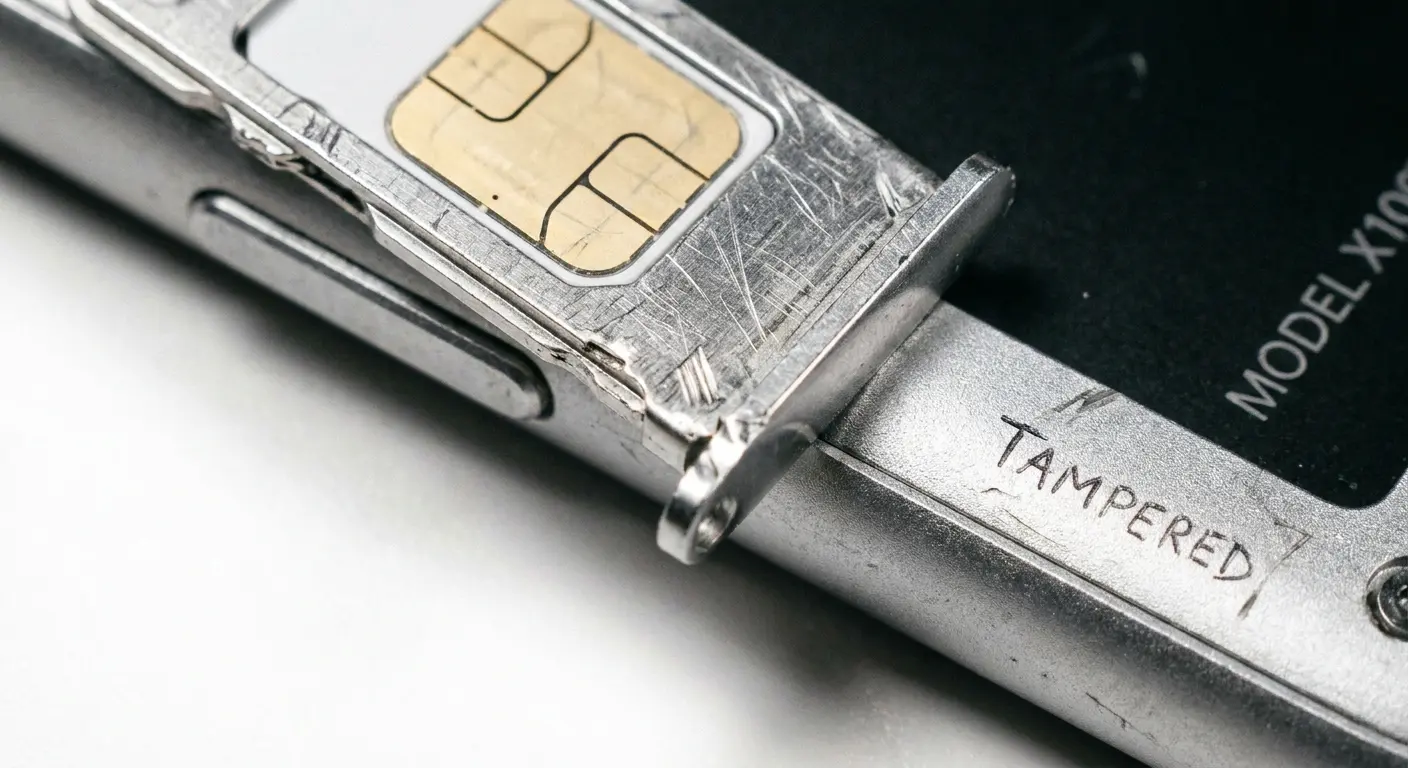
Check for warranty stickers or tamper-evident seals that appear disturbed. Some manufacturers place these inside SIM trays or beneath battery covers. A broken seal doesn't automatically mean malicious tampering (it could indicate a previous legitimate repair), but it does mean someone accessed your phone's internals, and you should verify who and why.
Your charging port deserves close inspection. Worn contacts or debris are normal over time, but fresh scratches or bent pins suggest recent intrusion. Some hardware-based attacks involve briefly connecting specialized devices to charging ports, and these connections can leave physical evidence.
When your screen protector suddenly has air bubbles that weren't there yesterday, that's not normal wear. That's someone who removed and replaced it. Normal wear shows gradual edge lifting over weeks. Tampering shows up overnight. Button resistance should feel consistent, degrading slowly over months if at all. An abrupt change in click depth or resistance? That's a problem. Your case should loosen uniformly over time, not suddenly develop gaps or misalignment on one side. Fresh scratches on your SIM tray when it should be smooth? Someone's been in there. Gradual debris accumulation in your charging port is expected. Fresh scratches on the contacts or bent pins are not. And those adhesive seals should stay intact or wear gradually, not break and get re-applied with color variations that give away the tampering.
Juice Jacking and Public Charging: The Trojan Horse in Your Pocket
See those USB charging stations at airports? The ones everyone crowds around like they're water fountains in a desert? Yeah, those might be stealing your data right now. Convenient? Sure. Free? Absolutely. Compromised? More often than you'd think. When your hacked phone starts exhibiting strange behavior after using public charging, this is often why.
Juice jacking attacks inject malware or extract data while your phone charges. The attack happens automatically once you connect. You don't need to approve anything or click suspicious links. The compromised charging station communicates with your phone through the data pins in the USB connection, and depending on your phone's security settings and OS version, this connection can enable file transfers, app installations, or data extraction.
The threat isn't theoretical. Security researchers have demonstrated juice jacking at conferences for years, successfully installing monitoring software on test devices in under two minutes of charging time. The equipment required costs less than $100 and fits inside a standard charging kiosk.
You might think your phone would alert you to data transfer attempts, and sometimes it does. But many attacks exploit brief windows during the initial connection handshake, before your OS fully activates its security protocols. Others use techniques that make the charging station appear as a trusted device, bypassing permission requests entirely.
I talked to a guy who used a public charging kiosk at a Las Vegas convention center for fifteen minutes while checking emails. Three days later, his phone started displaying targeted ads related to confidential product discussions he'd had in private messages. Analysis revealed a data extraction tool had been installed through the charging port, accessing his message history and contact list without triggering any security alerts. This is a textbook example of a hacked phone scenario that started with physical access.
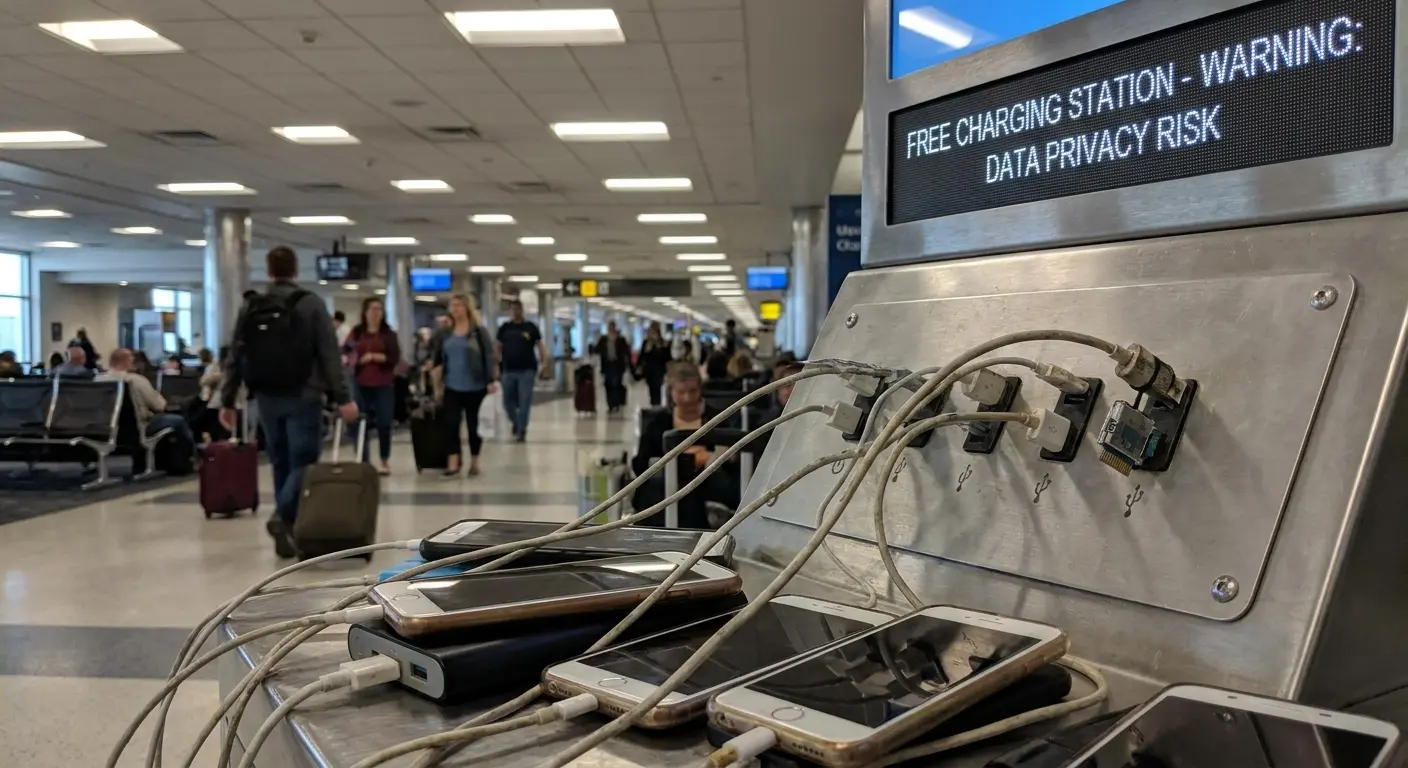
Borrowed charging cables present similar risks. A modified cable looks identical to a legitimate one but contains a small chip that enables data access. These cables are commercially available (marketed as penetration testing tools) and indistinguishable from regular cables without disassembly.
The solution isn't to never charge your phone in public. It's to use USB data blockers (small adapters that allow power transfer while blocking data pins) or to carry your own wall adapter and use standard electrical outlets instead of USB ports. When you must use a public USB port, power off your phone completely before connecting. Most juice jacking attacks require the target device to be powered on.
Public Charging Safety Checklist:
Carry a portable battery pack (10,000mAh minimum) and your own cables
Use wall outlets with your own AC adapter instead of USB ports whenever possible
If using public USB, insert a USB data blocker before connecting your cable
Power off your phone completely before connecting to unfamiliar charging sources
Avoid charging stations in high-traffic areas where modifications are easier to conceal
Never accept borrowed cables from strangers or use cables permanently attached to public stations
Monitor your phone during the entire charging session
Check your app list and permissions immediately after using any public charging infrastructure
How Your Phone Case Might Be Sabotaging Your Security
Your phone case serves an obvious purpose: protecting against drops and scratches. But case design directly impacts your security in ways that don't show up in product reviews or marketing materials. Poor case choices can make you more vulnerable to situations where my phone is hacked becomes your reality.
Cases that don't provide secure mounting options increase the likelihood that you'll set your phone down in vulnerable locations. You place it on tables, counters, car dashboards, anywhere flat, because you have no better option. Each placement is an opportunity for theft or unauthorized access. A case with reliable mounting capability means your phone stays secured to your person or to controlled locations, reducing exposure.
Bulky cases that make biometric sensors difficult to access train you to disable security features. If unlocking your phone requires removing it from its case or awkwardly positioning your finger, you'll eventually turn off fingerprint authentication to avoid the hassle. Convenience wins over security every time, and poor case design creates this exact conflict.
Drop protection matters for security, not just device longevity. A cracked screen often damages the digitizer layer beneath the glass, and a compromised digitizer can register phantom touches. These false inputs can approve permissions, open apps, or disable security settings without your knowledge. We'll explore this connection in more depth shortly, but understand that physical damage creates security vulnerabilities that persist until properly repaired.
Cases that obstruct cameras or sensors might seem like a minor inconvenience, but they affect your ability to use security features that rely on these components. Face recognition systems need clear camera access. Proximity sensors that automatically lock your screen when covered require unobstructed function. A case that interferes with these features pushes you toward less secure alternatives. This is another subtle way my phone is hacked scenarios can develop through seemingly innocent choices.
The mounting system matters just as much as the case itself. Weak magnets or unreliable clips create situations where your phone detaches unexpectedly, leading to drops, loss, or leaving your device behind in semi-public spaces. You need mounting solutions that hold securely under real-world conditions, not just in ideal testing scenarios. Products like the Rokform Rugged Case address these concerns by combining drop protection with integrated mounting capabilities.
Mounting capability determines whether your phone stays in controlled locations or gets left vulnerable on random surfaces. You need integrated magnetic or mechanical mounting systems that actually work. Biometric sensor access matters because it determines whether you'll actually use those security features. Look for precise cutouts that don't require case removal. Drop protection rating prevents hardware damage that creates vulnerabilities, so find cases with military-grade certification (MIL-STD-810G or higher). Camera and sensor clearance enables face recognition and auto-lock features through raised bezels that protect without obstructing. Attachment reliability prevents loss and unauthorized access opportunities via twist-lock or dual-retention mounting mechanisms. And material durability maintains protective integrity over time using impact-resistant polycarbonate or TPU construction.
Behavioral Indicators That Software Scans Miss
Security apps scan for known malware signatures and suspicious processes. They're useful but incomplete. Many advanced compromises don't match existing threat databases and run in ways that appear legitimate to automated scans. You need to recognize behavioral indicators that suggest compromise regardless of what security software reports. These signs often reveal how to know if your phone is hacked when traditional methods fail.
Touch Response Anomalies
Your phone's touchscreen should respond consistently to your inputs. Delays between touch and response, areas of the screen that require harder presses than others, or inputs that register incorrectly all suggest potential issues. Some indicate hardware damage (which we'll address), but others point to overlay attacks or screen recording malware.
Overlay attacks place invisible layers over legitimate apps, capturing your inputs while displaying fake interfaces. These attacks can cause slight lag in touch response because your input passes through the malicious overlay before reaching the actual app. If your banking app suddenly feels sluggish or requires you to tap buttons twice, you might be interacting with an overlay rather than the real application. This is a critical indicator of how to know if your phone is hacked through advanced software attacks.
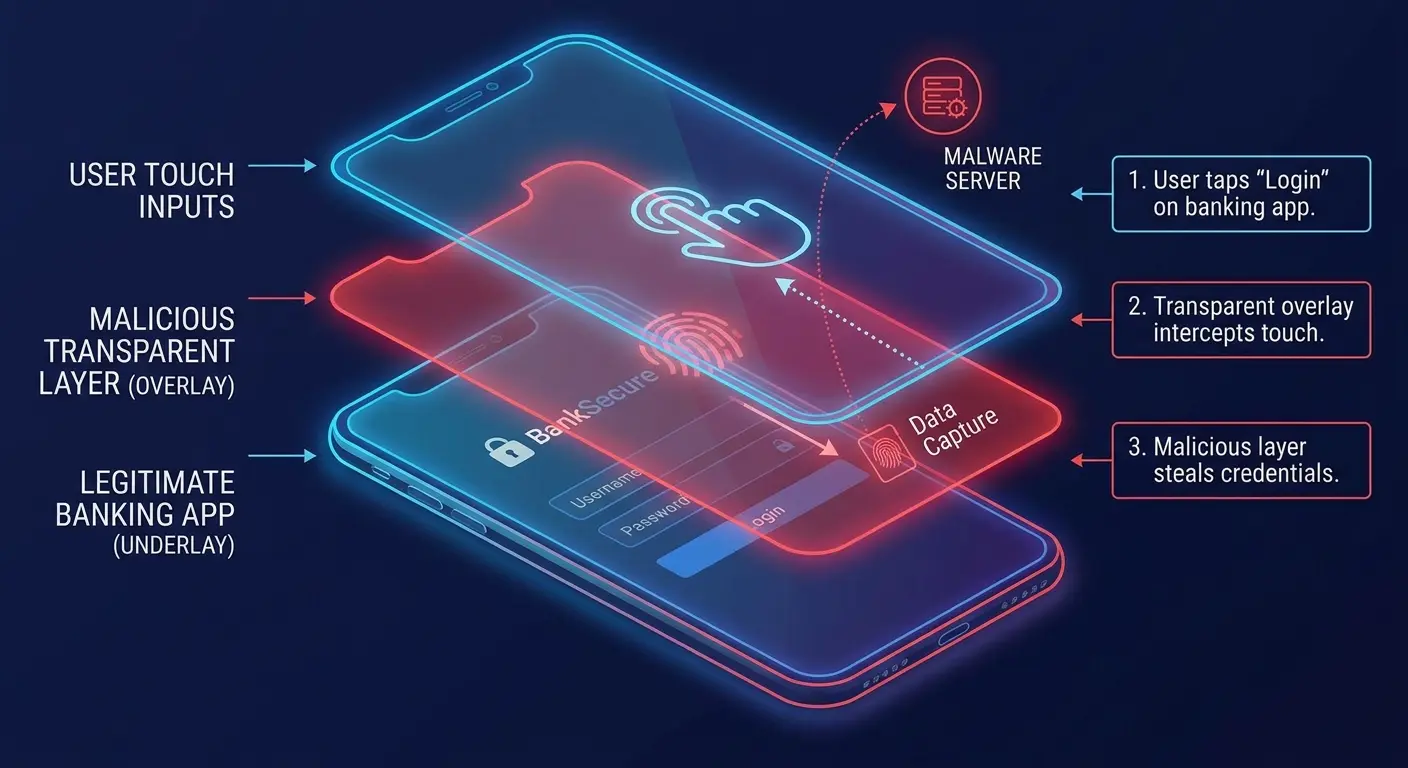
Screen recording malware consumes system resources, which can create perceptible delays in touch response, especially on older devices with limited processing power. The delay is subtle, maybe 100 to 200 milliseconds, but noticeable if you pay attention. Your phone feels slightly "sticky" in its responses.
Phantom touches that occur without your input represent either hardware damage or malware that simulates user interactions. Watch for apps opening on their own, settings changing without your involvement, or the screen activating when the phone is sitting untouched on a surface. These behaviors need immediate investigation. Understanding my phone is hack scenarios means paying attention to these subtle behavioral changes.
Thermal Patterns and Battery Behavior
Your phone gets hot when you're gaming or recording video. Normal. Expected. But when it's warm in your pocket and you haven't touched it in an hour? That's different. Something's running. Something that shouldn't be.
Monitoring software and data exfiltration tools run continuously, even when your screen is off. They process information, compress data, and maintain network connections. All that activity generates heat and drains battery faster than normal idle consumption. If your phone feels warm in your pocket when you haven't used it recently, something is running that shouldn't be. This is one of the clearest signs of my phone is hack situations that most people overlook.
Battery drain patterns matter more than absolute battery life. Your phone might have always needed daily charging, but if it now dies by early afternoon when it previously lasted until evening, investigate why. Check battery usage statistics in your settings, but understand that advanced malware often disguises its consumption by attributing it to system processes or legitimate apps.
I talked to a financial analyst (let's call him Mike) who couldn't figure out why his phone was dying by 2pm when it used to last until dinner. He checked his battery stats. Everything looked normal. All the usual apps, normal percentages. But something was eating 40% more power. Turns out? Hardware keylogger, installed during a repair at some sketchy shop in a strip mall. It was running at the system level, completely invisible to the standard app list. He only found it because he got paranoid enough to run actual network traffic analysis.
Unexpected battery swelling represents a physical security issue that creates digital vulnerabilities. A swollen battery pushes against internal components, potentially damaging connections, sensors, or storage chips. This physical pressure can cause data corruption, sensor malfunctions, or create gaps in the device housing that expose internals to moisture and debris. A swollen battery requires immediate professional attention, both for safety and security reasons.
The Connection Between Drops, Damage, and Data Breaches
Physical damage to your phone creates security vulnerabilities that persist until properly repaired. This connection gets ignored in most security discussions, but it's critical. A cracked screen isn't just cosmetic damage. It's a potential security breach. When people ask can someone hack your phone, they rarely consider how physical damage opens those doors.
How Screen Damage Compromises Security
Cracked screens often damage the digitizer layer that registers touch inputs. A compromised digitizer can register touches that didn't occur, creating "ghost touches" that interact with your phone without your knowledge. These phantom inputs can approve app installations, grant permissions, disable security features, or even unlock your device if they happen to tap the correct pattern or PIN sequence through random chance.
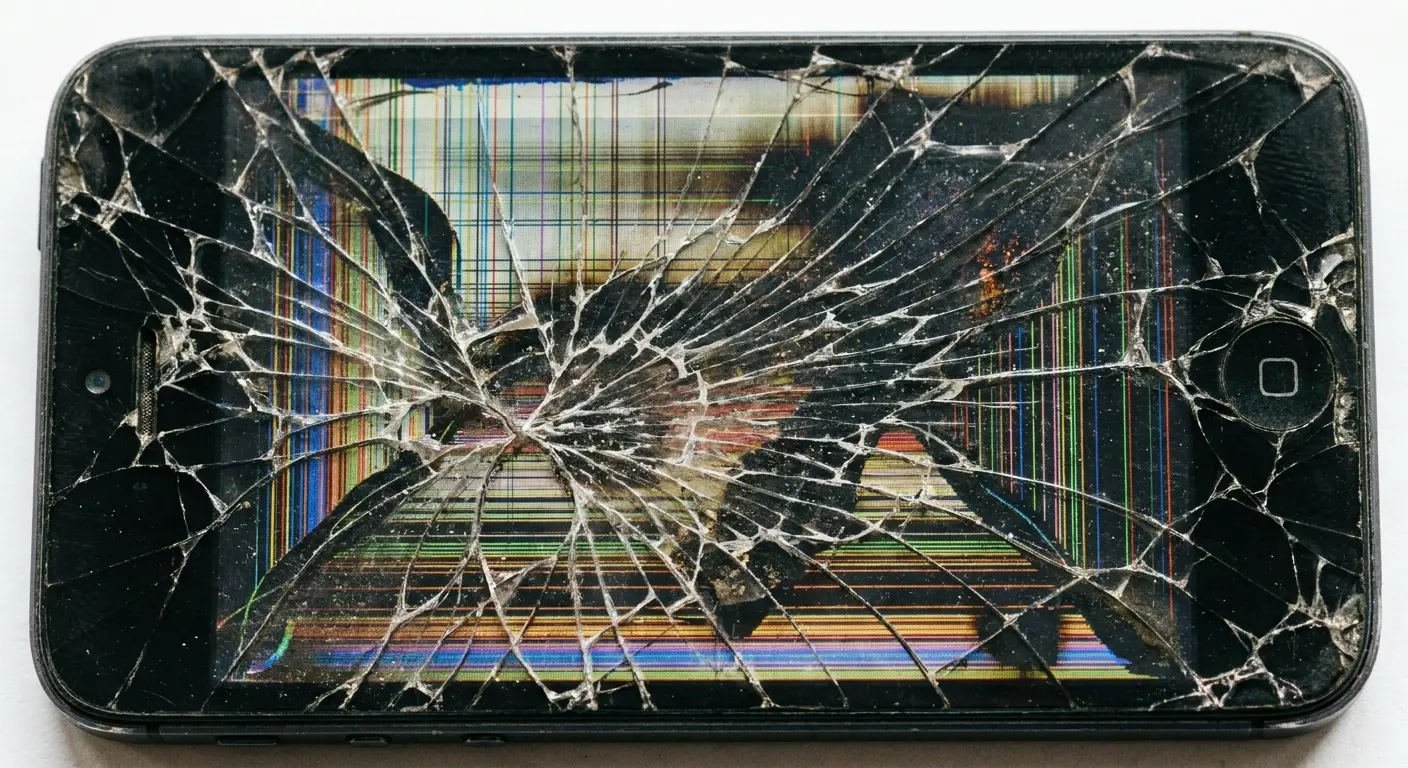
Screen damage also makes shoulder surfing attacks easier. Cracks and fractures create visual noise that makes your screen harder to read from certain angles, so you increase brightness and disable privacy screens to see your own content. These adjustments make it easier for others to view your screen from a distance.
Damaged screens are more susceptible to targeted attacks that exploit the physical compromise. An attacker who knows your screen is cracked might use that knowledge to their advantage, knowing that you're more likely to have disabled certain security features or that your device might be registering unintended inputs. This is exactly how phone hacked scenarios escalate from minor damage to major breaches.
Impact Damage to Internal Components
Drops affect more than screens. Internal components can shift, disconnect partially, or develop microscopic fractures that affect function. Biometric sensors are particularly vulnerable. A fingerprint reader that took impact damage might start accepting false positives, reducing the security it provides. Face recognition cameras can be knocked slightly out of alignment, affecting their accuracy and reliability.
Storage chips can develop bad sectors from impact damage, leading to data corruption that affects security credentials, encryption keys, or the integrity of your operating system. These issues might not show up immediately but can create vulnerabilities that attackers exploit later.
The secure enclave (the isolated processor that handles encryption keys and biometric data on modern phones) can be compromised by physical damage. While these components are designed to be robust, severe impacts can affect their function in ways that reduce security without completely disabling the device.
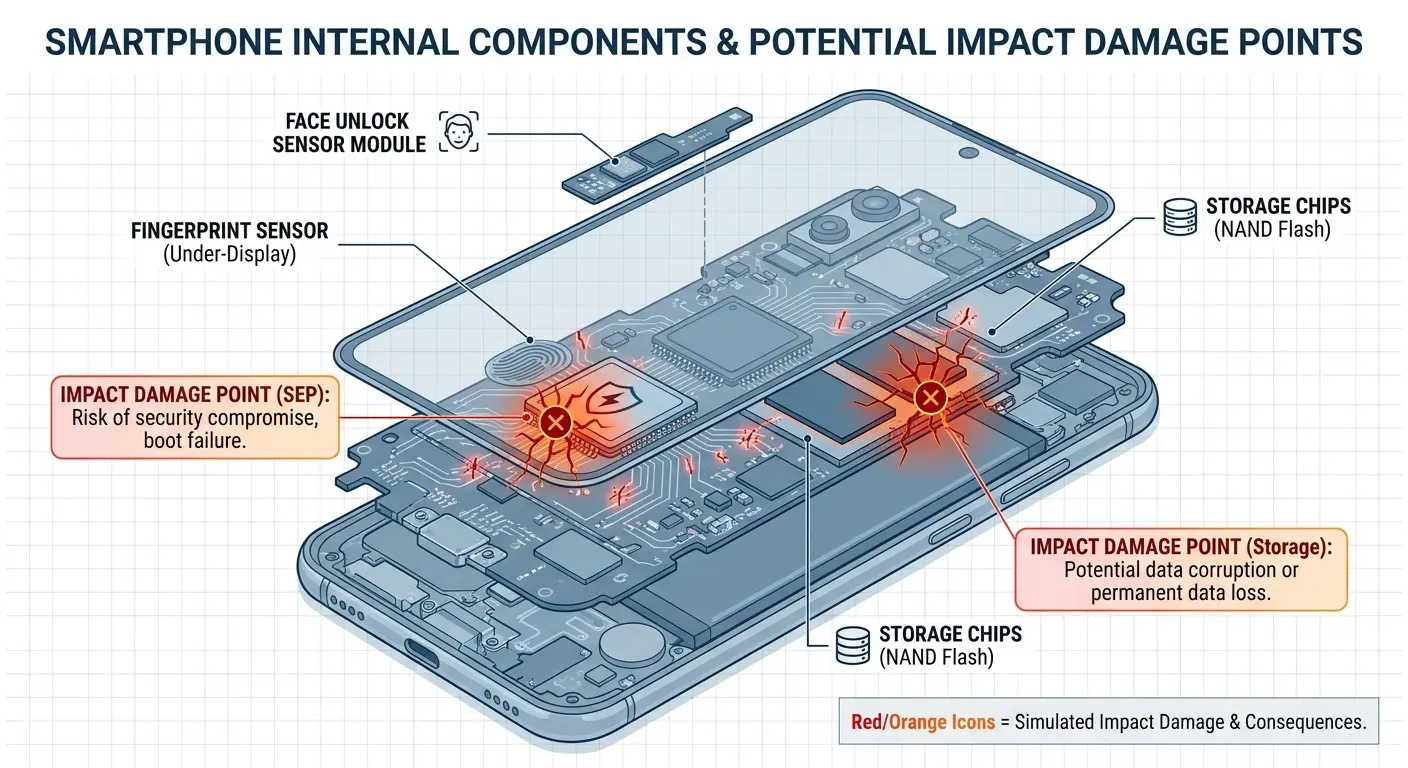
Water damage following a drop that compromises seals creates additional security risks. Moisture can corrode connections, damage sensors, and create electrical shorts that cause unpredictable behavior. A phone that survived a drop but lost its water resistance is vulnerable to environmental damage that can show up as security issues.
What Happens When Your Phone Leaves Your Sight
Think about how many times you've handed your phone to a repair tech. Or left it charging at a friend's place overnight. Or checked it with your coat at some venue. You probably didn't think twice about it, right? But every single one of those moments is a security risk. Every time you lose physical control, even temporarily, even with people you trust, you're rolling the dice. Knowing what to do if your phone is hacked starts with preventing these scenarios in the first place.
Repair shops represent one of the highest-risk scenarios. Technicians have legitimate reasons to access your device, bypass security measures, and connect diagnostic equipment. Most repair professionals are trustworthy, but you're trusting them with complete access to your digital life. A malicious technician can install monitoring software, clone your data, or modify system files in ways that persist long after you pick up your "repaired" device.
The risk intensifies with unauthorized repair shops or individual technicians working outside established businesses. You have no recourse if something goes wrong, no corporate accountability, and no way to verify what they did while your phone was in their possession. Even legitimate repairs at authorized service centers involve some risk, though it's substantially lower due to oversight and accountability measures.
Valet parking situations where you leave your phone in your car create different vulnerabilities. A valet with brief access to your vehicle can photograph your phone's screen if you left it unlocked, note your PIN if you wrote it down anywhere in the car, or simply take photos of the phone itself to gather information about your case, accessories, and any visible identifiers. This information can be used later for targeted attacks.
Leaving your phone at someone's home, even a trusted friend's, means you can't verify what happened during your absence. Most friends won't snoop, but you're making assumptions about their character, their household members, and anyone else who might have been present. A curious teenager, a sketchy roommate, or a visitor could access your phone without your friend's knowledge.
Airport security screening forces you to relinquish physical control briefly. Your phone passes through x-ray machines and sometimes requires additional screening that takes it out of your sight. The risk here is generally low due to surveillance and procedural oversight, but it exists. More concerning are situations where security personnel ask you to unlock your phone for inspection, giving them access while it's unlocked.
You can't prove what happened while you weren't looking.
The common thread? You lose the ability to guarantee that your phone wasn't compromised. You can't prove a negative. The best you can do is assess the likelihood of compromise based on the scenario, the duration of access, and the trustworthiness of the people involved. Understanding what to do if your phone is hacked means having protocols for these situations.
Post-Access Security Verification
Okay, so your phone was out of your sight. Maybe it's fine. Probably it's fine. But here's what you should do anyway, just to be safe:
Start with the physical inspection techniques we discussed earlier. Look for signs of tampering, changes to your case or screen protector, and any hardware inconsistencies.
Review your installed apps. Go through your complete app list, not just your home screen. Look for applications you don't recognize or don't remember installing. Pay special attention to apps with generic names like "System Service" or "Device Manager" that could be disguised monitoring software.
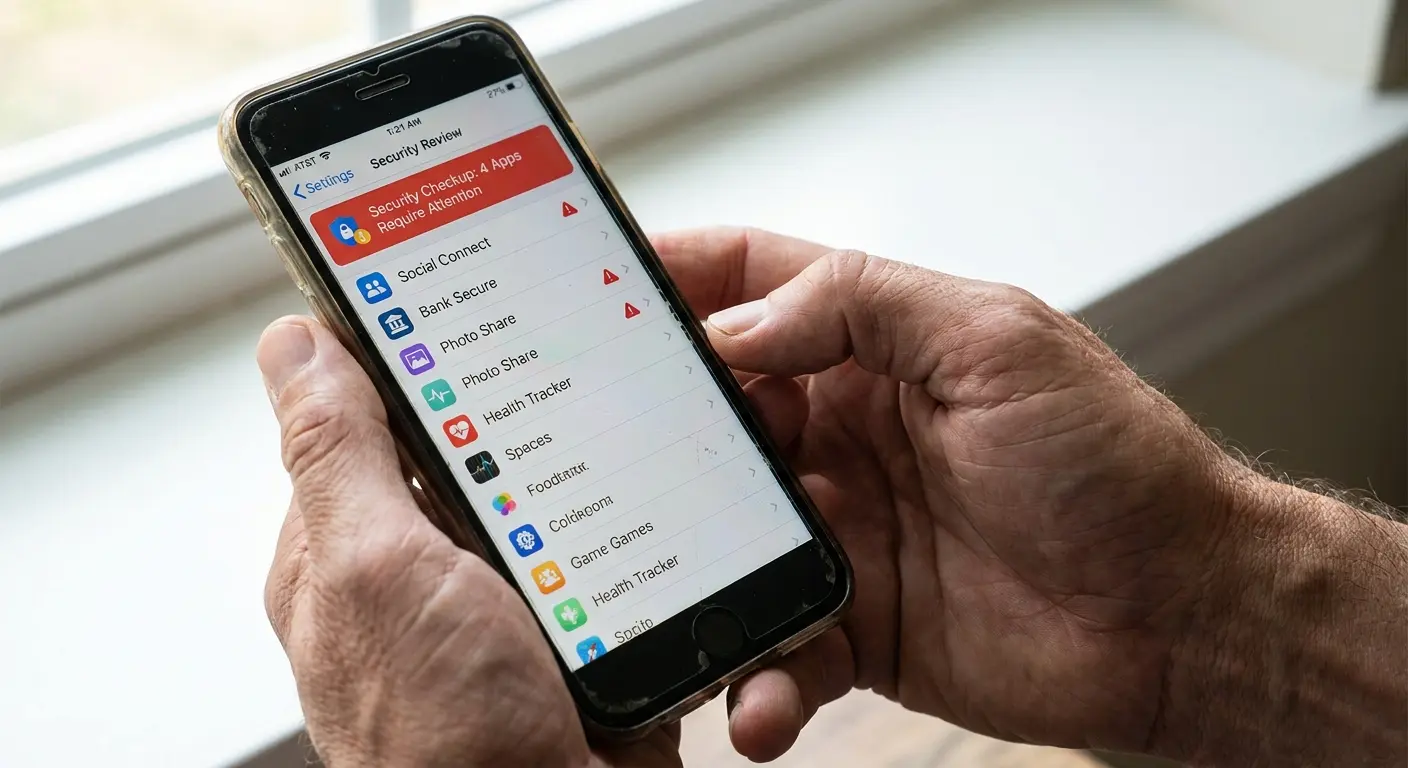
Check your security settings. Verify that your lock screen timeout hasn't been extended, that biometric authentication is still enabled, and that developer options haven't been activated. Developer mode enables features that can be exploited for surveillance, and it's often the first thing an attacker enables when they gain physical access. This is essential knowledge for what to do if your phone is hacked or potentially compromised.
Review your account permissions. Check which apps have access to your camera, microphone, location, and contacts. Revoke any permissions that seem unnecessary or that you don't remember granting. Look at your Google or Apple account's connected devices list to verify that no unknown devices have been authorized.
Consider a full backup and factory reset if the access scenario was particularly high-risk. A repair by an unknown technician, an extended period where your phone was completely unsupervised, or any situation where you have specific reasons to suspect compromise call for this nuclear option. Restore from a backup that you made before the phone left your control, not from the most recent backup (which might include the malware).
Post-Access Verification Protocol:
-
Physical Inspection (0-5 minutes after regaining control)
Check case alignment and screen protector position
Inspect SIM tray for fresh scratches or misalignment
Feel button resistance and weight distribution
Look for new scuffs around ports or seams
-
Software Review (within 1 hour)
Review complete app list for unfamiliar applications
Check security settings (lock timeout, biometric status, developer mode)
Verify account permissions for camera, microphone, location, contacts
Review connected devices in account settings
-
Behavioral Monitoring (24-48 hours)
Note any touch response anomalies
Monitor battery drain patterns
Watch for unusual warmth during idle periods
Track data usage for unexpected spikes
-
Deep Security Check (if high-risk scenario)
Backup data from before loss of control
Perform factory reset
Restore from pre-compromise backup only
Re-enable security features with fresh credentials
Building a Physical Security Protocol That Actually Works
Look, I can give you the most detailed security protocol in the world, and you know what'll happen? You'll follow it for three days, get annoyed, and quit. That's just human nature. Security systems fail when they're too complicated to actually use. So we're going to talk about stuff you'll actually do. When you're figuring out how to know if your phone is hacked, prevention beats detection every time.
Proximity Maintenance Strategies
Simple rule: if you can't see your phone, it should be attached to you. Sounds easy, right? It's not. It requires actual thought. You have to build habits.
When you sit at a restaurant, your phone shouldn't rest on the table where anyone walking past could grab it. It should be in your pocket, in a secured bag, or mounted to something you control.
Mounting systems that attach your phone to your body or to objects you're actively using solve this problem elegantly. A phone mounted to your car dashboard stays in view and can't be forgotten when you exit the vehicle. A phone in a belt clip or armband stays secured during activities where pockets aren't practical. The key is making secured storage more convenient than unsecured placement.
Develop location-specific habits. At the gym, your phone mounts to equipment or stays in a locked locker, never on a bench where you're not actively watching it. At coffee shops, it stays in your pocket until you need it, then returns immediately after use. At work, it stays in a drawer or on your person, not sitting on your desk where coworkers or visitors have access.
Train yourself to do phone checks the same way you check for your wallet and keys. Before leaving any location, confirm you have your phone. This habit prevents the scenarios where you leave it behind in semi-public spaces, creating opportunities for access by whoever finds it. This simple practice is fundamental to understanding how to know if my phone is hacked through physical access.
Charging Security Practices
Carry a portable battery pack and your own charging cables. This eliminates the temptation to use public charging stations or borrow cables from strangers. A small 10,000mAh battery pack provides multiple full charges and costs less than $30. It's a minimal investment that removes an entire category of risk.
When you must charge in public, use wall outlets with your own adapter rather than USB ports. If USB ports are your only option, use a USB data blocker adapter. These small devices cost a few dollars and physically disconnect the data pins while allowing power transfer.
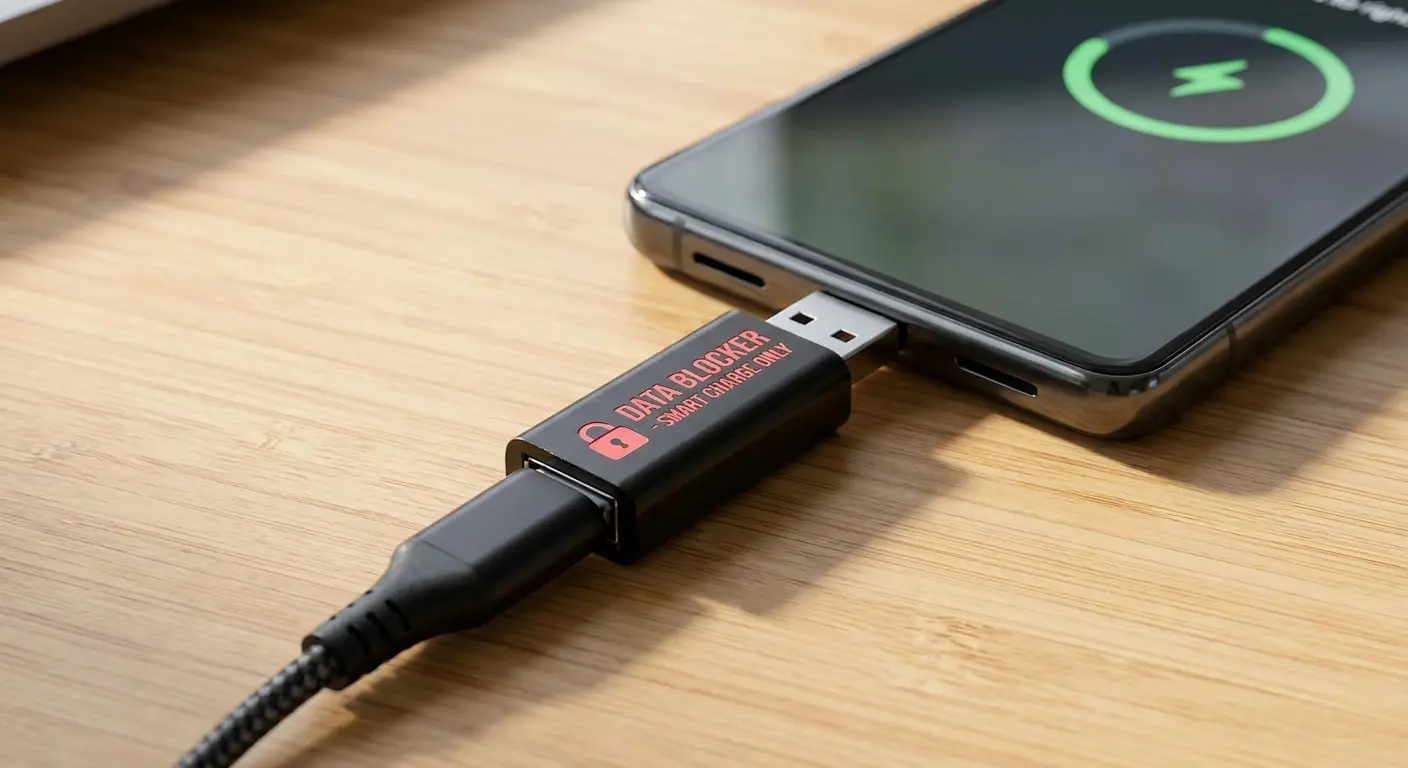
Never accept charging cables from people you don't know well, and be cautious even with cables from friends. A modified cable looks identical to a legitimate one, and your friend might not know their cable is compromised. Stick to your own cables whenever possible.
At hotels, be aware that some advanced attacks involve compromised charging stations in rooms. Use your own equipment even in seemingly secure environments. The risk is low, but the mitigation is effortless.
Travel-Specific Protocols
Travel messes up everything. You're tired. You're in unfamiliar places. Your normal routines go out the window. And that's exactly when you make stupid mistakes with your phone security. I've seen it happen a thousand times, including to myself.
Keep your phone on your person during flights rather than in seat-back pockets or overhead bins. Seat-back pockets are accessible to passengers behind you, and overhead bins create opportunities for theft during boarding and deplaning chaos.
Hotel safes? They're better than nothing. Barely. Staff can open them. The safes themselves are usually attached with four screws that a determined person could remove in under a minute. And half of them still use the default code 0000. So yeah, use them if you want, but don't assume your phone is Fort Knox because it's in a hotel safe. If you must leave your phone in your room, power it off completely and consider additional security measures such as placing it in a tamper-evident bag (available at any shipping store). This helps you determine how to know if phone is hacked during your travels.
Airport screening requires relinquishing control briefly. Keep your phone in your carry-on rather than a checked bag, and watch it continuously during the screening process. If TSA requires additional inspection, stay as close as permitted and watch what they do.
International travel adds complications. Some countries require you to unlock your phone at customs, giving border agents complete access to your data. If you're traveling somewhere with invasive border policies, consider traveling with a clean phone that contains minimal personal information. You can restore your data from encrypted cloud backups after clearing customs.
How Rokform Addresses the Physical Vulnerability Gap
So after everything we've
So after everything we've talked about, all the physical security risks, all the ways your phone can be compromised through physical access, you might be wondering what actually works. What gear actually addresses these problems instead of just looking tough? When thinking about hacked phone prevention, equipment matters.
Rokform's magnetic mounting system keeps your phone secured to controlled locations rather than sitting vulnerable on random surfaces. Your phone mounts to your car dashboard, your bike handlebars, or your gym equipment, staying in your line of sight and under your control. This addresses the fundamental problem of phones left unattended in semi-public spaces where anyone could access them. The Rokform Car Mounts provide this security across different vehicle types and use cases.
The rugged case design provides drop protection that prevents the hardware damage we discussed, the kind of damage that creates security vulnerabilities through compromised digitizers, misaligned sensors, or damaged secure enclaves. Protection isn't about avoiding replacement costs. It's about maintaining the integrity of security features that depend on undamaged hardware.
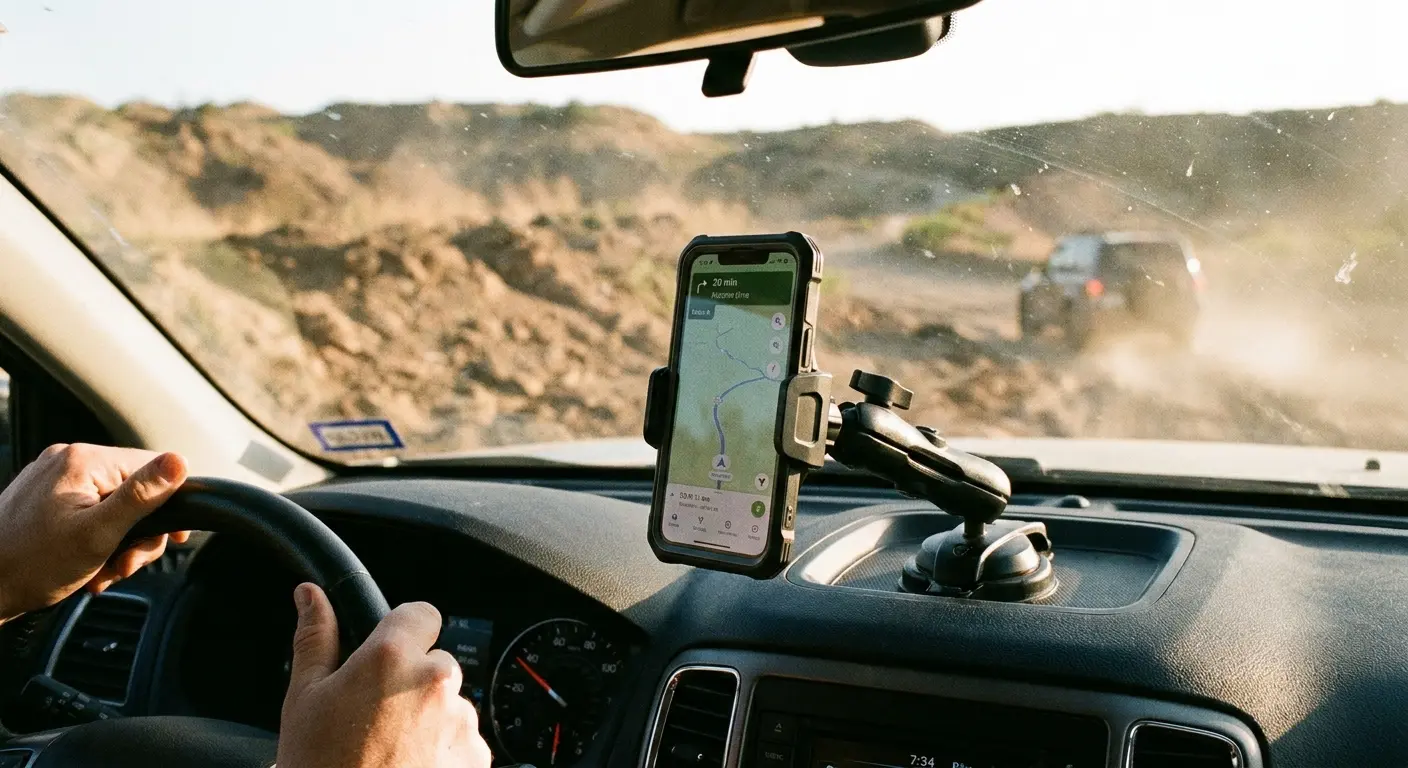
Their twist-lock mounting mechanism creates secure attachment that doesn't fail unexpectedly. Your phone doesn't detach during bumps or vibration, which means you're not leaving it behind in locations where you lose control over who accesses it. This reliability is crucial for preventing my phone is hack scenarios that start with simple device loss.
The case designs maintain full access to biometric sensors and cameras, which means you won't be tempted to disable security features due to accessibility frustrations. When security features are easy to use, you actually use them. This design philosophy recognizes that my phone is hack prevention requires usability, not just theoretical security.
Final Thoughts
Here's the thing nobody wants to admit: all your digital security is worthless if someone can touch your phone. They're not separate problems. They're the same problem. You can't solve one without the other. Physical security isn't separate from digital security. They're interconnected aspects of the same challenge: protecting your data and privacy from unauthorized access. You can install every security app available, enable every software protection, and maintain perfect digital hygiene, but none of it matters if someone can physically access your device. Understanding how to know if my phone is hacked requires examining both digital and physical indicators.
The signs of phone hacking we've explored go beyond the standard software indicators that every article repeats. Physical evidence of tampering, behavioral anomalies that software scans miss, and the security implications of damage and unsupervised access represent gaps in most people's security awareness.
Start paying attention to the physical dimension of your phone's security. Notice when something feels different. Question situations where you lose physical control. Put into practice simple protocols that keep your device secured to your person or to controlled locations. Choose protective equipment that actually protects, not just against drops but against the broader security implications of physical vulnerability. Knowing how to know if phone is hacked means staying vigilant across all these dimensions.
Your phone contains your entire digital life. Financial accounts, personal communications, authentication credentials, location history, photos, and documents. The value of this data to malicious actors is substantial, and the methods they use to access it increasingly involve physical vectors that software can't defend against.
Physical security requires awareness and intentional choices, but it doesn't require paranoia or extreme measures. Small adjustments to your daily routines, better equipment choices, and attention to the physical state and location of your device create meaningful security improvements. You're not trying to achieve perfect security (which doesn't exist). You're raising the difficulty level enough that attackers move on to easier targets.
Bottom line? Physical security is the foundation everything else sits on. Get that right, and all your other security measures actually work. Get it wrong, and nothing else matters. Start paying attention to the physical stuff. Your future self will thank you.

