


I watched my friend crack her iPhone frame last week. Not from dropping it. From taking off her case. She'd done it the same way a hundred times, using the volume buttons as a pry point, until the aluminum just gave up. $380 repair bill for something that takes three seconds.
Most people obsess over finding the perfect case but completely ignore what happens when you take it off. A cracked screen protector, a bent charging port, a scratched aluminum frame can all happen in those three seconds. Your phone's frame is designed to be rigid. Not flexible. Not bendy. Rigid. So every time you're flexing it to pop off a case, you're doing something the engineers specifically designed against. Once or twice? Fine. Fifty-two times a year for two years? You're playing structural lottery.
Table of Contents
Why Case Removal Technique Actually Matters
Understanding Your Case Type and Construction
The Physics of Friction and Flex Points
Step-by-Step Removal for Different Case Designs
What Happens When You Remove Cases Incorrectly
Temperature and Material Considerations
Tools That Help (And Tools That Hurt)
When Your Case Won't Budge
Mounting Systems and Removal Complexity
How Case Design Impacts Long-Term Phone Health
Rokform's Approach to Accessible Protection
Maintenance Between Removals
TL;DR
Most phone damage during case removal happens at corner flex points and button edges where pressure concentrates
TPU cases require different removal techniques than polycarbonate or hybrid constructions due to material flexibility
Temperature affects case grip significantly, cold cases contract and grip tighter while warm cases release easier
Starting removal from the correct corner (usually opposite your volume buttons) prevents button damage and frame stress
Integrated mounting systems add removal complexity but shouldn't require tools if designed properly
Cases that fight removal every time indicate poor tolerances or material degradation
Regular cleaning between removals extends both case and phone lifespan by preventing debris buildup that increases friction
Proper removal technique matters more as phones get thinner and more fragile with each generation
Why Case Removal Technique Actually Matters
Modern smartphones use aluminum or stainless steel frames with glass backs, materials chosen for their premium feel and structural integrity, not their flexibility. Every time you remove a case, you're applying force to areas that weren't built to handle repeated torque and flex.
The problem compounds with repetition. You might remove your case once a week to clean it, swap it out, or access your SIM tray. That's 52 removal cycles per year. If each one applies even minor stress to your phone's frame, you're looking at cumulative damage that doesn't show up until it's too late. A slightly bent frame might not be visible, but it can affect how your screen sits in its housing or how your buttons respond to pressure.
I know someone who cleaned their case every Sunday. Admirable, right? Except they used the volume buttons as leverage every single time. Took 18 months, but eventually the button just stopped clicking right. Mushy presses. Half the time it wouldn't register. Apple wanted $200 to fix it because apparently buttons don't come separately, you replace the whole housing. All because of how they removed their case.
Look, a screen replacement costs $279 for flagship phones. Back glass repairs can run $400 or more if you go through official channels. These costs don't account for the frame damage that often accompanies impact damage, which can total your device even if the screen survives.
Phone thickness has decreased by roughly 2mm over the past five years across major manufacturers. That's a 20% reduction in structural depth, meaning there's less material to absorb stress when you're flexing a tight case off the corners. Engineers compensate with internal structural improvements, but those don't help when external force is applied incorrectly.
Cases themselves vary wildly in how they release. Some practically fall off with minimal pressure. Others require what feels like excessive force, making you question whether you're about to snap something important. This variation isn't random. It's a function of tolerance engineering, material selection, and design priorities.
Understanding how to remove phone case properly saves you money, extends your device's lifespan, and eliminates the anxiety that comes with fighting a stubborn case.
Understanding Your Case Type and Construction
TPU cases dominate the market because they're cheap to manufacture and offer decent protection. Thermoplastic polyurethane flexes easily, which sounds great for removal until you realize that flexibility works both ways. The case can stretch over your phone's corners during installation, but it also grips tighter over time as the material settles into microscopic surface irregularities on your phone's frame.
Polycarbonate cases are rigid. They don't flex much, which means they either fit perfectly or they don't fit at all. Removal requires understanding where the snap points are because you can't just bend the case away from the phone. You're working with defined release points, usually at corners. Miss them and you're applying force to areas that won't give.
Case Material |
Flexibility Rating |
Primary Removal Challenge |
Best Starting Point |
Temperature Sensitivity |
|---|---|---|---|---|
TPU |
High |
Material memory and grip |
Corner opposite volume buttons |
High (stiffens when cold) |
Polycarbonate |
Low |
Locating snap points |
Bottom edge near charging port |
Medium (becomes brittle when cold) |
Hybrid (TPU + PC) |
Medium |
Managing two material behaviors |
Back plate first, then bumper |
High (materials respond differently) |
Leather/Fabric |
Variable |
Internal frame complexity |
Check for closures first |
Very High (swells with humidity) |
Rugged Multi-Layer |
Very Low |
Sequential component removal |
Manufacturer-specific order |
Low (designed for extremes) |
Hybrid cases combine both materials, typically a TPU bumper with a polycarbonate back. These are tricky because you need to account for two different material behaviors during removal. The TPU wants to flex and release gradually, while the polycarbonate wants to snap free all at once. Mismatched removal technique leaves you fighting both materials simultaneously.
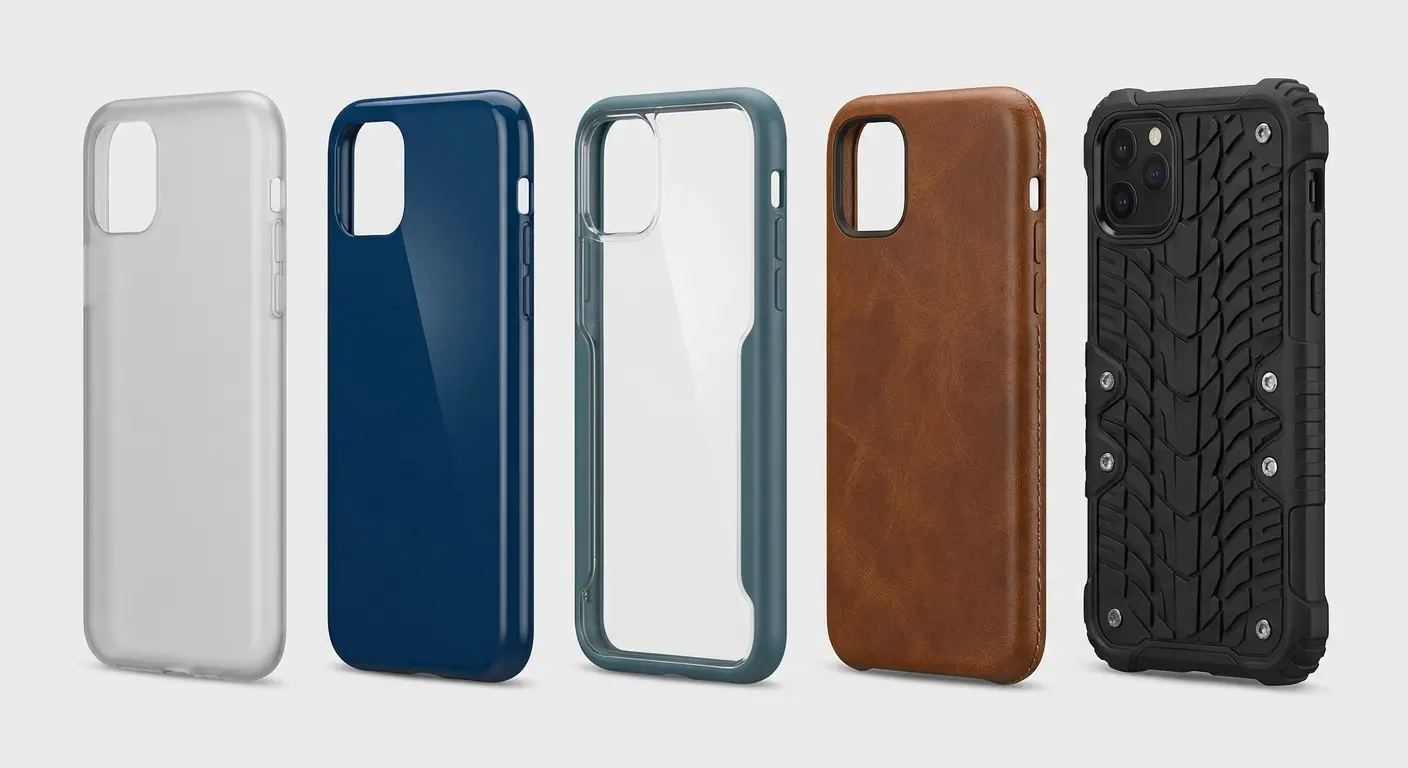
Leather cases (real or synthetic) add another variable because they're often wrapped around a rigid frame. You're not removing a case, you're removing a multi-layer construction where the outer material might be more flexible than the internal structure. The leather itself can catch on phone buttons or ports if it's not properly finished at the edges.
Wallet cases and folio designs complicate everything. Now you're dealing with additional weight, hinges, card slots, and magnetic closures that all affect how the case wants to come off. The center of gravity shifts, and if you're not accounting for that, you might be applying torque to your phone's frame in ways that stress internal components.
Rugged cases with port covers and screen protection built in require sequential removal. You can't just grab a corner and pull. You need to release port covers first, make sure no part of the case is caught on your screen protector, and then proceed with the actual removal. Skip steps here and you'll end up with torn port covers or lifted screen protectors.
Here's what actually matters: TPU needs patience. Polycarbonate needs precision. Hybrids need you to think in layers. Screw up which one you're dealing with and you'll fight your case every single time.
The Physics of Friction and Flex Points
Friction between your case and phone increases with contact area and pressure. A case that fits snugly has more surface area in contact with your phone, which means more friction to overcome during removal. This is why new cases often feel tighter than cases you've been using for months (the material wears slightly, reducing contact pressure).
Flex points are where your phone's frame meets the case's internal edges. These are stress concentration areas where force multiplies. When you pull on one corner of a case, you're not distributing that force evenly across the entire case. You're concentrating it at the flex point where the case is still attached and the phone's frame has to absorb the resulting torque.
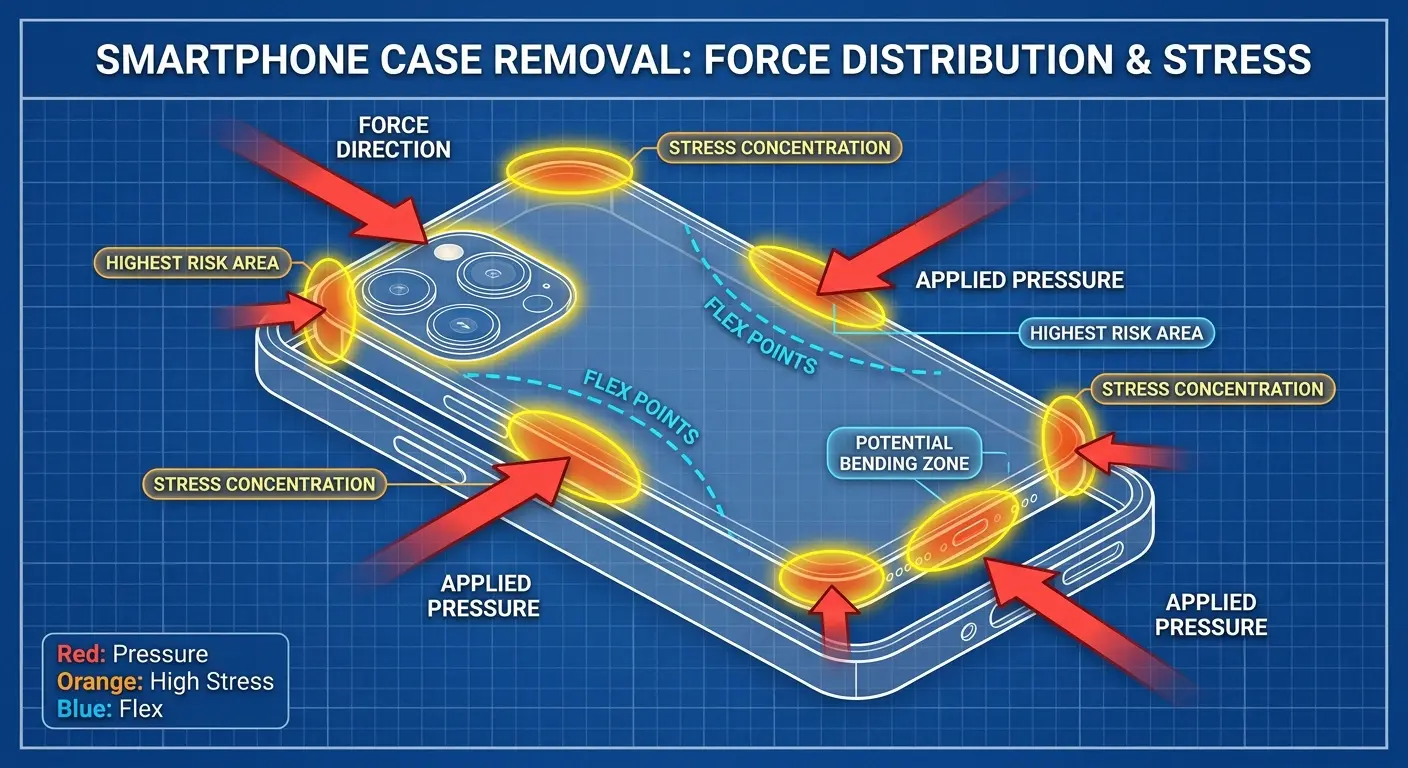
Pressure distribution matters more than total force. You could apply 10 pounds of force across an entire edge and cause no damage, or you could apply 2 pounds of force at a single point and crack something. This is why prying tools can be dangerous if used incorrectly. They concentrate force at whatever point they contact.
My buddy Jake (absolute genius with code, complete idiot with hardware) used a steak knife on his S23 Ultra. Not even a butter knife. A serrated steak knife. The knife concentrated 3 pounds of force on a 2mm contact point at the phone's corner. The aluminum frame developed a visible gouge, and the internal stress created a hairline fracture that propagated over the next month. The phone's back glass eventually separated slightly from the frame near the damaged area, compromising water resistance. The same removal with proper technique using distributed finger pressure would have applied 8 pounds of force across a 15mm contact area, causing zero damage.
Material memory plays a role in how cases behave over time. TPU cases that have been on your phone for months develop a "memory" of that shape. They've conformed to every micro-detail of your phone's frame, which is great for fit but terrible for removal because now you're fighting material that really doesn't want to return to its original shape.
Different materials grip differently. TPU on aluminum feels nothing like TPU on glass. This is why cases sometimes feel different when you remove them from the top versus the bottom of your phone. They're interacting with different materials.
Corner geometry creates mechanical advantage or disadvantage depending on your approach angle. Pulling straight back from a corner applies force perpendicular to the phone's surface, which is inefficient. Pulling at a slight angle leverages the case's flexibility and reduces the force required, but only if you're pulling in the right direction relative to the corner's geometry.
You're working with the physics instead of fighting them. That's the difference between easy removal and a wrestling match.
Step-by-Step Removal for Different Case Designs
TPU Cases:
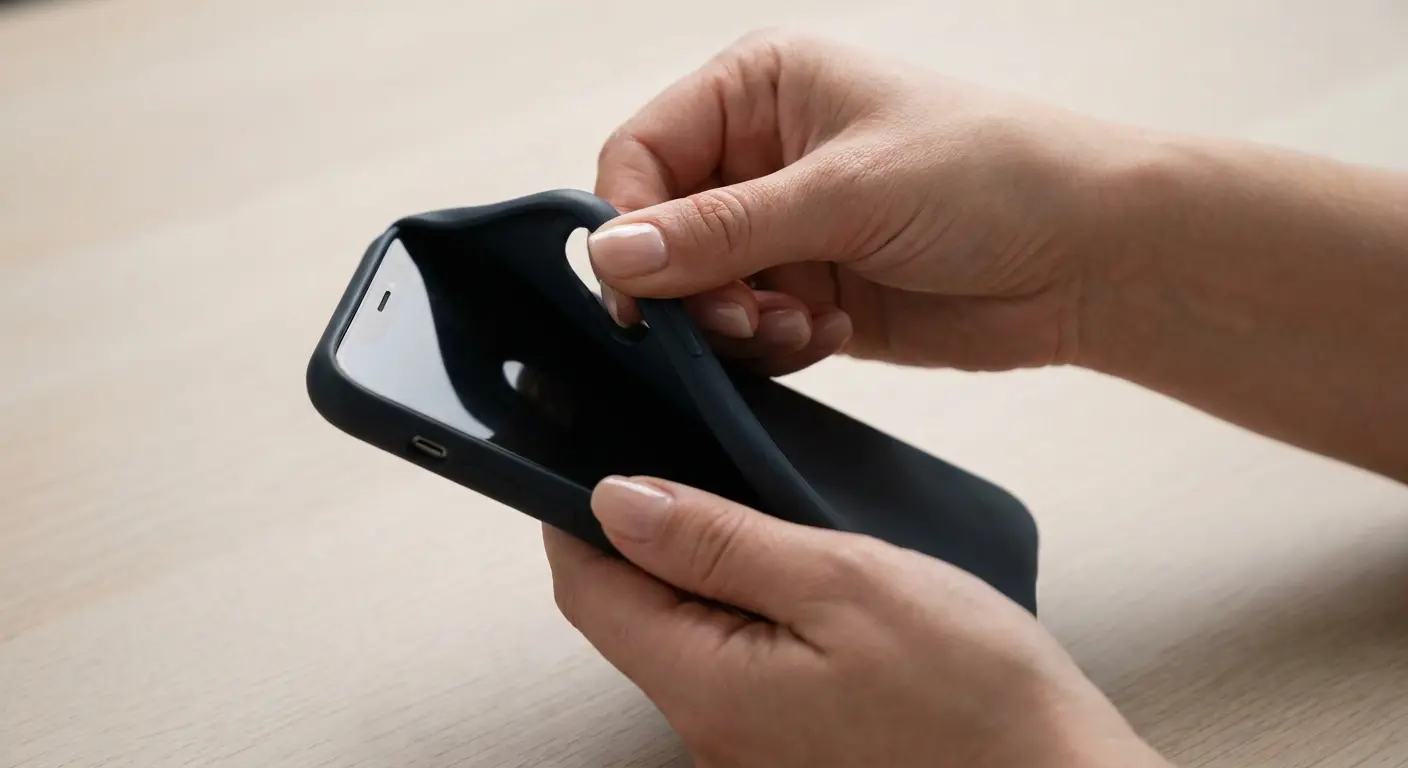
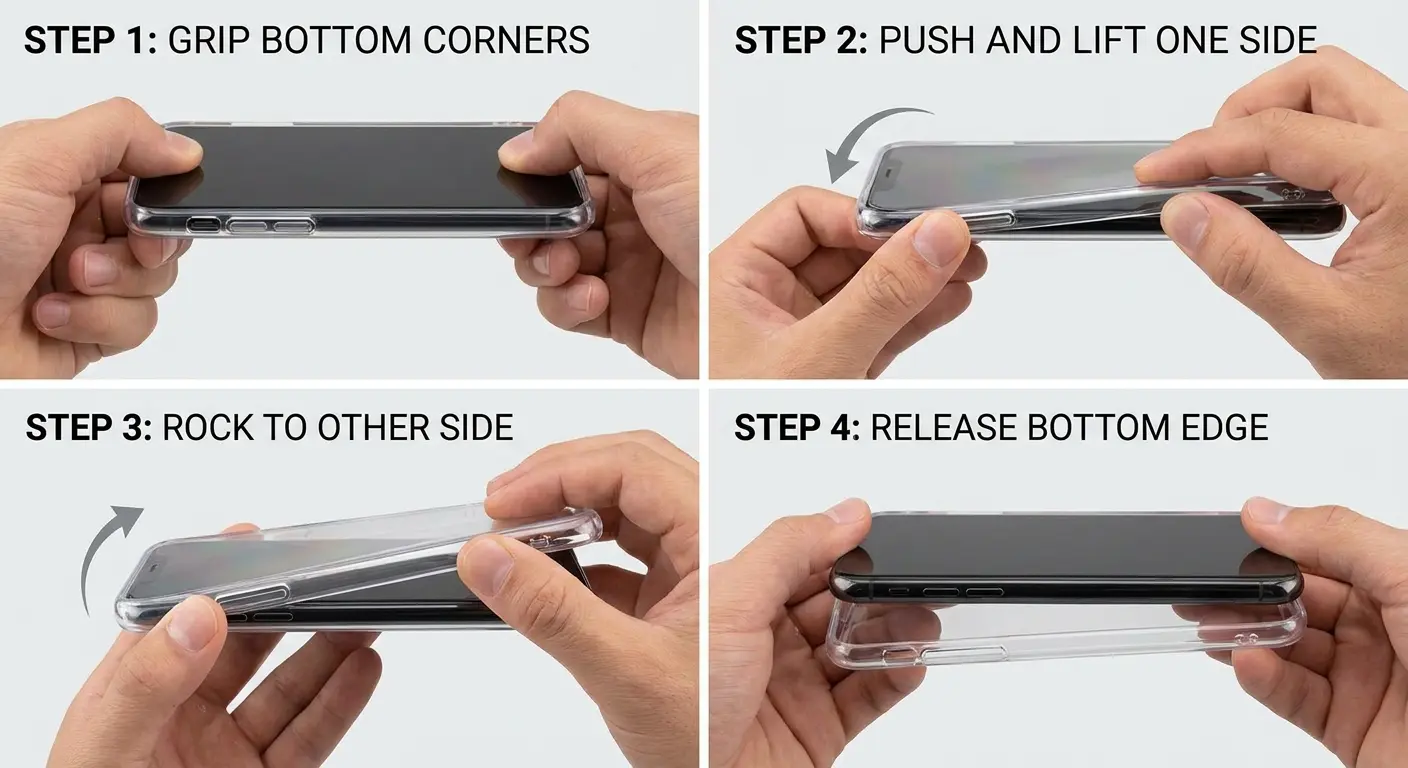
Start at the corner opposite your volume buttons (usually top right if you're right-handed). Place your thumb on the phone's screen near the corner and your index finger under the case's edge. Push the phone through the case rather than pulling the case off the phone. This reverses the typical stress pattern and uses the phone's rigid frame as the lever instead of flexing the case excessively.
Work around the perimeter gradually. Don't try to free an entire side at once. Move to the adjacent corner, repeat the push-through technique, and continue until you've released three corners. The fourth corner and final edge will release with minimal force once the case has lost structural tension.
Polycarbonate Cases:
Locate the primary snap points (usually marked by slight indentations or visible clips inside the case). Start with the bottom edge near the charging port. Polycarbonate cases typically have the most flex designed into this area because it needs to accommodate repeated cable insertion.
Use a rocking motion rather than pulling. Press down on one corner of the bottom edge while lifting the opposite corner. The case will begin to separate at the designed release point. Once you have separation, slide your finger along the edge to release the clips sequentially rather than trying to snap them all at once.
Pre-Removal Safety Checklist:
Check all port covers are open and not adhered to case edges
Verify no cables or accessories are attached to the phone
Confirm screen protector edges aren't overlapping with case lip
Identify case type and locate designed release points
Make sure hands are clean and dry for optimal grip
Check ambient temperature (if cold, warm case slightly first)
Clear workspace of hard surfaces that could damage phone if dropped
Hybrid Cases:
Remove the polycarbonate back plate first if the design allows for it (some hybrid cases are single-piece construction). If it's a two-piece design, the back plate usually slides out from the top or bottom after releasing a small clip or friction fit.
Once the back is off, you're left with the TPU bumper, which follows the TPU removal technique above. The key difference is that hybrid bumpers are often thinner than full TPU cases, so they require less force but are also more prone to tearing if you pull too hard at any single point.
Leather and Wallet Cases:
Check for magnetic closures or snap buttons before attempting removal. These can create unexpected resistance if they're caught on part of your phone or case structure. Open all closures fully.
Leather cases often have a rigid internal frame that the phone clips into. You're removing the phone from this frame, not peeling the leather off. Find where the phone's corners contact the frame (usually visible from the inside) and press on these points while supporting the phone from the front. The phone should release from the frame, after which you can lift it out.
Rugged Cases:
Open all port covers and remove any screen protector parts that are separate from the main case body. Some rugged cases have a front frame that needs to come off before the back, while others are back-first designs.
Check the manufacturer's instructions because rugged cases vary wildly in their disassembly order. Forcing the wrong sequence can break internal clips or damage the seals that provide the case's protective properties. If you've lost the instructions, search for a video for your case model. Trust me on this one.
The technique matters more than strength. Way more.
What Happens When You Remove Cases Incorrectly
Frame deformation is cumulative and invisible until it's not. Aluminum frames can develop micro-bends that don't affect function initially but create stress points that fail catastrophically later. You might remove your case 50 times with slightly too much corner force, and on the 51st time, your frame cracks near the volume button housing.
Button damage shows up as mushiness or failure to register presses. When you use the volume or power buttons as leverage points during case removal (consciously or not), you're pushing those buttons into their housings at angles they weren't designed for. The internal mechanisms wear faster, and eventually, you need a button replacement that costs $150+ because it requires partial disassembly.
Damage Type |
Typical Cause |
Visibility Timeline |
Repair Cost Range |
Prevention Method |
|---|---|---|---|---|
Frame deformation |
Excessive corner flex during removal |
6-12 months |
$200-$400 (often not repairable) |
Use push-through technique, support phone from front |
Button mechanism failure |
Using buttons as pry points |
3-8 months |
$150-$250 |
Start removal from corner opposite buttons |
Port contact bending |
Case edge catching port during pull-off |
Immediate to 1 month |
$100-$180 |
Check port alignment before removal, pull straight |
Screen protector lifting |
Case lip adhered to protector edge |
Immediate |
$10-$40 (replacement) |
Make sure case doesn't overlap protector edges |
Internal connector loosening |
Repeated frame flexing |
12-24 months |
$80-$300 (depending on component) |
Minimize removal frequency, use proper technique |
Case material tearing |
Overstretching TPU beyond elastic limit |
2-6 months |
$30-$60 (replacement case) |
Warm case slightly before removal, gradual release |
Port damage is common with cases that have tight cutouts. If your case's charging port opening is slightly misaligned and you pull the case off without checking, you can catch the edge of the case on your phone's port and bend the internal contacts. Lightning ports are particularly vulnerable because they have a thin metal surround that can deform.
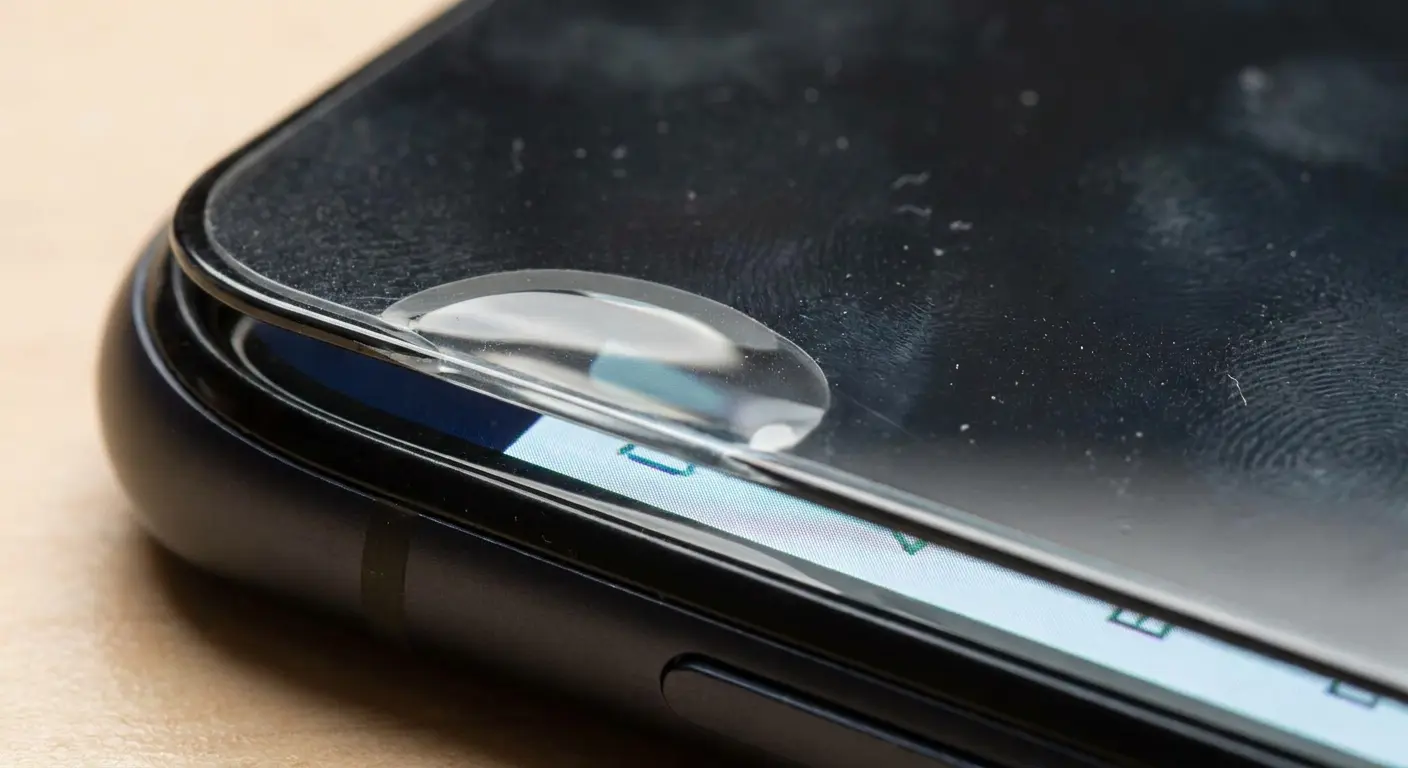
Screen protector lifting happens when cases overlap the screen protector edges. You remove the case without realizing it's adhered slightly to the protector, and you lift the protector's corner. Now you have a bubble that won't go away, and you need to replace the protector or live with it.
Case tearing or permanent deformation reduces protection. A TPU case that you've removed aggressively multiple times might look fine but has micro-tears at the corners that will propagate into full tears eventually. The case also won't fit as snugly anymore because you've stretched it beyond its elastic limit.
Internal component stress is the invisible killer. Your phone's logic board, battery connections, and camera modules are all secured with tiny screws and adhesive. Repeated flexing of the phone's frame during case removal can loosen these connections over time. You might never connect the dots between your case removal technique and the fact that your camera started having focus issues six months later.
Understanding how to get iphone case off properly prevents these issues entirely. The damage isn't theoretical. It's happening to phones every day because people don't realize the consequences of rough removal.
Temperature and Material Considerations
Cold cases grip harder. TPU becomes less flexible as temperature drops, increasing the force required to stretch it over your phone's corners. If you're trying to remove your case right after coming in from freezing weather, you're fighting material properties that have shifted from room temperature behavior.
Heat makes cases release easier, but there's a narrow safe window. Warming a TPU case to around 85-95°F (slightly above body temperature) increases flexibility without risking any damage to your phone's battery or adhesive parts. You can achieve this by holding the phone in your hands for a minute or two, or by placing it in a warm (not hot) environment briefly.
Polycarbonate responds differently to temperature than TPU. It becomes more brittle when cold, which means it's more likely to crack if you're forcing removal in cold conditions. Warm polycarbonate doesn't become much more flexible, but it's less prone to stress fractures during removal.
Humidity affects leather and fabric cases more than synthetic materials. High humidity can cause leather to swell slightly, making removal more difficult. The leather also becomes more prone to stretching permanently if you're pulling too hard. Dry conditions make leather more brittle and prone to cracking at stress points.
Thermal cycling weakens adhesive over time. If you regularly move between extreme temperatures (leaving your phone in a hot car or taking it skiing), the adhesive that holds multi-layer cases together can degrade. This doesn't affect removal difficulty directly, but it means the case might start separating at seams during removal, which is a sign you need a replacement.
Material compatibility with temperature extremes varies by manufacturer. Cheap cases use materials that become tacky or release oils at higher temperatures, making them harder to remove cleanly. Quality cases use stabilized materials that maintain consistent properties across a wider temperature range.
Tools That Help (And Tools That Hurt)
Your fingernails are the best tool for most cases. They provide controlled force at a precise point without the risk of scratching your phone's frame. Keep nails moderately short (not bitten down, not long) for optimal leverage without breakage.
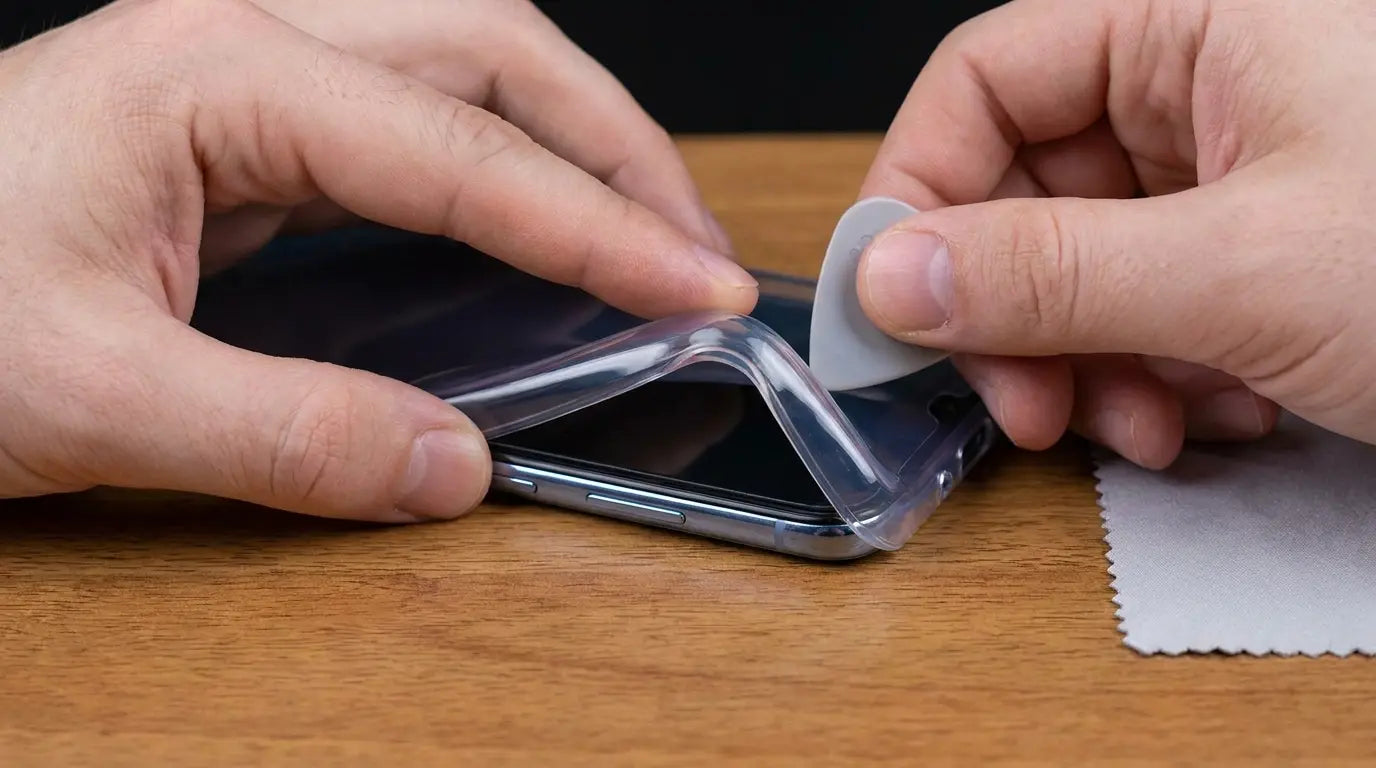
Guitar picks work well for polycarbonate cases with defined snap points. The thin plastic edge can slide between the case and phone to release clips without scratching. Use picks that are 0.5mm to 0.7mm thick. Thicker picks don't fit into tight gaps, and thinner picks can break and leave fragments.
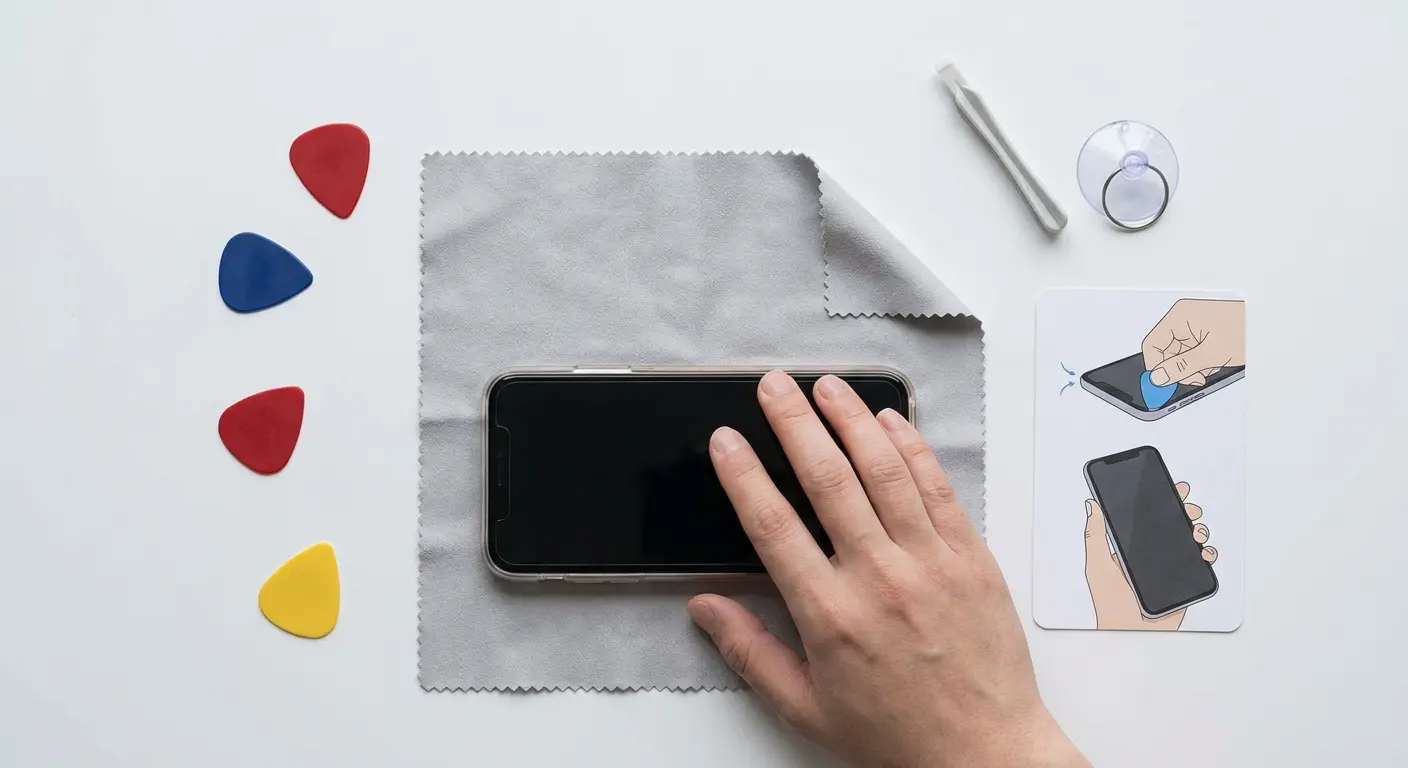
Microfiber cloths provide grip without tools. Wrap the cloth around a corner of the case for better purchase if your hands are sweaty or the case material is slippery. This is useful for glossy polycarbonate cases that don't provide much friction for your fingers.
Avoid metal tools entirely. Screwdrivers, butter knives, and other metal implements will scratch your phone's frame, damage the case, or both. The force concentration from a metal edge is too high, and the risk of slipping and gouging something important is real.
Suction cups are marketed for phone repair but are useless for case removal. They're designed to lift screens and back glass, not to remove cases. Using a suction cup on a case applies force in the wrong direction and can increase the pressure between the case and phone.
Case removal tools exist but are usually unnecessary. Some manufacturers include plastic pry tools with their cases, which can be helpful for their designs. Generic removal tools are hit or miss because they're not optimized for any particular case geometry. If you're struggling with a case design repeatedly, a manufacturer tool might be worth the $5 investment, but master the basic techniques first.
Compressed air helps with stuck cases but use it carefully. A quick burst around the edges can dislodge debris that's increasing friction, but don't blast air directly into ports or speakers. Hold the can upright to avoid spraying propellant liquid, which can damage electronics or leave residue.
Most removals should require nothing more than your hands and proper technique. If you're reaching for tools regularly, something's wrong with either the case or your approach.
When Your Case Won't Budge
Debris accumulation is the most common culprit. Lint, dust, and skin oils build up between the case and phone over time, creating an adhesive effect that normal friction doesn't account for. You're not imagining it when a case that used to come off easily suddenly feels welded on.
Remove what you can access first. If you can get one corner free, work a clean cloth into the gap and slide it around the perimeter. This clears debris and breaks the adhesive bond without requiring full removal. You might find the rest of the case releases much easier after this step.
Stuck Case Troubleshooting Sequence:
Temperature adjustment - Warm case to 85-90°F by holding in hands for 2-3 minutes
Debris check - Inspect visible edges for lint, dust, or adhesive buildup
Single corner release - Focus all effort on freeing one corner completely
Cloth insertion - Slide microfiber cloth around perimeter to break debris bond
Sequential release - Move to adjacent corners one at a time, never forcing
Port and button check - Verify nothing is caught on openings or cutouts
Manufacturer guidance - Search for model-specific removal instructions or videos
Professional assessment - If still stuck after all steps, visit repair shop to avoid damage
Adhesive mounting systems complicate removal significantly. Some cases use adhesive strips or pads to enhance grip or integrate mounting features. If your case has these, check whether they're designed to be permanent or removable. Permanent adhesive cases aren't meant to come off without destroying the adhesive, and forcing removal will damage either the case or phone.
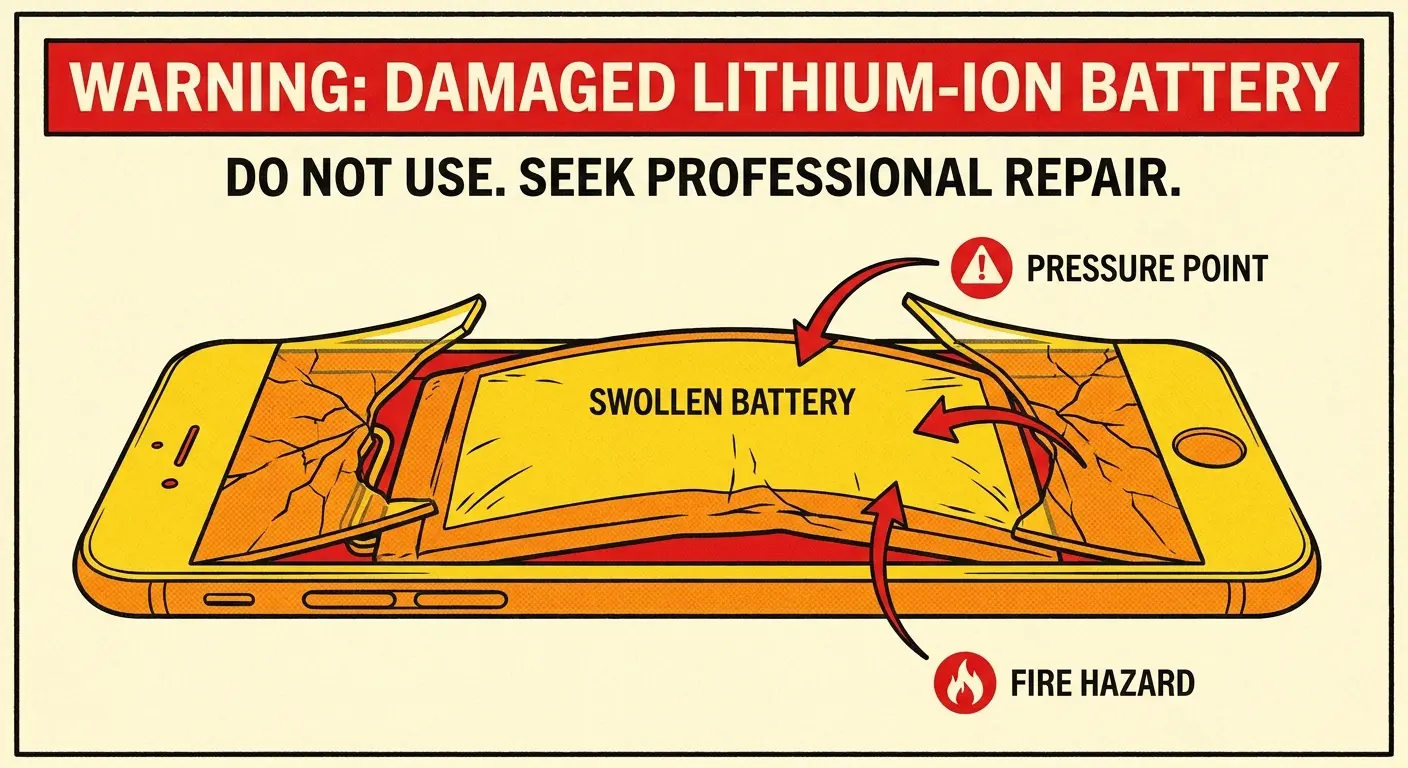
Swollen batteries push cases outward, making them tighter. If your phone feels thicker than usual and the case is suddenly difficult to remove, don't force it. A swollen battery is a safety hazard that needs professional attention immediately. The case removal difficulty is a symptom of a much bigger problem.
Manufacturing defects in case tolerances mean some cases simply don't fit correctly. If a case was too tight from day one and has only gotten worse, you're dealing with a design or manufacturing issue. These cases will fight you forever, and the risk of phone damage increases with each removal. Replace the case.
Temperature shock can help in extreme cases. Take the phone from room temperature to slightly cool (not freezing) for a few minutes. The case material will contract slightly more than the phone's metal or glass, creating a tiny gap that might be enough to break the stuck bond. Bring it back to room temperature before attempting removal to avoid brittleness issues.
Mounting Systems and Removal Complexity
Magnetic mounting systems add weight and thickness that change how cases release. The magnet array is usually embedded in the case back, which shifts the center of gravity and creates uneven force distribution during removal. You need to account for this by supporting the phone from the front while removing the case to prevent the magnetic weight from torquing the phone's frame.
Twist-lock mechanisms require specific release sequences. You can't just pull these cases off. You need to rotate or slide parts in the correct order. Forcing removal without following the sequence can break the locking mechanism, leaving you with a case that no longer secures properly even if you get it off.
RokLock and similar proprietary mounting systems integrate the mounting point into the case structure. This is better for removal than adhesive add-ons because the mounting feature moves with the case during removal rather than creating an additional friction point. You're still removing one piece, just a slightly heavier one.
A motorcycle rider I know uses a magnetic mount case for GPS navigation. The case has a 40-gram magnet array embedded in the back plate. During removal, he'd pull from the top edge without supporting the phone from the front. The magnet's weight created a torque moment that stressed the phone's frame at the bottom corners. After six months of twice-weekly removals using this technique, the phone developed a slight gap between the frame and back glass at the bottom right corner. Switching to a two-handed removal technique with front support eliminated the stress pattern completely.
Adhesive mounting plates that stick to cases create a permanent bond that complicates removal. The plate adds thickness at one point, making the case fit asymmetrically. When you remove the case, you need to account for the plate's position and make sure it's not catching on anything. These plates also add weight that can stress the case material during removal if you're not supporting the phone properly.
Kickstands and pop-out features need to be retracted before removal. An extended kickstand can catch on your phone's camera bump or buttons during case removal, damaging both the kickstand mechanism and your phone. Make it a habit to check all moving parts before starting removal.
Modularity helps or hurts depending on implementation. Cases with removable back plates or swappable mounting parts are easier to remove if you can separate the layers first. Cases where everything is integrated into a single piece with mounting features require more care because you're managing multiple functions during one removal operation.
How Case Design Impacts Long-Term Phone Health
Resale value drops with frame damage. Buyers inspect corners and edges carefully because that's where stress damage shows up first. Micro-scratches and slight deformations might seem minor to you, but they signal to buyers that the phone has been stressed, which reduces what they're willing to pay by 10-15% on average.
Waterproofing degrades with frame stress. Your phone's IP rating depends on precise tolerances between the frame and seals. Repeated flexing from difficult case removal can compromise these tolerances even if you don't see visible damage. You might not realize your phone's water resistance is compromised until it's too late.
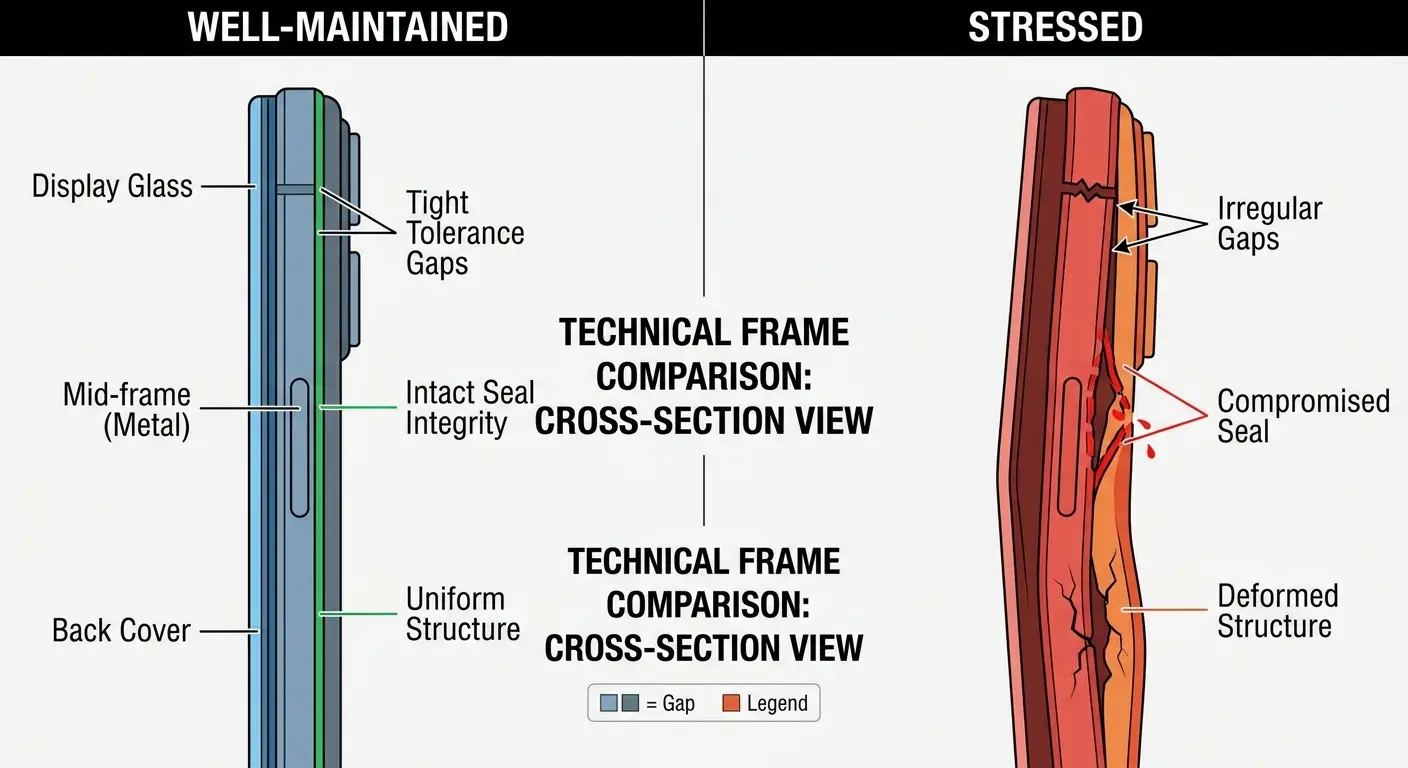
Button longevity correlates directly with removal technique. Phones where cases are removed frequently using buttons as leverage points need button replacements 2-3 times more often than phones where cases are removed properly. This isn't a small difference. It's the gap between a phone lasting its full useful life and needing repairs in year two.
Internal component reliability suffers from repeated frame flex. Your phone's internals weren't designed to be flexed repeatedly. The connectors, solder joints, and adhesive bonds all have fatigue limits. Stay within those limits by choosing cases that remove without fighting you.
Case quality matters more than case price for long-term phone health. A $15 case with poor tolerances that you struggle to remove twice a month will cause more damage over two years than a $50 case that releases easily. The math favors spending more upfront for better design.
Protective features become liabilities if the case damages your phone during removal. A rugged case that survives a 10-foot drop but requires aggressive removal technique that stresses your phone's frame every week isn't protecting your phone. You're trading impact protection for cumulative stress damage.
If you're looking for cases designed with both protection and usability in mind, check out our full selection at Rokform phone cases where engineering meets real-world practicality.
Rokform's Approach to Accessible Protection
Full disclosure: I work for Rokform, which is why I care way too much about case removal mechanics. We got sick of hearing "love the protection, hate taking it off" so we basically redesigned our entire approach around that problem. Two-piece construction, accessible mounting, the whole thing.
The RokLock mounting system integrates into the back plate, not the bumper. When you remove the back plate to clean your case or swap mounting configurations, you're working with a flat part that slides out rather than flexing over corners. The bumper stays on your phone, maintaining protection while you handle the other parts.
Tolerances are tight enough for protection but loose enough for removal without tools. This is harder to achieve than it sounds because you're balancing impact protection (which requires snug fit) against user accessibility (which requires some clearance). We test removal force across temperature ranges to make sure cases don't become stuck in cold weather or loose in heat.
Corner reinforcement is built into areas that handle removal stress. The corners of our cases have slightly more material and different geometry than the edges because we know that's where users grip during removal. This reinforcement prevents the case from tearing or permanently deforming over hundreds of removal cycles.
You can check out our full case lineup at https://www.rokform.com/collections/phone-cases to see how different models handle the removal challenge. Each product page includes removal instructions because we know not everyone removes cases the same way, and we'd rather you have the information upfront than struggle with it later.
For those who need maximum protection without sacrificing accessibility, our rugged phone cases incorporate the same removal-friendly design principles while meeting military drop test standards. Protection shouldn't mean you need tools or excessive force every time you want to clean your case.
Maintenance Between Removals
Clean your case and phone every two weeks minimum. Debris accumulation happens faster than you think, especially if you keep your phone in pockets or bags. A quick wipe-down with a slightly damp microfiber cloth removes the oils and particles that increase friction and make removal difficult.
Inspect case integrity during each removal. Look for micro-tears at corners, cracks near button cutouts, or areas where the material looks stressed or discolored. These are early warning signs that the case is reaching the end of its useful life. Catching them early means you can replace the case before it fails catastrophically.
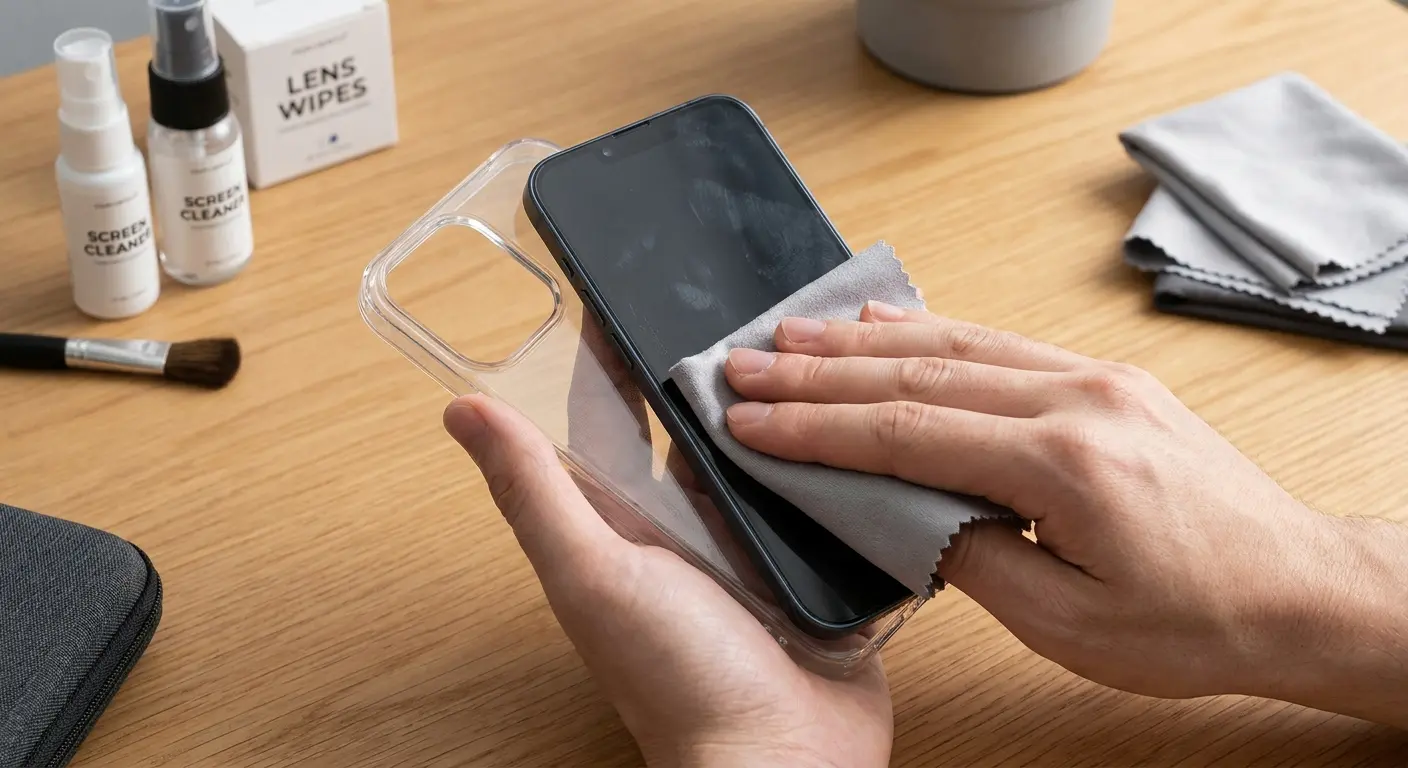
Port covers need regular exercise. If your case has port covers, open and close them a few times each week even if you're not using the ports. This prevents the hinges from stiffening or the covers from adhering to the case body, both of which complicate removal.
Button cutouts should be checked for debris. Lint and dust accumulate in the gaps around buttons, creating friction that makes the case harder to remove and affects button responsiveness. Use a dry toothbrush to gently clean these areas without pushing debris deeper into the phone.
Magnetic mounting surfaces attract metal particles. If you use magnetic mounting, wipe the mounting surface monthly to remove metal dust and particles. These particles increase friction between the case and phone and can scratch your phone's back if they work their way under the case edge. Our magnetic phone mounts are designed to minimize this issue, but regular cleaning still helps.
Material conditioning extends case life. TPU cases benefit from occasional cleaning with mild soap and water, which removes oils that can degrade the material. Polycarbonate cases should be kept away from harsh chemicals and excessive heat, both of which can make the material brittle.
Document your removal technique. This sounds excessive, but if you find a method that works perfectly for your case and phone combination, make a note of it. You might not remove your case for months, and when you do, you'll have forgotten the exact sequence that worked last time. A quick note in your phone saves frustration later.
Regular maintenance prevents the stuck case scenarios we covered earlier. A case that's cleaned regularly and inspected for wear will always remove more easily than one that's been neglected for six months. The five minutes you spend on maintenance every couple weeks saves you twenty minutes of struggling with a stuck case later.
If you're using cases with integrated accessories like our bike phone mounts, pay extra attention to the mounting interface during cleaning. Dirt and debris in the mounting mechanism can transfer to your case and create additional friction points during removal.
Final Thoughts
Case removal shouldn't be a wrestling match with your phone. The techniques we've covered here apply to most cases you'll encounter, but the real takeaway is understanding why cases behave the way they do during removal. Material properties, temperature, friction, and design all play roles that most people never consider until something breaks.
You'll remove your case hundreds of times over your phone's life. Each removal is an opportunity to either maintain your phone's condition or degrade it slightly. The cumulative effect of good technique versus poor technique is the difference between a phone that looks and functions well after two years and one that needs repairs or sells for way less than it should.
Start paying attention to how your case releases. Does it fight you at certain corners? Does it feel different in winter versus summer? Is it getting harder to remove over time? These observations tell you whether your case is well-designed for your usage pattern or whether you need to adjust your technique (or your case choice).
The best case is one that protects your phone without making you dread the removal process. If you're struggling with removal regularly, something is wrong with either the case design or your technique. Fix it now rather than waiting until you've caused damage that could have been prevented with better information and a few minutes of attention to detail.
For cases engineered with both protection and practical daily use in mind, explore our motorcycle phone mounts and accompanying case systems that prioritize user accessibility alongside durability. We built them because we got tired of fighting our own gear.

