


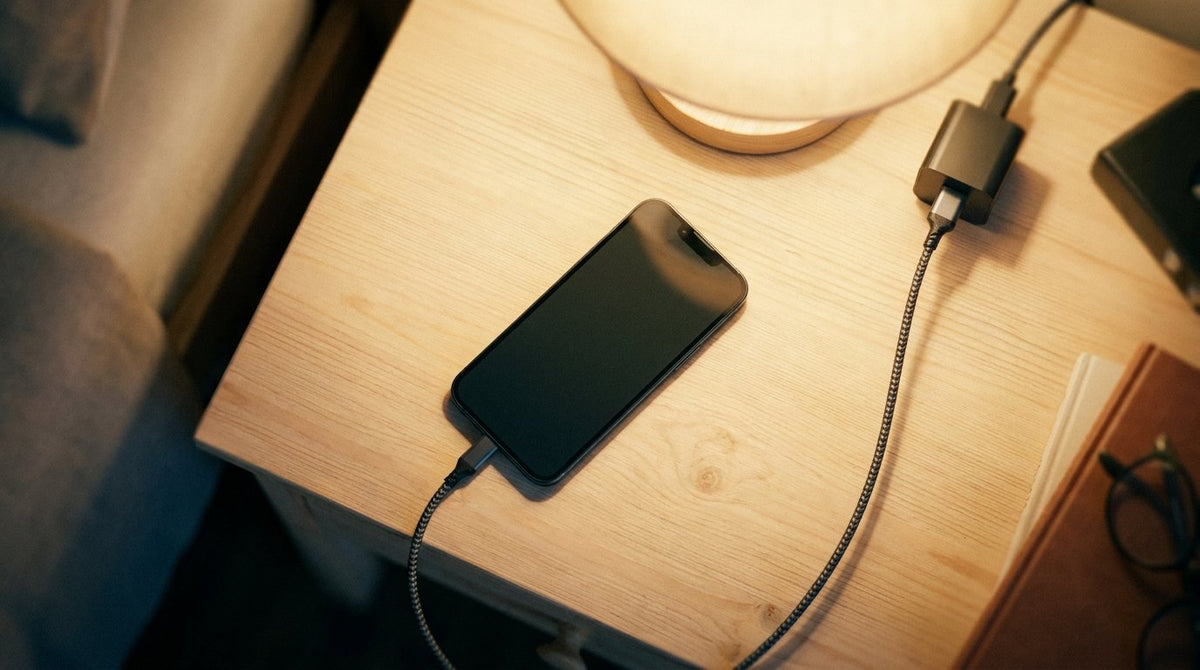
Rokform chargers move power without cooking the phone.
You plug in, come back ten minutes later, and the bottom edge is uncomfortably warm. Is this normal, and is it hurting the battery? Both answers hinge on one variable almost nobody checks: the temperature of the air around the phone. Apple designs iPhone for an ambient operating range of 32 to 95 degrees Fahrenheit (0 to 35 C), and stores it safely from minus 4 to 113 F. That is a published spec, not a survey estimate. Most reports of a phone overheating while charging get solved by the first or second item below.

Table of Contents
- What normal charging heat feels like
- Symptoms that mean stop right now
- Why does my phone get hot while charging, ranked
- What the temperature warning screen does
- A ten minute cool-down routine
- When a battery, cable or port needs replacing
- Charging gear that stops adding heat
- Final thoughts
TL;DR
- Apple's stated operating range is 32 to 95 F (0 to 35 C). Past that, protection kicks in.
- Warm during a charge is expected. Hot enough to shift your grip is not normal.
- Work the causes in order: room, sun, bedding, case, load, cable, port, battery.
- Swelling, a connector too hot to hold, or a burning smell means stop charging now.
- A case is rarely why a phone gets hot while charging. A two minute test settles it.
- A phone overheating while charging in a cool, idle room is worth chasing.
Warm Is Physics, Hot Is a Message
Three places get warm when you plug in: the wall adapter, the two cable ends, and the charging circuitry just behind the port. None of that conversion is free, and the waste leaves as heat, which is why the bottom third warms on a wired charge while the top stays cool.
So a phone overheating while charging is not automatically a defect. Heat scales with the power you push. Here is how super fast charging works. My line: warm enough to notice is fine, hot enough that you switch hands is a signal. A phone getting hot while charging in a cool room with the screen off is saying something a phone in August is not.
What Your Phone Already Does Without Telling You
Apple, Google and Samsung publish the same protective behavior, and people mistake it for a malfunction. Past the normal range, Apple says charging including wireless charging slows or stops, the display dims, and camera features get disabled. Google lists reduced CPU performance and slower charging on Pixel hardware. Samsung is plainer: if the battery gets too hot, the charger may stop.
That is design, not failure, and the slowdown is one common answer to why your phone charges slow.

Navigation running, screen at full brightness, black dashboard baking in July sun, car charger feeding it the whole way. Twenty minutes into the commute the phone is hot and the percentage has gone down instead of up. Three heat sources stacked and the charging circuit lost. Move the mount out of the sun line and drop the brightness.
The Number to Measure Against
Apple names 62 to 72 F as the battery's ideal comfort zone and warns that ambient temperatures above 95 F can permanently damage capacity. Ambient means the air around the phone, not its surface and not the weather app.
Same phone, same cable, different air, and that is most of why does my phone get hot while charging on some days and not others. When a phone overheats while charging in one room and behaves in another, the room was the variable.
| Where it feels hot | What is warm | Usually means |
|---|---|---|
| Bottom edge, near the port | Charging circuitry | Normal on a fast wired charge |
| The wall adapter | Power conversion | Mild warmth normal; too hot to hold means replace |
| Middle of the cable | Conductor resistance | Not normal, replace the cable |
| Center of the back glass | Wireless coil losses | Normal on a pad; check alignment |
Six Symptoms That End the Troubleshooting
This sits ahead of the causes on purpose. The US Fire Administration tells you to stop using a lithium-ion battery on odor, change in color, too much heat, change in shape, leaking or odd noises.
A Back That No Longer Sits Flat
A failing pouch cell generates gas that has nowhere to go. You see a screen lifting at one edge, a rear panel bowing, or a phone rocking on a table. Stop charging, power down, take it to service, and never press or puncture the bulge.
A Connector Too Hot to Touch, or a Smell
Warm plug, fine. Plug you cannot hold for three seconds, not fine. FDNY guidance for a burning device is short: leave the area, close the door, and call 911. Extinguishers do not work on lithium-ion fires, and these cells can reignite days later.
What Stop Now Actually Means
STOP CHARGING NOW CHECKLIST. Any single item ends it.
- Back panel or screen lifting, bulging, or the phone rocking on a table
- A case that will no longer close
- A connector, plug or brick too hot to hold for three seconds
- Any chemical, sweet or burning smell
- Discoloration or scorching at the port or a cable end
- Hissing, popping or crackling from inside
Unplug at the wall, power the phone off, set it on a hard noncombustible surface away from anything that burns, and take it to service or recycling. Skip the freezer, since condensation stacks a second failure on the first.
The Eight Causes, Most Likely First
Every other page hands you an unranked pile of possibilities, which helps nobody at 11pm. This is a troubleshooting order built on how often each cause is the answer, not on incidence data, since nobody publishes that.
Most complaints about a phone overheating while charging end in the first three entries. Anyone with a phone getting hot while charging on a cool desk has already skipped to line four.
| Order | Suspected cause | Two minute test | Fix |
|---|---|---|---|
| 1 | Hot room | Charge in the coolest room | Move the spot |
| 2 | Direct sun | Shade it, change nothing else | Reposition |
| 3 | Bedding or a bag | Charge on a hard surface | Change where you charge |
| 4 | The case | Charge once with it off | Usually no change |
| 5 | Fast charge plus load | Screen off, nothing running | Sequence the tasks |
| 6 | Cable or adapter | Swap one, then the other | Replace the bad part |
| 7 | Dirty port | Look inside with a light | Clean, or service |
| 8 | Aging cell | Check cycle count | Battery replacement |

One: The Room Is Hot
The boring answer is usually correct. A charging phone starts warm and can only shed heat into air cooler than itself, so a 90 F room leaves no headroom and thermal limits engage early.
NOAA's National Centers for Environmental Information reported on January 14, 2026 that 2025 ranked as the third-warmest year in the global temperature record, 2.11 F (1.17 C) above the twentieth century average, which means more of us charge near the top of Apple's window. Carry the phone and charger to the coolest room, plug in, wait fifteen minutes. If the heat drops, why does my phone get hot while charging is a question about the room. A phone gets hot while charging in a closed sunroom for reasons unrelated to the phone.
Two: It Is Sitting in Direct Sun
Does the heat only show up outdoors? Sunlight is a separate variable from air temperature. A dark phone body absorbs radiant energy and runs well above ambient even on a mild day. Apple names direct sunlight and a hot car as specific causes. Shade it first: on a patio table the heat source is the sun.
Three: It Is Charging Under Bedding
This is the most common self-inflicted version, and the only one with a real safety dimension. A phone under a pillow, duvet or couch cushion has no path to shed heat, so what it produces feeds back into the cell, raising resistance and making more heat.
FDNY guidance is blunt: never charge a battery or device under your pillow, on your bed, or near a couch. That department recorded 277 lithium-ion battery fires in New York City during 2024, with related deaths falling from 18 in 2023 to 6, announced January 8, 2025. Read it carefully: that count covers every lithium-ion device citywide, and e-bikes dominate it.

Midnight, plugged in, pushed under a pillow so the glow does not keep anyone awake, bedroom at 78 F, window shut. By 3am the phone sits in its own exhaust under a quilt, and morning brings 92 percent instead of 100. Nobody wants to watch a phone overheat while charging overnight, and moving a phone overheating while charging onto a nightstand costs nothing.
Four: The Case, Which Is Usually Not the Problem
We sell cases, so read this knowing that. Cases sit fourth on our own list, and we would rather lose a sale than send you chasing the wrong cause.
Apple's wording is conditional. It says remove certain cases during charging if you notice the device gets hot, a test rather than a diagnosis. Google's phrasing is about fit: use only cases made for your specific phone. Neither company calls cases a common cause, and neither do we.
A case adds a thin insulating layer and generates no heat of its own. Test it: charge once with the case off, same room, same cable, same starting percentage. Form factor shifts the math slightly, since a tri-fold phone build stacks more layers between cell and open air. A phone gets hot while charging because of what happens inside it far more often than what is wrapped around it.
The Wireless Pad Exception
Inductive charging is where a case genuinely matters, and the reason is efficiency. More of the delivered energy becomes heat crossing the air gap, and it lands on the back glass directly against the cell. The Wireless Power Consortium announced Qi2 25W on July 23, 2025, raising certified wireless charging to 25 watts, which the Wireless Power Consortium calls nearly 70 percent more power than the original Qi2.
A pad transfers worst when the coils sit off center, and that shows up as heat, which is the practical difference in Qi2 versus MagSafe alignment. Samsung also warns against cards left between phone and cover.
Five: Fast Charging Plus Heavy Use
Two heat sources, stacked. The charging circuit works hardest early, when the cell takes the most current. The processor works hardest during navigation, video, gaming or a large restore, which is Google's own list. Run both at once and you get a phone getting hot while charging that would have stayed cool doing either alone.
Take the hotel restore. New phone, unfamiliar adapter bought at an airport, a room at 80 F, a 90 gigabyte iCloud restore over hotel WiFi. Unstack the variables in order: cooler surface, adapter swap, restore paused. A phone overheats while charging under that load for predictable reasons.
Six: The Cable or the Adapter Is Failing
Accessory heat and phone heat feel different once you know where to touch it. Check three points: adapter body, connector at the phone end, mid cable. A cable warm along its length has resistance where there should be none, and Samsung says heat at the lower part of the device can come from a faulty USB cable.
FDNY adds a habit worth adopting: plug the charger straight into a wall outlet, not an extension cord or a loaded power strip. Knowing the types of phone chargers on your desk tells you which can supply the wattage your phone requests, and what a GaN charger is explains why two 65W bricks run at different temperatures. Swap one variable at a time. Swapping both teaches you nothing, and that is how people end up asking why does my phone get hot while charging a third week running.

Seven: The Port Is Dirty or Damaged
Pocket lint does not stay fluffy. Every insertion compresses it until a dense pad sits at the bottom of the port, the connector makes partial contact, resistance climbs and heat follows. The cable stops clicking, or the phone only charges at one angle. There is a right way to clean an iPhone charging port and several ways to wreck one, and bent pins are not a cleaning problem.
Eight: The Cell Itself Is Wearing Out
Owners of older phones notice a charge that runs warm and finishes slowly. Internal resistance climbs as a battery ages, so more of the incoming charge turns into warmth instead of stored energy.
Apple states that iPhone 15 batteries are designed to retain 80 percent of original capacity at 1,000 complete charge cycles, against 500 cycles for iPhone 14 and earlier, both qualified as under ideal conditions. Sustained heat is what breaks the ideal. Read cycle count and maximum capacity in Settings before spending anything. Plenty of readers nurse an aging battery while waiting on the Galaxy Z Fold 8 release date, which works unless the phone runs hot nightly.
Temperature: iPhone Needs to Cool Down
The warning screen reads exactly that. By the time it appears the phone has already dimmed the display, throttled the processor and slowed charging, so it is a last line of defense, not a first alert. Emergency calls still work.
Apple's instructions run three steps: turn the device off, move it somewhere cooler away from direct sunlight, let it cool. Skip the freezer, since condensation inside a sealed device is a second failure. If the phone refuses power entirely rather than merely slowing, emergency override iPhone charging covers the other reason a charge stalls. Watching a phone overheat while charging get this far means something above went unaddressed.
The Ten Minute Cool-Down, Then the Fifteen Minute Test
Triage first. Unplug, take the case off, set the phone screen-up on a hard open surface, close whatever was running, and leave it ten minutes. No cold packs, no running water. Then test instead of guessing, because a phone overheating while charging tells you nothing until you change one thing at a time.
THE FIFTEEN MINUTE ISOLATION TEST
- Note the starting percentage and the room temperature.
- Change exactly one variable from the table above. One.
- Charge fifteen minutes, screen off, nothing running.
- Touch three points in sequence: adapter, cable end, bottom edge.
- Write down the ending percentage and which point was warmest.
- If the warm point moved or cooled, that was your variable. If nothing changed, revert and take the next line.
- After eight lines with no change, the heat is internal and service is next.
Fifteen minutes covers the fast-charge phase, where current runs highest, and repeats easily in one evening.
Reading Your Own Results
A cool room fixing it means ambient was the answer. Nothing changing across every swap puts the problem inside the phone. One result gets misread constantly: a phone that stays warm but charges at a normal rate is usually fine. Repeated episodes of a phone overheating while charging in a cool, shaded, unloaded room point straight at hardware.
Charging Gear That Stops Adding to the Problem
Two of the eight causes are accessory problems rather than phone problems: a brick that runs hot because of how it converts power, and a pad that traps heat against the glass. We build for both.
The PowerTrip 65W GaN Fast Charger uses gallium nitride switching, the reason a 65W brick can run cooler than an older silicon design. Rated at up to 15W, the Magnetic Wireless Charging Stand stands the phone on edge instead of laying it flat, so air reaches both faces.
None of this is required to solve a phone overheating while charging, and a cool room fixes most of it free. If your testing points at the adapter or the pad, everything in the Rokform chargers collection exists for one reason: move power without cooking the phone that receives it.
Final Thoughts
Ordering is what makes this list usable. Most readers find their answer in the first three entries. Check the room, check the sun, check what the phone is lying on. If all three come up clean, start swapping accessories.
Anyone who finds swelling, a scorched connector or a burning smell should act the same day. Everyone else can keep one habit and forget the rest: charge where air can move. A phone overheating while charging is almost always a phone with nowhere to put its heat.

