


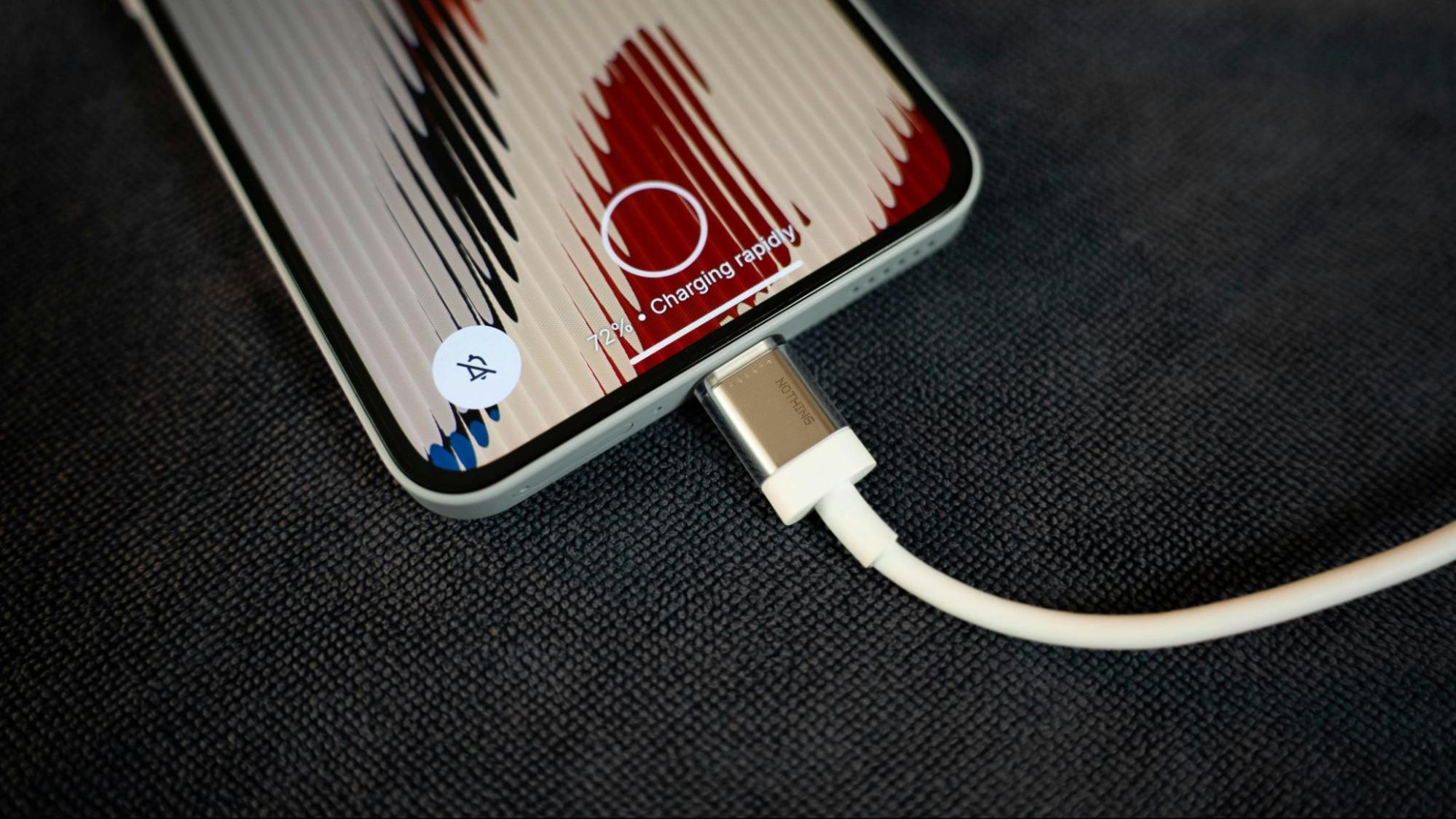
Super fast charging feels like magic until your phone runs hot, your battery feels tired, or you’re chained to one sketchy wall charger. The point isn’t to swear off super fast charge setups, it’s to run chargers, cables, and mounts that are actually built to handle the extra juice. A quality powertrip 65W GAN fast charger makes a big difference from your no name fast charger picked up at the gas station. We’ll break down what super-fast charging is, where it makes sense, and how to keep your phone running like a champ. Let’s get into it:
Quick Links
TL;DR
Super fast charging’s real, but peak watt numbers almost never show up in normal life
Heat’s the main thing that messes with battery life when you fast charge all the time
Your charger, cable, and mount matter way more than the marketing on the box
USB‑PD’s the safest baseline because it plays nice with lots of phones and gear
Brand fast charging systems hit full speed only with the right brick and cable combo
Wireless fast charging still cares about alignment, case thickness, and heat, it’s not magic
Good power banks and mounts let you live your life instead of camping by wall outlets
Keeping ports clean and swapping trashed cables does more for durability than buying another “fast” charge
Big Watt Numbers, Real‑World Speed
Super fast charging turned into a numbers flex. Every brand wants the wildest claim. You see 120W, 150W, even 240W and it sounds like your phone’s about to launch into orbit.
The catch is those numbers live in lab conditions, not your day to day. Real charging speeds depend on your charger, your cable, your battery level, and even how hot the room is. When one of those is off, the phone quietly pulls less power than the spec sheet promised.
Think of “super fast charging” as a top speed your phone can hit on a perfect road. Most of the time you’re just cruising. That’s not bad. It’s how the system keeps your battery from getting cooked while still giving you those quick jumps from low percentages.
If you’re trying to make a phone charge faster without wrecking anything, it’s usually smarter to lean on a good USB‑PD charger and cable than chase the wildest watt number on a random box.
What Advertised Speed Looks Like In Real Life
Here’s how those big claims line up with reality once you’re out of the lab:
Advertised Charging Speed |
Required Conditions |
What Actually Happens |
240W (0 to 100 percent in about 9 minutes) |
USB PD 3.1 extended power range or proprietary system, rated cable, cool temps, battery in a low range |
Real phones rarely sit at 240W. Most consumer gear pulls much less and backs off quickly as heat and battery level rise |
150W (0 to 50 percent in about 5 minutes) |
Brand brick, specific cable, battery under about 30 percent, controlled temperature |
You’ll see strong speed early, then firmware tapers power once temps climb or battery passes mid range |
120W (0 to 100 percent in around 18 minutes) |
Manufacturer charger, matching cable, lower battery state |
Real tests show wide swings in average wattage with different accessories and environments, not a perfect straight line |
65W (0 to 50 percent in roughly 15 minutes) |
USB‑PD charger and rated cable |
Often the most consistent speed because it creates less heat and stays within safer thermal limits |
The short version - Super fast charging exists, but it’s riding on top of a ton of rules. Your phone is always watching temperature and battery health while it charges. When things start getting warm, it pulls back on the power to keep the battery from wearing out faster than it should.
If you care about battery life, that’s a good thing. Fast is great. Fast with guardrails is better. That’s why your setup matters more than the number printed on the box.
If you want a solid wired baseline, it’s worth grabbing one of the top phone chargers that support USB‑PD cleanly instead of rolling the dice on something that only looks fast on paper.
Why Your Phone Charges Fast But Dies Faster
You’ve probably seen this. Phone’s at 10 percent, you plug into super fast charging, and a few minutes later you’re sitting pretty at 60 or 70 percent. Then later in the day it feels like it slipped down faster than you expected.
That’s not your phone being “junk.” It’s how lithium batteries behave. They take charge faster when they’re low and slow down as the level climbs.
The Battery Curve Nobody Really Explains
Most battery experts say the healthiest range for long term life is somewhere around the middle, roughly 30 to 80 percent, instead of hanging at the extremes all the time.
Fast charging plays really well in that low to mid zone. It tops you up quickly when the battery’s down. But your actual all‑day feel depends on the mix of screen time, games, videos, hotspot use, and background apps. Super fast charging doesn’t magically turn heavy use into light use. It just lets you recover faster.
If you’ve got an iPhone with crummy battery life or a Samsung that never seems to make it to bedtime, there’s a good chance the phone’s fine and your pattern just shifted into a “charge often, use hard” style that drains any battery faster.

Heat Is The Real Villain For Battery Life
Every time you fast charge, you’re adding more heat into the system than a slow trickle charge would. There’ve been multiple independent guides and battery tests that show higher charging speeds generate extra heat, and heat is one of the big reasons batteries age sooner than they should.
Modern phones lean on protection for that. They watch internal temperature and cut power or slow charging when things get too warm. That’s why some days your phone feels like it fast charges fine, and other days it slows down for no obvious reason. It’s just protecting itself.
If you want your battery to stay healthy longer, you don’t have to avoid super fast charging completely. You just don’t want to be slamming maximum wattage into a hot phone over and over, especially in a parked car or baking in direct sun.
Stuff like turning down brightness a bit while charging, not gaming hard at the same time, and letting the phone cool before your second fast charge of the day makes more difference than people think.
And if things really start feeling off, it might be time to look into phone battery repair instead of assuming your charger is cursed.
When Your Mount Can’t Hang With Fast Charging
Fast charging tech was designed on a bench, hooked up to perfect cables, at perfect temperatures. Then we slapped travel phone holders into real life where there’s cars, motorcycles, turbulence, potholes, and cable spaghetti.
Mounts weren’t really built for this first. A lot of older designs assumed thin cables, lighter phones, and slower charging. When you mix in heavier blocks, stiff cables, and longer sessions of super fast charging, you start to feel things pulling and wobbling that didn’t used to be a big deal.
Fast Charging Was Built In A Lab. Your Life Isn’t.
That’s when your phone shifts off the sweet spot for wireless fast charging, or your cable starts tugging just enough to stress the port.
If you travel a lot, your mount isn’t just a way to see maps. It’s part of your charging setup now. It’s holding the phone, dealing with cable pull, and letting heat escape. The better that mount is, the cleaner your fast charging experience feels.
Car mount checklist for fast charging
When you’re pairing fast charging with a mount, here’s what actually matters:
Grip strong enough to handle your phone plus cable drag, roughly 300 grams or more
Cable routing that doesn’t bend the connector hard or pull sideways on the port
A little air gap between the phone back and the mount so heat can get out instead of staying trapped
Joints that hold their position when you hit bumps, turn fast, or brake hard
Works with your actual case thickness while keeping wired or wireless alignment clean
Some second layer of retention like a clamp, twist lock, or strong magnetic system
Mounts that tick those boxes don’t just keep your phone from dropping. They help your charging stay stable and keep the phone from getting hotter than it needs to.
If you fly often, pairing that mindset with a good travel phone holder like our Portable Magnetic Suction Mount, gives you a setup that doesn’t freak out when you plug in on planes either.
At Rokform, we take every scenario into account. Mounts like our Car Screen Phone Mount Charger, keep your device out in front and powered along your route. Wherever you’re headed, you can count on safe and secure hands-free operation and continuous charge.
Cooling Hype Vs What Actually Protects Your Phone
You’ve seen the buzzwords: Vapor chambers. Advanced cooling. Special graphite. Ultra whatever. A lot of that’s legit engineering, but some of it’s also just marketing trying to make normal thermal limits sound like a super power.
At the end of the day, phones manage heat by doing a few basic things. They watch temperature, slow charging when it gets too high, and sometimes throttle performance a bit until things calm down.
Independent breakdowns and charger teardowns all show the same story. When you feed more power into a battery, you generate more heat. When that heat crosses certain thresholds, safety systems kick in and the phone quietly lowers the wattage.
So yeah, super fast charging sounds wild, but the phone’s never just letting the battery roast. It’s backing off when it needs to.

How Cheap Gear Makes Heat Way Worse
The gear you add around the phone changes everything. Cheap cables with thin conductors, low quality bricks with noisy power delivery, and sloppy connectors can make your charging port and internal components work harder than they should.
More resistance and poor regulation can mean more heat at the connector and in the cable. Over time, that kind of stress can loosen the port or wear out the contacts. Fixing that usually means digging into phone charging port repair or replacing the device sooner than you planned.
Liquid makes it even messier. If you get water in that port and rush to charge before it’s actually dry, you’re asking for corrosion or a short. Most official guides say you should get water out of the charging port fully and avoid plugging in until you’re sure it’s clear.
Dust and lint aren’t glamorous, but they matter too. Bits of pocket junk can make your cable sit crooked and cause sparks or intermittent connections. That’s why it’s smart to clean your iPhone charging port properly once in a while with the right tools instead of stabbing around with something metal.
Put all that together and the message’s simple. Heat’s a normal part of fast charging. Bad gear and rough port care are what turn normal heat into a long term problem.
Why “Fast Charging” Means Different Things On Different Phones
“Super fast charge” isn’t one universal idea. It’s a bunch of different systems trying to do similar things in slightly different ways.
You’ve got USB Power Delivery, which is the big universal standard up to 240W under PD 3.1. Then there’s brand‑specific stuff like SuperVOOC, HyperCharge, and Samsung Super Fast Charging that ride on top of USB‑PD or bend it in their favor.
USB‑PD is built to be the neutral referee. It sets basic voltage and power rules so lots of chargers and devices can play nicely together. That’s why you can grab a good PD charger and use it across laptops, tablets, and phones without things freaking out.
Brand protocols push power harder inside their own ecosystem. They add special handshake rules and sometimes proprietary cables to squeeze more wattage out in short bursts.
What That Means For You When You Mix Gear
Here’s the catch. When you mix a phone that expects one protocol with a charger that’s tuned for another, you don’t get the banner speed. You get the fallback mode.
Samsung’s own fast charging explanation makes this pretty clear. To hit 45W “Super Fast Charging,” you need USB‑PD with PPS and a cable that can handle that flow. If the charger doesn’t support PPS or is only rated for lower wattage, the phone drops back to slower speeds so it doesn’t get pushed beyond what the gear can safely do.
Same idea with other brands. Use their brick and cable and you get the magic number. Use a generic charger or random cable and your phone plays it safe.
If you’re someone who switches phones a lot, that fragmentation is why building around solid USB‑PD gear and universal wireless chargers feels way more sane than chasing one brand’s ultra specific setup every year.
The Price You Pay To Stay Locked Into One Charging Ecosystem
It’s Not Just The Phone. It’s The Whole Stack.
You grab a new phone, then you start stacking gear. One fast charger by the bed, one on the desk, one in the car, a power bank for travel. If every piece is some one‑off thing that only really works with that phone, the bill sneaks up on you fast.
Then you upgrade. Suddenly half your old stuff is slow, flaky, or just annoying to use with the new device. That’s when it feels like you bought the same gear twice for no good reason.
Ecosystems That Follow You Are The Move
The play isn’t “never build an ecosystem.” The play’s building one that actually travels with you.
When your chargers, cables, mounts, and power banks follow real standards like USB‑PD and are built to handle super fast charging cleanly, your new phone just drops into the lineup instead of forcing you to start over. Your stack keeps working, your speed stays solid, and you’re not trashing gear every upgrade.
The better power guides out there keep hammering stuff like capacity, safety chips, and standard support because that’s what makes gear live through multiple phones, not just one generation. That’s the lane we want your setup in.
In fact, those who travel abroad should scoop up our PowerTrip Travel Charger Kit to stay at-the-ready in any situation. It’s the best way to keep your phone, tablet, and laptop charged whenever you’re on-the-move.

What 240W Really Says About Phone Design Now
USB PD 3.1 and 240W sound wild. On paper, getting up to 48 volts and 240W over a USB‑C cable is legit impressive engineering.
But the phones in your pocket aren’t actually living at 240W. That extended power range was added mostly for things like laptops, monitors, and bigger devices that can handle more power and have more room for cooling.
So when you see phone brands bragging about 200W plus charging, what you’re really seeing is marketing pulling from the same idea and pushing it to the edge, while firmware still steps in to protect the battery from abuse. The peak number becomes a headline, not a lifestyle.
Real‑World Mobility’s The Thing That Actually Matters
If the phone’s hitting those peaks only for a short burst and then backing down, what you feel day to day is less about “0 to full in X minutes” and more about whether your device still:
lasts long enough off the charger
stays cool enough while you use and charge
feels healthy after a year or two of mixed use
Independent tests and reviews keep coming back to the same theme. Heat and usage patterns matter more for battery life than one spec line about maximum wattage.
When you’re choosing gear, it makes more sense to look at how a charger and cable behave with different devices and over longer sessions, not just the biggest number slapped on the label.
Why Wireless Fast Charging Still Gets Annoying
Wireless fast charging looks simple. Set the phone down, watch the percentage climb. In reality there’s stuff going on under the hood that either makes it feel great or feel finicky.
To get good wireless speeds, the charging coil in the pad has to line up with the coil in your phone. If it’s off center, power drops and heat can build more in one spot. Cases play a role too. Thick or metal‑heavy cases can block or weaken the field, so the phone pulls less power to stay safe.
On top of that, wireless charging generates heat simply by how induction works. Most phones treat wireless fast charging the same way they treat wired fast charging. When temperature creeps up, they slow down to protect the battery.
So if your wireless speed feels weak some days, it’s usually alignment, case choice, or heat, not the idea of wireless charging itself being broken.
Making Wireless Fast Charging Feel Like Actual Convenience
Once you know what the system cares about, fixing wireless headaches gets way easier. You pick pads and stands with strong magnets and good alignment, you skip cases that fight the coils, and you give the phone some breathing room so heat can get out.
People dig MagSafe partly because it handles a lot of that alignment for you. Our MagSafe vs Wireless charging breakdown explains how magnets, coil position, and case design all line up to make “drop and go” feel more real instead of hit or miss.
The best wireless chargers lean into that same idea. They’re built with proper coil layouts, magnets, and safety chips so your phone gets stable power without cooking the battery. That’s where wireless charging finally feels as easy as it’s advertised, even with fast speeds.
If you like swapping between wired and wireless, grabbing wireless chargers, like our 3-in-1 Foldable Wireless Charging Stand lets you keep your desk and nightstand nice and neat, while still having fallback wired options when you want full stability.
How Fast Charging Quietly Runs Your Day
Fast charging did something sneaky. It made us okay with letting the phone die more often because we know we can “just blast it” later.
You go hard on screen time, the battery dips, and the plan isn’t “use less” but “I’ll slam it on the charger before I head out.” Over time, your routine starts orbiting outlets, car chargers, and cables more than true unplugged mobility.
That’s not the fault of fast charging by itself. It’s just a side effect of having safety nets everywhere. We trade all‑day battery expectations for quick recovery instead.

Gear That Lets You Live First, Charge Second
The better move is treating fast charging like a backup, not your whole game plan. You build a setup where power follows you instead of you chasing power.
Portable banks with decent capacity, solid mounts, and proper cables let you do stuff like run a hotspot, navigate for hours, or stream while traveling without sweating the battery as much.
Our Rokform power players like the 10k mAh Wireless Magnetic Power Bank with Stand are built for exactly that. Snap on power, keep using your phone like normal, and forget about babysitting the battery every hour.
If you’re using hotspots a lot, following basic tips on how to use hotspots without killing your battery plus carrying a real power bank takes the anxiety out of long sessions.
Once your gear’s set up that way, fast charging becomes a nice bonus, not the reason you keep hovering near wall plugs.
How Fast Charging Flipped Our Idea Of “Durable”
Old durability meant one thing. You wanted a phone that just refused to die before you went to sleep. Today, people care more about how quickly a phone recovers from low battery than whether it stays at 80 percent all day.
Super fast charging pushed that shift. When you know you can jump from single digits to usable range in a short window, you’re more comfortable running the battery down with heavy use. The device doesn’t feel weak. It feels flexible.
That’s fine as long as you remember you’re still doing charge cycles. Battery health over years is more about how often you run those cycles and how hot the phone gets while you do it than just whether you’re using fast or slow charging.
Cables And Ports Matter More Than Most People Think
Because recovery speed is such a big part of the story now, the small stuff suddenly matters. Cheap cables and beat‑up ports can quietly wreck your whole fast charging setup even if your phone’s great.
If your phone isn’t charging or your “super fast charging” pop up disappears, the problem’s often the cable or connector. Using the right cable for super fast charging 2.0 and similar protocols keeps the handshake clean and lets the phone pull what it’s supposed to pull.
That’s why cables like our PowerTrip 100W USB-C aren’t just “nice to have.” They’re the difference between your phone getting full, stable speed and your phone falling back to the slower safety mode over and over.
When things start acting weird, a lot of official guidance says to check and fix iPhone charging port issues or look for debris, wear, or moisture before you blame the phone itself. Cleaning ports the right way and swapping worn cables will do more for durability than just grabbing another random fast charger.
Final Thoughts
Super fast charging isn’t wrecking phones. It’s raw power, and with the right gear and a little respect for heat, it stays on your side instead of cooking your battery.
When you’re running legit chargers, real cables, solid mounts, and smart portable power, fast charging stops feeling risky and starts feeling like having a turbo switch on your phone. You top up fast, keep the battery in better shape over time, and stop living your life around wall outlets.
Stick with USB‑PD gear, grab wireless phone chargers that actually work with your setup, and don’t ignore ports or cables once they’re beat up. Do that, and super fast charging turns into exactly what you wanted in the first place.
For power accessories that don’t quit when the going gets tough, trust Rokform.

