


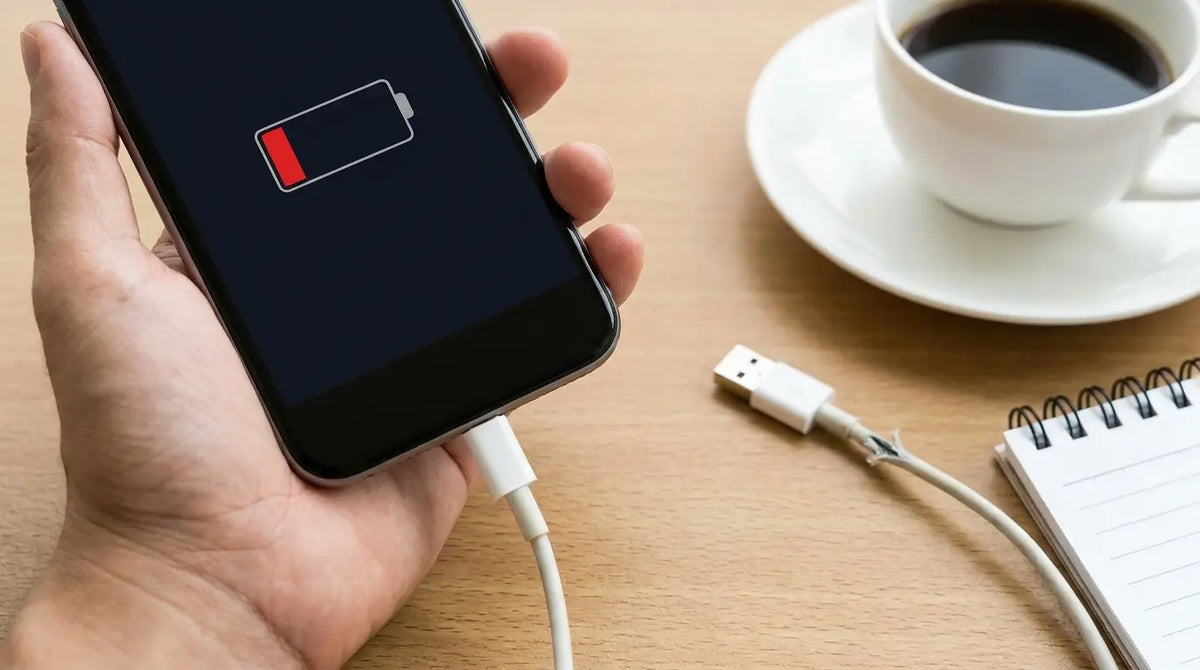
So you plug in your phone before bed, right? Full battery by morning, easy. Except you wake up and it's at 12%. Maybe 8% if you're really unlucky.
We've all been there. And if you're like most people, you probably started Googling and found the usual suspects: clean your port, try a different cable, restart your phone, blah blah blah.
But here's what nobody talks about: the actual physical abuse your charging port takes every single day. I'm not talking about dust or a worn-out cable. I'm talking about the fact that you're basically torturing a tiny piece of metal every time you use your phone while it's plugged in.
Think about how you actually use your phone when it's charging. You're in bed watching Netflix, and the cable's hanging off the side of the mattress, pulling down on the port. Or you're scrolling Twitter with the phone propped on your chest and the cable bent at some ridiculous angle.
Every single time you do this, you're putting pressure on those tiny pins inside the port. And I mean tiny. We're talking about connectors smaller than a grain of rice that were designed to make contact, not to handle you yanking your phone around while it's plugged in.
Table of Contents
The Mechanical Stress Factor: Why Your Charging Port Is Actually Failing
Software vs. Hardware: Is It Even a Charging Problem?
Why Your "Premium" Cable Died in Three Months
Your Port Is Dirtier Than You Think
Battery Health: When Your Phone Lies to You
Power Delivery Failures Nobody Thinks About
Temperature Extremes and Why Your Phone Stops Charging
The Case Interference Issue Nobody Mentions
Moisture Damage That Doesn't Look Like Water Damage
Real Talk: Should You Even Bother Fixing It?
TL;DR
Your charging port is failing because of how you hold your phone while it's plugged in, not random bad luck
Software can make you think you have a hardware problem when you don't (and vice versa)
Expensive cables die just as fast as cheap ones if you're rough with them
Port contamination includes invisible corrosion you can't see without a magnifying glass
Your battery health percentage doesn't tell you the whole story about why your phone won't charge
Power adapters die internally without any visible signs something's wrong
Phone cases create pressure points and trap heat that kills your charging port faster
Moisture damage shows up weeks after exposure, making it impossible to connect cause and effect
Most charging issues can be fixed, but whether you should fix them depends on how old your phone is
The Mechanical Stress Factor: Why Your Charging Port Is Actually Failing
The Angle Problem
Here's the thing about those tiny pins inside your charging port: they're built to touch and transmit power, not to play tug-of-war with your cable every time you shift position in bed.
You're watching a video in bed, cable hanging off the edge. You're scrolling through messages with the phone propped against your chest, cable bent at 90 degrees. Each of these positions creates leverage against the port's internal connectors.
When you apply pressure at an angle (which happens constantly during normal use), those pins bend microscopically. Over hundreds of charging cycles, this creates intermittent connections that feel random but are actually cumulative damage.
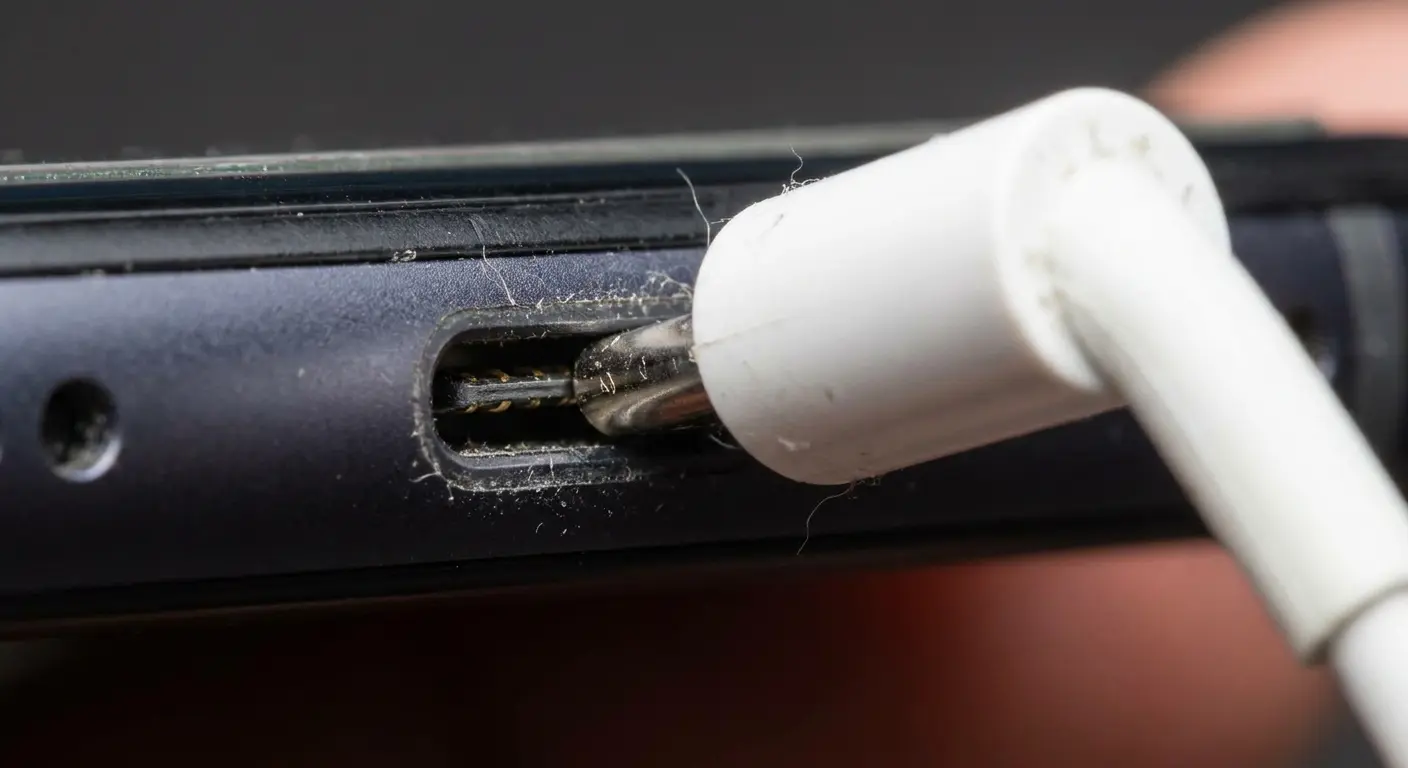
Think about a typical evening. You're lying in bed, phone resting on your chest, cable draped over the edge of the mattress pulling downward. Every time you shift position or adjust your grip, that cable creates a fulcrum effect, with the port acting as the pivot point.
After six months of nightly use in this position, the internal pins have flexed thousands of times. One morning, you notice the phone not charging unless you position it exactly right, flat on the nightstand with the cable perfectly aligned. The damage was gradual, but the symptoms appeared suddenly.
Most people assume their port is "loose" when really, the pins have been pushed out of alignment. The cable still fits, but the electrical contact is compromised. You'll notice your phone not charging when the cable is held at any angle except one specific position, or when you press it in with extra force. This is mechanical failure in progress.
Weight and Torque During Use
Cables have weight. Adapters have weight. When your phone is plugged in and you pick it up, that cable weight creates torque at the connection point. This is way worse with braided cables or those thick "rugged" charging cords that put more stress on your port than standard cables.
The phone's internal port assembly is soldered to the logic board. Repeated torque can crack these solder joints, creating a situation where the port looks fine externally but has lost its electrical pathway internally. This type of failure is expensive to repair because it requires board-level work, not a port replacement.
The Pocket and Bag Effect
You toss your phone in your pocket with the cable still attached. You throw it in a bag with the charging cord wrapped around it. These moments create sudden jerking forces that yank on the port assembly. Unlike gradual wear, these shock loads can cause immediate damage that doesn't show up until later.
The port housing itself can crack or separate from the phone's frame. You won't see this without disassembly, but you'll feel it as wobble or unusual movement when you insert a cable. Once the housing is compromised, even gentle use accelerates the deterioration.
Force Type |
Common Scenarios |
Damage Pattern |
Time to Failure |
|---|---|---|---|
Lateral Angle Pressure |
Using phone while charging in bed, propping against surfaces |
Pin misalignment, intermittent contact |
6-12 months |
Rotational Torque |
Picking up phone with cable attached, twisting during use |
Solder joint cracks, internal connection loss |
12-18 months |
Shock Load |
Yanking cable, catching on objects, pocket/bag movement |
Housing separation, immediate connector damage |
Single incident to 3 months |
Sustained Vertical Pull |
Cable hanging off desk/bed edge, weighted adapters |
Gradual port loosening, mounting point stress |
Usually under a year, sometimes faster if you're rough with it |
These timeframes assume normal use. If you're the person who uses their phone plugged in 24/7 while gaming, cut these estimates in half.
Software vs. Hardware: Is It Even a Charging Problem?
When Your Phone Says It's Charging But Isn't
Your battery percentage stays frozen or even drops while plugged in. The charging icon appears, but no actual power transfer occurs. This disconnect between what your phone reports and what's happening reveals a software-hardware communication breakdown.
The phone's power management system relies on sensors to detect charging status. If those sensors receive inconsistent signals due to a flaky connection, the software makes assumptions that don't match reality. You'll see "charging" because the phone detected power momentarily, but the connection isn't stable enough to sustain current flow.
Restarting your phone might temporarily fix this because it resets the power management system's assumptions. If the restart works, you have a software issue. If it doesn't, or if the problem returns immediately, you're dealing with hardware. Figuring out why your phone won't charge means you need to systematically eliminate possibilities.
Phantom Battery Drain During Charging
Your phone charges to 80%, then starts draining despite being plugged in. This pattern suggests the charging circuit is working but can't keep up with power consumption. Background processes, screen brightness, and active apps can draw more power than a compromised charging connection can supply. I also walk through why your phone screen goes black separately.
That's different because the hardware is functional but operating at reduced capacity. You might have a partially damaged cable, a weak adapter, or early-stage port degradation that limits current flow. The phone not charging under load but charges when idle.
iOS and Android Diagnostic Differences
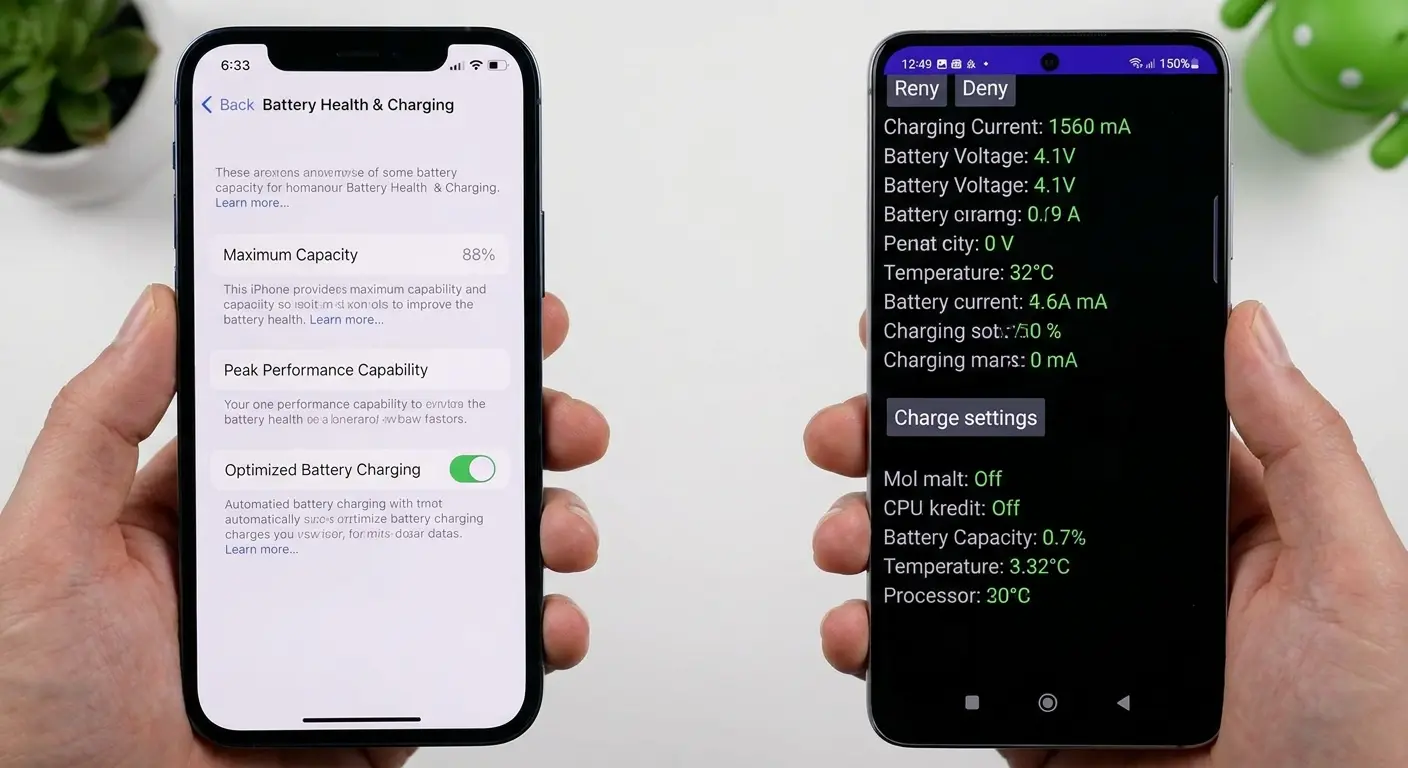
iOS provides battery health data through Settings, showing maximum capacity and peak performance capability. This tells you if your battery can hold a charge, but it doesn't diagnose charging system problems. You can have 100% battery health and still experience charging failures due to port or cable issues.
Android's diagnostic tools vary by manufacturer. Some provide detailed battery stats through hidden menus (dialer codes on certain devices). These can show charging current in milliamps, which is useful. If you're getting 100-200mA when you should be getting 1000-2000mA, you've confirmed inadequate power delivery regardless of what the charging icon shows.
Charging Problem Diagnostic Checklist
Okay, here's how you actually figure out what's broken. And yes, you have to do this in order. I've seen too many people skip to step 5 and waste their time.
-
Restart Test: Power off completely, wait 30 seconds, power on, then attempt charging (And I mean actually power off, not just lock the screen. Hold that power button down.)
Fixed? Likely software glitch
Not fixed? Continue to step 2
-
Safe Mode Test (Android) or No Apps Running (iOS): Charge with all apps closed and phone in airplane mode
Charges normally? App or background process issue
Still problematic? Continue to step 3
-
Different Cable Test: Use a known working cable from another device (Borrow one from a friend, don't just grab another one of YOUR cables because if you're hard on cables, they're probably all dying.)
Fixed? Your cable is faulty
Not fixed? Continue to step 4
-
Different Adapter Test: Use a different power adapter
Fixed? Your adapter has failed
Not fixed? Continue to step 5
-
Different Outlet Test: Try a wall outlet in a different room
Fixed? Electrical outlet issue
Not fixed? Continue to step 6
-
No Case Test: Remove phone case completely and attempt charging (If removing your case fixes it, congratulations. You just discovered your case sucks. Time to find a better one.)
Fixed? Case interference problem
Not fixed? Port or internal hardware failure likely
If you made it through all six steps and nothing worked, your port is probably toast. Sorry.
Why Your "Premium" Cable Died in Three Months
Internal Wire Breakage You Can't See
Want to know what's infuriating? Your cable can look absolutely perfect, not a scratch, not a fray, and still be completely dead inside. The wires break where you can't see them.
Cables fail from the inside out. The copper wires inside the cable jacket break from repeated bending, especially near the connector ends. So you've got this cable that looks brand new on the outside, but inside? The copper wires are snapped.
This is why your cable works when held still but fails when moved. The broken wires make contact in certain positions and separate in others. You can sometimes feel this if you bend the cable near the connector while it's plugged in and watch the charging status flicker on and off.
Here's the thing: expensive cables aren't immune to this. Braided cables, reinforced cables, and "military-grade" cables all use the same basic copper wire internally. The external protection helps, but it doesn't prevent the internal flexing that causes wire fatigue.
I used to think expensive cables were the answer. Bought a $50 cable because it had "aerospace-grade materials" or whatever. Thing lasted four months before the wires broke internally.
Now I buy mid-range cables ($10-15), treat them carefully, and replace them when they show any signs of wear. Costs me less annually and I don't feel like an idiot when they inevitably die.
Connector Pin Wear and Corrosion
The metal contacts inside cable connectors degrade from insertion cycles and environmental exposure. Each time you plug in your cable, microscopic amounts of metal wear away. After hundreds of insertions, the pins lose their spring tension and don't make solid contact with the port.
Corrosion happens even without obvious moisture exposure. Humidity in the air, oils from your skin, and environmental contaminants create oxidation on the connector pins. This oxidation acts as an insulator, blocking electrical current even though the cable appears clean.
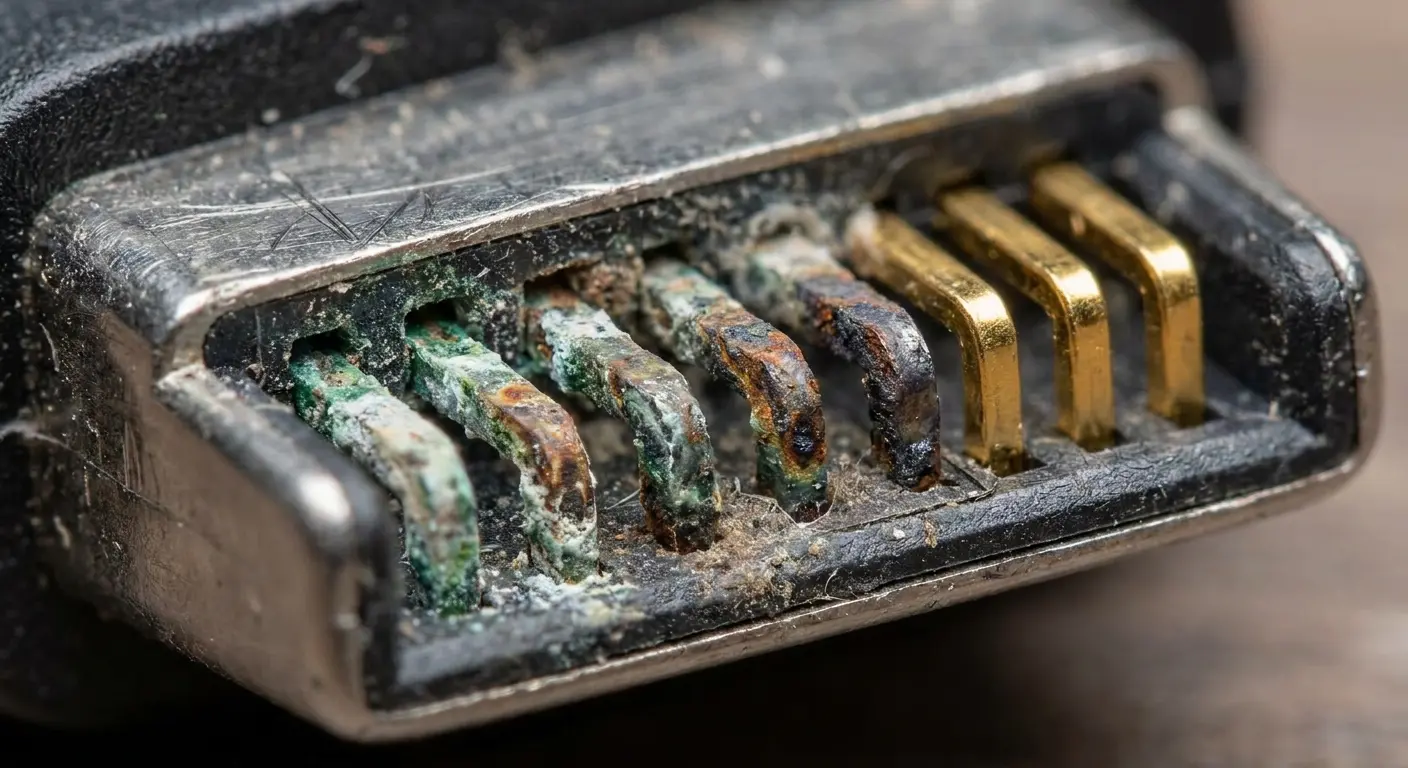
You can clean cable connectors with isopropyl alcohol and a soft brush, but this only helps if the pins haven't lost their physical shape. Once the pins are worn down or permanently bent, cleaning won't restore proper function.
I had someone come in last year with a bag full of expensive charging cables. I'm talking $35, $40 cables with the braided exterior and the whole "military-grade" marketing thing. Every single one dead.
She was furious because they all looked perfect, not a fray anywhere. But when I tested them? Two were completely broken internally, right near the connector. The third would work if you held it at exactly the right angle, which, yeah, super convenient when you're trying to use your phone.
The kicker? She still had the basic cable that came with her old phone from like 2019, and that thing still worked fine. Sometimes the cheap stuff outlasts the "premium" garbage.
The MFi and USB-IF Certification Reality
Apple's MFi (Made for iPhone) certification and USB-IF (USB Implementers Forum) certification indicate that a cable meets specific standards. This matters for safety and compatibility, but it doesn't guarantee longevity. Certified cables can and do fail from the same mechanical issues as uncertified ones.
What certification does provide is proper power delivery protocol support. Non-certified cables might not communicate correctly with your phone's charging management system, resulting in slow charging or charging refusal. Your phone won't charge because it's protecting itself from potentially unsafe power delivery, not because it's being picky.
Your Port Is Dirtier Than You Think
Lint Compaction and Connector Seating
Pocket lint accumulates inside charging ports gradually. Each time
Pocket lint accumulates inside charging ports gradually. Each time you insert a cable, you push existing debris deeper into the port. Over weeks or months, this creates a compressed layer at the bottom of the port that prevents the cable from seating fully.
When the cable can't insert completely, the connector pins don't align with the port contacts. You might get partial charging or no charging at all. The phone won't charge properly even though it looks plugged in, because there's a millimeter gap created by compressed lint.
You can remove this with a wooden toothpick or plastic dental pick. Metal tools risk shorting the contacts or scratching them. Work gently around the edges of the port, pulling debris out rather than pushing it deeper. You'll be surprised how much material comes out of a port that looks clean at first glance.
Oxidation and Corrosion on Port Contacts
Metal contacts inside your charging port oxidize when exposed to air and moisture. This creates a thin layer of corrosion that increases electrical resistance. The port looks fine, but the oxide layer prevents efficient current flow.
This is way worse in humid environments or if you've ever used your phone near water (bathrooms, kitchens, outdoors in rain). The moisture doesn't need to be enough to trigger liquid damage indicators. Small amounts over time are sufficient to cause oxidation.
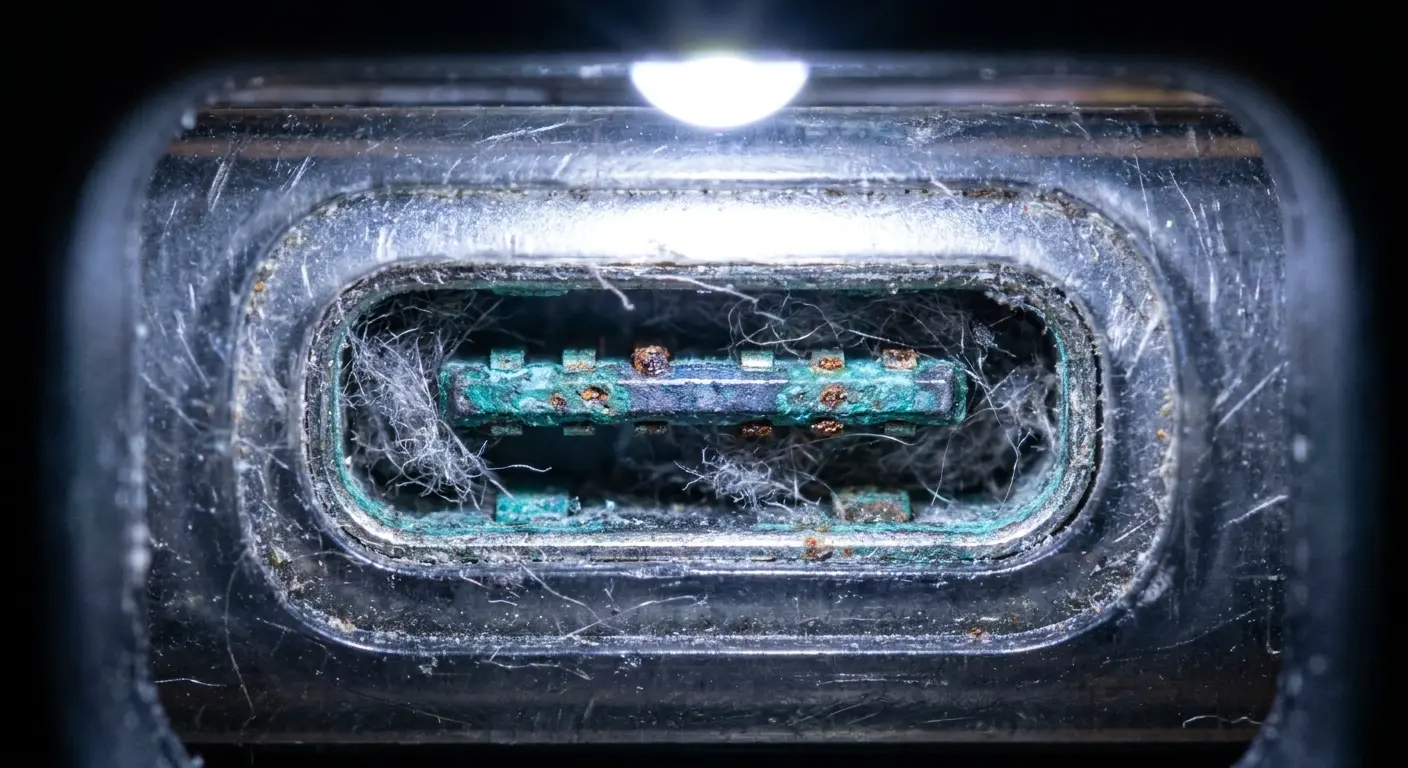
Isopropyl alcohol (90% or higher) on a clean brush can remove light oxidation. For heavier corrosion, you might need electronic contact cleaner. Apply the cleaner, let it sit briefly, then use compressed air to blow out residue. The port needs to be completely dry before you attempt charging again.
Regular maintenance of your charging port is as important as protecting your phone's exterior. Learn more about comprehensive iPhone charging port cleaning techniques to prevent oxidation buildup.
Manufacturing Residue and Assembly Contamination
New phones sometimes have charging issues due to manufacturing residue inside the port. Flux from soldering, adhesive from assembly, or protective coatings that weren't fully removed can interfere with electrical contact.
This is rare but not unheard of. If my phone isn't charging from day one, this could be the cause. It's covered under warranty, but you can attempt cleaning before going through the replacement process. The same cleaning methods for oxidation apply here.
Safe Port Cleaning Guide
Follow this exact procedure to clean your charging port without causing damage:
What You Actually Need:
Wooden toothpicks (get the flat ones, not round. Dollar store is fine.)
90%+ isopropyl alcohol (don't cheap out and get 70%. You need the high concentration stuff.)
Soft-bristled brush (clean toothbrush works)
Compressed air can
A good flashlight (your phone's flashlight works but it's awkward. Just grab a small LED flashlight.)
Step-by-Step Process:
Power off your phone completely (not sleep mode)
Initial inspection: Shine light into port, look for visible debris
Debris removal: Use wooden toothpick at shallow angle, scrape gently along bottom and sides of port, pull material outward (never push deeper)
Compressed air: Hold can upright, use short bursts from 3-4 inches away, angle to blow debris out of port
Oxidation cleaning: Dip brush in isopropyl alcohol, shake off excess, gently brush port contacts with light pressure
Drying time: Wait minimum 10 minutes for alcohol to evaporate completely
Test: Attempt charging with known-good cable
Repeat if necessary: If charging improves but isn't perfect, repeat steps 3-7 once more
Warning Signs to Stop:
Any bending or movement of internal pins
Visible scratching of metal contacts
Pieces breaking off inside port
Battery Health: When Your Phone Lies to You
Capacity Loss vs. Charging System Failure
Your battery naturally loses capacity over time. Lithium-ion cells degrade with each charge cycle, holding less power even when fully charged. This is separate from charging system problems, but the symptoms overlap in confusing ways.
A degraded battery might charge to 100% quickly, then drop rapidly during use. This looks similar to a charging port problem where the phone isn't receiving full power. But here's the difference: a capacity-degraded battery will charge at normal speed to whatever capacity it has left. A charging system problem will charge slowly or intermittently regardless of battery condition.
You can distinguish between these by monitoring charging time. If your phone charges from 0-100% in the normal timeframe (roughly 1-2 hours for most modern phones with fast charging), your charging system is working and you have a battery capacity issue. If charging takes significantly longer or stalls at certain percentages, you have a charging system problem.
The 80% Limit Confusion
Many phones now include features that limit charging to 80% to preserve long-term battery health. iOS has Optimized Battery Charging, Android phones have various implementations. These features can make you think my phone is not charging properly when it's working as designed.
Check your battery settings to see if these features are enabled. Your phone might be intentionally stopping at 80% and waiting until you typically need a full charge (based on your usage patterns) before completing the charge to 100%. This is beneficial for battery longevity but confusing if you don't know it's happening.
Charge Cycle Miscalibration
Your phone's battery management system tracks charge level through voltage measurement and algorithms. Over time, these calculations can drift from the battery's actual state. Your phone might show 50% when the battery is at 40%, or show 0% when there's still usable capacity.
This calibration drift creates situations where your phone shuts down "early" or charges to 100% suspiciously fast. You can recalibrate by fully draining the battery until the phone shuts off, then charging uninterrupted to 100% and leaving it plugged in for an additional hour. This gives the management system accurate reference points for full and empty states.
Power Delivery Failures Nobody Thinks About
Adapter Internal Component Degradation
Charging adapters contain capacitors, transformers, and circuitry that convert wall power to the voltage and current your phone needs. These components degrade over time, especially from heat exposure. An adapter can look perfect externally while delivering inconsistent or insufficient power internally.
You'll notice this as slower charging speeds or charging that starts and stops. The adapter might feel warmer than usual during use. Heat is both a cause and symptom of internal component failure. As parts degrade, they generate more heat, which accelerates further degradation.
Testing with a different adapter is the only reliable way to diagnose this. If your phone charges normally with a different adapter, your original adapter has failed even if it shows no external damage.
Wattage and Amperage Mismatches
Your phone requires specific power delivery to charge at its designed speed. Using an adapter with insufficient wattage or amperage will result in slow charging or no charging under load. A 5W adapter can't fast-charge a phone designed for 20W+ input.
This becomes an issue when you use adapters interchangeably between devices. Your old phone's adapter might not provide enough power for your new phone. The phone will charge, but slowly, and might not charge at all if you're actively using it because power consumption exceeds power input.
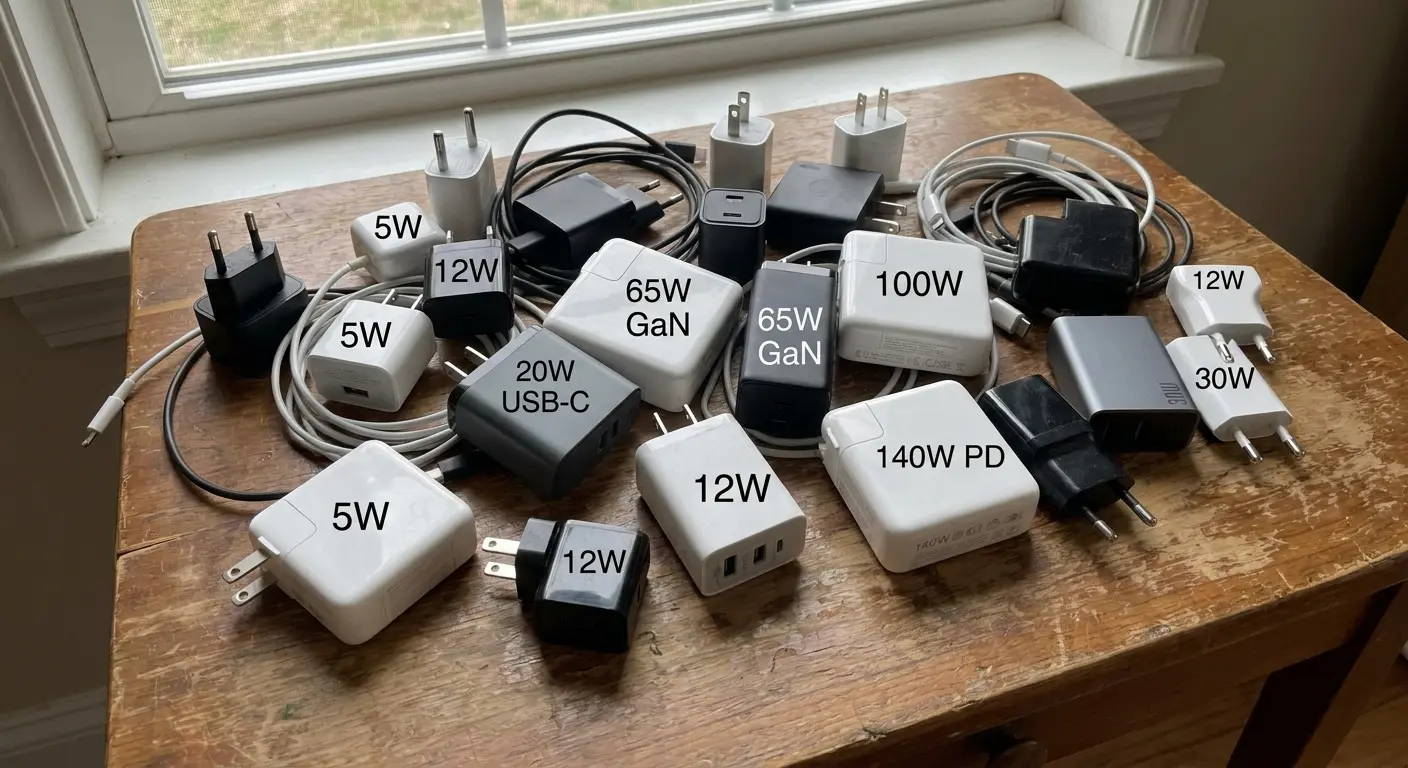
Check your phone's specifications for recommended charging wattage. Match or exceed this with your adapter. Using a higher-wattage adapter is safe (your phone will only draw what it needs), but using a lower-wattage adapter creates the problems described above.
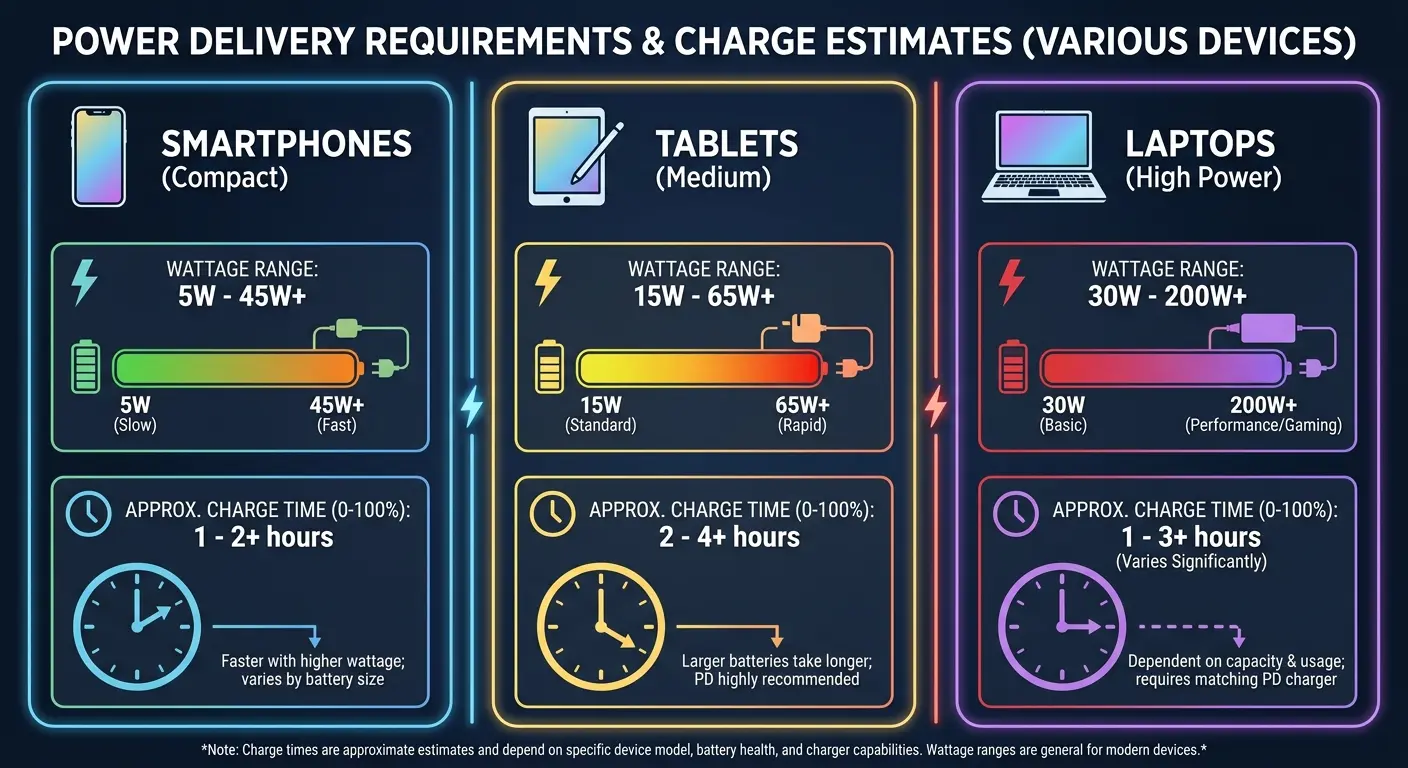
Here's the general breakdown (depends on battery size and about a million other factors, but roughly):
Device Type |
Minimum Wattage |
Optimal Wattage |
Charge Time (0-100%) |
What Happens Below Minimum |
|---|---|---|---|---|
Basic Smartphone (older models) |
5W |
10W |
2-3 hours |
Slow charging, works when idle |
Modern Smartphone (iPhone 12-15, Galaxy S21-S24) |
18W |
20-25W |
1-1.5 hours |
Very slow charging, may drain under use |
Large Smartphone (Pro Max, Ultra models) |
20W |
27-30W |
1.5-2 hours |
Insufficient for active use, overheating |
Tablet (iPad, Galaxy Tab) |
18W |
30-45W |
2-3 hours |
Charges only when screen off |
Laptop (USB-C charging) |
45W |
65-100W |
2-4 hours |
Won't charge or charges extremely slowly |
Outlet and Power Strip Issues
Wall outlets degrade from use. The internal contacts lose tension, creating loose connections that interrupt power delivery. You might not notice this with lamps or other devices, but phone charging is sensitive to power interruptions. Even momentary losses cause the charging process to restart.
Power strips add another failure point. The circuit breaker, internal wiring, and outlet contacts can all fail. Surge protectors degrade over time and lose their protective capacity, though they usually continue passing power. An old surge protector might not protect your phone's charging circuit from power spikes, leading to charging system damage.
Test by plugging directly into a wall outlet rather than through a power strip. If charging reliability improves, your power strip is the problem. Also try different outlets in your home. If one outlet consistently causes charging issues, that outlet needs electrical service.
Temperature Extremes and Why Your Phone Stops Charging
Heat-Induced Charging Throttling
Lithium-ion batteries are sensitive to temperature. Your phone will reduce or stop charging if the battery gets too hot, protecting the cells from damage. This safety feature can make you think there's a charging problem when the phone is protecting itself.
You'll encounter this if you're using your phone heavily while charging (gaming, video streaming, GPS navigation). The combination of processing heat and charging heat pushes the battery temperature into the throttling range. My phone isn't charging properly because it shows "charging" but the percentage stays flat or even drops.
The solution is to reduce phone usage during charging or improve cooling. Remove any case that might trap heat. Place the phone on a cool surface (not in direct sunlight or on soft materials that insulate). Some phones display a temperature warning, but many silently throttle charging without explanation.
Cold Temperature Charging Failure
Batteries also struggle in cold temperatures. Below roughly 32°F (0°C), the chemical reactions inside lithium-ion cells slow dramatically. Your phone might refuse to charge entirely or charge at extremely slow rates.
This is common if you leave your phone in a cold car overnight, then try to charge it immediately. The battery management system detects the low temperature and prevents charging to avoid lithium plating, which permanently damages the battery.
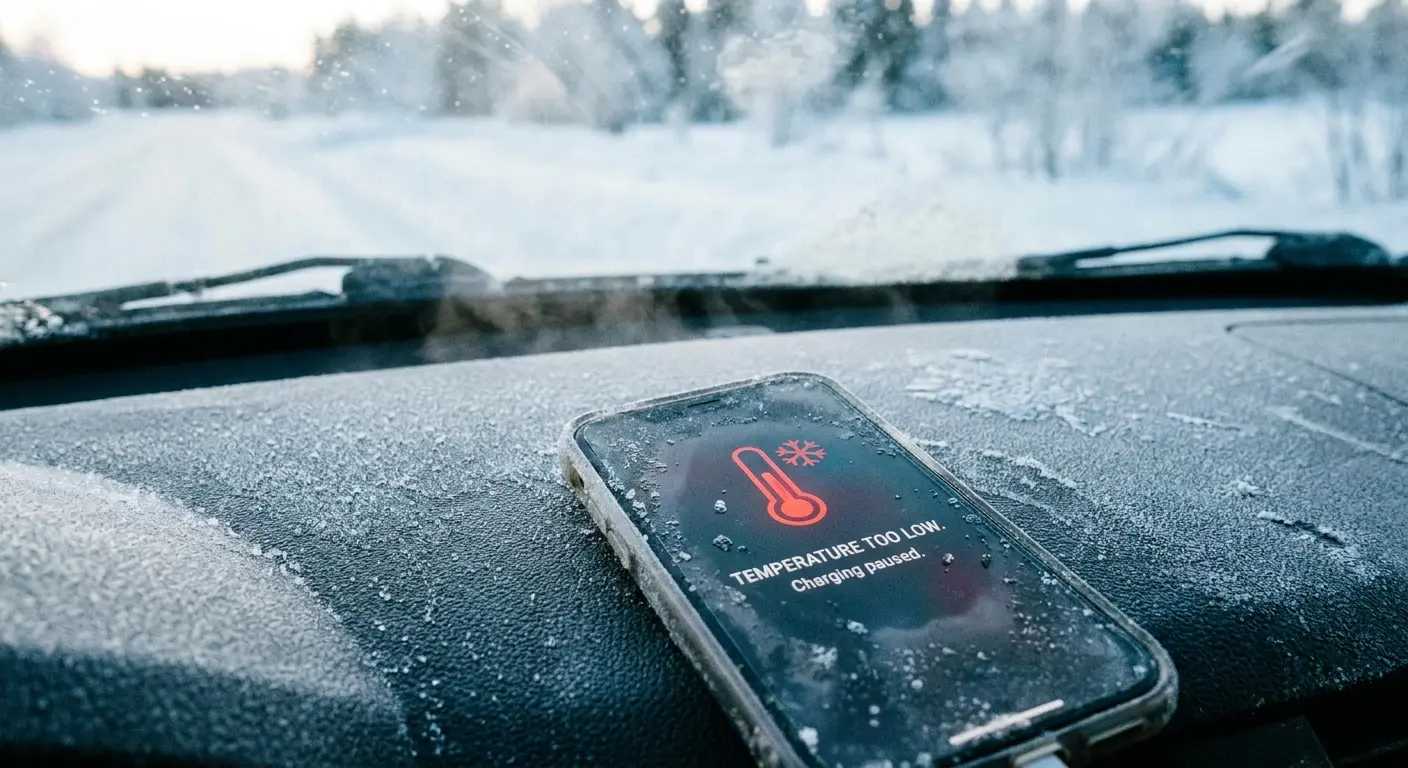
Warm the phone to room temperature before charging. Don't use external heat sources (hair dryers, heaters) as rapid temperature changes can cause condensation inside the phone. Bring the phone into a warm environment and wait 20-30 minutes before attempting to charge.
Thermal Cycling and Solder Joint Failure
Repeated heating and cooling cycles cause materials inside your phone to expand and contract at different rates. Over time, this can crack solder joints connecting the charging port to the logic board. The port looks fine, but the electrical connection is broken at the board level.
This type of failure is difficult to diagnose without professional equipment. The symptoms are similar to port damage: intermittent charging, angle-dependent charging, or complete charging failure. Repair requires micro-soldering skills and specialized tools, making it one of the more expensive charging-related repairs.
Had a guy come in last winter, construction worker, kept his phone in his truck overnight. Temperatures would drop to like 10-15°F, then he'd bring it into heated buildings.
Did this every day for months. Phone eventually developed this weird intermittent charging thing where it would work sometimes and not others, totally random.
Turned out the constant temperature swings had cracked the solder joints connecting the port to the logic board. Not the port itself, the connections underneath. Cost him $120 to fix, and it could've been avoided by just bringing his phone inside overnight.
The Case Interference Issue Nobody Mentions
Port Access Restrictions and Cable Compatibility
Phone cases create a barrier between your charging cable and the port. Thick cases, especially rugged or protective ones, narrow the opening around the port. Your cable's connector housing might be too wide to fit through the case's port cutout, preventing full insertion.
This is frustrating because both the case and cable work individually, but together they're incompatible. The cable seats partially, making contact with some pins but not others. You get intermittent charging or slow charging because only some of the data and power pins are connected.
You can verify this by removing the case and testing charging. If the problem disappears, you've confirmed case interference. Your options are finding a cable with a slimmer connector housing or switching to a case with larger port cutouts. Some case manufacturers design their port openings for specific cable types, which isn't always clear at purchase.
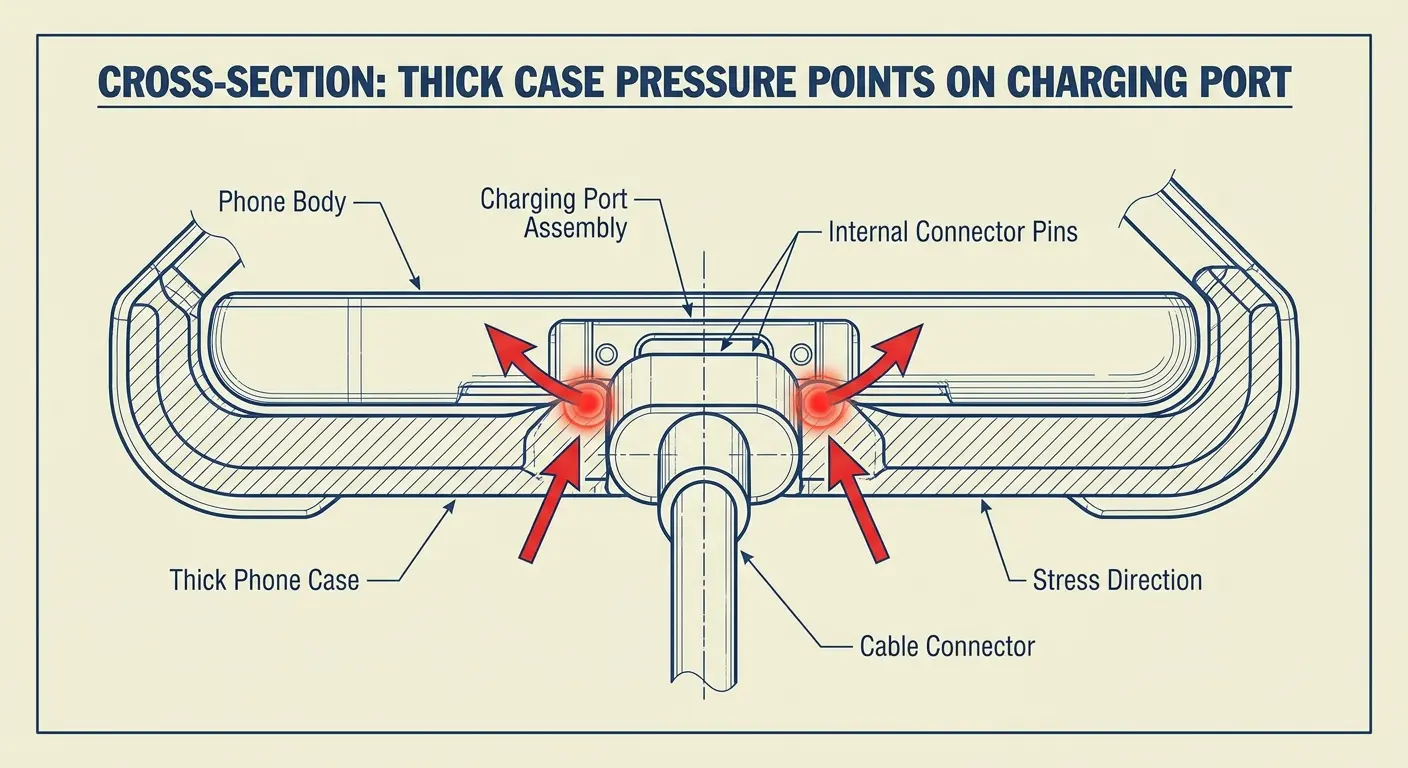
Pressure Points and Port Stress
Cases grip your phone tightly to stay in place. This grip creates pressure around the port area. Over time, this constant pressure can push against the port assembly, gradually working it loose from its mounting points or creating stress on the solder connections.
You won't notice this immediately. The damage accumulates over months of case use. The port starts feeling loose or wobbly when you insert a cable. The case itself is fine, but it's been applying mechanical stress to a component that wasn't designed to handle it.
Heat Retention and Charging Throttling
Cases insulate your phone. This is normally fine, but during charging, your phone generates heat. A case traps this heat against the phone body, raising the overall temperature. As mentioned earlier, elevated temperatures trigger charging throttling.
Certain case materials and designs are worse for heat retention. Thick silicone cases, leather cases, and cases without ventilation create the most heat buildup. You might notice your phone gets uncomfortably warm during charging when in its case but stays cooler when charging naked.
If you experience charging slowdowns or stoppages that resolve when you remove the case, heat retention is your issue. Consider cases with better ventilation, thinner materials, or simply remove the case during charging sessions. Explore our selection of protective phone cases designed with thermal management in mind to prevent overheating during charging.
Moisture Damage That Doesn't Look Like Water Damage
Humidity and Condensation Accumulation
You don't need to drop your phone in water to experience moisture damage. High humidity environments cause condensation inside the phone, especially when moving between temperature zones (air-conditioned buildings to hot outdoors, cold car to warm pocket).
This condensation settles on internal components, including the charging port contacts and logic board connections. The moisture creates corrosion over time, even though you never saw water and your liquid damage indicators might not have triggered.
Charging problems that develop gradually in humid climates often trace back to this invisible moisture exposure. The corrosion increases resistance in the charging circuit, leading to slow charging, intermittent charging, or complete failure as the corrosion worsens.
Bathroom and Kitchen Exposure
Using your phone in bathrooms and kitchens exposes it to steam and aerosol moisture. Shower steam, cooking vapors, and cleaning product mists all contain water particles that can enter your phone through the charging port and speaker grilles.
You might think your phone is safe because it has an IP rating (IP67, IP68), but these ratings apply to fresh water immersion, not sustained vapor exposure. The seals that protect against immersion aren't designed to block microscopic water particles in air.
Over weeks and months, this exposure causes the same corrosion issues as condensation. The charging port is particularly vulnerable because it's an open cavity that traps moisture. If you regularly use your phone in these environments, you're at higher risk for moisture-related charging problems.
Delayed Symptom Appearance
Here's what drives me crazy: moisture damage doesn't show up immediately. Corrosion takes time to develop and spread. You might have moisture exposure in January but not experience charging problems until March. This delay makes diagnosis difficult because you don't connect the moisture event to the charging failure.
The corrosion process accelerates once started. Initial exposure creates small corrosion spots that hold moisture and create more corrosion. What begins as minor contact resistance becomes complete circuit failure as the corrosion spreads across connection points.
Real Talk: Should You Even Bother Fixing It?
Cost-Benefit Analysis by Phone Age
Charging port repairs typically cost $50-150 depending on the phone model and repair provider. For a phone that's less than two years old and otherwise functional, repair makes financial sense. You're extending the life of a device that has significant remaining value.
For phones older than three years, the calculation changes. You're investing repair money into a device that's approaching obsolescence. Battery capacity is likely degraded, software support might be ending soon, and other components are aging. A charging port repair might give you another six months, but you'll likely face other issues soon after.
Think about the phone's total condition. If the battery health is below 80%, the screen is cracked, and the charging port is failing, you're looking at multiple repairs that collectively exceed the phone's value. Replacement becomes the better option.
Real talk: If your phone is three years old and the charging port is dying, just start saving for a new phone.
Yeah, you could spend $100-150 fixing the port. But your battery is probably shot too, the screen might have issues, and you're one drop away from something else breaking. I've seen people dump $300 into repairs on a phone that's worth $200, and it makes no sense.
Sometimes the answer is just "your phone had a good run."
DIY Repair Feasibility and Risks
Charging port replacement requires disassembly skills and specialized tools. Modern phones use adhesive seals, tiny screws, and fragile ribbon cables. If you've never opened a phone before, charging port replacement isn't the place to start.
Some phones have modular charging port assemblies that disconnect from the logic board, making replacement relatively straightforward for someone with repair experience. Other phones have ports soldered directly to the logic board, requiring micro-soldering skills that take significant practice to develop.
DIY repair voids warranties and risks additional damage. You can crack the screen during disassembly, tear ribbon cables, or damage water resistance seals. Parts quality varies widely when buying online, and you might replace a failing port with a defective aftermarket part that fails quickly.
Professional Repair vs. Manufacturer Service
Independent repair shops offer faster service and lower prices than manufacturer repair programs. They can typically replace a charging port in a few hours for less than manufacturer service charges. However, using third-party repair voids manufacturer warranties and AppleCare coverage.
Manufacturer service (Apple Store, Samsung authorized service) maintains warranty coverage and uses genuine parts. The cost is higher and turnaround time is longer (often several days). For phones still under warranty or with active insurance plans, manufacturer service is the better choice.
For out-of-warranty phones, independent repair offers better value if you choose a reputable shop. Look for shops that offer warranties on their work (at least 90 days) and have verifiable reviews. Ask about the parts they use (OEM vs. aftermarket) and their experience with your specific phone model.
Temporary Solutions and Workarounds
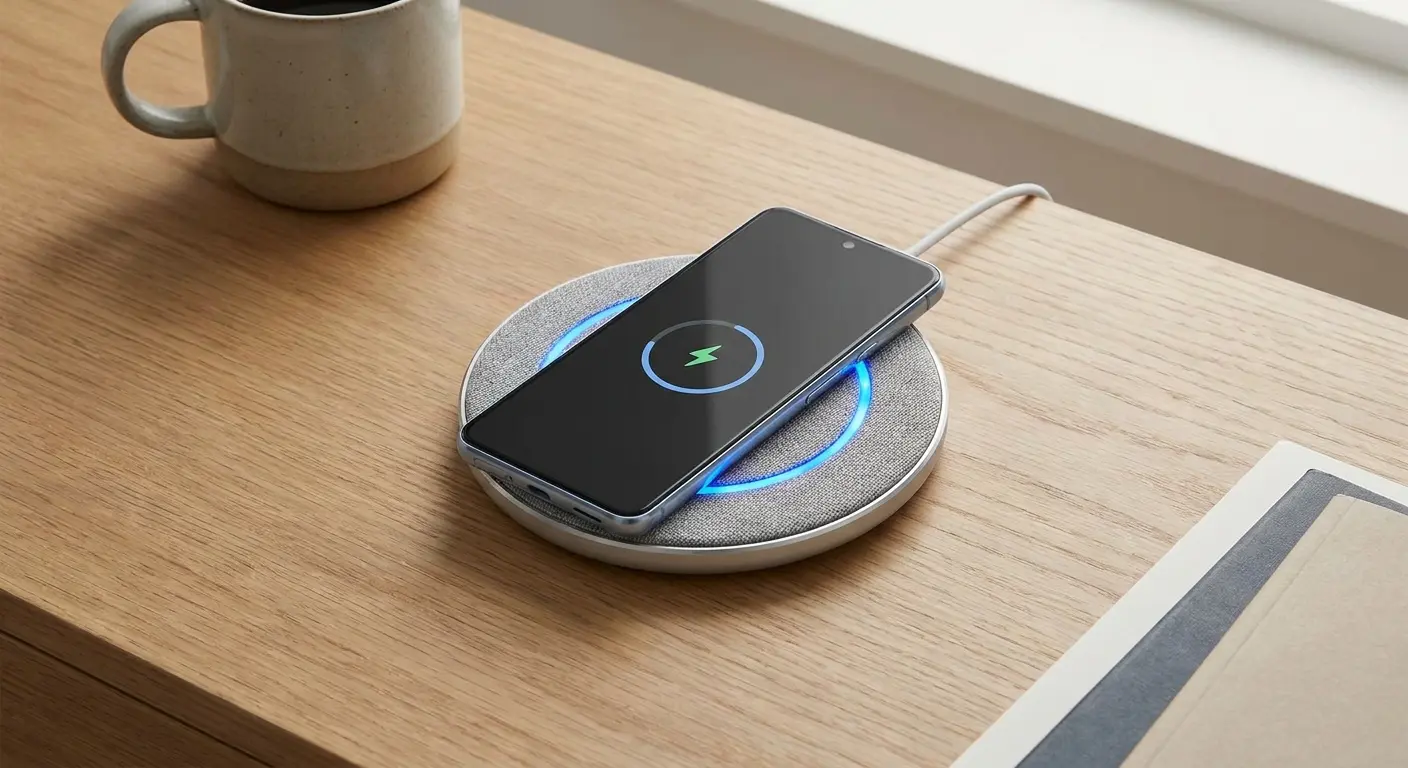
While deciding whether to repair or replace, you can use temporary solutions to keep your phone functional. Wireless charging bypasses the charging port entirely if your phone supports it. This doesn't fix the port problem, but it keeps you operational.
Securing the cable at a specific angle with tape or a phone stand can maintain connection if you have intermittent charging due to port damage. This is awkward but functional for short-term use.
Cleaning the port thoroughly sometimes restores enough function to delay repair. If contamination is the primary issue rather than mechanical damage, aggressive cleaning with appropriate tools and solutions can extend port life by weeks or months.
Wireless charging offers a practical workaround when dealing with port issues. Explore our selection of best wireless chargers that work seamlessly with magnetic phone cases.
Stop Doing These Things (Seriously)
Blowing into the charging port:
I don't know who started this, but stop. You're not fixing a Nintendo cartridge. You're just blowing moisture and bacteria into your port. Use compressed air or nothing.
Using metal objects to clean the port:
I've seen people use paperclips, safety pins, even knife tips. Don't. You'll short something or scratch the contacts. Wooden toothpick or plastic only.
Assuming it's always the cable:
Everyone blames the cable first. Sometimes it IS the cable. But I've seen people buy five new cables when their port was the problem the whole time. Test systematically.
Wireless charging as a permanent solution:
If your port is broken and you just switch to wireless charging forever... okay, I guess that works. But wireless charging is slower, generates more heat, and wears out your battery faster. Fix the port.
Bottom Line
Your charging port is probably failing because of how you use your phone, not because of bad luck or planned obsolescence. The good news? Most of this is preventable if you're just a little more careful about angles and stress.
The bad news? If it's already broken, your options are fix it (if the phone's worth it) or replace it (if it's not). There's no magic solution.
But at least now you know what actually went wrong instead of just guessing and buying random cables hoping one works. You understand why is my phone not charging and can make an informed decision about what to do next.
Most charging issues come down to physical stress on components that weren't engineered for the way we actually use our phones. We plug in at awkward angles, use our phones while charging, and subject the charging connection to forces it was never designed to handle.
Your phone's charging system is a chain of components: outlet, adapter, cable, port, and battery. Weakness anywhere in this chain creates charging problems. Systematic testing (different cables, different adapters, different outlets, with and without case) isolates the failing component so you can address the actual problem rather than guessing.
Protecting your phone from charging issues starts with the right accessories. Browse our complete collection of phone charging accessories designed to work with our magnetic mounting ecosystem. For comprehensive device protection that doesn't interfere with charging functionality, check out our rugged phone cases engineered with proper port clearances and thermal management.
Good luck.

