


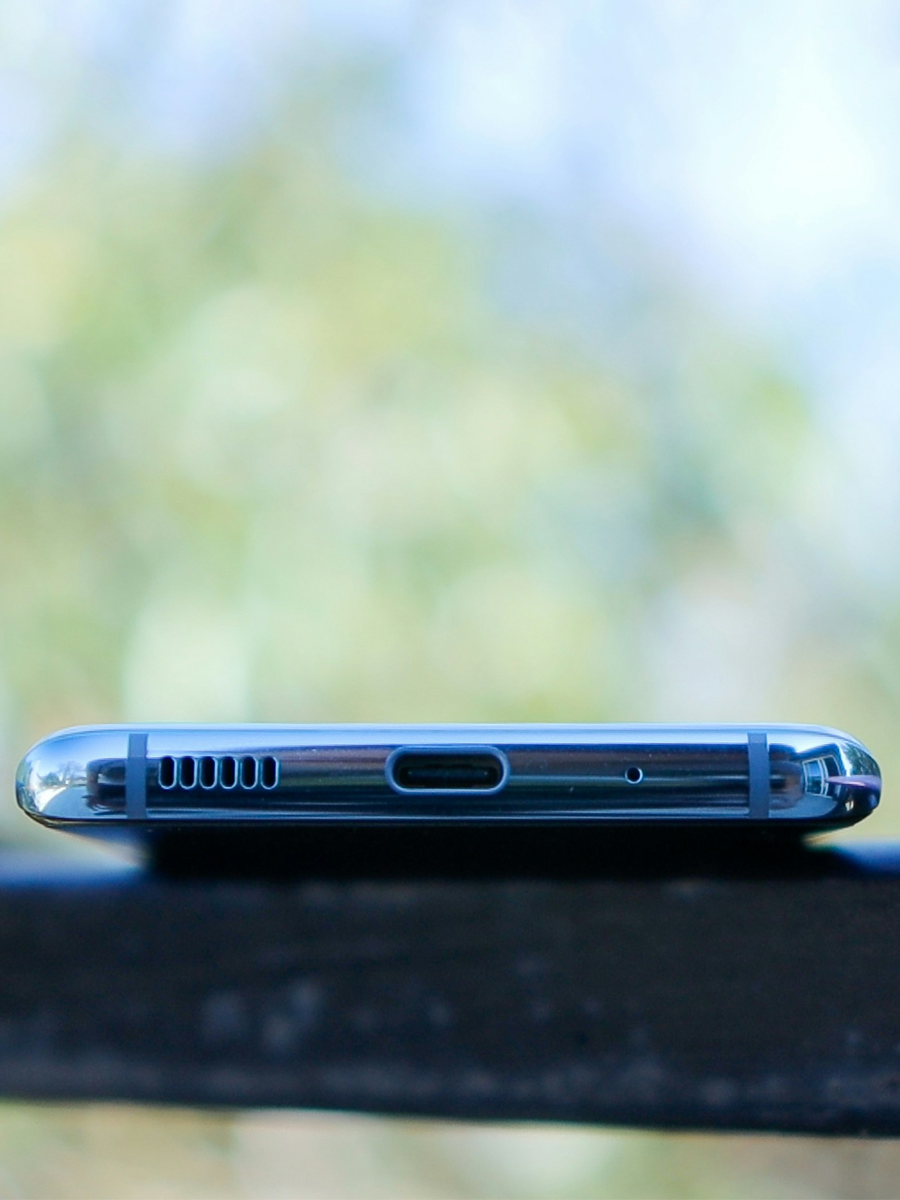
It feels like a jump-scare, but that ‘water in charging port’ warning is very real. Literally, in the blink of an eye, one second you’re charging your phone - then the next, your phone is letting you know you better unplug it. Around here, we make some of the best hardshell cases that aim to keep your phone safe from light splashes. And we know that there’s a silver lining here.
Luckily, these days, you can learn how to get water out of charging port without needing to panic or do anything that quietly trashes your port over time.
In this post, we’ve got one job. We’re going to tell you how to get water out of your charging port. You’ll see just what to do the second that alert shows up, how to dry things out the right way, when vibration to get water out of phone charging port actually helps, and how to avoid turning a small mistake into a forever-dead phone. Let’s begin:
Quick Links
TL;DR
Unplug immediately when your phone says there’s water in charging port
Turn the phone off and don’t plug anything in until the port’s dry
Keep the port facing down and let gravity and airflow pull water out of charging port
Sound and gentle vibration to get water out of phone charging port can help, but they’re backup, not magic
Don’t use heat, don’t shove anything into the port, and don’t “test charge” every five minutes
If more than the port got wet, use a full rescue to get water out of the phone so the rest of the device gets the same love
Why Water in Your Charging Port Is a Big Deal
Your charging port is basically the front door for electricity. When moisture gets in there, every bit of power has a chance to jump where it shouldn’t. That’s how you end up with shorts, corrosion, or a phone that suddenly refuses to charge even after it’s “dry.”

Thank Goodness for Modern Marvels
Modern phones are smart enough to spot water in charging ports and throw warnings when they detect it. That message isn’t there to annoy you. It’s your phone’s way of slamming the brakes before real damage kicks in.
Take that alert seriously, and you’re already ahead. Ignore it and keep forcing a charge, and those tiny pins end up fighting water and high voltage at the same time. And unlike the most protective cases, they don’t win that battle for long.
When you’re staring at weird warnings or crusty-looking ports, this quick breakdown helps you read the signs before things get worse:
Warning sign |
What it really means |
What you should do right now |
Water droplets visible |
Water went straight into the port |
Power down and stop charging immediately |
Condensation in the port |
Humidity is building up inside |
Let it sit and dry with natural airflow |
White or green residue |
Early signs of corrosion starting |
Stop charging and plan a careful clean‑up |
Intermittent charging |
Moisture messing with connections |
Unplug and avoid all charging attempts |
Port or phone feels hot |
Electrical resistance or short risk |
Disconnect everything and let it cool and dry |
“Liquid detected” alert |
Safety system just kicked in |
Wait it out until the warning clears on its own |
What To Do the Second You See a Moisture Warning
Unplug and Power Off
Step one: unplug the cable. Right away. Don’t wiggle it. Don’t swap to another charger just to “see if it’s that one.” Any power source touching a wet port is a problem.
Step two: turn the phone off. A powered‑down device is way less likely to cook itself while there’s moisture hanging out near the charging contacts. You’re not losing anything by shutting it down. You’re giving it a real chance to recover.
Emergency Response Checklist:
Power down device immediately
Disconnect all cables and accessories
Remove SIM card and memory card if accessible
If your phone won’t respond, hold the buttons down for a forced shutdown
Position device with charging port facing down
Begin gentle tapping to encourage drainage
Avoid heat sources and compressed air
Document time of water exposure for reference
Dry the Outside First
Before you worry about the inside, clean up the outside. Grab a soft, dry cloth and gently wipe around the bottom edge of the phone. Hit the frame, the area around the port, and any obvious droplets.
You’re not trying to poke inside the opening. You’re just making sure there’s no extra water sitting on the surface waiting to slide in. Once the outside looks good, it’s time to let gravity and air help with the rest.
How to Get Water Out of Charging Port (Step by Step)
Let Gravity Do the Work
Hold your phone so the charging port points straight down. Give it a few gentle taps against your hand so any loose droplets can move toward the opening. No crazy shaking. You’re guiding the water, not launching it.
Then set the phone down with the port still angled downward - leaned against a book, dock, or stand. That position gives the water a clean path out instead of letting it sit deep inside the port.
Airflow Beats Heat Every Time
Next, move your phone somewhere dry with decent airflow. A desk or shelf works fine. If you’ve got a fan, you can let a soft breeze drift past the port from a distance. No blasting, no hot air.
This is where patience matters. Give the port time to dry instead of trying to rush it with risky shortcuts. For light splashes, a few hours of dry time is usually the minimum. For bigger soak moments, overnight is safer.
Waiting feels annoying.
If you’re wondering which drying tricks actually help and which ones are just stories from the group chat, this rundown keeps it real:
Drying move |
Time needed |
How well it works |
Risk level |
When it actually makes sense |
Silica gel packets |
24–36 hours |
Excellent |
Low |
Phone sealed in a container to dry slowly |
Pro‑grade desiccants |
12–24 hours |
Superior |
Low |
Bigger water hits where you want extra pull |
Uncooked rice |
48–72 hours |
Moderate |
Medium-High |
Only when you’ve got nothing else around (but definitely not recommended these days) |
Natural air drying |
24–48 hours |
Good |
Low |
Light splashes and quick “whoops” moments |
Controlled environment |
12–24 hours |
Excellent |
Low |
Shop or lab setups with proper gear running |
Heat sources |
N/A |
Poor |
High |
Never the move - skip dryers, vents, and ovens |
Using Vibration to Get Water Out of Phone Charging Port
How Those Sounds Actually Help
Certain tones and vibrations can shake small droplets loose from tight spaces. When they’re used carefully, vibration to get water out of phone charging port can help move moisture closer to the opening so gravity and airflow can finish the job.
Think of it as a gentle nudge, not a cure‑all. The sound makes the bottom area vibrate, water shifts, and anything already close to the edge has a better shot at coming out. Used the right way, they simply help you get water out of charging port a little faster, without forcing anything.
While you’re here, check out the 25 most durable iPhones that’ll actually survive your day-to-day life.

How to Use Vibration Without Wrecking Anything
If you decide to try a water‑removal sound, keep a few rules in mind:
Make sure your phone isn’t plugged into a charger
Hold it with the port facing down the entire time
Keep the volume at a normal level instead of cranking it to max
Run the sound in short bursts and then stop to check the port
After each round, lightly tap the phone against your hand and see if anything shows near the opening. If you spot a droplet, dab it with a dry cloth and go back to letting air and time take over.
The sound is a helper. The real fix is still airflow and patience.
Advanced Recovery Checklist:
If you’re dealing with a serious soak and thinking about deep-cleaning or pro-level drying, run through this quick list first so you don’t go overboard:
Ensure device is completely powered down
Work in well-ventilated area
If you use isopropyl alcohol, stick with 90%+ and keep it light
Apply with precision tools, not cotton swabs
Allow minimum 48-hour evaporation period
Test in safe environment before normal use
Document treatment for warranty considerations
What Not to Do to Your Charging Port
Skip the Heat and Canned Air
Hair dryers, heat guns, and blasting car vents straight at the bottom of your phone all sound helpful. They’re not. Heat can warp plastic, dry out seals, and push water deeper into tiny spaces instead of out of them.
Compressed air has its own problem. One bad angle and you’re spraying cold propellant or forcefully driving water deeper into the port instead of knocking it out. Neither of those ends well.
Room‑temperature air, from a bit of distance, is all you need.
Don’t Shove Anything Inside the Port
It’s tempting to stick cotton swabs, tissues, toothpicks, or the edge of a napkin into the port “just to soak up the water.” That move is a fast track to bent pins, stuck fibers, and long‑term charging issues.
If you can’t see the bottom of the port clearly, you definitely shouldn’t be poking around down there. Keep anything fuzzy, sharp, or stiff away from that opening.
A lot of bad advice gets passed around when someone’s freaking out about a wet phone, so here’s a quick look at what you hear vs what actually helps:
Myth |
Why People Try It |
What Really Happens |
“Just throw it in rice” |
Looks easy and everyone says it works (wikihow) |
Rice is slow, messy, and leaves dust in the port |
“Blast it with a hair dryer” |
Feels fast and powerful |
Heat can warp parts and push water deeper (docphonefix) |
“Jam a cotton swab in there” |
Seems like a way to soak water up |
Fibers snag on pins and trap moisture (wikihow) |
“Keep charging, it’ll dry out” |
People don’t want to wait |
Power plus water risks shorts and corrosion (anker) |
Different Phones, Same Charging Port Rules
Not every phone throws the same warning, but they’re all trying to tell you the same thing. An iPhone might hit you with a “Liquid Detected in Lightning Connector” alert, while a Samsung pops up a moisture message tied to USB‑C. Either way, it’s your cue to stop charging and treat that port like it’s off‑limits until it’s dry.
Some phones are rated for splashes and quick dunks, but that doesn’t mean the charging port wants a bath. The seals around your screen and frame might hold up, while the port takes the hit.
So even if your phone is technically “water‑resistant,” you still follow the same how to get water out of the charging port play:
Stop charging
Shut it down
Let gravity and airflow do their thing
Only plug back in once the warnings stay gone
The style of connector changes over time - Lightning, USB‑C, whatever comes next - but metal pins, electricity, and water never mix well. Treat that bottom edge with respect every time it gets wet, and your phone has a much better shot at living a long, drama‑free life.
Before you head out, have a look at: How to protect your phone number from being stolen.

How Long Should You Wait Before Charging Again?
That moisture alert makes it feel like you’re racing the clock, but the only real deadline here is giving the port enough time to dry. Charging too soon is way riskier than waiting a bit longer.
For quick splashes or a light drizzle, giving your phone a few solid hours with the port facing down in a dry spot is usually enough. For bigger hits - like drops in pools, puddles, or heavy rain - leaving it overnight is the smarter move.
When you finally test it, start with a trusted cable and plug it in gently. If the warning pops up again, believe it, unplug, and go back to drying. Forcing the issue never ends well.
Quick Check Before You Plug Back In
Before you reach for the cable again, give your phone a quick once‑over. Make sure the outside of the port is completely dry, with no visible moisture, no streaks, and no fogged‑up edges around the bottom of the phone. If you still see anything that looks damp, it’s not ready yet.
Next, gently tilt the phone and listen for any sloshing or weird internal sounds. You shouldn’t hear anything. If your phone passes the eyeball test and the warning has stopped showing up on its own, then it’s a better time to try charging than when the alert was still screaming at you. The goal isn’t just to get back on the charger fast. It’s to keep that charger from finishing off a phone that could’ve been just fine.
If you want a fast gut check before you connect that cable again, run down this list in your head:
Port opening looks completely dry with no visible moisture or streaks
No more “water in charging port” or liquid‑detected alerts popping up by themselves
Phone hasn’t felt warm or “off” while it’s been sitting and drying
Tilting the phone doesn’t make it sound like anything’s sloshing around inside
You can rest the phone on its back or side without seeing new moisture appear near the port
When Water Damage Goes Beyond the Port
Sometimes the port is just one part of the story. If your phone took a full splash or you kept using it long after it got wet, the rest of the phone might be feeling it too.
Watch for weird screen flickers, random restarts, unresponsive buttons, foggy cameras, or sudden battery drops. If those show up, you’re not just dealing with the port anymore. You’re dealing with a soaked device.
That’s when a bigger rescue plan to get water out of the phone comes in - powering down, drying the whole phone, and giving every part a chance to breathe, not just the bottom edge. If things still act off after a full dry, a repair shop is your next play. They can open it up and look for corrosion or damage you’ll never see from the outside.
How to Keep Water Out of Your Charging Port Next Time
You can’t dodge every spill, but you can stop most “how did water even get in there?” moments before they start.
Skip setting your phone on wet counters, bar tops, or bathroom sinks. Don’t leave it on the edge of tubs, hot tubs, or pool ledges. When you’re out in the rain, tuck it somewhere safer instead of dangling it next to your jacket zipper.
If kids or teens use your phone - or get their own - teach them that the port isn’t a handle. It’s not a hook, and definitely not something to poke. For younger users, picking setups like best phones for kids or for teens that can handle rougher days makes life easier too.
Solid habits beat emergency fixes every time.
Rokform Gear That Makes Water Mistakes Less Scary
You can’t control every splash, but you can control how ready your phone is for it. That’s where your setup comes in.

Cases Built for Real Life
If you ride in the rain, golf early, or basically never leave your phone behind, Rokform is right in your lane. Our military-grade cases are built to handle drops, wet drives, and those “I’ll be careful” lies we all tell ourselves - without turning your phone into a brick.
A strong case won’t stop every drop of water from getting near the port, but when life gets wild, it does a lot of heavy lifting so you don’t have to panic every time your phone gets close to a mess.
Mounts That Keep Your Phone Out of the Splash Zone
Good mounts keep your phone off the table, out of cup holders, and away from puddles on your dash or bars. Less sliding around means fewer chances for liquid to sneak into the bottom of your phone in the first place.
From bikes to trucks to carts where you’re following the best GPS golf apps or browsing golf speakers online, a mounted setup keeps your screen visible and your port out of harm’s way.
Power and Accessories That Keep You Moving
Once everything’s dry and your port’s behaving again, you still need clean, dependable charging. Rokform power gear and smart accessories keep that part easy, so you’re not stuck hunting for sketchy cables or random chargers.
That way, whether you’re navigating with GPS apps for iPhone, rolling with the best mountain bike accessories, or packing for a long road trip, your phone’s ready to go instead of begging for a backup plan.
Final Thoughts
A wet charging port doesn’t have to mean a dead phone. When you understand how to get water out of charging port, that loud moisture alert turns into a calm routine - give the port a break, let gravity and fresh air do their thing, and keep vibration sounds as backup, not your first move.
Build the rest of your setup the same way you handle problems: smart, tough, and ready for real life. At Rokform, our gear is built for phones with the best battery life and your next adventure. When you pair your phone with rock‑solid cases, steady mounts, chargers and adapters when you need it the most, and dialed‑in accessories, it keeps your phone ready for whatever’s next.

