


Table of Contents
The Critical First Minute (And Why Most People Blow It)
What Actually Happens Inside Your Phone When Water Hits
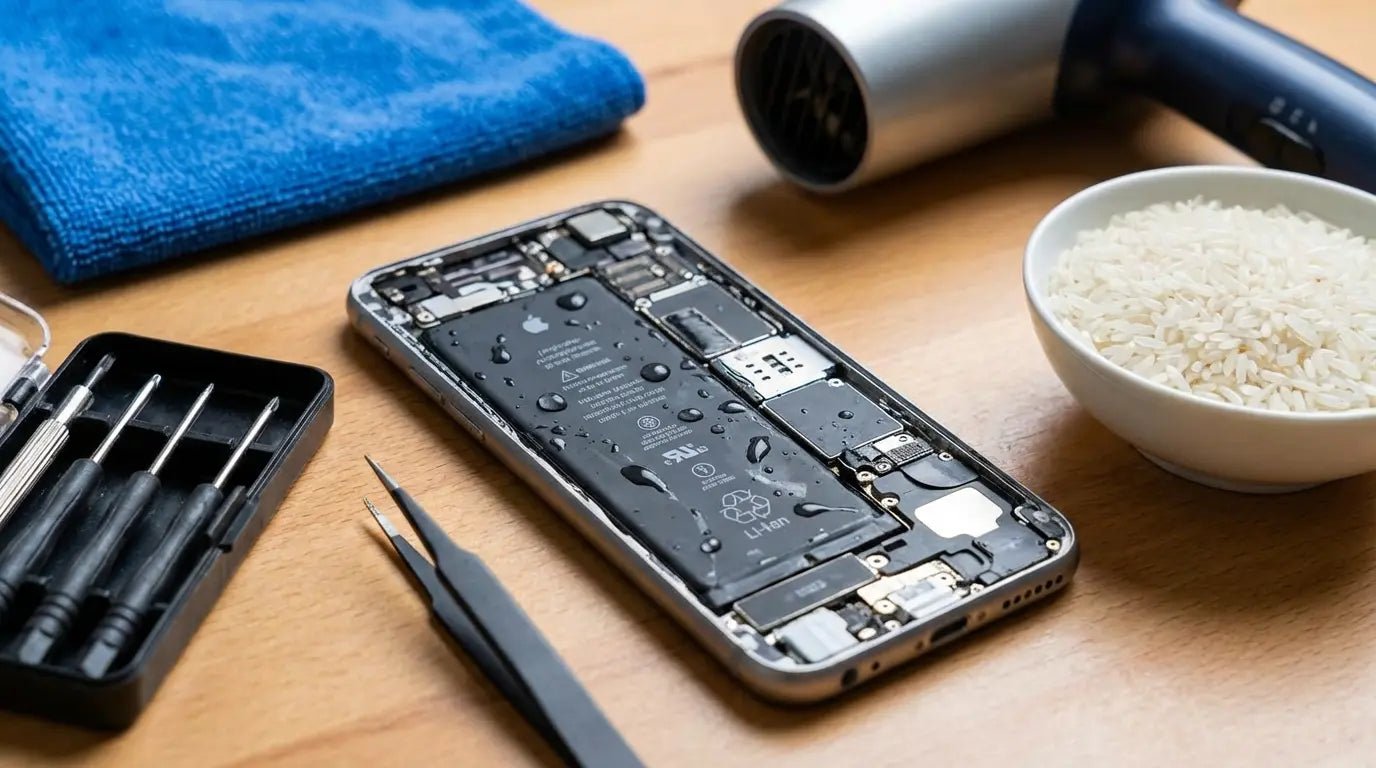
The Rice Myth and Other Internet Disasters
Professional Repair vs. DIY: Breaking Down the Real Costs
Prevention That Actually Works (Beyond "Don't Drop It")
When Your Phone Can't Be Saved
TL;DR
Your phone hits water. You've got 60 seconds before you make it worse. Rice is bullshit. Professional repair runs $79-$599 but only works if you act fast. Don't charge a wet phone. Ever. And for the love of god, back up your data.
The Critical First Minute (And Why Most People Blow It)
Your phone just hit the water. Your stomach drops. And in the next 60 seconds, you're probably going to screw it up worse than the water did.
Water damage accounts for 21% of all smartphone damage incidents, according to research from Allstate Protection Plans. That's one in five phones. It happens all the time. And almost everyone's first instinct makes things worse.
Your Instinct Is Sabotaging Your Phone
You grab your phone out of the toilet (or sink, or pool, or that unfortunate puddle). Your heart rate spikes. You immediately press the power button five times to see if it still works.
You just made it worse.
The first minute after water exposure isn't about checking if things work. It's about damage control, and every instinct you have is working against you. Pressing buttons pushes water deeper into the device. Shaking it (which feels productive) redistributes moisture to components that might have stayed dry.
Trying to turn it on? You're potentially short-circuiting components that could have been saved.
Here's what you should do instead: power it off immediately if it's still on, resist every urge to test functionality, and position it so gravity works in your favor. That means ports facing down, not up. Water travels, and you want it traveling out, not deeper into the logic board.
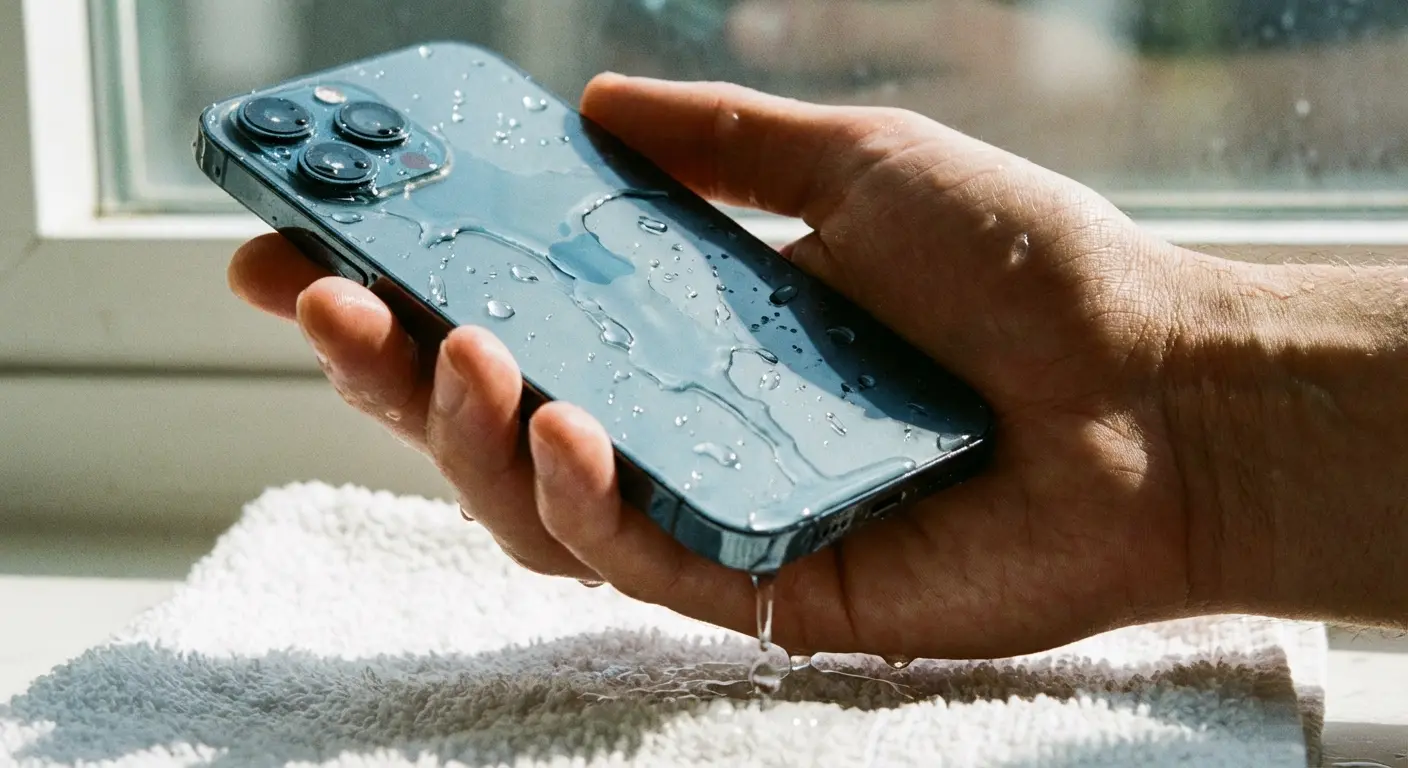
What to do in the first 60 seconds:
Power it off. If it's still on, hold the power button and shut it down. Don't check if it works. Just turn it off.
Stop touching it. Every button you press pushes water deeper.
Take the case off (if you have one).
Hold it so the ports face DOWN. Gravity is your friend here.
Pop out the SIM tray if you can do it without fumbling around.
Dry the outside with whatever's handy. Your shirt, a towel, whatever.
And then (this is the hard part) leave it alone. Don't test it. Don't charge it. Just let it be.
The Charging Port Trap
Your charging port is ground zero for phone water damage repair, even on phones with IP68 ratings. Those ratings test for pure water in controlled conditions. They don't account for the minerals in tap water, the chlorine in pools, or the truly horrifying composition of toilet water. Yeah, toilet water. It's as bad as you think.
Water in your charging port creates a galvanic reaction. The electrical contacts start corroding immediately, and this process speeds up exponentially once you introduce power. Plugging in your phone to "see if it charges" can fry the charging IC (integrated circuit) within seconds.
The port also acts as a highway for water to reach internal components. It's not sealed the way the rest of your phone is. Even water-resistant devices have vulnerable points, and the charging port is designed to be accessible, which means it's designed to be penetrable.
I had a customer last month. Let's call her Sarah. iPhone 13 Pro, barely kissed a puddle. Three seconds, tops. But she couldn't wait 20 minutes to charge her phone. Had to plug it in during her commute. The "Liquid Detected in Lightning Connector" warning popped up and she... tried a different cable. Like the cable was the problem.
She told me she had to call her mom, like it was an emergency. It wasn't. Her phone died because she couldn't wait 20 minutes. $340 later, I'm explaining to her that her charging IC is toast. She literally could've just let it sit.
Why Powering On Is Playing Russian Roulette
Electricity and water create short circuits. You know this. But here's what it means for your phone: when power flows through water instead of through the intended circuit pathways, it damages or destroys components instantly.
Some phones seem fine after being turned on wet. You're only hearing from the lucky ones. Nobody's posting "I turned my phone on wet and it died instantly" stories online. You hear about the exceptions where water didn't reach critical components before drying.
Even if your phone works initially, you've started a countdown. Water trapped inside causes corrosion, which is a slow-motion short circuit. Your phone might work for days or weeks, then suddenly die. At that point, repair becomes way more expensive (or impossible) because corrosion damage spreads.
What Actually Happens Inside Your Phone When Water Hits
The Anatomy of Water Damage
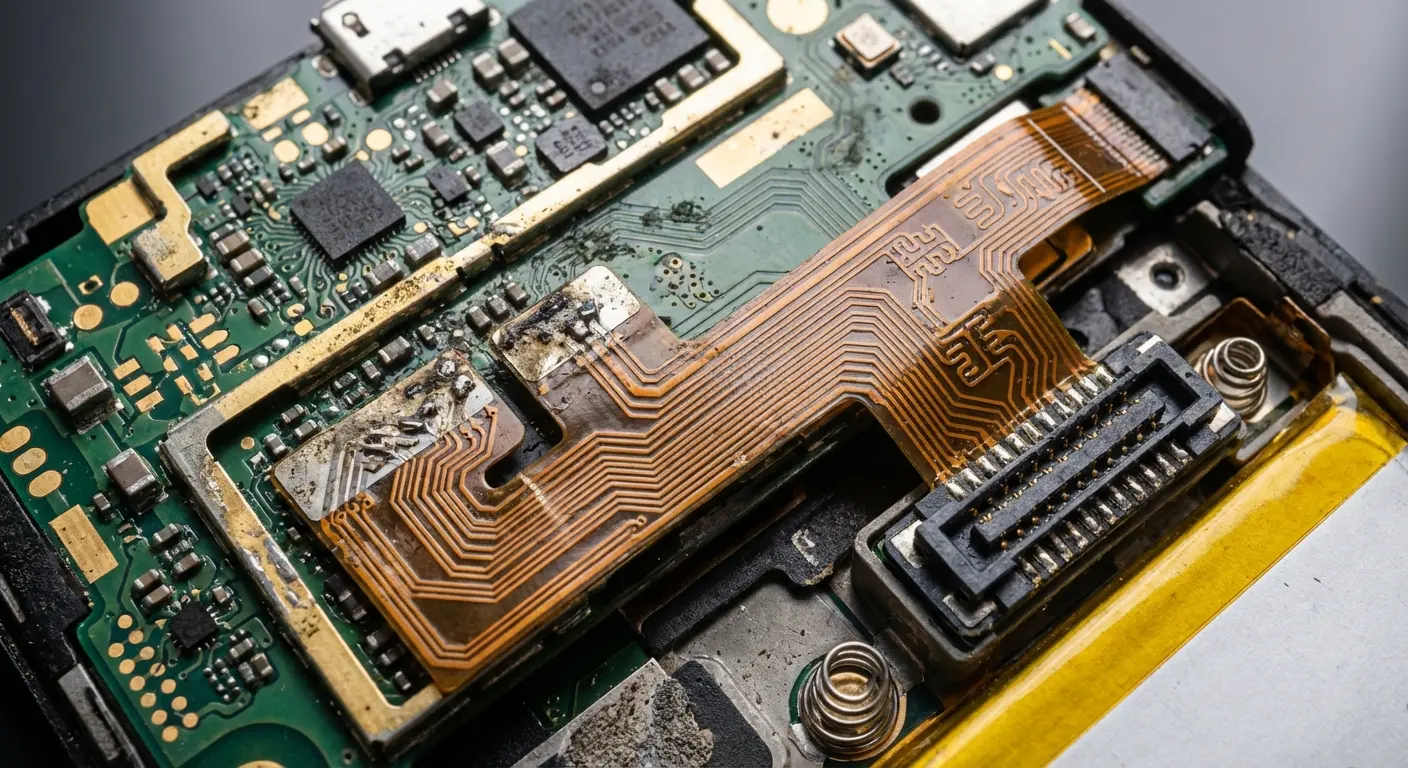
Your phone isn't a single unit. It's dozens of components connected by microscopic solder points and delicate ribbon cables. Water damage phone failures happen simultaneously across multiple systems, and each component fails differently.
The logic board (your phone's brain) has thousands of tiny circuits packed into a space smaller than a credit card. Water creates bridges between these circuits, causing them to fire incorrectly or not at all. Some components fail immediately. Others degrade over time as corrosion spreads.
Your battery connection is particularly vulnerable. Water here can cause swelling, reduced capacity, or catastrophic failure. Battery damage isn't just about performance. It's a legitimate safety risk. Lithium-ion batteries and water create potentially dangerous chemical reactions.
Display connectors are another failure point. You might notice your screen flickering, showing lines, or developing dead zones. This happens because water corrodes the connection between your display and the logic board, creating intermittent contact.
Component |
Vulnerability Level |
Common Failure Symptoms |
Repair Difficulty |
|---|---|---|---|
Logic Board |
Critical |
Complete power failure, random restarts, system crashes |
High - requires microsoldering |
Battery Connections |
Critical |
Won't charge, rapid discharge, swelling, overheating |
Medium - replacement possible |
Display Connectors |
High |
Screen flickering, lines, dead zones, touch unresponsive |
Medium - connector cleaning/replacement |
Charging Port |
High |
Won't charge, slow charging, intermittent connection |
Low to Medium - port replacement |
Speakers/Microphone |
Medium |
Muffled sound, no audio, distorted output |
Low - component replacement |
Cameras |
Medium |
Foggy images, won't focus, condensation visible |
Medium - module replacement |
Buttons |
Low to Medium |
Sticky buttons, unresponsive, stuck in pressed position |
Low - cleaning or replacement |
SIM Card Reader |
Low |
No service, SIM not detected, network issues |
Low - tray or reader replacement |
Fresh Water vs. Salt Water vs. Everything Else
Not all water is created equal when it comes to phone damage. Fresh water is bad. Salt water is way worse. Everything else falls somewhere on that spectrum based on what's dissolved in it.
Salt water conducts electricity better than fresh water, meaning short circuits happen faster and more extensively. Salt also accelerates corrosion dramatically. A phone dropped in the ocean has a much lower survival rate than one dropped in a freshwater lake, even with identical exposure time.
Pool water contains chlorine and other chemicals that corrode metal components aggressively. Tap water has minerals (calcium, magnesium, iron) that leave deposits as the water evaporates. These deposits create permanent bridges between circuits, causing ongoing problems even after the water is gone.
Speaking of toilet water (and I can't believe I'm about to say this), I once had a guy bring in his phone and lie about where it got wet. Told me it was the sink. I could smell it was the toilet. Just tell the truth, people. We've seen it all, and we're not judging. We just need to know what we're dealing with. Toilet water contains bacteria and organic matter that can create biological growth inside your phone. Beyond the immediate electrical damage, you're dealing with contamination that professional cleaning might not fully resolve.
The Corrosion Timeline
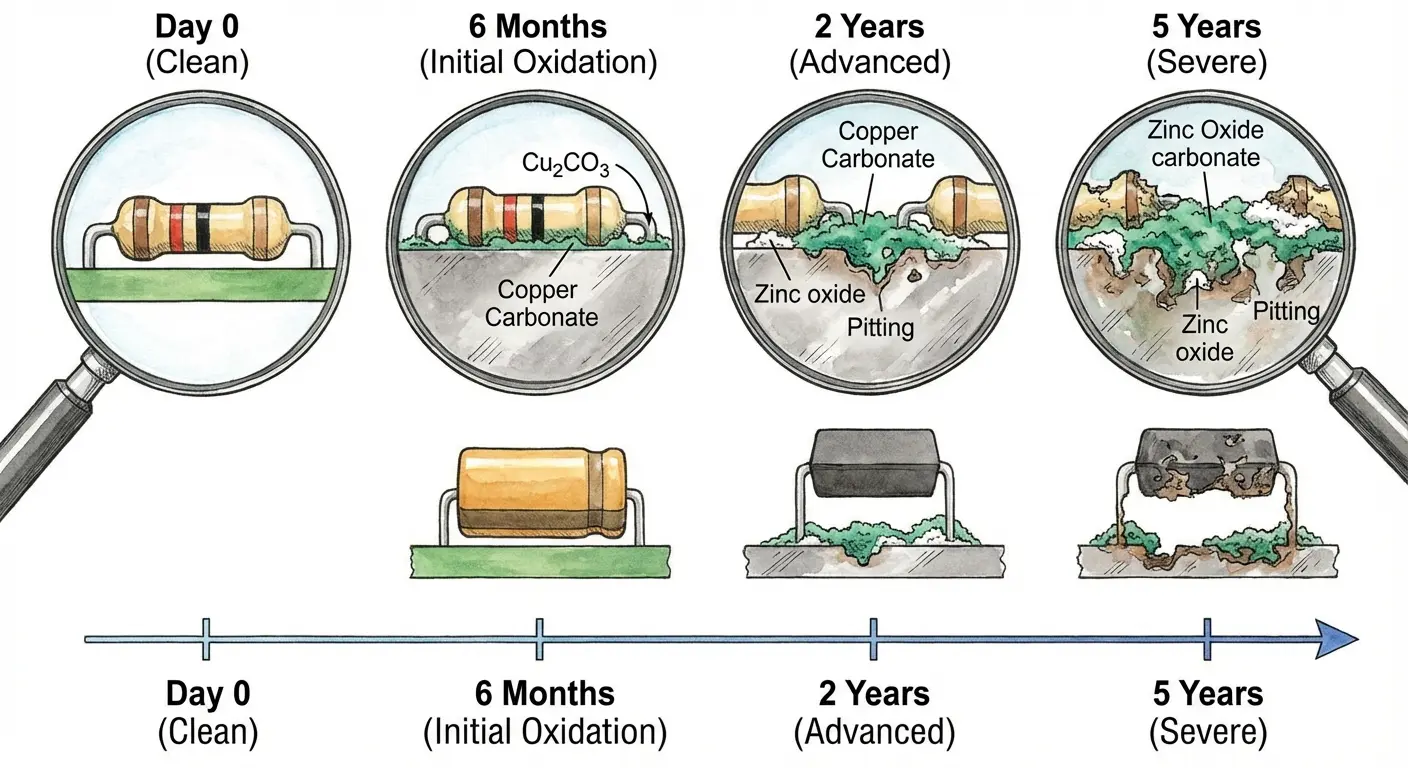
Corrosion doesn't wait for your convenience. It starts within minutes of water exposure and accelerates over time. Here's why timing matters:
Minutes 0-30: Water is actively spreading through your device, reaching components based on gravity, capillary action, and internal air pressure. No visible damage yet, but the contamination is expanding.
Hours 1-24: If the phone is powered, corrosion begins at connection points where electrical current meets water. If powered off, you have a grace period, but oxidation is still starting on exposed metal surfaces.
Days 1-7: Corrosion becomes visible under magnification as white, green, or black deposits on circuit boards and connectors. Performance issues start appearing: random restarts, connectivity problems, sensor failures.
Weeks 2-4: Corrosion spreads from initial contact points to surrounding areas. Components that seemed unaffected start failing. This is when phones that "survived" water damage suddenly die.
This guy Marcus brought in his Samsung Galaxy S22 after dropping it in a lake while fishing. He immediately pulled it out, dried it off, and was relieved when it powered on normally. He used it for the next eleven days without any issues. Making calls, taking photos, checking email.
On day twelve, the phone randomly restarted three times during his morning commute. By that afternoon, the screen developed green lines across the display. By evening, it wouldn't turn on at all.
When he brought it in, I showed him extensive corrosion under magnification that had spread across the logic board. The phone had been slowly dying from the inside since the moment it hit the water, even though it seemed fine on the surface. The repair estimate exceeded the cost of a replacement phone.
The Rice Myth and Other Internet Disasters
Why Rice Doesn't Work (And What It Actually Does)
Rice doesn't repair water damage. It barely even dries your phone. Yet this myth persists because people confuse correlation with causation. Their phone survived, and it was in rice, so the rice must have helped.
Wrong.
Rice is a desiccant, but a terrible one. It absorbs moisture from the air slowly and inefficiently. Silica gel packets (the "do not eat" packets in shoe boxes) are 20 times more effective, and even those aren't a solution for water damage. Your phone's internal moisture isn't floating in the air inside the case. It's clinging to components, trapped in crevices, and sitting in places rice can't reach.
Here's what rice actually does: it introduces dust particles and starch into your device. These particles stick to wet components and create additional problems. Rice dust can clog speakers, interfere with buttons, and leave residue on internal parts that technicians then have to clean before attempting repair.
The rice method also wastes time. Every hour your phone sits in rice is an hour that corrosion is spreading. You're using a folk remedy instead of taking action that might actually help.
I've told people not to use rice probably a thousand times. They still do it. Then they come in with rice dust all over their charging port and wonder why it won't charge.
Every repair shop I know is begging people to stop with the rice. In a recent interview with Turn To 23 News, technicians at Mobile Heroes in Bakersfield, California, explicitly stated: "don't charge it, don't try to turn it on, and definitely don't put it in rice." The shop emphasizes that time is critical when dealing with water damage, and the rice method wastes the crucial window when professional intervention could save the device.
Hairdryers, Ovens, and Other Heat-Based Disasters
Heat seems logical. Water evaporates when heated, so heating your phone should dry it out, right?
This logic ignores the fact that your phone is a precision electronic device with components that fail at relatively low temperatures.
Hairdryers can reach 140°F or higher. Your phone's adhesives (the glue holding the screen and back glass) start softening around 120°F. The battery can be damaged or become unstable at temperatures above 113°F. You're not just drying your phone. You're potentially deforming it and creating new problems.
Ovens are even worse. People have literally melted their phones trying to "dry them out." Even at low temperatures, the sustained heat warps plastic components, damages the display, and can cause battery failure. In extreme cases, it creates fire risks.
Yeah, heat evaporates water. It also melts the glue holding your screen on, damages your battery, and can literally warp your phone. Heat also doesn't solve the fundamental problem: it doesn't remove contaminants. Evaporating water leaves behind whatever was dissolved in it. You're baking minerals and impurities onto your components, creating permanent damage.
The "Wait 48 Hours" Gamble
You'll see this advice everywhere: put your phone in a dry place and wait 48-72 hours. This assumes time alone solves the problem.
It doesn't.
Surface drying happens relatively quickly. Your phone's exterior might feel dry within hours. Internal components are a different story. Water trapped under shielding, inside connectors, and beneath components can remain for days or weeks, slowly corroding everything it touches. Waiting 48 hours gives corrosion plenty of time to spread. Remember that timeline we discussed? You're allowing the damage to progress from potentially reversible to likely permanent. Every hour matters, and spending two full days hoping for the best is choosing optimism over action. There's also the false confidence factor. After 48 hours, your phone might turn on and seem functional. You assume you're safe and start using it normally. Then, weeks later, it dies suddenly because the underlying corrosion finally reached a make-or-break component. You've lost the window for professional intervention.
Professional Repair vs. DIY: Breaking Down the Real Costs
What Professional Water Damage Repair Actually Involves
Professional phone water damage repair isn't magic. It's a systematic process that addresses the root causes of failure, much like how protecting your phone from water requires systematic prevention.
Step one: complete disassembly. Technicians remove every component that can be separated: screen, battery, cameras, logic board, shields, and connectors. This exposes all surfaces where water might be hiding.
Step two: ultrasonic cleaning. The logic board goes into an ultrasonic cleaner with specialized solution that removes corrosion, mineral deposits, and contaminants at a microscopic level. This isn't something you can replicate at home with isopropyl alcohol and a toothbrush.
Step three: inspection under magnification. Technicians examine the logic board with microscopes, looking for corroded components, damaged traces, and failed connections. They're identifying specific failures, not just hoping everything works.
Step four: component-level repair. If specific chips or circuits are damaged, they can sometimes be replaced or repaired using microsoldering equipment. This requires specialized skills and tools.
Step five: reassembly and testing. The phone is put back together and tested thoroughly to verify all functions work correctly.
Success rates vary dramatically based on water type, exposure time, and whether the phone was powered on while wet. Professionals typically quote 60-80% success rates for fresh water damage addressed within 24 hours. Those odds drop significantly for salt water or delayed treatment.
In the past 12 months, 78 million Americans reported damaging a device, and when it comes to repair decisions, 38% of respondents who damaged their smartphones replaced their device, while 32% chose to continue using it despite the damage, and 23% took their devices to repair shops, according to Allstate Protection Plans' Mobile Mythconceptions study.
The Real Cost Breakdown
Water damage repair costs vary wildly, and understanding why helps you make informed decisions. You're not just paying for the technician's time. You're paying for specialized equipment, expertise, and the risk they take on when outcomes aren't guaranteed.
Basic water damage service (cleaning and inspection) runs $79-$150. This covers dis assembly, ultrasonic cleaning, and reassembly. If no components are damaged, this might be all you need.
Logic board repair costs $150-$400. When corrosion has damaged specific components, microsoldering and component replacement drive costs up.
Full component replacement runs $200-$599+. If major components (screen, battery, cameras) need replacement in addition to logic board repair, you're approaching the cost of a replacement phone.
Phone model matters enormously. Repairing an iPhone 14 Pro Max costs more than repairing an iPhone SE because parts are more expensive and the device is more complex to service.
Many repair shops charge diagnostic fees ($30-$75) that may or may not apply to the final repair cost. Ask about this upfront. Also clarify their policy on unsuccessful repairs. Some shops charge partial fees even if your phone can't be saved; others offer no-fix, no-fee guarantees.
According to Allstate Protection Plans research, the average cost for repairs and replacements is now $302, and the nation's repair and replacement expenses in the U.S. collectively reached $149 billion, with nearly half (49%) of respondents saying they would not repair a damaged smartphone that still functions due to the high costs involved.
Repair Type |
Cost Range |
Typical Timeframe |
Success Rate |
Best For |
|---|---|---|---|---|
Basic Cleaning & Inspection |
$79-$150 |
1-2 days |
70-85% |
Fresh water, immediate response, phone powers on |
Logic Board Cleaning + Minor Repair |
$150-$250 |
2-4 days |
60-75% |
Fresh water, some corrosion visible, addressed within 48 hours |
Component-Level Microsoldering |
$250-$400 |
4-7 days |
50-65% |
Specific chip failures, salt water, delayed treatment |
Full Component Replacement |
$300-$599+ |
5-10 days |
40-60% |
Multiple system failures, extensive corrosion |
Data Recovery Only |
$300-$1500+ |
7-14 days |
Varies widely |
Phone beyond repair, critical data needed |
DIY Repair: What You Can and Can't Do Safely
Some DIY water damage repair is feasible. Most isn't. Knowing the difference can save you money or prevent you from making damage worse (or hurting yourself in the process).
What you can safely do: immediate disassembly if you have the right tools and experience. Removing the screen and disconnecting the battery stops power flow and prevents further short circuits. You can also clean visible corrosion with 90%+ isopropyl alcohol and a soft brush, though this only addresses surface contamination.
What you cannot replicate at home: ultrasonic cleaning, microsoldering, component-level diagnostics, or safe battery removal if the battery is swollen or damaged. You also can't properly test whether internal components are functioning correctly without specialized equipment.
Safety concerns matter more than your phone's survival. Never attempt to remove a swollen battery yourself. Puncturing a lithium-ion battery can cause fires or release toxic gases. If your battery shows any signs of swelling, take it to a professional immediately or dispose of the device properly.
Don't work on your phone while it's plugged in or connected to power. This seems obvious, but people do it. You're risking electrical shock, especially if water is still present.
Work in a well-ventilated area, wear eye protection if you're cleaning corrosion, and keep a fire extinguisher nearby if you're dealing with battery issues.
The other risk? Voiding warranties or damaging your phone beyond repair. If you crack the screen during disassembly, strip screws, or damage ribbon cables, you've added new problems to your existing water damage. Professional repair might have saved your phone; amateur attempts might kill it permanently.
Tools You'd Actually Need
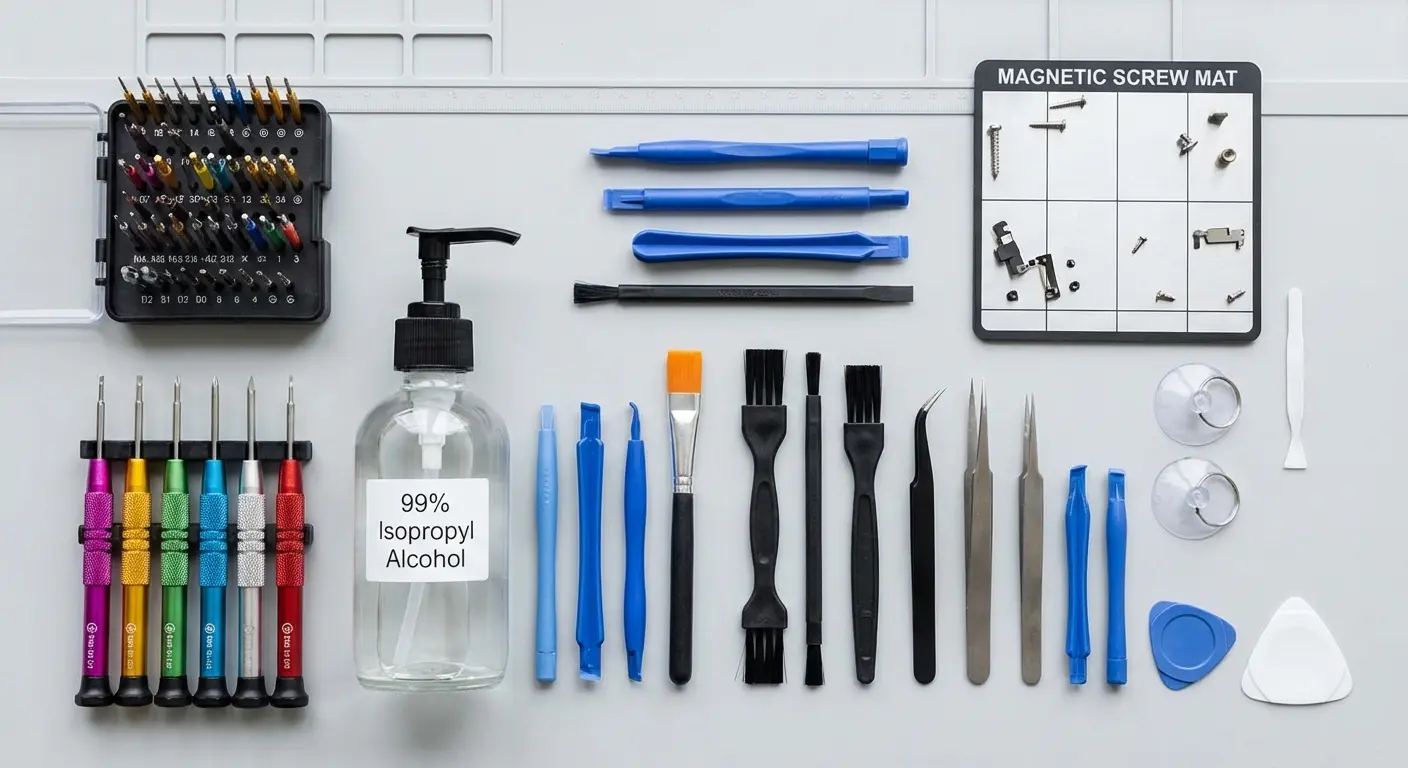
Precision screwdriver set: $15-$40. Phones use proprietary screws (Pentalobe, Tri-point) that standard screwdrivers can't handle.
Spudgers and pry tools: $10-$20. Metal tools will damage components; you need plastic or nylon tools designed for electronics.
Isopropyl alcohol (90%+ concentration): $8-$15. Lower concentrations contain too much water and defeat the purpose.
Soft brushes (anti-static): $5-$10. Toothbrushes work but aren't ideal; ESD-safe brushes are better.
Suction cups and opening picks: $10-$15. Required for separating screens from frames without cracking them.
Total: $50-$100 minimum, and this doesn't include ultrasonic cleaners ($100-$300 for home units that are still less effective than professional equipment) or magnification tools ($30-$200) for proper inspection.
For a one-time repair, you're spending nearly as much on tools as you'd pay for professional service, and you're still limited in what you can fix.
Prevention That Actually Works (Beyond "Don't Drop It")
IP Ratings Are Marketing, Not Guarantees
Your phone's IP68 rating sounds impressive. It means the device survived 30 minutes in 1.5 meters of fresh water under controlled laboratory conditions. Know what it doesn't mean? That it'll survive your pool, your ocean, or your hot tub.
IP ratings degrade over time. The adhesive seals that create water resistance break down with normal use, temperature changes, and minor drops. A phone that was IP68-rated when new might be IP53 (splash resistant only) after a year of regular use.
The testing doesn't account for water pressure from movement. Dropping your phone in water creates pressure spikes that force water past seals. Swimming with your phone generates pressure that static immersion tests don't replicate. Taking underwater photos? You're pushing water toward vulnerable points.
Temperature matters too. IP ratings are tested at room temperature. Hot tub water, cold lake water, or any temperature extreme affects seal integrity. The rapid temperature change when you take a hot phone into cold water (or vice versa) creates condensation inside the device even without external water intrusion.
Apple puts IP68 on every marketing page but won't cover water damage under warranty. That should tell you everything about how much faith they have in these ratings.
Credit card companies are increasingly recognizing the gap between IP ratings and real-world protection. In August 2025, The Points Guy reported on a cardholder who successfully claimed cellphone protection twice in one year through their Capital One Venture X card. Once for a cracked screen and once for water damage after a waterproof case failed during snorkeling in Curacao. The case was marketed as waterproof but failed within minutes, destroying the phone despite its IP68 rating. This real-world failure demonstrates why relying solely on manufacturer ratings is insufficient protection.
The Case for Actual Protection
Water resistance fails when your phone's structural integrity is compromised. You drop your phone, crack the back glass, and suddenly those IP68 seals are meaningless. Water enters through the crack, and you're dealing with full submersion damage even from minor splashes.
This is where real protection matters. Those thin cases? Useless. You need actual protection that stops the drops that crack your phone and let water in.
Full disclosure: I'm talking about Rokform cases because that's what we make. But here's why they actually matter for water damage, not just because I'm supposed to sell them.
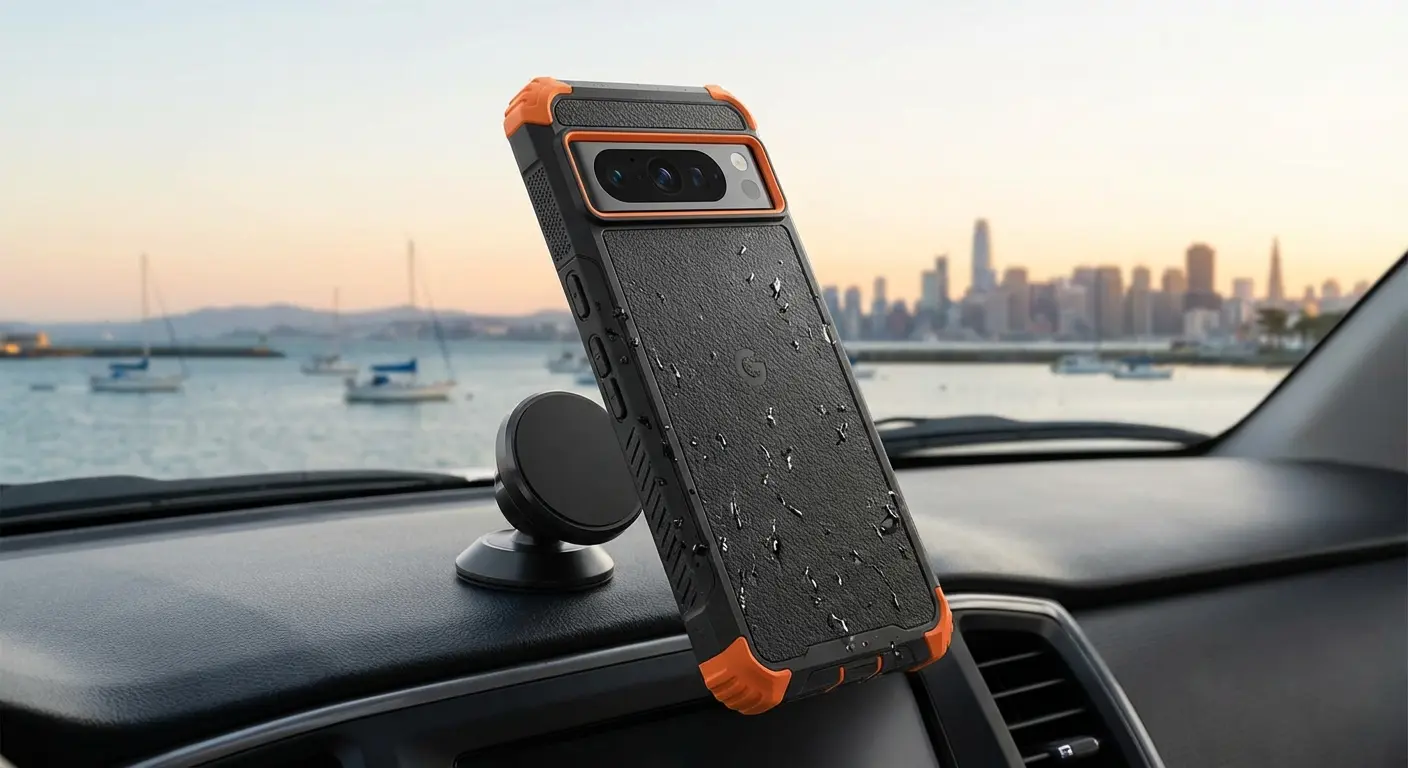
We build cases specifically engineered for serious protection. Military-grade drop protection (MIL-STD-810G certified) means your phone survives the drops that would crack standard cases and compromise water seals. Our cases feature reinforced corners, raised bezels that protect your screen and camera, and impact-absorbing materials that dissipate force.
What makes Rokform different? We've engineered protection without bulk. You get serious drop protection in a case that doesn't feel like wrapping your phone in a brick.
The magnetic mounting system (RokLock) means you're less likely to drop your phone in the first place because it's securely mounted when you're near water, on your bike, or in your car. Our proprietary twist-lock mechanism creates 120+ pounds of pull force, so your phone stays exactly where you put it.
You're also getting protection that lasts. Cheap cases degrade quickly, leaving gaps where water can enter. Our cases maintain their integrity over time, which means your phone's water resistance stays intact instead of degrading with use. We use premium materials like polycarbonate and TPU that won't crack, warp, or lose their protective properties after a few months.
We've tested our cases against everything: concrete drops from 6 feet, temperature extremes from -40°F to 140°F, and thousands of mount/unmount cycles. They don't just meet standards; they exceed them. When you're fishing, hiking, working on a construction site, or anywhere your phone faces real risk, you need protection that works when it matters.
Check out Rokform's protective cases here and stop gambling with your phone's safety.
Behavioral Changes That Reduce Risk
Protection isn't just about gear. It's about recognizing high-risk situations and adjusting behavior accordingly.
Bathroom phone use is the leading cause of toilet drops. Keep your phone out of the bathroom entirely, or at minimum, keep it in a secure pocket rather than balancing it on the sink or holding it while you're near the toilet. Your texts can wait.
Poolside and beach use requires different thinking. Don't set your phone on the edge of pools or on towels near the water. One splash, one wave, or one accidental kick sends it into the water. If you need your phone nearby, keep it in a sealed bag or use a floating waterproof pouch.
Rain seems harmless compared to submersion, but prolonged rain exposure causes just as much damage. Water finds its way into ports and seams. Use your phone under cover, keep it in a waterproof pocket, or accept that you can't use it in the rain.
Kitchen use is underestimated. Sinks, spills, and steam all create water damage risks. Don't prop your phone against the backsplash while cooking, and definitely don't use it with wet hands.
Cars near water (boat launches, beach parking, fishing spots) are high-risk zones. Phones slide off seats, fall out of cup holders, and get knocked out of hands when you're distracted. Secure mounting prevents these drops entirely.
High-Risk Situation Prevention Checklist
Bathroom: Keep phone in zipped pocket or leave outside entirely; never place on sink edge or toilet tank
Pool/Beach: Use waterproof pouch or keep phone minimum 6 feet from water's edge; never place on pool deck
Rain: Keep phone in waterproof pocket or bag; avoid using with wet hands; use under cover only
Kitchen: Store phone away from sink and stove; never use while cooking or washing dishes
Boat/Fishing: Use floating waterproof case; attach lanyard; keep in dry bag when not actively using
Gym/Sports: Keep in locker or sealed bag; sweat causes same damage as water exposure
Car near water: Use secure mount; don't place in cup holders; keep windows closed when near water
Hot tub/Sauna: Leave phone in locker; steam and heat cause internal condensation even without direct contact
The Backup Strategy Nobody Wants to Hear
You know you should back up your phone. You don't do it. Most people don't, which is why water damage is often devastating beyond the hardware loss. Your photos, messages, and data are gone.
Cloud backups (iCloud, Google Drive) run automatically if you enable them. This takes five minutes to set up and costs a few dollars monthly for adequate storage. It's the easiest insurance policy you'll never think about until you desperately need it.
Local backups to your computer provide additional security and don't require ongoing subscriptions. Back up monthly at minimum, weekly if you're taking lots of photos or have important data.
The resistance to backing up comes from the same place as other prevention failures: it won't happen to me. Except it does happen, constantly, to millions of people every year. Water damage is one of the most common phone failures, and it's often unrecoverable. Your hardware might be replaceable; your data might not be.
Think of backups as part of your water damage prevention strategy. You're preventing data loss even if you can't prevent the phone loss. When your phone dies (and eventually, it will, whether from water or something else), you'll restore everything to a new device in minutes instead of losing years of memories.
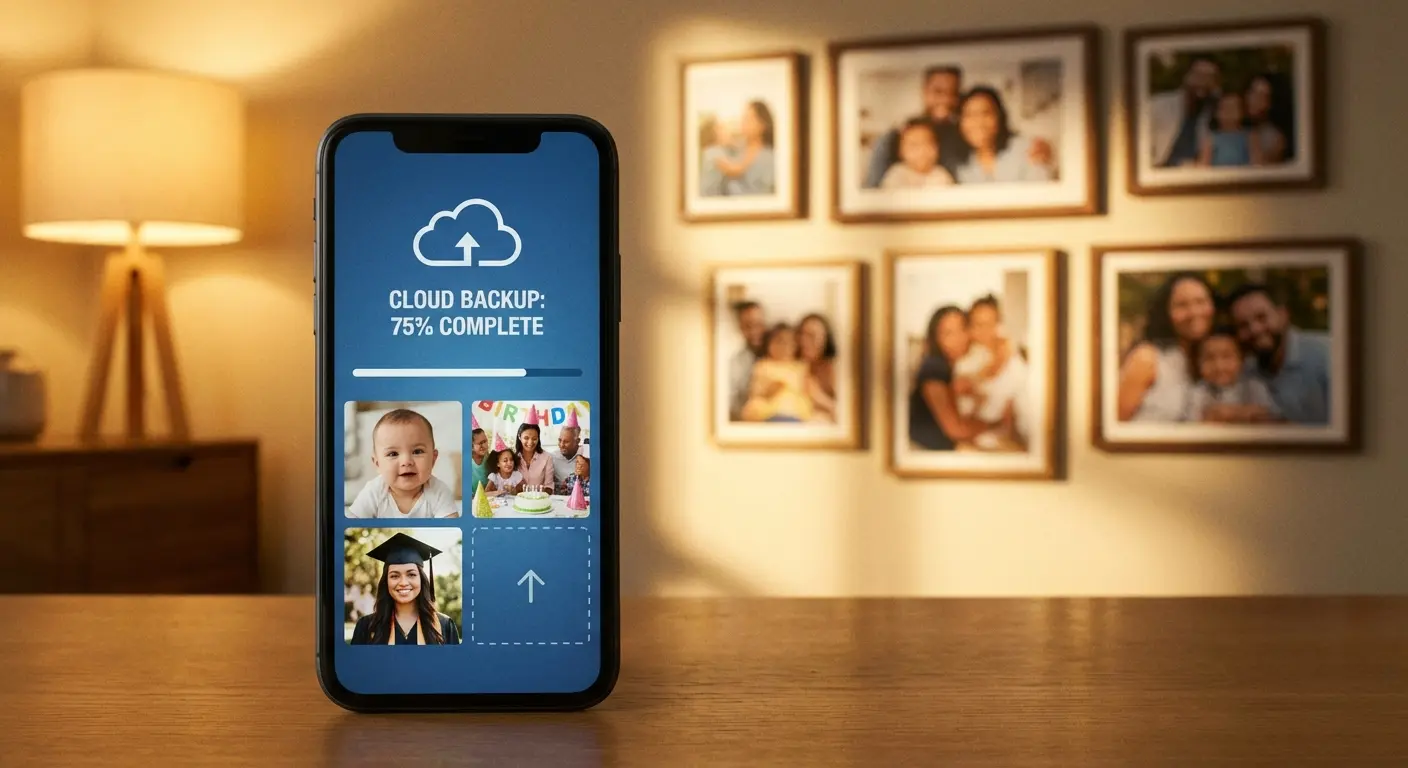
Jennifer's iPhone fell into her kitchen sink while she was doing dishes. She immediately powered it off and took it to a repair shop within two hours. Despite the quick response, I had to tell her that the logic board had sustained irreparable damage from the soapy water, and data recovery would cost $800 with no guarantee of success.
She was devastated. Three years of photos of her newborn daughter were on that phone, and she'd never enabled iCloud backup because she didn't want to pay the $2.99 monthly fee for additional storage. She ended up paying the $800 for data recovery, which was only partially successful, recovering about 60% of her photos.
The total cost of her "savings" from avoiding cloud backup: $800 plus the permanent loss of irreplaceable memories. Had she spent $108 over those three years on iCloud storage ($2.99 x 36 months), everything would have been automatically saved and restorable to a new phone in minutes.
When Your Phone Can't Be Saved
Recognizing Unrecoverable Damage
Sometimes your phone is dead, and no amount of professional repair will bring it back. Recognizing this early saves you money on diagnostic fees and unsuccessful repair attempts.
Complete power failure after professional cleaning usually indicates logic board damage too extensive to repair economically. If a technician has cleaned your phone, replaced obvious damaged components, and it still won't power on, the cost to identify and repair all failed components exceeds replacement cost.
Severe corrosion visible to the naked eye (green or white crusty deposits throughout the device) means the damage has spread beyond what's economically repairable. Surface corrosion can be cleaned; extensive internal corrosion requires replacing essentially every component.
Swollen or damaged batteries are safety hazards that often indicate the phone has other internal damage. Even if you replace the battery, the conditions that caused battery damage probably damaged other components too.
Multiple system failures (screen, cameras, speakers, connectivity all failing) suggest widespread damage. Repairing each system individually costs more than replacement.
Water damage combined with physical damage (cracked screen, bent frame) compounds problems. The physical damage allowed more water intrusion, and repair requires fixing both issues. At this point, you're rebuilding the phone.
Data Recovery When the Phone Won't Turn On
Your phone is dead, but your data might not be. Data recovery is a separate service from phone repair, with different costs and success rates.
If you backed up recently (see, we told you), data recovery is simple: restore to a new phone. If you didn't, you're looking at professional data recovery services that attempt to retrieve data directly from the storage chip.
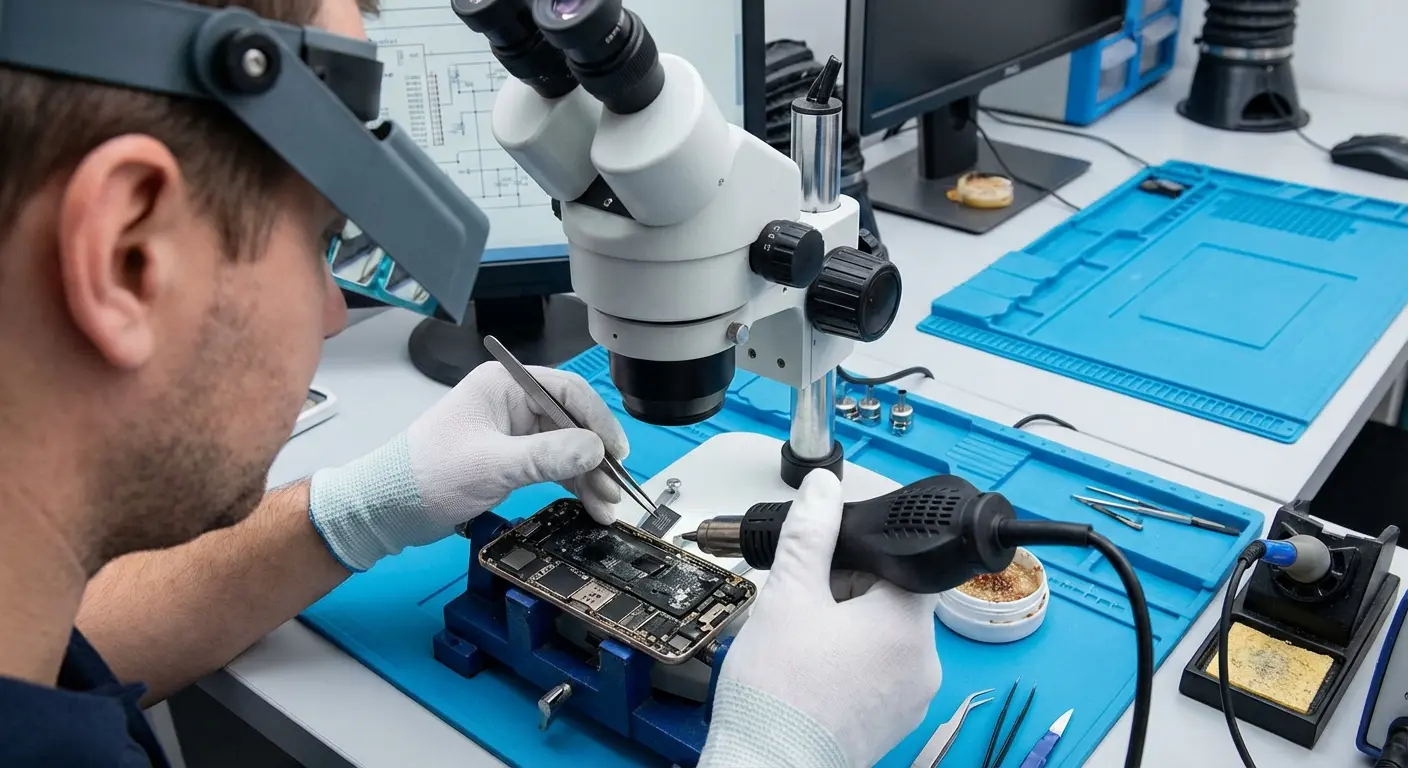
Professional data recovery involves removing the storage chip from your dead phone and reading it with specialized equipment. This bypasses all the damaged components and accesses data directly. Success depends on whether the storage chip itself was damaged.
Costs range from $300-$1500+ depending on damage severity and data importance. Companies charge more for expedited service and for cases requiring extensive chip repair. You're paying for clean room facilities, specialized equipment, and expertise.
Success rates vary. If water didn't reach the storage chip, recovery rates are high (80%+). If the chip was damaged, rates drop significantly. Salt water damage has lower success rates than fresh water because corrosion affects the chip itself.
You need to decide whether your data is worth the cost. Family photos and irreplaceable memories? Probably worth it. Text messages and apps you can reinstall? Probably not. Be honest about what you're losing versus what's recoverable from cloud services and other sources.
The Emotional Cost of Data Loss
Data loss hits differently than hardware loss. You can replace a phone in a day. You can't replace years of photos, videos of your kids, messages from people who've passed away, or memories you didn't realize you'd want until they're gone.
This emotional cost is why water damage feels so devastating. It's not just the repair bill or the inconvenience. It's the sudden realization that you've lost things you can never get back.
I'm not saying this to make you feel worse if you're currently dealing with water damage. I'm saying it because prevention and backups matter more than we want to admit. Future you will be grateful that present you took five minutes to enable automatic backups.
Making the Replacement Decision
If repair costs exceed 50% of replacement cost, replacement usually makes more sense. You're paying for a repaired phone with potential lingering issues versus getting a new device with warranty coverage.
Phone age matters. Repairing a phone that's already two or three years old means you're investing in aging technology. You might get another year of use, or you might face other age-related failures shortly after paying for water damage repair.
Insurance claims (if you have device insurance) often make replacement the better choice. Your deductible might be less than repair costs, and you get a replacement device rather than a repaired one with unknown longevity.
Consider your upgrade cycle. Were you planning to upgrade in the next six months anyway? Water damage might be the push you needed. If you planned to keep your phone for another two years, repair makes more sense.
Carrier trade-in programs won't accept water-damaged phones, but third-party buyers might offer small amounts for broken devices. You won't get much, but something is better than nothing.
Repair vs. Replace Decision Template
Phone Information:
- Current phone model: _____________
- Age of phone: _____ years/months
- Original purchase price: $_______
- Current replacement cost (new): $_______
- Current replacement cost (refurbished): $_______
Damage Assessment:
- Type of water exposure: _____________
- Time elapsed since exposure: _____________
- Professional repair estimate: $_______
- Estimated success rate: _____%
Financial Analysis:
- Repair cost as % of replacement: _____%
- Insurance deductible (if applicable): $_______
- Remaining payments on current phone: $_______
Usage Considerations:
- Planned upgrade timeline: _____________
- Critical data backed up: Yes / No
- Phone still under warranty: Yes / No
- AppleCare+ or similar coverage: Yes / No
Decision Factors:
- If repair cost > 50% of replacement cost → Consider replacing
- If phone > 2 years old → Consider replacing
- If multiple components damaged → Consider replacing
- If data not backed up and recoverable → Prioritize data recovery, then decide
- If insurance available → File claim for replacement
- If phone < 1 year old and minor damage → Consider repair
Final Decision: Repair / Replace / Data Recovery Only
Action Items:
1. _______________________________
2. _______________________________
3. _______________________________
Final Thoughts
Look, water damage is going to happen. You can't prevent every accident. But you can stop making it worse in those first 60 seconds. You can get a case that actually protects your phone. And you can (please, for the love of god) back up your data.
Rice doesn't work. Heat doesn't work. Waiting and hoping doesn't work.
What works: Power off immediately. Keep ports facing down. Get it to a repair shop within 24 hours if it's serious. Knowing how to get water out of your phone properly through professional intervention rather than home remedies can mean the difference between a successful recovery and permanent loss.
And if you're reading this before you've dropped your phone in water? You're ahead of the game. Get protected now. Because when it happens, you won't have time to Google what to do.
Your phone is one of your most expensive and essential possessions. It deserves protection that works, not marketing claims that fail when you need them most. Whether that's a case that prevents the drops that lead to water intrusion, backups that protect your data when hardware fails, or simply keeping your phone out of high-risk situations, you now have the knowledge to make informed decisions.
Water damage is common, but it's also largely preventable. Start with real protection, add smart behaviors, and back up your data. Future you will thank present you when your phone survives what would have killed it otherwise.

