


Your phone's glitching, and you know what every article tells you? Clear your cache. Delete some apps. Turn it off and on again.
None of that's going to work. Want to know why? Because your phone isn't having a software problem. It's physically falling apart inside.
I'm talking about the beating your phone takes every single day. Drops, temperature swings, magnetic interference, mounting pressure that slowly destroys internal components. Software fixes won't solve hardware fatigue. Once you get this, you'll stop wasting time on useless fixes.
Table of Contents
The Physical Stress Your Phone Endures Daily
Temperature Extremes Break More Than Just Screens
Magnetic Fields and Wireless Charging Complications
Mount Pressure Points and Connection Port Degradation
RAM Limitations Versus Actual Component Failure
Storage Corruption From Unexpected Shutdowns
Carrier Bloatware and Background Process Overload
The Update Paradox: When New Software Exposes Old Hardware
Protective Measures That Actually Address Root Causes
TL;DR
Phone glitches usually come from cumulative physical stress, not software issues
Temperature swings cause components to expand and contract, disrupting connections
Magnetic interference from accessories and charging pads corrupts data transmission
Mounting systems applying uneven pressure accelerate internal component wear
RAM struggles show up as glitches when physical damage compounds memory limitations
Unexpected power loss from weak connections creates file system corruption
Carrier-installed apps eat resources while physical wear reduces available processing power
Software updates reveal hardware weaknesses that physical protection could have prevented
Addressing physical stressors prevents the cascading failures that look like software glitches
The Physical Stress Your Phone Endures Daily
You drop your phone. Screen's fine. No cracks, no chips. You breathe out. Crisis averted.
Three weeks later, it starts freezing randomly. Camera won't focus. Touch response gets weird in the upper corner.
You blame an app update. Maybe it's malware. Could be the OS acting up.
Wrong. It's that drop from three weeks ago. You just didn't know it yet.
That drop cracked a microscopic solder joint on your logic board. Cable connections loosened by fractions of a millimeter. None of these injuries show visible symptoms immediately, but they spread through normal use until complete failure happens.
Why is my phone glitching weeks after impact? Because internal phone architecture operates on micrometer-level tolerances. A drop transfers kinetic energy through the entire device, creating stress waves that flex circuit boards and strain connection points. Components designed to stay perfectly still shift slightly. Solder balls connecting processors to boards develop hairline cracks. These compromised connections work intermittently at first, failing completely only after heat cycling and normal flexing widen the initial damage.
Here's a real example. Your phone slipped off your car roof while you were loading groceries. Landed face-down on asphalt from four feet up. You picked it up, checked the screen (no cracks), tested the touchscreen (responsive), and kept using it. Three weeks later, your camera refuses to focus properly and the screen randomly stops responding to touches in the upper right corner. You run diagnostics, clear the cache, even factory reset the device.
Nothing helps because the impact fractured a microscopic solder joint connecting the camera module and cracked a trace line feeding the touchscreen digitizer. The symptoms appeared delayed because thermal cycling and normal flexing during use spread the initial damage until connections failed completely.
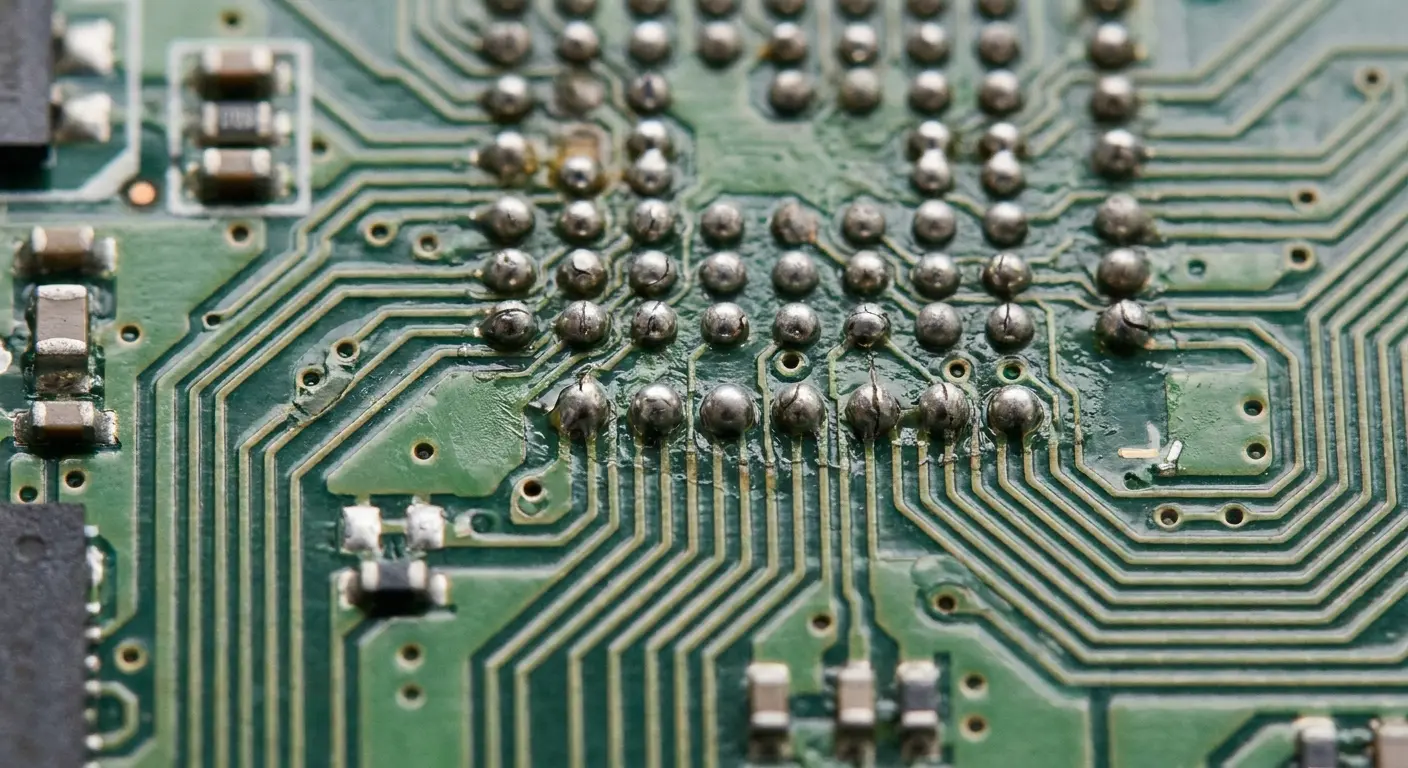
Vehicle mounts subject phones to constant vibration transmitted directly through mounting hardware. Road vibration operates at frequencies that resonate with internal component mounting systems. Camera modules, secured by tiny screws and adhesive, gradually loosen. Optical image stabilization systems designed for precise movement develop play in their bearings. Battery connections experience micro-disconnections hundreds of times per trip. Display ribbon cables, flexed slightly with each vibration cycle, develop stress fractures in their conductor traces.
The phone glitch shows up as camera blur that manual focus can't correct. Random shutdowns happen despite showing 40% battery remaining. Screen flicker appears intermittently, often resolving when you tap the device firmly. That last symptom reveals the truth: you're performing percussive maintenance, temporarily re-establishing physical connections through impact. The flickering issue comes from a loosened ribbon cable, not corrupted display drivers.
Sitting on your phone creates flex stress across the entire device. Modern phones use rigid aluminum or glass frames surrounding flexible circuit boards. When you sit, the frame bends slightly while the board inside flexes more dramatically. This differential movement cracks microscopic traces carrying power and data signals. The charging port, mounted to the board but sticking through the frame, experiences shearing forces that weaken its solder connections.
Your glitching phone restarts every time you sit down with it in your back pocket. Apps crash when you lean back in your chair. The charging port only works when you hold the cable at a specific angle. These position-dependent failures indicate cracked circuit board traces and compromised port connections. Cache clearing won't fix mechanical damage. Factory resets can't repair broken electrical pathways.
Physical Stress Type |
Primary Components Affected |
Typical Symptom Timeline |
Difficulty of Diagnosis |
|---|---|---|---|
Drop Impact |
Logic board, solder joints, cable connections, sensors |
2-6 weeks post-impact |
High (delayed symptoms) |
Vehicle Vibration |
Camera module, battery contacts, display ribbons |
3-12 months continuous use |
Medium (gradual wear) |
Pocket Pressure/Flex |
Motherboard traces, charging port, internal connectors |
Immediate to 3 months |
Low (position-dependent) |
Temperature Cycling |
All solder points, adhesive bonds, component interfaces |
6-18 months seasonal exposure |
High (intermittent issues) |
Mounting Pressure |
Battery cell, camera optics, display layers |
4-10 months regular mounting |
Medium (location-specific) |
Understanding these internal vulnerabilities explains why investing in the most protective phone cases matters more than clearing cache files. Physical protection prevents the micro-damage that piles up into major failures. Software troubleshooting addresses symptoms while ignoring root causes.
Temperature Extremes Break More Than Just Screens
Take your phone from your warm house into 20-degree weather. Everything inside starts contracting. But here's the problem: nothing contracts at the same rate.
The aluminum frame shrinks faster than the glass screen. Copper circuit traces contract more than the fiberglass boards they're mounted on. These mismatched contraction rates create stress at every connection point. Solder joints, designed to stay solid, experience shearing forces as the materials they connect shrink at different speeds.
Your phone shows the charging icon but doesn't actually charge after bringing it in from the cold. The cellular radio drops signal constantly despite full bars moments earlier. Touch sensitivity decreases in specific screen areas, usually corners where display ribbon cables connect. Each cold exposure cycle leaves permanent damage. The materials don't return perfectly to their original positions. Microscopic gaps develop at solder joints. Adhesive bonds weaken. The phone screen is flickering because the display connector experienced enough contraction cycles to partially separate from its socket.
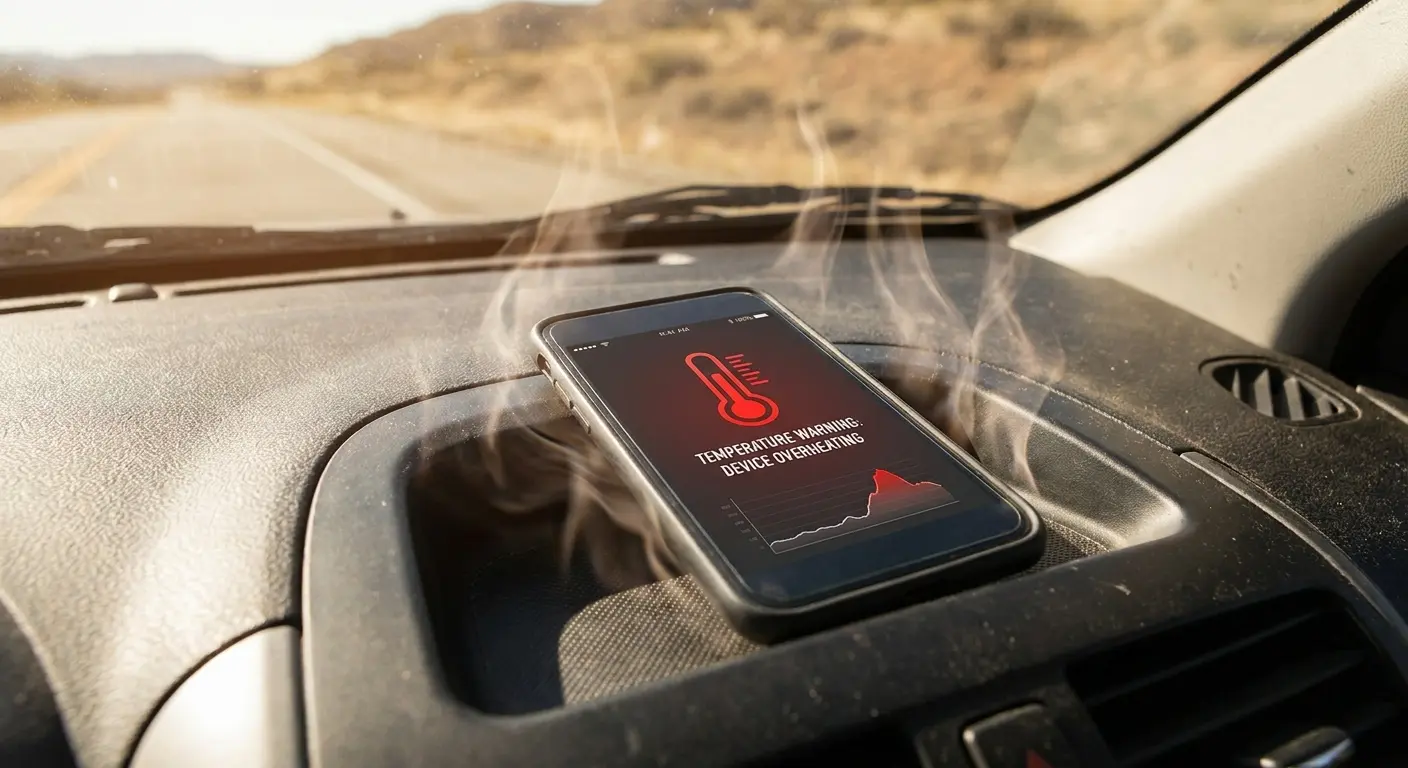
Heat above 140°F causes different problems. Solder begins softening, allowing components to shift on circuit boards. Processors generate intense localized heat during operation, creating hot spots that warp boards in specific areas. This warping stays after cooling, creating permanent stress patterns that weaken connections throughout the affected region.
Last summer I left my phone on the dash while running into Target. Wasn't even that hot out, maybe 85 degrees. Came back 45 minutes later to a temperature warning. Phone cooled down, seemed fine. Two months later, wireless charging just stopped working. Took it to a repair shop, and they found the charging coil had shifted 0.3 millimeters out of alignment. The adhesive had melted just enough during that one Target run. The coil didn't shift immediately but gradually migrated over subsequent charge cycles because the adhesive never fully recovered its original bonding strength.
Wireless charging generates significant heat beneath batteries. The electromagnetic transfer process operates at roughly 70% efficiency, meaning 30% of energy becomes heat. This heat concentrates in a small area, raising local temperatures 15-20°F above ambient during charging sessions. Battery chemistry breaks down faster at elevated temperatures. Internal resistance increases. Performance throttles to prevent thermal runaway. Unexpected shutdowns begin during processor-intensive tasks.
The logic board beneath the battery warps slightly from repeated heating cycles. Thermal paste between the processor and heat spreader dries out, reducing heat transfer efficiency. NFC antennas positioned near charging coils experience elevated temperatures that wreck their performance. The phone screen glitch you're experiencing during wireless charging comes from electromagnetic interference combined with heat-induced board warping that compromises display connector integrity.
Thermal cycling fatigue compounds these individual heat and cold exposures. Your phone heats up during use, cools down when idle, heats during charging, cools overnight. This constant expansion and contraction creates shearing forces at every material interface. Adhesives holding components in place experience stress with each cycle. Gaskets providing water resistance compress and expand, gradually losing their sealing properties. After hundreds of cycles, these materials fail.
What's really happening when your phone glitch works perfectly some days and poorly others? Thermal cycling damage creates intermittent failures. Connections work when materials are at certain temperatures and fail when thermal expansion or contraction opens microscopic gaps. The phone screen flickering appears random but correlates with temperature. Pay attention next time: the flicker probably happens when the device is particularly hot or cold.
Thermal Stress Prevention Checklist:
Never leave phone in direct sunlight or hot vehicles (interior temps exceed 140°F within 30 minutes)
Allow 10-15 minute temperature adjustment period before heavy use after cold exposure
Avoid charging immediately after bringing phone in from extreme cold (wait until device reaches room temperature)
Remove case during intensive gaming sessions lasting over 20 minutes to improve heat dissipation
Keep phone away from heating vents, radiators, and other localized heat sources
Monitor device temperature during wireless charging (discontinue if phone becomes uncomfortably hot to touch)
Store phone in insulated pocket or bag during winter outdoor activities
Avoid rapid temperature transitions (cold car to heated building with immediate heavy use)
Magnetic Fields and Wireless Charging Complications
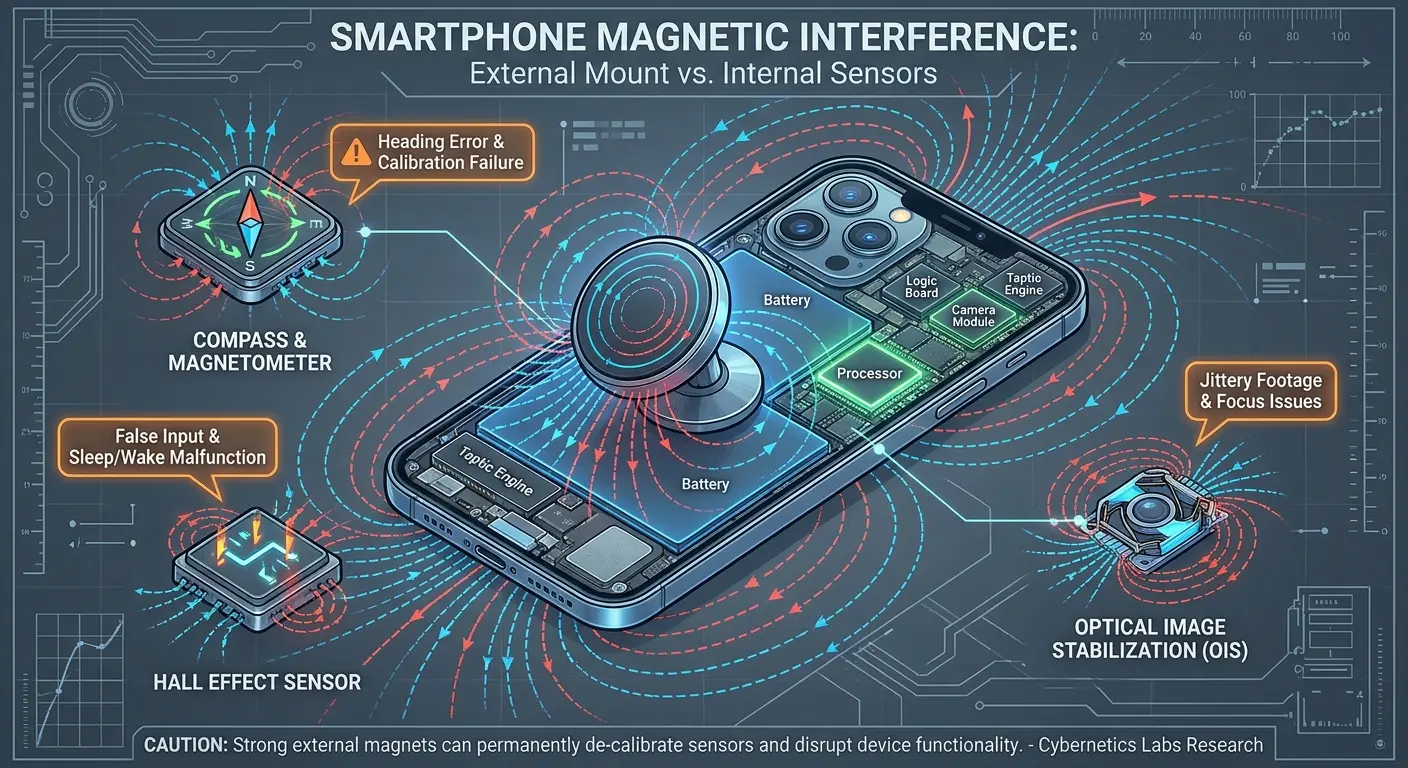
Magnetic mounts use strong permanent magnets to hold phones securely. These magnetic fields extend into phone interiors, affecting sensitive components. Compass sensors become unreliable, pointing in wrong directions or spinning erratically. Magnetometers that detect magnetic field strength for various apps return corrupted data. Hall effect sensors in flip cases, designed to detect magnetic fields and turn screens on or off, become confused by the constant strong field from mounts.
The electromagnetic field from mounting magnets induces small electrical currents in nearby circuit traces. These induced currents create electrical noise that interferes with normal signal transmission. Touchscreens register phantom touches during mounting and dismounting. Cellular radios experience reduced signal strength because electromagnetic interference disrupts the sensitive radio frequency circuits. Storage controllers, particularly in older devices using magnetic-based sensors for orientation detection, malfunction under strong magnetic fields, leading to file corruption.
Wireless charging generates alternating electromagnetic fields to transfer energy. The charging pad creates a rapidly oscillating magnetic field. The coil in your phone converts this changing field into electrical current. This process generates heat as a byproduct of inefficiency. Energy that doesn't convert to battery charge becomes thermal energy concentrated in a small area.
Battery wear accelerates dramatically at elevated temperatures. Chemical reactions within lithium-ion cells proceed faster when hot, consuming the finite number of charge cycles more rapidly. Internal resistance increases with wear, requiring higher voltages to charge and creating more heat in a self-reinforcing cycle. Performance throttling begins as the battery management system limits current draw to prevent overheating. Unexpected shutdowns happen when worn batteries can't supply peak current demands from processors.
Heat from wireless charging affects surrounding components. The logic board beneath the battery experiences temperatures 10-15°F higher than during wired charging. Thermal paste between processors and heat spreaders dries out faster. Board warping from repeated heating cycles compromises solder joint integrity. NFC antennas positioned near charging coils break down from constant heat exposure, reducing their range and reliability.
Many users wonder are wireless chargers bad for their devices, and the answer lies in understanding heat management rather than the charging method itself. Wireless charging isn't inherently damaging, but the heat it generates requires proper dissipation. Phones with compromised thermal management from dried thermal paste or dust accumulation can't handle the additional thermal load.
Charging Method |
Heat Generation |
Charge Efficiency |
Port Wear Impact |
Best Use Case |
|---|---|---|---|---|
Wired (Standard 5W) |
Low (minimal heat) |
85-90% |
High (repeated insertions) |
Overnight charging, maximum efficiency |
Wired (Fast Charge 18W+) |
Medium-High (concentrated at battery) |
75-85% |
High (repeated insertions) |
Quick top-ups when time-limited |
Wireless (Standard 5-10W) |
High (distributed across back) |
60-75% |
None (no port contact) |
Daily charging with port preservation priority |
Magnetic Wireless |
High (concentrated at coil) |
65-80% |
None (no port contact) |
Frequent mounting/dismounting scenarios |
USB-C Magnetic Adapter |
Low-Medium |
80-88% |
Minimal (adapter stays inserted) |
Balancing efficiency with port protection |
The phone screen glitch you experience during wireless charging comes from electromagnetic interference with display circuitry. The alternating magnetic field induces currents in display ribbon cables and touch sensor traces. These induced currents create noise that
The phone screen glitch you experience during wireless charging comes from electromagnetic interference with display circuitry. The alternating magnetic field induces currents in display ribbon cables and touch sensor traces. These induced currents create noise that the touch controller interprets as input. Ghost touches, unresponsive areas, and erratic scrolling during charging indicate electromagnetic interference rather than software bugs.
Mount Pressure Points and Connection Port Degradation
Mounting systems secure phones through pressure applied at specific points. Magnetic mounts pull against metal plates stuck to phone backs or built into cases. Clamp mounts squeeze from sides or corners. This pressure concentrates force on small areas rather than spreading it evenly across the device.
Batteries occupy most of the internal volume in modern phones. Pressure applied to phone backs translates directly to battery cells. Lithium-ion pouch cells consist of thin layers of anode, cathode, and separator materials. Pressure deforms these layers, creating stress points where internal shorts can develop. Deformed cells lose capacity. In severe cases, pressure causes separator failure, leading to thermal runaway.
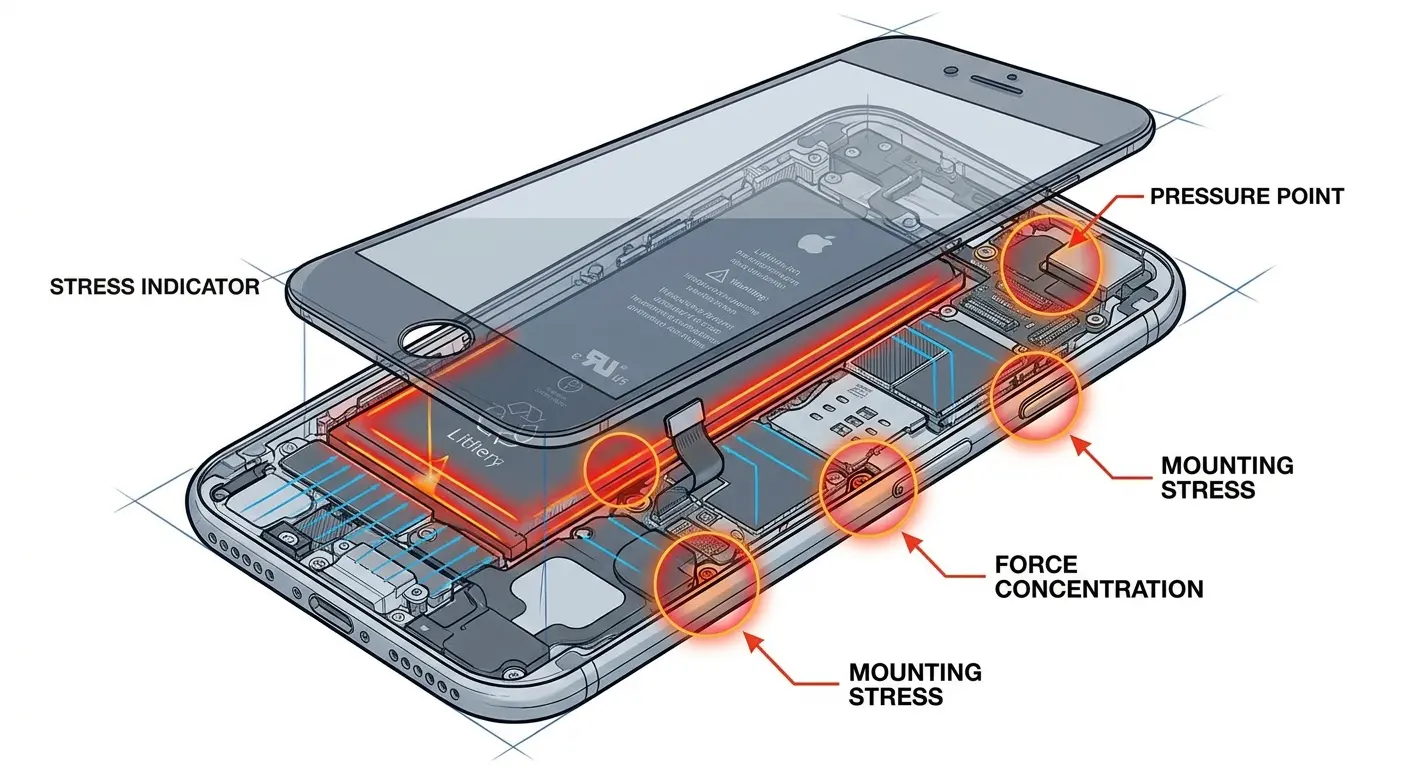
Camera modules contain precisely aligned optical elements. Lenses must maintain exact spacing and alignment to focus correctly. Pressure over camera areas can shift lens elements by micrometers, enough to wreck image quality. Optical image stabilization systems, which move lens elements to compensate for hand shake, develop increased friction from pressure deformation. Your photos become blurry not from dirty lenses but from pressure-induced optical misalignment.
Display assemblies consist of multiple bonded layers: protective glass, touch sensor, LCD or OLED panel, and backlight. Pressure creates stress points where these layers can delaminate. Dead pixels appear at pressure points. Touch-insensitive areas develop where the touch sensor separated from the display panel. Bright spots or dark patches visible on white backgrounds indicate delamination between display layers.
Charging ports endure hundreds of insertion cycles over a phone's lifetime. USB-C connectors contain spring-loaded contact pins designed to maintain pressure against cable contacts. Repeated insertions gradually weaken these springs. Contact pressure decreases. Electrical resistance increases. Charging becomes intermittent, working only when cables are held at specific angles.
Dust and lint compress into charging ports with each insertion, gradually filling the cavity. This compressed debris prevents cables from inserting fully. Partial insertion means fewer contact pins engage, increasing resistance and reducing charging current. The compressed material also traps moisture, accelerating corrosion on contact pins.
Corrosion develops on contact pins from moisture exposure during charging in humid environments or after liquid contact. Corroded contacts create electrical resistance that generates heat during charging. This heat accelerates further corrosion in a self-reinforcing cycle. Your phone charges slowly not from a weak charger but from corroded port contacts increasing resistance.
Charging Port Maintenance Template:
Monthly Inspection (1st of each month):
Visually inspect port opening with flashlight for lint, dust, or debris accumulation
Check for discoloration on visible contact pins (indicates corrosion)
Test charging cable insertion resistance (should insert smoothly with slight resistance, not loose or requiring force)
Quarterly Cleaning (every 3 months):
Power off device completely
Use wooden toothpick or plastic dental pick to gently remove debris from port

