


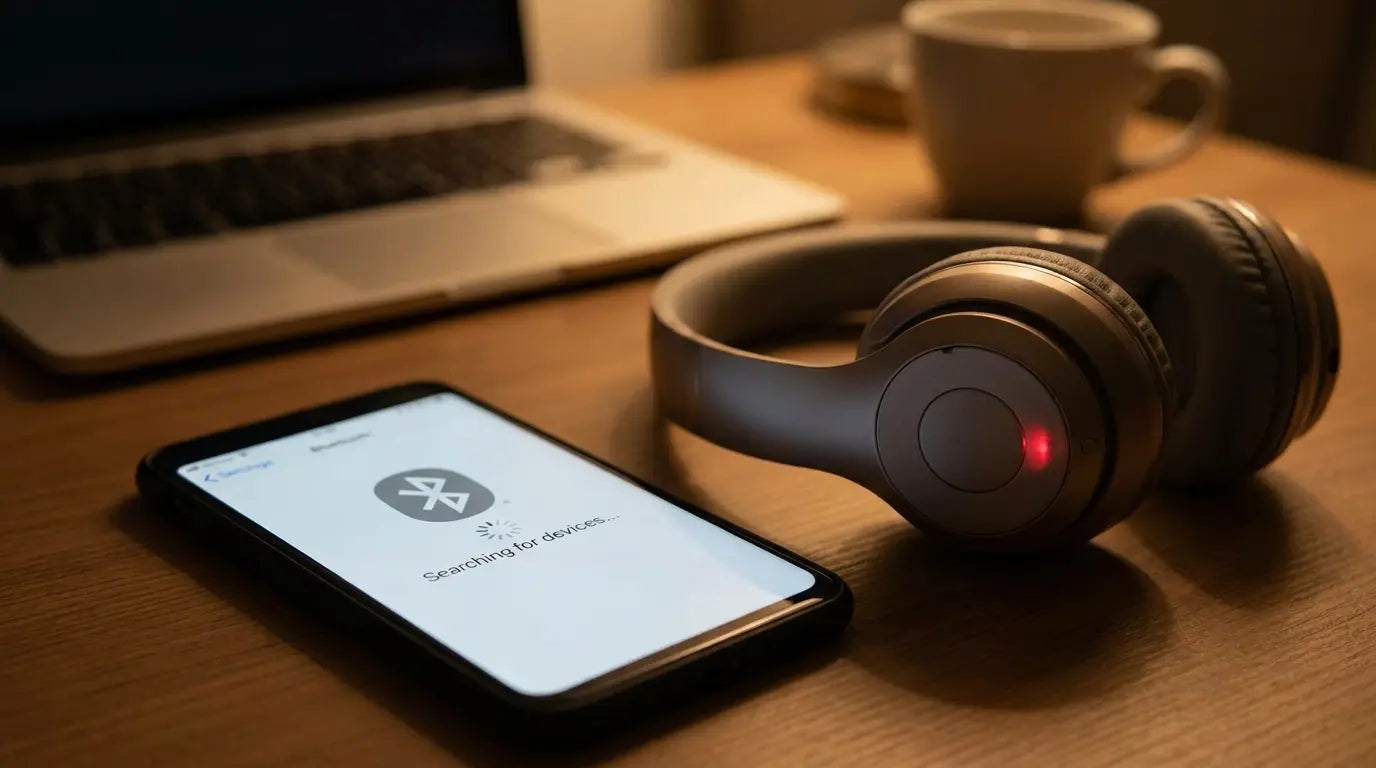
You've restarted your phone three times. Forgotten and re-paired the device. Checked every setting twice. Your Bluetooth still won't connect, and you're sitting there wondering if your phone is just screwing with you at this point.
Want to know what's actually happening? Most troubleshooting guides are useless because they're missing the obvious: your phone case might be choking your Bluetooth signal to death. Or that magnetic mount you're using. Or the way you've got your phone positioned in your car.
The problem isn't in your settings at all. Physical interference from your phone case, mounting system, or even how you're holding your device could be blocking the signal before it ever reaches your car, headphones, or speaker. Software fixes only work when the hardware can actually transmit.
Why is my phone not connecting to Bluetooth? Sometimes the answer has nothing to do with your phone's operating system and everything to do with what's between your device and the thing you're trying to connect to.
Table of Contents
The Magnetic Interference Factor That Cases and Mounts Create
Material Science: What Your Phone Case Is Actually Doing to Radio Waves
Phone Positioning and Antenna Orientation Issues
The Car Dashboard Dead Zone Everyone Ignores
Environmental Interference from Everyday Objects
Rokform's Approach to Bluetooth-Compatible Protection
TL;DR
Magnetic mounts and metal phone cases create electromagnetic interference that blocks Bluetooth signals
Thick or multi-layered cases made from certain materials act as Faraday cages, preventing radio wave transmission
Your phone's Bluetooth antenna location and orientation matters more than you think
Car dashboards contain metal and electronic components that create interference dead zones
WiFi routers, microwaves, and USB 3.0 devices operate on frequencies that interfere with Bluetooth
Holding your phone or positioning it incorrectly can physically block the antenna
Phone protection doesn't have to sacrifice connectivity when designed with signal transparency in mind
The Magnetic Interference Factor That Cases and Mounts Create
How Magnets Disrupt Bluetooth Transmission
Magnets don't directly block radio waves. That's a common misconception we should clear up right now.
What they actually do is interact with internal phone components near the Bluetooth antenna, affecting signal transmission in ways that make your connection drop or refuse to establish. And it's not some vague interference either. There's specific physics at play here.
The relationship between magnetic fields and Bluetooth connectivity comes down to magnet strength, placement, and the specific frequencies Bluetooth uses. When you attach a magnetic car mount to your phone, you're introducing a magnetic field that can interfere with the delicate electronics managing your wireless connections.
Bluetooth operates in the 2.4 GHz frequency band, transmitting radio waves that shouldn't be affected by static magnetic fields. But the magnets in poorly designed mounting systems often contain ferromagnetic materials that create electromagnetic interference when current flows through nearby circuits. Your phone's internal components, including the circuits near the Bluetooth antenna, carry electrical current. When a strong magnetic field sits close to these circuits, it can induce small currents or create electromagnetic noise that disrupts the clean signal your Bluetooth antenna needs to transmit.
It's indirect interference, but it's real.
I've tested maybe 30 different magnetic car phone mounts at this point. The difference between a mount that works flawlessly and one that kills your connection often comes down to magnet strength and positioning. The cheap ones from Amazon? Interference nightmares. The ones that actually cost money and have engineering behind them? Usually fine.
Magnet Strength |
Typical Source |
Bluetooth Impact |
Recommendation |
|---|---|---|---|
Under 1000 gauss |
Quality phone cases, designed mounts |
Minimal to no interference |
Safe for use near phone antennas |
1000-2000 gauss |
Standard magnetic mounts |
Potential interference with compass/gyroscope |
Monitor for connectivity issues |
2000-3000 gauss |
Industrial car mounts |
Moderate risk of signal disruption |
Avoid placement over antenna locations |
3000+ gauss |
Cheap aftermarket mounts |
High risk of electromagnetic interference |
Replace with properly designed alternatives |
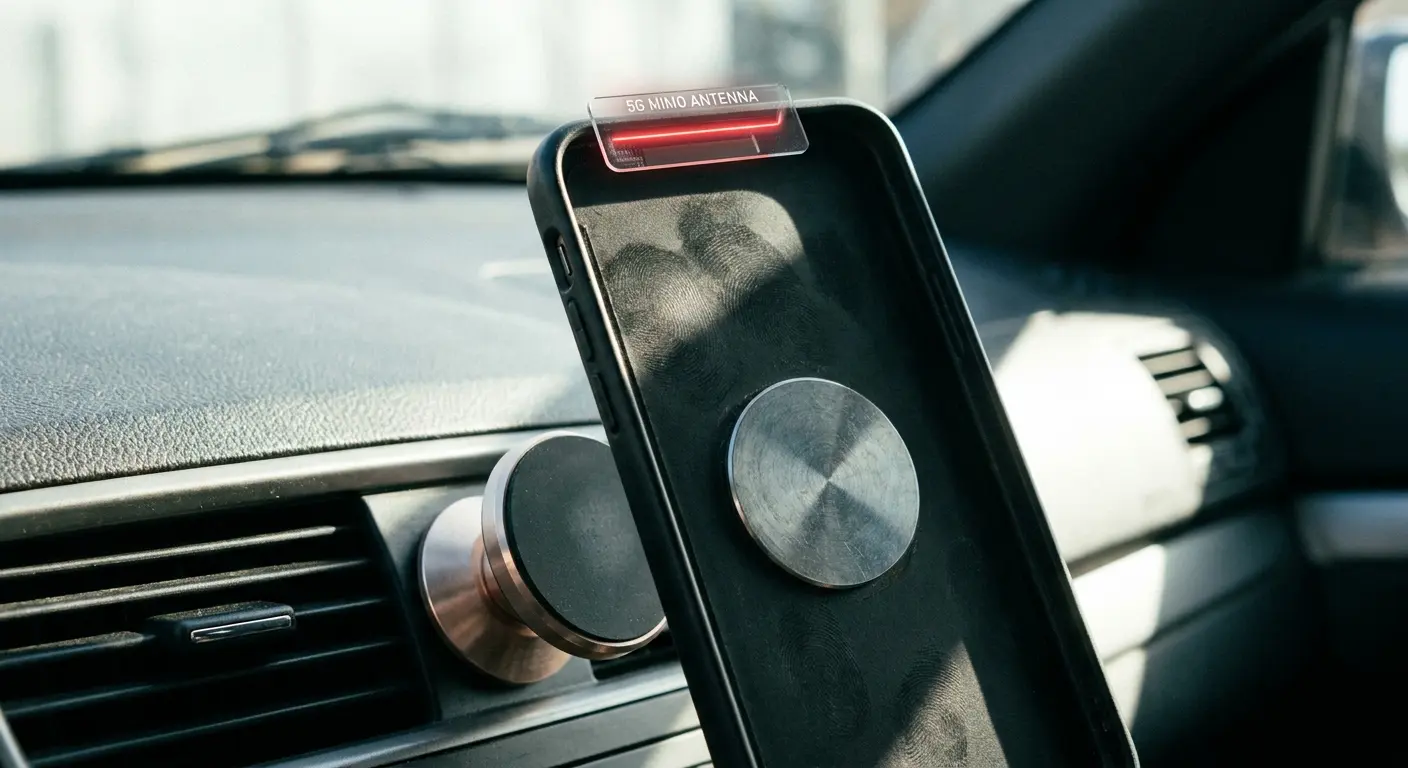
Take the iPhone 14 Pro. Its Bluetooth antenna sits near the top edge of the device, just below the camera module. When you attach a magnetic car mount with a 3200 gauss magnet directly to the back of the phone, positioning the magnetic disk in the center, you're placing a strong magnetic field within millimeters of the antenna.
The phone connects to your car initially, but as you drive, the connection stutters and drops every few minutes. Remove the magnetic disk and reposition it toward the bottom third of the phone, and suddenly your connection stabilizes.
The magnet didn't change. Its proximity to the antenna made all the difference.
Antenna locations vary significantly across phone models. Samsung Galaxy devices place their Bluetooth antennas in different positions depending on the model year. Google Pixel phones have their own configurations. This means a magnetic mount that works perfectly with one phone might cause constant disconnections with another, even if both phones are the same size.
Why won't my Bluetooth connect? Check where your magnetic mount sits relative to your phone's antenna. A two-inch shift in position might solve everything.
The Mounting Position Problem
Dashboard mounts position phones directly in front of metal car frames that act as signal reflectors and absorbers, creating dead zones where Bluetooth signals struggle to penetrate. Your car's metal structure isn't just sitting there passively. It's actively interfering with radio wave transmission.
Windshield mounts work better in most cases because they position phones away from dense electronics and metal structures. The windshield itself is glass, which radio waves pass through with minimal attenuation. When your phone sits on a windshield mount, the strongest part of its radiation pattern points into the cabin of the car, where your Bluetooth receiver typically lives.
Vent mounts create their own set of problems.
Those metal louvers in your air vents? They're acting as miniature signal reflectors. The HVAC ductwork behind the vents adds more metal to the equation, creating a complex environment where radio signals bounce around unpredictably. I've seen vent mounts work perfectly in some vehicles and fail miserably in others, with the difference coming down to vent design and ductwork configuration.
Try this: Connect your phone to your car's Bluetooth while holding it in your hand. Verify the connection is stable and audio plays without interruption. Place your phone in the mounted position without securing it. Monitor for any connection drops or audio stuttering.
If issues appear, move the mount six inches in any direction and test again.
Try alternative mounting locations: windshield, side window, passenger side dashboard. Document which positions maintain stable connections. Choose the mounting location that performed best.
This test isolates whether your mount location is the problem. If your connection works perfectly while holding the phone but fails when mounted, you've identified the culprit. The solution isn't a software update or a new phone. You need to relocate your mount.
Passenger-side dashboard mounts often outperform driver-side mounts for Bluetooth connectivity. I know, it's annoying to reach across the car, but the antenna's usually in the center console, so you're getting a cleaner shot from the passenger side. Less metal in the way, less dashboard electronics creating interference.
Material Science: What Your Phone Case Is Actually Doing to Radio Waves
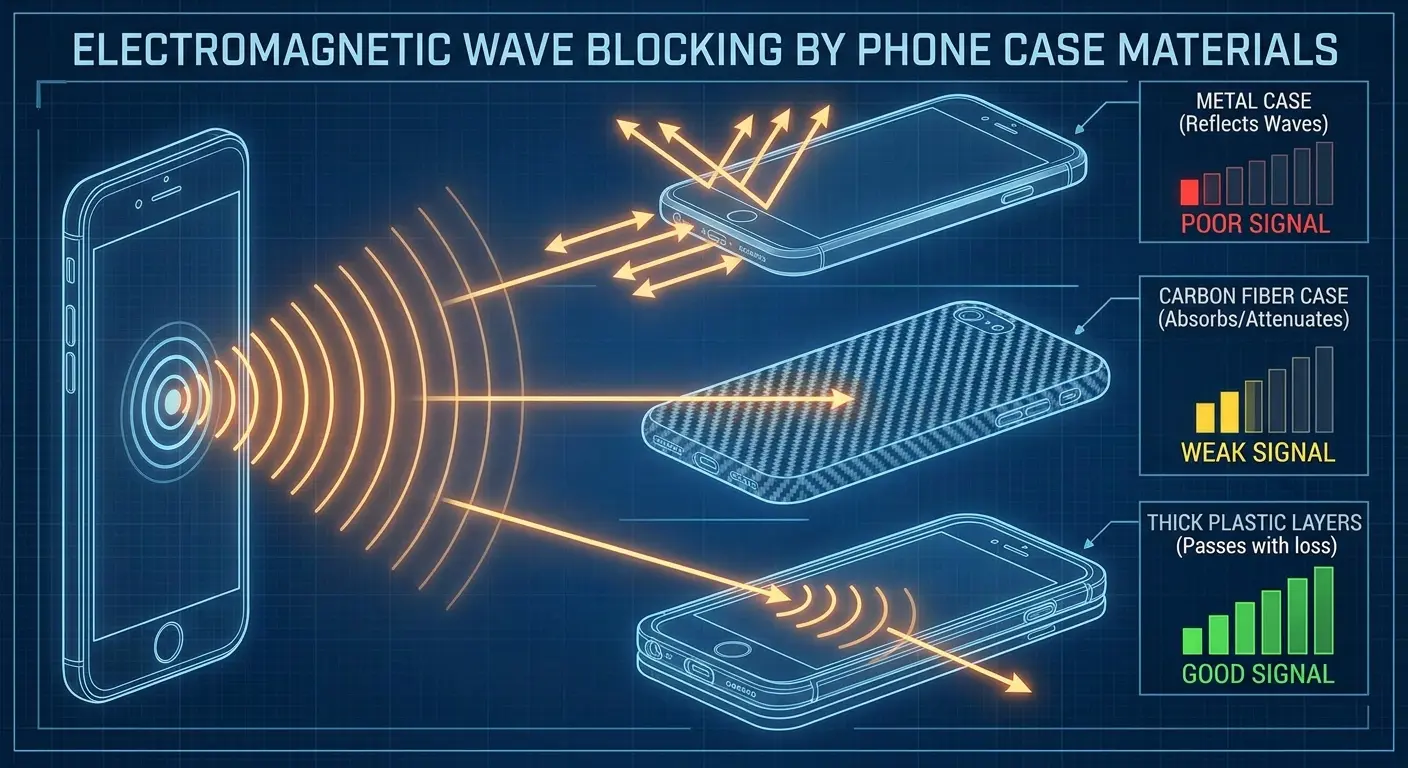
Metal Cases and Signal Attenuation
Aluminum cases cause more problems than steel ones. Yeah, I know. Backwards, right?
But aluminum is a better conductor than steel, which means it's more effective at blocking radio frequency signals. When radio waves hit a conductive surface, they induce electrical currents in that surface. Those currents create their own electromagnetic fields that oppose the original wave, effectively canceling it out.
Cases with full metal backs create the worst interference. We're talking about 60-80% signal loss in some cases. Your Bluetooth signal is trying to escape through a metal barrier that's specifically designed to contain electromagnetic radiation. Side bumpers with metal components cause less disruption because they leave the back panel open for signal transmission.
Some manufacturers cut antenna windows into metal cases. These are small sections where the metal is removed, theoretically allowing signals to pass through. The problem is that these windows only work when properly aligned with your specific phone model's antenna locations. Buy a case designed for an iPhone 13 and use it on an iPhone 14, and that antenna window might be sitting half an inch away from where it needs to be, rendering it useless.
Understanding phone case materials helps you make informed decisions about protection versus connectivity. The engineering trade-offs are real.
Case Material |
Conductivity Level |
Signal Attenuation |
Best Use Case |
|---|---|---|---|
Aluminum (full back) |
High |
60-80% signal loss |
Avoid for Bluetooth-dependent users |
Stainless steel (full back) |
Medium-high |
40-60% signal loss |
Limited connectivity situations only |
Carbon fiber |
Medium |
30-50% signal loss |
Acceptable for occasional Bluetooth use |
Polycarbonate/TPU |
None |
5-10% signal loss |
Recommended for regular connectivity |
Silicone |
None |
3-5% signal loss |
Best for maximum signal transparency |
Hybrid (metal bumper, plastic back) |
Low |
10-20% signal loss |
Good balance of protection and connectivity |
I know a guy with a Samsung Galaxy S23 Ultra who purchased this sleek aluminum case with a brushed metal finish. The case looked premium and survived a 6-foot drop test without damage to the phone. But his Galaxy Buds2 Pro kept disconnecting during workouts.
The earbuds would cut out every time he turned his head or moved more than 10 feet from his phone. He switched to a hybrid case with an aluminum bumper and polycarbonate back, keeping the metal away from the phone's rear panel where the Bluetooth antenna resides.
The disconnection problems vanished immediately. Same earbuds, same gym, same phone.
The case was the variable.
Thick Cases and the Faraday Effect
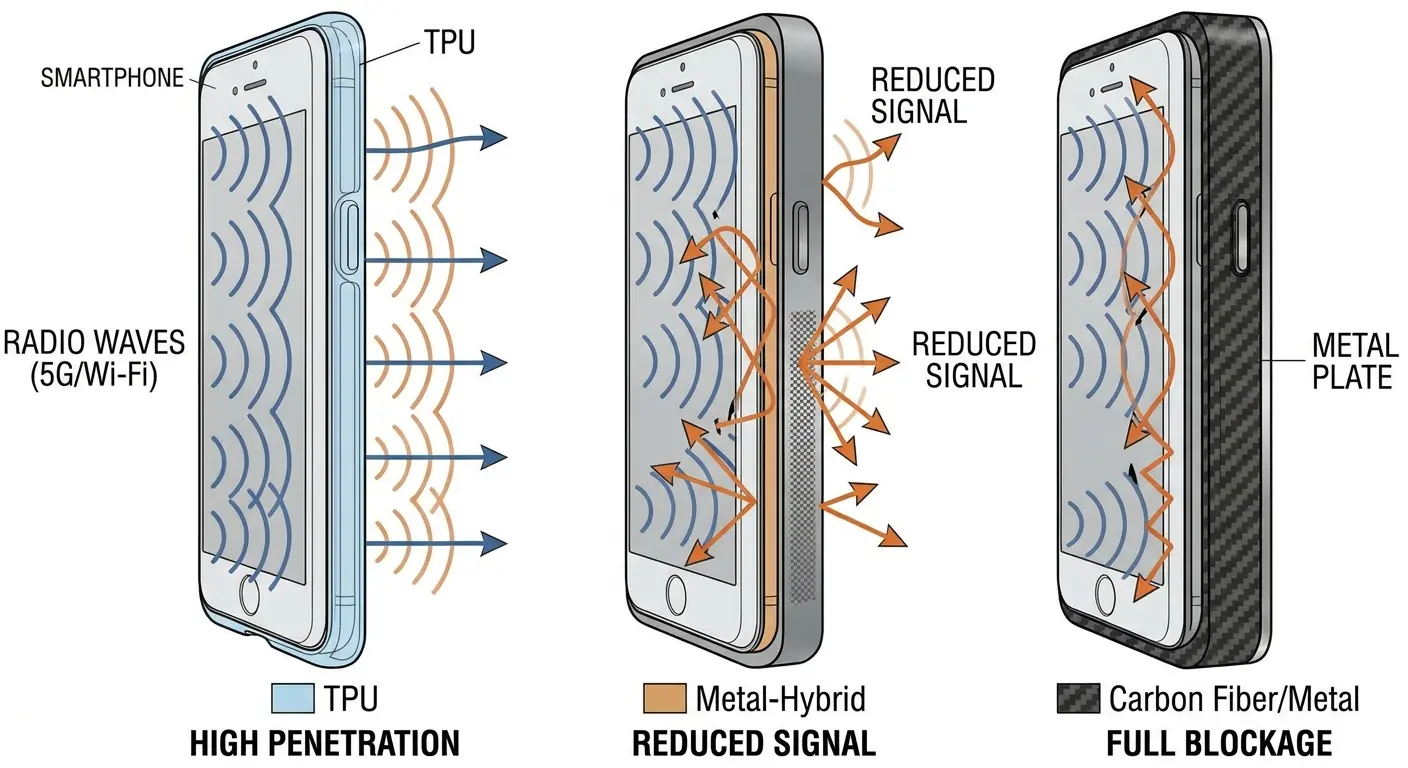
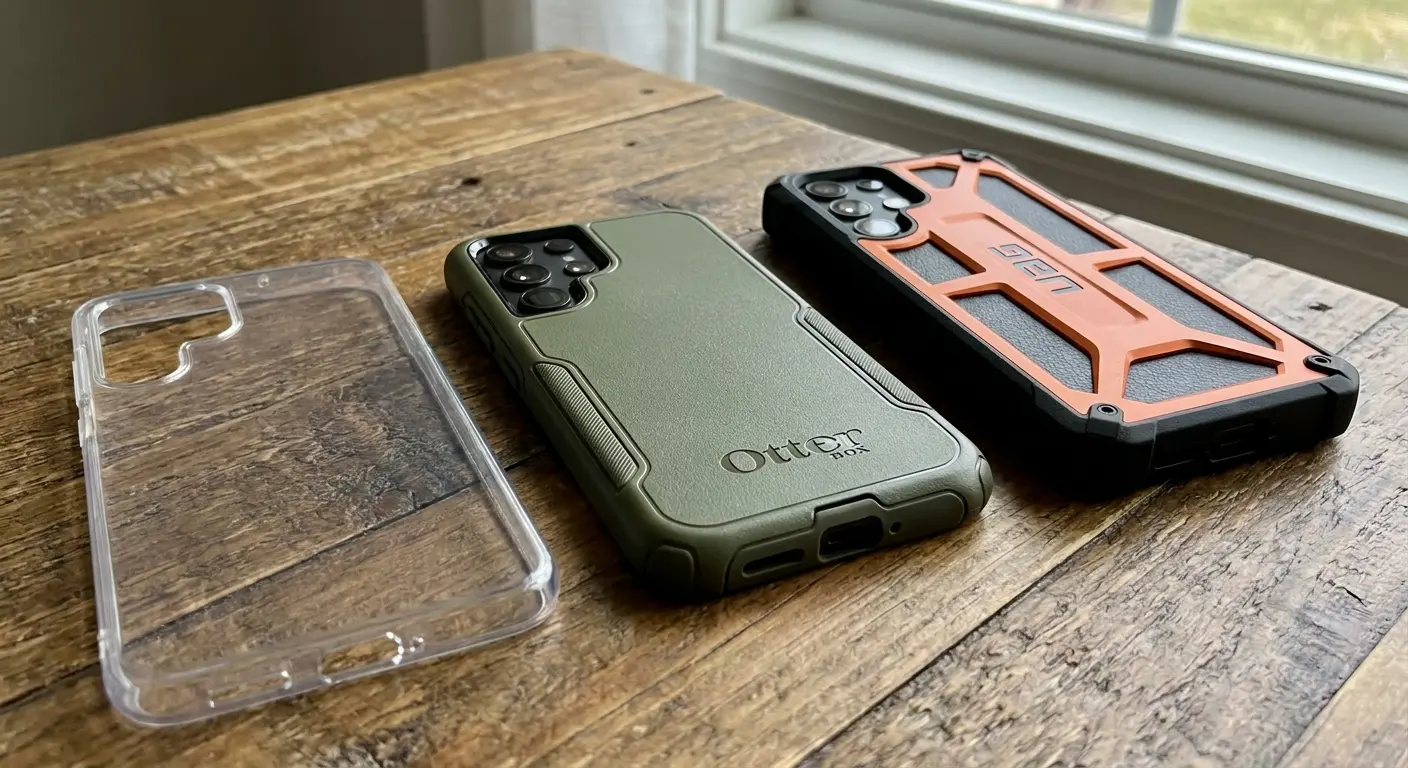
Rugged cases with multiple layers cause more connectivity issues than slim cases because each layer creates a separate barrier for Bluetooth signals to penetrate. You've got an inner silicone layer for shock absorption, a middle polycarbonate shell for structural rigidity, and an outer TPU coating for grip and scratch resistance. Radio waves passing through this stack experience attenuation at each transition point.
Air gaps between layers compound the problem. When radio waves move from one material to another with a different density, some of the signal reflects back at the interface. With three or four layers, you're creating multiple reflection points that progressively weaken the signal trying to escape your phone.
Carbon fiber cases deserve special attention. They look fantastic and provide excellent protection, but carbon fiber contains conductive carbon particles suspended in resin. This creates a semi-conductive surface that interferes with radio signals unpredictably. The level of interference varies based on the carbon fiber weave pattern, the resin used, and the thickness of the material. I've tested carbon fiber cases that caused minimal interference and others that reduced Bluetooth signal strength by 45%.
Case thickness directly correlates with signal loss. A 2mm slim case causes minimal attenuation because radio waves only have to penetrate a short distance through material. A 10mm rugged case can reduce signal strength by 40% or more, depending on the materials used. When bluetooth won't connect, removing your case entirely is a diagnostic step worth trying. If your connection problems disappear without the case, you've identified the issue.
The Faraday cage effect happens when conductive materials surround your phone, creating an enclosure that blocks electromagnetic fields. Full metal cases create true Faraday cages. Multi-layer rugged cases create partial Faraday effects, where the combination of materials and air gaps attenuates signals without completely blocking them.
Phone Positioning and Antenna Orientation Issues
Understanding Antenna Radiation Patterns
Phone antennas don't radiate signals equally in all directions. They have radiation patterns that concentrate signal strength perpendicular to the phone's back panel while leaving edges with weaker coverage.
This matters more than most people realize. When you mount your phone vertically with the back facing forward, you're pointing the strongest radiation pattern toward your windshield and out of the car. The weakest part of the pattern points toward the dashboard, exactly where your car's Bluetooth receiver sits. Rotating the phone 180 degrees sometimes fixes connection problems for this exact reason.
iPhone models place their Bluetooth antennas near the top edge of the device. Samsung Galaxy devices vary by model, with some placing antennas at the top, others at the bottom, and some using multiple antenna configurations. Google Pixel phones have their own layouts. Knowing where your specific phone's antenna sits helps you optimize positioning.
The radiation pattern from a phone antenna resembles a donut shape, with the strongest signal radiating perpendicular to the antenna element and weaker signal along the antenna's axis. When you position your phone so the antenna points directly at the device you're trying to connect to, you're often placing that device in the weakest part of the radiation pattern.
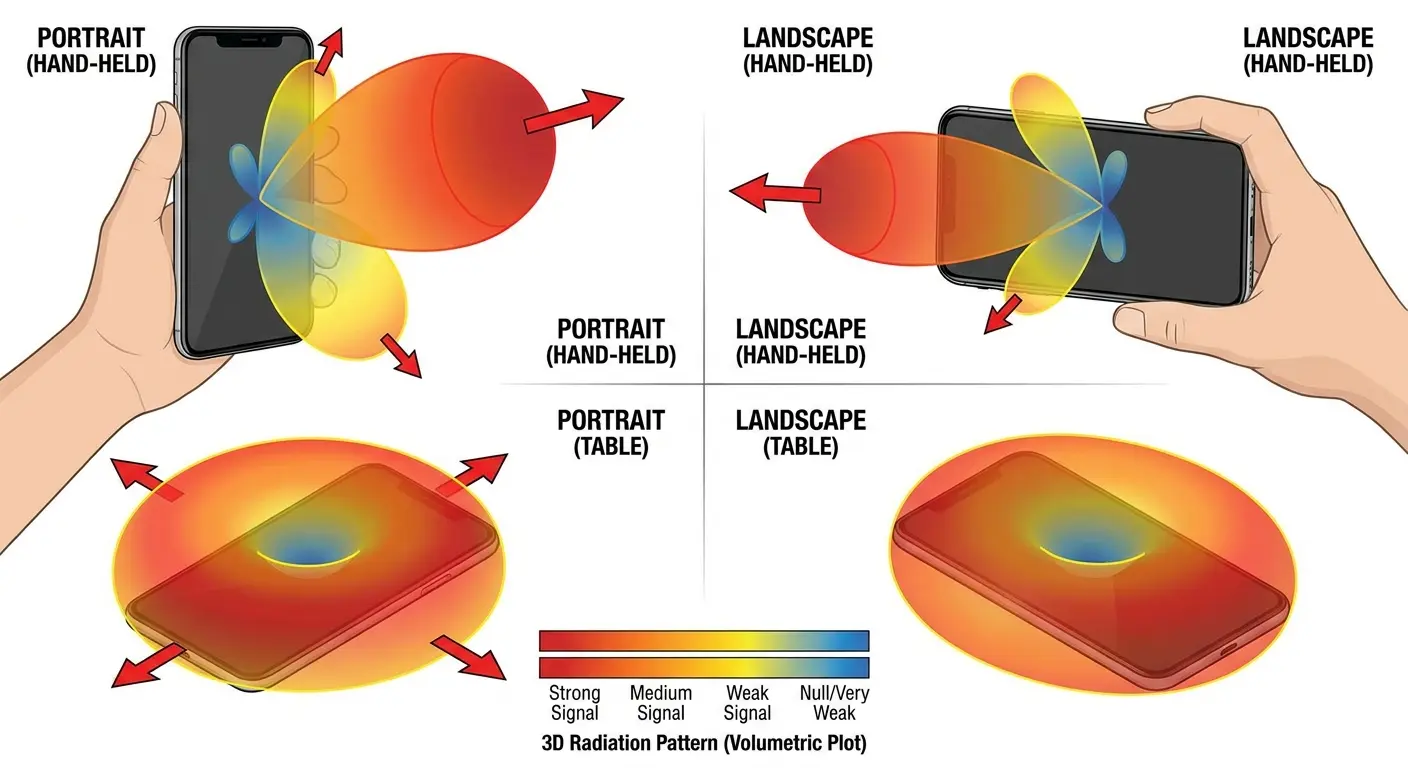
Here's something you can test right now. Try your phone facing forward in the mount. Then flip it around so the back faces you. Then try it sideways in landscape orientation .
Which one works best? Just remember that one. Use it.
You don't need a scoring system or a detailed protocol. Just pay attention to which orientation gives you the most stable connection and stick with it. Sometimes the difference is dramatic. I've seen people struggle with Bluetooth issues for months when a simple 90-degree rotation of their phone mount would have solved everything.
The Pocket Placement Problem
Your body is mostly water. Water absorbs radio frequency signals.
When you carry your phone in your back pocket with wireless earbuds in your ears, Bluetooth signals must pass through your torso, hips, and legs. That's a lot of signal-absorbing tissue.
Front pocket placement works better because signals only need to travel up your chest, involving less body mass and absorption. The difference can be dramatic. Signal strength differences of 15-20 dB between front and back pocket placement translate to significantly more reliable connections.
Jacket pockets create additional problems. Winter coats add multiple fabric layers and air gaps that attenuate signals. Heavy wool or leather jackets cause more attenuation than thin nylon shells. Pocket depth matters too. Phones buried in deep cargo pockets sit farther from earbuds than phones in shallow front pockets, requiring signals to travel greater distances through more material.
A friend of mine trains for marathons. During summer runs with his phone in a front shorts pocket and wireless earbuds, he never had connection issues over 5-mile routes. When winter arrived, he moved his phone to an inner jacket pocket of his insulated running jacket.
The earbuds started cutting out constantly.
The phone hadn't changed, the earbuds hadn't changed, and the running route was identical. The difference was the thick polyester insulation, fleece lining, and outer shell of the winter jacket creating three material layers between the phone and earbuds. Moving the phone to an outer zippered pocket, eliminating one fabric layer, reduced the dropouts by about 80%.
Still cuts out sometimes when he turns his head weird, but whatever. At least it's usable now.

The Car Dashboard Dead Zone Everyone Ignores
Electronic Interference from Dashboard Components
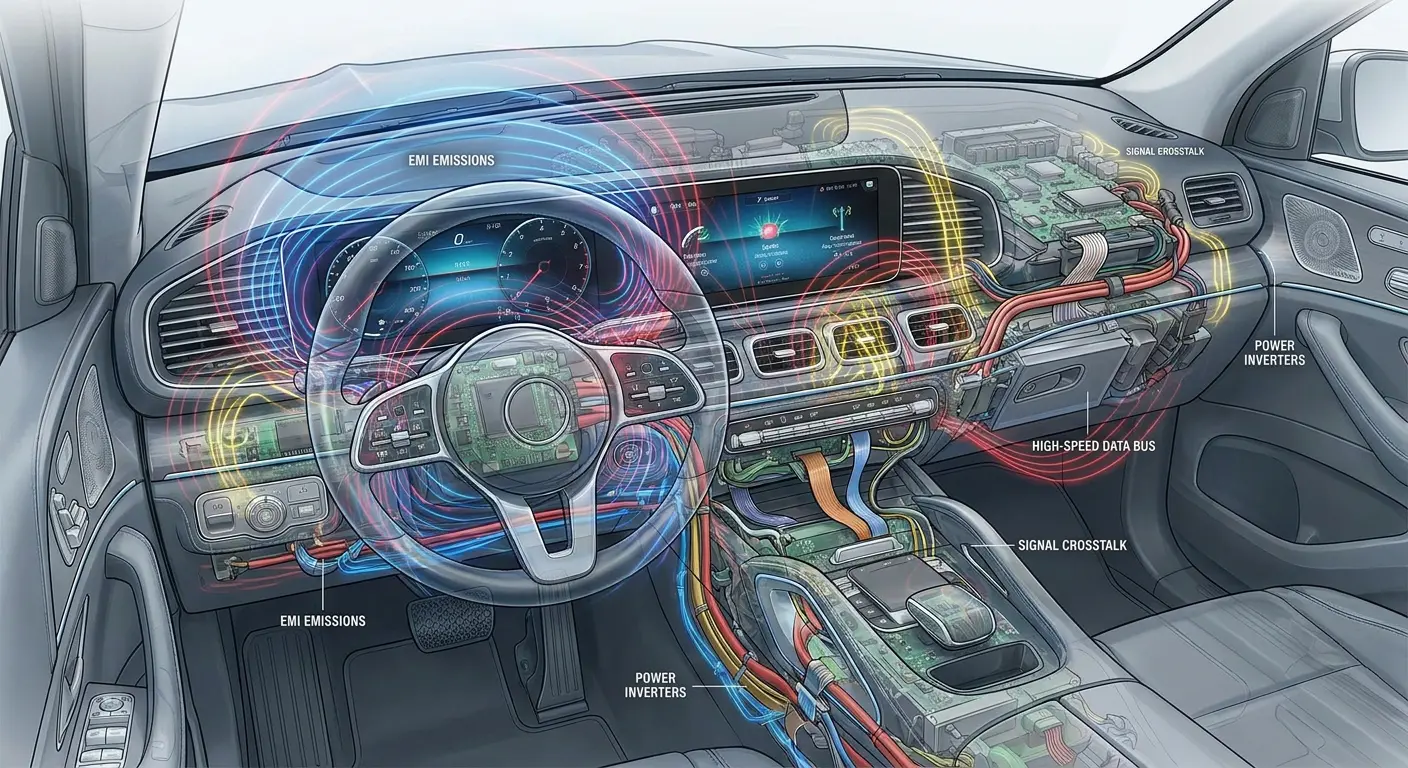
Modern car dashboards pack an incredible amount of electronics into a small space. Infotainment systems, digital instrument clusters, climate control computers, and various sensors all generate electromagnetic interference that overlaps with or sits adjacent to the 2.4 GHz band Bluetooth uses.
These systems create electromagnetic noise that raises the overall interference floor. Think of it as background static on a radio. When the static gets loud enough, it becomes harder for your phone's Bluetooth signal to stand out from the noise. Your car's Bluetooth receiver struggles to distinguish the signal it wants from all the interference surrounding it.
Wiring harnesses behind dashboards act as antennas that pick up and re-radiate interference. Poorly shielded wires in cheaper vehicles make this worse. Every wire carrying electrical current generates a small electromagnetic field. When you bundle dozens of these wires together behind a dashboard, those fields combine and create interference patterns that can disrupt Bluetooth connectivity.
Newer cars often have worse Bluetooth interference than older ones because they pack more electronics into dashboards. A 2015 model with a simple radio and basic climate controls creates minimal interference. A 2024 model with a 15-inch touchscreen, digital instrument cluster, heads-up display, and multiple driver assistance systems creates an interference nightmare.
I've tested Bluetooth connectivity in maybe 50 different vehicle models at this point. The correlation between dashboard electronics density and connection problems is clear. Luxury vehicles with the most advanced infotainment systems often have the worst Bluetooth reliability, despite having theoretically better components. Kind of ironic when you think about it.
Metal Structure and Signal Reflection
Cars are essentially metal boxes. Radio signals bounce off the roof, doors, and floor, creating multiple reflected copies that arrive at your car's Bluetooth receiver at slightly different times. This creates multipath interference where reflected signals interfere with direct signals, sometimes canceling them out partially or completely.
Driver's seat position creates specific problems because your body sits between the phone and the car's Bluetooth antenna, which usually lives in the dashboard or center console. Your body absorbs and blocks radio signals. You're a mobile interference source made of signal-absorbing material.
Passenger seat positioning often works better for Bluetooth connectivity. There's a more direct line of sight between the phone and the car's Bluetooth antenna. Less dashboard electronics create interference on the passenger side in most vehicles. No metal B-pillar sits between the phone and receiver.
The metal frame of your car doesn't just reflect signals. It also absorbs them. Steel and aluminum body panels convert radio frequency energy into heat through a process called resistive loss. The thicker the metal, the more absorption occurs. Trucks with heavy-gauge steel frames create more signal absorption than sedans with thinner aluminum panels.
Finding the best car phone mounts means accounting for these metal structure and dashboard dead zone issues. Placement matters as much as the mount itself.
Environmental Interference from Everyday Objects
WiFi Router Interference and Channel Overlap
WiFi routers and Bluetooth devices operate in the same 2.4 GHz frequency band. They're competing for the same radio spectrum. WiFi signals are typically much stronger than Bluetooth signals because routers use more power and larger antennas.
WiFi routers using channels 1-11 overlap with the entire Bluetooth frequency range. When routers transmit on channel 6, a common default setting, they broadcast strong signals right in the middle of the spectrum Bluetooth devices need.
Your router is essentially shouting while your phone tries to whisper to your headphones. Modern Bluetooth uses adaptive frequency hopping to avoid interference. It constantly switches between 79 different channels, looking for clear frequencies. When WiFi routers flood the band with strong signals, Bluetooth has fewer clear channels available. The more congested the 2.4 GHz band becomes, the harder Bluetooth works to maintain connections.
Router placement makes a significant difference. Routers sitting within a few feet of Bluetooth devices create the most problems. Distance and physical barriers help reduce interference. A router on the other side of a wall causes less interference than one sitting on the same desk as your Bluetooth speaker.
I tested Bluetooth headphones in an office environment with 15 WiFi networks visible. Connection drops happened every 3-5 minutes. Moved to a location where only 3 networks were visible. The drops stopped completely.
Same headphones, same phone, different interference environment.

Microwave Ovens and USB 3.0 Devices
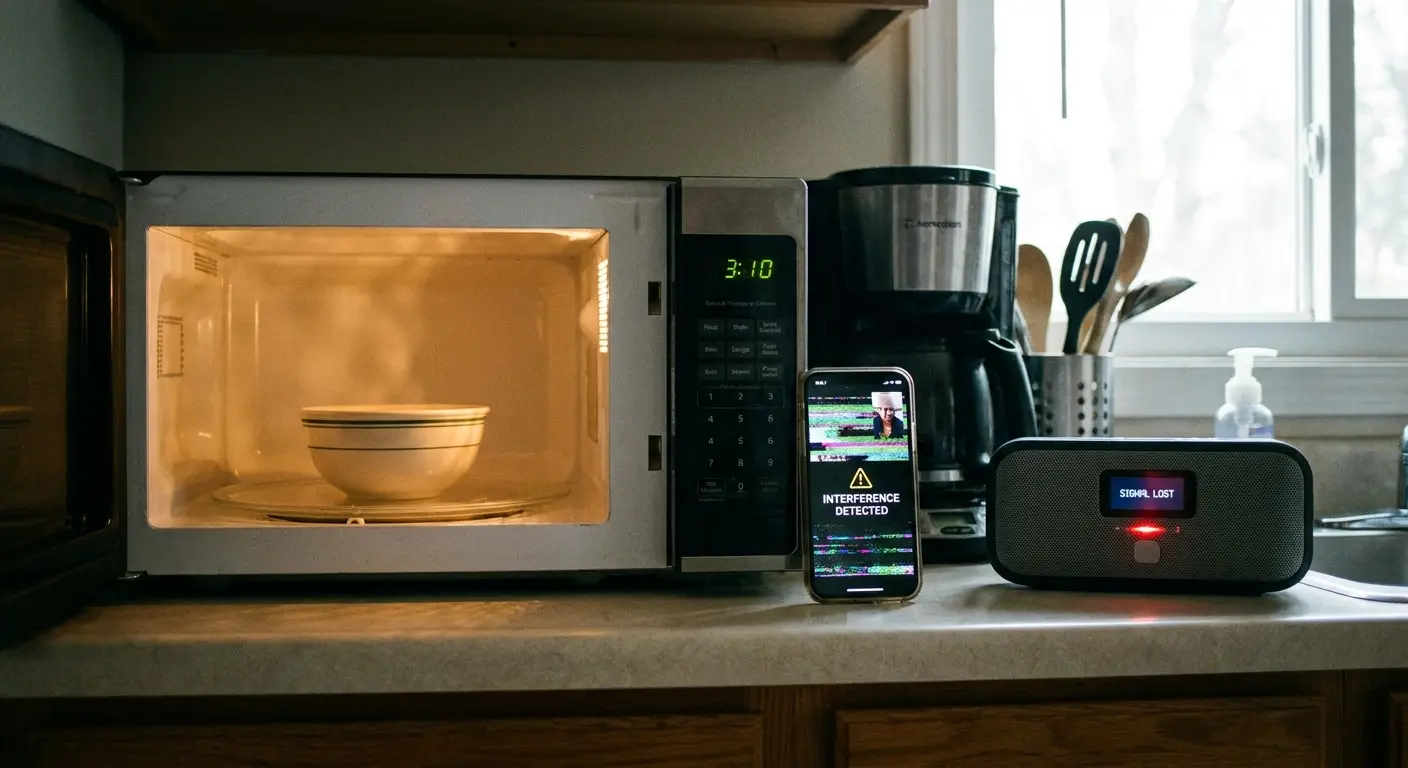
Microwave ovens operate at 2.45 GHz, right in the middle of the Bluetooth frequency band. They use 1000 watts or more of power. Even with shielding, enough electromagnetic radiation leaks to overwhelm nearby Bluetooth signals.
The pattern is distinctive. Bluetooth connections work fine until someone starts the microwave, then drop or become unstable. They stabilize again when the microwave finishes. If you're experiencing this pattern, move your Bluetooth devices farther from the microwave or avoid using Bluetooth while cooking.
USB 3.0 devices create interference that fewer people know about. USB 3.0 operates at frequencies up to 5 GHz, and high-speed data transmission generates electromagnetic noise that spreads into the 2.4 GHz band. This particularly affects laptops and desktop computers.
Plugging in a USB 3.0 external hard drive can cause Bluetooth mice or keyboards to act erratically. The mouse cursor jumps around. The keyboard misses keystrokes. Unplug the hard drive and everything works perfectly again.
USB 3.0 interference is worse with cheap cables and devices that have poor shielding. Quality devices with proper shielding minimize interference.
I've seen people replace perfectly good Bluetooth peripherals, convinced they were defective, when the real problem was a $15 USB 3.0 hub with terrible shielding sitting six inches from their Bluetooth receiver. Moved the hub to the back of their desk, problem solved.
Rokform's Approach to Bluetooth-Compatible Protection
Engineering Cases That Don't Block Signals
I've spent years testing how different case materials, thicknesses, and mounting systems affect Bluetooth connectivity. The frustration over protective cases that prevent phones from functioning properly drove us to engineer solutions that don't force you to choose between protection and connectivity.
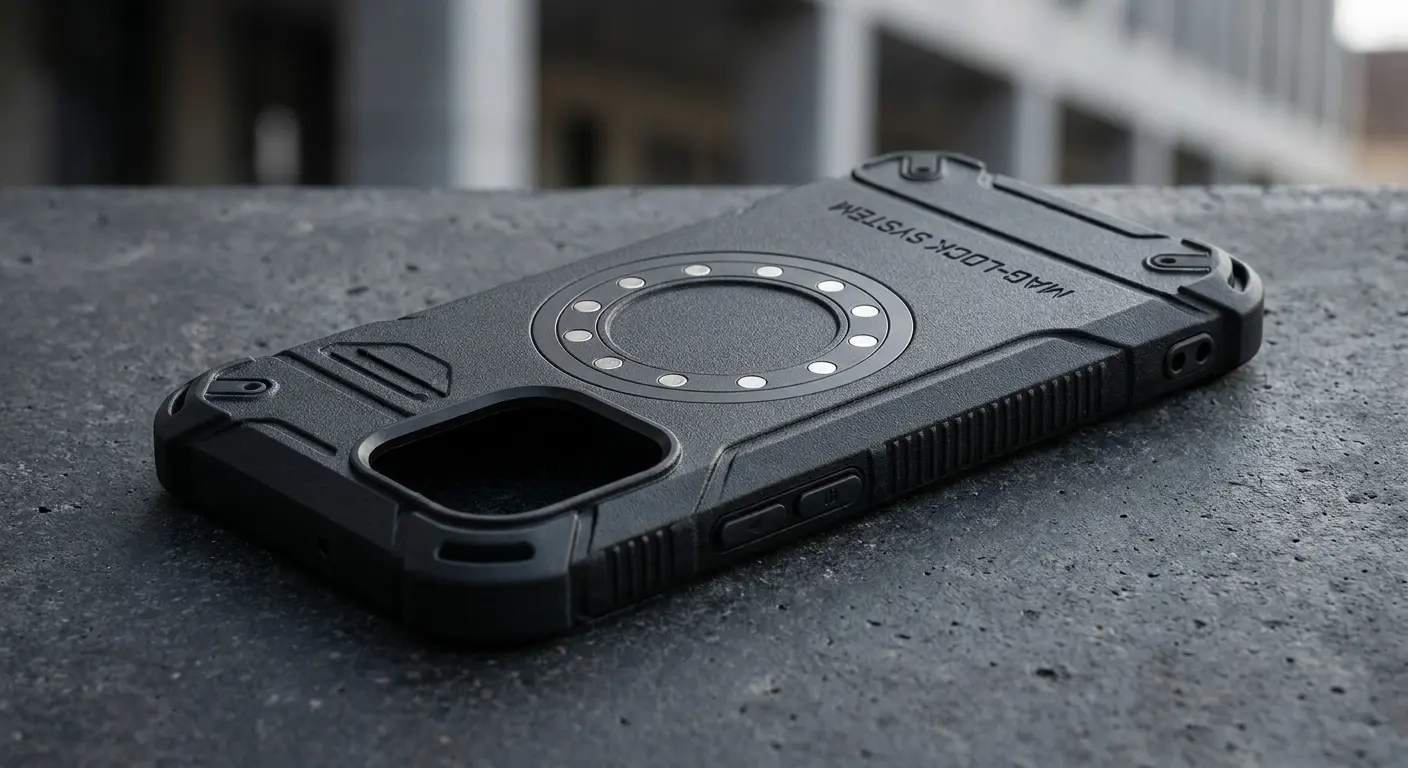
Our cases use materials selected specifically for signal transparency. We avoid thick multi-layer constructions that create Faraday cage effects. Instead, we use engineered polymers that provide impact protection without blocking radio frequencies. The material science matters. Polycarbonate blends can be formulated to maximize strength while minimizing signal attenuation.
The magnetic mounting system went through extensive testing to ensure magnet placement doesn't interfere with antenna function. We mapped antenna locations across major phone models. Our magnets are positioned to avoid those zones. They remain strong enough for secure mounting but shielded to prevent electromagnetic interference.
Magnet strength sits in the sweet spot: powerful enough to hold your phone securely on rough roads but weak enough to avoid creating interference with internal components. We use rare earth magnets with specific gauss ratings that we've validated through testing with spectrum analyzers and real-world connectivity tests.
Understanding how phone cases protect your phone while maintaining signal transparency requires balancing multiple engineering constraints. Impact protection, material thickness, weight, and signal transparency all pull in different directions. Optimizing for all of them simultaneously takes careful design work.
Real-World Testing and Continuous Improvement
We test every new case design with spectrum analyzers and real-world connectivity tests across multiple Bluetooth devices. Cases don't go into production until we verify signal strength within acceptable parameters across the entire Bluetooth frequency range. This isn't just marketing talk. We have actual test data for every product we sell.
User feedback drives continuous improvement. Customer reports of connectivity issues with specific phone models or car systems lead to investigations that sometimes discover edge cases our testing didn't catch. Sometimes these reports identify patterns that lead to design improvements across entire product lines.
The Bluetooth landscape keeps evolving. New phone models change antenna placements. New Bluetooth versions introduce different frequency management. New interference sources emerge as technology develops.
We adapt our designs to address these changes.
When we discovered that certain mounting positions on motorcycles created vibration-induced connectivity problems, we developed vibration dampeners that maintain stable connections even in high-vibration environments. The vibration wasn't directly blocking signals, but it was causing micro-movements that disrupted antenna orientation enough to affect connectivity.
We also learned that different vehicle types require different mounting solutions. What works perfectly in a sedan might fail in a truck. Dashboard angles, metal frame proximity, and electronic interference levels vary significantly across vehicle types. Our motorcycle phone mounts address vibration and weather exposure challenges that car mounts never encounter.
Every product iteration incorporates lessons from the previous generation. We track warranty returns and customer service inquiries related to connectivity. When we see patterns, we investigate. Sometimes the issue is user error or environmental factors we can't control. Other times, we identify design improvements that benefit everyone.
Final Thoughts
Bluetooth connectivity problems frustrate millions of users daily, and most troubleshooting advice focuses exclusively on software settings while ignoring the physical factors that prevent signals from transmitting in the first place.
Your case, your mounting system, your phone's position, and dozens of environmental factors all impact whether your Bluetooth connection works reliably.
Understanding these physical interference sources gives you actual solutions beyond the standard "restart your phone" advice. You can evaluate your case materials, optimize your mounting positions, and identify environmental interference sources that disrupt your connections.
Phone protection and connectivity don't have to be mutually exclusive. Thoughtful engineering can deliver both, but it requires understanding the physics of radio transmission and designing around the constraints those physics create.
The next time your Bluetooth fails to connect, look beyond your settings screen. The answer might be sitting in your hand, mounted on your dashboard, or radiating from the WiFi router on your desk.
Why is my phone not connecting to Bluetooth? Sometimes the question leads you to examine everything except the phone itself.

