


You've checked your signal bars. You've toggled airplane mode. You've restarted your phone three times, and still, texts vanish into the void while your friend group chat moves on without you.
I've seen this frustration play out countless times in our repair shop, and here's what I'm going to tell you that most troubleshooting guides skip right over: the problem might not be your settings or your carrier at all. Your phone's physical condition and how you protect it could be sabotaging your connectivity in ways that software fixes can't address.
Look, I get it. You've already spent an hour on the phone with customer service. You've reset your network settings twice. Maybe you even bought a new case thinking that would help somehow. But if your texts still aren't going through, we need to talk about the hardware side of this equation.
Table of Contents
The Physical Damage Factor You're Probably Ignoring
When Your Case Becomes the Problem
Antenna Interference Nobody Talks About
SIM Card Degradation and Contact Issues
Port Contamination and Its Ripple Effects
The Temperature Extremes Connection
Water Damage That Doesn't Look Like Water Damage
Drop Impact on Internal Components
Magnetic Interference From Everyday Accessories
Why Your Mounting System Might Be Blocking Signals
Protective Gear That Actually Enhances Rather Than Hinders
TL;DR
Physical damage to your phone's antenna system often manifests as text message failures before affecting calls or data
Many protective cases contain materials that create signal interference, particularly metal-heavy designs without proper RF windows
SIM card contacts corrode or misalign from repeated removal, environmental exposure, and poor-quality card trays
Charging port debris migrates internally and can affect nearby antenna connections over time
Temperature fluctuations cause micro-fractures in solder joints connecting antenna components to your phone's logic board
Residual moisture from humidity or minor exposure creates oxidation on internal connectors without visible external water damage
Even minor drops can dislodge internal antenna cables or crack solder points while leaving your screen intact
Magnetic mounts and accessories interfere with specific frequency bands used for SMS delivery
Strategic case design with proper material selection and RF transparency maintains signal integrity while providing protection
Hardware-focused troubleshooting should precede software solutions when experiencing persistent text message delivery failures
The Physical Damage Factor You're Probably Ignoring
Your phone survived that drop last month. The screen didn't crack, so you figured everything was fine.
But here's the thing. Text messages operate differently than calls or data, using specific frequency bands and antenna configurations that make them uniquely vulnerable to physical damage that doesn't show obvious symptoms. When you're wondering why is my phone not getting texts, the answer often lies in damage you can't see.
Modern smartphones contain multiple antennas distributed around the device perimeter. The primary cellular antenna usually sits at the bottom of your phone, which is exactly where everyone grips it and where most cases add their thickest protection. When you drop your phone, even without visible damage, the impact creates stress on the tiny connectors linking these antennas to your logic board.
SMS messages require consistent, stable connections to cell towers. Even intermittent antenna performance can cause texts to fail while calls still work. If you're not receiving texts consistently, physical antenna degradation is frequently the culprit.
I had a customer come in last month with this exact problem. She'd dropped her phone from her kitchen counter onto tile flooring. That specific crack sound when it hit. She picked it up, saw the screen was intact, and didn't think about it again. Three days later, text messages stopped arriving consistently. Calls worked perfectly. Mobile data loaded websites without issue. But SMS delivery became sporadic.
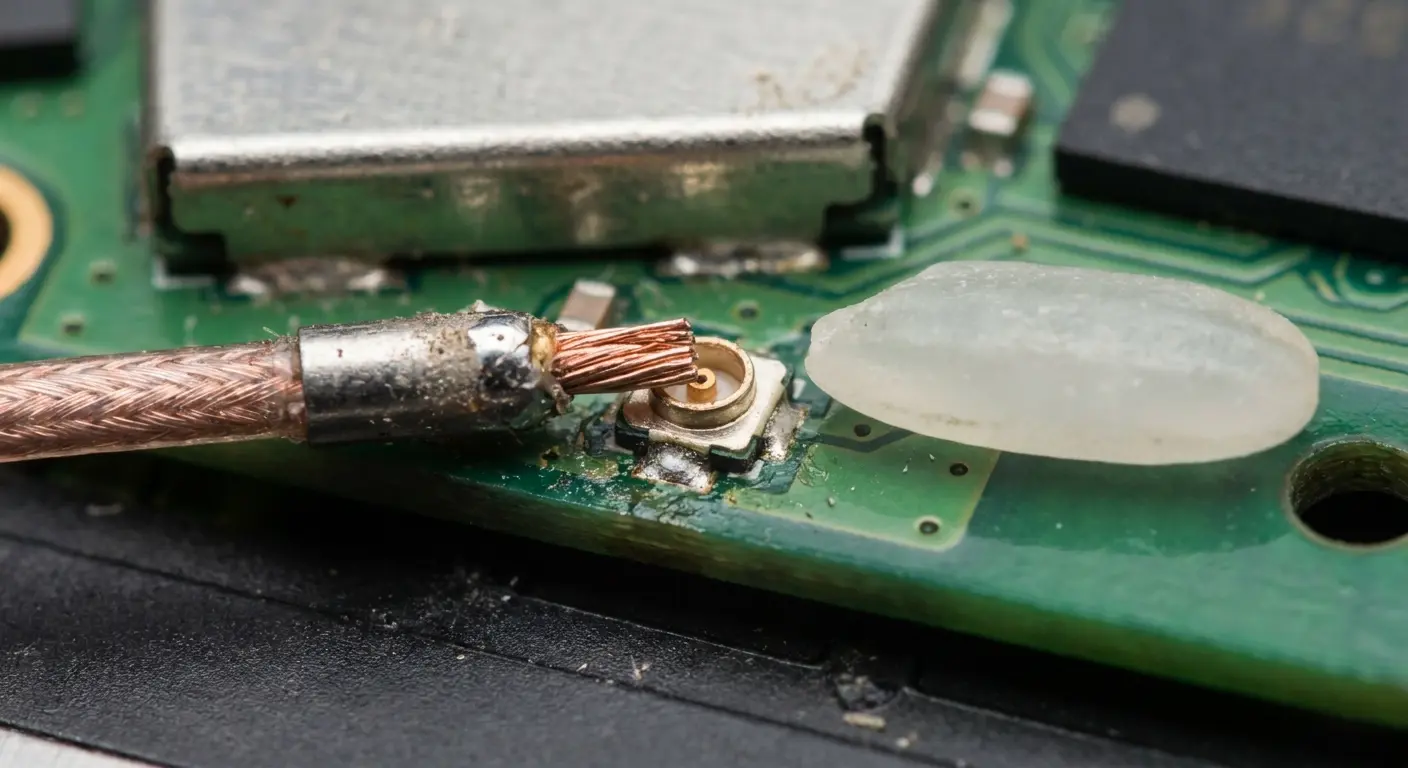
The culprit? A partially detached antenna cable inside. The drop created enough force to unseat the micro-coaxial connector by a fraction of a millimeter. Not enough to completely sever the connection, but sufficient to introduce intermittent contact that specifically affected the lower-power SMS transmissions.
I've opened up enough phones to see the pattern. A device that looks pristine externally might have a partially detached antenna cable inside. This cable uses a micro-coaxial connector smaller than a grain of rice. The connection doesn't need to completely separate to cause problems.
A slight misalignment or increased resistance at this junction point creates signal degradation that affects lower-power transmissions first, and text messages fall into that category.
The frame of your phone serves as part of the antenna system in many designs. Manufacturers engineer specific frame sections to resonate at cellular frequencies. When you bend or flex your phone (yes, even slightly), you alter these resonant properties. Aluminum and steel frames are particularly susceptible. A phone that spent time in your back pocket while you sat down repeatedly might have accumulated enough micro-deformation to shift its antenna performance outside ideal parameters. Understanding how phone cases protect your phone becomes crucial when considering both drop protection and signal integrity.
Why SMS Fails Before Everything Else
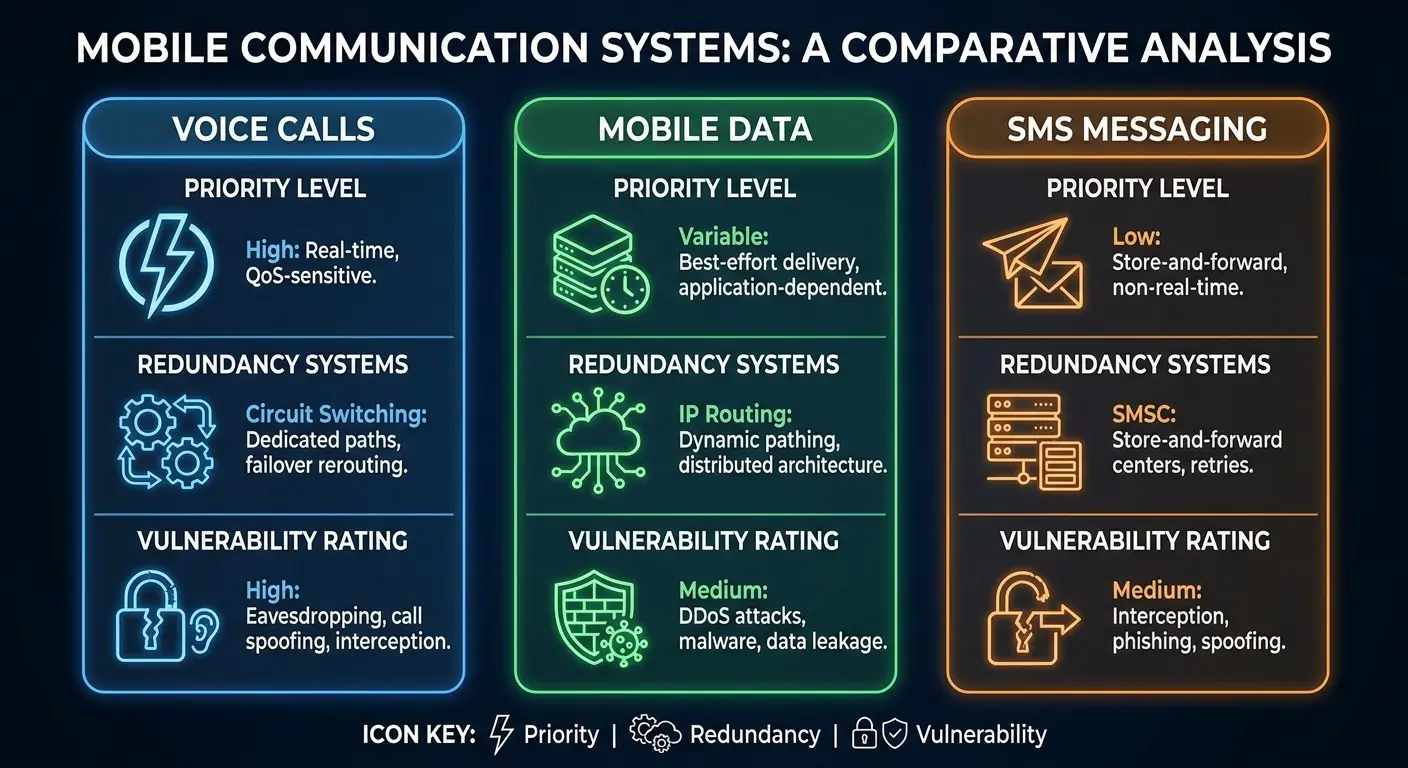
SMS technology uses different protocols than voice calls or mobile data. Your phone sends text messages during brief windows when the cellular network allocates resources. If your antenna connection is marginal, your phone might successfully maintain a voice call (which gets priority from the network) but fail to transmit during those SMS windows. This is why you might experience text messages not sending even when everything else seems to work fine.
Voice calls establish a continuous connection. Once connected, the network maintains that channel. Text messages are transactional. They require your phone to successfully handshake with the tower, transmit data, and receive confirmation, all within milliseconds.
Physical antenna degradation introduces latency and signal loss that disrupts these quick transactions while leaving longer-duration connections functional.
The result? Not receiving text messages while other phone functions appear normal.
Data connectivity can also mask antenna problems. Modern LTE and 5G use multiple-input, multiple-output (MIMO) technology, employing several antennas simultaneously. If one antenna is compromised, others compensate. SMS uses a single antenna path. There's no redundancy. One weak link in the chain and your texts don't send.
Connection Type |
Priority Level |
Redundancy |
Vulnerability to Partial Antenna Damage |
|---|---|---|---|
Voice Calls |
High (network prioritized) |
Low (single channel) |
Low - maintains connection once established |
Mobile Data |
Medium |
High (MIMO uses multiple antennas) |
Low - other antennas compensate |
SMS Messages |
Low |
None (single antenna path) |
High - fails with marginal connections |
MMS Messages |
Medium |
Medium (uses data connection) |
Medium - can use alternate paths |
When Your Case Becomes the Problem
You bought a case to protect your investment. But that case might be creating a Faraday cage effect around your phone's antennas.
Not all cases are created equal, and the materials manufacturers choose directly impact your phone's ability to communicate with cell towers. If you're asking why are my texts not sending, your protective case could be the answer.
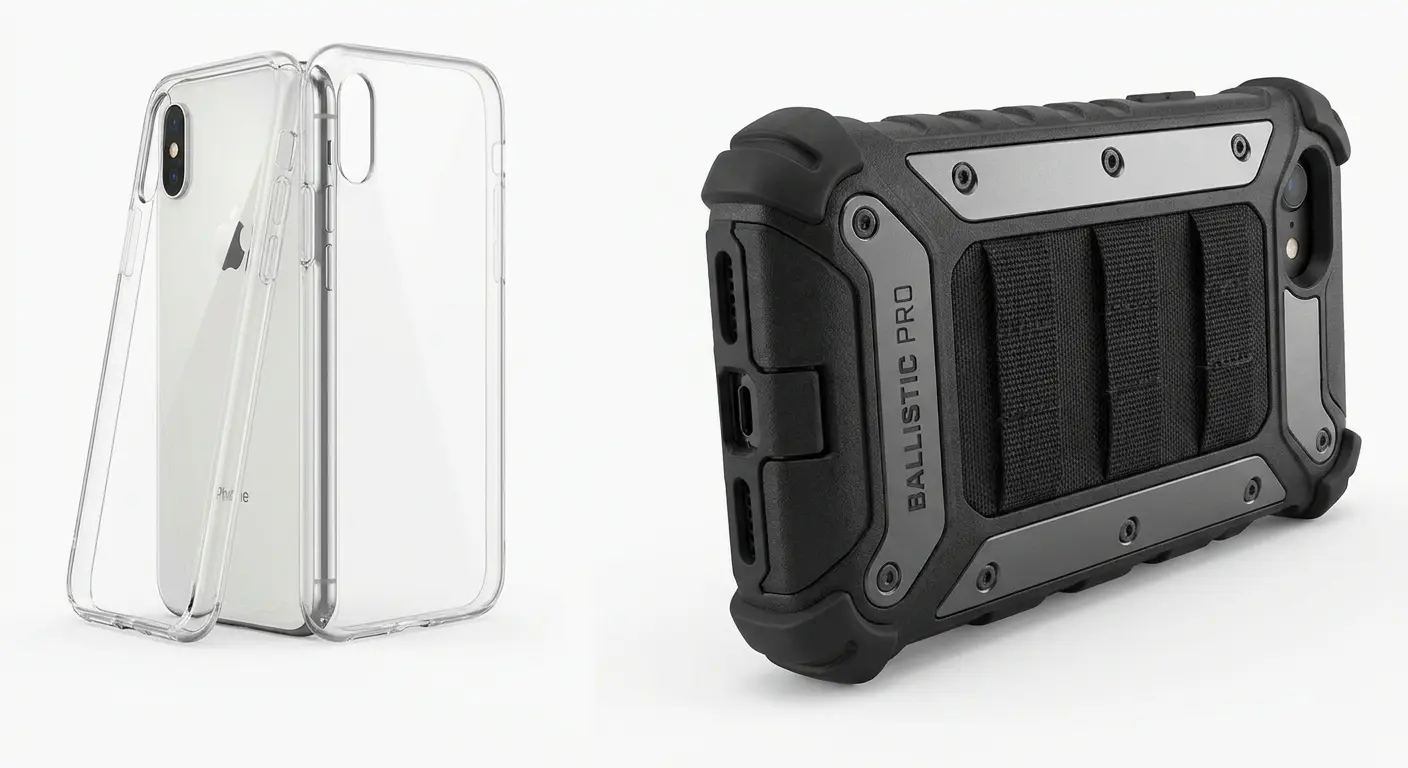
Metal cases are the obvious culprits. Aluminum, steel, even metal accents or bumpers can reflect or absorb radio frequency signals. But here's what catches people off guard: carbon fiber cases also interfere with signals. Carbon fiber contains conductive carbon particles that scatter RF energy. Cases marketed as "military grade" or "tactical" often incorporate metal plates or dense composite materials that prioritize drop protection over signal transparency.
The thickness and density of your case matter. A thick silicone or rubber case creates distance between your phone's antennas and the outside world. Radio signals attenuate (weaken) as they pass through materials. Every millimeter of case material between your antenna and the cell tower reduces signal strength.
When you're in a strong coverage area, this might not matter. But in marginal coverage zones (inside buildings, rural areas, or areas with network congestion), that extra attenuation is the difference between successful text delivery and failure.
Case design around the bottom edge of your phone is critical. This is where most phones locate their primary cellular antenna. Cases that wrap tightly around this area or add grip texture with conductive materials directly interfere with the antenna's radiation pattern. Some cases even include metal kickstands or attachment points positioned exactly where they'll block signal transmission.
The Material Science Behind Signal Blockage
RF transparency isn't binary. Materials exist on a spectrum from completely transparent to completely opaque at cellular frequencies.
Pure plastics and certain polymers allow signals to pass with minimal loss. Add colorants, UV stabilizers, or reinforcement materials, and you change the RF properties. When choosing protection, it's worth exploring options that balance durability with connectivity. Our guide to the most protective phone cases considers both factors.
Here's something most people don't know. A clear polycarbonate case might introduce 0.5 dB of signal loss. A black rubber case with carbon black pigment might introduce 2-3 dB. That difference sounds small, but signal strength operates on a logarithmic scale. A 3 dB loss represents a 50% reduction in signal power.
I saw this play out with a user who switched from a slim clear case to a heavy-duty tactical case with metal corner reinforcements and a built-in kickstand. Within days, text messages began failing in their office building, a location where they previously had no issues. The tactical case introduced approximately 4 dB of signal loss through its metal components and thick composite materials. In their home with strong signal, the phone worked fine. But in the office, where signal was already marginal, that 4 dB reduction pushed reception below the threshold needed for reliable SMS delivery.
Switching back to the clear case immediately restored full messaging functionality.
Case manufacturers rarely publish RF transparency data. They test for drop protection, scratch resistance, and aesthetic durability. Signal performance doesn't make marketing materials. You're left guessing whether your case is part of your text message problem.
When I'm evaluating a case for signal friendliness, I check three things: Is there metal anywhere on it? How thick is it at the bottom edge where the main antenna lives? And does the manufacturer mention signal performance at all in their specs, because if they don't, they probably didn't test for it.
Antenna Interference Nobody Talks About
Your phone's antenna system is remarkably sensitive to its immediate environment. Objects within a few centimeters of your phone can detune antennas, shift their resonant frequencies, or create reflections that cause destructive interference.
Most people never consider these factors when troubleshooting text message problems. When texts not sending becomes a persistent issue, environmental interference is often overlooked.
Hand position affects signal strength. When you grip your phone, your hand (which is mostly water, a decent RF absorber) covers antenna locations. Phone manufacturers design antenna systems accounting for normal hand positions, but if you consistently hold your phone in unusual ways, or if you have particularly large hands that cover more of the device, you might be creating signal blockage that affects marginal connections.
Metallic objects near your phone create problems. Keys in the same pocket, metal wallet cases attached to your phone, even the metal desk your phone sits on can reflect signals in ways that cause interference. These reflections create multipath distortion where the signal reaches your phone via multiple paths with different delays, confusing the receiver.
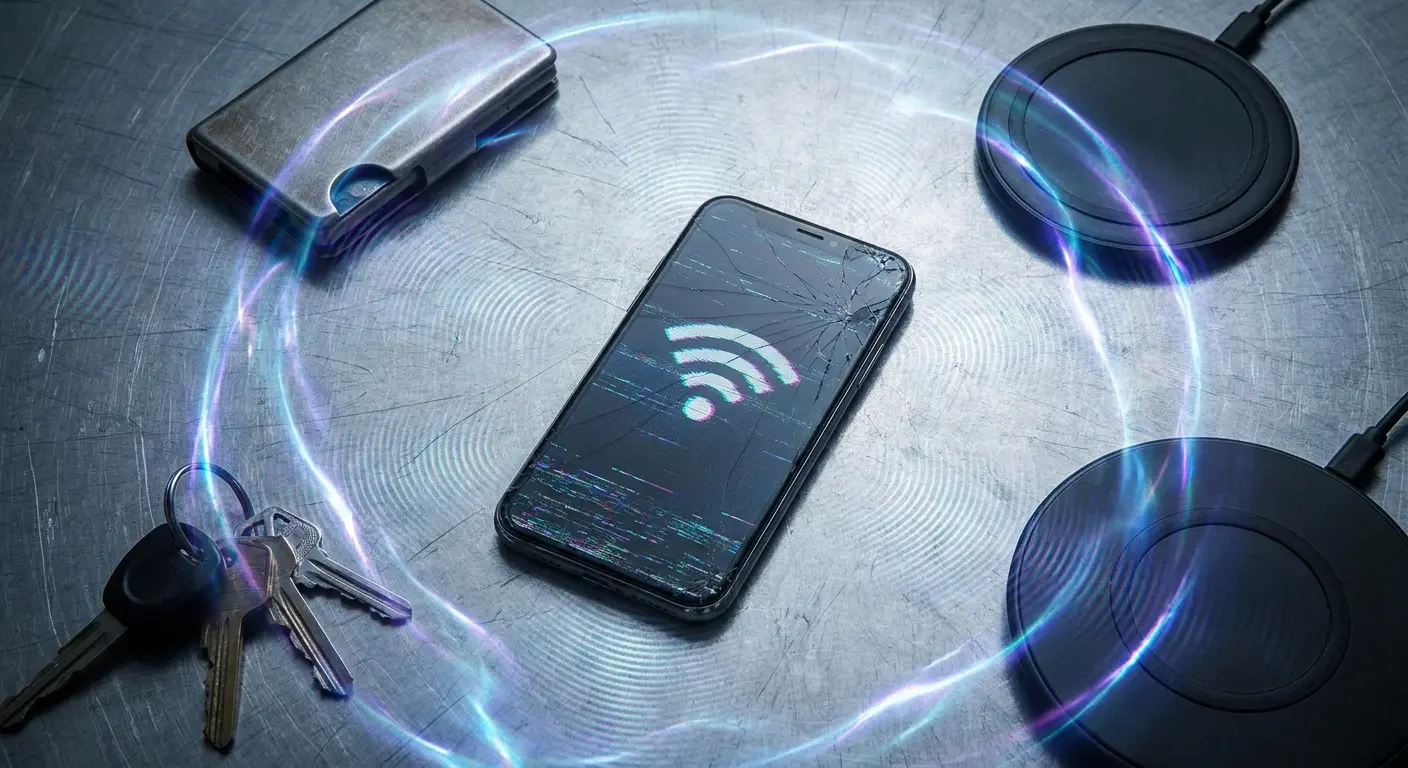
Wireless charging pads introduce electromagnetic fields that can interfere with cellular reception while your phone charges. The charging coil generates alternating magnetic fields that induce currents in nearby conductors, including your phone's antenna elements. Some phones handle this better than others through careful antenna placement and shielding, but cheaper wireless chargers without proper FCC certification can emit significant interference.
The Body-Blocking Effect
Your body is a large, lossy dielectric (RF engineer speak for "absorbs radio waves"). When your phone sits in your pocket, particularly a front pocket pressed against your body, your tissue absorbs and reflects cellular signals.
The effect is worse when you're sitting or leaning against surfaces because you've created a sandwich of absorptive materials around your phone.
This matters for text messages because of timing. If a text arrives while your phone is in your pocket against your body, and the signal strength is marginal, your phone might not successfully receive the message. The sender gets a "delivered" confirmation (because the network accepted the message), but your phone never actually got it. The message sits in a retry queue, and depending on carrier policies, might eventually expire.
Pocket location matters too. Back pockets place your phone against dense muscle tissue. Front pockets on tight jeans compress your phone against your body. Shirt pockets are best for signal reception, but few people use them anymore.
Interference Source |
Signal Impact (dB Loss) |
Primary Effect on SMS |
Mitigation Strategy |
|---|---|---|---|
Hand grip covering bottom antenna |
2-5 dB |
Intermittent send/receive failures |
Adjust grip to leave bottom 2cm exposed |
Metal desk surface |
1-3 dB |
Reduced reception while phone sits flat |
Use non-metallic desk pad or stand phone upright |
Body blocking (front pocket) |
3-8 dB |
Missed incoming messages |
Keep phone in shirt pocket or on surface when expecting texts |
Wireless charger interference |
1-4 dB |
Failed reception while charging |
Use wired charging or higher-quality Qi charger with shielding |
Metal wallet case |
2-6 dB |
Persistent delivery issues |
Remove cards or switch to non-metal wallet attachment |
SIM Card Degradation and Contact Issues
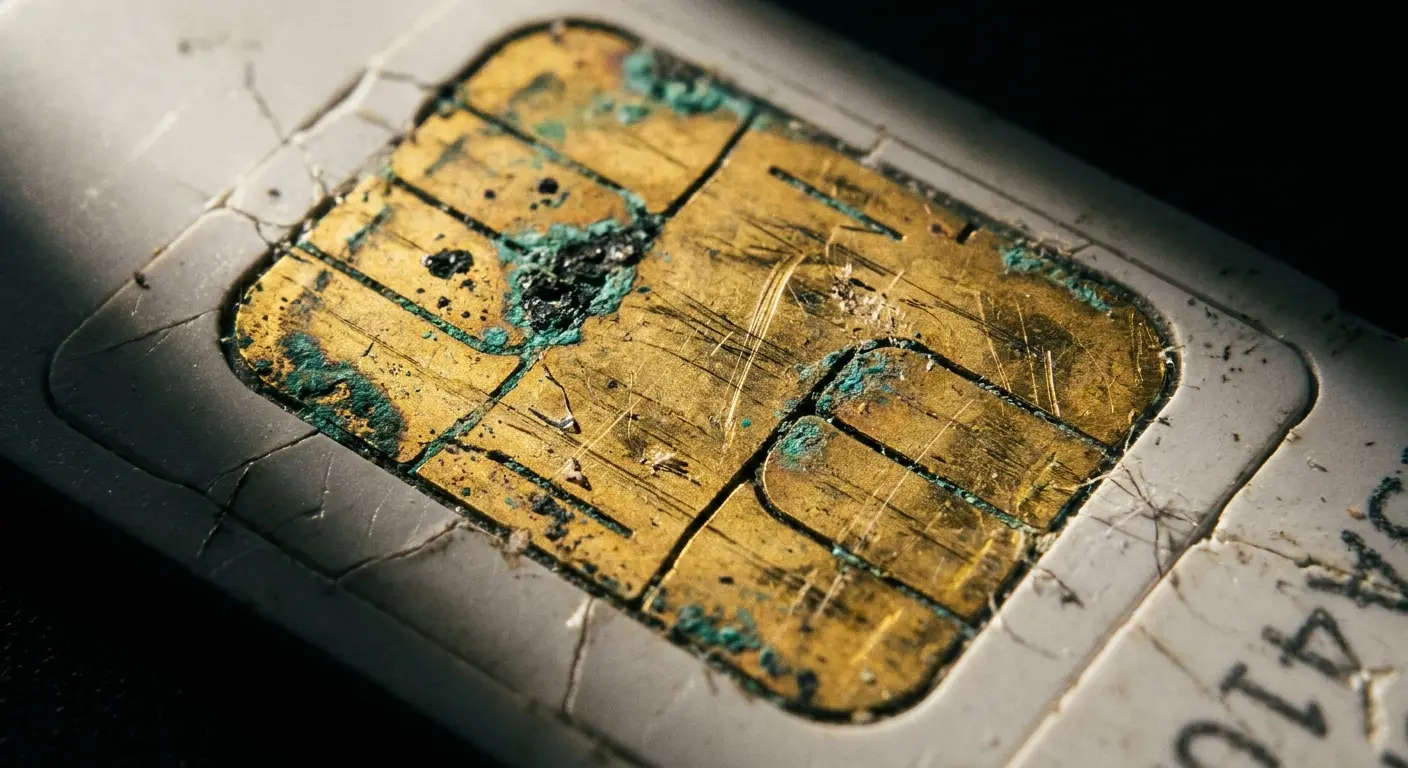
Your SIM card has these tiny gold contacts, and I mean tiny. The gold plating is maybe a few microns thick. For context, a human hair is like 70 microns, so we're talking absurdly thin.
These contacts corrode, scratch, and degrade over time. The connection between your SIM and your phone must be clean for reliable cellular communication, and text messaging is often the first function to fail when this connection degrades. Messages not sending can frequently be traced back to degraded SIM card contacts.
Every time you pop that SIM out and put it back in (switching phones, troubleshooting, whatever), you're scratching that gold layer. Eventually you expose the copper underneath, and copper oxidizes. That green crusty stuff you sometimes see? Copper oxide. Non-conductive.
Even a small amount of oxidation increases contact resistance, creating an unreliable electrical connection.
Environmental factors accelerate SIM degradation. Humidity causes corrosion. Temperature cycling (your phone getting hot and cold repeatedly) causes expansion and contraction that can loosen the SIM in its tray. Dust and pocket lint accumulate around the SIM tray, and when you insert your SIM, you drag these contaminants across the contacts.
The SIM tray itself can be a problem. Cheap aftermarket trays (if you've replaced yours) might not maintain proper contact pressure. The spring-loaded pins in your phone's SIM reader can wear out or become contaminated. These readers contain tiny pogo pins that must make solid contact with each SIM pad. If one pin is weak or dirty, you lose connectivity for the functions that pin controls, and SMS often runs through specific pins.
Why Carriers Don't Mention SIM Age
SIM cards have finite lifespans, but carriers don't advertise this. A SIM that's three or four years old has been through thousands of temperature cycles, potentially hundreds of insertions and removals, and constant electrical stress from cellular communication.
The chip itself can develop faults.
Modern SIM cards contain sophisticated software that manages network authentication and encryption. This software can become corrupted, particularly if your phone lost power during a SIM write operation (updating network credentials, for example). Corrupted SIM software creates unpredictable behavior, including selective failure of specific services.
I've seen patterns where older SIMs fail to properly register with network SMS centers. Your phone connects to the cellular network fine, makes calls without issues, but the SMS service center address stored on your SIM has become corrupted or outdated.
Replacing the SIM with a fresh one from your carrier often immediately resolves chronic text message problems that seemed unsolvable through software troubleshooting.
Want to check if your SIM is the problem? Pull it out and look at those gold contacts under a light. If they're dull, discolored, or you see any green or white crud, that's corrosion. Also, and this is important, if that SIM is over three years old, just replace it. I don't care if it looks fine. Carriers won't tell you this because they'd have to stock more SIMs, but those things have a shelf life.
Inspect the SIM tray for damage, bent pins, or debris while you're at it. Verify the SIM sits flush in the tray without rocking or gaps. Check that the tray clicks securely into your phone.
If you want to test it, clean the contacts with isopropyl alcohol and a lint-free cloth. Reinsert and test messaging for 24 hours. If problems persist, request a carrier replacement (usually free).
When you get a new SIM, visit a carrier store rather than ordering online. Make sure the new SIM is activated before you leave. Test both sending and receiving texts before you walk out the door.
Port Contamination and Its Ripple Effects
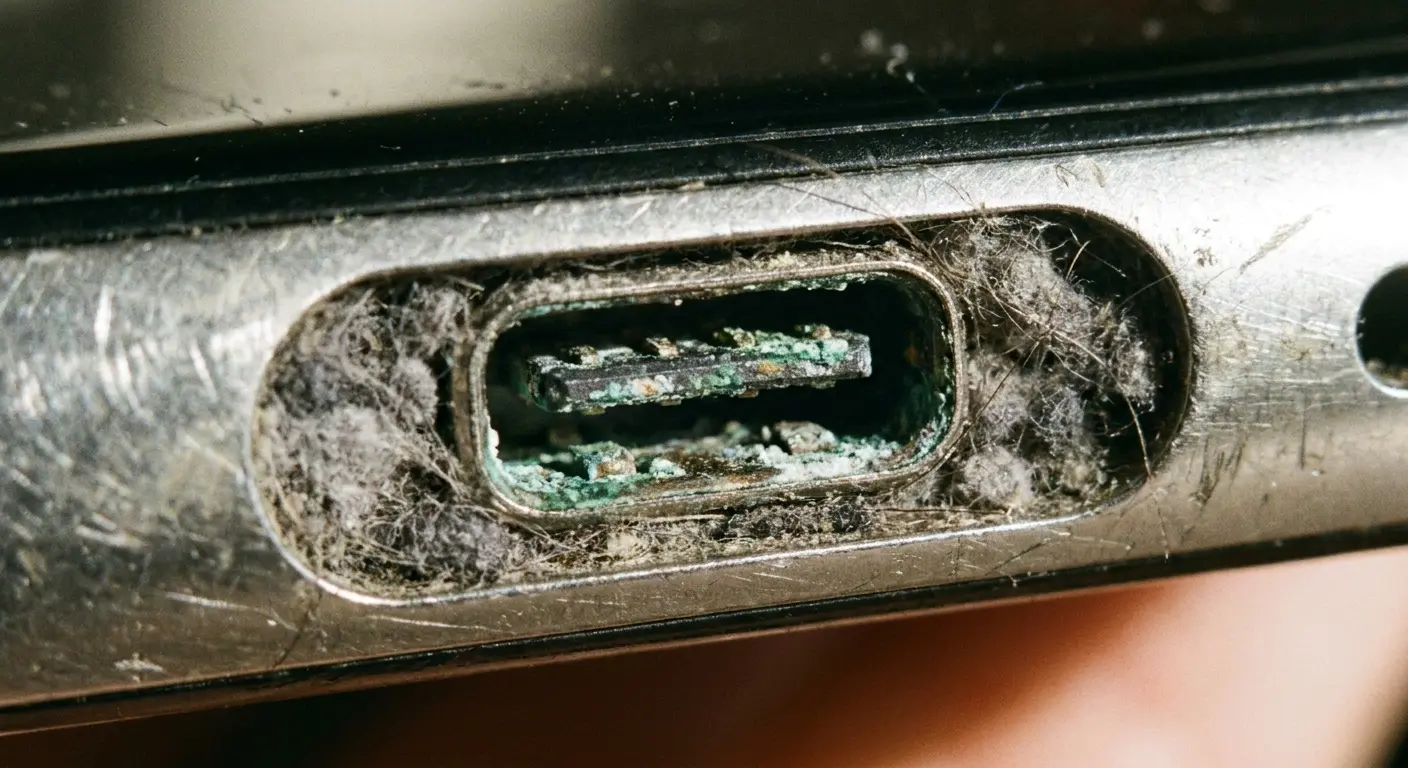
Your charging port is disgusting. I mean truly nasty.
It accumulates pocket lint, dust, and microscopic debris every time you put your phone in your pocket. This contamination doesn't just affect charging. In many phone designs, the charging port assembly sits adjacent to antenna components. Conductive debris can create short circuits or ground paths that detune antennas. When your text message not delivered issues persist despite other troubleshooting, port contamination may be the hidden cause.
Corrosion in your charging port spreads. The port contains multiple pins carrying power, data, and in some cases, antenna connections. When one pin corrodes, the oxidation can migrate to adjacent pins through moisture or conductive contamination. Some phone designs route antenna signals through the charging port connector to reach external components. Corroded pins in these signal paths directly impact cellular reception.
Compressed lint in your charging port acts as a wick, drawing moisture into your phone. You might not see water damage, but the hygroscopic (moisture-absorbing) nature of fabric fibers means your charging port can maintain elevated humidity levels that accelerate internal corrosion. This moisture reaches nearby antenna connectors, creating oxidation that increases resistance and degrades signal quality.
The mechanical stress of repeatedly plugging in charging cables can crack solder joints connecting your port to the logic board. These cracks might not completely sever connections but create intermittent contact that introduces electrical noise into your phone's systems. This noise can interfere with the sensitive radio frequency circuits that handle cellular communication.
A phone owner came in once because their device charged slowly and required precise cable positioning. They ignored it for months since it still charged eventually. Then text messages stopped arriving reliably. Upon inspection, the charging port contained a compressed mat of lint nearly 3mm deep. This debris had absorbed moisture over time, creating a conductive bridge between pins that introduced noise into the ground plane. The contamination had also caused corrosion to spread to a nearby antenna connector.
Cleaning the port and treating the corroded connector with contact cleaner restored both charging and messaging functionality completely.
The Grounding Connection Nobody Checks
Your phone's charging port connects to the device ground plane. This ground plane serves as a reference for all electrical signals, including antenna signals. If the port's ground connection degrades due to corrosion or mechanical damage, it affects the entire ground system.
Antennas need clean ground references to function properly. A noisy or high-resistance ground path reduces antenna efficiency. For those wondering how to clean iPhone charging port properly, preventive maintenance can avoid these connectivity issues.
You can't easily inspect these connections without disassembling your phone. But symptoms appear: inconsistent charging speeds, intermittent data transfer issues, and yes, unreliable text message reception. These problems often worsen when your phone is plugged in because the compromised port introduces additional electrical noise into the system.
The Temperature Extremes Connection
Your phone contains hundreds of solder joints connecting components to circuit boards. These joints are tiny balls of metal alloy that melt during manufacturing to create electrical connections.
Temperature changes cause these joints to expand and contract, and over time, this cycling creates fatigue cracks.
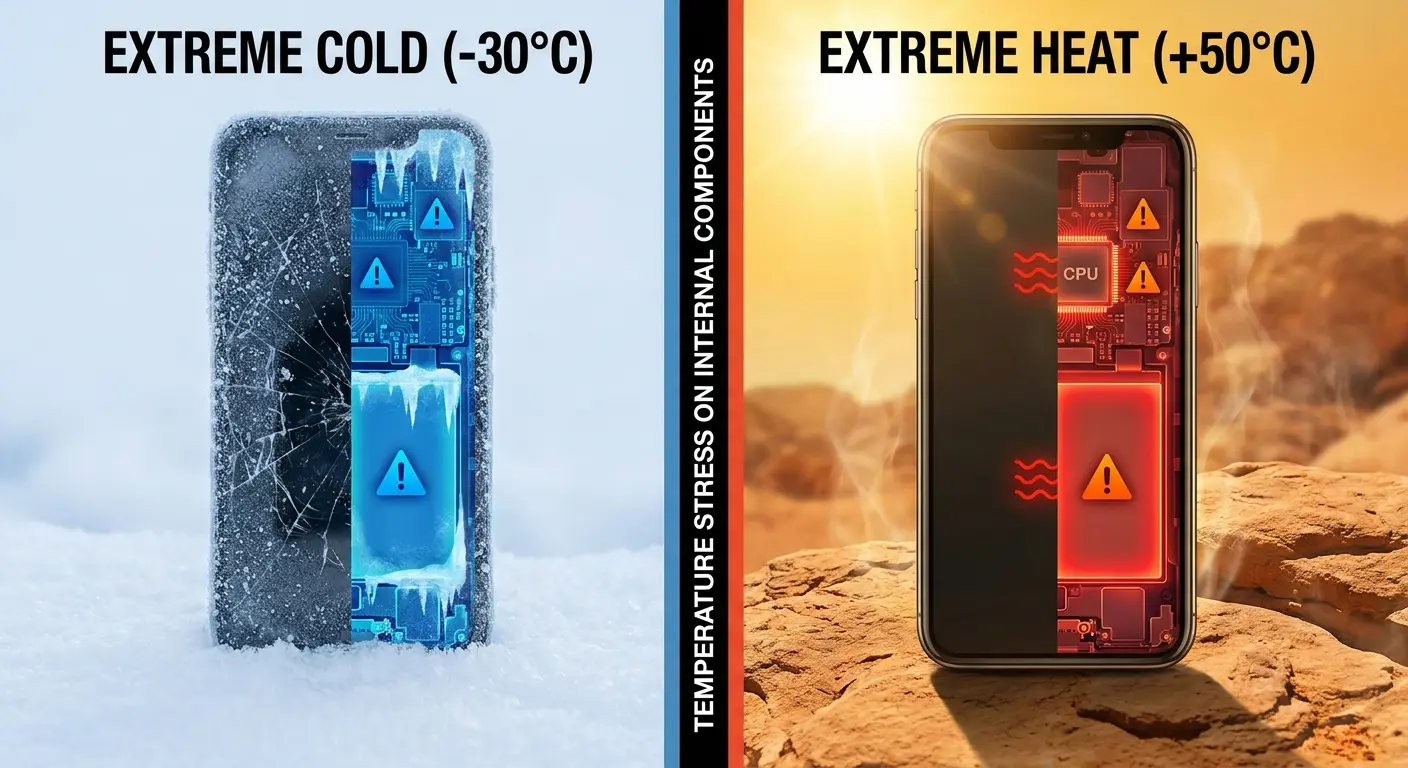
Antenna connections are particularly vulnerable to thermal stress because antennas are often located at the phone's perimeter where temperature changes are most extreme. The phone's internal components generate heat during use, while the exterior responds to ambient temperature. This temperature gradient creates mechanical stress across solder joints connecting antenna cables to the logic board.
Cold temperatures make problems worse. Solder becomes more brittle when cold, and the differential contraction rates of different materials (copper circuit board, solder, component leads) create stress concentrations. A phone that works fine at room temperature might fail to receive texts when cold because a marginal solder joint becomes an open circuit at low temperatures.
Heat causes different problems. Excessive heat can remelt solder if temperatures get high enough (rare but possible if you leave your phone in a hot car). More commonly, heat accelerates oxidation and causes adhesives to break down. The adhesive securing antenna cables can soften, allowing cables to shift position and lose contact pressure at their connectors.
Thermal Cycling You Don't Think About
You take your phone from an air-conditioned room into summer heat. You bring it from winter cold into a warm building.
Each transition represents a thermal cycle.
Your phone might experience dozens of these cycles per day. After thousands of cycles, cumulative damage appears.
Battery heat is a constant source of thermal stress. Your battery sits adjacent to your logic board, and as it charges and discharges, it generates heat that creates temperature gradients across your phone's interior. Components nearest the battery experience the most extreme cycling. If your antenna connectors are in this zone, they accumulate thermal fatigue faster.
Wireless charging generates more heat than wired charging. The inefficiency of inductive power transfer means significant energy dissipates as heat in your phone. If you primarily use wireless charging, you're subjecting your phone to more thermal stress than someone who uses wired connections exclusively.
Water Damage That Doesn't Look Like Water Damage
Water resistance ratings give false confidence. IP68 doesn't mean waterproof, and it certainly doesn't account for wear over time.
The seals that keep water out degrade. Adhesive weakens. Microscopic gaps develop. Your phone might pass an initial water resistance test but fail after a year of use.
Humidity is the silent killer. You don't need to drop your phone in water to experience moisture damage. High humidity environments (bathrooms during showers, kitchens while cooking, outdoor humidity) allow moisture to penetrate your phone gradually. This moisture condenses on internal components when temperature drops, creating the perfect environment for corrosion.
The corrosion starts at connection points because that's where different metals meet. Your antenna connectors use gold-plated contacts mating with tin or copper traces. When moisture is present, these dissimilar metals create galvanic cells (basically tiny batteries) that accelerate corrosion through electrochemical reactions.
The corrosion products are non-conductive, increasing resistance at these critical connection points.
Your phone's liquid damage indicators might still be white (showing no water exposure) while internal corrosion quietly degrades performance. These indicators are positioned to detect catastrophic water exposure, not the gradual moisture infiltration that causes long-term damage. By the time you notice symptoms (failed text messages), the corrosion has been developing for months.
Condensation From Temperature Shock
Bringing a cold phone into a warm, humid environment creates condensation inside the device. The cold internal components cause water vapor in the air to condense into liquid droplets.
This happens even with sealed phones because the seals aren't perfect, and pressure equalization vents (which all phones have) allow moist air to enter.
This condensation settles on circuit boards and connectors. Even after it evaporates, it leaves behind mineral deposits and accelerates oxidation. Repeated condensation cycles create cumulative damage. Your phone might experience this every winter day when you come inside from the cold, or every summer day when you move from outdoors into air conditioning.
Drop Impact on Internal Components
Drop damage isn't always obvious. Your screen survived, so you assume everything is fine.
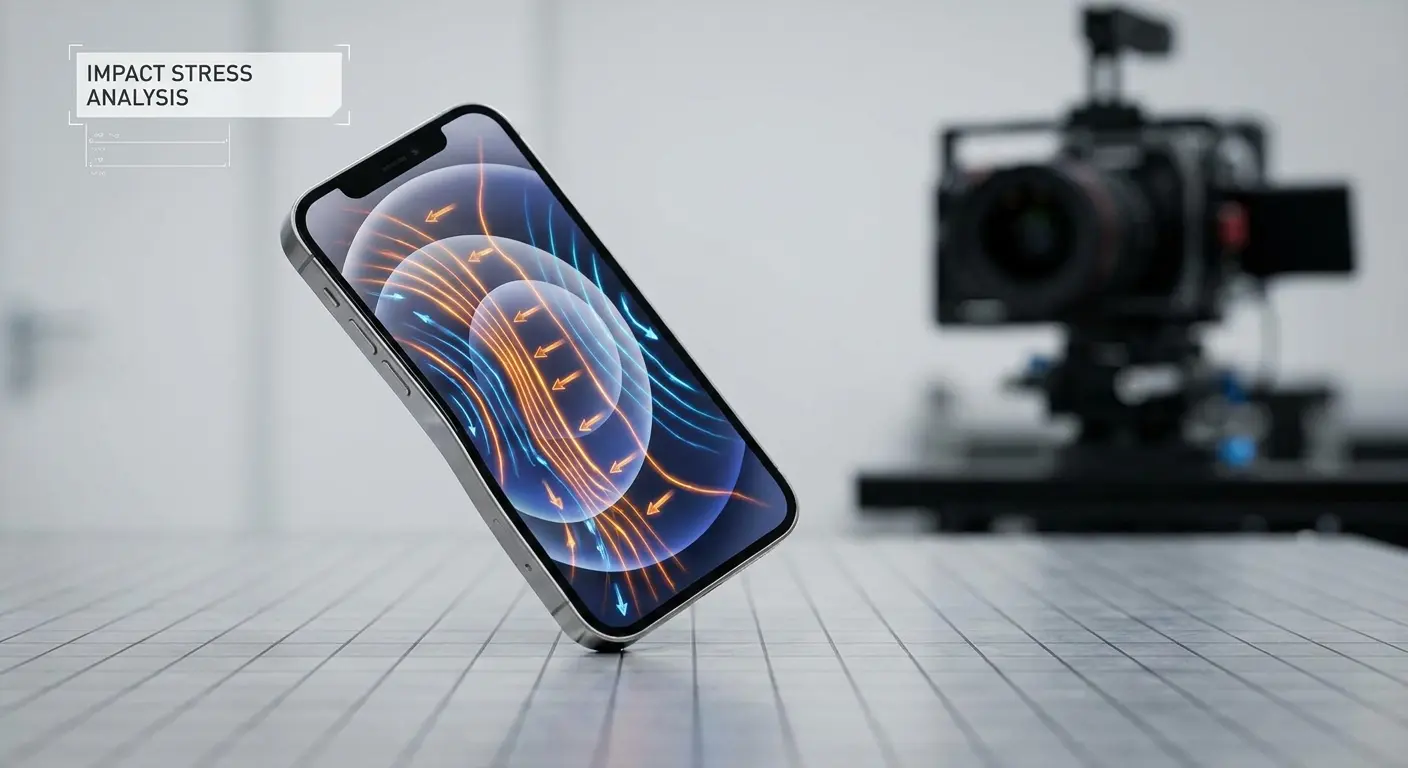
But inside your phone, delicate components experienced significant g-forces during that impact. Antenna cables are particularly vulnerable because they're thin, flexible, and secured at connection points that concentrate stress.
The coaxial cables connecting antennas to your logic board use micro-connectors with retention clips smaller than a sesame seed. These clips hold the cable in place through friction and a tiny snap mechanism. Impact forces can unseat these connectors partially. The cable might remain in place visually but lose electrical contact. This creates intermittent connectivity that's maddeningly difficult to diagnose.
Solder joints crack under impact stress. Your logic board flexes during a drop, and that flex creates shear forces at solder points. Antenna components soldered to the board can develop hairline cracks that create high-resistance connections. These cracks might not completely sever the connection, so your phone still works, but signal quality degrades.
The impact doesn't need to be severe. A drop from waist height onto carpet can generate enough force to dislodge internal connections. The problem is cumulative. Your phone might handle the first few drops fine, but each impact weakens connections slightly. Eventually, a minor drop becomes the final straw that pushes a marginal connection into failure.
Why Corner Drops Are Worst
Dropping your phone on a corner concentrates impact forces into a small area. The force transmits through the frame to internal components, and because the impact point is small, the stress is amplified.
Corner drops often damage antenna components because antennas are usually located near phone corners for signal radiation patterns.
The frame twist that occurs during a corner impact can shear solder joints or pop connectors loose. Your phone's frame is designed to be rigid, but it still flexes under impact. This flex happens in milliseconds, but it's enough to damage delicate internal connections.
Magnetic Interference From Everyday Accessories
Magnets are everywhere around your phone. Magnetic car mounts, wallet cases with magnetic closures, wireless charging pads with alignment magnets, even magnetic desk organizers.
These magnets create static magnetic fields that can interfere with your phone's radio frequency systems.
Your phone's antennas don't directly respond to static magnetic fields, but the fields affect nearby components. Many phones use magnetic sensors (magnetometers) for compass functionality, and strong external magnets can saturate these sensors, causing the phone to enter fault modes that affect other systems. Some phones reduce RF transmission power when they detect magnetic interference to prevent potential issues.
The bigger problem is magnets in close proximity to antenna feed points. While the static field itself doesn't block radio waves, magnets often come in metal housings or are attached to metal plates. These metal components do interfere with RF signals. A magnetic car mount with a metal backing plate positioned against your phone's back creates a ground plane that detunes your antenna.
Magnetic mounting systems that require you to attach a metal plate to your phone or case are particularly problematic. That metal plate sits between your phone's antennas and the outside world. Even if the plate has cutouts for camera lenses, it's still blocking or reflecting RF energy. The plate changes your antenna's radiation pattern, reducing efficiency in certain directions.
The Wireless Charging Magnet Problem
MagSafe and similar magnetic wireless charging systems use ring arrays of magnets for alignment. These magnets are carefully positioned to avoid interfering with antennas, but aftermarket magnetic chargers don't always follow the same careful engineering.
Cheap magnetic chargers can position magnets directly over antenna locations.
The charging process itself generates alternating magnetic fields that induce currents in conductors. If your phone's antenna elements are near the charging coil, these induced currents create noise that degrades receiver sensitivity. Your phone might charge fine but struggle to receive weak signals, including text messages, while on the charger.
Why Your Mounting System Might Be Blocking Signals
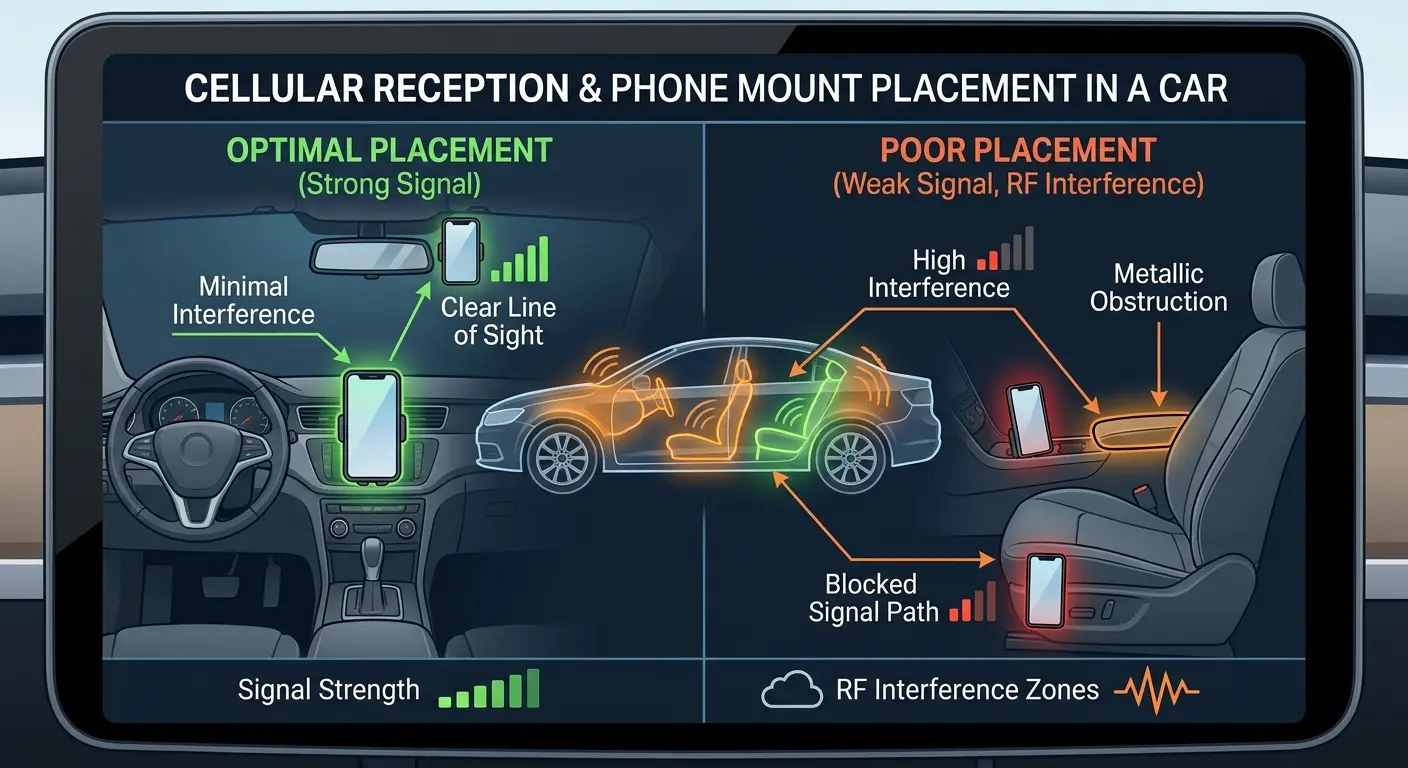
Car mounts position your phone in signal-hostile environments. Your vehicle's metal body acts as a Faraday cage, already reducing signal strength inside the cabin.
Mounting your phone against a windshield or dashboard puts it against surfaces that further absorb or reflect signals. Add a mount with metal components and you've created multiple layers of signal degradation.
Dashboard mounts often position phones horizontally, which changes the antenna orientation relative to cell towers. Phone antennas are designed assuming normal vertical usage. Horizontal orientation can reduce signal strength by several dB depending on tower location and your phone's specific antenna design.
Vent clip mounts position your phone directly against metal HVAC components. The metal vent louvers and ductwork behind them create RF shadows. Your phone's antennas might be pointing directly at a large metal surface, creating reflections that cause destructive interference.
Look, full disclosure. I work for
Look, full disclosure. I work for Rokform, and yeah, we make cases and mounts. But we got into this specifically because I was tired of seeing "rugged" cases that blocked signals and mounts that turned your phone into a paperweight for connectivity. We actually test for RF transparency, which most companies don't bother with because it's expensive and customers don't ask about it. Our phone mounts are engineered to minimize signal blockage while keeping your phone secure.
If you're going with someone else, at least make sure they mention signal performance somewhere in their specs.
Standard mounts don't consider RF performance. Manufacturers focus on grip strength and adjustability. Signal transparency never enters the design process. You're left with a mount that holds your phone securely but creates a dead zone for cellular reception.
Protective Gear That Actually Enhances Rather Than Hinders
Protection and connectivity don't have to be mutually exclusive. The right protective gear uses materials and designs that maintain RF transparency while providing impact protection.
You need to understand what makes gear signal-friendly versus signal-blocking.
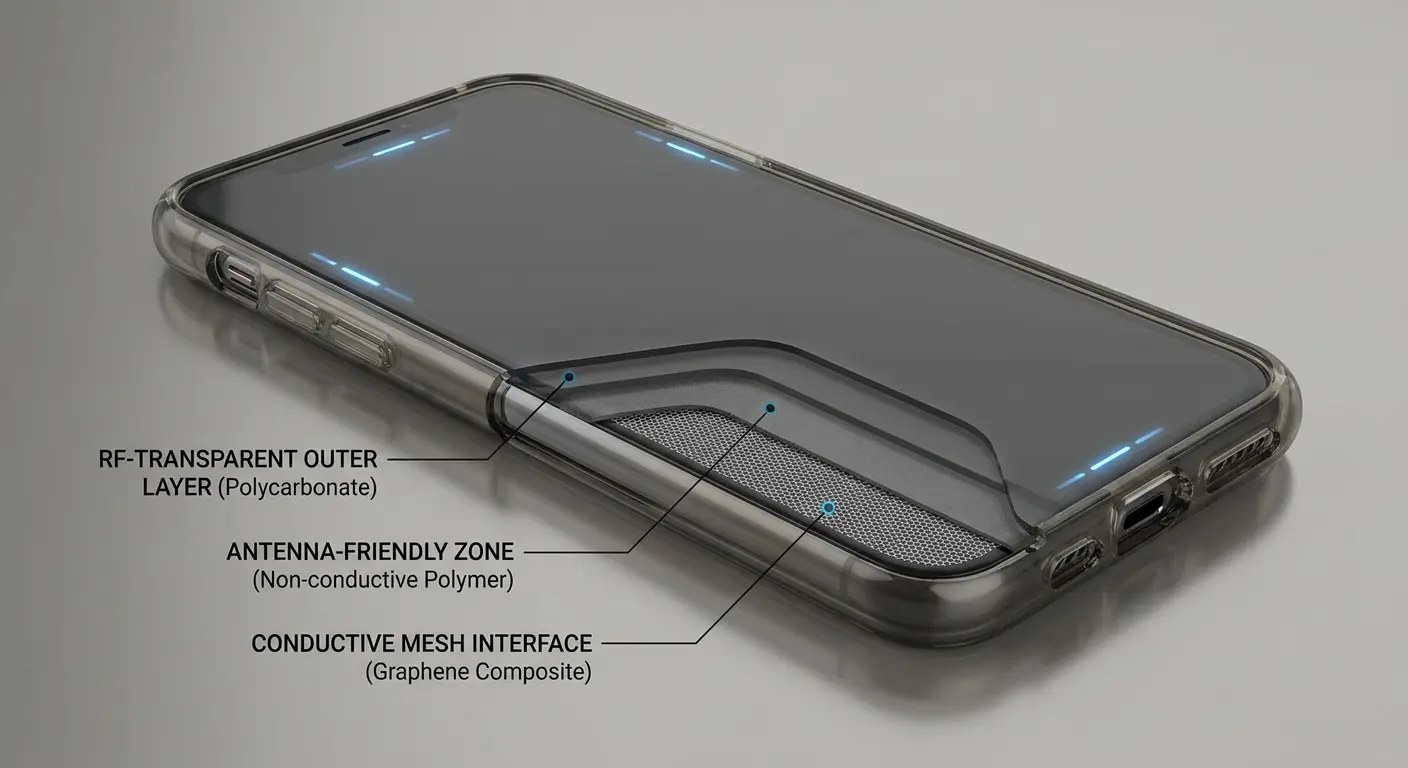
Material selection is the foundation. Polycarbonate, TPU (thermoplastic polyurethane), and certain polyurethane blends offer excellent impact protection with minimal RF attenuation. These plastics are transparent to radio waves at cellular frequencies. Quality manufacturers test their materials for RF performance and select formulations that balance protection with signal transparency.
Design matters as much as materials. Cases should minimize coverage around antenna locations, particularly at the bottom and top edges of your phone. Strategic reinforcement places protective material where drops usually impact (corners and edges) while keeping antenna zones clear. Some advanced cases use layered construction with RF-transparent outer layers and impact-absorbing inner layers.
Thickness needs to be optimized. A case can use perfect materials but still degrade signals if it's unnecessarily thick. Every millimeter of material between your antenna and the cell tower attenuates the signal. Well-engineered cases provide maximum protection with minimum thickness, using material science rather than bulk to absorb impact energy.
Look for cases with tested drop protection ratings. Military-standard testing (MIL-STD-810G) ensures a case actually protects without requiring excessive thickness. Cases that pass these tests have been engineered for efficiency, which means they've also considered signal performance.
What the Specs Don't Tell You
Case manufacturers rarely publish RF attenuation data. You won't find signal loss measurements in product specs.
This information requires specialized testing equipment and expertise that most companies don't have. You're forced to rely on indirect indicators of quality: brand reputation, material transparency about what compounds they use, and whether they mention signal performance at all in their marketing.
User reviews sometimes mention signal problems, but these reports are inconsistent and subjective. Someone in a strong coverage area might never notice signal degradation that would be obvious to someone in a fringe coverage zone. Reading between the lines helps. If multiple reviewers mention connectivity issues, that's a red flag.
The best approach is choosing manufacturers who understand the RF performance implications of their designs. Companies that serve users who depend on reliable connectivity (outdoor enthusiasts, professional users, people in rural areas) tend to engineer their products with signal performance in mind. Our rugged phone cases are designed with both protection and signal integrity as core requirements, not afterthoughts.
Final Thoughts
So next time your texts aren't going through, don't waste two hours on the phone with your carrier. Check your SIM card for corrosion. Clean out your charging port with a wooden toothpick (seriously, go look right now). Think about whether that case is actually helping or hurting. And if you dropped your phone recently, even if the screen is fine, consider that you might have internal damage.
Your phone's text messaging problems might have nothing to do with your carrier, your settings, or software bugs. Physical factors create connectivity issues that no amount of menu troubleshooting will fix. The hardware perspective reveals problems that standard solutions miss entirely.
I've seen the pattern repeatedly in our shop. Users exhaust every software solution, reset their phones multiple times, even switch carriers, only to discover their problem was a corroded SIM card or a case blocking their antenna. The physical condition of your phone and what you've surrounded it with matters more than most troubleshooting guides acknowledge.
Start with the hardware factors I've covered here. Inspect your SIM card contacts. Consider whether your case might be interfering with signals. Think about drops your phone has survived and whether internal damage might be lurking. Check your charging port for contamination. Evaluate your mounting systems and accessories for potential interference.
Sometimes the solution is simple: a new SIM card from your carrier (usually free), cleaning your charging port with a wooden toothpick, or switching to a more RF-friendly case. Other times, you're dealing with internal damage that requires professional repair. But understanding these hardware factors gives you diagnostic power that most people lack.
Your phone is a sophisticated radio system housed in a device that lives in hostile environments. It gets dropped, exposed to temperature extremes, covered with cases of questionable design, and subjected to magnetic fields and physical stress.
Text messaging, with its specific technical requirements and lack of redundancy, often becomes the canary in the coal mine for hardware degradation.
Or, you know, just keep resetting your network settings and hoping for the best. That works too. (It doesn't.)

