


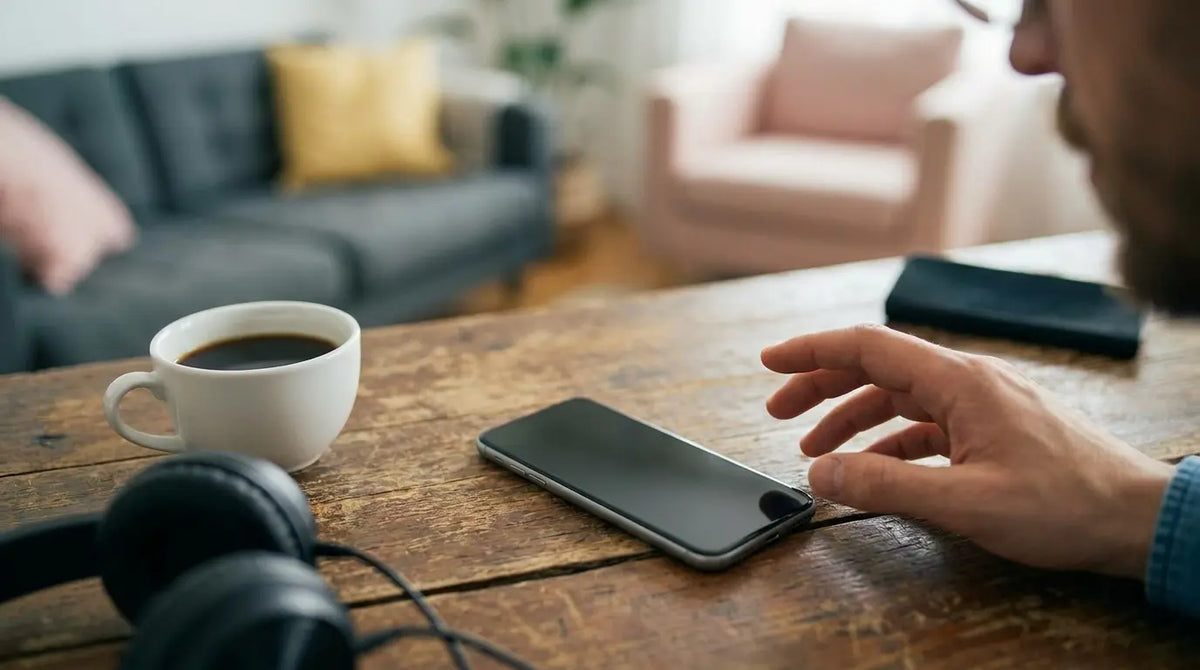
You're staring at your phone. Someone was supposed to call ten minutes ago. You've got full bars. You've restarted twice. You've toggled airplane mode so many times you're pretty sure you've memorized the exact position of that button.
Nothing.
Here's what you probably haven't checked: the physical stuff. Not your settings. Not your carrier. The actual, physical phone and everything touching it.
Most people will spend hours in settings menus before they'll even glance at their phone case. They'll reset network settings a dozen times. They'll call their carrier and argue for an hour. They'll buy a new phone.
And then they'll find out it was the $15 metal case from Amazon the whole time.
I've been doing this for eight years now. Building cases, talking to customers, hearing every possible variation of "my phone doesn't work right." Your phone case, how you carry your device, even where you place it throughout the day can silently sabotage your connectivity without triggering a single error message.
The metal case blocking the antenna. The moisture corroding the SIM card contacts. The mounting system creating interference patterns that prevent calls from connecting. I've seen customers exhaust every software solution, reset their network settings a dozen times, and even switch carriers, only to discover the problem was sitting in their hand the whole time.
Table of Contents
The Antenna Thing Nobody Mentions
Your Case Is Probably Blocking Your Calls
Moisture, Lint, and Other Crap in Your Ports
Damage You Can't See (But Your Phone Can)
Why Temperature Matters More Than You Think
Magnets: Not Always Your Friend
Your Mount Is Screwing Up Your Reception
Position Matters (Yes, Really)
TL;DR
Metal cases = Faraday cage = no calls getting through
Water in your charging port corrodes stuff. Corroded stuff doesn't work.
You dropped your phone three months ago. It's been slowly dying inside ever since.
Cold weather makes your battery panic and shut down the radio
Magnetic mounts look cool but can interfere with your phone's ability to, you know, phone
How you hold and position your phone matters way more than you think
Your body blocks signals like you wouldn't believe
Most of this stuff? Preventable with basic maintenance.
The Antenna Thing Nobody Mentions
Your Case Is Creating a Faraday Cage
Phone cases protect your device from drops and scratches. We all know that. What most people don't realize is that certain case materials actively block the electromagnetic signals your phone needs to receive calls. Metal cases and those with metallic accents create what's essentially a partial Faraday cage around your device's antennas.
Modern smartphones have antennas positioned around the perimeter of the device (usually in the bands you see on the edges). When you wrap metal or dense materials around these areas, you're asking radio waves to penetrate barriers they weren't designed to cross. The result isn't always a complete signal loss. Sometimes it's just enough degradation that your phone misses the initial ring signal from the tower, and by the time it reconnects, the call has already rolled to voicemail.
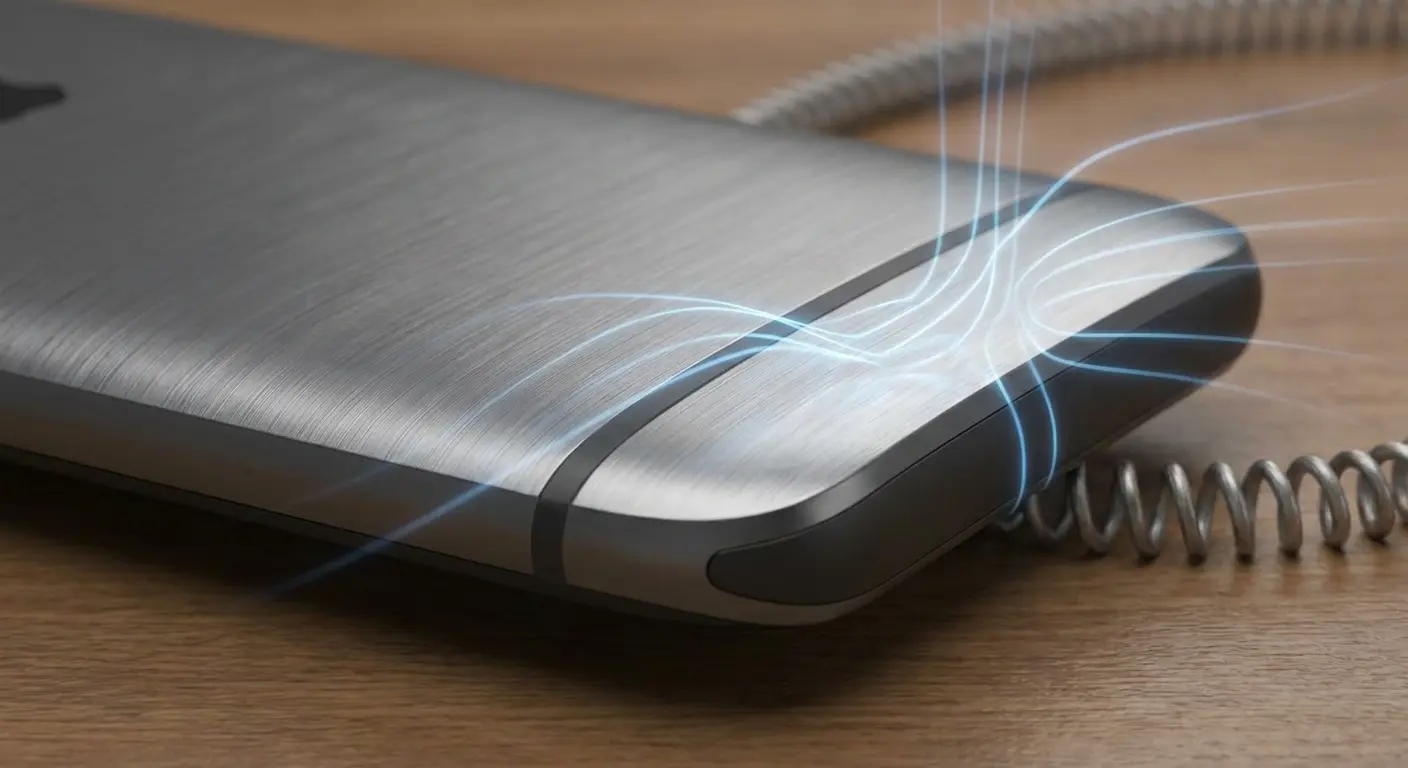
Look, I made a table because this stuff gets confusing. The main takeaway: metal = bad, thin = good, and if your case has both metal AND thickness, you're asking for problems.
Case Material |
Signal Attenuation |
Primary Interference Type |
Best Use Case |
|---|---|---|---|
Metal/Aluminum |
High (3-5 dB loss) |
Faraday cage effect, complete signal blocking |
Avoid for primary phone case |
Thick Rubber/Silicone |
Moderate (1-2 dB loss) |
Distance from antenna, material density |
Good for drop protection, moderate signal areas |
Thin Plastic/TPU |
Low (0.5-1 dB loss) |
Minimal interference |
Balanced protection and reception |
Leather/Fabric |
Low to Moderate (1-2 dB loss) |
Depends on thickness and metal accents |
Good if no metal components present |
Hybrid (Metal + Rubber) |
High (2-4 dB loss) |
Combined Faraday effect and distance |
Avoid in weak signal areas |
Thick rubber cases present a different problem. They don't block signals the same way metal does, but they create enough distance between the antenna and the outside world to weaken reception. Add in any metallic elements (decorative plates, magnetic strips, or even conductive materials in the case design), and you're compounding the issue.
The Death Grip Is Still Real
Remember when holding your phone a certain way could kill your signal? That problem never went away. We just stopped talking about it.
Your hand contains enough water and biological material to absorb and reflect radio frequencies. When you grip your phone in a way that covers the antenna bands, you're introducing interference that the phone has to work around.
During the initial moments of an incoming call, your phone and the cell tower perform a quick handshake to establish the connection. If your grip is blocking the antenna during this split-second exchange, the handshake fails. The tower moves on. You never see a missed call notification because, from the network's perspective, your phone wasn't available.
Had a guy last year (corporate type, always in a rush) who swore his phone was broken. He'd been to the Apple Store twice. They ran diagnostics. Everything checked out. But he kept missing calls from his boss, and in his line of work, that's a career-limiting problem.
Took me three conversations to get him to admit he kept his phone in a thick leather portfolio case and always gripped it with his palm covering the bottom edge during calls. The combination of the case thickness and his grip placement was covering both primary antenna bands on his iPhone 13. Once he switched to a thinner case and adjusted his grip to the sides rather than top and bottom, his missed call rate dropped to zero.
Many users discover that their phone not ringing issue stems from how they hold their device, which is why understanding the best phone cases for drop protection can help you choose cases that won't interfere with signal reception.
Different phone models position antennas differently. The iPhone's antenna bands run along the sides. Many Android devices integrate antennas into the top and bottom edges. Knowing where your specific model's antennas live changes how you should hold and case your device if call reliability matters to you.
Case Thickness and Signal Penetration
I've tested dozens of cases. Hundreds, actually. It's literally my job. Every millimeter of material between your phone's antenna and the outside world matters. A case that adds 3mm of thickness might only reduce signal strength by 1-2 dB in ideal conditions.
But you're not always in ideal conditions.
You're in buildings with concrete walls. You're in cars with metallized windows. You're in areas where the nearest tower is already pushing the limits of its range. That 1-2 dB reduction becomes the difference between a call connecting and going straight to voicemail.
Don't go throwing your case away. That's stupid. But here's what you need to know: case design matters beyond aesthetics and drop protection. Materials matter. Thickness matters. Where the case sits relative to antenna bands matters.
Your Case Is Probably Blocking Your Calls
The Magnet Problem
Magnetic phone mounts changed how we use our devices in cars and around the house. They're convenient. They work. But they can also interfere with your phone's ability to receive calls, and the mechanism is more complex than you'd think.
Your phone's got a magnetometer (basically a digital compass) that helps with GPS and knowing which way is up. Strong external magnets can throw off this sensor, which seems unrelated to cellular reception until you understand that modern smartphones use sensor fusion. They combine data from multiple sensors to make decisions about connectivity and power management.
When the magnetometer reports erratic data because of external magnetic interference, the phone's processor burns cycles trying to figure out what's real. And when a call comes in? Those milliseconds you just lost? That's the difference between the call connecting and going to voicemail.
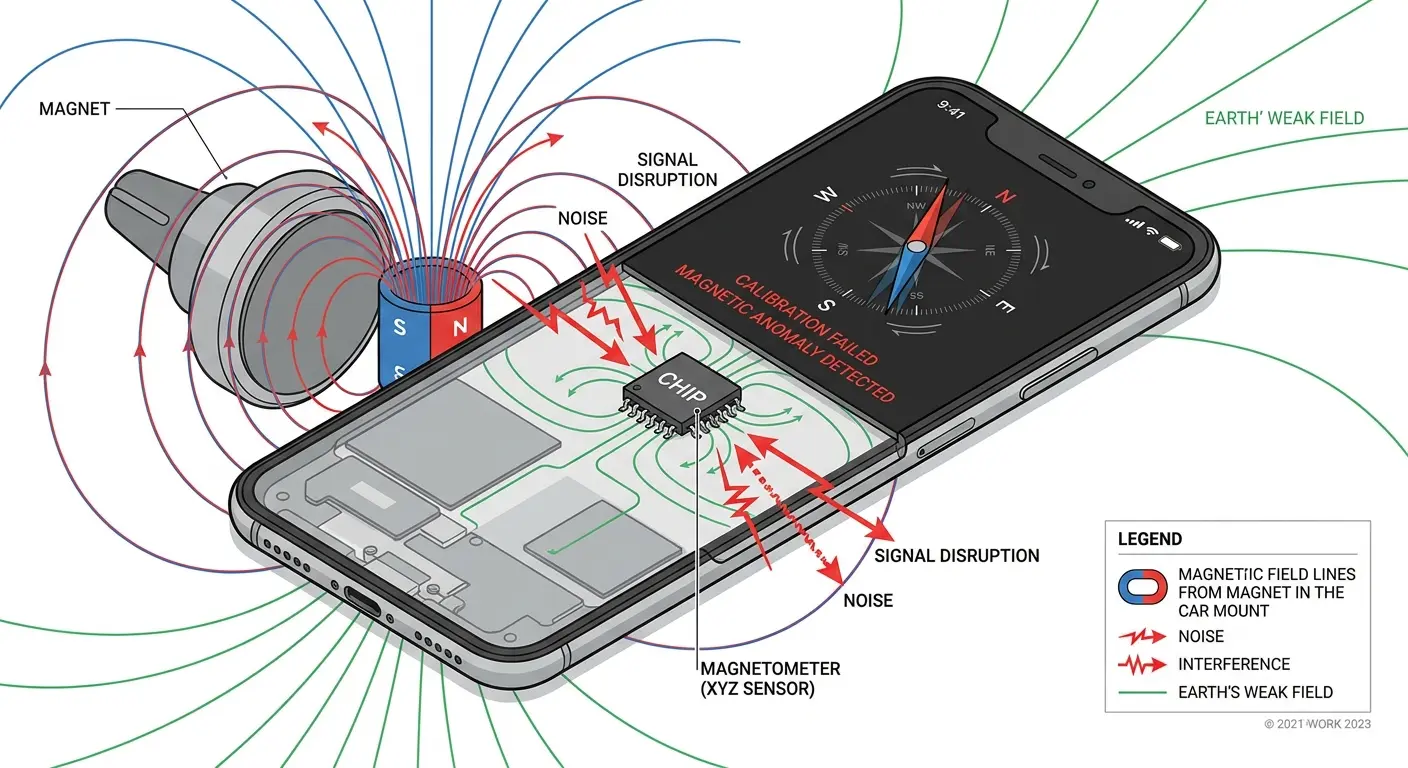
Some magnetic mounts also contain metal plates that users stick directly to their phone or case. These plates sit right where antennas are trying to transmit and receive signals. You've put a metal barrier between your antenna and the world, then wondered why calls aren't coming through.
Screen Protectors and Proximity Sensors
Okay, this next one is weird.
Your phone's proximity sensor (the thing that turns off your screen when you hold the phone to your ear) plays a role in call management. Thick or poorly applied screen protectors can interfere with this sensor's ability to detect your face.
When the proximity sensor malfunctions, your phone might think it's in your pocket when it's sitting on your desk. Some phones reduce ring volume or vibration intensity when they detect they're in an enclosed space (to save battery and reduce unnecessary noise). If your sensor is confused, your phone might be receiving calls but not alerting you because it thinks it's tucked away somewhere.
Choosing the right iPhone screen protector that doesn't interfere with sensors is crucial for maintaining proper phone functionality.
A friend complained about phantom missed calls for weeks. Her phone would show incoming call notifications after the fact, but never rang or vibrated. We discovered she'd installed a thick tempered glass screen protector that extended over the proximity sensor area. The protector's adhesive layer was just dense enough to confuse the sensor into thinking the phone was always face-down. Once she trimmed the protector away from the sensor area, every call came through normally.
Glass screen protectors with certain coatings can also create unexpected interference. I've seen cases where UV-cured adhesives or anti-glare coatings on screen protectors created just enough electromagnetic noise to disrupt the phone's ability to maintain stable cellular connections.
Moisture, Lint, and Other Crap in Your Ports
Water Damage You Can't See
Your phone got wet three months ago. You dried it off. Everything seemed fine.
But moisture has a way of lingering in places you can't reach. The charging port, the SIM card tray, the tiny gaps around buttons and speakers. This residual moisture creates corrosion on electrical contacts over time.
Corrosion on your SIM card contacts is bad news. The SIM card is how your phone authenticates with your carrier's network. Even minor corrosion can cause intermittent connection issues that manifest as missed calls. The phone might show full signal bars because it can see the tower, but it can't properly authenticate when a call tries to come through.
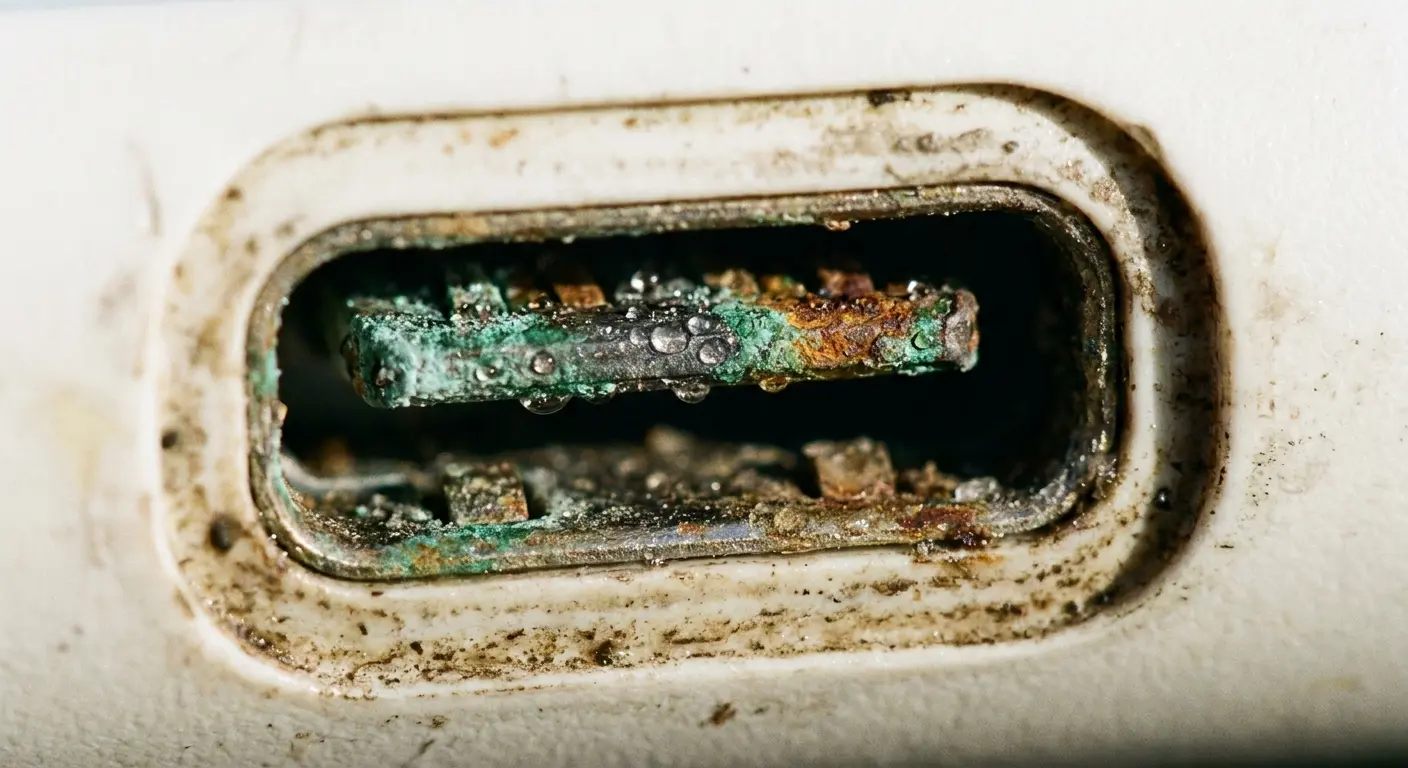
Moisture in the charging port does something similar. Modern phones use the charging port for more than just power. It's a data connection. It's how the phone communicates with certain accessories. Corrosion here can create electrical noise that interferes with the phone's radio components, especially if the charging port circuitry shares pathways with cellular radio circuits (which it often does on compact phone designs).
The Lint Thing (Yeah, Really)
You carry your phone in your pocket every day. Lint accumulates in the charging port, the speaker grills, the microphone holes. Most people don't think about this until the charging cable stops fitting properly. But this debris causes problems long before it becomes visible.
Packed lint in speaker grills can muffle your ringtone to the point where you don't hear incoming calls. More importantly, this debris can create pressure on internal components. The speaker assembly sits near other critical components, including parts of the antenna system in some phone designs. Physical pressure from compressed debris can cause micro-disconnections in ribbon cables or shift components just enough to degrade performance.
Things I Actually Check When Someone Says Their Phone Won't Ring:
Take the case off. Just... take it off and see what happens.
Look in the charging port with a flashlight. You'd be amazed what's in there.
Pop the SIM card out, wipe it on your shirt (clean part of your shirt), put it back.
Check if they're keeping their phone somewhere stupid (next to a speaker, in a metal desk drawer, etc.)
Ask when they last dropped it. They'll say they didn't. They're lying. Everyone drops their phone.
Feel if the phone is hot or cold. Temperature matters.
Ask about their case. Then ask about their ACTUAL case, because the first answer is always "just a normal case."
This isn't the official diagnostic procedure. This is what actually works.
The SIM card tray is another accumulation point. Dust gets in there every time you handle your phone. Over time, this dust can prevent the SIM card from making solid contact with its pins. You get intermittent network connectivity that looks random but is tied to how the phone is oriented or whether you've recently bumped it.
Humidity and Condensation
You don't need to drop your phone in water for moisture to become an issue. Moving from cold outdoor air into a warm building creates condensation inside your device. This happens more than you realize, especially if you live in a climate with significant temperature variations.
Condensation inside your phone creates temporary short circuits across components. These shorts usually don't damage anything permanently, but they can disrupt cellular radio function while they're present. Your phone might reject incoming calls because its internal diagnostics detect electrical anomalies that suggest a hardware fault.
Repeated condensation cycles accelerate corrosion on internal components. The antenna connectors, the SIM card reader, the radio frequency (RF) shield cans that protect sensitive circuits. All of these can develop corrosion that degrades call reception gradually over months of use. When my iPhone not ringing became a persistent issue, I traced it back to morning condensation from my commute, where temperature swings between my cold car and warm office were creating moisture inside the device.
Damage You Can't See (But Your Phone Can)
Micro-Fractures in Internal Antennas
You dropped your phone. The screen didn't crack. The case did its job. Everything looks fine.
But inside, the antenna cable that connects your phone's radio to the external antenna might have developed a micro-fracture.
These fractures don't completely sever the connection. They create intermittent contact that works fine under some conditions and fails under others. When your phone is sitting still on a desk, the fracture maintains contact. When you're walking and the phone is bouncing in your pocket, the fracture opens and closes, creating sporadic signal loss.
Diagnostic tools can't easily detect this. A static test in a repair shop shows the antenna working fine. But real-world use reveals the problem. Calls drop randomly. Signal strength fluctuates without reason. You blame your carrier when the issue is a physical break in a cable thinner than a strand of hair.
Solder Joint Failures from Repeated Drops
Your phone's circuit board contains hundreds of solder joints connecting components. These joints are designed to handle normal use, but they're not magic.
Repeated drops create stress on these joints, especially the larger components such as the cellular radio module.
Solder joints can develop what's called a "cold joint" where the connection is physically present but electrically unreliable. The joint makes contact under some conditions (when the phone is warm, when it's oriented a certain way) and fails under others. Want to know what makes people want to throw their phones out a window? This kind of intermittent problem that can't be consistently reproduced.
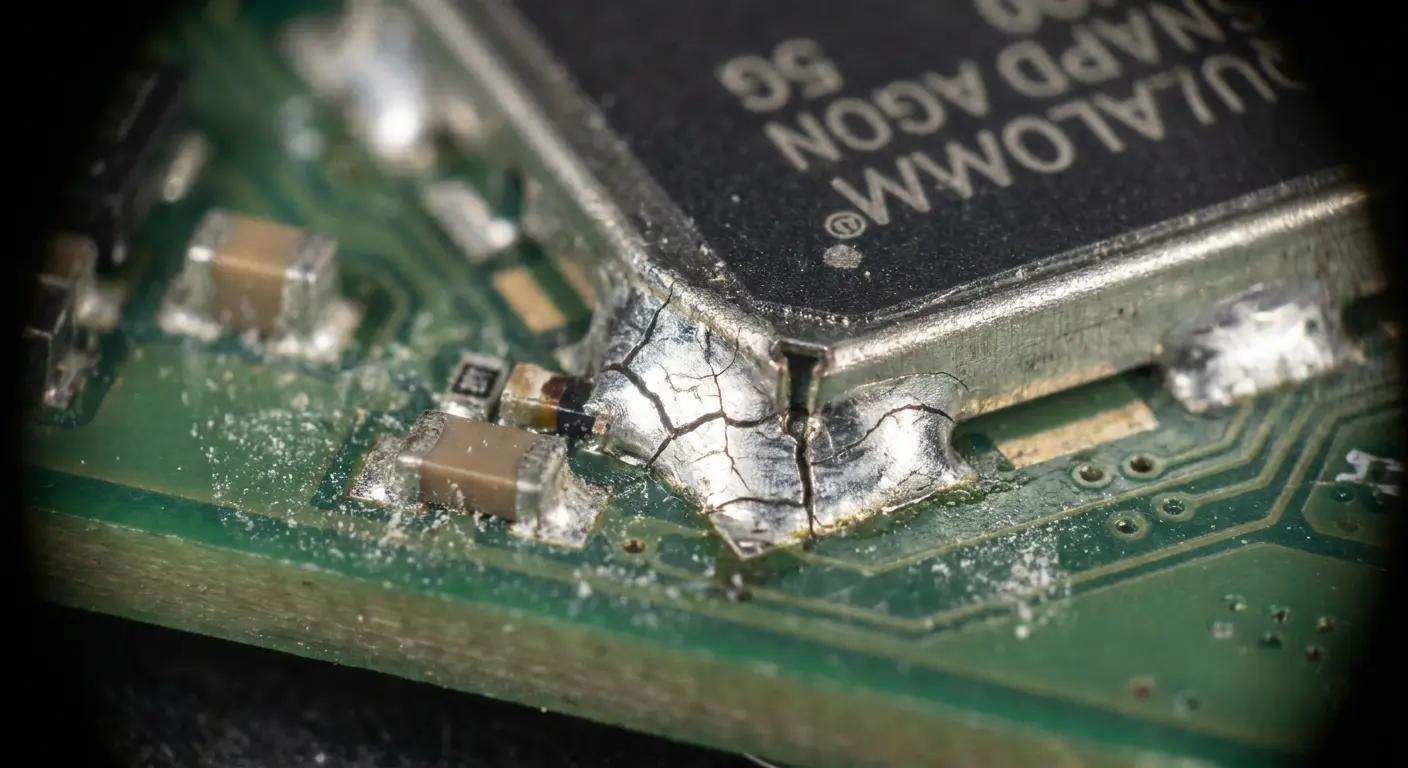
The cellular radio module is one of the larger, heavier components on your phone's mainboard. It's susceptible to solder joint stress from impacts. When these joints start to fail, your phone might show signal but fail to connect calls. The radio can receive the tower's beacon signal (which is what your signal bars measure) but can't handle the two-way communication required for a voice call.
Ribbon Cable Degradation
Inside your phone, flexible ribbon cables connect the mainboard to various components. The antenna, the display, the buttons, the cameras. These cables flex slightly every time you use your phone, and they're designed to handle millions of flex cycles. But physical damage accelerates their degradation.
A drop that seems minor can crimp or crease a ribbon cable. The damage won't kill your phone right away, but it's created a weak spot that's gonna fail eventually. Over the following weeks or months, that weak point fails. If it's the antenna ribbon cable, you lose reception. If it's a cable that carries power to the radio module, you get intermittent connectivity.
Damage Type |
Symptoms |
Time to Failure |
Detection Difficulty |
|---|---|---|---|
Micro-fracture in antenna cable |
Intermittent signal loss during movement |
Immediate to 2 weeks |
Very High (works fine when stationary) |
Cold solder joint on radio module |
Random call drops, works better when warm |
2 weeks to 3 months |
High (temperature dependent) |
Crimped ribbon cable |
Gradual degradation, position-dependent failure |
3 weeks to 6 months |
Moderate (fails in specific orientations) |
Cracked circuit board trace |
Complete loss of specific function |
Immediate to 1 month |
Low (usually shows clear failure pattern) |
Loose antenna connector |
Signal fluctuation with vibration |
Immediate to 1 week |
Moderate (worsens with movement) |
These failures are frustrating because they often appear long after the actual damage occurred. You can't connect the dots between a drop that happened six weeks ago and the call reception problems you're experiencing now.
Why Temperature Matters More Than You Think
Cold Weather and Battery Chemistry
Cold weather destroys battery capacity.
Like, absolutely murders it. Below freezing, your lithium-ion battery can lose 20-30% of its capacity just from the temperature. Your phone knows this, which is why it starts shutting down non-essential systems to preserve enough juice to turn back on when you get somewhere warm.
Guess what counts as "non-essential" when your phone is trying not to die?
Your phone won't completely kill the cellular radio when it's cold. It means the radio operates at reduced power. Reduced power means reduced range. A tower that your phone could easily connect to at room temperature becomes unreachable when the battery is cold and the radio is power-limited.
Cold temperatures also affect the physical properties of your phone's components. Circuit boards contract. Solder joints experience stress. Connections that are solid at normal temperatures can become intermittent when cold. This is why some people experience reception problems only in winter, even in the same locations where their phone worked fine during summer.
Heat and Thermal Throttling
The opposite problem occurs in heat. When your phone gets too hot (from direct sunlight, from being left in a car, from intensive use), it throttles performance to prevent damage. The cellular radio generates heat when actively transmitting and receiving. It's one of the first systems the phone will throttle when temperatures climb.
Thermal throttling of the cellular radio means your phone reduces transmission power and becomes more selective about which signals it tries to process. It might ignore weaker signals from distant towers to reduce the processing load and heat generation. If an incoming call happens to route through a tower that your phone has deprioritized due to thermal limits, the call won't connect.
You'll still see signal bars because those measure the strongest available signal, not the specific tower handling your calls at that moment. The network might be trying to route your call through a different tower that your thermally-throttled phone is ignoring.
Temperature-Induced Adhesive Failure
Modern phones use adhesive to hold components in place. Battery adhesive, display adhesive, adhesive securing the antenna cables. Temperature extremes degrade these adhesives over time. When adhesive fails, components can shift position slightly.
An antenna cable that shifts even a millimeter might lose contact with its connector. A radio shield that's no longer properly secured might allow electromagnetic interference to reach sensitive circuits. These shifts create intermittent problems that are nearly impossible to diagnose without disassembling the phone.
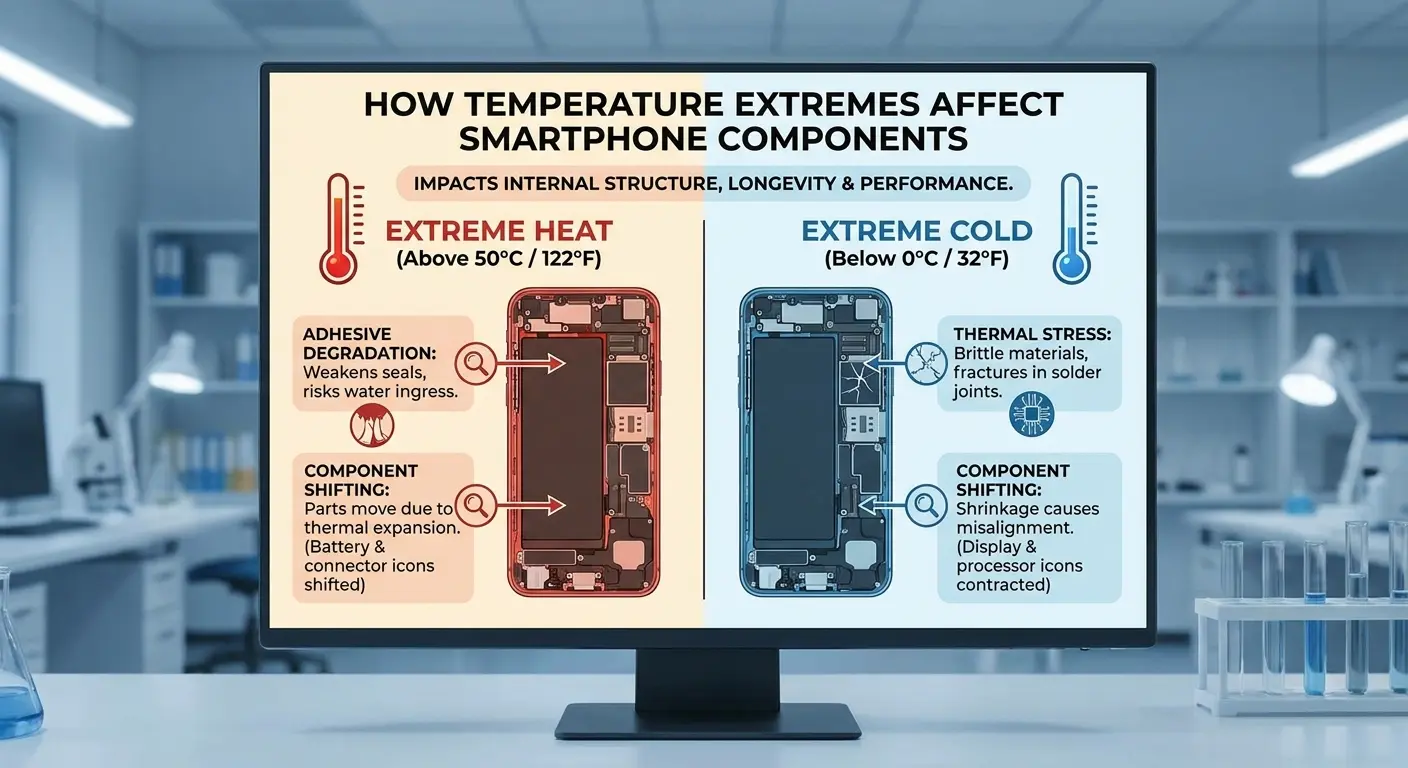
The adhesive problem compounds over time. Each temperature cycle weakens the adhesive a bit more. A phone that's two years old and has been through multiple summers and winters has adhesive that's lost much of its strength. Components that should be firmly secured are now held in place by adhesive that's barely doing its job.
Magnets: Not Always Your Friend
MagSafe and Qi Charging Effects
Wireless charging. Convenient as hell. Also? Potentially screwing with your calls.
Wireless charging systems use magnetic fields to transfer power. These fields are strong enough to potentially interfere with your phone's cellular radio, especially during the moments when a call is trying to connect. The interference comes in waves, literally pulsing with the charging cycle. During those pulses? Your reception tanks.
Some phones handle this better than others. Apple's MagSafe system is designed with shielding to minimize interference with iPhone radios. But third-party magnetic accessories don't always include the same level of engineering. A cheap magnetic charging pad might create enough electromagnetic noise to disrupt call reception while charging.
The problem intensifies if you're using a magnetic mount in your car that also charges your phone. You've now got magnetic fields from the mount, electromagnetic fields from the charging coil, and potentially metal components in the mounting system all creating a soup of interference around your phone's antennas.
Speakers and Magnetic Fields
Your phone's speakers contain magnets. So do external Bluetooth speakers if you keep them near your phone. These magnetic fields can interact with your phone's internal components in ways that affect cellular reception. The effect is usually subtle, but in marginal signal conditions, subtle degradation is enough to cause missed calls.
Placing your phone directly on top of a speaker (a common habit when listening to music at a desk) puts the phone's antennas in close proximity to strong magnetic fields. Some phones include magnetic shielding to prevent this interference, but not all do, and shielding degrades over time if the phone has been dropped or opened for repairs.
Credit Cards and RFID Interference
Here's something nobody expects. The RFID chips in credit cards and access badges emit electromagnetic signals when activated (when you tap to pay or scan into a building). If your phone is in your wallet or in a pocket with RFID cards, these signals can create momentary interference with cellular reception.
The interference is brief, usually just a few seconds. But if it happens to coincide with an incoming call, that's enough to cause the call to fail. Your phone and the tower need to complete their handshake within a specific time window. RFID interference during that window breaks the connection.
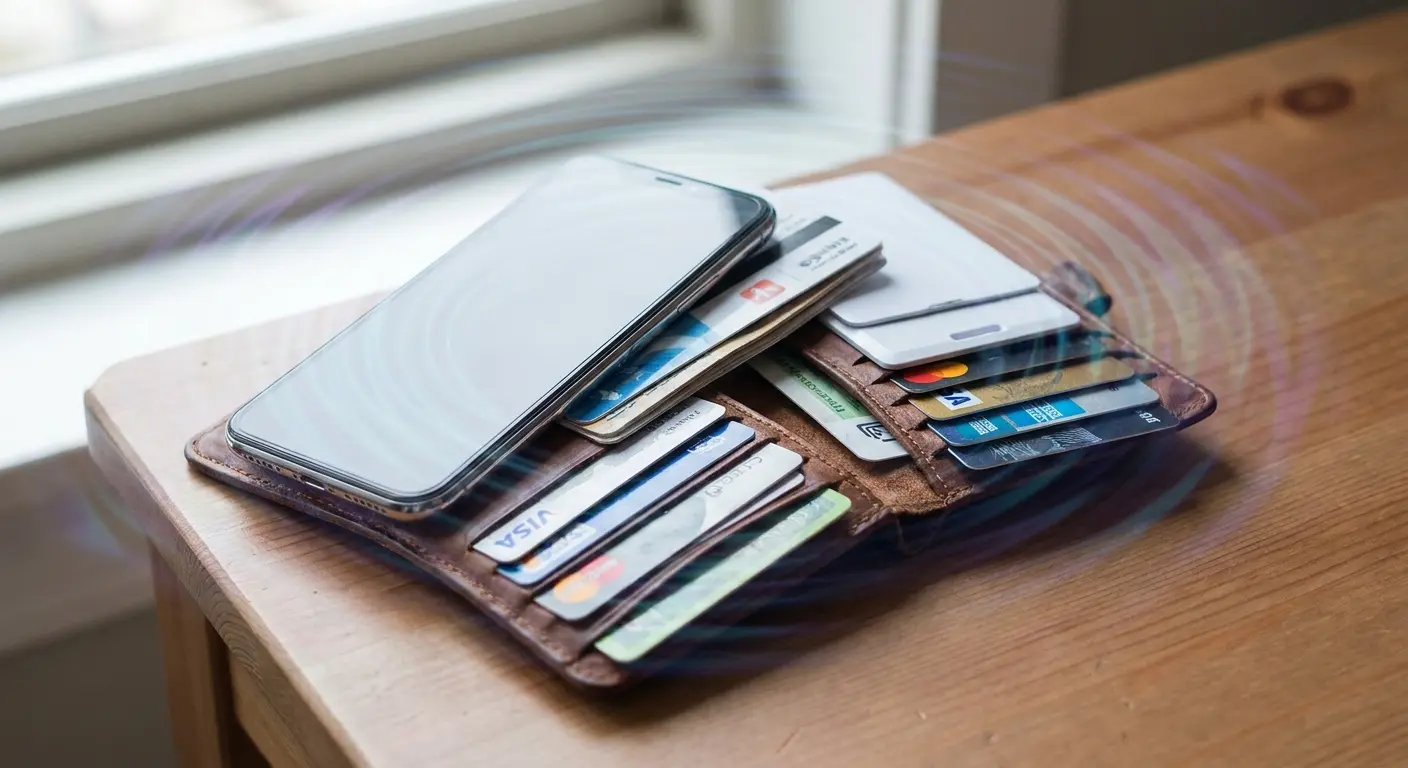
This is more common than you'd think in work environments where people carry multiple access badges and keep their phones in the same pocket or bag. Each RFID interaction creates a small window of potential interference.
Your Mount Is Screwing Up Your Reception
You've invested in protecting your phone. You want it accessible while driving, biking, or working. But the mounting system you choose directly impacts whether calls can reach you. I've seen this play out thousands of times with customers, and it comes down to three physical factors: materials, positioning, and isolation.
Metal dashboard mounts create reflection points for cellular signals. Your phone is trying to communicate with a tower that might be miles away, and the metal surface behind it bounces signals in unpredictable directions. The phone's antenna expects signals to arrive from certain angles based on tower location. When those signals reflect off metal surfaces first, they arrive from the wrong angle with reduced strength. Your phone might maintain a connection to the tower for data, but the real-time requirements of voice calls demand stronger, cleaner signals.
Plastic mounts solve the reflection problem but introduce another issue: vibration. A mount that doesn't dampen vibration transfers every bump and engine rumble directly to your phone. This constant movement stresses the internal antenna connections we talked about earlier. Over time, it can loosen solder joints or create intermittent contact in ribbon cables.
Last month, a guy named Marcus called me at 6 PM on a Friday (always a good sign). He's a delivery driver, and he'd been missing customer calls only while driving, never when parked. His phone sat in a rigid plastic mount bolted directly to his truck's metal dashboard. The combination of constant vibration from the diesel engine and signal reflection from the metal dash created a perfect storm. We recommended switching to a windshield mount with vibration dampening, positioned higher and away from metal surfaces. His missed call rate dropped by over 80% in the first week.
The mounting position matters just as much as the mount itself. A windshield mount puts your phone higher, with fewer obstructions between it and cell towers. A dashboard mount positions your phone lower, where the car's body and engine block can interfere with signals. The difference in reception quality between these two positions can be dramatic, especially in areas with marginal coverage.
Optimal Phone Mounting Setup:
Choose mounting location with clear line of sight to windows (windshield better than dashboard)
Verify mount materials are non-metallic or have RF-transparent design
Ensure mount includes vibration dampening (rubber grommets, flexible arms, or shock-absorbing materials)
Position phone vertically rather than horizontally for antenna orientation
Keep phone at least 6 inches away from metal surfaces when possible
Test reception quality at mounting location before permanent installation
Avoid mounting directly over engine compartment where heat and electromagnetic interference are highest
Confirm charging cable (if used) doesn't create tension that could stress internal connections
Understanding motorcycle phone mounts becomes even more critical when you consider the additional vibration and exposure factors that motorcycles introduce compared to cars.
Position Matters (Yes, Really)
Horizontal vs. Vertical Orientation
Your phone's antennas are polarized. They're designed to send and receive signals most efficiently when oriented a specific way relative to cell towers. Most tower antennas are vertically polarized, which means your phone receives signals best when held upright.
When you lay your phone flat on a desk or table, you've rotated it 90 degrees from its optimal receiving position. The signal has to work harder to couple with your phone's antenna. In strong signal areas, this doesn't matter. The signal is powerful enough to overcome the orientation mismatch. In weak signal areas, this orientation difference can prevent calls from connecting.
This is why some people notice they miss calls when their phone is on their desk but receive them fine when the phone is in a pocket or bag (where it tends to stay more vertical). The orientation change alone can account for several dB of signal improvement.
Pocket Placement and Body Blocking
Your body is mostly water, and water absorbs radio frequency signals. When you put your phone in your pocket, your body becomes an obstacle between the phone and cell towers. Which pocket you choose matters more than you'd think.
A phone in your front pocket has your legs and torso blocking signals from behind you. A phone in your back pocket has your entire body blocking signals from the front. If the nearest cell tower is behind you and your phone is in your front pocket, you've put the maximum amount of biological interference between your phone and the tower.
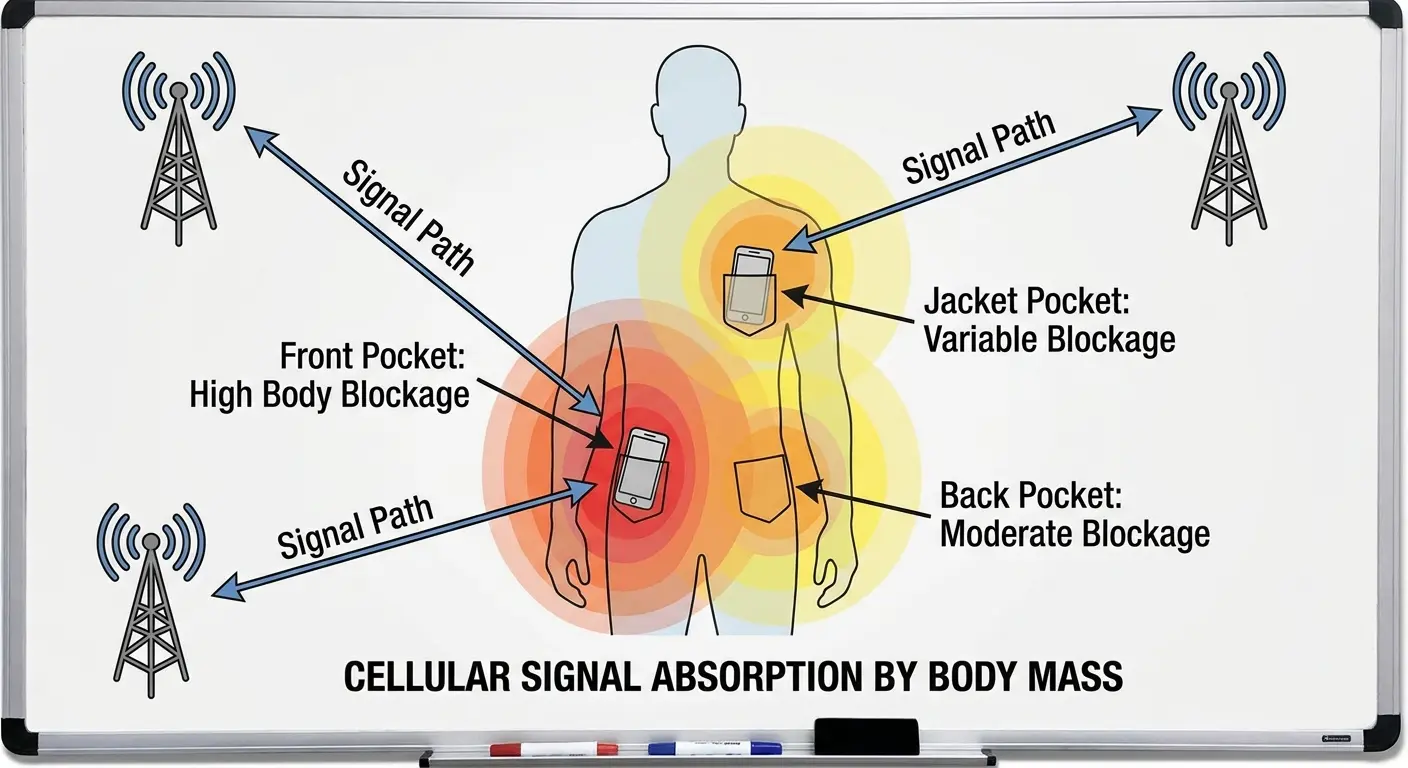
In buildings or vehicles where signals are already weakened by walls and windows, your body's additional signal absorption can be the factor that prevents calls from connecting. People who habitually keep their phones in the same pocket often develop blind spots where calls consistently fail to connect, and they don't realize their body position relative to towers is the cause.
The Flat Surface Problem
Placing your phone flat on metal surfaces (desks, tables, car hoods) creates what's called a ground plane effect. The metal surface interacts with your phone's antenna, changing its radiation pattern. Sometimes this helps by making the antenna larger. More often, it hurts by creating dead zones in certain directions.
Metal surfaces also create eddy currents when exposed to the electromagnetic fields from your phone's antenna. These currents generate their own fields that can interfere with the phone's ability to receive weak signals. The effect is strongest when the phone is flat against the metal, which is exactly how most people set their phones down on desks.
Wood and plastic surfaces don't create the same interference, but they can still absorb signals if they're thick enough or contain certain materials. A phone sitting on a thick wooden desk receives signals better than one in a metal desk drawer, but worse than one standing upright in a holder.
Distance from Your Body
Small increases in distance from interference sources (your body) can improve reception dramatically.
A phone in a chest pocket is closer to your body's mass than one in a pants pocket. A phone in a tight pocket is pressed against your body. A phone in a loose pocket or bag has air gaps that reduce body absorption of signals. These small distance differences accumulate into measurable reception improvements.
This is why belt clips and holsters (remember those?) provided better reception than pocket carry. The phone sat farther from your body's mass, with fewer obstructions between it and towers. The fashion cost was high, but the physics was sound.
Elevation Changes
Height above ground affects cellular reception more than most people realize. Cell towers broadcast signals that propagate better at certain heights above terrain. Your phone on a first-floor desk receives different signal characteristics than the same phone on a tenth-floor desk in the same building.
Ground-level placement means your phone's signals have to travel through or around more obstacles. Buildings, vehicles, landscaping, even people walking by can block or reflect signals. Each obstruction degrades signal quality. Moving your phone just a few feet higher (from a desk to a shelf, from your pocket to a bag on your shoulder) can clear some of these obstacles.
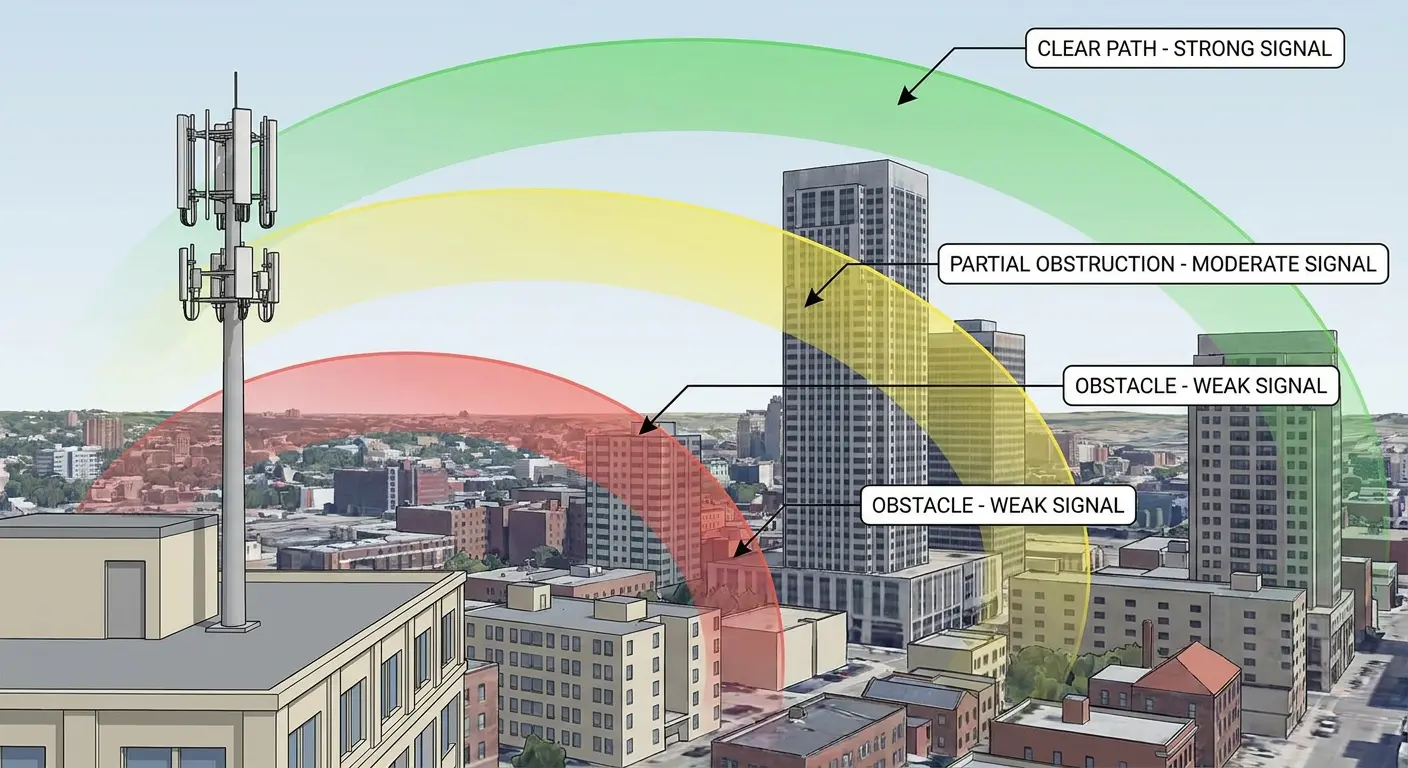
The effect is most noticeable in urban environments where buildings create signal canyons. Your phone might have terrible reception on the street but perfect reception when you step into a building lobby that's ten feet higher than the sidewalk. The elevation change moved your phone out of a dead zone created by signal reflections off surrounding buildings.
Final Thoughts
Look, I get it. This is a lot of information about phone cases and antenna bands and magnetic interference. You probably just want your phone to ring when someone calls you.
But here's the thing: your phone is a radio. A really sophisticated radio with a computer attached, but still a radio. And radios are physical devices that respond to physical conditions. The case you put on it, the pocket you keep it in, the mount you use in your car, the temperature outside. All of that matters.
Most people never think about this stuff until they've already spent hours troubleshooting settings and arguing with their carrier. I'm trying to save you that time.
Start paying attention to patterns. When do calls fail to come through? What's your phone doing at those moments? Where is it? What's touching it? The answers are usually obvious once you start looking for them.
And if you've addressed all this physical stuff and you're still having problems? Then yeah, maybe it's time to talk to your carrier or get the phone looked at professionally. If you're still experiencing issues with why is my phone not ringing after addressing these physical factors, it may be time to explore phone repair options or consider whether your device needs professional attention.
Sometimes the damage runs deeper than what basic maintenance can fix, and understanding bike phone mounts or other specialized mounting solutions can help prevent future physical damage that leads to reception issues.
But start with the physical factors first. They're free to fix, and they solve the problem way more often than you'd think.

