


So you're sitting there, checking your settings for the third damn time. Do Not Disturb? Off. Volume? Cranked. And yet nothing. Your phone's just sitting there like a brick when you know someone's trying to reach you. Look, most troubleshooting articles just repeat the same basic checklist: restart your phone, check your settings, blah blah blah. But here's what they're missing: sometimes it's not about software at all. After years of designing phone cases and mounts at Rokform, I've watched people struggle with this exact problem, and nine times out of ten? It's physical. Your case is too thick. There's crap stuck in your charging port. Your magnetic mount is sitting right over the vibration motor. Stuff like that.
Quick Navigation (if you want to skip around)
Why your case is probably the problem
Mounting systems that kill vibrations
That lint in your charging port (yes, really)
Wireless charging pads are vibration killers
Magnetic mounts and interference
When it's actually broken (and how to test)
Other weird stuff that affects vibrations
How Rokform handles this in our designs
Too Long, Didn't Read?
Your phone's probably fine. The problem is usually:
Your case is too thick and absorbing all the vibration
Magnetic mounts can mess with the motor
There's a disgusting amount of lint in your charging port (seriously, go check)
Wireless charging pads dampen everything by design
Cold weather makes vibrations weaker
Or yeah, sometimes the motor actually dies
Take your case off and test it on a hard surface. If it vibrates, you don't have a hardware problem.
The Dampening Effect: How Case Materials Absorb Vibration Energy
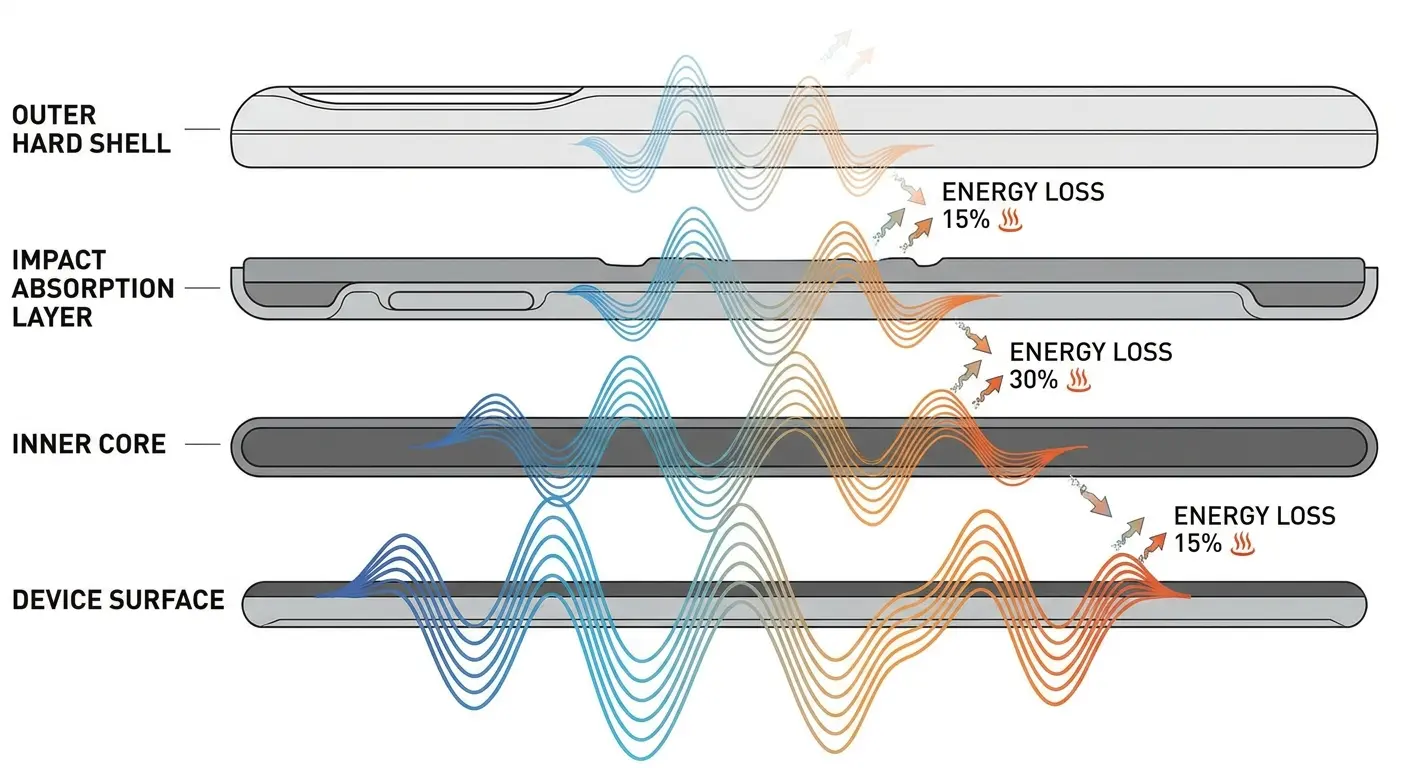
Your phone's haptic motor generates vibrations at specific frequencies, typically between 150-250 Hz. These vibrations need to travel through your case material to reach your hand or the surface your phone rests on. Most case manufacturers focus exclusively on drop protection and grip, treating vibration transmission as an afterthought.
And here's the thing nobody tells you: the same materials that keep your phone safe when you drop it? They're also killing your vibrations. It's basically a trade-off nobody mentions.
Understanding Vibration Transmission Through Protective Layers
TPU cases (you know, those flexible rubbery ones) are absolutely terrible for this when your phone is not vibrating. Yeah, they'll save your phone if you drop it, but they basically eat vibrations for breakfast. That flexibility works against you. Two-layer cases that combine a soft inner sleeve with a hard outer shell create multiple interfaces where vibration energy just disappears. Polycarbonate performs better but still introduces dampening when you exceed 2mm thickness.
Case Material |
Can You Feel It? |
Protection Level |
When to Use It |
|---|---|---|---|
TPU (those rubbery ones) |
Barely (30-40%) |
Really good |
Heavy-duty protection when you don't care about missing texts |
Polycarbonate (thin) |
Pretty well (65-75%) |
Decent |
Best middle ground honestly |
Polycarbonate (thick) |
Meh (50-60%) |
Really good |
Rugged use, acceptable trade-off |
Silicone |
Nope (20-30%) |
Okay |
Grip-focused, expect to miss stuff |
Two-Layer Hybrid |
Forget it (25-35%) |
Best protection |
Maximum protection, minimal vibration |
Wallet Cases |
Good luck (10-20%) |
Not great |
Style over function |
The Multi-Layer Case Problem
Cases with separate inner and outer components create air gaps that act as vibration breaks. You might feel a faint buzz if you're holding the phone directly, but place it on a table or in your pocket, and the vibration disappears entirely.
I talked to a delivery driver last month who was using one of those three-layer OtterBox Defender cases. He kept missing pickups, like a lot of them, because his phone would vibrate and he'd feel absolutely nothing through that case and his cargo pants. We're talking 12 package pickup notifications during a four-hour shift. Switched to a single-layer polycarbonate case and boom, problem solved. Immediately felt every notification, even with the phone in his cargo pocket.
Wallet cases and folio designs make this worse. The front flap adds another material layer, and when closed, it creates a sealed environment where vibrations echo internally without escaping. Your phone is vibrating. You just can't feel it through all those barriers.
Material Density and Vibration Frequency Matching
Different materials dampen different vibration frequencies. Your phone's haptic motor creates complex vibration patterns with multiple frequency components. A case material might transmit low-frequency vibrations effectively while completely blocking high-frequency components.
This selective dampening explains why you might feel vibrations for calls (which typically use longer, lower-frequency patterns) but miss text notifications (which use shorter, higher-frequency bursts). The case isn't broken. It's just filtering out specific frequencies based on its material properties.
Mounting Systems That Inadvertently Silence Your Device
When selecting the right solution for your vehicle, consider how different car phone mount types affect vibration transmission based on their contact points and mounting mechanisms.
Dashboard and Vent Mounts Create Vibration Sinks
Mount your phone in your car, and suddenly you can't feel it vibrate anymore. The mounting mechanism itself becomes a vibration pathway that redirects energy away from areas where you'd notice it. Clip-style vent mounts are the worst for this because they create rigid contact points that channel vibrations directly into your car's ventilation system.
The plastic louvers in your air vents act as resonators, absorbing and dissipating the vibration energy. Dashboard mounts with suction cups or adhesive bases create a similar problem. The mounting surface becomes the primary vibration receptor, and because it's larger and more massive than your phone, it absorbs the energy without producing noticeable movement.
A rideshare driver installed a dashboard-mounted phone holder with a gel suction base to manage navigation and ride requests. Within the first week, he missed three pickup notifications because the 4-inch suction cup base absorbed all vibration energy from his phone. The mount was so stable it didn't move even slightly when notifications arrived. He only discovered the missed requests when he physically checked his phone at red lights.
Switching to an audible notification system solved the immediate problem, but the mounting system remained the vibration killer. Understanding how to fix vibration issues in mounted scenarios often means accepting that physical mounting solutions prioritize stability over haptic feedback.
Handlebar and Bike Mounts Introduce Constant Background Vibration
Motorcycle and bicycle mounts face a different challenge. The constant vibration from road surfaces creates a baseline that masks your phone's intentional haptic feedback. Your brain filters out the continuous vibration as background noise, making it nearly impossible to distinguish notification buzzes.
Some mounting systems use rubber dampeners to protect your phone from road vibration. These same dampeners also block your phone's outgoing vibrations. You've created a two-way vibration barrier.

The Forgotten Culprit: Debris and Pocket Lint in Charging Ports
Your charging port isn't just an electrical connection point. In many phone designs, it's also a structural opening that allows vibrations to escape more freely than through solid case areas.
How Compacted Debris Blocks Vibration Pathways
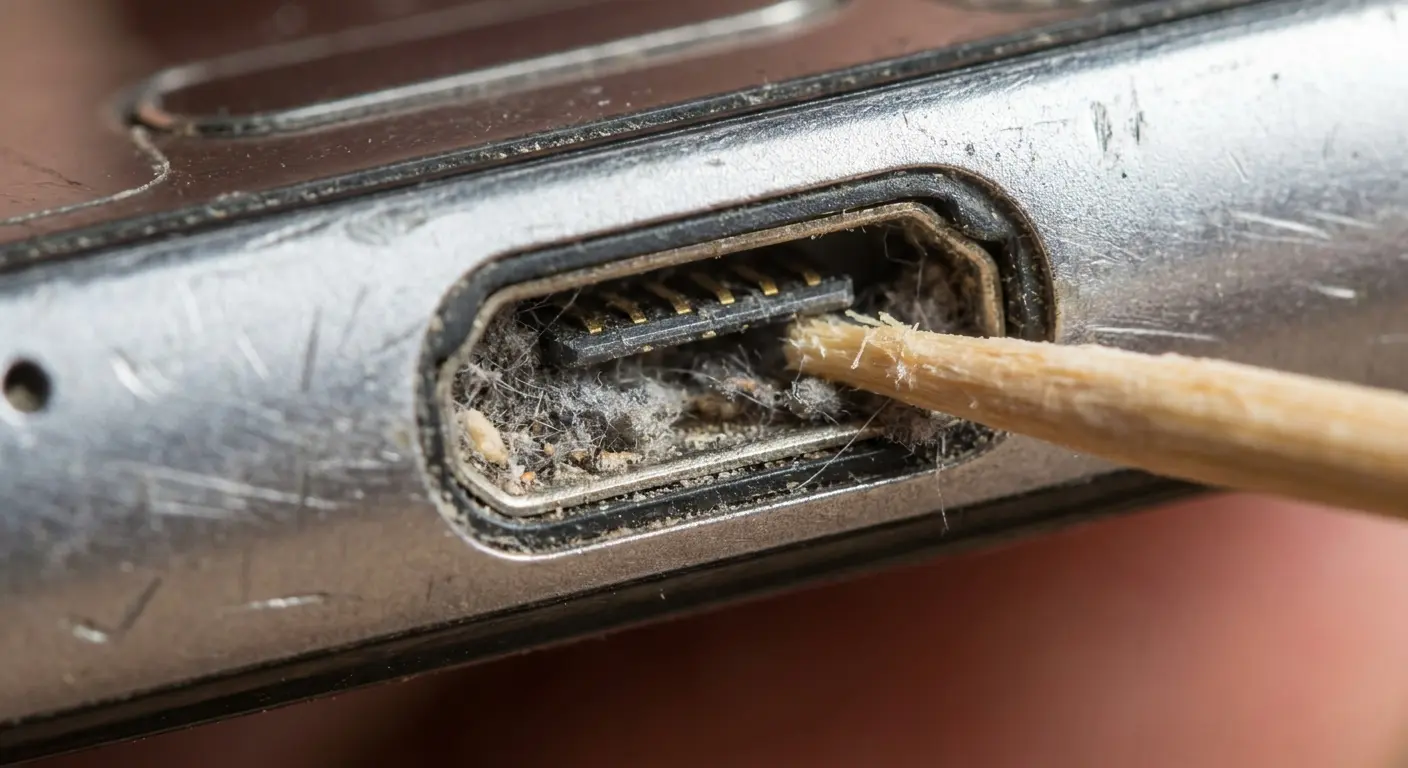
When lint, dust, and pocket debris compact inside this port, they create a dense plug that blocks vibration transmission. You won't notice this blockage when charging because the electrical connection still works. But the physical obstruction really reduces the vibration intensity you feel during notifications.
Pull out a toothpick (plastic, never metal) and gently excavate your charging port. You'll be shocked at how much compressed lint comes out. I felt like an idiot when I discovered this. Regular maintenance is key for keeping things working right, similar to keeping your iPhone charging port clean to make sure both electrical connectivity and vibration transmission stay clear.
Quick charging port cleaning guide:
Power off your phone completely before cleaning
Use a wooden toothpick or plastic dental pick (never metal tools that can damage contacts)
Work in good lighting so you can see inside the port
Gently scrape along the bottom and sides of the port, pulling debris outward
Use short, controlled movements to avoid pushing debris deeper
Remove the extracted lint after every few scrapes
For stubborn debris, use compressed air at an angle (never straight into the port)
Inspect speaker grilles and remove any visible blockages with a soft brush
Test vibration intensity before and after cleaning to confirm improvement
Repeat monthly for phones kept in pockets, weekly for high-dust environments
And before you skip this thinking "my port is fine," I thought that too. Then I pulled out what looked like an entire wool sweater from mine. It was disgusting. You've been warned.
Speaker Grille Blockages and Vibration Dampening
Bottom-firing speakers share space with haptic motors in most phone designs. The speaker grilles provide ventilation and sound output, but they also serve as vibration transmission points. Block these grilles with debris, and you've muffled your phone's ability to announce notifications.
This problem gets worse if you use your phone at the gym or in dusty environments. Sweat, moisture, and fine particles combine to create a paste-like substance that adheres to speaker meshes. The blockage is gradual enough that you don't notice the declining vibration intensity until it's nearly gone. Learning how to fix vibration problems often starts with basic maintenance most people overlook.
Why Wireless Charging Pads Kill Vibration Notifications
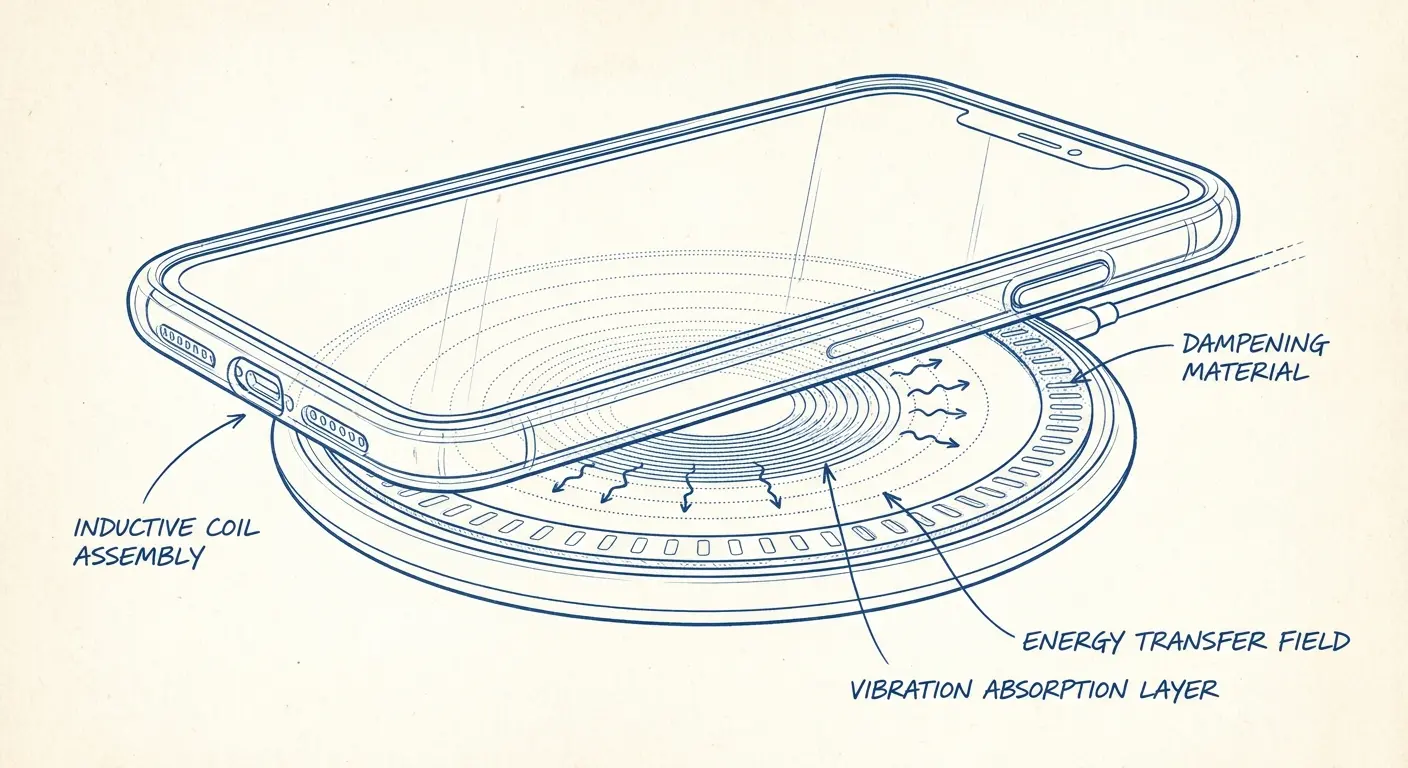
Place your phone on a wireless charging pad, and you've created the perfect vibration dampening scenario.
The Physics of Damped Vibration on Charging Surfaces
The charging pad's surface area distributes and absorbs vibration energy. The slight adhesion between your phone case and the charging pad's surface (often rubber or silicone) further reduces movement. Wireless charging pads are designed to be stable and non-slip. These same properties make them excellent at preventing your phone from buzzing noticeably.
The vibration occurs, but the energy dissipates into the pad and the surface beneath it. Your phone is not vibrating in any noticeable way, even though the motor fires correctly.
Frustrating, right?
Charging Stands and Multi-Device Stations
Wireless charging stands that hold your phone at an angle seem like they'd solve this problem. They don't. The contact point where your phone rests against the stand becomes a vibration drain. The stand's base, typically weighted for stability, absorbs the vibration energy before it can move the entire assembly.
Charging Setup |
Can You Feel It? |
Why It Fails |
What to Do Instead |
|---|---|---|---|
Flat wireless pad |
Nope |
Surface area eats the energy, rubber absorbs movement |
Enable LED notification light or sounds |
Angled charging stand |
Barely |
Contact point drains energy, weighted base too heavy |
Position stand where you can see the screen |
Multi-device station |
Forget it |
Vibration spreads across devices, too much mass |
Use smart home integration for visual alerts |
Car wireless charger |
Not happening |
Mount stability prevents movement |
Rely on audio notifications |
Bedside charging dock |
Maybe |
Soft nightstand surfaces absorb everything |
Use smart watch for nighttime alerts |
Charging stations that accommodate multiple devices introduce another variable. When your phone vibrates, the energy transfers through the charging station to other devices. The combined mass creates a system that's too heavy for your phone's haptic motor to move noticeably.
The Magnetic Mount Interference Factor
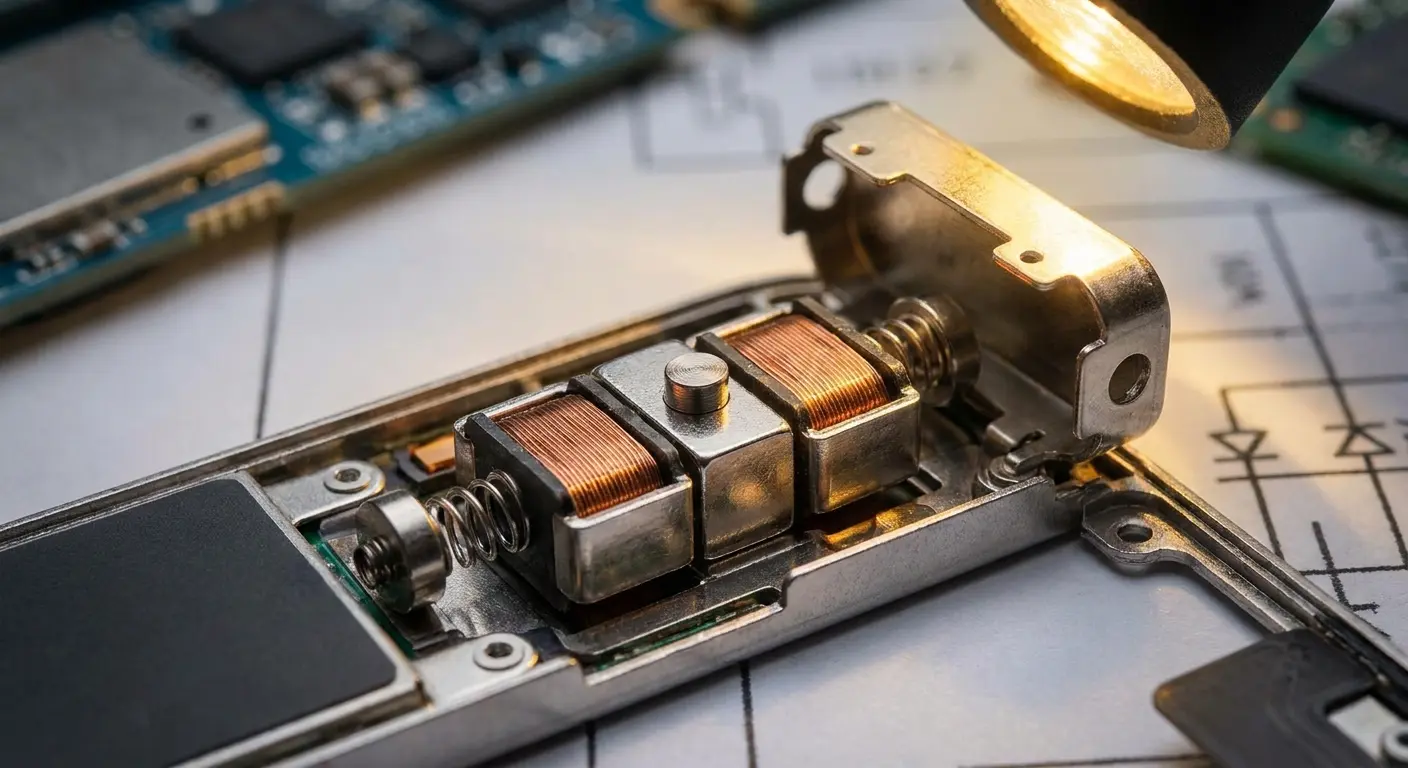
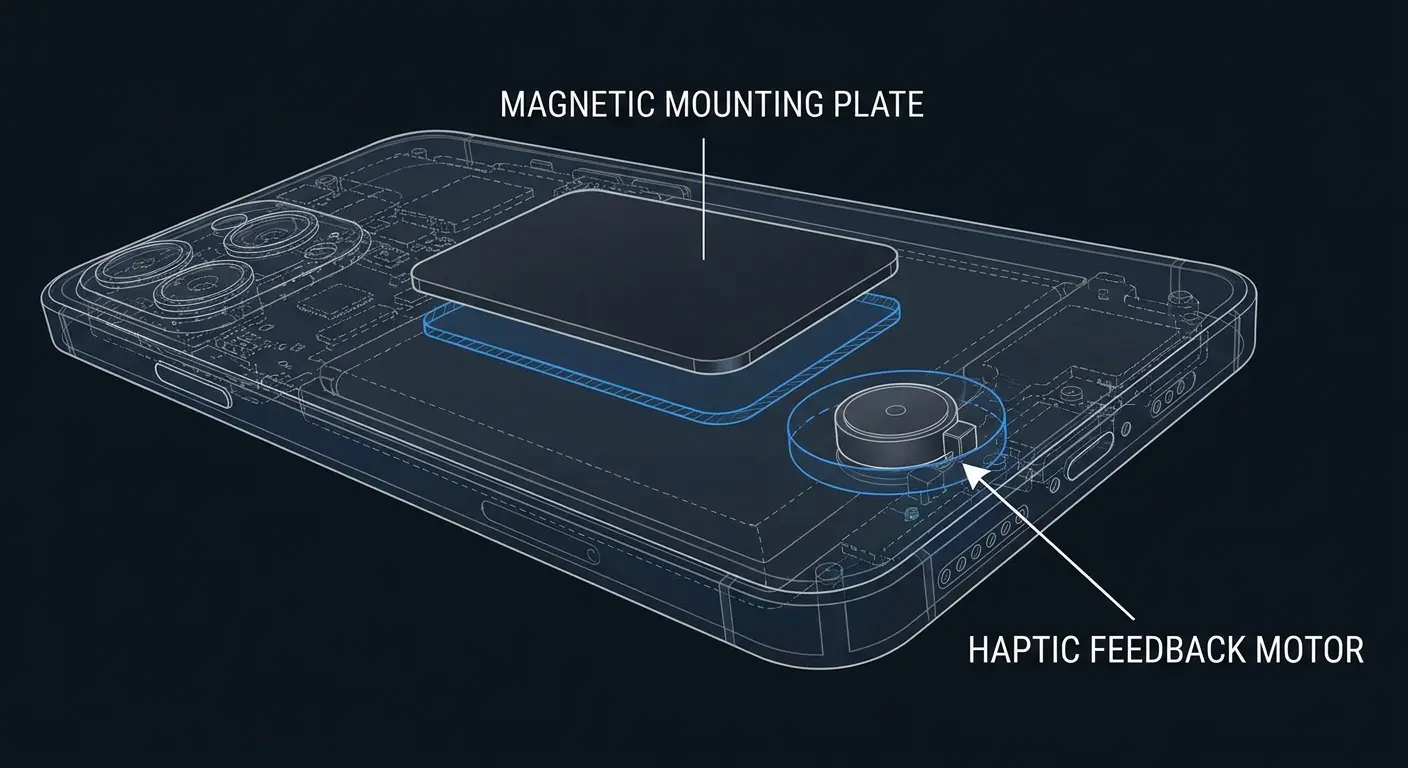
Haptic motors in modern phones use electromagnetic principles to generate vibrations. Introducing strong external magnets near these motors can create interference.
Haptic Motor Proximity to Magnetic Components
The motor still receives its electrical signal and attempts to vibrate, but the external magnetic field affects its movement patterns. This interference isn't strong enough to completely disable the motor. Instead, it changes the vibration characteristics. You might notice vibrations feel weaker when your phone is in a magnetic mount versus when it's in your hand.
Phone manufacturers account for internal magnets, but they don't necessarily test for external magnets in every possible configuration. When iPhone vibration not working becomes a complaint, magnetic interference rarely tops the suspect list, but it should.
Metal Plate Positioning and Vibration Dampening
Aftermarket magnetic mounting systems often require you to attach a metal plate to your case or phone. Where you position this plate matters a lot.
Place it directly over or near your phone's haptic motor, and you've added mass and rigidity that dampens vibration output.
The metal plate doesn't need to contact the motor directly to affect it. The plate changes how vibrations propagate through your case structure, creating dead zones where vibration intensity drops dramatically. At Rokform, we got obsessed with this problem because customers kept complaining. Turns out, where you put magnets in a case actually matters. Put them over the haptic motor and you're screwed.
A construction site manager attached a circular metal plate to the back center of his phone case for magnetic dashboard mounting. Within days, he noticed he could barely feel vibrations when the phone was in his back pocket, even though notifications worked fine when he held the phone. The metal plate sat directly over his iPhone's Taptic Engine location.
When he repositioned the plate toward the top of the case, away from the haptic motor, vibration intensity returned to normal. The plate's mass and rigidity had created a localized dampening zone that absorbed motor output before it could reach the case exterior.
When Your Vibration Motor Is Actually Failing (And How to Test It)
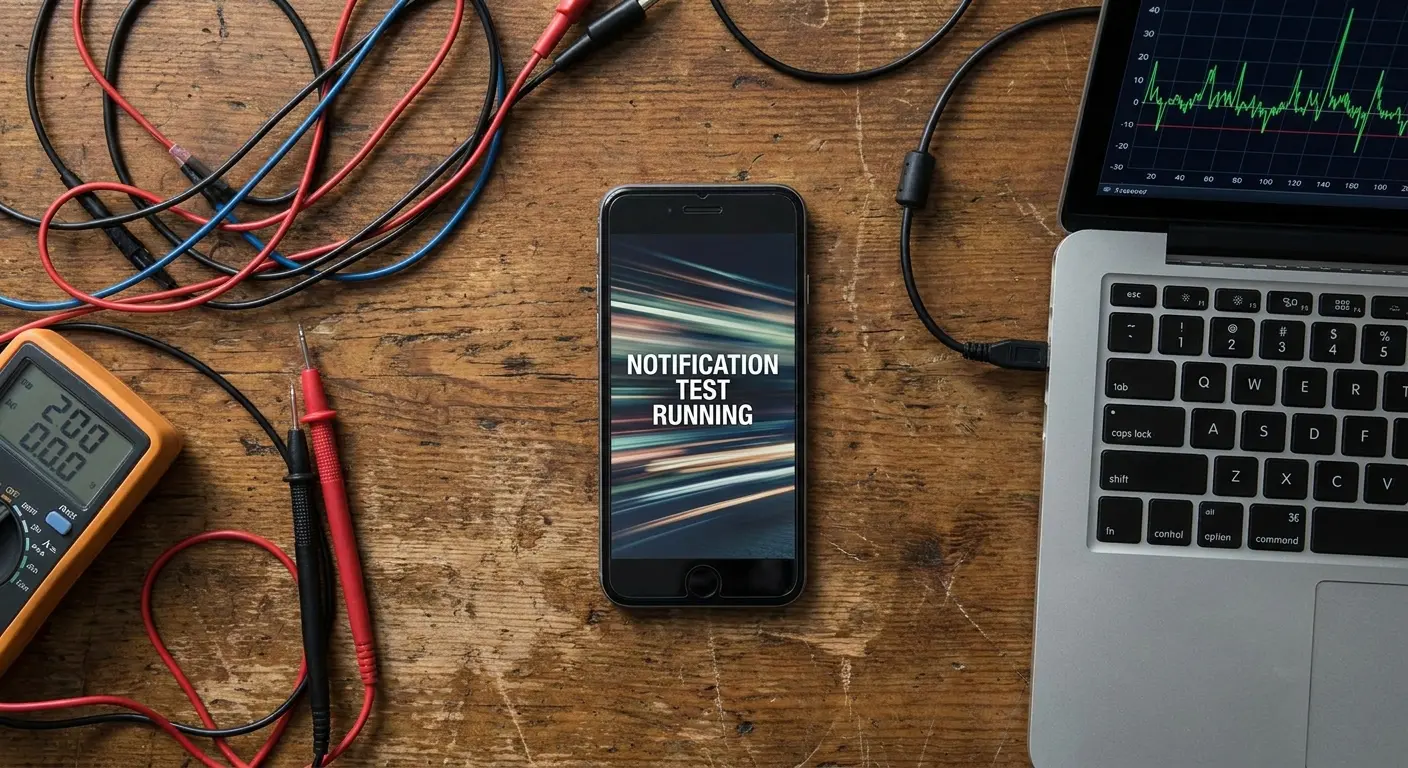
Remove your case completely. Restart your phone. Enable vibration for all notifications. Place the phone on a hard, flat surface (wood or glass table, not a soft couch). Send yourself a test notification.
Isolating Hardware Failure from External Factors
If you don't feel or see the phone vibrate at all, you likely have a hardware failure. If you feel even a slight vibration, your motor works. The problem lies elsewhere.
This test seems obvious, but most people skip it because removing a case feels inconvenient. You need to figure out what normal feels like. Understanding the distinction between hardware and software issues matters, much like knowing which notification settings control haptic feedback on your device before assuming mechanical failure.
Quick way to test your motor:
Strip your phone naked (no case). Restart it. Turn vibration on for everything. Put it face-down on a hard table and text yourself.
If it buzzes, your motor works. The problem is everything else. If nothing happens, you might actually have a hardware issue.
For a more thorough test:
Remove all cases, screen protectors, and accessories from your phone
Power cycle your phone (full shutdown and restart, not just sleep mode)
Go to Settings > Sounds & Haptics (iOS) or Settings > Sound & Vibration (Android)
Enable vibration for all notification types (calls, texts, app notifications)
Place phone face-down on a hard, smooth surface like a glass or wooden table
Send yourself a test text message from another device or email account
Watch whether the phone moves or produces audible buzzing on the surface
If no vibration occurs, test with a phone call to rule out notification-specific issues
Use built-in accessibility haptic tests (found in accessibility settings on both platforms)
Compare side-by-side with an identical phone model if available
Document results with video evidence if preparing for warranty claim
If vibration works naked but fails with case, the issue is physical interference, not hardware
The Gradual Degradation Pattern
Haptic motors don't typically fail suddenly. They degrade over time. You'll notice vibrations becoming progressively weaker over weeks or months. This gradual decline makes it difficult to pinpoint when the problem started.
Water damage accelerates this degradation. Even if your phone survived a liquid exposure incident, moisture can corrode the motor's internal components. Physical impacts can also damage haptic motors. Drop your phone hard enough, and the motor's internal components can shift or crack, producing asymmetric or weak vibrations.
Diagnostic Tools and Repair Considerations
Both iOS and Android include haptic feedback testing within their accessibility settings. These tests trigger your vibration motor directly, bypassing notification systems and app-level settings. Third-party apps can test vibration intensity and pattern consistency.
Compare your phone's vibration to an identical model if possible. Side-by-side testing eliminates guesswork. Haptic motor failures typically fall under manufacturer warranties if the phone is within its coverage period. Document the problem with video evidence showing the phone not vibrating during test notifications.
Figuring out how to fix vibration issues requires methodical elimination of variables. Why is my phone not vibrating becomes an answerable question once you've isolated the motor's actual performance from all the external factors we've discussed.
Environmental Factors That Muffle Phone Vibrations
Cold weather reduces haptic motor efficiency. The motor's electromagnetic components and any lubricants within its mechanism become less responsive at low temperatures.
Temperature Effects on Haptic Motor Performance
Your phone might vibrate normally when you leave your house, then seem to stop vibrating entirely after 10 minutes outside in winter weather. The motor hasn't failed. It's operating in conditions that reduce its output by 40-50%.
Extreme heat creates different problems. High temperatures can cause temporary expansion of case materials, increasing their density and vibration-dampening properties. The phone itself also throttles performance in heat, potentially reducing haptic motor power.

Humidity and Surface Absorption
High humidity environments cause some case materials to absorb moisture. TPU and silicone cases are particularly susceptible. This moisture absorption increases the case's mass and changes its vibration transmission properties. You might notice your phone vibrates less noticeably during summer months or in humid climates.
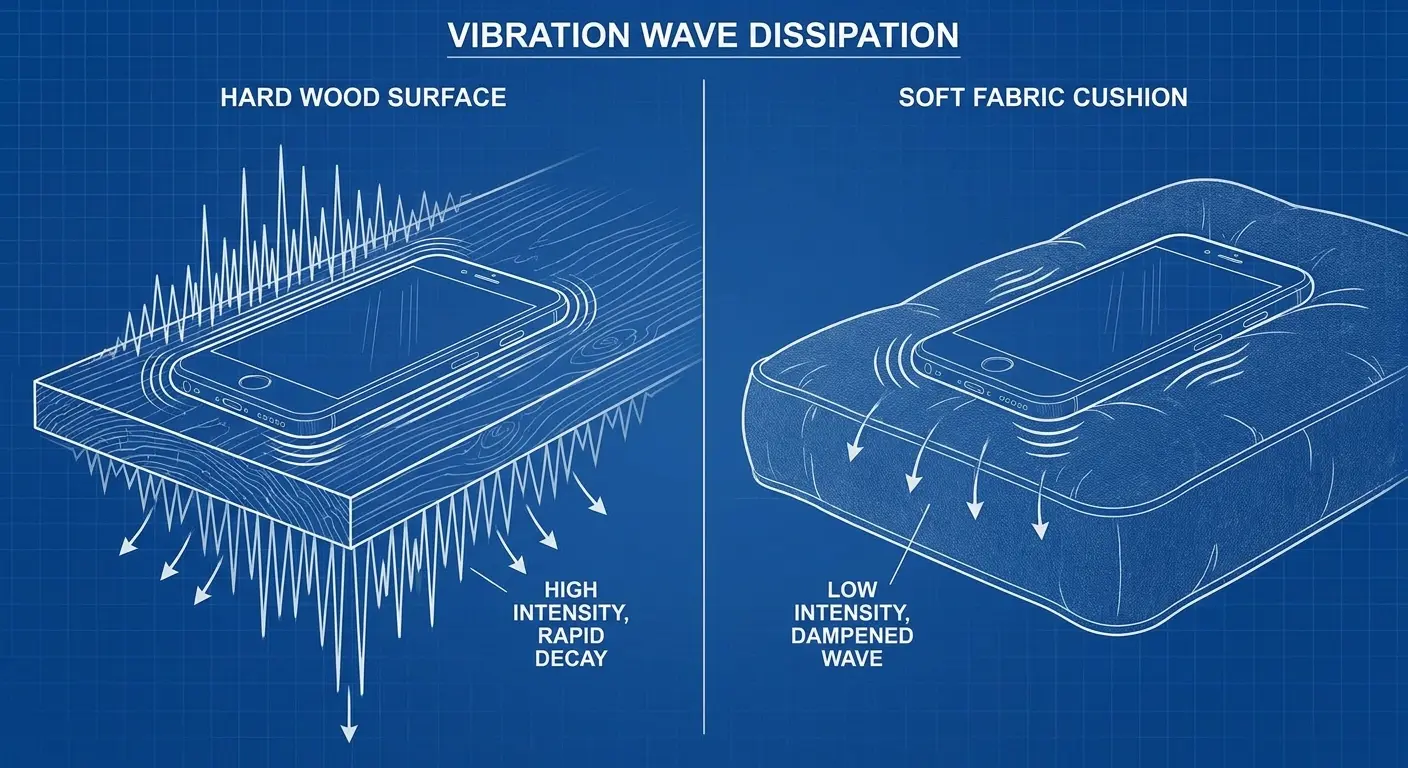
Where you place your phone dramatically affects whether you notice vibrations. Hard surfaces (tables, desks, countertops) reflect and amplify vibrations. Soft surfaces (beds, couches, car seats) absorb them.
Fabric surfaces create countless tiny air pockets that absorb vibration energy. Your phone can vibrate at full intensity on a couch cushion, and you won't hear or feel it from three feet away. Even phones set to vibrate on silent get lost in soft surfaces.
Rokform's Approach to Maintaining Haptic Feedback Integrity
Full disclosure: I work at Rokform, so yeah, I've spent way too much time thinking about phone cases and mounts. But that also means I've seen pretty much every vibration problem that exists.
We position magnets in our cases based on extensive haptic motor mapping across phone models. Our cases incorporate vibration channels. These are subtle geometric features in the case structure that provide preferential pathways for vibration energy to reach the case's exterior surfaces.
Material selection matters. We use polycarbonate formulations that balance impact protection with vibration transmission. The material is rigid enough to protect your phone but not so dense that it becomes a vibration sponge.
Protection requirements vary based on how you use your phone. Thinner cases naturally transmit vibrations better. If you're missing notifications and maximum drop protection isn't essential for your lifestyle, consider whether you're over-protecting your phone at the expense of usability.
We test cases with haptic feedback verification as a standard protocol. Each case design undergoes vibration transmission testing across multiple phone models. We measure vibration intensity at various grip points and surface contact areas.
This testing revealed something important: case design geometry matters more than thickness alone. A well-designed 2.5mm case can transmit vibrations better than a poorly designed 1.5mm case. The internal ribbing structure, material transitions, and port cutout designs all influence vibration propagation.
Our rugged phone cases maintain this balance between protection and functionality, ensuring you don't sacrifice notification awareness for durability. Similarly, our approach to motorcycle phone mounts accounts for the unique vibration challenges riders face.
If you're experiencing vibration issues with any phone case, contact the manufacturer. Quality case makers want to know about these problems because they indicate design opportunities.
Bottom Line
Look, your phone's probably not broken. In my experience, 9 times out of 10, it's something between the motor and you. Your case is too thick, there's crap in your ports, your mount is absorbing everything, or you're trying to feel vibrations through a couch cushion.
Start simple. Take the case off. Test it. Clean your charging port (seriously, do this). If it vibrates when it's naked on a table, you've got your answer.
The problem exists in the space between the motor and your perception: case materials that absorb energy, mounting systems that redirect it, debris that blocks it, and environmental factors that suppress it.
We've covered the overlooked physical interference problems because they're fixable without software updates or hardware repairs. Start with the simplest solutions. Remove your case and test. Clean your ports. Check app-specific notification settings. These steps resolve most vibration issues without requiring any technical expertise.
For remaining problems, you're looking at case replacement, mounting system adjustments, or hardware service. Understanding the underlying physics helps you make informed decisions about which solution fits your situation.
Still not working? Then yeah, maybe it's time to look at hardware issues or contact support. But try the easy stuff first. You'll probably feel pretty silly when you realize how much lint was in that port.
Your phone is trying to get your attention. We've just given you the tools to hear it.

