



Your phone screen is black. The phone's definitely on. You can hear notifications, feel it vibrate. But the display? Dead. Most guides will tell you to restart it, check your brightness settings, maybe force-close some apps. That's not what this is about.
We're talking about what's actually happening inside your phone when the screen dies but everything else works fine. And it's almost always hardware, not software.
Table of Contents
The Pressure Point Problem: Your Pocket Is Killing Your Phone
Battery Swelling and the Domino Effect on Screen Function
Why Your Screen Dies After Sitting in Your Car
The Magnetized Case Controversy and Proximity Sensor Failures
Water Damage That Doesn't Look Like Water Damage
The Flex Cable Nobody Checks Until It's Too Late
Software Crashes vs. Hardware Failures: Reading the Real Signs
When a Black Screen Is Actually a Backlight Issue
The Drop That Didn't Break Your Screen (But Killed It Anyway)
The Charging Port Connection You Didn't Know Affected Your Screen
TL;DR
Quick version:
Your pocket is slowly destroying the cable that connects your screen (yes, really)
Swollen batteries push the display connector loose, and you can't see it happening
Temperature swings create condensation inside your phone, corroding connections without leaving obvious water damage
Magnetic cases can trick your proximity sensor into thinking the phone's against your face 24/7
There's a flex cable that wears out from normal use, and repair shops almost never check it
Sometimes your screen works fine but the backlight's dead (looks the same as a dead screen)
Minor drops create invisible cracks that take weeks to actually kill your display
A busted charging port can prevent your phone from booting, making it look like a screen problem
Bottom line: black screens are almost always physical damage, not software bugs
Getting it properly diagnosed means someone actually has to open your phone and look
The Pressure Point Problem: Your Pocket Is Killing Your Phone
Your Pocket Is a Compression Chamber
Every day, same routine. Phone in your front pocket, back pocket, jacket. Every time you sit, bend over, squeeze into your car, your phone flexes. And inside, there are these delicate ribbon cables connecting your screen to the logic board.
They weren't built for this.
The screen connector sits right where the display meets the phone body. Most vulnerable spot on the device. When you sit with your phone in your back pocket, you're putting your entire body weight on that connection point. Tight jeans in the front pocket? You're creating lateral pressure that flexes the whole device.
This isn't one dramatic moment. It's micro-movements, hundreds of times a day, for months. The connector loosens. Contact points develop microscopic gaps. Then one day, black screen. And you're standing there wondering what the hell happened.
Different carrying positions create different stress patterns. Back pocket sitting generates the most extreme pressure because your entire body weight concentrates on the phone's surface area. Front pocket sitting is slightly better but still applies serious force, especially if you're wearing fitted clothing. Jacket pockets offer the least stress, though dropping your phone into a bag where it can shift and impact other objects creates its own problems.
Phone manufacturers know about this. They design spring-loaded connectors that can handle some movement. But there's a limit to what engineering can accommodate when devices get thinner and people carry them 16 hours a day.
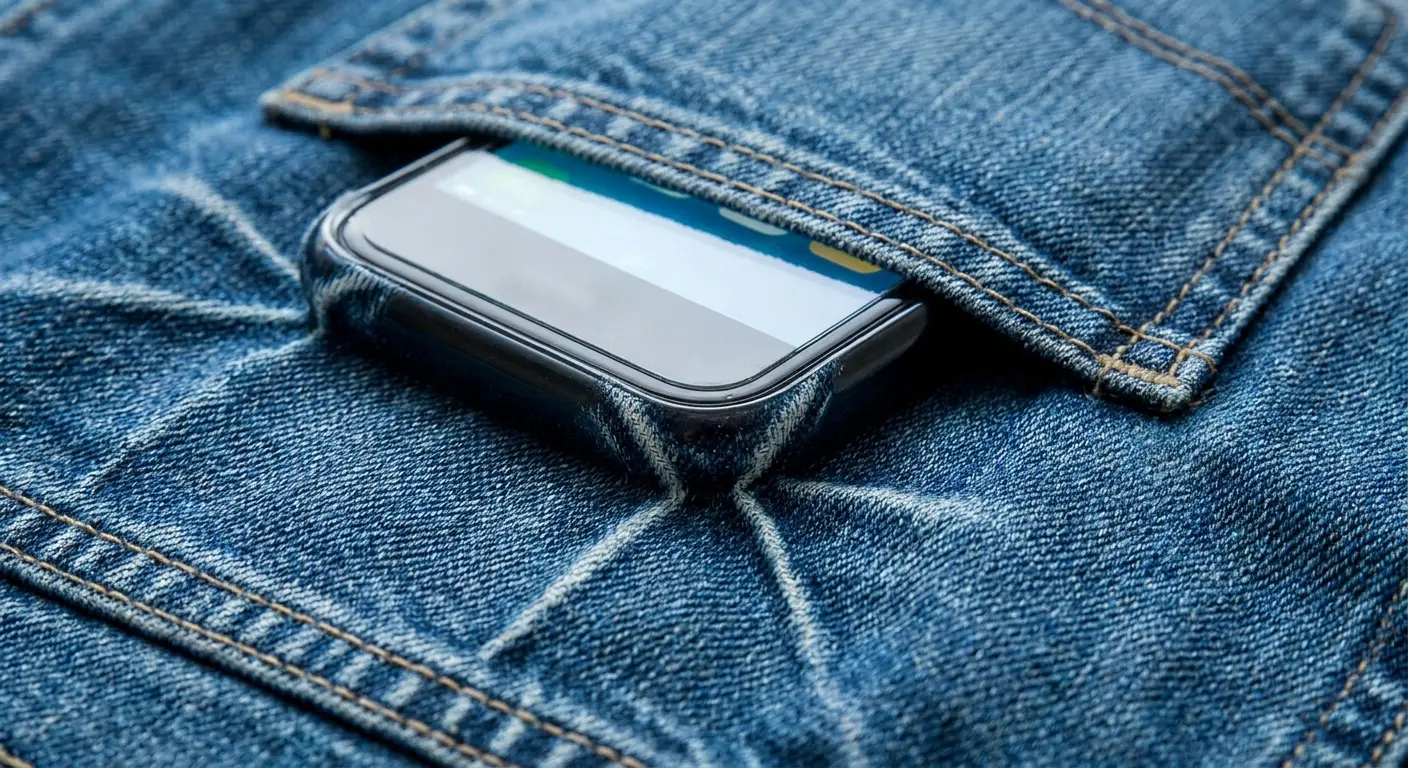
The degradation timeline varies based on your habits and phone model. Carrying your phone in a protective phone case from Rokform helps distribute pressure more evenly, but it doesn't eliminate the internal stress on connectors. Some phone generations have higher failure rates for this issue because of how the internal components are arranged or how thin the device is.
Here's how fast different carrying positions kill your phone:
Back pocket sitting? You've got maybe 6-12 months before that connector gives out. Your entire body weight, concentrated on your phone's surface, every time you sit down.
Front pocket's slightly better (12-18 months) but "slightly better" still means you're on borrowed time if you wear fitted jeans.
Jacket pocket is the winner at 24+ months, but who actually keeps their phone in their jacket?
Loose in a bag runs about 18-24 months, though it depends on what else is in there bouncing around with it.
Tight jeans pocket? Very high stress. You're looking at 8-14 months, and the damage hits both the display connector and the battery.
The Display Connector Design Flaw
Phone manufacturers use spring-loaded connectors for display assemblies. These connectors rely on consistent pressure to maintain contact. When your phone flexes (and it does flex, even in rigid cases), these connectors experience microscopic separation.
Over months of use, the spring tension weakens. The contact points develop oxidation. You end up with an intermittent connection that eventually fails. The engineering works beautifully in controlled environments but struggles with real-world use. Your phone gets compressed, twisted, and flexed in ways that test benches never simulate.
The connection degrades gradually, but the failure point happens instantly. One moment your screen works perfectly. The next moment it's black. There's no warning, no gradual dimming, no indication that anything was wrong. You assume it's a software problem because there was no obvious trigger event.
The push for thinner devices has made display connectors more vulnerable. Thinner phones flex more easily. There's less structural rigidity to protect internal components from external forces. When you combine reduced thickness with larger screens (which create more leverage for flexing), you get a recipe for connector stress.
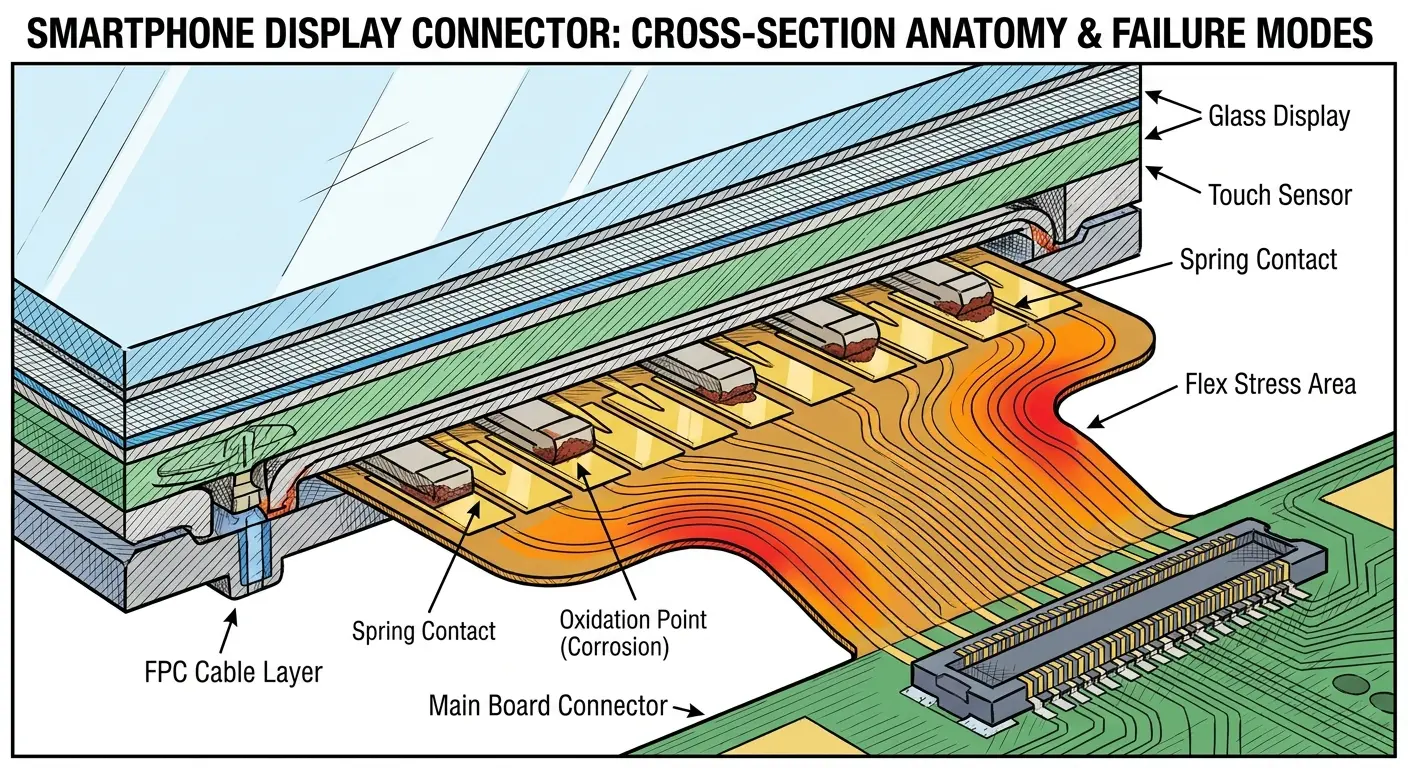
Saw this last month. iPhone 12, screen went black on someone's morning commute. No drop, no water, phone was just over a year old. Ran diagnostics, everything passed. Opened it up, and the display connector had partially unseated. Spring contacts were oxidized, had lost tension.
Reseated it, screen came back. Lasted a week. Died again because the spring mechanism itself was shot. Permanent fix meant replacing the connector assembly on the logic board. More than the phone was worth at that point.
Why Repair Shops Miss This Issue
You take your phone to a repair shop. They run diagnostics. Everything passes. They tell you it's a software issue or suggest a factory reset.
The problem? Standard diagnostic tools don't test connector integrity under pressure. They test whether a connection exists at that moment, in that position, while the phone sits flat on a workbench. Diagnostic software checks for the presence of hardware components and whether they respond to commands, but these tests don't simulate real-world conditions.
A connector that works perfectly when the phone lies flat might fail completely when the device is held vertically or experiences the slightest flex. This is why your phone screen is black when you're using it but mysteriously works when the repair shop tests it. The physical position matters.
Most repair shops skip physical inspection because it takes time and creates liability. Opening a phone to physically inspect connectors means breaking adhesive seals, risking damage to other components, and spending labor hours that may not result in a billable repair if nothing obvious is found. Many shops default to software solutions first because they're faster, safer, and easier to bill.
A proper physical inspection should include opening the device, disconnecting and reconnecting all display-related cables, inspecting connector pins for damage or corrosion, testing the connection under slight flex, and checking spring tension on spring-loaded connectors. Few shops do this unless you ask for it.
Before you authorize any repair, ask these questions:
Will you physically open the device to inspect internal connectors? Do you test connector integrity under different orientations and slight flex? What exact diagnostic steps do you take beyond software scans? If you replace the screen, does that include all associated flex cables? What's your policy if the repair doesn't resolve the issue? Do you have experience with board-level connector repairs? Can you show me the damaged component before and after repair?
Battery Swelling and the Domino Effect on Screen Function
The Expansion You Can't See
Batteries swell. Not might swell. They will swell, given enough time.
Your lithium-ion battery is slowly producing gas as it degrades. That gas has to go somewhere. In a phone packed tighter than a sardine can, it goes toward your display.
You won't see it coming. Maybe your screen feels slightly raised. Maybe there's a tiny gap where the back panel meets the frame. Maybe your phone rocks on a flat table when it didn't before. By the time you notice, the swelling's already pushing your display connector away from the logic board.
And here's the fun part. It accelerates. Swollen battery gets hotter during charging. Heat causes more swelling. More swelling creates more heat. Cycle continues until something breaks, and that something is usually your screen connection.
Batteries expand for several reasons. Age is the primary factor, as chemical reactions inside the battery produce gases over time. Heat exposure accelerates this process significantly. Charging habits matter too, especially if you frequently charge to 100% and leave the phone plugged in, or if you regularly let the battery drain completely. Manufacturing defects can cause premature swelling, though this is less common.
When your phone screen stays black, battery swelling might be the culprit you never considered. The swelling pushes against the display assembly from behind. This can crack the display if the pressure is severe enough, but more often it pushes the display connector away from its seat on the logic board. The damage is invisible from the outside.
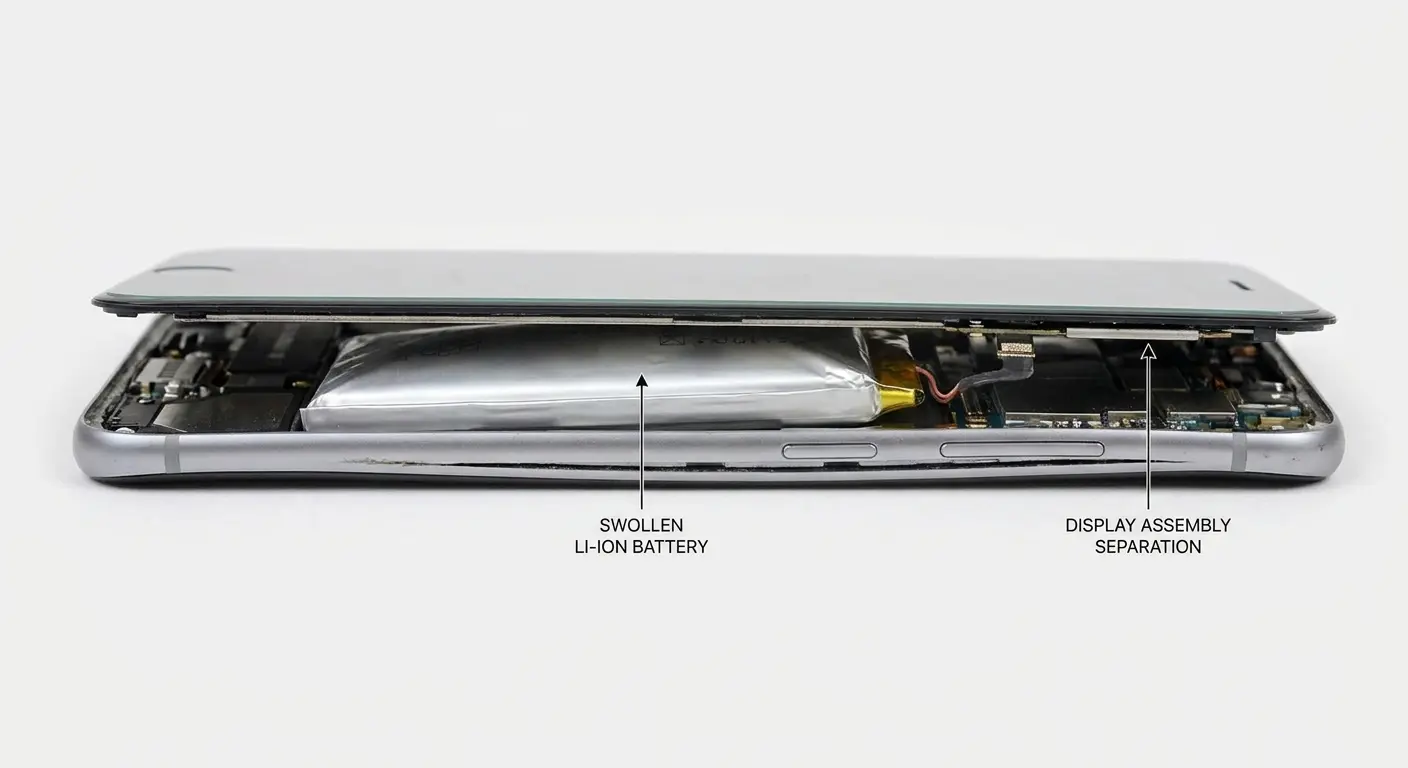
Checking for battery swelling without opening your phone requires careful observation. Place your phone on a flat surface and see if it rocks or spins easily. Inspect the edges where the screen meets the body for any separation. Look at the back panel for bulging. Feel the phone's thickness compared to when it was new. If you have a case with a precise fit, notice whether it's become difficult to install or remove.
Watch for these signs:
Screen appears slightly raised or separated from the phone body. Back panel feels loose or shows a visible gap. Phone rocks when placed flat on a table (wasn't an issue before). Case no longer fits properly or feels tight. Screen responsiveness has decreased in certain areas. Phone feels thicker than it used to. Visible bulge on the back of the device. Difficulty closing flip cases that previously closed easily. Adhesive around screen edges appears separated. Phone gets unusually hot during normal use.
The Pressure Transfer to Display Cables
A swelling battery doesn't just push against the screen. It creates uneven pressure distribution throughout the phone's interior. Display cables route around the battery in most phone designs. When the battery expands, these cables get pinched, stretched, or pressed against other components.
The result? Damaged conductors inside the cable that create intermittent or complete connection failure. Phone interiors are engineered with specific clearances and cable routing paths. Battery expansion disrupts this engineering. Display cables are vulnerable because they're thin, flexible, and routed through tight spaces.
At the microscopic level, each display cable contains thin copper traces that carry data and power. When a cable gets pinched, these conductors can crack or break. The cable might still look fine externally, but internally it's compromised. You might get a black screen on Android devices or iPhones depending on which conductors failed and what signals they carried.
Different phone models have different vulnerability levels. Phones with batteries positioned directly behind the display are more susceptible. Phones with metal midframes that constrain battery expansion might redirect the swelling pressure toward cables instead of the screen. Phones with several small batteries (some tablets and larger phones use this design) might swell asymmetrically, creating pressure in unexpected locations.
This damage is often permanent even after battery replacement. Replacing the battery removes the pressure source, but if the cable conductors have cracked, they won't heal. You need to replace the damaged cable as well, which many repair shops don't do because they focus on the obvious problem (the swollen battery) and miss the secondary damage it caused.
Why Your Screen Dies After Sitting in Your Car
The Condensation Problem Nobody Mentions
You leave your phone in a hot car. You bring it into air conditioning. Or you take it from a warm pocket into freezing outdoor temperatures. The rapid temperature change creates condensation inside your phone. Not the obvious, visible kind. Microscopic condensation that forms on circuit boards and connectors.
Phones aren't perfectly sealed despite water resistance ratings. They have speaker grilles, charging ports, and SIM card trays that allow air exchange. When the phone's internal temperature changes rapidly, the air inside contracts or expands, drawing in outside air. If that outside air has different humidity levels, condensation forms on the coldest internal surfaces, which are often metal connectors and circuit traces.
Why is my phone screen black after leaving it in the car? Temperature shock is a strong candidate. The condensation corrodes display connectors over time. This isn't immediate damage. The first few temperature cycles might not cause noticeable problems. But repeated exposure creates cumulative corrosion that eventually disrupts the electrical connection.
This damage doesn't trigger water damage indicators. Those indicators are designed to detect liquid water immersion or heavy moisture exposure. Microscopic condensation from temperature changes is too subtle to activate them. This makes the damage nearly impossible to prove or diagnose without physical inspection, and even then, the corrosion might be minimal enough that it's not obviously the culprit.
Certain climates make this worse. High humidity environments provide more moisture for condensation. Extreme temperature differentials (desert climates, winter in northern regions) create more severe condensation events. Coastal areas combine high humidity with temperature variations, creating perfect conditions for this type of damage.
Worst case scenarios for temperature damage:
Hot car to AC? You've got maybe 85% chance of condensation forming inside, and it can kill your screen anywhere from immediately to within 24 hours.
Winter pocket to outdoor cold (like 98°F body heat to -10°F outside)? That's extreme. 95% condensation likelihood, and the damage happens right away.
Even something seemingly innocent like taking your phone from a hot dashboard into a cool car interior, 90% chance of condensation, and you've got maybe 12 hours before you see the effects.
The gradual outdoor temperature changes throughout the day? Those are usually fine. It's the shock that kills.
Thermal Expansion in Display Assemblies
Screens are made of several layers: glass, digitizer, LCD or OLED panel, backlight (on LCD models), and adhesive holding everything together. Each layer expands and contracts at different rates when temperature changes.
This differential expansion creates stress points, especially at the edges where the display connects to the phone body. Different materials have different coefficients of thermal expansion. Glass expands less than plastic. Metal expands differently than both. When these materials are bonded together and experience temperature changes, they try to expand or contract at different rates, but the bonds hold them together. This creates shear stress at the interfaces.
Over many temperature cycles, this stress causes delamination, where layers separate slightly. It can crack solder joints and connections at the display's connection point. The damage accumulates invisibly until a threshold is crossed and the display fails.
Which temperature ranges cause the most damage? Extremes matter more than the absolute temperature. Going from 70°F to 90°F is mild. Going from 70°F to 140°F creates significant stress. Going from 98°F (body temperature in your pocket) to -10°F (winter outdoor temperature) is extreme and can cause immediate damage.
Leaving phones in cars is especially destructive. Dashboard temperatures can exceed 150°F in summer. The phone heats up, all its materials expand. Then you bring it into air conditioning, and everything contracts rapidly. This thermal shock stresses every bonded interface in the device.
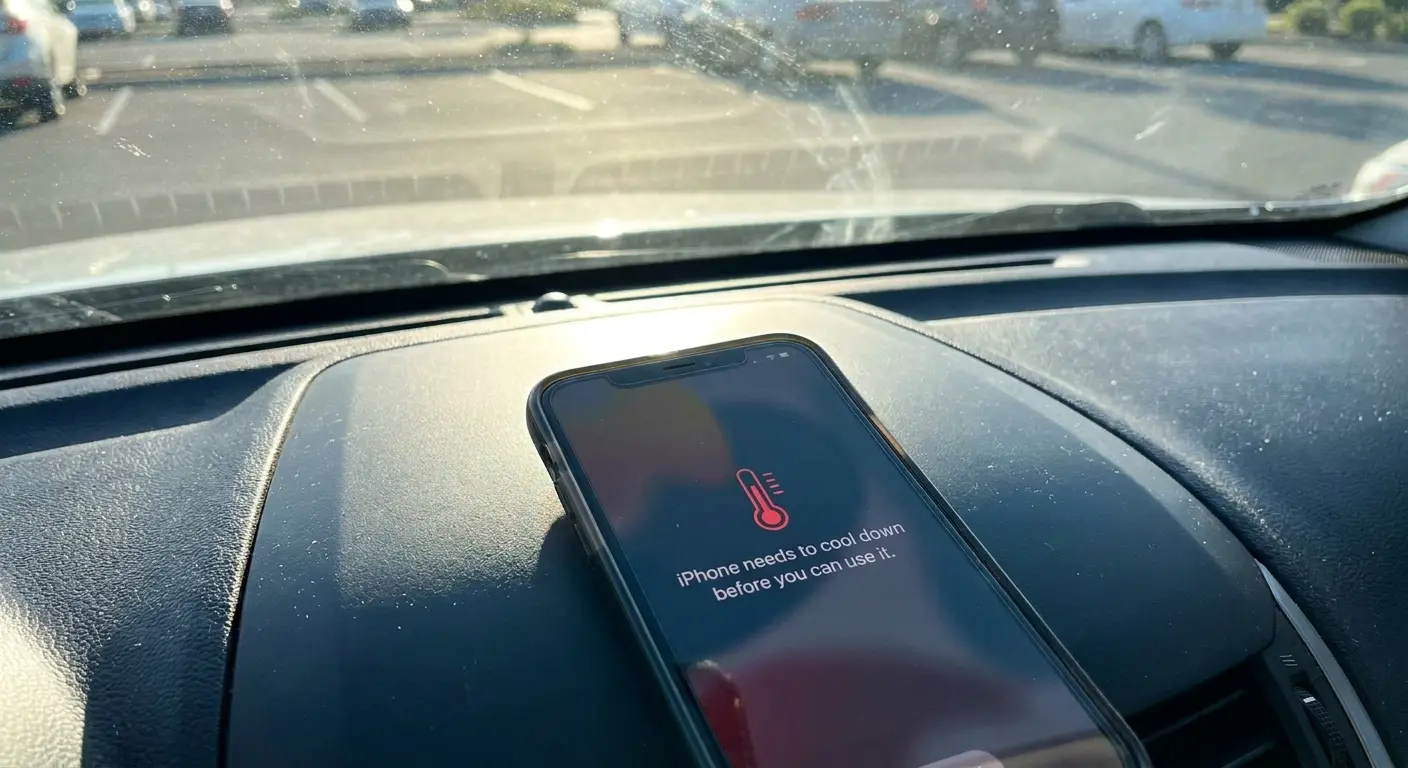
Phones might work fine for hours after temperature exposure and then suddenly fail. The damage occurs during the temperature change, but it manifests during the next power cycle or screen wake event. The stressed connections hold together until electrical current flows through them, then they fail. This delayed failure makes it hard to connect the black screen to the temperature exposure that caused it.
Construction supervisor in Phoenix kept his Samsung Galaxy S21 in his truck during work hours. Summer temperatures inside the vehicle regularly exceeded 140°F. After three months, he noticed the screen would occasionally go black for a few seconds before recovering. Within two weeks, the blackouts became permanent.
When a repair technician examined the phone, he found the OLED panel had delaminated from the digitizer layer along the edges. The repeated thermal cycling had broken down the optically clear adhesive holding the layers together. The separation created air gaps that disrupted the electrical connection between layers. The phone required a complete display assembly replacement, but the technician warned that without changing storage habits, the new screen would likely fail the same way.
The Magnetized Case Controversy and Proximity Sensor Failures
How Magnetic Mounts Confuse Your Phone
Magnetic mounts are everywhere now. Car dash, desk, even some cases use magnets to attach to things.
Your phone has a proximity sensor near the top that detects when you're holding it to your face during calls.

