


So your phone screen's doing that weird flicker thing again. You know what I'm talking about: that annoying flash that makes you wonder if you're seeing things or if your phone's actually broken. You've probably already tried turning it off and on. Maybe it helped for a day. Maybe it didn't.
Every guide online tells you to adjust your settings, update your software, restart your phone. And look, sometimes that works. But most of the time? Your flickering screen has nothing to do with software. It's physical damage. The kind that builds up from normal, everyday use. The kind you don't even notice until your screen starts freaking out.
Table of Contents
The Micro-Trauma Your Phone Experiences Daily
Why Screen Flickering Starts With Connection Points, Not Software
Temperature Swings and Display Controller Stress
The Mounting Pressure Problem Nobody Considers
How Case Design Directly Influences Screen Stability
When Software Fixes Actually Work (And When They Don't)
What Your Flickering Pattern Reveals About Damage Type
TL;DR
Your flickering screen probably isn't a software thing. It's physical damage from everyday stuff like drops, pressure, and temperature changes. Your phone case and mount matter more than you think. I'll show you how to tell if it's actually fixable with software or if you're looking at a hardware problem. Spoiler: it's usually hardware.
The Micro-Trauma Your Phone Experiences Daily
Your phone takes more abuse in a week than you realize. I'm not talking about the dramatic drops or obvious accidents. The real damage? It's the hundreds of tiny things that seem completely harmless.
Every time you slide your phone into a pocket with keys, it gets compressed. When you place it face-down on a table with a little too much force, that impact travels through the frame straight to the mounting points inside. Temperature shifts from walking outside in winter to sitting in a heated car? That creates expansion and contraction cycles in the metal and glass.
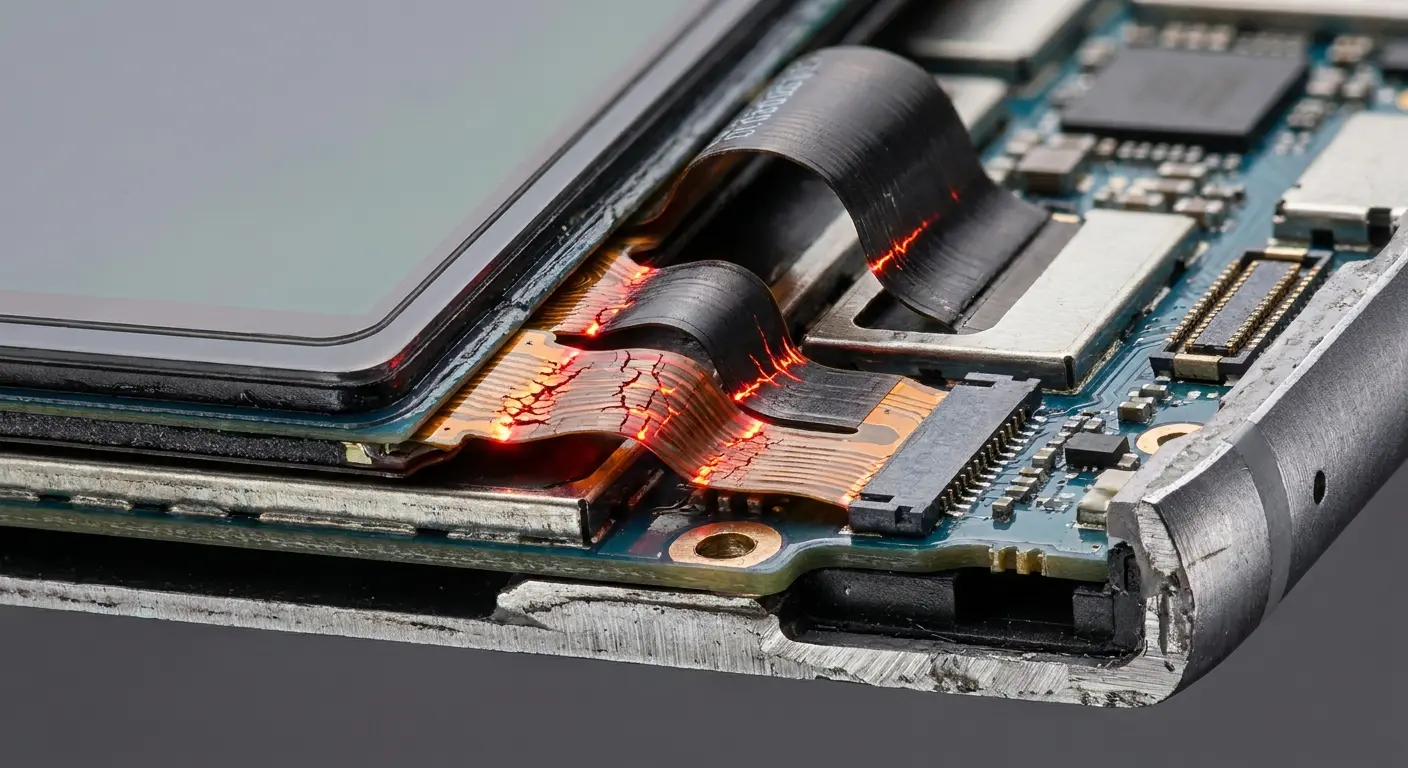
These micro-traumas hit specific weak spots inside your device. The display assembly connects to your phone's logic board through delicate flex cables and connectors. They weren't designed to handle constant movement and pressure changes.
Think about your morning routine. You grab your phone from the nightstand, shove it in your jacket pocket with your keys and wallet, walk to your car where it sits in a cup holder vibrating for 30 minutes, then move it to your desk where it sits under a stack of papers while you grab coffee.
Before 9 AM, your phone's been compressed by pocket contents, vibrated for half an hour straight, temperature-shocked from indoor to outdoor environments, and pressed under static weight. None of these seems damaging alone, but the cumulative effect on internal connectors is serious.
The flex cables connecting your display to the logic board are thinner than a credit card. They bend, twist, and compress with every physical interaction. Over months, this constant flexing creates stress fractures in the copper traces that carry display signals.
And nobody talks about this.
Why Screen Flickering Starts With Connection Points, Not Software
The display connector inside your phone is basically a pressure-based contact system. Dozens of tiny pins need to stay pressed against corresponding pads on the logic board. When everything's aligned and secure, electrical signals flow smoothly from the processor to the screen controller.
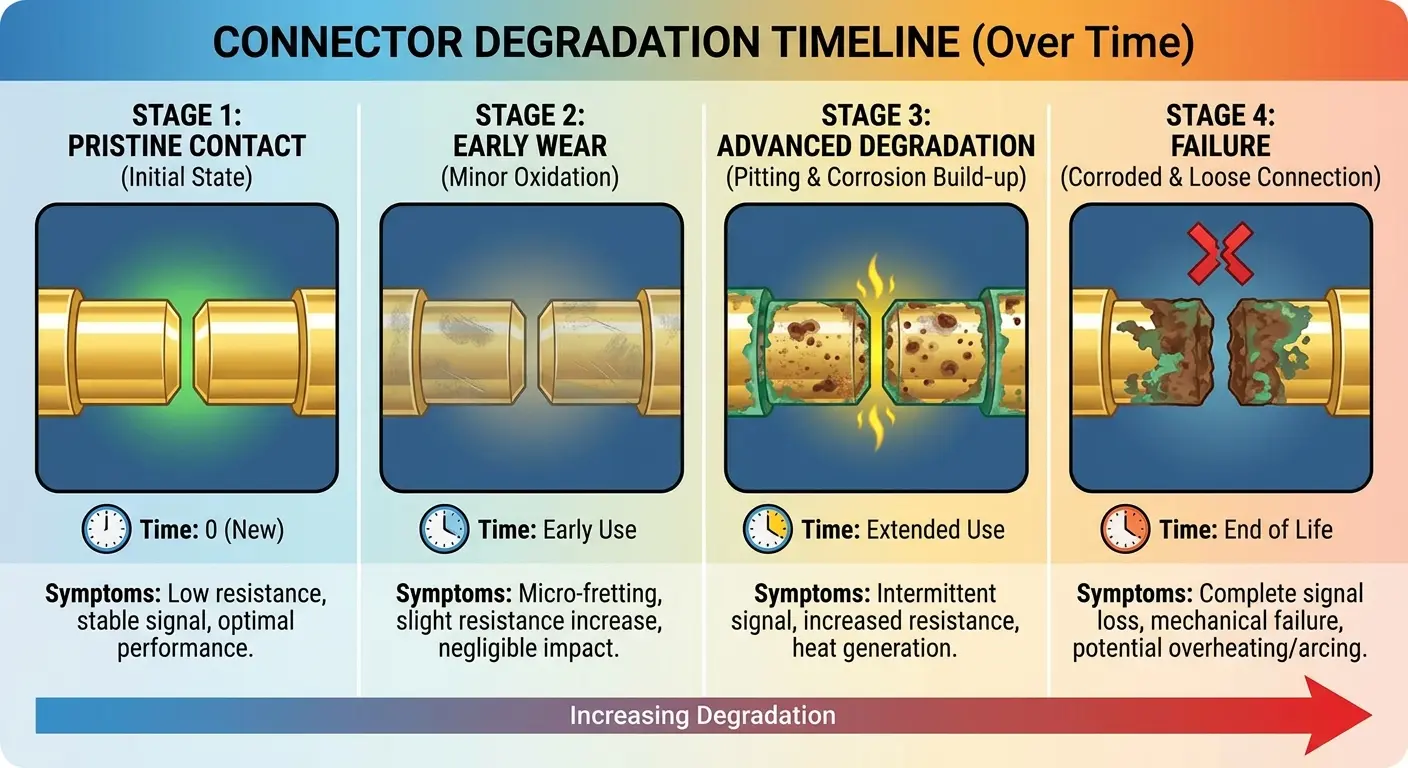
Phone screen flickering happens when this connection becomes intermittent. You don't need a complete disconnection to see problems. A contact point that's slightly loose or corroded will cause signal interruptions that show up as screen flicker, lines, or temporary blackouts. Software updates won't fix a fundamentally mechanical problem.
Three things are killing these connections:
Mechanical stress from frame flex: Your phone's frame isn't rigid. It flexes slightly every time you grip it, sit on it, or apply pressure during use. This flex translates to movement at connector mounting points. Over thousands of cycles, the repeated micro-movement works connectors loose from their sockets.
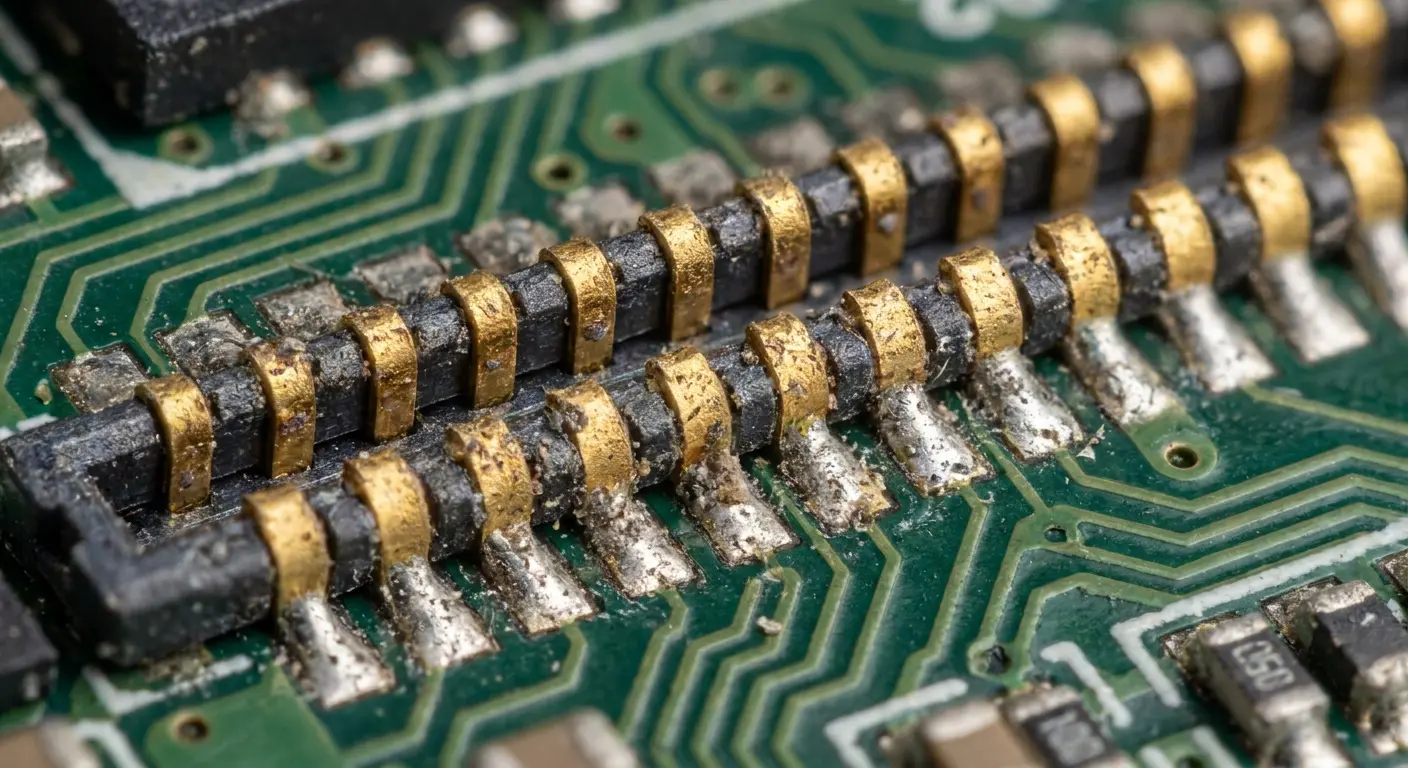
Vibration resonance: Your phone vibrates for notifications, calls, and haptic feedback. These vibrations create resonance patterns inside the device that gradually loosen pressure-fit connectors. Each buzz might seem insignificant, but multiply that by dozens of notifications daily over months of use.
Adhesive degradation: Many modern phones use adhesive compounds to secure connectors in addition to mechanical clips. These adhesives break down with heat exposure and age, reducing the clamping force that keeps connections tight.
You might restart your phone and see the flickering disappear temporarily. The connection's still compromised. You're just seeing a brief period where the intermittent contact happens to be working before the next physical stress event triggers another failure.
Connection Degradation Factor |
Primary Cause |
Typical Timeline |
Symptoms |
|---|---|---|---|
Mechanical Stress |
Frame flexing during handling |
12-18 months |
Intermittent flickering during use |
Vibration Resonance |
Haptic feedback and notifications |
18-24 months |
Random flickering unrelated to actions |
Adhesive Breakdown |
Heat cycles and aging |
24-36 months |
Progressive worsening over weeks |
Corrosion |
Moisture exposure |
Variable (3-12 months) |
Flickering after humidity exposure |
The problem gets worse when multiple degradation factors work simultaneously. A phone with weakened adhesive becomes more susceptible to vibration damage. Frame flex becomes more damaging when connectors are already partially corroded. This is why flickering often appears suddenly after months of perfect operation. The damage was accumulating invisibly until multiple failure points aligned.
Temperature Swings and Display Controller Stress
Your phone's display controller operates within a specific temperature range. Performance degrades when it runs too hot or too cold.
You'll notice temperature-related flickering most often when you first pick up your phone after it's been in a cold car, or when you're using it heavily in direct sunlight. When your phone screen is flickering in response to temperature changes, you're witnessing the physical effects of thermal expansion on microscopic solder connections.
It's basically a physics problem. Different materials inside your phone expand at different rates when temperature changes. The display controller chip sits on a circuit board, connected through microscopic solder balls. Glass expands differently than aluminum, which expands differently than silicon and copper.
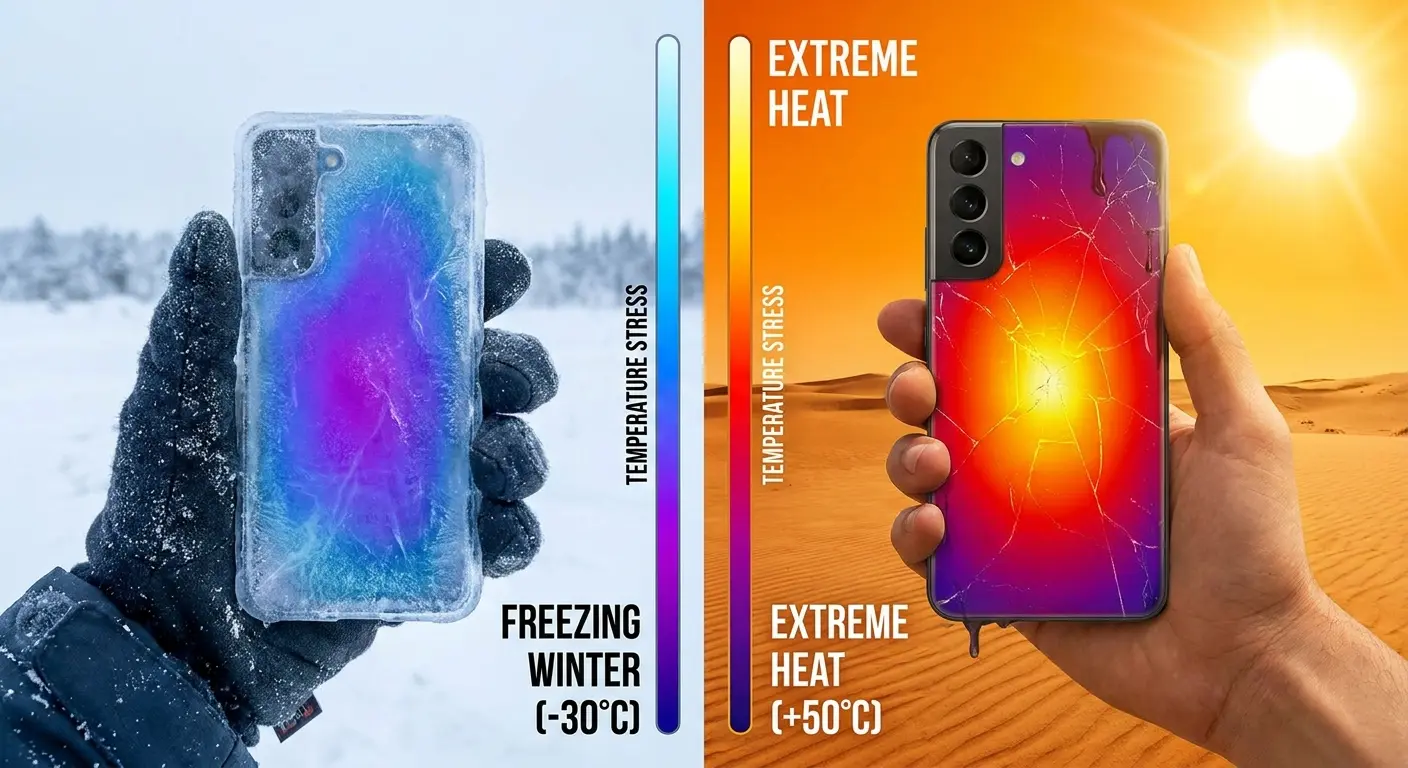
When you take your phone from a 20-degree environment to a 90-degree environment, every component shifts dimensionally. The solder joints connecting your display controller experience shear stress as the materials around them move at different rates.
Repeated thermal cycling accelerates this damage. Your phone goes through dozens of heating and cooling cycles every week. Each cycle spreads existing cracks and creates new stress points in the solder matrix. Think about how many times your phone transitions from air-conditioned indoor spaces to summer heat, or from heated buildings to winter cold.
I know a guy who does construction. Leaves his phone in the truck overnight in winter. We're talking 15 degrees. Fires up the engine in the morning, blasts the heat. Phone goes from freezing to 70 degrees in minutes. At lunch he's streaming videos, phone's hot as hell. Back to the frozen truck at night.
This single workday represents three complete thermal cycles, each creating dimensional stress on solder joints. Over a winter season, that's 300+ thermal cycles beyond normal usage patterns. The flickering that appears by February isn't coincidental.
You'll see this show up as flickering that correlates with phone temperature. The screen works fine when cool, starts flickering as it heats up during use, then stabilizes again after it's been idle. This temperature-dependent behavior is your clearest indicator that solder joint failure is the culprit rather than a loose connector or software bug.
The Mounting Pressure Problem Nobody Considers
Here's the one nobody talks about, and honestly, it's probably causing half the problems I see.
Phone mounts create sustained pressure on your device frame in ways that handheld use doesn't. Whether you're using a magnetic mount, a friction grip, or a clip system, the mounting mechanism applies force to specific points on your phone's exterior.
This pressure doesn't stay on the surface. Your phone's frame is the structural element that holds all internal components in position. When you apply external pressure to the frame, that force transmits inward to mounting brackets, connector housings, and component boards.
Magnetic mounts present a specific risk profile. The magnetic force required to hold a phone securely creates a constant compression load. If the magnetic attachment point sits directly over or near the display connector area, you're applying sustained pressure exactly where the vulnerable flex cable connects.
Friction grip mounts squeeze your phone from the sides or corners. This creates a bending moment in the frame, particularly in larger phones with more flexible frames. The frame flexes inward at the grip points, which translates to stress at connector locations on the logic board.
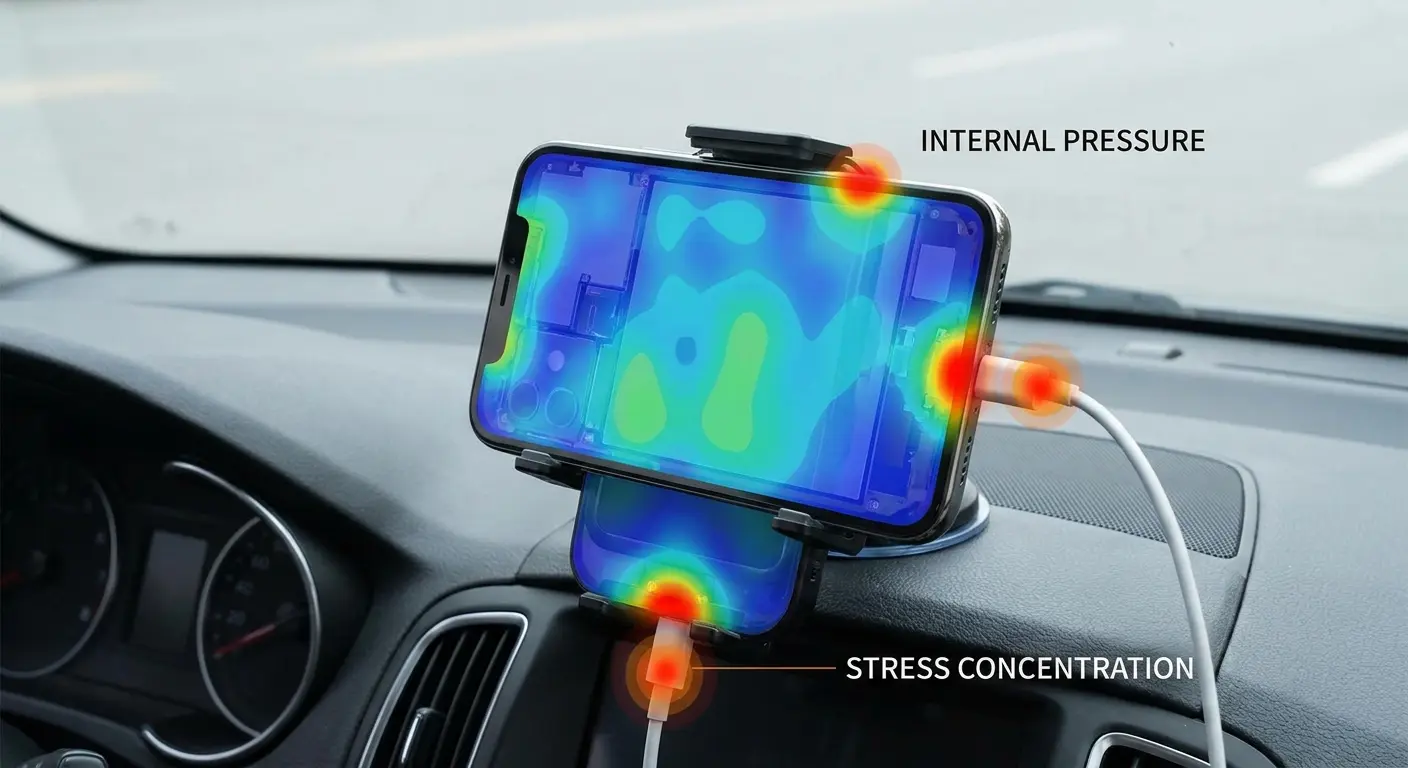
I've seen this pattern repeatedly. Users mount their phones in vehicles for navigation, and within months they start experiencing screen flicker that worsens during drives. The mounting pressure combined with vehicle vibration creates the perfect environment for connector degradation. For drivers concerned about this issue, exploring best car phone mounts that distribute force properly can prevent damage.
Mount Selection Checklist
Before purchasing or using a phone mount, verify:
Mount interfaces with a protective case, not directly with phone frame
Mounting force distributes across entire phone back, not concentrated at specific points
Mount design accommodates your specific phone model dimensions
Mounting mechanism doesn't obstruct ports, buttons, or camera
Mount allows phone removal without applying torque or bending force to device
Mounting system remains secure under vibration without requiring excessive clamping pressure
You don't have to stop using mounts. You need a mounting system that distributes force across the entire phone back rather than concentrating it at specific points.
Case-integrated mounting systems provide a structural advantage. When the mount interfaces with a case rather than directly with the phone frame, the case absorbs and distributes the mounting forces before they reach the device itself. This matters especially for users who mount their phones daily for extended periods.
Side note: Many motorcycle phone mounts face even harsher conditions than car mounts due to increased vibration and weather exposure. Choosing a mount designed specifically for high-vibration environments protects your phone's internal connections from premature failure.
How Case Design Directly Influences Screen Stability
Cases do more than protect against visible damage from drops. The right case design creates a structural buffer between external forces and internal components.
Shock absorption is the obvious benefit, but the mechanism matters. Cases with air gaps or compressible materials between the phone frame and the outer shell create a cushioning layer that absorbs impact energy before it reaches the device.
Frame reinforcement is the less obvious benefit. A well-designed case adds rigidity to the phone frame, reducing the flex that occurs during normal handling. Less frame flex means less movement at connector locations. This protective quality matters whether you're experiencing android screen flickering or issues with any smartphone platform.
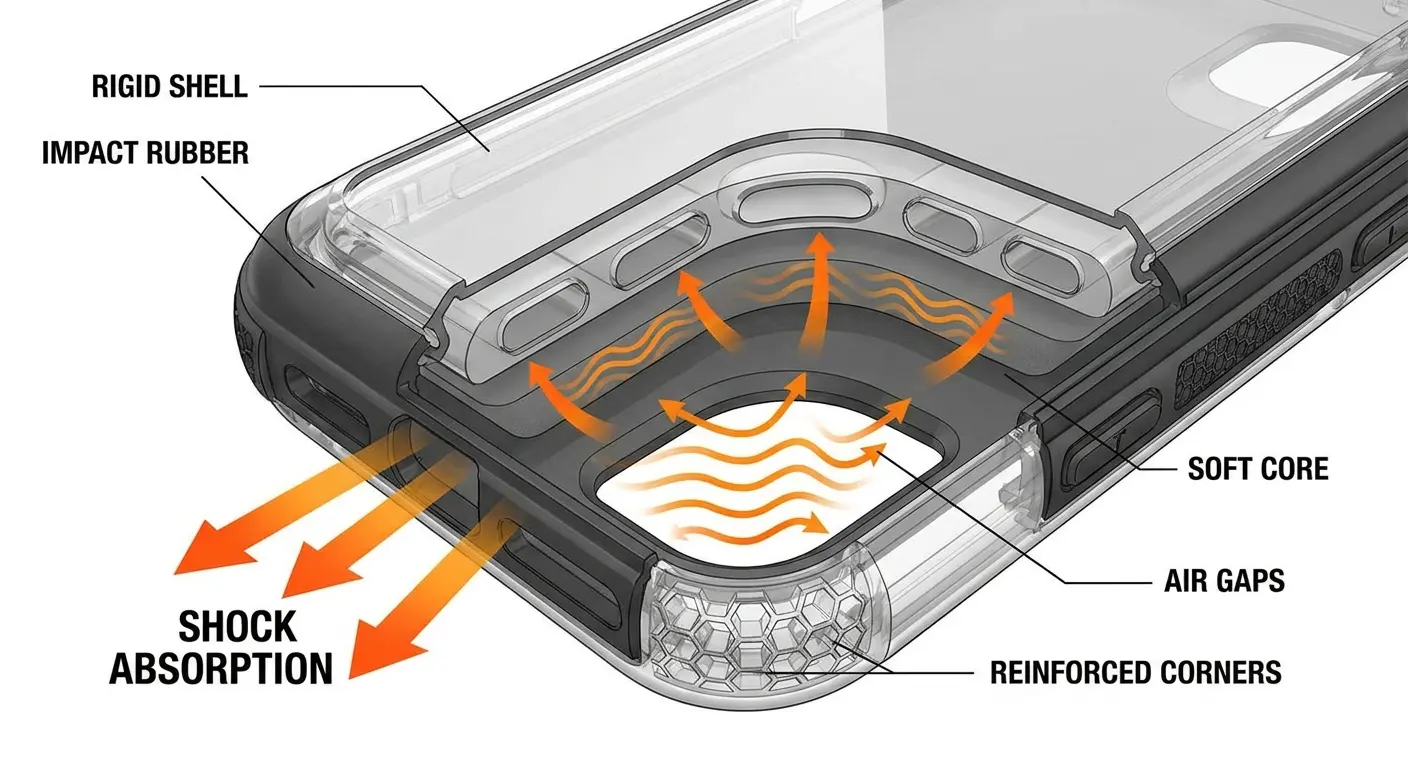
Corner protection specifically matters for screen stability. Most drops impact corners first. When a corner hits the ground, the impact force travels diagonally across the phone frame toward the opposite corner. Cases with reinforced corner structures interrupt this force transmission.
Case Material |
Frame Rigidity |
Shock Absorption |
Best Use Case |
|---|---|---|---|
Polycarbonate (hard plastic) |
High |
Low |
Office environments with minimal drop risk |
Silicone/TPU |
Low |
High |
Active use with frequent minor impacts |
Hybrid (PC shell + TPU bumper) |
High |
High |
All-purpose daily protection |
Aluminum/Metal |
Very High |
Very Low |
Display purposes only, not protective |
Multi-layer composite |
High |
High |
Heavy-duty work environments |
The material properties of the case determine how effectively it performs these functions. Rigid materials like polycarbonate provide frame reinforcement but poor shock absorption. Soft materials like silicone provide excellent shock absorption but no frame rigidity. The most effective designs use a combination in a layered structure.
We design our cases with this understanding built in. A rigid outer shell maintains structural integrity while an inner impact-absorbing layer handles shock energy. This dual-layer approach addresses both types of physical stress that damage internal connectors.
For users who frequently drop their phones or work in demanding environments, understanding how to protect your phone goes beyond just buying any case. The construction method and materials directly affect how well your phone's internal components survive daily use.
And yet people keep buying the cheapest cases on Amazon and wondering why their screens start flickering after six months.
When Software Fixes Actually Work (And When They Don't)
Software solutions address a specific subset of flickering causes. You need to distinguish between problems that originate in the display signal processing chain versus problems from physical connection issues.
Adaptive brightness algorithms can cause flickering in certain lighting conditions. Your phone's ambient light sensor reads environmental light levels and adjusts screen brightness accordingly. When the sensor gets confused by rapidly changing light, it can trigger rapid brightness adjustments that look like flickering.
You can test this by disabling auto-brightness. If the flickering stops completely, you've identified a software-based cause. Before assuming you need hardware repair when asking "why is my phone screen flickering," running through systematic software diagnostics can save time and money.
App-specific flickering points to software conflicts or bugs. When flickering only appears in certain apps, the problem usually involves how that app interfaces with the display controller. Graphics-intensive apps sometimes push display refresh rates or color processing in ways that expose software bugs.
System-level display settings can also trigger flickering. Features like True Tone or high refresh rate displays introduce additional processing layers. Bugs in these layers can cause intermittent flickering that looks like a hardware problem.
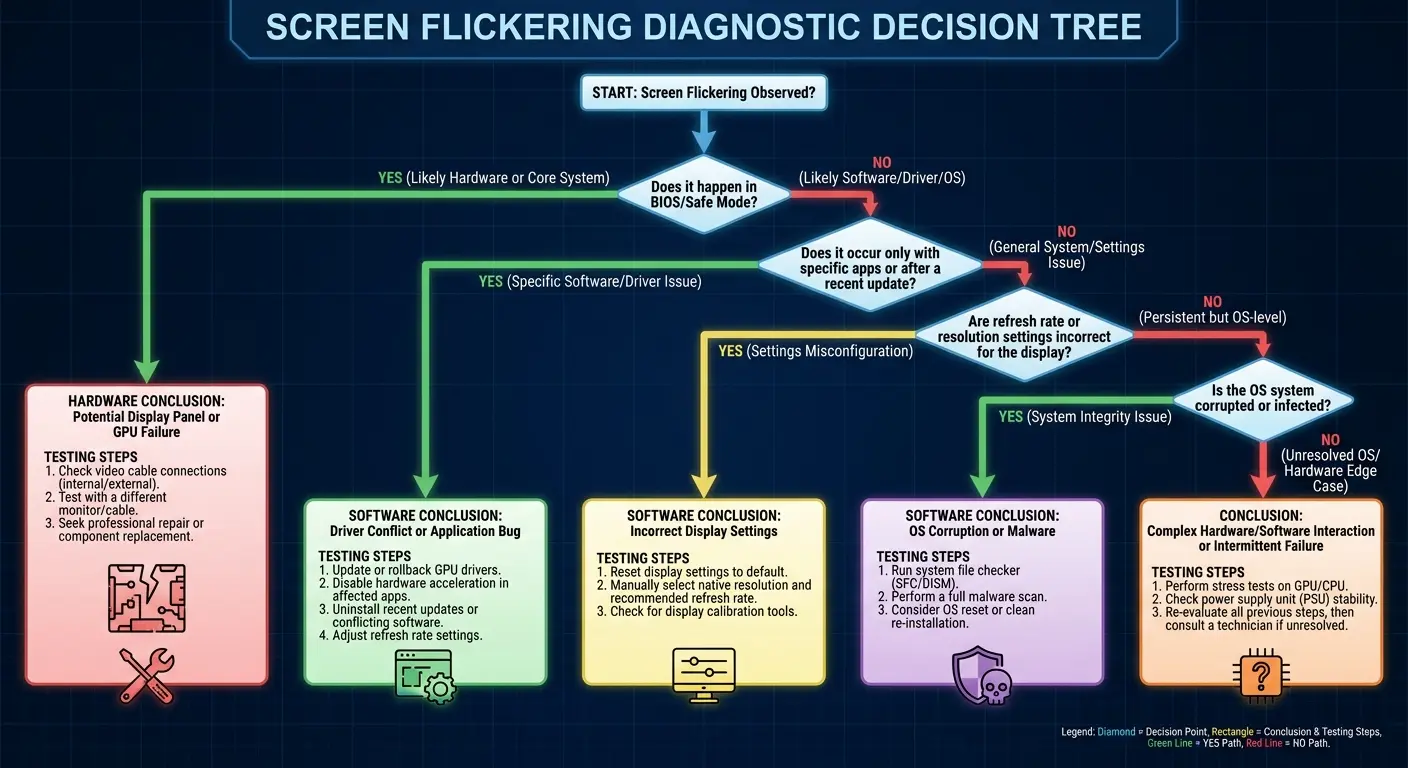
Figure out if it's software or hardware:
Start with the easy stuff. Turn off auto-brightness and see if that fixes it. If it does, great. You're done.
Still flickering? Boot into safe mode (Google how for your specific phone). If it stops flickering, you've got an app causing problems.
Still there? Now try this: press gently on different parts of your phone's back while the screen's on. Does the flickering change?
Congratulations, it's hardware. Stop messing with settings.
If pressing doesn't change anything, try a factory reset. I know, it's annoying. Back everything up first. If the reset fixes it, it was software corruption.
Still flickering after all that? Hardware failure. Time for a repair shop.
A friend of mine noticed flickering only when using Instagram and TikTok, never during text messaging or web browsing. She updated both apps, and the flickering in Instagram disappeared but continued in TikTok. She uninstalls TikTok completely, and all flickering stops.
Two weeks later, she reinstalls TikTok after another update, and the flickering doesn't return. This was a software issue specific to how one app version rendered video content, not a hardware problem. The diagnostic pattern (app-specific occurrence, resolution through app updates) clearly indicated software as the culprit.
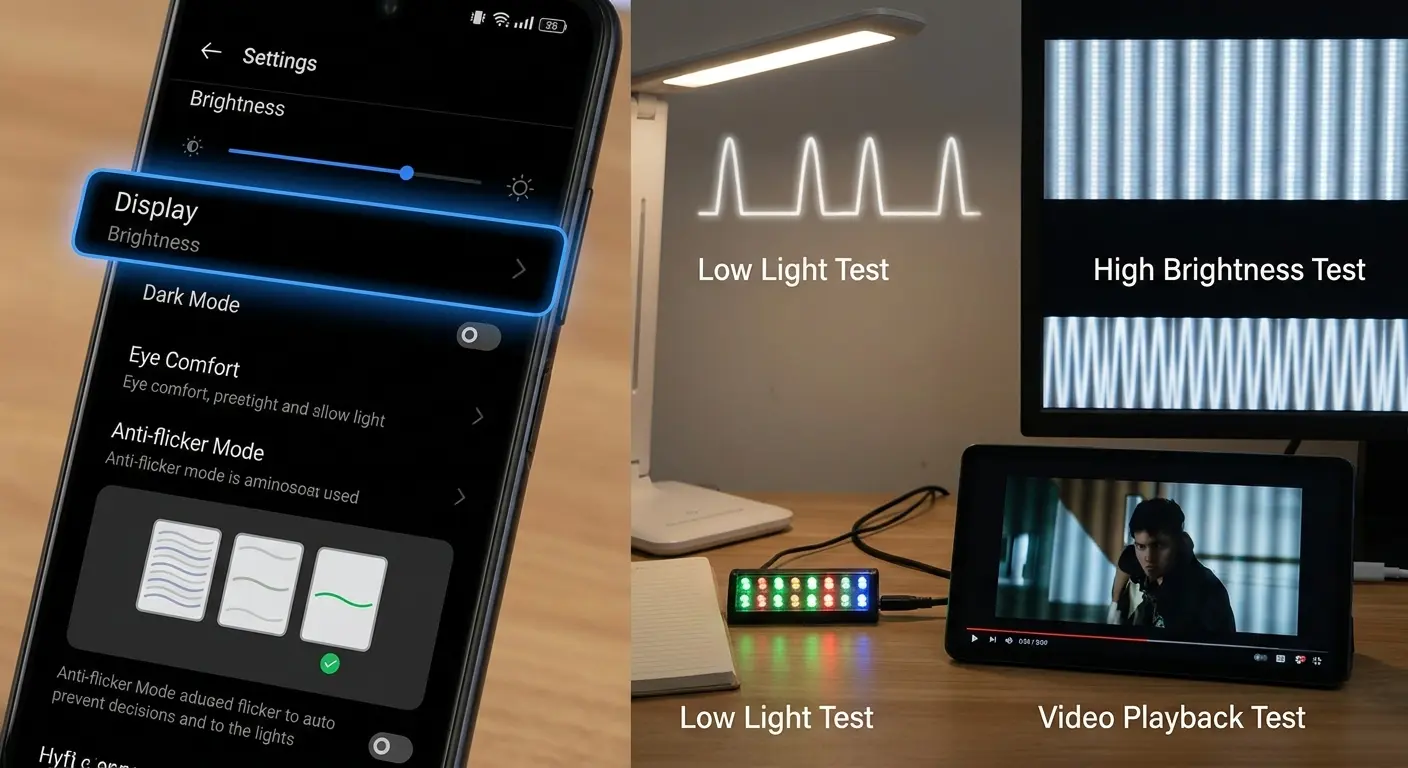
Here's how to differentiate software from hardware causes:
Boot your phone into safe mode. If flickering stops, a third-party app is causing the issue.
Factory reset your phone after backing up data. If flickering stops after a clean install, the cause was software-related.
Observe flickering patterns. If flickering occurs randomly regardless of what you're doing, it's likely hardware.
The critical point: if physical manipulation affects the flickering, it's not software. When pressing on certain areas of the screen changes the flicker pattern, you're dealing with a physical connection problem that no software update will fix.
You can stop wasting time on software fixes when you've got a hardware problem.
For users experiencing persistent issues across different scenarios, learning how to protect your phone from being hacked and other software-related problems can help rule out security issues versus hardware failures.
What Your Flickering Pattern Reveals About Damage Type
The specific characteristics of your screen flickering provide diagnostic information about which component or connection is failing. Phone screen flickering shows up in distinct patterns, each pointing to different internal problems.
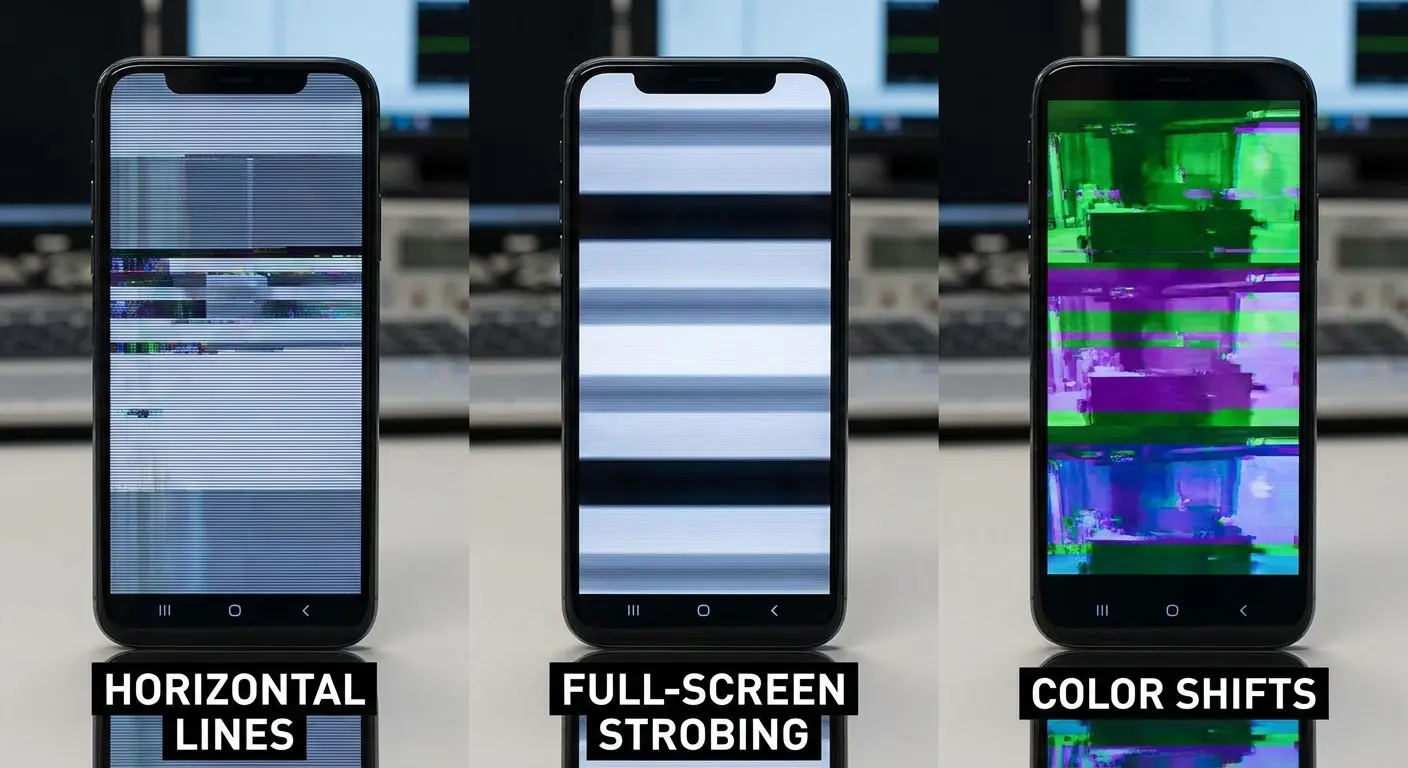
Horizontal lines that appear and disappear: This pattern typically indicates a failing connection between the display panel and the display controller. The lines represent rows of pixels that intermittently lose signal. You'll often see these lines in consistent locations, which tells you specific traces in the flex cable are damaged.
Full-screen strobing or pulsing: This suggests an issue with the backlight circuit or the power supply to the display assembly. The entire screen brightness fluctuates because the power delivery is unstable. This can stem from a failing voltage regulator or corroded power connections.
Flickering that responds to pressure: When pressing on specific areas of your phone makes the flickering better or worse, you've confirmed a loose connection. This is definitive evidence of a hardware problem. The pressure temporarily improves contact between loose connector pins.
Color shifts or tinting that accompanies flickering: This indicates that some but not all color channels are losing signal. Your display uses separate signal lines for red, green, and blue. When you see a green tint appear during flicker episodes, the red and blue channels are cutting out intermittently.
Flickering that worsens with heat: Temperature-dependent flickering that improves when the phone cools down points to solder joint failure at the display controller. The thermal expansion we discussed earlier is actively affecting your connections during use.
Progressive worsening over weeks: Flickering that started as an occasional annoyance and has gradually become constant indicates ongoing physical degradation. Connectors don't heal themselves. Once degradation starts, it continues until the connection fails completely or gets professionally repaired.
Flickering that correlates with specific orientations: When the screen only flickers in portrait mode or only in landscape, gravity is affecting a loose internal connection. The weight of components shifts slightly when you rotate the phone, changing pressure on damaged connector points.
Each pattern tells you something about repair urgency. Pressure-responsive flickering and progressive worsening indicate problems that will continue to deteriorate. If you're dealing with consistent hardware-related issues, understanding how to protect your phone while traveling can prevent additional damage during trips.
Final Thoughts
Screen flickering sucks because you can't predict it. One day your phone's fine, the next day it's having a seizure every time you open an app.
Here's what I want you to take away from this: it's probably not random. It's physical damage that's been building up for months. Every time you shoved your phone in your pocket with your keys, every time your car mount squeezed it a little too tight, every winter-to-summer temperature swing. It all adds up.
The reality is that most flickering stems from physical stress accumulating over months of normal use. Your phone wasn't designed to handle the pressure variations, temperature swings, and micro-impacts it experiences every day.
Understanding the mechanical causes changes how you approach both prevention and diagnosis. You stop wasting time on software fixes when you have a hardware problem. You make different choices about cases, mounts, and handling practices that actually address root causes.
The real value comes from managing the daily stress that you don't even notice until it shows up as problems like screen flickering.
I've spent years studying how phones fail in real-world conditions. The patterns are consistent. Phones that receive proper structural protection through well-designed cases and mounting systems experience significantly fewer connection failures. The investment in quality protection pays off in extended device life and fewer frustrating hardware failures.
Your phone is a precision instrument with dozens of delicate internal connections. Treat it accordingly, and you'll avoid most of the flickering issues that plague devices subjected to unmanaged physical stress.

